lock MERCEDES-BENZ GLE 2016 Repair Manual
[x] Cancel search | Manufacturer: MERCEDES-BENZ, Model Year: 2016, Model line: GLE, Model: MERCEDES-BENZ GLE 2016Pages: 450, PDF Size: 12.92 MB
Page 117 of 450
The daytime running lamps improve the visibility
of your vehicle during the day. The daytime run-
ning lamps function is required by law in Can-
ada. It cannot therefore be deactivated.
When the engine is running and the vehicle is
stationary: if you move the selector lever from a
drive position to P , the daytime running lamps/
low-beam headlamps go out after three
minutes.
When the engine is running, the vehicle is sta-
tionary and in bright ambient light: if you turn the
light switch to ` , the daytime running lamps
and parking lamps switch on.
If the engine is running and you turn the light
switch to X , the manual settings take prec-
edence over the daytime running lamps.
USA only:
The daytime running lamps improve the visibility
of your vehicle during the day. To do this, the
daytime running lamps function must be
switched on using the on-board computer
( Y
page 275).
If the engine is running and you turn the light
switch to ` or X , the manual settings
take precedence over the daytime running
lamps.
Low-beam headlamps Even if the light sensor does not detect that it is
dark, the parking lamps and low-beam head-
lamps switch on when the ignition is switched on
and the light switch is set to the X position.
This is a particularly useful function in the event
of rain and fog. X
To switch on the low-beam headlamps:
turn the SmartKey in the ignition lock to posi-
tion 2 or start the engine.X
Turn the light switch to X .
The green X indicator lamp in the instru-
ment cluster lights up.
Rear fog lamp
The rear fog lamp improves visibility of your
vehicle for the traffic behind in the event of thick
fog. Please take note of the country-specific
regulations for the use of rear fog lamps. X
To switch on the rear fog lamp: turn the
SmartKey in the ignition lock to position 2 or
start the engine. X
Turn the light switch to X or X . X
Press the ^ button.
The yellow ^ indicator lamp in the instru-
ment cluster lights up. X
To switch off the rear fog lamp: press the
^ but ton.
The yellow ^ indicator lamp in the instru-
ment cluster goes out.
Parking lamps
! If the battery has been excessively dis-
charged, the parking lamps or standing lamps
are automatically switched off to enable the
next engine start. Always park your vehicle
safely and sufficiently lit according to legal
standards. Avoid the continuous use of the
` parking lamps for several hours. If pos-
sible, switch on the d right or the c left
standing lamp. X
To switch on: turn the light switch to ` .
The green ` indicator lamp in the instru-
ment cluster lights up.
Standing lamps Switching on the standing lamps ensures the
corresponding side of the vehicle is illuminated. X
To switch on the standing lamps: the
SmartKey should not be in the ignition lock or
it should be in position 0 .X
Turn the light switch to c (left-hand side of
the vehicle) or d (right-hand side of the
vehicle).
Vehicles towing a trailer: both the right-hand
and left-hand standing lamps (tail lamps) are
always illuminated on the trailer.Exterior lighting 115
Lights and windshield wipers Z
Page 119 of 450
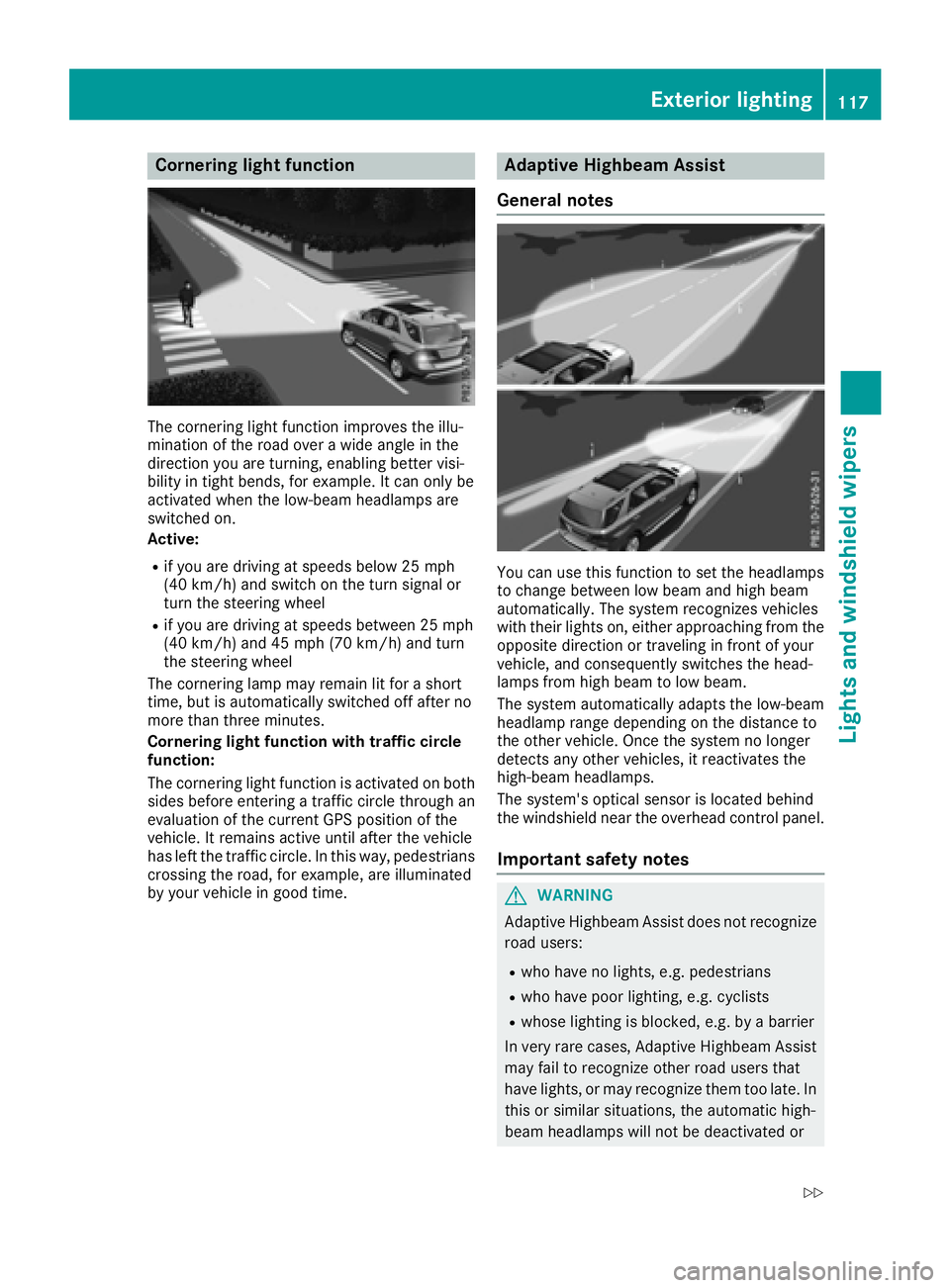
Cornering light function
The cornering light function improves the illu-
mination of the road over a wide angle in the
direction you are turning, enabling better visi-
bility in tight bends, for example. It can only be
activated when the low-beam headlamps are
switched on.
Active: R
if you are driving at speeds below 25 mph
(40 km/h) and switch on the turn signal or
turn the steering wheel R
if you are driving at speeds between 25 mph
(40 km/h) and 45 mph (70 km/h) and turn
the steering wheel
The cornering lamp may remain lit for a short
time, but is automatically switched off after no
more than three minutes.
Cornering light function with traffic circle
function:
The cornering light function is activated on both
sides before entering a traffic circle through an
evaluation of the current GPS position of the
vehicle. It remains active until after the vehicle
has left the traffic circle. In this way, pedestrians
crossing the road, for example, are illuminated
by your vehicle in good time. Adaptive Highbeam Assist
General notes
You can use this function to set the headlamps
to change between low beam and high beam
automatically. The system recognizes vehicles
with their lights on, either approaching from the
opposite direction or traveling in front of your
vehicle, and consequently switches the head-
lamps from high beam to low beam.
The system automatically adapts the low-beam
headlamp range depending on the distance to
the other vehicle. Once the system no longer
detects any other vehicles, it reactivates the
high-beam headlamps.
The system's optical sensor is located behind
the windshield near the overhead control panel.
Important safety notes
G WARNING
Adaptive Highbeam Assist does not recognize
road users: R
who have no lights, e.g. pedestrians R
who have poor lighting, e.g. cyclists R
whose lighting is blocked, e.g. by a barrier
In very rare cases, Adaptive Highbeam Assist
may fail to recognize other road users that
have lights, or may recognize them too late. In
this or similar situations, the automatic high-
beam headlamps will not be deactivated orExterior lighting 117
Lights and windshield wipers Z
Page 121 of 450
except when the SmartKey is in position 2 in the
ignition lock.
The color and brightness for the ambient lighting
may be set via the multimedia system (see the
separate operating instructions).
Automatic interior lighting control X
To switch on: set the switch to center posi-
tion
Page 123 of 450
X
Turn housing cover C counter-clockwise and
remove it. X
Pull lever
Page 125 of 450
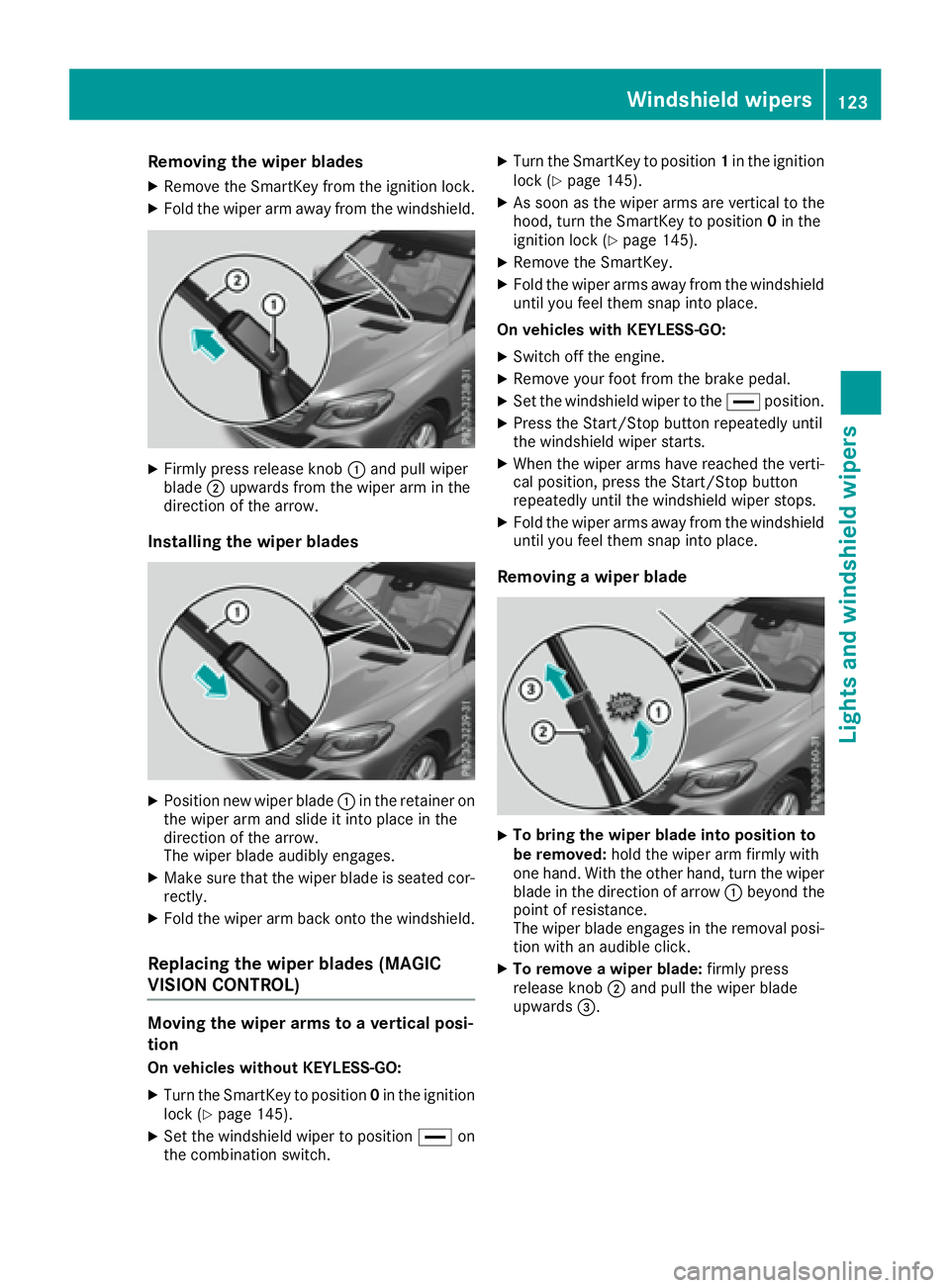
Removing the wiper blades X
Remove the SmartKey from the ignition lock. X
Fold the wiper arm away from the windshield.
X
Firmly press release knob C and pull wiper
blade D upwards from the wiper arm in the
direction of the arrow.
Installing the wiper blades
X
Position new wiper blade C in the retainer on
the wiper arm and slide it into place in the
direction of the arrow.
The wiper blade audibly engages. X
Make sure that the wiper blade is seated cor-
rectly. X
Fold the wiper arm back onto the windshield.
Replacing the wiper blades (MAGIC
VISION CONTROL)
Moving the wiper arms to a vertical posi-
tion
On vehicles without KEYLESS-GO: X
Turn the SmartKey to position 0 in the ignition
lock ( Y
page 145).X
Set the windshield wiper to position
Page 127 of 450
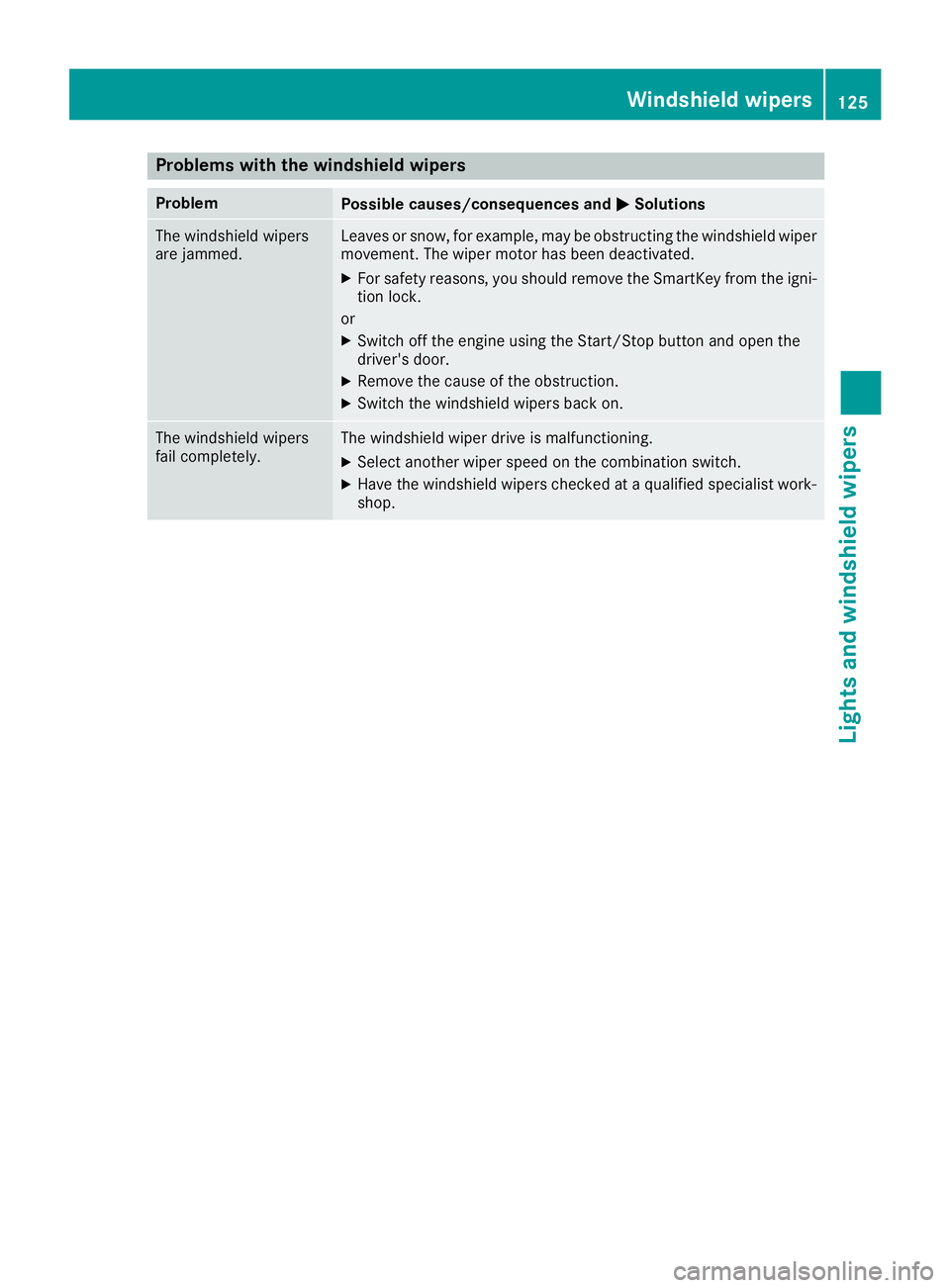
Problems with the windshield wipers Problem
Possible causes/consequences and P Solutions
The windshield wipers
are jammed. Leaves or snow, for example, may be obstructing the windshield wiper
movement. The wiper motor has been deactivated. X
For safety reasons, you should remove the SmartKey from the igni-
tion lock.
or X
Switch off the engine using the Start/Stop button and open the
driver's door. X
Remove the cause of the obstruction. X
Switch the windshield wipers back on.
The windshield wipers
fail completely. The windshield wiper drive is malfunctioning. X
Select another wiper speed on the combination switch. X
Have the windshield wipers checked at a qualified specialist work-
shop. Windshield wipers 125
Lights and windshield wipers Z
Page 136 of 450
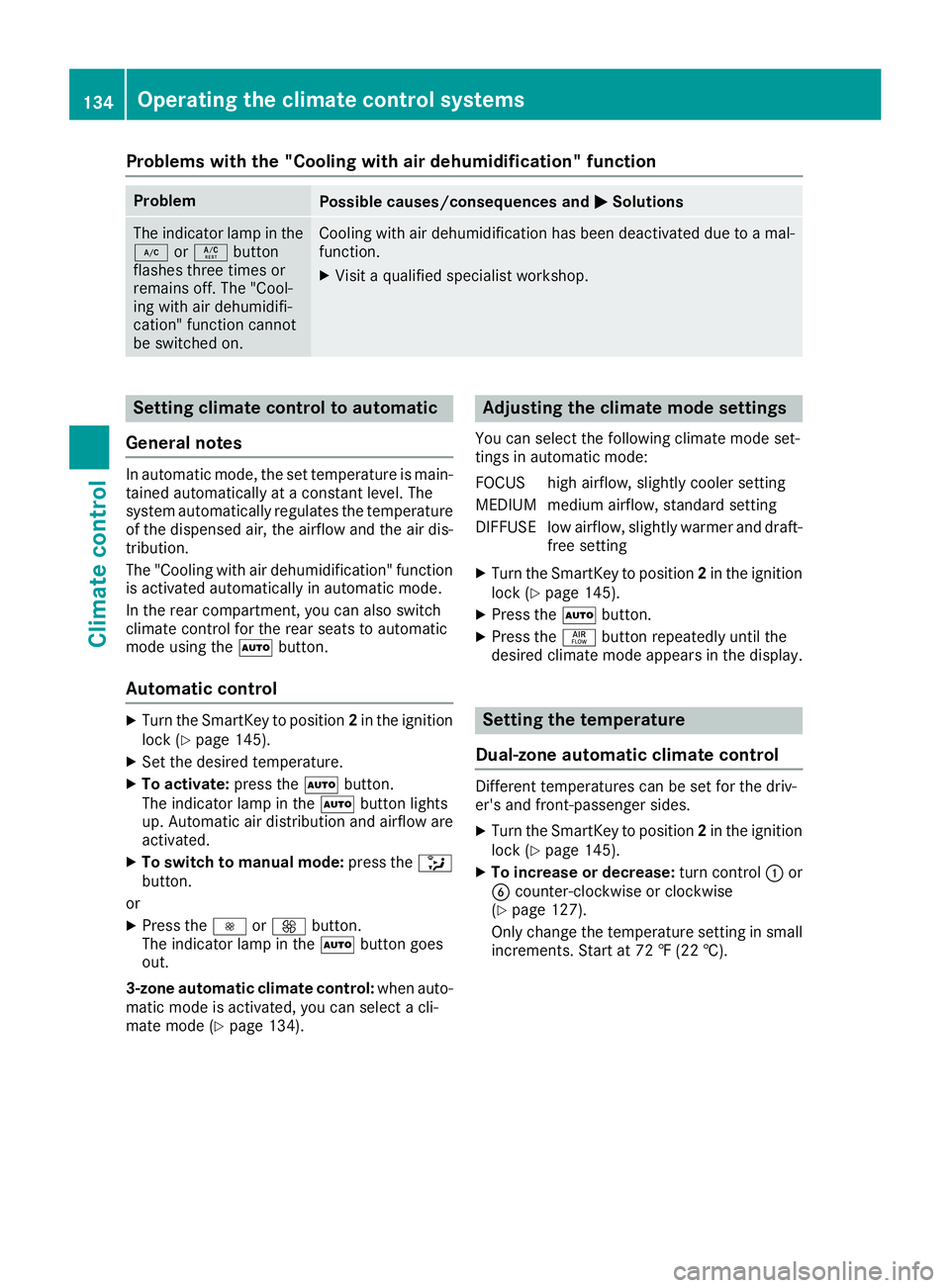
Problems with the "Cooling with air dehumidification" function Problem
Possible causes/consequences and P Solutions
The indicator lamp in the
Z or V button
flashes three times or
remains off. The "Cool-
ing with air dehumidifi-
cation" function cannot
be switched on. Cooling with air dehumidification has been deactivated due to a mal-
function. X
Visit a qualified specialist workshop.
Setting climate control to automatic
General notes In automatic mode, the set temperature is main-
tained automatically at a constant level. The
system automatically regulates the temperature
of the dispensed air, the airflow and the air dis-
tribution.
The "Cooling with air dehumidification" function
is activated automatically in automatic mode.
In the rear compartment, you can also switch
climate control for the rear seats to automatic
mode using the X button.
Automatic control X
Turn the SmartKey to position 2 in the ignition
lock ( Y
page 145).X
Set the desired temperature. X
To activate: press the X button.
The indicator lamp in the X button lights
up. Automatic air distribution and airflow are
activated. X
To switch to manual mode: press the
Page 137 of 450
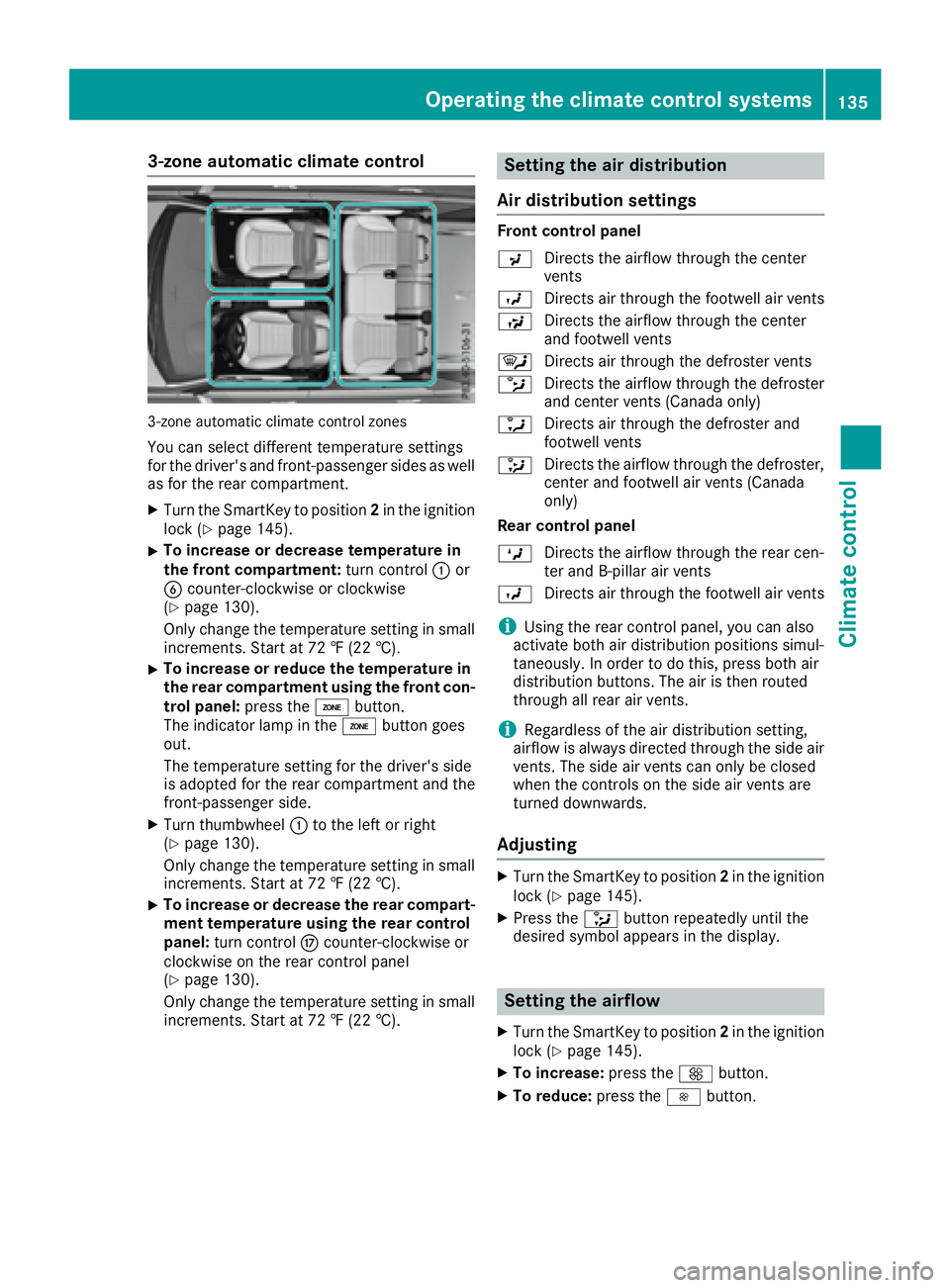
3-zone automatic climate control
3-zone automatic climate control zones
You can select different temperature settings
for the driver's and front-passenger sides as well
as for the rear compartment. X
Turn the SmartKey to position 2 in the ignition
lock ( Y
page 145).X
To increase or decrease temperature in
the front compartment: turn control C or
Page 140 of 450
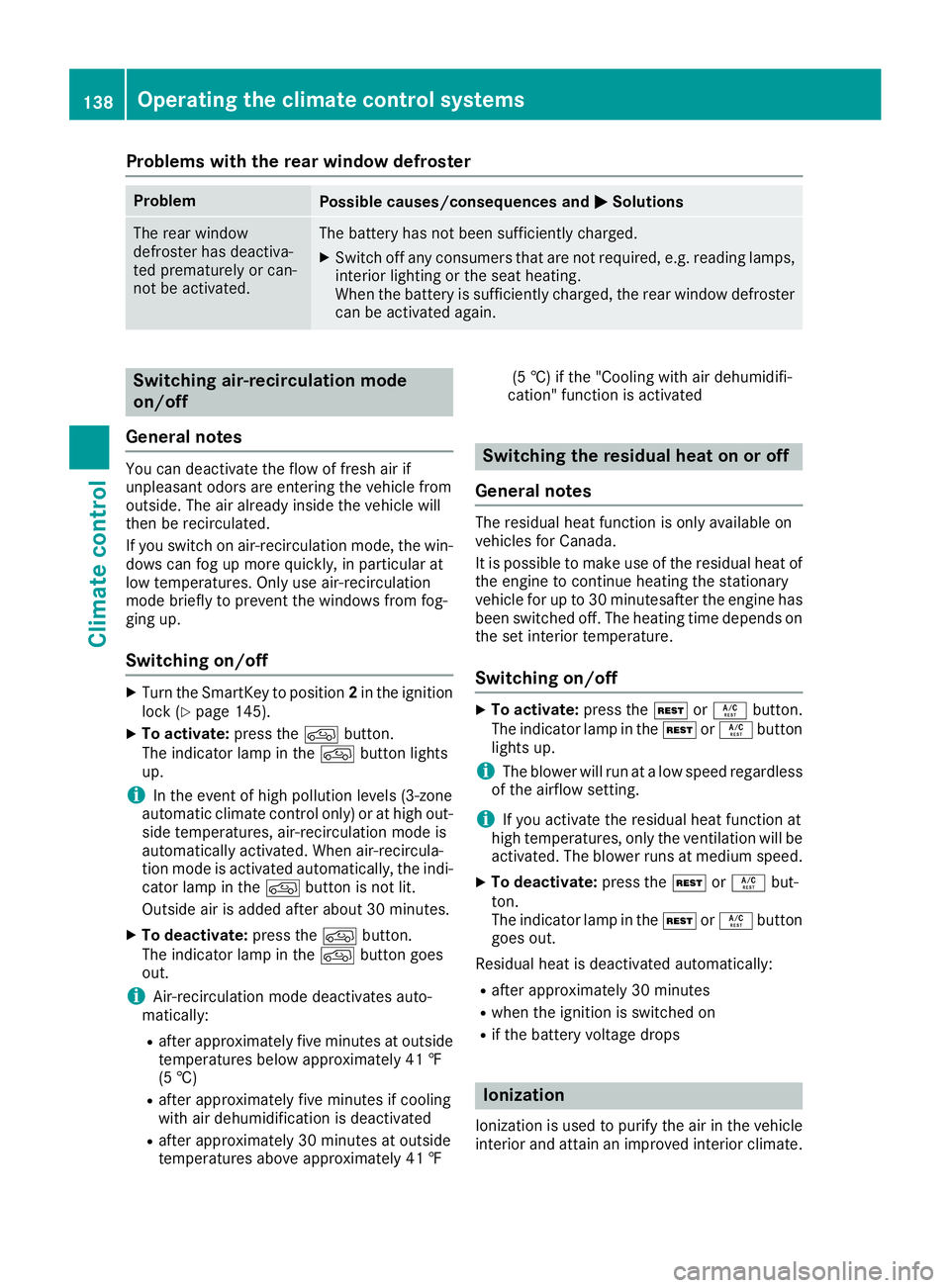
Problems with the rear window defroster Problem
Possible causes/consequences and P Solutions
The rear window
defroster has deactiva-
ted prematurely or can-
not be activated. The battery has not been sufficiently charged. X
Switch off any consumers that are not required, e.g. reading lamps,
interior lighting or the seat heating.
When the battery is sufficiently charged, the rear window defroster
can be activated again.
Switching air-recirculation mode
on/off
General notes You can deactivate the flow of fresh air if
unpleasant odors are entering the vehicle from
outside. The air already inside the vehicle will
then be recirculated.
If you switch on air-recirculation mode, the win-
dows can fog up more quickly, in particular at
low temperatures. Only use air-recirculation
mode briefly to prevent the windows from fog-
ging up.
Switching on/off X
Turn the SmartKey to position 2 in the ignition
lock ( Y
page 145).X
To activate: press the
Page 141 of 450
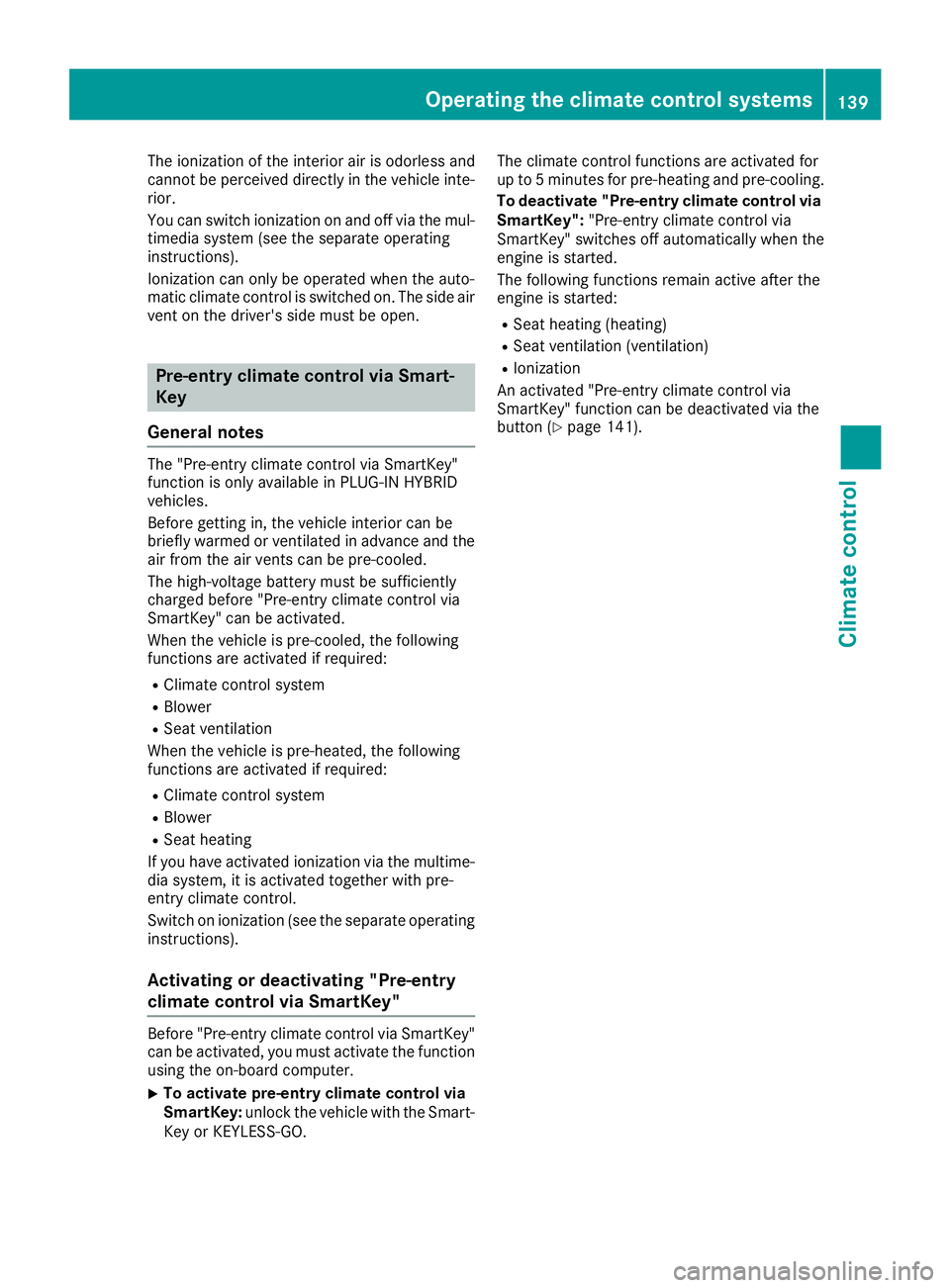
The ionization of the interior air is odorless and
cannot be perceived directly in the vehicle inte-
rior.
You can switch ionization on and off via the mul-
timedia system (see the separate operating
instructions).
Ionization can only be operated when the auto-
matic climate control is switched on. The side air
vent on the driver's side must be open.
Pre-entry climate control via Smart-
Key
General notes The "Pre-entry climate control via SmartKey"
function is only available in PLUG-IN HYBRID
vehicles.
Before getting in, the vehicle interior can be
briefly warmed or ventilated in advance and the
air from the air vents can be pre-cooled.
The high-voltage battery must be sufficiently
charged before "Pre-entry climate control via
SmartKey" can be activated.
When the vehicle is pre-cooled, the following
functions are activated if required: R
Climate control system R
Blower R
Seat ventilation
When the vehicle is pre-heated, the following
functions are activated if required: R
Climate control system R
Blower R
Seat heating
If you have activated ionization via the multime-
dia system, it is activated together with pre-
entry climate control.
Switch on ionization (see the separate operating
instructions).
Activating or deactivating "Pre-entry
climate control via SmartKey"
Before "Pre-entry climate control via SmartKey"
can be activated, you must activate the function
using the on-board computer. X
To activate pre-entry climate control via
SmartKey: unlock the vehicle with the Smart-
Key or KEYLESS-GO. The climate control functions are activated for
up to 5 minutes for pre-heating and pre-cooling.
To deactivate "Pre-entry climate control via
SmartKey": "Pre-entry climate control via
SmartKey" switches off automatically when the
engine is started.
The following functions remain active after the
engine is started: R
Seat heating (heating) R
Seat ventilation (ventilation) R
Ionization
An activated "Pre-entry climate control via
SmartKey" function can be deactivated via the
button ( Y
page 141).Operating the climate control systems 139
Climate control