fog light MERCEDES-BENZ GLE 2018 User Guide
[x] Cancel search | Manufacturer: MERCEDES-BENZ, Model Year: 2018, Model line: GLE, Model: MERCEDES-BENZ GLE 2018Pages: 398, PDF Size: 9.25 MB
Page 241 of 398
R
Highway mode R
Active light function R
Cornering light function R
Extended range fog lamps R
Off-road lights
Further information on the Intelligent Light Sys-
tem ( Y
page 112).
Vehicle submenu Activating/deactivating the automatic
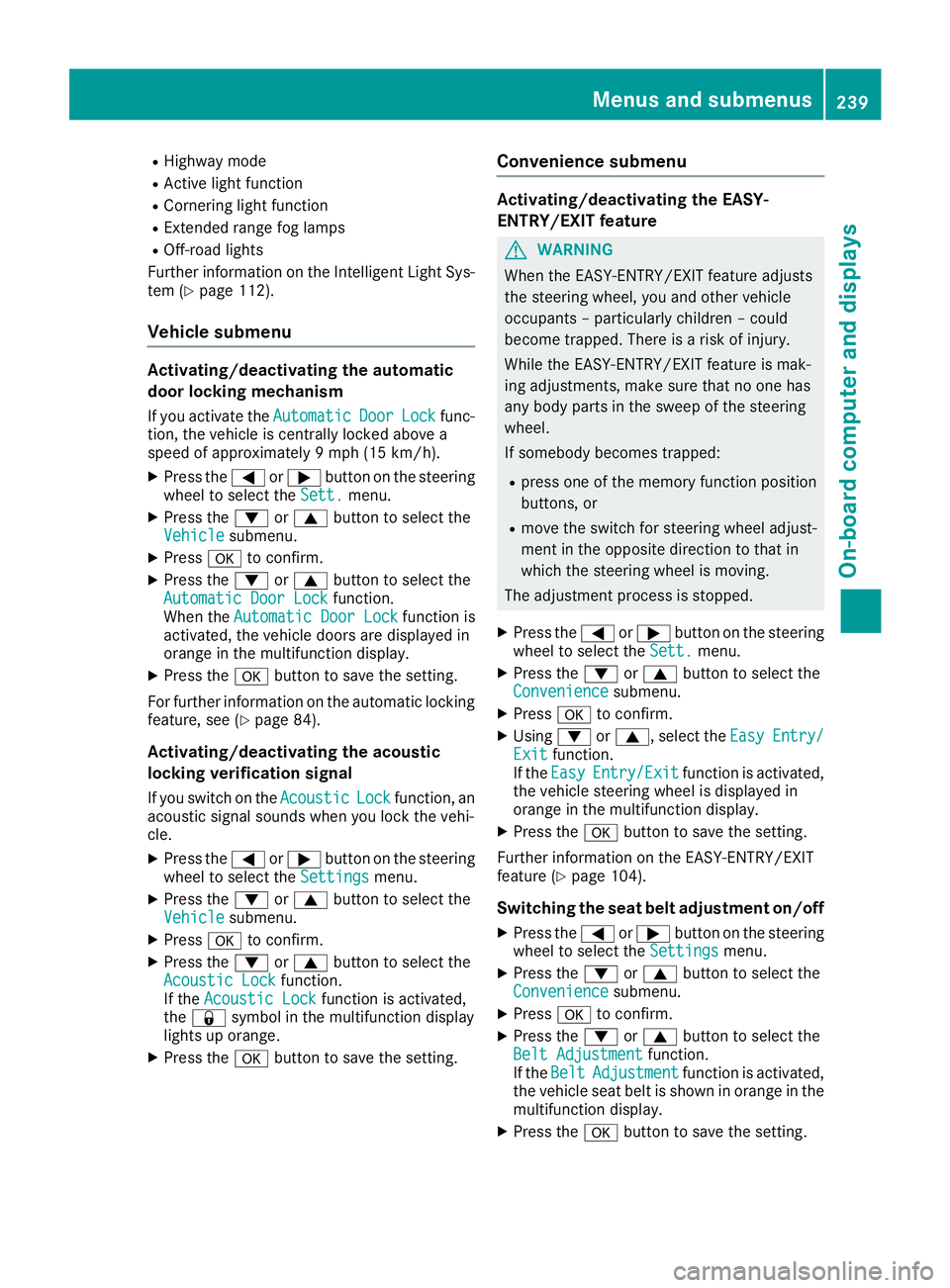
door locking mechanism If you activate the Automatic Door Lock func-
tion, the vehicle is centrally locked above a
speed of approximately 9 mph (15 km/h). X
Press the Y or e button on the steering
wheel to select the Sett. menu.X
Press the d or c button to select the
Vehicle submenu.X
Press v to confirm.X
Press the d or c button to select the
Automatic Door Lock function.
When the Automatic Door Lock function is
activated, the vehicle doors are displayed in
orange in the multifunction display. X
Press the v button to save the setting.
For further information on the automatic locking
feature, see ( Y
page 84).
Activating/deactivating the acoustic
locking verification signal If you switch on the Acoustic Lock function, an
acoustic signal sounds when you lock the vehi-
cle. X
Press the Y or e button on the steering
wheel to select the Settings menu.X
Press the d or c button to select the
Vehicle submenu.X
Press v to confirm.X
Press the d or c button to select the
Acoustic Lock function.
If the Acoustic Lock function is activated,
the 7 symbol in the multifunction display
lights up orange. X
Press the v button to save the setting. Convenience submenu Activating/deactivating the EASY-
ENTRY/EXIT feature
G WARNING
When the EASY-ENTRY/EXIT feature adjusts
the steering wheel, you and other vehicle
occupants – particularly children – could
become trapped. There is a risk of injury.
While the EASY-ENTRY/EXIT feature is mak-
ing adjustments, make sure that no one has
any body parts in the sweep of the steering
wheel.
If somebody becomes trapped: R
press one of the memory function position
buttons, or R
move the switch for steering wheel adjust-
ment in the opposite direction to that in
which the steering wheel is moving.
The adjustment process is stopped. X
Press the Y or e button on the steering
wheel to select the Sett. menu.X
Press the d or c button to select the
Convenience submenu. X
Press v to confirm. X
Using d or c , select the Easy Entry/
Exit function.
If the Easy Entry/Exit function is activated,
the vehicle steering wheel is displayed in
orange in the multifunction display. X
Press the v button to save the setting.
Further information on the EASY-ENTRY/EXIT
feature ( Y
page 104).
Switching the seat belt adjustment on/off X
Press the Y or e button on the steering
wheel to select the Settings menu.X
Press the d or c button to select the
Convenience submenu. X
Press v to confirm. X
Press the d or c button to select the
Belt Adjustment function.
If the Belt Adjustment function is activated,
the vehicle seat belt is shown in orange in the
multifunction display. X
Press the v button to save the setting.Menus and submenus 239
On-board computer and displays Z
Page 258 of 398
Display messages
Possible causes/consequences and P Solutions
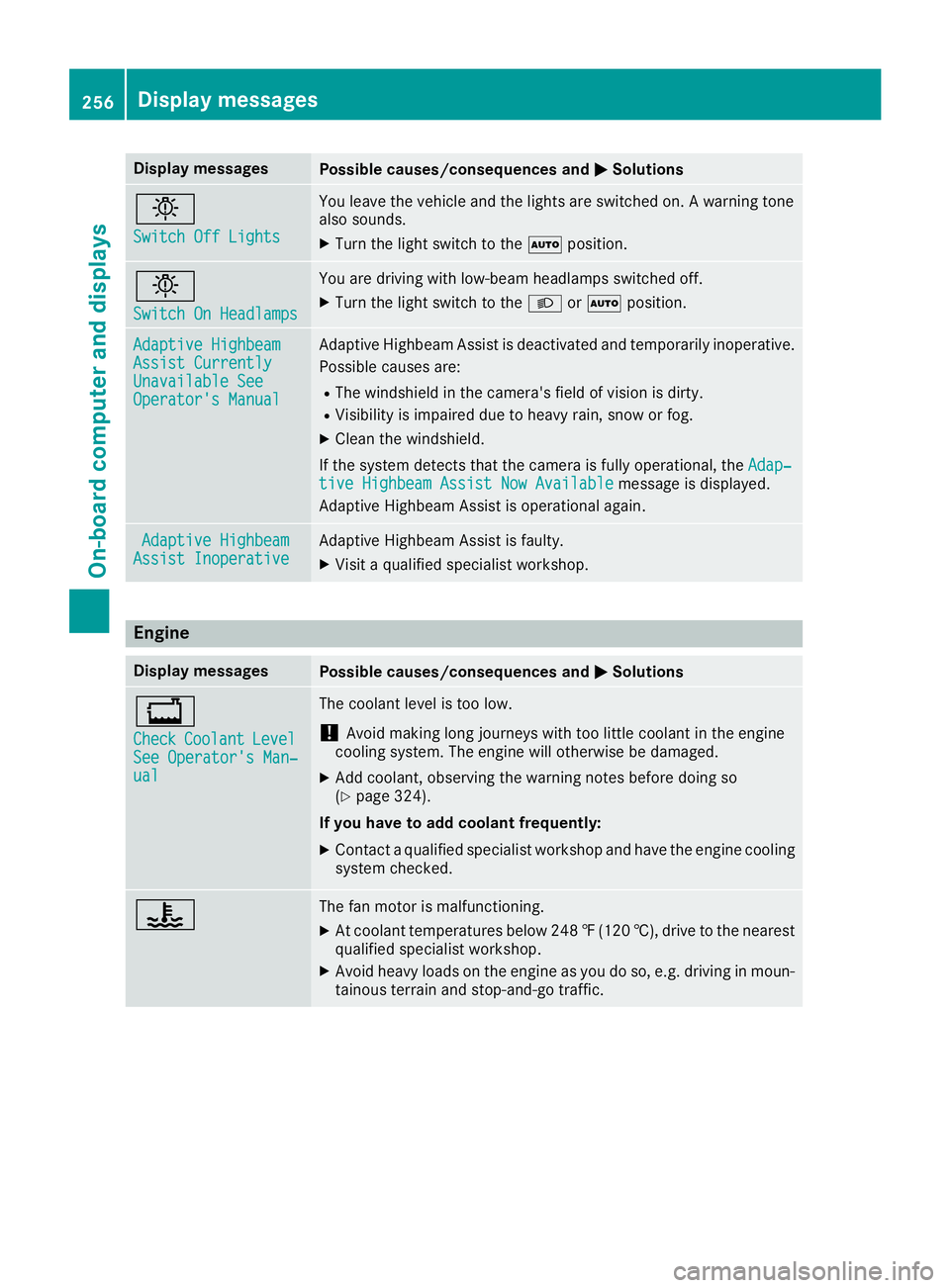
I Switch Off Lights You leav e th e vehicl e and th e lights are switched on . A warning tone
also sounds. X
Turn th e ligh t switch to th e X position .
I Switch On Headlamps You are drivin g wit h low-beam headlamp s switched off .X
Turn th e ligh t switch to th e X or X position .
Adaptive Highbeam
Assist Currently
Unavailable See
Operator' s Manual Adaptive Highbea m Assis t is deactivated and temporarily inoperative.
Possibl e causes are: R
The windshield in th e camera' s field of vision is dirty.R
Visibilit y is impaire d due to heav y rain , snow or fog .X
Clean th e windshield.
If th e system detects that th e camera is full y operational, th e Adap‐
tiv e Highbeam Assist Now Available message is displayed.
Adaptive Highbea m Assis t is operational again .
Adaptive Highbeam
Assist Inoperative Adaptive Highbea m Assis t is faulty.X
Visit a qualified specialist workshop .
Engine Display messages
Possible causes/consequences and P Solutions