display MERCEDES-BENZ GLE-CLASS SUV 2016 Owners Manual
[x] Cancel search | Manufacturer: MERCEDES-BENZ, Model Year: 2016, Model line: GLE-CLASS SUV, Model: MERCEDES-BENZ GLE-CLASS SUV 2016Pages: 450, PDF Size: 10.52 MB
Page 253 of 450
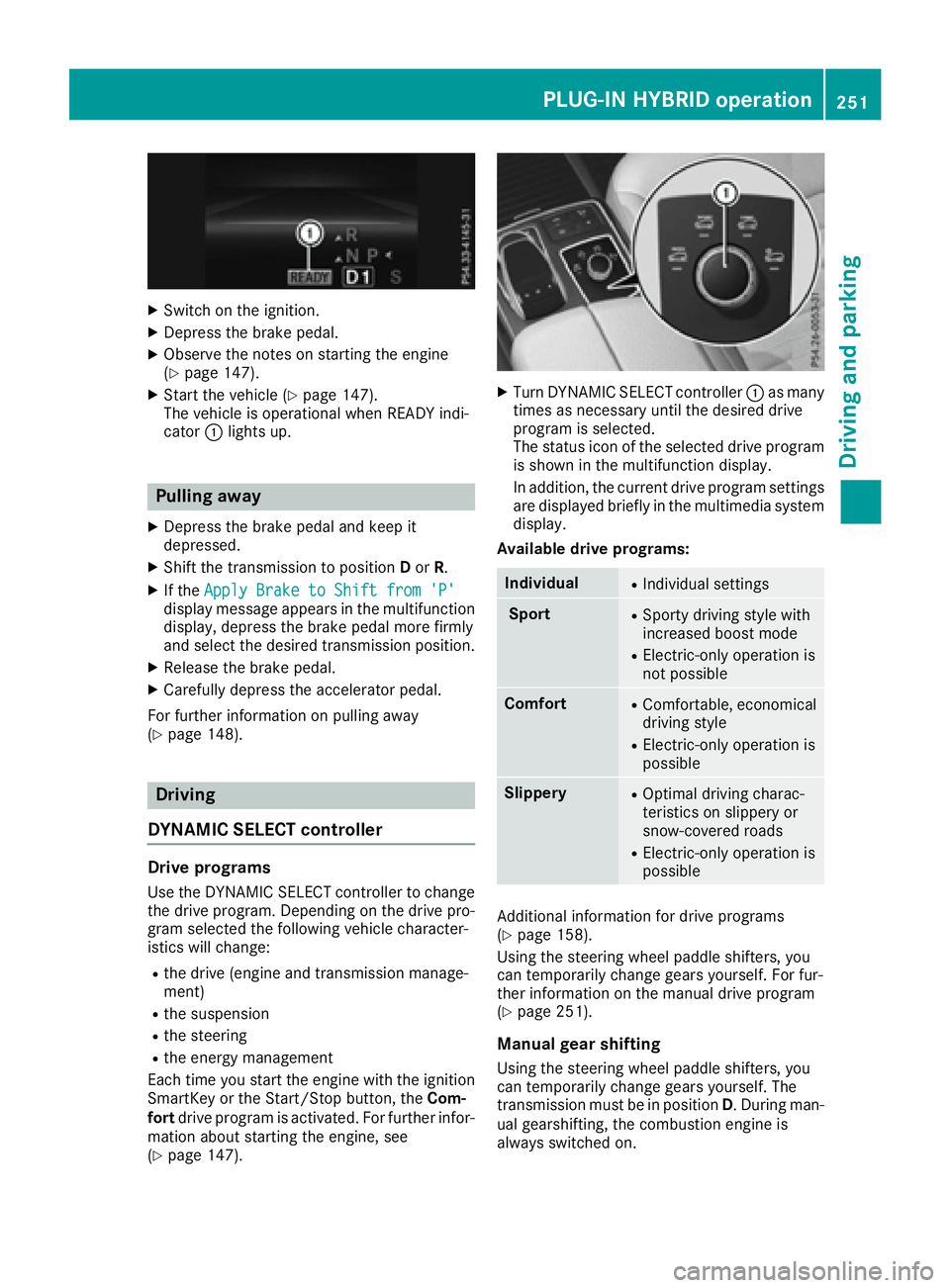
XSwitch on the ignition.
XDepress the brake pedal.
XObserve the notes on starting the engine
(Ypage 147).
XStart the vehicle (Ypage 147).
The vehicle is operational when READY indi-
cator :lights up.
Pulling away
XDepress the brake pedal and keep it
depressed.
XShift the transmission to position Dor R.
XIf the Apply Brake to Shift from 'P'display message appears in the multifunction
display, depress the brake pedal more firmly
and select the desired transmission position.
XRelease the brake pedal.
XCarefully depress the accelerator pedal.
For further information on pulling away
(
Ypage 148).
Driving
DYNAMIC SELECT controller
Drive programs
Use the DYNAMIC SELECT controller to change
the drive program. Depending on the drive pro-
gram selected the following vehicle character-
istics will change:
Rthe drive (engine and transmission manage-
ment)
Rthe suspension
Rthe steering
Rthe energy management
Each time you start the engine with the ignition SmartKey or the Start/Stop button, the Com-
fort drive program is activated. For further infor-
mation about starting the engine, see
(
Ypage 147).
XTurn DYNAMIC SELECT controller :as many
times as necessary until the desired drive
program is selected.
The status icon of the selected drive program
is shown in the multifunction display.
In addition, the current drive program settings are displayed briefly in the multimedia system
display.
Available drive programs:
IndividualRIndividual settings
SportRSporty driving style with
increased boost mode
RElectric-only operation is
not possible
ComfortRComfortable, economical
driving style
RElectric-only operation is
possible
SlipperyROptimal driving charac-
teristics on slippery or
snow-covered roads
RElectric-only operation is
possible
Additional information for drive programs
(Ypage 158).
Using the steering wheel paddle shifters, you
can temporarily change gears yourself. For fur-
ther information on the manual drive program
(
Ypage 251).
Manual gear shifting
Using the steering wheel paddle shifters, you
can temporarily change gears yourself. The
transmission must be in position D. During man-
ual gearshifting, the combustion engine is
always switched on.
PLUG-IN HYBRID operation251
Driving and parking
Z
Page 254 of 450
Activating when driving with the electric motor:
XPull the left or right steering wheel paddle
shifter (Ypage 159).
The combustion engine is switched on. Man-
ual gearshifting is activated temporarily. The
selected gear and Mappear in the multifunc-
tion display.
Activating when driving with the combustion
engine:
XPull the left or right steering wheel paddle
shifter (Ypage 159).
Manual gearshifting is activated temporarily.
The selected gear and Mappear in the multi-
function display.
The ECO start/stop function is not available
when manually changing gear.
For further information on the manual drive pro-
gram (
Ypage 159).
Driving tips
General driving tips
Drive carefully and maintain a safe distance
from the vehicle in front. Avoid frequent and
sudden acceleration as well as abrupt braking.
During partial electric driving, pulling away and
acceleration, the electric motor supports the
internal combustion engine.
During overrun in transmission position Dand
braking, the electric motor will operate as a gen-
erator.
Further information on the ECO start/stop func-
tion (
Ypage 253).
Additional driving tips (
Ypage 181).
Stationary vehicle
If the vehicle is stopped, the combustion engine
is, for the most part, switched off. Automatic
climate control continues to function. The elec-
tromechanically assisted steering gear allows
you to use the power steering without reduced
comfort.
Acceleration
Depending on the operating mode, pulling away
and driving under low load conditions are per-
formed:
Rentirely by electric propulsion
Rin combination with the internal combustion
engine When accelerating rapidly under increased or
full load, increased boost mode is utilized. The
electric motor supports the combustion engine
by providing additional drive torque.
Overrun mode or braking
There are three possible operating modes when
the hybrid vehicle is decelerating:
Renergy recovery takes place even when the
vehicle is decelerating purely in overrun mode
(
Ypage 242). The electric motor operates as
a generator and stores the recovered energy
in the high-voltage battery.
Rwhen the brakes are applied lightly, the vehi-
cle is slowed down further by the electric
motor. This increases the energy recovery
taking place (
Ypage 242). The electric motor
operates as a generator and stores the recov- ered energy in the high-voltage battery.
Rwhen the brakes are applied with greater
force, the service brakes are also used to slow
the vehicle down. The two systems work
together.
Urban driving
In city traffic, energy is recuperated during fre-
quent deceleration phases.
The vehicle can be driven by the electric motor
alone up to a speed of approximately 80 mph
(130 km/h).
The vehicle is driven by the electric motor alone
only when all conditions for the automatic
engine switch-off are fulfilled.
Further information on the automatic engine
switch-off (
Ypage 253).
Driving on inter-urban roads
The following phases are possible when driving
on inter-urban roads:
Rrapid acceleration (boost mode)
Renergy recuperation
Relectric operation mode
The vehicle can be driven by the electric motor
alone up to a speed of approximately 74 mph
(120 km/h).
A great deal of recovered energy may be avail-
able, depending on the route profile. This
reduces consumption and emissions.
252PLUG-IN HYBRID operation
Driving an d parking
Page 256 of 450
The condition of charge of the high-voltage bat-
tery is thus systematically controlled. In addi-
tion, the control function takes into account
that:
Rthe fuel saving through the use of electrical
energy can vary, dependent on the route (e.g.
urban, interurban or highway)
Rthe use of electrical energy is held available
for electric driving, particularly for urban
routes
The vehicle thus automatically selects the opti-
mum driving mode for the respective section of
the route.
The route-based operating strategy is available
under the following conditions:
Rthe Individual drive program is selected
Rin theIndividual drive program, the ECO set-
ting is selected under Drive
RHYBRID driving mode is selected
Ractive route guidance is activated
Rsuitable map data is available
When the route-based operating strategy is
being used, the area in front of the vehicle is
shown as green in the multifunction display.
Parking
XApply the electric parking brake.
The red !indicator lamp in the instrument
cluster lights up.
XUse the DIRECT SELECT lever to shift the
automatic transmission to P.
XSwitch the ignition off.
The READY indicator in the instrument cluster
goes out.
Further information on parking and switching off
the internal combustion engine (
Ypage 179).
254PLUG-IN HYBRID operation
Driving and parking
Page 257 of 450
Problems with PLUG-IN HYBRID operation
Internal combustion engine
ProblemPossible causes/consequences and MSolutions
You cannot start the
internal combustion
engine. The multifunc-
tion display shows no
display messages. The
READY indicator in the
multifunction display is
off.For example, self-diagnosis is not yet complete or the hybrid drive
system is malfunctioning.
XSwitch off the ignition and turn it back on.
XTry to start the internal combustion engine again.
If the internal combustion engine still does not start:
XConsult a qualified specialist workshop.
You wish to pull away,
but the ECO start/stop
function does not start
the internal combustion
engine. The READY indi-
cator in the multifunc-
tion display is off.The ECO start/stop function has failed. The warning and indicator
lamps in the instrument cluster light up.
XShift the transmission to P.
XSwitch off the ignition and turn it back on.
XStart the engine.
The hybrid drive system is faulty.
XConsult a qualified specialist workshop.
Recuperative Brake System
ProblemPossible causes/consequences and MSolutions
Braking resistance is
reduced and brake pedal
travel is longer than
usual.GRisk of accident
The Recuperative Brake System is malfunctioning.
XObserve the additional display messages in the multifunction dis-
play (Ypage 280).
XObserve the information regarding indicator and warning lamps in
the instrument cluster (Ypage 318) .
PLUG-IN HYBRID operation255
Driving and parking
Z
Page 258 of 450
Hybrid drive system
ProblemPossible causes/consequences andMSolutions
The hybrid drive system
has been switched off
automatically.You have been in an accident.
The hybrid drive system remains switched off if:
Rthe internal combustion engine cannot be restarted after a few
seconds.
Rthe red6restraint system warning lamp in the instrument clus-
ter is lit.
XConsult a qualified specialist workshop.
The hybrid drive system
has been switched off
automatically. The multi-
function display also
shows a display mes-
sage.An electrical short circuit has occurred in the hybrid drive system or an
electrical connection has been disconnected.
XObserve the additional display messages in the multifunction dis-
play (Ypage 280).
XConsult a qualified specialist workshop.
Towing a trailer
Important safety notes
GWARNING
Installing an unsuitable ball coupling may
result in overloading of the trailer tow hitch
and the rear axle. This applies especially if the ball coupling in question is longer or angled
differently. This could seriously impair the
driving characteristics and the trailer can
come loose. There is a risk of an accident.
You should only ever install a ball coupling
that has the permissible dimensions and that
is designed to meet your trailer-towing
requirements. Do not modify the ball coupling
or the trailer tow hitch.
You will find the values approved by the manu-
facturer on the vehicle identification plates and
those for the towing vehicle under "Technical
data" (
Ypage 445).
GWARNING
If the ball coupling is not installed correctly or not secured with the bolt provided and the
corresponding spring cotter, the trailer may
come loose. There is a risk of an accident.
Always install and secure the ball coupling as
described. Before every journey, ensure that
the ball coupling is secured with the bolt and
the corresponding spring cotter.
GWARNING
When the vehicle/trailer combination begins
to lurch, you could lose control of it. The vehi- cle/trailer combination could even rollover.
There is a risk of an accident.
On no account should you attempt to
straighten up the vehicle/trailer combination
by increasing the speed. Reduce vehicle
speed and do not countersteer. Apply the
brake as necessary.
Please observe the manufacturer's operating
instructions for the trailer coupling if a detach-
able trailer coupling is used.
Couple and uncouple the trailer carefully. If you
do not couple the trailer to the towing vehicle
correctly, the trailer could become detached.
Make sure that the following values are not
exceeded:
Rthe permissible trailer drawbar noseweight
Rthe permissible trailer load
Rthe permissible rear axle load of the towing
vehicle
Rthe maximum permissible gross vehicle
weight of both the towing vehicle and the
trailer
256Towing a trailer
Driving and parking
Page 265 of 450
Useful information
i
This Operator's Manual describes all models
and all standard and optional equipment of
your vehicle available at the time of publica-
tion of the Operator's Manual. Country-spe-
cific differences are possible. Please note
that your vehicle may not be equipped with all
features described. This also applies to
safety-related systems and functions.
iRead the information on qualified specialist
workshops (Ypage 29).
Important safety notes
GWARNING
If you operate information systems and com-
munication equipment integrated in the vehi-
cle while driving, you will be distracted from
traffic conditions. You could also lose control
of the vehicle. There is a risk of an accident.
Only operate the equipment when the traffic
situation permits. If you are not sure that this
is possible, park the vehicle paying attention
to traffic conditions and operate the equip-
ment when the vehicle is stationary.
You must observe the legal requirements for the
country in which you are currently driving when
operating the on-board computer.
PLUG-IN HYBRID vehicles only:
GWARNING
If the instrument cluster has failed or mal-
functioned, you may not recognize function
restrictions in systems relevant to safety. The
operating safety of your vehicle may be
impaired. There is a risk of an accident.
Pull over as soon as it is safe to do so and
consult a qualified specialist workshop.
All vehicles, except PLUG-IN HYBRID vehi-
cles:
The on-board computer only shows messages or
warnings from certain systems in the multifunc-
tion display. You should therefore make sure
your vehicle is operating safely at all times. For an overview, see the instrument panel illus-
tration (
Ypage 34).
Displays and operation
Instrument cluster lighting
The lighting in the instrument cluster, in the dis-
plays and the controls in the vehicle interior can
be adjusted using the brightness control knob.
The brightness control knob is located on the
bottom left of the instrument cluster
(
Ypage 34).
XTurn the brightness control knob clockwise or
counter-clockwise.
If you turn the light switch to
Ã,Tor
L, the brightness is dependent upon the
brightness of the ambient light.
iThe light sensor in the instrument cluster
automatically controls the brightness of the
multifunction display.
In daylight, the displays in the instrument
cluster are not illuminated.
Speedometer with segments
The speedometer is divided into segments only
on vehicles with DISTRONIC PLUS.
The segments in the speedometer indicate
which speed range is available.
RDISTRONIC PLUS activated (Ypage 193):
One or two segments in the set speed range
light up.
RDISTRONIC PLUS detects a vehicle in front
that is driving at a slower speed than the
stored speed:
The segments between the speed of the vehi- cle in front and the stored speed light up.
Tachometer
!
Do not drive in the overrevving range, as this
could damage the engine.
The red band in the tachometer indicates the
engine's overrevving range.
The fuel supply is interrupted to protect the
engine when the red band is reached.
Displays and operation263
On-board computer and displays
Z
Page 266 of 450
Outside temperature display
You should pay special attention to road condi-
tions when temperatures are around freezing
point.
Bear in mind that the outside temperature dis-
play indicates the temperature measured and
does not record the road temperature.
The outside temperature display is in the multi-function display (
Ypage 265).
There is a short delay before a change in outside
temperature appears in the multifunction dis-
play.
Coolant temperature display
GWARNING
Opening the hood when the engine is over-
heated or when there is a fire in the engine
compartment could expose you to hot gases
or other service products. There is a risk of
injury.
Let an overheated engine cool down before
opening the hood. If there is a fire in the
engine compartment, keep the hood closed
and contact the fire department.
!A display message is shown if the coolant
temperature is too high.
If the coolant temperature is over 248 ‡
(120 †), do not continue driving. The engine
will otherwise be damaged.
All vehicles except PLUG-IN HYBRID vehicles:
the coolant temperature gauge is in the instru-
ment cluster on the right-hand side (
Ypage 34).
PLUG-IN HYBRID vehicles: the multifunction dis-
play shows the coolant temperature in the
Coolant
(Ypage 273) submenu.
Under normal operating conditions and with the
specified coolant level, the coolant temperature
may rise to 248 ‡ (120 †).
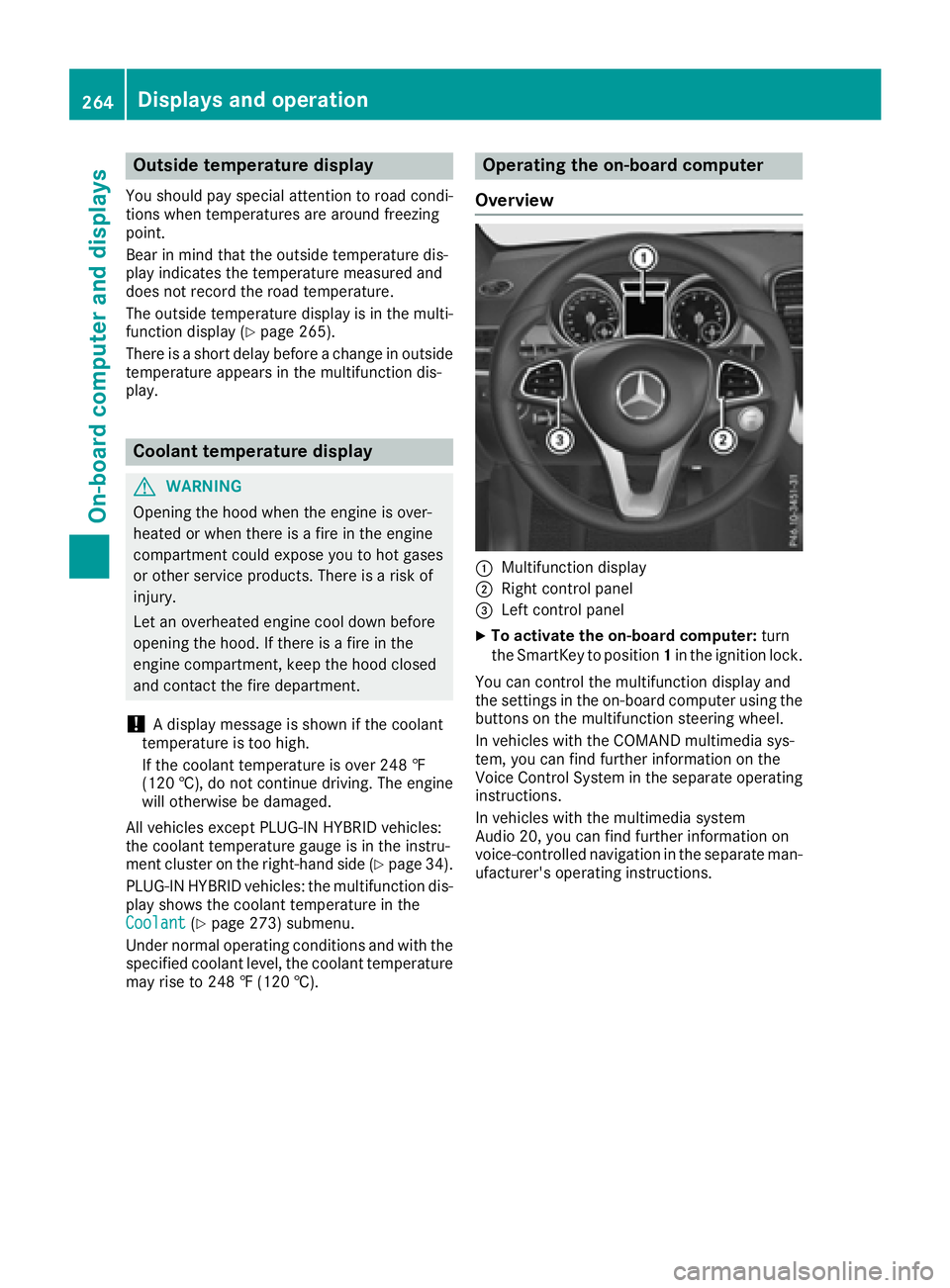
Operating the on-board computer
Overview
:Multifunction display
;Right control panel
=Left control panel
XTo activate the on-board computer: turn
the SmartKey to position 1in the ignition lock.
You can control the multifunction display and
the settings in the on-board computer using the
buttons on the multifunction steering wheel.
In vehicles with the COMAND multimedia sys-
tem, you can find further information on the
Voice Control System in the separate operating
instructions.
In vehicles with the multimedia system
Audio 20, you can find further information on
voice-controlled navigation in the separate man-
ufacturer's operating instructions.
264Displays and operation
On-board computer and displays
Page 267 of 450
Left control panel
=
;RCalls up the menu and menu bar
9
:Press briefly:
RScrolls in lists
RSelects a submenu or function
RIn theAudiomenu: selects the
previous or next station, when the
preset list or station list is active,
or an audio track or video scene
RIn the Tel(telephone) menu:
switches to the phone book and
selects a name or telephone num-
ber
9
:Press and hold:
RIn the Audiomenu: selects a pre-
set list or a station list in the
desired frequency range, or
selects an audio track or video
scene using rapid scrolling
RIn the Tel(Telephone) menu:
starts rapid scrolling if the phone
book is open
aRConfirms the selection or display
message
RIn the Tel(Telephone) menu:
switches to the telephone book
and starts dialing the selected
number
%Press briefly:
RBack
RSwitches off voice-operated con-
trol for navigation or the Voice
Control System
RHides display messages or calls up
the last Tripmenu function used
RExits the telephone book/redial
memory
%Press and hold:
RCalls up the standard display in the
Tripmenu
Right control panel
~RRejects or ends a call
RExits the telephone book/redial
memory
6RMakes or accepts a call
RSwitches to the redial memory
W
XRAdjusts the volume
8RMute
?RSwitches on voice-operated con-
trol for navigation or the Voice
Control System
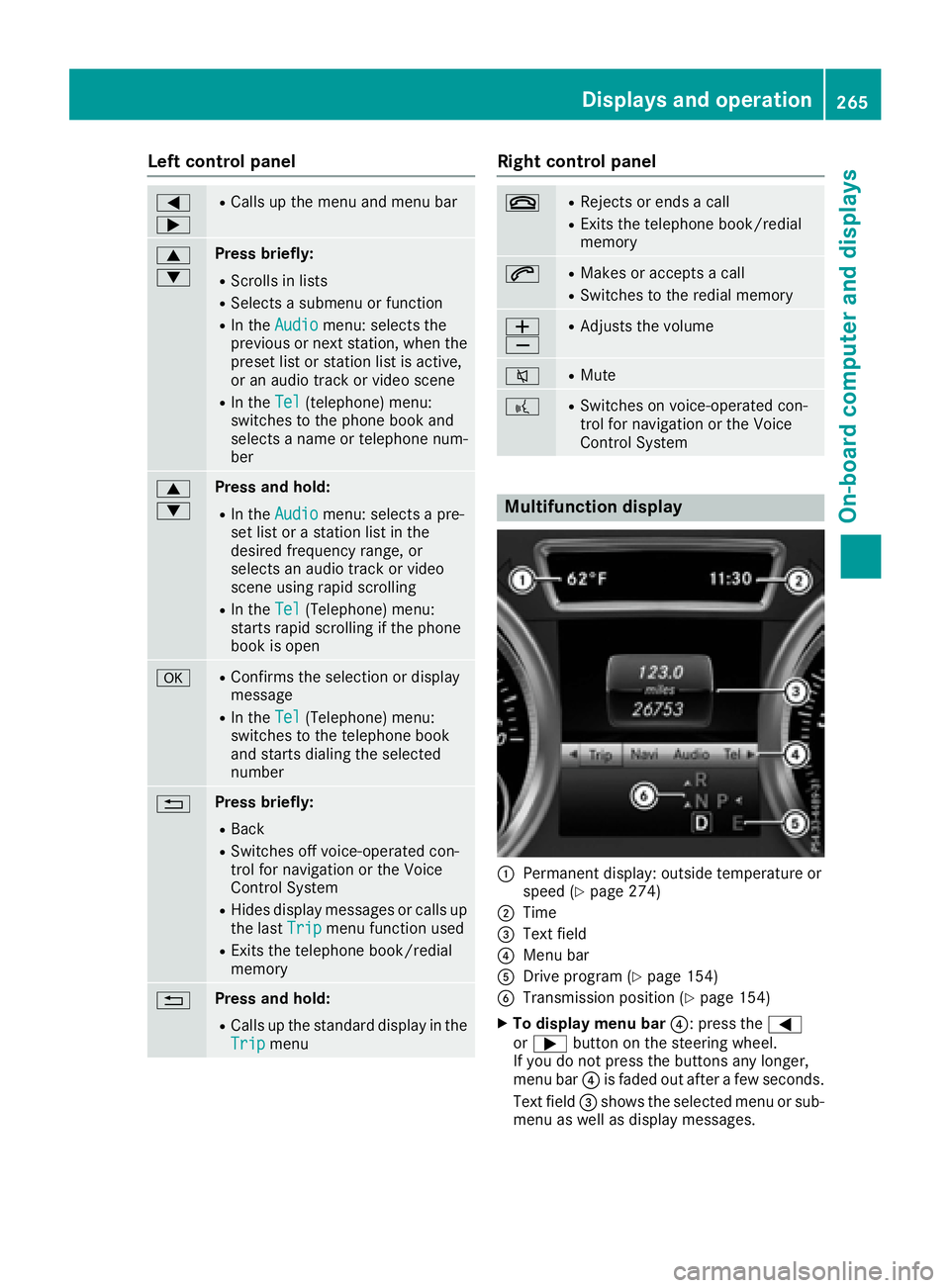
Multifunction display
:Permanent display: outside temperature or
speed (Ypage 274)
;Time
=Text field
?Menu bar
ADrive program (Ypage 154)
BTransmission position (Ypage 154)
XTo display menu bar ?: press the=
or ; button on the steering wheel.
If you do not press the buttons any longer,
menu bar ?is faded out after a few seconds.
Text field =shows the selected menu or sub-
menu as well as display messages.
Displays and operation265
On-board computer and displays
Z
Page 268 of 450
iSet the time using the multimedia system
(see the Digital Operator's Manual).
Possible displays in the multifunction dis-
play:
RZ Gearshift recommendation, when shifting
manually (Ypage 159)
Rj Active Parking Assist (Ypage 213)
RCRUISECruise control (Ypage 191)
RREADYPLUG-IN HYBRID operation activated
(PLUG-IN HYBRID vehicles) (Ypage 250)
RHYBRIDoperating mode, additional operating
mode displays (PLUG-IN HYBRID vehicles)
(
Ypage 245)
Rè Electric range (PLUG-IN HYBRID vehi-
cles) (Ypage 245)
RLOW RANGELOW RANGE off-road gear
(Ypage 239)
R_ Adaptive Highbeam Assist
(Ypage 118)
Rè ECO start/stop function (Ypage 149)
RëHOLD function (Ypage 204)
RaDISTRONIC PLUS Steering Assist and
Stop&Go Pilot (Ypage 199)
RDSRDownhill Speed Regulation
(Ypage 236)
Menus and submenus
Menu overview
Press the =or; button on the steering
wheel to call up the menu bar and select a menu.
Operating the on-board computer (
Ypage 264).
Depending on the equipment installed in the
vehicle, you can call up the following menus:
RTripmenu (Ypage 266)
RNavimenu (navigation instructions)
(Ypage 268)
RAudiomenu (Ypage 269)
RTelmenu (telephone) (Ypage 270)
RDriveAssistmenu (assistance)
(Ypage 271)
RServ.menu (Ypage 273)
RSett.menu (settings) (Ypage 273)
RON&OFFROADmenu (Ypage 276)
RAMGmenu (Mercedes-AMG vehicles)
(Ypage 277)
Trip menu
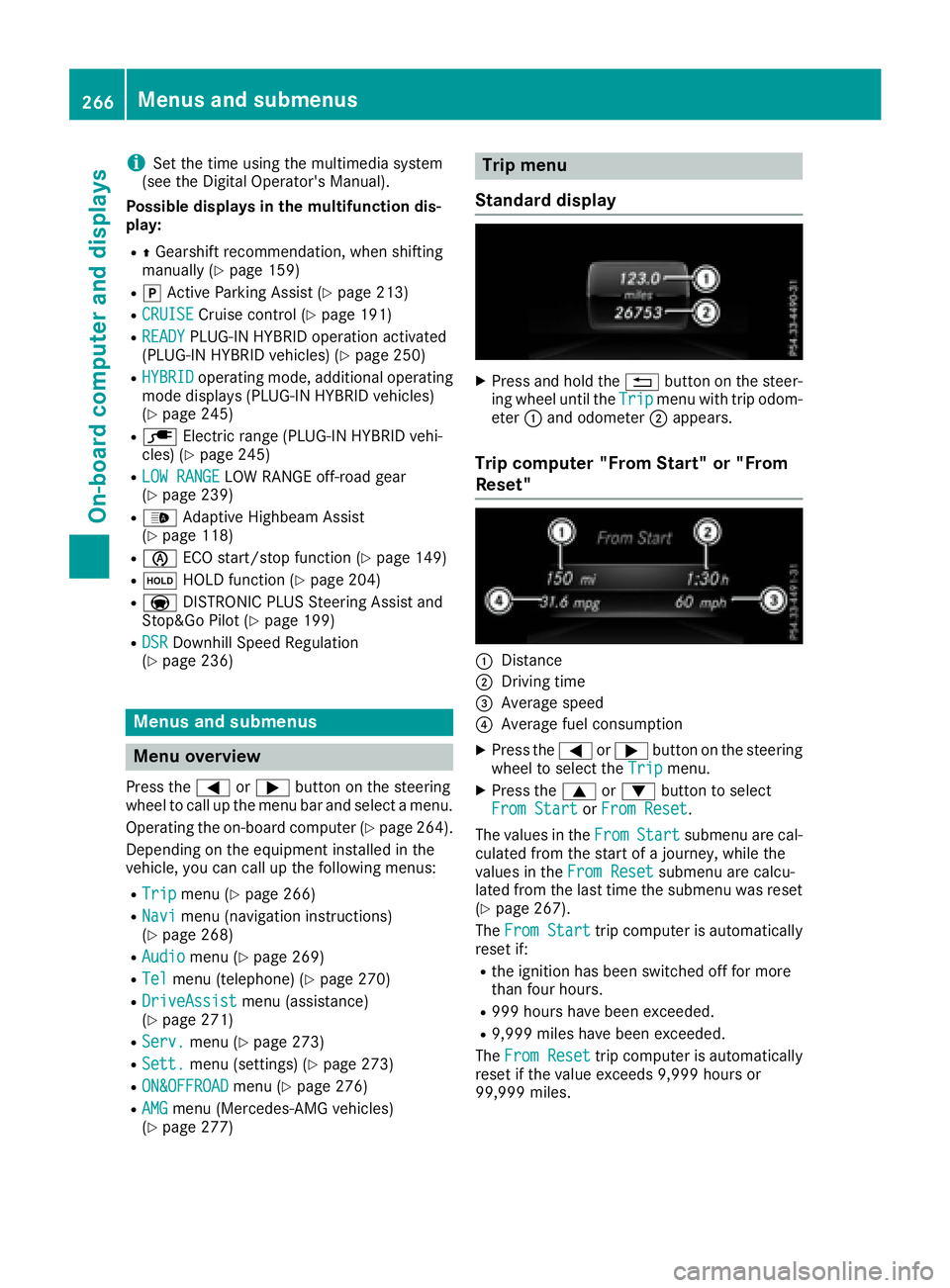
Standard display
XPress and hold the %button on the steer-
ing wheel until the Tripmenu with trip odom-
eter :and odometer ;appears.
Trip computer "From Start" or "From
Reset"
:Distance
;Driving time
=Average speed
?Average fuel consumption
XPress the =or; button on the steering
wheel to select the Tripmenu.
XPress the9or: button to select
From Startor From Reset.
The values in the From
Startsubmenu are cal-
culated from the start of a journey, while the
values in the From Reset
submenu are calcu-
lated from the last time the submenu was reset
(
Ypage 267).
The From Start
trip computer is automatically
reset if:
Rthe ignition has been switched off for more
than four hours.
R999 hours have been exceeded.
R9,999 miles have been exceeded.
The From Reset
trip computer is automatically
reset if the value exceeds 9,999 hours or
99,999 miles.
266Menus and submenus
On-board computer and displays
Page 269 of 450
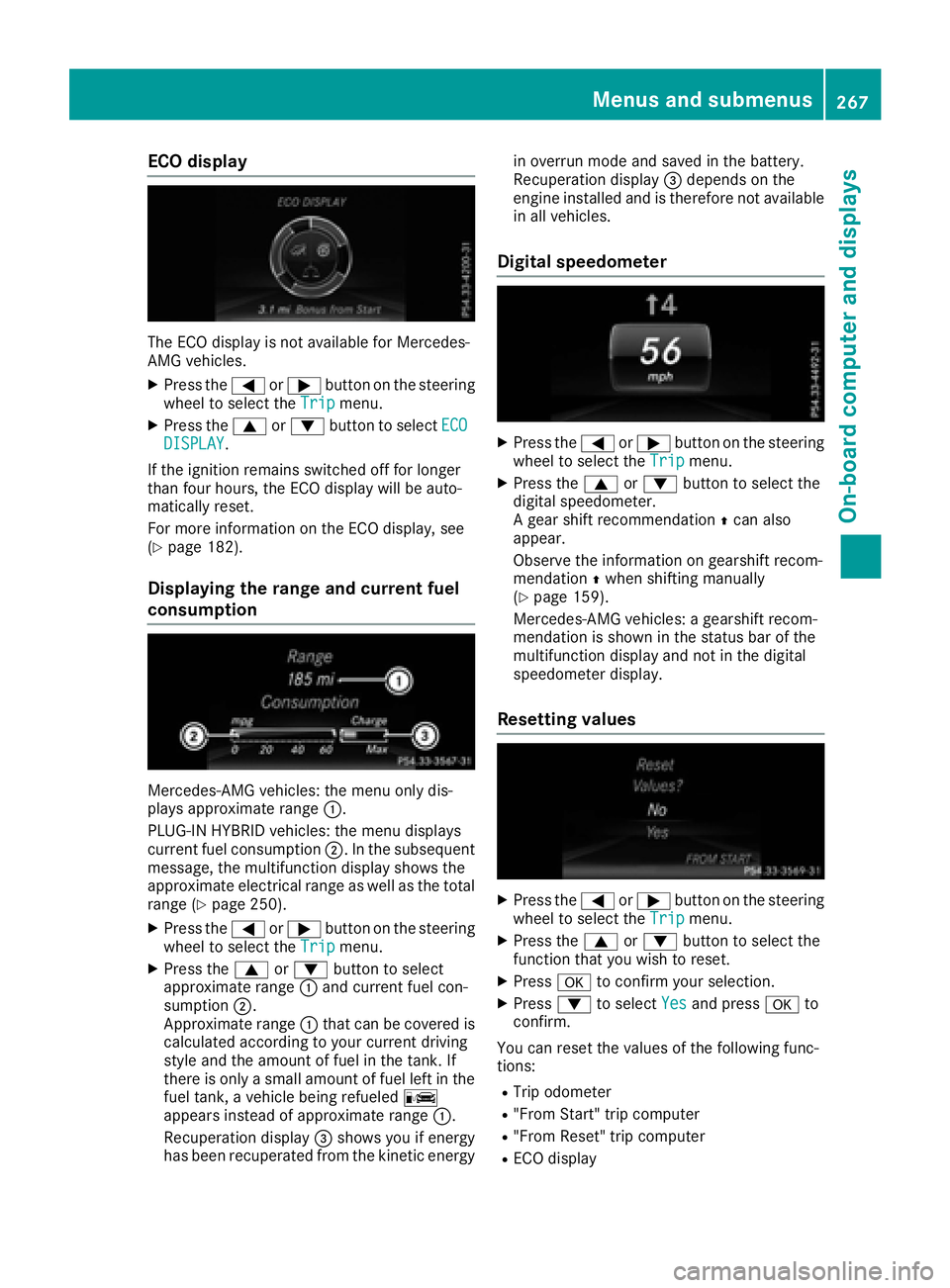
ECO display
The ECO display is not available for Mercedes-
AMG vehicles.
XPress the=or; button on the steering
wheel to select the Tripmenu.
XPress the9or: button to select ECODISPLAY.
If the ignition remains switched off for longer
than four hours, the ECO display will be auto-
matically reset.
For more information on the ECO display, see
(
Ypage 182).
Displaying the range and current fuel
consumption
Mercedes-AMG vehicles: the menu only dis-
plays approximate range :.
PLUG-IN HYBRID vehicles: the menu displays
current fuel consumption ;. In the subsequent
message, the multifunction display shows the
approximate electrical range as well as the total
range (
Ypage 250).
XPress the =or; button on the steering
wheel to select the Tripmenu.
XPress the9or: button to select
approximate range :and current fuel con-
sumption ;.
Approximate range :that can be covered is
calculated according to your current driving
style and the amount of fuel in the tank. If
there is only a small amount of fuel left in the fuel tank, a vehicle being refueled C
appears instead of approximate range :.
Recuperation display =shows you if energy
has been recuperated from the kinetic energy in overrun mode and saved in the battery.
Recuperation display
=depends on the
engine installed and is therefore not available
in all vehicles.
Digital speedometer
XPress the =or; button on the steering
wheel to select the Tripmenu.
XPress the9or: button to select the
digital speedometer.
A gear shift recommendation Zcan also
appear.
Observe the information on gearshift recom-
mendation Zwhen shifting manually
(
Ypage 159).
Mercedes-AMG vehicles: a gearshift recom-
mendation is shown in the status bar of the
multifunction display and not in the digital
speedometer display.
Resetting values
XPress the =or; button on the steering
wheel to select the Tripmenu.
XPress the9or: button to select the
function that you wish to reset.
XPress ato confirm your selection.
XPress :to select Yesand press ato
confirm.
You can reset the values of the following func-
tions:
RTrip odometer
R"From Start" trip computer
R"From Reset" trip computer
RECO display
Menus and submenus267
On-board computer and displays
Z