display MERCEDES-BENZ GLE COUPE 2020 Owner's Manual
[x] Cancel search | Manufacturer: MERCEDES-BENZ, Model Year: 2020, Model line: GLE COUPE, Model: MERCEDES-BENZ GLE COUPE 2020Pages: 757, PDF Size: 11.84 MB
Page 177 of 757
R
you press but ton1 twice more. #
Toswitch on the ignition: press button 1
twice.
The indicator lamps in the instrument clus ter
light up.
The ignition is switched off again if one of the
fo llowing conditions is me t:
R you do not start theve hicle within
15 minutes and the transmission is in posi‐
tion 005Dorthe electric parking brake is
applied.
R you press but ton1 once. St
arting theve hicle St
arting theve hicle with thest art/s top but‐
ton &
DANG ER Risk of death caused by
ex haust gases
Combustion engines emit poisonous exhaust
ga ses such as carbon monoxide. Inhaling th
ese exhaust gases is hazardous tohealth
and leads topoisoning. #
Never lea vethe engine or, if present,
th e auxiliary heating running in an
enclosed space wi thout suf ficient venti‐
lation. &
WARNING Risk offire due toflammable
material in the engine compartment or
th eex haust sy stem
Flammable materials brought in byeither ani‐
mals or environmen tal influences may ignite
if th ey come into contact wi thhot parts of
th e engine or exhaust sy stem. #
Therefore, check regularly that there
are no flammable materials in the
engine compartment or on theex haust
sy stem. Re
quirements:
R theke y is located in theve hicle and thekey
battery is not dischar ged. R
or: a Digital Vehicle Key is located in the
mar ked space (/ page175). #
Shift the transmission toposition 005Dor005C. #
Depress the brake pedal and press button
1 once. #
Ifth eve hicle does not star t:switch off non-
essential consumers and press button 1
once.
If th eve hicle still does not start, one of thefo l‐
lowing display messages appears in the multi‐
function display: #
Place the key in the marked space See Own-
er's Manual :St arting theve hicle with thekey
in the mar ked space (emer gency operation
mode) (/ page 176).
or #
Key not detected Place smartphone in charg-
ing bracket: place the mobile phone in the
mar ked space (/ page138). 174
Driving and pa rking
Page 188 of 757
if
yo u swit chon the HOLD function in transmis‐
sion position 005Bor005C, the engine will automati‐
cally stop in thefo llowing situations:
R youstop behind a vehicle that is pulling
aw ay.
R youstop at a stop sign when there is no vehi‐
cle in front of you.
R you turn thesteering wheel hard at a low
speed.
% In transmission position 005E,the engine is
not switched off automatically even when
th e HOLD function is switched on.
The engine is restar ted automatically if:
R youre lease the brake pedal in transmission
position 005Bwhen the HOLD function is not
active.
R you en gage transmission position 005Bor005E.
R you depress the accelera tor pedal.
R an auto matic engine start is requ ired bythe
ve hicle. ECO
start/ stop function symbols in the multi‐
function display:
R the symbol 00D6(green) appears when the
ve hicle is at a standstill: the engine was
switched off bythe ECO start/ stop function.
R the symbol 00D5(yellow) appears when the
ve hicle is at a standstill: not all vehicle condi‐
tions for an engine stop ha vebeen met.
R neither the symbol 00D6nor00D5 appears
when theve hicle is at a standstill: an intelli‐
ge nt stop inhibitor was de tected, e.g. a stop
sign.
R the symbol 00D6OFF appears:the ECO
st art/ stop function is deactivated or there is
a malfunction.
% If, in spite of an intelligent stop inhibitor, the
engine should be switched off bythe ECO
st art/ stop function, you ha vethefo llowing
options:
R switch on the HOLD function in transmis‐
sion position 005Bor005C.
R you en gage transmission position 005D.If
th e engine was switched off bythe ECO start/
st op function and you lea vetheve hicle, a warn‐
ing tone sounds and the engine is not restar ted.
The display message Vehicle is operational
Switch off ignition before exitingalso appears in
th e multifunction displa y.Ifyo u do not swit choff
th e ignition, the ignition is automatically
switched off af terth re e minutes.
Ve hicles with a 48 V on-board electrical sys‐
te m (EQ Boo sttech nology)
% The ECO start/ stop function is available on ly
in theC, A, ;,Nand=
drive prog rams (depending on the setting).
The engine is switched off automatically in the
fo llowing situations if all vehicle conditions for
an automatic engine stop are me t:
R you brake theve hicle toast andstill in trans‐
mission position 005Bor005C.
R you depress the brake pedal when tr avelling
at a low speed. Driving and parking
18 5
Page 189 of 757
If
yo u swit chon the HOLD function or select a
dif fere nt transmission position than 005E, the
engine will automatically stop in thefo llowing
situations:
R youstop behind a vehicle that is pulling
aw ay.
R youstop at a stop sign when there is no vehi‐
cle in front of you.
R you turn thesteering wheel hard at a low
speed.
The engine is restar ted automatically if:
R youre lease the brake pedal in transmission
position 005Bwhen the HOLD function is not
active and one of thefo llowing conditions are
me t:
- drive program Aor; is not selec‐
te d.
- drive prog ram A or; is selected
but theve hicle does not start tomo ve.
- drive prog ram A or; is selected,
th eve hicle is moving at a speed of more
th at 20 km/h and Glide mode is not acti‐
va ted. R
you en gage transmission position 005Bor005E.
R youre lease the brake pedal, theve hicle is
not in Glide mode and it starts tomo veon a
ge ntle downhill gradient at a speed below
3 km/h.
R you depress the accelera tor pedal.
R an auto matic engine start is requiredbythe
ve hicle.
ECO start/ stop function symbols in the multi‐
function display:
R the symbol 00D6(green) appears when the
ve hicle is at a standstill: the engine was
switched off bythe ECO start/ stop function.
R the symbol 00D5(yellow) appears when the
ve hicle is at a standstill: not all vehicle condi‐
tions for an engine stop ha vebeen met.
R neither the symbol 00D6nor00D5 appears
when theve hicle is at a standstill: an intelli‐
ge nt stop inhibitor was de tected, e.g. a stop
sign.
R the symbol 00D6OFF appears:the ECO
st art/ stop function is deactivated or there is
a malfunction. %
If, in spite of an intelligent stop inhibitor, the
engine should be switched off bythe ECO
st art/ stop function, activate the HOLD func‐
tion or engage transmission position 005D.
If th e engine was switched off bythe ECO start/
st op function and you lea vetheve hicle, a warn‐
ing tone sounds and the engine is not restar ted.
The display message Vehicle is operational
Switch off ignition before exitingalso appears in
th e multifunction displa y.Ifyo u do not swit choff
th e ignition, the ignition is automatically
switched off af terth re e minutes. 18 6
Driving and pa rking
Page 190 of 757

Deactivating or activating
the ECO start/
sto p function #
Press button 1.
A displ ayappears in the instrument clus ter
when swit ching the ECO start/ stop function
off/on.
% A continuous 00D6OFFdisplay appears in
th e instrument clus ter while the ECO start/
st op function is deactivated. ECO display function
The ECO display summarises
your driving char‐
acteristics from thest art of the journey toits
completion and assists you in achieving the
most economical driving style.
Yo u can influence consum ption bydoing thefo l‐
lowing:
R drive with particular care
R drive theve hicle in drive program ;
R follow thege arshift recommendations The lettering in
the segment will light up brightl y,
th e outer edge will light up and the segment will
fi ll up when thefo llowing driving style is adop‐
te d:
R 1 Steady speed
R 2 Gentle deceleration and rolling
R 3 Moderate acceleration
The lettering in the segment will be gr ey,the
outer edge will be dark and the segment will
em pty when thefo llowing driving style is adop‐
te d:
R 1 Fluctuations in speed
R 2 Heavy braking
R 3 Sporty acceleration
The ECO display will show you when you ha ve
driven economically:
R The thre e segments will fill up comple tely at
th e same time
R The edges around all thre e segments will
light up Driving and parking
187
Page 191 of 757
The additional
range achi eved as a result of your
driving style in comparison with a driver with a
ve ry sporty driving style will be shown in the
centre of the display 4. Therange displ ayed
does not indicate a fixe dre duction in consump‐
tion. ECO Assist function
Ve
hicles with a 48 V on-board electrical sys‐
te m (EQ Boo sttech nology):
ECO Assist analyses data forth eve hicle's expec‐
te dro ute. This allo wsthe sy stem tooptimally
adjust the driving style fo rth ero ute ahead, sa ve
fuel and recuperate. If the sy stem de tects an
eve nt ahead (e.g. a speed limit or a roundabout),
it will appear on the multifunction displa y.The
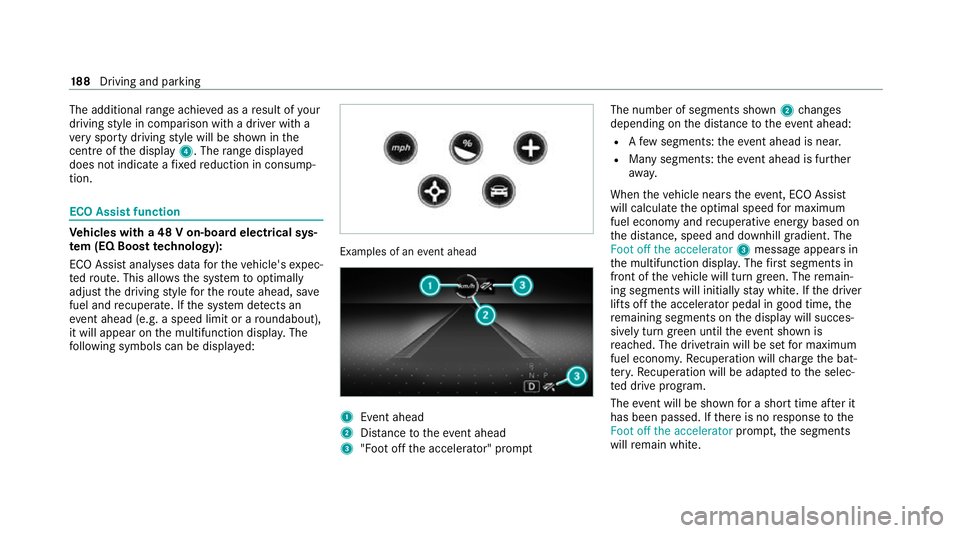
fo llowing symbols can be displa yed: Examples of an
event ahead 1
Event ahead
2 Distance totheeve nt ahead
3 "Foot off the accelerator" prom ptThe number of segments shown
2changes
depending on the dis tance totheeve nt ahead:
R Afew segments: theeve nt ahead is nea r.
R Many segments: theeve nt ahead is fur ther
aw ay.
When theve hicle nears theeve nt, ECO Assi st
will calculate the optimal speed for maximum
fuel economy and recuperati veenergy based on
th e dis tance, speed and downhill gradient. The
Foot off the accelerator 3message appea rsin
th e multifunction displa y.The firs t segments in
front of theve hicle will turn green. The remain‐
ing segments will initially stay white. If the driver
lifts off the accelerator pedal in good time, the
re maining segments on the display will succes‐
sively turn green until theeve nt shown is
re ached. The driv etra in will be set for maximum
fuel econom y.Re cuperation will charge the bat‐
te ry.Re cuperation will be adap tedto the selec‐
te d drive prog ram.
The event will be shown for a short time af ter it
has been passed. If there is no response tothe
Foot off the accelerator prompt,th e segments
will remain white. 18 8
Driving and pa rking
Page 192 of 757
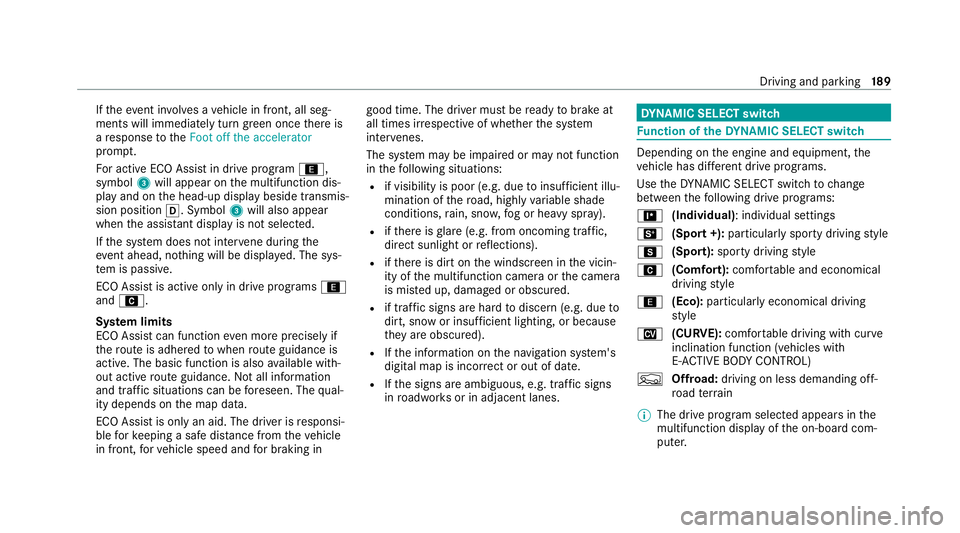
If
th eeve nt in volves a vehicle in front, all seg‐
ments will immediately turn green once there is
a re sponse totheFoot off the accelerator
prom pt.
Fo r active ECO Assist in drive program ;,
symbol 3will appear on the multifunction dis‐
play and on the head-up display beside transmis‐
sion position 005B. Symbol3will also appear
when the assis tant displ ayis not selec ted.
If th e sy stem does not inter vene du ring the
eve nt ahead, no thing will be displa yed. The sys‐
te m is passive.
ECO Assist is active only in drive programs ;
and A.
Sy stem limits
ECO Assist can function even more precisely if
th ero ute is adhered towhen route guidance is
active. The basic function is also available with‐
out active route guidance. Notall information
and traf fic situations can be fore seen. The qual‐
ity depends on the map data.
ECO Assist is only an aid. The driver is responsi‐
ble forke eping a safe dis tance from theve hicle
in front, forve hicle speed and for braking in good time. The driver must be
ready tobrake at
all times ir respective of whe ther the sy stem
inter venes.
The sy stem may be impaired or may not function
in thefo llowing situations:
R if visibility is poor (e.g. due toinsuf ficient illu‐
mination of thero ad, high lyvariable shade
conditions, rain, sno w,fog or heavy spr ay).
R ifth ere is glare (e.g. from oncoming traf fic,
di re ct sunlight or reflections).
R ifth ere is dirt on the windscreen in the vicin‐
ity of the multifunction camera or the camera
is mis ted up, damaged or obscured.
R if tra ffic signs are hard todiscern (e.g. due to
dirt, snow or insuf ficient lighting, or because
th ey are obscured).
R Ifth e information on the navigation sy stem's
digital map is incor rect or out of da te.
R Ifth e signs are ambiguous, e.g. tra ffic signs
in roadwor ksor in adjacent lanes. DY
NA MIC SELECT switch Fu
nction of theDY NA MIC SELECT switch Depending on
the engine and equipment, the
ve hicle has dif fere nt drive programs.
Use theDY NA MIC SELECT switch tochange
between thefo llowing drive programs:
= (Individual) : individual settings
B (Sport +): particularly sporty driving style
C (Sport): sporty driving style
A (Comfort): comfortable and economical
driving style
; (Eco):particularly economical driving
st yle
N (CURVE): comfortable driving with cur ve
inclination function (vehicles with
E‑ AC TIVE BODY CONTROL)
F Offroad: driving on less demanding off-
ro ad terrain
% The drive prog ram selected appears in the
multifunction display of the on-board com‐
puter. Driving and parking
18 9
Page 193 of 757
Depending on
the drive prog ram, thefo llowing
sy stems change their characteristics:
R drive
-
engine and transmission management
- Active Dis tance Assi stDISTRONIC
R ESP ®
R vehicles with AIRMATIC or E‑ACTIVE
BO DY CONT ROL:
- Suspension tuning
- Vehicle le vel
R electric po werst eering Note
s onthero of load display Cer
tain drive programs and ESP ®
settings are
unsuitable for transporting a roof load.
If one of these drive programs is set or selected,
th e symbol is shown as a
warning. When
th is symbol is shown, the selected drive program
is not suitable for transporting a load on the
ro of. The
following drive prog rams are af fected:
R Sport drive program
R Sport + drive program
R Individual drive program wi th the ESP ®
set‐
ting Sport or Sport+
% The symbol is also shown in thefo llowing sit‐
uations:
R Within theth emes if a cor responding
drive program is sa ved
Fo r more information on themes see
(/ page 353).
R Within there set display if the pr eviously
active drive prog ram is unsui table forthe
transpo rtof a roof load
Fo r fur ther information on there set dis‐
pla y,see (/ page191). Selecting
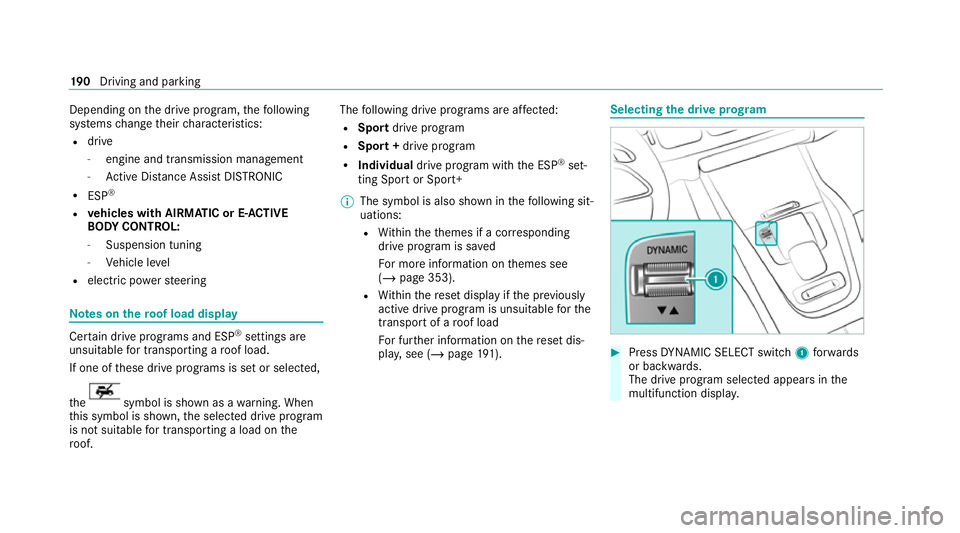
the drive prog ram #
Press DYNA MIC SELECT switch 1forw ards
or backwards.
The drive prog ram selected appears in the
multifunction displa y.19 0
Driving and pa rking
Page 194 of 757
Configuring
DYNA MIC SELECT (multimedia
sy stem) Multimedia sy
stem:
4 © 5
Settings 5
Vehicle
5 DYNAMIC SELECT
Setting drive prog ram I #
Select Individual config.. #
Select and set a categor y.
Switching there set display on/off #
Switch Ask when starting on or off.
Fu nction on: the next time theve hicle is star ted
a prom ptappears asking whe ther the last active
drive prog ram should be restored. If the ECO
st art/ stop function was deactivated, an addi‐
tional prom ptappears asking if the function
should remain deactivated.
% The prom ptappears on ly ifthe pr eviously
active settings deviate from thest andard
settings.
Fu nction off: the next time theve hicle is star‐
te dth eA drive program is set automaticall y.The ECO
start/ stop function is activated auto‐
matically.
% This function must be activated for each user
profile sepa rately. Only when this function is
activated will the drive prog ram and Eco
st art/ stop setting forth e pr evious journey
be sa vedfo rth ere spective user profile. Displaying
vehicle data Multimedia sy
stem:
4 © 5
Info #
Select Vehicle.
The vehicle data is displa yed. Displaying engine data
Multimedia sy
stem:
4 © 5
Info #
Select Engine.
The engine data is displa yed.
% The actual (maximum) values that can be
achie vedfo r engine output and engine tor‐
qu e may deviate from the certified values within
the count ry-specific guidelines for
permissible tolerances (basis: UN-ECE No.
85 or country -specific guidelines).
Fa ctors that can influence this are, forex am‐
ple:
R Sea le vel
R Fuel grade
R Outside temp erature
R Operating temp erature of the engine
% The values displa yed ser veonly as orienta‐
tion. The values for engine output and
engine torque sh own in the media display
may deviate from the actual values. Calling up fuel consum
ption indicator Multimedia sy
stem:
4 © 5
Info #
Select Consumption.
The cur rent and average fuel consum ption is
displa yed. Driving and parking
191
Page 197 of 757
#
When theve hicle is stationar y,press button
005D.
Pa rk position is only engaged when the
transmission position display 005Dis shown in
th e multifunction displa y.If no transmission
position display 005Dappears, secure theve hi‐
cle topreve nt it from rolling away.
% Depending on the situation, it may take
some time until 005Dis engaged. Therefore,
alw ays pay attention tothe transmission
position displa y.
Pa rk position 005Dis engaged automatically if one
of thefo llowing conditions is me t:
R you swit choff the ignition when theve hicle
is stationary and the transmission is in posi‐
tion 005Bor005E.
R you open the driver's door when theve hicle
is stationary or when driving at a very low
speed and the transmission is in position 005B
or 005E.
R you swit choff the engine and bring theve hi‐
cle toast andstill when theve hicle is rolling
and the transmission is in position 005Bor005E. R
you swit choff the engine, bring theve hicle
to ast andstill and open the driver's door
when theve hicle is stationary or when the
ve hicle is rolling and the transmission is in
position 005C.
R engaging park position 005Dautomatically is
re qu ired bytheve hicle.
% Tomanoeuvre with an open driver's door,
open the driver's door while stationary and
engage transmission position 005Bor005E
again.
Engaging drive position D #
Depress the brake pedal and push the
DIRECT SELECT le ver down past thefirst
point of resis tance.
The transmission position displ ay005B is
shown in the multifunction displa y.
When the automatic transmission is in transmis‐
sion position 005B, it shiftsthege ars automati‐
call y.This depends, among other things, on the
fo llowing factors:
R the selected drive program
R the position of the accelera tor pedal R
the driving speed Manual
gearshifting &
WARNING Risk of skidding and of an
accident due toshifting down on slippery
ro ad sur faces
If yo u shift down on slippery road sur faces to
inc rease the engine braking ef fect, the drive
wheels may lose traction. #
Do not shift down on slippery road sur‐
fa ces toinc rease the engine braking
ef fect. 194
Driving and pa rking
Page 204 of 757
Ad
Blue ®
is a wate r-soluble fluid forth e NOx
ex haust gas af tertre atment of diesel engines. In
order forth eex haust gas af tertre atment tofunc‐
tion proper ly, only use AdBlue ®
in accordance
wi th ISO 222 41 .
Ad Blue ®
is ch aracterised bythefo llowing:
R non-t oxic
R colourless and odourless
R non-flammable
Ad Blue ®
is available here:
R AdBlue ®
can be topped up byfast service at
a qu alified specialist workshop, e.g. a
Mercedes-Benz Service Centre.
R AdBlue ®
is available at many filling stations
from AdBlue ®
filling pumps.
R Alternativel y,Ad Blue ®
is available at qualified
specialist workshops, e.g. Mercedes-Benz
Service Centres, and at many filling stations
in Ad Blue ®
re fill canis ters or AdBlue ®
re fill
bottles. %
Ensure the connection between there fill
con tainer and vehicle filler neck does not
drip.
To pping up AdBlue ®
* NOTEEngine dama gedue toAd Blue ®
being in the fuel #
AdBlue ®
must not be used tofill the
fuel tank. #
Only use AdBlue ®
to fill th eAd Blue ®
ta nk. #
Do not overfill theAd Blue ®
tank. *
NO
TEContamination of theve hicle inte‐
ri or due toAd Blue ®
lea kage #
Afterto pping up, carefully close the
Ad Blue ®
re fill con tainer. #
Avoid car rying AdBlue ®
re fill con tainers
permanently in theve hicle. Re
quirements:
R The vehicle is unloc ked. The
following messages appear in order in the
multifunction display when theAd Blue ®
tank
requ irestopping up:
R Refill AdBlue See Owner’s Manual The
Ad Blue ®
leve l has fallen below there ser ve
ra nge. Top up AdBlue ®
immediately.
R Top up AdBlue Emergency op. in XXX miles
See Owner's ManualThe low AdBlue ®
level
will lead tolimited per form ance af terthe
re maining dis tance displ ayed has been
driven. Top up AdBlue ®
immediately.
R XX,X l Top up AdBlue Emer. op.: max. XXX
km/h Start not poss. in XXX kmThe low
AdBlue ®
leve l will lead tolimited per form‐
ance from the speed displa yed. Af terthe
re maining dis tance displ ayed has been cov‐
ered, it will no longer be possible tostart the
engine. Top up with at least the amount of
Ad Blue ®
displ ayed.
R XX,X l Top up AdBlue Switch on ignition, wait
60 sec. or eng. start not poss. . TheAdBlue ®
ta nk is em pty. Yo u can no lon gerst art the
engine. Top up with at least the amount of Driving and parking
201