navigation MERCEDES-BENZ GLE COUPE 2020 Service Manual
[x] Cancel search | Manufacturer: MERCEDES-BENZ, Model Year: 2020, Model line: GLE COUPE, Model: MERCEDES-BENZ GLE COUPE 2020Pages: 757, PDF Size: 11.84 MB
Page 398 of 757
3
wo rdaddresses from what3words are an alter‐
native addressing sy stem for multilingual geore‐
fe re ncing of global locations with a resolution of
th re e metres. Using this grid, locations on the
Ear th's sur face are included whi chdo not ha ve a
building address such as stre et and house num‐
ber, forex ample.
The Brandenburg Gate has this language
dependent 3 wordaddress:
R German: tapfer.gebäude.verliehen
R Engl ish:that.lands.winning
R French: pos teaux.bobineur.ombrant %
3wo rdaddresses are unique, easy to
re member and suf fice for most routine appli‐
cations.
Yo u can co nvert addresses to3wo rd
addresses and back again:
R Atthewe bsite http://what3words.com
R Inthe what3words apps
Selecting a destination on the map
Multimedia sy stem:
4 © 5
Navigation #
Movethe map (/ page 420). #
Using theto uchscreen: press and hold on
th eto uchsc reen.
The destination address is shown.
If se veral destinations are located at the
selected position, a list sho wstheav ailable
ro ads and POIs. #
Select the destination in the list.
The destination address is shown. The route
can be calculated. #
Using theto uchpad: whenthe crosshair
mar ksthe destination, press and hold on the
control element.
The destination address is shown.
If se veral destinations are located around the
crosshair, a li stsho wstheav ailable roads
and POIs. #
Select the destination in the list.
The destination address is shown. The route
can be calculated.
Showing POIs in the vicinity of the map
If se veral destinations are located around the
crosshair, the function is available. #
Select 0062. #
Select POIs in the vicinity.
The map appears. #
Swipe left or right on the control element.
The pr evious or next POI is highligh ted on the
map. The name or the address is shown. #
Select the POI symbol.
or MBUX multimedia sy
stem 395
Page 399 of 757
#
Tofilter the display according tothe POI
categor y:scroll on the control element. #
Select the POI categor y.
Selecting a destination from favo urites
Re quirements:
R Destinations are sa ved as favo urites.
Sa ve a pr evious destination or a destination
suggestion as a favo urite (/ page412).
Multimedia sy stem:
4 © 5
Navigation 5
ª Where to?
5 FAVOURITES #
Select a favo urite.
The destination address is shown. The route
can be calculated.
The following options are available in thefa vo ur‐
ites menu:
R Saving addresses for home and work
R Creating favo urites
R Deleting favo urites #
If no address has been sa vedfo r home
and work:select HomeorWork. #
Confirm the prom ptwith Yes. #
Enterth efa vo urite as a POI or address
(/ page 389). #
Tosave afa vo urite: select Add favourites. #
Enter thefa vo urite as a POI or address
(/ page 389).
or #
If all the positions in thefa vo urites are full,
fi rs t select a favo urite which is tobe ove r‐
written (/ page 357). #
Follow the instructions pr ovided. #
Todel ete a favo urite: select Vfor a des‐
tination. #
Select Delete.
or #
Press on a favo urite until theOPTIONS menu
is shown. #
Select Delete.
Selecting received destinations
Re quirements:
R There is an Internet connection.
R A destination has been sent totheve hicle. Multimedia sy
stem:
4 © 5
Navigation 5
ª Where to?
5 RECEIVED DESTINAT.
The vehicle can recei vedestinations from serv‐
ices or apps. #
Select a destination.
The destination address is shown. The route
can be calculated.
% You can sa veare cei ved destination in the
fa vo urites (/ page412).
Yo u ha vefast access tothe destinations via
th efa vo urites (/ page 396).
Deleting a received destination #
Todel ete a destination: selectVfor a
destination. #
Select Delete. #
Select Yes. #
Todel ete all destinations: select0062. #
Select Delete all. #
Select Yes. 396
MBUX multimedia sy stem
Page 401 of 757
#
Tocall the destination: if atelephone num‐
ber is available, select Call. #
Toshare the destination using NFC or QR
code: select Share via NFC or QR code .#
Hold the NFC area of the mobile phone (see
manufacturer's operating instructions) on the
mat or place the mobile phone on it
(/ page 437).
or #
Hold the mobile phone near tothe multime‐
dia sy stem and scan the QR code. #
Tocall up an Internet address: if aweb
address is available, select www. #
Toshow on the map: selectDisplay on the
map .
Selecting a route type
Multimedia sy stem:
4 © 5
Navigation 5
Z
5 Advanced 5
Route #
Select thero ute type.
If no route has been created, the next route
is calculated on the basis of the new route
type. If a
route has already been created, thero ute
is calculated on the basis of the new route
type.
The following route types are available:
R Fast
Aro ute with a quick journey time is calcula‐
te d.
R Short
Aro ute with a sho rtdriving dis tance is calcu‐
la te d.
R Eco
An economical route is calculated. The jour‐
ney time may be som ewhat longer than for
qu icke rro utes.
R Trailer
The option is available if a trailer has been
coupled with theve hicle.
A prom ptis shown in the multimedia sy stem.
Confirm the prom pt.
The route is optimised for trailer operation
with a maximum speed of 80 km/h. Tr
af fic information can be ta ken into account
fo r the route types: #
Select Dynamic route guidance 0048. #
Select Automatic, After asking orOff.
Explanation of the options:
R Automatic
The route is calculated with the cur rently set
ro ute type.
Tr af fic messages via Live Traf fic Information
or FM RDS-TMC are take n into account
(/ page 413).
Li ve Traf fic Information and FM RDS-TMC are
not available in all countries.
R After asking
A prom ptappears when a new route is de tec‐
te d with a shor ter journey time based on traf‐
fi c re ports. You can continue touse the cur‐
re nt route or use the dynamic route ins tead
(/ page 399).
R Off
No tr affic re ports are take n into account for
th ero ute. 398
MBUX multimedia sy stem
Page 402 of 757
Calculating alternative
routes #
Activate Suggest alternative route.
The display button is acti vated. Alternative
ro utes are calculated foreve ryroute. #
Select an alternative route (/ page 402).
Ac cepting a de tour recommendation af ter a
prom pt
Re quirements:
R After asking is switched on (/ page 398) in
th eDYNAMIC ROUTE GUIDANCE menu.
R Route guidance is active.
R There are traf fic re ports forth e cur rent
ro ute.
If a new route with a sho rter driving time is
de term ined, the cur rent and new routes will be
shown.
The notification is shown in ano ther application.
Confirm the notification. #
Toaccept the new route: select Accept rec-
ommended detour. #
Tomaintain the cu rrentroute: select Keep
to current route . Selecting
route options
Multimedia sy stem:
4 © 5
Navigation 5
Z
5 Advanced 5
Route
Av oiding areas #
Select Avoid options. #
Select Avoid areas (/page 423).
Av oiding or using mo torw ays, ferries, tun‐
nels, mo torail trains, unpa vedro ads #
Select Avoid options. #
Activate or deacti vate theavo id option.
To avoid: the display button is activated. The
ro ute avoids mo torw ays, forex ample.
To use: the display button is off. The route
ta ke s mo torw ays into consideration, for
ex ample.
These route options are not available in every
countr y.
The selected route options cannot alw ays be
ta ke n into account. The refore , a route may
include a ferry, for ins tance, eventh ough the
Avoid ferries avoid option is enabled. A mes‐ sage
then appears and you will hear a co rre‐
sponding message.
Av oiding or using tollro ads #
Select Avoid options. #
Select Toll roads. #
Switch Avoid all on or off.
To avoid: the display button is activated. The
ro ute avoids all tollro ads.
To use: the display button is off. The route
ta ke s into account all roads that requ irethe
payment of a usage fee (toll).
or #
Toavoid a type of payment: selectAvoid.
The route avoids all tollro ads with the selec‐
te d me thod of payment. #
Touse a type of payment: selectUse.
The route take s into account all tollro ads
with the selected me thod of payment.
These route options are not available in every
countr y. MBUX multimedia sy
stem 399
Page 403 of 757
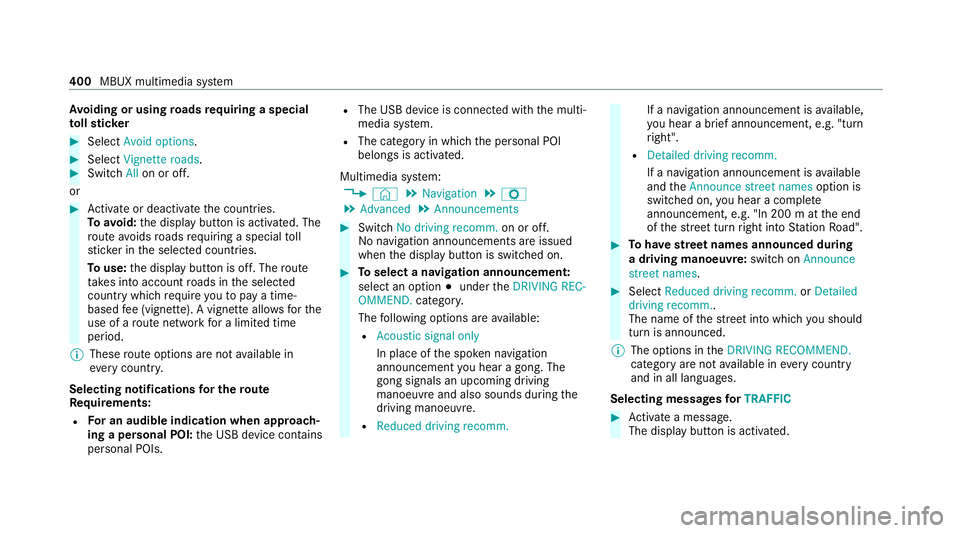
Av
oiding or using roads requ iring a special
to llst icker #
Select Avoid options .#
Select Vignette roads .#
Switch Allon or off.
or #
Activate or deacti vate the count ries.
To avoid: the display button is activated. The
ro ute avoids roads requ iring a special toll
st icke r in the selected count ries.
To use: the display button is off. The route
ta ke s into account roads in the selected
count rywhich requireyouto pay a time-
based fee (vignette). A vignette allo wsforthe
use of a route network for a limi ted time
period.
% These route options are not available in
eve rycountr y.
Selecting notifications for the route
Re quirements:
R For an audible indication when approach‐
ing a personal POI: the USB device conta ins
personal POIs. R
The USB device is connec ted with the multi‐
media sy stem.
R The category in which the personal POI
belongs is activated.
Multimedia sy stem:
4 © 5
Navigation 5
Z
5 Advanced 5
Announcements #
Switch No driving recomm. on or off.
No navi gation announcements are issued
when the display button is switched on. #
Toselect a navigation announcement:
select an option 003Bunder theDRIVING REC-
OMMEND. category.
The following options are available:
R Acoustic signal only
In place of the spoken navigation
announcement you hear a gong. The
gong signals an upcoming driving
manoeuv reand also sounds during the
driving manoeuvre.
R Reduced driving recomm. If a navigation announcement is
available,
yo u hear a brief announcement, e.g. "turn
ri ght".
R Detailed driving recomm.
If a navigation announcement is available
and theAnnounce street names option is
switched on, you hear a co mplete
announcement, e.g. "In 200 m at the end
of thest re et turn right into Station Road". #
Tohave stre et names announced during
a driving manoeuvre: switch onAnnounce
street names. #
Select Reduced driving recomm. orDetailed
driving recomm..
The name of thest re et into which you should
turn is announced.
% The options in theDRIVING RECOMMEND.
category are not available in everycountry
and in all languages.
Selecting messages forTRAFFIC #
Activate a messa ge.
The display button is activated. 400
MBUX multimedia sy stem
Page 404 of 757
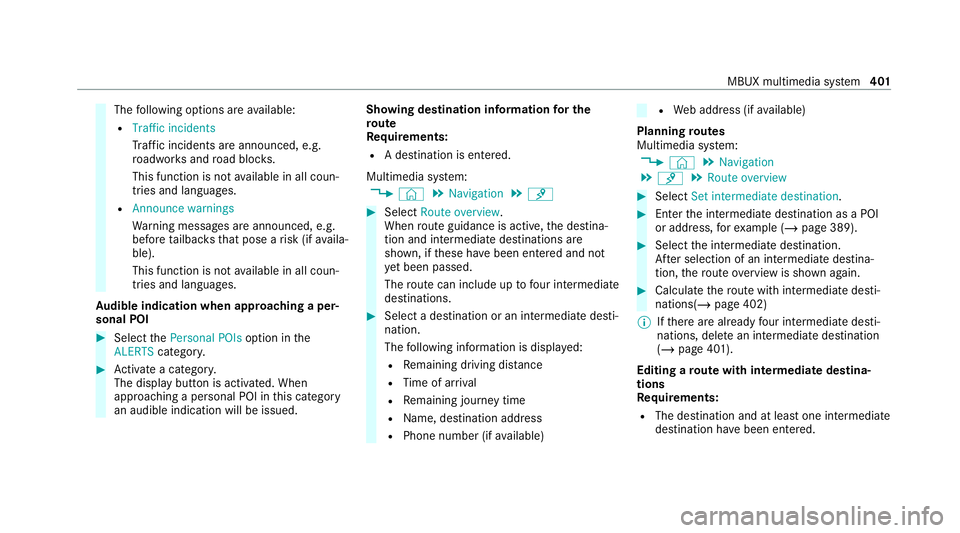
The
following options are available:
R Traffic incidents
Traf fic incidents are announced, e.g.
ro adwor ksand road bloc ks.
This function is not available in all coun‐
tries and languages.
R Announce warnings
Warning messages are announced, e.g.
before tailbac ksthat pose a risk (if availa‐
ble).
This function is not available in all coun‐
tries and languages.
Au dible indication when approaching a per‐
sonal POI #
Select thePersonal POIs option inthe
ALERTS category. #
Activate a categor y.
The display button is activated. When
approaching a personal POI in this category
an audible indication will be issued. Showing destination information
for the
ro ute
Re quirements:
R A destination is entered.
Multimedia sy stem:
4 © 5
Navigation 5
¡ #
Select Route overview .
When route guidance is active, the destina‐
tion and intermediate destinations are
shown, if these ha vebeen entered and not
ye t been passed.
The route can include up tofour intermediate
destinations. #
Select a destination or an intermediate desti‐
nation.
The following information is displa yed:
R Remaining driving dis tance
R Time of ar rival
R Remaining journey time
R Name, destination addre ss
R Phone number (if available) R
Web address (if available)
Planning routes
Multimedia sy stem:
4 © 5
Navigation
5 ¡ 5
Route overview #
Select Set intermediate destination. #
Ente rth e intermediate destination as a POI
or address, forex ample (/ page 389). #
Select the intermediate destination.
Af ter selection of an intermediate destina‐
tion, thero ute overview is shown again. #
Calculate thero ute with intermediate desti‐
nations(/ page 402)
% Ifth ere are already four intermediate desti‐
nations, dele tean intermediate destination
(/ page 401).
Editing a route with intermediate destina‐
tions
Re quirements:
R The destination and at least one intermediate
destination ha vebeen entered. MBUX multimedia sy
stem 401
Page 405 of 757
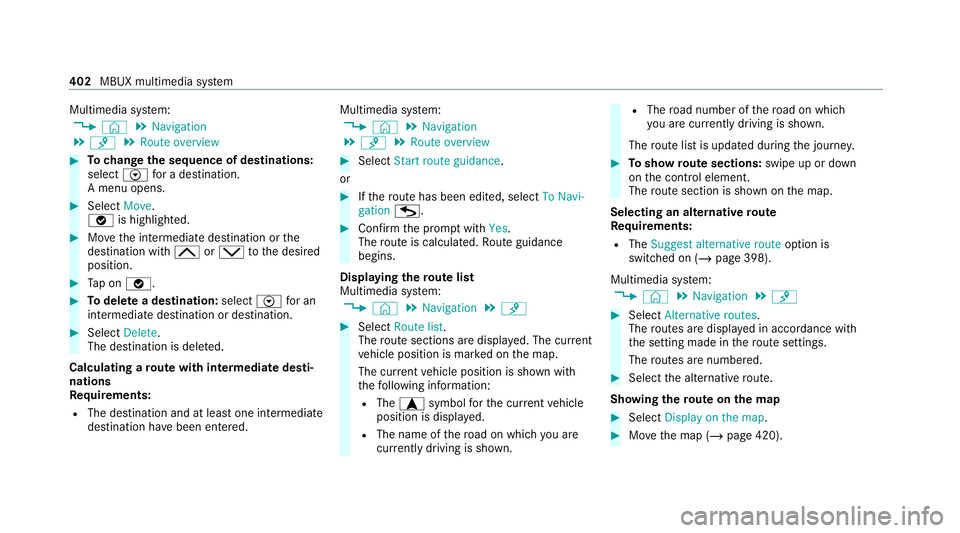
Multimedia sy
stem:
4 © 5
Navigation
5 ¡ 5
Route overview #
Tochange the sequence of destinations:
select Vfor a destination.
A menu opens. #
Select Move.
00FB is highlighted. #
Movethe intermediate destination or the
destination with 005Eor0049 tothe desired
position. #
Tap on 00FB. #
Todel ete a destination: selectVfor an
intermedia tedestination or destination. #
Select Delete.
The destination is dele ted.
Calculating a route with intermediate desti‐
nations
Re quirements:
R The destination and at least one intermediate
destination ha vebeen entered. Multimedia sy
stem:
4 © 5
Navigation
5 ¡ 5
Route overview #
Select Start route guidance.
or #
Ifth ero ute has been edited, select To Navi-
gation G. #
Con firm the prom ptwith Yes.
The route is calculated. Route guidance
begins.
Displaying thero ute list
Multimedia sy stem:
4 © 5
Navigation 5
¡ #
Select Route list.
The route sections are displ ayed. The cur rent
ve hicle position is mar ked on the map.
The cur rent vehicle position is shown with
th efo llowing information:
R The a symbol forth e cur rent vehicle
position is displa yed.
R The name of thero ad on which you are
cur rently driving is shown. R
The road number of thero ad on which
yo u are cur rently driving is shown.
The route list is updated during the journe y. #
Toshow route sections: swipe up or down
on the control element.
The route section is shown on the map.
Selecting an alternative route
Re quirements:
R The Suggest alternative route option is
switched on (/ page 398).
Multimedia sy stem:
4 © 5
Navigation 5
¡ #
Select Alternative routes.
The routes are displ ayed in accordance with
th e setting made in thero ute settings.
The routes are numbered. #
Select the alternative route.
Showing thero ute on the map #
Select Display on the map. #
Movethe map (/ page 420). 402
MBUX multimedia sy stem
Page 406 of 757
#
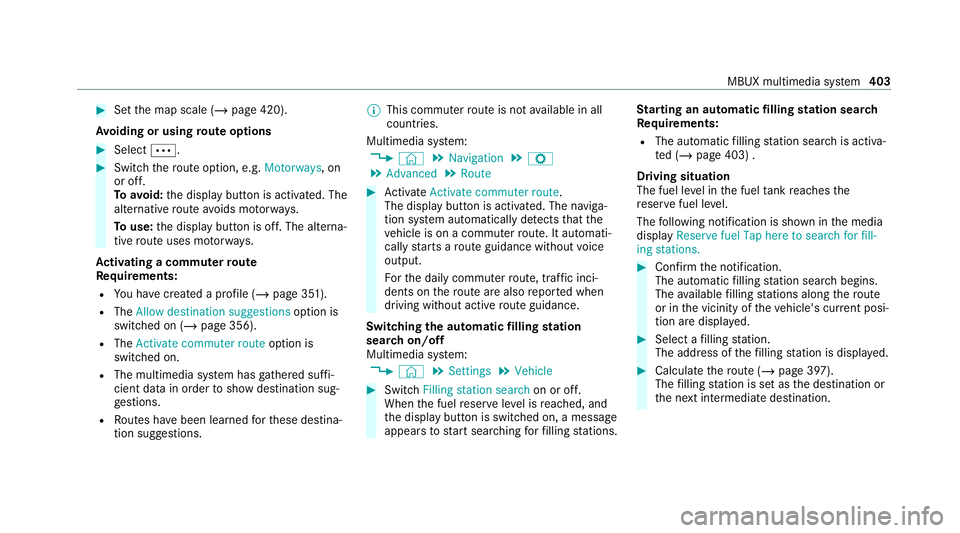
Set the map scale (/ page 420).
Av oiding or using route options #
Select 0062. #
Switch thero ute option, e.g. Motorways, on
or off.
To avoid: the display button is activated. The
alternative route avoids mo torw ays.
To use: the display button is off. The alterna‐
tive route uses mo torw ays.
Ac tivating a commuter route
Re quirements:
R You ha vecrea ted a profile (/ page 351).
R The Allow destination suggestions option is
switched on (/ page 356).
R The Activate commuter route option is
switched on.
R The multimedia sy stem has gathered suf fi‐
cient da tain order toshow destination sug‐
ge stions.
R Routes ha vebeen learned forth ese destina‐
tion suggestions. %
This commuter route is not available in all
countries.
Multimedia sy stem:
4 © 5
Navigation 5
Z
5 Advanced 5
Route #
Activate Activate commuter route .
The display button is acti vated. The naviga‐
tion sy stem automatically de tects that the
ve hicle is on a commuter route. It automati‐
cally starts a route guidance without voice
output.
Fo rth e daily commuter route, traf fic inci‐
dents on thero ute are also repor ted when
driving without active route guidance.
Swit ching the automatic filling station
sear chon/off
Multimedia sy stem:
4 © 5
Settings 5
Vehicle #
Switch Filling station search on or off.
When the fuel reser veleve l is reached, and
th e display button is switched on, a message
appears tostart sear ching forfilling stations. St
arting an automatic filling station sear ch
Re quirements:
R The automatic filling station sear chis activa‐
te d (/ page 403) .
Driving situation
The fuel le vel in the fuel tank reaches the
re ser vefuel le vel.
The following notification is shown in the media
display Reserve fuel Tap here to search for fill-
ing stations. #
Confirm the notification.
The automatic filling station sear chbegins.
The available filling stations along thero ute
or in the vicinity of theve hicle's cur rent posi‐
tion are displ ayed. #
Select a filling station.
The address of thefilling station is displa yed. #
Calculate thero ute (/ page 397).
The filling station is set as the destination or
th e next intermediate destination. MBUX multimedia sy
stem 403
Page 407 of 757
#
Ifth ere are already four intermediate des‐
tinations: selectYesinthe prom pt.
The filling station is entered in thero ute
ove rview. Intermediate destination 4 is
dele ted. Ro ute guidance begins.
St arting the automatic service station
sear ch
Re quirements:
R ATTENTION ASSIST and theSuggest rest
area function are activated (/ page 282).
R There are service stations along thero ute
section ahead.
Driving situation
The following notification is shown in the media
display ATTENTION ASSIST Tap here to search
for rest areas. #
Confirm the notification.
The service station sear ch starts. The availa‐
ble service stations along thero ute or in the
vicinity of theve hicle's cur rent position are
displ ayed. #
Select a service station.
The service station address is displa yed. #
Calculate thero ute (/ page 397).
The service station is set as the destination
or the next intermediate destination. #
Ifth ere are already four intermediate des‐
tinations: selectYesinthe prom pt.
The service station is entered in thero ute
ove rview. Intermediate destination 4 is
dele ted. Ro ute guidance begins.
Showing a stored route on the map
Re quirements:
R A USB device with stored routes is connec‐
te d with the multimedia sy stem
(/ page 488).
R The route is stored in the "Routes" folder
with the GPS Ex change form at (.gpx).
Multimedia sy stem:
4 © 5
Navigation 5
ª Where to?
5 STORED ROUTES #
Select a route. #
Select Display on the map . #
Movethe map (/ page 420). St
arting a sa vedro ute
Re quirements:
R A USB device with stored routes is connec‐
te d with the multimedia sy stem
(/ page 488).
R The route is stored in the "Routes" folder
with the GPS Ex change form at (.gpx).
Multimedia sy stem:
4 © 5
Navigation 5
ª Where to?
5 STORED ROUTES #
Select a route. #
Select Start route guidance from the begin-
ning orStart route guidance from current
location.
Ro ute guidance starts.
% The route can be sa ved with finthe
menu (/ page 397).
Re cording a route
Re quirements:
R A USB device is connec ted with the multime‐
dia sy stem (/ page 488). 404
MBUX multimedia sy stem
Page 408 of 757
Multimedia sy
stem:
4 © 5
Navigation 5
ª Where to?
5 STORED ROUTES #
Tostart recording: selectStart to record
new route.
A redre cording symbol is shown.
The route is stored on the USB device. #
Tosto pre cording: selectEnd recording.
Saving a recorded route
Re quirements:
R A USB device is connec ted with the multime‐
dia sy stem (/ page 488).
Multimedia sy stem:
4 © 5
Navigation 5
ª Where to?
5 STORED ROUTES #
Select a route. #
Select f. #
Select Save in "Previous destinations" .
The route is stored in the "Pr evious destina‐
tions" memo ryand can be called up from
th ere forro ute guidance. Editing a
storedro ute
Re quirements:
R A USB device with stored routes is connec‐
te d with the multimedia sy stem
(/ page 488).
Multimedia sy stem:
4 © 5
Navigation 5
ª Where to?
5 STORED ROUTES #
Select a route with V. #
Toenter a name: selectChange name . #
Enterth e name. #
Select OK.
or #
When the name has been changed, press the
G button. #
Select Yes. #
Todel ete a route: select Delete. #
Select Yes. Ro
ute guidance Note
s onroute guidance &
WARNING Risk of di stra ction from oper‐
ating integrated communication equip‐
ment while theve hicle is in motion
If yo u operate communication equipment
integrated in theve hicle when driving, you
will be distracted from the tra ffic situation.
This could also cause youto lose control of
th eve hicle. #
Only operate this equipment when the
traf fic situation permits. #
Ifyo u cannot be sure of this, stop the
ve hicle whilst paying attention toroad
and traf fic conditions and ope rate the
equipment with theve hicle stationar y. Yo
u must obse rveth e legal requirements forthe
country in whi chyou are cur rently driving when
operating the multimedia sy stem.
Ro ute guidance begins once a route has been
calculated. MBUX multimedia sy
stem 405