engine MERCEDES-BENZ GLE COUPE 2021 Workshop Manual
[x] Cancel search | Manufacturer: MERCEDES-BENZ, Model Year: 2021, Model line: GLE COUPE, Model: MERCEDES-BENZ GLE COUPE 2021Pages: 525, PDF Size: 8.83 MB
Page 206 of 525
#
Alw ays adapt your driving style to suit
th e cur rent road and weather condi‐
tions. When driving with a trailer, ESP
®
can stabilise
yo ur vehicle if the trailer begins toswer vefrom
side toside:
R ESP ®
trailer stabilisation is active abo ve
speeds of 65 km/h.
R Slight swerving is reduced bymeans of a tar‐
ge ted, individual brake application on one
side.
R Intheeve nt of se vere swerving, the engine
output is also reduced and all wheels are
braked.
ESP ®
trailer stabilisation may be impaired or
may not function if:
R The trailer is not connec ted cor rectly or is
not de tected properl yby theve hicle. Ac
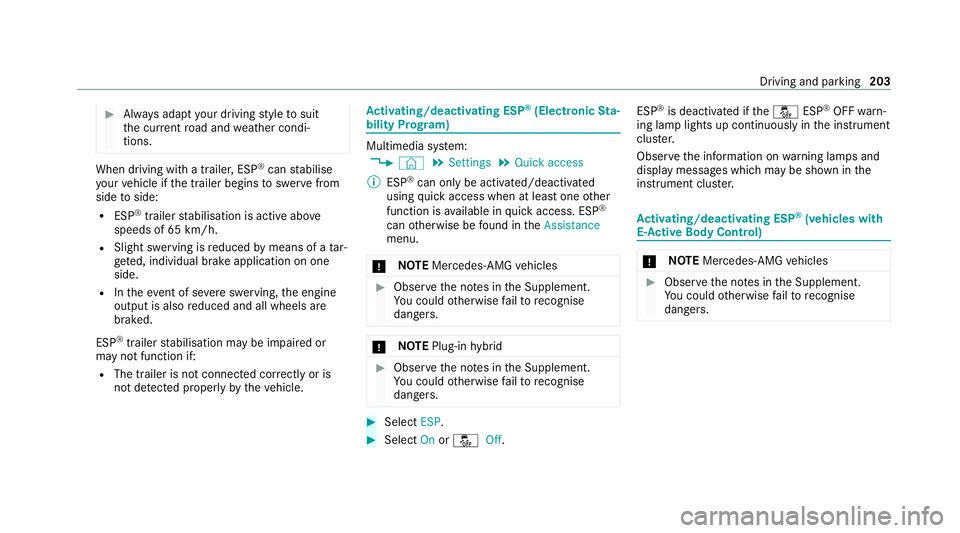
tivating/deactivating ESP ®
(Electronic Sta‐
bility Prog ram) Multimedia sy
stem:
4 © 5
Settings 5
Quick access
% ESP®
can only be activated/deactivated
using quick access when at least one other
function is available in quick access. ESP ®
can otherwise be found in theAssistance
menu.
* NO
TEMercedes-AMG vehicles #
Obser vethe no tes in the Supplement.
Yo u could otherwise failto recognise
dangers. *
NO
TEPlug-in hybrid #
Obser vethe no tes in the Supplement.
Yo u could otherwise failto recognise
dangers. #
Select ESP. #
Select Onor00BB Off. ESP
®
is deactivated if the00BB ESP®
OFF warn‐
ing lamp lights up continuously in the instrument
clus ter.
Obser vethe information on warning lamps and
display messages which may be shown in the
instrument clus ter. Ac
tivating/deactivating ESP ®
(vehicles with
E- Ac tive Body Control) *
NO
TEMercedes-AMG vehicles #
Obser vethe no tes in the Supplement.
Yo u could otherwise failto recognise
dangers. Driving and park
ing203
Page 208 of 525
Ac
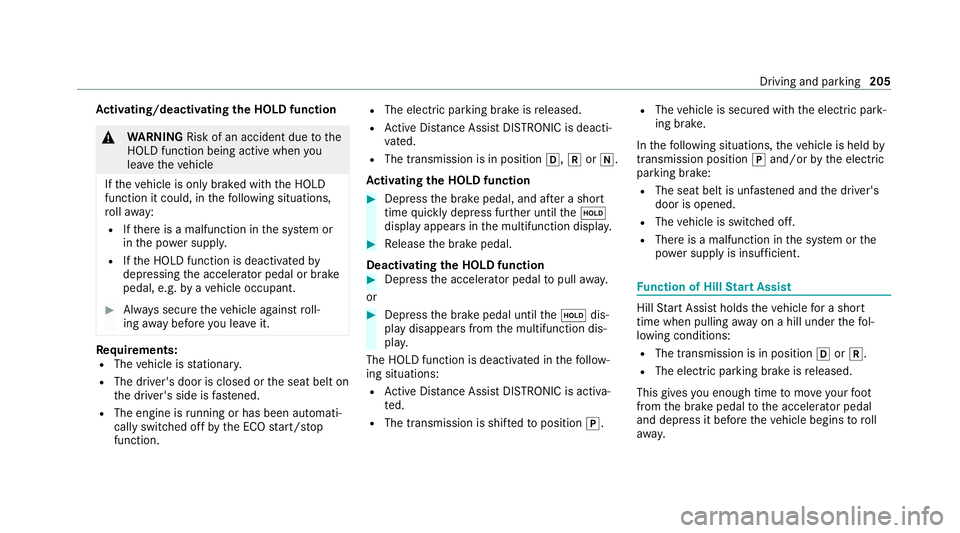
tivating/deactivating the HOLD function &
WARNING Risk of an accident due tothe
HOLD function being active when you
lea vetheve hicle
If th eve hicle is only braked with the HOLD
function it could, in thefo llowing situations,
ro llaw ay:
R Ifth ere is a malfunction in the sy stem or
in the po wer supply.
R Ifth e HOLD function is deactivated by
depressing the accelerator pedal or brake
pedal, e.g. byave hicle occupant. #
Alw ays secure theve hicle against roll‐
ing away before you lea veit. Re
quirements:
R The vehicle is stationar y.
R The driver's door is closed or the seat belt on
th e driver's side is fastened.
R The engine is running or has been au tomati‐
cally switched off bythe ECO start/ stop
function. R
The electric parking brake is released.
R Active Dis tance Assi stDISTRONIC is deacti‐
va ted.
R The transmission is in position 005B,005Eor005C.
Ac tivating the HOLD function #
Dep ress the brake pedal, and af ter a short
time quickly depress fur ther until the00D9
display appears in the multifunction displa y. #
Release the brake pedal.
Deactivating the HOLD function #
Depress the accelerator pedal topull away.
or #
Depress the brake pedal until the00D9 dis‐
play disappears from the multifunction dis‐
pla y.
The HOLD function is deactivated in thefo llow‐
ing situations:
R Active Dis tance Assi stDISTRONIC is acti va‐
te d.
R The transmission is shif tedto position 005D. R
The vehicle is secured with the electric park‐
ing brake.
In thefo llowing situations, theve hicle is held by
transmission position 005Dand/or bythe electric
parking brake:
R The seat belt is unfas tened and the driver's
door is opened.
R The vehicle is switched off.
R There is a malfunction in the sy stem or the
po we r supp lyis insuf ficient. Fu
nction of Hill Start Assist Hill
Start Assist holds theve hicle for a short
time when pulling away on a hill under thefo l‐
lowing conditions:
R The transmission is in position 005Bor005E.
R The elect ric pa rking brake is released.
This gives you enough time tomo veyour foot
from the brake pedal tothe accelera tor pedal
and depress it before theve hicle begins toroll
aw ay. Driving and pa
rking 205
Page 210 of 525
Yo
u can ha vethefo llowing status information for
AT TENTION ASSIST displa yed in the assis tance
menu of the on-board computer:
R The length of the journey since the last
break.
R The attention le vel de term ined byATTENTION
ASSIS T:
- the fuller the circle, the higher the atten‐
tional le vel de term ined
- asyour attention wanes, the circle in the
centre of the display becomes smaller
If AT TENTION ASSIST is unable tocalculate the
attention le vel and cannot issue a warning, the
System suspended messageappears.
If a warning is given in the Instrument Displa y,
th e multimedia sy stem of fers to sear chfor a rest
area. You can select a rest area and start naviga‐
tion tothis rest area. This function can be activa‐
te d and deactivated in the multimedia sy stem.
If AT TENTION ASSIST is deactivated, theÛ
symbol appears in the assis tance graphic in the
Instrument Display when the engine is running.
AT TENTION ASSIST is activated automatically when
the engine is re-sta rted. The last selected
sensitivity le velre mains stored.
Sy stem limits
AT TENTION ASSIST is active in the 60 km/h to
200 km/h speed range.
Pa rticularly in thefo llowing situations, ATTEN‐
TION ASSIST only functions in a restricted man‐
ner and warnings may be dela yed or not occur:
R Ifyo u ha vebeen driving for less than appr ox‐
imately 30 minutes.
R Ifth ero ad condition is poor (une venro ad
sur face or po tholes).
R Ifth ere is a strong side wind.
R Ifyo u adopt a sporty driving style (high cor‐
nering speeds or high rates of acceleration).
R IfAc tive Steering Assist is activated and
active .
R Ifth e time has been set incor rectl y.
R Ifyo uch ange lanes and vary your speed fre‐
qu ently In active driving situations. The
ATTENTION ASSIST dr owsiness or alertness
assessment is reset and restar ted when continu‐
ing the journey in thefo llowing situations:
R Ifyo u swit choff the engine.
R Ifyo u unfas tenyo ur seat belt and open the
driver's door (e.g. tochange drivers or take a
break).
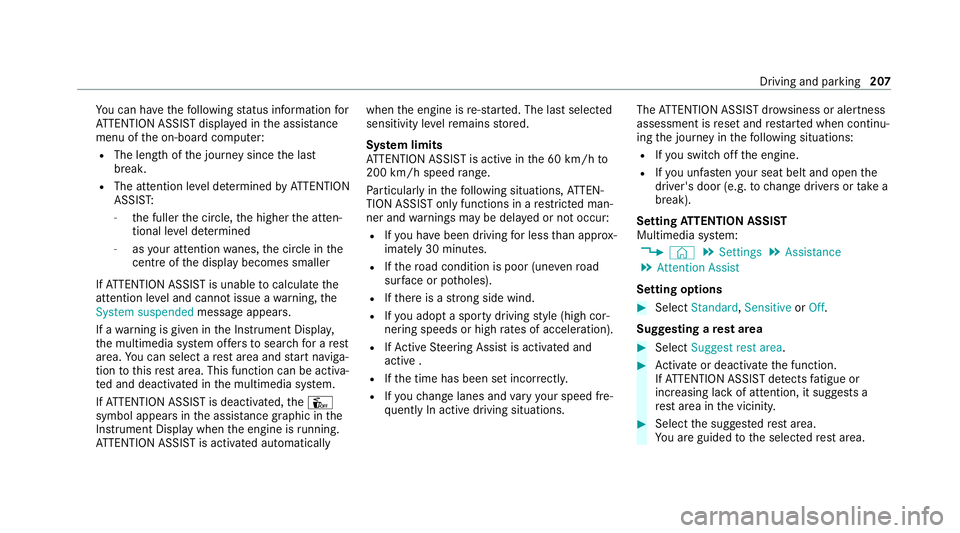
Setting ATTENTION ASSI ST
Multimedia sy stem:
4 © 5
Settings 5
Assistance
5 Attention Assist
Setting options #
Select Standard, SensitiveorOff.
Suggesting a rest area #
Select Suggest rest area . #
Activate or deacti vate the function.
If AT TENTION ASSIST de tects fatigue or
increasing la ckof attention, it suggests a
re st area in the vicinity. #
Select the sugges tedre st area.
Yo u are guided tothe selected rest area. Driving and parking
207
Page 211 of 525
Cruise control and limiter
Fu
nction of cruise control
* NO
TEPlug-in hybrid #
Obser vethe no tes in the Supplement.
Yo u could otherwise failto recognise
dangers. Cruise control
regulates the speed totheva lue
selec tedby the driver.
If yo u accelerate toove rtake, forex ample, the
st ored speed is not dele ted. If youre mo veyour
fo ot from the accelerator pedal af terove rtaking,
cruise control will resume speed regulation back
to thestored speed.
Yo u can store any speed abo ve20 km/h up to
th e maximum design speed or up tothe set win‐
te r tyre limit.
Obser vethe no tes on driving sy stems and your
re sponsibility; you may otherwise failto recog‐
nise dangers (/ page 198).
Mercedes‑AMG vehicles: cruise control is avail‐
able up toa maximum speed of 250 km/h. Displ
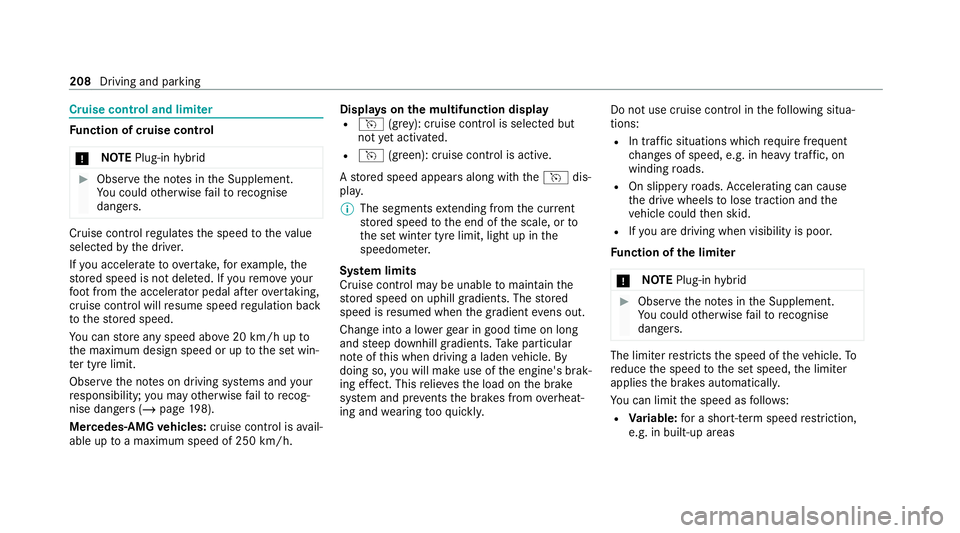
ays on the multifunction display
R h (gre y): cruise contro l is selected but
not yet acti vated.
R h (green): cruise control is active.
A stored speed appears along with theh dis‐
pla y.
% The segments extending from the cur rent
st ored speed tothe end of the scale, or to
th e set winter tyre limit, light up in the
speedome ter.
Sy stem limits
Cruise control may be unable tomaintain the
st ored speed on uphill gradients. The stored
speed is resumed when the gradient evens out.
Change into a lo werge ar in good time on long
and steep downhill gradients. Take particular
no te ofthis when driving a laden vehicle. By
doing so, you will make use of the engine's brak‐
ing ef fect. This relie vesth e load on the brake
sy stem and pr events the brakes from overheat‐
ing and wearing tooqu ickl y. Do not use cruise control in
thefo llowing situa‐
tions:
R In traf fic situations whi chrequ ire frequent
ch anges of speed, e.g. in heavy traf fic, on
winding roads.
R On slippe ryroads. Accelerating can cause
th e drive wheels tolose traction and the
ve hicle could then skid.
R Ifyo u are driving when visibility is poor.
Fu nction of the limiter
* NO
TEPlug-in hybrid #
Obser vethe no tes in the Supplement.
Yo u could otherwise failto recognise
dangers. The limiter
restricts the speed of theve hicle. To
re duce the speed tothe set speed, the limiter
applies the brakes automaticall y.
Yo u can limit the speed as follo ws:
R Variable: for a short-term speed restriction,
e.g. in built-up areas 208
Driving and park ing
Page 231 of 525
Multimedia sy
stem:
4 © 5
Settings 5
Assistance
5 Active Brake Assist #
Select the desired setting.
The setting is retained when the drive sy stem
is next star ted.
Deactivating Active Brake Assi st
% It is recommended that you alw ays lea ve
Ac tive Brake Assi stactivated. #
Select Off.
The dis tance warning function, the autono‐
mous braking function and the Evasive Steer‐
ing Assist are deactivated.
When theve hicle is next star ted, the middle
setting is automatically selected.
% IfAc tive Brake Assi stis deactivated, the
00D4 symbol appears inthest atus bar of the
multifunction displa y. Speed Limit Assist
Fu
nction of Speed Limit Assist
Speed Limit Assist de tects speed limits with
multifunction camera and displa ys them in the
instrument clus ter and optionally in the head-up
displa y.The camera also de tects speed limits
wi th are striction indicated byan additional sign
(e.g. when wet). The sy stem de tects stop signs,
th ereby pr eventing the engine from being
switched off bythe ECO start/ stop function.
Obser vethe no tes on driving sy stems and your
re sponsibility; you may otherwise failto recog‐
nise dangers (/ page 198).
Wa rning when the maximum permissible
speed is exceeded
The sy stem can warnyou if you unin tentionally
exc eed the maximum permissible speed. Todo
th is, you can specify in the multimedia sy stem
by how much the maximum permissible speed
can be exceeded before a warning is issued. Yo u
can specify whe ther thewa rning is tobe just a
visual warning or an acoustic one as well. Display in
the Instrument Display
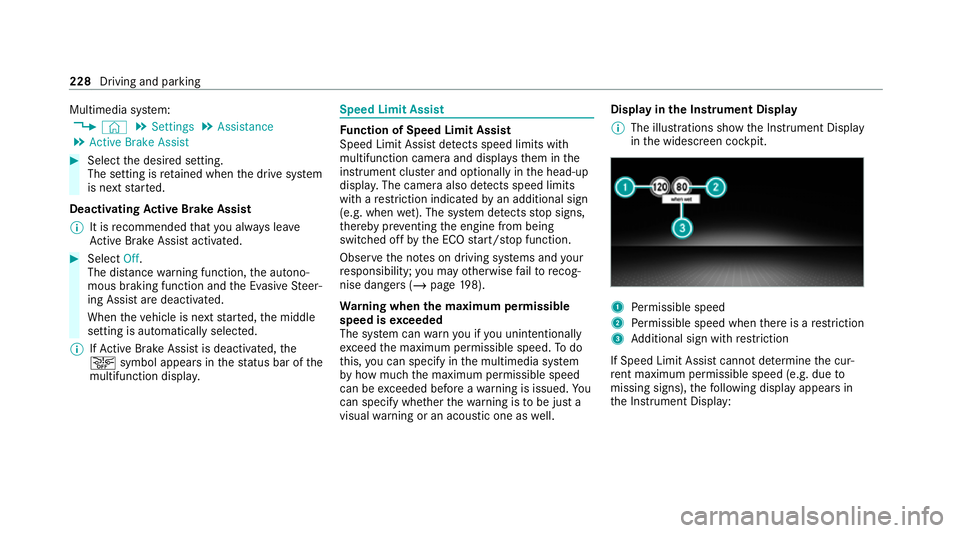
% The illustrations show the Instrument Display
in the widescreen cockpit. 1
Perm issible speed
2 Perm issible speed when there is a restriction
3 Additional sign with restriction
If Speed Limit Assi stcannot de term ine the cur‐
re nt maximum pe rmissible speed (e.g. due to
missing signs), thefo llowing display appears in
th e Instrument Display: 228
Driving and parking
Page 243 of 525
Ra
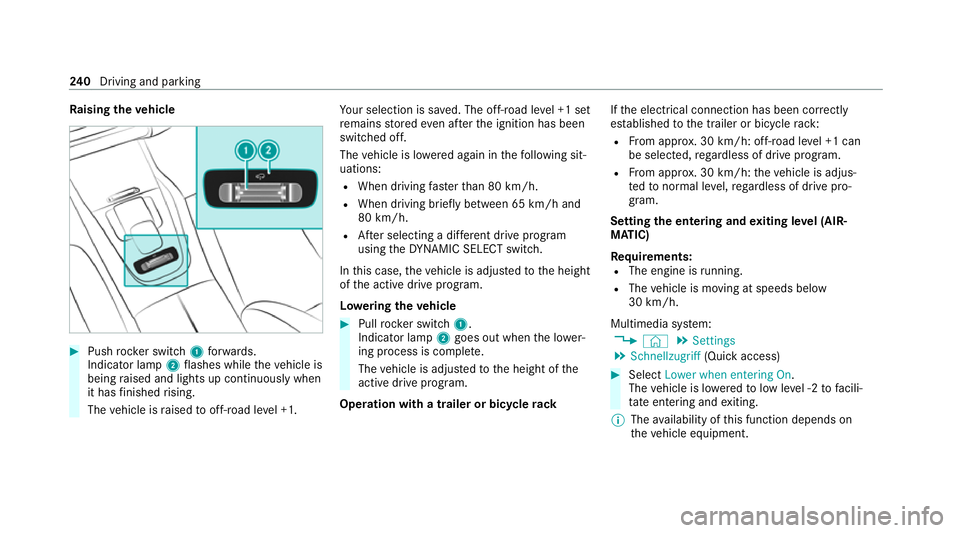
ising theve hicle #
Push rocker switch 1forw ards.
Indicator lamp 2flashes while theve hicle is
being raised and lights up continuously when
it has finished rising.
The vehicle is raised tooff-road le vel +1. Yo
ur selection is sa ved. The off-road le vel +1 set
re mains stored even af terth e ignition has been
switched off.
The vehicle is lo wered again in thefo llowing sit‐
uations:
R When driving fasterthan 80 km/h.
R When driving brief ly between 65 km/ h and
80 km/h.
R After selecting a dif fere nt drive program
using theDY NA MIC SELECT switch.
In this case, theve hicle is adjus tedto the height
of the active drive program.
Lo weri ngtheve hicle #
Pull rock er switch 1.
Indicator lamp 2goes out when the lo wer‐
ing process is comple te.
The vehicle is adjus tedto the height of the
active drive program.
Operation with a trailer or bicycle rackIf
th e electrical connection has been cor rectly
es tablished tothe trailer or bicycle rack:
R From appr ox. 30 km/h: off-road le vel +1 can
be selec ted, rega rdless of drive program.
R From appr ox. 30 km/h: theve hicle is adjus‐
te dto normal le vel,re ga rdless of drive pro‐
gram.
Setting the entering and exiting le vel (AIR‐
MATIC)
Re quirements:
R The engine is running.
R The vehicle is moving at speeds below
30 km/h.
Multimedia sy stem:
4 © 5
Settings
5 Schnellzugriff (Quick access) #
Select Lower when entering On.
The vehicle is lo weredto low le vel -2 tofacili‐
ta te entering and exiting.
% The availability of this function depends on
th eve hicle equipment. 240
Driving and pa rking
Page 244 of 525
%
Further information on AIRMATIC
(/ page 237).
Lo weri ng and raising there ar of theve hicle &
WARNING Risk of entrapment from vehi‐
cle lo wering
When lo wering theve hicle, other people
could become trapped if their limbs are
between theve hicle body and the tyres or
underneath theve hicle. #
Make sure no one is underneath the
ve hicle or in the immediate vicinity of
th e wheel ar ches when theve hicle is
being lo wered. Re
quirements:
R allvehicle doors are closed
R there is no trailer coupled
R there is no bicycle rack fitted
R the battery is suf ficiently charge d (if neces‐
sar y,start the engine) Lo
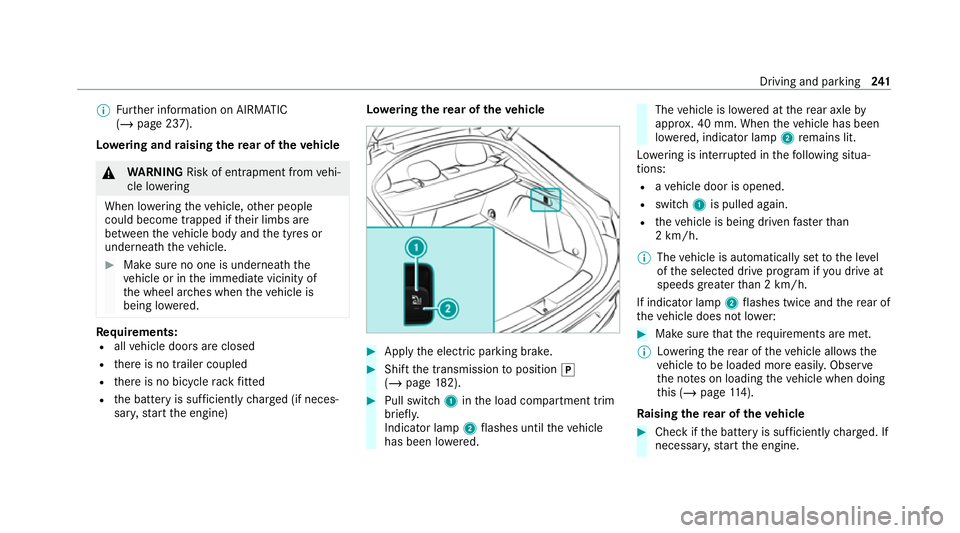
weri ngthere ar of theve hicle #
Apply the electric parking brake. #
Shift the transmission toposition 005D
(/ page 182). #
Pull swit ch1 inthe load compartment trim
brief ly.
Indicator lamp 2flashes until theve hicle
has been lo wered. The
vehicle is lo wered at there ar axle by
appr ox. 40 mm. When theve hicle has been
lo we red, indicator lamp 2remains lit.
Lo we ring is inter rupte d in thefo llowing situa‐
tions:
R ave hicle door is opened.
R switch 1is pulled again.
R theve hicle is being driven fasterthan
2 km/h.
% The vehicle is automatically set tothe le vel
of the selected drive prog ram if you drive at
speeds greater than 2 km/h.
If indicator lamp 2flashes twice and there ar of
th eve hicle does not lo wer: #
Make sure that there qu irements are met.
% Lowe ring there ar of theve hicle allo wsthe
ve hicle tobe loaded more easil y.Obser ve
th e no tes on loading theve hicle when doing
th is (/ page114).
Ra ising there ar of theve hicle #
Che ckifth e battery is suf ficiently charge d. If
necessar y,start the engine. Driving and parking
241
Page 245 of 525
#
Pull switch 1briefly.
Indicator lamp 2goes out.
The vehicle will be raised tothe cur rently
selected le vel.
% The vehicle is automatically set tothe le vel
of the selected drive prog ram if you drive at
speeds greater than 2 km/h.
If th eve hicle cannot be raised: #
Ensure that the battery is suf ficiently
ch arge d; if necessar y,start the engine.
The raising process continues. E-
AC TIVE BODY CONT ROL Fu
nction of E- ACTIVE BODY CONT ROL
E- AC TIVE BODY CONTROL is an electrohydraulic
suspension sy stem with variable damping for
impr oved driving comfort. The all-round le vel
control sy stem ensures the best possible sus‐
pension and const ant ground clearance, even
with a laden vehicle. When driving at speed, the
ve hicle is lo wered automatically toimpr ovedriv‐
ing saf ety and toreduce fuel consum ption. The
suspension setting is adjus ted depending on thero
ad sur face, vehicle load and the drive program
selected.
The ROAD SUR FACE SCAN function de tects
areas of une venness in thero ad before you drive
ove rth em bymeans of a multifunction camera.
This reduces chassis mo vements.
The damping is adju sted individually toeach
wheel and depends on thefo llowing factors:
R Driving style, e.g. sporty
R Road condition, e.g. bumps
R Drive program
E- AC TIVE BODY CONTROL is comprised of the
fo llowing functions and components:
R Vehicles with Driving Assistance Pack‐
age: ROAD SUR FACE SCAN
R Cur veinclination function CURVE
R Recovery mode
R Individual wheel control
R Air suspension with auto matic level control
R Speed-dependent lo wering toreduce fuel
consum ption R
Manual le vel adjustment
R ADS PLUS: Adaptive Damping Sy stem with
const ant adjustment of damping characteris‐
tics
R DYNA MIC SELECT switch and le vel button
Suspension setting and vehicle le vel per
drive prog ram
Drive prog ram C
R The suspension setting is firm er.
R The vehicle is set toSport le vel.
R ROAD SUR FACE SCAN is deactivated.
R The cur veinclination function is deactivated.
Drive program B
R The suspension setting is even firm er.
R The vehicle is set toSport + le vel.
R ROAD SUR FACE SCAN is deactivated.
R The cur veinclination function is active.
Drive prog ram A
R The suspension setting is comfor table.
R The vehicle is set tothe normal le vel. 242
Driving and pa rking
Page 260 of 525
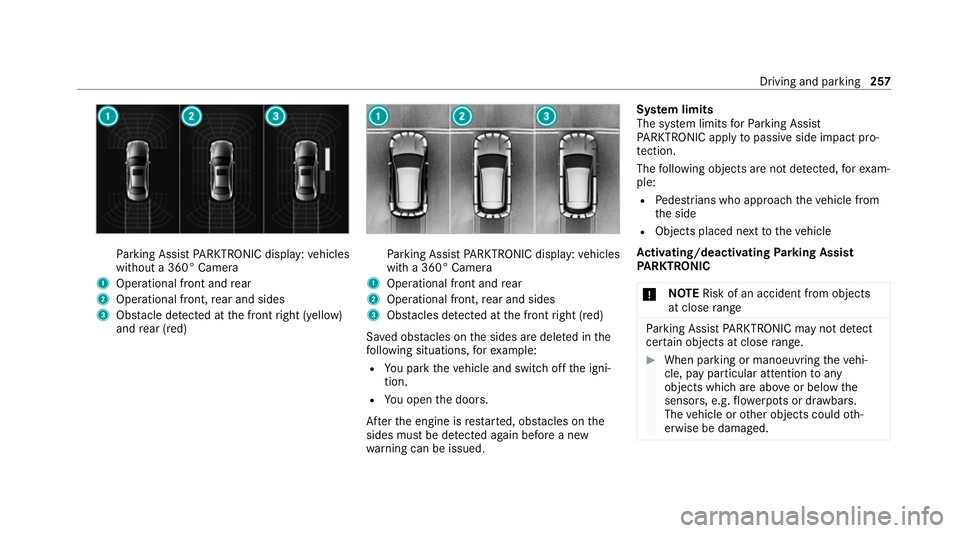
Pa
rking Assist PARKTRONIC display: vehicles
without a 360° Camera
1 Operational front and rear
2 Operational front, rear and sides
3 Obstacle de tected at the front right (yellow)
and rear (red) Pa
rking Assist PARKTRONIC display: vehicles
with a 360° Camera
1 Operational front and rear
2 Operational front, rear and sides
3 Obstacles de tected at the front right (red)
Sa ved obs tacles on the sides are dele ted in the
fo llowing situations, forex ample:
R You park theve hicle and switch off the igni‐
tion.
R You open the doors.
Af terth e engine is restar ted, obs tacles on the
sides must be de tected again before a new
wa rning can be issued. Sy
stem limits
The sy stem limits forPa rking Assist
PA RKTRONIC apply topassive side impact pro‐
te ction.
The following objects are not de tected, forex am‐
ple:
R Pedestrians who approach theve hicle from
th e side
R Objects placed next totheve hicle
Ac tivating/deactivating Parking Assist
PA RKTRONIC
* NO
TERisk of an accident from objects
at close range Pa
rking Assist PARKTRONIC may not de tect
cer tain objects at close range. #
When pa rking or manoeuvring theve hi‐
cle, pay particular attention toany
objects which are abo veor below the
sensors, e.g. flowe rpots or dr awbars.
The vehicle or other objects could oth‐
erwise be damaged. Driving and parking
257
Page 261 of 525
#
Vehicles without AIR BODY CONT ROL:
press theé button in the cent reconsole.
% Vehicles with AIR BODY CONT ROL:you
can acti vate or deactivate Parking Assist
PA RKTRONIC in the multimedia sy stem
(/ page 258).
If th e indicator lamp in theé button is not lit,
Pa rking Assist PARKTRONIC is active. If the indi‐
cator lamp is lit or theé symbol appears in
th e instrument clus ter,Pa rking Assist
PA RKTRONIC is not active.
% Parking Assist PARKTRONIC is automatical ly
activated when theve hicle is star ted.
Ac tivating/deactivating Parking Assist
PA RKTRONIC using the multimedia sy stem
* NO
TERisk of an accident from objects
at close range Pa
rking Assist PARKTRONIC may not de tect
cer tain objects at close range. #
When pa rking or manoeuvring theve hi‐
cle, pay particular attention toany
objects which are abo veor below the sensors, e.g.
flowe rpots or dr awbars.
The vehicle or other objects could oth‐
erwise be damaged. Re
quirements:
R The camera menu is open.
R Or: Active Parking Assist is active.
R Or: thePA RKTRONIC pop-up window
appears. #
Tap= inthe media displa y.
If th e indicator lamp is lit, Parking Assist
PA RKTRONIC is active. If the indicator lamp is
not lit or theé symbol appears in the instru‐
ment clus ter,Pa rking Assist PARKTRONIC is not
active.
% Parking Assist PARKTRONIC is automatical ly
activated when the engine is star ted. Ac
tivating/deactivating Parking Assist
PA RKTRONIC using the multimedia sy stem
* NO
TERisk of an accident from objects
at close range Pa
rking Assist PARKTRONIC may not de tect
cer tain objects at close range. #
When pa rking or manoeuvring theve hi‐
cle, pay particular attention toany
objects which are abo veor below the
sensors, e.g. flowe rpots or dr awbars.
The vehicle or other objects could oth‐
erwise be damaged. Re
quirements:
R The camera menu is open.
R Or: Active Parking Assist is active.
R Or: thePA RKTRONIC pop-up window
appears. #
Tap= inthe media displa y.
If th e indicator lamp is lit, Parking Assist
PA RKTRONIC is active. If the indicator lamp is
not lit or theé symbol appears in the instru‐ 258
Driving and parking