brake sensor MERCEDES-BENZ GLE COUPE 2021 Owners Manual
[x] Cancel search | Manufacturer: MERCEDES-BENZ, Model Year: 2021, Model line: GLE COUPE, Model: MERCEDES-BENZ GLE COUPE 2021Pages: 525, PDF Size: 8.83 MB
Page 26 of 525
back conditions, please visit
the national
Mercedes-Benz website foryo ur count ry. Mercedes-Benz GenuineParts
+ ENVIRONMENTAL
NOTEEnvironmental
dama gecaused bynot using recycled
re conditioned components Mercedes‑Benz
AGoffers recycled recondi‐
tioned components and pa rts with the same
qu ality as new parts. The same entitlement
from the implied warranty is valid as for new
parts. #
Recycled reconditioned components
and pa rts from Mercedes‑Benz AG. *
NO
TEImpairment of the operating ef fi‐
ciency of there stra int sy stems from
ins talling accessory parts or from repairs
or we lding Airbags and seat belt
tensioners, as well as
control units and sensors forth ere stra int
sy stems, may be ins talled in thefo llowing
areas of your vehicle:
R Doors
R Door pillars
R Door sills
R Seats
R Cockpit
R Instrument clus ter
R Centre console
R Lateral roof frame #
Do not ins tall accessory parts such as
audio sy stems in these areas. #
Do not car ryout repairs or welding. #
Have accesso ryparts retrofitted at a
qu alified specialist workshop. Yo
u could jeopardise the operating saf ety of your
ve hicle if you use parts, tyres and wheels as well
as accessories releva nt tosaf ety which ha venot
been appr ovedby Mercedes-Benz. Saf ety-re le‐
va nt sy stems, e.g. the brake sy stem, may mal‐
function. Only use Mercedes-Benz GenuineParts
or parts of equal qualit y.Only use tyres, wheels
and accessory parts that ha vebeen specifically
appr ovedfo ryo ur vehicle model.
Mercedes-Benz tests original parts and con ver‐
sion parts and accessory parts that ha vebeen
specifically appr ovedfo ryo ur vehicle model for
th eir reliability, saf ety and suitabilit y.Despite
ongoing ma rket resear ch, Mercedes-Benz is
unable toassess other parts. Mercedes-Benz
th erefore accepts no responsibility forth e use of
such parts in Mercedes-Benz vehicles, even if
th ey have been of ficially appr oved or independ‐
ently appr oved byate sting centre.
Cer tain parts are only of ficially appr ovedfor
ins tallation or modification if they comply wi th
legal requirements. All Mercedes-Benz Genuine‐
Pa rts meet the appr oval requ irements. The use
of non-appr oved parts may in validate theve hi‐
cle's general operating pe rmit. General no
tes23
Page 39 of 525
ernmen
tal entities, upon request and tothe
ex tent requ ired, data stored bythe manufac‐
turer. Forex ample, this may be the case during
th e in vestigation of a criminal of fence.
Go vernmental entities are themselves, in individ‐
ual cases and within the applicable legal frame‐
wo rk, authorised toread out data from theve hi‐
cle. In the case of an accident, information that
can help with an in vestigation can, therefore, be
ta ke n from the airbag control unit, forex ample.
Operational data in theve hicle
This is data rega rding the operation of theve hi‐
cle, which ha vebeen processed bycontrol units.
This includes thefo llowing data, forex ample:
R vehicle status information such as the speed,
longitudinal acceleration, lateral accelera‐
tion, number of wheel revo lutions or thefa s‐
te ned seat belts displ ay
R ambient conditions, such as temp erature,
ra in sensor or dis tance sensor
General ly,th e use of these data is temp orar y;
th ey will not be stored be yond the period of
operation and will only be processed within theve
hicle itself. Control units of ten contain da ta
memories forve hicle keys,fo rex ample. Their
use permits thete mp orary or permanent docu‐
mentation of tech nical information about the
ve hicle's operating state, component loads,
main tenance requ irements and tech nical events
or faults.
Depending on theve hicle equipment, thefo llow‐
ing data are stored:
R operating status of sy stem components,
such as fill le vels, tyre pressure or battery
st atus
R malfunctions or faults in impor tant sy stem
components, such as lights or brakes
R system reactions in special driving situations,
such as airbag deployment or the inter ven‐
tion of stability control sy stems
R information on events leading tovehicle
damage
In cer tain cases, it may be requiredtostore data
th at wo uld ha veotherwise been used only tem‐
porarily. This may be the case if theve hicle has
de tected a malfunction, forex ample. If
yo u use services, such as repair services and
maintenance work,st ored operational data as
we ll as theve hicle identification number can be
re ad out and used. They can be read out by
service network emplo yees, such as workshops
and manufacturers or third parties, such as
breakdown services. The same is true in the
case of warranty claims and quality assurance
measures.
In general, there adout is per form ed via the
legally prescribed port forth e diagnostics con‐
nection in theve hicle. The operational data that
are read out document tech nical states of the
ve hicle or of individual components and assist in
th e diagnosis of malfunctions, compliance with
wa rranty obligations and quality impr ovement.
To that end, these data, in particular information
about component loads, tech nical events, mal‐
functions and other faults may be transmit ted
along with theve hicle identification number to
th e manufacturer. Furthermore, the manufac‐
turer is subject toproduct liability. Forth is rea‐
son the manufacturer also uses operational data
from theve hicle, forex ample, forre calls. These 36
General no tes
Page 169 of 525
R
Avoid overstraining theve hicle, e.g. driving at
full thro ttle.
R Do not depress the accelerator pedal past
th e pressure point (kickdown).
R Only increase the engine speed gradually and
accelera tetheve hicle tofull speed af ter
1, 500 km.
This also applies when the engine or parts of the
driv etra in ha vebeen replaced.
Please also obser vethefo llowing running-in
no tes:
R in cer tain driving and driving saf ety sy stems,
th e sensors adjust automatically while a cer‐
ta in dis tance is being driven af terth eve hicle
has been delivered or af terre pairs. Full sys‐
te m ef fectiveness is not reached until the
end of this teach-in process.
R brakepads, brake discs and tyres that are
either new or ha vebeen replaced only ach‐
ie ve optimum braking ef fect and grip af ter
se veral hundred kilom etre s of driving. Com‐
pensate forth ere duced braking ef fect by
applying greaterfo rc eto the brake pedal. Note
s on optimised acceleration If all necessary
requ irements and activation con‐
ditions are fulfilled, the best possible accelera‐
tion can be achie ved from a standstill.
Do not use the optimised acceleration on public
ro ads. Individual wheels could spin and you
could lose control of theve hicle. There is an
increased risk of skidding and/or accident.
Be sure toobser vethe saf ety no tes and informa‐
tion on ESP ®
(/ page 201). Moving
away with optimised acceleration &
WARNING Risk of skidding and having
an accident from wheels spinning
When you use optimised acceleration, indi‐
vidual wheels could spin and you could lose
cont rol of theve hicle.
If ESP ®
is deactivated, there is a risk of skid‐
ding and accident! #
Make sure that no persons or obstacles
are in the close vicinity of your vehicle. Re
quirements:
R theve hicle is run in (/ page 165).
R theve hicle and tyres are in good condition.
R you are on a high-g rip ro adw ay.
R the engine and transmission are at normal
operating temp erature.
* NO
TEIncreased wear due tooptimised
acceleration When pulling
away with optimised accelera‐
tion, all components of the driv etra in are
subjected toave ry high load.
This can lead toinc reased component wear. #
Do not alw ays pull away with optimised
acceleration. #
Engage the005B drive position (/ page183). #
Movethesteering wheel tothest ra ight-
ahead position. #
Select the sportiest available drive program
B orC(/ page178). #
Deactivating ESP ®
(/ page 203). 16 6
Driving and pa rking
Page 202 of 525
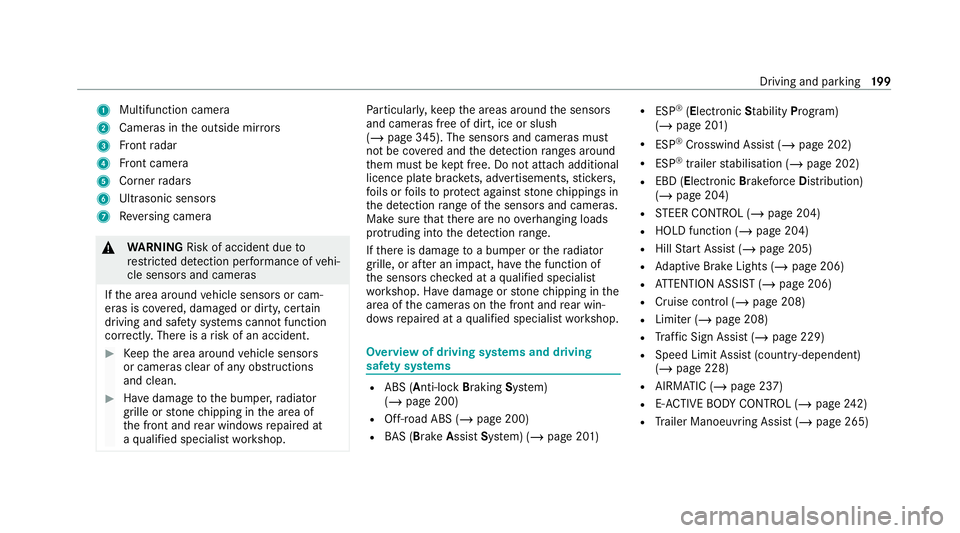
1
Multifunction camera
2 Cameras in the outside mir rors
3 Front radar
4 Front camera
5 Corner radars
6 Ultrasonic sensors
7 Reversing camera &
WARNING Risk of accident due to
re stricted de tection per form ance of vehi‐
cle sensors and cameras
If th e area around vehicle sensors or cam‐
eras is co vered, damaged or dirty, cer tain
driving and saf ety sy stems cann otfunction
cor rectly. The reis a risk of an accident. #
Keep the area around vehicle sensors
or cameras clear of any obstructions
and clean. #
Have damage tothe bumper, radiator
grille or stone chipping in the area of
th e front and rear wind owsrepaired at
a qu alified specialist workshop. Pa
rticular ly,ke ep the areas around the sensors
and cameras free of dirt, ice or slush
(/ page 345). The sensors and cameras must
not be co vered and the de tection ranges around
th em must be kept free. Do not attach additional
licence plate brackets, ad vertisements, sticke rs,
fo ils or foils toprotect against stone chippings in
th e de tection range of the sensors and cameras.
Make sure that there are no overhanging loads
pr otru ding into the de tection range.
If th ere is damage toa bumper or thera diator
grille, or af ter an impact, ha vethe function of
th e sensors checked at a qualified specialist
wo rkshop. Ha vedamage or stone chipping in the
area of the cameras on the front and rear win‐
do ws repaired at a qualified specialist workshop. Overview of driving sy
stems and driving
saf ety sy stems R
ABS (Anti-lo ckBra king System)
(/ page 200)
R Off-road ABS (/ page 200)
R BAS (Bra keAssist System) (/ page 201) R
ESP ®
(Electronic Stability Program)
(/ page 201)
R ESP ®
Crosswind Assist (/ page 202)
R ESP ®
trailer stabilisation (/ page 202)
R EBD (Electronic Brakeforc eDistribution)
(/ page 204)
R STEER CONTROL (/ page 204)
R HOLD function (/ page 204)
R Hill Start Assist (/ page 205)
R Adaptive Brake Lights (/ page 206)
R ATTENTION ASSIST (/ page 206)
R Cruise contro l (/page 208)
R Limiter (/ page 208)
R Traf fic Sign Assi st (/ page 229)
R Speed Limit Assist (count ry-dependent)
(/ page 228)
R AIRMATIC (/ page 237)
R E-AC TIVE BODY CONTROL (/ page242)
R Trailer Manoeuv ring Assi st (/ page 265) Driving and parking
19 9
Page 216 of 525
%
Ifyo u depress the accelerator pedal be yond
th e setting of theAc tive Dis tance Assi st
DISTRONIC, the sy stem is switched topas‐
sive mode. The çsuspended message
appears in the multifunction displa y.
Display on the speedome ter
The stored speed is highlighted on the speedom‐
et er. If the speed of theve hicle in front or the
speed adjustment forth ero ute event ahead is
less than thestored speed, the segments in the
speedome ter light up. The multifunction display
sho ws th e deactivation of Active Dis tance Assi st
DISTRONIC, as well as alterations tothe speed
due tomanual or auto matic adoption of the max‐
imum permissible speed.
Sy stem limits
The sy stem may be impaired or may not function
in thefo llowing situations, forex ample:
R In sn ow,ra in, fog, heavy spr ay, if there is
gl are, in direct sunlight or in greatlyvarying
light conditions.
R Ifth ere is swirling dust, e.g. when driving off-
ro ad or on sandy sur faces. R
The windscreen in the area of the camera is
dirty, mis ted up, damaged or co vered.
R Ifth era dar sensors are dirty or co vered.
R In multi- stor ey car pa rks or on roads with
st eep uphill or downhill gradients.
R Ifth ere are nar rowvehicles in front, such as
bicycles or mo torcyc les.
In addition, on slippery roads, braking or accel‐
erating can cause one or se veral wheels tolose
traction and theve hicle could then skid.
Do not use Active Dis tance Assi stDISTRONIC in
th ese situations. &
WARNING Risk of accident from acceler‐
ation or braking byActive Dis tance
Assi stDISTRONIC
Ac tive Dis tance Assi stDISTRONIC may accel‐
erate or brake in thefo llowing cases, for
ex ample:
R Ifth eve hicle pulls away using Active Dis‐
ta nce Assi stDISTRONIC. R
Ifth estored speed is called up and is
considerably faster or slo werth an the
cur rently driven speed.
R IfAc tive Dis tance Assi stDISTRONIC no
longer de tects a vehicle in front or does
not react toreleva nt objects. #
Alw ays carefully obser vethe traf fic con‐
ditions and be ready tobrake at all
times. #
Take into account the tra ffic situation
before calling up thestored speed. &
WARNING Risk of accident due toinsuf‐
fi cient decele ration byActive Dis tance
Assi stDISTRONIC
Ac tive Dis tance Assi stDISTRONIC brakes
yo ur vehicle with up to50% of the possible
deceleration. If this decele ration is not su ffi‐
cient, Active Dis tance Assi stDISTRONIC
alerts you with a visual and acoustic warning. #
Adjust your speed and main tain a suita‐
ble dis tance from theve hicle in front. Driving and parking
213
Page 217 of 525
#
Brake theve hicle yourself and/or take
ev asive action. &
WARNING Risk of accident if de tection
function of Active Dis tance Assi st
DISTRONIC is impaired
Ac tive Dis tance Assi stDISTRONIC does not
re act or has a limited reaction:
R when driving on a dif fere nt lane or when
ch anging lanes
R topedestrians, animals, bicycles or sta‐
tionary vehicles, or unexpected obs tacles
R tocompl extraf fic conditions
R tooncoming vehicles and crossing traf fic
As a result, Active Dis tance Assi st
DISTRONIC may nei ther give warnings nor
inter vene in su chsituations. #
Alw ays obser vethe tra ffic conditions
carefully and react accordin gly. Operating
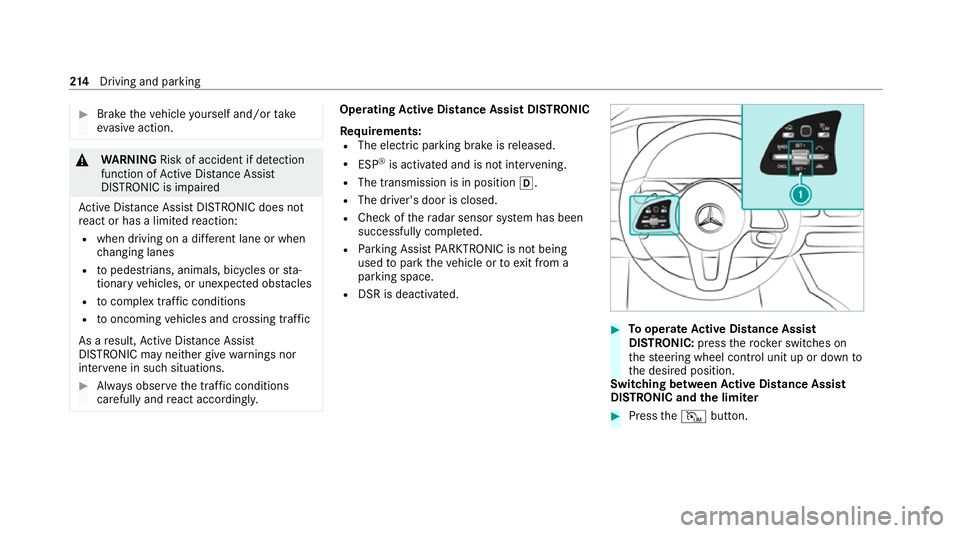
Active Di stance Assist DIST RONIC
Re quirements:
R The elect ric pa rking brake is released.
R ESP ®
is activated and is not inter vening.
R The transmission is in position 005B.
R The driver's door is closed.
R Check of thera dar sensor sy stem has been
successfully comple ted.
R Parking Assist PARKTRONIC is not being
used topark theve hicle or toexit from a
parking space.
R DSR is deactivated. #
Tooperate Active Di stance Assist
DISTRO NIC:press thero ck er switches on
th esteering wheel control unit up or down to
th e desired position.
Switching between Active Di stance Assist
DISTRO NIC and the limiter #
Press theI button. 214
Driving and pa rking
Page 230 of 525
ated at speeds below
15km/h be fore you ha ve
left the lane in which you are driving. &
WARNING Risk of accident despite Eva‐
si ve Steering Assist
Evasive Steering Assist cann otalw aysre cog‐
nise objects or compl extraf fic situations
clear ly.
Moreo ver,th esteering support pr ovided by
Evasive Steering Assist is not suf ficient to
avo id a collision. #
Alw ays pay careful attention tothe traf‐
fi c situation; do not rely on Ev asive
St eering Assist alone. #
Be prepared tobrake or swer veif nec‐
essar y. #
End the support byactively steering in
non-critical situations. #
Drive at an appropriate speed if there
are pedestrians close tothe path of
yo ur vehicle. Sy
stem limits
Fu ll sy stem per form ance is not available for a
fe w seconds af ter switching on the ignition or
af te r driving off.
If Ac tive Brake Assi stis impaired or inopera tive
due toa malfunction, the00C7 warning lamp
appears in the multifunction displa y.
The sy stem may be impaired or may not func‐
tion, particular lyin thefo llowing situations:
R In sno w,rain, fog, heavy spr ay, if there is
gl are, in direct sunlight or in greatlyvarying
light conditions.
R Ifth e sensors are dirty, mis ted up, damaged
or co vered.
R Ifth e sensors are impaired due tointer fer‐
ence from other radar sources, e.g. strong
ra dar reflections in multi-s torey car par ks.
R If a loss of tyre pressure or a defective tyre
has been de tected and displaye d.
R If DSR is active.
R In complex tra ffic situations where objects
cannot alw ays be clearly identified. R
If pedestrians or vehicles mo vequickly into
th e sensor de tection range.
R If pede strians are hidden by other objects.
R Ifth e typical outline of a pedestrian cann ot
be distinguished from the bac kground.
R If a pedestrian is not de tected as such , e.g.
due tospecial clo thing or other objects.
R Ifth e driver's seat belt is not fastened.
R On bends with a tight radius.
% The Active Brake Assi stsensors adjust auto‐
matically while a cer tain dis tance is being
driven af terth eve hicle has been delivered.
Ac tive Brake Assi stis una vailable or only
partially available during thete ach-in proc‐
ess.
Ac tivating/deactivating Active Brake Assi st
Re quirements:
R The ignition is switched on. Driving and parking
227
Page 236 of 525
tion off. The
exitwa rning is no longer available
once thewa rning lamp in the outside mir ror
fl ashes thre e times.
The exitwa rning is only an aid and not a substi‐
tute forth e attention of vehicle occupants. The
re sponsibility for opening and closing the doors
and for leaving theve hicle remains with theve hi‐
cle occupants.
Sy stem limits
Blind Spot Assist and Active Blind Spot Assi st
may be limi ted in thefo llowing situations, in par‐
ticular:
R ifth ere is dirt on the sensors or the sensors
are obscured
R in poor visibility, e.g. due tofog, heavy rain or
snow
R ifth ere are nar row vehicles, e.g. bicycles or
mo torbikes
R ifth ero ad has very wide or nar rowlanes
R ifve hicles are not driving in the middle of
th eir lane Wa
rnings may be issued in er ror when driving
close tocrash barr iers or similar continuous lane
borders. Alw ays make sure that there is suf fi‐
cient dist ancetothe side forot her traf fic or
obs tacles.
Wa rnings may be inter rupte d when driving along‐
side long vehicles, forex ample lor ries, for a pro‐
longed time.
Blind Spot Assist is not operational when reve rse
ge ar is engaged.
Blind Spot Assist and theex itwa rning are not
operational when a trailer is coupled totheve hi‐
cle and the electrical connection has been cor‐
re ctly es tablished.
The exitwa rning may be limited in thefo llowing
situations:
R when the sensors are co veredby adjacent
ve hicles in nar row parking spaces
R when people approach theve hicle
R intheeve nt of stationary or slowly moving
objects Fu
nction of brake application (Active Blind
Spot Assist)
If Ac tive Blind Spot Assi stdetects a risk of a side
impact in the monitoring range, a cou rse-cor‐
re cting brake application is car ried out. This is
designed tohelp youavo id a collision.
The course-cor recting brake application is availa‐
ble in the speed range between appr oximately
30 km/h and 200 km/h. &
WARNING Risk of accident despite
brake application of Active Blind Spot
Assi st
A cou rse-co rrecting brake application cann ot
alw ays pr event a collision. #
Alw aysst eer, brake or accelera teyour‐
self, especially if Active Blind Spot
Assi stwa rnsyo u or makes a course-
co rrecting brake application. #
Alw ays maintain a safe dis tance at the
sides. Driving and parking
233
Page 240 of 525
R
Ifth e lane markings change quickl y,e.g.
lanes branch off, cross one ano ther or
mer ge.
R Ifth e car riag ewa y is very nar row and wind‐
ing.
R Vehicles with Driving Assistance Pack‐
age: ifth era dar sensors in there ar bumper
are dirty or co vered in snow and an obs tacle
is de tected in your lane, no lane-cor recting
brake application take s place.
Ac tivating/deactivating Active Lane Keeping
Assist
Multimedia sy stem:
4 © 5
Settings 5
Quick access
5 Active Lane Keeping Assist #
Activate or deacti vate the function. Setting
Active Lane Keeping Assist
Multimedia sy stem:
4 © 5
Settings 5
Assistance
5 Active Lane Keeping Assist
Setting the sensitivity
% The availability of this function is dependent
on the count ry. #
Select Standard ,Sensitive orOff.
Ac tivating or deactivating the haptic warning #
Select Warning.
Ac tivate or deacti vate the function. AIRMATIC
Fu
nction of AIRMATIC
* NO
TEMercedes-AMG vehicles #
Obser vethe no tes in the Supplement.
Yo u could otherwise failto recognise
dangers. AIRM
ATIC is an air suspension sy stem with varia‐
ble damping for impr oved driving comfort and ve
hicle dynamics. The all-round le vel control sys‐
te m ensures the best possible suspension and
const ant ground clearance, even wi tha laden
ve hicle. When driving at speed, theve hicle is
lo we red automatically toimpr ove driving saf ety
and toreduce fuel consum ption. You also ha ve
th e option of manually adjusting theve hicle
le ve l.
AIRMATIC is comprised of thefo llowing func‐
tions and components:
R Air suspension with automatic le vel control
R Speed-dependent lo wering
R Manually selectable high le vel setting for
grea ter ground clea rance which can be
adjus ted using a le vel button
R ADS PLUS (Adaptive Damping Sy stem with
const ant adjustment of damping characteris‐
tics)
Suspension setting and vehicle le vel per
drive prog ram
Drive program Aand;:
R The suspension setting is comfor table.
R The vehicle is set tothe normal le vel. Driving and parking
237
Page 257 of 525
Switching
reve rsing camera automatic mode
on/off
The reve rsing camera is only an aid. It is not a
substitute foryo ur attention tothe sur roundings.
The responsibility for safe manoeuvring and
parking remains with you. Make sure that no
persons, animals or objects etc. are in the
manoeuvring range. Pay attention to your sur‐
ro undings and be ready tobrake at all times.
Multimedia sy stem:
4 © 5
Settings 5
Assistance
5 Camera & parking #
Switch Auto reversing camera on or off.
Opening the camera co ver of the reve rsing
camera
Multimedia sy stem:
4 © 5
Settings 5
Assistance
5 Camera & parking #
Select Open camera cover.
% The camera co ver closes auto maticallyafter
some time or af ter an ignition cycle. Pa
rking Assist PARKTRONIC Fu
nction of Parking Assist PARKTRONIC
Pa rking Assist PARKTRONIC is an electronic
parking assi stance sy stem with ultrasound. It
monitors the area around your vehicle using mul‐
tiple sensors on the front bumper and on the
re ar bumper. Parking Assist PARKTRONIC sho ws
yo uth e dis tance between your vehicle and a
de tected obs tacle visually and audibly.
Pa rking Assist PARKTRONIC is on lyan aid. It is
not a substitute foryo ur attention tothe sur‐
ro undings. The responsibility for safe manoeu‐
vring and parking remains with you. Make sure
th at there are no persons, animals or objects in
th e manoeuvring area while manoeuvring and
parking in/exiting parking spaces.
In thest andard setting, an intermit tent wa rning
to ne sounds from a di stance of appr oximately
0.3 m toan obs tacle in front and appr oximately
1. 0 m toan obs tacle behind. A continuous warn‐
ing tone sounds from a di stance of appr ox‐
imately 0.2 m. Using theWarn early all-round
setting in the multimedia sy stem, thewa rning
to nes for front and side impact pr otection can be set
tosound at a greater dis tance of appr ox‐
imately 1.0 m in front and 0.6 m on the sides
(/ page 259).
% The Warn early all-round setting is always
active in there ar of theve hicle.
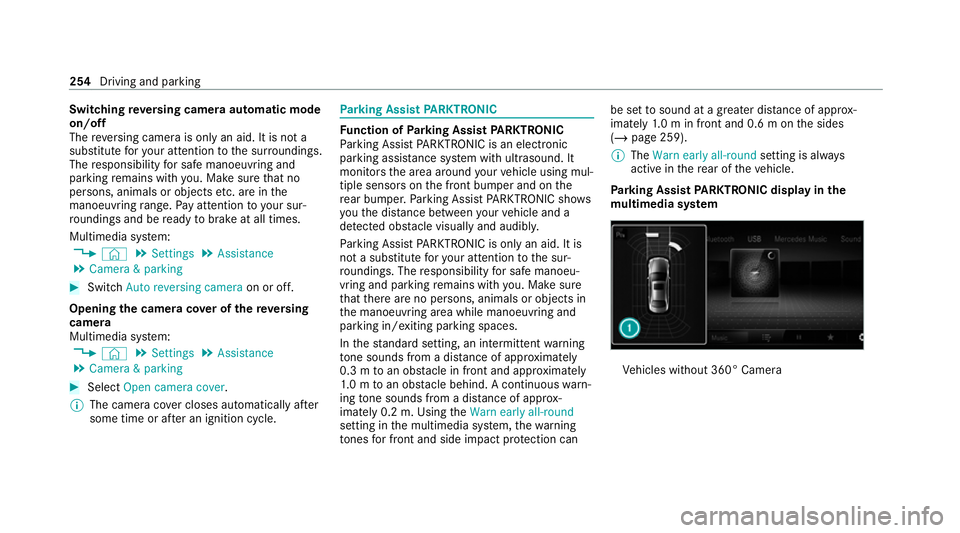
Pa rking Assist PARKTRONIC displ ayinthe
mu ltimedia sy stem Ve
hicles without 360° Camera 254
Driving and parking