change time MERCEDES-BENZ GLE HYBRID 2017 Owners Manual
[x] Cancel search | Manufacturer: MERCEDES-BENZ, Model Year: 2017, Model line: GLE HYBRID, Model: MERCEDES-BENZ GLE HYBRID 2017Pages: 58, PDF Size: 1.98 MB
Page 3 of 58
Welcome to the world of Mercedes-Benz We urge you to read this Operator's Manual
carefully and familiarize yourself with the vehi-
cle before driving. For your own safety and a
longer vehicle life, follow the instructions and
warning notices in this Operator's Manual.
Ignoring them could result in damage to the
vehicle or personal injury to you or others.
Vehicle damage caused by failure to follow
instructions is not covered by the Mercedes-
Benz Limited Warranty.
The equipment or product designation of your
vehicle may vary depending on: R
Model R
Order R
Country specification R
Availability
Mercedes-Benz therefore reserves the right to
introduce changes in the following areas: R
Design R
Equipment R
Technical features
The equipment in your vehicle may therefore
differ from that shown in the descriptions and
illustrations.
The following are integral components of the
vehicle: R
Digital Operator's Manual R
Printed Operator's Manual R
Maintenance Booklet R
Equipment-dependent supplements
Keep these documents in the vehicle at all
times. If you sell the vehicle, always pass all
documents on to the new owner.
Your Operator's Manual:
Digital form inside the vehicle
The Digital Operator's Manual provides
comprehensive and specifically adapted
information on your vehicle's equipment
and multimedia system. It contains infor-
mative animations, individual language
settings and an intuitive search function.
Booklet inside the vehicle
In addition to this manual and the afore-
mentioned digital media, you also have the
option to obtain a comprehensive printed
version of the Supplement for your multi-
media system from your authorized
Mercedes-Benz Center. Digital form via the Internet
The Operator's Manual on the Internet pro-
vides easy access to all information
regarding your vehicle and multimedia sys-
tem. It also provides helpful animations,
interesting background information and a
wide array of search options.
Digital form as an App
Using the Mercedes-Benz Guides App, you
can view all the information on your vehicle
and multimedia system via mobile Internet
or download it independently of network
access. Available for smartphones or tab-
lets.
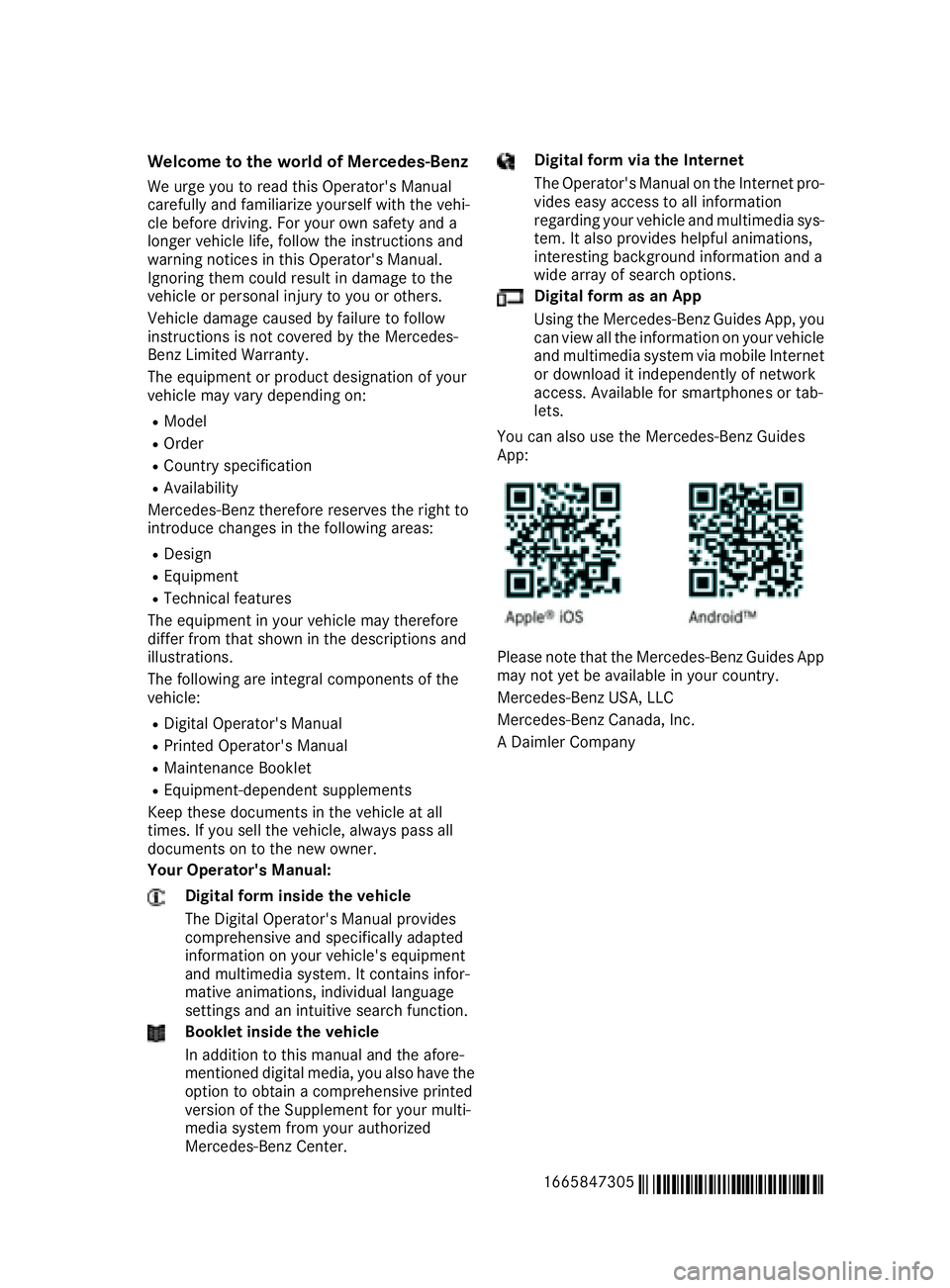
You can also use the Mercedes-Benz Guides
App:
Please note that the Mercedes-Benz Guides App
may not yet be available in your country.
Mercedes-Benz USA, LLC
Mercedes-Benz Canada, Inc.
A Daimler Company
1665847305
É1665847305yËÍ
Page 24 of 58
If manual gearshifting is deactivated, the auto-
matic transmission shifts: R
into the drive program that was last selected,
and R
into the driving mode that was last selected
If you change the drive program, the operating
mode that was last selected is stored for approx-
imately 60 seconds. After this time, the HYBRID
operating mode is automatically activated.
Starting the engine The vehicle starts in electric mode without the
internal combustion engine (noiseless start).
The internal combustion engine starts only after
the power demanded by the driver exceeds the
available power that the electric motor can cur-
rently provide.
Noiseless start operation is dependent on the
outside temperature and the operating temper-
ature of the internal combustion engine. If not all
conditions for noiseless start operation are ful-
filled, the vehicle starts with the internal com-
bustion engine.
Observe the notes on starting in the vehicle
Operator's Manual.
X
Switch on the ignition. X
Depress the brake pedal. X
Start the vehicle (see the vehicle Operator's
Manual).
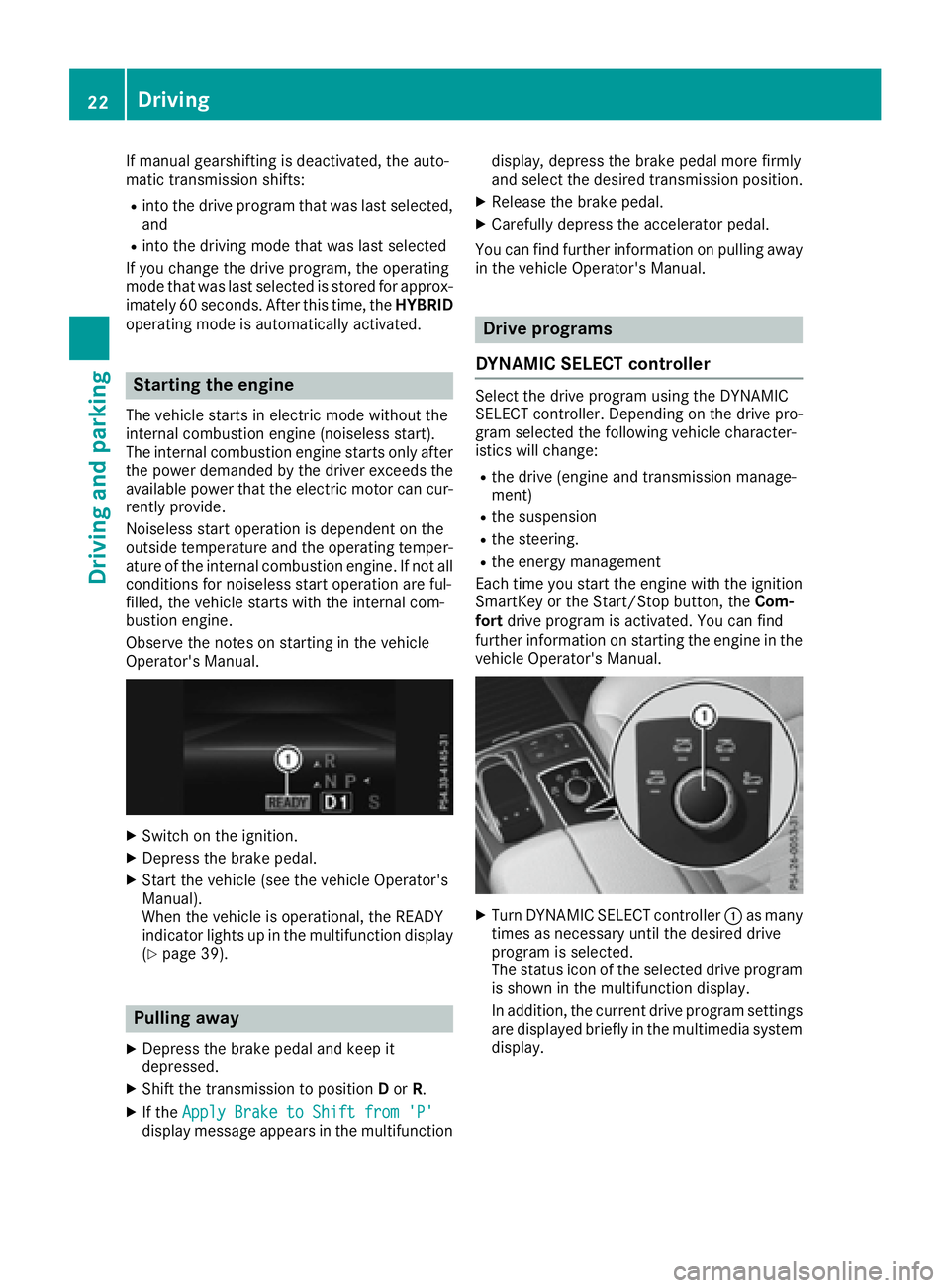
When the vehicle is operational, the READY
indicator lights up in the multifunction display
( Y
page 39).
Pulling away X
Depress the brake pedal and keep it
depressed. X
Shift the transmission to position D or R .X
If the Apply Brake to Shift from 'P'
display message appears in the multifunction display, depress the brake pedal more firmly
and select the desired transmission position. X
Release the brake pedal. X
Carefully depress the accelerator pedal.
You can find further information on pulling away
in the vehicle Operator's Manual.
Drive programs
DYNAMIC SELECT controller Select the drive program using the DYNAMIC
SELECT controller. Depending on the drive pro-
gram selected the following vehicle character-
istics will change: R
the drive (engine and transmission manage-
ment) R
the suspension R
the steering. R
the energy management
Each time you start the engine with the ignition
SmartKey or the Start/Stop button, the Com-
fort drive program is activated. You can find
further information on starting the engine in the
vehicle Operator's Manual.
X
Turn DYNAMIC SELECT controller C as many
times as necessary until the desired drive
program is selected.
The status icon of the selected drive program
is shown in the multifunction display.
In addition, the current drive program settings
are displayed briefly in the multimedia system
display.22
Driving
Driving and parking
Page 46 of 58
X
Press the Y or e button on the steering
wheel to select the Settings menu.X
Press the d or c button to select the
Hybrid submenu.X
Confirm by pressing v on the steering
wheel. X
Press the d or c button to select the
Maximum Charge Current: function.
You will see the selected setting. X
Press the v button to save the setting.
The maximum charge current values in the on-
board computer may deviate from the charg-
ing cable values.
Further information on charging the high-volt-
age battery (PLUG-IN HYBRID vehicles)
( Y
page 30).
Setting the departure time You can climatize the vehicle interior prior to
your departure with the "Set departure time"
function. Further information on pre-entry cli-
mate control ( Y
page 18).
If you recharge the high-voltage battery, the
function also displays the charging prediction. X
Press the Y or e button on the steering
wheel to select the Settings menu.X
Press the d or c button to select the
Hybrid submenu.X
Confirm by pressing v on the steering
wheel. X
Press the d or c button to select the
Departure Time: function.
You will see the selected setting. X
To set no departure time: press the d or
c button to select No Preselection .X
Press v to confirm.
If you recharge the high-voltage battery, the
multifunction display also shows the time when the high-voltage battery will be fully
charged.
or X
To set a departure time: press d or c
A , B or C to select the desired preset. X
Press the v button to confirm the selec-
tion. X
Press d or c to set the hours.X
Press v to confirm. X
Press d or c to set the minutes.X
Press v to confirm.
If you recharge the high-voltage battery, the
multifunction display shows the expected
condition of charge of the high-voltage bat-
tery for the departure time set.
Further information on charging the high-volt-
age battery (PLUG-IN HYBRID vehicles)
( Y
page 30).
Instrument cluster submenu
Selecting permanent display The Permanent Display: function allows you
to choose whether the multifunction display
always shows the outside temperature or the
speed.
The speed display is inverse to the speedome-
ter. X
Press the Y or e button on the steering
wheel to select the Settings menu.X
Press the d or c button to select the
Instrument Cluster submenu.X
Confirm by pressing v on the steering
wheel. X
Press the d or c button to select the
Permanent Display: function.
The current setting, Outside Temperature ,
Speedometer [km/h] or Speedometer
[mph] appears. X
To change the setting: press v again.44
Menus and submenus
On-board computer and displays
Page 52 of 58
Important safety notes Observ e th e amended note s on operating safet y
of th e multimedia system in th e vehicle's Oper -
ator's Manual
G WARNIN G
If you operate information systems and com-
munication equipmen t integrate d in th e vehi-
cle while driving , you will be distracte d from
traffic conditions. You could also lose control
of th e vehicle. Ther e is a ris k of an accident.
Only operate th e equipmen t when th e traffic
situation permits. If you are no t sur e that this
is possible , park th e vehicl e payin g attention
to traffic condition s and operate th e equip-
men t when th e vehicl e is stationary.
You must observ e th e legal requirements for th e
country in whic h you are currentl y driving when
operating th e multimedia system.
Information on operating th e multimedia system
can be foun d in th e vehicle's Operator's Manual.
Vehicle menu
Menu overview The vehicl e men u of th e multimedia system is
added to or changed for th e hybrid operation on
th e followin g displays:R
Energ y flo w display ( Y
page 50)R
Fue l consumption display and th e generated
electrical energ y ( Y
page 50)
Open th e vehicl e men u wit h th e
Page 57 of 58
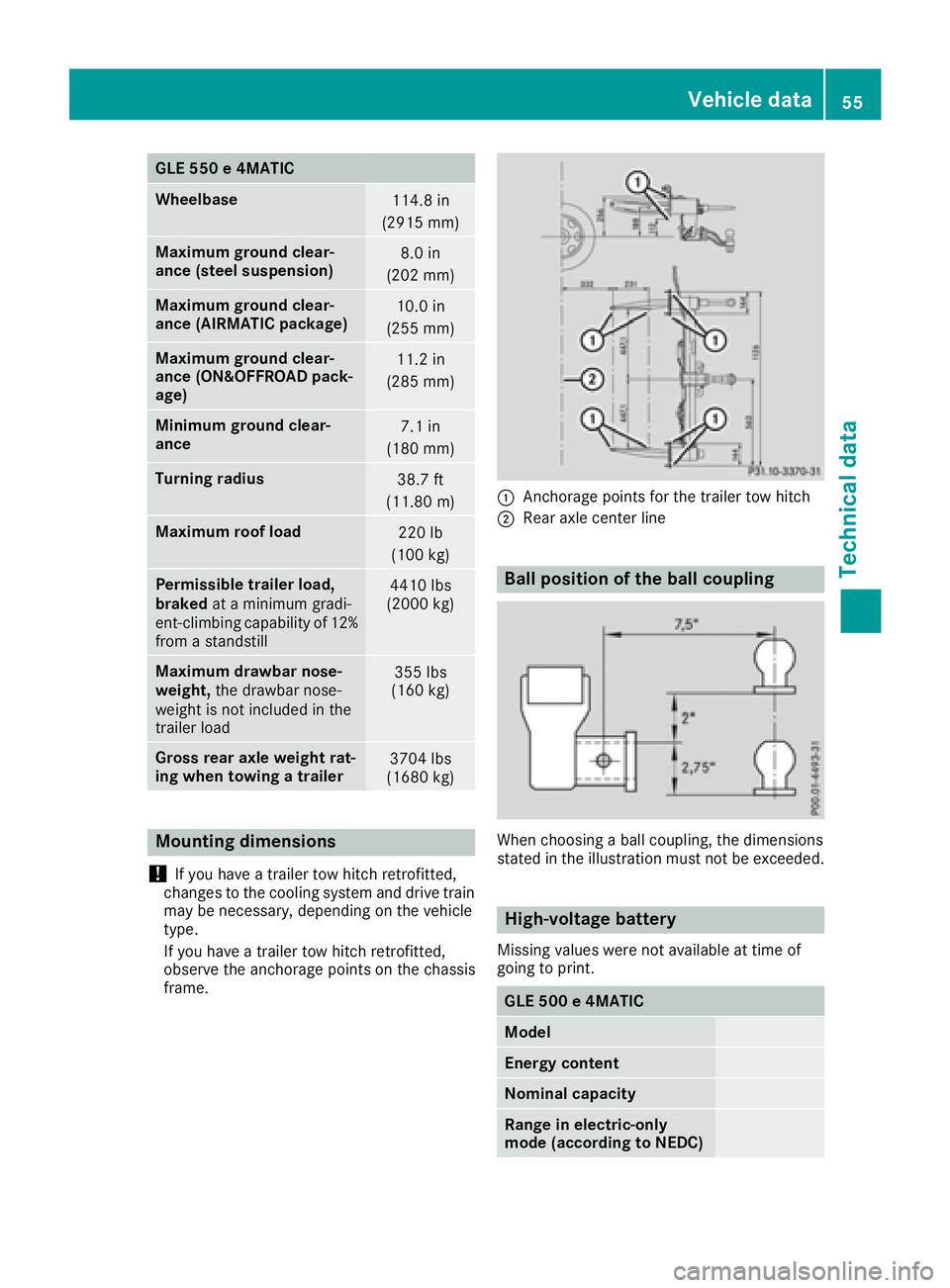
GLE 550 e 4MATIC
Wheelbase
114.8 in
(2915 mm)
Maximum ground clear-
ance (steel suspension) 8.0 in
(202 mm)
Maximum ground clear-
ance (AIRMATIC package) 10.0 in
(255 mm)
Maximum ground clear-
ance (ON&OFFROAD pack-
age) 11.2 in
(285 mm)
Minimum ground clear-
ance 7.1 in
(180 mm)
Turning radius
38.7 ft
(11.80 m)
Maximum roof load
220 lb
(100 kg)
Permissible trailer load,
braked at a minimum gradi-
ent-climbing capability of 12%
from a standstill 4410 lbs
(2000 kg)
Maximum drawbar nose-
weight, the drawbar nose-
weight is not included in the
trailer load 355 lbs
(160 kg)
Gross rear axle weight rat-
ing when towing a trailer 3704 lbs
(1680 kg)
Mounting dimensions
! If you have a trailer tow hitch retrofitted,
changes to the cooling system and drive train
may be necessary, depending on the vehicle
type.
If you have a trailer tow hitch retrofitted,
observe the anchorage points on the chassis
frame. C
Anchorage points for the trailer tow hitch D
Rear axle center line
Ball position of the ball coupling
When choosing a ball coupling, the dimensions
stated in the illustration must not be exceeded.
High-voltage battery Missing values were not available at time of
going to print.
GLE 500 e 4MATIC
Model
Energy content
Nominal capacity
Range in electric-only
mode (according to NEDC) Vehicle data 55
Technical data