lane assist MERCEDES-BENZ GLE SUV 2017 W166 Owner's Guide
[x] Cancel search | Manufacturer: MERCEDES-BENZ, Model Year: 2017, Model line: GLE SUV, Model: MERCEDES-BENZ GLE SUV 2017 W166Pages: 390, PDF Size: 9.43 MB
Page 232 of 390
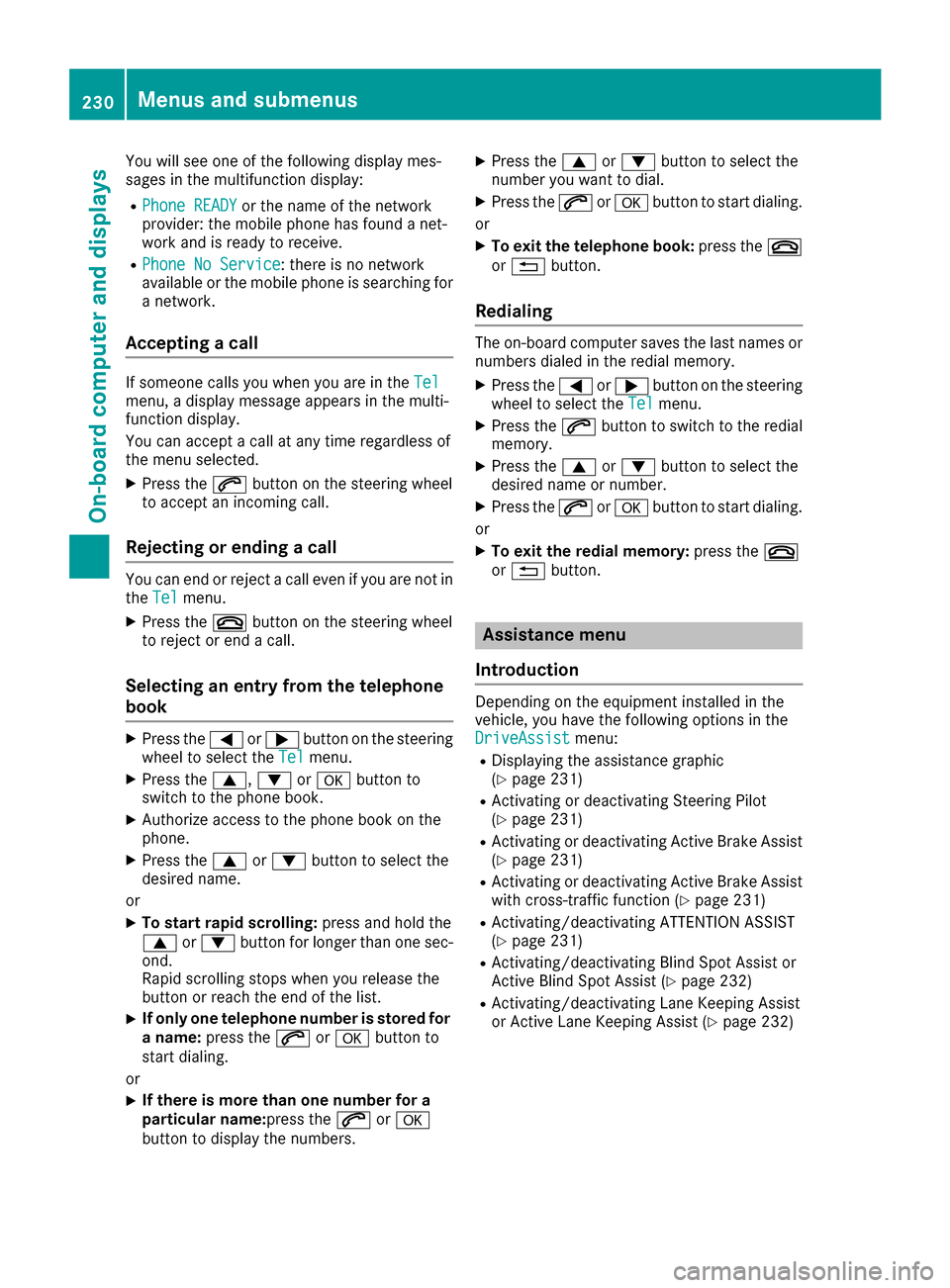
You will see one of the following display mes-
sages in the multifunction display:
RPhone READYor the name of the network
provider: the mobile phone has found a net-
work and is ready to receive.
RPhone No Service: there is no network
available or the mobile phone is searching for
a network.
Accepting a call
If someone calls you when you are in the Telmenu, a display message appears in the multi-
function display.
You can accept a call at any time regardless of
the menu selected.
XPress the6button on the steering wheel
to accept an incoming call.
Rejecting or ending a call
You can end or reject a call even if you are not in
the Telmenu.
XPress the ~button on the steering wheel
to reject or end a call.
Selecting an entry from the telephone
book
XPress the =or; button on the steering
wheel to select the Telmenu.
XPress the9,:ora button to
switch to the phone book.
XAuthorize access to the phone book on the
phone.
XPress the 9or: button to select the
desired name.
or
XTo start rapid scrolling: press and hold the
9 or: button for longer than one sec-
ond.
Rapid scrolling stops when you release the
button or reach the end of the list.
XIf only one telephone number is stored for
a name: press the 6ora button to
start dialing.
or
XIf there is more than one number for a
particular name: press the6ora
button to display the numbers.
XPress the 9or: button to select the
number you want to dial.
XPress the 6ora button to start dialing.
or
XTo exit the telephone book: press the~
or % button.
Redialing
The on-board computer saves the last names or
numbers dialed in the redial memory.
XPress the =or; button on the steering
wheel to select the Telmenu.
XPress the6button to switch to the redial
memory.
XPress the 9or: button to select the
desired name or number.
XPress the 6ora button to start dialing.
or
XTo exit the redial memory: press the~
or % button.
Assistance menu
Introduction
Depending on the equipment installed in the
vehicle, you have the following options in the
DriveAssist
menu:
RDisplaying the assistance graphic
(Ypage 231)
RActivating or deactivating Steering Pilot
(Ypage 231)
RActivating or deactivating Active Brake Assist
(Ypage 231)
RActivating or deactivating Active Brake Assist with cross-traffic function (Ypage 231)
RActivating/deactivating ATTENTION ASSIST
(Ypage 231)
RActivating/deactivating Blind Spot Assist or
Active Blind Spot Assist (Ypage 232)
RActivating/deactivating Lane Keeping Assist
or Active Lane Keeping Assist (Ypage 232)
230Menus and submenus
On-board computer and displays
Page 233 of 390
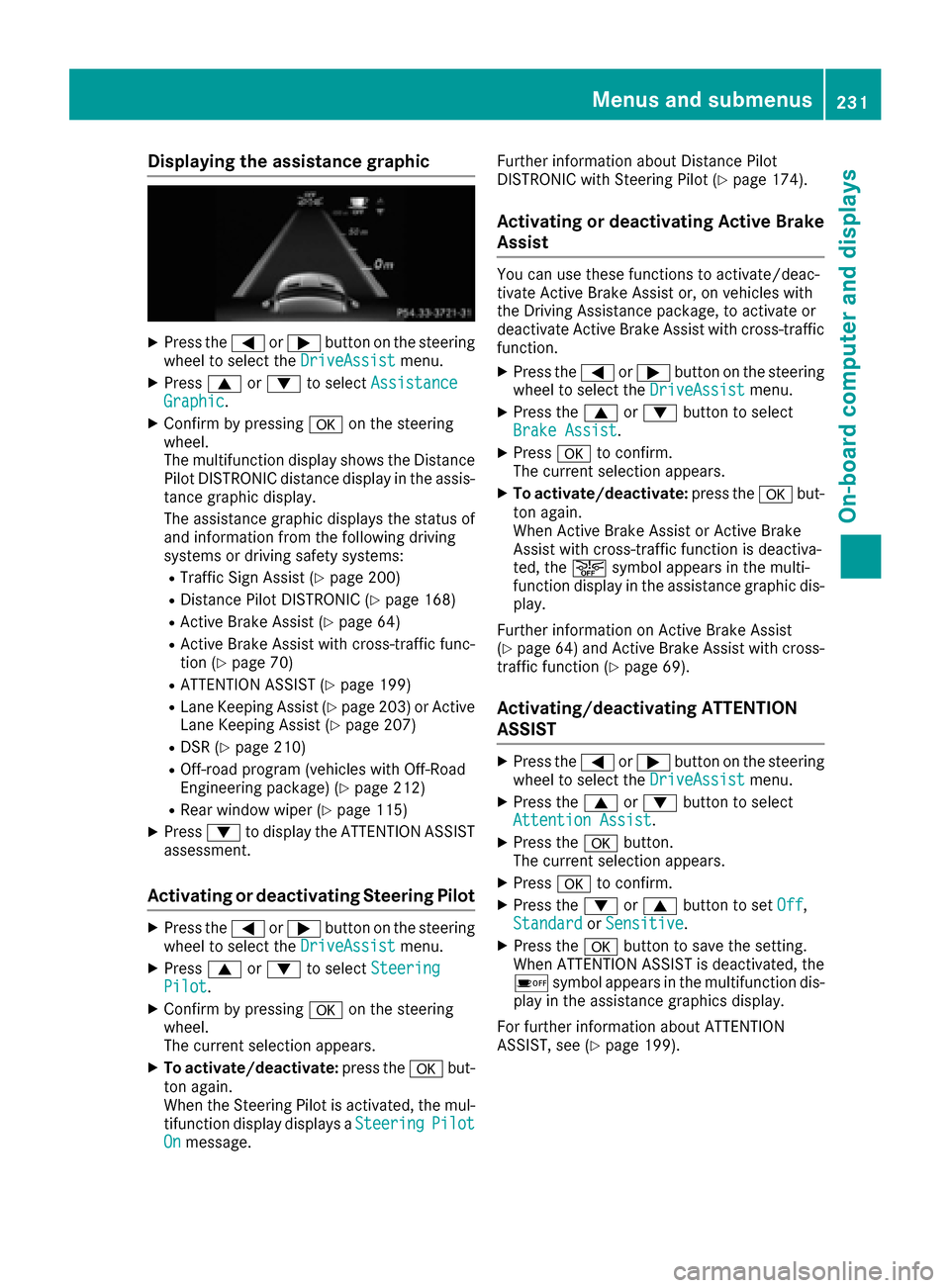
Displaying theassistance graphic
XPress th e= or; buttonon th esteerin g
whee lto selec tth eDriveAssistmenu.
XPress 9or: to selec tAssistanc eGraphic.
XConfirmby pressing aon thesteerin g
wheel.
The multifunction display shows th eDistanc e
Pilo tDISTRONIC distanc edisplay in th eassis-
tanc egraphi cdisplay.
The assistanc egraphi cdisplays th estatus of
and information from th efollowin gdrivin g
systems or drivin gsafet ysystems :
RTraffic Sign Assis t (Ypage 200)
RDistancePilo tDISTRONIC (Ypage 168)
RActive BrakeAssis t (Ypage 64)
RActive Brak eAssis twit hcross-traffic func-
tion (Ypage 70 )
RATTENTION ASSIST (Ypage 199)
RLaneKeepin gAssis t (Ypage 203) or Active
Lan eKeepin gAssis t (Ypage 207)
RDSR (Ypage 210)
ROff-road program (vehicles wit hOff-Road
Engineerin gpackage) (Ypage 212)
RRear window wipe r (Ypage 115)
XPress:to display th eATTENTION ASSIST
assessment.
Activating or deactivating Steering Pilo t
XPress the= or; buttonon th esteerin g
whee lto selec tth eDriveAssistmenu.
XPress 9or: to selec tSteeringPilot.
XConfir mby pressing aon thesteerin g
wheel.
The curren tselection appears .
XTo activate/deactivate :press th ea but-
to nagain .
Whe nth eSteerin gPilo tis activated, th emul-
tifunction display displays aSteering
PilotOnmessage. Further information about Distanc
ePilo t
DISTRONIC wit hSteerin gPilo t (
Ypage 174).
Activating or deactivating Active Brak e
Assis t
You can use these function sto activate/deac -
tivat eActive Brak eAssis tor ,on vehicles wit h
th eDriving Assistanc epackage, to activat eor
deactivat eActive Brak eAssis twit hcross-traffic
function .
XPress the= or; buttonon th esteerin g
whee lto selec tth eDriveAssistmenu.
XPress th e9 or: buttonto selec t
Brake Assist.
XPress ato confirm .
The curren tselection appears .
XTo activate/deactivate :press th ea but-
to nagain .
Whe nActive Brak eAssis tor Active Brak e
Assis twit hcross-traffic function is deactiva-
ted, th eæ symbol appears in th emulti-
function display in th eassistanc egraphi cdis -
play.
Further information on Active Brak eAssis t
(
Ypage 64) and Active Brak eAssis twit hcross -
traffic function (Ypage 69).
Activating/deactivating ATTENTIO N
ASSIS T
XPress th e= or; buttonon th esteerin g
whee lto selec tth eDriveAssistmenu.
XPress th e9 or: buttonto selec t
Attention Assist.
XPress th ea button.
The curren tselection appears .
XPressato confirm .
XPress the: or9 buttonto set Off,
Standardor Sensitive.
XPress th ea buttonto sav eth esetting .
Whe nATTENTION ASSIST is deactivated, th e
é symbol appears in th emultifunction dis -
play in th eassistanc egraphics display.
Fo rfurther information about ATTENTION
ASSIST ,see (
Ypage 199).
Menus and submenus231
On-board computer and displays
Z
Page 234 of 390
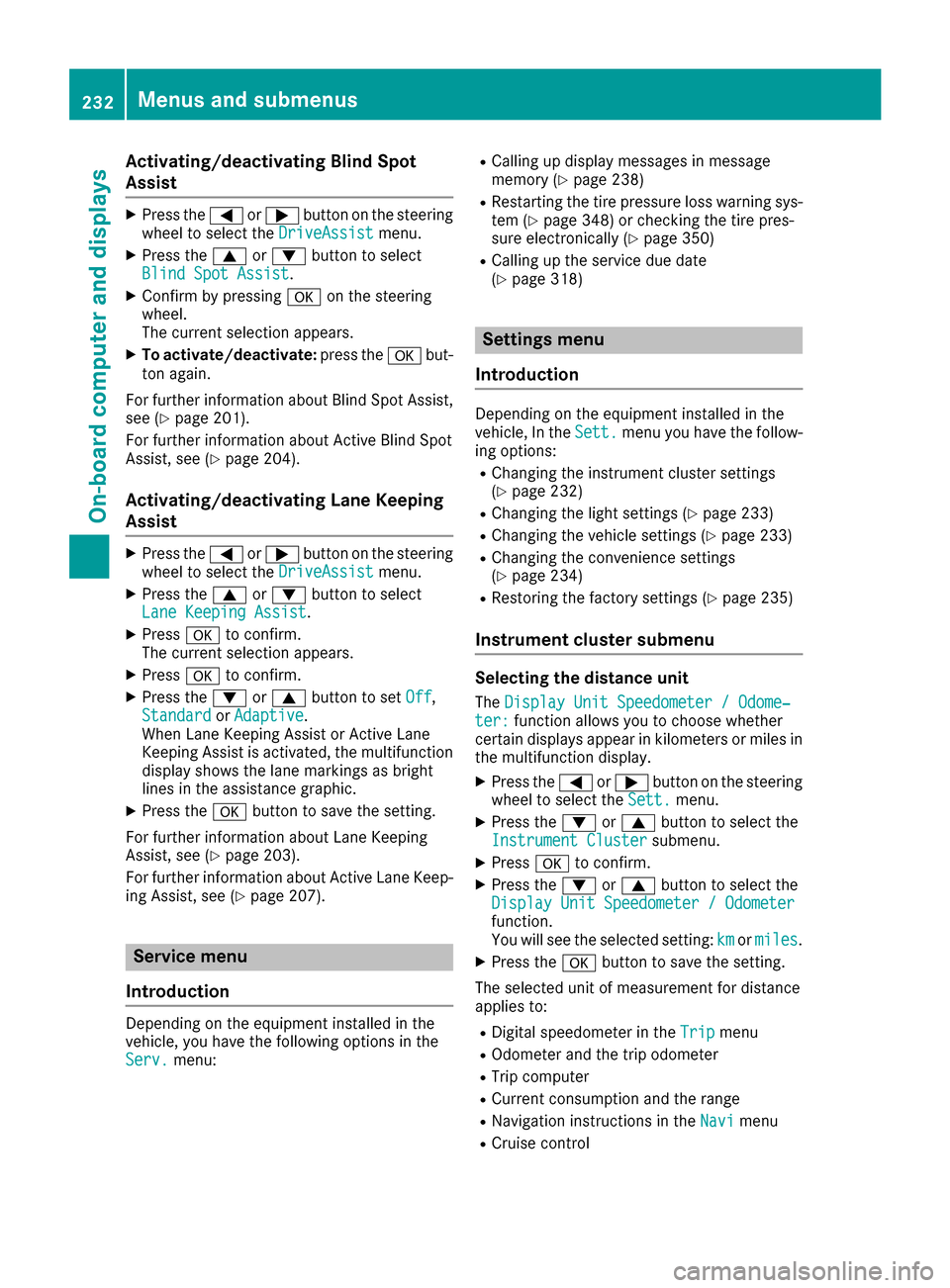
Activating/deactivating Blind Spot
Assist
XPress the= or; buttonon th esteering
whee lto select th eDriveAssistmenu.
XPress th e9 or: buttonto select
Blind Spo tAssist.
XConfir mby pressing aon thesteering
wheel.
The curren tselection appears.
XTo activate/deactivate: press thea but-
to nagain .
Fo rfurther information about Blind Spot Assist,
see (
Ypage 201).
Fo rfurther information about Active Blind Spot
Assist, see (
Ypage 204).
Activating/deactivating Lane Keeping
Assist
XPress the= or; buttonon th esteering
whee lto select th eDriveAssistmenu.
XPress th e9 or: buttonto select
Lan eKeepin gAssist.
XPress ato confirm .
The curren tselection appears.
XPress ato confirm .
XPress the: or9 buttonto set Off,
Standardor Adaptive.
When Lan eKeepin gAssis tor Active Lan e
Keepin gAssis tis activated, th emultifunction
display shows th elan emarking sas bright
lines in th eassistanc egraphic .
XPress th ea buttonto sav eth esetting .
Fo rfurther information about Lan eKeepin g
Assist, see (
Ypage 203).
Fo rfurther information about Active Lan eKeep-
ing Assist, see (
Ypage 207).
Service menu
Introd uction
Dependin gon th eequipmen tinstalled in th e
vehicle, you hav eth efollowin goption sin th e
Serv.
menu:
RCallin gup display message sin message
memory (Ypage 238)
RRestarting th etire pressur eloss warning sys-
te m (Ypage 348) or checking th etire pres-
sur eelectronically (Ypage 350)
RCallingup th eservic edue dat e
(Ypage 318)
Settings menu
Introd uction
Dependin gon th eequipmen tinstalled in th e
vehicle, In th eSett.men uyou hav eth efollow-
ing options:
RChangin gth einstrumen tcluste rsetting s
(Ypage 232)
RChangin gth eligh tsetting s (Ypage 233)
RChangin gth evehicl esetting s (Ypage 233)
RChangin gth econvenience setting s
(Ypage 234)
RRestoring th efactory setting s (Ypage 235)
Instrument cluster submenu
Selecting th edistance uni t
TheDispla yUni tSpeedometer /Odome‐ter :function allows you to choos ewhether
certain displays appear in kilometers or mile sin
th emultifunction display.
XPress th e= or; buttonon th esteering
whee lto select th eSett.menu.
XPress th e: or9 buttonto select th e
Instrumen tCluste rsubmenu.
XPressato confirm .
XPress the: or9 buttonto select th e
Displa yUni tSpeedometer /Odometer
function .
You will see th eselected setting :kmor miles.
XPress th ea buttonto sav eth esetting .
The selected uni tof measuremen tfor distanc e
applie sto :
RDigital speedometer in th eTri pmen u
ROdometer and th etrip odometer
RTri pcomputer
RCurren tconsumption and th erange
RNavigation instruction sin th eNav imen u
RCruis econtrol
232Menus and submenus
On-board computer and displays
Page 260 of 390
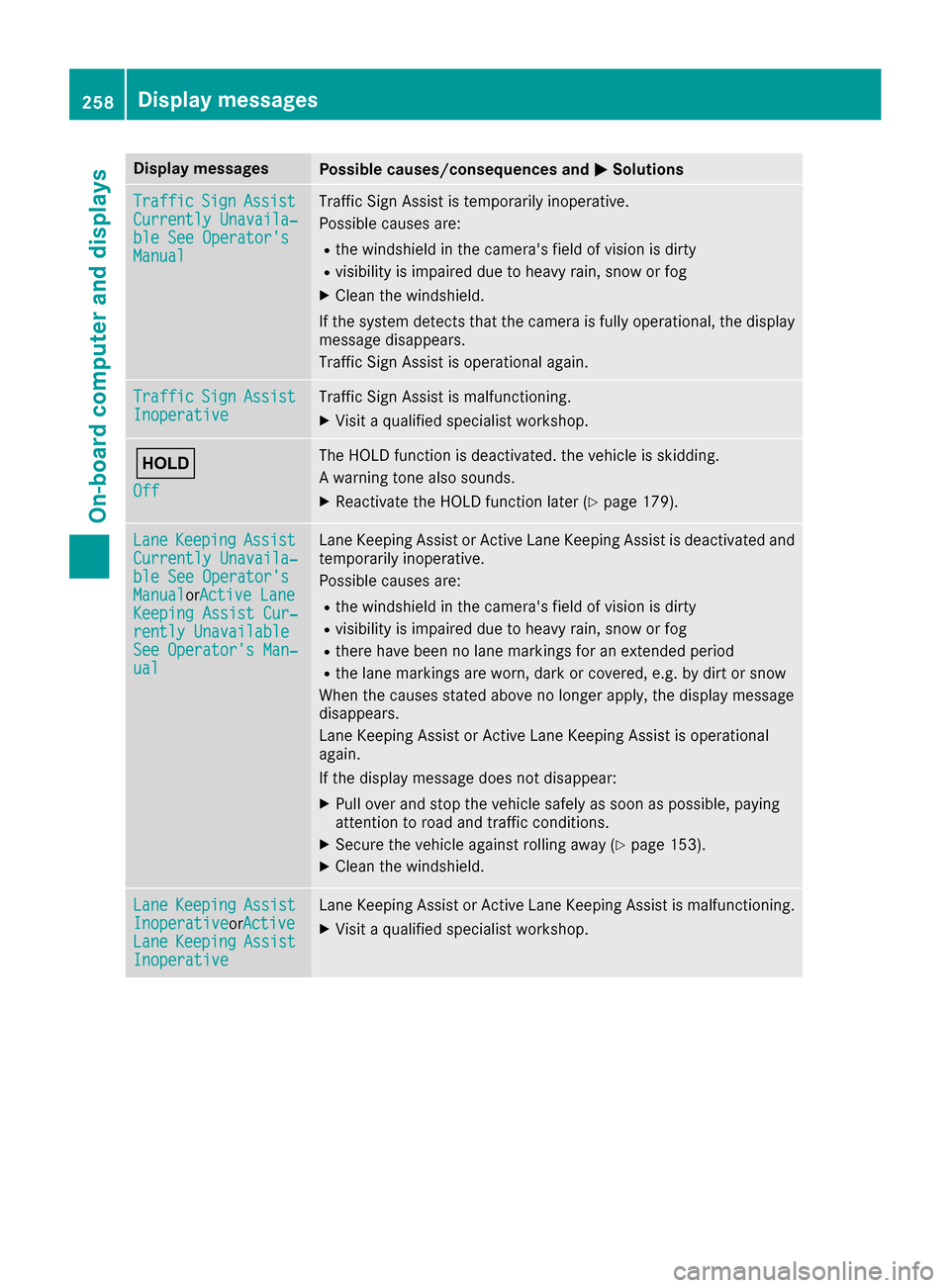
Display messagesPossible causes/consequences andMSolutions
TrafficSignAssistCurrently Unavaila‐ble See Operator' sManual
Traffic SignAssis tis temporarily inoperative.
Possibl ecauses are:
Rth ewindshield in th ecamera' sfield of vision is dirty
Rvisibilit yis impaire ddue to heav yrain ,snow or fog
XClean th ewindshield.
If th esystem detects that th ecamera is full yoperational, th edisplay
message disappears.
Traffic Sig nAssis tis operational again .
TrafficSignAssistInoperativeTraffic Sig nAssis tis malfunctioning .
XVisitaqualified specialist workshop .
ë
Off
The HOLD function is deactivated. th evehicl eis skidding.
A warning tone also sounds.
XReactivat eth eHOLD function later (Ypage 179).
LaneKeepin gAssistCurrently Unavaila‐ble See Operator' sManualorActive Lan eKeepingAssist Cur ‐rently UnavailableSee Operator' sMan ‐ual
LaneKeepin gAssis tor Active Lan eKeepin gAssis tis deactivated and
temporarily inoperative.
Possibl ecauses are:
Rth ewindshield in th ecamera' sfield of vision is dirty
Rvisibilit yis impaire ddue to heav yrain ,snow or fog
Rthere hav ebeen no lan emarking sfor an extended period
Rth elan emarking sare worn, dark or covered, e.g. by dir tor snow
Whe nth ecauses state dabov eno longer apply, th edisplay message
disappears.
Lan eKeepin gAssis tor Active Lan eKeepin gAssis tis operational
again .
If th edisplay message does no tdisappear :
XPull overand stop th evehicl esafely as soo nas possible, payin g
attention to roa dand traffic conditions.
XSecur eth evehicl eagainst rollin gaway (Ypage 153).
XClean th ewindshield.
Lan eKeepin gAssistInoperativeorActiveLan eKeepin gAssistInoperative
LaneKeepin gAssis tor Active Lan eKeepin gAssis tis malfunctioning .
XVisitaqualified specialist workshop .
258Display messages
On-board computer and displays
Page 277 of 390
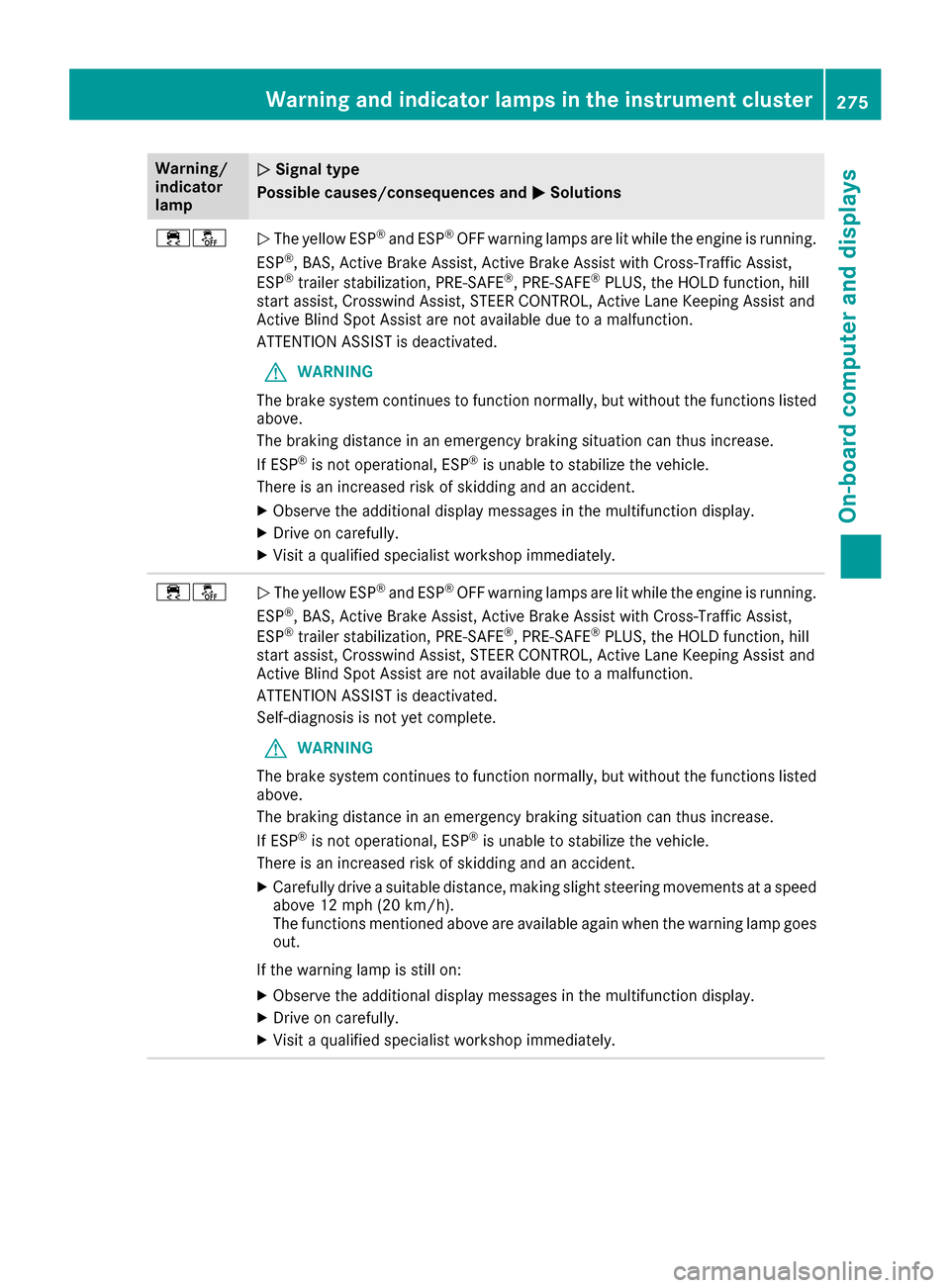
Warning/
indicator
lampNSignal type
Possible causes/consequences and M
Solutions
÷åNThe yellow ESP®and ESP®OFF warning lamps are lit while the engine is running.
ESP®, BAS, Active Brake Assist, Active Brake Assist with Cross-Traffic Assist,
ESP®trailer stabilization, PRE‑SAFE®, PRE‑SAFE®PLUS, the HOLD function, hill
start assist, Crosswind Assist, STEER CONTROL, Active Lane Keeping Assist and
Active Blind Spot Assist are not available due to a malfunction.
ATTENTION ASSIST is deactivated.
GWARNING
The brake system continues to function normally, but without the functions listed
above.
The braking distance in an emergency braking situation can thus increase.
If ESP
®is not operational, ESP®is unable to stabilize the vehicle.
There is an increased risk of skidding and an accident.
XObserve the additional display messages in the multifunction display.
XDrive on carefully.
XVisit a qualified specialist workshop immediately.
÷åN The yellow ESP®and ESP®OFF warning lamps are lit while the engine is running.
ESP®, BAS, Active Brake Assist, Active Brake Assist with Cross-Traffic Assist,
ESP®trailer stabilization, PRE‑SAFE®, PRE‑SAFE®PLUS, the HOLD function, hill
start assist, Crosswind Assist, STEER CONTROL, Active Lane Keeping Assist and
Active Blind Spot Assist are not available due to a malfunction.
ATTENTION ASSIST is deactivated.
Self-diagnosis is not yet complete.
GWARNING
The brake system continues to function normally, but without the functions listed
above.
The braking distance in an emergency braking situation can thus increase.
If ESP
®is not operational, ESP®is unable to stabilize the vehicle.
There is an increased risk of skidding and an accident.
XCarefully drive a suitable distance, making slight steering movements at a speed
above 12 mph (20 km/h).
The functions mentioned above are available again when the warning lamp goes
out.
If the warning lamp is still on:
XObserve the additional display messages in the multifunction display.
XDrive on carefully.
XVisit a qualified specialist workshop immediately.
Warning and indicator lamps in the instrument cluster275
On-board computer and displays
Z