language MERCEDES-BENZ GLK-Class 2012 X204 Comand Manual
[x] Cancel search | Manufacturer: MERCEDES-BENZ, Model Year: 2012, Model line: GLK-Class, Model: MERCEDES-BENZ GLK-Class 2012 X204Pages: 182, PDF Size: 4.89 MB
Page 177 of 182
X
Sel ect DVD functions and
pressthe 9
bu tton toconfi rm.
X Sel ect Menu and
pressthe 9button to
confi rm.
The DVD menu appe ars .
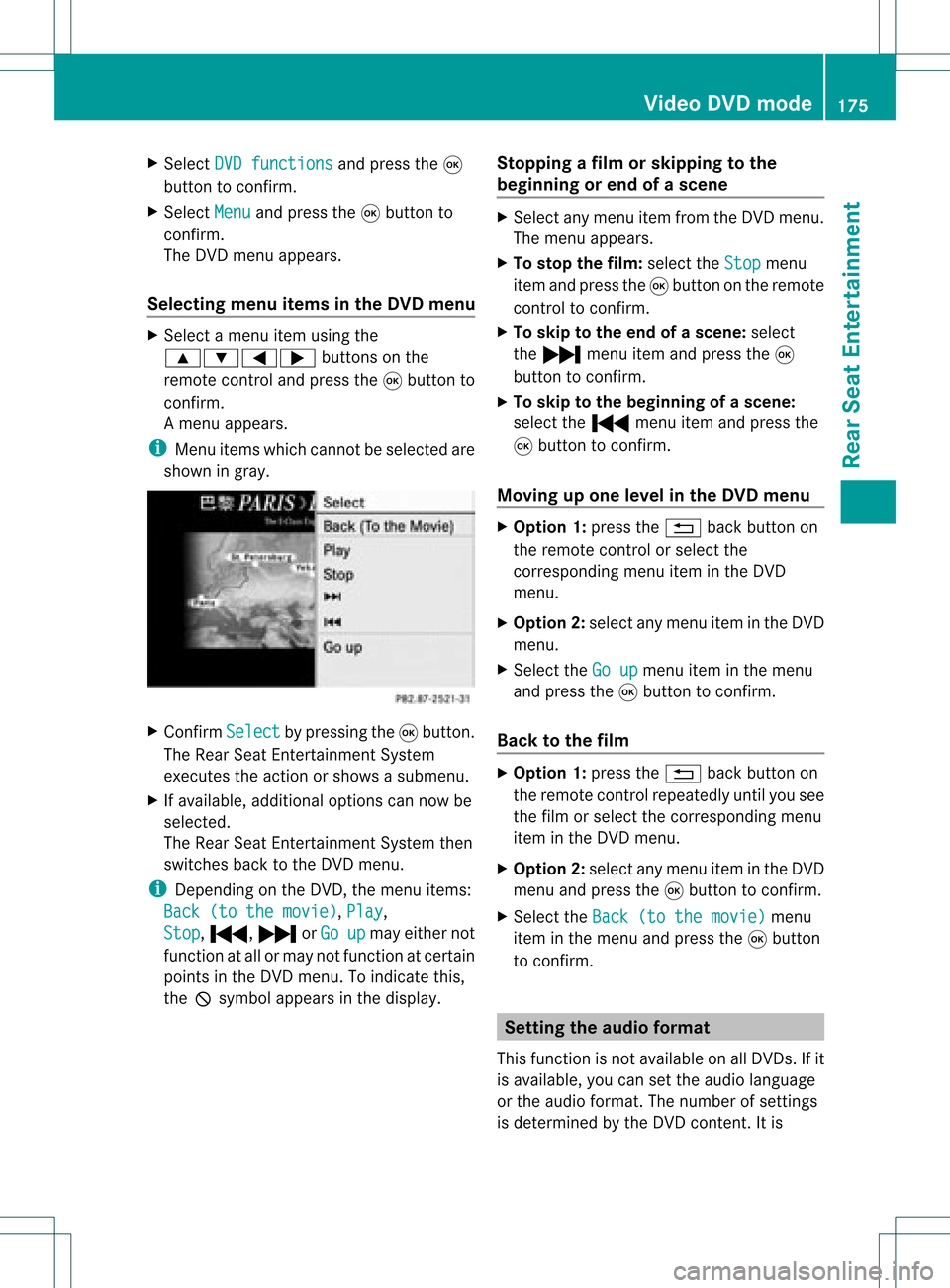
Se lecti ng men uitems inthe DVD menu X
Sel ect amenu itemusing the
9:= ;buttons onthe
rem otecontro land pressthe 9button to
confi rm.
Am enu appears.
i Menu itemswhich cannotbe select edare
shown ingray. X
Confirm Select by
pressing the9button .
The Rear SeatEntert ainmen tSystem
exec utes theaction orshows asubmenu.
X Ifavailable, additional optionscan nowbe
selec ted.
The Rear SeatEntertainm entSys tem then
swit ches back totheDV Dmen u.
i Depen dingon theDV D,themen uite ms:
Bac k(to the movie) ,
Pla y ,
Sto p ,
., /orGo up may
either not
fun ction atall ormay notfun ction atcer tain
poin tsintheDV Dmen u.To ind icat eth is,
th eK symb olappear sin thedispl ay. St
opp ingafilm orskip pingto the
beginn ingorend ofas cene X
Se lec tany men uitem fromthe DVD menu .
Th emenu appe ars.
X To sto pthe film: select the Stop menu
ite ma ndpre ssthe 9button onthe rem ote
contro lto confi rm.
X To skipto the endof asc en e:sel ect
the / menu itema ndpre ssthe 9
bu tton toconfi rm.
X To skiptoth ebeginnin gof as cene:
selec tthe . menu itemandpress the
9 button toconfirm .
Moving upone level inthe DVD menu X
Option 1:press the% backbutton on
the remote controlorselect the
corresponding menuiteminthe DVD
menu.
X Option 2:select anymenu iteminthe DVD
menu.
X Select theGoup menu
iteminthe menu
and press the9button toconfirm .
Back tothe film X
Option 1:press the% backbutton on
the remote controlrepeatedly untilyousee
the film orselect thecorresponding menu
item inthe DVD menu.
X Option 2:select anymenu iteminthe DVD
menu andpress the9button toconfirm .
X Select theBack (tothemovie) menu
item inthe menu andpress the9button
to confirm . Setting
theaudio format
This funct ionisnot availa bleonallDVD s.Ifit
is availa ble,youcan setthe audi olanguage
or the audi oformat. Thenumber ofsettin gs
is determined bythe DVD content. Itis Video
DVDmode
175RearSeatEnterta inment Z
Page 178 of 182
possible
thatthesettings may alsobe
access edfrom theDVD menu.
X Press the9butt onon the remot econ trol
and show themenu.
X Select DVD-V and
press the9butt onon
the remot econ trolto con firm.
X Select DVDfuncti ons and
press the9
butt ontocon firm.
X Select Audio language and
press the9
butt ontocon firm.
Am enu appears afterashort while. The
# dot infron tof an ent ryindicat esthe
curren tlyselect edlanguage.
X Select alanguage usingthe9:
button sand press the9button tocon firm.
X To exit themenu: pressthe=
or ; button . Subtit
lesand camer aangle
These functionsare not available onallDVD s.
The number ofsubtitle languages andcamera
angles available dependsonthe contentof
the DVD. Itis po ssi ble tha tthe settin gsmay
also beaccessed fromtheDVD menu.
X Press the9button onthe remote control
and show themenu.
X Select DVD-V and
press the9button on
the remote controltoconfirm .
X Select DVDfunctions and
press the9
button toconfirm .
X Select Subtitles or
Camera angle and
press the9button toconfirm .
In both cases, amenu appearsafter afew
seconds. The#dot infront ofan entr y
indicates thecurrent setting.
X Select asettin gusing the9:
buttons andpress the9button toconfirm .
X To exit themenu: pressthe=
or ; button. Interactive
content
DVD scan also containinteract ivecont ent
(e.g. avideo game). Inavideo game, youmay
be able toinfluence eventsbyselecting and
triggering actions.Thetype andnumber of
actions depend onthe DVD .
X Select anaction usingthe
9;:= buttonsonthe
remote controland press the9button to
execute it.
A menu appearsand thefirst entry,
Select ,
is highlighted.
X Press the9button. AUX
mode Introduction
You canconn ectone extern alvideo source to
each ofthe displa ysofthe Rear Seat
Ent ertainment System(AUXdispla y)and also
one extern alvideo source tothe rear-
compartmen tCD/DV Ddrive (AUX drive) with
a sound andvideo signal.
Please seethecorresponding operating
instruct ionsforinformation onhow to
operate theextern alvideo source. Conne
ctingAUXequipment
AUX drive The
AUX drive jacks arelocated onthe CD/
DVD drive nexttothe CD/DV Deject button
(Y page 161).
Displaying AUX The
AUX displa yjacks areonthe side ofthe
screen (Ypage 159).
Audio andvideo conne ction X
Insert theaudi oplugs forthe left and right
signals intothecorresponding Land R
jacks. 176
AUX
modeRear SeatEnterta inment