ignition MERCEDES-BENZ GLK-CLASS SUV 2013 Manual PDF
[x] Cancel search | Manufacturer: MERCEDES-BENZ, Model Year: 2013, Model line: GLK-CLASS SUV, Model: MERCEDES-BENZ GLK-CLASS SUV 2013Pages: 380, PDF Size: 19.54 MB
Page 191 of 380
General notes
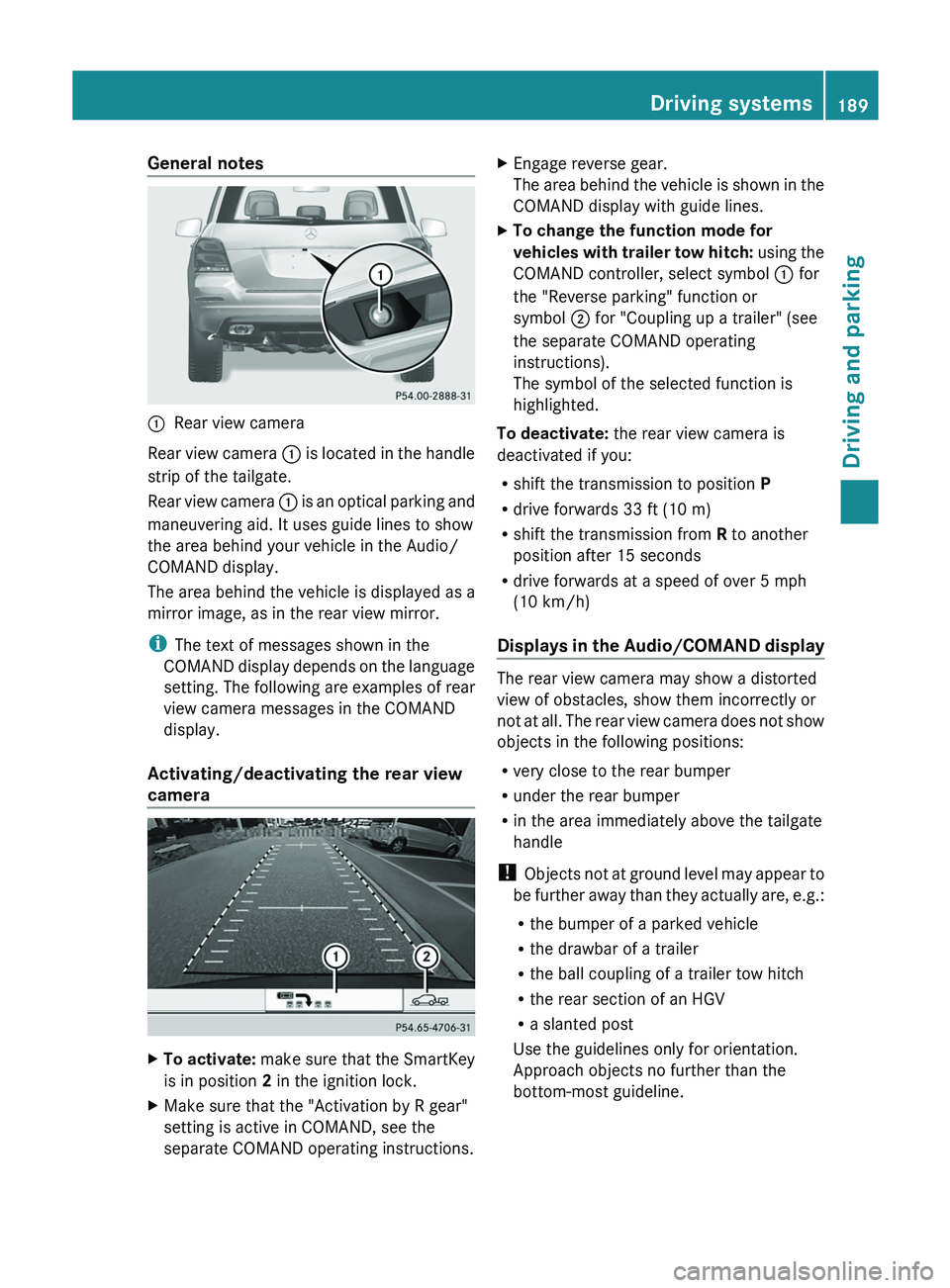
0043
Rear view camera
Rear view camera 0043 is
located in
the handle
strip of the tailgate.
Rear view camera 0043 is an optical parking and
maneuvering aid. It uses guide lines to show
the area behind your vehicle in the Audio/
COMAND display.
The area behind the vehicle is displayed as a
mirror image, as in the rear view mirror.
i The text of messages shown in the
COMAND display depends on the language
setting. The following are examples of rear
view camera messages in the COMAND
display.
Activating/deactivating the rear view
camera X
To activate: make sure that the
SmartKey
is in position 2 in the ignition lock.
X Make sure that the "Activation by R gear"
setting is active in COMAND, see the
separate COMAND operating instructions. X
Engage reverse gear.
The area behind the vehicle
is shown in the
COMAND display with guide lines.
X To change the function mode for
vehicles with trailer tow hitch: using
the
COMAND controller, select symbol 0043 for
the "Reverse parking" function or
symbol 0044 for "Coupling up a trailer" (see
the separate COMAND operating
instructions).
The symbol of the selected function is
highlighted.
To deactivate: the rear view camera is
deactivated if you:
R shift the transmission to position P
R drive forwards 33 ft (10 m)
R shift the transmission from R to another
position after 15 seconds
R drive forwards at a speed of over 5 mph
(10 km/h )
Displays in
the
Audio/COMAND display The rear view camera may show a distorted
view of obstacles, show them incorrectly or
not at all. The
rear
view camera does not show
objects in the following positions:
R very close to the rear bumper
R under the rear bumper
R in the area immediately above the tailgate
handle
! Objects not at ground level may appear to
be further away than they actually are, e.g.:
R the bumper of a parked vehicle
R the drawbar of a trailer
R the ball coupling of a trailer tow hitch
R the rear section of an HGV
R a slanted post
Use the guidelines only for orientation.
Approach objects no further than the
bottom-most guideline. Driving systems
189
Driving and parking Z
Page 197 of 380
Activating the 360° camera using
reverse gear
The 360° camera images can be
automatically displayed by engaging reverse
gear.
X
Make sure that the SmartKey is in position
2 in the ignition lock.
X Make sure that the Activation by R
gear setting is active in
COMAND, see the
separate COMAND operating instructions.
X To show the 360° camera image: engage
reverse gear.
The COMAND display shows the area
behind the vehicle in split screen:
R vehicle with guide lines
R top view of the vehicle
Selecting the split-screen and full
screen displays X
To switch between split screen views:
switch to the line with the vehicle icons by
sliding 00970052 the COMAND controller.
X Turn 00790052007A the COMAND controller and
select one of the vehicle symbols.
X To switch to full screen mode: select
Full Screen by turning 00790052007A the
COMAND controller and press 0098 to
confirm.
Displays in the COMAND display Important safety notes
!
Objects not at ground level
may appear to
be further away than they actually are, e.g.:
R the bumper of a parked vehicle
R the drawbar of a trailer
R the ball coupling of a trailer tow hitch
R the rear section of an HGV
R a slanted post
Use the guidelines only for orientation.
Approach objects no further than the
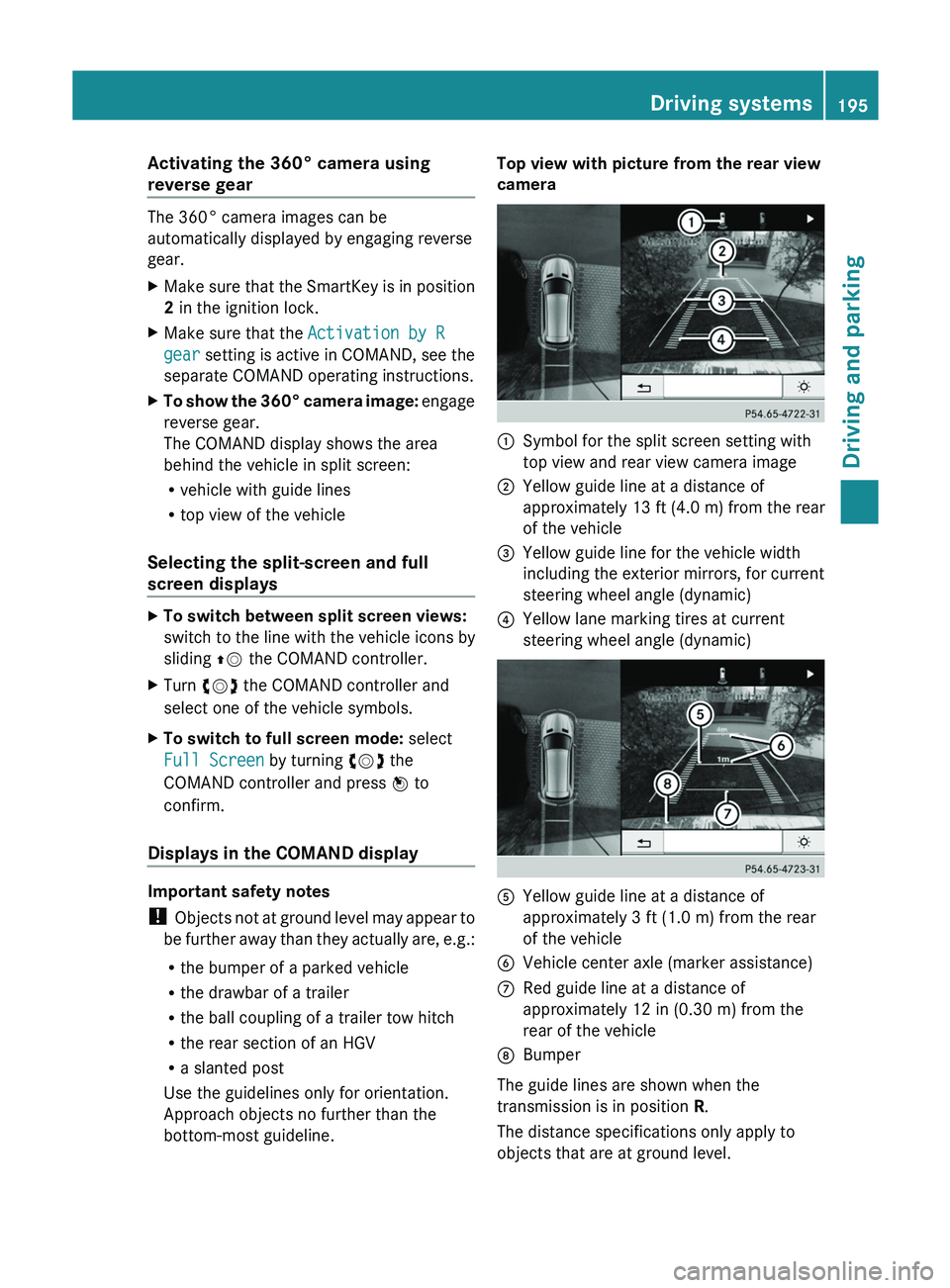
bottom-most guideline. Top view with picture from the rear view
camera
0043
Symbol for the split screen setting with
top view and rear view camera image
0044 Yellow guide line at a distance of
approximately 13 ft (4.0 m ) from the rear
of the vehicle
0087 Yellow guide line for the vehicle width
including the exterior mirrors, for current
steering wheel angle (dynamic)
0085 Yellow lane marking tires at current
steering wheel angle (dynamic) 0083
Yellow guide line at a distance of
approximately 3 ft (1.0 m) from the rear
of the vehicle
0084 Vehicle center axle (marker assistance)
006B Red guide line at a distance of
approximately 12 in (0.30 m) from the
rear of the vehicle
006C Bumper
The guide lines are shown when the
transmission is in position R .
The distance specifications only apply to
objects that are at ground level. Driving systems
195
Driving and parking Z
Page 202 of 380
Indicator and warning display
Blind Spot Assist is
not
active at speeds below
approximately 20 mph (30 km/h). Vehicles in
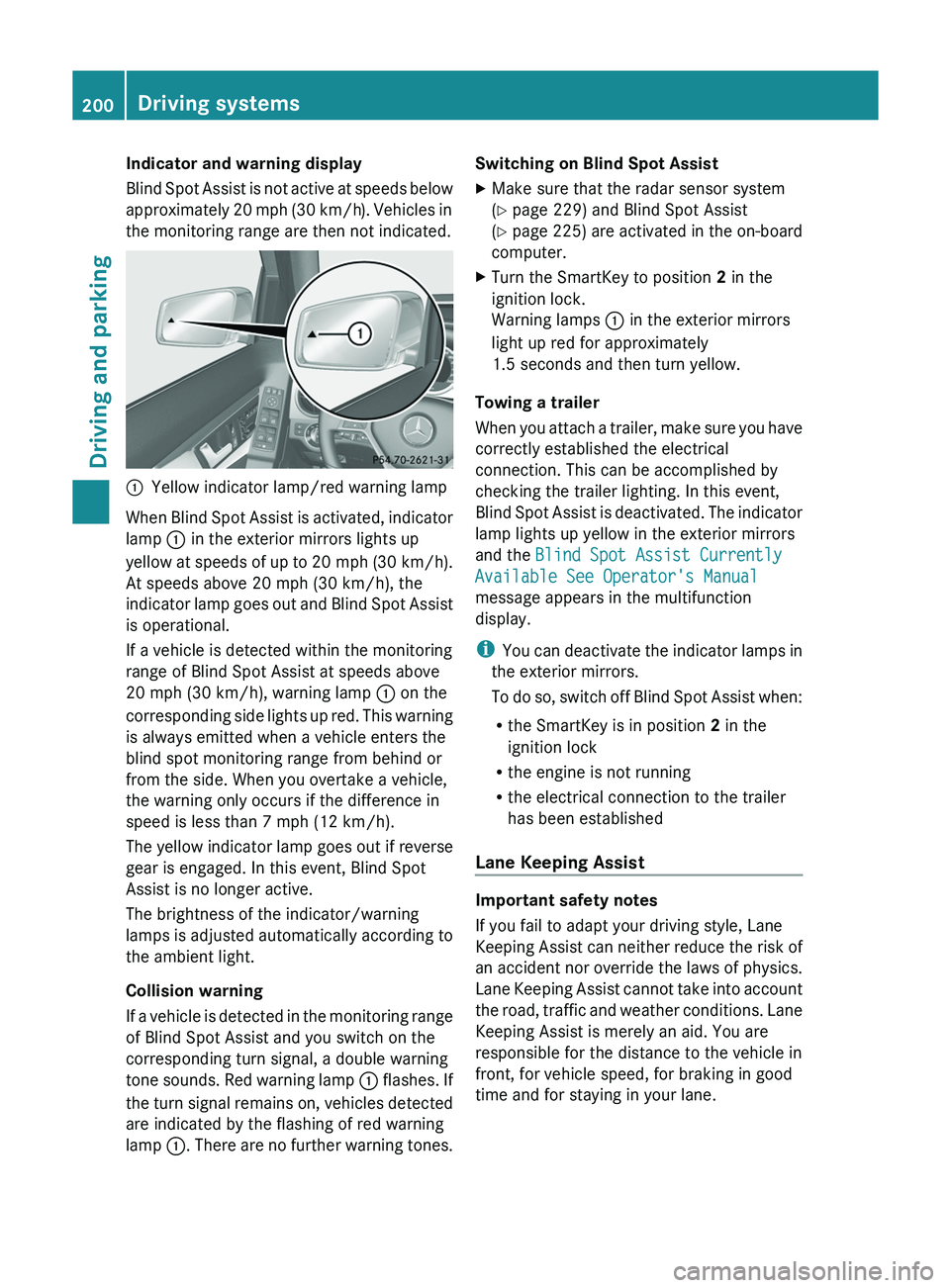
the monitoring range are then not indicated. 0043
Yellow indicator lamp/red warning lamp
When Blind Spot Assist is activated, indicator
lamp 0043 in the exterior mirrors lights up
yellow at speeds of up
to 20 mph (30 km/h).
At speeds above 20 mph (30 km/h), the
indicator lamp goes out and Blind Spot Assist
is operational.
If a vehicle is detected within the monitoring
range of Blind Spot Assist at speeds above
20 mph (30 km/h), warning lamp 0043 on the
corresponding side lights up red. This warning
is always emitted when a vehicle enters the
blind spot monitoring range from behind or
from the side. When you overtake a vehicle,
the warning only occurs if the difference in
speed is less than 7 mph (12 km/h).
The yellow indicator lamp goes out if reverse
gear is engaged. In this event, Blind Spot
Assist is no longer active.
The brightness of the indicator/warning
lamps is adjusted automatically according to
the ambient light.
Collision warning
If a vehicle is detected in the monitoring range
of Blind Spot Assist and you switch on the
corresponding turn signal, a double warning
tone sounds. Red warning lamp 0043 flashes. If
the turn signal remains on, vehicles detected
are indicated by the flashing of red warning
lamp 0043. There are no further warning tones. Switching on Blind Spot Assist
X
Make sure that the radar sensor system
(Y page 229) and Blind Spot Assist
(Y page 225) are activated
in
the on-board
computer.
X Turn the SmartKey to position 2 in the
ignition lock.
Warning lamps 0043 in the exterior mirrors
light up red for approximately
1.5 seconds and then turn yellow.
Towing a trailer
When you attach a trailer,
make sure you have
correctly established the electrical
connection. This can be accomplished by
checking the trailer lighting. In this event,
Blind Spot Assist is deactivated. The indicator
lamp lights up yellow in the exterior mirrors
and the Blind Spot Assist Currently
Available See Operator's Manual
message appears in the multifunction
display.
i You can deactivate the indicator lamps in
the exterior mirrors.
To do so, switch off Blind Spot Assist when:
R the SmartKey is in position 2 in the
ignition lock
R the engine is not running
R the electrical connection to the trailer
has been established
Lane Keeping Assist Important safety notes
If you fail to adapt your driving style, Lane
Keeping Assist can neither
reduce
the risk of
an accident nor override the laws of physics.
Lane Keeping Assist cannot take into account
the road, traffic and weather conditions. Lane
Keeping Assist is merely an aid. You are
responsible for the distance to the vehicle in
front, for vehicle speed, for braking in good
time and for staying in your lane. 200
Driving systems
Driving and parking
Page 207 of 380
out. This is meant to assist you in avoiding a
collision.
The course-correcting brake application is
available in the speed range between
20 mph (30 km/h)
and
120 mph (200 km/h).
If a course-correcting brake application
occurs, red warning lamp 0043 flashes in the
exterior mirror and the following is shown in
the multifunction display, for example: Either a very slight course-correcting brake
application, or none at all, may occur if:
R
there are vehicles or obstacles, e.g. crash
barriers, located on both sides of your
vehicle.
R a vehicle approaches you too
closely at the
side.
R you have adopted a sporty driving style with
high cornering speeds.
R you clearly brake or accelerate.
R a driving safety system intervenes, e.g.
ESP ®
or PRE-SAFE ®
Brake.
R ESP ®
is switched off.
R the off-road program is activated.
R a loss of tire pressure or a defective tire is
detected.
Switching on Active Blind Spot Assist
X Make sure that the radar sensor system
(Y page 229) and Active Blind Spot Assist
(Y page 225) are activated in
the on-board
computer.
X Turn the SmartKey to position 2 in the
ignition lock.
Warning lamps 0043 in the exterior mirrors
light up red for approximately
1.5 seconds and then turn yellow. Towing a trailer
When you attach a
trailer,
make sure you have
correctly established the electrical
connection. This can be accomplished by
checking the trailer lighting. Active Blind Spot
Assist is then deactivated. The indicator lamp
lights up yellow in the exterior mirrors and the
Active Blind Spot Assist Currently
Unavailable See Operator's Manual
message appears in the multifunction
display.
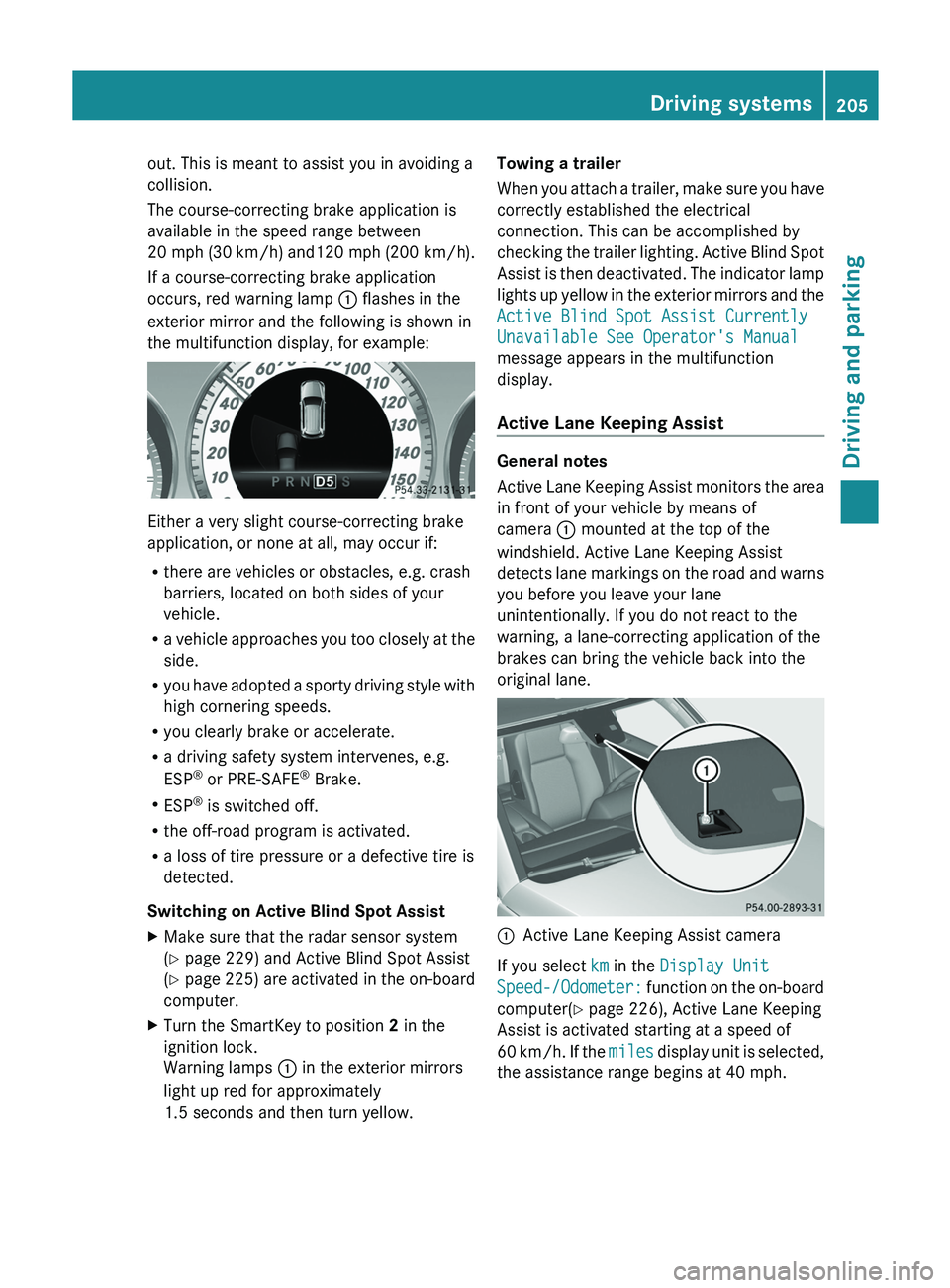
Active Lane Keeping Assist General notes
Active Lane Keeping Assist
monitors
the area
in front of your vehicle by means of
camera 0043 mounted at the top of the
windshield. Active Lane Keeping Assist
detects lane markings on the road and warns
you before you leave your lane
unintentionally. If you do not react to the
warning, a lane-correcting application of the
brakes can bring the vehicle back into the
original lane. 0043
Active Lane Keeping Assist camera
If you select km in the Display Unit
Speed-/Odometer: function on the on-board
computer(
Y page 226), Active Lane Keeping
Assist is activated starting at a speed of
60 km/h. If the miles display unit is selected,
the assistance range begins at 40 mph. Driving systems
205
Driving and parking Z
Page 219 of 380
Outside temperature display
You should pay special attention to road
conditions when temperatures are around
freezing point.
The outside temperature display is in the
multifunction display ( Y page 218).
Changes in the outside temperature are
displayed after a short delay. Speedometer with segments
The segments in the speedometer indicate
which speed range is available.
R Cruise control activated ( Y page 169):
The segments light up from the stored
speed to the maximum speed.
R DISTRONIC PLUS activated (Y page 171):
One or two segments in the set speed
range light up.
R DISTRONIC PLUS detects a vehicle
in front:
The segments between the speed of the
vehicle in front and the stored speed light
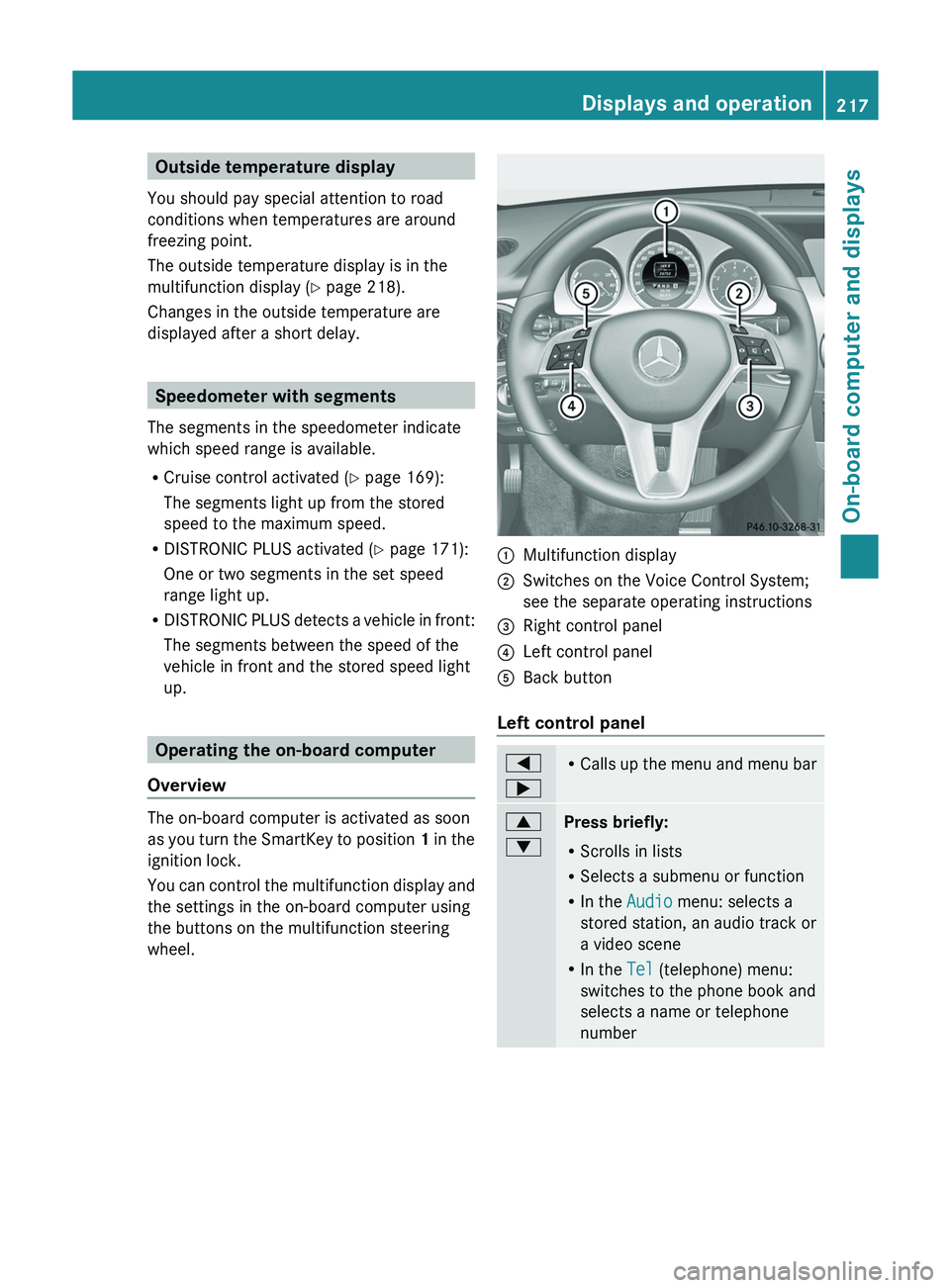
up. Operating the on-board computer
Overview The on-board computer is activated as soon
as you turn the
SmartKey
to position 1 in the
ignition lock.
You can control the multifunction display and
the settings in the on-board computer using
the buttons on the multifunction steering
wheel. 0043
Multifunction display
0044 Switches on the Voice Control System;
see the separate operating instructions
0087 Right control panel
0085 Left control panel
0083 Back button
Left control panel 0059
0065 R
Calls up the menu and
menu bar 0063
0064
Press briefly:
R
Scrolls in lists
R Selects a submenu or function
R In the Audio menu: selects a
stored station, an audio track or
a video scene
R In the Tel (telephone) menu:
switches to the phone book and
selects a name or telephone
number Displays and operation
217
On-board computer and displays Z
Page 221 of 380
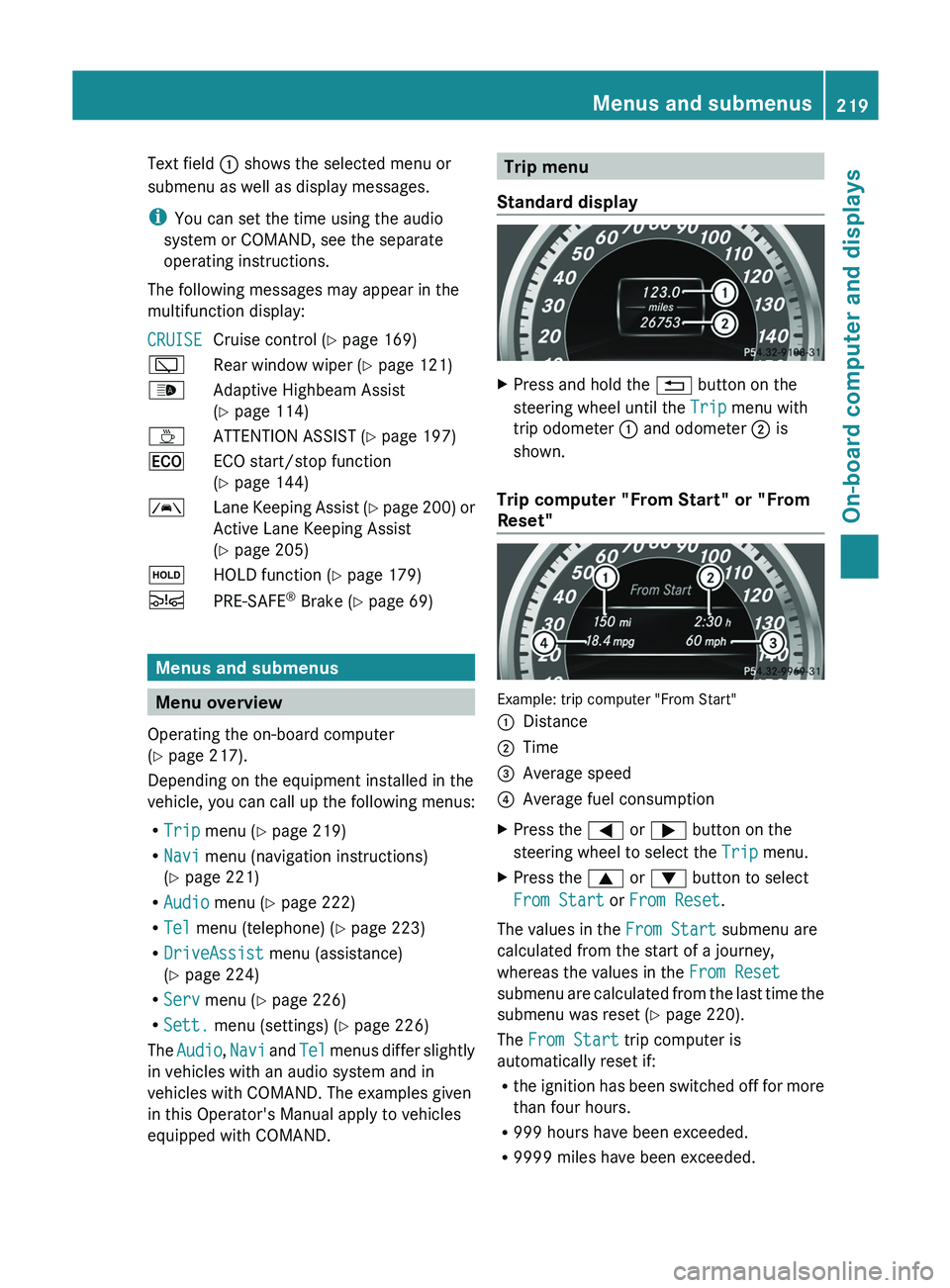
Text field 0043 shows the selected menu or
submenu as well as display messages.
i
You can set the time using the audio
system or COMAND, see the separate
operating instructions.
The following messages may appear in the
multifunction display:
CRUISE Cruise control (
Y page 169)
00C5 Rear window wiper ( Y page 121)
00CE Adaptive Highbeam Assist
(Y page 114)
00AD ATTENTION ASSIST (Y page 197)
00A7 ECO start/stop function
(Y page 144)
00B0 Lane Keeping Assist (Y page 200) or
Active Lane Keeping Assist
( Y
page 205)
00D9 HOLD function ( Y page 179)
00C7 PRE-SAFE ®
Brake (Y page 69) Menus and submenus
Menu overview
Operating the on-board computer
(Y page 217).
Depending on the equipment installed in the
vehicle, you can call up the following menus:
R Trip menu (Y page 219)
R Navi menu (navigation instructions)
(Y page 221)
R Audio menu (Y page 222)
R Tel menu (telephone) ( Y page 223)
R DriveAssist menu (assistance)
(Y page 224)
R Serv menu (Y page 226)
R Sett. menu (settings) (Y page 226)
The Audio, Navi and
Tel menus differ
slightly
in vehicles with an audio system and in
vehicles with COMAND. The examples given
in this Operator's Manual apply to vehicles
equipped with COMAND. Trip menu
Standard display X
Press and hold the 0038 button on the
steering wheel until the Trip menu with
trip odometer 0043 and odometer 0044 is
shown.
Trip computer "From Start" or "From
Reset" Example: trip computer "From Start"
0043
Distance
0044 Time
0087 Average speed
0085 Average fuel consumption
X Press the 0059 or 0065 button on the
steering wheel to select the Trip menu.
X Press the 0063 or 0064 button to select
From Start or From Reset.
The values in the From Start submenu are
calculated from the start of a journey,
whereas the values in the From Reset
submenu are calculated from
the
last time the
submenu was reset ( Y page 220).
The From Start trip computer is
automatically reset if:
R the ignition has been switched off for more
than four hours.
R 999 hours have been exceeded.
R 9999 miles have been exceeded. Menus and submenus
219
On-board computer and displays Z
Page 222 of 380
The From Reset trip computer is
automatically reset if the value exceeds
9,999 hours or 99,999 miles.
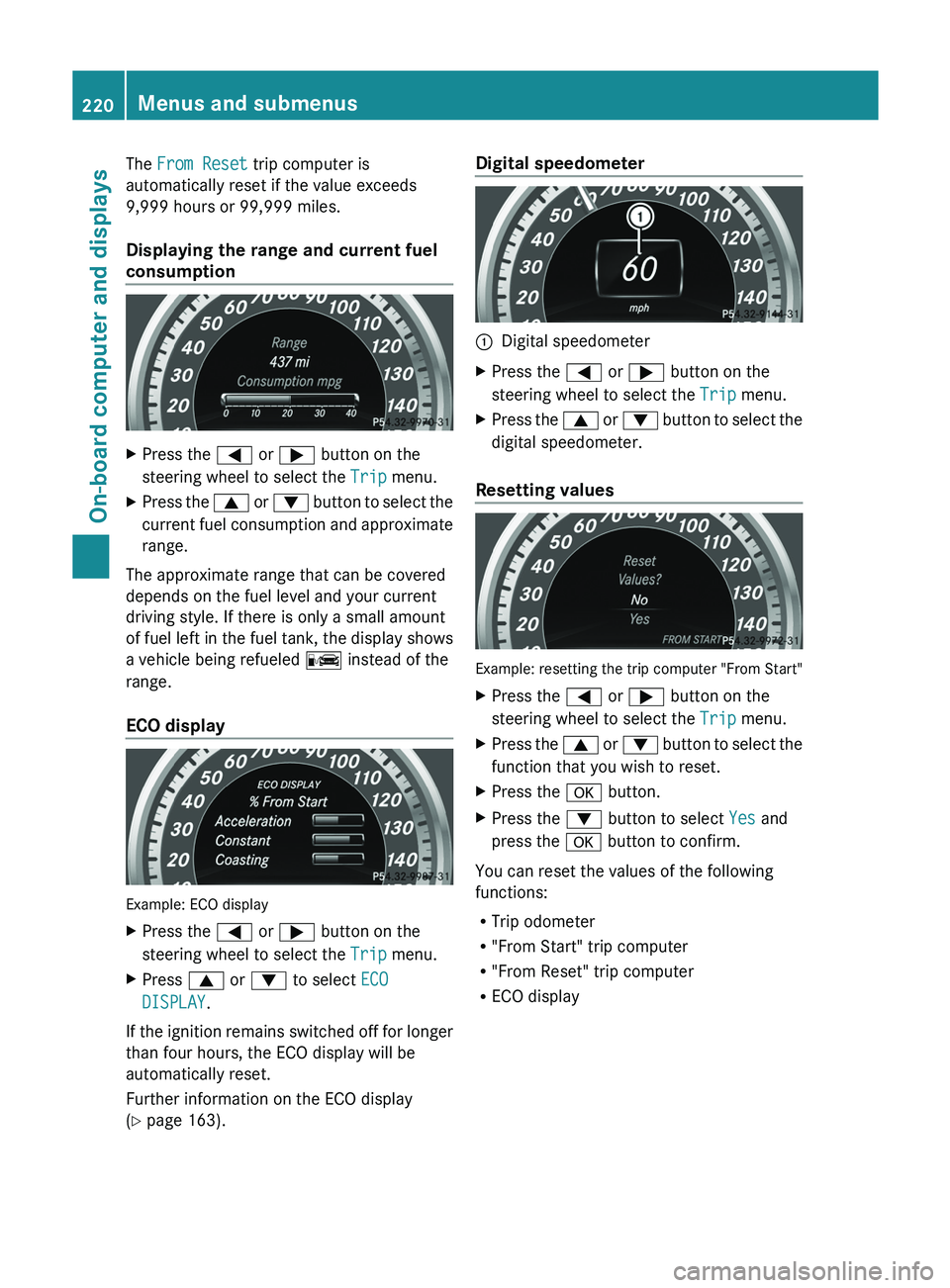
Displaying the range and current fuel
consumption
X
Press the 0059 or 0065 button on the
steering wheel to select the Trip menu.
X Press the 0063
or 0064
button to
select the
current fuel consumption and approximate
range.
The approximate range that can be covered
depends on the fuel level and your current
driving style. If there is only a small amount
of fuel left in the
fuel tank, the display shows
a vehicle being refueled 00A8 instead of the
range.
ECO display Example: ECO display
X
Press the 0059 or 0065 button on the
steering wheel to select the Trip menu.
X Press 0063 or 0064 to select ECO
DISPLAY.
If the ignition remains switched off for longer
than four hours, the ECO display will be
automatically reset.
Further information on the ECO display
(Y page 163). Digital speedometer
0043
Digital speedometer
X Press the 0059 or 0065 button on the
steering wheel to select the Trip menu.
X Press the 0063 or 0064 button to
select the
digital speedometer.
Resetting values Example: resetting the trip computer "From Start"
X
Press the 0059 or 0065 button on the
steering wheel to select the Trip menu.
X Press the 0063 or 0064 button to
select the
function that you wish to reset.
X Press the 0076 button.
X Press the 0064 button to select Yes and
press the 0076 button to confirm.
You can reset the values of the following
functions:
R Trip odometer
R "From Start" trip computer
R "From Reset" trip computer
R ECO display220
Menus and submenus
On-board computer and displays
Page 227 of 380
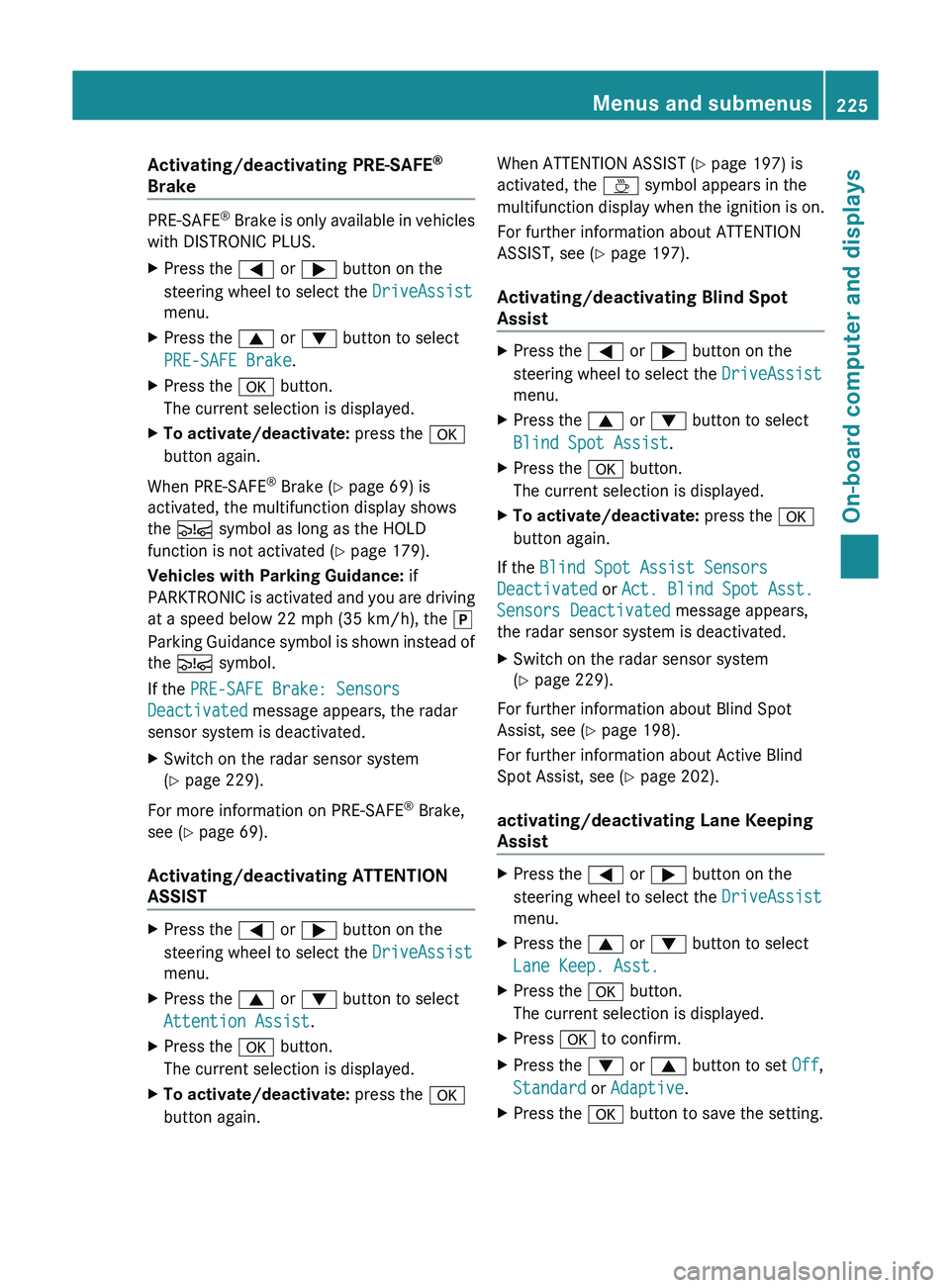
Activating/deactivating PRE-SAFE
®
Brake PRE-SAFE
®
Brake is only available in vehicles
with DISTRONIC PLUS.
X Press the 0059 or 0065
button on the
steering wheel to select the DriveAssist
menu.
X Press the 0063 or 0064 button to select
PRE-SAFE Brake.
X Press the 0076 button.
The current selection is displayed.
X To activate/deactivate: press the 0076
button again.
When PRE-SAFE ®
Brake (Y page 69) is
activated, the multifunction display shows
the 00C7 symbol as long as the HOLD
function is not activated (Y page 179).
Vehicles with Parking Guidance: if
PARKTRONIC is
activated and you are driving
at a speed below 22 mph (35 km/h), the 005D
Parking Guidance symbol is shown instead of
the 00C7 symbol.
If the PRE-SAFE Brake: Sensors
Deactivated message appears, the radar
sensor system is deactivated.
X Switch on the radar sensor system
(Y page 229).
For more information on PRE-SAFE ®
Brake,
see ( Y page 69).
Activating/deactivating ATTENTION
ASSIST X
Press the 0059 or 0065 button on the
steering wheel to select the DriveAssist
menu.
X Press the 0063 or 0064 button to select
Attention Assist.
X Press the 0076 button.
The current selection is displayed.
X To activate/deactivate: press the 0076
button again. When ATTENTION ASSIST (Y page 197) is
activated, the 00AD symbol appears in the
multifunction
display when the ignition
is on.
For further information about ATTENTION
ASSIST, see ( Y page 197).
Activating/deactivating Blind Spot
Assist X
Press the 0059 or 0065 button on the
steering wheel to select the DriveAssist
menu.
X Press the 0063 or 0064 button to select
Blind Spot Assist.
X Press the 0076 button.
The current selection is displayed.
X To activate/deactivate: press the 0076
button again.
If the Blind Spot Assist Sensors
Deactivated or Act. Blind Spot Asst.
Sensors Deactivated message appears,
the radar sensor system is deactivated.
X Switch on the radar sensor system
(Y page 229).
For further information about Blind Spot
Assist, see (Y page 198).
For further information about Active Blind
Spot Assist, see (Y page 202).
activating/deactivating Lane Keeping
Assist X
Press the 0059 or 0065 button on the
steering wheel to select the DriveAssist
menu.
X Press the 0063 or 0064 button to select
Lane Keep. Asst.
X Press the 0076 button.
The current selection is displayed.
X Press 0076 to confirm.
X Press the 0064 or 0063 button to set Off,
Standard or Adaptive.
X Press the 0076 button to save the setting. Menus and submenus
225
On-board computer and displays Z
Page 228 of 380
When Lane Keeping Assist or Active Lane
Keeping Assist is activated,
the 00B0
symbol
appears in the multifunction display when the
ignition is on.
For further information about Lane Keeping
Assist, see (Y page 200).
For further information about Active Lane
Keeping Assist, see ( Y page 205).Maintenance menu
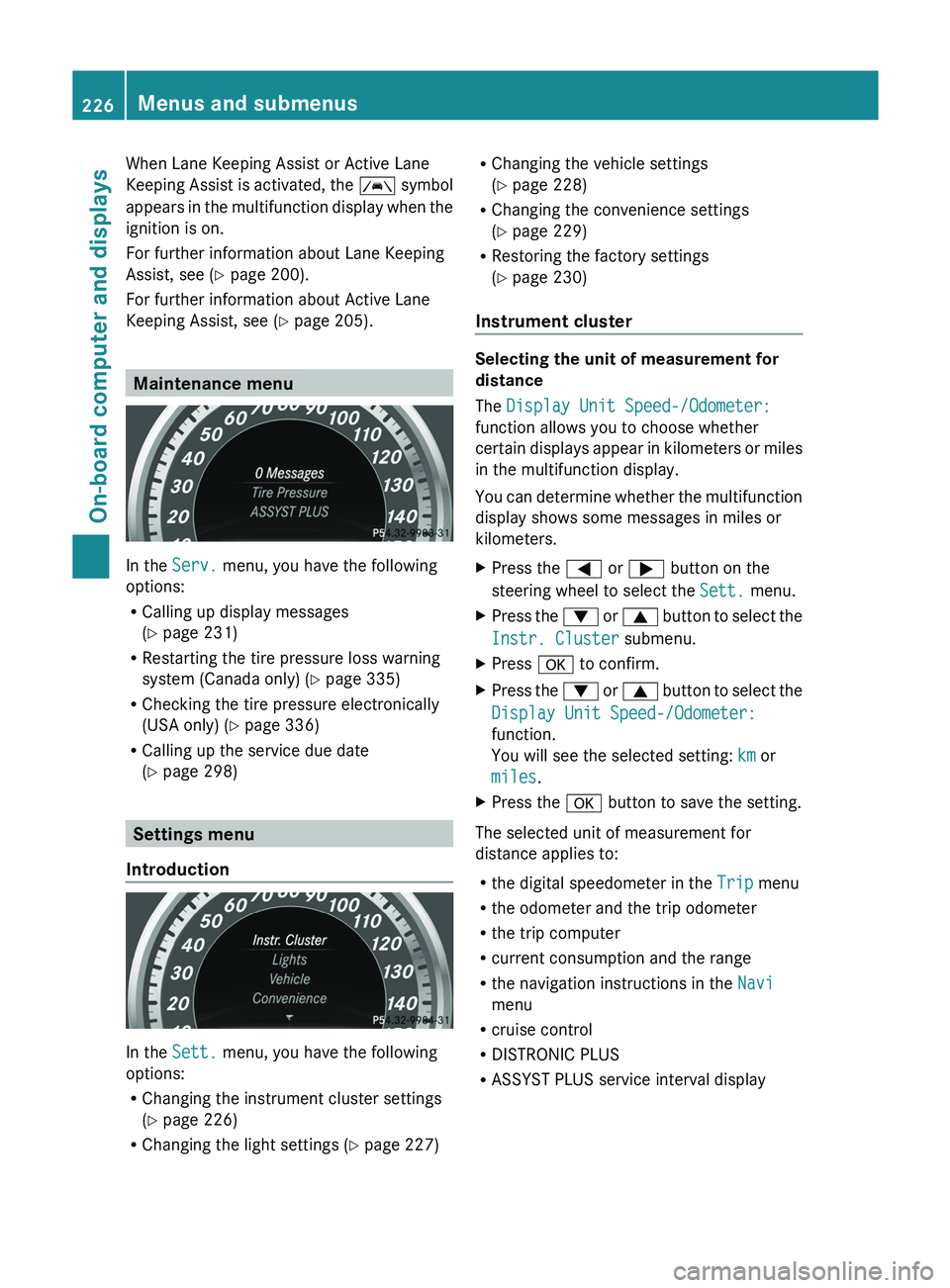
In the
Serv. menu, you have the following
options:
R Calling up display messages
(Y page 231)
R Restarting the tire pressure loss warning
system (Canada only) ( Y page 335)
R Checking the tire pressure electronically
(USA only) ( Y page 336)
R Calling up the service due date
(Y
page 298) Settings menu
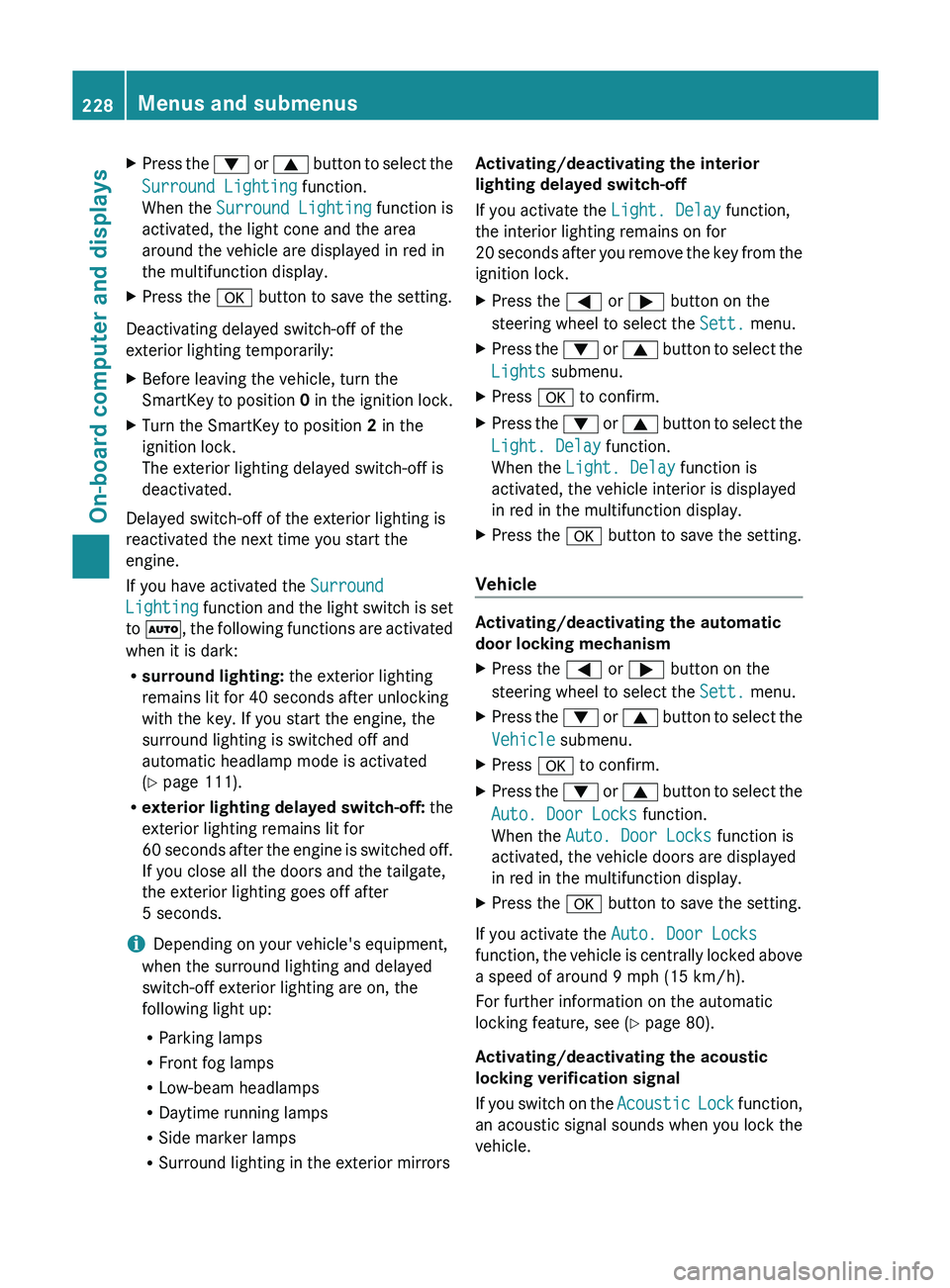
Introduction In the
Sett. menu, you have the following
options:
R Changing the instrument cluster settings
(Y page 226)
R Changing the light settings (Y page 227) R
Changing the vehicle settings
(Y page 228)
R Changing the convenience settings
(Y page 229)
R Restoring the factory settings
(Y page 230)
Instrument cluster Selecting the unit of measurement for
distance
The Display Unit Speed-/Odometer:
function allows you to choose whether
certain displays appear in
kilometers
or miles
in the multifunction display.
You can determine whether the multifunction
display shows some messages in miles or
kilometers.
X Press the 0059 or 0065 button on the
steering wheel to select the Sett. menu.
X Press the 0064 or 0063 button to
select the
Instr. Cluster submenu.
X Press 0076 to confirm.
X Press the 0064
or 0063
button to
select the
Display Unit Speed-/Odometer:
function.
You will see the selected setting: km or
miles.
X Press the 0076 button to save the setting.
The selected unit of measurement for
distance applies to:
R the digital speedometer in the Trip menu
R the odometer and the trip odometer
R the trip computer
R current consumption and the range
R the navigation instructions in the Navi
menu
R cruise control
R DISTRONIC PLUS
R ASSYST PLUS service interval display226
Menus and submenus
On-board computer and displays
Page 230 of 380
X
Press the 0064 or 0063 button to select the
Surround Lighting function.
When the Surround Lighting function is
activated, the light cone and the area
around the vehicle are displayed in red in
the multifunction display.
X Press the 0076 button to save the setting.
Deactivating delayed switch-off of the
exterior lighting temporarily:
X Before leaving the vehicle, turn the
SmartKey to position 0 in
the ignition lock.
X Turn the SmartKey to position 2 in the
ignition lock.
The exterior lighting delayed switch-off is
deactivated.
Delayed switch-off of the exterior lighting is
reactivated the next time you start the
engine.
If you have activated the Surround
Lighting function and the
light
switch is set
to 0058, the following functions are activated
when it is dark:
R surround lighting: the exterior lighting
remains lit for 40 seconds after unlocking
with the key. If you start the engine, the
surround lighting is switched off and
automatic headlamp mode is activated
(Y page 111).
R exterior lighting delayed switch-off: the
exterior lighting remains lit for
60 seconds after the engine is switched off.
If you close all the doors and the tailgate,
the exterior lighting goes off after
5 seconds.
i Depending on your vehicle's equipment,
when the surround lighting and delayed
switch-off exterior lighting are on, the
following light up:
R Parking lamps
R Front fog lamps
R Low-beam headlamps
R Daytime running lamps
R Side marker lamps
R Surround lighting in the exterior mirrors Activating/deactivating the interior
lighting delayed switch-off
If you activate the Light. Delay function,
the interior lighting remains on for
20
seconds after
you remove
the key from the
ignition lock.
X Press the 0059 or 0065 button on the
steering wheel to select the Sett. menu.
X Press the 0064 or 0063 button to
select the
Lights submenu.
X Press 0076 to confirm.
X Press the 0064
or 0063
button to
select the
Light. Delay function.
When the Light. Delay function is
activated, the vehicle interior is displayed
in red in the multifunction display.
X Press the 0076 button to save the setting.
Vehicle Activating/deactivating the automatic
door locking mechanism
X
Press the 0059 or 0065 button on the
steering wheel to select the Sett. menu.
X Press the 0064 or 0063 button to
select the
Vehicle submenu.
X Press 0076 to confirm.
X Press the 0064 or 0063 button to
select the
Auto. Door Locks function.
When the Auto. Door Locks function is
activated, the vehicle doors are displayed
in red in the multifunction display.
X Press the 0076 button to save the setting.
If you activate the Auto. Door Locks
function, the vehicle is centrally
locked above
a speed of around 9 mph (15 km/h).
For further information on the automatic
locking feature, see ( Y page 80).
Activating/deactivating the acoustic
locking verification signal
If you switch on the Acoustic Lock function,
an acoustic signal sounds when you lock the
vehicle. 228
Menus and submenus
On-board computer and displays