CD player MERCEDES-BENZ GLK-CLASS SUV 2015 Owners Manual
[x] Cancel search | Manufacturer: MERCEDES-BENZ, Model Year: 2015, Model line: GLK-CLASS SUV, Model: MERCEDES-BENZ GLK-CLASS SUV 2015Pages: 386, PDF Size: 26 MB
Page 8 of 386
Brake fluidDisplay message ............................ 238
Notes ............................................. 37 7
Brake lamps
Display message ............................ 244
Brakes
ABS ................................................ .. 68
BAS ................................................ .. 69
BAS PLUS ........................................ 69
Brake fluid (notes) ......................... 377
Display message ............................ 236
Important safety notes .................. 172
Maintenance .................................. 172
Parking brake ........................ 169, 173
Riding tips ...................................... 172
Warning lamp ................................. 262
Breakdown
see Flat tire
see Towing away/tow-starting
Brightness control knob (instru-
ment cluster lighting, multifunc-
tion steering wheel with 12 but-
tons) ................................................... .. 33
Bulbs
see Replacing bulbs
C
CaliforniaImportant notice for retail cus-
tomers and lessees .......................... 24
Calling up a malfunction
see Display messages
Car
see Vehicle
Care
Car wash ........................................ 306
Carpets .......................................... 312
Display ........................................... 31 0
Exterior lights ................................ 309
Gear or selector lever .................... 311
Interior ........................................... 310
Matte finish ................................... 308
Notes ............................................. 3 05
Paint .............................................. 307
Plastic trim .................................... 310
Power washer ................................ 306
Rear view camera .......................... 309 Roof lining ...................................... 312
Seat belt ........................................ 312
Seat cover ..................................... 311
Sensors ......................................... 309
Steering wheel ............................... 311
Tail pipes ....................................... 309
Trim pieces .................................... 311
Washing by hand ........................... 306
Wheels ........................................... 307
Windows ........................................ 308
Wiper blades .................................. 308
Wooden trim .................................. 311
Cargo compartment cover
Important safety notes .................. 278
Cargo compartment enlarge-
ment ................................................... 276
Cargo compartment floor
Opening/closing ............................ 281
Stowage well (under) ..................... 281
Cargo net
Attaching ....................................... 280
Important safety information ......... 279
Cargo tie down rings ......................... 277
CD player/CD changer (on-board
computer) .......................................... 226
Center console
Lower section .................................. 37
Upper section .................................. 36
Central locking
Automatic locking (on-board com-puter) ............................................. 232
Locking/unlocking (SmartKey) ........ 78
Changing bulbs
Cornering light function ................. 124
High-beam headlamps ................... 124
Low-beam headlamps .................... 124
Parking lamps ................................ 124
Reversing lamps ............................ 125
Standing lamps (front) ................... 124
Turn signals (front) ......................... 124
Child seat
LATCH-type (ISOFIX) child seat
anchors ............................................ 64
Top Tether ....................................... 65
Child-proof locks
Important safety notes .................... 66
Rear doors ....................................... 67
6Index
Page 228 of 386
Recommended lane and new lane during a
change of direction ?: in this lane you will be
able to complete the next two changes of
direction without changing lane.
Recommended lane A: in this lane you will
only be able to complete the next change of
direction without changing lane.
Other status indicators of the naviga-
tion system
The navigation system displays additional
information and the vehicle status.
Possible displays:
R
New Route... or Calculating Route
A new route is calculated.
R
Off Map or Off Mapped Road
The vehicle position is outside of the range of the digital map (off-map position).
R
No Route
No route could be calculated to the selec-
ted destination.
R O :
You have reached the destination or an
intermediate destination.
Audio menu
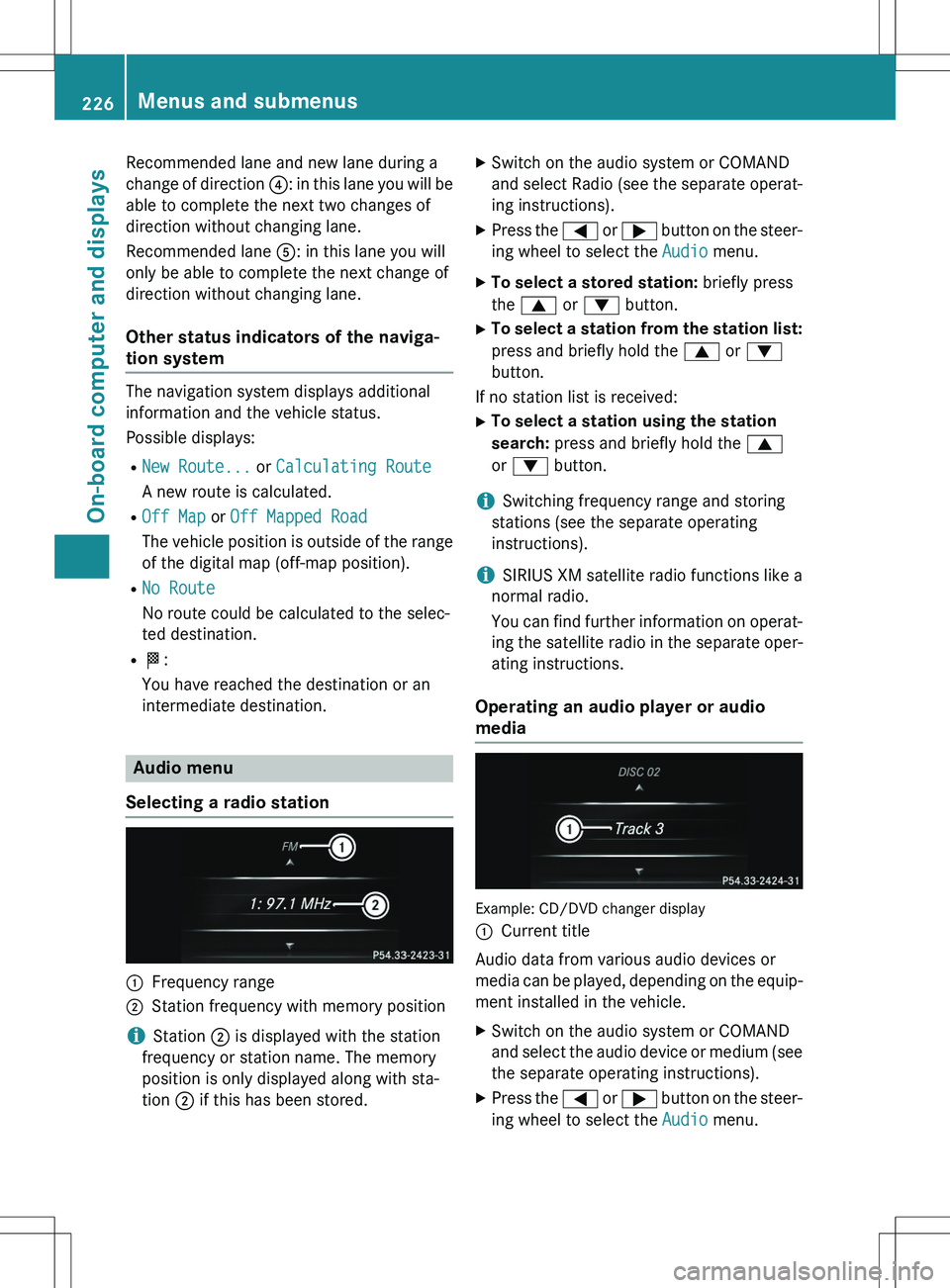
Selecting a radio station
:Frequency range
;Station frequency with memory position
iStation ; is displayed with the station
frequency or station name. The memory
position is only displayed along with sta-
tion ; if this has been stored. X
Switch on the audio system or COMAND
and select Radio (see the separate operat-
ing instructions).
X Press the = or ; button on the steer-
ing wheel to select the
Audio menu.
X To select a stored station: briefly press
the 9 or : button.
X To select a station from the station list:
press and briefly hold the 9 or :
button.
If no station list is received: X To select a station using the station
search: press and briefly hold the 9
or : button.
iSwitching frequency range and storing
stations (see the separate operating
instructions).
iSIRIUS XM satellite radio functions like a
normal radio.
You can find further information on operat-
ing the satellite radio in the separate oper- ating instructions.
Operating an audio player or audio
media
Example: CD/DVD changer display :
Current title
Audio data from various audio devices or
media can be played, depending on the equip- ment installed in the vehicle.
X Switch on the audio system or COMAND
and select the audio device or medium (see
the separate operating instructions).
X Press the = or ; button on the steer-
ing wheel to select the
Audio menu.
226Menus and submenus
On-board computer and displays
Page 278 of 386
is a universal interface for portable audio
equipment, e.g. for an iPod®
or MP3 player
(see the separate Audio or COMAND Oper-
ating Instructions).
Stowage space in the rear
Stowage compartment in the rear
! Do not sit on or support your body weight
on the rear seat armrest when it is folded
down, as you could otherwise damage it.
! Close the cover of the stowage compart-
ment before folding the rear seat armrest
back into the seat backrest.
X To open: fold down seat armrest ;.
X Fold cover : of the armrest upwards.
Stowage net
Stowage nets are located in the front-
passenger footwell and on the left-hand side
of the cargo compartment.
Observe the loading guidelines ( Y page 274)
and the safety notes regarding stowage
spaces ( Y page 275).
Cargo compartment enlargement
Important safety notes
GWARNING
If the rear bench seat/rear seat and seat
backrest are not engaged they could fold for-
wards, e.g. when braking suddenly or in the
event of an accident. R The vehicle occupant would thereby be
pushed into the seat belt by the rear bench
seat/rear seat or by the seat backrest. The
seat belt can no longer offer the intended
level of protection and could even cause
injuries.
R Objects or loads in the trunk/cargo com-
partment cannot be restrained by the seat
backrest.
There is an increased risk of injury.
Before every trip, make sure that the seat
backrests and the rear bench seat/rear seat
are engaged.
Observe the loading guidelines ( Y page 274).
The left-hand and right-hand rear seat backr-
ests can be folded forwards separately to
increase the cargo compartment capacity.
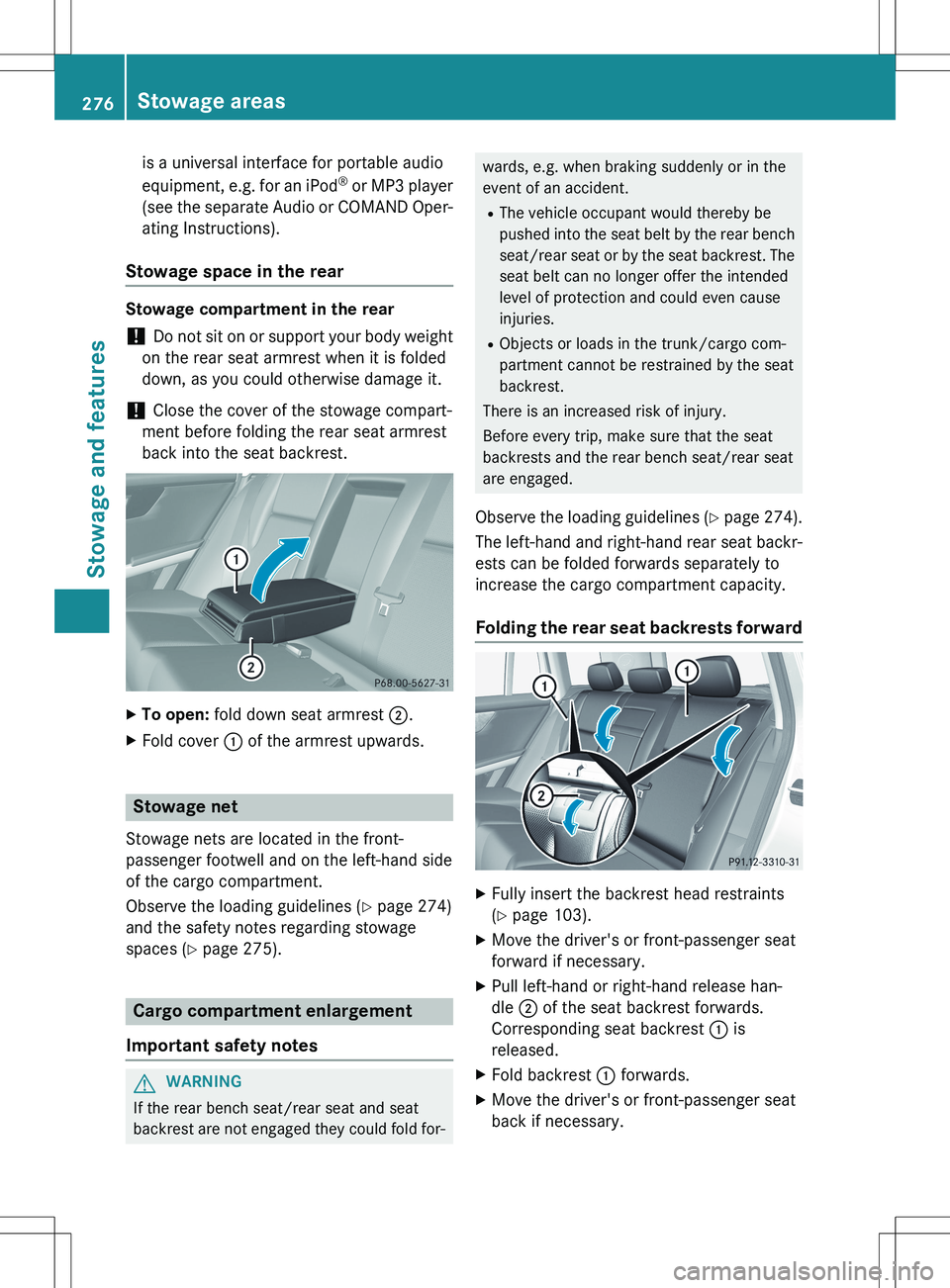
Folding the rear seat backrests forward
X Fully insert the backrest head restraints
(Y page 103).
X Move the driver's or front-passenger seat
forward if necessary.
X Pull left-hand or right-hand release han-
dle ; of the seat backrest forwards.
Corresponding seat backrest : is
released.
X Fold backrest : forwards.
X Move the driver's or front-passenger seat
back if necessary.
276Stowage areas
Stowage and features