audio MERCEDES-BENZ GLS 2020 User Guide
[x] Cancel search | Manufacturer: MERCEDES-BENZ, Model Year: 2020, Model line: GLS, Model: MERCEDES-BENZ GLS 2020Pages: 682, PDF Size: 23.3 MB
Page 364 of 682
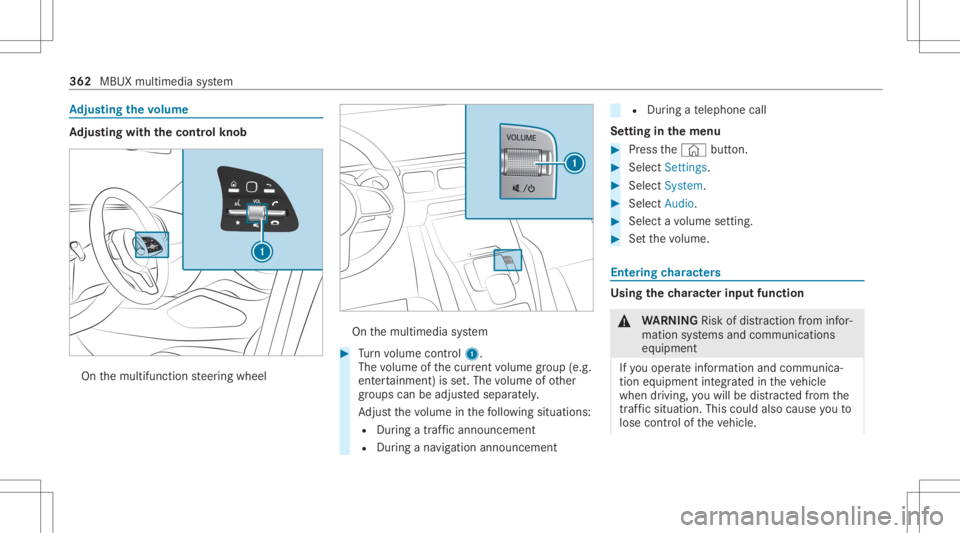
Ad
jus tingthe volum e Ad
jus tingwi th the contr olkno b On
themultifunc tionsteer ing wheel On
themultimedia system #
Turn volume control 1.
The volume ofthecur rent volume grou p(e.g.
ent ertainm ent)is set.The volume ofother
gr oups canbeadjus tedsepar ately.
Ad jus tth evo lume inthefo llo wing situat ions:
R Dur ing atraf fic annou ncement
R Dur ing ana vig ation annou ncement R
Dur ing ate lephon ecall
Se tting inthemenu #
Press the© button. #
Select Setting s. #
Select System. #
Select Audio. #
Select avo lume setting. #
Setth evo lume. Ent
ering charact ers Usi
ngthech aract erinput functi on &
WARNIN GRisk ofdist ra ction from infor‐
mati onsystems andcomm unication s
eq uipment
If yo uoper ateinf ormat ionand comm unic a‐
tio neq uipme ntintegratedin theve hicle
when driving, youwill bedistract ed from the
tr af fic situ ation. Thiscou ldalso cau seyouto
lose control of theve hicle. 362
MBUX multimedia system
Page 373 of 682
If
atime zone issetth etime issetaut omaticall y
using thetime zone.The time canbeadjus tedby
a max imum ofplus ormin us60 min utes. #
Adjus tth etime using theslide control.
Se tting theda te #
Select Set Date . #
Seta da te.
% Invehicles withGPS, adat ecanno tbe set
eve nwi th act ive man ualtimeadjus tment s.
The dateis then setaut omaticall yth ro ugh
th eselect edtime zone. Switc
hingvoice amplif ication tothere ar
on/ off(v ehic leswith long wheelbase) Re
quirement s:
R Your vehicle iseq uipped withth eBur mes ter®
sur round soun dsy stem ortheBur mes ter®
high-end 3Dsurround soun dsy stem.
R The ignition isswitc hedon.
R Door s,side windo wsand thepanor amaroof
wit hpo we rtilt/sli dingpanel areclosed . R
Atleas tone seat beltisfastened onthere ar
ben chseat.
Multimedia system:
4 © 5
Set ting s5
System 5
Audio
5 Voice Amplific ation
The func tion suppor tscomm unication between
th edr iver and front passeng erwit hpasseng ers
in there ar com partment .When voice amplif ica‐
tion tothere ar isact ivat ed, thesignals picked
up bythemicr ophone aream plif ied and played
bac kove rth espeak ersin there ar com partment ,
depen dingupon vehicle noise leve ls. An auto‐
matic adjustment occursbased onspeak ervol‐
ume andambien tnois ein order toimprov e
speec hint elligi bility andmaint ainthenatura l‐
ness ofspeec h. #
Activateor deacti vate thefunc tion.
Se tting theint ensit yof thevo ice amplif ica‐
tion #
Selec tVoice Amplificat ion-Int ensit y. #
Setth eint ensit yon thecon trol.
Depen dingontheint ensit yse t,th evo ice
am plif icat ion tothere ar isinc reased or
re duced. Blue
tooth® Inf
orma tion abou tBlu etoo th®
Bl ue tooth®
tech nol ogy isast andar dfo rshor t-
ra ng ewi reless datatransf erup toappr oximat ely
32. 8ft (10 m).
Yo ucan useBlue tooth®
to connect your mob ile
phon eto themultimedia system and usethefo l‐
lo wing functions,forex am ple:
R Han ds-free system withaccess tothefo llo w‐
ing option s:
- con tacts (/ page 429)
- call lists (/ page432)
R Interne tconnection (/page44 9)
R List ening tomusi cvia Blue tooth®
audio
(/ page46 0)
R Trans ferring busine sscar ds(vCar ds)intoth e
ve hicle MBUX
multimedia system 37
1
Page 405 of 682
Switc
hingnavig ation announcements onor
of fdur ing aphone call #
Press the© buttononthesteer ing wheel
or on theto uc hpad.
or #
Tapon © inthemedia display. #
Select Setting s. #
Select System . #
Select Aud io. #
Select Nav igati on and Traffic Announce -
ments . #
Swi tchVoi ceGuidance DuringCallon oroff.
Whe nth eop tion isswitc hedon,thedispla y
butt onisactiv ated. #
Tolea vethemenu :selec t0047.
Ad jus tingthe volum eof navig ation
announ cement s
Multime diasystem:
4 © 5
Set ting s5
System 5
Audio
5 Navigation andTraffic Announc ement s #
Select VoiceGuidance Volume. #
Setth evo lume. #
Tolea vethemenu :selec t0047.
Ro uteguidanc eis activ e #
Turn thevo lume control on thesteer ing
wheel ornext to theto uc hpad during ana vi‐
ga tio nanno unceme nt.
Sw itchin gaudi ofa deo uton oroffdur ing nav‐
ig atio nanno unceme nts #
Press the© buttononthesteer ing wheel
or on theto uc hpad.
or #
Tapon © inthemedia display. #
Select Setting s. #
Select System . #
Select Aud io. #
Swi tchAud ioFad eou ton oroff.
Whe nth eop tion isswitc hedon,thedispla y
butt onisactiv ated. #
Tolea vethemenu :selec t0047.
Re peati ngnavig atio nanno unceme nts
Re quirement s: R
Aro utehas already been creat ed.
R Routeguidan ceisact ive.
Mult imed iasystem:
4 Navigation (Navigation ) #
Selec t!. #
Selec t#.
The current navig ation anno uncement is
re peat ed.
% This function canbeadded andcalled up
fr om thefa vo rite swit hin thena vig ation cate‐
gor y.
Canceli ngrout eguidanc e
Re quirement s:
R aro utehas already been creat ed.
R routeguidan ceisact ive. #
Show thena vig ation menu. #
Select ¤inthena vig ation menu
(/ page38 1). MBUX
multimedia system 403
Page 425 of 682
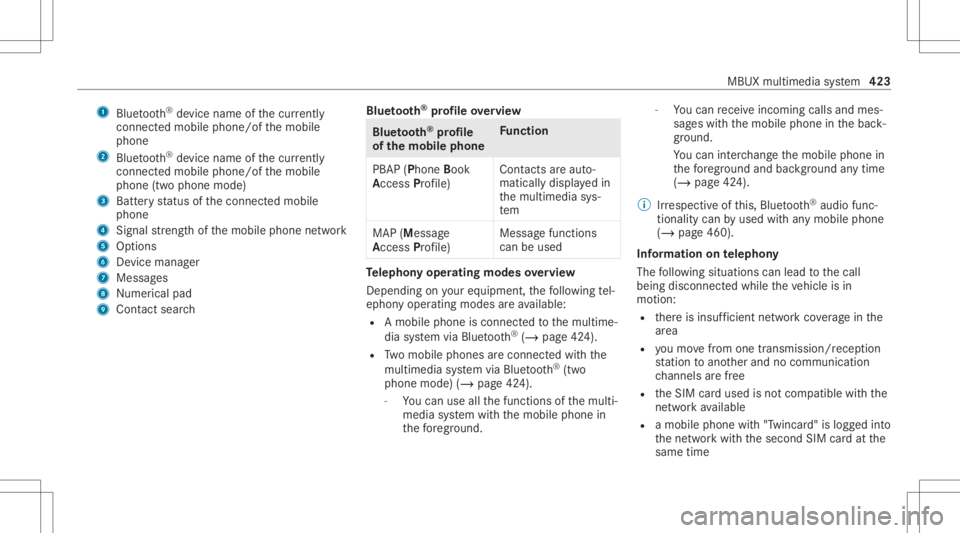
1
Bluetoo th®
de vice name ofthecur rently
conne cted mob ile pho ne/o fth emobile
phone
2 Blue tooth®
de vice name ofthecur rently
conne cted mob ile pho ne/o fth emobile
phone (twophone mode)
3 Batt eryst atus ofthecon nect edmobile
phone
4 Signal stre ngt hof themobile phonenetwork
5 Option s
6 Device manag er
7 Messag es
8 Nume rical pad
9 Contact search Blue
tooth®
pr ofile ove rview Blue
tooth®
pr ofile
of the mobi lephon eFu
nction
PB AP (Phone Book
Access Profile) Cont
actsar eaut o‐
matic allydispla yedin
th emultimedia sys‐
te m
MAP (Messag e
Access Profile) Messag
efunc tions
can beused Te
lephon yoper ating mod esove rview
Depen dingonyour equipme nt,th efo llo wing tel‐
ephon yoper atingmodes areav ailable:
R Amobi lephon eis con nectedto themultime‐
dia system viaBlue tooth®
(/ pag e42 4).
R Twomobile phones areconn ectedwithth e
multime diasystem viaBlue tooth®
(tw o
phone mode) (/page42 4).
- Youcan useallthefunc tionsof themulti‐
media system withth emobile phonein
th efo re grou nd . -
Youcan recei veinc omin gcalls andmes‐
sag eswit hth emobile phoneinthebac k‐
gr ound.
Yo ucan interch ang eth emobile phonein
th efo re grou nd and background anytim e
(/ page42 4).
% Irre spectiv eof this, Blue tooth®
audio func‐
tio nalit ycan byused withan ymob ilephon e
(/ page46 0).
Inf orma tionon telephon y
The follo wing situat ionscanlead tothecall
being discon nectedwhile theve hicle isin
mo tion:
R ther eis insuf ficie ntnetworkco verage inthe
ar ea
R youmo vefrom one transmis sion/reception
st atio nto ano ther and nocomm unication
ch ann elsarefree
R theSIM cardused isno tcom patible withth e
ne tworkav ailable
R amobi lephon ewit h"T winc ard" islogg edinto
th ene tworkwit hth esecon dSIM cardat the
same time MBUX
multimedia system 423
Page 426 of 682
The
multimedia system suppor tscalls inHD
Vo ice ®
forim prov ed speec hqu alit y.Arequ ire‐
men tfo rth is isthat themobile phoneandthe
mobil ephone networkpr ov ider oftheper son
yo uar ecalli ngsuppo rtHD Voice ®
.
Depe ndingon thequ alit yof thecon nect ion,the
vo ice qualit yma yfluct uat e.
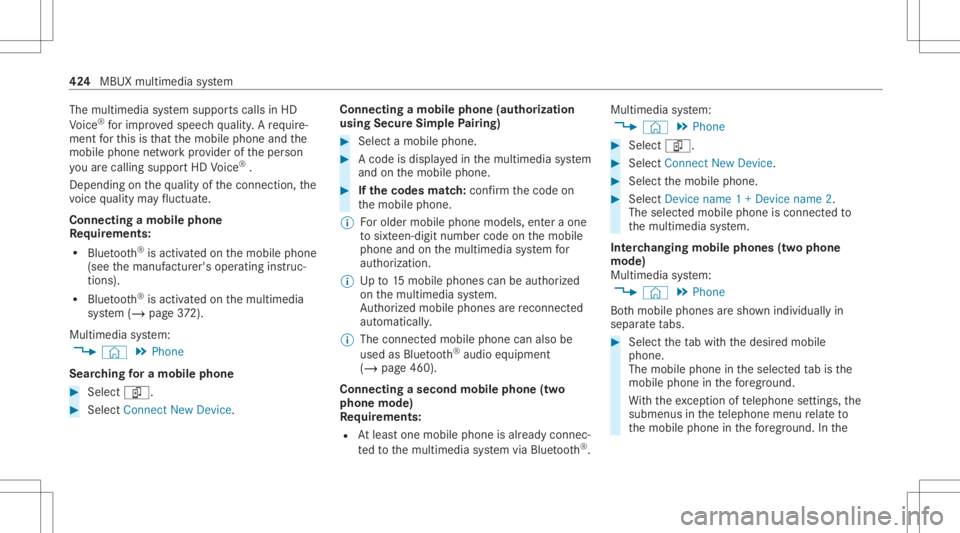
Connect ingamob ilephone
Re quirement s:
R Blue tooth®
is act ivat ed on themobile phone
(see themanuf acturer'soper ating instruc‐
tion s).
R Blue tooth®
is act ivat ed on themultimedia
sy stem (/ page37 2).
Mul timediasystem:
4 © 5
Phone
Sear ching fora mob ile pho ne #
Select í. #
Select Connect NewDevice. Co
nnectin gamob ile pho ne(au thor ization
usi ng Secure Sim plePairing) #
Selec ta mobile phone. #
Acode isdispla yedin themultimedia system
and onthemobile phone. #
Ifth ecodes match: con firm thecode on
th emobile phone.
% Forolde rmobil ephone models,ent eraone
to sixt een-digit numbercodeonthemobile
phone andonthemultimedia system for
aut hor izat ion.
% Upto15 mobil ephones canbeauthor ized
on themultimedia system.
Au thor ized mobile phones arere connect ed
au tomatical ly.
% The conn ectedmobile phonecanalso be
used asBlue tooth®
audio equipme nt
(/ page46 0).
Connect ingasecond mobilephone (two
ph one mod e)
Re quirement s:
R Atleas tone mobile phoneis alr eady connec‐
te dto themultimedia system viaBlue tooth®
. Multimedia
system:
4 © 5
Phone #
Select í. #
Select Connec tNew Devic e. #
Select themobile phone. #
Select Devicename 1+Devic ename 2.
The select edmobile phoneiscon nect edto
th emultimedia system.
Int erch angi ngmobi lephone s(tw ophone
mode)
Mul timedi asy stem:
4 © 5
Phone
Bo th mobil ephones aresho wnindivi duallyin
sepa rate tabs. #
Select theta bwit hth edesir edmobile
phone.
The mobile phoneintheselect edtabis the
mobil ephone inthefo re grou nd .
Wi th theexc eption oftelephon ese ttings ,th e
submenus inthete lephon emen ure lat eto
th emobile phoneinthefo re grou nd .In the 42
4
MBUX multimedia system
Page 459 of 682
The
multi mediasy stem supportsthefo llo w‐
ing form ats and data media:
Pe rm issible
fi le systems FA
T32, exFA T,NTFS
Pe rm issible
dat acar rier s USB
devices, iPod ®
/iPhon e®
,
MTP devices, Bluetooth®
audio equipme nt
Supp orted
audio form ats MP3
,WMA ,AA C,WA V,FLAC ,
AL AC %
Obser vethefo llo wing notes:
R The multimedia system suppor tsatot al
of up to50,000 files.
R Dat ast or ag emedia upto2TB aresup ‐
por ted(32‑ bitaddr essspace).
R Due tothelarg eva riet yof available
music andvideofiles rega rding encod‐
er s, sam pling ratesand datatransf er
ra tes, pla ybac kcanno tbe guar anteed. R
Due tothewide rang eof USB device s
av ailable onthemar ket,play bac kcann ot
be guar anteed forall USB devices.
R Videos uptoFullHD (1920 x1080 )ar e
suppor ted.
R Cop y-pr otect edmusic andvideo files or
DRM (DigitalRights Management)
enc rypte dfiles can notbe playedbac k.
R MP3 players mus tsupp ortMedi aTr ans ‐
fe rPr oto col (MT P).
In fo rm ation oncopyright protection and
tr ad ema rks
Au dio files whic hyo ucr eat eyo urself (e.g.copies
of dat ast or ag emedia youmak eyo urself )ar e
ge ner ally subject tocop yrigh tpr otect ion. In
man ycount ries, repr oduction sar eno tper mitt ed
wit hout thepr ior con sent ofthecop yright
holder ,eve nfo rpr ivat euse. Makesur eth at you
kno wab ou tth eapplicable copyright regulations
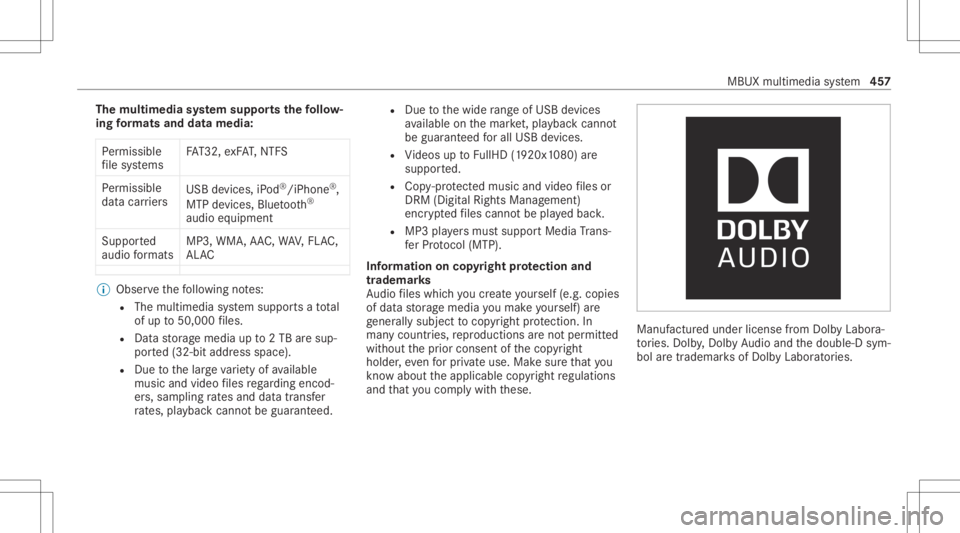
and that youco mp lywith these. Manuf
acturedunder license from Dolb yLabor a‐
to ries. Dolb y,Dol byAudio and thedouble-D sym‐
bol aretrademar ksofDolb yLabor ator ies. MBUX
multimedia system 45
7
Page 462 of 682
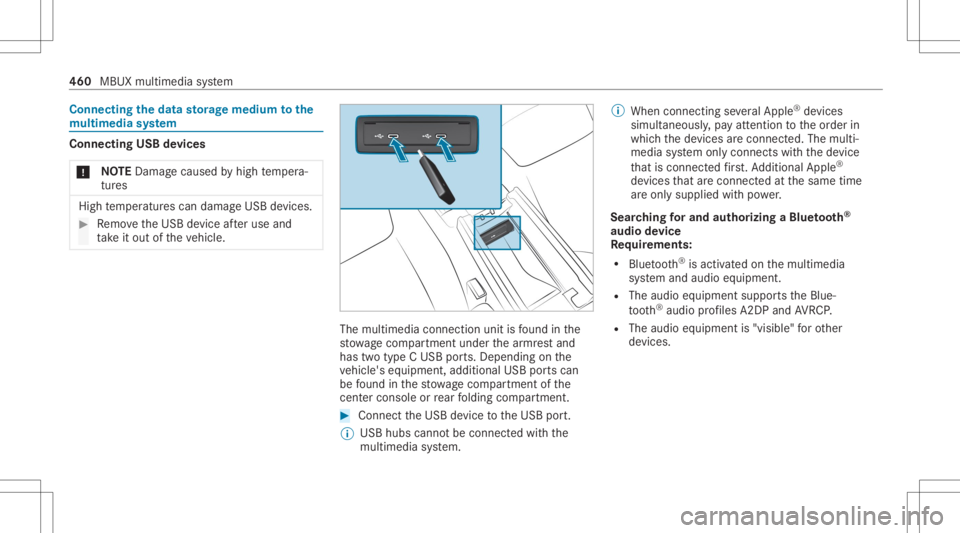
Connect
ingtheda ta sto rage medi umtothe
mu ltim edia system Connecti
ngUSB devices
* NO
TEDama gecau sed byhigh temp era‐
tur es High
temp eratur escan damag eUSB devices. #
Remo vetheUSB device afte ruse and
ta ke itout oftheve hicle. The
multimedia connection unitisfound inthe
st ow agecom partment unde rth ear mr estand
has twotype CUSB ports.Depen dingonthe
ve hicle's equipment, additional USBportscan
be found inthestow agecom partment ofthe
cent erconso leor rear folding compartment . #
Conn ecttheUSB device totheUSB port.
% USB hubs cannotbe con nectedwit hth e
multime diasystem. %
When connect ingseveralApple ®
de vice s
simult aneousl y,pa yatt ent ion totheor der in
whic hth ede vices arecon nect ed.The multi‐
media system onlycon nect swit hth ede vice
th at iscon nectedfirs t. Ad dition alApple ®
de vices that arecon nectedat thesame time
ar eonl ysupplied withpo we r.
Sear ching forand author izing aBlue tooth®
audio devic e
Re quirement s:
R Blue tooth®
is act ivat ed on themultimedia
sy stem and audio equipment.
R The audio equipment supportstheBlue‐
to oth®
audio profiles A2DP and AVRC P.
R The audio equipment is"visible" forot her
de vices. 460
MBUX multimedia system
Page 463 of 682
Multimedia
system:
4 © 5
Media 5
Bluetoot h5
00A5
Au thor izing ane wBlue tooth®
audio devic e #
Select Connect NewDevice .
De tected equipme ntisdispl ayed inthe
de vice list. #
Select anaudio device.
Au thor ization star ts.A cod eis displa yedon
th emultimedia system and onthemobile
phone. #
Ifth ecodes areidentic al,con firm onthe
audio equipme nt. #
Select Onlyas Bluet oothAudi oDe vic e.
The Blue tooth®
audio equipme ntiscon nec‐
te dwit hth emultimedia system.
Connecting prev iousl yaut hor ized Bluetooth®
audio equipment #
Select aBlue tooth®
audio devic efrom the
lis t.
The connection ises tablished. St
arting media playbac k Re
quirement s:
R Adat ast or ag emedium isconn ectedtothe
multime diasystem.
Multimedia system:
4 © 5
Media #
Select USBorBluetoot has themedia
sour ce. Contr
olling media playbac k Multimedia
system:
4 © 5
Media #
Topause playbac k:sel ect 8. #
Tocont inue playba ck:sel ect 6. #
Torepeat atrac k: sel ect :.
Fo rth ere peat function ther ear eth efo llo w‐
ing settings :
R Select once:theactiv epla ylistis repea‐
te d. R
Select twice:thecur rent trac kis repea‐
te d.
R Select threetim es: there peat function
is deactiv ated. #
Topla ybac ktrac ks inrandom order:
select 9. #
Towind atrac kfo rw ards orbac kwards:
ta pon thedesir edpoint onthetimelin e. #
Toselect thene xt trac k: selec t00F6. #
Toselect thepr ev ious trac k: select 00F5. #
Toscr ollthrough trac ks quickl y: press and
hold 00F5 or00F6. #
Tosho wthecur rent trac klis t:select the
tr ac kim agesho wn. MBU
Xmu ltimed iasystem 46
1
Page 464 of 682
Ad
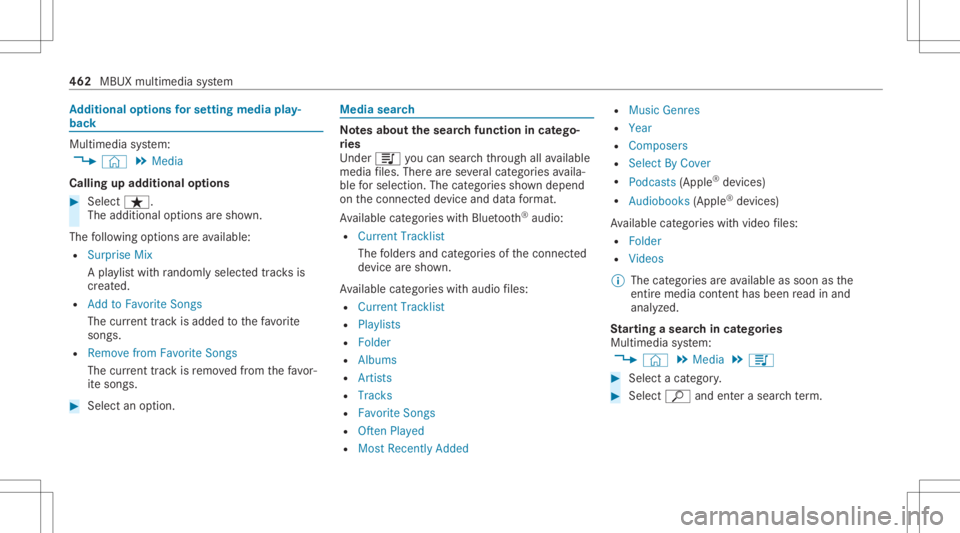
diti onalop tio ns forse ttin gmedi apla y‐
bac k Mu
ltimed iasystem:
4 © 5
Media
Calling upadd itional options #
Select ß.
The additional option sar esho wn.
The follo wing option sar eav ailable:
R Surpris eMix
A pla ylis twit hra ndo mly select edtrac ks is
cr eat ed.
R Add toFavo riteSon gs
The current trac kis ad de dto thefa vo rite
songs.
R Remove fromFavorite Songs
The current trac kis remo vedfrom thefa vo r‐
it e songs. #
Select anoption. Media
search No
tesabout thesear chfunctio nin cat ego ‐
ri es
Und er5 youcan sear chthro ugh allavailable
medi afiles. Ther ear ese veralcat egor iesavaila‐
ble forsele ction. Thecategor iessho wndepe nd
on thecon nect eddevice anddatafo rm at.
Av ailable categor ieswithBlue tooth®
audio:
R Curre ntTrac klist
The folder sand categor iesofthecon nect ed
de vice aresho wn.
Av ailable categor ieswithaudio files:
R Curren tTrac klist
R Playlists
R Folder
R Album s
R Artist s
R Trac ks
R Favo riteSon gs
R OftenPlayed
R Most Recen tlyAdded R
Music Genres
R Year
R Compose rs
R Selec tBy Cover
R Podc asts(Apple ®
de vice s)
R Audiobo oks(Apple ®
de vice s)
Av ailable categor ieswithvide ofiles:
R Folder
R Videos
% The categor iesareav ailable assoon asthe
ent ire media content hasbe en read inand
anal yzed .
St arting asear chincat egor ies
Multime diasystem:
4 © 5
Media 5
5 #
Select acat egor y. #
Select ª andenterasea rchte rm . 462
MBUX multimedia system
Page 473 of 682
Ac
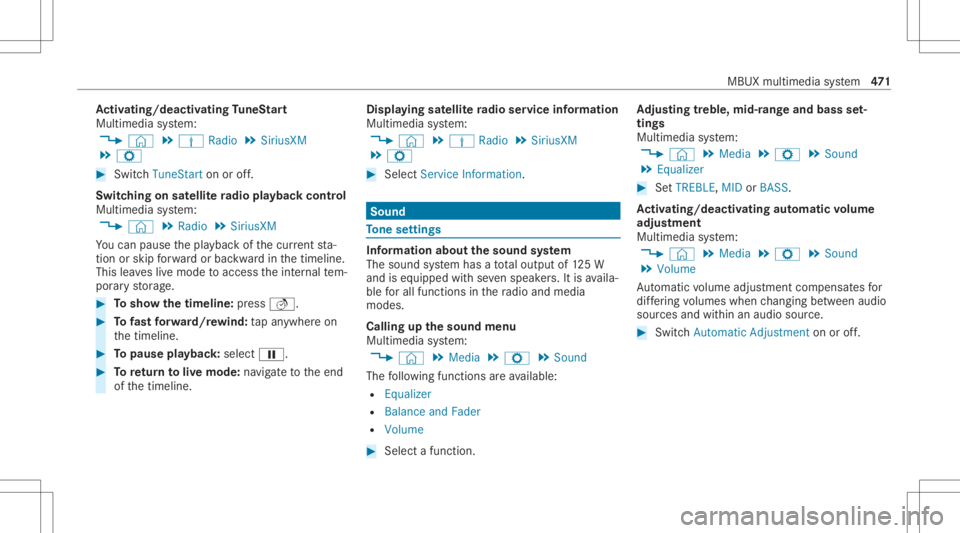
tiv atin g/deac tivatin gTu neS tart
Multimedia system:
4 © 5
Þ Radio 5
SiriusXM
5 Z #
Switc hTuneSt artonoroff.
Switc hingonsat ellit era dio playbac kco ntr ol
Mu ltimed iasystem:
4 © 5
Radio 5
SiriusXM
Yo ucan pause thepla ybac kof thecur rent sta‐
tio nor skip forw ardor bac kwardin thetimeline.
This leavesliv emode toacc ess theint ernal tem‐
por aryst or ag e. #
Tosho wthetim eline: press 5. #
Tofast forw ard/r ewind: tapan ywher eon
th etimeline. #
Topause playbac k:sel ect 00CF. #
Toretur nto livemod e:navig ateto theend
of thetimeline. Displa
yingsatellit era dio service informa tion
Multime diasystem:
4 © 5
Þ Radio 5
SiriusXM
5 Z #
Select ServiceInformation. Sound
To
ne settings Inf
ormat ionabout thesound system
The soun dsy stem has atot alout put of125W
and iseq uippe dwit hse venspe akers. Itis availa‐
ble forall functions inthera dio and media
modes.
Calling upthesound menu
Multi media system:
4 © 5
Media 5
Z 5
Sound
The follo wing functionsar eav ailable:
R Equal izer
R Balan ceand Fade r
R Volum e #
Select afun ction . Ad
jus tingtreb le,mid- rang eand bass set‐
tings
Multimedia system:
4 © 5
Media 5
Z 5
Sound
5 Equalizer #
SetTREBLE, MIDorBAS S.
Ac tiv atin g/deac tivatin gaut omati cvo lum e
adj ustm ent
Multime diasystem:
4 © 5
Media 5
Z 5
Sound
5 Volume
Au tomatic volume adjustment com pens ates for
dif fering volumes whenchang ingbetween audio
sour cesand within anaudio source. #
Swit chAuto matic Adju stme nton oroff. MBUX
multimed iasystem 47
1