key MERCEDES-BENZ GLS 2020 Service Manual
[x] Cancel search | Manufacturer: MERCEDES-BENZ, Model Year: 2020, Model line: GLS, Model: MERCEDES-BENZ GLS 2020Pages: 682, PDF Size: 23.3 MB
Page 362 of 682
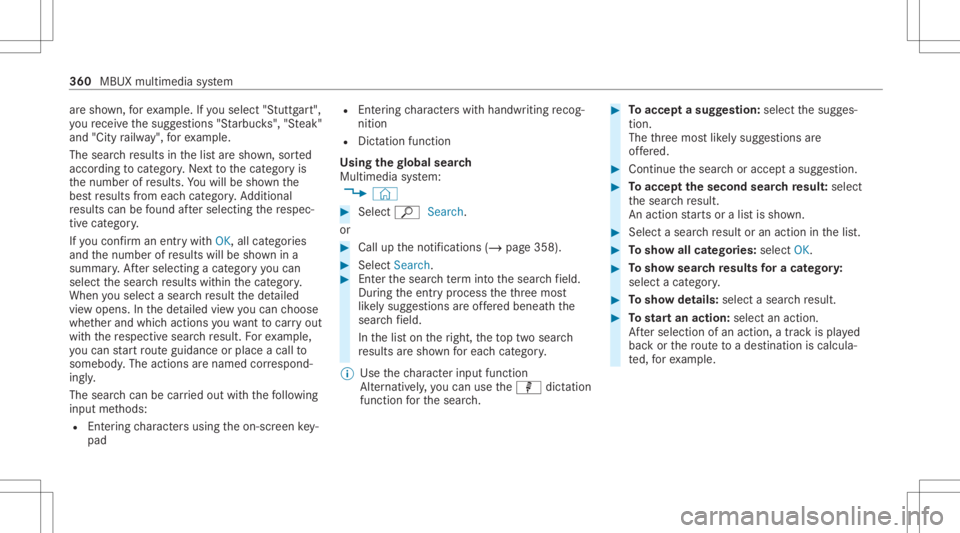
ar
esho wn, forex am ple. Ifyo usele ct"Stut tgar t",
yo ure cei vethesugg estion s"S tarbuc ks","S teak"
and "City railw ay",forex am ple.
The sear chresults inthelis tar esho wn, sorted
acc ordin gto cat ego ry.Ne xtto thecat egor yis
th enumber ofresults. Youwill besho wnthe
bes tre sults from eachcat egor y.Ad dition al
re sults canbefound afte rsele cting there spec‐
tiv ecat egor y.
If yo uco nfirm an entry wit hOK, allcat egor ies
and thenumber ofresults willbesho wnina
summar y.Aftersele cting acat egor yyo ucan
sele ctthesear chresults within thecat egor y.
When yousele ctasear chresult thede tailed
vie wopen s.In thede tailed viewyo ucan choose
whe ther and whic haction syo uwa nttocar ryout
wit hth ere spectiv esear chresult. Forex am ple,
yo ucan star tro uteguidan ceorplac eacall to
somebody .The actions arenamed correspond‐
ing ly.
The sear chcan becar ried out withth efo llo wing
in put methods:
R Entering charact ersusin gth eon- screen key‐
pad R
Entering charact erswit hhan dwr iting recog‐
nitio n
R Dict ation functi on
Usi ngthe global search
Multimedia system:
4 © #
Select ªSearch.
or #
Call uptheno tification s(/ page358). #
Select Search. #
Enterth esear chterm intoth esear chfield.
Dur ing theent ryprocess theth re emos t
lik elysugg estion sar eof fere dbeneat hth e
sear chfield.
In thelis ton theright, theto ptw osear ch
re sults aresho wnforeac hcat egor y.
% Use thech aract erinput function
Alt ernat ivel y, yo ucan usethep dictation
func tion forth esear ch. #
Toacc epta sugg estion :sele ctthesugg es‐
tion .
The thre emos tlik ely sugg estion sar e
of fere d. #
Contin uethesear choraccep ta sugg estion. #
Toacc eptth esecond searchresult :select
th esear chresult.
An action star ts or alis tis sho wn. #
Select asear chresult oran action inthelis t. #
Tosho wall cat egor ies:select OK. #
Tosho wsear chresults fora ca tegor y:
select acat egor y. #
Tosho wde tails: select asear chresult. #
Tostar tan actio n:sele ctan action.
Af tersele ction ofan action, atrac kis pla yed
bac kor thero uteto ades tinatio nis calc ula‐
te d, forex am ple. 360
MBUXmult imed iasystem
Page 369 of 682
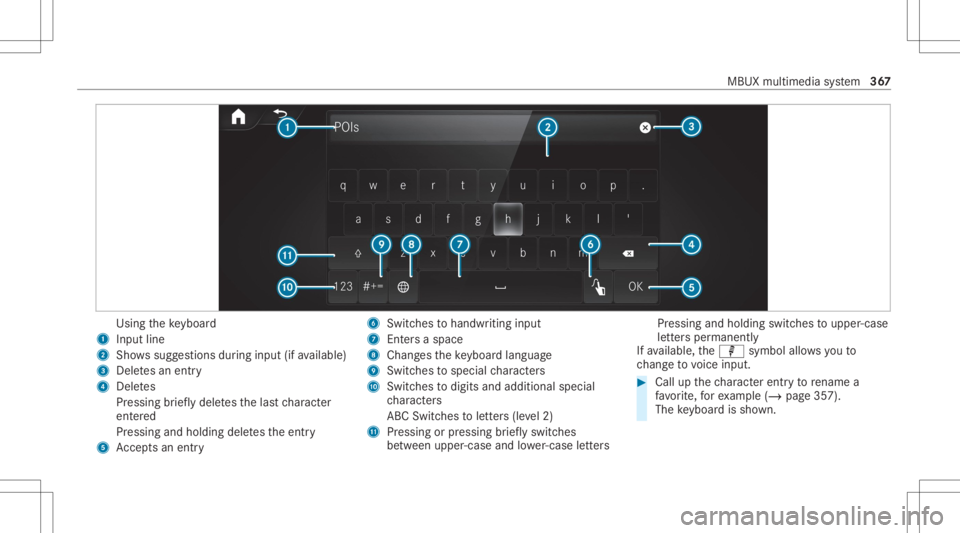
Using
theke yboar d
1 Input line
2 Shows sugg estions during input (ifavailable)
3 Delete san entr y
4 Dele tes
Pr essing brief lydele testh elas tch aract er
ent ered
Pr essi ngand holdi ngdele testh eent ry
5 Accep tsan entr y 6
Switches tohandwr itinginput
7 Entersa space
8 Chang estheke yboar dlan guag e
9 Switches tospecial charact ers
A Swit ches todigits andadditional special
ch aract ers
AB CSwit ches toletter s(le vel2)
B Pressin gor pressin gbr ief lyswitc hes
be tween upper -case andlowe r-case letter s Pr
ess ing and holding swi tches toupper -case
le tter sper man ently
If av ailable, thep symbol allowsyouto
ch ang eto voice input. #
Call upthech aract erent ryto renam ea
fa vo rite ,fo rex am ple (/ page35 7).
The keyboar dis sho wn. MB
UX mult imediasystem 36
7
Page 371 of 682
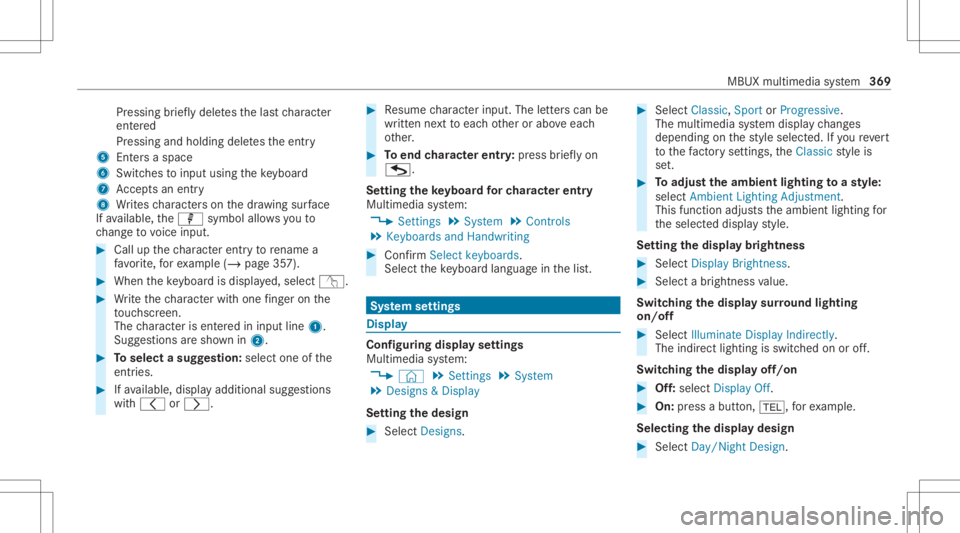
Pr
essing brief lydele testh elas tch aract er
ent ered
Pr essi ngand holdi ngdele testh eent ry
5 Entersa sp ace
6 Switche sto input using theke yboar d
7 Accep tsan entr y
8 Writes charact erson thedr aw ing surface
If av ailable, thep symbol allowsyouto
ch ang eto voice input. #
Call upthech aract erent ryto rename a
fa vo rite ,fo rex am ple (/ page35 7). #
When theke yboar dis disp laye d, select v. #
Write th ech aract erwit hon efing er on the
to uc hsc reen.
The charact erisent ered ininput line 1.
Sugg estio ns aresho wnin2. #
Toselect asugg estion: select oneofthe
ent ries. #
Ifav ailable, displayaddit ionalsugg estio ns
wit h0047 or0048. #
Resume charact erinput. Theletter scan be
wr itten next to eac hot her orabo veeac h
ot her . #
Toend charact erentr y:press brief lyon
G.
Se tting theke yboar dfo rch aract erentr y
Mul timedi asy stem:
4 Setting s5
System 5
Contr ols
5 Keyboards andHandwrit ing #
Conf irm Select keyboards.
Select theke yboar dlan guag ein thelis t. Sy
stem settings Displa
y Conf
iguringdisp layse ttings
Multi media system:
4 © 5
Set ting s5
System
5 Design s& Display
Se tting thedesig n #
Sele ctDes igns. #
Sele ctClassic ,Spo rtor Prog ressive.
The mult imedia system displa ych ang es
depen dingon thest yle select ed.Ifyo ure ve rt
to thefa ct or yse ttings, theClassic style is
se t. #
Toadjus tth eam bient lightingtoast yle:
selec tAm bien tLight ingAdjustm ent.
This function adjus tstheambient lightingfor
th eselect eddispla yst yle.
Se tting thedisp laybr ight ness #
Sele ctDis play Bright ness. #
Sele ctabr ight nessva lue.
Switc hingthedisp laysur round lighting
on/ off #
Select Illuminate DisplayIndirectly.
The indir ectlighting isswi tched onoroff.
Swi tching thedisp layof f/on #
Off:selec tDis play Off. #
On: press abutt on,002B, forex am ple.
Select ingthedisp laydesig n #
Sele ctDay/ Night Design. MBU
Xmult imedia system 369
Page 374 of 682
Blu
etoo th®
is are gis tere dtra demar kof Blue‐
to othSpecial Interes tGr oup (SIG) Inc.
% Interne tconn ection viaBlue tooth®
is no t
av ailable inall coun tries.
Ac tiv atin g/deac tivatin gBlue tooth®
Multimedia system:
4 © 5
Set ting s5
System
5 Wi-Fi &Bluetoot h #
Switc hBluetoot hon oroff. Wi
-Fi Wi
-Fico nne ctio nove rview
Yo ucan useWi-Fi toestablish acon nection with
a Wi -Fi networkand toacc ess theInt erne tor
ot her networkde vices.
The follo wing connection option sar eav ailable:
R Wi-Fi conne ction
The Wi-Fi conne ctionto aWi -Fi-ca pable
de vice ,e.g .a mob ile pho neorata ble tPC is
es tab lished.
R Multim ediasystem asaWi -Fi hotspo t Usi
ngthis func tion,a ta ble tPC ornotebook
can becon nected, forex am ple. Theconnec‐
te dde vice canusethedat ata riff of theve hi‐
cle. Amaximum ofthre ede vices canbecon ‐
nect edwithth eho tspo tat thesame time.
% The useoftheve hicle datata riff by extern al
de vic es isno tav ailable inall coun tries.
To estab lish acon nection ,yo ucan usethefo l‐
lo wing methods:
R WPS PIN
The conn ection toasec ureWi -Fi networkis
mad evia aPIN .
R WPS PBC
The conne ctionto asec ureWi -Fi networkis
mad eby pressing abutt on(push button).
R Secur itykey
The conn ection toasec ureWi -Fi networkis
mad evia asecu rity key.
Se tting upWi-Fi
Re quirement s: R
Tosetup theWi -Fico nne ctio nof themu l‐
tim edia system withne wde vices: ther eis
no comm unication moduleinstalled.
R The device tobe con nectedsuppor tsone of
th eth re emeans ofcon nect iondescr ibed.
Multimedia system:
4 © 5
Set ting s5
System
5 Wi-Fi &Bluetoot h
Ac tiv atin g/deac tivatin gWi -Fi #
Sele ctWi-Fi .
If Wi -Fi issw itched on,youcan conn ect the
multime diasystem withex tern al ho tspo ts.If
Wi -Fi isde acti vated, comm unicationviaWi-Fi
to all devic es isint erru pte d.This also means
th at acon nectionto thecomm unication
module cannotbe established. Thensome
func tionssuc has dynamic routeguidan ce
wit hLiv eTr af fic Inf ormati onareno tav aila‐
ble.
Connect ingthemu ltim edia system witha
ne wde vice viaWi-Fi
Thi sfunction isavailable ifacom mun ication
modul eis no tins talled. 37
2
MBUX multimedia system
Page 375 of 682
The
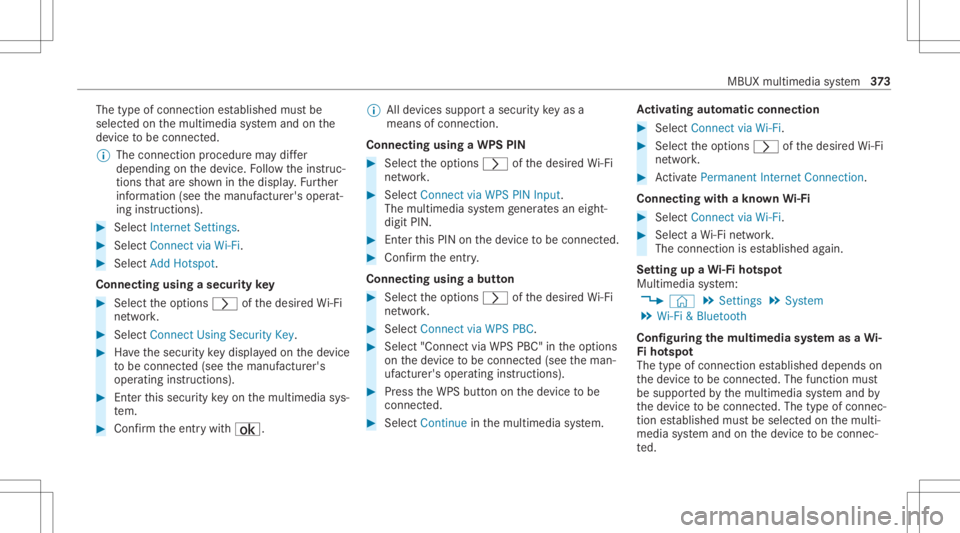
type ofconn ection established mustbe
select edon themultimedia system and onthe
de vice tobe con nected.
% The connection procedur ema ydif fer
dependin gon thede vice. Followtheins truc‐
tion sth at aresho wninthedispla y.Fu rther
inf ormation (seethemanuf acturer'soper at‐
ing instruction s). #
Select Internet Setting s. #
Select Connec tvia Wi-Fi. #
Select AddHotspot.
Connecting usingasecur itykey #
Select theop tion s0048 ofthedesir edWi-Fi
ne twork. #
Select Connect UsingSecu rityKey. #
Have thesecur itykeydisp laye don thede vice
to be con nected(see themanuf acturer's
oper ating instruction s). #
Enterth is secur itykeyon themultimedia sys‐
te m. #
Conf irm theent rywit h¡. %
Alldevic es suppor ta sec urity keyas a
mean sof conn ection .
Connec ting using aWPS PIN #
Selec tth eop tion s0048 ofthedesir edWi-Fi
ne twork. #
Select Connect viaWPS PINInpu t.
The multime diasy stem gener ates an eight-
di gitPIN . #
Enterthis PIN onthede vice tobe con nected. #
Conf irm theent ry.
Connect ingusin gabut ton #
Select theop tion s0048 ofthedesir edWi-Fi
ne twork. #
Select Connect viaWPS PBC. #
Select "Connect viaWPS PBC"in theop tion s
on thede vice tobe con nected(see theman‐
uf actur er'soper ating instruction s). #
Press theWPS buttononthede vice tobe
con nected. #
Select Continueinthemultimedia system. Ac
tiv atin gaut omati cco nn ectio n #
Select Connect viaWi-Fi. #
Select theop tion s0048 ofthedesir edWi-Fi
ne twork. #
ActivatePe rma nent InternetConnecti on.
Co nnectin gwi th akno wnWi-Fi #
Sele ctConnect viaWi-Fi . #
Sele ctaWi -Fi network.
The conn ection ises tablished again.
Se tting upaWi -Fiho tspo t
Mul timed iasystem:
4 © 5
Set ting s5
System
5 Wi-Fi &Bluetoot h
Conf iguringthemu ltim edia system asaWi -
Fi ho tspo t
The type ofconnection established depends on
th ede vice tobe con nected. The func tion must
be suppor tedby themultimedia system and by
th ede vice tobe con nected. The type ofcon nec‐
tion established mustbe select edon themulti‐
media system and onthede vice tobe con nec‐
te d. MBUX
multimedia system 37
3
Page 376 of 682
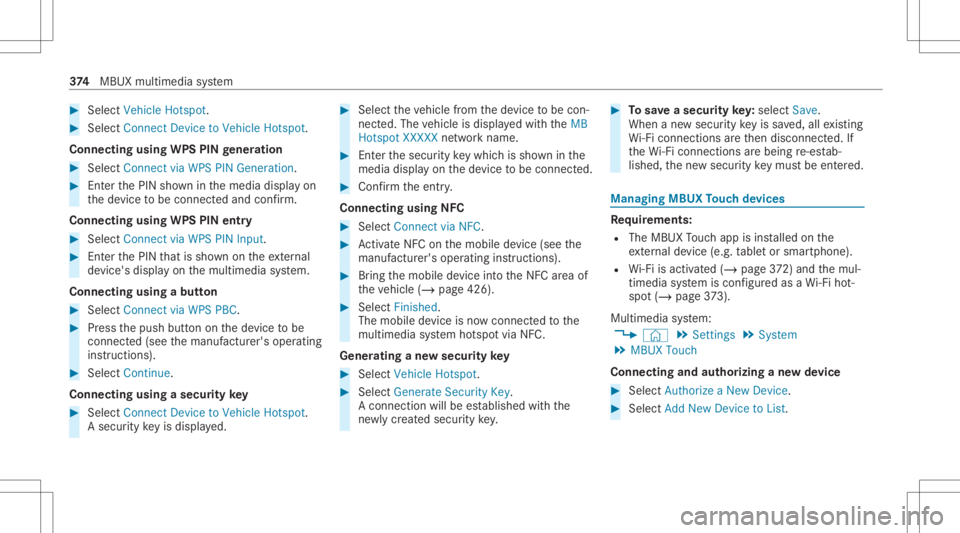
#
Select Veh icleHotsp ot. #
Select Connect DevicetoVeh icleHotsp ot.
Co nne cting using WPS PIN ge ner ation #
Select Connec tvia WPS PINGeneration. #
Enterth ePIN showninthemedia displayon
th ede vice tobe con nectedand confirm .
Connect ingusin gWPS PINentr y #
Sele ctConn ectviaWPS PINInput. #
Enterth ePIN that issho wnontheex tern al
de vic e's displa yon themultimedia system.
Connecting usingabutt on #
Select Connec tvia WPS PBC. #
Press thepush buttononthede vice tobe
con nected(see themanuf acturer'soper ating
ins truction s). #
Select Continue.
Connecting usingasecur itykey #
Select Connect DevicetoVeh icleHotsp ot.
A secu rity keyis disp laye d. #
Select theve hicle from thede vice tobe con ‐
nec ted. The vehicle isdispla yedwit hth eMB
Hot spot XXXXX networkname. #
Enterth esecur itykeywhic his sho wninthe
media display on thede vice tobe con nected. #
Conf irm theent ry.
Connect ingusin gNFC #
Sele ctConn ectviaNFC. #
ActivateNFC onthemobile device (see the
manuf acturer'soper ating instructions). #
Bring themobile device intoth eNFC area of
th eve hicle (/page426). #
Select Finished.
The mobile device isno wconn ectedtothe
multime diasystem hotspo tvia NFC.
Gener atingane wsecur itykey #
Select Veh icleHotsp ot. #
Select Genera teSecu rityKey.
A connecti onwillbe established withth e
ne wly crea tedsecur itykey. #
Tosave asec urity key:select Save.
When ane wsecur itykeyis save d, all existin g
Wi -Fi conne ctionsareth en discon nected.If
th eWi -Fi conne ctionsarebe ing re-es tab‐
lished, thene wsecur itykeymus tbe entere d. Mana
gingMBUX Touc hde vic es Re
quirement s:
R The MBUX Touc happ isins talled onthe
ex tern al de vic e(e. g.table tor smar tphon e).
R Wi-Fi isacti vated(/ page37 2) and themul‐
timedia system iscon figur edasaWi -Fi hot‐
spo t(/ page 373).
Mul timediasystem:
4 © 5
Set ting s5
System
5 MBUX Touch
Connecting andauthor izing ane wde vice #
Select AuthorizeaNew Devic e. #
Select AddNew Devic eto List. 37
4
MBUX multimedia system
Page 377 of 682
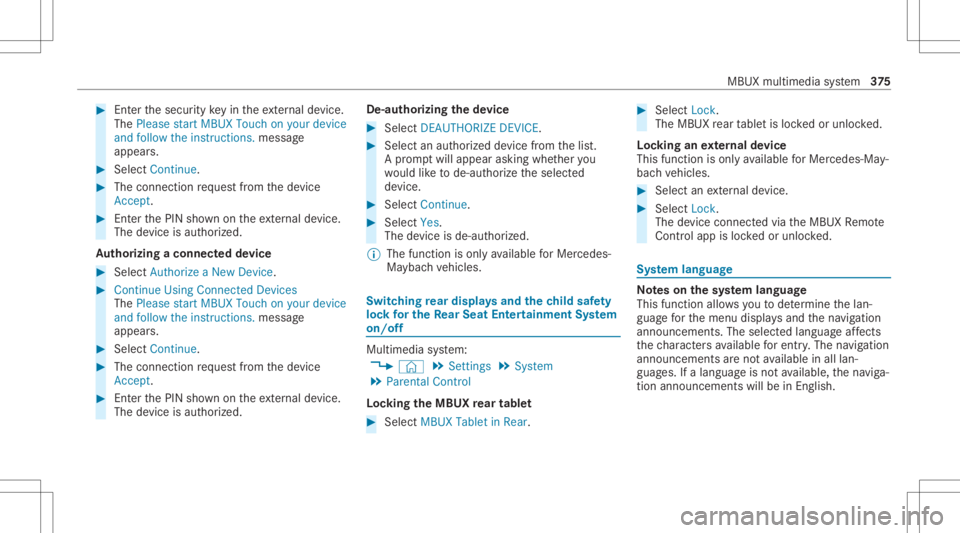
#
Enterthesecur itykeyin theex tern al de vic e.
The Please start MBU XTouc hon your device
and follow theins truct ions.mes sage
appear s. #
Select Con tinue. #
The connectionre qu estfr om thede vice
Acc ept. #
Enterth ePIN shownontheex tern al de vic e.
The devic eis aut hor ized.
Au thorizing aconnect eddevice #
Sele ctAut hori zeaNew Device. #
Cont inue UsingConn ectedDev ices
The Please start MBU XTouc hon your devic e
and followtheins truct ions .mess age
appear s. #
Sele ctCont inue. #
The connectionre qu estfr om thede vice
Acc ept. #
Enterth ePIN shownontheex tern al de vic e.
The devic eis aut hor ized. De-a
uthor izin gth ede vice #
Sele ctDE AU THO RIZE DEVICE . #
Sele ctan aut hor ized devic efrom thelis t.
A pr om ptwill appear askingwhe ther you
wo uld liketo de-aut horize theselect ed
de vice. #
Select Continue. #
Select Yes.
The device isde-aut horized.
% The func tion isonl yav ailable forMer cedes-
Ma yba chvehicles. Switc
hingrear displa ysand thech ild safety
loc kfo rthe Rear Seat Entertai nment System
on/of f Multi
media system:
4 © 5
Set ting s5
System
5 Parent alContr ol
Loc king theMB UX rear tab let #
Select MBUXTabletinRea r. #
Select Lock.
The MBUX rear table tis loc kedor unloc ked.
Loc king anextern al de vic e
This function isonly available forMer cedes-Ma y‐
bac hve hicles. #
Select anextern al de vic e. #
Select Lock.
The devic econ nectedvia theMBUX Remo te
Con trol app isloc kedor unloc ked. Sy
stem langu age No
teson thesy stem langu age
This function allowsyouto determ ine thelan‐
guag efo rth emenu displaysand thena vig ation
announ cements.The select edlanguag eaf fects
th ech aract ersav ailable forentr y.The navig ation
announc ementsar eno tav ailable inall lan‐
guag es.Ifalang uageis no tav ailable, thena vig a‐
tion announ cementswill beinEn glish. MBU
Xmultim ediasystem 37
5
Page 430 of 682
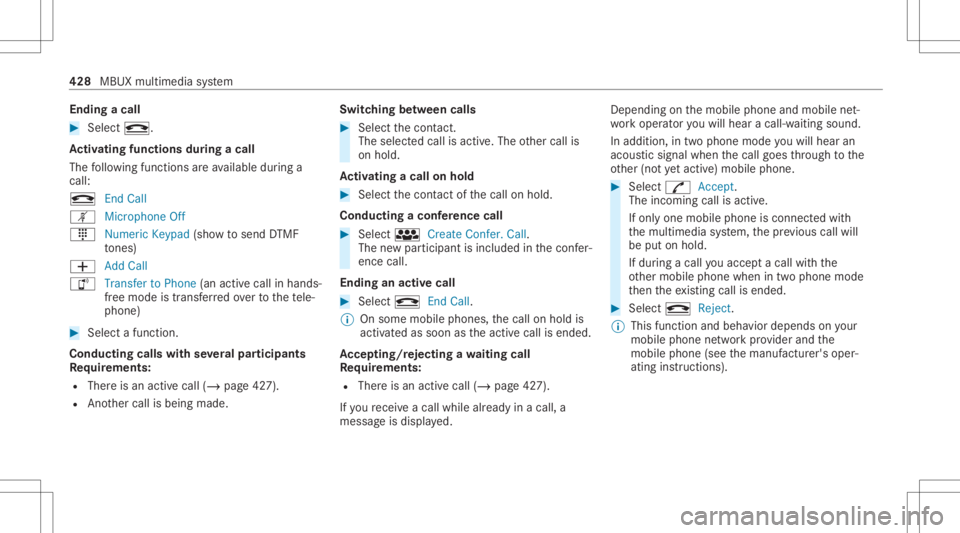
Endin
gacall #
Sele ctk.
Ac tiv atin gfun ctionsdur ingacal l
The follo wing functionsar eav ailable during a
call:
k EndCall
m Microph oneOff
_ NumericKeypad (showto send DTMF
to nes)
0081 AddCall
h Transfe rto Pho ne(anacti vecal lin ha nds-
fr ee mod eis transf erredove rto thete le‐
phon e) #
Selec ta func tion.
Conduct ingcalls withse ve ralpar ticip ants
Re quirement s:
R Ther eis an act ive call (/ page42 7).
R Another call isbeing made. Switc
hingbetw een calls #
Select thecon tact.
The select edcallis acti ve.The other call is
on hold.
Ac tiv atin gacal lon hol d #
Select thecon tact of thecall onhold.
Conducting aconf erence call #
Select iCreate Confer. Call.
The newpar ticipan tis included inthecon fer‐
ence call.
Endin gan activ ecall #
Select kEndCall.
% Onsome mobilephones, thecall onhold is
activ ated assoon astheactiv ecall isended.
Ac cep ting/r eject ingawa iting call
Re quirement s:
R Ther eis an act ive call (/ page42 7).
If yo ure cei veacall while already inacall, a
mes sageis displa yed. Depen
dingonthemobile phoneandmobile net‐
wo rkoper ator youwill hear acall- waitin gsound .
In addition ,in twophon emode youwill hear an
aco ustic sign alwhen thecall goes thro ugh tothe
ot her (notye tacti ve)mobile phone. #
Selec tR Accept.
The incomin gcall isactiv e.
If onl yone mobile phoneiscon nectedwit h
th emultimedia system, thepr ev ious callwill
be put onhold.
If dur ing acall youacc epta call withth e
ot her mobile phonewhenintwophone mode
th en theex istin gcall isended . #
Selec tk Reject.
% This function andbeha viordepen dson your
mob ilephon ene tworkpr ov ider andthe
mobil ephone (seethemanuf acturer'soper‐
ating instruction s). 428
MBUX multimedia system
Page 485 of 682
Ke
eping theair -water duct free #
Keep thear ea between thehood andthe
winds hieldfree ofdepos its,e.g .ice, snow
and leaves. Cleani
ngand care Inf
ormat iononwashing theve hicl ein acar
wa sh &
WARNIN GRisk ofacci dent dueto
re duced braking effect afte rwa shing the
ve hicle
The braking effect isreduced afte rwa shing
th eve hicle. #
Afterth eve hicle hasbeen washed,
br ak ecar efully whilepaying attention to
th etraf fic condi tions untilth ebr aking
ef fect hasbee nful lyrestor ed. *
NO
TEDama gedue touns uitable car
wa sh #
Beforedr iving intoacar wash mak e
sur eth at thecar wash issuit able for
th eve hicle dimensions. #
Ensur eth er eis suf ficie ntgrou nd clear‐
ance between theunderbody andthe
guide rails ofthecar wash. #
Ensur eth at theclear ance widthof the
car wash, inpar ticular thewidt hof the
guide rails, issuf ficie nt. To
avo iddamag eto your vehicle when usinga
car wash, ensur eth efo llo wing beforehand:
R ActiveDis tance AssistDIS TRONI Cand the
HOLD functio nar edea ctivated.
R The 360° Camer aor there ar vie wcam erais
swit ched off.
R The side windo wsand slidin gsun roof are
com pletely clos ed.
R The outsid emir rors arefo lded in.
R The blowerfo rth eve ntil ation/he ating is
sw itched off. R
The windsh ield wipe rsw itchis in po sitio n
005A.
R The Sma rtKe yis at amin imum distance of
10 ft(3 m) away from theve hicle, other wise
th eta ilg atecould openunintentio nally.
R Incar washes withacon veyo rsy stem: neu‐
tra l005C iseng aged.
% Drive st ra ight andinthecent eroftheguide
ra ils ofthecar wash topreve ntdama geto
th etir es and rims.
% Incar washes withacon veyo rsy stem: ifyo u
wo uld liketo lea vetheve hicle while itis
being washed, makesur eth eSmar tKey is
locat edintheve hicle. Theparkposition 005D
is other wise automaticall yeng aged.
% If,afte rth ecar wash, youre mo vethewa x
fr om thewindshield andwiper rubber s,this
will preve ntsme aring and reduce wiper
noise.
Au tomatic carwa sh mode
In car wash mode, theve hicle isprepar edfor
dr iving intoth eaut omatic carwash. Car wash Maint
enance andcare483
Page 487 of 682
Multimedia
system:
4 © 5
Set ting s5
Quick Access
Ac tiv atin gaut omati ccar wash mode #
Select AutomaticCarWash Mode. #
Select Start .
If one ofthese ttings cann otbe select ed,this is
displa yedby a% behindth ere spectiv ese t‐
ting.
% Foran overvie wof these ttings made when
activ ating automatic carwash mode
(/ page483).
Deactiv atingautomatic carwash mode #
Select Stop.
The automatic carwash settin gsarere se t.
% The automatic carwash mode isaut omati‐
cally deactiv ated assoon asaspeed of
12 mp h(20 km/h) isexc eeded. Inf
ormat iononusing apo we rwa sher &
WARNIN GRisk ofacci dent whenus ing
hig h-pr essurecle ani ng equipm entwith
ro und -spr ay nozzl es
The waterje tfr om aro und -spr ay nozzl e(d irt
gr ind er) maycau sedama getotires and sus‐
pe nsi on components that isno tvisi ble.
Com ponentsdamag edinthis wa yma yfa il
une xpec tedly. #
Donotus ehigh- press urecle ani ng
eq uipme ntwith round -spr ay nozzl esto
cle an your vehicle. #
Damag edtires orsuspension compo‐
nent smus tbe replaced immediat ely. To
avo iddamag eto your vehicle, observethefo l‐
lo wing when usingapo we rwa sher :
R Keep theSmar tKey atleas t10 ft(3 m) away
fr om theve hicle. Other wise theta ilg ate
could openunintentio nally.
R Maint ainadis tance ofat leas t11 .8 in
(30 cm) totheve hicle. R
Vehicl eswith decorativ efo il: par tsof your
ve hicle areco veredwit hadecora tivefo il.
Maint ainadis tance ofat leas t27 .6 in
(70 cm) between thefo il-c ove redpar tsof the
ve hicle andthenoz zleofthepo we rwa sher .
Mo vethepo we rwa sher nozzlearound whilst
cleaning. Thewaterte mp eratur eof the
po we rwa sher mustno texc eed 124°F
(60 °C).
R Obse rveth einf ormation onthecor rect dis‐
tan ceintheeq uipment manufacturer'soper‐
ating instruction s.
R Donotpoint thenoz zleofthepo we rwa sher
dir ectl yat sensitiv epar tssuc has tires, slits,
electr icalcom ponents, batteries, light bulbs
and ventil ation slot s. Wa
shing theve hicl eby hand Obser
vetheleg alrequ iremen ts,e.g. inanumb er
of coun tries, washing byhand isonl yper mitt ed
in specially designatedwash bays. #
Use amild cleaning agent, e.g.carsham poo. Maint
enance andcare485