Steering Pilot On MERCEDES-BENZ GLS-Class SUV 2017 X166 Owner's Manual
[x] Cancel search | Manufacturer: MERCEDES-BENZ, Model Year: 2017, Model line: GLS-Class SUV, Model: MERCEDES-BENZ GLS-Class SUV 2017 X166Pages: 390, PDF Size: 9.71 MB
Page 11 of 390
DistancePilot DISTRONIC
Activatin g...................................... .176
Activation conditions ..................... 176
Cruise control lever ....................... 175
Display Message ............................ 266
Displays in the instrument cluster .. 179
Driving tips ....................................1 80
Function/notes .............................1 74
Important safety notes .................. 174
Setting the specified minimum
distance ......................................... 178
Stopping ........................................ 177
Switching off .................................. 178
Warning lamp ................................. 285
Distance recorder
see Odometer
see Trip odometer
Distance warning (warning lamp) .... 285
Distance warning function
Function/notes ................................ 65
Warning lamp ................................. 285
Doors
Automatic locking (on-board com-
puter) ............................................. 239
Automatic locking (switch) ...............8 1
Central locking/unlocking
(SmartKey) ...................................... .74
Control panel .................................. .40
Display message ............................ 272
Emergency locking ........................... 81
Emergency unlocking ....................... 81
Important safety notes .................... 80
Opening (from inside) ...................... 80
Overview .......................................... 80
Power closing .................................. 81
Drinking and driving ......................... 163
Drive program
Automatic transmission ................. 149
Off-Road program (vehicles with-
out Off-Road Engineering pack-
age) ............................................... 217
Off-road programs (vehicles with
Off-Road Engineering package) ...... 218
SETUP (on-board comp uter) .......... 241
D
rive programs
Display (DIRECT SELECT lever) ...... 148
Driver's door
see Doors Driving
Important safety notes .................. 137
Driving abroad
Mercedes-Benz Service ................. 324
Driving Assistance PLUS package ... 210
Driving in mountainous terrain
Approach/departure angle ............ 171
Driving lamps
see Daytime running lamps
Driving off-road
see Off-road driving
Driving safety system
Active Brake Assist .......................... 64
Driving safety systems
ABS (Anti-lock Braking System) ....... 63
Active Brake Assist with cross-
traffic function ................................. 69
ADAPTIVE BRAKE ............................. 69
Adaptive Brake Assist ...................... 65
BAS (Brake Assist System) .............. 64
Distance warning function ............... 65
EBD (electronic brake force distri-
bution) ............................................. 69
ESP
®(Electronic Stability Pro-
gram) ............................................... 66
Important safety information ........... 63
Overview .......................................... 63
STEER CONTROL ............................. 72
Driving system
AIRMATIC package ........................ 186
Distance Pilot DISTRONIC ............. 174
Distance Pilot DISTRONIC with
Steering Pilot ................................. 180
Parking assist PARKTRONIC .......... 190
Parking Pilot .................................. 193
Driving systems
360°camera .................................. 201
Active Blind Spot Assist ................. 210
Active Curve System ...................... 187
Active Lane Keeping Assist ............ 213
ADS ............................................... 186
AMG adaptive sport suspension
system ........................................... 189
ATTENTION ASSIST ........................ 205
Blind Spot Assist ............................ 207
Cruise control ................................ 172
Display message ............................ 261
Driving Assistance Plus package ... 210
Index9
Page 16 of 390
Locking centrallysee Central locking
Locking verification signal (on-
board computer) .............................. .239
LOW RANGE
Display message ............................ 263
Off-road gear ................................. 219
LOW RANGE off-road gear ................ 219
Low-beam headlamps
Display message ............................ 256
Replacing bulbs .............................1 18
Switching on/off ........................... 113
Lumbar support
Adjusting (on the seat) .................. 103
Luxury head restraints ....................... 97
M
M+S tires............................................ 348
Malfunction message
see Display messages
Matte finish (cleaning instruc-
tions) ..................................................3 26
mbrace
Call priority ....................................3 11
Display message ............................ 250
Downloading destinations
(COMAND) ..................................... 312
Downloading routes ....................... 314
Emergency call .............................. 309
General notes ................................ 308
Geo fencing ................................... 315
Locating a stolen vehicle ...............3 13
MB info call button ........................ 311
Remote fault diagnosis .................. 313
Remote vehicle locking .................. 313
Roadside Assistance button .......... 310
Search & Send ............................... 312
Self-test ......................................... 309
Speed alert .................................... 314
System .......................................... 308
Triggering the vehicle alarm ........... 315
Vehicle remote unlocking .............. 313
Mechanical key
Function/notes ................................ 76
General notes .................................. 76
Inserting .......................................... 76
Locking vehicle ................................ 81 Removing ......................................... 76
Unlocking the driver's door .............. 81
Media Interface
USB port in the armrest of the
center console ............................... 295
see Digital Operator's Manual
Memory card (audio) ......................... 235
Memory function ............................... 110
Mercedes-Benz Intelligent Drive
360°camera .................................. 201
Active Blind Spot Assist ................. 210
Active Lane Keeping Assist ............ 213
ATTENTION ASSIST ........................ 205
Blind Spot Assist ............................ 207
Distance Pilot DISTRONIC ............. 174
Distance Pilot DISTRONIC with
Steering Pilot ................................. 180
General notes ................................ 172
Lane Keeping Assist ...................... 209
Parking Assist PARKTRONIC .......... 190
Parking Pilot .................................. 193
PRE-SAFE
®PLUS (anticipatory
occupant protectio n P
LUS) .............. 56
Rear view camera .......................... 197
Traffic Sign Assist .......................... 206
Message memory (on-board com-
puter) .................................................. 244
Mirror
Vanity mirror (sun visor) ................ 304
Mirror turn signal
Cleaning ......................................... 327
Mirrors
see Exterior mirrors
see Rear-view mirror
see Vanity mirror (in the sun visor)
Mobile phone
Connecting (Bluetooth
®inter-
face) .............................................. 290
Connecting another mobile
phone ............................................ 292
Frequencies ................................... 376
Installation ..................................... 376
Menu (on-board computer) ............ 235
Transmission output (maximum) .... 376
Modifying the programming
(SmartKey) ........................................... 76
MOExtended tires .............................. 332
14Index
Page 18 of 390
Off-road ESP®..................................68
Off-road programs (vehicles with
Off-Road Engineering package) ...... 218
Oil
see Engine oil
On and Offroad menu (on-board
computer) .......................................... 241
On-board computer
AMG menu .....................................2 41
Assistance menu ........................... 236
Audio menu ................................... 234
Convenience submenu .................. 240
Display messages .......................... 243
Displaying a service message ........3 23
Distance Pilot DISTRONIC ............. 179
Factory settings submenu ............. 240
Important safety notes .................. 229
Instrument cluster submenu .......... 238
Lighting submenu .......................... 239
Menu overview .............................. 232
Message memory .......................... 244
Navigation menu ............................ 233
On and Offroad menu .................... 241
Operation ....................................... 230
RACETIMER ................................... 241
Settings menu ............................... 238
Standard display ............................ 232
Telephone menu ............................ 235
Trip menu ...................................... 232
Vehicle submenu ........................... 239
Video DVD operation ..................... 235
Operating safety
Declaration of conformity ................ 28
Important safety notes .................... 28
Operating system
see On-board computer
Operator's Manual
Overview .......................................... 26
Vehicle equipment ........................... 26
Outside temperature display ........... 229
Overhead control panel ...................... 39
Override feature
Rear side windows ........................... 62
P
Paddle shifterssee Steering wheel paddle shifters Paint code number
............................ 377
Paintwork (cleaning instructions) ... 326
Panic alarm .......................................... 41
Panorama roof with power tilt/
sliding panel
Important safety notes .................... 89
Opening/closing the roller sun-
blind ................................................. 92
Operating ......................................... 91
Operating the roller sunblinds for
the sliding sunroof ........................... 91
Problem (malfunction) ..................... 92
Reversing feature ............................. 90
Parking
Important safety notes .................. 159
Parking brake ................................ 160
Position of exterior mirror, front-
passenger side ............................... 109
Rear view camera .......................... 197
see PARKTRONIC
Parking aid
Parking Pilot .................................. 193
see 360° camera
see Exterior mirrors
see PARKTRONIC
Parking Assist PARKTRONIC
Deactivating/activating ................. 192
Driving system ............................... 190
Function/notes ............................. 190
Important safety notes .................. 190
Problems (malfunctions) ................ 193
Sensor range ................................. 191
Towing a trailer .............................. 190
Warning display ............................. 192
Parking brake
Applying automatically ................... 161
Applying or releasing manually ...... 161
Display message ............................ 247
Electric parking brake .................... 160
Emergency braking ........................ 162
General notes ................................ 160
Releasing automatically ................. 161
Warning lamp ................................. 282
Parking lamps
Switching on/off ........................... 113
Parking Pilot
Display Message ............................ 265
Exiting a parking space .................. 196
16Index
Page 22 of 390
SocketsCenter console .............................. 306
General notes ................................ 306
Luggage compartment ...................3 07
Rear compartment ......................... 306
Sound
Switching on/off ........................... 288
Special seat belt retractor .................. 57
Specialist workshop ............................ 29
Speed, controlling
see Cruise control
Speedometer
Digital ............................................ 233
In the Instrument cluster ................. 34
Segments ...................................... 229
Selecting the display unit ...............2 38
Standing lamps
Display message ............................ 256
Switching on/off ........................... 113
Start/Stop button
Starting the engine ........................ 140
Start/stop function
see ECO start/stop function
Starting (engine) ................................ 139
STEER CONTROL .................................. 72
Steering
Display message ............................ 272
Steering Pilot
Activating/deactivating ................. 237
Display message ............................ 267
Steering wheel
Adjusting (electrically) ................... 106
Adjusting (manually) ...................... 105
Button overview ............................... 35
Buttons (on-board computer) ......... 230
Cleaning ......................................... 329
Important safety notes .................. 105
Steering wheel heating .................. 106
Storing settings (memory func-
tion) ............................................... 110
Steering wheel heating
Problem (malfunction) ................... 106
Switching on/off ........................... 106
Steering wheel paddle shifters ........ 150
Stopwatch (RACETIMER) ................... 241
Stowage areas ................................... 294 Stowage compartments
Armrest (under) ............................. 295
Center console .............................. 296
Center console (rear) ..................... 296
Cup holders ................................... 302
Eyeglasses compartment ............... 296
Glove box ....................................... 295
Important safety information ......... 294
Stowage net ................................... 296
Stowage ne t
....................................... 296
Summe
r tires
In winter ........................................ 348
Sun visor ............................................ 304
Suspension setting
AMG adaptive sport suspension
system ........................................... 189
Suspension settings
SETUP (on-board computer) .......... 241
SUV
(Sport Utility Vehicle) ....................... 28
Switching air-recirculation mode
on/off ................................................. 133
Switching on media mode
Via the device list .......................... 292
T
Tachometer ........................................ 229
Tailgate
Display message ............................ 271
Emergency unlocking ....................... 85
Important safety notes .................... 81
Limiting the opening angle ............... 85
Opening dimensions ...................... 384
Opening/closing (automatically
from inside) ...................................... 84
Opening/closing (automatically
from outside) ................................... 83
Opening/closing (from outside) ....... 82
Power closing .................................. 81
Tank
see Fuel tank
Tank content
Fuel gauge ....................................... 34
Technical data
Capacities ...................................... 378
Information .................................... 376
Tires/wheels ................................. 371
20Index
Page 58 of 390
Rvehicles with the memory function: the front-
passenger seat is adjusted if it is in an unfav-
orable position.
Rvehicles with a multicontour seat: the air pres-
sure in the side bolsters of the seat backrest
is increased.
If the hazardous situation passes without result-
ing in an accident, PRE-SAFE
®slackens the belt
pre-tensioning. On vehicles with multicontour
seats, the air pressure in the side bolsters is
reduced again. All settings made by PRE-SAFE
®
can then be reversed.
If the seat belt pre-tensioning is not reduced:
XMove the seat backrest or seat back slightly
when the vehicle is stationary.
The seat belt pre-tensioning is reduced and
the locking mechanism is released.
The seat-belt adjustment is an integral part of
the PRE-SAFE
®convenience function. Informa-
tion about the convenience function can be
found under "Belt adjustment" (
Ypage 45).
PRE-SAFE®PLUS (anticipatory occu-
pant protection system PLUS)
Introduction
PRE-SAFE®PLUS is only available in vehicles
with the Driving Assistance package.
Using the radar sensor system, PRE-SAFE
®
PLUS is able to detect that a head-on or rear-end
collision is imminent. In certain hazardous sit-
uations, PRE-SAFE
®PLUS takes pre-emptive
measures to protect the vehicle occupants.
Important safety notes
The intervention of PRE-SAFE®PLUS cannot
prevent an imminent collision.
The driver is not warned about the intervention
of PRE-SAFE
®PLUS.
PRE-SAFE®PLUS does not intervene if the vehi-
cle is backing up.
When driving, or when parking or exiting a park-
ing space with assistance from Parking Pilot,
PRE-SAFE
®PLUS will not apply the brakes.
Function
PRE-SAFE®PLUS intervenes in certain situa-
tions if the radar sensor system detects an
imminent head-on or rear-end collision.
PRE-SAFE
®PLUS takes the following measures
depending on the hazardous situation detected:
Rif the radar sensor system detects that a
head-on collision is imminent, the seat belts
are pre-tensioned.
Rif the radar sensor system detects that a rear-
end collision is imminent:
-the brake pressure is increased if the driver
applies the brakes when the vehicle is sta- tionary.
-the seat belts are pre-tensioned.
The PRE-SAFE®PLUS braking application is can-
celed:
Rif the accelerator pedal is depressed when a
gear is engaged
Rif the risk of a collision passes or is no longer
detected
Rif Distance Pilot DISTRONIC indicates an
intention to pull away
If the hazardous situation passes without result-
ing in an accident, the original settings are
restored.
Automatic measures after an acci-
dent
Immediately after an accident, the following
measures are implemented, depending on the
type and severity of the impact:
Rthe hazard warning lamps are activated
Rthe emergency lighting is activated
Rthe vehicle doors are unlocked
Rthe front side windows are lowered
Rvehicles with a memory function: the electri-
cally adjustable steering wheel is raised
Rthe engine is switched off and the fuel supply
is cut off
Rvehicles with mbrace: automatic emergency
call
56Occupant safety
Safety
Page 151 of 390
ANeutral
Do not shift the transmission toN
while driving. Otherwise, the auto-
matic transmission could be dam-
aged.
No power is transmitted from the
engine to the drive wheels.
Releasing the brakes will allow you to
move the vehicle freely, e.g. to push
it or tow it.
If ESP
®is deactivated or faulty: shift
the transmission to position Nif the
vehicle is in danger of skidding, e.g.
on icy roads.
If you switch the engine off with the
transmission in position Ror D, the
automatic transmission shifts to N
automatically.
!Rolling in neutral Ncan damage
the drive train.
7Drive
The automatic transmission changes
gear automatically. All forward gears
are available.
Driving tips
Changing gear
The automatic transmission shifts to the indi-
vidual gears automatically when it is in trans-
mission position D. This automatic gear shifting
behavior is determined by:
Rthe selected drive program
Rthe position of the accelerator pedal
Rthe road speed
Accelerator pedal position
Your style of driving influences how the auto-
matic transmission shifts gear:
Rlittle throttle: early upshifts
Rmore throttle: late upshifts
Kickdown
Use kickdown for maximum acceleration.
XDepress the accelerator pedal beyond the
pressure point.
The automatic transmission shifts to a lower
gear depending on the engine speed.
XEase off the accelerator pedal once the
desired speed is reached.
The automatic transmission shifts back up.
Rocking the vehicle free
Shifting the transmission repeatedly between
gears Dand Rmay help to free the vehicle if it
has become stuck in slush or snow. The vehi-
cle's engine management system limits the
speed to a maximum of 5 mph (9 km/h) when
shifting back and forth. To shift back and forth
between transmission positions Dand R, move
the DIRECT SELECT lever up and down past the
point of resistance.
Towing a trailer
XDrive in the middle of the engine speed range
on uphill gradients.
XDepending on the uphill or downhill gradient,
use the left-hand steering wheel paddle
shifter (
Ypage 150) to select a lower gear,
even if cruise control or Distance Pilot
DISTRONIC are activated.
Drive programs
Slippery drive program
The Slippery drive program has the following
characteristics:
Rreduced engine and transmission settings for
optimum propulsion on slippery or snow-cov-
ered roads.
Roptimized ESP®stability control on slippery or
snow-covered roads.
Rthe vehicle has improved driving stability on
slippery or snow-covered roads, for example.
Automatic transmission149
Driving an d parking
Z
Page 167 of 390
This helps you to avoid overheating the
brakes and wearing them out excessively.
When you take advantage of engine braking, a
drive wheel may not turn for some time, e.g.
on a slippery road surface. This could cause
damage to the drive train. This type of damage is not covered by the Mercedes-Benz war-
ranty.
Do not depress the brake pedal continuously
while the vehicle is in motion, e.g. causing the
brakes to rub by constantly applying light pres-
sure to the pedal. This results in excessive and
premature wear to the brake pads.
Use the left-hand steering wheel paddle shifter
to shift into a lower gear in good time on long
and steep downhill gradients. This is especially
important if the vehicle is laden.
This also applies if you have activated cruise
control, the speed limiter or Distance Pilot
DISTRONIC.
This will use the braking effect of the engine, so
that less braking will be required to maintain the
speed. This relieves the load on the brake sys-
tem and prevents the brakes from overheating
and wearing too quickly.
Heavy and light loads
GWARNING
If you rest your foot on the brake pedal while
driving, the braking system can overheat. This increases the stopping distance and can even
cause the braking system to fail. There is a
risk of an accident.
Never use the brake pedal as a footrest. Never
depress the brake pedal and the accelerator
pedal at the same time.
!Depressing the brake pedal constantly
results in excessive and premature wear to
the brake pads.
If the brakes have been subjected to a heavy
load, do not stop the vehicle immediately. Drive
on for a short while. This allows the airflow to
cool the brakes more quickly.
Wet roads
If you have driven for a long time in heavy rain
without braking, there may be a delayed reac-
tion from the brakes when braking for the first time. This may also occur after the vehicle has
been washed or driven through deep water.
You then have to depress the brake pedal more
firmly. Maintain a greater distance from the
vehicle in front.
After driving on a wet road or having the vehicle
washed, brake firmly while paying attention to
the traffic conditions. This will warm up the
brake discs, thereby drying them more quickly
and protecting them against corrosion.
Limited braking performance on salt-
treated roads
If you drive on salted roads, a layer of salt resi-
due may form on the brake discs and brake
pads. This can result in a significantly longer
braking distance.
RBrake occasionally to remove any possible
salt residue. Make sure that you do not
endanger other road users when doing so.
RCarefully depress the brake pedal and the
beginning and end of a journey.
RMaintain a greater distance to the vehicle
ahead.
Servicing the brakes
!The brake fluid level may be too low, if:
Rif the red brake warning lamp lights up in
the instrument cluster and
Ryou hear a warning tone while the engine is
running
Observe additional warning messages in the
multifunction display.
The brake fluid level may be too low due to
brake pad wear or leaking brake lines.
Have the brake system checked immediately.
Consult a qualified specialist workshop to
arrange this.
!A function or performance test should only
be carried out on a 2-axle dynamometer. If
you wish to operate the vehicle on such a
dynamometer, please consult a qualified spe-
cialist workshop in advance. You could oth-
erwise damage the drive train or the brake
system.
!Because ESP®is an automatic system, the
engine and ignition must be switched off
(SmartKey in position 0or 1or Start/Stop
button in position 0or 1) when the electric
Driving tips165
Driving and parking
Z
Page 169 of 390
Off-road fording
!Under no circumstances should you accel-
erate before entering the water. The bow
wave could cause water to enter and damage
the engine and other assemblies.
!Do not open any of the vehicle's doors while
fording. Otherwise, water could get into the
vehicle interior and damage the vehicle's
electronics and interior equipment.
REstablish how deep the water is and the char-
acteristics of the body of water before ford-
ing.
RSelect the highest possible vehicle level.
RShift to a lower gear using the left-hand steer-
ing wheel paddle shifter.
RAvoid high engine speeds.
REnter and exit the water at a flat place and at
a steady walking pace.
RDrive slowly and at an even speed through the
water.
REnsure that a bow wave does not form as you
drive.
RDo not stop and do not switch off the engine.
Water offers a high degree of resistance, and
the ground is slippery and in some cases
unstable. Therefore, it is difficult and danger-
ous to pull away in the water.
RClean any mud from the tire tread after ford-
ing.
RApply the brakes to dry them after fording.
Always observe the fording depth values
(
Ypage 385).
Winter driving
GWARNING
If you shift down on a slippery road surface in an attempt to increase the engine's braking
effect, the drive wheels could lose their grip.
There is an increased danger of skidding and
accidents.
Do not shift down for additional engine brak-
ing on a slippery road surface.
GDANGER
If the exhaust pipe is blocked or adequate
ventilation is not possible, poisonous gases
such as carbon monoxide (CO) may enter the vehicle. This is the case, e.g. if the vehicle
becomes trapped in snow. There is a risk of
fatal injury.
If you leave the engine or the auxiliary heating
running, make sure the exhaust pipe and area
around the vehicle are clear of snow. To
ensure an adequate supply of fresh air, open a
window on the side of the vehicle that is not
facing into the wind.
Have your vehicle winter-proofed at a qualified
specialist workshop at the onset of winter.
Drive particularly carefully on slippery road sur-
faces. Avoid sudden acceleration, steering and
braking maneuvers. Do not use cruise control or
Distance Pilot DISTRONIC.
If the vehicle threatens to skid or cannot be
stopped when moving at low speed:
XShift the transmission to position N.
When driving in snow with or without snow
chains, select driving program Slippery
(
Ypage 145).
iVehicles with a diesel engine: do not
cover the radiator, e.g. with a protective
cover. The measuring function of the on-
board diagnosis system may otherwise pro-
vide inaccurate values. Some of these values
are required by law and must therefore always be accurate.
The outside temperature indicator is not
designed to serve as an ice-warning device and
is therefore unsuitable for that purpose.
Changes in the outside temperature are dis-
played after a short delay.
Indicated temperatures just above the freezing
point do not guarantee that the road surface is
free of ice. The road may still be icy, especially in
wooded areas or on bridges. You should pay
special attention to road conditions when tem-
peratures are around the freezing point.
For more information on driving with snow
chains, see (
Ypage 348).
For more information on driving with summer
tires, see (
Ypage 348).
Observe the notes in the "Changing a wheel"
section (
Ypage 366).
Driving tips167
Driving and parking
Z
Page 182 of 390
Tips for driving with Distance Pilot
DISTRONIC
General notes
Pay particular attention in the following traffic
situations:
RCornering, entering and exiting a bend: the
ability of Distance Pilot DISTRONIC to detect
vehicles during cornering is limited. Your vehi-
cle may brake unexpectedly or late.
RDriving on a different line: Distance Pilot
DISTRONIC may not detect vehicles which are
not driving in the middle of their lane. The dis-
tance to the vehicle in front will be too short.
ROther vehicles changing lanes: Distance Pilot
DISTRONIC has not detected the vehicle cut-
ting in yet. The distance to this vehicle will be
too short.
RNarrow vehicles: Distance Pilot DISTRONIC
has not yet detected the vehicle in front on
the edge of the road because of its narrow
width. The distance to the vehicle in front willbe too short.
RObstacles and stationary vehicles: Distance
Pilot DISTRONIC does not brake for obstacles
or stationary vehicles. If, for example, the
detected vehicle turns a corner and an obsta-cle or stationary vehicle is then revealed, Dis-
tance Pilot DISTRONIC will not brake for
them.
RCrossing traffic: Distance Pilot DISTRONIC
may mistakenly detect vehicles that are
crossing your lane. Activating Distance Pil
ot
DISTRONIC at, for example, a traffic light with
crossing traffic, could cause your vehicle to
pull away at the wrong time.
In such situations, brake if necessary. Distance
Pilot DISTRONIC will then be deactivated.
Distance Pilot DISTRONIC with Steering
Pilot
General notes
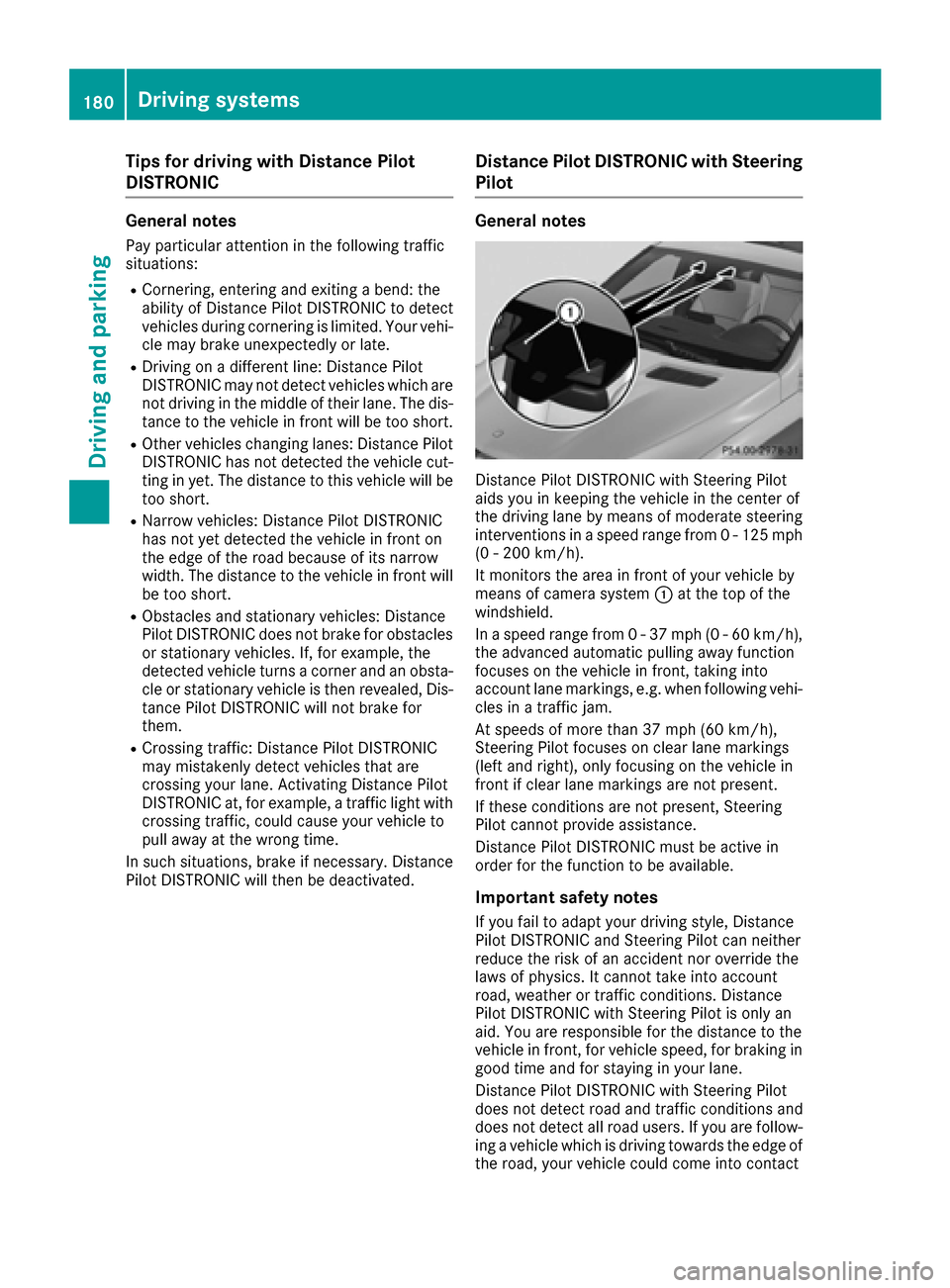
Distance Pilot DISTRONIC with Steering Pilot
aids you in keeping the vehicle in the center of
the driving lane by means of moderate steering
interventions in a speed range from 0 - 125 mph (0 - 200 km/h).
It monitors the area in front of your vehicle by
means of camera system :at the top of the
windshield.
In a speed range from 0 - 37 mph (0 - 60 km/h),
the advanced automatic pulling away function
focuses on the vehicle in front, taking into
account lane markings, e.g. when following vehi-
cles in a traffic jam.
At speeds of more than 37 mph (60 km/h),
Steering Pilot focuses on clear lane markings
(left and right), only focusing on the vehicle in
front if clear lane markings are not present.
If these conditions are not present, Steering
Pilot cannot provide assistance.
Distance Pilot DISTRONIC must be active in
order for the function to be available.
Important safety notes
If you fail to adapt your driving style, Distance
Pilot DISTRONIC and Steering Pilot can neither
reduce the risk of an accident nor override the
laws of physics. It cannot take into account
road, weather or traffic conditions. Distance
Pilot DISTRONIC with Steering Pilot is only an
aid
. You are responsible for the distance to the
vehicle in front, for vehicle speed, for braking in
good time and for staying in your lane.
Distance Pilot DISTRONIC with Steering Pilot
does not detect road and traffic conditions and
does not detect all road users. If you are follow-
ing a vehicle which is driving towards the edge of
the road, your vehicle could come into contact
180Driving system s
Driving an d parking
Page 183 of 390
with the curb or other road boundaries. Be par-
ticularly aware of other road users, e.g. cyclists,
that are directly next to your vehicle.
Obstacles such as traffic pylons on the lane or
projecting out into the lane are not detected.
An inappropriate steering intervention, e.g. afterintentionally driving over a lane marking, can be
corrected at any time if you steer slightly in theopposite direction.
DISTRONIC PLUS with Steering Pilot cannot
continuously keep your vehicle in lane. In some
cases, the steering intervention is not sufficient
to bring the vehicle back to the lane. In such
cases, you must steer the vehicle yourself to
ensure that it does not leave the lane.
The support provided by the system can be
impaired if:
Rthere is poor visibility, e.g. due to insufficient
illumination of the road, or due to snow, rain,
fog or spray
Rthere is glare, e.g. from oncoming traffic, the
sun or reflections (e.g. when the road surface is wet)
Rthe windshield is dirty, fogged up, damaged or
covered, for instance by a sticker, in the vicin-
ity of the camera
Rthere are no, several or unclear lane markings
for a lane, e.g. in areas with road construction
work
Rthe lane markings are worn away, dark or cov-
ered up, e.g. by dirt or snow
Rthe distance to the vehicle in front is too small
and the lane markings thus cannot be detec-
ted
Rthe lane markings change quickly, e.g. lanes
branch off, cross one another or merge
Rthe road is narrow and winding
Rthere are strong shadows cast on the road
The system is switched to passive and no longer
assists you by performing steering interventions if:
Ryou actively change lane
Ryou switch on the turn signal
Rtake your hands off the steering wheel or do
not steer for a prolonged period of time
iAfter you have finished changing lanes,
Steering Pilot is automatically active once
more. Steering Pilot cannot provide assistance:
Ron very sharp corners
Rwhen towing a trailer
Rwhen a loss of tire pressure or a defective tire
has been detected and displayed
Observe the important safety notes on Distance
Pilot DISTRONIC (
Ypage 174).
The steering interventions are carried out with a
limited steering moment. The system requires
the driver to keep his hands on the steering
wheel and to steer himself.
If you do not steer yourself or if you take your
hands off the steering wheel for a prolonged
period of time, the system will first alert you with
a visual warning. A steering wheel symbol
appears in the multifunction display. If you have
still not started to steer and have not taken hold
of the steering wheel after five seconds at the
latest, a warning tone also sounds to remind you
to take control of the vehicle. Steering Pilot is
then switched to passive. Distance Pilot
DISTRONIC remains active.
Activating Steering Pilot
XActivate Distance Pilot DISTRONIC with
Steering Pilot using the on-board computer
(
Ypage 237).
The SteeringPilotOnmessage appears in
the multifunction display. Steering Pilot is
activated.
Information in the multifunction display
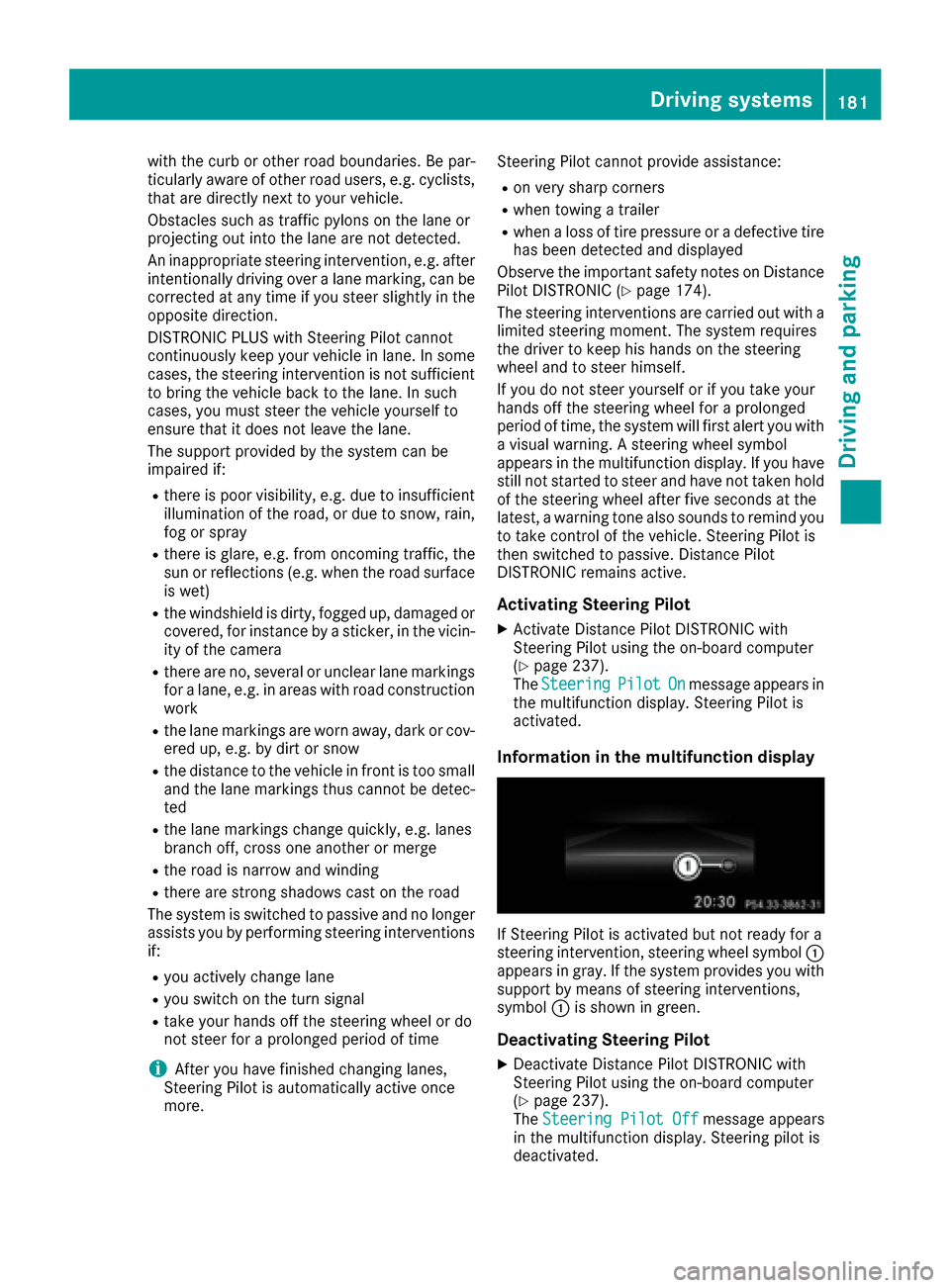
If Steering Pilot is activated but not ready for a
steering intervention, steering wheel symbol :
appears in gray. If the system provides you with support by means of steering interventions,
symbol :is shown in green.
Deactivating Steering Pilot
XDeactivate Distance Pilot DISTRONIC with
Steering Pilot using the on-board computer
(
Ypage 237).
The Steering Pilot Offmessage appears
in the multifunction display. Steering pilot is
deactivated.
Driving systems181
Driving and parking
Z