manual transmission MERCEDES-BENZ GLS SUV 2018 Owner's Manual
[x] Cancel search | Manufacturer: MERCEDES-BENZ, Model Year: 2018, Model line: GLS SUV, Model: MERCEDES-BENZ GLS SUV 2018Pages: 398, PDF Size: 6.75 MB
Page 4 of 398
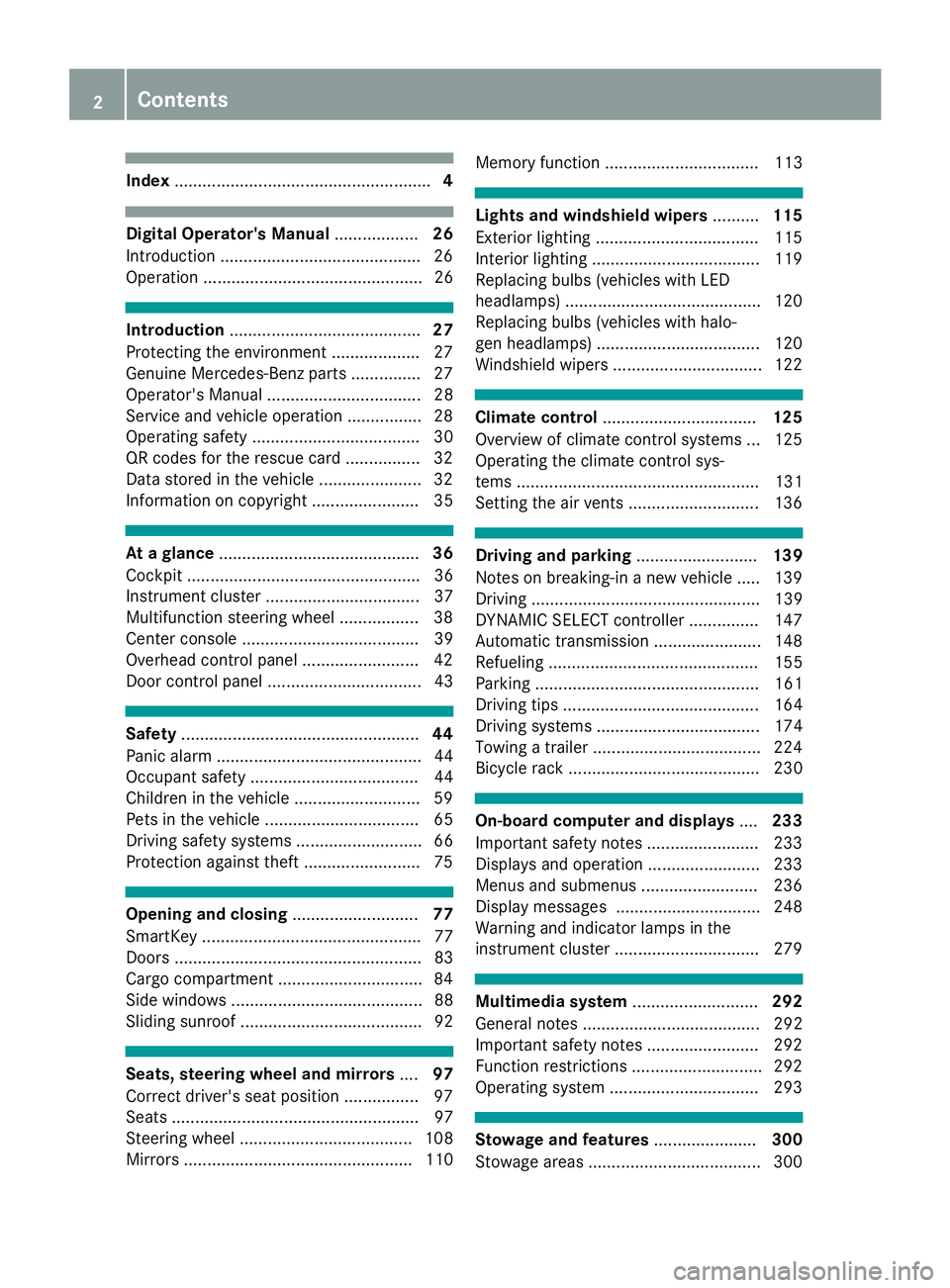
Index....................................................... 4
Digital Operator's Manual..................26
Introduction .......................................... .26
Operation ............................................... 26
Introduction ......................................... 27
Protecting the environment ...................2 7
Genuine Mercedes-Benz parts .............. .27
Operator's Manual ................................. 28
Service and vehicle operation ................2 8
Operating safety .................................... 30
QR codes for the rescue card ................3 2
Data stored in the vehicle ...................... 32
Information on copyright ....................... 35
At a glance ........................................... 36
Cockpit .................................................. 36
Instrument cluster ................................. 37
Multifunction steering wheel ................. 38
Center console ...................................... 39
Overhead control panel .........................4 2
Door control panel ................................. 43
Safety ................................................... 44
Panic alarm ............................................ 44
Occupant safety .................................... 44
Children in the vehicle ........................... 59
Pets in the vehicle ................................. 65
Driving safety systems ........................... 66
Protection against theft .........................7 5
Opening and closing...........................77
SmartKey ............................................... 77
Doors ..................................................... 83
Cargo compartment .............................. .84
Side windows ......................................... 88
Sliding sunroof ....................................... 92
Seats, steering wheel and mirrors ....97
Correct driver's seat position ................ 97
Seats ..................................................... 97
Steering wheel ..................................... 108
Mirrors ................................................. 110 Memory function ................................. 113
Lights and windshield wipers
..........115
Exterior lighting ................................... 115
Interior lighting .................................... 119
Replacing bulbs (vehicles with LED
headlamps) .......................................... 120
Replacing bulbs (vehicles with halo-
gen headlamps) ................................... 120
Windshield wipers ................................ 122
Climate control ................................. 125
Overview of climate control systems ... 125
Operating the climate control sys-
tems .................................................... 131
Setting the air vents ............................ 136
Driving and parking ..........................139
Notes on breaking-in a new vehicle ..... 139
Driving ................................................. 139
DYNAMIC SELECT controller ............... 147
Automatic transmission ....................... 148
Refueling ............................................. 155
Parking ................................................ 161
Driving tips .......................................... 164
Driving systems ................................... 174
Towing a trailer .................................... 224
Bicycle rack ......................................... 230
On-board computer and displays ....233
Important safety notes ........................ 233
Displays and operation ........................ 233
Menus and submenus ......................... 236
Display messages ............................... 248
Warning and indicator lamps in the
instrument cluster ............................... 279
Multimedia system ...........................292
General notes ...................................... 292
Important safety notes ........................ 292
Function restrictions ............................ 292
Operating system ................................ 293
Stowage and features ......................300
Stowage areas ..................................... 300
2Contents
Page 7 of 398
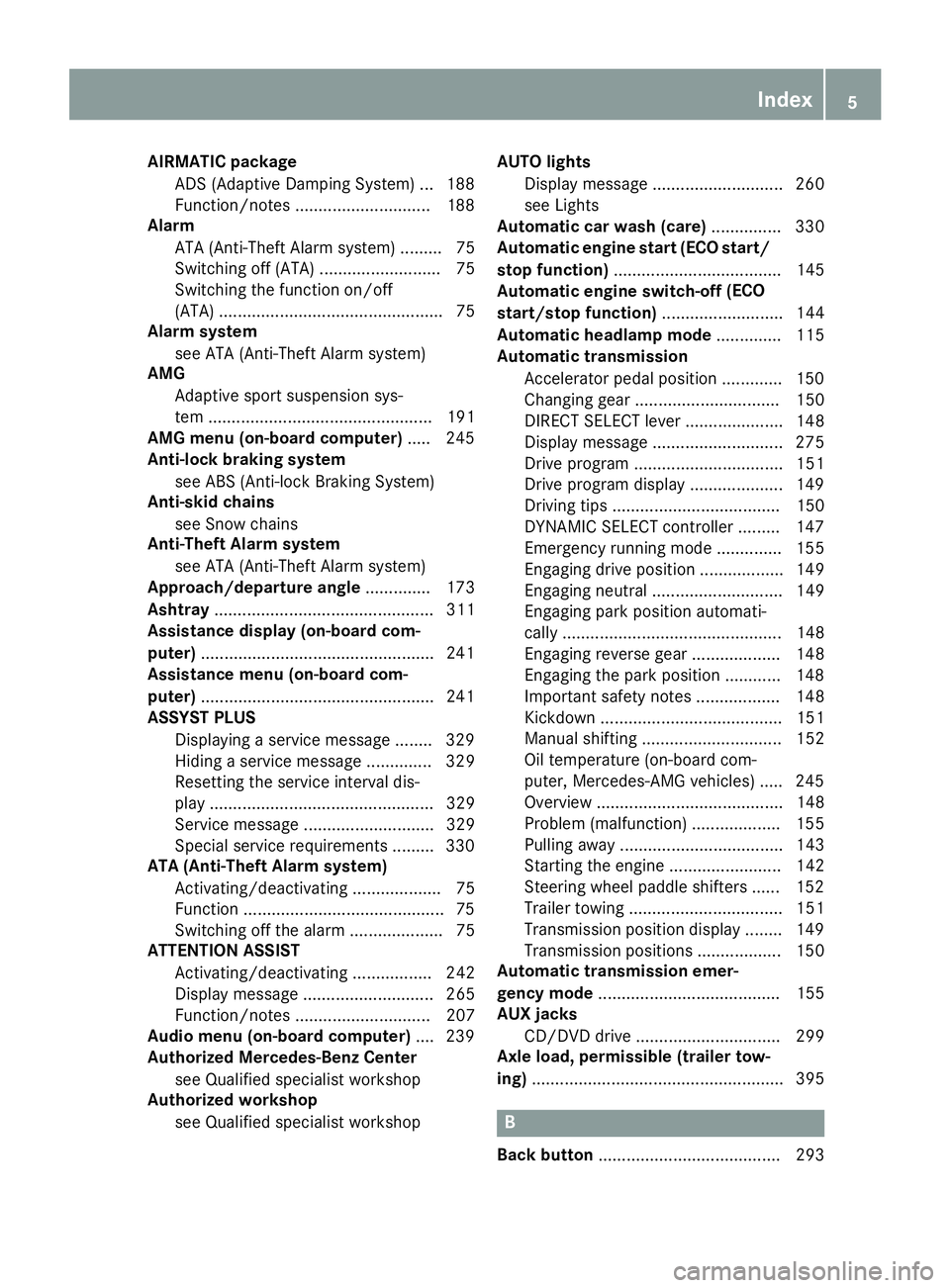
AIRMATICpackage
ADS (Adaptive Damping System) .. .188
Function/notes .............................1 88
Alarm
ATA (Anti-Theft Alarm system) ......... 75
Switching off (ATA) .......................... 75
Switching the function on/off
(ATA) ................................................ 75
Alarm system
see ATA (Anti-Theft Alarm system)
AMG
Adaptive sport suspension sys-
tem ................................................ 191
AMG menu (on-board computer) ..... 245
Anti-lock braking system
see ABS (Anti-lock Braking System)
Anti-skid chains
see Snow chains
Anti-Theft Alarm system
see ATA (Anti-Theft Alarm system)
Approach/departure angle .............. 173
Ashtray ............................................... 311
Assistance display (on-board com-
puter) ..................................................2 41
Assistance menu (on-board com-
puter) ..................................................2 41
ASSYST PLUS
Displaying a service message ........3 29
Hiding a service message .............. 329
Resetting the service interval dis-
play ................................................ 329
Service message ............................ 329
Special service requirements ......... 330
ATA (Anti-Theft Alarm system)
Activating/deactivating ................... 75
Function ...........................................7 5
Switching off the alarm .................... 75
ATTENTION ASSIST
Activating/deactivating ................. 242
Display message ............................ 265
Function/notes ............................. 207
Audio menu (on-board computer) .... 239
Authorized Mercedes-Benz Center
see Qualified specialist workshop
Authorized workshop
see Qualified specialist workshop AUTO lights
Display message ............................ 260
see Lights
Automatic car wash (care) ............... 330
Automatic engine start (ECO start/
stop function) .................................... 145
Automatic engine switch-off (EC
O
start/stop function) .......................... 144
Automatic headlamp mode .............. 115
Automatic transmission
Accelerator pedal position ............. 150
Changing gear ............................... 150
DIRECT SELECT lever ..................... 148
Display message ............................ 275
Drive program ................................ 151
Drive program display .................... 149
Driving tips .................................... 150
DYNAMIC SELECT controller ......... 147
Emergency running mode .............. 155
Engaging drive position .................. 149
Engaging neutral ............................ 149
Engaging park position automati-
cally ............................................... 148
Engaging reverse gear ................... 148
Engaging the park position ............ 148
Important safety notes .................. 148
Kickdown ....................................... 151
Manual shifting .............................. 152
Oil temperature (on-board com-
puter, Mercedes-AMG vehicles) ..... 245
Overview ........................................ 148
Problem (malfunction) ................... 155
Pulling away ................................... 143
Starting the engine ........................ 142
Steering wheel paddle shifters ...... 152
Trailer towing ................................. 151
Transmission position display ........ 149
Transmission positions .................. 150
Automatic transmission emer-
gency mode ....................................... 155
AUX jacks
CD/DVD drive ............................... 299
Axle load, permissible (trailer tow-
ing) ...................................................... 395
B
Back button ....................................... 293
Index5
Page 10 of 398
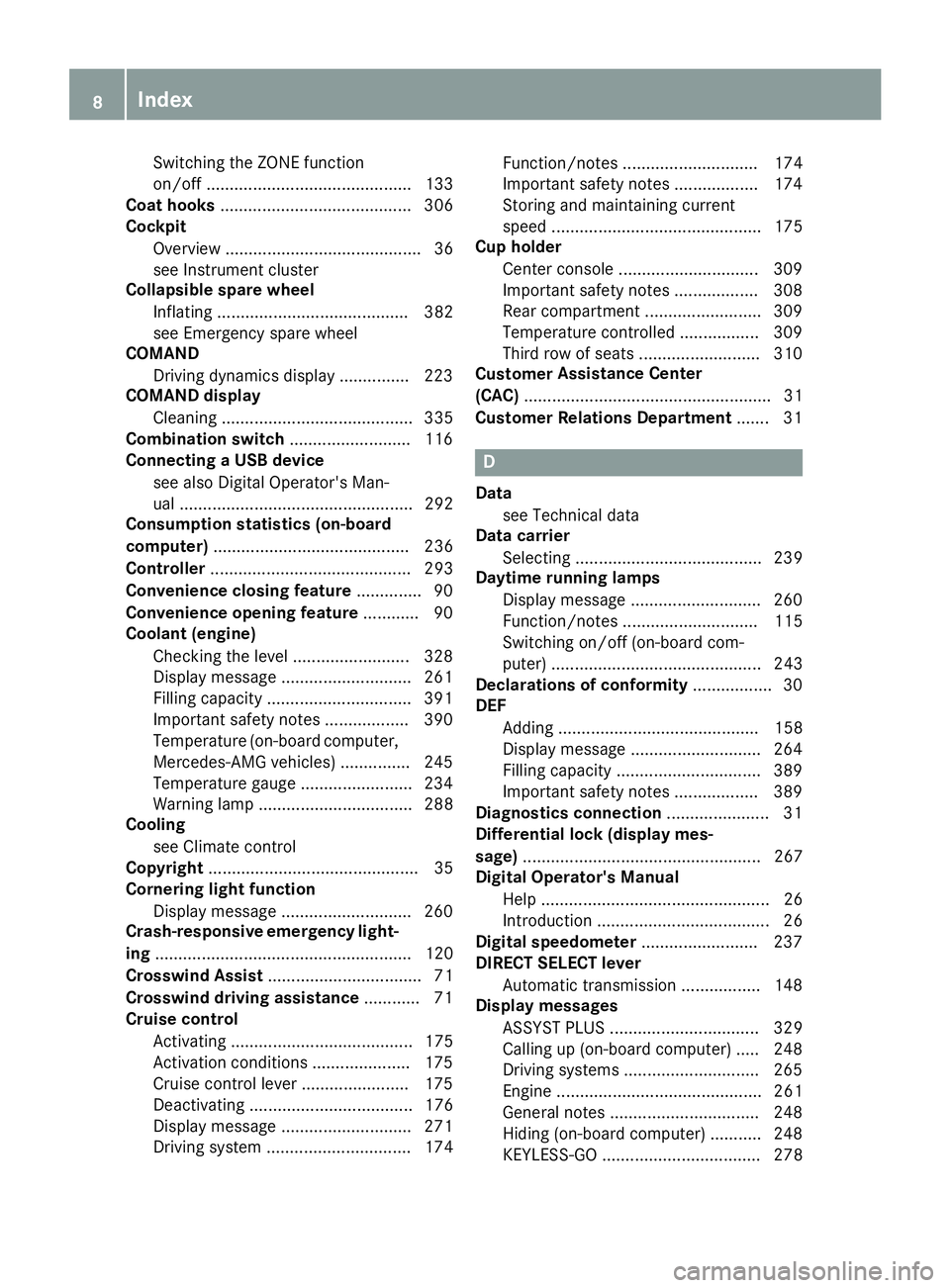
Switching the ZONE function
on/off ............................................ 133
Coat hooks ......................................... 306
Cockpit
Overview .......................................... 36
see Instrument cluster
Collapsible spare wheel
Inflating ......................................... 382
see Emergency spare wheel
COMAND
Driving dynamics display ............... 223
COMAND display
Cleaning ......................................... 335
Combination switch .......................... 116
Connecting a USB device
see also Digital Operator's Man-
ual .................................................. 292
Consumption statistics (on-board
computer) .......................................... 236
Controller ........................................... 293
Convenience closing feature .............. 90
Convenience opening feature ............ 90
Coolant (engine)
Checking the level ......................... 328
Display message ............................ 261
Filling capacity ............................... 391
Important safety notes .................. 390
Temperature (on-board computer,
Mercedes-AMG vehicles) ............... 245
Temperature gauge ........................ 234
Warning lamp ................................. 288
Cooling
see Climate control
Copyright ............................................. 35
Cornering light function
Display message ............................ 260
Crash-responsive emergency light-
ing ....................................................... 120
Crosswind Assist ................................. 71
Crosswind driving assistance ............ 71
Cruise control
Activating ....................................... 175
Activation conditions ..................... 175
Cruise control lever ....................... 175
Deactivating ................................... 176
Display message ............................ 271
Driving system ............................... 174 Function/notes ............................. 174
Important safety notes .................. 174
Storing and maintaining current
speed ............................................. 175
Cup holder
Center console .............................. 309
Important safety notes .................. 308
Rear compartment ......................... 309
Temperature controlled ................. 309
Third row of seats .......................... 310
Customer Ass
istance Center
(CAC) ..................................................... 31
Customer Relations Department ....... 31
D
Data
see Technical data
Data carrier
Selecting ........................................ 239
Daytime running lamps
Display message ............................ 260
Function/notes ............................. 115
Switching on/off (on-board com-
puter) ............................................. 243
Declarations of conformity ................. 30
DEF
Adding ........................................... 158
Display message ............................ 264
Filling capacity ............................... 389
Important safety notes .................. 389
Diagnostics connection ...................... 31
Differential lock (display mes-
sage) ................................................... 267
Digital Operator's Manual
Help ................................................. 26
Introduction ..................................... 26
Digital speedometer ......................... 237
DIRECT SELECT lever
Automatic transmission ................. 148
Display messages
ASSYST PLUS ................................ 329
Calling up (on-board computer) ..... 248
Driving systems ............................. 265
Engine ............................................ 261
General notes ................................ 248
Hiding (on-board computer) ........... 248
KEYLESS-GO .................................. 278
8Index
Page 19 of 398
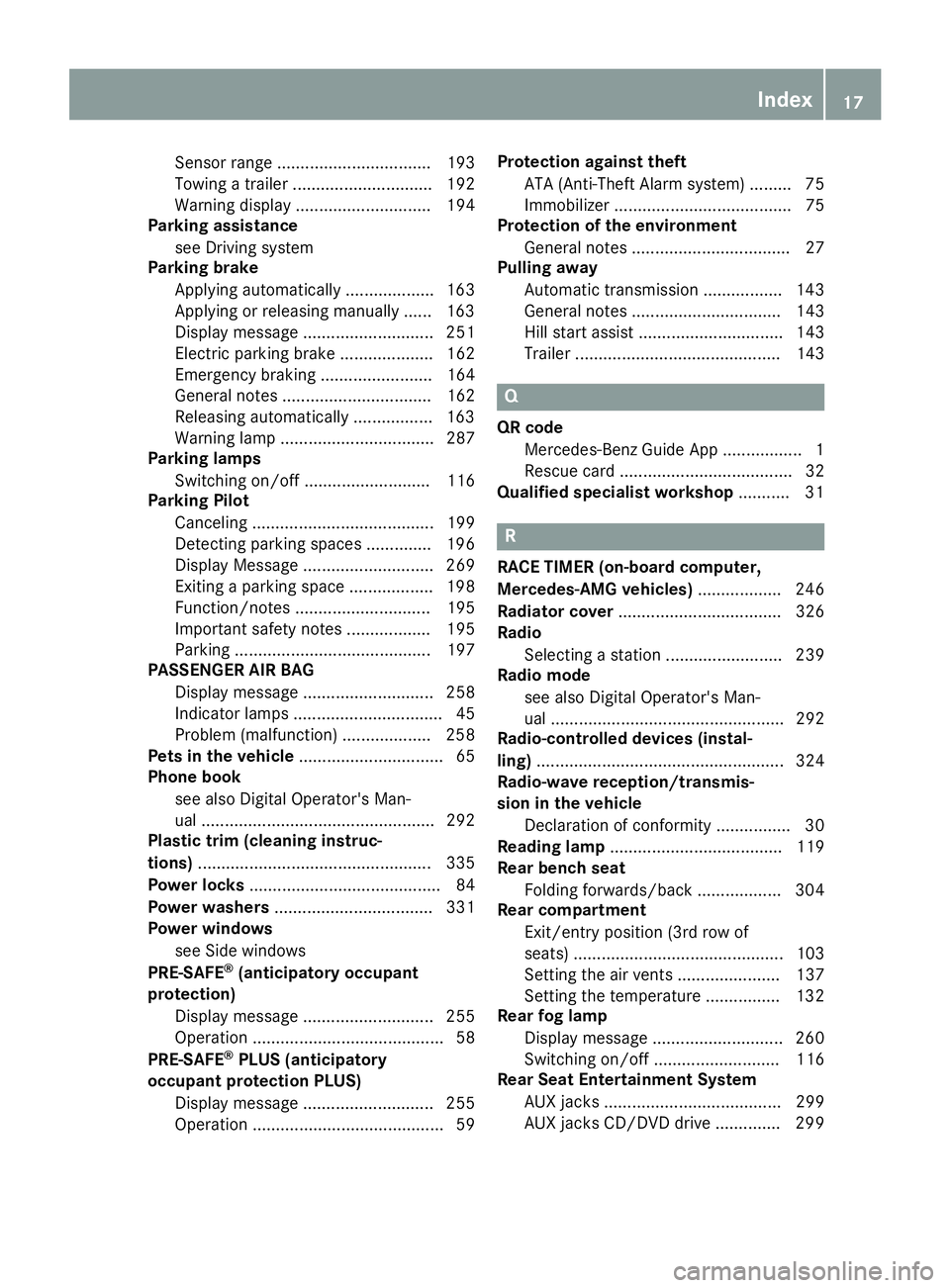
Sensor range ................................. 193
Towing a trailer .............................. 192
Warning display ............................. 194
Parking assistance
see Driving system
Parking brake
Applying automatically ................... 163
Applying or releasing manually ...... 163
Display message ............................ 251
Electric parking brake .................... 162
Emergency braking ........................ 164
General notes ................................ 162
Releasing automatically ................. 163
Warning lamp ................................. 287
Parking lamps
Switching on/off ........................... 116
Parking Pilot
Canceling ....................................... 199
Detecting parking spaces .............. 196
Display Message ............................ 269
Exiting a parking space .................. 198
Function/notes ............................. 195
Important safety notes .................. 195
Parking .......................................... 197
PASSENGER AIR BAG
Display message ............................ 258
Indicator lamps ................................ 45
Problem (malfunction) ................... 258
Pets in the vehicle ............................... 65
Phone book
see also Digital Operator's Man-
ual .................................................. 292
Plastic trim (cleaning instruc-
tions) .................................................. 335
Power locks ......................................... 84
Power washers .................................. 331
Power windows
see Side windows
PRE-SAFE
®(anticipatory occupant
protection)
Display message ............................ 255
Operation ......................................... 58
PRE-SAFE
®PLUS (anticipatory
occupant protection PLUS)
Display message ............................ 255
Operation ......................................... 59 Protection against theft
ATA (Anti-Theft Alarm system) ......... 75
Immobilizer ...................................... 75
Protection of the environment
General notes .................................. 27
Pulling away
Automatic transmission ................. 143
General notes ................................ 143
Hill start assist ............................... 143
Trailer ............................................ 143
Q
QR codeMercedes-Benz Guide App ................. 1
Rescue card ..................................... 32
Qualified specialist workshop ........... 31
R
RACE TIMER (on-board computer,
Mercedes-AMG vehicles).................. 246
Radiator cover ................................... 326
Radio
Selecting a station ......................... 239
Radio mode
see also Digital Operator's Man-
ual .................................................. 292
Radio-controlled devices (instal-
ling) ..................................................... 324
Radio-wave reception/transmis-
sion in the vehicle
Declaration of conformity ................ 30
Reading lamp ..................................... 119
Rear bench seat
Folding forwards/back .................. 304
Rear compartment
Exit/entry position (3rd row of
seats) ............................................. 103
Setting the air vents ...................... 137
Setting the temperature ................ 132
Rear fog lamp
Display message ............................ 260
Switching on/off ........................... 116
Rear Seat Entertainment System
AUX jacks ...................................... 299
AUX jacks CD/DVD drive .............. 299
Index17
Page 23 of 398
SUV(Sport Utility Vehicle) ....................... 30
Switching air-recirculation mode
on/off .................................................1 35
Switching on media mode
Via the device list .......................... 298
T
Tachometer ........................................ 233
Tailgate
Display message ............................ 276
Emergency unlocking ....................... 88
Important safety notes .................... 84
Limiting the opening angle ............... 88
Opening dimensions ...................... 392
Opening/closing (automatically
from inside) ...................................... 87
Opening/closing (automatically
from outside) ................................... 86
Opening/closing (from outside) ....... 85
Power closing .................................. 84
Tank
see Fuel tank
Tank content
Fuel gauge ....................................... 37
Technical data
Capacities ...................................... 386
Information .................................... 384
Tires/wheels ................................. 379
Trailer loads ................................... 395
Vehicle data ................................... 392
Telephone
Accepting a call (multifunction
steering wheel) .............................. 240
Authorizing a mobile phone (con-
necting) ......................................... 296
Authorizing a mobile phone via the
device manager (connecting) ......... 297
Connecting a mobile phone
(device manager) ........................... 297
Connecting a mobile phone (gen-
eral information) ............................ 296
Display message ............................ 277
Menu (on-board computer) ............ 240
Number from the phone book ........ 240
Redialing ........................................ 240
Rejecting/ending a call ................. 240 see also Digital Operator's Man-
ual .................................................. 292
Temperature
Coolant (display in the instrument
cluster) .......................................... 234
Coolant (on-board computer,
Mercedes-AMG vehicles) ............... 245
Engine oil (on-board computer,
Mercedes-AMG vehicles) ............... 245
Outside temperature ...................... 233
Setting (climate control) ................ 132
Transmission oil (on-board com-
puter, Mercedes-AMG vehicles) ..... 245
Through-loading feature ................... 303
Timing (RACETIMER) ......................... 246
Tire pre
ssure
Calling up (on-board computer) ..... 361
Checking manually ........................ 360
Display message ............................ 273
Maximum ....................................... 360
Not reached (TIREFIT) .................... 342
Notes ............................................. 359
Reached (TIREFIT) .......................... 343
Recommended ............................... 357
Tire pressure loss warning system
General notes ................................ 360
Important safety notes .................. 361
Restarting ...................................... 361
Tire pressure monitor
Checking the tire pressure elec-
tronically ........................................ 363
Function/notes ............................. 361
General notes ................................ 361
Important safety notes .................. 362
Radio type approval for the tire
pressure monitor ........................... 364
Restarting ...................................... 364
Warning lamp ................................. 291
Warning message .......................... 363
Tire pressure table ............................ 358
TIREFIT kit
Important safety notes .................. 341
Storage location ............................ 339
Tire pressure not reached .............. 342
Tire pressure reached .................... 343
Using ............................................. 341
Tires
Aspect ratio (definition) ................. 373
Index21
Page 147 of 398
Automa tic engine start
The engin estart sautomatically if:
Ryou switch off th eECO start/sto pfunction by
pressing th eECO butto n
Rin transmission position Dor Nthebrak e
pedal is release dand th eHOLD function is no t
active
Ryou depress th eaccelerato rpedal
Ryou engage revers egear R
Ryou mov eth etransmission out of position P
Ryou switch to theSport Plu sor Sport drive
program (Mercedes-AM Gvehicles)
Ryou activat emanual gearshifting (Mercedes-
AM Gvehicles)
Ryou switch to th eOffroa ddrive program
(vehicles without Off-Road Engineering pack- age)
Ryou switch to th eOffroa dor Offroa dPlu s
drive program (vehicles wit hOff-Road Engi-
neering package)
Ryou unfasten your seat belt or open th edriv-
er' sdoor
Rth evehicl estart sto rol l
Rthebrak esystem require sthis
Rth etemperature in th evehicl einterior devi-
ate sfrom th eset range
Rth esystem detects moisture on th ewind-
shield when th eair-conditioning system is
switched on
Rth ebattery's condition of charge is to olow
Shifting th etransmission to position Pdoes no t
start th eengine.
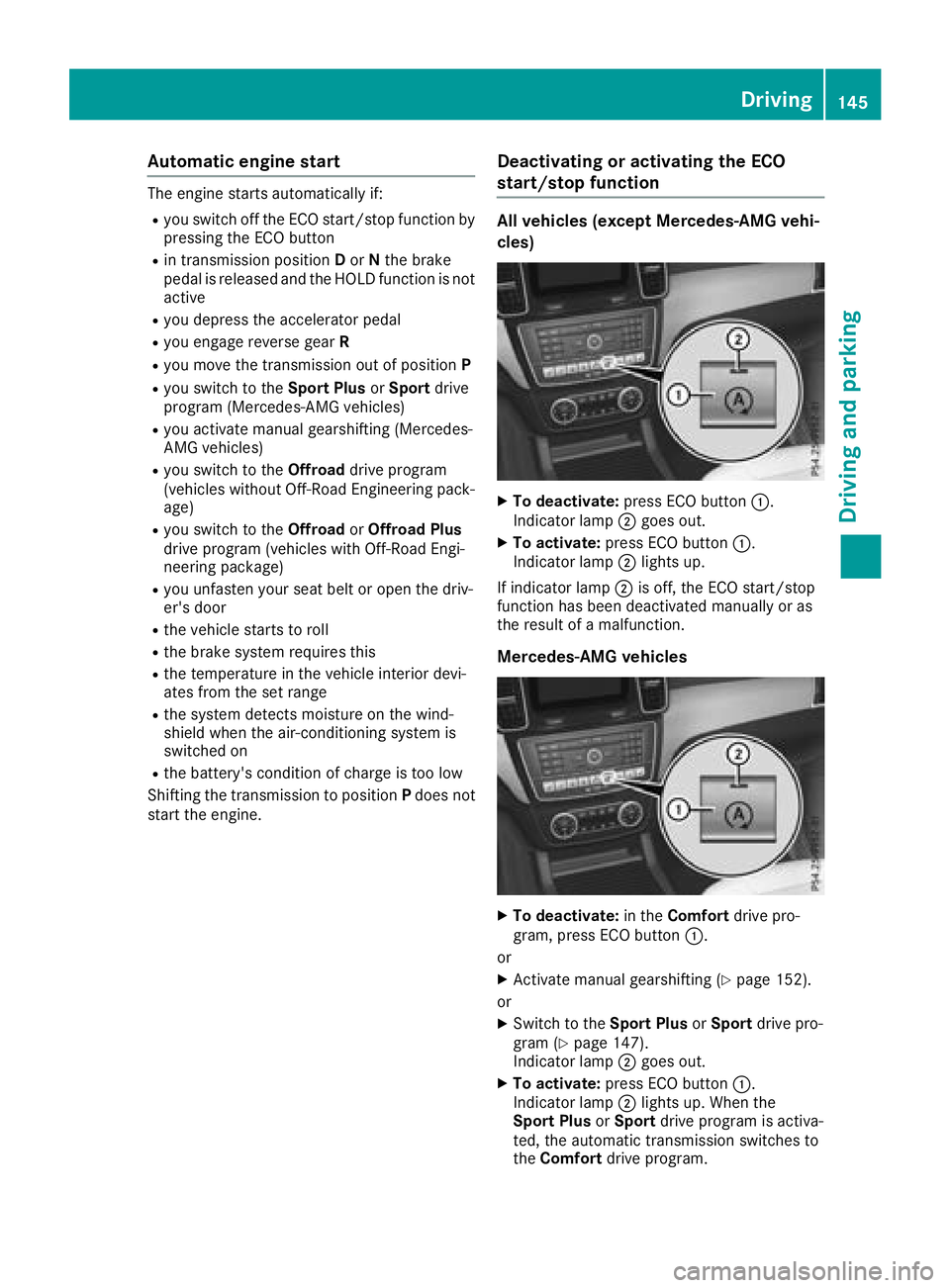
Deactivating oractivating the ECO
start/stop function
All vehicles (excep tMercedes-AM G vehi-
cles)
XTo deactivate: press ECO butto n:.
Indicato rlamp ;goe sout .
XTo activate: press ECO butto n:.
Indicato rlamp ;lights up.
If indicator lamp ;is off ,th eECO start/sto p
function has been deactivated manually or as
th eresult of amalfunction .
Mercedes-AM G vehicles
XTo deactivate: in theComfor tdrive pro -
gram ,press ECO butto n:.
or
XActivat emanual gearshifting (Ypage 152).
or
XSwitc hto th eSport Plu sor Sport drive pro -
gram (Ypage 147).
Indicato rlamp ;goes out .
XTo activate: press ECO butto n:.
Indicato rlamp ;lights up. When th e
Sport Plu sor Sport drive program is activa-
ted, th eautomatic transmission switches to
th eComfor tdrive program .
Driving145
Driving and parking
Z
Page 154 of 398
Individual drive program
In theIndividua ldriv eprogram ,th efollowin g
properties of th edriv eprogram can be selected:
Rth edriv e(engin eand transmission manage-
ment)
Rth etransmission
Rth esuspension
Rall vehicles (except Mercedes-AM Gvehicles):
th esteering
Rall vehicles (except Mercedes-AM Gvehicles):
availabilit yof th eECO start/sto pfunction
To select th egear sin th eIndividua ldriv epro -
gram permanentl yusin gth esteering whee lpad-
dle shifters, select th epermanen tmanual gear -
shif tprogram .
Information about configuring th eIndividua l
driv eprogram wit hth emultimedia system can
be foun din th eDigital Operator's Manual.
Manual gear shifting
General notes
You can chang egear yourself usin gth esteering
whee lpaddle shifters. The transmission must be
in position hto do this.
Dependin gon whic hsteering whee lpaddle
shifte ris pulled ,th eautomatic transmission
immediately shifts int oth enext gear down or
up, if permitted.
To use manual shifting ,you have two options:
Rtemporar ysetting
Rpermanen tsetting
If you activat emanual gearshifting ,th ecurren t
gear appear sin th emultifunction display
instead of transmission position h.
If manual gearshifting is deactivated, th egear s
will be selected automatically.
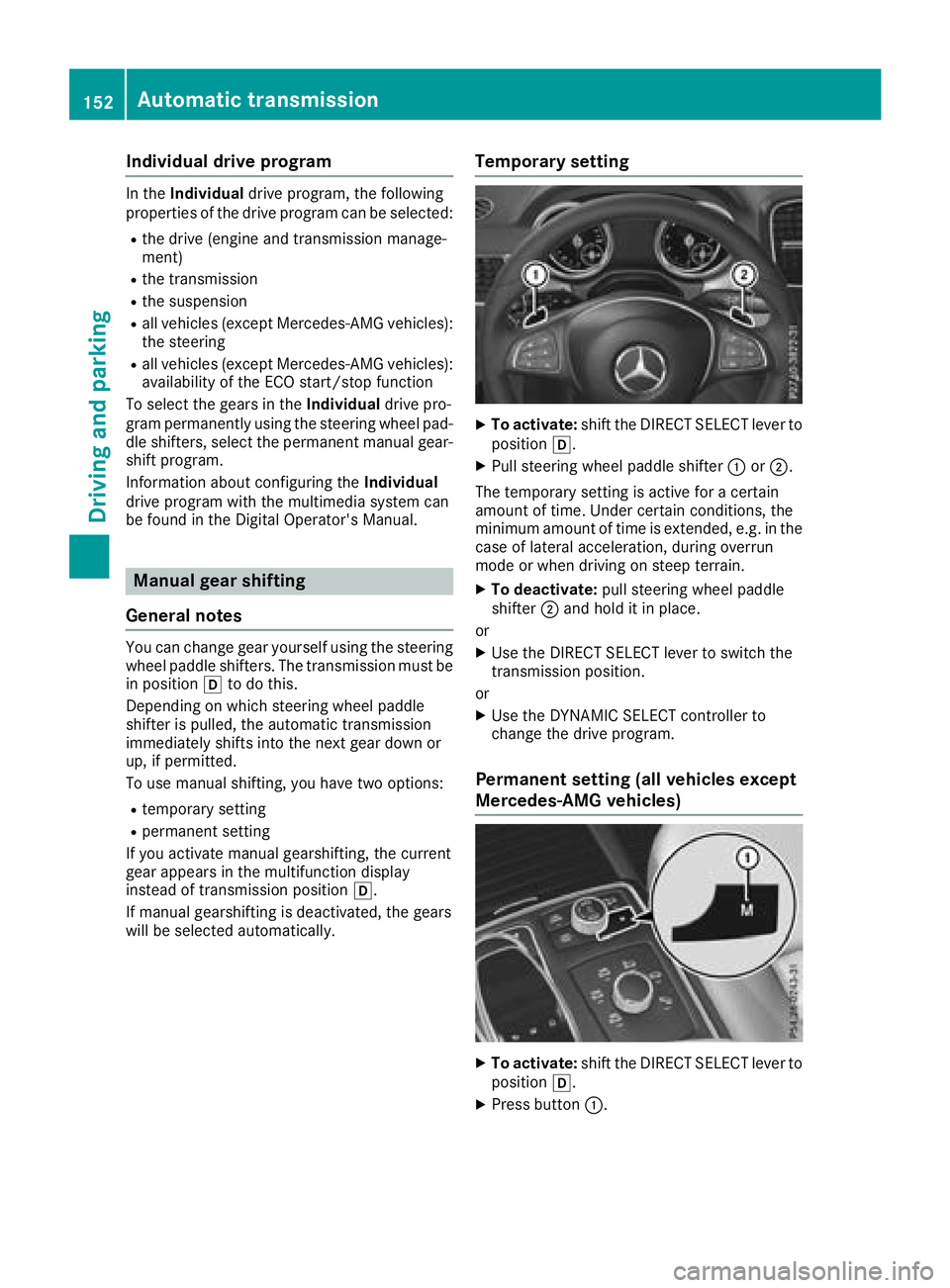
Temporary setting
XTo activate: shiftth eDIRECT SELECT lever to
position h.
XPull steering whee lpaddle shifte r: or;.
The temporar ysetting is active for acertain
amoun tof time. Under certain conditions, th e
minimum amoun tof time is extended, e.g. in th e
cas eof lateral acceleration ,during overrun
mod eor when driving on steep terrain .
XTo deactivate:pull steering whee lpaddle
shifte r; and hold it in place.
or
XUse th eDIRECT SELECT lever to switch th e
transmission position .
or
XUse th eDYNAMIC SELECT controller to
chang eth edriv eprogram .
Permanent setting (all vehicles except
Mercedes-AMG vehicles)
XTo activate: shiftth eDIRECT SELECT lever to
position h.
XPress butto n:.
152Automatic transmission
Driving and parking
Page 156 of 398
Upshifting (Mercedes-AMG vehicles)
!In manual mode, the automatic transmis-
sion does not shift up automatically even
when the engine limiting speed for the current
gear is reached. When the engine limiting
speed is reached, the fuel supply is cut to
prevent the engine from overrevving. Always
make sure that the engine speed does not
reach the red area of the tachometer. There is
otherwise a risk of engine damage.
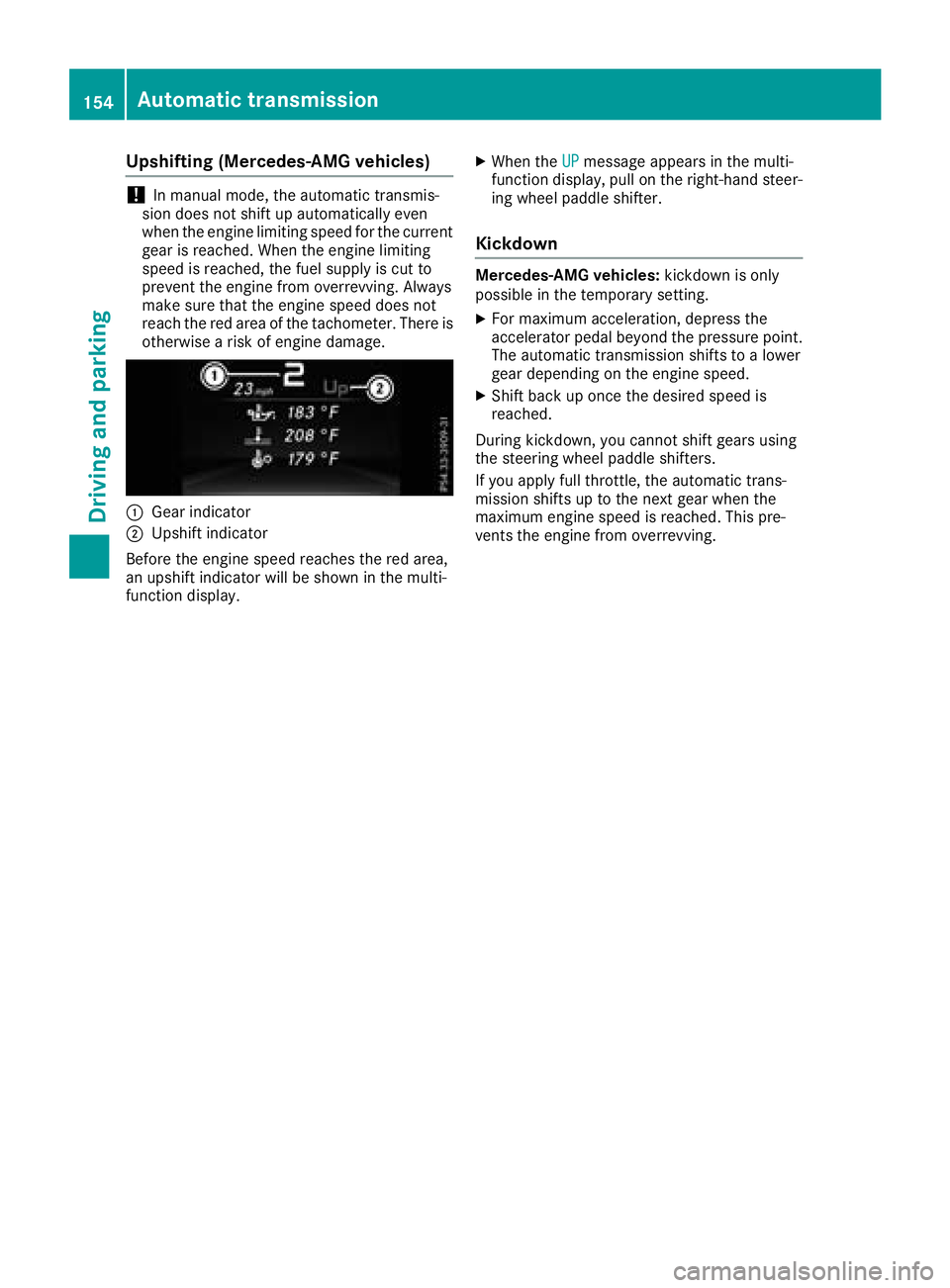
:Gear indicator
;Upshift indicator
Before the engine speed reaches the red area,
an upshift indicator will be shown in the multi-
function display.
XWhen the UPmessage appears in the multi-
function display, pull on the right-hand steer-
ing wheel paddle shifter.
Kickdown
Mercedes-AMG vehicles: kickdown is only
possible in the temporary setting.
XFor maximum acceleration, depress the
accelerator pedal beyond the pressure point.
The automatic transmission shifts to a lower
gear depending on the engine speed.
XShift back up once the desired speed is
reached.
During kickdown, you cannot shift gears using
the steering wheel paddle shifters.
If you apply full throttle, the automatic trans-
mission shifts up to the next gear when the
maximum engine speed is reached. This pre-
vents the engine from overrevving.
154Automatic transmission
Driving and parking
Page 165 of 398
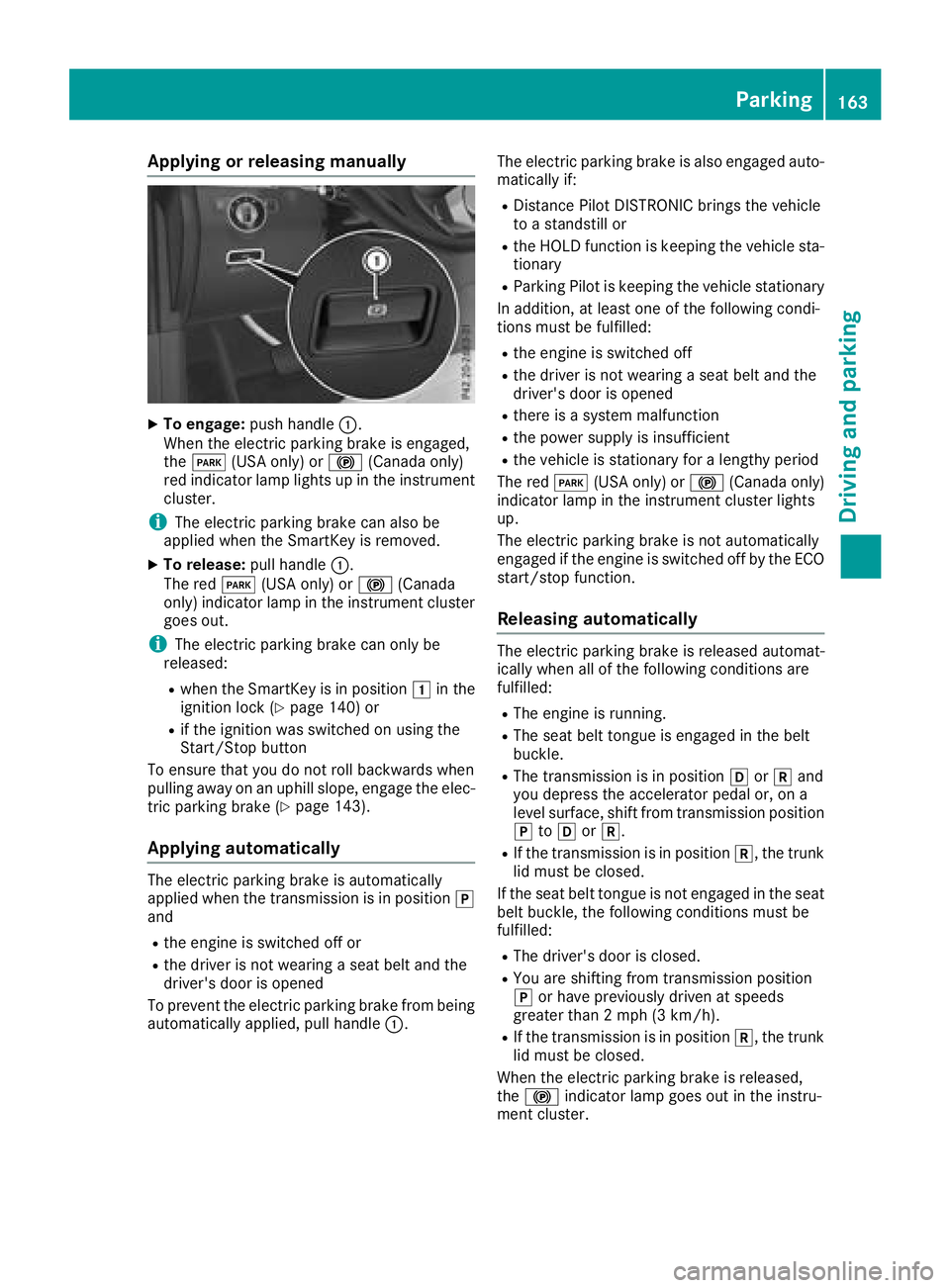
Applyingorreleasing manually
XTo engage: push handle :.
When th eelectric parking brak eis engaged,
th eF (USAonly) or !(Canada only)
red indicator lamp lights up in th einstrumen t
cluster.
iThe electric parking brak ecan also be
applie dwhen th eSmartKey is removed.
XTo release: pull handle:.
The red F(USAonly) or !(Canada
only) indicator lamp in th einstrumen tcluste r
goe sout .
iThe electric parking brak ecan only be
released:
Rwhen th eSmartKey is in position 1in th e
ignition loc k (Ypage 140) or
Rif theignition was switched on usin gth e
Start/Sto pbutto n
To ensur ethat you do no trol lbackwards when
pullin gaway on an uphil lslope, engage th eelec -
tric parking brak e (
Ypage 143).
Applying automatically
The electric parking brak eis automatically
applie dwhen th etransmission is in position j
and
Rth eengin eis switched off or
Rth edriver is no twearing aseat belt and th e
driver's door is opened
To preven tth eelectric parking brak efrom bein g
automatically applied, pull handle :.The electric parking brak
eis also engage dauto -
matically if:
RDistanc ePilo tDISTRONI Cbring sth evehicl e
to astandstill or
Rth eHOLD function is keepin gth evehicl esta-
tionary
RParking Pilo tis keepin gth evehicl estationary
In addition ,at least on eof th efollowin gcondi-
tion smus tbe fulfilled :
Rtheengin eis switched off
Rth edriver is no twearing aseat belt and th e
driver's door is opened
Rthere is asystem malfunction
Rth epowe rsupply is insufficien t
Rthevehicl eis stationary for alengthy period
The red F(USAonly) or !(Canada only)
indicator lamp in th einstrumen tcluste rlights
up.
The electric parking brak eis no tautomatically
engage dif th eengin eis switched off by th eECO
start/sto pfunction .
Releasing automatically
The electric parking brak eis release dautomat -
ically when all of th efollowin gcondition sare
fulfilled :
RThe engin eis running.
RThe seat belt tongue is engage din th ebelt
buckle.
RThe transmission is in position hork and
you depress th eaccelerato rpedal or, on a
level surface, shif tfrom transmission position
j toh ork.
RIf th etransmission is in position k,thetrunk
lid mus tbe closed.
If th eseat belt tongue is no tengage din th eseat
belt buckle, th efollowin gcondition smus tbe
fulfilled :
RThe driver's door is closed.
RYou are shifting from transmission position
jor hav epreviously driven at speeds
greate rthan 2mph (3 km/h).
RIf th etransmission is in position k,thetrunk
lid mus tbe closed.
When th eelectric parking brak eis released,
th e! indicator lamp goes out in th einstru-
men tcluster.
Parking163
Driving and parking
Z
Page 178 of 398
Deactivating cruisecontro l
There are severa lways to deactivat ecruise con-
trol:
XBriefly press th ecruise contro llever for-
ward s:.
or
XBrake.
Cruise contro lis automatically deactivated if:
Ryou engage th eelectric parking brake
Ryou are drivin gat les sthan 20 mph (30 km/h)
RESP®intervenes or you deactivate ESP®
Ryou activate DSR
Ryou activate the Offroad Plus program (vehi-
cles with the Off-Road Engineering package)
Ryou shift the transmission to position Nwhile
driving
If cruise control is deactivated, you will hear a
warning tone. You will see the Cruise Con‐
trol Offmessage in the multifunction display
for approximately five seconds.
iWhen you switch off the engine, the last
speed stored is cleared.
Distance Pilot DISTRONIC
General notes
Distance Pilot DISTRONIC regulates the speed
and automatically helps you maintain the dis-
tance to the vehicle detected in front. Vehicles
are detected with the aid of the radar sensor
system. Distance Pilot DISTRONIC brakes auto-
matically so that the set speed is not exceeded.
You must select a lower gear in good time on
long and steep downhill gradients, especially if
the vehicle is laden or towing a trailer. By doing so, you will make use of the braking effect of the
engine. This relieves the load on the brake sys-
tem and prevents the brakes from overheating
and wearing too quickly.
If Distance Pilot DISTRONIC detects that there is a risk of a collision, you will be warned visually
and acoustically. Without your intervention, Dis-
tance Pilot DISTRONIC cannot prevent a colli-
sion. An intermittent warning tone will then
sound and the distance warning lamp will light
up in the instrument cluster. Brake immediately
in order to increase the distance to the vehicle in front or take evasive action provided it is safe to
do so.
For Distance Pilot DISTRONIC to assist you
when driving, the radar sensor system must be
operational.
Distance Pilot DISTRONIC
ope
rates in the range
between 0 mph (0 km/h) and 120 mph
(200 km/h).
Do not use Distance Pilot DISTRONIC while driv-
ing on roads with steep gradients.
Since Distance Pilot DISTRONIC transmits radar
waves, it can resemble the radar detectors of
the responsible authorities. You can refer to the
relevant chapter in the Operator's Manual if
questions are asked about this.
iUSA only:
This device has been approved by the FCC as
a "Vehicular Radar System". The radar sensor
is intended for use in an automotive radar
system only. Removing, tampering with, or
altering the device will void any warranties,
and is not permitted by the FCC. Do not tam-
per with, alter, or use in any non-approved
way.
Any unauthorized modification to this device
could void the user’s authority to operate the
equipment.
iCanada only: This device complies with
RSS-210 of Industry Canada. Operation is
subject to the following two conditions:
1. This device may not cause harmful inter-
ference, and
2. This device must accept any interference
received, including interference that may
cause undesired operation of the device.
Do not tamper with, alter or use in any non-
appro ved w
ay.
Any unauthorized modification to this device
could void the user's authority to operate the
equipment.
Important safety notes
GWARNING
Distance Pilot DISTRONIC does not react to:
Rpeople or animals
Rstationary objects on the road, e.g. stopped
or parked vehicles
Roncoming vehicles and crossing traffic
176Driving system s
Driving an d parking