ESP MERCEDES-BENZ GLS SUV 2020 Owner's Manual
[x] Cancel search | Manufacturer: MERCEDES-BENZ, Model Year: 2020, Model line: GLS SUV, Model: MERCEDES-BENZ GLS SUV 2020Pages: 549, PDF Size: 9.9 MB
Page 105 of 549
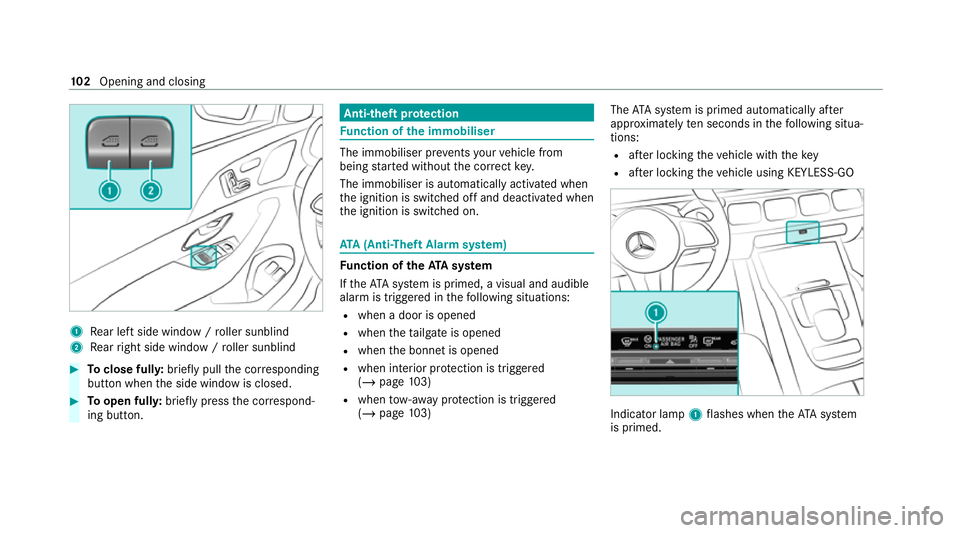
1
Rear left side wind ow/ro ller sunblind
2 Rear right side window / roller sunblind #
Toclose full y:brief lypull the cor responding
button when the side window is closed. #
Toopen full y:brief lypress the cor respond‐
ing button. Anti-theft pr
otection Fu
nction of the immobiliser The immobiliser pr
events your vehicle from
being star ted without the cor rect key.
The immobiliser is automatically activated when
th e ignition is switched off and deactivated when
th e ignition is switched on. ATA
(Anti-Theft Alarm sy stem) Fu
nction of theATA system
If th eATA system is primed, a visual and audible
alarm is triggered in thefo llowing situations:
R when a door is opened
R when theta ilgate is opened
R when the bonn etis opened
R when interior pr otection is triggered
(/ page 103)
R when tow- aw ay protection is triggered
(/ page 103) The
ATA sy stem is primed automatically af ter
appr oximately ten seconds in thefo llowing situa‐
tions:
R afte r locking theve hicle with thekey
R afte r locking theve hicle using KEYLESS-GO Indicator lamp
1flashes when theAT A sy stem
is primed. 102
Opening and closing
Page 112 of 549
Ad
justing the front passen ger seat electri‐
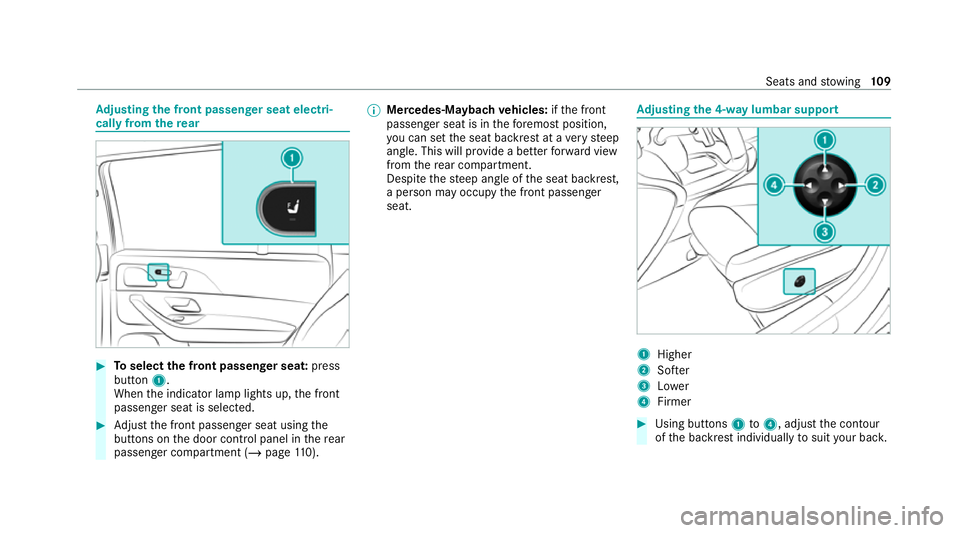
cally from the rear #
Toselect the front passenger seat: press
button 1.
When the indicator lamp lights up, the front
passenger seat is selected. #
Adjust the front passenger seat using the
buttons on the door control panel in there ar
passenger compartment (/ page110). %
Mercedes-Mayba chvehicles: ifth e front
passenger seat is in thefo re most position,
yo u can set the seat backrest at a very steep
angle. This will pr ovide a better forw ard view
from there ar compartment.
Despite thesteep angle of the seat backrest,
a person may occupy the front passenger
seat. Ad
justing the 4-w aylumbar support 1
Higher
2 Softer
3 Lower
4 Firmer #
Using buttons 1to4 , adjust the conto ur
of the backrest individually tosuit your bac k. Seats and
stowing 109
Page 124 of 549
%
You can also configure these settings via the
Mercedes me por talfo ryo ur user profile. By
syn chro nising the profiles in theve hicle and
th e Mercedes me connect profiles, you can
car ryove rth ese settings foryo ur vehicle.
Fu rther information about synchronising
user profiles .
Setting the easy entry and exitfeature #
Select Steer. wheel and seat, Steering wheel
only orOff.
% Ifyo u use an individual user profile and ha ve
set your body size, this information is car ried
ove rfo rth e easy entry andexitfeature. This
will cause the driver's seat and steering
wheel tomo veinto the cor rect position au to‐
matically . Overview of massage prog
rams R
Hot Relaxing back Combination of heat and
massa ge. It starts bymassaging the bac k.In
addition, warm pressure points become
noticeable, starting in the pelvic area. R
Hot Relaxing shoulder Combination of heat
and massage. It starts bymassaging the
shoulders . In addition, warm pressure points
become noticeable, starting in the pelvic
area.
R Activating Massage Activating massa gewith
upward-m oving massage waves.
R Classic Massage Relaxing back massage.
R Wave Massage Regenerating massa gevia
massa gewav es across the back and in the
seat cushion.
R Mobilizing Massage Mobilising massage with
upward-moving massage waves. Can pro‐
mo tedeeper respiration and hence impr ove
circulation and blood pressure.
R Active Workout backrest andActive Workout
cushion These programs requ ire your cooper‐
ation. Alternating between tensing and
re leasing helps toimpr ove blood flow to yo ur
muscles. Press against a pressure point as
soon as youfe el it. Selecting
the massage prog ramme for the
front seats Multimedia sy
stem:
4 © 5
Comfort 5
Massage #
Select a massage programme (/ page121). #
Start the program forth e desired seat ;. #
Toset the massage intensit y:switch High
intensity on or off .
% Forth ere ar seats, the massage prog rammes
can be selected on thefo llowing devices (if
av ailable):
R Onthere ar displa ys
The selection can be made forth ere ar
seats on the second and third row s of
seats.
R Onthe MBUX rear tablet
The selection is made in the same way as
on there ar displa ysforth ere ar seats on
th e second rowof seats. Seats and
stowing 121
Page 132 of 549
Yo
u can sa vethefo llowing settings forth ere ar
seat:
R Position of the seat, backrest and head
re stra int
R Seat heating: distribution of the heated sec‐
tions of the seat cushion and seat backrest
Operating the front passenger seat and rear
seat
Seat adju stments forth e front passenger seat
and there ar seat can be stored and called up
using there ar seat memory function.
Yo u can sa vethefo llowing settings forth e front
passenger seat:
R Position of the seat, backrest and head
re stra int
Yo u can sa vethefo llowing settings forth ere ar
seat:
R Position of the seat, backrest and head
re stra int
R Seat heating: distribution of the heated sec‐
tions of the seat cushion and seat backrest Operating
there ar seat via the memory func‐
tion in there ar passenger comp artment St
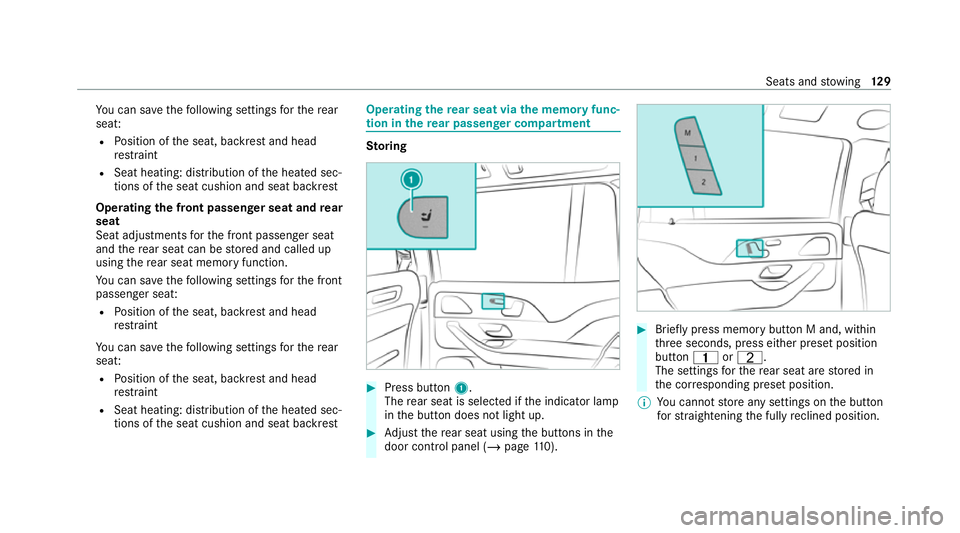
oring #
Press button 1.
The rear seat is selec ted if the indicator lamp
in the button does not light up. #
Adjust there ar seat using the buttons in the
door control panel (/ page110). #
Brief lypress memory button M and, within
th re e seconds, press either preset position
button 4orT.
The settings forth ere ar seat are stored in
th e cor responding preset position.
% You cannot store any settings on the button
fo rst ra ightening the fully reclined position. Seats and
stowing 12 9
Page 133 of 549
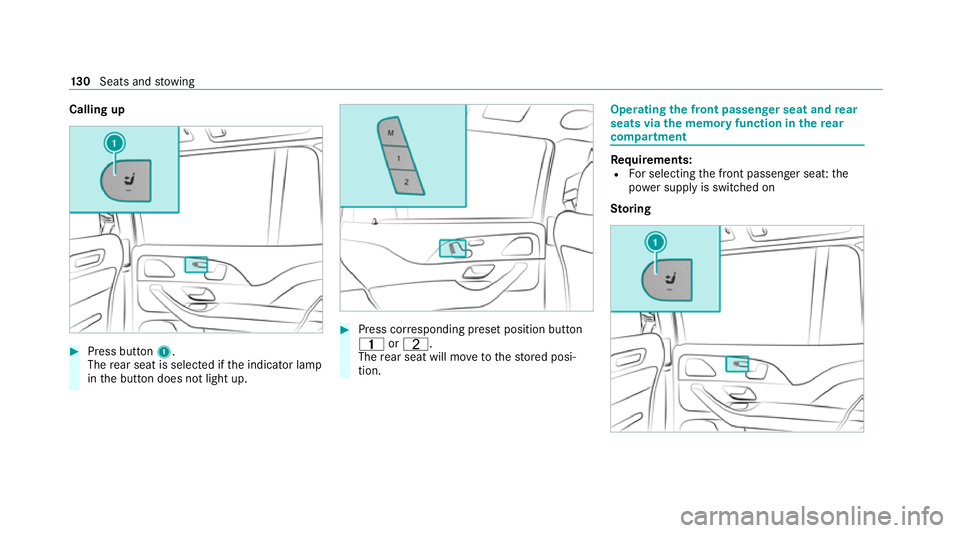
Calling up
#
Press button 1.
The rear seat is selec ted if the indicator lamp
in the button does not light up. #
Press cor responding preset position button
4 orT.
The rear seat will mo vetothestored posi‐
tion. Operating
the front passenger seat and rear
seats via the memory function in there ar
comp artment Re
quirements:
R For selecting the front passenger seat: the
po we r supply is switched on
Sto ring 13 0
Seats and stowing
Page 135 of 549
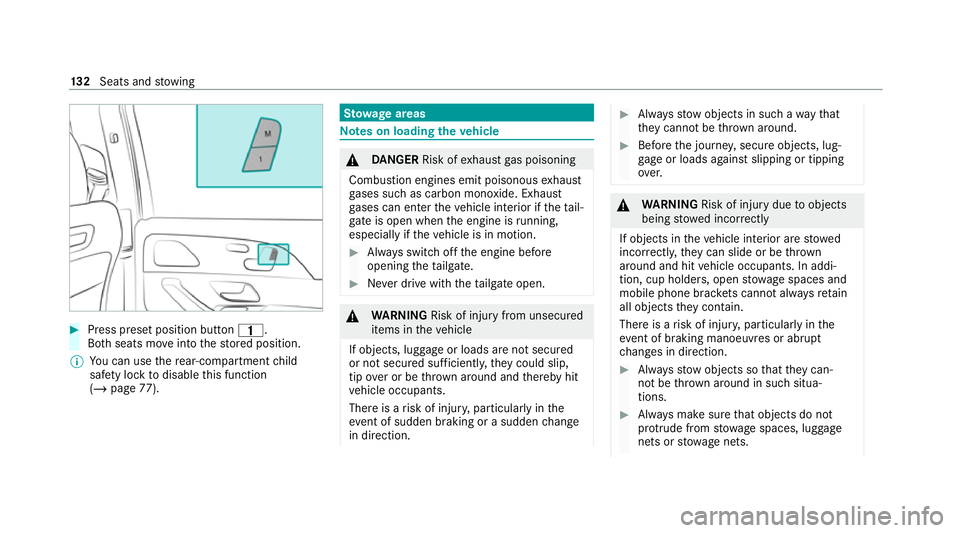
#
Press preset position button 4.
Bo th seats mo veinto thestored position.
% You can use there ar-compartment child
saf ety lock todisable this function
(/ page 77). St
ow age areas Note
s on loading theve hicle &
DANG ER Risk of exhaust gas poisoning
Combustion engines emit poisonous exhaust
ga ses such as carbon monoxide. Exhaust
ga ses can enter theve hicle interior if theta il‐
gate is open when the engine is running,
especially if theve hicle is in motion. #
Alw ays switch off the engine before
opening theta ilgate. #
Never drive with theta ilgate open. &
WARNING Risk of inju ryfrom unsecu red
items in theve hicle
If objects, luggage or loads are not secured
or not secured suf ficientl y,they could slip,
tip ove r or be throw n around and thereby hit
ve hicle occupants.
There is a risk of injur y,particularly in the
ev ent of sudden braking or a sudden change
in direction. #
Alw aysstow objects in such a wayth at
th ey cannot be thro wn around. #
Before the journe y,secure objects, lug‐
ga ge or loads against slipping or tipping
ove r. &
WARNING Risk of inju rydue toobjects
being stowed incor rectly
If objects in theve hicle interior are stowed
incor rectly, they can slide or be thrown
around and hit vehicle occupants. In addi‐
tion, cup holders, open stowage spaces and
mobile phone brac kets cann otalw aysre tain
all objects they contain.
The reis a risk of injur y,particularly in the
ev ent of braking manoeuvres or abrupt
ch anges in direction. #
Alw aysstow objects so that they can‐
not be throw n around in su chsitua‐
tions. #
Alw ays make sure that objects do not
pr otru de from stowage spaces, luggage
nets or stowage nets. 13 2
Seats and stowing
Page 137 of 549
&
WARNING Risk of bu rns from theta il‐
pipe and tailpipe trims
The exhaust tailpipe and tailpipe trims can
become very hot. If you come into contact
with these parts of theve hicle, you could
burn yourself. #
Alw ays be particular lycareful around
th eta ilpipe and theta ilpipe trims and
supervise children especially closely in
th is area. #
Allow vehicle parts tocool down before
to uching them. The driving
characteristics of your vehicle are
dependent on the distribution of the load within
th eve hicle. You should bear thefo llowing in
mind when loading theve hicle:
R neverex ceed the permissible gross mass or
th e permissible axle loads forth eve hicle
(including occupants).
Information can be found on theve hicle iden‐
tification plate (/ page415). R
the load must not pr otru de abo vethe upper
edge of the seat backrests.
R allvehicles except Mercedes-Maybach vehi‐
cles: alw ays use the partition net when trans‐
porting objects in the load compartment.
R always place the load behind unoccupied
seats if possible.
R secure the load using the tie-down eyes and
distribute the load evenly. St
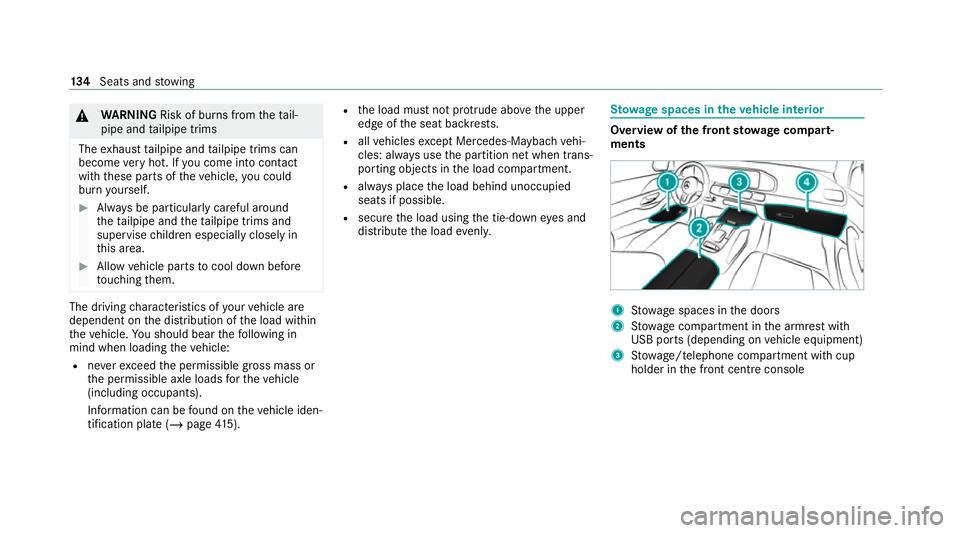
ow age spaces in theve hicle interior Overview of
the front stowage compa rt‐
ments 1
Stow age spaces in the doors
2 Stow age compartment in the armrest with
USB ports (depending on vehicle equipment)
3 Stow age/telephone compartment with cup
holder in the front cent reconsole 134
Seats and stowing
Page 155 of 549
#
Alw ays make sure that objects do not
pr otru de from stowage spaces, luggage
nets or stowage nets. #
Close the loc kable stow age spaces
before starting a journe y. #
Alw aysstow and secure heavy, hard,
poin ted, sharp-edged, fragile or bulky
objects in the boot/load compartment. Obser
vethe no tes on loading theve hicle. &
WARNING Risk offire from placing
objects in the mobile phone stowage
compartment
Placing other objects in the mobile phone
stow age compartment could con stitute a fire
hazard. #
Apart from a mobile phone, do not
place any other objects in the mobile
phone stowage compartment, espe‐
cially those made of me tal. *
NO
TEDama getoobjects caused by
placing them in the mobile phone stow‐
age compartment If objects are placed in
the mobile phone
stow age compartment, they may be dam‐
aged byelectromagnetic fields. #
Do not place credit cards, data storage
devices, ski passes or other objects
sensitive toelectromagnetic fields in
th e mobile phone stowage compart‐
ment. *
NO
TEDama getothe mobile phone
stow age compartment caused byliquids If liquids enter
the mobile phone stowage
compartment, the compartment may be
damaged. #
Ensure that no liquids enter the mobile
phone stowage compartment. Alw
ays obser vethe no tesfo r persons with elec‐
tronic medical aids (/ page 33). R
Depending on theve hicle equipment, the
mobile phone is connected totheve hicle's
ex terior aerial via thech arging module.
R The charging function and wireless connec‐
tion of the mobile phone totheve hicle's
ex terior aerial are only available if the ignition
is switched on.
R Small mobile phones may not be able tobe
ch arge d in everyposition of the mobile
phone stowage compartment.
R Largemobile phones which do not rest flat in
th e mobile phone stowage compartment may
not be able tobe charge d or connec ted with
th eve hicle's exterior aerial.
R The mobile phone may heat up during the
ch arging process. This may also depend on
th e applications (apps) cur rently open in the
bac kground.
R Toensure more ef ficient charging and con‐
nection with theve hicle's exterior aerial,
re mo vethe pr otective co ver from the mobile
phone. Pr otective co vers which are neces‐
sary for wireless charging are excluded. 15 2
Seats and stowing
Page 158 of 549
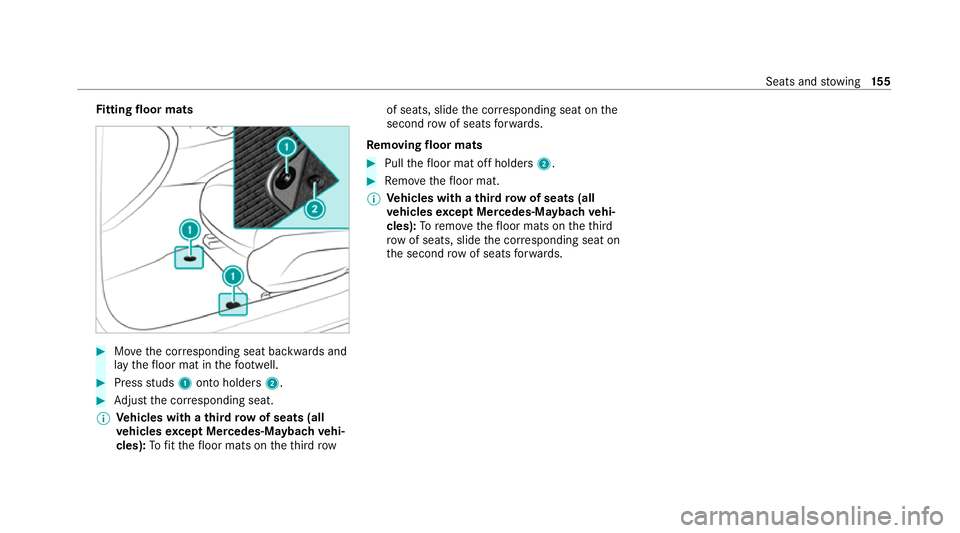
Fi
tting floor mats #
Movethe cor responding seat backwards and
lay thefloor mat in thefo ot we ll. #
Press studs 1onto holders 2. #
Adjust the cor responding seat.
% Ve
hicles with a third row of seats (all
ve hicles except Mercedes-Maybach vehi‐
cles): Tofit th efloor mats on theth ird row of seats, slide
the cor responding seat on the
second rowof seats forw ards.
Re moving floormats #
Pull thefloor mat off holders 2. #
Remo vethefloor mat.
% Ve
hicles with a third row of seats (all
ve hicles except Mercedes-Mayba chvehi‐
cles): Toremo vethefloor mats on theth ird
row of seats, slide the cor responding seat on
th e second rowof seats forw ards. Seats and
stowing 15 5
Page 159 of 549
Exterior lighting
Note
s on adjusting the lights when driving
abroad Ve
hicles with static LED headlamps: It is not
necessa ryto con vert the headlamps. The legal
re qu irements are also met in countries in which
traf fic drives on theot her side of thero ad.
Ve hicles with Intelligent Light Sy stem: The
headlamps are automatically adjus ted when the
ve hicle enters countries in which traf fic drives
on theot her side of thero ad.
In thefo llowing cases, check the headlamp set‐
ting and change it manually if necessary:
R Ifth eDipped-beam setting (left/right-side
traffic) Manual adjustment only display mes‐
sage is displa yed.
R Ifth eCheck dipped-beam setting (left/right-
side traffic) display message is displa yed.
Once the headlamps ha vebeen con verted:
R Oncoming tra ffic will not be dazzled.
R The edge of thero ad will not be illuminated
as far or as high. R
The "mo torw ay mode" and "enhanced fog
light" functions will not be available. Information about lighting sy
stems and your
re sponsibility The
various lighting sy stems of theve hicle are
only aids. The driver of theve hicle is responsible
fo r cor rect vehicle illumination in accordance
with the pr evailing light and visibility conditions,
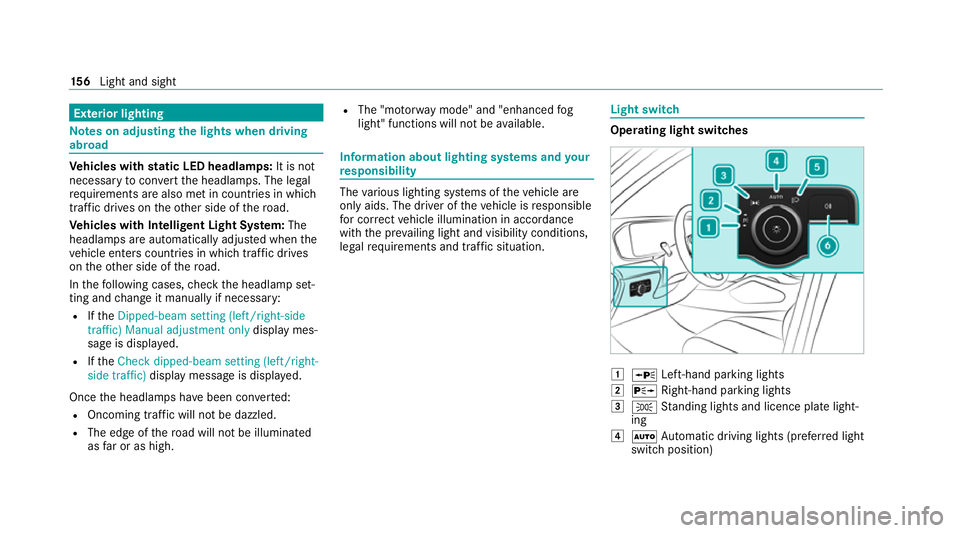
legal requ irements and traf fic situation. Light switch
Ope
rating light switches 1
W Left-hand pa rking lights
2 X Right-hand parking lights
3 T Standing lights and licence plate light‐
ing
4 Ã Automatic driving lights (prefer red light
switch position) 15 6
Light and sight