phone MERCEDES-BENZ GLS SUV 2020 Owners Manual
[x] Cancel search | Manufacturer: MERCEDES-BENZ, Model Year: 2020, Model line: GLS SUV, Model: MERCEDES-BENZ GLS SUV 2020Pages: 549, PDF Size: 9.9 MB
Page 5 of 549
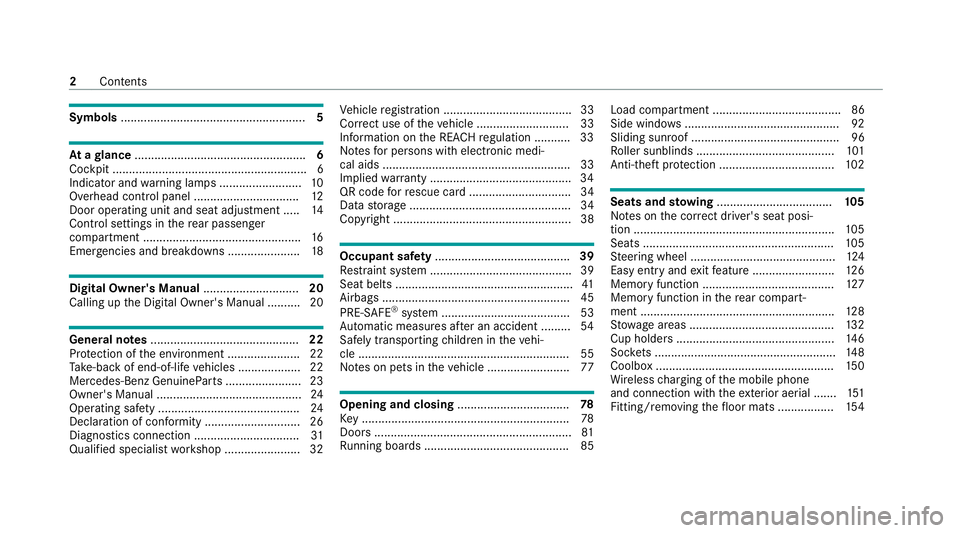
Symbols
........................................................ 5At
agl ance .................................................... 6
Cockpit ........................................................... 6
Indica tor and warning lamps ........................ .10
Overhead contro l panel ................................ 12
Door operating unit and seat adjustment ..... 14
Control settings in there ar passenger
compartment ................................................ 16
Emergencies and breakdowns ...................... 18Digital Owner's Manual
.............................20
Calling up the Digital Owner's Manual ..........20 Genera
l notes............................................. 22
Pr otection of the environment ......................22
Ta ke -ba ckof end-of-life vehicles ...................22
Mercedes-Benz GenuineParts ....................... 23
Owner's Manual ............................................ 24
Operating saf ety .......................................... .24
Declaration of conformity ............................. 26
Diagno stics connection ................................ 31
Qualified specialist workshop ....................... 32 Ve
hicle registration ....................................... 33
Cor rect use of theve hicle ............................33
Information on the REA CHregulation ........... 33
No tesfo r persons with electronic medi‐
cal aids ......................................................... 33
Implied warranty .......................................... .34
QR code forre scue card ...............................34
Data storage .................................................34
Copyright ...................................................... 38 Occupant saf
ety......................................... 39
Re stra int sy stem ...........................................39
Seat belts ...................................................... 41
Airbags ......................................................... 45
PRE-SAFE ®
sy stem ....................................... 53
Au tomatic measu res af ter an accident ......... 54
Safely transporting children in theve hi‐
cle ................................................................55
No tes on pets in theve hicle .........................77 Opening and closing
.................................. 78
Ke y .............................................................. .78
Doo rs............................................................ 81
Ru nning boards ............................................ 85 Load compa
rtment ....................................... 86
Side windo ws............................................... 92
Sliding sunroof ............................................. 96
Ro ller sunblinds .......................................... 101
Anti-theft pr otection ................................... 102 Seats and
stowing ................................... 105
No tes on the cor rect driver's seat posi‐
tion ............................................................. 105
Seats .......................................................... 105
St eering wheel ............................................ 124
Easy entry and exitfeature ........................ .126
Memory function ........................................ 127
Memory function in there ar compart‐
ment .......................................................... .128
St ow age areas ............................................ 13 2
Cup holders ................................................ 14 6
Soc kets ....................................................... 14 8
Coolbox ...................................................... 15 0
Wi reless charging of the mobile phone
and connection with theex terior aerial .......1 51
Fitting/removing thefloor mats ................. 1542
Contents
Page 6 of 549
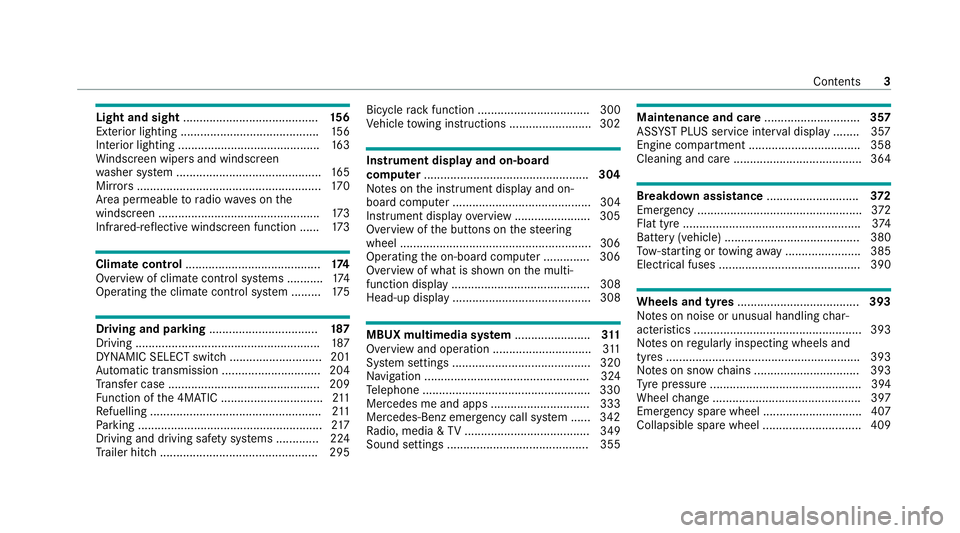
Light and sight
......................................... 15 6
Exterior lighting .......................................... 15 6
Interior lighting ...........................................1 63
Wi ndsc reen wipers and windscreen
wa sher sy stem ............................................ 16 5
Mir rors ........................................................ 17 0
Area pe rmeable toradio wav es on the
windscreen ................................................ .173
Infrared-reflective windscreen function ...... 173Climate control
......................................... 174
Overview of climate contro l systems ........... 174
Operating the climate control sy stem ......... 175 Driving and pa
rking ................................. 187
Driving ........................................................ 187
DY NA MIC SELECT switch ............................2 01
Au tomatic transmission .............................. 204
Tr ans fer case .............................................. 209
Fu nction of the 4MATIC ...............................2 11
Re fuelling .................................................... 211
Pa rking ........................................................ 217
Driving and driving sa fety sy stems .............2 24
Tr ailer hit ch................................................ 295 Bicycle
rack function .................................. 300
Ve hicle towing instructions ........................ .302 Instrument display and on-board
comp
uter.................................................. 304
No tes on the instrument display and on-
board computer .......................................... 304
Instrument display overview ...................... .305
Overview of the buttons on thesteering
wheel ..........................................................3 06
Operating the on-board computer .............. 306
Overview of what is shown on the multi‐
function display .......................................... 308
Head-up display .......................................... 308 MBUX multimedia sy
stem ....................... 311
Overview and operation .............................. 311
Sy stem settings .......................................... 320
Na vigation .................................................. 324
Te lephone .................................................. .330
Mercedes me and apps .............................. 333
Mercedes-Benz emer gency call sy stem ...... 342
Ra dio, media & TV...................................... 349
Sound settings ........................................... 355 Main
tenance and care ............................. 357
ASS YST PLUS service inter val display ........ 357
Engine compartment .................................. 358
Cleaning and care ...................................... .364 Breakdown assistance
............................372
Emergency ................................................. .372
Flat tyre ...................................................... 374
Battery (vehicle) ......................................... 380
To w- starting or towing away ....................... 385
Electrical fuses ........................................... 390 Wheels and tyres
..................................... 393
No tes on noise or unusual handling char‐
acteristics .................................................. .393
No tes on regular lyinspecting wheels and
tyres .......................................................... .393
No tes on snow chains ................................ 393
Ty re pressure .............................................. 394
Wheel change ............................................ .397
Emergency spare wheel .............................. 407
Collapsible spare wheel .............................. 409 Contents
3
Page 10 of 549
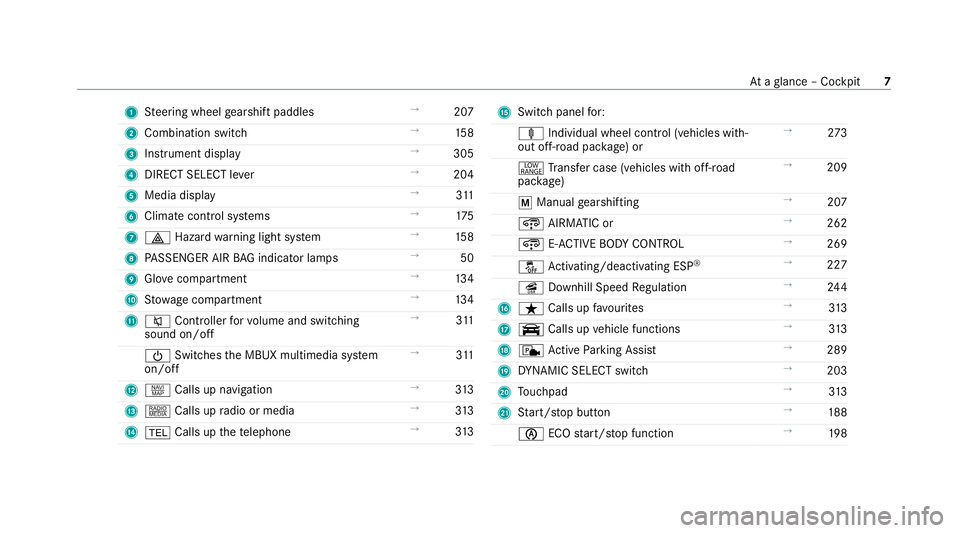
1
Steering wheel gearshift paddles →
207
2 Combination swit ch →
15 8
3 Instrument display →
305
4 DIRECT SELECT le ver →
204
5 Media display →
311
6 Climate cont rol sy stems →
175
7 £ Hazardwa rning light sy stem →
15 8
8 PASSENGER AIR BAG indicator lamps →
50
9 Glovecompa rtment →
13 4
A Stow age compartment →
13 4
B 8 Controller forvo lume and switching
sound on/off →
311
Ü Switches the MBUX multimedia sy stem
on/off →
311
C z Calls up navigation →
313
D | Calls up radio or media →
313
E % Calls up thete lephone →
313 F
Switch panel for:
ä Individual wheel control (vehicles with‐
out off-road pac kage ) or →
273
+ Trans fer case (vehicles with off-road
pac kage) →
209
p Manual gearshifting →
207
¿ AIRMATIC or →
262
¿ E-AC TIVE BODY CONTROL →
269
å Activating/deactivating ESP ®
→
227
î Downhill Speed Regulation →
24 4
G ß Calls up favo urites →
313
H y Calls up vehicle functions →
313
I c Active Parking Assist →
289
J DYNA MIC SELECT switch →
203
K Touchpad →
313
L Start/ stop button →
188
è ECOstart/ stop function →
19 8 At
aglance – Cockpit 7
Page 30 of 549
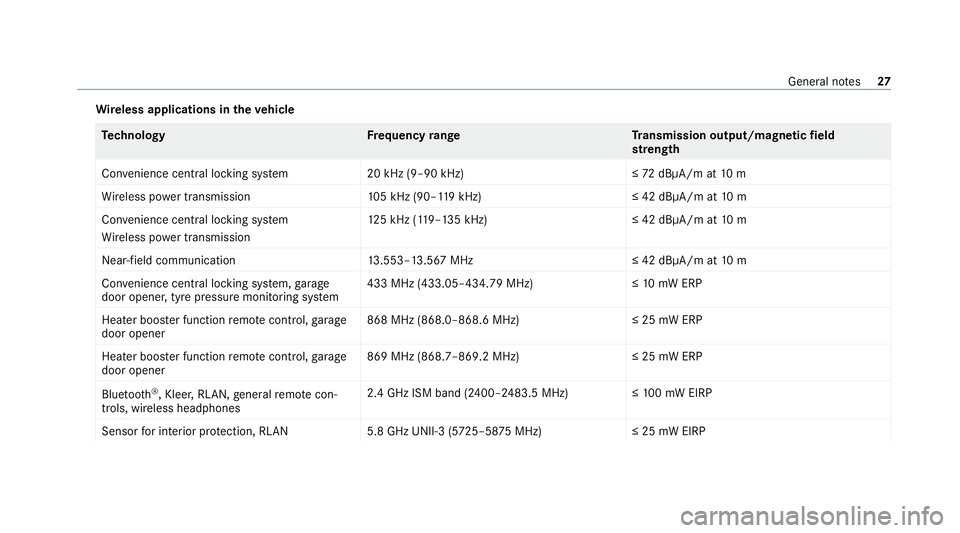
Wire
less applications in theve hicle Te
ch nology Frequency rang eT ransmission output/magnetic field
st re ngth
Con venience central lo cking sy stem 20 kHz (9–90 kHz)≤ 72dBμA/m at 10 m
Wi reless po wer transmission 105 kHz (90–1 19kHz) ≤ 42 dBμA/m at10 m
Con venience central lo cking sy stem
Wi reless po wer transmission 12
5 kHz (1 19–135 kHz)≤ 42 dBμA/m at10 m
Near-field communication 13.553–13.567 MHz ≤ 42 dBμA/m at10 m
Con venience central lo cking sy stem, garage
door opener, tyre pressure monitoring sy stem 433 MHz (433.05–434.79 MHz)≤
10mW ERP
Heater boos ter function remo tecontrol, garage
door opener 868 MHz (868.0–868.6 MHz
)≤25 mW ERP
Heater boos ter function remo tecontrol, garage
door opener 869 MHz (868.7–869.2 MHz
)≤25 mW ERP
Blue tooth ®
, Kleer, RLAN, general remo tecon‐
trols, wi reless headphones 2.4 GHz ISM band (2400–2483.5 MHz
)≤100 mW EIRP
Sensor for interior pr otection, RLAN 5.8 GHz UNII-3 (5725–58 75MHz) ≤ 25 mW EIRP General no
tes27
Page 33 of 549
Ve
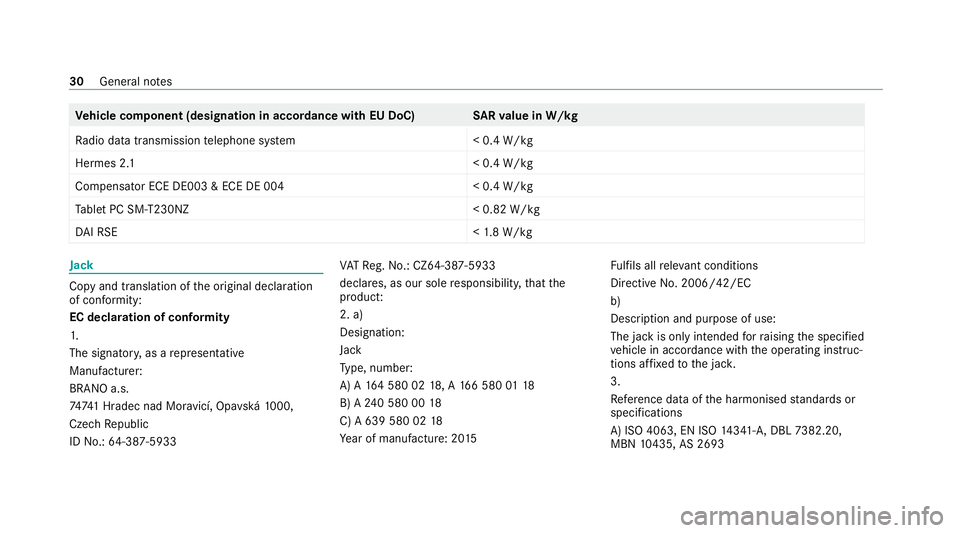
hicle comp onent (designation in accordance with EU DoC) SARva lue in W/kg
Ra dio data transmission telephone sy stem < 0.4 W/kg
Hermes 2. 1< 0.4 W/kg
Compensator ECE DE003 & ECE DE 004 < 0.4 W/kg
Ta blet PC SM-T230NZ < 0.82 W/kg
DA I RSE <1.8 W/kg Jack
Copy and translation of
the original declaration
of confo rmity:
EC declaration of conformity
1.
The signator y,as a representative
Manufacturer:
BRANO a.s.
7474 1 Hradec nad Mor avicí, Opa vská 1000,
Czech Republic
ID No.: 64-387-5933 VA
TRe g.No.: CZ64-387-5933
declares, as our sole responsibility, that the
product:
2. a)
Designation:
Jack
Ty pe, number:
A) A 164 580 02 18, A 166 580 0118
B) A 240 580 00 18
C) A 639 580 02 18
Ye ar of manufacture: 20 15 Fu
lfils all releva nt conditions
Directi veNo. 2006/42/EC
b)
Desc ript ion and purpose of use:
The jack is only intended forra ising the specified
ve hicle in accordance with the operating instruc‐
tions af fixe dto the jac k.
3.
Refe rence da taofthe harmonised standards or
specifications
A) ISO 4063, EN ISO 14341- A,DBL 7382.20,
MBN 10435, AS 2693 30
General no tes
Page 39 of 549
In cer
tain cases, it may be requ ired tostore data
th at wo uld ha veotherwise been used only tem‐
porarily. This may be the case if theve hicle has
de tected a malfunction, forex ample.
If yo u use services, such as repair services and
maintenance work,st ored operational data as
we ll as theve hicle identification number can be
re ad out and used. They can be read out by
service network emplo yees, such as workshops
and manufacturers or third parties, such as
breakdown services. The same is true in the
case of warranty claims and quality assurance
measures.
In general, there ad out is per form ed via the
legally prescribed port forth e diagnostics con‐
nection in theve hicle. The operational data that
are read out document tech nical states of the
ve hicle or of individual components and assist in
th e diagnosis of malfunctions, compliance with
wa rranty obligations and quality impr ovement.
To that end, these data, in particular information
about component loads, tech nical events, mal‐
functions and other faults may be transmit ted
along with theve hicle identification number to
th e manufacturer. Furthermore, the manufac‐ turer is subject
toproduct liability. Forth is rea‐
son the manufacturer also uses operational data
from theve hicle, forex ample, forre calls. These
da ta can also be used toexamine the cus tom‐
er's warranty and guarantee claims.
Fa ult memories in theve hicle can be reset by a
service outlet or at your requ est as part of repair
or maintenance work.
Con venience and inf otainment functions
Yo u can store con venience settings and individ‐
ual settings in theve hicle and change or reset
th em at any time.
Depending on theve hicle equipment, this
includes thefo llowing settings, forex ample:
R seat and steering wheel positions
R suspension and climate control settings
R individual settings, such as interior lighting
Depending on the selected equipment, you can
import data into vehicle inf otainment functions
yo urself. Depending on
theve hicle equipment, this
includes thefo llowing data, forex ample:
R multimedia data, such as music, films or pho‐
to sfo r playback in an integrated multimedia
sy stem
R address book data for use in connection with
an integrated hands-free sy stem or an inte‐
grated navigation sy stem
R entered navigation destinations
R data about the use of Internet services
These data for con venience and inf otainment
functions may be sa ved locally in theve hicle or
th ey may be located on a device which you ha ve
connected totheve hicle, such as a smartphone,
USB flash drive or MP3 pla yer.If yo u ha ve
entered these data yourself, you can dele tethem
at any time.
This data is transmit ted from theve hicle tothird
parties only at your requ est. This applies, in par‐
ticular, when you use online services in accord‐
ance with the settings that you ha veselected. 36
General no tes
Page 40 of 549
Smartphone integ
ration (e.g. Android Autoor
Apple CarPlay)
If yo ur vehicle is according lyequipped, you can
connect your smartphone or ano ther mobile end
device totheve hicle. You can then control them
by means of the control elements integrated in
th eve hicle. Images and audio from the smart‐
phone can be output via the multimedia sy stem.
Cer tain information is simultaneously transfer‐
re dto yo ur smartphone. Depending on the type
and integration, this includes position data, the
day/night mode and other general vehicle sta‐
tuses. For more information please consult the
Owner's Manual of theve hicle/inf otainment sys‐
te m.
This integration allow sth e use of selected
smartphone apps, such as navigation or music
pla yer apps. There is no fur ther interaction
between the smartphone and theve hicle; in par‐
ticular, vehicle data is not directly accessible.
The type of additional data processing is de ter‐
mined bythe pr ovider of the app being used.
Which settings you can make, if an y,depends on
th e specific app and the operating sy stem of
yo ur smartphone. Online services
Wire
less network connection
If yo ur vehicle has a wireless network connec‐
tion, it enables data tobe exc hanged between
yo ur vehicle and additional sy stems. The wire‐
less network connection is made possible bythe
ve hicle's own transmitter and recei ver or by a
mobile end device that you ha vebrought into the
ve hicle, forex ample, a smartphone. Online func‐
tions can be used via the wireless network con‐
nection. This includes online services and appli‐
cations/apps pr ovided to yo uby the manufac‐
turer or by other pr oviders.
Manu factu rer's se rvices
Re garding the manufacturer's online services,
th e individual functions are described bythe
manufacturer in a suita ble place,forex ample, in
th e Owner's Manual or on the manufacturer's
we bsite, where there leva nt da taprotection
information is also given. Personal data may be
used forth e pr ovision of online services. Data
are exchanged via a secure connection, such as
th e manufacturer's designated IT sy stems. Any
personal data which are collected, processed and used,
other than forth e pr ovision of serv‐
ices, is done so exclusively on the basis of legal
permission. This is the case, forex ample, for a
legally prescribed emergency call sy stem, a con‐
tractual agreement or when consent has been
given.
Yo u can ha veservices and functions, some of
which are subject toafe e, activated or deactiva‐
te d. This excludes legally prescribed functions
and services, such as an emer gency call sy stem.
Third party services
If yo u use online services from other pr oviders
(third parties), these services are there sponsi‐
bility of the pr ovider in question and subject to
th at pr ovider's data pr otection conditions and
te rm s of use. As a general rule, the manufac‐
turer has no influence on the conte nt
exc hanged.
Fo rth is reason, when services are pr ovided by
th ird parties, please ask the service pr ovider in
qu estion for information about the type, extent
and pu rpose of the collection and use of per‐
sonal data. General no
tes37
Page 50 of 549
passenger seat should be mo
ved as far back
as possible.
When doing so, alw ays obser vethe informa‐
tion on the cor rect driver's seat position
(/ page 105).
R Only hold thesteering wheel bythesteering
wheel rim. This allows the airbag tobe fully
deplo yed.
R Alw ays lean against the seat backrest when
th eve hicle is in motion. Do not lean forw ards
or against the door or side windo w.You may
ot herwise be in the deployment area of the
airbags.
R The occupants must alw ayske ep their feet
on thefloor. Do not put your feet on the
cockpit, forex ample. Your feet may other‐
wise be in the deployment area of the airbag.
R Ifch ildren are tra velling in theve hicle,
obser vethe additional no tes (/ page 56).
R Alw aysstow and secure objects cor rectly. Objects in
theve hicle interior may pr event an
airbag from functioning cor rectly. Each vehicle
occupant must alw ays make sure of thefo llow‐
ing in particular:
R There are no people, animals or objects
between theve hicle occupants and an air‐
bag.
R There are no objects between the seat, door
and door pillar (B-pillar).
R There are no hard objects, e.g. coat hangers,
hanging on the grab handles or coat hooks.
R There are no accessory parts, such as mobile
navigation devices, mobile phones or cup
holders, within the deployment area of an air‐
bag, e.g. on the cockpit, on the door, on the
side window or on the side trim.
In addition, no connecting cables, tensioning
st ra ps or retaining stra ps must be routed or
attached totheve hicle within the deploy‐
ment area of an airbag. Alw ays comply with
th e accessory manufacturer's ins tallation
instructions and, in particular, the no tes on
suitable places for ins tallation. R
There are no heavy, sharp-edged or fragile
objects in the poc kets of your clo thing. Store
such objects in a suitable place. Limited pr
otection pr ovided byairbags &
WARNING Risk of inju rydue tomodifi‐
cations tothe co ver of an airbag
If yo u modify the co ver of an airbag or af fix
objects such as sticke rs to it,the airbag may
no longer function cor rectly. #
Never modify the co ver of an airbag and
do not af fix objects toit. The ins
tallation location of an airbag is identified
by the AIRB AGsymbol (/ page 45). &
WARNING Risk of inju ryor death due to
th e use of unsuitable seat co vers
Due tounsuitable seat co vers,th e airbags
cann otprotect vehicle occupants as inten‐
ded. Occupant saf
ety47
Page 84 of 549
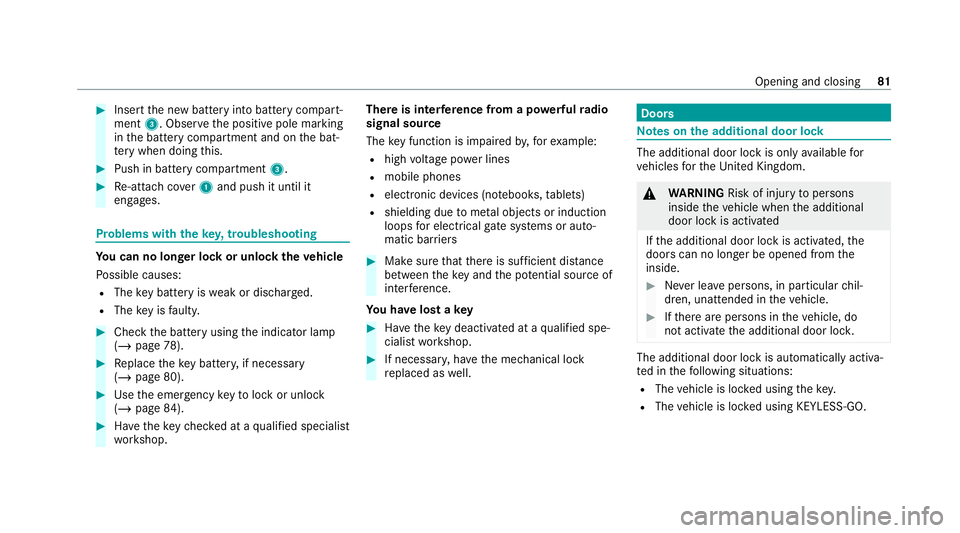
#
Insert the new battery into battery compart‐
ment 3. Obser vethe positive pole marking
in the battery compartment and on the bat‐
te ry when doing this. #
Push in battery compartment 3.#
Re-attach co ver1 and push it until it
engages. Problems with
theke y,troublesho oting Yo
u can no lon ger lo ckor unlock theve hicle
Po ssible causes:
R The key bat tery iswe ak or dischar ged.
R The key is faulty. #
Check the battery using the indicator lamp
(/ page 78). #
Replace theke y bat tery, if necessary
(/ page 80). #
Use the emer gency keyto lock or unlock
(/ page 84). #
Have theke ych ecked at a qualified specialist
wo rkshop. There is inter
fere nce from a po werful radio
signal source
The key function is impaired by,fo rex ample:
R high voltage po wer lines
R mobile phones
R electronic devices (no tebooks, tablets)
R shielding due tome tal objects or induction
loops for electrical gatesystems or auto‐
matic bar riers #
Make sure that there is suf ficient di stance
between theke y and the po tential sou rce of
inter fere nce.
Yo u ha velost a key #
Have theke y deacti vated at a qualified spe‐
cialist workshop. #
If necessar y,ha ve the mechanical lock
re placed as well. Doors
Note
s onthe additional door lock The additional door lock is only
available for
ve hicles forth eUni ted Kingdom. &
WARNING Risk of inju ryto persons
inside theve hicle when the additional
door lock is activated
If th e additional door lock is activated, the
doors can no longer be opened from the
inside. #
Never lea vepersons, in particular chil‐
dren, unat tended in theve hicle. #
Ifth ere are persons in theve hicle, do
not activate the additional door loc k. The additional door lock is automatically activa‐
te d in thefo llowing situations:
R The vehicle is loc ked using thekey.
R The vehicle is loc ked using KEYLESS-GO. Opening and closing
81
Page 86 of 549
Locking/unlocking
theve hicle with KEY‐
LESS-GO Re
quirements:
R The key is outside theve hicle.
R The dis tance between theke y and theve hicle
does not exceed 1 m.
R The driver's door and the door at which the
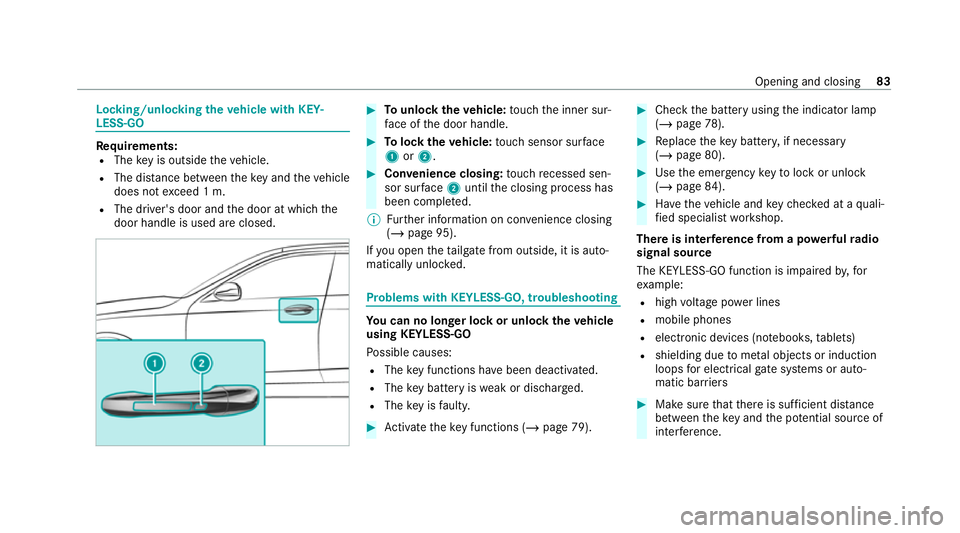
door handle is used are closed. #
Tounlo cktheve hicle: touch the inner sur‐
fa ce of the door handle. #
Tolock theve hicle: touch sensor sur face
1 or2. #
Convenience closing: touch recessed sen‐
sor su rface 2until the closing process has
been comple ted.
% Further information on con venience closing
(/ page 95).
If yo u open theta ilgate from outside, it is auto‐
matically unloc ked. Problems with KEYLESS-GO, troubleshooting
Yo
u can no lon ger lo ckor unlock theve hicle
using KEYLESS-GO
Po ssible causes:
R The key functions ha vebeen deactivated.
R The key bat tery iswe ak or dischar ged.
R The key is faulty. #
Activate theke y functions (/ page 79). #
Check the battery using the indicator lamp
(/ page 78). #
Replace theke y bat tery, if necessary
(/ page 80). #
Use the emer gency keyto lock or unlock
(/ page 84). #
Have theve hicle and keych ecked at a quali‐
fi ed specialist workshop.
There is inter fere nce from a po werful radio
signal source
The KEYLESS-GO function is impaired by,for
ex ample:
R high voltage po wer lines
R mobile phones
R electronic devices (no tebooks, tablets)
R shielding due tome tal objects or induction
loops for electrical gate systems or auto‐
matic bar riers #
Make sure that there is suf ficient di stance
between theke y and the po tential sou rce of
inter fere nce. Opening and closing
83