CD changer MERCEDES-BENZ M-Class 2002 W163 Comand Manual
[x] Cancel search | Manufacturer: MERCEDES-BENZ, Model Year: 2002, Model line: M-Class, Model: MERCEDES-BENZ M-Class 2002 W163Pages: 165, PDF Size: 2.52 MB
Page 48 of 165
44
IntroductionAudioTelephone Navigation Index
System settings
Note:
After ejecting the CD the MCS will switch to the radio
mode.Loading CDs in the CD changer
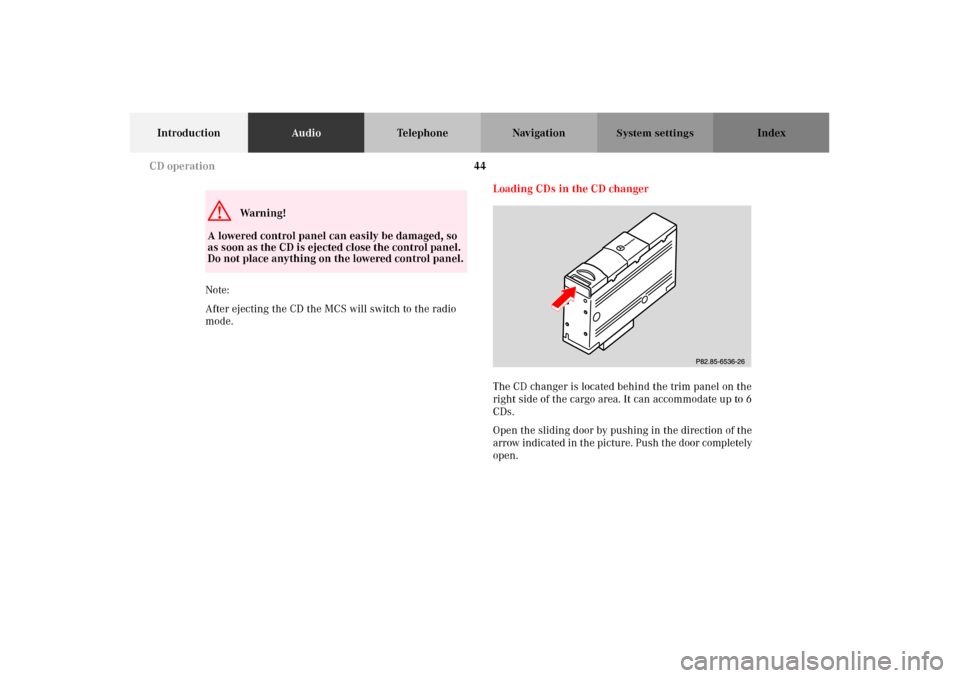
The CD changer is located behind the trim panel on the
right side of the cargo area. It can accommodate up to 6
CDs.
Open the sliding door by pushing in the direction of the
arrow indicated in the picture. Push the door completely
open.G
Wa r n i n g !
A lowered control panel can easily be damaged, so
as soon as the CD is ejected close the control panel.
Do not place anything on the lowered control panel.
P82.85-6536-26
CD operation
Page 51 of 165
47
IntroductionAudioTelephone Navigation Index
System settings
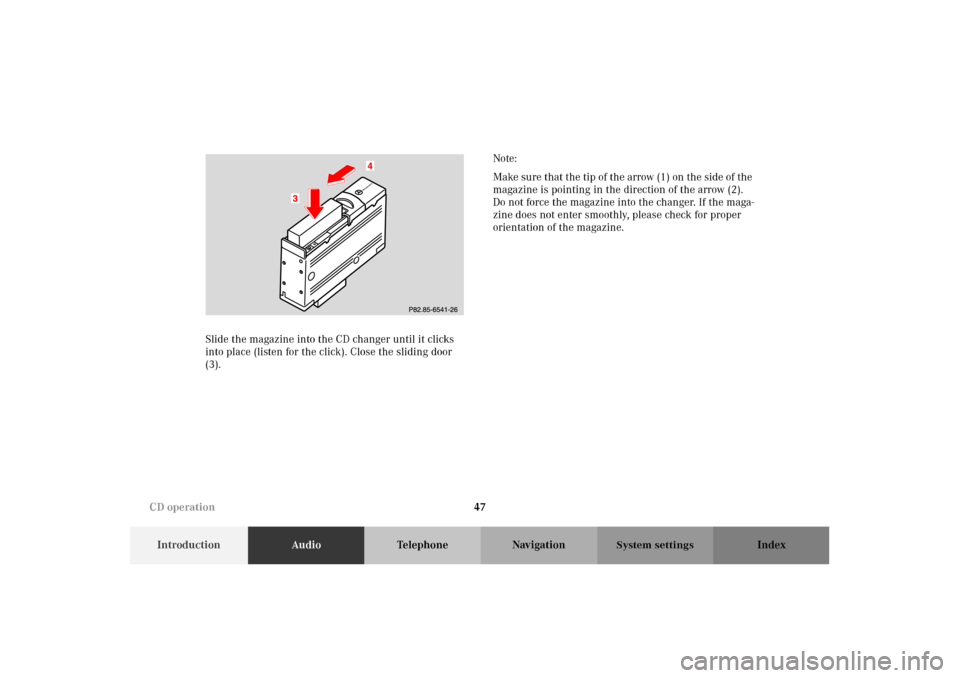
Slide the magazine into the CD changer until it clicks
into place (listen for the click). Close the sliding door
(3).Note:
Make sure that the tip of the arrow (1) on the side of the
magazine is pointing in the direction of the arrow (2).
Do not force the magazine into the changer. If the maga-
zine does not enter smoothly, please check for proper
orientation of the magazine.P82.85-2892-26
Mersedes-Benz
CD operation
Page 52 of 165
48
IntroductionAudioTelephone Navigation Index
System settings
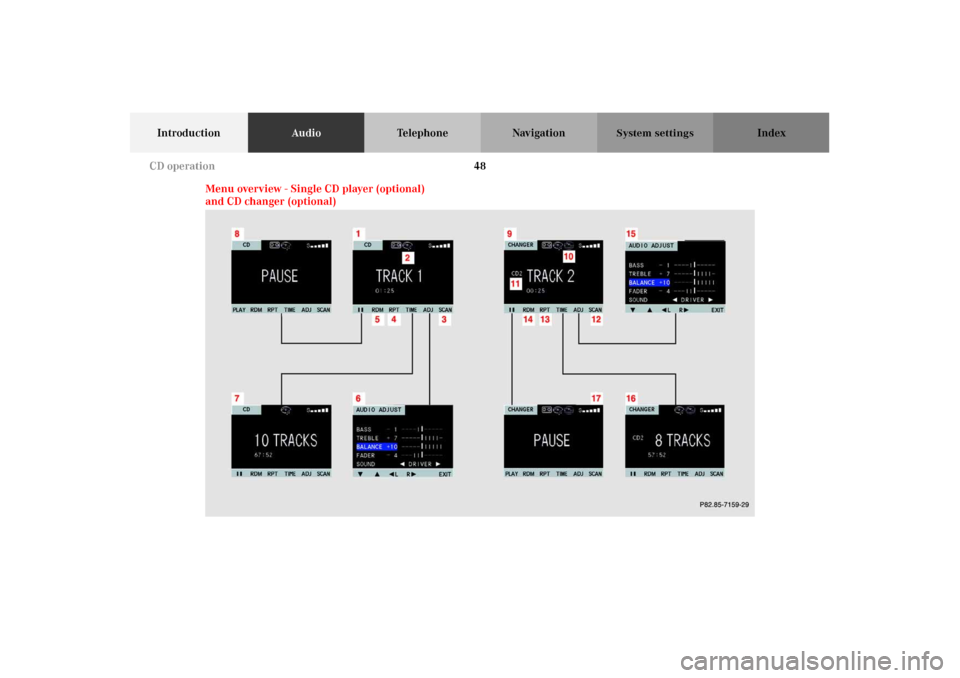
Menu overview - Single CD player (optional)
and CD changer (optional)
P82.85-7159-29
CD operation
Page 53 of 165
49
IntroductionAudioTelephone Navigation Index
System settings
Single CD player
1Main CD menu for single CD player
2Icon for inserted CD in single CD player
3Scan function, scanning tracks, page 56
4Repeat function, page 56
5Random play, page 57
6Main sound settings menu,
Adjust sound settings, page 153
7Pause function, page 58
8Select time display, page 59CD changer
9Main CD menu for CD changer
10Icon for connected and loaded CD changer
11Number of selected CD
12Scan function, scanning tracks, page 56
13Repeat function, page 56
14Random play, page 57
15Main sound settings menu,
Adjust sound settings, page 153
16Select time display, page 59
17Pause function, page 58
CD operation
Page 54 of 165
50
IntroductionAudioTelephone Navigation Index
System settings
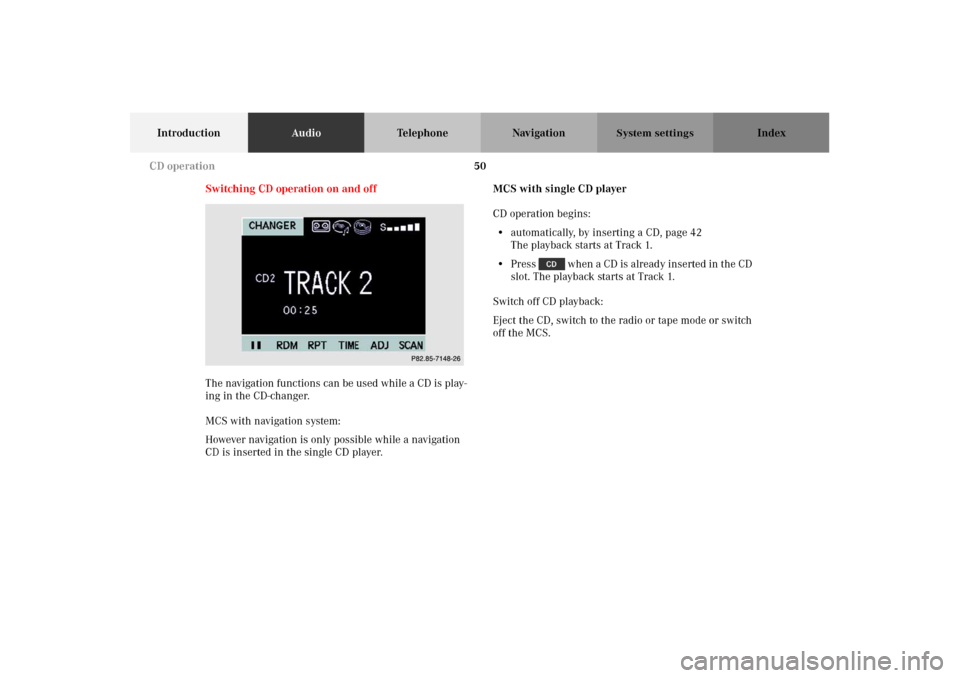
Switching CD operation on and off
The navigation functions can be used while a CD is play-
ing in the CD-changer.
MCS with navigation system:
However navigation is only possible while a navigation
CD is inserted in the single CD player.MCS with single CD player
CD operation begins:
• automatically, by inserting a CD, page 42
The playback starts at Track 1.
• Press when a CD is already inserted in the CD
slot. The playback starts at Track 1.
Switch off CD playback:
Eject the CD, switch to the radio or tape mode or switch
off the MCS.
P82.85-7148-26
CD operation
Page 55 of 165
51
IntroductionAudioTelephone Navigation Index
System settings
MCS with CD changer
CD changer operation begins:
• Press when CDs are inserted in the CD
changer, page 43.
The playback starts at Track 1.
The telephone and navigation functions can be used
while a CD is playing.
Switch off CD playback:
Switch to the radio or tape mode or switch off the MCS.MCS with single CD player and CD changer
If you press the MCS will start the last CD mode
which was activated. To start the other CD mode press
again.
Single CD player operation begins:
• automatically, by inserting a CD, page 42
The playing starts at Track 1.
• Press when a CD is already inserted in the CD
slot, page 42.
The playing starts at Track 1.
Switch off CD playback:
Eject the CD, switch to the radio, tape or CD changer
mode or switch off the MCS.
CD changer operation begins:
• Press when CDs are inserted in the CD
changer, page 43.
The playback starts at Track 1.
Switch off CD playback:
Switch to the radio, tape or single CD player mode or
switch off the MCS.
CD operation
Page 56 of 165
52
IntroductionAudioTelephone Navigation Index
System settings
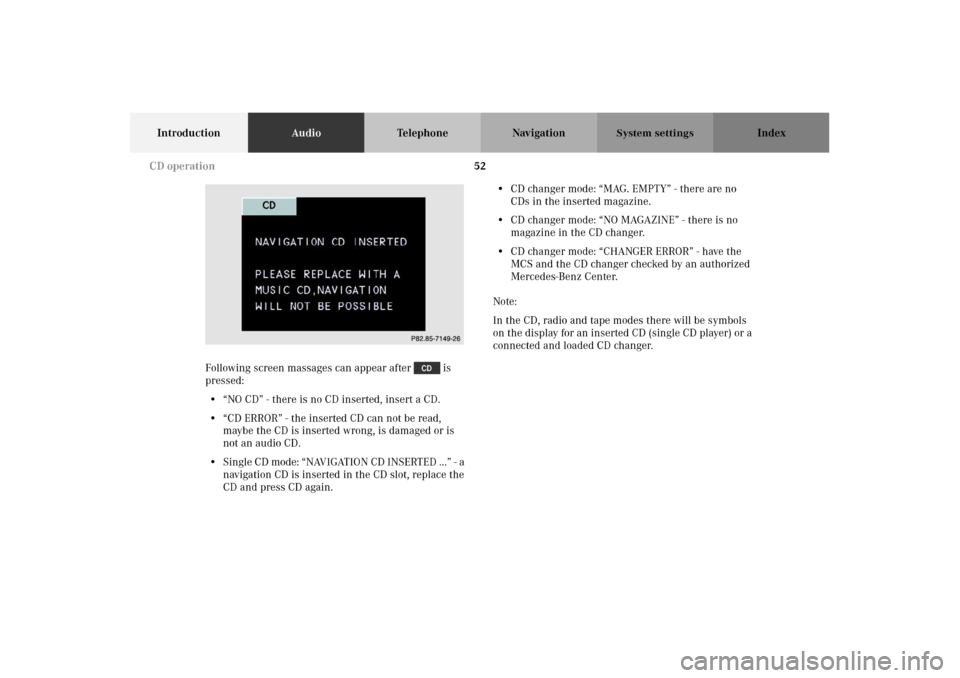
Following screen massages can appear after is
pressed:
• “NO CD” - there is no CD inserted, insert a CD.
• “CD ERROR” - the inserted CD can not be read,
maybe the CD is inserted wrong, is damaged or is
not an audio CD.
• Single CD mode: “NAVIGATION CD INSERTED ...” - a
navigation CD is inserted in the CD slot, replace the
CD and press CD again.• CD changer mode: “MAG. EMPTY” - there are no
CDs in the inserted magazine.
• CD changer mode: “NO MAGAZINE” - there is no
magazine in the CD changer.
•CD changer mode: “CHANGER ERROR” - have the
MCS and the CD changer checked by an authorized
Mercedes-Benz Center.
Note:
In the CD, radio and tape modes there will be symbols
on the display for an inserted CD (single CD player) or a
connected and loaded CD changer.P82.85-7149-26
CD operation
Page 57 of 165
53
IntroductionAudioTelephone Navigation Index
System settings
Selecting CDs
(MCS with CD changer)
Selecting a CD with the number keypad:
Press a number key, e.g. , to select the correspond-
ing CD.
Note:
You can only select CD’s by pressing a number key from
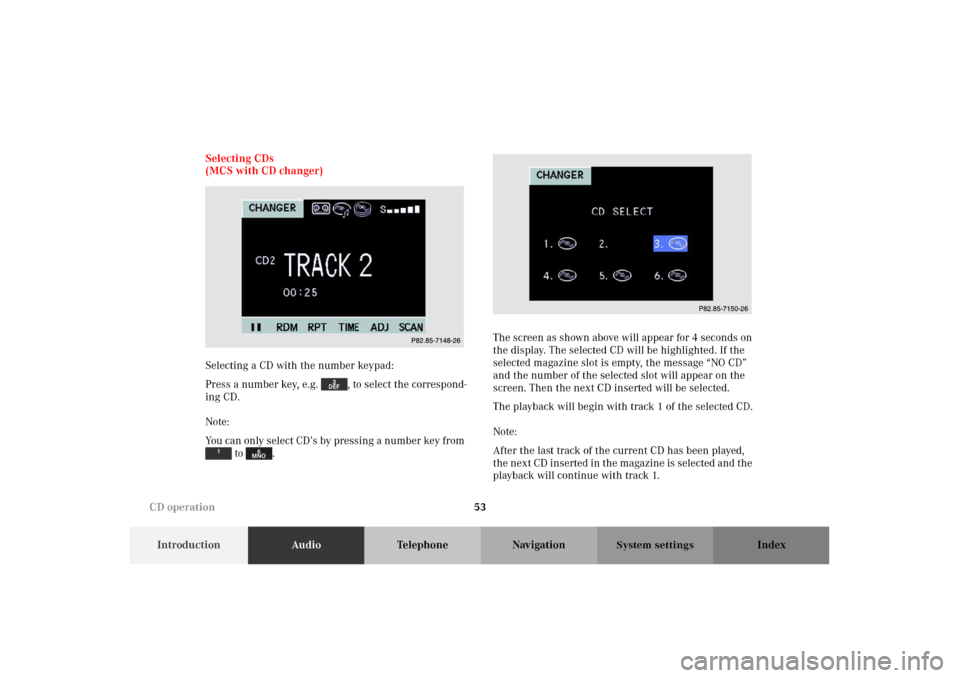
to .The screen as shown above will appear for 4 seconds on
the display. The selected CD will be highlighted. If the
selected magazine slot is empty, the message “NO CD”
and the number of the selected slot will appear on the
screen. Then the next CD inserted will be selected.
The playback will begin with track 1 of the selected CD.
Note:
After the last track of the current CD has been played,
the next CD inserted in the magazine is selected and the
playback will continue with track 1.
P82.85-7148-26
P82.85-7150-26
CD operation
Page 92 of 165
88
Introduction Audio TelephoneNavigationIndex
System settings
Switching navigation operation on and off
The navigation operation starts by pressing the button
.
Only during the software loading process the navigation
start up screen appears.
Note:
The navigation system starts only after a navigation CD
has been inserted in the CD slot.
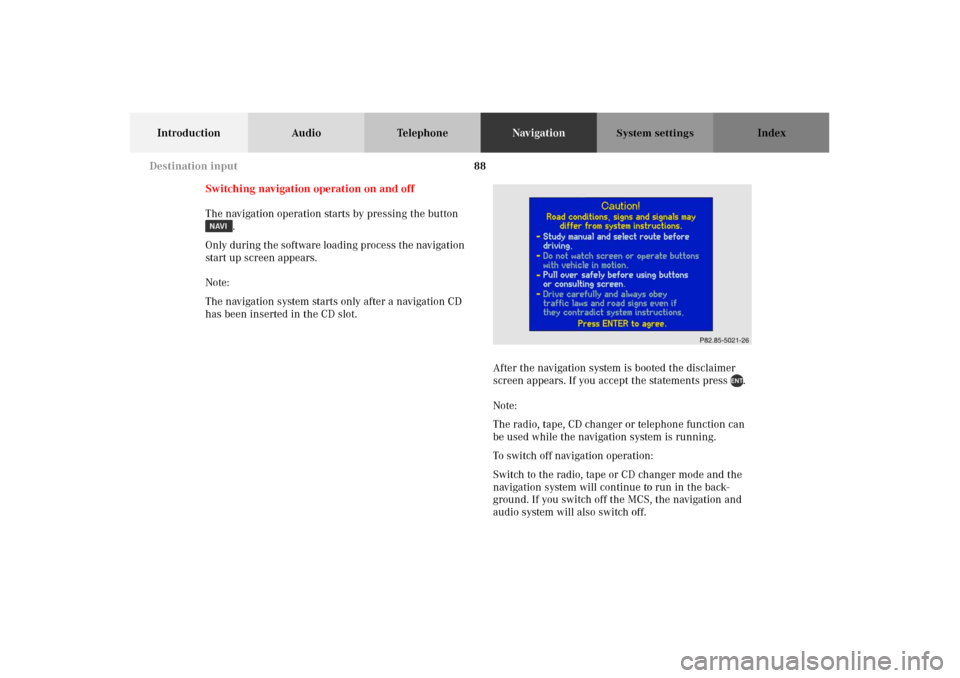
After the navigation system is booted the disclaimer
screen appears. If you accept the statements press .
Note:
The radio, tape, CD changer or telephone function can
be used while the navigation system is running.
To switch off navigation operation:
Switch to the radio, tape or CD changer mode and the
navigation system will continue to run in the back-
ground. If you switch off the MCS, the navigation and
audio system will also switch off.
Destination input
Page 157 of 165
153
Introduction Audio Telephone Navigation Index
System settings
Adjusting sound settings
You can adjust the sound settings for the audio sources.
The audio sources include:
• Radio (FM, AM, WB)
•Tape deck
•CD
•CD-Changer
Each audio source has its own adjustments for sound
system, bass and treble levels.
The adjustment for balance and fader are the same for
all audio sources.
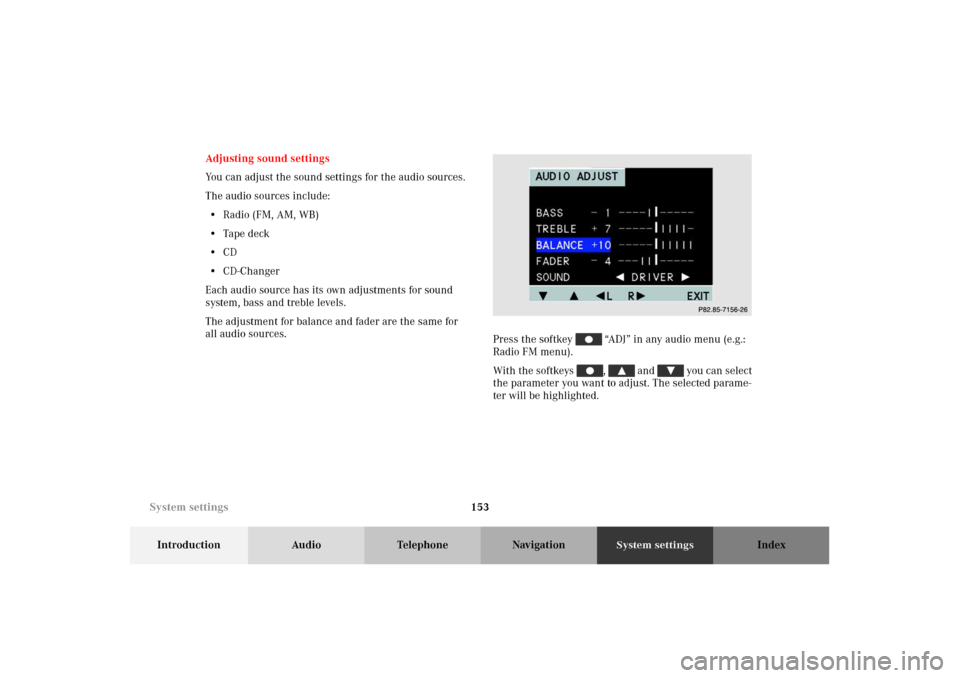
Press the softkey “ADJ” in any audio menu (e.g.:
Radio FM menu).
With the softkeys , and you can select
the parameter you want to adjust. The selected parame-
ter will be highlighted.
P82.85-7156-26
System settings