CD changer MERCEDES-BENZ M-Class 2006 W163 Comand Manual
[x] Cancel search | Manufacturer: MERCEDES-BENZ, Model Year: 2006, Model line: M-Class, Model: MERCEDES-BENZ M-Class 2006 W163Pages: 242, PDF Size: 6.46 MB
Page 236 of 242

234 Index
selecting a folder 76
selecting a folder (rear seat
entertainment*) 100
switching to MP3 CD mode 74
track select 78
Muting
CD operation 67
MP3 CD operation 80
satellite radio* operation 118
Muting (rear seat entertainment*) 112
N
Navigation
Important notes 148
Navigation displays 175
Navigation DVD 149
loading/ejecting 149
NAVIGATION IS INITIALIZING. PLEASE
WAIT. 207
NO SERV 135
NO SERV. 128O
Opening
the Audio menu 42
Operating elements
CD 14
CD changer* 16
MP3 CD 18
navigation 24
radio 12
Satellite radio* 20
service 26
telephone* 22
Outgoing calls 137
P
Phone book 144
PHONE NOT AVAILABLE 129
PHONE NOT INSERTED 129
PHONE OFF 130
PIN BLOCKED. PLEASE ENTER PUK ON
CELL PHONE 134PIN-code
entering 133
PIN-CODE INCORRECT 134
PLEASE ENTER LOCK-CODE 128
PLEASE INSERT SIM CARD (EMERGENCY
CALL 911 ONLY POSSIBLE WITH
PHONE) 129, 130, 133
PLEASE WAIT, LOADING DISC... (rear seat
entertainment*) 94, 95
PRESS ANY KEY TO CONTINUE... (rear seat
entertainment operation*) 95
Program category 119
PUK
entering 134
Q
Quick-dialing 141
R
Radio operation
muting 43
Radio station
saving station manually 49
Page 237 of 242
235 Index
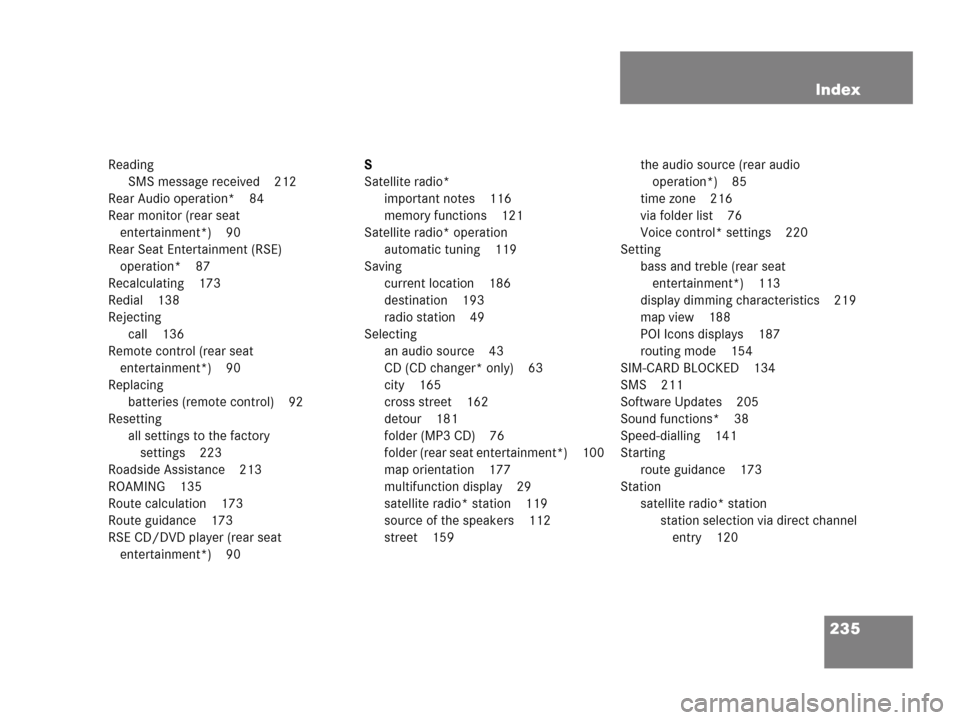
Reading
SMS message received 212
Rear Audio operation* 84
Rear monitor (rear seat
entertainment*) 90
Rear Seat Entertainment (RSE)
operation* 87
Recalculating 173
Redial 138
Rejecting
call 136
Remote control (rear seat
entertainment*) 90
Replacing
batteries (remote control) 92
Resetting
all settings to the factory
settings 223
Roadside Assistance 213
ROAMING 135
Route calculation 173
Route guidance 173
RSE CD/DVD player (rear seat
entertainment*) 90S
Satellite radio*
important notes 116
memory functions 121
Satellite radio* operation
automatic tuning 119
Saving
current location 186
destination 193
radio station 49
Selecting
an audio source 43
CD (CD changer* only) 63
city 165
cross street 162
detour 181
folder (MP3 CD) 76
folder (rear seat entertainment*) 100
map orientation 177
multifunction display 29
satellite radio* station 119
source of the speakers 112
street 159the audio source (rear audio
operation*) 85
time zone 216
via folder list 76
Voice control* settings 220
Setting
bass and treble (rear seat
entertainment*) 113
display dimming characteristics 219
map view 188
POI Icons displays 187
routing mode 154
SIM-CARD BLOCKED 134
SMS 211
Software Updates 205
Sound functions* 38
Speed-dialling 141
Starting
route guidance 173
Station
satellite radio* station
station selection via direct channel
entry 120
Page 238 of 242

236 Index
Subscribing
to satellite radio* 117
Subsequent dialing 138
Switching
between the rear monitors (rear seat
entertainment*) 89
the GPS info setting on/off 188
to AUX mode (rear seat
entertainment*) 109
to CD mode (rear seat
entertainment*) 98
to CD operation 61
to DVD mode (rear seat
entertainment*) 103
to MP3 CD mode 74
to MP3 CD mode (rear seat
entertainment*) 100
to telephone* operation 134
Switching off
COMAND 34
hands-free microphone 142
rear audio operation* 86
telephone operation 130
the rear monitor* 94Switching on
CD operation
CD changer* 62
CD drive in the COMAND 62
COMAND 34
hands-free microphone 142
satellite radio* operation 118
telephone operation 130
the rear monitor* 93
T
Tele Aid* 213
TELEPHONE BEING ACTIVATED, PLEASE
WAIT. 129
TELEPHONE BEING DEACTIVATED, PLEA-
SE WAIT 130
TELEPHONE NOT AVAILABLE 135
TELEPHONE NOT INSERTED 135
The unlock code
entering 133
Three-way calling 142
Track select 64
Traffic routes
minimizing 154Trail settings 190
Treble 37
V
Voice instructions 174
Volume
adjusting
at the COMAND 35
Rear audio* headsets 86
Rear Seat Entertainment*
headsets 97
automatic volume control 35
W
Weather Band WB 45