ECO mode MERCEDES-BENZ M-Class 2011 W164 Comand Manual
[x] Cancel search | Manufacturer: MERCEDES-BENZ, Model Year: 2011, Model line: M-Class, Model: MERCEDES-BENZ M-Class 2011 W164Pages: 214, PDF Size: 4.69 MB
Page 49 of 214
fact
that certain menuitemsaregray edout
and cannot besele cted.
The followi ngentries arenot possi ble,for
examp le:
R entering thedesti nation cityand street
R entering adesti nation viathe map
R entering inthe vicini tyof acity orvia a
name search
R edi ting entries
R dire ctentry using the numbe rkeypad
Other entries arestill possible, suchas
ent ering pointsof int erest inthe vicin ityofthe
destin ationorcurren tposition. Switching
onnavigation mode
X Press theØ functionbutton .
or
X Select Navi in
the main functionbar using
the =;9 buttonsand press the
9 button toconf irm.
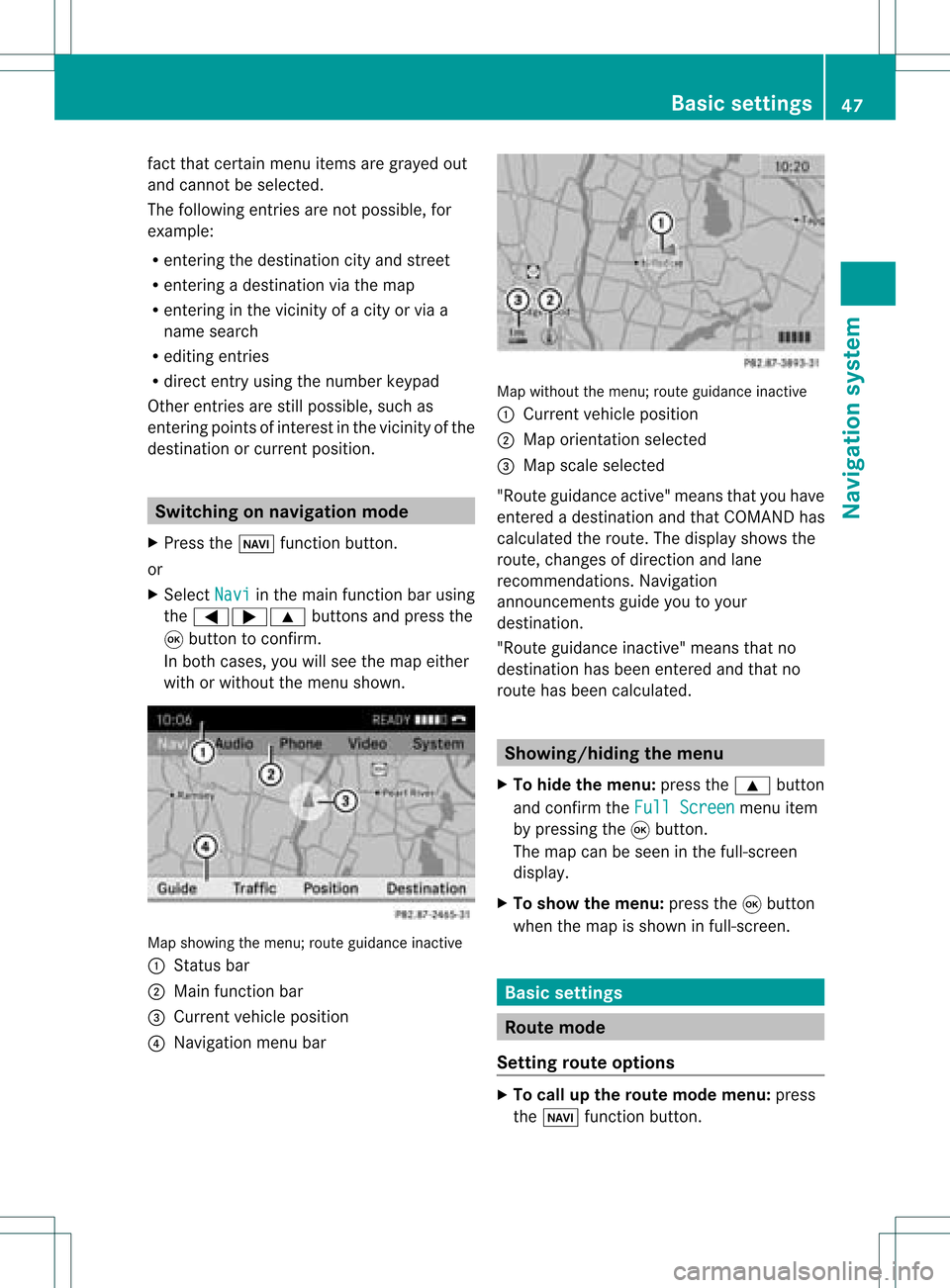
In both cases, youwillsee themap either
with orwithout themenu shown. Map
showing themenu; routeguidance inactive
: Stat usbar
; Main functionbar
= Current vehicleposition
? Navigation menubar Map
without themenu; routeguidance inactive
: Current vehicleposition
; Map orientat ionselected
= Map scale selected
"Route guidance active"meansthatyouhave
enter edadestination andthat COMAND has
calculated theroute. Thedisplay showsthe
route, changes ofdirection andlane
recomm endations. Navigation
announc ementsguide youtoyour
destination .
"Rou teguidance inactive"meansthatno
destination hasbeen enteredand that no
route hasbeen calculated. Showing/
hidingthemenu
X To hide themenu: pressthe9 button
and conf irmtheFull Screen menu
item
by pressing the9button .
The map canbeseen inthe full-screen
display .
X To show themenu: pressthe9button
when themap isshown infull-screen . Basic
settings Route
mode
Setting routeoptions X
To call upthe rout emode menu: press
the Ø functionbutton . Basic
settings
47Navigation system Z
Page 67 of 214
X
To start route calculati on:sel ect Start and
pressthe 9button toconfi rm.
Ap rompt appears asking whethe rthe point
of interest shouldbeused asthe
destination.
X Select Yes or
No and
press the9button
to confirm .
If you select Yes ,
route calculation begins.
If you select No ,
you can select anew point
of interest . Route
guidance General
notes G
Warning!
COMAND calculates theroute tothe
destination withouttakingaccount ofthe
following, forexample:
R traffic lights
R stop andgive waysigns
R parking orstopping restrictions
R lane narrowing
R other roadandtraffic rulesandregulations
COMAND maygiveincorrec tdriving
recommen dationsifthe data onthe digital
map does notcorrespond tothe actual
condition s,e.g. theroad layou thas chang ed.
For this reas on,you must always observeth e
res pec tiveroad andtraff icrules and
reg ulatio nsdurin gyour journ ey. Road and
tr aff icrules andregulatio nsalways have
prio rityove rsyst em drivin g
rec omm endat ions.
Rout eguidan cebegi nsonce aroute hasbeen
calculated (Ypage 51).
COMAND guidesyoutoyour destinat ionby
means ofnavigation commandsinthe form
of audib lenavigation announcementsand
route guidance displays.
The route guidance displayscan only beseen
if the display isswitched tonavigation mode.
If you donot follow thenavigation
announc ementsor ifyou leave thecalculated route,
COMAND automatically calculatesa
new route tothe destination .
If the digital mapcontains thecorrespon ding
informat ion,thefollowing applies:
R when selecting aroute, COMAND triesto
avoid roads thatonly have limited access,
e.g. roads closed tothrough trafficandnon-
residents .
R roads thathave timerestriction s(e.g.
closed onSundays andpublic holiday s)are
avoided forroute guidance. Switching
betweenthefull-screen
map andthechange-of-dir ection
display
X Press theß button .
COMAND switchestothe respect ive
display . Changing
direction
Introdu ction Changes
ofdirection havethree phases:
R Preparation phase
R Ann ouncemen tphase
R Change-of- directionphase
Prepa ration phase COMAND
preparesyouforthe upcoming
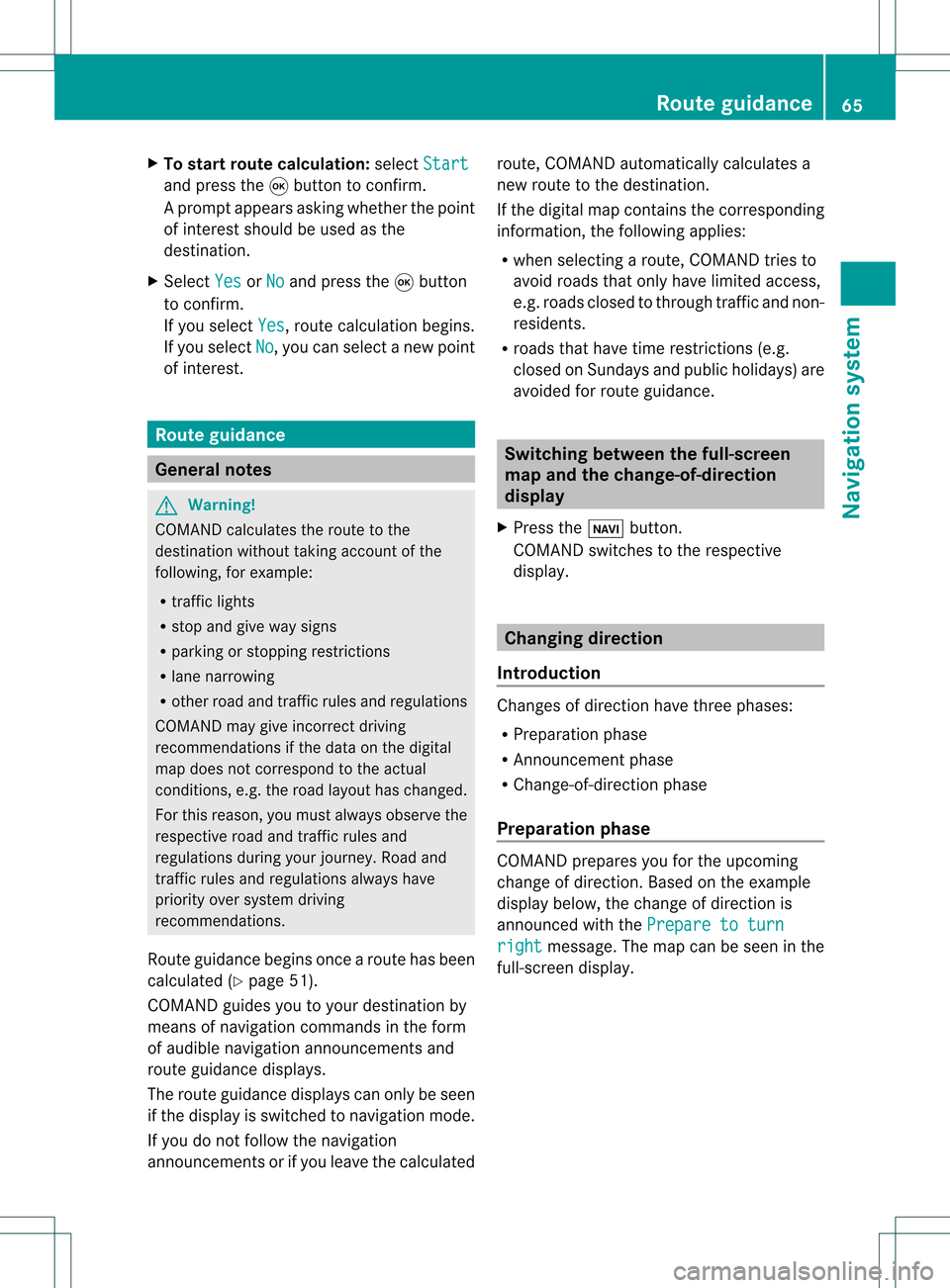
change ofdirection .Based ontheex ample
displ aybelow, thech ang eof dire ction is
ann oun ced withth ePre pareto turn rig
ht mes
sage. Themap canbeseen inthe
full- scree ndisplay. Rou
teguid ance
65Navigat ionsyst em Z
Page 70 of 214
Disp
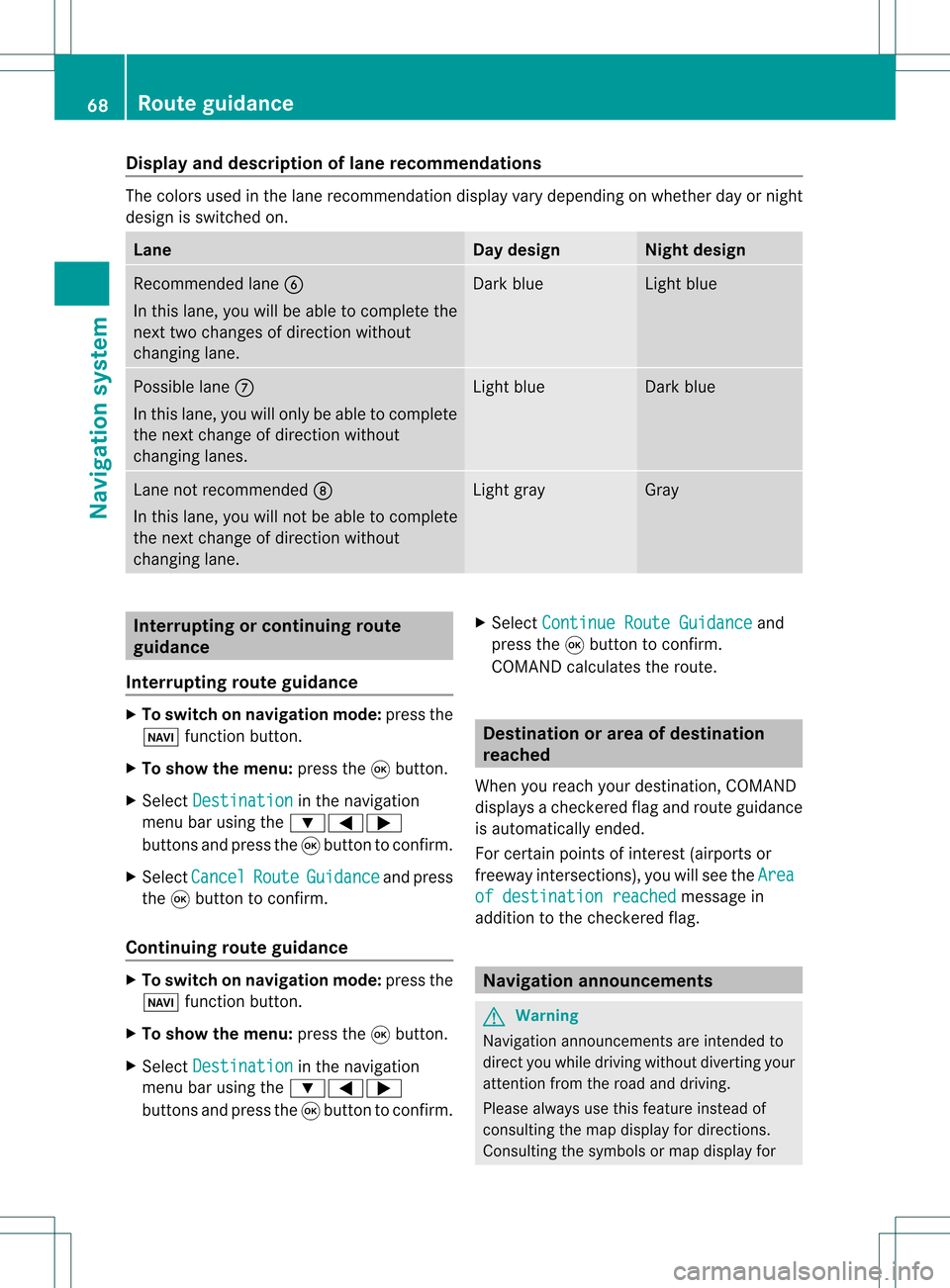
layandd escri ption oflane recom mendation s The
colo rsused inthelane recomm endatio ndisplay varydepen dingonwhet herday ornigh t
design isswitc hedon. Lane Day
design Nigh
tdesign Recom
mendedlane B
In this lane, youwillbeable tocom pleteth e
nex ttwo chan gesofdirec tionw itho ut
chan ginglane. Dar
kblue Light
blue Possib
lelane C
In this lane, youwillonly beable tocom plete
the nextchange ofdirection without
changing lanes. Light
blue Dark
blue Lane
notrecommen dedD
In this lane, youwillnotbeable tocomplete
the next change ofdirection without
changing lane. Light
gray Gray
Interrup
tingorcontinuing route
guidance
Interrup tingroute guidance X
To switch onnavigation mode:pressthe
Ø functionbutton.
X To show themenu: pressthe9button.
X Select Destination in
the navigation
menu barusing the:=;
buttons andpress the9button toconfirm .
X Select Cancel Route Guidance and
press
the 9button toconfirm .
Continuing routeguidance X
To switch onnavigation mode:pressthe
Ø functionbutton.
X To show themenu: pressthe9button.
X Select Destination in
the navigation
menu barusing the:=;
buttons andpress the9button toconfirm .X
Select Continue RouteGuidance and
press the9button toconfirm .
COMAND calculates theroute. Destination
orarea ofdestination
reached
When youreach yourdestination, COMAND
displa ysacheck eredflagand route guidance
is automatically ended.
For certain pointsofinterest (airports or
freeway intersections),youwillsee theArea of
destination reached message
in
addition tothe check eredflag. Navigat
ionannouncements G
Warning
Navigation announcemen tsare intended to
direct youwhile driving without diverting your
attent ionfrom theroad anddriving.
Please alwaysuse this feature instead of
consulting themap display fordirections.
Consulting thesymbols ormap display for 68
Route
guidanceNavigat ionsystem
Page 73 of 214
X
To select the next or prev ious
alte rnati veroute :sel ect Next or
Pre vious and
pressthe 9button to
confi rm.
Pos sibl eal terna tiveroutes aresho wninthe
fol lowi ng ord er:Per sonalRoute ,
Fas t Rou
te ,
Eco nomicRoute ,
Sho rtRoute and
AlternativeRoute .
X To select the original route :sel ect Back a
corr espond ingnum bero ftimes andpress
the 9butt ontocon firm .
X To sta rtrou teguid ance using the
selected alterna tiveroute:selec tStar t and
press the9butt ontocon firm . Displa
yingdestinationinfor mation
You have entered adest ination(Y page 49)
or apoint ofint erest (Ypage 60)and possibly
an interme diate stop (Ypage 57).
X To switch onnaviga tionmod e:press the
Ø function button.
X To show themenu :press the9butt on.
X Selec tRout e in
the navig ation menubar
using the:=; buttons and
press the9butt ontocon firm .
X Selec tDest inationInformation and
press the9butt ontocon firm .
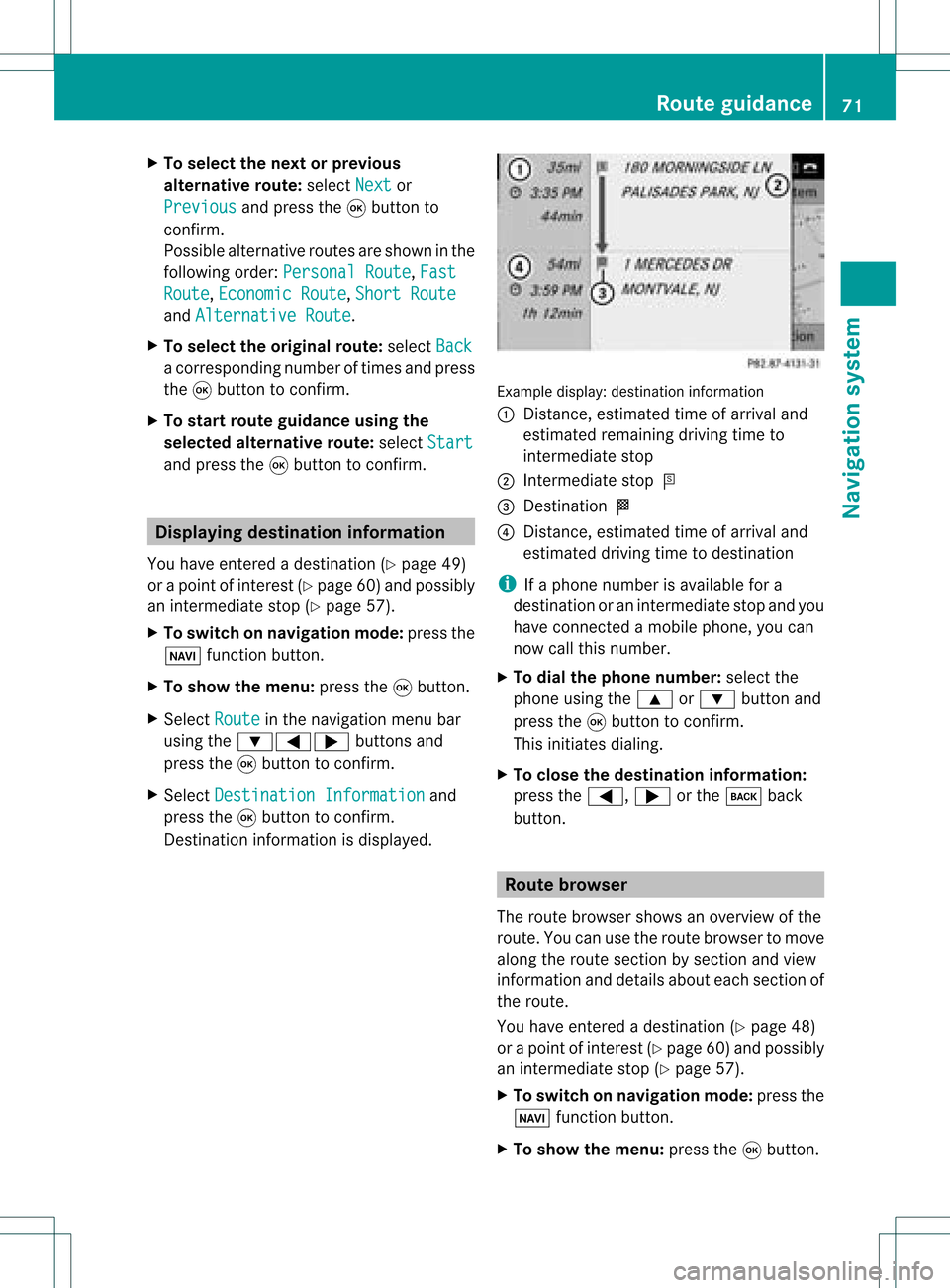
Des tination inform ation isdisplayed. Ex
ample display: destinationinform ation
: Dist ance,est imat edtim eof arriv aland
est imat edremain ingdrivin gtim eto
int erme diate stop
; Inter mediat est op P
= Des tination O
? Dist ance,est imat edtim eof arriv aland
est imat eddrivin gtim eto dest ination
i Ifaphon enumb erisavailable fora
dest inationoran interme diate stop and you
have connected amobile phone,you can
now callthis numb er.
X To dia lth eph one num ber: selec tthe
phone usingthe9 or: button and
press the9button toconfirm .
This initiates dialing.
X To close thedestination information:
press the=, ;orthe k back
button. Route
browser
The route browser showsanoverview ofthe
route. Youcanusetheroute browser tomove
along theroute section bysection andview
information anddetails abouteachsection of
the route.
You have entered adestination (Ypage 48)
or apoint ofinterest (Ypage 60)and possibly
an intermediate stop(Ypage 57).
X To switch onnavigation mode:pressthe
Ø functionbutton.
X To show themenu: pressthe9button. Route
guidance
71Navigationsystem Z
Page 89 of 214
Disp
laying andc hangi nganavoi ded
area X
Select anentry inthe listusi ng the
9: buttons.
X Select Option s usi
ng the ; button and
press the9button toconfirm.
X Select Displa y/Change and
press the
9 button toconfirm.
The area tobe avoi ded isindi cated inthe
map.
X To chang ethe posi tion ofthe area: press
the =;9 or; button.
The area ismoved onthe map.
X To chang ethe size ofthe area: press the
U orT button.
The area isenla rged orredu ced.
X To confirm thechang e:press the9
button.
The lista ppears andthechang eis ent ered.
Deleting asetarea X
Sele ctan ent ryinthelist usin gth e
9: buttons.
X Sele ctOpt ions usin
gth e; buttonand
pres sth e9 butt ontocon firm.
X Sele ctDel ete and
pres sth e9 butt onto
con firm.
Aq uery appear sask ing whet hertheen try
sho uld bedelet ed.
X Se lec tYes or
No .
If you selectYes ,
th een try is delet ed.
If you selectNo ,
th epro cess will be
can celed. "R
ecor drou te" funct ion
Swit chingth efu nct ion on/of f X
To swit chon nav igationmod e:pre ssthe
Ø function button.
X To show themen u:pre ssthe9 button. X
Se lec tNav i in
themain function bar usin g
th e9=; buttons and pressthe
9 buttonto confirm .
X Se lec tSav eOff -roadRoute and
press
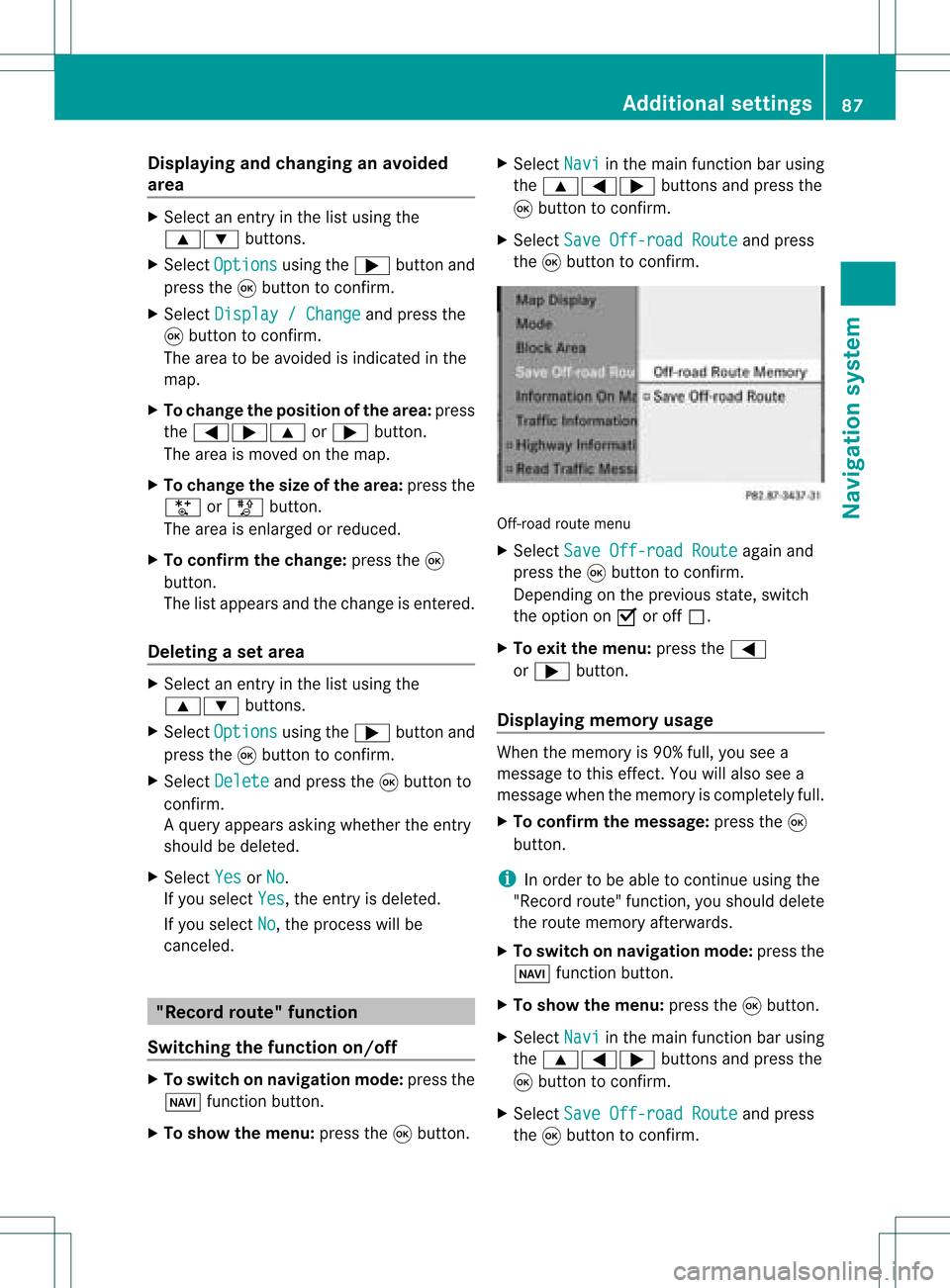
th e9 buttonto confirm . Off
-road routemen u
X Se lec tSav eOff -roadRoute again
and
pre ssthe9 buttonto confirm .
De pen dingon thepre vious state ,swit ch
th eopt ion onO oroff ª.
X To exit themen u:pre ssthe=
or ; button.
Disp laying mem oryusage When
themem oryis90 %full, youseea
mes sage tothis eff ect.You willalso seea
mes sage when themem oryisco mple tely full.
X To confi rmthemes sage:pre ssthe9
but ton.
i Inord erto be able tocontinue usingth e
"Reco rdrout e"fun ction ,you should delete
the route memory afterwards.
X To switch onnavigation mode:pressthe
Ø functionbutton .
X To show themenu: pressthe9button .
X Select Navi in
the main functionbar using
the 9=; buttonsand press the
9 button toconf irm.
X Select SaveOff-road Route and
press
the 9button toconf irm. Additional
settings
87Navigation system Z
Page 91 of 214
Comp
assfunct ion
You canseethecur ren tvehicle position and
direct ionoftravel inthe compass view.
X To switch onnavigat ionmode: pressthe
Ø function button .
X To show themenu: pressthe9button .
X Select Positio n in
the navigation menu
bar using the:=; buttonsand
press the9button tocon firm.
X Select Compass and
press the9button to
con firm.
Depen dingonthe previous state,switch
the option onO oroff ª. Ex
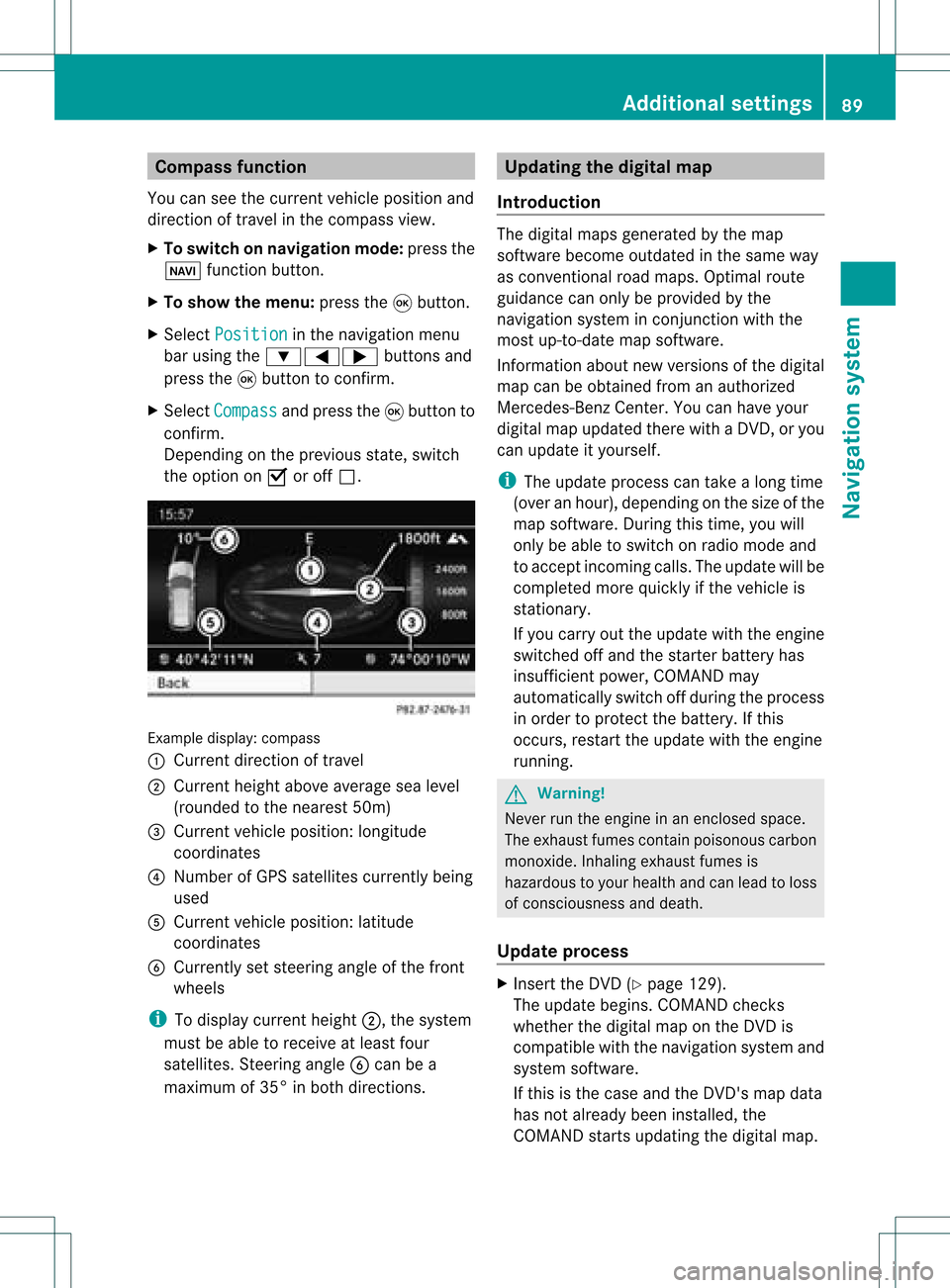
ample display: compass
: Current directionoftravel
; Current heightaboveaverage sealevel
(rounded tothe nearest 50m)
= Current vehicleposition :longitude
coordinat es
? Number ofGPS satellites currentlybeing
used
A Current vehicleposition: latitude
coordinat es
B Currently setsteerin gangle ofthe front
wheels
i Todisplay current height;,thesystem
must beable toreceive atleast four
satellites. Steeringangle Bcan bea
maximum of35° inboth direction s. Upda
tingthedigital map
Introdu ction The
digital mapsgenerated bythe map
software becomeoutdated inthe same way
as conv ention alroad maps. Optimal route
guidance canonly beprovided bythe
navigation systeminconj unct ionwith the
most up-to- datemapsoftware.
Infor mation aboutnewversions ofthe digital
map canbeobtained fromanauthorized
Mercedes-B enzCenter. Youcanhave your
digital mapupdated therewithaDVD ,or you
can update ityourself.
i The update process cantake along time
(over anhour), depending onthe size ofthe
map software. Duringthistime, youwill
only beable toswitch onradio mode and
to accept incomin gcalls. Theupdate willbe
completed morequickly ifthe vehicle is
station ary.
If you carry outtheupdate withtheengine
switched offand thestart erbattery has
insufficient power,COMAND may
automatically switchoffduring theprocess
in order toprotec tthe battery. Ifthis
occurs, restarttheupdate withtheengine
runnin g. G
War
ning!
Never runtheengine inan enclosed space.
The exhaust fumescontainpoisonous carbon
monox ide.Inhaling exhaustfumesis
hazardous toyour health andcanlead toloss
of consc iousness anddeath.
Upda teprocess X
Insert theDVD (Ypage 129).
The update begins. COMAND checks
whether thedigital maponthe DVD is
compatible withthenavigation systemand
system software.
If this isthe case andtheDVD 'smap data
has notalready beeninstalled, the
COMAND startsupdating thedigital map. Additional
settings
89Navigation system Z
Page 117 of 214
Opera
tingthetelephone usingthe
mult ifunction steeringwheel Telephone
menu
Introd uction You
canoperate thetelephon eusing the
function sin the "Tele phone" menu,provided
you have connected itto the Mercedes-Benz
hands-free system.
The displa yin the "Tele phone" menudepends
on the status ofthe telephone.
X Switch onthe telephone andCOMAND.
X Press theV orU button toselect the
TEL displa
y.
Telephone isready toreceive calls Bluetooth
®
interface telephony: whetherthe
network provider's nameisdispla yed
depends onthe telephone connected. Acc
epting acall
You may accep tacallat any time provided
the telepho neisrea dytorece ivecalls.Whe n
a cal lis incom ing,yousee thename or
tele pho nenumb erinthe multifunction
di spl ay.
X Pre ssthe 6 button onthe multifunction
stee ring wheel . Reje
cting orendin gac all
X Press the~ button onthe multifunctio n
steeri ngwhe el. Cal
linganumbe rfrom theCOM AND
phone book
You may select and diala numbe rfrom the
COMAND phonebookatany time, provid ed
you rmobile phone isready toreceive calls. i
Ifyou have imported contacts
(Y page 114), youcan select thephone
book entriesofthe mobile phonebyusing
the multifunct ionsteerin gwheel.
X Press theV orU button toselect the
TEL display
.
X Press the& or* button toopen the
phone bookinthe multifunct iondisplay .
X Press the& or* button untilthe
desired entryhas been highlighted.
The stored names aredisplay ed
alphabe tically.
i Ifyou press andhold the& or*
button forlonger thanonesecond, the
multifunct iondisplay willskip from thefifth
entr yto the first entryfound forthe next
letter. Skipping stopsassoon asyou
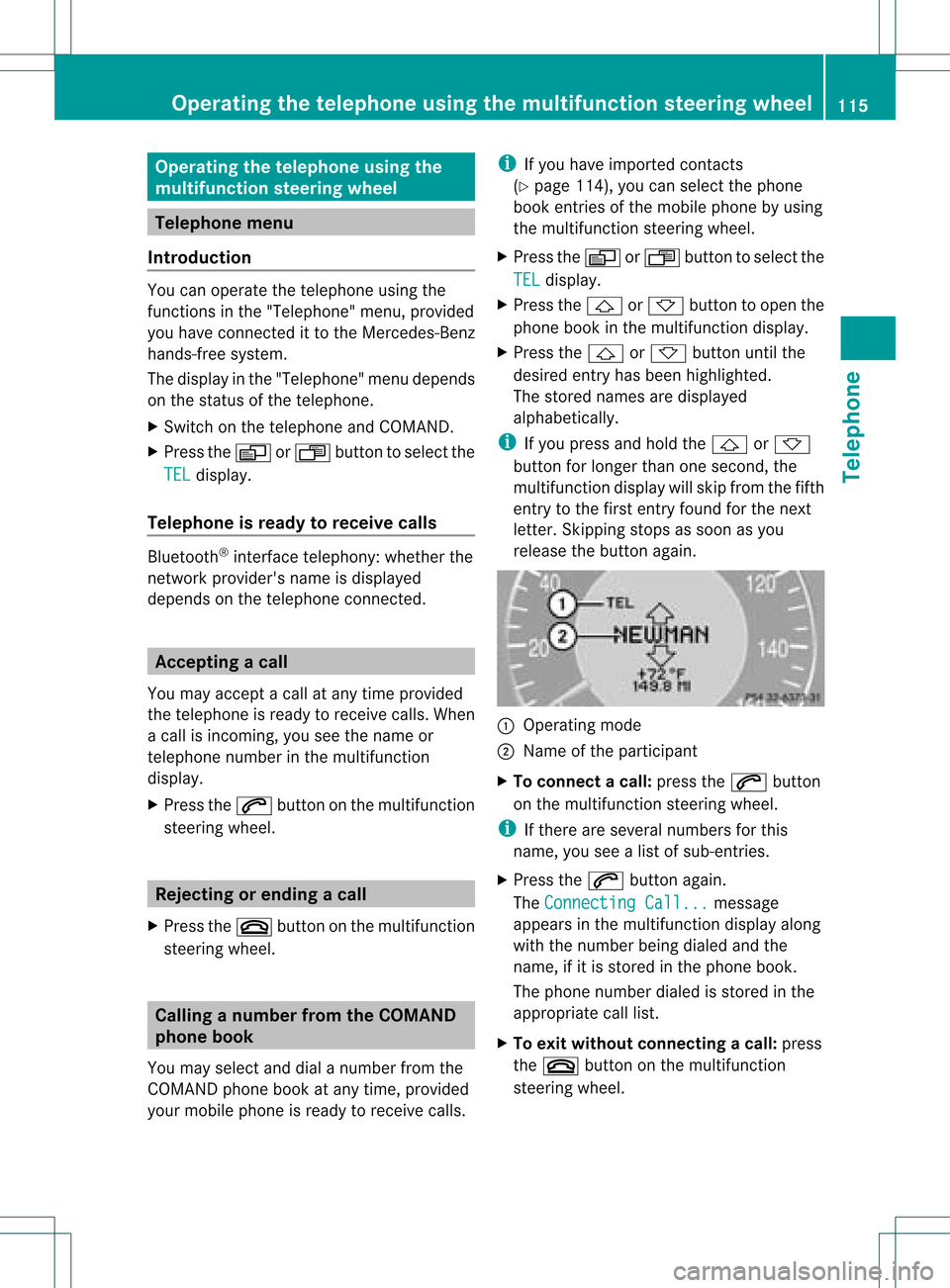
release thebutton again. :
Operating mode
; Name ofthe participant
X To connec tacall:press the6 button
on the multifunctio nstee ring wheel.
i Ifthe rearese ver alnum bers for this
nam e,youse ealist of sub-e ntri es.
X Pre ssthe 6 button again.
Th eCon nectingCal l... mes
sage
ap pe arsin the multifu nctio ndisplay along
with thenumb erbeing dialed andthe
name ,if it is stored inthe phon ebook .
The phon enumb erdialed isstored inthe
appropr iatecalllist.
X To exit withou tconnect ingacall: press
the ~ button onthe multifunctio n
steeri ngwhe el. Operating
thetelephone usingthe multifunc tionsteering wheel
115Tele phone Z
Page 125 of 214

HD
Radio ®
display 1
Displ ay/sele ction windowwith frequ ency
disp lay
2 Prese tnumbe r
3 Nam eof thesele cted stati on wit hHD icon
and program number
4 Stati on frequen cy
5 Sound setting s
6 FM,AM orWB radio
7 Program inform ation
8 Stati on pre sets
9 Radio function s Swit
chingwave bands
Se e"Swit ching waveb ands"intheradio mode
ch apt er(Y page 119). Select
ingastatio n
Yo ucan select an HD Radio sta tionint he
same wayasselecting astandard FMradio
station. Aftertuning into an HD Radi o
frequency, youwillbriefly heartheanalog
station untilthedigital datahasbeen
decoded. Youwillthen belistening todigital
radio andbeable toswitch toasub-program
(-HD 2).
See "Selecting stations"inthe Radi omode
section (Ypage 119). Storing
stations
See "Storing stations" inthe Radi omode
section (Ypage 120). Displaying
programinformat ion
X Select Info in
the radio displa yusing the
9:=; buttonsandpress
the 9button toconfirm .
Inform ationonthe current lyselected
station isdispla yed.Thecont ents and
purpose ofthe information dependonthe
HD Radi ostation. Satellite
radio Import
antnotes
This section provides detailedinformation on
the following topics:
R selecting achannel andprogram category
R memory functions
R sound settings
i The SatRadio modedescribed below
requires optionally availableSatRadio
equipment andregistration withaSatRadio
provider.
i Note thatthecategories andchannels
shown inthe illustration sdepend onthe
program contentoffered bythe provider.
The program contents mayvary. The
illu stration sand descriptions inthese
operating instructionsmay therefore differ
from thechannels andcategories offered
by the provider.
SatRadio modemaybetemporarily
unavaila bleorinterrupted foravariety of
reasons. Thesereasons include
environm entalortopographical conditions
as well asother issues beyond ourcont rol.
Operation mayalsobeimpaired incertain
locations (e.g.tunnels,parking garages) or
in the vicinity offacilities orobject sthat
impair satellite reception. Satellite
radio
123Audio
Page 126 of 214
i
SIRIUS XMRadio offe rsmore than130
di gital -qu ality rad iocha nnel spro viding
100% comme rcial-fre emus ic,spo rt,new s
and enter tainment.
SIR IUS XMRadio emp loys afle et ofhigh-
pe rfor mance satel lites tobro adcas taround
the clock through outtheUSA andCanada .
The SatRa dioprogra misavail able fora
monthly fee.Details areavail able from the
SIRIUS XMService Centerandat
htt p://www .sirius.com (USA)or
htt p://www .siriuscanada. com
(Ca nada). Registering
Registering SatRadio Switching
toSatRadio mode:
X From another mainfunction: select
Audio using
the9:=;
buttons andpress the9button toconfirm.
X Select Audio and
press the9button to
confirm.
X Select SatRadio and
press the9button
to confirm.
i Ifradio mode wasthelast active mode,
you only need toselect Audio .
X When inaudio mode: selectAudio using
the 9:=; buttonsand
press the9button toconfirm.
X Select SatRadio and
press the9button
to confirm.
The satellite radiomainmenu appears
showing theweather channel. Youcannot
select anyother stations.
X Select SatRadio (in
the submenu) using
the 9:=; buttonsand
press the9button toconfirm.
X Select Service and
press the9button to
confirm.
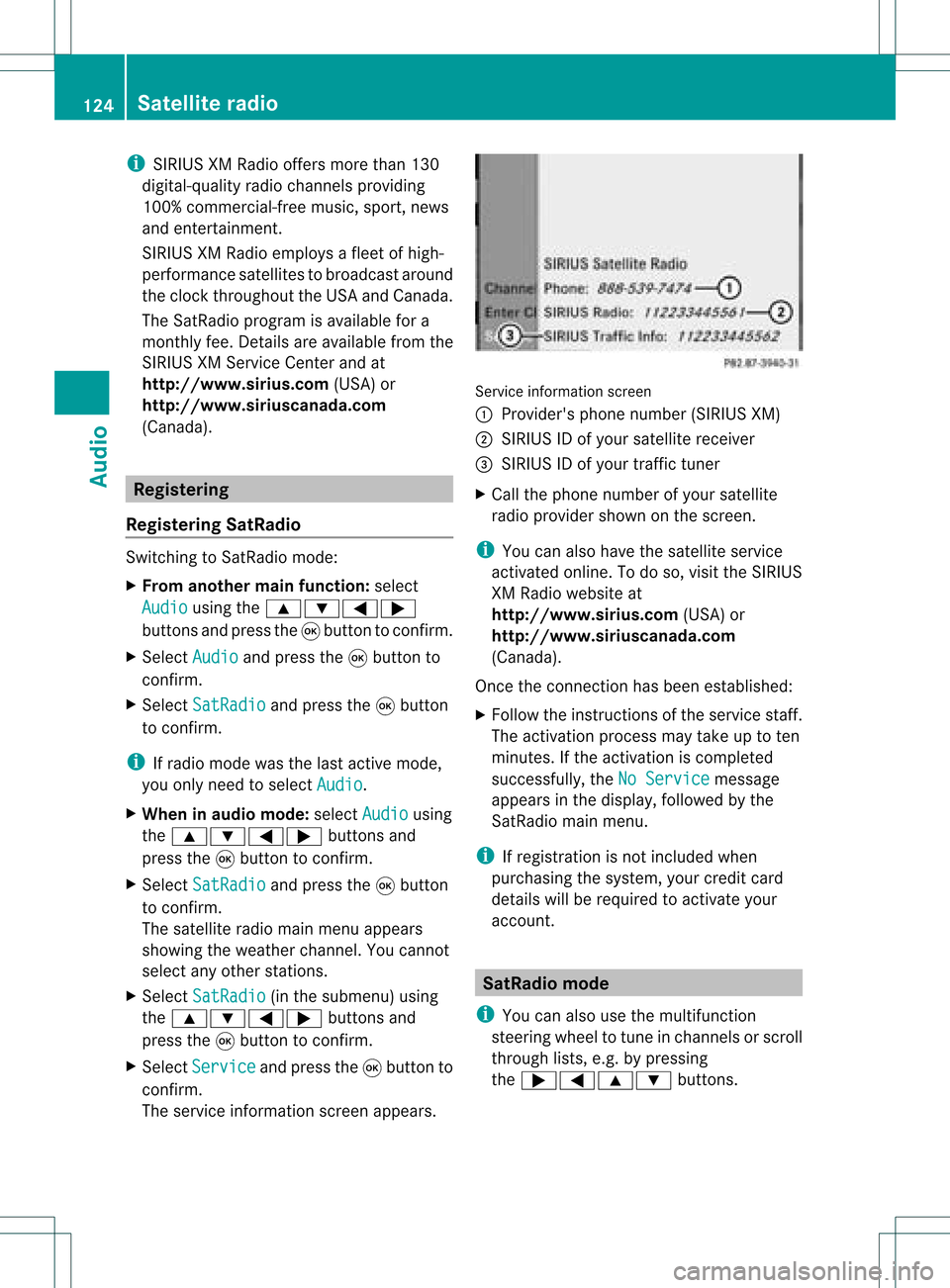
The service information screenappears. Service
information screen
1 Provider's phonenumber (SIRIUSXM)
2 SIRIUS IDofyour satellite receiver
= SIRIUS IDofyour traffic tuner
X Cal lthe phone number ofyour satellite
radio provider shownonthe screen.
i You canalso have thesatellite service
activated online.Todo so, visit theSIRIUS
XM Radi owebsite at
htt p://www .sirius.com (USA)or
htt p://www .siriuscanada. com
(Canad a).
Once theconn ection hasbeen established :
X Follow theinstruct ionsofthe service staff.
The activation processmaytake uptoten
minutes. Ifthe activation iscompleted
successfully ,the NoService message
appea rsinthe displa y,followed bythe
SatRadio mainmenu.
i Ifregistration isnot included when
purchasing thesystem, yourcredit card
details willberequired toactivate your
account. SatRa
diomode
i You canalso usethemultifunction
steering wheeltotune inchannels orscroll
through lists,e.g.bypressing
the ;=9: buttons.124
Satellite
radioAudio
Page 131 of 214
i
Ifamediu mcontains other filesin
addition tomusic files,theloading time
before thefirst track startsto play may be
longer.
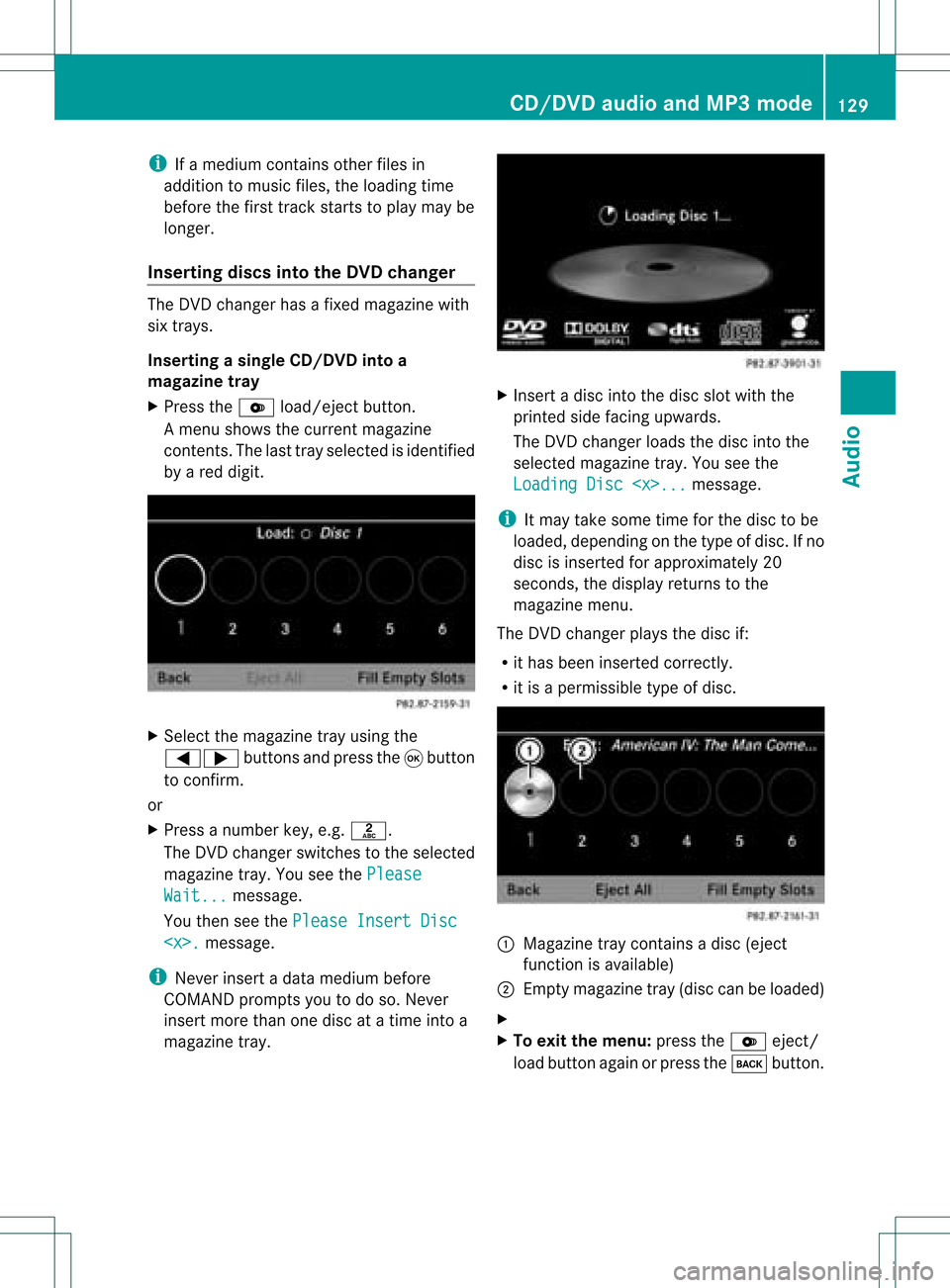
Inserting discsintotheDVD changer The
DVD changer hasafixed magazine with
six trays.
Inserting asingle CD/DVD intoa
ma gaz ine tray
X Press theV load/ej ectbutt on.
A men ushows thecurr entmagazin e
con tents.The lasttray select edisident ified
by ared digit. X
Selec tthe magazine trayusing the
=; buttonsandpress the9button
to confirm .
or
X Press anumber key,e.g.l.
The DVD changer switches tothe selected
magazine tray.YouseethePlease Wait... message.
You then seethePlease InsertDisc
i Never insertadata medium before
COMAND promptsyoutodo so. Never
insert morethanonedisc atatime intoa
magazine tray. X
Insert adisc intothedisc slotwith the
printed sidefacing upwards.
The DVD changer loadsthedisc intothe
selected magazine tray.Youseethe
Loading Disc
i Itmay take some timeforthe disc tobe
loaded, depending onthe type ofdisc. Ifno
disc isinserted forapproximately 20
seconds, thedispla yreturns tothe
magazine menu.
The DVD changer playsthe disc if:
R ithas been inserted correctly.
R itis apermissible typeofdisc. :
Magazine traycontains adisc (eject
funct ionisavaila ble)
; Empt ymagazine tray(disc canbeloaded)
X
X To exit themenu: presstheV eject/
load button againorpress thek button. CD/
DVD audioand MP3 mode
129Audio Z