fog light MERCEDES-BENZ M-Class 2012 W166 User Guide
[x] Cancel search | Manufacturer: MERCEDES-BENZ, Model Year: 2012, Model line: M-Class, Model: MERCEDES-BENZ M-Class 2012 W166Pages: 396, PDF Size: 14.48 MB
Page 134 of 396
X
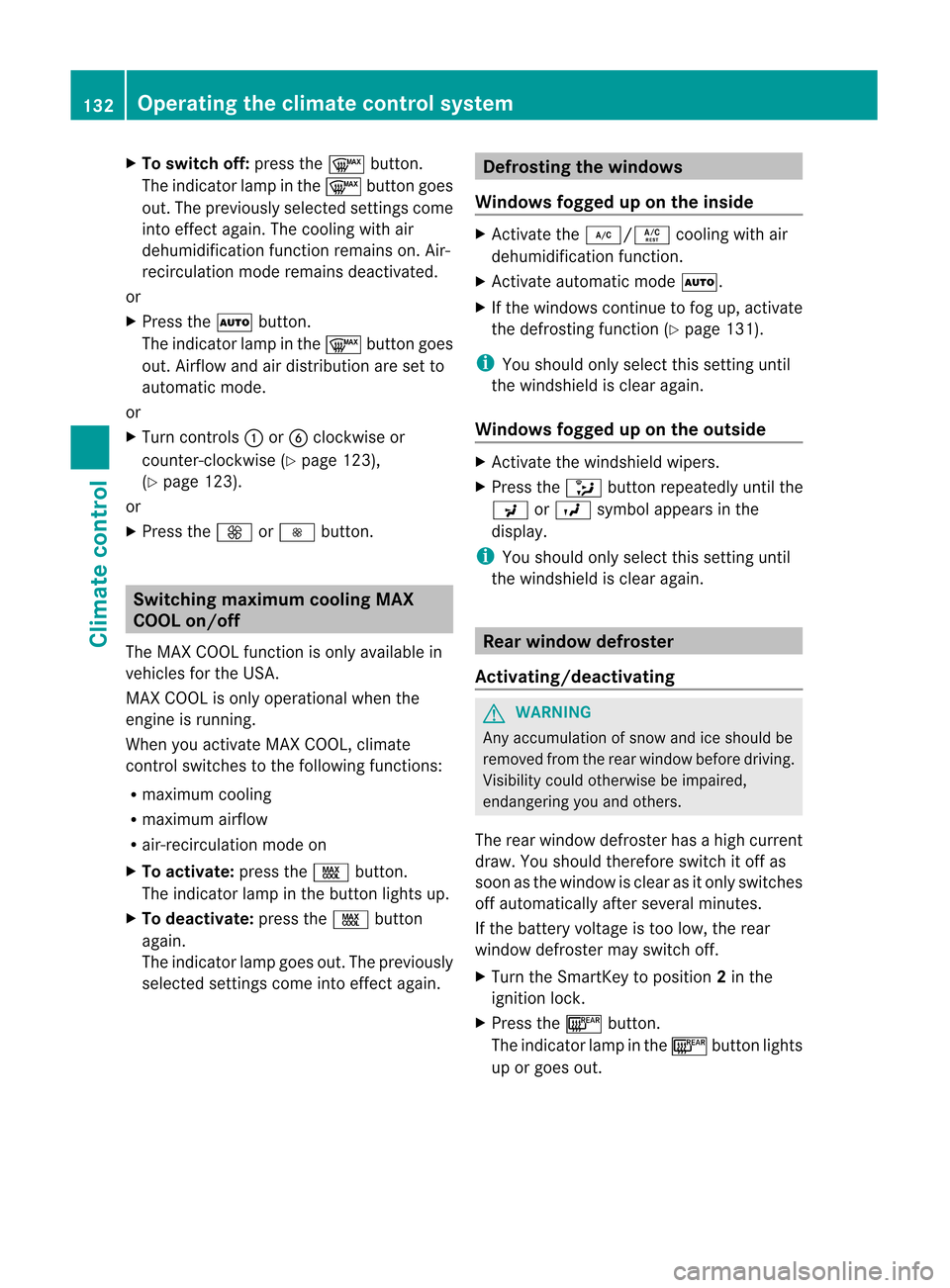
To switchof f:pre ssthe ¬ button.
The indicator lamp inthe ¬ button goes
ou t.The previouslysel ecte dsettings come
int oeffec tagain. Thecooling withair
dehumidification functionremains on.Air-
recirculation moderemains deactivated.
or
X Press theà button .
The indicator lampinthe ¬ button goes
out. Airflow andairdistribution aresetto
automatic mode.
or
X Turn controls:orB clock wiseor
count er-clockwise (Ypage 123),
(Y page 123).
or
X Press theK orI button . Switching
maximumcool ingMAX
COOL on/off
The MAX COOL functionisonly availa blein
vehicles forthe USA .
MAX COOL isonly operational whenthe
engine isrunnin g.
When youactivate MAXCOOL, climate
cont rolswitches tothe following functions:
R maximum cooling
R maximum airflow
R air-recirc ulationmodeon
X To activat e:press theÙ button .
The indicator lampinthe button lightsup.
X To deactivat e:press theÙ button
again.
The indicator lampgoesout.Thepreviously
selected settings come intoeffect again. Defrosting
thewindows
Windows foggeduponthe inside X
Act ivate the¿/Á coolingwithair
dehumidification function.
X Act ivate automatic modeÃ.
X Ifthe windows continue tofog up,activate
the defrostin gfunct ion(Ypage 131). i
You
should onlyselect thissettinguntil
the windshield isclear again.
Windows foggeduponthe outside X
Act ivate thewindshield wipers.
X Press the_ button repeatedly untilthe
P orO symbol appears inthe
display . i
You
should onlyselect thissettinguntil
the windshield isclear again. Rear
window defroster
Activating/deactivat ing G
WARNING Any
accumulation ofsnow andiceshould be
removed fromtherear window beforedriving.
Visibility couldotherwise beimpaired,
endangering youand others.
The rear window defroster hasahigh current
draw. Youshould therefor eswitch itoff as
soon asthe window isclear asitonly switches
off automatically afterseveral minutes.
If the battery voltage istoo low, therear
window defroster mayswitch off.
X Turn theSmart Keytoposition 2in the
ignition lock.
X Press the¤ button .
The indicator lampinthe ¤ button lights
up orgoes out. 132
Opera
tingtheclimate controlsystemClimate control
Page 135 of 396
Problems
withtherear window
defroster The
rear window defroster hasdeactivated
itself prematurely orcannot beactivated.
X Switch offany consumers thatarenot
required, e.g.reading lampsorinterior
lighting.
When thebattery issufficiently charged,
the rear window defroster isactivated
again automatically. Activating/deactivating
air-
recirculation mode
You candeactivate theflow offresh airif
unpleasant odorsareenterin gthe vehicle
from outside. Theairalready insidethe
vehicle willthen berecirculated.
The operation ofair-recirculation modeisthe
same forallcont rolpanels. G
WARNING Fogged
windows impairvisibility,
endangering youand others. Ifthe windows
begin tofog onthe inside, switching offthe
air recirculation modeimmediately should
clear interior window fogging. Ifinterior
window foggingpersists, makesuretheair
condition ingisactivated, orpress the¬
button.
X Turn theSmartK eytoposition 2in the
ignition lock.
X To activate: pressthed button.
The indicator lampinthe d button lights
up. i
In
the event ofhigh pollu tionlevels 13
or at
high outside temperatures, air-
recirculation modeisautomatically
activated. Whenair-recirculation modeis
activated automatically ,the indicator lamp
in the d button isnot lit.
Outside airisadded afterabout 30
minutes. X
To switch off:press thed button.
The indicator lampinthe d button goes
out. i Air-r
ecirculation modedeactivates
automatically :
R after approximately fiveminutes if
outside temperatures areless than about
41 ‡(5 †)
R after approximately fiveminutes if
cooling withairdehumidi ficationis
deactivated
R after approximately 30minutes ifoutside
temperatures areover about
41 ‡(5 †)
R ifyou press the¿/Á buttonand
switch oncooling withair
dehumidi fication Activating/deactivating
theresidual
heat function
The residual heatfunct ionisonly availa blein
Canada
It is possible tomake useofthe residual heat
of the engine tocont inue heating the
stationary vehicleforupto30 minutes after
the engine hasbeen switched off.The heating
time depends onthe temperature thathas
been set. i
The
blower willrun atalow speed
regardless ofthe airflow setting. i
If
you activate theresidual heatfunct ion
at high temperatures, onlythevent ilation
will beactivated. Theblower runsat
medium speed.
X Turn theSmartK eytoposition 0in the
ignition lockorremove it.
X To activate: presstheÌ/Á button.
The indicator lampinthe Ì/Á
button lightsup.
13 Automatic climatecontrolonly. Operat
ingthe climate controlsystem
133Climate control Z
Page 192 of 396
Rear
viewcame ra
Impo rtant safetynotes The
rearview came raisan opt ical park ingand
mane uverin gaid. Itshows thearea behin d
your vehic lewith guide linesinthe COMA ND
display. G
WARN
ING Make
surethatnoperso nsoranimals arein
the mane uverin grang e.Oth erwise, they
could beinjured.
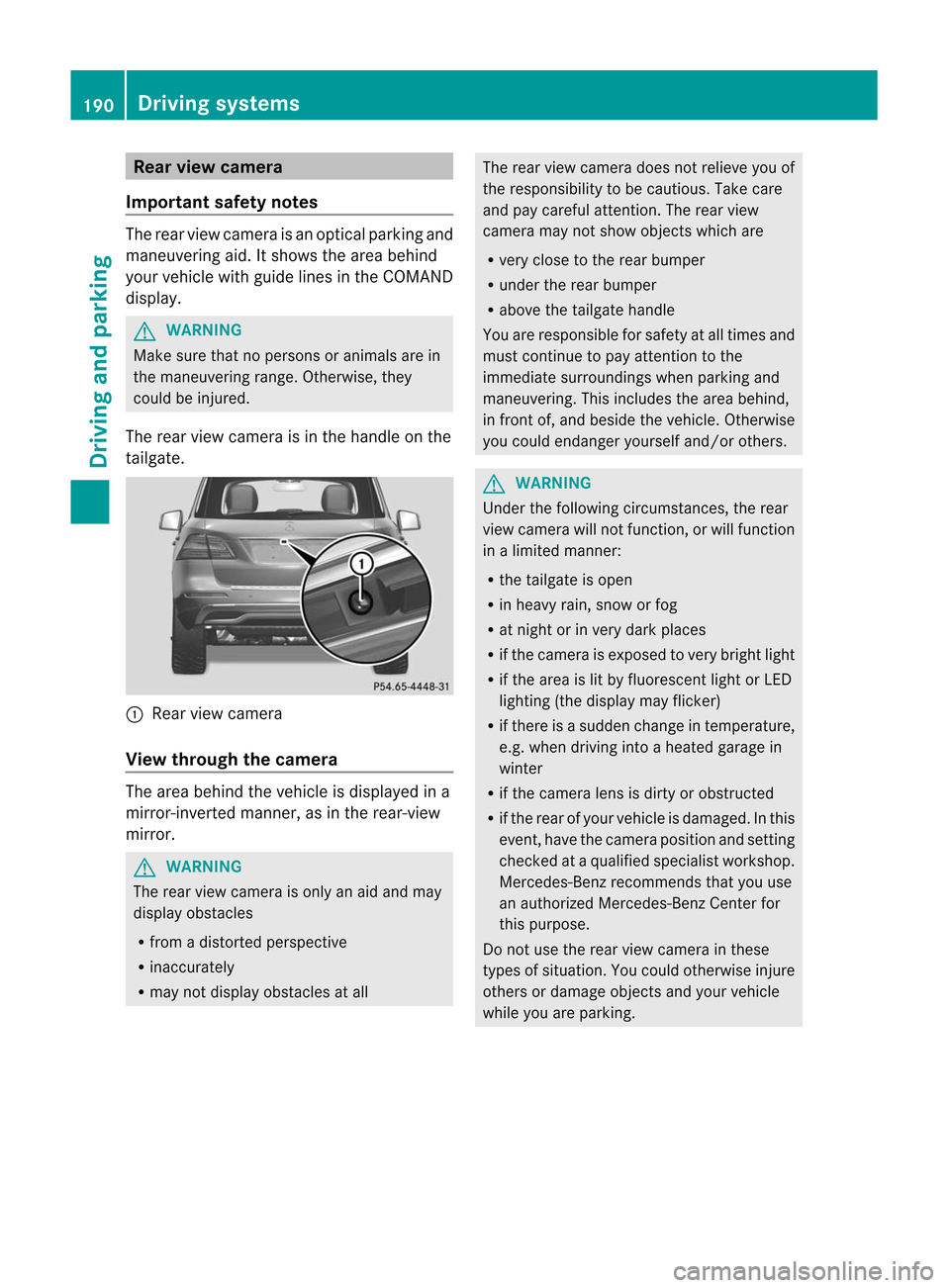
The rear view came raisin the handle onthe
tailgat e. :
Rear viewcame ra
View throu ghthecam era The
area behin dthe vehic leisdisplayed ina
mirr or-inv erted mann er,asinthe rear- view
mirr or. G
WARN
ING The
rear view came raisonly anaid and may
display obstacles
R fro madistort edperspect ive
R inacc urately
R may notdisplay obstaclesatall The
rear view camera doesnotrelieve youof
the respon sibility tobe cautious. Takecare
and paycareful attention. Therear view
camera maynotshow objectswhich are
R very close tothe rear bumper
R under therear bumper
R above thetailgate handle
You arerespon sibleforsafety atall times and
must continue topay attention tothe
immediate surroundingswhen parkin gand
maneuver ing.This includes thearea behind,
in fron tof,and besidethe vehicl e.Otherwi se
you couldendange ryourself and/or others. G
WARNING Under
thefollowing circumstances,therear
view camera willnotfunct ion,orwill funct ion
in alimited manner :
R the tailgate isopen
R in heavy rain,snow orfog
R at night orinvery dark places
R ifthe camera isexposed tovery bright light
R ifthe area islit by fluorescent lightorLED
lighting (thedisplay mayflicker)
R ifthere isasudden changeintemperature,
e.g. when driving intoaheated garagein
winter
R ifthe camera lensisdirty orobstruct ed
R ifthe rear ofyour vehicle isdamaged. Inthis
event ,have thecamera position andsetting
check edataquali fiedspecialist workshop.
Mercedes-B enzrecommen dsthat youuse
an authorized Mercedes-B enzCenter for
this purpose.
Do not use therear view camera inthese
types ofsituation. Youcould otherwise injure
others ordamage objectsand your vehicle
while youareparking. 190
Driving
systemsDriving and parking
Page 198 of 396
The
system maybeimpaired orunavailable if:
R there ispoor visibility, e.g.due tosnow,
rain, fogorheavy spray.
R the windshield isdirty, fogged upor
covered, forinstan cebyastick er,inthe
vicinit yof the camera.
R you aredriving onbends, uphillgradients
or downhill gradients.
Light fromtheheadlamps ofoncom ing
vehicles doesnotaffect theNight ViewAssist
Plus display inthe multifunct iondisplay .This
is also thecase ifyou cannot switchonthe
high-beam headlampsduetooncomin g
traffic. G
WARNING The
Night ViewAssist Pluscannot record
object simmediately infront ofor next tothe
vehicle. Whenmaneuvering, continue tolook
through thewindshield. Makesureno
persons oranimals areinthe area inwhich
you aremaneuvering. Youcould otherwise
injure them. i
Infrared
lightisnot visible tothe human
eye and therefore doesnotglare. Night
View Assist Pluscantherefore remain
switched oneven ifthere isoncomin g
traffic. :
Night ViewAssist Pluscamera
Switching onNight ViewAssist Plus Depending
onyour vehicle's dateof
manufacture, thec orà symbol for
the "Automatic drivinglights/daytime running
lamps"position islocated onthe light
switch. You
canonly activate NightViewAssist Plus
if:
R the SmartK eyisin position 2in the ignition
lock.
R itis dark.
R the light switch isset toeither c,
à orL.
R reverse gearhasnotbeen engaged.
X Make surethatCOMAND isswitched on.
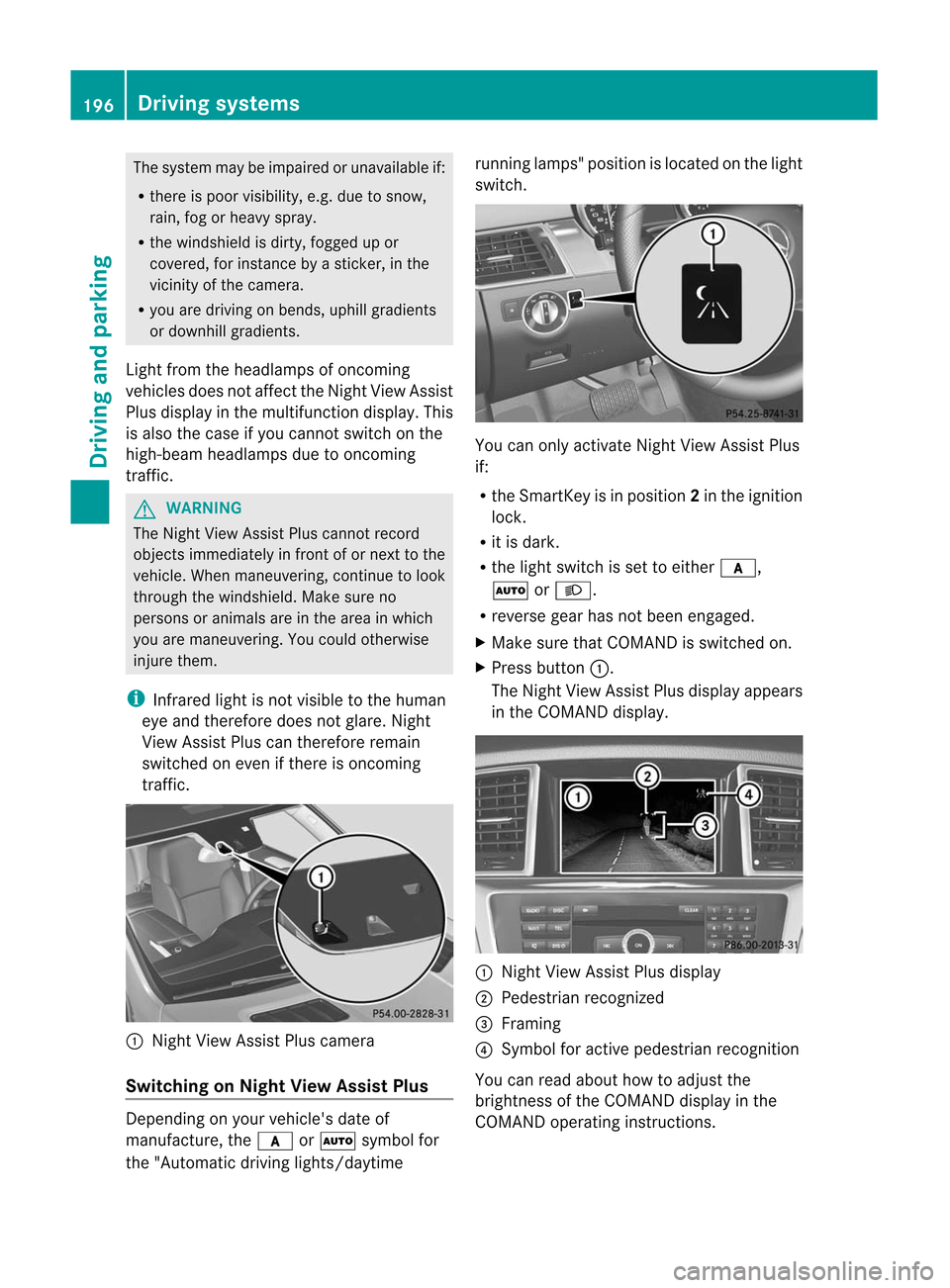
X Press button :.
The Night ViewAssist Plusdispla yappea rs
in the COMAND display. :
Night ViewAssist Plusdispla y
; Pedestrian recognized
= Framing
? Symbol foractive pedestrian recognition
You canread about howtoadjust the
brightness ofthe COMAND displayin the
COMAND operatinginstructions. 196
Driving
systemsDriving and parking
Page 199 of 396
i
The
infrared lampsswitch on
automatically fromaspeed ofabout 6mph
(10 km/ h).This means thatyoudonot have
the fullvisual rangewhilethevehicle is
stat ionary andcann otchec kwhether Night
View Assist Plusisworking.
Pedestrian recognition G
WARNING Pedestrian
recognitionmay beimpaired or
inoperative if:
R pedestrians arepartially orentirely
obscured byobject s,e.g. parked vehicles.
R the silhouette ofthe pedestrian inthe Night
View Assist Plusdisplay isincomplete or
interrupted, e.g.bypowerful light
reflections.
R pedestrians donot cont rast with the
surroundings.
R pedestrians arenot standing upright,for
example, ifthey aresitting, crouching or
lying down. i
Animals
arenot recogniz edbypedestrian
recognit ion.
Night ViewAssist Plusisable torecogniz e
pedestrians bytypical characterist ics,e.g. a
silhouette inthe shape ofap erson .
Pedestr ianrecogn itionisthen switch edon
automatic allyif:
R Night ViewAssist Plusisactivat ed.
R you aredriving fasterthan6mph
(10 km/ h).
R the surroundin gsare dark, e.g.when
driving outside built-up areaswithout
str eet lighting.
If pedestrian recognitionisactive,
symbol ?appears. Ifpedestrian sare
recogn ized,theyareframed =and thereby
highlighted. Ifthe pedestrian recognition
system hasbrought apedestrian toyour
atten tion,look through thewindshield to
evaluate thesituation .The actual distance toobject
sand pedestrians cannotbegauged
accurately bylooking atascreen.
It may bethe case thatobject sare highlighted
as well aspedestrians.
Fogg edup ordirt ywindsh ield If
the windsh ieldinfro ntofthe camer ais
fogge dup ordirt yon the inside oroutsid e,the
Night ViewAssistPlus display isaffec ted. G
WARN
ING Please
donot forg etthat your primar y
respo nsibilit yis to drive thevehic le.Ad river's
attention tothe road must alwaysbe his/he r
prima ryfocus whendriving.For yoursafety
and thesafety ofothers, stopbefore tryingto
remove windowfoggi ngorclea ning the
winds hieldin front ofthe Night ViewAssist
Plu scamera .
Bear inmind thatataspeed ofjust 30mph
(ap proxima tely50km/h), yourvehicle is
cover ingadistanc eof 44 feet
(approximately 14m)every second.
X To defr ost: chec kthe automatic air
con ditionin gsett ings (Ypage 132)and fold
do wn the cam eracove r(Y page 323) .
X To def ros tthe inside ofthe winds hield:
fol ddo wn the cam eracove r(Y page 323)
and clean the windsh ield (Y page 321) . Dri
ving sys tems
197Driving and parking Z
Page 203 of 396
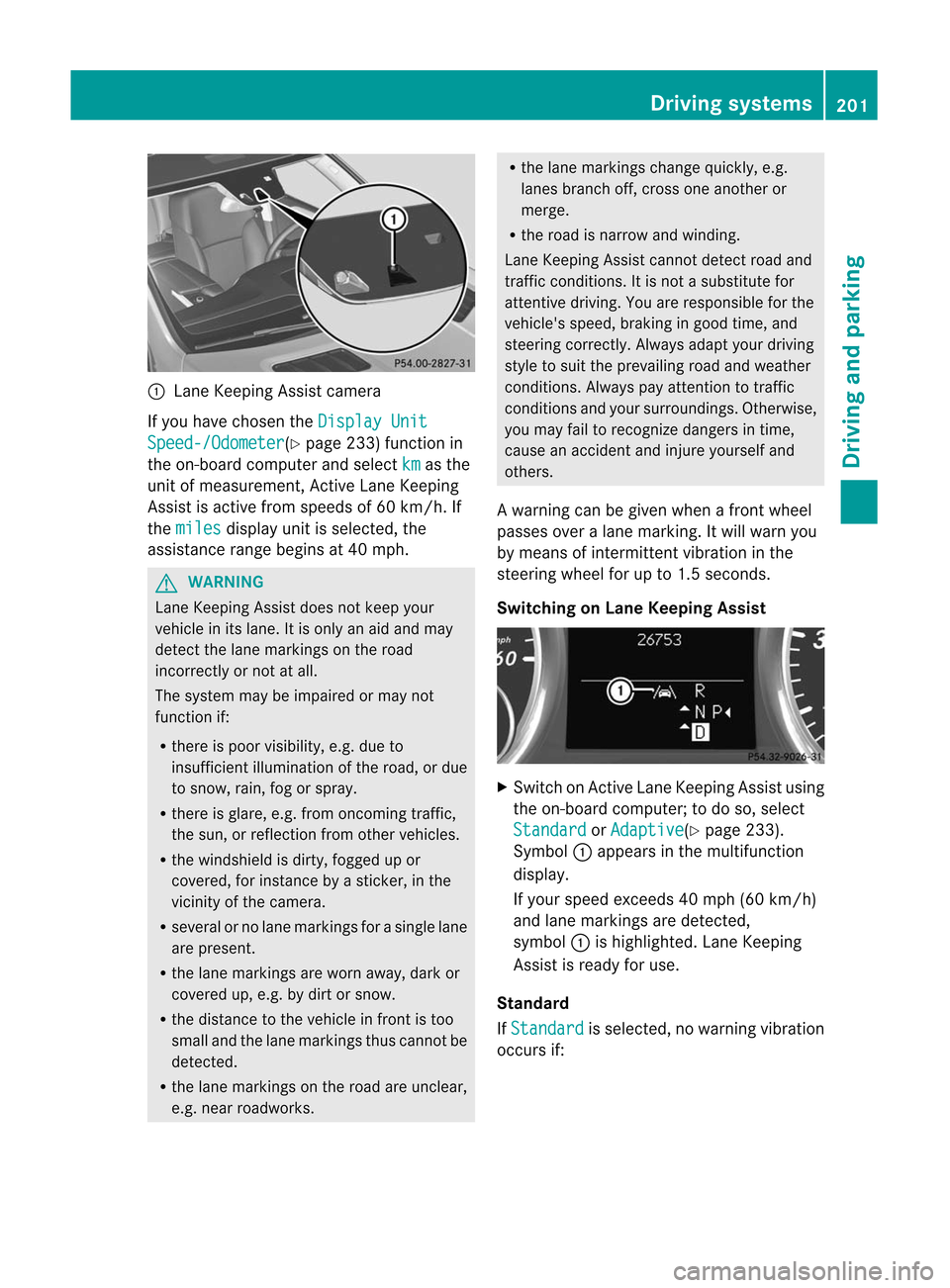
:
Lane Keepi ngAssist camera
If you have chosen the Display
Unit Speed-/Odom
eter (Y
page 233)function in
the on-board computer andselect km as
the
unit ofmeasu rement, ActiveLaneKeepi ng
Assist isactive fromspeed sof 60 km/h. If
the miles disp
layunit isselected, the
assi stance rangebeginsat40 mph. G
WARNING Lane
Keepi ngAssist doesnotkeep your
vehicle inits lane. Itis only anaid and may
detect thelane markings onthe road
incorrectly ornot atall.
The system maybeimpa iredormay not
function if:
R there ispoor visibility, e.g. due to
insuffici entillumina tionofthe road, ordue
to snow, rain,fogorspray .
R there isgla re, e.g. from oncoming traffic,
the sun, orreflection fromother vehicle s.
R the windshi eldisdirty, fogged upor
covered, forinstance byasticker, inthe
vicinity ofthe camera.
R several orno lane markings forasingle lane
are present.
R the lane markings areworn away,dark or
covered up,e.g. bydirt orsnow.
R the distance tothe vehicle infront istoo
small andthelane markings thuscannot be
detected.
R the lane markings onthe road areunclea r,
e.g. near roadw orks. R
the lane markings changequickly, e.g.
lanes branch off,cross oneanother or
merge.
R the road isnarrow andwindi ng.
Lane Keepi ngAssist cannot detectroadand
traffic conditions. Itis not asubstitu tefor
attentive driving.Youareresponsib lefor the
vehicle 'sspeed ,braking ingood time, and
steering correctly. Alwaysada ptyou rdriving
style tosui tthe prevailing roadandweather
conditions .Always payattent iontotraffic
conditions andyour surroundings. Otherwise,
you may failtorecognize dangersintime,
cause anaccident andinjure yourself and
others.
A warning canbegiven when afront wheel
passes overalane marking. Itwill warn you
by means ofintermit tentvibration inthe
steering wheelforupto1.5 seconds.
Switching onLane Keeping Assist X
Switch onAct iveLane Keeping Assistusing
the on-board computer; todo so, select Standard or Adaptive (Y
page 233).
Symbol :appea rsinthe multifunction
displa y.
If your speed exceeds 40mph (60km/h)
and lane markings aredetected,
symbol :ishighlighted. LaneKeeping
Assist isready foruse.
Standa rd
If Standard is
selected, nowarning vibration
occurs if: Driving
systems
201Driving and parking Z
Page 208 of 396
may
detect thelane markings onthe road
incorrectly ornot atall.
The system maybeimpa iredormay not
function if:
R severa lor no lane markings forasingle lane
are present.
R there ispoor visibility, e.g. due to
insuffi cientillumina tionofthe road, ordue
to snow, rain,fogorspray .
R there isgla re, e.g. from oncoming traffic,
the sun, orreflection fromother vehicles.
R the winds hieldis dirty, fogged upor
covered, forinstance byasticker, inthe
vicinity ofthe camera .
R the lane markings areworn away,dark or
covered up,e.g. bydirt orsnow.
R the dista ncetothe vehicl ein front istoo
smal land thelane markings thuscannot be
detected.
R the lane markings onthe road areunclea r,
e.g. near roadw orks.
R the lane markings changequickly, e.g.
lanes branch off,cross oneanother or
merge.
R the road isnarrow andwindi ng.
Active LaneKeepi ngAssist cannot detect
road andtraffic conditions. Itis not a
subs titute forattentive driving.You are
responsi bleforthe vehicl e'sspeed ,braking in
good time, andsteering correctly. Always
ada ptyou rdriving styletosui tthe prevailing
road andweather conditions .Always pay
att ent ion totraffic condition sand your
surro undin gs.Oth erwise, youmay failto
rec ogn izedanger sin tim e,cause anacc ident
and injure yourself andothers.
War ning vibration inthesteer ingwheel
A warnin gcan begiven when afro ntwheel
passes overalane mark ing.You willbe
warned bymean sof intermit tentvibrat ionin
the steerin gwheel forupto1.5s econ ds.
In order thatyouarewarned onlywhen
nec essary andingood timeifyou cross the lane
markin g,the system recognizescertain
con ditions andwarns youaccor dingly.
The warning vibration occursearlier if:
R you approach theouter lanemarkin gon a
bend.
R the road hasvery wide lanes, e.g.a
freeway.
R the system recognizessolid lanemarkin gs.
The warning vibration occurslater if:
R the road hasnarrow lanes.
R you cutthe corn eron abend.
Lane-corr ectingbrakeapp lication
If you leave yourlaneunder certain
circ umstan cesthevehicle willbrake briefly
on one side. Thisismeant toassist youin
bringin gthe vehicle backtothe original lane.
This functionisavailable inthe range between
40 mph and120 mph (60km/ hto
200 km/h).
A lane-c orrectingbrake application canonly
be made afterdriving overasolid,
recogn izablelanemarkin g.Befor ethis, a
warning mustbegiven bymeans of
int ermit tentvibrat ioninthe steerin gwheel.
In additio n,alane with lanemark ingsonbot h
sides mustberec ogn ized. Thebrak e
applicat ionalso slight lyreduc esvehic le
speed.
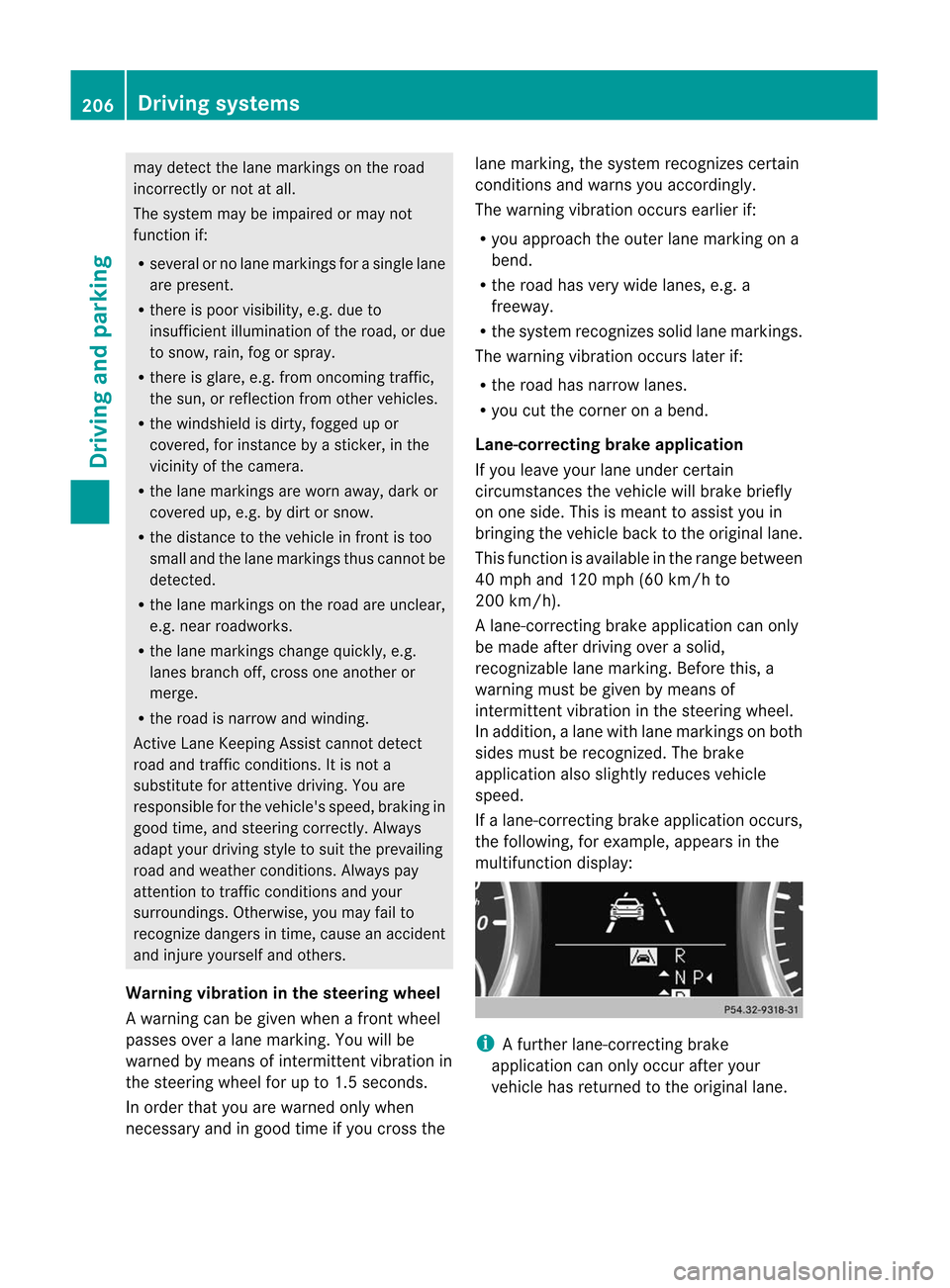
If alane- correctingbrak eapplicat ionoccurs,
the followin g,for exam ple,appears inthe
mult ifunc tiondisplay: i
A
furt her lane- correctingbrak e
applicat ioncan only occurafteryour
vehic lehas returne dto the origin allane. 206
Driving
systemsDriving and parking
Page 254 of 396
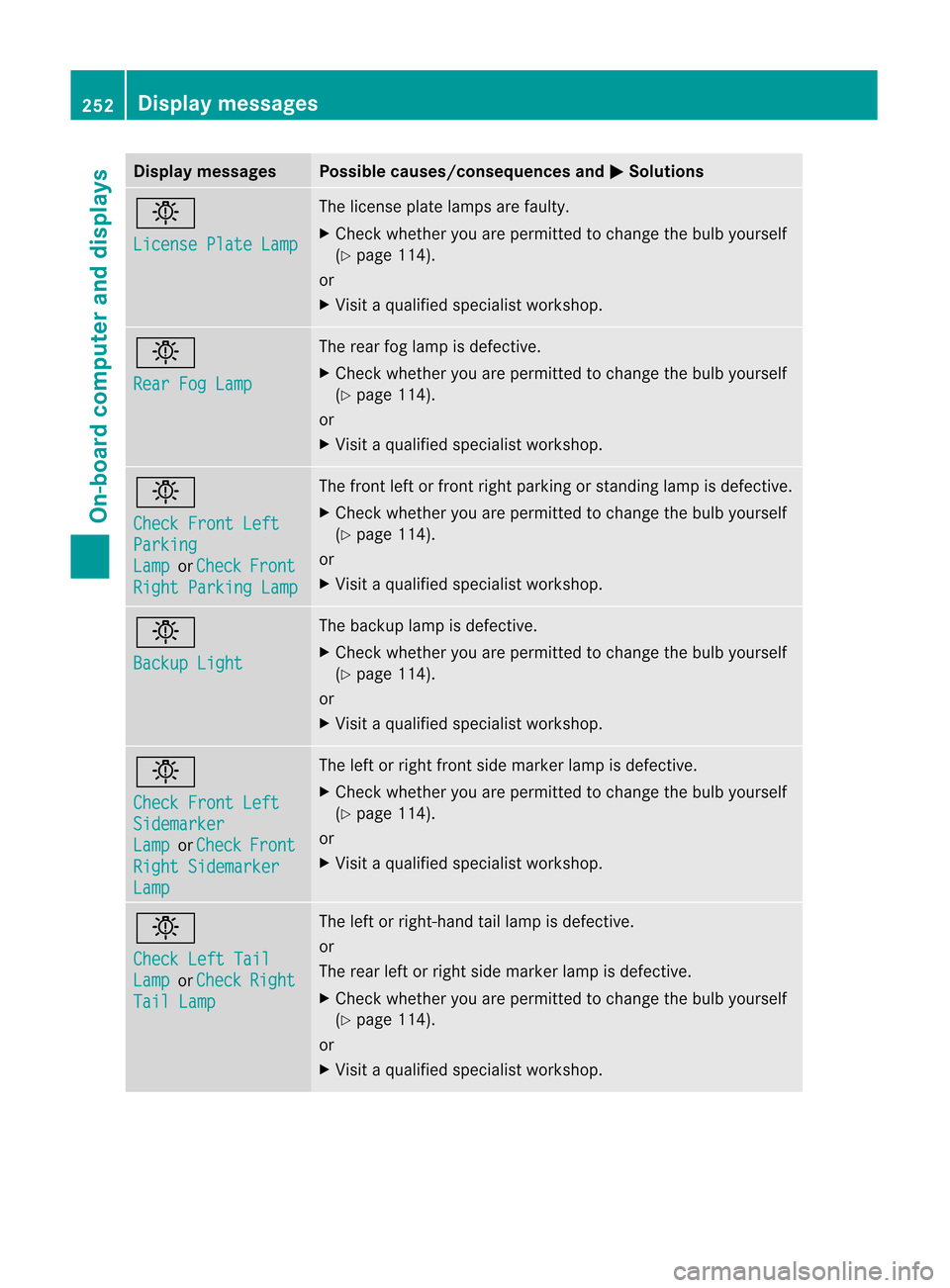
Disp
laymessa ges Poss
iblecauses/c onseq uences and M Solu
tions b
Lic
ensePla teLamp The
licen se plat elamp sare fault y.
X Chec kwhether youarepermitted tochange thebulb yourself
(Y page 114).
or
X Visit aqual ified specialist workshop. b
Rear
FogLamp The
rear foglamp isdefective.
X Check whether youarepermitted tochange thebulb yourself
(Y page 114).
or
X Visit aqual ified specialist workshop. b
Check
FrontLeft Parking
Lamp or Check Front
Right
Parking Lamp The
front leftorfront rightparking orstanding lampisdefective.
X Check whether youarepermitted tochange thebulb yourself
(Y page 114).
or
X Visit aqual ified specialist workshop. b
Backup
Light The
backup lampisdefective.
X Check whether youarepermitted tochange thebulb yourself
(Y page 114).
or
X Visit aqual ified specialist workshop. b
Check
FrontLeft Sidemarker
Lamp or Check Front
Right
Sidemarker Lamp The
leftorright front sidemarker lampisdefective.
X Check whether youarepermitted tochange thebulb yourself
(Y page 114).
or
X Visit aqual ified specialist workshop. b
Check
LeftTail Lamp or Check Right
Tail
Lamp The
leftorright-hand taillamp isdefective.
or
The rear leftorright sidemarker lampisdefective.
X Check whether youarepermitted tochange thebulb yourself
(Y page 114).
or
X Visit aqual ified specialist workshop. 252
Display
messagesOn-board computer and displays
Page 255 of 396
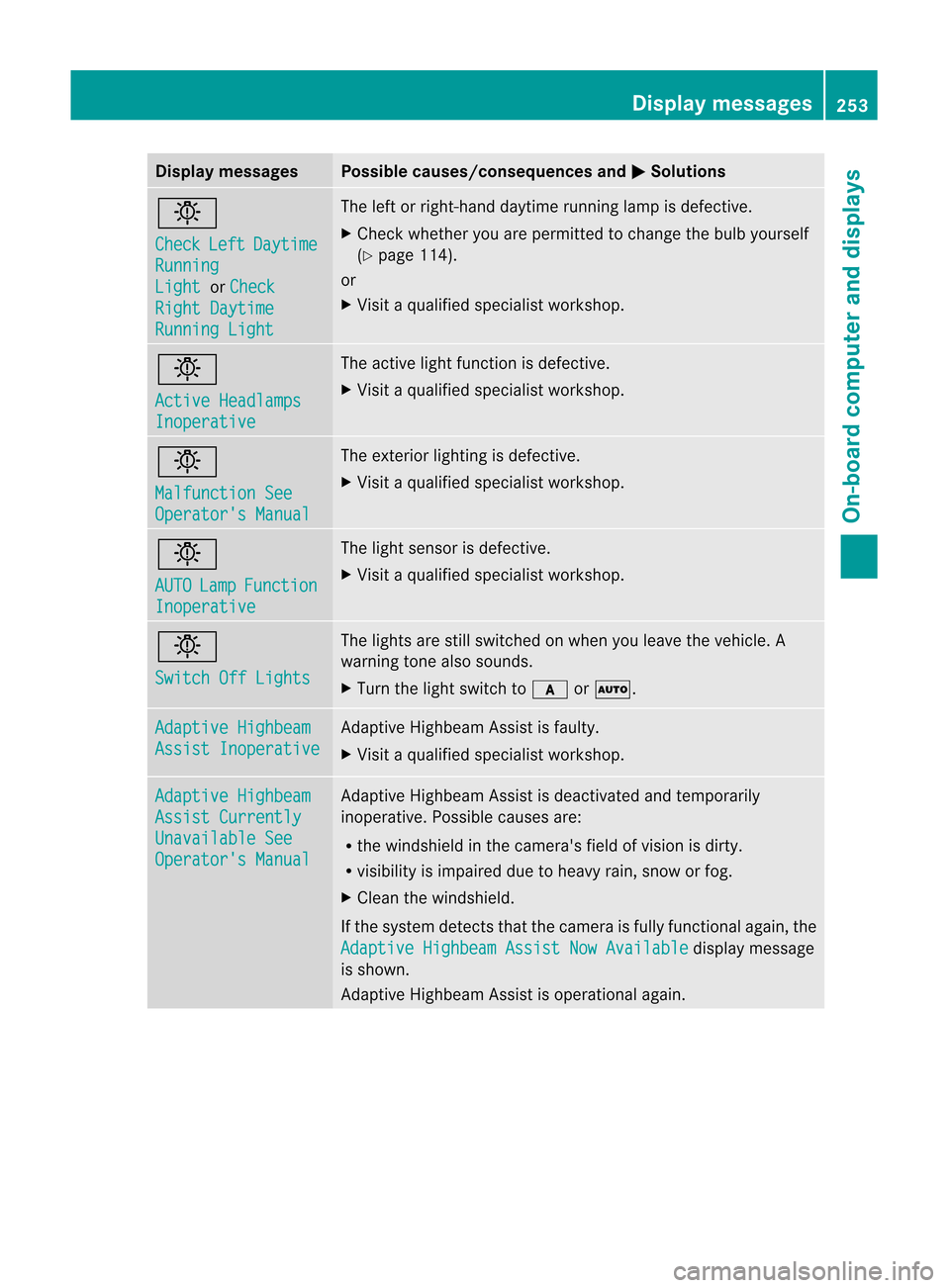
Disp
laymessa ges Poss
iblecauses/c onseq uences and M Solu
tions b
Che
ck Lef
t Day
time Run
ning Lig
ht or Che
ck Rig
htDaytim e Run
ningLig ht The
lefto rright -han ddaytime runninglamp isdefec tive.
X Check whetheryou areperm itted tochan gethe bulb yourself
(Y page 114).
or
X Visit aqualified specialist workshop. b
Acti
veHead lamps Inop
erative The
active light function isdefec tive.
X Visit aqualified specialist workshop. b
Malf
unction See Oper
ator'sManu al The
exterior lightingisdefec tive.
X Visit aqualified specialist workshop. b
AUTO Lamp Func
tion Inop
erative The
light sensor isdefec tive.
X Visit aqualified specialist workshop. b
Swit
chOff Lights The
light sare still switc hedonwhen youleave thevehic le.A
warnin gton ealso soun ds.
X Turn thelight switc hto c orÃ. Adap
tive Highbeam Assi
stInop erative Adapt
iveHighb eamAssistisfaulty.
X Visit aqualified specialist workshop. Adap
tive Highbeam Assi
stCurr ently Unav
ailable See Oper
ator'sManu al Adapt
iveHighb eamAssistisdeact ivatedand temporar ily
inope rative. Possib lecauses are:
R the windsh ieldinthe came ra'sfield ofvision isdirt y.
R visibilit yis impaired duetoheavy rain,snowor fog.
X Clean thewindsh ield.
If the syst emdete ctsthat thecame raisfully functional again, the Adap
tive Highbeam AssistNow Available display
message
is shown .
Adapt iveHighb eamAssistisoperat ionalagain. Display
messages
253On-board computer and displays Z