buttons MERCEDES-BENZ M-Class 2013 W166 Owner's Manual
[x] Cancel search | Manufacturer: MERCEDES-BENZ, Model Year: 2013, Model line: M-Class, Model: MERCEDES-BENZ M-Class 2013 W166Pages: 458, PDF Size: 6.24 MB
Page 20 of 458
Problem (malfunction)
.....................83
Starting the engine ........................159
Snow chains
Information .................................... 401
Snow drive program ....................... 245
Sockets
Center console .............................. 347
General notes ................................ 347
Luggage compartment ...................348
Rea rcompartmen t......................... 348
Spare wheel
see Emergency spare wheel
Specialist workshop ............................ 27
Special seat bel tretractor .................. 62
Speed ,controlling
see Cruise control
Speedometer
Digital ............................................ 267
In the Instrument cluster .........33, 263
Segments ...................................... 264
Selecting the unit of
measurement ................................ 274
see Instrument cluster
SRS
see SRS (Supplemental Restraint
System)
SRS (Supplemental Restraint
System)
Display message ............................ 291
Introduction ..................................... 43
Warning lamp ................................. 324
Warning lamp (function) ................... 43
Standing lamps
Changing bulbs .............................. 131
Display message ............................ 297
Switching on/off ........................... 123
Start/stop function
see ECO start/stop function
Starting (engine) ................................ 159
STEE RCONTROL .................................. 75
Steering (display message) ..............314
Steering wheel Adjusting (electrically). ..................111
Adjusting (manually). .....................110
Button overview ............................... 35
Buttons (on-board computer) ......... 264
Cleaning ......................................... 376 Important safety notes
..................110
Paddle shifters ............................... 169
Steering wheel heating ..................111
Storing settings (memory
function) ........................................ 116
Steering wheel heating
Problem (malfunction) ...................112
Switching on/off ........................... 111
Steering wheel paddle shifters ........169
Stopwatch (RACETIMER) ................... 279
Stowage areas ................................... 332
Stowage compartments Armrest (under) ............................. 334
Center console .............................. 334
Cuph olders ................................... 343
Eyeglasses compartment ...............334
Glove box ...................................... .333
Important safety information .........333
Stowage net ................................... 335
Stowage net ....................................... 335
Stowage space Center console (rear) .....................334
Summer tires ..................................... 400
Sun visor ............................................ 345
Surround lighting (on-board
computer) .......................................... 275
Suspension tuning AMG adaptive sport suspension
system ........................................... 212
SETUP (on-board computer) ..........279
SUV
(Sport Utility Vehicle) .......................26
Switching air-recirculation mode
on/off ................................................. 150
Switching off the alarm (ATA) ............75 T
Tachometer ........................................ 264
Tailgate Display message ............................ 313
Emergency unlocking .......................91
Important safety notes ....................87
Limiting the opening angle ...............91
Opening/closing (automatically
from inside) ...................................... 90
Opening/closing (automatically
from outside) ................................... 8918
Index
Page 41 of 458
Overhea
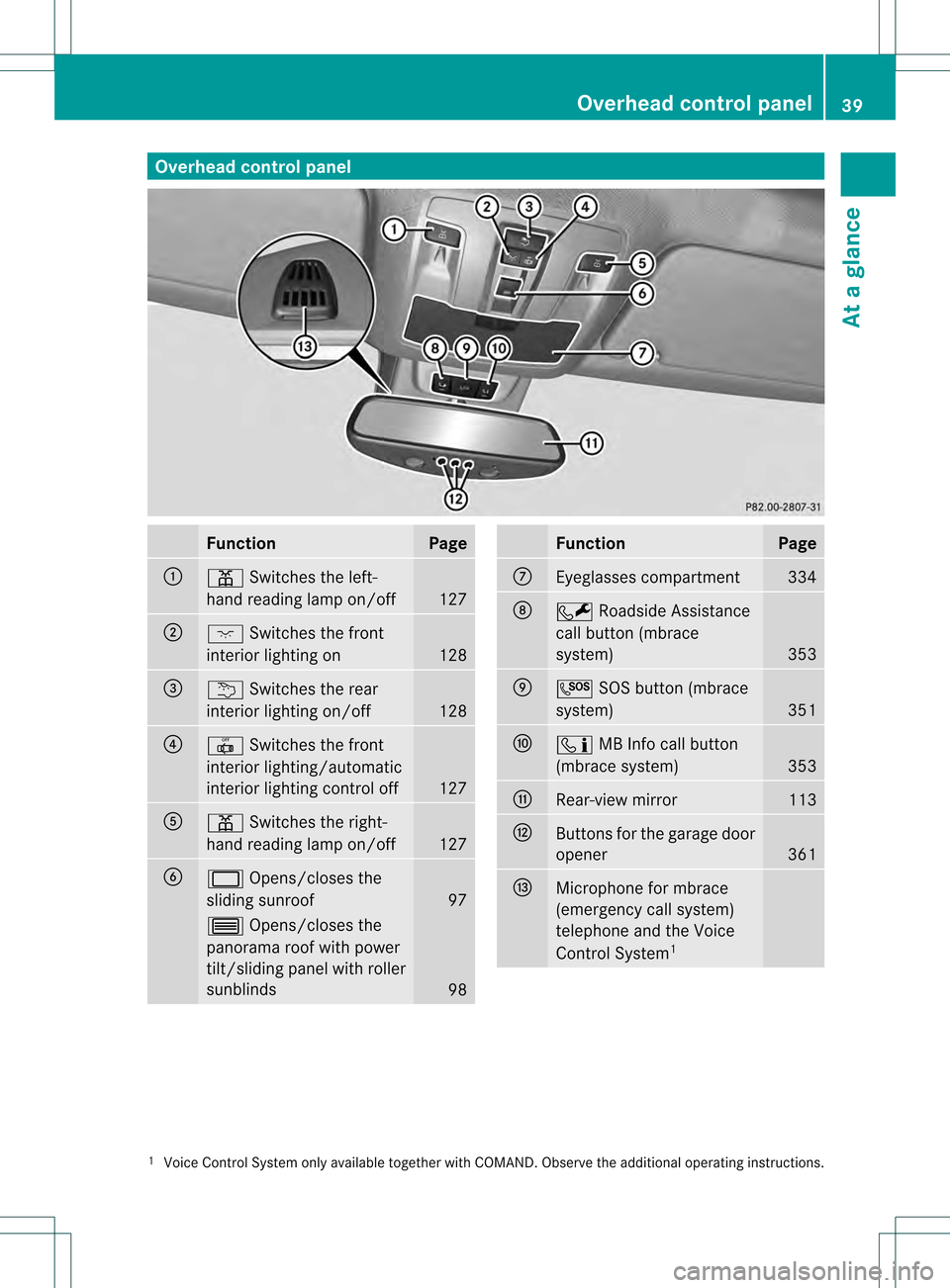
dcontrol panel Function Page
0002
0015
Switches the left-
hand reading lamp on/off 127
0003
0006
Switches the front
interio rlighting on 128
001F
0002
Switches the rear
interior lighting on/off 128
001E
001D
Switches the front
interior lighting/automatic
interior lighting control off 127
001C
0015
Switches the right-
hand reading lamp on/off 127
001D
0002
Opens/closes the
sliding sunroof 97
0003
Opens/closes the
panorama roof with power
tilt/sliding panel with roller
sunblinds 98 Function Page
0011
Eyeglasses compartment 334
0012
0009
Roadside Assistance
call button (mbrace
system) 353
0013
000A
SOS button (mbrace
system) 351
0014
000B
MB Info call button
(mbrace system) 353
0015
Rear-view mirror 113
0016
Buttons for the garage door
opener
361
0017
Microphone for mbrace
(emergency call system)
telephone and the Voice
Control System 1 1
Voice Control System only available together with COMAND. Observe the additional operating instructions. Overhead control panel
39At a glance
Page 82 of 458
X
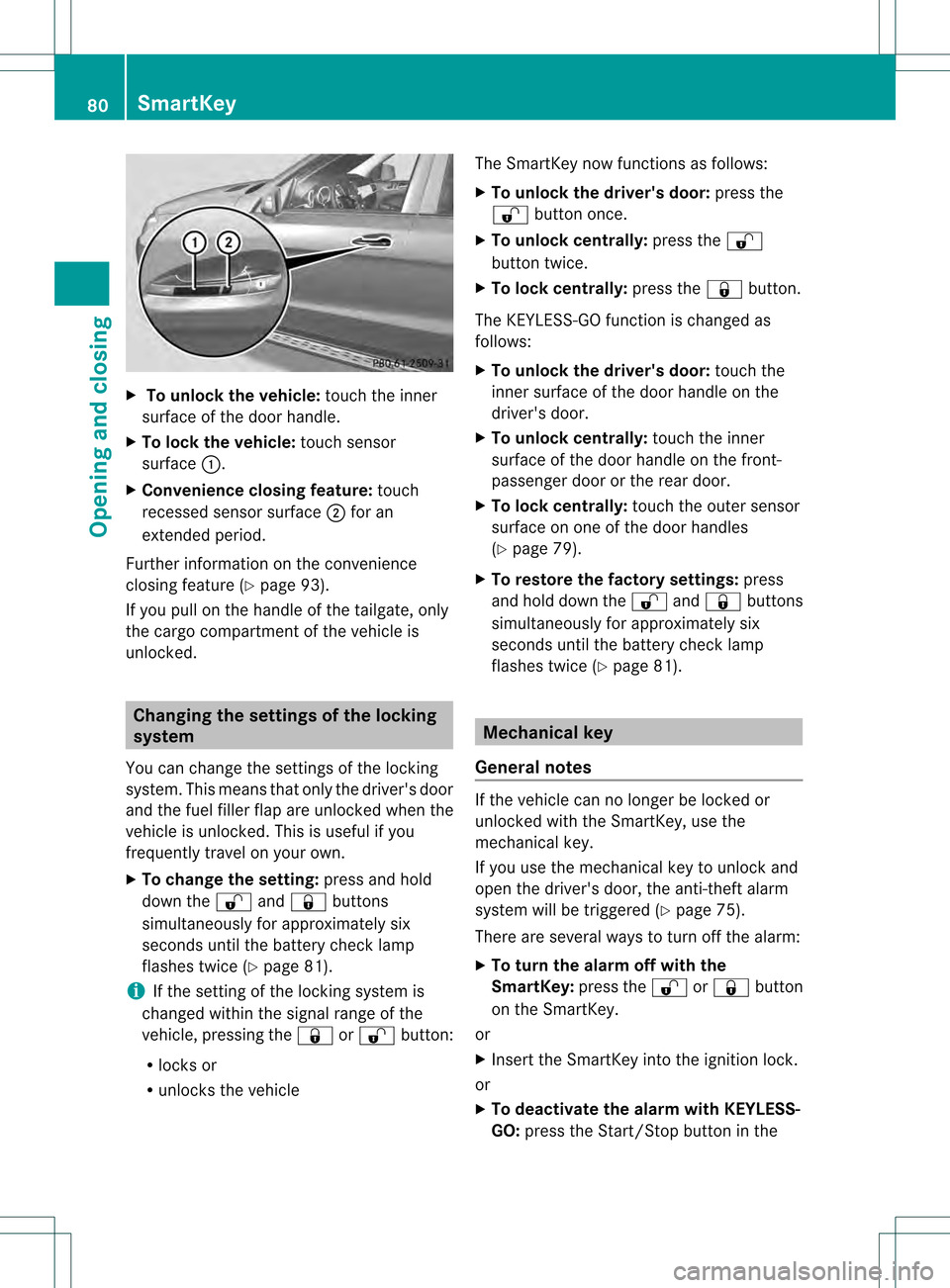
To unloc kthe vehicle: touch the inner
surface of the door handle.
X To loc kthe vehicle: touch sensor
surface 0002.
X Convenience closing feature: touch
recessed sensor surface 0003for an
extended period.
Further information on the convenience
closing feature (Y page 93).
If you pull on the handl eofthe tailgate, only
the cargo compartment of the vehicle is
unlocked. Changing the settings of the locking
system
You can change the settings of the locking
system. This means that only the driver's door
and the fuel filler flap are unlocked when the
vehicle is unlocked. This is useful if you
frequently travel on your own.
X To change the setting: press and hold
down the 000Cand000B buttons
simultaneously for approximately six
seconds until the battery check lamp
flashes twice (Y page 81).
i If the setting of the locking system is
changed within the signal range of the
vehicle, pressing the 000Bor000C button:
R locks or
R unlocks the vehicle The SmartKey now functions as follows:
X
To unlock the driver's door: press the
000C button once.
X To unlock centrally: press the000C
button twice.
X To lock centrally: press the000Bbutton.
The KEYLESS-GO function is changed as
follows:
X To unlock the driver's door: touch the
inner surface of the door handle on the
driver's door.
X To unlock centrally: touch the inner
surface of the door handle on the front-
passenger door or the rear door.
X To lock centrally: touch the outer sensor
surface on one of the door handles
(Y page 79).
X To restore the factory settings: press
and hold down the 000Cand000B buttons
simultaneously for approximately six
seconds until the battery check lamp
flashes twice (Y page 81). Mechanical key
General notes If the vehicle can no longer be locked or
unlocked with the SmartKey, use the
mechanical key.
If you use the mechanical key to unlock and
open the driver's door, the anti-theft alarm
system will be triggered (Y
page 75).
There are several ways to turn off the alarm:
X To turn the alarm off with the
SmartKey: press the000Cor000B button
on the SmartKey.
or
X Insert the SmartKey into the ignition lock.
or
X To deactivate the alarm with KEYLESS-
GO: press the Start/Stop button in the 80
SmartKeyOpening and closing
Page 84 of 458

0002
Battery compartment cover
0003 Mechanical key
X Press mechanical key 0003into the opening
in the SmartKey in the direction of the
arrow until battery compartment cover 0002
opens. Do not hold battery compartment
cover 0002closed while doing so.
X Remove battery compartment cover 0002.001F
Battery
X Repeatedly tap the SmartKey against your
palm until battery 001Ffalls out.
X Inser tthe new battery with the positive
terminal facing upwards. Use a lint-free
cloth to do so.
X Make sure that the surface of the battery is
free from lint, grease and all other forms of
contamination. X
Insert the front tabs of battery
compartment cover 0002into the housing
first and then press to close it.
X Insert mechanical key 0003into the
SmartKey.
X Check the function of all SmartKey buttons
on the vehicle. 82
SmartKeyOpening and closing
Page 87 of 458

themselves when doing so or be seriously or
eve nfatally injured by any passing traffic.
Do not expose the child restraint system to
direct sunlight .The child restraint system's
metal parts, for example, could become very
hot, and a child could be burned on these
parts. G
WARNING
Do not carry heavy or hard objects in the
passenger compartment or cargo
compartmentu nless they are firmly secured
in place.
Unsecured or improperly positioned cargo
increases a child's risk of injury in the event
of
R strong braking maneuvers
R sudden changes of direction
R an accident Unlocking and opening doors from
the inside
You can open a door from inside the vehicle
eve nifith as been locked. You can only open
the rear doors from inside the vehicle if they
are no tsecured by the child-proof locks
(Y page 65).
If the vehicle has been locked with the
SmartKey or with KEYLESS-GO, opening a
door from the inside will trigger the anti-theft
alarm system. Switch off the alarm
(Y page 75). X
Front door: pull door handle 0003.
If the door is locked, locking knob 0002pops
up. The door is unlocked and can be
opened.
X Rear door: pull up locking knob 0002on the
relevant rear door.
The rear door is unlocked and can be
opened. Centrally locking and unlocking the
vehicle from the inside
You can centrally lock or unlock the vehicle
from the inside. The buttons are located on
both fron tdoors. 0002
To unlock
0003 To lock
X To unlock: press button 0002.
X To lock: press button 0003.
If the front-passenger door is closed, the
vehicle locks.
Meanwhile, the fuel filler flap will not be
locked or unlocked.
You cannot unlock the vehicle centrally from
the inside if the vehicle has been locked with
the SmartKey or KEYLESS-GO.
You can open a front door from inside the
vehicle even if it has been locked. Doors
85Opening and closing Z
Page 88 of 458

If the vehicle has been locked using the
locking button for the central locking, or has
been locked automatically, and a door is
opened from the inside:
R
the vehicle will be fully unlocked if it had
previously been fully unlocked
R only the door which has been opened form
the inside is unlocked if only the driver's
door had been previously unlocked Automatic locking feature
0002
To deactivate
0003 To activate
X To deactivate: press and hold button 0002
for aboutf ive seconds until a tone sounds.
X To activate: press and hold button 0003for
about five seconds until a tone sounds.
i If you press one of the two buttons and
do not hear a tone, the relevant setting has
already been selected.
The vehicle is locked automatically when the
ignition is switched on and the wheels are
turning.
You could therefore be locked out if:
R the vehicle is being pushed.
R the vehicle is being towed.
R the vehicle is on a roller dynamometer.
You can also switch the automatic locking
function on and off using the on-board
computer (Y page 276). Power closing feature
Power closing pulls the doors and trunk lid
into their locks automatically even if they are
only partly closed.
X To power-close adoor: push the door into
the lock up to the first detent position.
Power closing will pull the door fully closed.
X To power-close the tailgate: lightly press
the tailgate downwards.
Power closing will pull the tailgate fully
closed. Unlocking the driver's door
(mechanical key)
If the vehicle can no longer be unlocked with
the SmartKey, use the mechanical key.
If you use the mechanical key to unloc kand
open the driver's door, the anti-thef talarm
system will be triggered ( Ypage 75).
X Take the mechanical key out of the
SmartKey (Y page 80).
X Insert the mechanical key into the lock of
the driver's door as far as it will go. 0005
To unlock
X Turn the mechanical key counter-clockwise
to position 0005.
The door is unlocked.
X Turn the mechanical key back and remove
it.
X Insert the mechanical key into the
SmartKey. 86
DoorsOpening and closing
Page 105 of 458
X
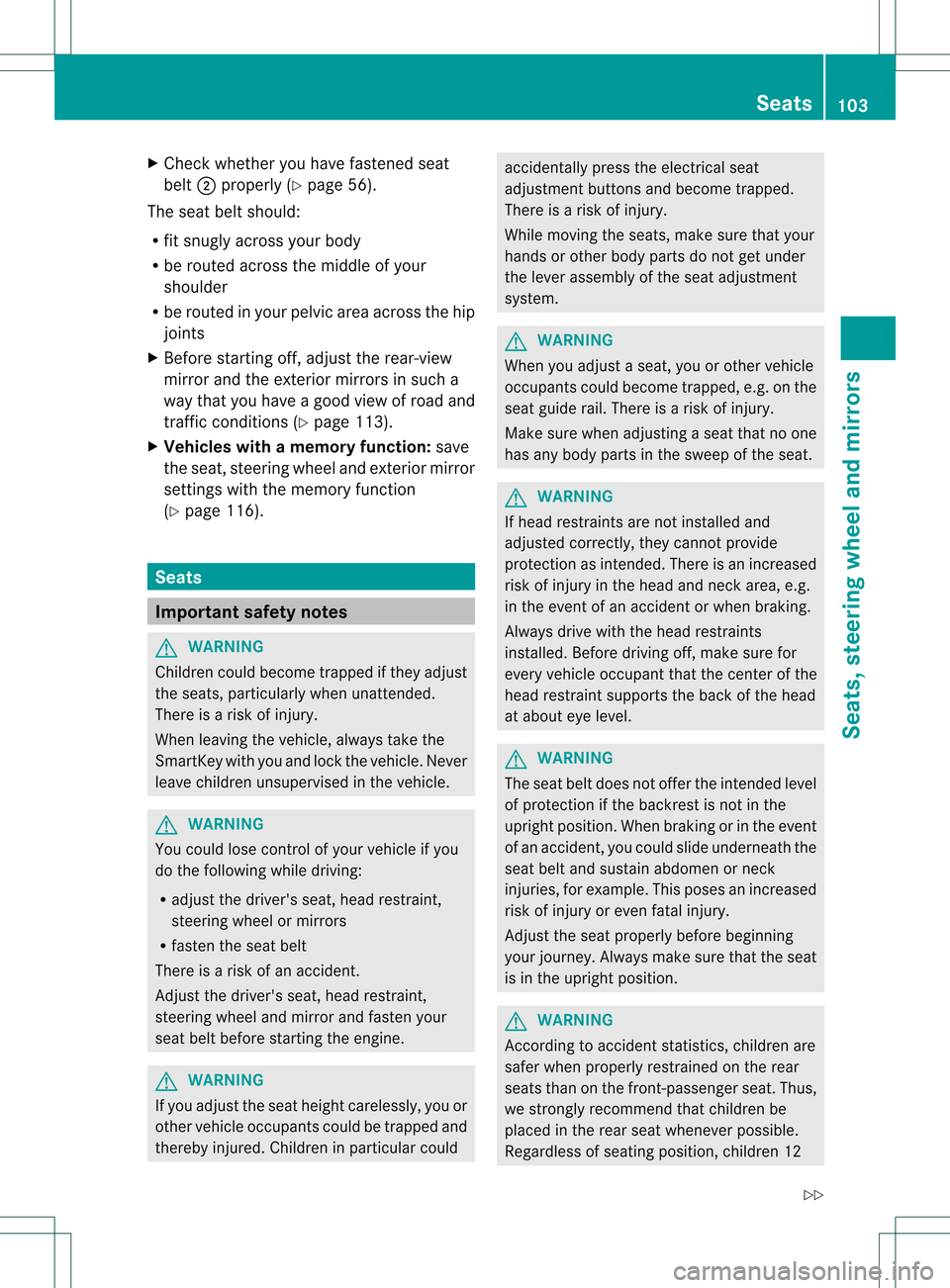
Chec kwhether you have fastened seat
belt 0003properly (Y page 56).
The seat belt should:
R fit snugly across your body
R be routed across the middle of your
shoulder
R be routed in your pelvic area across the hip
joints
X Before starting off, adjust the rear-view
mirror and the exterior mirrors in such a
way that you have a good view of road and
traffic conditions( Ypage 113).
X Vehicles with a memory function: save
the seat, steering wheel and exterior mirror
settings with the memory function
(Y page 116). Seats
Important safety notes
G
WARNING
Children could become trapped if they adjust
the seats, particularly when unattended.
There is a risk of injury.
When leaving the vehicle, always take the
SmartKey with you and lock the vehicle. Never
leave children unsupervised in the vehicle. G
WARNING
You could lose control of your vehicle if you
do the following while driving:
R adjust the driver's seat, head restraint,
steering wheel or mirrors
R fasten the seat belt
There is a risk of an accident.
Adjust the driver's seat, head restraint,
steering wheel and mirror and fasten your
seat belt before starting the engine. G
WARNING
If you adjust the seat height carelessly, you or
other vehicle occupants could be trapped and
thereby injured. Children in particular could accidentally press the electrical seat
adjustment buttons and become trapped.
There is a risk of injury.
While moving the seats, make sure that your
hands or other body parts do not get under
the lever assembly of the seat adjustment
system.
G
WARNING
When you adjust a seat, you or other vehicle
occupants could become trapped, e.g. on the
seat guide rail. There is arisk of injury.
Make sure when adjusting aseat that no one
has any body parts in the sweep of the seat. G
WARNING
If head restraints are not installed and
adjusted correctly, they cannot provide
protection as intended. There is an increased
risk of injury in the head and neck area, e.g.
in the event of an accident or when braking.
Always drive with the head restraints
installed. Before driving off, make sure for
every vehicle occupant that the center of the
head restraint supports the back of the head
at about eye level. G
WARNING
The seat belt does not offer the intended level
of protection if the backrest is not in the
upright position .When braking or in the event
of an accident, you could slide underneath the
seat belt and sustain abdomen or neck
injuries, for example. This poses an increased
risk of injury or even fatal injury.
Adjust the seat properly before beginning
your journey. Always make sure that the seat
is in the upright position. G
WARNING
According to accident statistics, children are
safer when properly restrained on the rear
seats than on the front-passenger seat. Thus,
we strongly recommend that children be
placed in the rear seat whenever possible.
Regardless of seating position, children 12 Seats
103Seats, steering wheel and mirrors
Z
Page 111 of 458
Problems with the seat heating
Problem Possible causes/consequences and
0001 Solutions
The seat heating has
switched off
prematurely or cannot
be switched on. The on-board voltage is too low because too many electrical
consumers are switched on.
X
Switch off electrical consumers that you do not need, such as
the rear window defroster or interior lighting.
Once the battery is sufficiently charged, the seat heating will
switch back on automatically. Switching the seat ventilation on/off
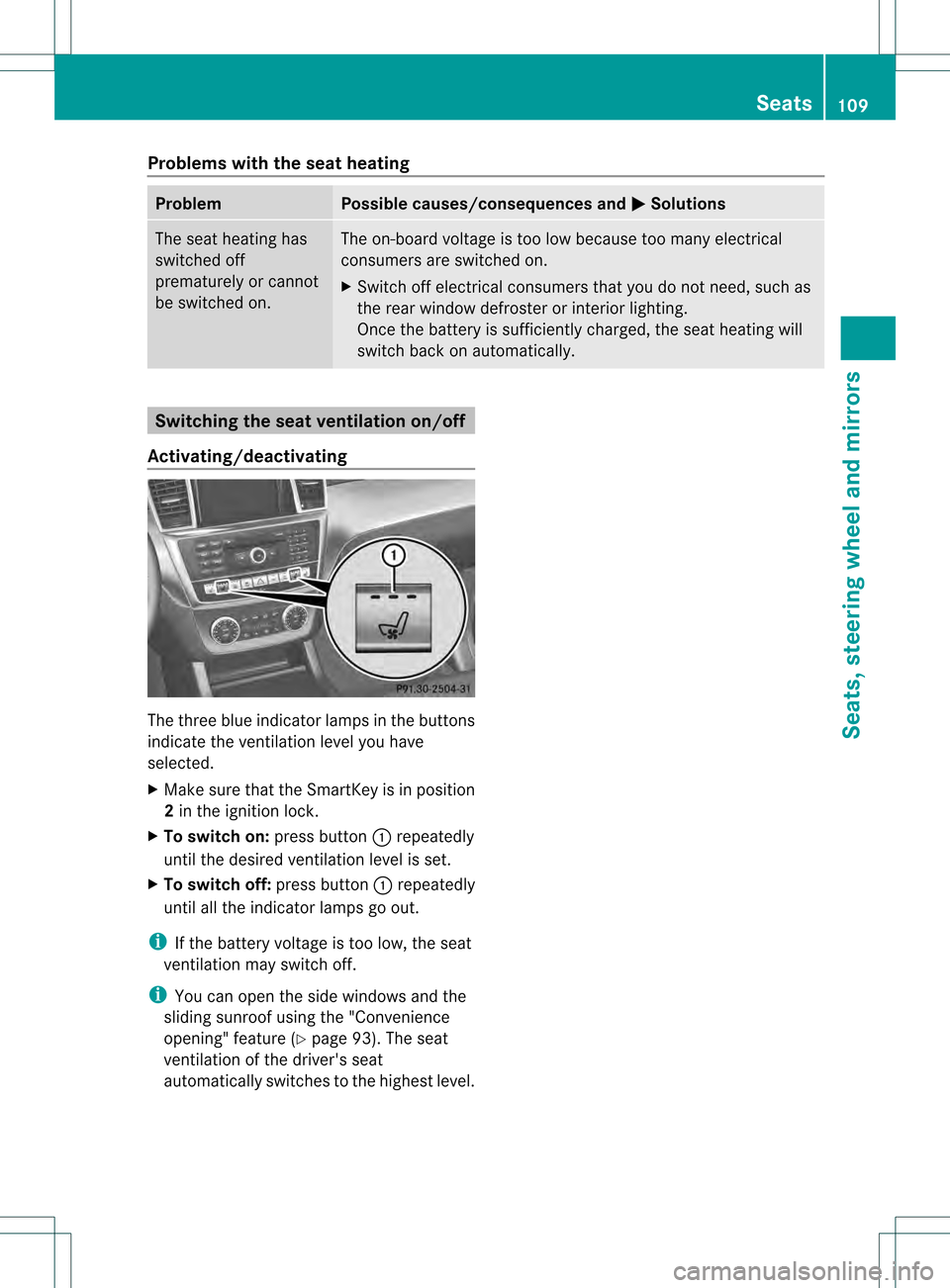
Activating/deactivating The three blue indicator lamps in the buttons
indicate the ventilation level you have
selected.
X Make sure that the SmartKey is in position
2 in the ignition lock.
X To switch on: press button0002repeatedly
until the desired ventilation level is set.
X To switch off: press button0002repeatedly
until all the indicator lamps go out.
i If the battery voltage is too low, the seat
ventilation may switch off.
i You can open the side windows and the
sliding sunroof using the "Convenience
opening" feature (Y page 93). The seat
ventilation of the driver's seat
automatically switches to the highest level. Seats
109Seats, steering wheel and mirrors Z
Page 114 of 458
Problems with the steering wheel heating
Problem Possible causes/consequences and
0001 Solutions
The steering wheel
heating has switched
off prematurely or
cannot be switched on. The on-board voltage is too low because too many electrical
consumers are switched on.
X
Switch off electrical consumers that you do not need, such as
the rear window defroster or interior lighting. EASY-ENTRY/EXIT feature
Important safety notes G
WARNING
When the EASY-ENTRY/EXIT feature adjusts
the steering wheel, you and other vehicle
occupants –particularly childre n–could
become trapped. There is a risk of injury.
While the EASY-ENTRY/EXIT feature is
making adjustments, make sure that no one
has any body parts in the sweep of the
steering wheel.
If somebody becomes trapped:
R press one of the memory function position
buttons, or
R move the switch for steering wheel
adjustmen tinthe opposite direction to that
in which the steering wheel is moving.
The adjustment process is stopped. G
WARNING
If children activate the EASY-ENTRY/EXIT
feature, they can become trapped,
particularly when unattended. There is a risk
of injury.
When leaving the vehicle, always take the
SmartKey with you and lock the vehicle. Never
leave children unsupervised in the vehicle. G
WARNING
If you drive off while the EASY-ENTRY/EXIT
feature is making adjustments, you could lose
control of the vehicle. There is a risk of an
accident. Always wait until the adjustment process is
complete before driving off.
The EASY-ENTRY/EXIT feature makes getting
in and out of your vehicle easier.
You can activate and deactivate the EASY-
ENTRY/EXIT feature in the on-board
computer (Y page 277).
Position of the steering wheel when the
EASY-ENTRY/EXIT featurei s active The steering wheel swings upwards when
you:
R
remove the SmartKey from the ignition lock
R open the driver's door with KEYLESS-GO in
position 1
R open the driver's door and the SmartKey is
in position 0or 1in the ignition lock
i The steering wheel only moves upwards if
it has not already reached the upper end
stop.
Position of the steering wheel for
driving The steering wheel is moved to the last
selected position when:
R
the driver's door is closed
R you insert the SmartKey into the ignition
lock
or
R you press the Start/Stop button once on
vehicles with KEYLESS-GO
When you close the driver's door with the
ignition switched on, the steering wheel is 112
Steering wheelSeats, steering wheel and mirrors
Page 119 of 458
X
Adjust the sea t(Ypage 104).
X On the driver's side, adjust the steering
wheel (Y page 111 )and the exterio rmirrors
(Y page 113).
X Press the Mmemory button and the npress
one of the storage position buttons 1,2or
3 withi nthree seconds.
The settings are stored in the selected
preset position. Atone sounds when the
settings have been completed.
The memory function can still be used if the
SmartKey has been removed. Calling up
astore dsetting
X Press the button for storage position 1,2
or 3.K eep pressing until the seat, steering
wheel and exterior mirror sare in the stored
position.
i The setting procedure is interrupted as
soon as you release the storage position
buttons. Memory function
117Seats, steering wheel and mirrors Z