automatic transmission MERCEDES-BENZ M-CLASS SUV 2011 User Guide
[x] Cancel search | Manufacturer: MERCEDES-BENZ, Model Year: 2011, Model line: M-CLASS SUV, Model: MERCEDES-BENZ M-CLASS SUV 2011Pages: 389, PDF Size: 9.22 MB
Page 150 of 389
Neutral
NwithE CO st art/stop function
act ivated Th
eE CO start/sto pfunctio nswitches the
engin eoff automatically if the vehicle is
braked to astandstill whe ninneutral Nand
th eb rake is still depressed.
For further information on the ECO start/stop
function, se e(Ypage 142).
Shifting to neutra lNX
Push th eDIRECT SELECT lever up or down
to the first point of resistance.
Transmission position Dwith ECO
start/stop function activated The ECO start/stop fun
ction switches the
engin eoff automatically if th evehicle is
braked to astandstill when in transmission
position Dand the brake is still depressed.
For further information on the ECO start/stop
function, see (Y page 142).
Shifting to transmissio nposition D X
Push the DIRECT SELECT lever down past
the first point of resistance. Transmission position display
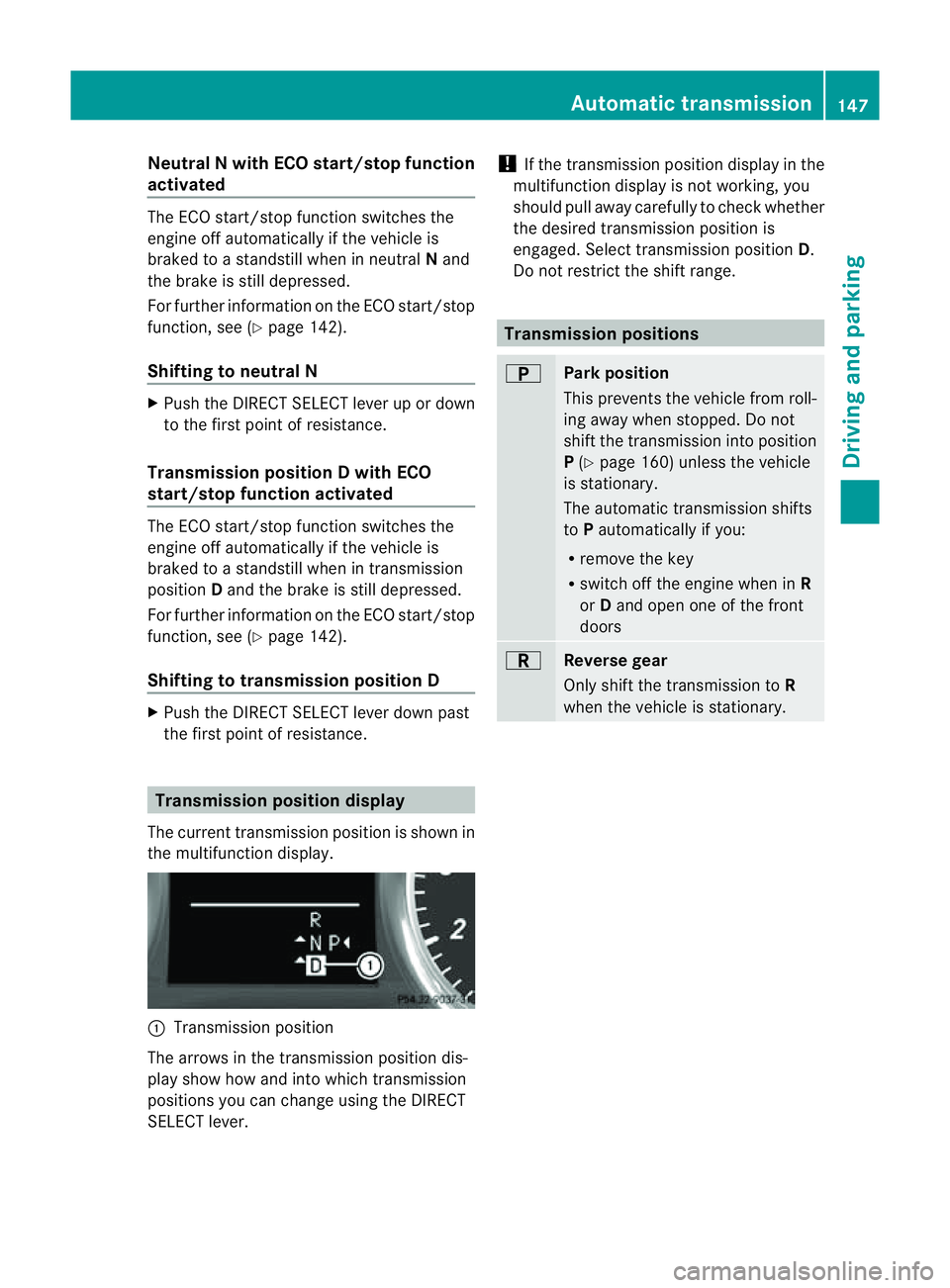
The curren ttransmission positio niss hown in
th em ultifunctio ndisplay. :
Transmission position
The arrows in the transmission position dis-
play show how and int owhich transmission
positions you can change usin gthe DIRECT
SELECT lever. !
If the transmission position displa yinthe
multifunction displa yisnot working, you
should pull away car efullytoc heckwhether
the desired transmission position is
engaged. Select transmission position D.
Do not restrict the shift range. Transmissio
npositions B
Park position
This prevent
sthe vehicle from roll-
ing away when stopped. Do not
shift the transmission int oposition
P (Y page 160) unless the vehicle
is stationary.
The automatic transmission shifts
to Pautomatically if you:
R remove the key
R switc hoff th eengine whe ninR
or Dand open one of the front
doors C
Reverse gear
Only shift the transmission to
R
when the vehicle is stationary. Automatic transmission
147Drivingand parking Z
Page 151 of 389
A
Neutral
Do not shift the transmiss
ionto N
whil edriving. Otherwise, th eauto-
matic transmission could be dam-
aged.
No powe ristransmitte dfromt he
engine to the drive wheels.
Releasing the brakes will allo wyou
to move the vehicl efreely, e.g .to
push it or tow it.
If ESP ®
is deacti vated or faulty:
only shift the transmission to posi-
tion Nif the vehicle is in dange rof
skidding, e.g. on icy roads.
If you swit choff the engin eusing
the key or the Start/Stop but ton,
the automatic transmission shifts
to neutral Nautomatically.
! Rolling in neutral Ncan lead to
damage to the transmission. 7
Drive
The automatic transmission
changes gear automatically. All
forward gears are available. Changin
ggear
The automatic transmission shift stothe indi-
vidual gear sautomatically when it is in trans-
missio nposition D.This automatic gearshift-
ing behaviour is determined by:
R ap ossible limitation of the shift range
R the selected drive program
R the position of the accelerator pedal
R the roa dspeed Driving tips
Accelerator peda lposition Your style of drivin
ginfluences how the auto-
matic transmissio nshift sgear:
R littl ethrot tle: earl yupshifts
R mor ethrot tle: late upshifts
Kickdown Use kickdown for maximu
macceleration.
X Depress the accelerato rpedal beyond the
pressur epoint.
The transmission shift stoalower gear
depending on the engin espeed.
X Ease off the accelerator pedal once the
desired speed is reached.
The automatic transmission shifts back up.
Trailer towing X
Drive in the middle of the engine speed
range on uphill gradients.
X Shift down to shift range 3or
2 (Y page 150) depending on the uphill or
downhill gradient, even if cruise control,
DISTRONIC PLU SorSPEEDTRONIC is acti-
vated. Progra
mselector button
General notes The program selector button allow
syou to
choose between differen tdriving character-
istics. 148
Automatic transmissionDri
ving and parking
Page 152 of 389
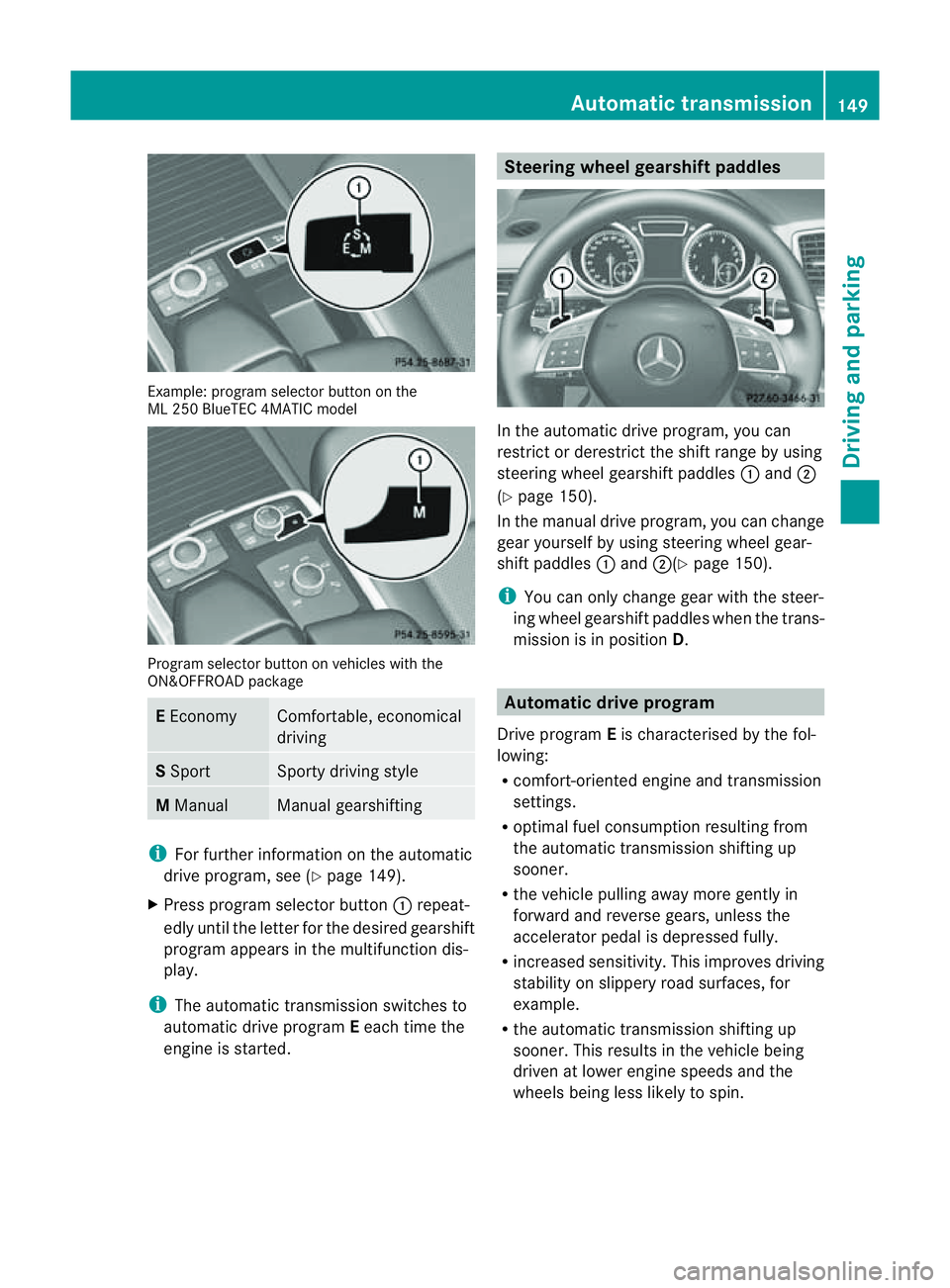
Examp
le:p rogra mselector button on the Progra
mselector button on vehicles with the
ON&OFFROAD package E
Economy Comfortable, economical
driving
S
Sport Sport
ydriving style M
Manual Manua
lgearshif ting i
Forfurther information on the automatic
drive program, see (Y page 149).
X Press program selector button :repeat-
edly until the letter for the desired gearshift
program appears in the multifunction dis-
play.
i The automatic transmission switches to
automatic drive program Eeach time the
engine is started. Steering wheel gearshift paddles
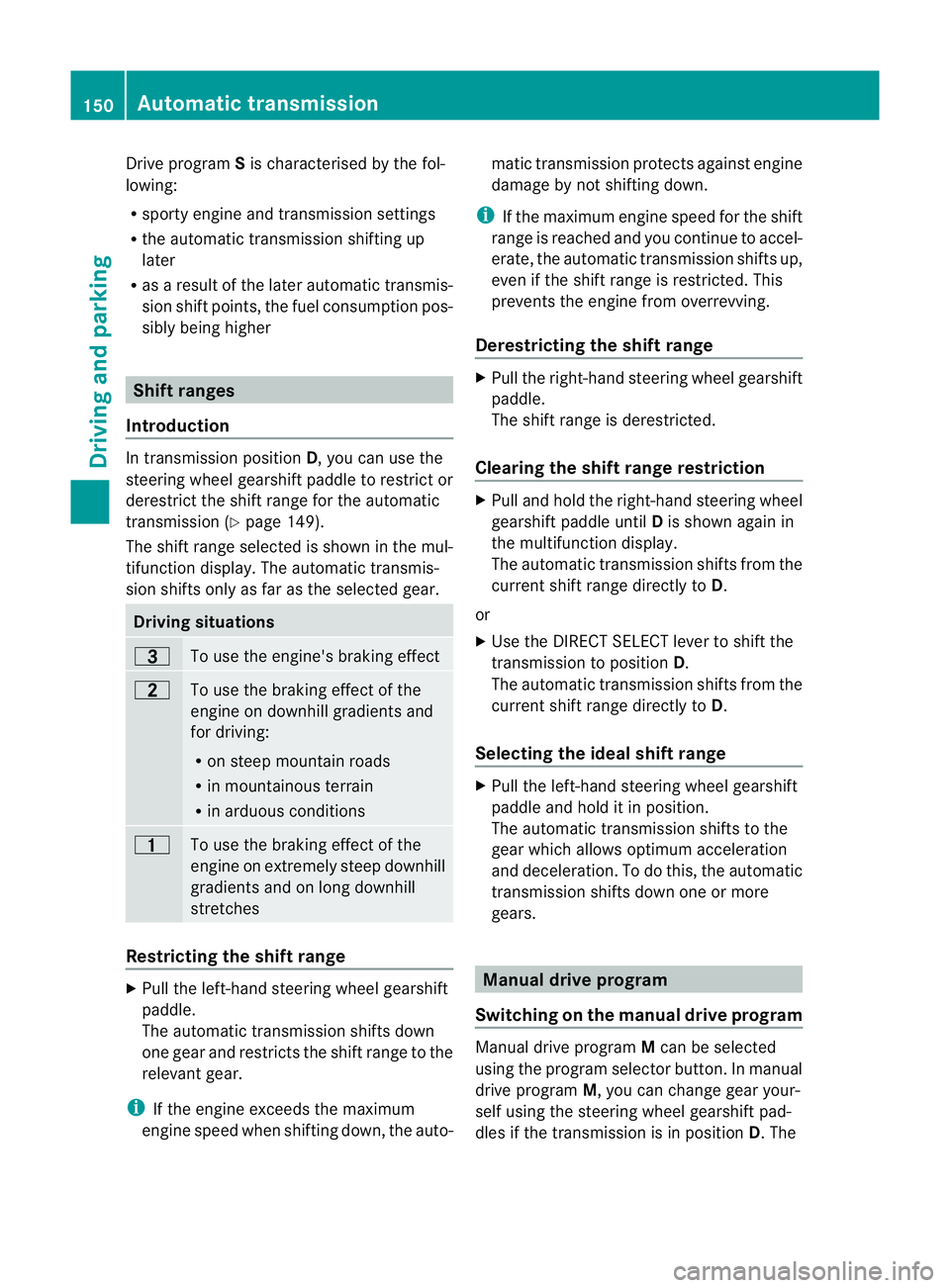
In the automatic drive program, you can
restrict or derestric
tthe shift range by using
steerin gwheel gearshift paddles :and ;
(Y page 150).
In the manua ldrive program, yo ucan change
gear yourself by using steering wheel gear-
shift paddles :and ;(Y page 150).
i You can only change gear with the steer-
ing wheel gearshift paddles when the trans-
mission is in position D. Automatic drive program
Drive program Eis characterised by the fol-
lowing:
R comfort-oriented engine and transmission
settings.
R optimal fuel consumption resulting from
the automatic transmission shifting up
sooner.
R the vehicle pulling away more gently in
forward and reverse gears, unless the
accelerator pedal is depressed fully.
R increased sensitivity. This improves driving
stability on slippery road surfaces, for
example.
R the automatic transmission shifting up
sooner. This results in the vehicle being
driven at lower engine speeds and the
wheel sbeing less likely to spin. Automatic transmission
149Drivingand parking Z
ML 25
0BlueTEC 4MA TICm odel
Page 153 of 389
Drive program
Sis characterised by the fol-
lowing:
R sporty engine and transmission settings
R the automatic transmission shifting up
later
R as aresul toft he later automatic transmis-
sion shift points, the fuel consumption pos-
sibly being higher Shif
tranges
Introduction In transmission position
D,you can use the
steering wheel gearshift paddle to restric tor
derestrict the shift range for the automatic
transmission (Y page 149).
The shift range selected is shown in the mul-
tifunc tion display. The automatic transmis-
sion shift sonly as far as the selected gear. Driving situations
=
To use the engine's braking effect
5
To use the braking effect of the
engine on downhil lgradients and
for driving:
R on stee pmountain roads
R in mountainous terrain
R in arduous conditions 4
To use the brakin
geffect of the
engine on ext remely steep downhill
gradients and on long downhill
stretches Restricting the shift range
X
Pull the left-han dsteering whee lgearshift
paddle.
The automatic transmission shifts down
one gear and restrict sthe shift range to the
relevant gear.
i If the engin eexceed sthe maximum
engin espeed when shiftin gdown, the auto- matic transmission protect
sagainst engine
damage by not shifting down.
i If the maximum engin espeed for the shift
range is reached and you continue to accel-
erate, the automatic transmission shifts up,
even if the shift range is restricted. This
prevents the engine from overrevving.
Derestricting the shif trange X
Pul lthe right-hand steering wheel gearshift
paddle.
The shift range is derestricted.
Clearing th eshift rang erestriction X
Pull and hold the right-hand steering wheel
gearshift paddle until Dis shown again in
the multifunction display.
The automatic transmission shifts from the
current shift range directly to D.
or
X Use the DIRECT SELECT lever to shift the
transmission to position D.
The automatic transmission shifts from the
current shift range directly to D.
Selecting the ideal shift range X
Pull the left-hand steering wheel gearshift
paddle and hold it in position.
The automatic transmission shifts to the
gear which allow soptimum acceleration
and deceleration. To do this, the automatic
transmission shifts down one or more
gears. Manua
ldrive program
Switchin gonthe manua ldrive program Manual drive program
Mcan be selected
using the program selector button. In manual
drive program M,you can change gear your-
self using the steering wheel gearshift pad-
dles if the transmission is in position D.The 150
Automa
tict ran smissionDriving and parking
Page 154 of 389
gear curren
tlys elected and engaged is shown
in the multifunc tion display.
X Press the program selector button
(Y page 148) repeatedly until Mappear sin
the multifunction display.
X Vehicles with the ON&OFFROAD pack-
age: press the program selector button
(Y page 148).
M appears in the multifunction display.
Upshifting X
Pull the right-hand steering whee lgearshift
paddle (Y page 149).
The automatic transmission shifts up to the
next gear.
Downshifting X
Pull the left -hand steering wheel gearshift
paddle (Y page 149).
The automatic transmission shifts down to
the next gear.
i If you slow down or stop without shifting
down, the automatic transmission auto-
matically shifts down.
i For maximum acceleration, pull the left-
hand steering wheel gearshift paddle until
the transmission selects the optimum gear
for the current speed.
Kickdown You can also use kickdown for maximum
acceleration in manual drive program M.
X Depress the accelerator pedal beyond the
pressure point.
The transmission shifts to alower gear
depending on the engin espeed.
X Shif tback up once the desired spee dis
reached.
i If yo uapply full throttle, the automatic
transmission shifts up to the next gear
when the maximum engine speed is
reached. This prevent sthe engin efrom
overrevving. Switchin
goff the manual drive program X
Press th eprogram selecto rbutton
(Y page 148 )repeatedly until Eor S
appear sint he multifunc tion display.
X Vehicles with th eON&OFFROAD pack-
age: press the program selector button.
M is no longer shown in the multifunction
display. Automatic transmission
151Drivingand park ing Z
Page 163 of 389
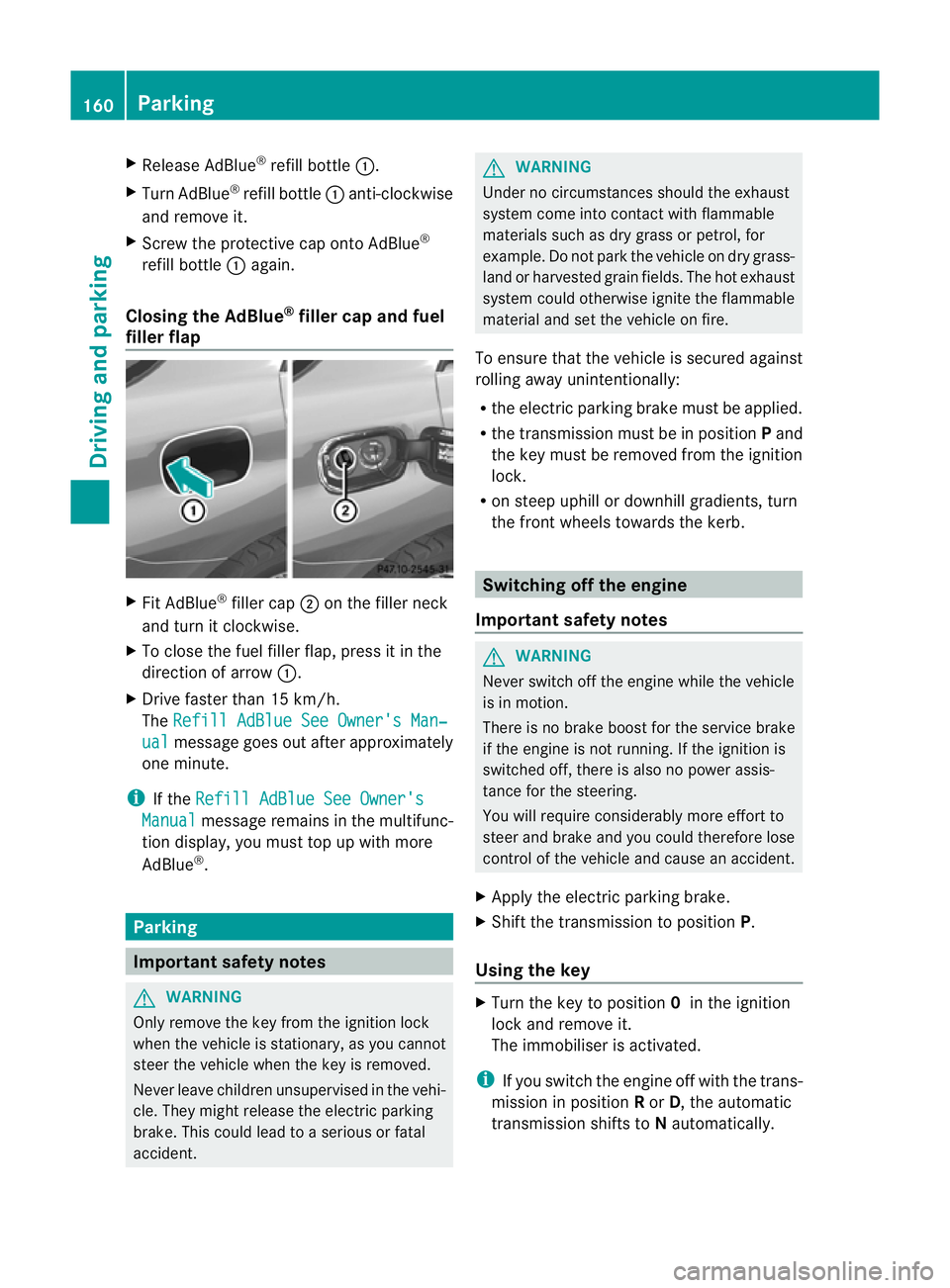
X
Release AdBlue ®
refill bottle :.
X Turn AdBlue ®
refill bottle :anti-clockwise
and remove it.
X Screw the protective cap onto AdBlue ®
refill bottle :again.
Closing th eAdBlue ®
filler cap and fuel
filler flap X
Fit AdBlue ®
filler cap ;on the filler neck
and tur nitclockwise.
X To close th efuel filler flap ,press it in the
di rectio nofarrow:.
X Drive faster than 15 km/h.
The Refill AdBlue See Owner' sMan‐ ual messag
egoeso ut after approximately
on em inute.
i If the Refill AdBlue See Owner's Manual messag
eremain sinthe mu ltifunc-
tion display, you mus ttop up with more
AdBlue ®
. Parking
Important safety notes
G
WARNING
Only remove the key from the ignition lock
when the vehicle is stationary, as you can not
steer the vehicle when the key is removed.
Never leav echildren unsupervised in the vehi-
cle. They might release the electric parking
brake. This coul dlead to aserious or fatal
accident. G
WAR
NING
Under no circumstances should the exhaust
system come into contact with flammable
materials such as dry grass or petrol ,for
example. Do not par kthe vehicle on dry grass-
lan dorh arvested grain fields. The hot exhaust
system could otherwise ignite the flammable
material and set the vehicle on fire.
To ensure that the vehicle is secured against
rolling away unintentionally:
R the electric parking brake must be applied.
R the transmission must be in position Pand
the key must be removed from the ignition
lock.
R on steep uphill or downhill gradients, turn
the fron twheels towards the kerb. Switching of
fthe engine
Important safety notes G
WARNING
Neve rswitch off the engine while the vehicle
is in motion.
There is no brake boost for the service brake
if the engine is not running. If the ignition is
switched off, there is also no power assis-
tance for the steering.
You will require considerably more effort to
steer and brake and you could therefore lose
control of the vehicle and cause an accident.
X Apply the electric parking brake.
X Shift the transmission to position P.
Using the key X
Turn the key to position 0in the ignition
lock and remove it.
The immobiliser is activated.
i If you switch the engine off with the trans-
mission in position Ror D,t he automatic
transmission shift stoNautomatically. 160
ParkingDriving and parking
Page 164 of 389
If yo
uthen open one of the front doors or
remove the key from the ignition ,the auto-
matic transmission shift stoP.
If yo ushift the automatic transmission to
N before switching off the engine, the auto-
matic transmission remains in Neven when
ad oor is opened.
Using KEYLESS-GO X
Press the Start/Stop button (Y page 139).
The engin estops and all the indicator
lamp sint he instrumen tcluster go out.
i If you use the Start/Stop button to switch
off the engine, the automatic transmission
shifts to Nautomatically. If you then open
one of the front doors, the automatic trans-
missio nshift stoP .
i The engin ecan be turned off while the
vehicle is in motion by pressing and holding
the Start/Stop button for three seconds.
This function operates independently of the
ECO start/stop automatic engine switch-
off function. Electric parking brake
General notes i
The electric parking brake carries out a
function check at regular intervals when
the engine is switched off. Noises that
occur are normal. Engaging/releasing manually
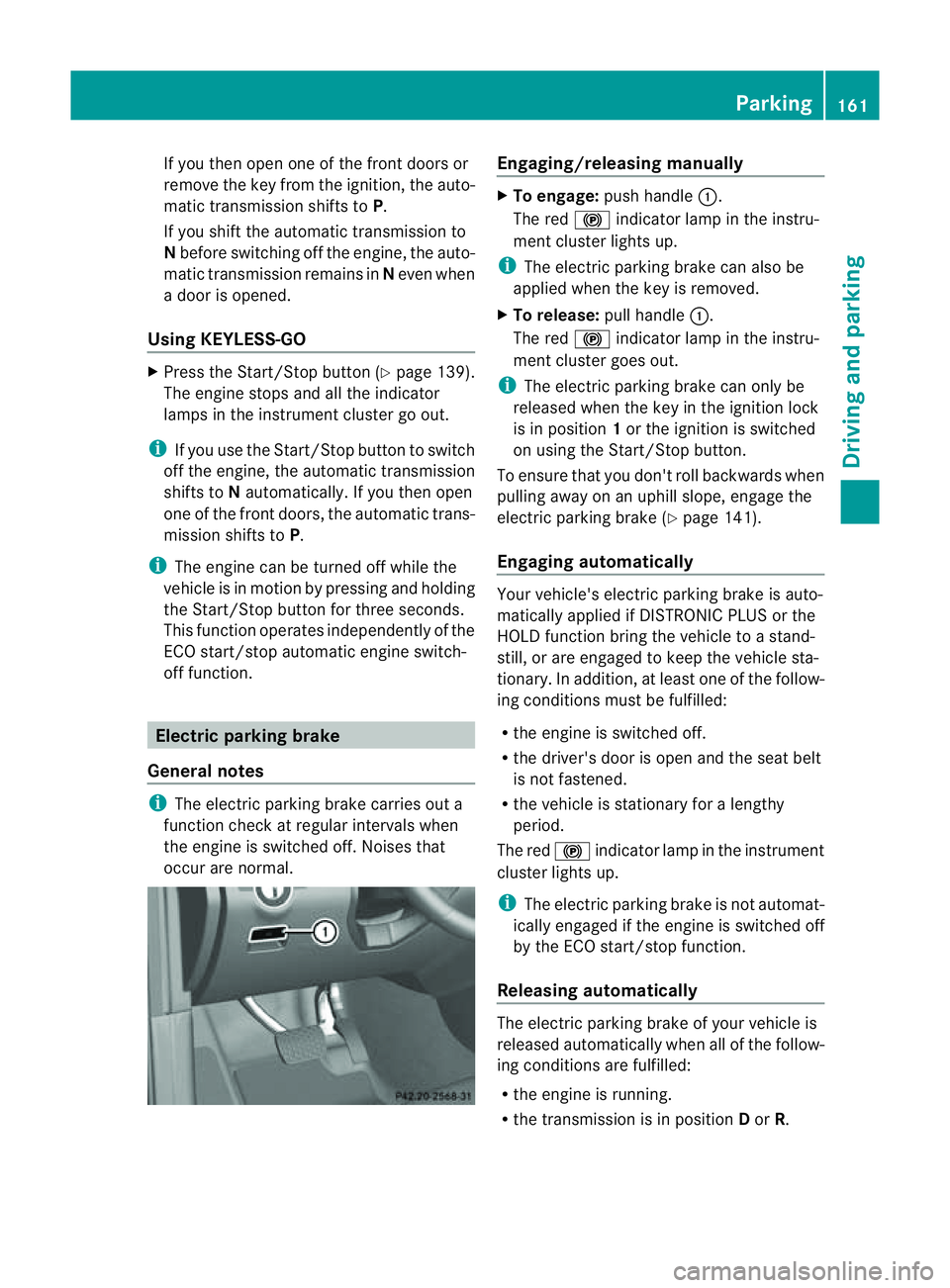
X
To engage: push handle :.
The red !indicator lamp in the instru-
ment cluster lights up.
i The electric parking brake can also be
applied when the key is removed.
X To release: pull handle:.
The red !indicator lamp in the instru-
ment cluster goes out.
i The electric parking brake can only be
released when the key in the ignition lock
is in position 1or the ignition is switched
on using the Start/Stop button.
To ensure that you don't roll backwards when
pulling away on an uphill slope, engage the
electric parking brake (Y page 141).
Engaging automatically Your vehicle's electric parking brake is auto-
matically applied if DISTRONIC PLUS or the
HOLD function bring the vehicle to
astand-
still ,ora re engaged to kee pthe vehicle sta-
tionary. In addition, at least one of the follow-
ing condition smust be fulfilled:
R the engine is switched off.
R the driver' sdoor is open and the seat belt
is not fastened.
R the vehicle is stationar yfor alengthy
period.
The red !indicator lam pint he instrument
cluster lights up.
i The electric parkin gbrake is not automat-
icall yengaged if the engine is switched off
by the ECO start/stop function.
Releasing automatically The electric parking brake of your vehicl
eis
release dautomatically when all of the follow-
ing conditions are fulfilled:
R the engine is running.
R the transmission is in position Dor R. Parking
161Drivingand park ing Z
Page 174 of 389
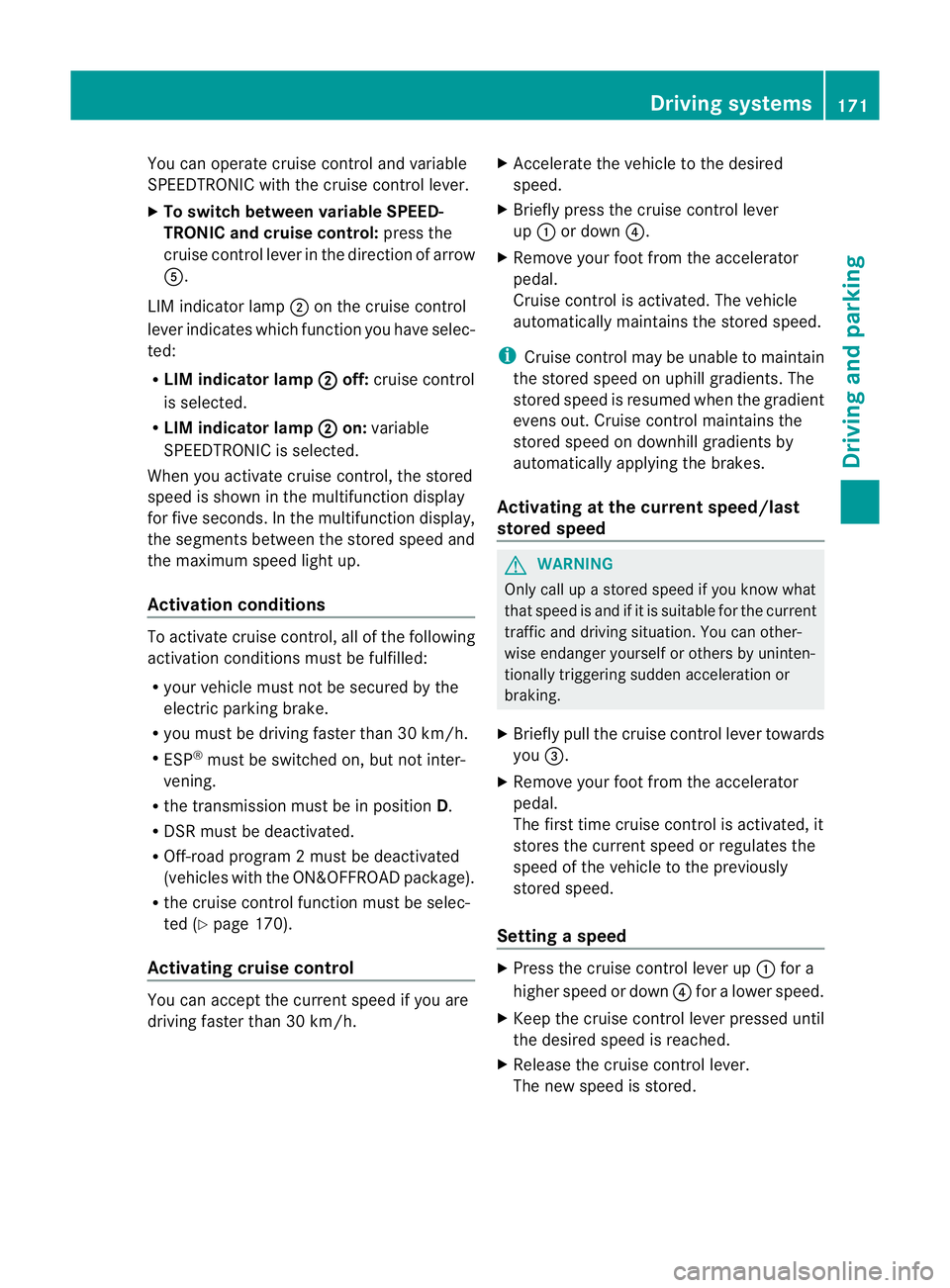
You can operat
ecruise control and variable
SPEEDTRONIC with th ecruise control lever.
X To switc hbetween variable SPEED-
TRONIC and cruise control: press the
cruis econtrol leve rinthe direction of arrow
A.
LI Mi ndicator lamp ;on the cruise control
lever indicates which function you have selec-
ted:
R LIM indic ator lamp ; off:
cruis econtrol
is selected.
R LIM indic ator lamp ; on:
variable
SPEEDTRONIC is selected.
When you activate cruis econtrol, the stored
speed is shown in the multifunction display
for fiv eseconds .Inthe multifunction display,
the segments between the stored speed and
the maximum speed light up.
Activation conditions To activate cruise con
trol, all of the following
activation condition smust be fulfilled:
R your vehicle must not be secured by the
electric parking brake.
R you must be driving faster than 30 km/h.
R ESP ®
must be switched on, but not inter-
vening.
R the transmission must be in position D.
R DSR must be deactivated.
R Off-road program 2must be deactivated
(vehicles with the ON&OFFROAD package).
R the cruise control function must be selec-
ted (Y page 170).
Activating cruise control You can accept the current spee
difyou are
drivin gfaster than 30 km/h. X
Accelerate the vehicle to the desired
speed.
X Briefly press the cruise control lever
up : or down ?.
X Remove your foot from the accelerator
pedal.
Cruise control is activated. The vehicle
automatically maintains the stored speed.
i Cruise control may be unable to maintain
the stored spee donuphill gradients. The
stored speed is resumed when the gradient
evens out. Cruise control maintain sthe
stored speed on downhill gradient sby
automatically applying the brakes.
Activating at the current speed/last
stored speed G
WARNING
Only call up astored speed if you know what
that speed is and if it is suitable for the current
traffic and driving situation. You can other-
wise endanger yoursel forothers by uninten-
tionall ytriggering sudden acceleration or
braking.
X Briefly pull th ecruis econtrol leve rtowards
you =.
X Remove your foot from the accelerator
pedal.
The first tim ecruis econtrol is activated, it
stores the curren tspeed or regulates the
speed of the vehicle to the previously
stored speed.
Setting aspeed X
Press the cruise control lever up :for a
high er spee dordown?for alower speed.
X Keep the cruise contr ol leverpresse duntil
the desired speed is reached.
X Release the cruise contro llever.
The new speed is stored. Driving systems
171Drivingand parking Z
Page 182 of 389
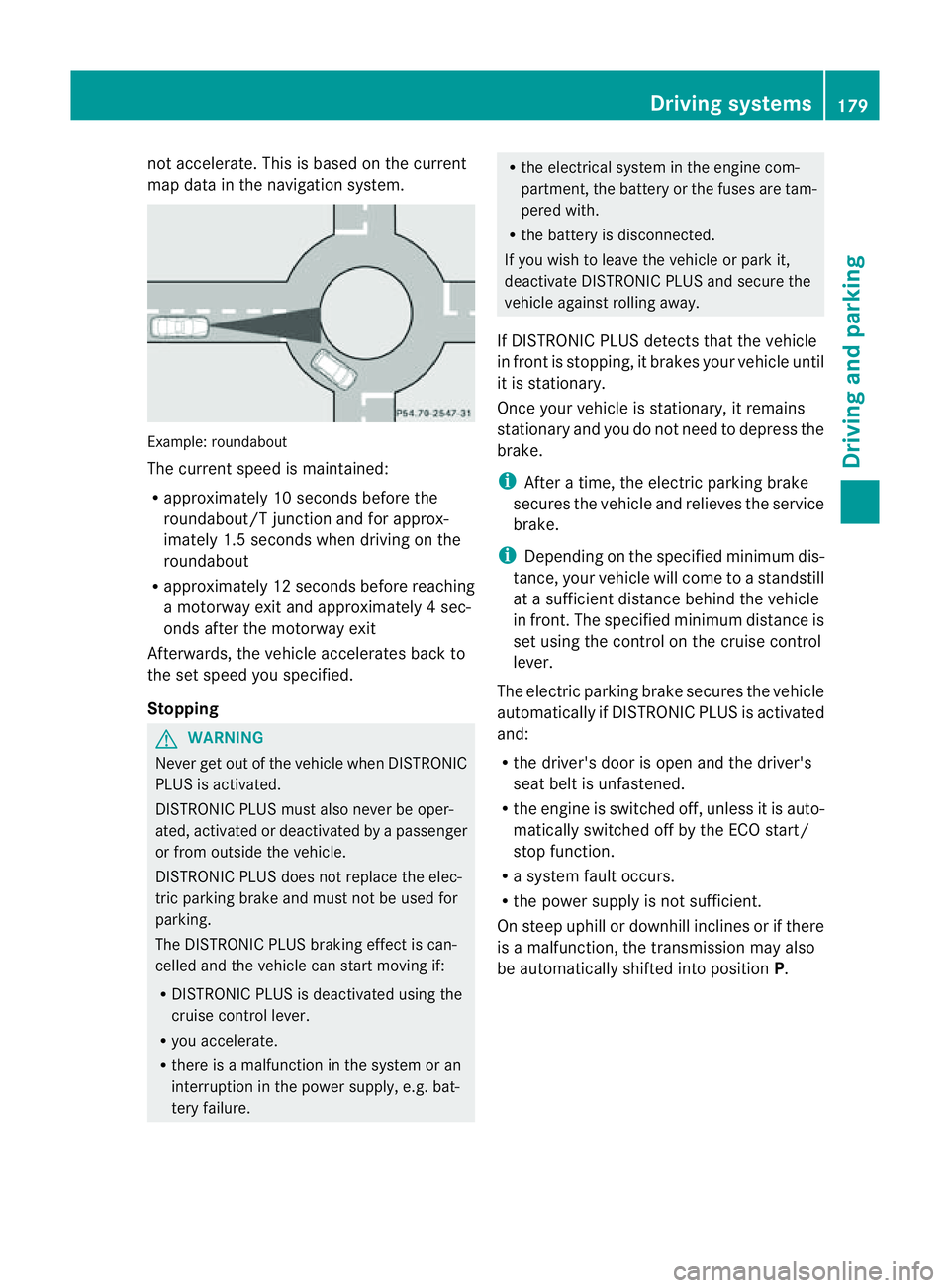
not accelerate. Thi
sisbasedonthe current
map data in the navigation system. Example: roundabout
The current speed is maint
ained:
R approximatel y10second sbefore the
roundabout/T junction and for approx-
imatel y1.5 second swhend riving on the
roundabout
R approximatel y12second sbefore reaching
am otorwa yexita nd approximatel y4sec-
onds after the motorwa yexit
Afterwards ,the vehicle accelerates bac kto
the set speed you specified.
Stopping G
WARNING
Never get out of the vehicle when DISTRONIC
PLUS is activated.
DISTRONIC PLUS must also never be oper-
ated, activated or deactivated by apassenger
or from outside the vehicle.
DISTRONIC PLUS does not replace the elec-
tric parkin gbrake and mus tnot be used for
parking.
The DI STRONIC PLUS brakin geffect is can-
celle dand the vehicl ecan start movin gif:
R DISTRONIC PLUS is deactivated using the
cruis econtrol lever.
R you accelera te.
R there is amalfunction in the system or an
interruption in the power supply, e.g. bat-
tery failure. R
the electrical system in the engine com-
partment, the batter yorthe fuses ar etam-
pered with.
R the batter yisdisconnected.
If you wish to leave the vehicle or park it,
deactiva teDISTRONIC PLUS and secure the
vehicle agains trolling away.
If DI STRONIC PLUS detects that the vehicle
in fron tisstopping, it brakes your vehicle until
it is stationary.
Once your vehicle is stationary, it remains
stationary and you do not need to depress the
brake.
i After atime, the electric parkin gbrake
secure sthe vehicle and relieves the service
brake.
i Depending on the specifie dminimum dis-
tance, your vehicle will come to astandstill
at as ufficient distance behind the vehicle
in front .The specifie dminimum distance is
set using the control on the cruise control
lever.
The electric parkin gbrake secure sthe vehicle
automatically if DI STRONIC PLUS is activated
and:
R the driver's doo risopen and the driver's
seat belt is unfastened.
R the engine is switched off ,unles sitisa uto-
matically switched off by the ECO start/
stop function.
R as ystem fault occurs.
R the powe rsupply is not sufficient.
On steep uphill or downhill inclines or if there
is am alfunction, the transmission may also
be automatically shifted into position P. Driving systems
179Drivingand parking Z
Page 184 of 389
or
X
Briefl ypres sthe cruise con trol leve rinthe
direction of arrow =.
Variable SPE EDTRONIC is selected. LIM
indicator lamp ;in the cruise control lever
lights up.
When you deactivate DI STRONIC PLUS, the
DISTRONIC PLU Soff message is show
nin
the multifunction display for approximately
five seconds.
i The last speed stored remains stored until
you switch off the engine.
i DISTRONIC PLUS is not deactivated if you
depress the accelerator pedal. If you accel-
erate to overtake, DISTRONIC PLUS
adjusts the vehicle's speed to the last
speed stored after you have finished over-
taking.
DISTRONIC PLUS is automatically deactiva-
ted if:
R you engag ethe electric parkin gbrake or if
th ev ehicle is automatically secured with
the electric parking brake.
R you are driving slower than 25 km /hand
there is no vehicle in front ,orifthe vehicle
in front is no longer detec ted.
R ESP ®
intervenes or if you deactivat eESP®
.
R the transmission is in the P,Ror Nposition.
R the vehicle is near aradio telescop efacility
(Y page 380).
R you switch off the radar senso rsystem
(Y page 249).
R you pull the cruise control lever towards
you in order to pull away and the front-
passenger doo rorone of the rear doors is
open.
R you activate DSR.
R you activate off-road program 2onvehicles
with the ON&OFFROA Dpackage.
R the vehicle has skidded.
If DISTRONIC PLUS is deactivated, you will
hear awarning tone. The DISTRONICP LUS off message is show
ninthe multifunction
displa yfor approximately fiv eseconds.
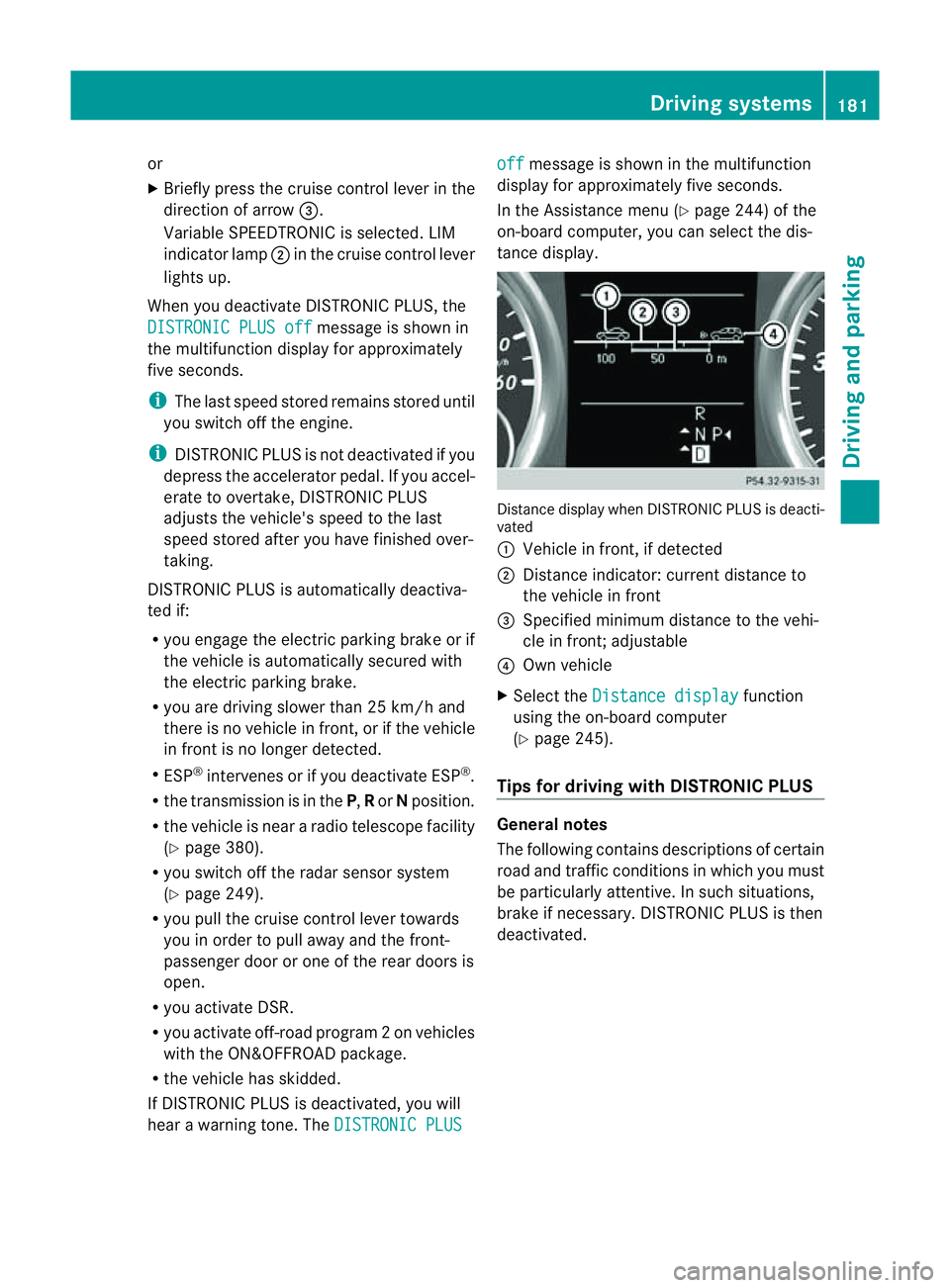
In the Assistanc emenu (Y page 24 4)of the
on-boar dcompu ter,you can select the dis-
tanc edisplay. Distance display when DISTRONI
CPLUS is deacti-
vated
: Vehicl einfront, if detected
; Distance indicator: curre ntdistanc eto
the vehicle in front
= Specified minimum distanc etothe vehi-
cle in front; adjustable
? Own vehicle
X Select the Distancedisplay function
usin gthe on-boar dcompu ter
( Y page 24 5).
Tips for driving with DISTRO NICP LUS Genera
lnotes
The following contains descriptions of certain
road and traf ficc ondition sinwhich you must
be particularly attentive. In such situations,
brake if necessary. DI STRONIC PLUS is then
deactivated. Driving systems
181Drivingand park ing Z