change time MERCEDES-BENZ M-CLASS SUV 2011 Owner's Manual
[x] Cancel search | Manufacturer: MERCEDES-BENZ, Model Year: 2011, Model line: M-CLASS SUV, Model: MERCEDES-BENZ M-CLASS SUV 2011Pages: 389, PDF Size: 9.22 MB
Page 206 of 389
ATTENTIO
NASSIST asse sses your level of
fatigue or lapses in conc entrati on by taki ng
the following criteri aintoa ccount:
R your personal drivin gstyle, e.g. steering
characteristics
R drivin gconditions, e.g. time, drivin gtime
The functionalit yofATTENTION ASSIST is
restricted, and warnings may be delaye dor
not occur at all:
R if the road condition is poor, e.g. if the sur-
fac eisu neven or if there are potholes
R if there is astron gside wind
R if you hav eadopt edasport ydrivin gstyle
wit hh igh corn eringspeeds or hig hrates of
acceleration
R if you are predominantly drivin gslower
than 80 km/h or faste rtha n1 80 km/h
R if you are currently using COM ANDO nline
or makin gatelephon ecall wit hit
R if th etime has been set incorrectly
R in active drivin gsituations, suc haswhen
you chang elanes or chang eyour speed
Warning an ddispla ymessages in the
multifunction display X
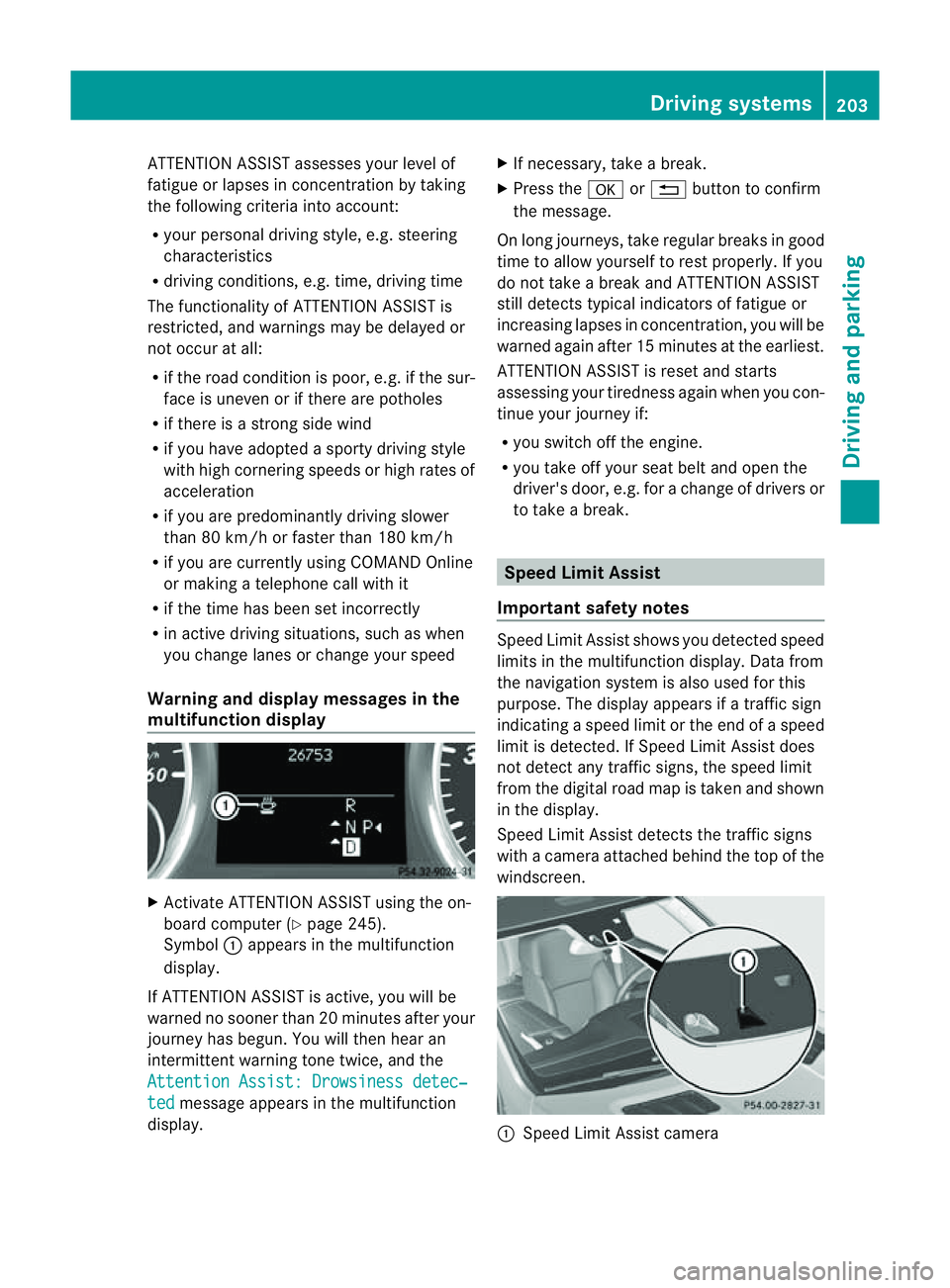
Activa teATTENTION ASSIST using the on-
board computer (Y page 245).
Symbol :appear sinthe mu ltifunction
display.
If ATTENTION ASSIST is active ,you will be
war nednos oonerthan 20 minutes after your
journey has begun .You will then hear an
intermittent warnin gtone twice, and the
Attentio nAssist: Drowsiness detec‐ ted message appe
arsint he multifunction
display. X
If necessary, tak eabreak.
X Press the aor% buttontoc onfirm
the message.
On long journeys, tak eregular break singood
tim etoa llow yourself to rest properly. If you
do not take abrea kand ATTENT IONA SSIST
still detects typica lindicators of fatigue or
increasing lapses in concentration, you will be
warned agai nafter 15 minutes at th eearliest.
ATTENTION ASSIST is reset and starts
assessing your tiredness again when you con-
tinue your journey if:
R you switch off the engine.
R you take off your seat belt and open the
driver' sdoor, e.g. for achange of driver sor
to take abreak. Speed Limit Assist
Important safety notes Speed Limit Assist show
syou detec teds peed
limit sint he multifunction display. Dat afrom
th en avigation system is also used for this
purpose. The displ ayappears if atraffi csign
indicatin gaspeed limit or the end of aspeed
limit is detected. If Speed Limit Assist does
not detect any traffic signs, the speed limit
from the digital road map is taken and shown
in the display.
Speed Limit Assist detect sthe traffic signs
with acamera attached behind the top of the
windscreen. :
Speed Limit Assis tcamera Driving systems
203Drivingand parking Z
Page 214 of 389
G
WARNING
Lane Keeping Assis tdoes not keep your vehi-
cle in its lane. It is only an aid and may detect
the lane markings on the road incorrectly or
not at all.
The system may be impaired or may not func-
tion if:
R there is poor visibility, e.g. due to insuffi-
cient illumination of the road, or due to
snow, rain, fog or spray.
R there is glare, e.g. from oncoming traffic,
the sun, or reflection from other vehicles.
R the windscreen is dirty, misted up or cov-
ered, for instance by asticker, in the vicinity
of the camera
R several or no lane markings for asingle lane
are present.
R the lane markings are worn away, dark or
covered up, e.g. by dirt or snow.
R the distanc etothe vehicle in fron tistoo
smal land the lane markings thus cannot be
detected.
R the lane markings on the road are unclear,
e.g. near roadworks.
R the lane markings change quickly ,e.g.
lanes branch off, cross one another or
merge.
R the road is narrow and winding.
Lane Keeping Assist cannot detect road and
traffic conditions. It is not asubstitute for
attentive driving. You are responsible for the
vehicle's speed, braking in good time, and
steering correctly. Always adapt your driving
style to suit the prevailing road and weather
conditions. Always pay attention to traffic
conditions and your surroundings. Otherwise,
you may fail to recognise dangers in time,
cause an accident and injure yourself and oth-
er s.
Aw arning may be given if afront wheel
pass esover alane marking. It will warn you
by mean sofintermitten tvibration in the
steerin gwheel for up to 1. 5seconds. Activating Lane Keeping Assist
X
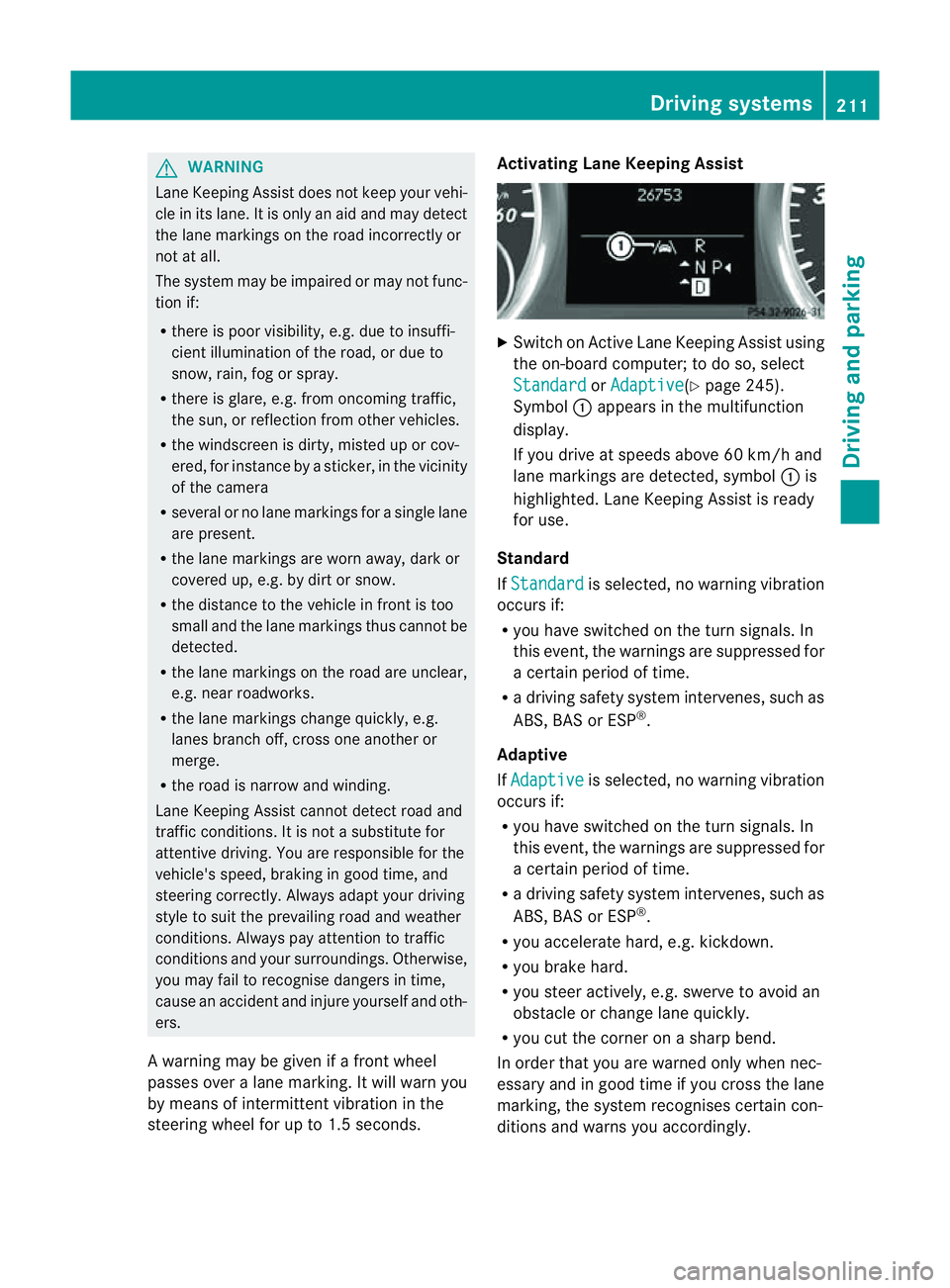
Swit chon Activ eLane Keeping Assis tusing
the on-boar dcompu ter;to do so, select
Standa rd or
Adapti ve (
Y page 24 5).
Symbol :appears in the multifunction
display.
If you drive at speed sabove 60 km/ hand
lane markings are dete cted, symbol :is
highlighted. Lan eKeeping Assist is ready
for use.
Standard
If Standa rd is selected, no warnin
gvibration
occur sif:
R you have switche donthe tur nsignals. In
this event ,the warnings ar esuppressed for
ac ertain period of time.
R ad riving safety system intervenes, such as
ABS, BAS or ESP ®
.
Adaptive
If Adaptive is selected, no warning vibration
occurs if:
R yo uh ave switched on the turn signals .In
this event ,the warnings ar esuppressed for
ac ertain period of time.
R ad riving safety system intervenes, such as
ABS, BAS or ESP ®
.
R yo ua ccelerate hard ,e.g. kickdown.
R you brake hard.
R you steer actively, e.g. swerve to avoid an
obstacle or chang elane quickly.
R you cut the corner on ashar pbend.
In order that you are warned only when nec-
essary and in good tim eifyou cross the lane
marking, the system recognises cer tain con-
ditions and warns you accordingly. Drivin
gsystems
211Drivingand park ing Z
Page 215 of 389
The warnin
gvibration occur searlier if:
R you approach the outer lane markin gona
bend.
R the road has ver ywide lanes, e.g. amotor-
way.
R the system recognises solid lane markings.
The warnin gvibration occur slater if:
R the road has narrow lanes.
R you cut the corner on abend. Active Driving Assistance package
General notes The Active Drivin
gAssistanc epackage con-
sists of DISTRONIC PLUS (Y page 174), Active
Blind Spot Assis t(Ypage 212) and Active
Lan eKeeping Assist (Y page 215).
Active Blind Spot Assist Important safety notes
Active Blin dSpot Assist uses aradar sensor
system to monitor the side areas of your vehi-
cle which are in back of the driver. Awarning
display in the exter iormirror sdraws your
attention to vehicles detected in the moni-
tored area. If you then switch on the corre-
sponding turn signal to change lane, you will
also receive an optical and audible collision
warning. If arisk of lateral collision is detec-
ted, corrective brakin gmay help you avoid a
collision. To support the course-correcting
brake application, Active Blind Spot Assist
also uses the forward-facin gradar senso rsys-
tem. Active Blind Spot Assist supports you
from aspeed of approximately 30 km/h. G
WARNING
Active Blin dSpot Assist is only an aid and may
detect vehicles/obstacles incor rectly or not
at all. Th
es ystem may be impaired or may not func-
tion if:
R there is poo rvisibility, e.g. due to snow,
rain, fog or spray.
R the rear and/or fron tsensors are dirty.
Active Blin dSpot Assist may not detect nar-
row vehicles, such as motor cycles or bicycles,
or only detect the mtoo late. It can notd etect
vehicles which are overtaken at asmall dis-
tance and then enter th eblind spot area.
Active Blind Spot Assist cannot detect road
and traffic conditions. It is not asubstitute for
attentive driving. You are responsible for the
vehicle's speed, braking in good time, and
steering correctly. Always adapt your driving
style to suit the prevailing road and weather
conditions. Always pay attention to traffic
conditions and your surroundings. Otherwise,
you may fail to recognise dangers in time,
cause an accident and injure yourself and oth-
ers.
The radar sensor syste misautomatically
deactivated near radio telescope facilities
(Y page 380).
For Active Blind Spot Assis ttoassist you
when driving, the radar sensor syste mmust
be activated (Y page 249)and operational.
Monitoring range
Active Blind Spot Assist monitors the area up
to three metres behind your vehicl eand
directl ynext to your vehicle as shown in the
diagram. For this purpose, Active Blin dSpot
Assist uses rada rsensors in the rear bumper. 212
Driving systemsDriving and parking
Page 219 of 389
R
the lane markings change quickly, e.g.
lanes branch off, cros sone anothe ror
merge.
R ther oad is narrow and winding.
Active Lane Keeping Assist cannot detect
road and traffic conditions. It is not asubsti-
tute for attentive driving.Y ou are responsible
for the vehicle's speed ,braking in good time,
and steering correctly .Always adapt your
driving style to sui tthe prevailing roa dand
weather conditions. Alway spay attention to
traffic condition sand your surroundings. Oth-
erwise, you may fail to recognise dange rsin
time, cause an accident and injure yourself
and others.
Warning vibra tion in th esteering wheel
Aw arnin gmay be given if afront wheel
passes ove ralane mar king. You will then be
warned by means of an intermittent vibration
in the steering wheel for up to 1. 5seconds.
In order that you are warned only when nec-
essary and in good tim eifyou cross the lane
marking, the system recognises cer tain con-
ditions and warns you accordingly.
The warnin gvibration occur searlier if:
R you approach the outer lane markin gona
bend.
R the road has ver ywide lanes, e.g. amotor-
way.
R the system recognises solid lane markings.
The warnin gvibration occur slater if:
R the road has narrow lanes.
R you cut the corner on abend.
Lane-correcting brak eapplication
If you leave your lane unde rcertain cir cum-
stances, the vehicle will brake briefl yonone
side. Thi sisdesigned to help you brin gthe
vehicle bac kinto the original lane.
Thi sfunction is available in the range between
60 km/ hand 200 km/h.
Al ane-correctin gbrake applicatio ncan only
be made after driving over asolid, recognis-
able lane marking. Befor ethis, awarning must be emitted by means of intermittent
vibration in the steering wheel. In addition, a
lane with lane markings on both sides must
be recognised. The brake application also
slightly reduces driving speed.
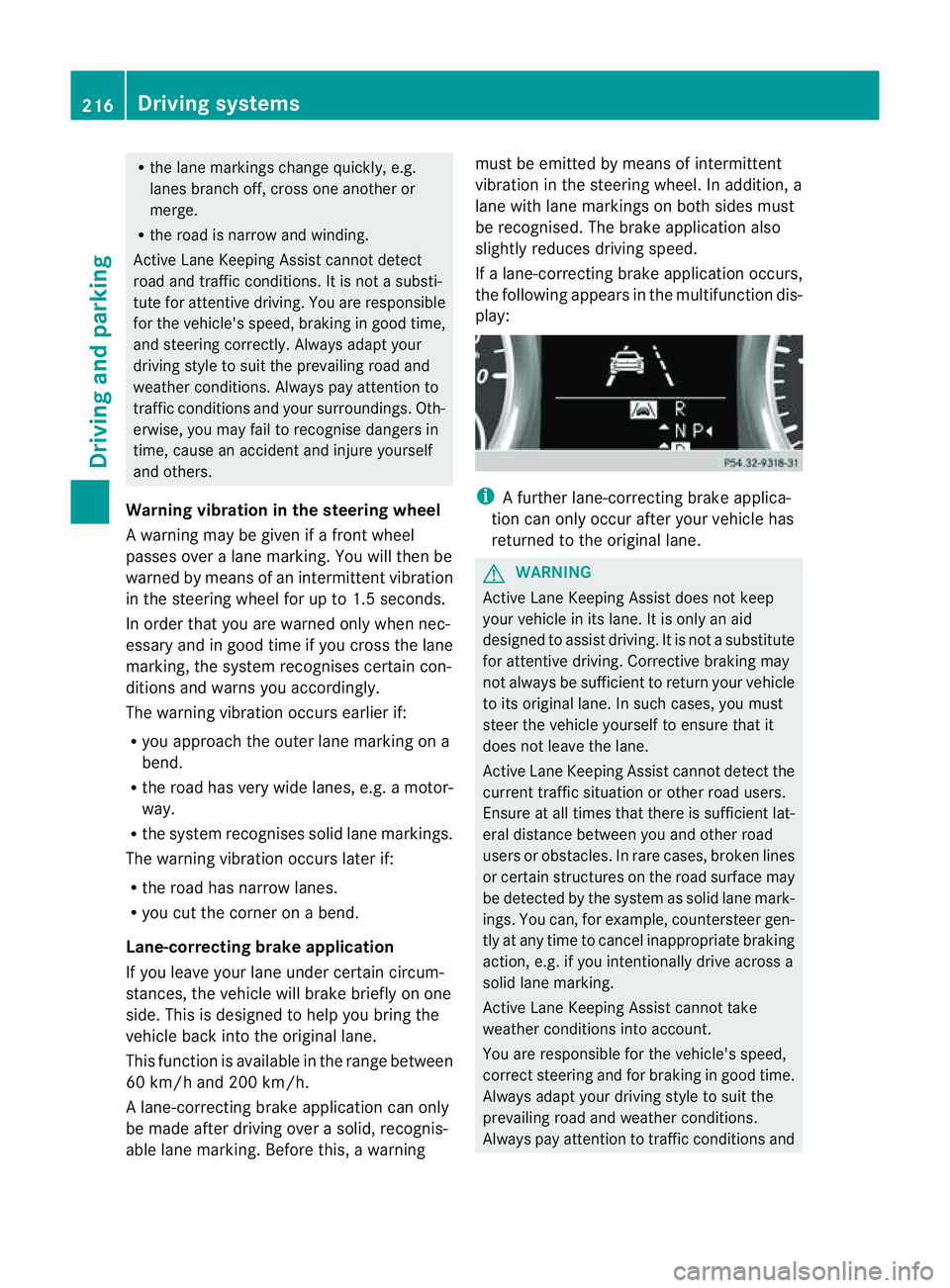
If al ane-correcting brake application occurs,
the following appears in the multifunction dis-
play: i
Afurther lane-correcting brake applica-
tion can only occur after your vehicle has
returned to the original lane. G
WARNING
Active Lane Keeping Assis tdoes not keep
your vehicle in its lane. It is only an aid
designed to assist driving. It is not asubstitute
for attentive driving. Corrective braking may
not always be sufficient to return your vehicle
to its original lane. In such cases, you must
steer the vehicle yourself to ensure that it
does not leave the lane.
Active Lane Keeping Assis tcannot detect the
current traffic situation or other road users.
Ensure at all times that there is sufficient lat-
eral distance between you and other road
users or obstacles .Inrare cases, broken lines
or certain structures on the road surface may
be detected by the system as solid lane mark-
ings. You can, for example, countersteer gen-
tly at any time to cancel inappropriate braking
action, e.g. if you intentionally drive across a
solid lane marking.
Active Lane Keeping Assis tcannot take
weather conditions into account.
You are responsible for the vehicle's speed,
correct steering and for braking in good time.
Always adapt your driving style to suit the
prevailing road and weather conditions.
Always pay attention to traffic conditions and 216
Driving systemsDrivin
gand parking
Page 250 of 389
![MERCEDES-BENZ M-CLASS SUV 2011 Owners Manual X
Press :or9 to select the Perma‐ nent display function.
You will see the selected setting: outsidetemperat
ure or
Dig. speedo m[mph] .
X Press the abuttontos ave the setting.
Lights Switching the d](/img/4/55578/w960_55578-249.png "MERCEDES-BENZ M-CLASS SUV 2011 Owners Manual X
Press :or9 to select the Perma‐ nent display function.
You will see the selected setting: outsidetemperat
ure or
Dig. speedo m[mph] .
X Press the abuttontos ave the setting.
Lights Switching the d")
X
Press :or9 to select the Perma‐ nent display function.
You will see the selected setting: outsidetemperat
ure or
Dig. speedo m[mph] .
X Press the abuttontos ave the setting.
Lights Switching the day
time drivin glights on/
off
If you have activated the Daytime driving
lights function and the light switch is set to
Ã,t he daytim edriving lights are automat-
icall yswitched on during daylight hours when
the engine is running. When it is dark, the side
lamps and the dipped-beam headlamps are
also switched on automatically.
X Switc hoff th eengine.
X Pres sthe = or; button on the steer-
ing wheel to selec tthe Settings menu.
X Press the :or9 button to selec tthe
Light submenu.
X Press the abutton to con firm.
X Press the :or9 buttontos elect the
Daytim edriving lights function.
Yo uw ill see the selected setting: on or
off .
X Press the abutton to save the setting.
Switching the Intelligent Light System
on/off
If you activat ethe Intell .Light Sys‐ tem: function
,you activa te thefollowing
func tions:
R motorwa ymode
R active light func tion
R cornering light func tion
R exte nded range foglamps
X Press the =or; button on the steer-
ing wheel to select the Settings menu.
X Press the :or9 button to select the
Light submenu.
X Press the abutton to confirm. X
Press :or9 to select the Intell. Ligh
tSys. function.
Yo uw ill see the selected setting: on or
off .
X Press the abutton to save the setting.
If you set the dipped-bea mheadlamps for
driving on the right/left (Y page 247),the
multifunction displa yshows the Intell. Ligh
tSystem: System inoperative Inactiv
efor left-side traffic or
Intell. Light System: System inoper‐
ative Inactiv
efor right-side traf‐ fic displa
ymessage instead of the Intell. Ligh
tSystem: functio
nintheLight sub-
menu.
Setting th edipped-bea mheadlamp sfor
driving on the left/right
This function is only available on vehicles with
the Intelligent Light System.
You can use this function to switch between
symmetrical beam and asymmetrical dipped
beam (Y page 106).
If you set the dipped-beam headlamps for
driving on the right/left, then motorway
mode and the extended range foglamps are
not available.
X Press the =or; button on the steer-
ing wheel to select the Settings menu.
X Press the :or9 buttontos elect the
Light submenu.
X Press the abutton to confirm.
X Press :or9 to select the Dipped beam
sSetting for function.
Yo uw ill see the selected setting: Right- side traffic or
Left-s idet raffic .
X Press the abuttontos ave the setting.
When you change the setting, conversion
does not take place until the nex ttime the
vehicle is stationary.
You can also have the dipped-beam head-
lamps set for drivin gonthe right or lef tata
qualified specialist workshop. Menus and submenus
247On-board comp uter and displays Z
Page 253 of 389
The following system
sare switche doff when
th er adar senso rsystem is deactivated:
R DISTRONIC PLUS (Y page 174)
R BAS PLUS (Y page 62)
R PRE-SAFE ®
Brake (Y page 66)
R Blind Spot Assist (Y page 208)
R Active Blind Spot Assist (Y page 212)
X Press the =or; button on the steer-
ing whee ltoselect the Settings menu.
X Press the :or9 button to select the
Vehicle submenu.
X Press the abutton to confirm.
X Press the 9or: button to select
Rada rsensor (See Owner's Man.): .
Yo uw ill see the selected setting: on or
off .
X Press the abutton to save the setting.
Heating menu Auxiliary heating depa
rtur et ime
This function is only availa bleo nvehicles with
auxiliar yheatin g(Ypage 130).
In the Heating submenu, you can select a
stored departure tim eorchange adeparture
time.
The auxiliar yheatin gtimer func tion calcu-
lates the switch-on tim eaccording to the out-
sid etemperature so that the vehicle is pre-
heated by the departure time. When the
departure tim eisreached, the auxiliar yheat-
ing continues to heat for afurther five
minutes and then switches off. The auxiliary
heating adopts the THERMATI Cor
THERMOTRONI Ctemperature setting.
You can switc hoff th eauxiliary heating by
using the remote control or the auxiliary heat-
ing button on the centre console. G
WARNING
Exhaust fumes are produced when the auxili-
ary heating is in operation. Inhaling these
exhaust fumes can be poisonous. You should
therefore switch off the auxiliary heating in confined spaces without an extraction sys-
tem, e.g.
agarage. G
WARNING
When operating the auxiliary heating parts of
the vehicle can get very hot. Make sure that
the exhaust system does not under any cir-
cumstances come into contact with easily
ignitable material such as dry grass or fuels.
The material could otherwise ignite and set
the vehicle alight. Choos eyour parkin gspot
accordingly.
Operating the auxiliary heating is thus pro-
hibited at fillin gstations or when your vehicle
is being refuelled .You must therefore switch
off the auxiliar yheatin gatf illing stations.
! Operating the auxiliary heating/ventila-
tion draws on the vehicle battery. After you
have heated or ventilated the vehicle a
maximum of two times, drive for alonger
distan ce.
i Switch the auxiliary heating on regularly
once amonthfor about 10 minutes.
Selecting th edepartur etime or deactivat-
ing aselected depa rtur et ime
X Press the =or; button on the steer-
ing wheel to select the Settings menu.
X Press the :or9 button to select the
Heating submenu.
X Press the abutton to confirm.
You will see the selected setting.
X Press the abutton to confirm.
X Press the :or9 button to select
one of the three departur etimes or Timer off (no timer active).
X Press the abutton to confirm.
When adeparture tim eisselected, the yel-
low indicator lam plights up on the auxiliary
heating button. 250
Menus and submenusOn-board computer and displays
Page 254 of 389
Changing th
edeparture time
X Pres sthe = or; button on th esteer-
ing wheel to selec tthe Settings menu.
X Press the :or9 button to selec tthe
Heating submenu.
X Press the abutton to confir m.
You will see the selected setting.
X Press the abutton to confirm.
X Press the :or9 button to select
Change A ,
B or
C .
X Press the abutton to confirm.
You can now change the departur etime.
X Press the =or; button to select the
displa ytobec hanged: hours, minutes.
X Press the :or9 button to set the
selected display.
X Press the abutton to stor ethe ent ry.
The yellow indicator lam ponthe auxiliary
heating button lights up.
Convenience Activating/deactivating th
eEASY-
ENTRY/EXIT featu re
You can use the Easy Entry/Exit: func
tion
to activate or deactivate the EAS YENTRY/
EXIT feature (Y page 99). G
WARNING
Th es teering whee lmoves when the EASY-
ENTRY/EXI Tfeatur eisa ctive. There is arisk
of occupant sbecoming trapped. Before acti-
vating the EASY-ENTRY/EXI Tfeature, make
sure that nobody can becom etrapped.
Do not leave children unsupervised in the
vehicle, eve nifthey ar esecured in achild
restraint system .The children coul dopen the
driver' sdoor and thereby unintentionally acti-
vat ethe EASY-ENTRY/EXI Tfeatur eand
become trapped.
X Pres sthe = or; button on the steer-
ing wheel to selec tthe Settings menu.
X Press the :or9 button to selec tthe
Convenience submenu.X
Press the abutton to confir m.
X Press the :or9 button to select the
Easy Entry/Exit: function.
You will see the selected setting: on or
off .
X Press the abutton to save the setting.
Switching th ebelt adjustment on/off
For further information on belt adjustment,
see (Y page 48).
X Press the =or; button on the steer-
ing wheel to select the Settings menu.
X Press the :or9 button to select the
Convenience submenu.
X Press the abutton to confir m.
X Press the :or9 button to select the
Belt adjustment function.
You will see the selected setting: on or
off .
X Press the abutton to save the setting.
Switching th efold in mirrors when lock-
ing function on/off
If you switch on the Fold mirrors in when
locking func
tion, the exterior mirror sfold in
when you lock the vehicle. When you unlock
the vehicle and then open the driver's or
front-passenger door, the exterior mirrors
fold out again.
If you have switched the func tion on and you
fold the exterior mirror sinusing the button
on the door (Y page 101), they will not fold
out automatically. The exterior mirrors can
then only be folded out usin gthe button on
the door.
X Press the =or; button on the steer-
ing wheel to selec tthe Settings menu.
X Press the :or9 button to selec tthe
Convenience submenu.
X Press the abutton to confir m. Menus and submenus
251On-boardcomputer and display s Z
Page 267 of 389
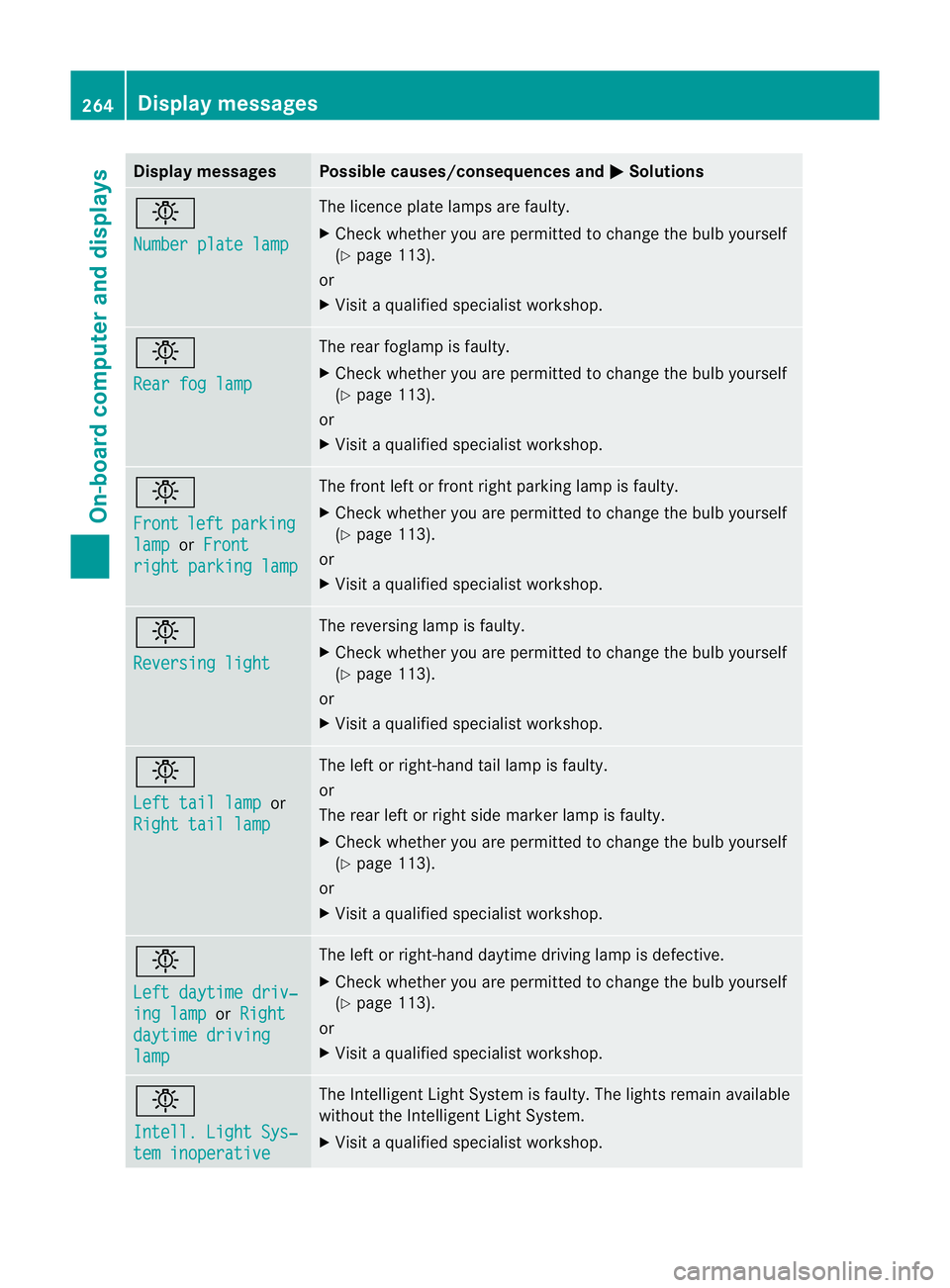
Displa
ymessages Possible causes/consequences and
M Solutions
b
Nu
mber plate lamp Th
elicence plat elamp sare faul ty.
X Chec kwhether you ar epermitted to change the bulb yourself
(Y page 113).
or
X Visit aqualified specialist workshop. b
Rear fo
glamp Th
er ear foglam pisfaulty.
X Check whethe ryou ar epermitted to change the bulb yourself
(Y page 113).
or
X Visit aqualified specialist workshop. b
Front
left parking
lamp or
Front righ
tparking lamp Th
ef ront left or fron tright parkin glamp is faulty.
X Check whethe ryou ar epermitted to change the bulb yourself
(Y page 113).
or
X Visit aqualified specialist workshop. b
Reversin
glight Th
er eversing lam pisfaulty.
X Check whethe ryou ar epermitted to change the bulb yourself
(Y page 113).
or
X Visit aqualified specialist workshop. b
Left tail lamp
or
Righ ttail lamp Th
eleft or right-hand tail lam pisfaulty.
or
The rear left or right side marker lamp is faulty.
X Check whethe ryou ar epermitted to change the bulb yourself
(Y page 113).
or
X Visit aqualified specialist workshop. b
Left daytim
edriv‐ ing lamp or
Right daytime driving
lamp Th
eleft or right-hand daytime driving lam pisdefective.
X Check whether you are permitted to change the bulb yourself
(Y page 113).
or
X Visit aqualified specialist workshop. b
Intell
.Light Sys‐ tem inoperative Th
eI ntelligent Light Syste misfaulty. The lights remain available
without the Intelligent Light System.
X Visit aqualified specialist workshop. 264
Display messagesOn-board computer and displays
Page 299 of 389
Usefu
linfor mati on
i This Owner's Manual describes all models
and all standard and optional equipment
available to your vehicle at the time of pub-
lication of the Owner's Manual. Country-
specific deviation sare possible .Please
not ethat your vehicle ma ynot be equipped
with all featur es described. This also
applies to safety-releva ntsystems and
functions.
i Please read the information on qualified
specialist workshops (Y page 24).Loading guidelines
G
WARNING
Secur eand position the load as described in
the loading guidelines.
Otherwise, vehicl eoccupan tscould
be injured by the loa dbeingthrown around in
th ee vent of sharp braking ,asudden change
in directio noranaccident.
You wil lfind further information in the "Secur-
ing aload" section.
Even if you follow all the loadin gguidelines,
the load will increase the risk of injury in the
event of an accident. G
WARNING
Keep the tailgate closed when the engine is
running. Otherwise, you could be poisoned by
exhaust fumes enterin gthe vehicle.
The handling characteristics of aladen vehi-
cle are dependent on the distribution of the
load within the vehicle. For this reason, you
should observe the following notes when
transporting aload:
R when transpor ting aload, never exceed the
maximum permissible gross vehicle weight or the permissible axle loads for the vehicle
(includin goccupants).
R position heavy loads as far forward saspos-
sible and as low down in the load compart-
men tasp ossible.
R the load must not protrude abov ethe upper
edge of the seat backrests.
R always plac ethe load against the rea ror
front seat backrests .Make sure that the
seat backrests are securely locked into
place.
R hook in the safety net when loading.
R always place the load behind unoccupied
seats if possible.
R secure the load with sufficiently stron gand
wear-resistant lashing material. Pad sharp
edges for protection.
i Load restraints are available at any quali-
fied specialis tworkshop, e.g. aMercedes-
Benz Servic eCentre. Stowage areas
Stowage compartments
Important safety notes G
WARNING
The stowage compartments must be closed
when item sare store dinthem. Luggage nets
ar en ot designed to secur eheavy item sof
luggage.
You or other vehicle occupant scould be
injure dbyo bjectsbeing thrown around if you:
R brak esharply
R change direction suddenly
R arei nvolved in an accident
Sharp-edge dand fragile object smust not be
placed in the luggag enet. 296
Stowage areasStowing and features
Page 342 of 389
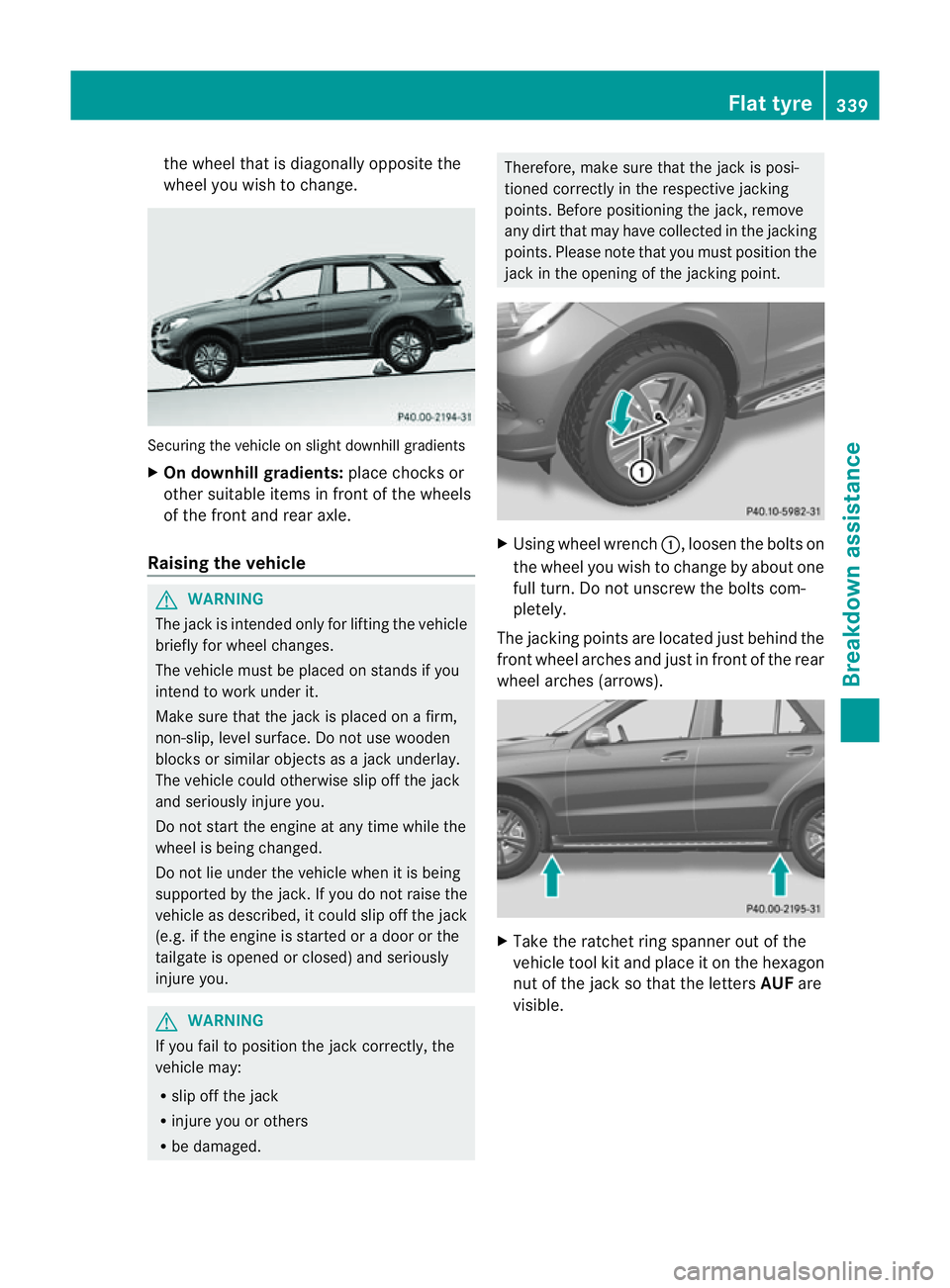
the whee
lthat is diagona llyo pposite the
wheel you wish to change. Securing the vehicle on slight downhil
lgradients
X On downhill gradients: place chocks or
othe rsuitabl eitems in front of the wheels
of the front and rear axle.
Raisin gthe vehicle G
WARNING
Th ejack is intended only for lifting the vehicle
briefly for wheel changes.
The vehicle must be placed on stands if you
intend to work under it.
Make sure that the jack is placed on afirm,
non-slip, level surface. Do not use wooden
blocks or similar objects as ajack underlay.
The vehicle could otherwise slip off the jack
and seriousl yinjure you.
Do not start the engine at any time whil ethe
wheel is being changed.
Do not lie unde rthe vehicle when it is being
supported by the jack. If you do not raise the
vehicle as described, it coul dslip off the jack
(e.g. if the engine is started or adoor or the
tailgate is opened or closed) and seriously
injure you. G
WARNING
If you fai ltoposition the jac kcorrectly, the
vehicle may:
R slip off the jack
R injure you or others
R be damaged. Therefore, mak
esure that the jack is posi-
tioned correctly in the respective jacking
points. Before positioning the jack, remove
any dirt that may have collected in the jacking
points. Pleas enote that you must position the
jac kint he openin gofthe jackin gpoint. X
Usin gwheel wrench :,loosen the bolts on
the wheel you wish to change by about one
full turn. Do not unscrew th ebolts com-
pletely.
The jacking points are locate djustb ehind the
fron twheel arches and just in front of the rear
wheel arches (arrows). X
Take the ratchet ring spanner out of the
vehicle tool kit and plac eitont he hexagon
nut of the jac ksothat the letters AUFare
visible. Flat ty
re
339Breakd ownassistance Z