lamps Check MERCEDES-BENZ M-CLASS SUV 2011 Owners Manual
[x] Cancel search | Manufacturer: MERCEDES-BENZ, Model Year: 2011, Model line: M-CLASS SUV, Model: MERCEDES-BENZ M-CLASS SUV 2011Pages: 389, PDF Size: 9.22 MB
Page 9 of 389
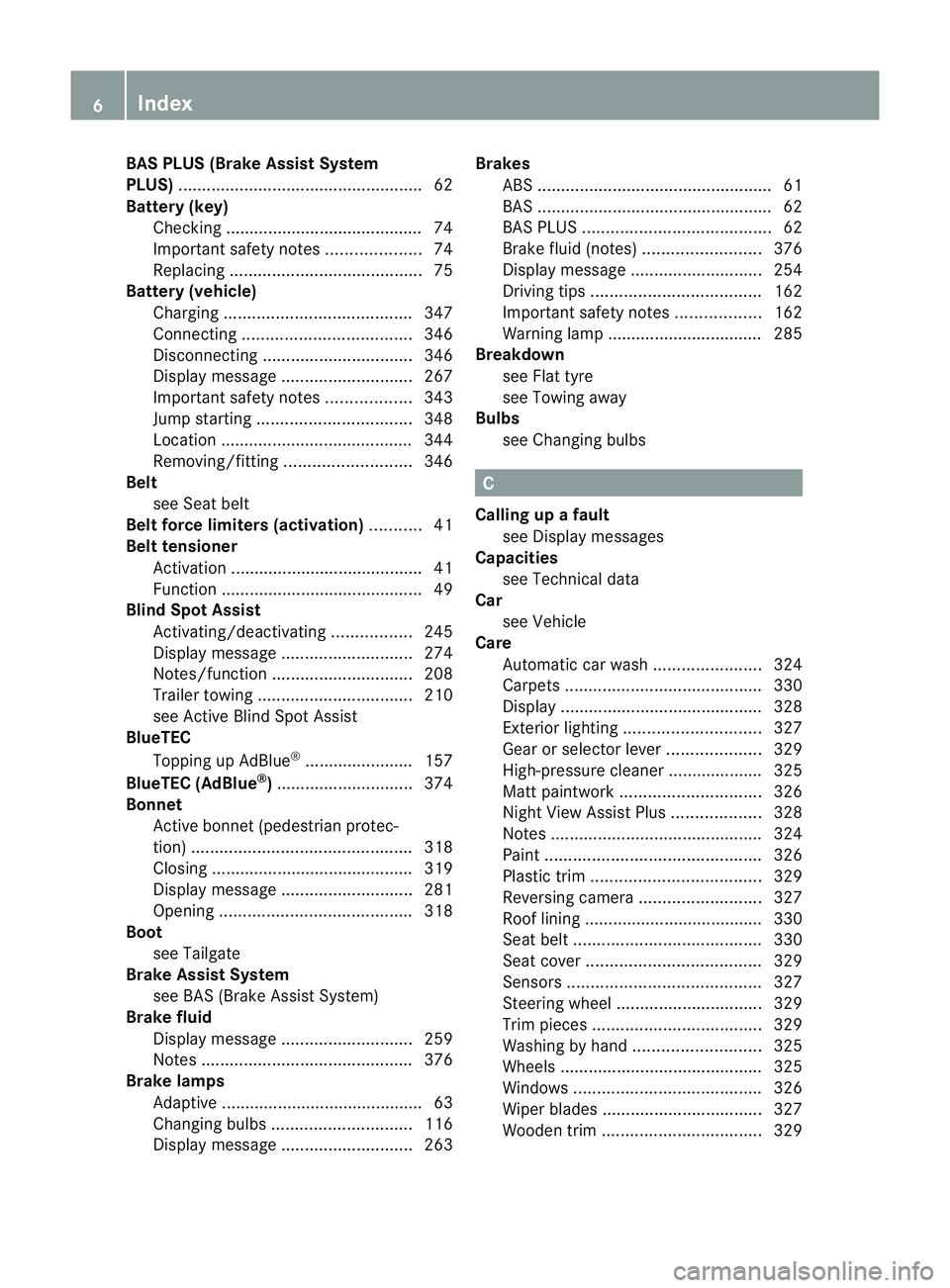
BAS PLUS (Brake Assist System
PLUS) .................................................... 62
Battery (key) Checking .......................................... 74
Important safety notes ....................74
Replacing ......................................... 75
Battery (v ehicle)
Charging ........................................ 347
Connectin g.................................... 346
Disconnecting ................................ 346
Display message ............................ 267
Important safety notes ..................343
Jump starting ................................. 348
Location ......................................... 344
Removing/fittin g........................... 346
Belt
seeS eat belt
Belt force limiters (activation) ...........41
Bel ttensioner
Activation ......................................... 41
Function .......................................... .49
Blind Spo tAssist
Activating/deactiva ting ................. 245
Display message ............................ 274
Notes/function .............................. 208
Traile rtowing ................................. 210
se eA ctive Blind Spo tAssist
BlueTEC
Topping up AdBlue ®
...... ................. 157
BlueTE C(AdBlue ®
) ............................. 374
Bon net
Active bonne t(pedestrian protec-
tion) ............................................... 318
Closing ........................................... 319
Display message ............................ 281
Opening ......................................... 318
Boot
seeT ailgate
Brak eAssist System
see BAS (Brake Assist System)
Brake fluid
Display message ............................ 259
Note s............................................. 376
Brake lamps
Ada ptive .......................................... .63
Changin gbulbs .............................. 116
Display message ............................ 263Brakes
ABS .................................................. 61
BAS .................................................. 62
BAS PLUS ........................................ 62
Brake fluid (notes )......................... 376
Display message ............................ 254
Driving tip s.................................... 162
Important safety notes ..................162
Warn ingl am p................................. 285
Breakdown
seeF lat tyre
see Towing away
Bulbs
see Changing bulbs C
Callin gupaf ault
se eD isplay messages
Capacities
see Technical data
Car
see Vehicle
Care
Automatic car was h....................... 324
Carpets .......................................... 330
Display ........................................... 328
Exterio rlighting ............................. 327
Gea rors electo rlever .................... 329
High-pressure cle aner ...... .............. 325
Matt paintwork .............................. 326
Nig htVie wA ssist Plus ................... 328
Note s............................................. 324
Pa int. ............................................. 326
Pl ast ic trim .................................... 329
Revers ingc amera .......................... 327
Roo flining ...................................... 330
Seat bel t........................................ 330
Sea tcover ..................................... 329
Sensors ......................................... 327
Steering wh eel............................... 329
Tri mp ieces .................................... 329
Washing by hand ........................... 325
Wheels ........................................... 325
Windows ........................................ 326
Wi perb lades .................................. 327
Wooden trim .................................. 3296
Index
Page 11 of 389
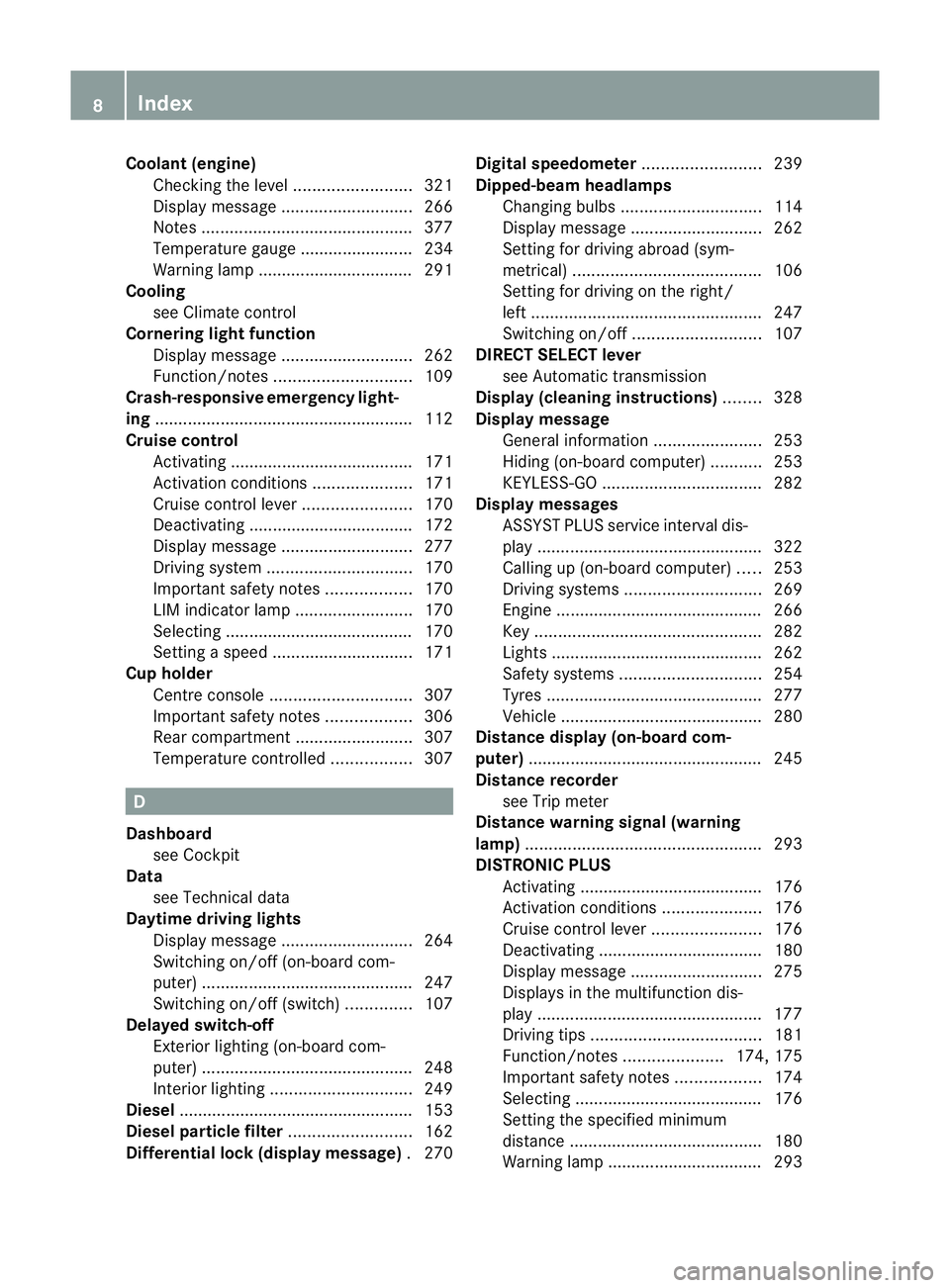
Coolant (engine)
Checkin gthe level ......................... 321
Display message ............................ 266
Note s............................................. 377
Temperat ureg auge ........................ 234
Warning lamp ................................. 291
Cooling
see Climate control
Cornerin glight function
Display message ............................ 262
Function/notes ............................. 109
Crash-respon siveemergency light-
ing ...................................................... .112
Crui secontrol
Activating ....................................... 171
Activation conditions .....................171
Cruis econtrol lever ....................... 170
Deactivating ................................... 172
Display message ............................ 277
Driving sy stem ............................... 170
Important safety notes ..................170
LIM ind icator lamp ......................... 170
Sel ecting ........................................ 170
Setting aspeed .............................. 171
Cup holder
Centr econsole .............................. 307
Important safety notes ..................306
Rea rcompartmen t......................... 307
Temperat urec ontrolled ................. 307 D
Dashboard seeC ockp it
Data
see Technical data
Daytime drivin glights
Display message ............................ 264
Switch ingo n/off (on-board com-
puter) ............................................. 247
Switch ingo n/off (switch) ..............107
Delaye dswitch -off
Exterior lighting (on -boar dcom-
puter )............................................. 248
Interior lighting .............................. 249
Dies el................................................. .153
Dies elparticl efilter .......................... 162
Differential loc k(display message) .270 Digital spe
edometer ......................... 239
Dipped-beam headlamps Changing bulbs .............................. 114
Display message ............................ 262
Setting for driving abroad (s ym-
metrical) ........................................ 106
Setting for driving on the rig ht/
left ................................................. 247
Switch ingo n/off ........................... 107
DIRECT SE LECT lever
se eA utomatic transmission
Displa y(cleaning instr uctions) ........ 328
Display message Gen eral information ....................... 253
Hid ing( on-board computer) ...........253
KEYLESS-GO .................................. 282
Display messages
ASSYST PLUS service interva ldis-
pla y................................................ 322
Calling up (on-bo ardc omputer )..... 253
Driving sy stems ............................. 269
Engine ............................................ 266
Key ................................................ 282
Lig hts. ............................................ 262
Safety sy stems .............................. 254
Tyres .............................................. 277
Veh icle ........................................... 280
Distance display (on-board com-
puter) ................................................. .245
Distan cerecorder
see Trip meter
Distanc ewarning si gnal (warning
lamp) .................................................. 293
DISTRONI CPLUS
Activating ....................................... 176
Activation conditions .....................176
Cruis econtrol lever ....................... 176
Deactivating ................................... 180
Display message ............................ 275
Display sinthe multifunction dis-
play ................................................ 177
Driving tips .................................... 181
Function/notes .....................174, 175
Important safety notes ..................174
Sel ecting ........................................ 176
Setting the specified minimum
distance ......................................... 180
Warn ingl am p................................. 293 8
Index
Page 17 of 389
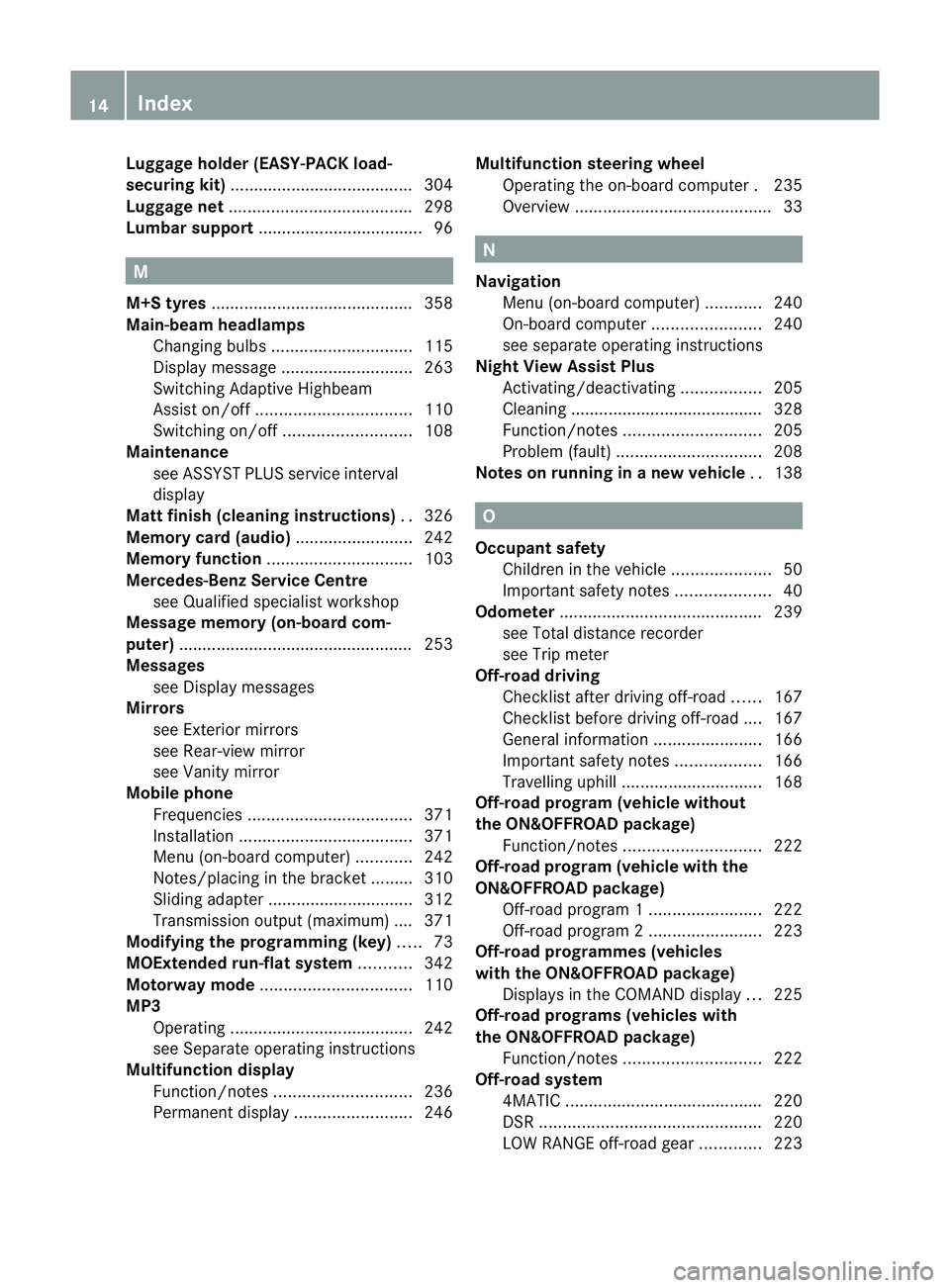
Luggage holder (EASY-PACK load-
securing kit) ...................................... .304
Luggage net ....................................... 298
Lumbar support ................................... 96M
M+S tyres ........................................... 358
Main-beam headlamps Changing bulbs .............................. 115
Display message ............................ 263
Switch ingA daptive Highbeam
Assist on/of f................................. 110
Switch ingo n/off ........................... 108
Maintenan ce
se eA SSYST PLUS service interval
display
Matt finish (cleaning instructions) ..326
Memory card (audi o)......................... 242
Memory function ............................... 103
Mercedes-Benz Service Centre seeQ ualified specialist workshop
Message memory (on-board com-
puter) ................................................. .253
Mes sages
see Display messages
Mirrors
see Exterior mirrors
see Rear-view mirror
see Vanity mirror
Mobile phone
Frequencies ................................... 371
Installati on .................................... .371
Menu (on-bo ardc omputer )............ 242
Notes/p lacing in the bracket ......... 310
Sliding adapte r............................... 312
Transmiss iono utput (maximum ).... 371
Modifying the programming (key) .....73
MOExtende drun-flat system ...........342
Motor waym ode ................................ 110
MP3 Operating ...................................... .242
se eS eparate operating instructions
Multifunction display
Function/notes ............................. 236
Permanen tdispla y......................... 246Multifuncti
onsteering wheel
Operating the on-board computer .235
Overview .......................................... 33 N
Navigation Menu (on-bo ardc omputer )............ 240
On-bo ardc omputer ....................... 240
se es eparat eoperating instructions
Nigh tView Assist Plus
Activating/deactivating .................205
Clean ing. ........................................ 328
Function/note s............................. 205
Pro blem (fault) ............................... 208
Note sonr unnin ginan ew vehicle ..138 O
Occupant safety Children in the vehicle .....................50
Important safety notes ....................40
Odometer ........................................... 239
se eT otal distance recorder
see Trip meter
Off-road driving
Checklist after driving off-road ......167
Ch ecklis tbefore driv ingo ff-roa d.... 167
General information .......................166
Important safety notes ..................166
Travelling uphill .............................. 168
Off-road program (v ehicle without
the ON&OFFROA Dpackage)
Function/notes ............................. 222
Off-road program (v ehicle with the
ON&OFFROA Dpackage)
Off-road program 1........................ 222
Off-road program 2........................ 223
Off-road programme s(vehicles
with th eON&OFFROA Dpackage)
Display sinthe COMAND displa y... 225
Off-road programs (v ehicles with
the ON&OFFROA Dpackage)
Function/notes ............................. 222
Off-road system
4MATIC .......................................... 220
DSR ............................................... 220
LOW RANG Eoff-roa dgear ............. 223 14
Index
Page 23 of 389
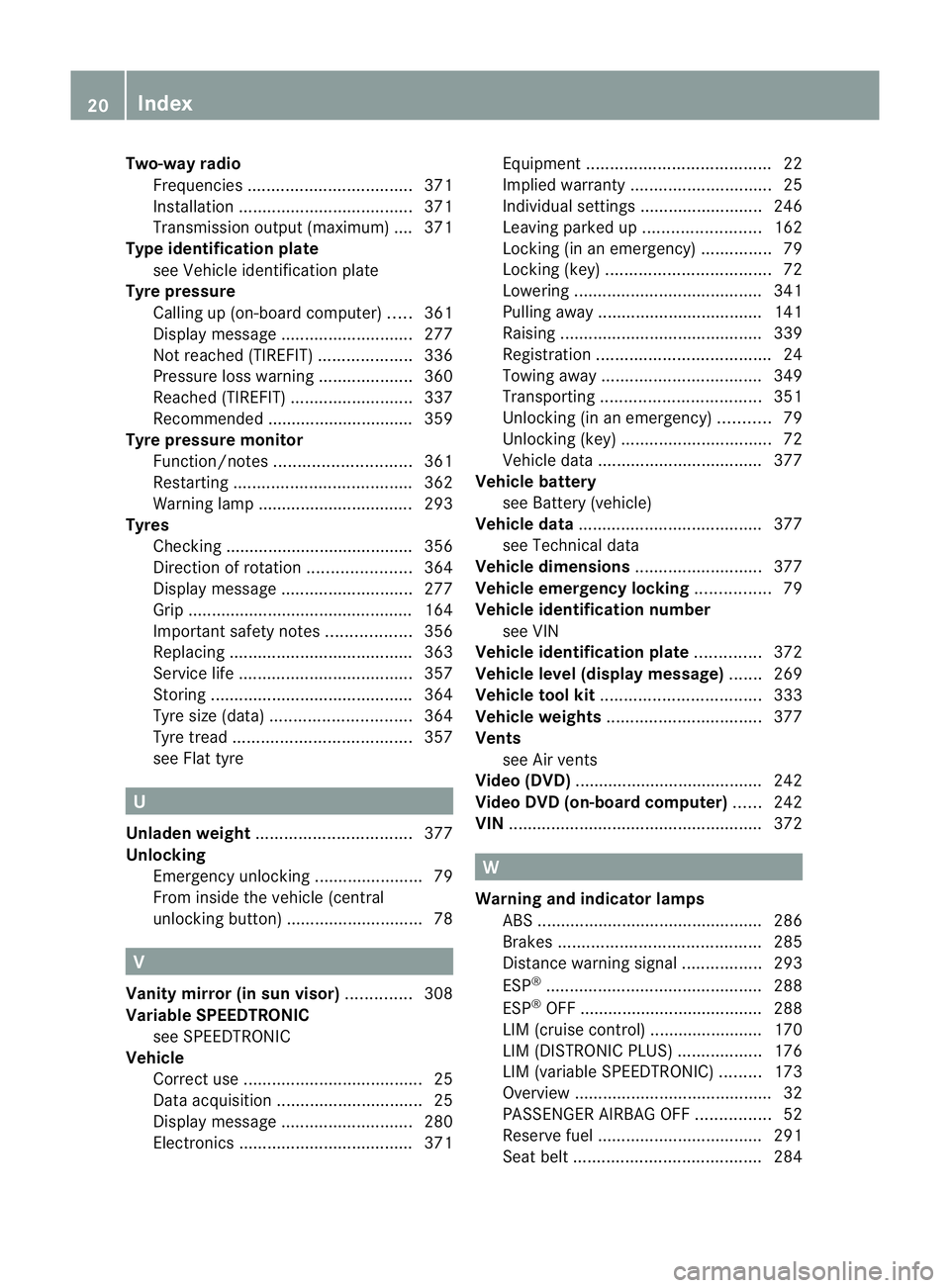
Two-way radio
Frequencie s................................... 371
Installati on .................................... .371
Transmission output (maximum ).... 371
Type identification plate
seeV ehicle identificat ionp late
Tyr epressure
Calling up (on-bo ardc omputer )..... 361
Display message ............................ 277
Not reac hed( TIREFIT) .................... 336
Pressure loss warning ....................360
Reache d(TIREFIT) .......................... 337
Rec ommended ............................... 359
Tyre pressur emonitor
Function/notes ............................. 361
Restarting ...................................... 362
Warn ingl am p................................. 293
Tyres
Checking ........................................ 356
Directi on ofrotation ...................... 364
Display message ............................ 277
Gri p................................................ 164
Important safety note s.................. 356
Replacing ....................................... 363
Service life ..................................... 357
Storing ........................................... 364
Tyr esize (data) .............................. 364
Tyr etrea d...................................... 357
se eF lat tyre U
Unladen weight ................................. 377
Un lock ing
Emergency unlocking .......................79
From insid ethe vehicle (central
unl ocking button) ............................. 78V
Vanity mirror (in sun visor) ..............308
Variable SP EEDTRONIC
se eS PEEDTRONIC
Vehicle
Corr ectu se ...................................... 25
Data acq uisition ............................... 25
Display message ............................ 280
Electronics ..................................... 371Equ
ipment ....................................... 22
Implied warranty .............................. 25
Individua lsettings .......................... 246
Leaving pa rkedup. ........................ 162
Locking (i nanemergency) ............... 79
Locking (ke y)................................... 72
Lowering ........................................ 341
Pullin gaway................................... 141
Rais ing. .......................................... 339
Registratio n..................................... 24
To wing away .................................. 349
Transporting .................................. 351
Unlockin g(in an emergency) ...........79
Unlockin g(key )................................ 72
Veh icle data ................................... 377
Vehi cleb attery
se eB attery (vehicle)
Vehicle data ....................................... 377
se eT echnical data
Vehicle dimensions ...........................377
Vehi clee mergency locking ................79
Vehi clei dentification number
se eV IN
Vehi clei dentification plate ..............372
Vehi clel evel (display message) .......269
Vehi clet ool kit .................................. 333
Vehi clew eights ................................. 377
Vents seeA ir vents
Video (DVD) ....................................... .242
Vide oDVD (on-board computer) ......242
VIN ...................................................... 372 W
Warning and indicator lamps ABS ................................................ 286
Brake s........................................... 285
Distance warning signa l................. 293
ESP ®
.............................................. 288
ESP ®
OFF ....................................... 288
LIM (cruise control )........................ 170
LIM (DISTRONIC PLUS) ..................176
LIM (variabl eSPEEDTRONI C)......... 173
Overview .......................................... 32
PASSENGER AIRBAG OFF ................52
Reserve fuel ................................... 291
Sea tbelt. ....................................... 28420
Index
Page 66 of 389
The radar sensor system must be switched off
using the on-boar
dcomputer in the vicinit yof
radio telescop efacilities in the following vehi-
cles:
R vehicles without COMAND Online and nav-
igation
R vehicles without Audio 20 and Becker ®
MAP PILOT
R vehicles for Australia
Information about switching off the rad ar sen-
so rs ystem using the on-board computer can
be found in the "On-board computer and dis-
plays “section (Y page 249).
For BAS PLUS to assist you when driving, the
rada rsensor system must be switched on and
operational; see "Radar sensor system "inthe
index. G
WARNING
BA SP LUS cannot alway sclearly identify
objects and complex traf fics ituations. BAS
PLU Scannot interven einthese cases.
There is arisk of an accident. Always pay
careful attention to the traf fics ituation and be
ready to brake.
In particular, the detection of obstacles can
be impaired if ther eis:
R dir tont he sensor soranything els ecover-
ing the sensors
R snow or heav yrain
R interference by other radar sources
R the possibility of strong radar reflections,
for example in multi-storey car parks
R an arrow vehicle travellin ginfront, e.g .a
motorbike
R av ehicle travellin ginfront on adifferent
line G
WAR
NING
BAS PLUS doe snot react:
R to people or animals
R to oncomin gvehicles
R to crossin gtraffic
R when cornering As
aresult, BAS PLU Smay not interven ein
critical situatio ns.T here is arisk of an acci-
dent .Always pay careful attention to the traf-
fic situation and be ready to brake.
Followin gdamage to the front end of the vehi-
cle, have the configuration and operation of
the radar sensors checked at aqualified spe-
cialist workshop. This also applie stocolli-
sion sats low speeds where ther eisnovisible
damage to the fron tofthe vehi cle.
If BA SPLUS is no tavailable du etoam alfunc-
tion in the rada rsensor system ,the brake
system remain savailable wit hfull brake
boostin geffect and BAS. Adaptiv
ebrak elamps
i Adapti vebrak elamps are only available in
certain countries.
If you brake sharply from aspeed of more
than 50 km/ horifb raking is assisted by BAS
or BAS PLUS, th ebrake lamp sflas hrapidly.
In this way, traffic travelling behind you is
warned in an even more noticeable manner.
If you brake sharply from aspee dofm ore
than 70 km/h to astandsti ll,t he hazard warn-
ing lam psare activated automatically .Ifthe
brakes ar eapplied again, the brak elamps
light up continuously .The hazard warning
lamps switc hoff automatically if you travel
faster than 10 km/h .You can also switc hoff
th eh azard warning lamps using the hazard
warning switch button (Y page 109). ESP
®
(Electronic Stability Program)
Important safety notes i
See the "Importan tsafety notes" section
(Y page 61).
If ESP ®
detect sthat the vehicle is deviating
from the direction desired by the driver ,one
or more wheels are braked to stabilis ethe
vehicle. If necessary, the engin eoutput is also
modified to keep the vehicle on the desired Driving safety systems
63Safety Z
Page 115 of 389
X
Drive with the headlamps switched on.
Th elevel of moisture diminishes, depend-
ing on the length of the journey and the
weather conditions (humidity and tem per-
ature).
If th elevel of moisture does not diminish:
X Have the headlamps checked at aquali fied
specialis tworkshop. Interior lighting
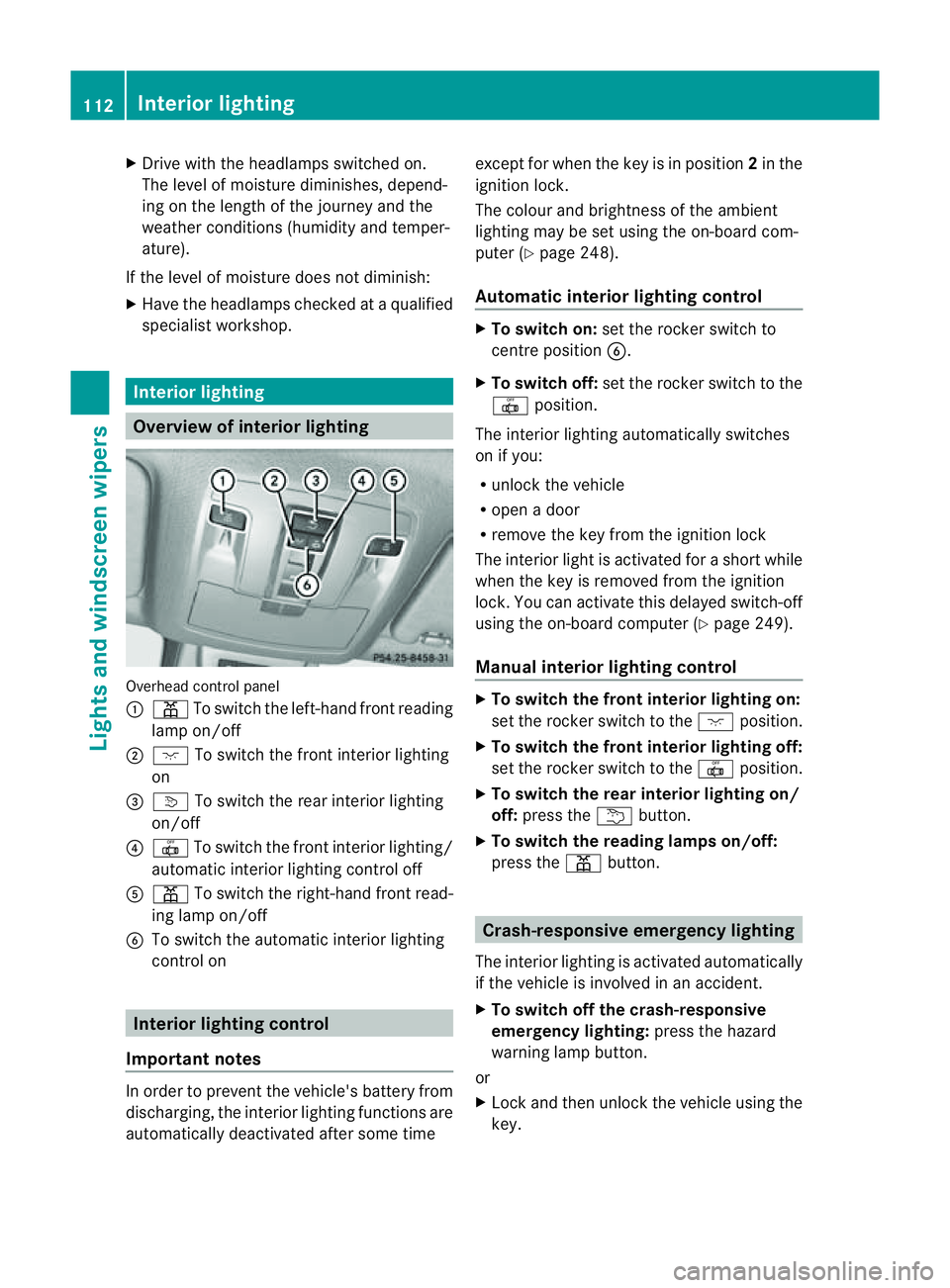
Overview of interior lighting
Overhead con
trol panel
: p To switch the left-hand front reading
lamp on/off
; c To switch the front interior lighting
on
= v To switch the rear interior lighting
on/off
? | To switch the front interior lighting/
automatic interior lighting control off
A p To switch the right-hand front read-
ing lamp on/off
B To switch the automatic interior lighting
control on Interio
rlighting control
Impor tant notes In order to prevent the vehicle'
sbattery from
discharging, the interior lighting functions are
automatically deactivated after some time except for when the key is in position
2in the
ignition lock.
The colour and brightness of the ambient
lighting may be set using the on-board com-
puter (Y page 248).
Automatic interior lighting control X
To switch on: set the rocker switch to
centre position B.
X To switch off: set the rocker switch to the
| position.
The interior lighting automatically switches
on if you:
R unlock the vehicle
R open adoor
R remove the key from the ignition lock
The interior light is activated for ashort while
when the key is removed from the ignition
lock .You can activate this delayed switch-off
using the on-boar dcomputer (Y page 249).
Manua linterior lighting control X
To switc hthe fron tinterior lighting on:
set the roc kers witch to the cposition.
X To switch the front interior lighting off:
set the rocker switch to the |position.
X To switch the rear interior lighting on/
off: press the ubutton.
X To switch the reading lamp son/off:
press the pbutton. Crash-responsive emergency lighting
The interior lightin gisactivate dautomatically
if the vehicle is involved in an accident.
X To switch off the crash-responsive
emergency lighting: press the hazard
warning lamp button.
or
X Lock and then unlock the vehicle using the
key. 112
Interior lightingLights and windscreen wipers
Page 116 of 389
Changing bulbs
Important safety notes
Xenon bulbs If your vehicle is equipped wit
hxenon bulb s,
you ca nrecognise this by th efollowing: the
cone of light from th exenon bulbs moves
from th etop to the bottomand back again
whe nyou star tthe engine. Fo rthis to be
observed ,the lights must be switched on
before startin gthe engine. G
DANGER
Xenon bulb scarry ahigh voltage. You could
get an electric shock and be seriously or even
fatally injured if you touch the electric con-
tacts on xenon bulbs. Therefore, never
remov ethe cover from xenon bulbs.
Do not change xenon bulbs yourself, but have
them replaced at aqualified specialist work-
sho pwhich has the necessar yspecialist
knowledge and tools to carry out the work
required.
Mercedes-Ben zrecom mends that you use a
Mercedes-Benz Service Centre for this pur-
pose. In particular, work relevant to safety or
on safety-related systems must be carried out
at aq ualified specialist workshop.
Bulbs and lamps are an important aspect of
vehicle safety. You must therefore make sure
that thes efunction correctly at all times.
Have the headlamp setting checked regularly.
Other bulbs There are bulbs other than the xenon bulbs
that you cannot replace. Replace only the
bulbs listed (Y page 113). Have the bulbs that
you cannot replace yourself changed at a
qualified specialist workshop.
Mercedes -Benz recommends that you use a
Mercedes-Benz Ser vice Centre for thi spur-
pose .Inp articular, work relevant to safety or
on safety-related systems must be carried out
at aq ualified specialist workshop. If you require assistanc
echangi ngbulbs, con-
sult aqualified specialist workshop.
Do not touch the glass tube of new bulbs with
your bare hands. Even minor contamination
can burn into the glass surface and reduce
the servic elife of the bulbs. Always use alint-
free cloth or only touch the base of the bulb
when fitting.
Only use bulbs of the correct type.
If the new bulb still does not light up, consult
aq ualified specialist workshop.
Bulbs and lamps are an important aspect of
vehicle safety. You must therefore make sure
that these function correctly at all times.
Have the headlamp setting checked regularly. G
WARNING
Bulbs and lights can become very hot. For this
reason, allow them to cool down before
changin gthem. Otherwise, you coul dburn
yourself when you touch them.
Keep bulbs out of the reach of children. Oth-
er wise ,they could damage them, for example,
and inj uret hemselves.
Never use abulbw hich ha sbeend ropped.
Suc hab ulbm ay explod eand injure you.
Halogen bulb sare pressu rised and could
explode when yo uchange them, especiall yif
the yarever yhot. Yo ushould therefor ewear
eye protec tion and gloves when you are
changing them. Overview of bulb replacement
–bulbs
Yo uc an replace the following bulbs. The
details for the bul btype can be found in the
legend. Changing bulbs
113Lightsand windsc reenwipers Z
Page 134 of 389
Switching th
eauxiliary heating/venti-
lation on/off using the centre console
button Th
ec olour softhe indicator lamps on the but-
ton hav ethe followin gmeanings:
Blue Auxiliar yventilation switched on
Red Auxiliar yheatin gswitched on
Yellow Departur etime preselected
(Y page 250)
Switching on auxiliary heating/ventila-
tion
X Press button :.
The red or blue indicator lamp in but-
ton :lights up.
Switching off auxiliary heating/ventila-
tion
X Press button :.
The red or blue indicator lamp in but-
ton :goes out.
Switching the auxiliar yheating/venti-
lation on/off using the remote control Your vehicle comes with one remote control.
You may use two additional remote controls
for your vehicle. For further information, con-
sult aqualified specialist workshop, e.g. a
Mercedes-Benz Service Centre. The remote control has
amaximum range of
approximately 300 metres. This range is
reduced by:
R sources of radio interference
R solid objects between the remote control
and the vehicle
R the remote control being in an unfavoura-
ble position in relation to the vehicle
R transmittin gfrom an enclose dspace
i The optimu mrange can be achieved if you
hold the remote control vertically, pointing
upwards when you press one of the but-
tons.
i Abattery symbol appears in th edisplay
when th ebatter yint he remote control is
low. Re placethe remote control battery
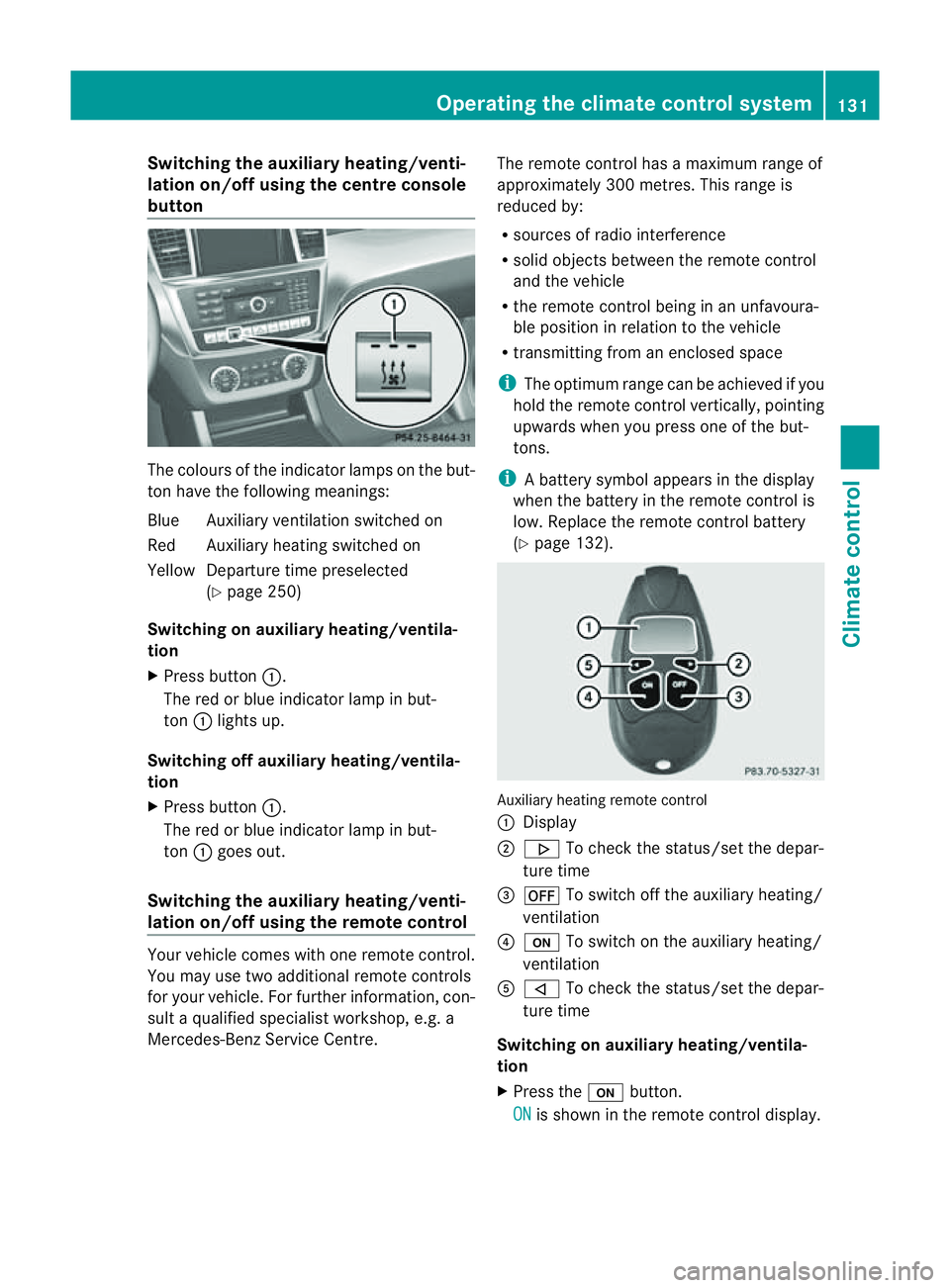
(Y page 132). Auxiliar
yheating remot econtrol
: Display
; . To check th estatus/set the depa r-
tur etime
= ^ To switch off th eauxiliar yheating/
ventilation
? u To switch on th eauxiliar yheating/
ventilation
A , To check th estatus/set the depa r-
tur etime
Switching on auxiliary heating/ventila-
tion
X Press the ubutton.
ON is shown in th
eremot econtrol di splay. Operatin
gthe clima tecontrol system
131Climatecontr ol Z
Page 170 of 389
safety reasons, get out of the vehicle first
and survey the off-road route.
R chec kthe depth of water before fording
river sand streams.
R loo kout for obstacle ssuch as rocks, holes,
tree stumps and furrows.
R take care when turning on an uphil lor
downhill slope and when turning at sharp
angles. The vehicle could otherwise tip
over.
R always keep the side windows and the pan-
oram asliding sunroof closed during the
journey.
R do not stray from marked routes or paths.
i Information abou tretrofitting special all-
ter rain tyres is available from any
Mercedes-Benz Service Centre. H
Environmental note
Protection of the environmen tisofprimary
importance .Trea tnature with respect.
Observe all prohibiting signs.
Checklist before drivin goff-road X
Engine oi llevel: checkthe engin eoil and
top it up if necessary.
When drivin gonsteep gradients, the oil
level must be sufficiently hig htoensure a
correct oil supply in the vehicle.
X AdBlue ®
tank (BlueTEC vehicl es):check
the fluid leve land, if necessary, refill to the
maximum (13 l) (Y page157).
X Tyre-chang etool kit: check that the jack
is working and make sure you have the
wheelbrace, arobust tow cabl eand afold-
ing spade in the vehicle.
X Wheels and tyres: checkthe tyr etread
depth and tyre pressure.
X Check for damag eand remove any foreign
objects, e.g. small stones, from the
wheels/tyres.
X Repl acea ny missing valve caps. X
Repl aced ented or damaged wheels.
X Wheels: dented or bent wheels can lead to
al oss of tyr epressure and damag etot he
tyr eb ead. Before driving off-road, check
the wheels and replace them if necessary.
Checklist after driving off-road !
If you detect damage to the vehicle after
driving off-road, have the vehicle checked
immediately at aqualified specialist work-
shop.
Driving over rough terrain places greater
demands on your vehicle than driving on nor-
mal roads. After driving off-road, check the
vehicle. This allow syou to detec tdamage
promptly and reduce the risk of an accident
to yourself and other road users.
X Vehicles with the ON&OFFROAD pack-
age: activate the on-road program
(Y page 222).
X Vehicles without the ON&OFFROAD
package: deactivate the on-road program
(Y page 222).
X Deactivate the LOW RANGE off-road gear
(Y page 223).
X Deactivate DSR (Y page 220).
X Lower the vehicle level again to alevel suit-
able to the road conditions, e.g. to the high-
way/high-speed level.
X Clean the headlamps and rear lights and
check for damage.
X Clean the front and rear licence plates.
X Clean the wheels/tyres with awater jet and
remove any foreign objects.
X Clea nthe wheels, wheel arches and the
vehicle underside with awater jet; check
for any foreign objects and damage.
X Check whethe rtwigs or other parts of
plants have become trapped. These
increase the risk of fire and can damage
fuel pipes, brake hose sorthe rubber bel-
lows of the axl ejoint sand propeller shafts.
X After the trip, examine without fail the
entire undercarriage, wheels ,tyres, brakes, Driving tips
167Drivingand park ing Z
Page 209 of 389
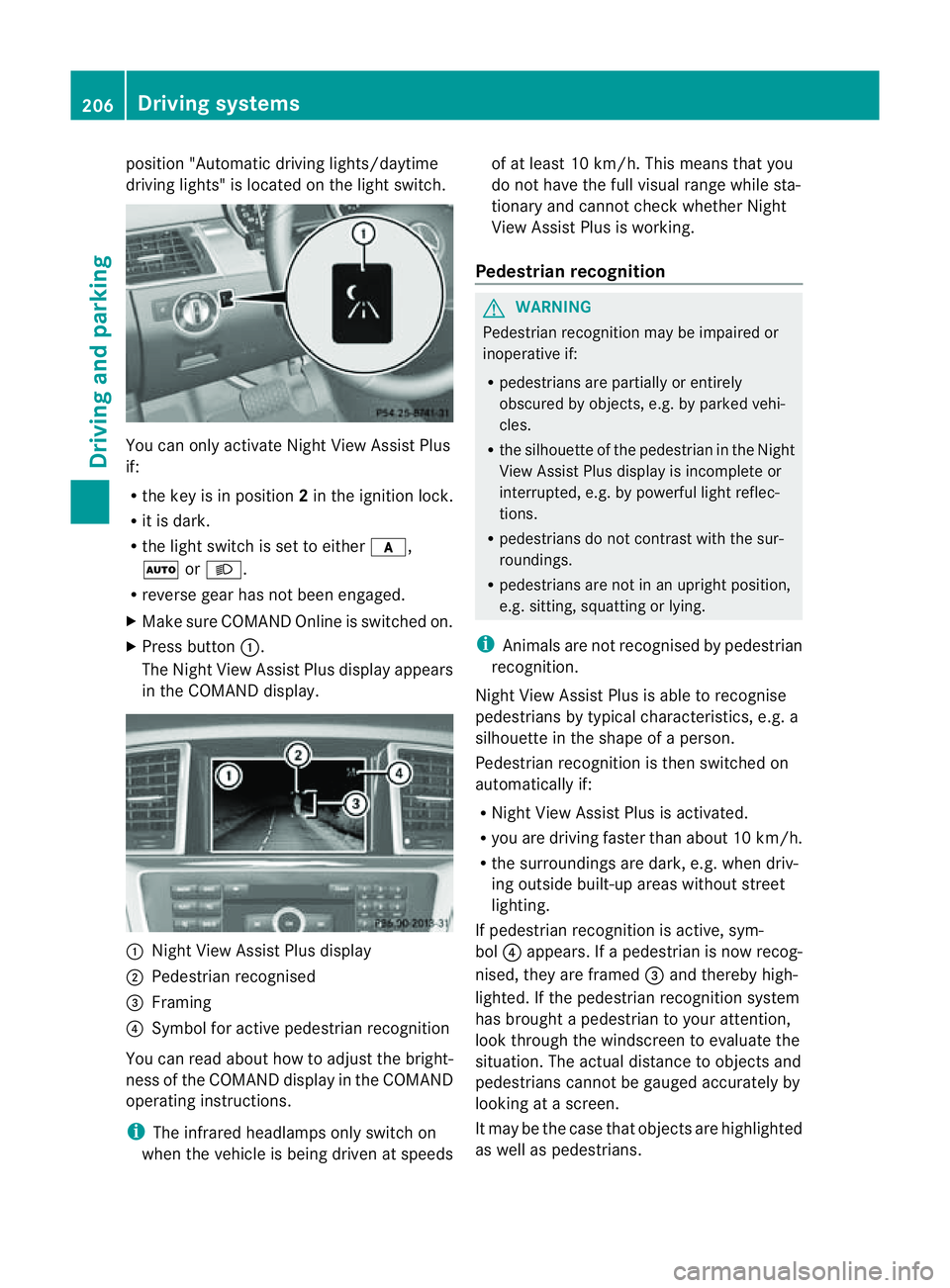
position "Automatic drivin
glights/daytime
drivin glights" is located on the light switch. You can only activat
eNight View Assist Plus
if:
R the key is in position 2in the ignition lock.
R it is dark.
R the light switc hisset to either c,
à orL.
R rev ers egear has not been engaged.
X Make sure COMAND Onlin eisswitched on.
X Press button :.
The Night View Assist Plus display appears
in the COMAN Ddisplay. :
Night View Assist Plus display
; Pedestrian recognised
= Framing
? Symbol for active pedestrian recognition
You can read abou thow to adjust the bright-
nes soft he COMAND displa yinthe COMAND
operating instructions.
i The infrared headlamps only switc hon
when the vehicle is being drive natspeeds of at least 10 km/h. This mean
sthat you
do not hav ethe full visual range while sta-
tionar yand cannot check whether Night
View Assist Plus is working.
Pedestrian recognition G
WARNING
Pedestrian recognition may be impaired or
inoperative if:
R pedestrians are partiall yorentirely
obscured by obje cts, e.g. by parked vehi-
cles.
R the silhouett eofthe pedestrian in the Night
View Assist Plus displa yisincomplete or
interrupted, e.g. by powerful ligh treflec-
tions.
R pedestrians do not contrast with the sur-
roundings.
R pedestrians are not in an upright position,
e.g. sitting, squattin gorlying.
i Animals are not recognised by pedestrian
recognition.
Night View Assist Plus is able to recognise
pedestrians by typical characteristics, e.g. a
silhouette in the shape of aperson.
Pedestrian recognition is then switched on
automatically if:
R Night View Assist Plus is activa ted.
R you are driving faster than about 10 km/ h.
R the surrounding sare dark ,e.g.w hen driv-
ing outside built-up areas without street
lighting.
If pedestrian recognition is active ,sym-
bol ?appears. If apedestrian is now recog-
nised, they are framed =and thereby high-
lighted. If the pedestrian recognition system
has brought apedestrian to your atten tion,
look through the windscreen to evaluate the
situation .The actual distanc etoobjectsand
pedestrians cannot be gauged accurately by
looking at ascreen.
It may be the case that objects are highlighted
as wel laspedestrians. 206
Driving systemsDriving and parking