display MERCEDES-BENZ METRIS 2017 MY17 Operator’s Manual
[x] Cancel search | Manufacturer: MERCEDES-BENZ, Model Year: 2017, Model line: METRIS, Model: MERCEDES-BENZ METRIS 2017Pages: 318, PDF Size: 5.01 MB
Page 235 of 318
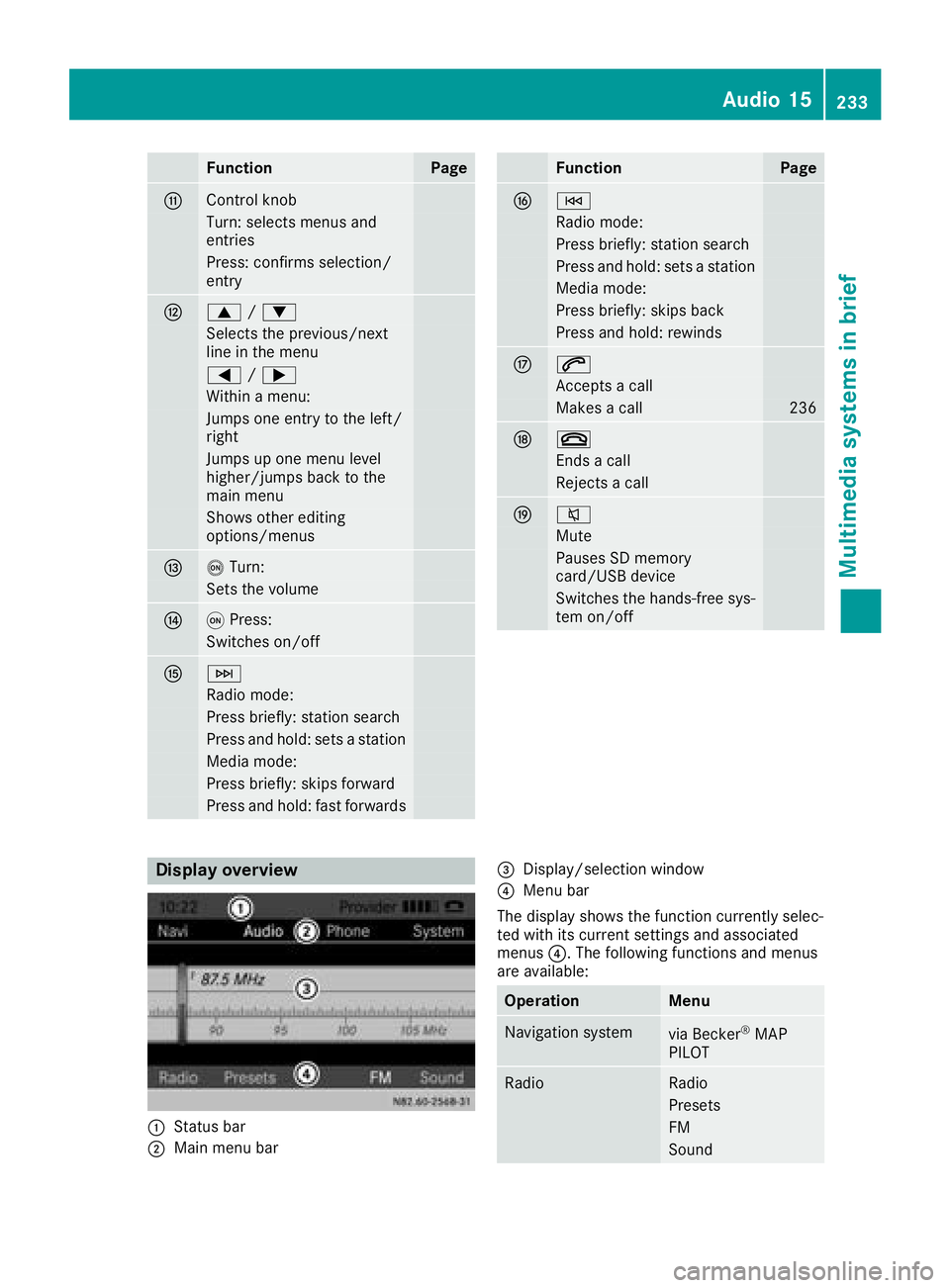
FunctionPage
GControl knob
Turn: selects menus and
entries
Press: confirms selection/
entry
H9/:
Selects the previous/next
line in the menu
= /;
Within a menu:
Jumps one entry to the left/
right
Jumps up one menu level
higher/jumps back to the
main menu
Shows other editing
options/menus
Io Turn:
Sets the volume
JqPress:
Switches on/off
KF
Radio mode:
Press briefly: station search
Press and hold: sets a station
Media mode:
Press briefly: skips forward
Press and hold: fast forwards
FunctionPage
LE
Radio mode:
Press briefly: station search
Press and hold: sets a station
Media mode:
Press briefly: skips back
Press and hold: rewinds
M6
Accepts a call
Makes a call236
N~
Ends a call
Rejects a call
O8
Mute
Pauses SD memory
card/USB device
Switches the hands-free sys-
tem on/off
Display overview
:Status bar
;Main menu bar
=Display/selection window
?Menu bar
The display shows the function currently selec-
ted with its current settings and associated
menus ?. The following functions and menus
are available:
OperationMenu
Navigation systemvia Becker®MAP
PILOT
RadioRadio
Presets
FM
Sound
Audio 15233
Multimedia systems in brief
Z
Page 236 of 318
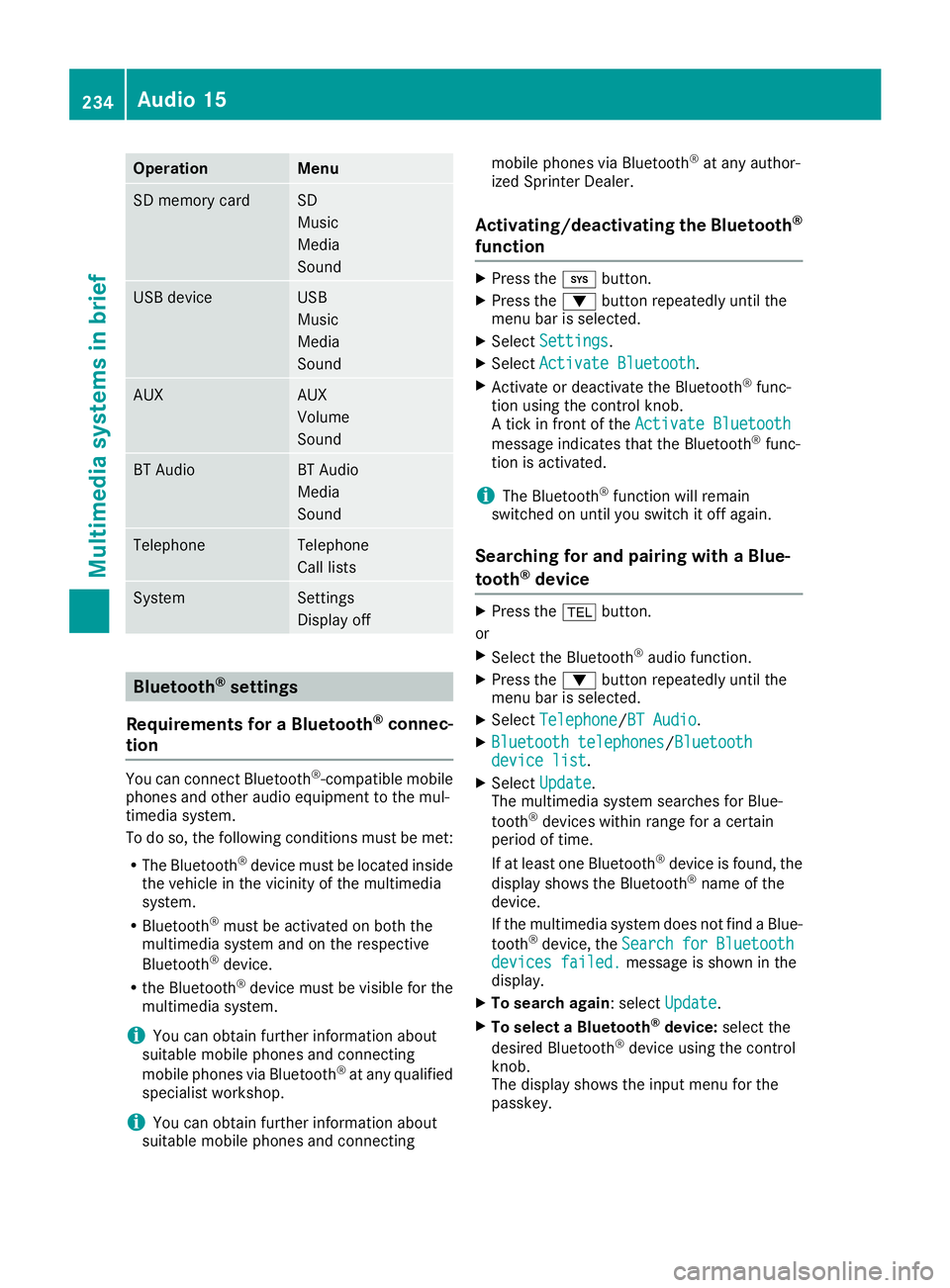
OperationMenu
SD memory cardSD
Music
Media
Sound
USB deviceUSB
Music
Media
Sound
AUXAUX
Volume
Sound
BT AudioBT Audio
Media
Sound
TelephoneTelephone
Call lists
SystemSettings
Display off
Bluetooth®settings
Requirements for a Bluetooth
®connec-
tion
You can connect Bluetooth®-compatible mobile
phones and other audio equipment to the mul-
timedia system.
To do so, the following conditions must be met:
RThe Bluetooth®device must be located inside
the vehicle in the vicinity of the multimedia
system.
RBluetooth®must be activated on both the
multimedia system and on the respective
Bluetooth
®device.
Rthe Bluetooth®device must be visible for the
multimedia system.
iYou can obtain further information about
suitable mobile phones and connecting
mobile phones via Bluetooth
®at any qualified
specialist workshop.
iYou can obtain further information about
suitable mobile phones and connecting mobile phones via Bluetooth
®at any author-
ized Sprinter Dealer.
Activating/deactivating the Bluetooth®
function
XPress the ibutton.
XPress the :button repeatedly until the
menu bar is selected.
XSelect Settings.
XSelectActivate Bluetooth.
XActivate or deactivate the Bluetooth®func-
tion using the control knob.
A tick in front of the Activate Bluetooth
message indicates that the Bluetooth®func-
tion is activated.
iThe Bluetooth®function will remain
switched on until you switch it off again.
Searching for and pairing with a Blue-
tooth®device
XPress the %button.
or
XSelect the Bluetooth®audio function.
XPress the :button repeatedly until the
menu bar is selected.
XSelect Telephone/BT Audio.
XBluetooth telephones/Bluetoothdevice list.
XSelectUpdate.
The multimedia system searches for Blue-
tooth
®devices within range for a certain
period of time.
If at least one Bluetooth
®device is found, the
display shows the Bluetooth®name of the
device.
If the multimedia system does not find a Blue-
tooth
®device, the SearchforBluetoothdevices failed.message is shown in the
display.
XTo search again: select Update.
XTo select a Bluetooth®device:select the
desired Bluetooth®device using the control
knob.
The display shows the input menu for the
passkey.
234Audio 15
Multimedia systems in brief
Page 237 of 318
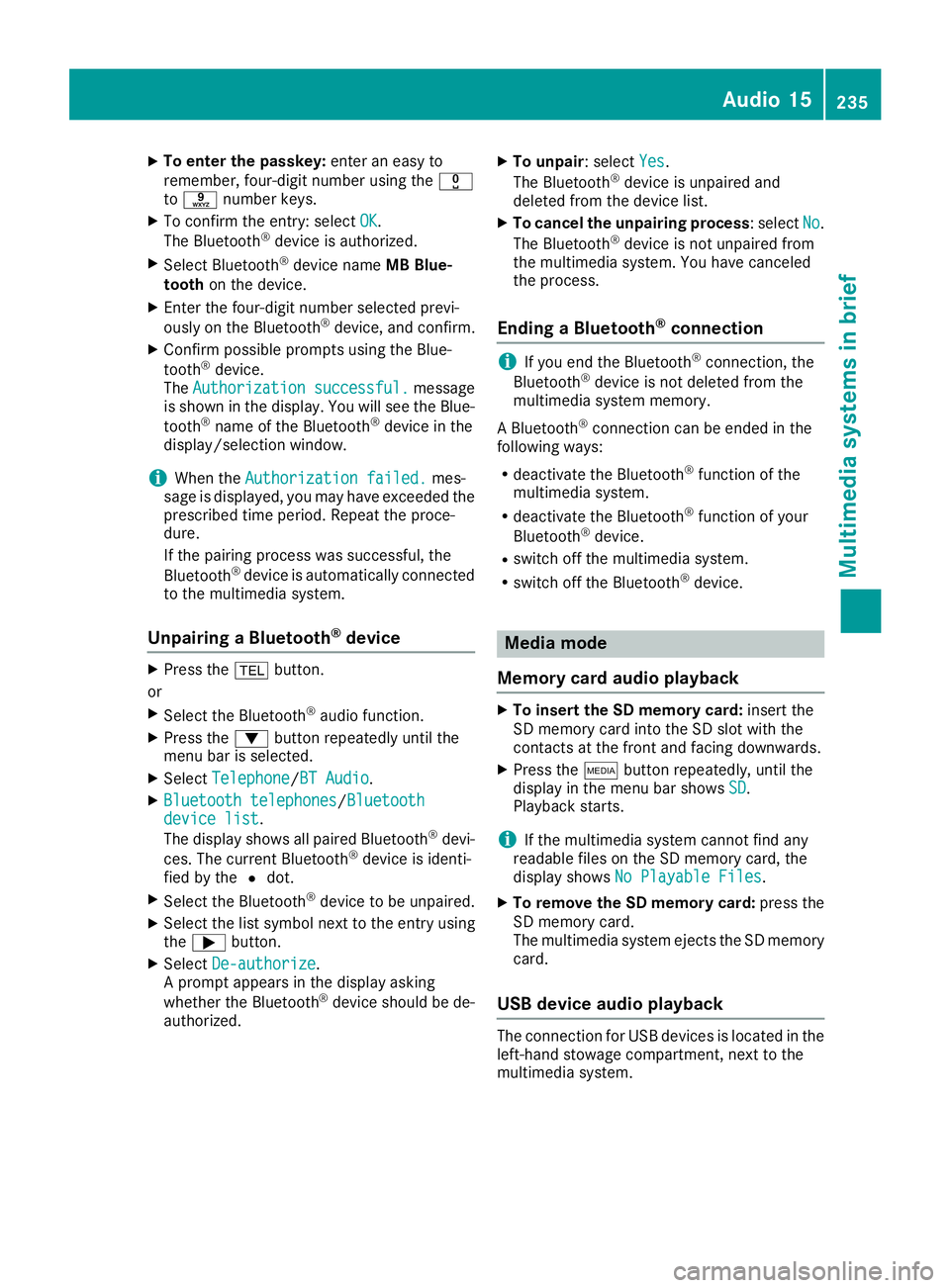
XTo enter the passkey:enter an easy to
remember, four-digit number using the x
to s number keys.
XTo confirm the entry: select OK.
The Bluetooth®device is authorized.
XSelect Bluetooth®device name MB Blue-
tooth on the device.
XEnter the four-digit number selected previ-
ously on the Bluetooth®device, and confirm.
XConfirm possible prompts using the Blue-
tooth®device.
The Authorization successful.message
is shown in the display. You will see the Blue-
tooth
®name of the Bluetooth®device in the
display/selection window.
iWhen the Authorization failed.mes-
sage is displayed, you may have exceeded the
prescribed time period. Repeat the proce-
dure.
If the pairing process was successful, the
Bluetooth
®device is automatically connected
to the multimedia system.
Unpairing a Bluetooth®device
XPress the %button.
or
XSelect the Bluetooth®audio function.
XPress the :button repeatedly until the
menu bar is selected.
XSelect Telephone/BT Audio.
XBluetooth telephones/Bluetoothdevice list.
The display shows all paired Bluetooth®devi-
ces. The current Bluetooth®device is identi-
fied by the #dot.
XSelect the Bluetooth®device to be unpaired.
XSelect the list symbol next to the entry using
the ; button.
XSelect De-authorize.
A prompt appears in the display asking
whether the Bluetooth
®device should be de-
authorized.
XTo unpair: select Yes.
The Bluetooth®device is unpaired and
deleted from the device list.
XTo cancel the unpairing process : selectNo.
The Bluetooth®device is not unpaired from
the multimedia system. You have canceled
the process.
Ending a Bluetooth®connection
iIf you end the Bluetooth®connection, the
Bluetooth®device is not deleted from the
multimedia system memory.
A Bluetooth
®connection can be ended in the
following ways:
Rdeactivate the Bluetooth®function of the
multimedia system.
Rdeactivate the Bluetooth®function of your
Bluetooth®device.
Rswitch off the multimedia system.
Rswitch off the Bluetooth®device.
Media mode
Memory card audio playback
XTo insert the SD memory card: insert the
SD memory card into the SD slot with the
contacts at the front and facing downwards.
XPress the Õbutton repeatedly, until the
display in the menu bar shows SD.
Playback starts.
iIf the multimedia system cannot find any
readable files on the SD memory card, the
display shows No Playable Files
.
XTo remove the SD memory card: press the
SD memory card.
The multimedia system ejects the SD memory
card.
USB device audio playback
The connection for USB devices is located in the
left-hand stowage compartment, next to the
multimedia system.
Audio 15235
Multimedia systems in brief
Z
Page 239 of 318
GPS reception
Correct functioning of the navigation system
depends, amongst other aspects, on GPS recep-
tion. In certain situations, GPS reception may be
impaired, there may be interference or there
may be no reception at all, e.g. in tunnels or
parking garages.
Preparing navigation
Inserting the navigation module
iSwitch off the ignition before removing or
inserting the navigation module.
XOpen the glove box.
XInsert the navigation module into the device
holder.
The battery built into the navigation module
starts charging when the vehicle ignition is
switched on.
XRemove the catch on the front side of the
device holder.
This way, the navigation module is secured, as
well as protected against theft.
XClose the glove box.
Switching on the navigation system
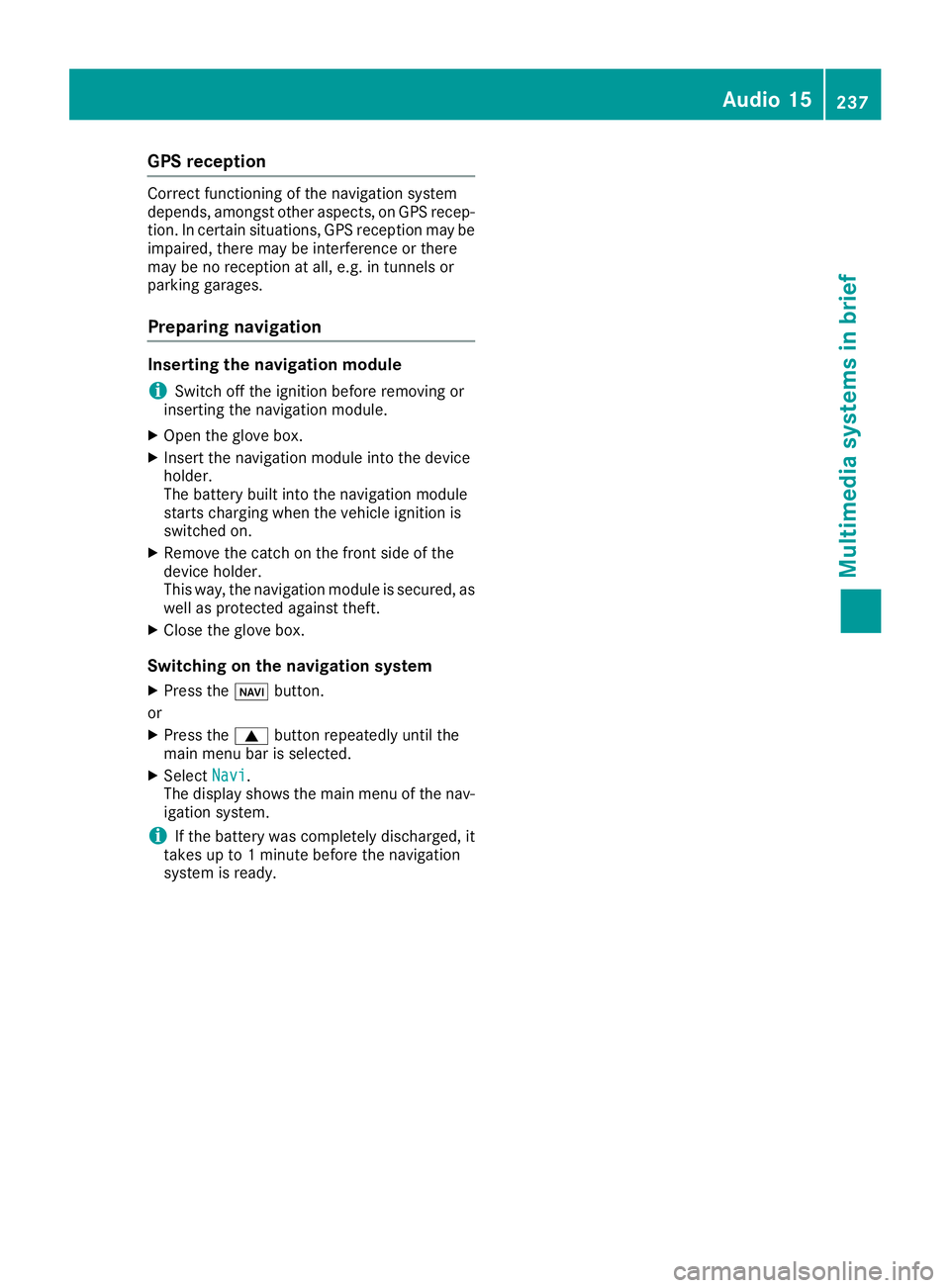
XPress the ßbutton.
or
XPress the 9button repeatedly until the
main menu bar is selected.
XSelect Navi.
The display shows the main menu of the nav- igation system.
iIf the battery was completely discharged, it
takes up to 1 minute before the navigation
system is ready.
Audio 15237
Multimedia systems in brief
Z
Page 259 of 318
Maintenance
General notes
HEnvironmental note
Observe measures to protect the environ-
ment when working on the vehicle. You must
observe the legal requirements when dispos-
ing of service products, e.g. engine oil. This
also includes all components, e.g. filters,
which have come into contact with service
products. Any qualified specialist workshop
can provide information about this.
Dispose of empty containers, cleaning cloths
and care products in an environmentally
responsible manner. Comply with the instruc-
tions for use of the care products.
Do not run the engine for longer than neces-
sary when the vehicle is stationary.
Before carrying out maintenance measures and
repairs, you must read the following documents
relating to maintenance measures and repairs:
Rrelevant sections of the technical documen-
tation such as the Operator's Manual and
workshop information
Rlegal stipulations such as work safety regula-
tions and accident prevention regulations
While working under the vehicle, you must
secure the vehicle on jack stands with sufficient load capacity.
Never use a vehicle jack instead of stands. The
jack is designed only to raise the vehicle for a
short time when changing a wheel. It is not
suited for performing maintenance work under
the vehicle.
Please also refer to the notes about qualified
specialist workshops (
Ypage 31).
The scope and regularity of the inspection and
maintenance work primarily depend on the
often diverse operating conditions. Specialist
knowledge beyond the scope of this Operator's
Manual is required when carrying out testing
and maintenance work. This work should only be
carried out by trained staff.
The vehicle Maintenance Booklet describes the scope and frequency of maintenance work and
contains additional notes on the Limited War-
ranty. You will find information about service
products approved by Mercede s-Benz a
ndcapacities under "Service products and capaci-
ties" (
Ypage 304)
Maintenance services must be carried out in
accordance with the provisions and recommen- dations in the Maintenance Booklet. Not doing
so could void the warranty claim and lead to
refusal of goodwill gestures after the manufac-
turer has submitted a damage report.
Observe the information under "Mercedes-Benz
genuine parts" (
Ypage 33).
Service interval display
General notes
The service interval display informs you of the
next service due date. Information on the type of
service and service intervals can be found in the
Maintenance Booklet.
iThe service interval display does not provide
information about the engine oil level. The
service interval display should therefore not
be confused with the engine oil level display.
For example, the display shows one of the fol-
lowing service messages for a few seconds:
RService A in .. days
RService A Dueor Service A Due
RServ. A Exceed. by .. Days
Then either the remaining time or distance until
the next service due date is displayed. If the
service due date has been exceeded, the
elapsed time or distance traveled after the over-
due service date is shown. The letter in the dis-
play message indicates which service is due. A
stands for a minor service andBfor a major ser-
vice.
A qualified specialist workshop, e.g. an author-
ized Mercedes-Benz Commercial Van Center,
will reset the service interval display after the
service work has been carried out. You can also
obtain further information on maintenance
work, for example.
The prescribed service interval is based on nor- mal vehicle use. Service work will need to be
performed more frequently than prescribed if
the vehicle is operated under more arduous con-
ditions or with higher loads. Such arduous con-
ditions include:
Rregular city driving with frequent intermediate
stops
Rdriving predominantly short distances
Maintenance257
Maintenance and care
Z
Page 260 of 318
Rfrequent operation in mountainous terrain or
on poor road surfaces
Rleaving the engine idling for long periods on a
frequent basis
In these or similar operating conditions, have
the air filter, engine oil and oil filter, for example,
replaced more frequently. Under more arduous
operating conditions, the tires must be checked more often. Further information can be obtained
at a qualified specialist workshop, e.g. an
authorized Mercedes-Benz Commercial Van
Center.
Hiding service messages
Vehicles without steering wheel buttons
XPress the 3button on the instrument clus-
ter.
Vehicles with steering wheel buttons
XPress the aor% button on the steering
wheel.
Calling up the service due date
Vehicles without steering wheel buttons
The vehicle must be stationary. Use the buttons
in the instrument cluster.
XTurn the SmartKey to position 2in the ignition
lock.
XPress Èto select the service display.
The display shows a possible service mes-
sage.
Vehicles with steering wheel buttons
Using the steering wheel buttons
XTurn the SmartKey to position 2in the ignition
lock.
XPress =or; to select the Servicemenu.
XPress9or: to select the ASSYSTPLUSsubmenu and press ato confirm.
The display shows the service due date.
Battery
Important safety notes
Work on the battery, e.g. removing or installing,
requires specialist knowledge and the use of
special tools. Therefore, always have work on the battery carried out at a qualified specialist
workshop.
GWARNING
Work carried out incorrectly on the battery
can lead, for example, to a short circuit and
thus damage the vehicle electronics. This can
lead to function restrictions applying to
safety-relevant systems, e.g the lighting sys-
tem, the ABS (anti-lock braking system) or the
ESP
®(Electronic Stability Program). The oper-
ating safety of your vehicle may be restricted.
You could lose control of the vehicle, for
example:
Rwhen braking
Rin the event of abrupt steering maneuvers
and/or when the vehicle's speed is not
adapted to the road conditions
There is a risk of an accident.
In the event of a short circuit or a similar inci-
dent, contact a qualified specialist workshop
immediately. Do not drive any further. You
should have all work involving the battery car- ried out at a qualified specialist workshop.
Further information can be found under "ABS"
(
Ypage 64) and under "ESP®" (Ypage 65).
GWARNING
Electrostatic build-up can lead to the creation of sparks, which could ignite the highly explo-
sive gases of a battery. There is a risk of an
explosion.
Before handling the battery, touch the vehicle
body to remove any existing electrostatic
build-up.
The flammable gas mix is produced when the
battery is charged or when the vehicle is jump-
started.
Always make sure that neither you nor the bat-
tery are electro statically charged. Electrostatic
charging results, for example, from:
Rwearing synthetic clothing
Rfriction between clothing and the seat
Rdragging or pushing the battery across carpet
flooring or any other synthetic materials
Rrubbing the battery with cloths or towels.
258Battery
Maintenance and care
Page 270 of 318
REnsure sufficient ventilation when clean-
ing.
RMake sure that the vehicle interior is com-
pletely dry after cleaning.
Cleaning the display
!For cleaning, do not use any of the following:
Ralcohol-based thinner or gasoline
Rabrasive cleaning agents
Rcommercially-available household cleaning
agents
These may damage the display surface. Do
not put pressure on the display surface when
cleaning. This could lead to irreparable dam-
age to the display.
XSwitch off the display and let it cool down.
XClean the display surface with a commercially
available microfiber cloth and cleaner for
TFT/LCD displays.
XDry the display surface using a dry microfiber
cloth.
Cleaning the plastic trim
GWARNING
Care products and cleaning agents containing solvents cause surfaces in the cockpit to
become porous. As a result, plastic parts may
come loose in the event of air bag deploy-
ment. There is a risk of injury.
Do not use any care products and cleaning
agents to clean the cockpit.
!Do not affix the following to plastic surfaces:
Rstickers
Rfilms
Rscented oil bottles or similar items
You can otherwise damage the plastic.
!Do not allow cosmetics, insect repellent or
sunscreen to come into contact with the plas-
tic trim. This maintains the high-quality look of
the surfaces.
XWipe the plastic trim and the cockpit with a
damp, lint-free cloth, e.g. a microfiber cloth.
XHeavy soiling: use a mild detergent or care
products and cleaning agents recommended
and approved by Mercedes-Benz.
Cleaning the steering wheel and selec-
tor lever
XThoroughly wipe with a damp cloth.
XVehicles with leather upholstery: after
cleaning, use leather care agents that have
been recommended and approved by
Mercedes-Benz.
Cleaning the trim elements
!Do not use solvent-based cleaning agents
such as tar remover, wheel cleaners, polishes
or waxes. There is otherwise a risk of damag- ing the surface.
XWipe the trim elements with a damp, lint-free
cloth, e.g. a microfiber cloth.
XHeavy soiling: use care products and clean-
ing agents recommended and approved by
Mercedes-Benz.
Cleaning the seat covers
!Do not use microfiber cloths to clean genu-
ine leather or artificial leather covers. If used
often, a microfiber cloth can damage the
cover.
!Clean:
Rartificial leather covers with a cloth mois-
tened with a solution containing 1 %deter-
gent, e.g. dish washing liquid.
Rcloth covers with a microfiber cloth mois-
tened with a solution containing 1 %deter-
gent, e.g. dish washing liquid. Wipe entire
seat sections carefully to avoid leaving visi-
ble lines. Leave the seat to dry afterwards.
Cleaning results depend on the type of dirt
and how long it has been there.
Rgenuine leather covers carefully with a
damp cloth, then wipe the covers down
with a dry cloth. Make sure that the leather does not become soaked. Otherwise, the
leather could become rough or cracked.
Only use leather care agents that have
been tested and approved by Mercedes-
Benz. You can obtain these from a qualified
specialist workshop.
iPlease keep in mind that:
Rleather covers are a natural product and, as
such, are subject to a natural aging proc-
ess. Leather may react differently, e.g.
268Care
Maintenance and care
Page 286 of 318
Maximum tire pressures
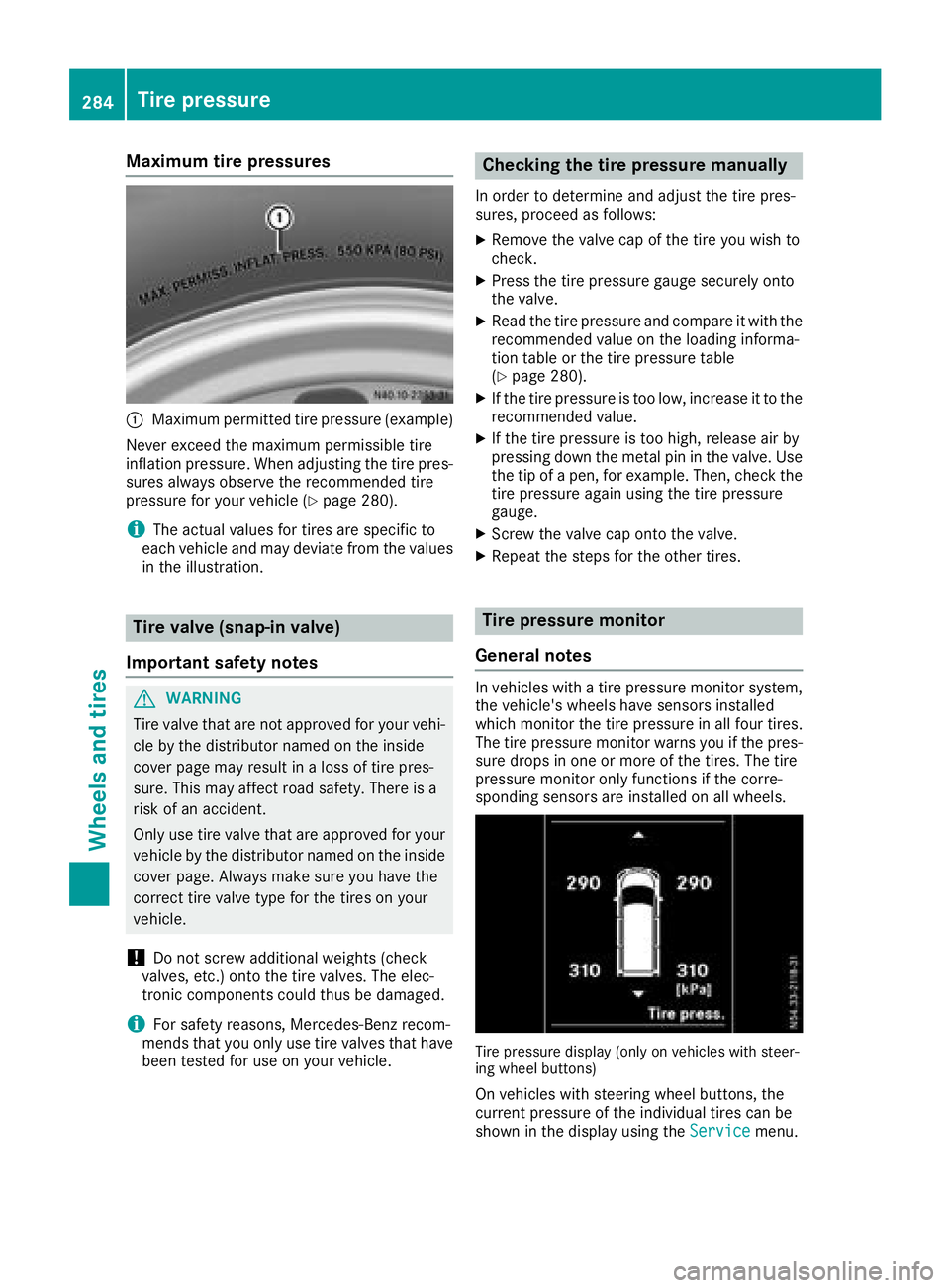
:Maximum permitted tire pressure (example)
Never exceed the maximum permissible tire
inflation pressure. When adjusting the tire pres-
sures always observe the recommended tire
pressure for your vehicle (
Ypage 280).
iThe actual values for tires are specific to
each vehicle and may deviate from the values
in the illustration.
Tire valve (snap-in valve)
Important safety notes
GWARNING
Tire valve that are not approved for your vehi-
cle by the distributor named on the inside
cover page may result in a loss of tire pres-
sure. This may affect road safety. There is a
risk of an accident.
Only use tire valve that are approved for your
vehicle by the distributor named on the inside
cover page. Always make sure you have the
correct tire valve type for the tires on your
vehicle.
!Do not screw additional weights (check
valves, etc.) onto the tire valves. The elec-
tronic components could thus be damaged.
iFor safety reasons, Mercedes-Benz recom-
mends that you only use tire valves that have been tested for use on your vehicle.
Checking the tire pressure manually
In order to determine and adjust the tire pres-
sures, proceed as follows:
XRemove the valve cap of the tire you wish to
check.
XPress the tire pressure gauge securely onto
the valve.
XRead the tire pressure and compare it with the
recommended value on the loading informa-
tion table or the tire pressure table
(
Ypage 280).
XIf the tire pressure is too low, increase it to the
recommended value.
XIf the tire pressure is too high, release air by
pressing down the metal pin in the valve. Use
the tip of a pen, for example. Then, check the
tire pressure again using the tire pressure
gauge.
XScrew the valve cap onto the valve.
XRepeat the steps for the other tires.
Tire pressure monitor
General notes
In vehicles with a tire pressure monitor system,
the vehicle's wheels have sensors installed
which monitor the tire pressure in all four tires.
The tire pressure monitor warns you if the pres- sure drops in one or more of the tires. The tire
pressure monitor only functions if the corre-
sponding sensors are installed on all wheels.
Tire pressure display (only on vehicles with steer-
ing wheel buttons)
On vehicles with steering wheel buttons, the
current pressure of the individual tires can be
shown in the display using the Service
menu.
284Tire pressure
Wheels and tires
Page 287 of 318
For further information on displaying the current
tire pressures, refer to "Checking the tire pres-
sure electronically" (
Ypage 286).
Important safety notes
GWARNING
Each tire, including the spare (if provided),
should be checked at least once a month
when cold and inflated to the pressure rec-
ommended by the vehicle manufacturer on
the Tire and Loading Information placard on
the driver's door B-pillar or the tire pressure
label on the inside of the fuel filler flap. If your
vehicle has tires of a different size than the
size indicated on the Tire and Loading Infor-
mation placard or the tire pressure label, you
should determine the proper tire pressure for
those tires.
As an added safety feature, your vehicle has
been equipped with a tire pressure monitoring
system (TPMS) that illuminates a low tire pres-
sure telltale when one or more of your tires
are significantly underinflated. Accordingly,
when the low tire pressure telltale illuminates,
you should stop and check your tires as soon
as possible, and inflate them to the proper
pressure. Driving on a significantly underin-
flated tire causes the tire to overheat and can lead to tire failure. Underinflation also
reduces fuel efficiency and tire tread life, and
may affect the vehicle's handling and stop-
ping ability.
Please note that the TPMS is not a substitute
for proper tire maintenance, and it is the driv-
er's responsibility to maintain correct tire
pressure, even if underinflation has not
reached the level to trigger illumination of the
TPMS low tire pressure telltale.
USA only:
Your vehicle has al so b
een equipped with a
TPMS malfunction indicator to indicate if the
system is not operating properly. The TPMS
malfunction indicator is combined with the
low tire pressure telltale. When the system
detects a malfunction, the warning lamp will
flash for approximately a minute and then
remain continuously illuminated. This
sequence will be repeated every time the vehi-
cle is started as long as the malfunction
exists.
When the malfunction indicator is illuminated,
the system may not be able to detect or signal
low tire pressure as intended. TPMS malfunc-
tions may occur for a variety of reasons,
including the mounting of incompatible
replacement or alternate tires or wheels on
the vehicle that prevent the TPMS from func-
tioning properly. Always check the TPMS mal-
function telltale after replacing one or more
tires or wheels on your vehicle to ensure that the replacement or alternate tires and wheels
allow the TPMS to continue to function prop-
erly.
It is the driver's responsibility to set the tire
pressure to the recommended cold tire pressure
suitable for the operating conditions
(
Ypage 280).
Note that the correct tire pressure for the cur-
rent operating conditions must first be pro-
gramed into the tire pressure monitor. If there is
a substantial loss of pressure, the warning
threshold for the warning message is aligned to
the reference values programed in. Restart the
tire pressure monitor after adjusting the cold
tire pressure (
Ypage 287). The current pres-
sures are saved as new reference values. This
will ensure that a warning message will only
appear if the tire pressure drops significantly.
The tire pressure monitor does not warn you if a
tire pressure is incorrect. Obs erve the note
s on
the recommended tire pressure (Ypage 280).
The tire pressure monitor is not able to warn you
of a sudden loss of pressure, e.g. following pen- etration by a foreign object. In this event, brake
the vehicle until it comes to a standstill. Avoid
sudden steering movements.
The tire pressure monitor has a yellow h
warning lamp in the instrument cluster for indi-
cating pressure loss/malfunctions (USA) or
pressure loss (Canada). Depending on how the
warning lamp flashes or lights up, an underin-
flated tire or a malfunction in the tire pressure
monitor is displayed:
Rif the h warning lamp is lit continuously,
the tire pressure on one or more tires is sig-
Tire pressure285
Wheels and tires
Z
Page 288 of 318
nificantly too low. The tire pressure monitor is
not malfunctioning.
RUSA only: if thehwarning lamp flashes for
60 seconds and then remains lit constantly,
the tire pressure monitor is malfunctioning.
The display also shows a message:
Ron vehicles without steering wheel buttons
(Ypage 201)
Ron vehicles with steering wheel buttons
(Ypage 217)
USA only: if the tire pressure monitor is mal-
functioning, it may be more than ten minutes
before the malfunction is shown. The htire
pressure warning lamp flashes for 60 seconds
and then remains lit. When the malfunction has
been rectified, the htire pressure warning
lamp goes out after a few minutes of driving.
The tire pressure values indicated by the on-
board computer may differ from those meas-
ured at a gas station with a pressure gage. The
tire pressures shown by the on-board computer
refer to those measured at sea level. At high
altitudes, the tire pressure values indicated by a pressure gage are higher than those shown by
the on-board computer. In this case, do not
reduce the tire pressures.
If radio transmitting equipment (e.g. wireless
headphones, two-way radios) is operated inside
the vehicle or in the vicinity of the vehicle, this
can interfere with the operati
on of the tire pres-
sure monitor.
Checking the tire pressure electroni-
cally on vehicles with steering wheel
buttons
You can only check the tire pressure electroni-
cally on vehicles with steering wheel buttons.
Using the steering wheel buttons
XTurn the key to position 2in the ignition lock.
XPress the =or; button to select the
Servicemenu.
XUse the 9or: button to select TirePressure.
XPressato confirm.
The current tire pressure of each wheel is
shown in the display.
If the vehicle has been parked for over
20 minutes, the Tire pressure will be
displayed after driving a few minutesmessage appears. After a teach-in period, the tire pressure monitor
automatically detects new wheels or new sen-
sors. As long as a clear allocation of the tire
pressure value to the individual wheels is not
possible, the
Tire
PressureMonitorActivemessage is shown instead of the tire pressure
display. The tire pressures are already being
monitored.
Tire pressure monitor warning mes-
sages
If the tire pressure monitor detects a loss in
pressure in one or more tires, a warning mes-
sage is shown in the display. The hwarning
lamp lights up.
Vehicles without steering wheel buttons
RIf the Correct Tire Pressuremessage is
shown in the display, the tire pressure in at
least one tire is too low. The tire pressure
must be corrected at the next opportunity.
RIf the CheckTirePressureSoonmessage
is shown in the display, the tire pressure in
one or more tires has dropped significantly.
The tires must be checked.
RIf the Warning Tire Malfunc.message is
shown in the display, the tire pressure in one
or more tires has dropped suddenly. The tires
must be checked.
Vehicles with steering wheel buttons
RIf the Adjust Tire Pressuremessage is
shown in the display, the tire pressure in at
least one tire is too low. The tire pressure
must be corrected at the next opportunity.
RIf the Check Tiresmessage is shown in the
display, the tire pressure in one or more tires has dropped significantly. The tires must be
checked.
RIf the WarningTireMalfunctionmessage
is shown in the display, the tire pressure in
one or more tires has dropped suddenly. The
tires must be checked.
Always read and follow the instructions and
safety notes related to the display messages,
which can be found in the "Tires" section.
Rfor vehicles without steering wheel buttons
(Ypage 201)
Rfor vehicles with steering wheel buttons
(Ypage 217)
Vehicles with steering wheel buttons: if the
wheel positions on the vehicle are rotated, the
tire pressures may be displayed for the wrong
286Tire pressure
Wheels and tires