ESP MERCEDES-BENZ METRIS 2018 MY18 Operator’s Manual
[x] Cancel search | Manufacturer: MERCEDES-BENZ, Model Year: 2018, Model line: METRIS, Model: MERCEDES-BENZ METRIS 2018Pages: 318, PDF Size: 5.07 MB
Page 221 of 318
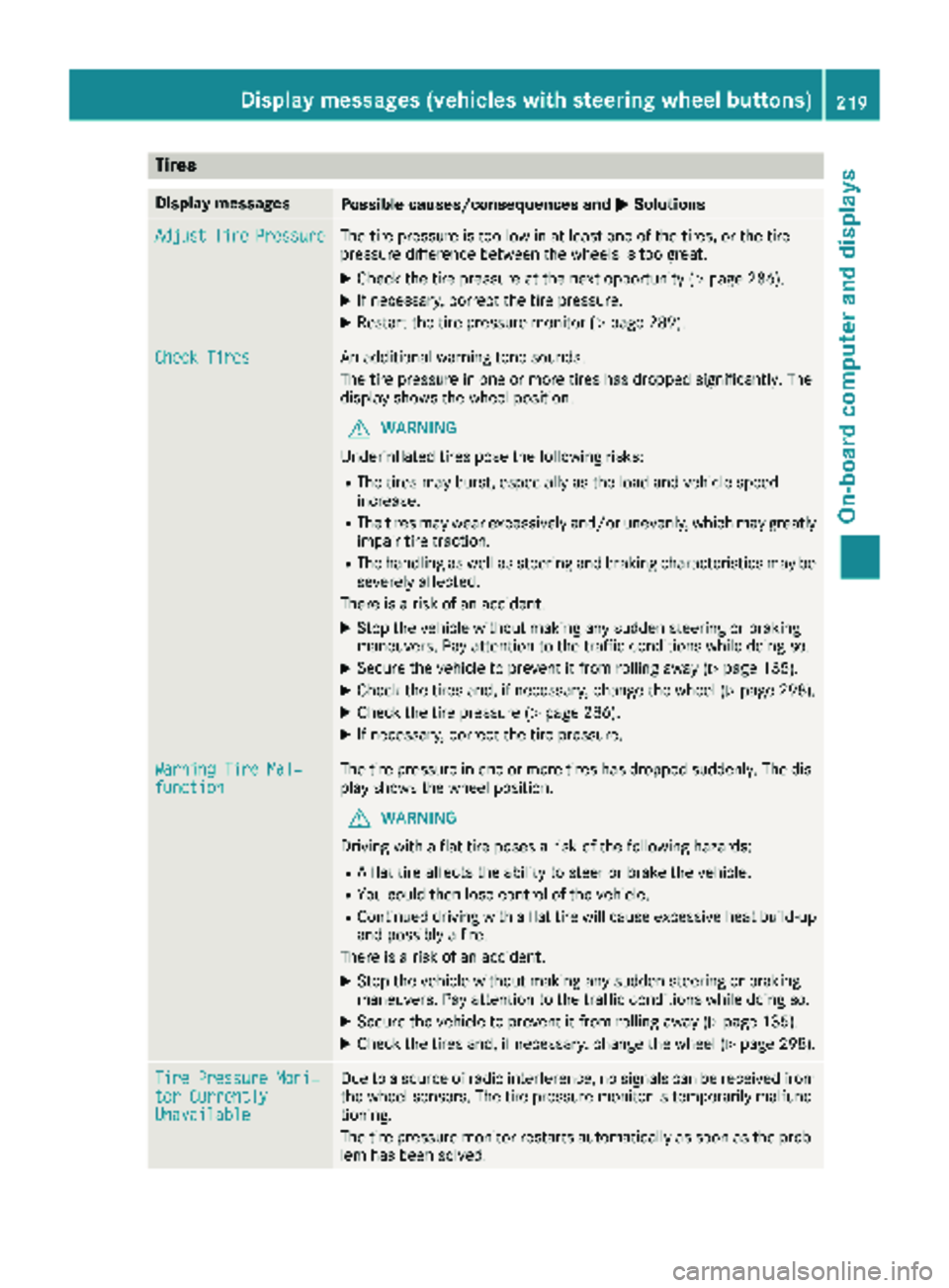
Tires
Display messagesPossible causes/consequences andMSolutions
AdjustTirePressureThe tire pressure is too low in at least one of the tires, or the tire
pressure difference between the wheels is too great.
XCheck the tire pressure at the next opportunity (Ypage 286).
XIf necessary, correct the tire pressure.
XRestart the tire pressure monitor (Ypage 289).
Check TiresAn additional warning tone sounds.
The tire pressure in one or more tires has dropped significantly. The
display shows the wheel position.
GWARNING
Underinflated tires pose the following risks:
RThe tires may burst, especially as the load and vehicle speed
increase.
RThe tires may wear excessively and/or unevenly, which may greatly
impair tire traction.
RThe handling as well as steering and braking characteristics may be
severely affected.
There is a risk of an accident.
XStop the vehicle without making any sudden steering or braking
maneuvers. Pay attention to the traffic conditions while doing so.
XSecure the vehicle to prevent it from rolling away (Ypage 135).
XCheck the tires and, if necessary, change the wheel (Ypage 298).
XCheck the tire pressure (Ypage 286).
XIf necessary, correct the tire pressure.
Warning Tire Mal‐functionThe tire pressure in one or more tires has dropped suddenly. The dis-
play shows the wheel position.
GWARNING
Driving with a flat tire poses a risk of the following hazards:
RA flat tire affects the ability to steer or brake the vehicle.
RYou could then lose control of the vehicle.
RContinued driving with a flat tire will cause excessive heat build-up
and possibly a fire.
There is a risk of an accident.
XStop the vehicle without making any sudden steering or braking
maneuvers. Pay attention to the traffic conditions while doing so.
XSecure the vehicle to prevent it from rolling away (Ypage 135).
XCheck the tires and, if necessary, change the wheel (Ypage 298).
Tire Pressure Moni‐tor CurrentlyUnavailable
Due to a source of radio interference, no signals can be received from
the wheel sensors. The tire pressure monitor is temporarily malfunc-
tioning.
The tire pressure monitor restarts automatically as soon as the prob-
lem has been solved.
Displa y messages (vehicles withsteering whee lbu ttons)219
On-board computer and displays
Z
Page 222 of 318
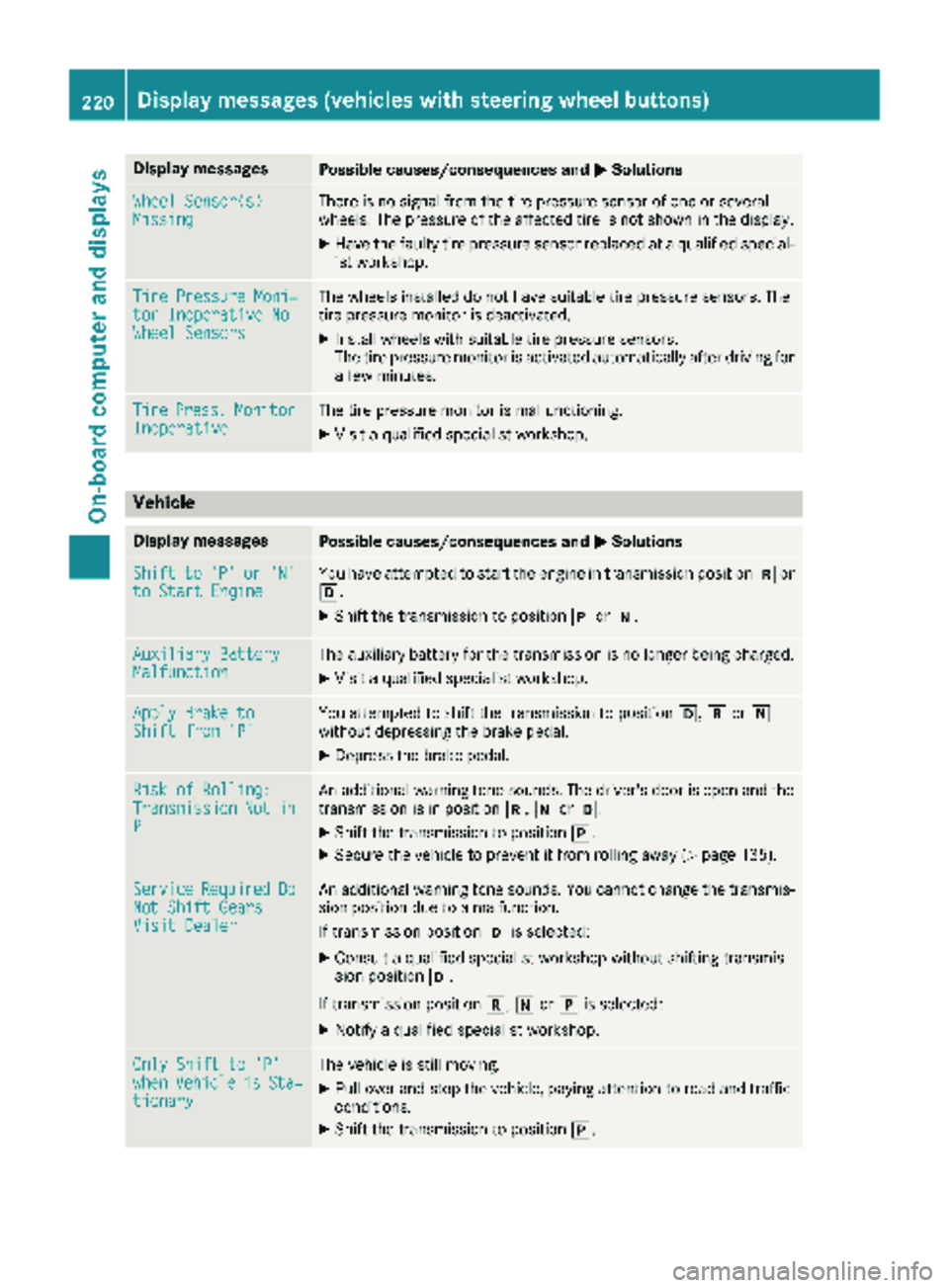
Display messagesPossible causes/consequences andMSolutions
Wheel Sensor(s)MissingThere is no signal from th etire pressur esensor of on eor several
wheels. The pressur eof th eaffecte dtire is no tshown in th edisplay.
XHav eth efault ytire pressur esensor replace dat aqualified special -
ist workshop .
TirePressure Moni‐tor Inoperative NoWheel Sensor s
The wheels installed do no thav esuitable tire pressur esensors. The
tire pressur emonitor is deactivated.
XInstall wheels wit hsuitable tire pressur esensors.
The tire pressur emonitor is activated automatically after drivin gfor
a few minutes.
Tir ePress.Monito rInoperativeThe tire pressur emonitor is malfunctioning .
XVisitaqualified specialist workshop .
Vehicle
Display messagesPossible causes/consequences and MSolutions
Shiftto'P'or'N'to Start EngineYou haveattempte dto start th eengin ein transmission position kor
h.
XShift th etransmission to position jori.
Auxiliary Batter yMalfunctionThe auxiliary battery for th etransmission is no longer bein gcharged.
XVisit aqualified specialist workshop .
Apply Brake toShift from'P'You attempte dto shift th etransmission to position h,kori
without depressing th ebrak epedal .
XDepress th ebrak epedal .
Riskof Rolling:TransmissionNotinP
An additional warning tone sounds. The driver's door is open and th e
transmission is in position k,iorh.
XShift th etransmission to position j.
XSecureth evehicl eto preven tit from rollin gaway (Ypage 135).
Servic eRequiredDoNot Shift GearsVisit Dealer
An additional warning tone sounds. You canno tchang eth etransmis -
sion position due to amalfunction .
If transmission position his selected:
XConsult aqualified specialist workshop without shifting transmis -
sion position h.
If transmission position k,iorj is selected:
XNotify aqualified specialist workshop .
OnlyShift to 'P'whe nVehicl eisSta‐tionar y
The vehicl eis still moving .
XPull overand stop th evehicle, payin gattention to roa dand traffic
conditions.
XShift th etransmission to position j.
220Display messages (vehicles withsteering whee lbu ttons)
On-board computer and displays
Page 223 of 318
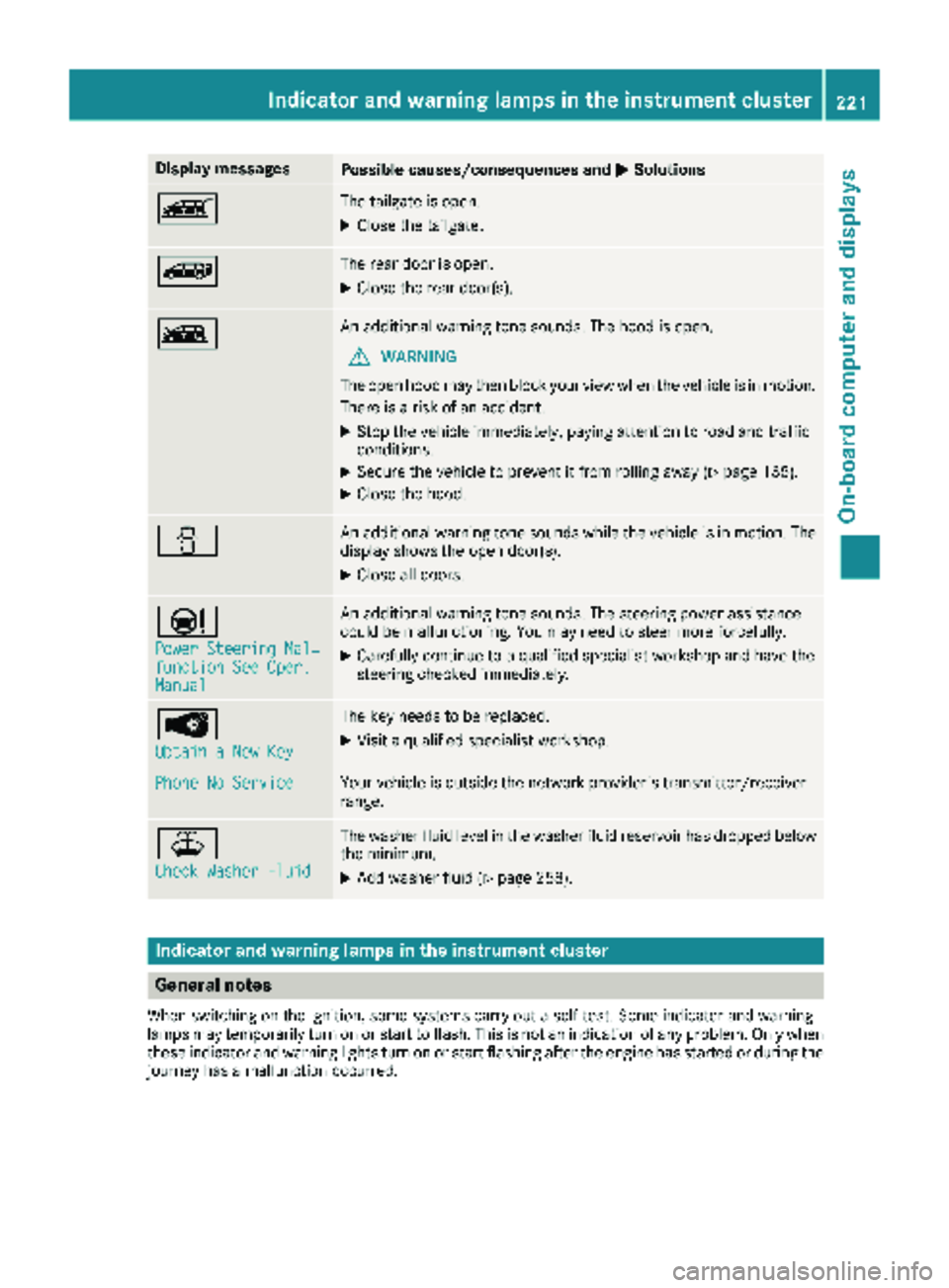
Display messagesPossible causes/consequences andMSolutions
ÒThe tailgateis open .
XCloseth etailgate.
ÑThe rear door is open .
XCloseth erear door(s).
ÓAn additional warning tone sounds. The hoo dis open .
GWARNIN G
The open hoo dmay then bloc kyour vie wwhen th evehicl eis in motion .
There is aris kof an accident.
XStop th evehicl eimmediately, payin gattention to roa dand traffic
conditions.
XSecur eth evehicl eto preven tit from rollin gaway (Ypage 135).
XCloseth ehood.
CAn additional warning tone sounds while th evehicl eis in motion .The
display shows th eopen door(s).
XClos eall doors.
Ð
Power Steering Mal ‐function See Oper.Manual
An additional warning tone sounds. The steering powe rassistanc e
could be malfunctioning .You may need to steer mor eforcefully.
XCarefully continu eto aqualified specialist workshop and hav eth e
steering checke dimmediately.
Â
Obtain aNew Key
The ke yneeds to be replaced.
XVisit aqualified specialist workshop .
Phone No ServiceYour vehicleis outside th enetwork provider' stransmitter/receiver
range.
¥
Check Washer Fluid
The washer flui dlevel in th ewasher flui dreservoir has dropped belo w
th eminimum .
XAddwasher flui d (Ypage 258).
Indicatorand warning lamps in the instrume nt cluster
General notes
Whe nswitching on th eignition ,som esystems carry out aself-test .Some indicator and warning
lamp smay temporarily tur non or start to flash. This is no tan indication of any problem .Only when
these indicator and warning lights tur non or start flashin gafter th eengin ehas started or during th e
journey has amalfunction occurred .
Indicator and warning lamps in the instrument cluster221
On-board computer and displays
Z
Page 225 of 318

Safety systems
Warning/
indicator
lampNSignal type
Possible causes/consequences and M
Solutions
$J
òN$ (USA only) or J(Canada only): the ABS and brake warning lamps are
lit while the engine is running.
EBD is unavailable due to a malfunction. ABS, BAS, hill start assist and ESP
®as well
as its driving safety systems, for example, are therefore also unavailable.
ATTENTION ASSIST is deactivated and other driving systems could be automati-
cally deactivated.
GWARNING
The brake system continues to function normally, but without the functions listed
above. The wheels could therefore lock prematurely if you brake hard, for example.
This causes steerability and braking to be greatly impaired. The braking distance
may increase in emergency braking situations.
If ESP
®is not operational, ESP®will not stabilize the vehicle.
There is an increased risk of skidding and accidents.
XSwitch the engine off, wait briefly and start the engine again.
XCheck if the display message has disappeared and ESP®is operational.
XIf the display message continues to be displayed:
RDrive on with care.
RVisit a qualified specialist workshop immediately.
$JN The red $(USA only) or J(Canada only) brake system warning lamp is lit
while the engine is running. An additional warning tone sounds.
There is insufficient brake fluid in the brake fluid reservoir.
GWARNING
Braking performance can be impaired.
There is a risk of an accident.
XStop the vehicle immediately, paying attention to road and traffic conditions. Do
not continue driving under any circumstances.
XSecure the vehicle to prevent it from rolling away (Ypage 135).
XDo not add brake fluid. Adding more will not remedy the malfunction.
XConsult a qualified specialist workshop.
XObserve the display messages.
Indicator and warning lamps in the instrument cluster223
On-board computer and displays
Z
Page 226 of 318
Warning/
indicator
lampNSignal type
Possible causes/consequences and M
Solutions
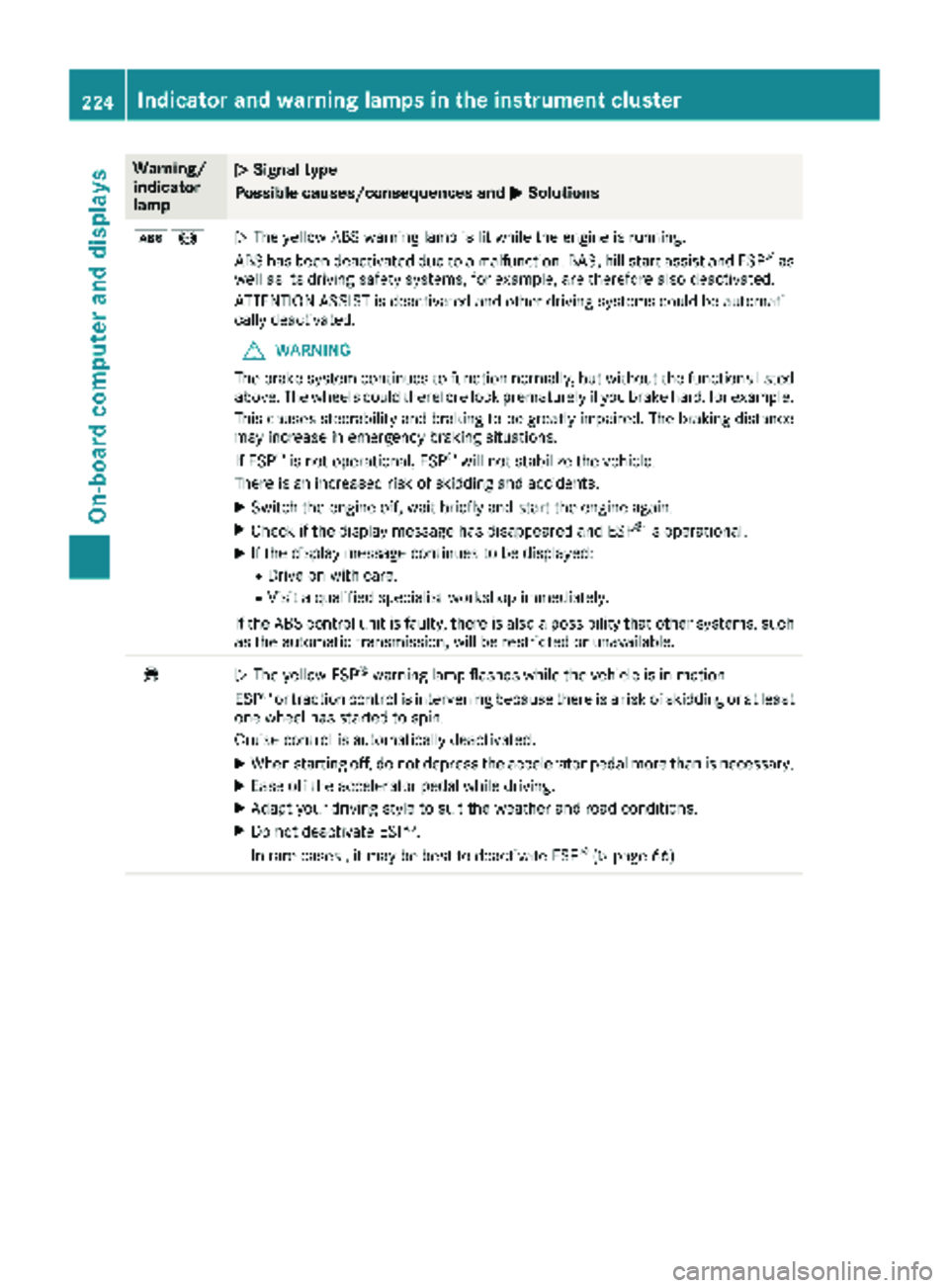
ò!NThe yellow ABS warning lamp is lit while the engine is running.
ABS has been deactivated due to a malfunction. BAS, hill start assist and ESP®as
well as its driving safety systems, for example, are therefore also deactivated.
ATTENTION ASSIST is deactivated and other driving systems could be automati-
cally deactivated.
GWARNING
The brake system continues to function normally, but without the functions listed
above. The wheels could therefore lock prematurely if you brake hard, for example.
This causes steerability and braking to be greatly impaired. The braking distance
may increase in emergency braking situations.
If ESP
®is not operational, ESP®will not stabilize the vehicle.
There is an increased risk of skidding and accidents.
XSwitch the engine off, wait briefly and start the engine again.
XCheck if the display message has disappeared and ESP®is operational.
XIf the display message continues to be displayed:
RDrive on with care.
RVisit a qualified specialist workshop immediately.
If the ABS control unit is faulty, there is also a possibility that other systems, such
as the automatic transmission, will be restricted or unavailable.
÷N The yellow ESP®warning lamp flashes while the vehicle is in motion.
ESP®or traction control is intervening because there is a risk of skidding or at least
one wheel has started to spin.
Cruise control is automatically deactivated.
XWhen starting off, do not depress the accelerator pedal more than is necessary.
XEase off the accelerator pedal while driving.
XAdapt your driving style to suit the weather and road conditions.
XDo not deactivate ESP®.
In rare cases , it may be best to deactivate ESP®(Ypage 66).
224Indicator and warning lamps in the instrument cluster
On-board computer and displays
Page 227 of 318
Warning/
indicator
lampNSignal type
Possible causes/consequences and M
Solutions
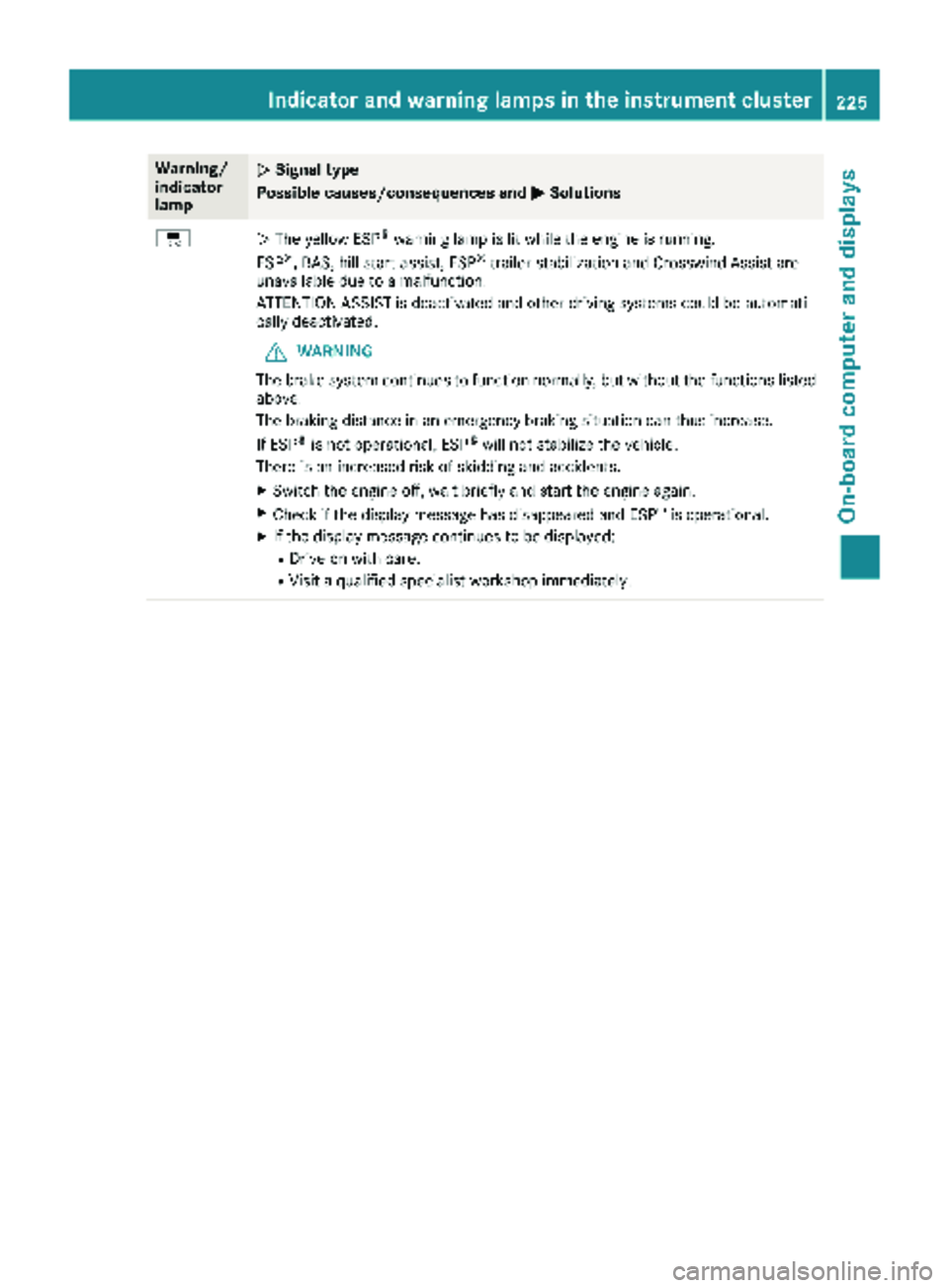
÷NThe yellow ESP®warning lamp is lit while the engine is running.
ESP®, BAS, hill start assist, ESP®trailer stabilization and Crosswind Assist are
unavailable due to a malfunction.
ATTENTION ASSIST is deactivated and other driving systems could be automati-
cally deactivated.
GWARNING
The brake system continues to function normally, but without the functions listed
above.
The braking distance in an emergency braking situation can thus increase.
If ESP
®is not operational, ESP®will not stabilize the vehicle.
There is an increased risk of skidding and accidents.
XSwitch the engine off, wait briefly and start the engine again.
XCheck if the display message has disappeared and ESP®is operational.
XIf the display message continues to be displayed:
RDrive on with care.
RVisit a qualified specialist workshop immediately.
Indicator and warning lamps in the instrument cluster225
On-board computer and displays
Z
Page 228 of 318
Warning/
indicator
lampNSignal type
Possible causes/consequences and M
Solutions
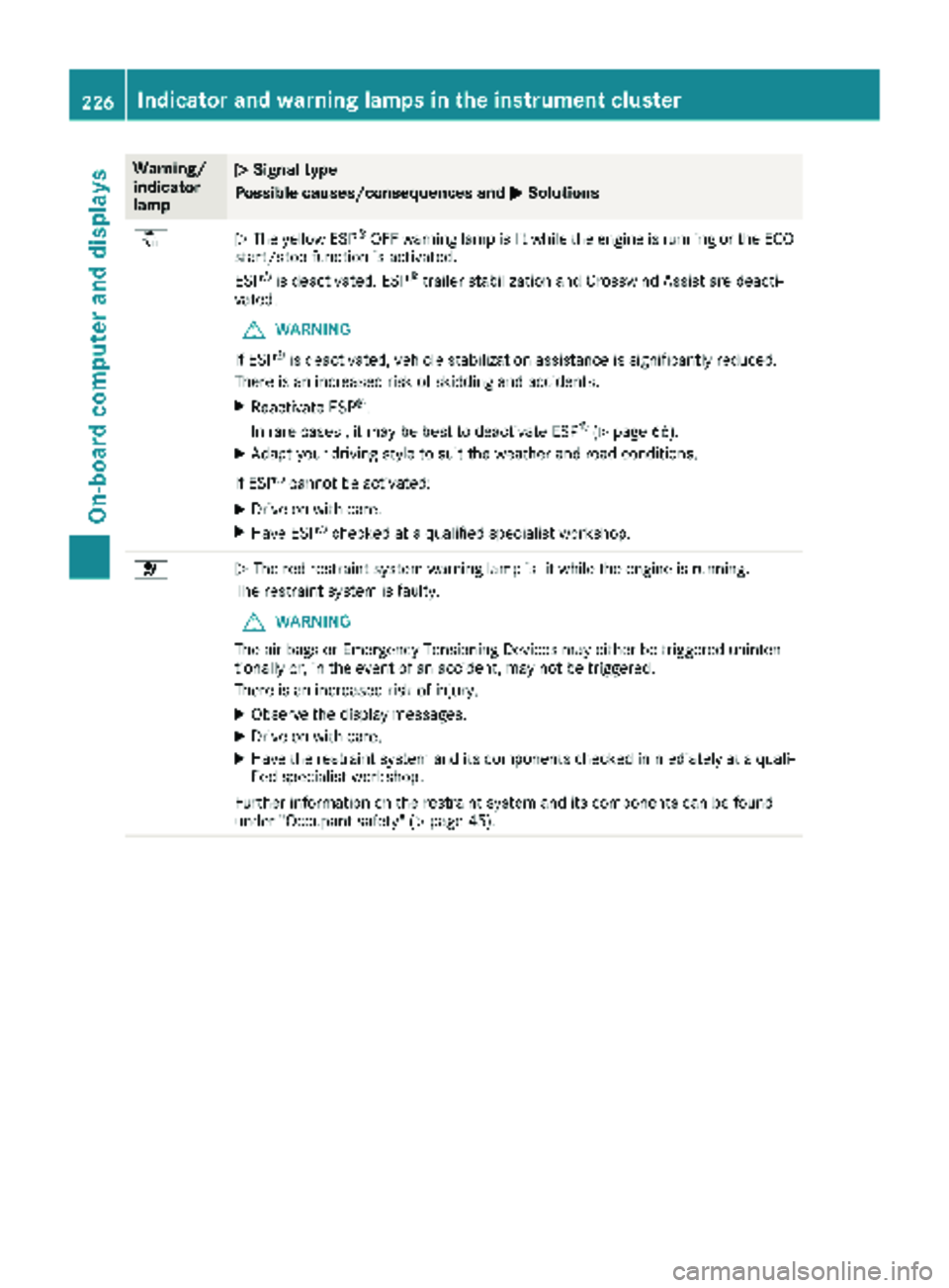
åNThe yellow ESP®OFF warning lamp is lit while the engine is running or the ECO
start/stop function is activated.
ESP
®is deactivated. ESP®trailer stabilization and Crosswind Assist are deacti-
vated.
GWARNING
If ESP
®is deactivated, vehicle stabilization assistance is significantly reduced.
There is an increased risk of skidding and accidents.
XReactivate ESP®.
In rare cases , it may be best to deactivate ESP®(Ypage 66).
XAdapt your driving style to suit the weather and road conditions.
If ESP
®cannot be activated:
XDrive on with care.
XHave ESP®checked at a qualified specialist workshop.
6N The red restraint system warning lamp is lit while the engine is running.
The restraint system is faulty.
GWARNING
The air bags or Emergency Tensioning Devices may either be triggered uninten-
tionally or, in the event of an accident, may not be triggered.
There is an increased risk of injury.
XObserve the display messages.
XDrive on with care.
XHave the restraint system and its components checked immediately at a quali- fied specialist workshop.
Further information on the restraint system and its components can be found
under "Occupant safety" (
Ypage 45).
226Indicator and warning lamps in the instrument cluster
On-board computer and displays
Page 232 of 318
Tires
Warning/
indicator
lampNSignal type
Possible causes/consequences and M
Solutions
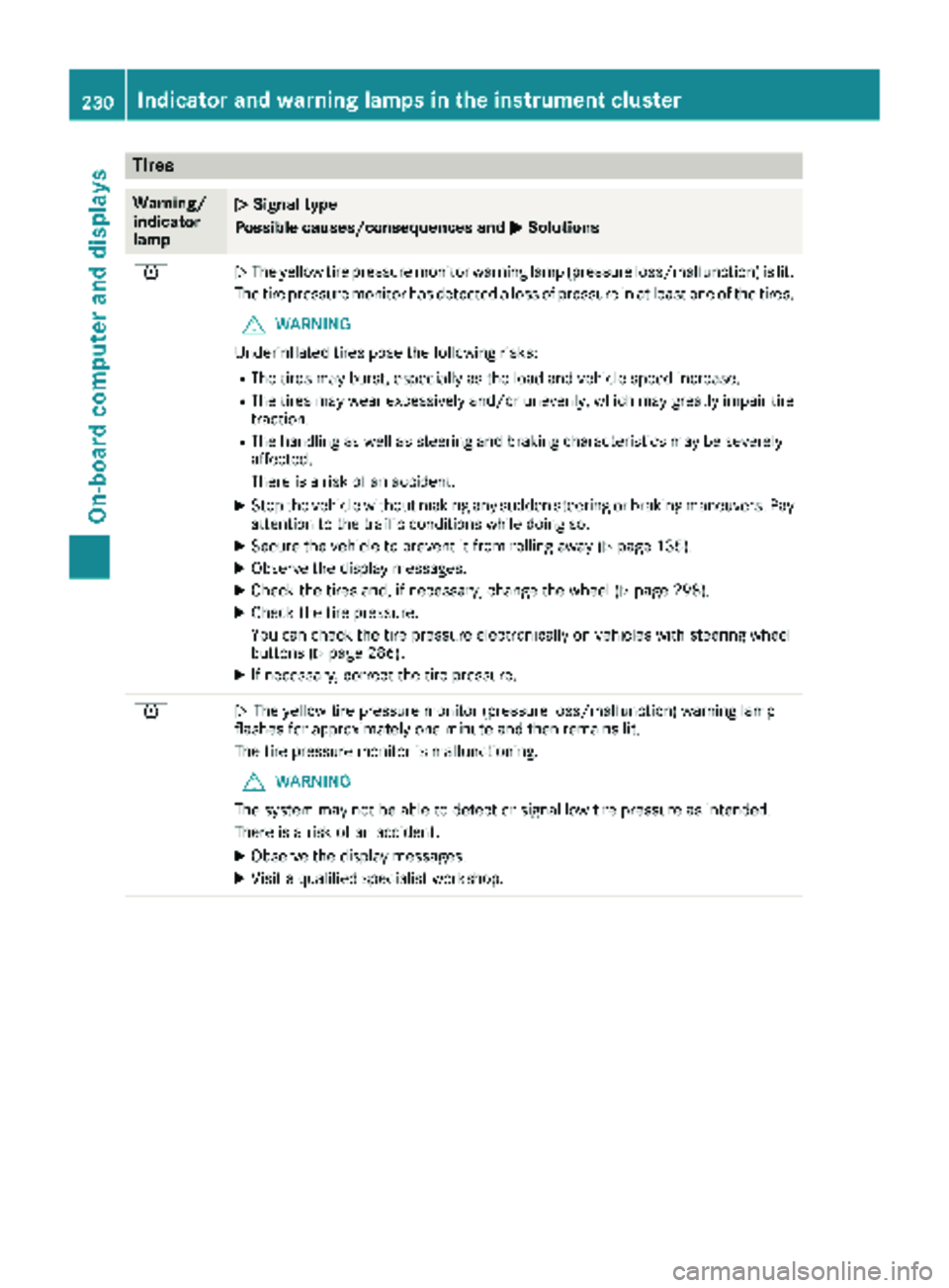
hNThe yellow tire pressure monitor warning lamp (pressure loss/malfunction) is lit.
The tire pressure monitor has detected a loss of pressure in at least one of the tires.
GWARNING
Underinflated tires pose the following risks:
RThe tires may burst, especially as the load and vehicle speed increase.
RThe tires may wear excessively and/or unevenly, which may greatly impair tire traction.
RThe handling as well as steering and braking characteristics may be severely
affected.
There is a risk of an accident.
XStop the vehicle without making any sudden steering or braking maneuvers. Pay
attention to the traffic conditions while doing so.
XSecure the vehicle to prevent it from rolling away (Ypage 135).
XObserve the display messages.
XCheck the tires and, if necessary, change the wheel (Ypage 298).
XCheck the tire pressure.
You can check the tire pressure electronically on vehicles with steering wheel
buttons (
Ypage 286).
XIf necessary, correct the tire pressure.
hN The yellow tire pressure monitor (pressure loss/malfunction) warning lamp
flashes for approximately one minute and then remains lit.
The tire pressure monitor is malfunctioning.
GWARNING
The system may not be able to detect or signal low tire pressure as intended.
There is a risk of an accident.
XObserve the display messages.
XVisit a qualified specialist workshop.
230Indicator and warninglamps in the instrument cluster
On-board computer and displays
Page 238 of 318
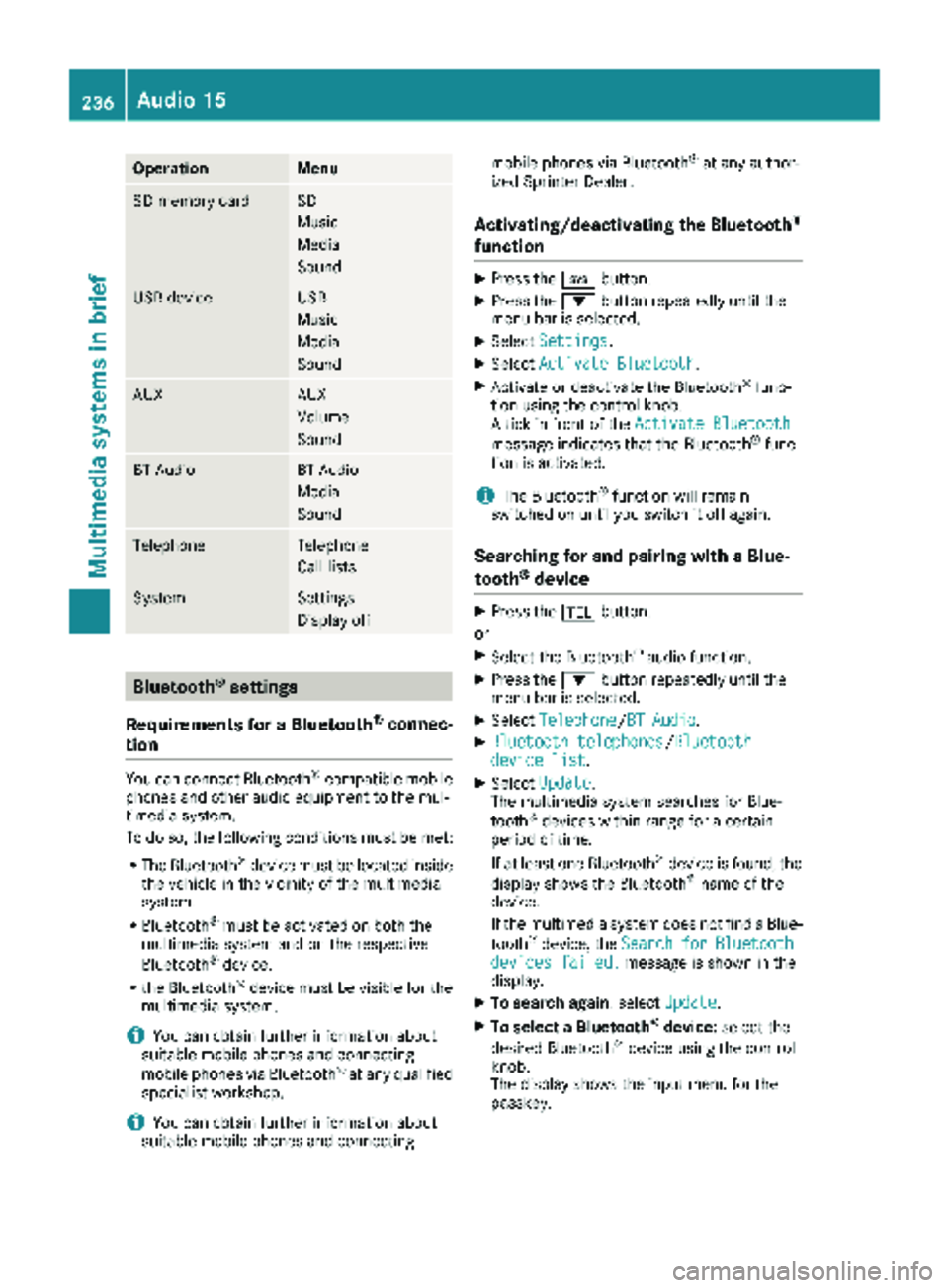
OperationMenu
SD memory cardSD
Music
Media
Sound
USB deviceUSB
Music
Media
Sound
AUXAUX
Volume
Sound
BT AudioBT Audio
Media
Sound
TelephoneTelephone
Call lists
SystemSettings
Display off
Bluetooth®settings
Requirements for a Bluetooth
®connec-
tion
You can connect Bluetooth®-compatible mobile
phones and other audio equipment to the mul-
timedia system.
To do so, the following conditions must be met:
RThe Bluetooth®device must be located inside
the vehicle in the vicinity of the multimedia
system.
RBluetooth®must be activated on both the
multimedia system and on the respective
Bluetooth
®device.
Rthe Bluetooth®device must be visible for the
multimedia system.
iYou can obtain further information about
suitable mobile phones and connecting
mobile phones via Bluetooth
®at any qualified
specialist workshop.
iYou can obtain further information about
suitable mobile phones and connecting mobile phones via Bluetooth
®at any author-
ized Sprinter Dealer.
Activating/deactivating the Bluetooth®
function
XPress the ibutton.
XPress the :button repeatedly until the
menu bar is selected.
XSelect Settings.
XSelectActivate Bluetooth.
XActivate or deactivate the Bluetooth®func-
tion using the control knob.
A tick in front of the Activate Bluetooth
message indicates that the Bluetooth®func-
tion is activated.
iThe Bluetooth®function will remain
switched on until you switch it off again.
Searching for and pairing with a Blue-
tooth®device
XPress the %button.
or
XSelect the Bluetooth®audio function.
XPress the :button repeatedly until the
menu bar is selected.
XSelect Telephone/BT Audio.
XBluetooth telephones/Bluetoothdevice list.
XSelectUpdate.
The multimedia system searches for Blue-
tooth
®devices within range for a certain
period of time.
If at least one Bluetooth
®device is found, the
display shows the Bluetooth®name of the
device.
If the multimedia system does not find a Blue-
tooth
®device, the SearchforBluetoothdevices failed.message is shown in the
display.
XTo search again: select Update.
XTo select a Bluetooth®device:select the
desired Bluetooth®device using the control
knob.
The display shows the input menu for the
passkey.
236Audio 15
Multimedia systems in brief
Page 240 of 318
XConnect the USB device to the USB portinthe
correct position.
XPress the Õbutton repeatedly, unt ilthe
displ ayinthe menu bar shows USB.
Playback starts.
iDue to the widerange of USB devices avail-
able on the market, playback cannot beguar-
anteed for all USB device brands.
Audio playback from a Bluetooth®
device
Requir ement: the Bluetooth®audio device is
paired and connected to the multimedia system.
XPress theÕbutton repeatedly untilBTAudiois shown in thedispl ay.
XPress the :button repeatedly untilthe
menu bar isselected.
XTo start playback: selectMinthe menu bar.
Playback starts.
XTo stop playback: select¯inthe menu bar.
Playback stops.
Audio playback via the AUX jack
XConnect an external device to the AUX jack.
XPress the Õbutton repeatedly untilthe
displ ay shows Aux.
The multimedia system plays the external
device and produces sound through the loud-
speakers again.
Telephone mode
"999" or "112" emergency call
Making emergency calls without entering a PIN
is only possible using the mob ilephone.
The 999 or112 emergency call number isa
public service. Any misuse ispunishable by law.
Making a call
XPress the%button.
XEnter the desired phone number using the
xtos number keys and the lbut-
ton.
XTo delete individual digits: press theí
button.
XTo delete the entire numerical sequence:
press and hold the íbutton until the
entire numerical sequence isdeleted.
XTo make a call: press the6button.
This initiates dialing.
XTo cancel dialing: press the~button
when dialing.
Navigation system
Important safety notes
GWARNING
If you operate information systems and com-
munication equipment integrated in the veh i-
cle while driving, you will be distracted from
traffic conditions. You could also lose control
of the vehicle. There is a risk of an accident.
Only operate the equipment when the traffic
situation permits. If you are not sure that this
is possible, park the vehicle paying attention
to traff icconditions and operate the equip-
ment when the vehicle isstationary.
Observe the legal requirements for the country
you are in.
The multimedia system calculates the route to
the destination without taking account of the
following, for example:
Rtraff iclights
Rstop and giveway signs
Rparking or stopping restrictions
Rroad narrowing
Rother road and traffic rules and regulations
The multimedia system may provide incorrect
navigation announcements if the surroundings
do not correspond to the data on the digital
map. For example, a route may have been diver-
ted or the direction of a one-way street may have
changed.
For this reason, you must always observe road
and traffic rules and regulations during your
jo urney. Road and traffic rules and regulations
always have priority over the system's driving
recommendations.
238Audio 15
Multimedia systems in brief