lock MERCEDES-BENZ METRIS 2018 MY18 Operator’s Manual
[x] Cancel search | Manufacturer: MERCEDES-BENZ, Model Year: 2018, Model line: METRIS, Model: MERCEDES-BENZ METRIS 2018Pages: 318, PDF Size: 5.07 MB
Page 67 of 318
Ron vehicles without steering wheel buttons
(Ypage 192)
Ron vehicles with steering wheel buttons
(Ypage 206)
BAS, Hill Start Assist and ESP®and its driving
safety systems and other driving systems also
fail. Observe the notes on the òwarning
lamp and the display messages.
Braking
If ABS intervenes when braking, you will feel a
pulsating in the brake pedal.
The pulsating brake pedal can be an indication
of hazardous road conditions and functions as a
reminder to take extra care while driving.
XIf ABS intervenes: continue to depress the
brake pedal with force until the braking sit-
uation is over.
XTo make a full brake application: depress
the brake pedal with full force.
BAS (Brake Assist System)
General notes
BAS operates in emergency braking situations.
If you depress the brake pedal quickly, BAS
automatically boosts the braking force, thus
shortening the stopping distance.
Important safety notes
Observe the important safety guidelines for the
driving safety system (Ypage 64).
GWARNING
If BAS is malfunctioning, the braking distance
in an emergency braking situation is
increased. There is a risk of an accident.
In an emergency braking situation, depress
the brake pedal with full force. ABS prevents
the wheels from locking.
If BAS is malfunctioning, the ÷warning lamp
lights up while the engine is running
(
Ypage 224) and the display shows a message:
Ron vehicles without steering wheel buttons
(Ypage 196)
Ron vehicles with steering wheel buttons
(Ypage 210)
Braking
XKeep the brake pedal firmly depressed until
the emergency braking situation is over.
ABS prevents the wheels from locking.
The brakes will function as usual once you
release the brake pedal. BAS is deactivated.
EBD (electronic brake force distribu-
tion)
General notes
EBD monitors and controls the brake pressure
to the rear wheels. This enables EBD to improve
handling during braking.
Important safety notes
Observe the important safety guidelines for the
driving safety system (Ypage 64).
GWARNING
If EBD is malfunctioning, the rear wheels can
lock, e.g. under full braking. This increases the
risk of skidding and an accident.
You should therefore adapt your driving style
to the different handling characteristics. Have
the brake system checked at a qualified spe-
cialist workshop.
If EBD is malfunctioning, the $warning lamp
(
Ypage 223) lights up while the engine is run-
ning and the display shows a message.
Ron vehicles without steering wheel buttons
(Ypage 195)
Ron vehicles with steering wheel buttons
(Ypage 209)
Other driving systems and driving safety sys-
tems then also fail.
ESP®(Electronic Stability Program)
General notes
ESP®monitors driving stability and detects a
tendency of the vehicle to understeer or over-
steer (skidding) in good time. If ESP
®detects
that the vehicle is deviating from the direction
desired by the driver, one or more wheels are
braked to stabilize the vehicle. The engine out-
Driving safety systems65
Safety
Z
Page 69 of 318
Depending on the equipment in the vehicle, you
can activate or deactivate ESP®when the
engine is running by using the åbutton or by
using the on-board computer:
Ron vehicles without steering wheel buttons
(Ypage 176)
Ron vehicles with steering wheel buttons
(Ypage 186)
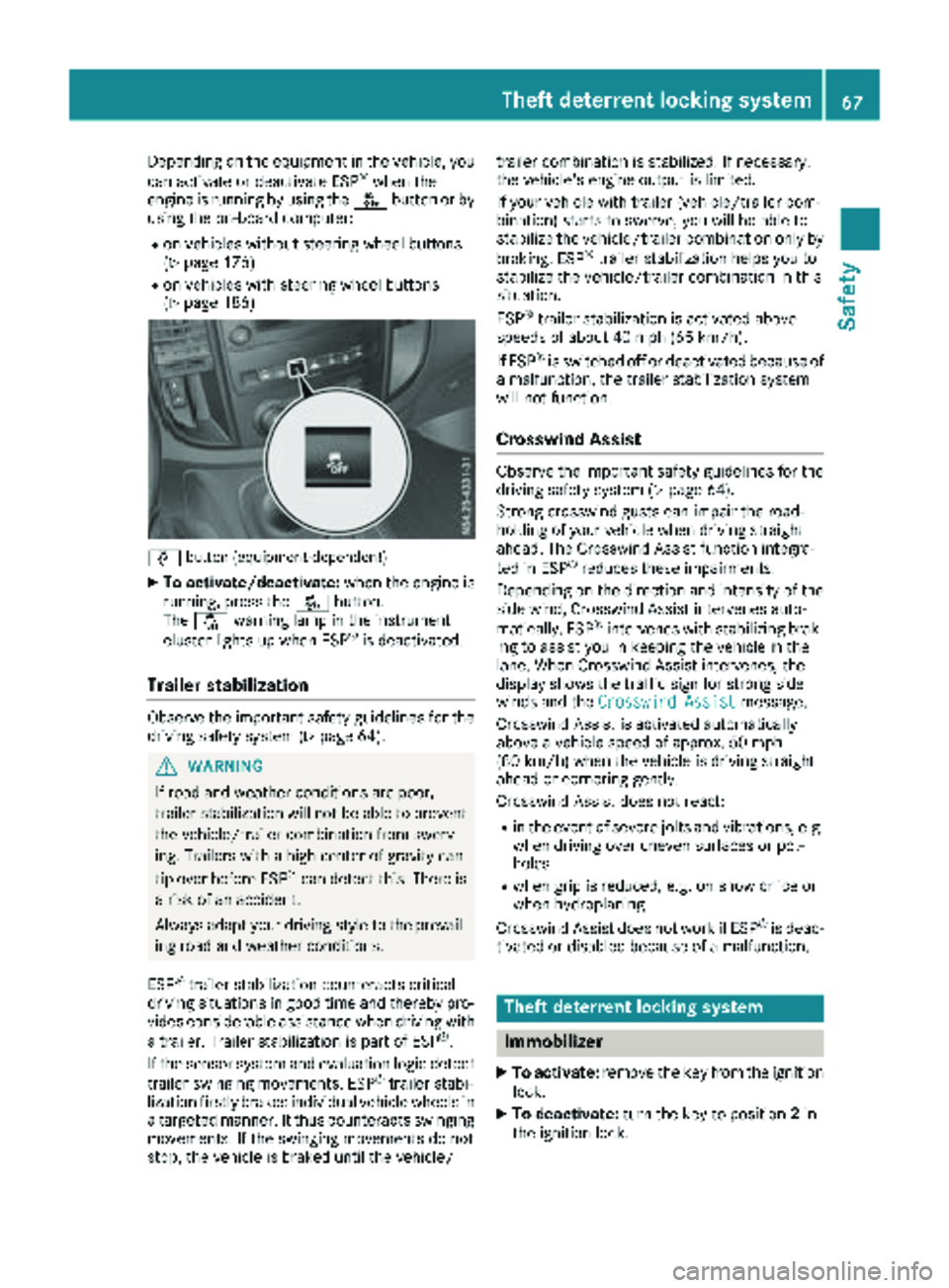
å button (equipment-dependent)
XTo activate/deactivate: when the engine is
running, press the åbutton.
The å warning lamp in the instrument
cluster lights up when ESP
®is deactivated.
Trailer stabilization
Observe the important safety guidelines for the
driving safety system (Ypage 64).
GWARNING
If road and weather conditions are poor,
trailer stabilization will not be able to prevent
the vehicle/trailer combination from swerv-
ing. Trailers with a high center of gravity can
tip over before ESP
®can detect this. There is
a risk of an accident.
Always adapt your driving style to the prevail-
ing road and weather conditions.
ESP
®trailer stabilization counteracts critical
driving situations in good time and thereby pro- vides considerable assistance when driving with
a trailer. Trailer stabilization is part of ESP
®.
If the sensor system and evaluation logic detect
trailer swinging movements, ESP
®trailer stabi-
lization firstly brakes individual vehicle wheels in
a targeted manner. It thus counteracts swinging
movements. If the swinging movements do not
stop, the vehicle is braked until the vehicle/ trailer combination is stabilized. If necessary,
the vehicle's engine output is limited.
If your vehicle with trailer (vehicle/trailer com-
bination) starts to swerve, you will be able to
stabilize the vehicle/trailer combination only by
braking. ESP
®trailer stabilization helps you to
stabilize the vehicle/trailer combination in this
s
ituation.
ESP
®trailer stabilization is activated above
speeds of about 40 mph (65 km/h).
If ESP
®is switched off or deactivated because of
a malfunction, the trailer stabilization system
will not function.
Crosswind Assist
Observe the important safety guidelines for the
driving safety system (Ypage 64).
Strong crosswind gusts can impair the road-
holding of your vehicle when driving straight
ahead. The Crosswind Assist function integra-
ted in ESP
®reduces these impairments.
Depending on the direction and intensity of the
side wind, Crosswind Assist intervenes auto-
matically. ESP
®intervenes with stabilizing brak-
ing to assist you in keeping the vehicle in the
lane. When Crosswind Assist intervenes, the
display shows the traffic sign for strong side
winds and the Crosswind Assist
message.
Crosswind Assist is activated automatically
above a vehicle speed of approx. 50 mph
(80 km/h) when the vehicle is driving straight
ahead or cornering gently.
Crosswind Assist does not react:
Rin the event of severe jolts and vibrations, e.g.
when driving over uneven surfaces or pot-
holes
Rwhen grip is reduced, e.g. on snow or ice or
when hydroplaning
Crosswind Assist does not work if ESP
®is deac-
tivated or disabled because of a malfunction.
Theft deterrent locking system
Immobilizer
XTo activate: remove the key from the ignition
lock.
XTo deactivate: turn the key to position 2in
the ignition lock.
Theft deterrent locking system67
Safety
Z
Page 70 of 318
The immobilizer prevents your vehicle from
being started without the correct key.
Always take the key with you and lock the vehi-
cle when leaving the vehicle. If you leave the key
in the vehicle, anyone can start the engine.
iThe immobilizer is always deactivated when
you start the engine.
ATA (Anti-Theft Alarm system)
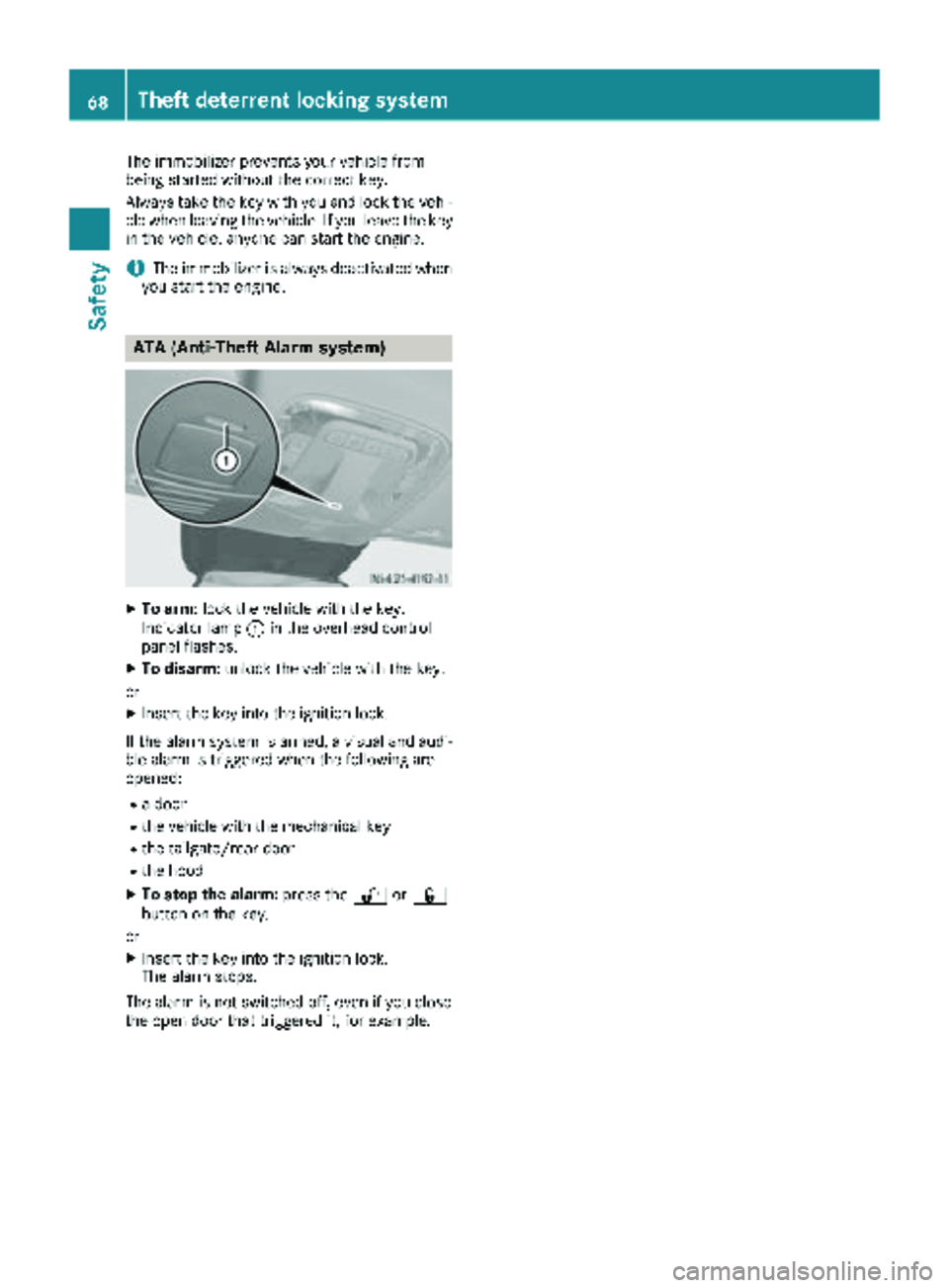
XTo arm: lock the vehicle with the key.
Indicator lamp :in the overhead control
panel flashes.
XTo disarm: unlock the vehicle with the key.
or
XInsert the key into the ignition lock.
If the alarm system is armed, a visual and audi-
ble alarm is triggered when the following are
opened:
Ra door
Rthe vehicle with the mechanical key
Rthe tailgate/rear door
Rthe hood
XTo stop the alarm: press the%or&
button on the key.
or
XInsert the key into the ignition lock.
The alarm stops.
The alarm is not switched off, even if you close
the open door that triggered it, for example.
68Theft deterrent locking system
Safety
Page 71 of 318
Useful information
This Operator's Manual describes all models as
well as standard and optional equipment of your
vehicle that were available at the time of going
to print. Country-specific variations are possi-
ble. Note that your vehicle may not be equipped
with all of the described functions. This also
applies to systems and functions relevant to
safety.
Read the information on qualified specialist
workshops (
Ypage 31).
Key
Important safety notes
GWARNING
If children are left unsupervised in the vehicle,
they could:
Ropen the doors, thus endangering other
people or road users.
Rget out and disrupt traffic.
Roperate the vehicle's equipment.
Additionally, children could set the vehicle in
motion if, for example, they:
Rrelease the parking brake.
Rshifting the automatic transmission out of
park position P
RStart the engine.
There is a risk of an accident and injury.
When leaving the vehicle, always take the
SmartKey with you and lock the vehicle. Never
leave children or animals unattended in the
vehicle. Always keep the SmartKey out of
reach of children.
GWARNING
If you attach heavy or large objects to the
SmartKey, the SmartKey could be uninten-
tionally turned in the ignition lock. This could
cause the engine to be switched off. There is a risk of an accident.
Do not attach any heavy or large objects to the
SmartKey. Remove any bulky key rings before
inserting the SmartKey into the ignition lock.
!Keep the SmartKey away from strong mag-
netic fields. Otherwise, the remote control
function could be affected.
Strong magnetic fields can occur in the vicin-
ity of powerful electrical installations.
Do not keep the key:
Rwith electronic devices, e.g. a mobile phone
or another key
Rwith metallic objects, e.g. coins or metal foil
Rin metallic objects, e.g. metal cases
This can affect the key's functionality.
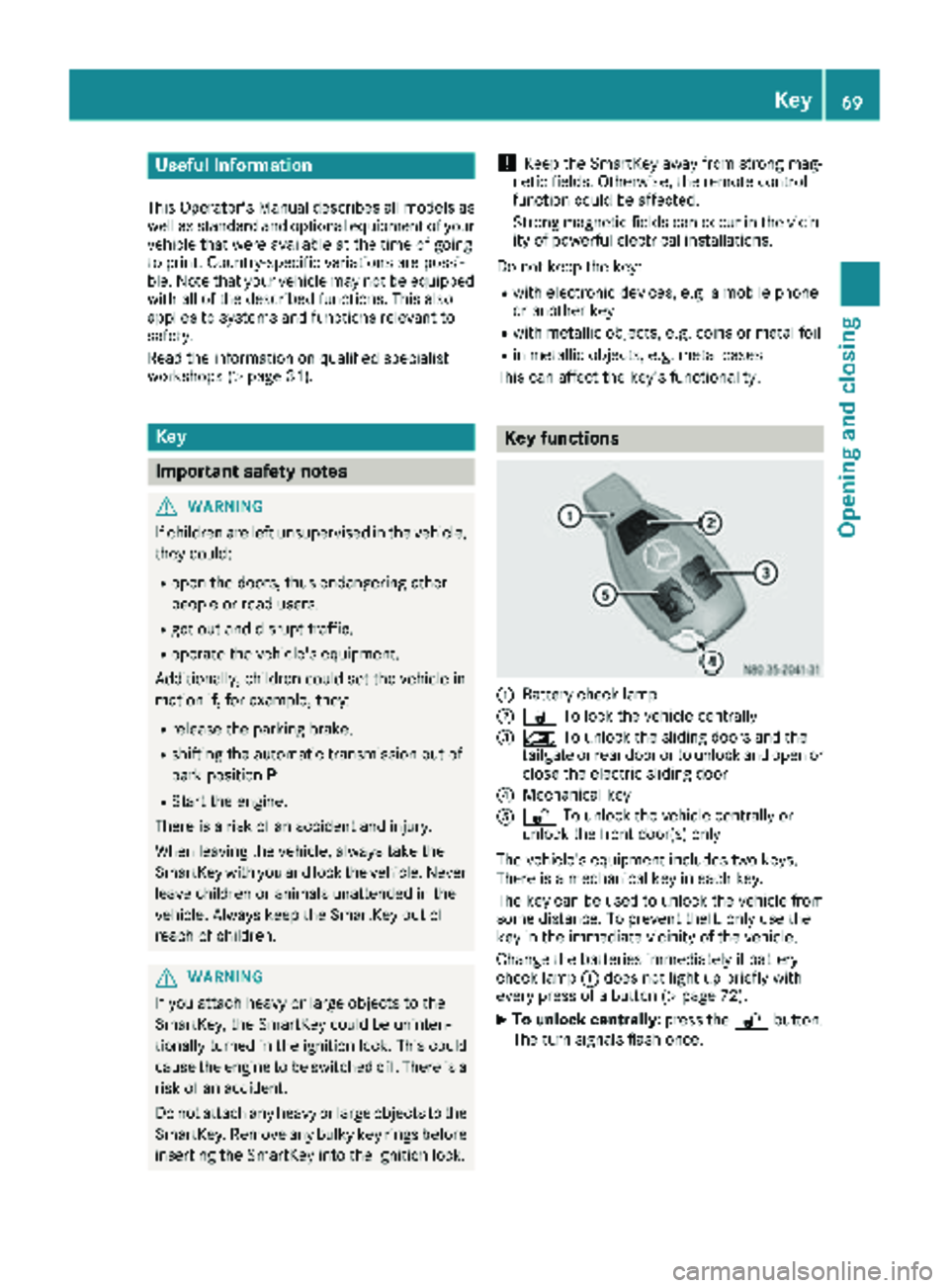
Key functions
:Battery check lamp
;& To lock the vehicle centrally
=5To unlock the sliding doors and the
tailgate or rear door or to unlock and open or
close the electric sliding door
?Mechanical key
A% To unlock the vehicle centrally or
unlock the front door(s) only
The vehicle's equipment includes two keys.
There is a mechanical key in each key.
The key can be used to unlock the vehicle from
some distance. To prevent theft, only use the
key in the immediate vicinity of the vehicle.
Change the batteries immediately if battery
check lamp :does not light up briefly with
every press of a button (
Ypage 72).
XTo unlock centrally: press the%button.
The turn signals flash once.
Key69
Opening and closing
Z
Page 72 of 318
XTo unlock the sliding doors and the tail-
gate or rear door only: press the5but-
ton.
The turn signals flash once.
If you do not open the vehicle within approx-
imately 40 seconds of unlocking:
Rthe vehicle is locked again.
Rthe anti-theft protection is armed again.
XTo lock centrally: press the&button.
The indicator lamps flash three times if:
Rthe anti-theft protection is armed.
Rall the doors and the tailgate or rear door
are closed.
XCheck the locking knobs on all the doors.
The locking knobs must all be in the lowered
position.
The key's factory setting enables you to cen-
trally lock and unlock the following:
Rthe driver's and the front-passenger door
Rthe sliding doors
Rthe tailgate or rear door
In an emergency, the driver's door can also be
unlocked manually using the mechanical key
(
Ypage 70).
You can also set an audible signal to confirm
that the vehicle has been locked. The audible
locking-verification signal can be switched on/
off:
Rusing the on-board computer on vehicles with
steering wheel buttons (Ypage 190)
Rat a specialist qualified workshop for vehicles without steering wheel buttons
After unlocking using the remote control, the
surround lighting also goe s o
n in the dark. For
vehicles with steering wheel buttons, the sur-
round lighting can be activated and deactivated
in the on-board computer (
Ypage 189).
Changing the settings of the locking
system
If you travel alone a lot, you may wish to change
the settings of the locking system. Press
the % button to unlock:
Rthe driver's and front-passenger door (Cargo
Van)
or
Rthe driver's door (Passenger Van)
XTo change the setting: press and hold down
the % and& buttons simultaneously
until the battery check lamp flashes twice
(
Ypage 69).
If the setting of the locking system is changed
within the signal range of the vehicle, press the & or% button to:
Rlock or
Runlock the vehicle
The key now functions as follows:
XTo unlock the driver's door or front doors: press the %button once.
XTo unlock centrally: briefly press the%
button twice.
XTo lock centrally: press the&button.
XTo restore factory settings: press and hold
down the %and& buttons simultane-
ously until the battery check lamp flashes
twice (
Ypage 69).
The key unlocks the vehicle centrally again.
Mechanical key
General notes
If the vehicle can no longer be locked or
unlocked with the SmartKey, use the mechani-
cal key.
The anti-theft alarm system (ATA) is triggered
when you unlock and open the vehicle using the
mechanical key (
Ypage 68).
The alarm can be stopped in the following two
ways:
XPress the %or& button on the Smart-
Key.
or
XInsert the SmartKey into the ignition lock.
70Key
Opening and closing
Page 73 of 318
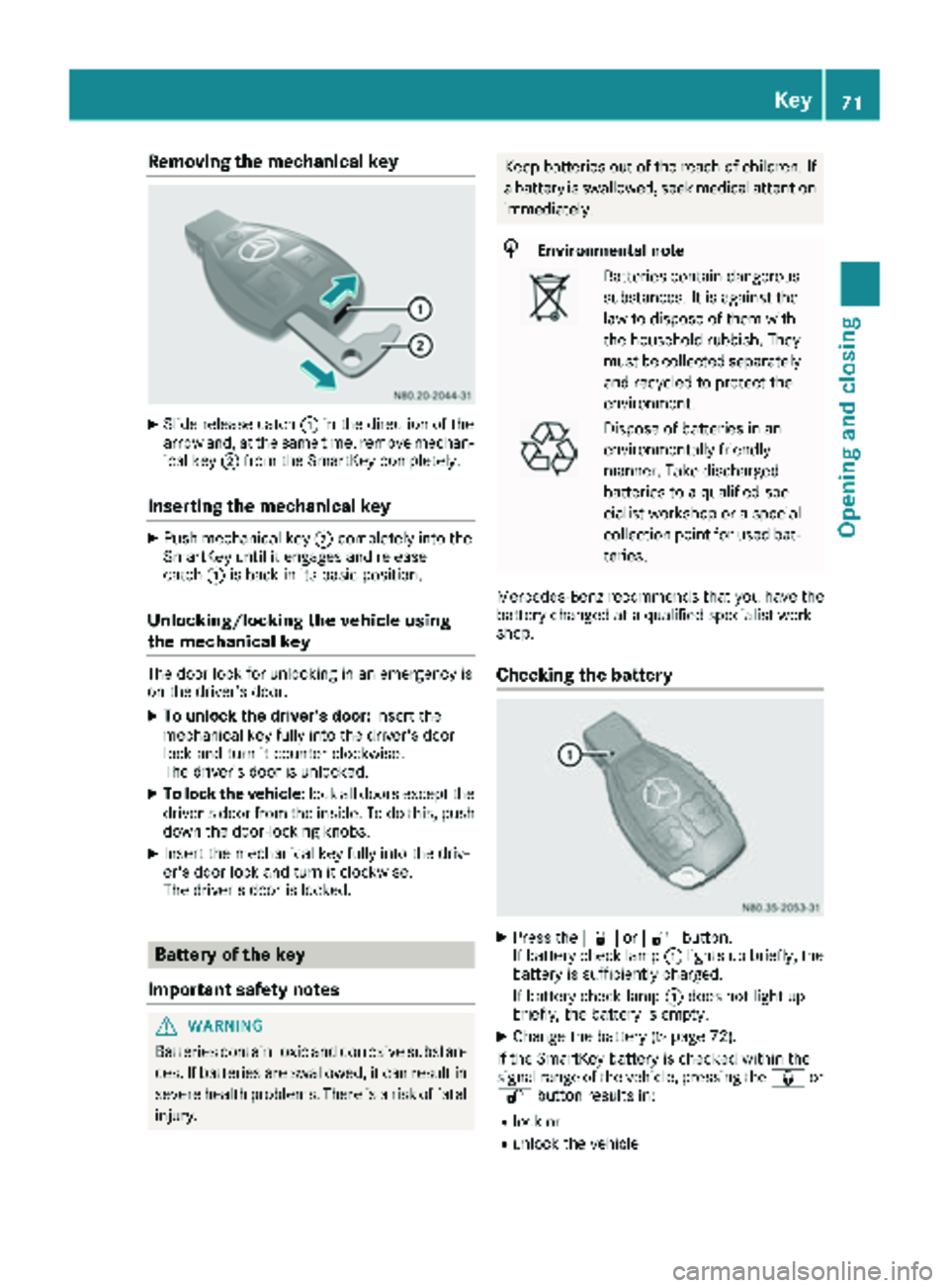
Removing the mechanical key
XSlide release catch:in the direction of the
arrow and, at the same time, remove mechan-
ical key ;from the SmartKey completely.
Inserting the mechanical key
XPush mechanical key ;completely into the
SmartKey until it engages and release
catch :is back in its basic position.
Unlocking/locking the vehicle using
the mechanical key
The door lock for unlocking in an emergency is
on the driver’s door.
XTo unlock the driver's door: insert the
mechanical key fully into the driver's door
lock and turn it counter-clockwise.
The driver’s door is unlocked.
XTo lock the vehicle: lock all doors except the
driver's door from the inside. To do this, push
down the door-locking knobs.
XInsert the mechanical key fully into the driv-
er's door lock and turn it clockwise.
The driver's door is locked.
Battery of the key
Important safety notes
GWARNING
Batteries contain toxic and corrosive substan- ces. If batteries are swallowed, it can result in
severe health problems. There is a risk of fatalinjury.
Keep batteries out of the reach of children. If
a battery is swallowed, seek medical attention
immediately.
HEnvironmental note
Batteries contain dangerous
substances. It is against the
law to dispose of them with
the household rubbish. They
must be collected separately and recycled to protect the
environment.
Dispose of batteries in an
environmentally friendly
manner. Take discharged
batteries to a qualified spe-
cialist workshop or a special
collection point for used bat-
teries.
Mercedes-Benz recommends that you have the
battery changed at a qualified specialist work-
shop.
Checking the battery
XPress the &or% button.
If battery check lamp :lights up briefly, the
battery is sufficiently charged.
If battery check lamp :does not light up
briefly, the battery is empty.
XChange the battery (Ypage 72).
If the SmartKey battery is checked within the
signal range of the vehicle, pressing the &or
% button results in:
Rlock or
Runlock the vehicle
Key71
Opening and closing
Z
Page 74 of 318
iThe battery may be obtained at any qualified
specialist workshop.
Changing the battery
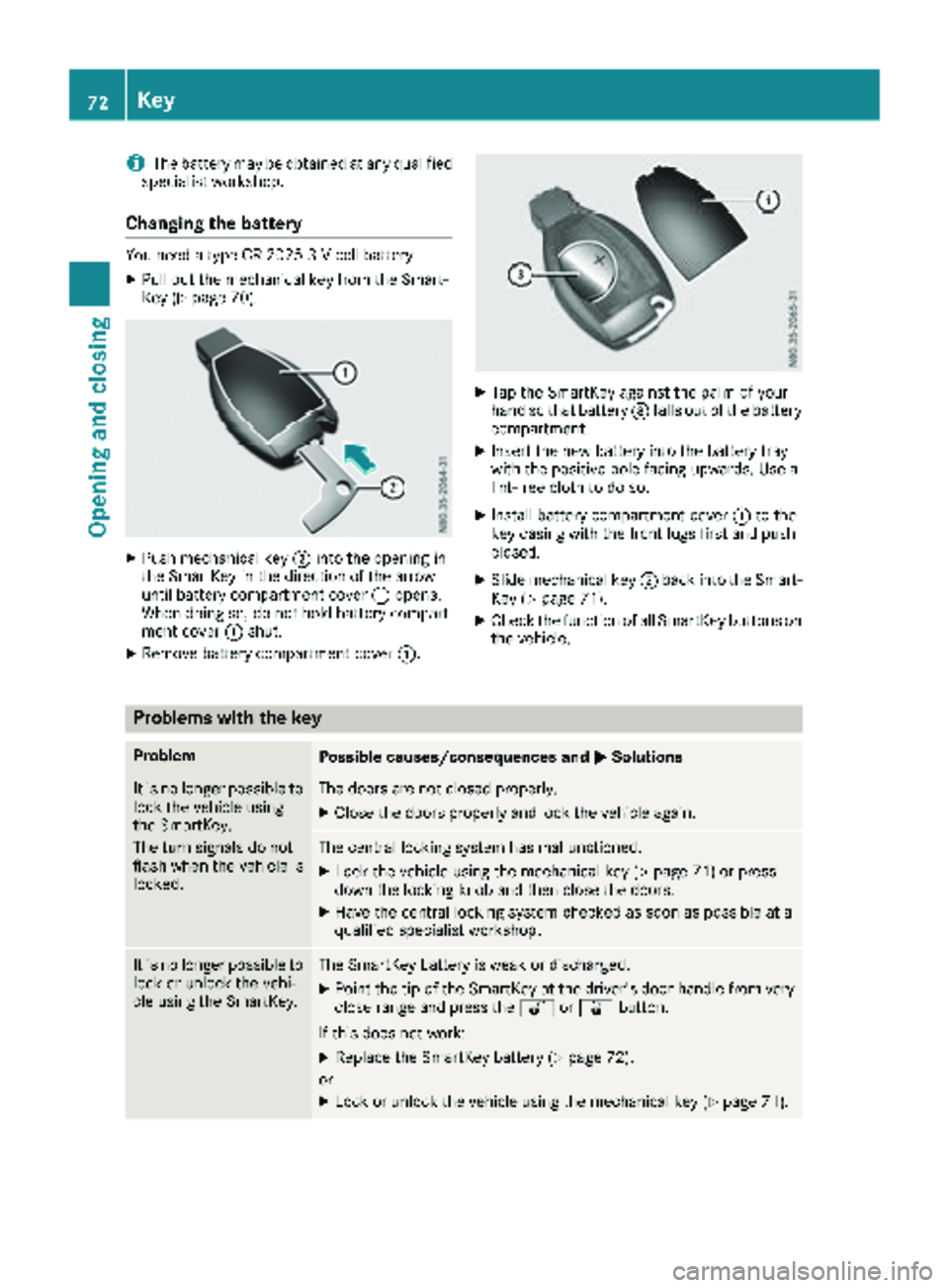
You need a type CR 2025 3 V cell battery.
XPull out the mechanical key from the Smart-
Key (Ypage 70).
XPush mechanical key ;into the opening in
the SmartKey in the direction of the arrow
until battery compartment cover :opens.
When doing so, do not hold battery compart-
ment cover :shut.
XRemove battery compartment cover :.
XTap the SmartKey against the palm of your
hand so that battery=falls out of the battery
compartment.
XInsert the new battery into the battery tray
with the positive pole facing upwards. Use a
lint-free cloth to do so.
XInstall battery compartment cover :to the
key casing with the front lugs first and push
closed.
XSlide mechanical key ;back into the Smart-
Key (Ypage 71).
XCheck the function of all SmartKey buttons on
the vehicle.
Problems with the key
ProblemPossible causes/consequences and MSolutions
It is no longer possible to
lock the vehicle using
the SmartKey.
The turn signals do not
flash when the vehicle is
locked.The doors are not closed properly.
XClose the doors properly and lock the vehicle again.
The central locking system has malfunctioned.
XLock the vehicle using the mechanical key (Ypage 71) or press
down the locking knob and then close the doors.
XHave the central locking system checked as soon as possible at a
qualified specialist workshop.
It is no longer possible to
lock or unlock the vehi-
cle using the SmartKey.The SmartKey battery is weak or discharged.
XPoint the tip of the SmartKey at the driver's door handle from very
close range and press the %or& button.
If this does not work:
XReplace the SmartKey battery (Ypage 72).
or
XLock or unlock the vehicle using the mechanical key (Ypage 71).
72Key
Opening and closing
Page 75 of 318
ProblemPossible causes/consequences andMSolutions
The SmartKey is faulty.
XLock the vehicle with the mechanical key (Ypage 71).
XHave the SmartKey checked at a qualified specialist workshop.
The engine cannot be
started using the Smart-
Key.The on-board voltage is too low.
XSwitch off all non-essential consumers, such as interior lighting, and
try to start the engine again.
If this does not work:
XCheck the starter battery and charge it if necessary (Ypage 264).
or
XJump-start the vehicle (Ypage 274).
or
XConsult a qualified specialist workshop.
You have lost a Smart-
Key.XHave the SmartKey deactivated at a qualified specialist workshop.
XReport the loss immediately to the vehicle insurers.
XIf necessary, have the mechanical locks replaced.
You have lost the
mechanical key.XReport the loss immediately to the vehicle insurers.
XIf necessary, have the mechanical locks replaced.
Central locking
Important safety notes
GWARNING
If children are left unsupervised in the vehicle,
they could:
Ropen the doors, thus endangering other
people or road users.
Rget out and disrupt traffic.
Roperate the vehicle's equipment.
Additionally, children could set the vehicle in
motion if, for example, they:
Rrelease the parking brake.
Rshifting the automatic transmission out of
park position P
RStart the engine.
There is a risk of an accident and injury.
When leaving the vehicle, always take the
SmartKey with you and lock the vehicle. Never
leave children or animals unattended in the
vehicle. Always keep the SmartKey out of
reach of children.
GWARNING
If persons, particularly children are subjected to prolonged exposure to extreme heat or
cold, there is a risk of injury, possibly even
fatal. Never leave children unattended in the
vehicle.
You can open a locked door from the inside at
any time. For the sliding doors, the child-proof
locks must be deactivated.
Centrally locking and unlocking the
vehicle from the inside
You can centrally lock and unlock the whole
vehicle from the inside using the central locking
buttons on the driver's door.
Central locking73
Opening and closing
Z
Page 76 of 318
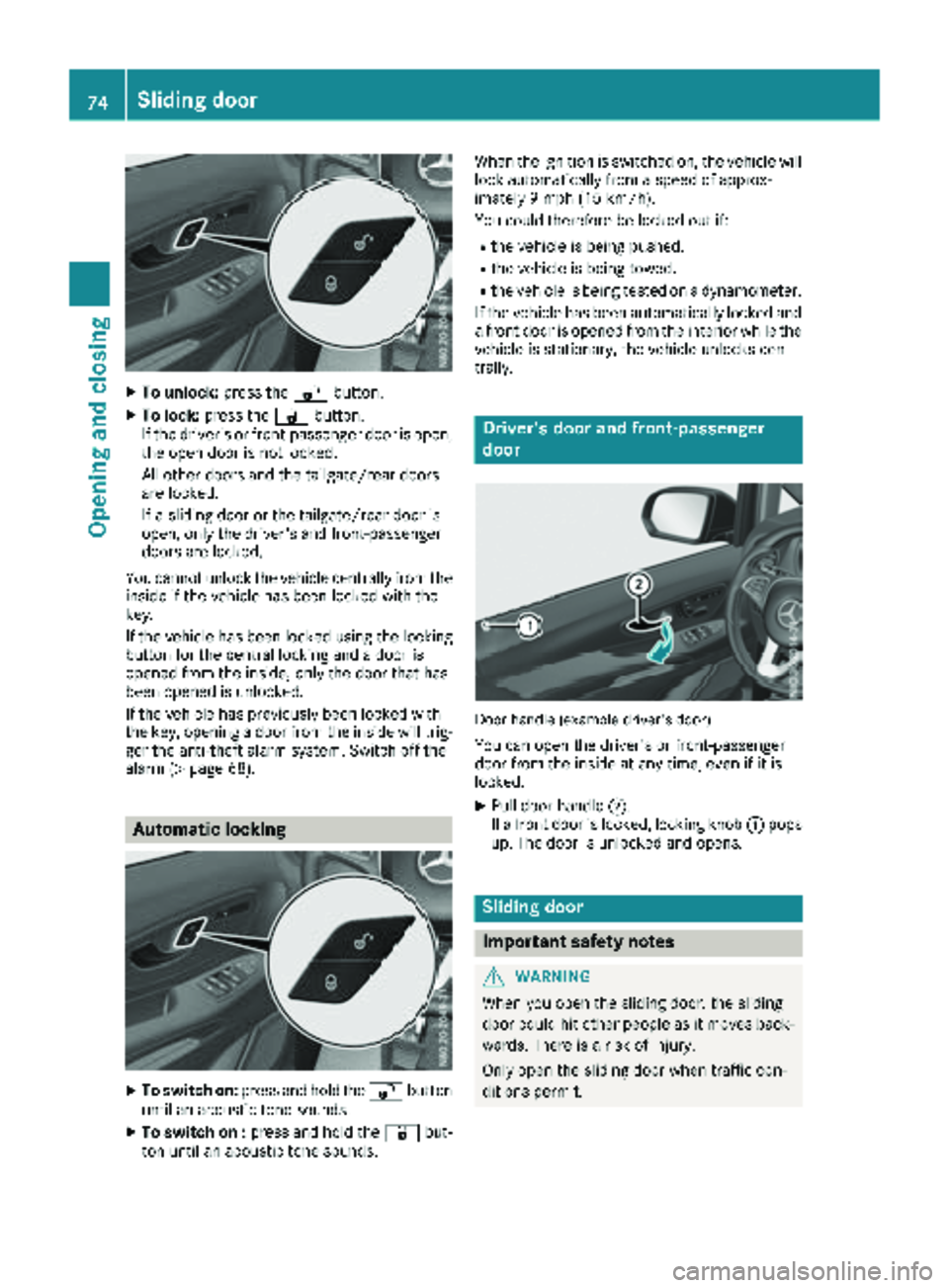
XTo unlock:press the%button.
XTo lock: press the &button.
If the driver's or front-passenger door is open,
the open door is not locked.
All other doors and the tailgate/rear doors
are locked.
If a sliding door or the tailgate/rear door is
open, only the driver's and front-passenger
doors are locked.
You cannot unlock the vehicle centrally from the inside if the vehicle has been locked with the
key.
If the vehicle has been locked using the locking
button for the central locking and a door is
opened from the inside, only the door that has
been opened is unlocked.
If the vehicle has previously been locked with
the key, opening a door from the inside will trig-
ger the anti-theft alarm system. Switch off the
alarm (
Ypage 68).
Automatic locking
XTo switch on: press and hold the %button
until an acoustic tone sounds.
XTo switch on : press and hold the &but-
ton until an acoustic tone sounds. When the ignition is switched on, the vehicle will
lock automatically from a speed of approx-
imately 9 mph (15 km/h).
You could therefore be locked out if:
Rthe vehicle is being pushed.
Rthe vehicle is being towed.
Rthe vehicle is being tested on a dynamometer.
If the vehicle has been automatically locked and
a front door is opened from the interior while the
vehicle is stationary, the vehicle unlocks cen-
trally.
Driver's door and front-passenger
door
Door handle (example driver's door)
You can open the driver's or front-passenger
door from the inside at any time, even if it is
locked.
XPull door handle ;.
If a front door is locked, locking knob :pops
up. The door is unlocked and opens.
Sliding door
Important safety notes
GWARNING
When you open the sliding door, the sliding
door could hit other people as it moves back- wards. There is a risk of injury.
Only open the sliding door when traffic con-
ditions permit.
74Sliding door
Opening and closing
Page 77 of 318
GWARNING
If the open sliding door is not engaged, it could
move on its own if the vehicle is on a slope.
This could trap you or other persons. There is a risk of injury.
Always make sure that the open sliding door is
engaged.
!Do not use the lower sliding door guide (car-
riage) as a step. Otherwise, you could damage
the paneling and/or the sliding door mecha-
nism.
!When you open the sliding door, first make
sure that:
Rthe rear door is not opened to an angle of
270°.
Rthe rear door is not clipped into the door
retainer.
The sliding door could otherwise collide with
the opened rear door and the doors could be damaged.
Information on opening and closing the rear
doors can be found under "Rear doors"
(
Ypage 80).
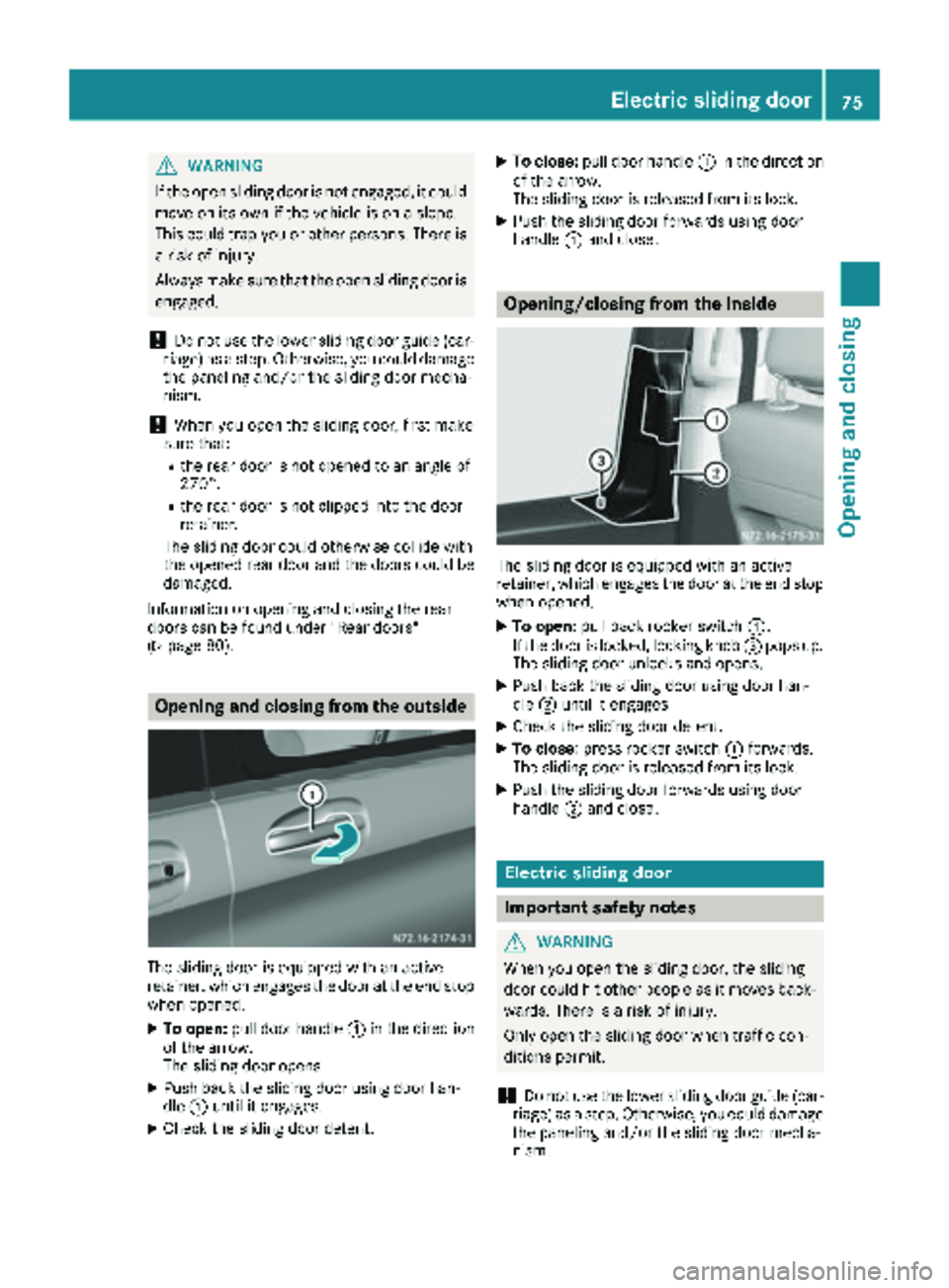
Opening and closing from the outside
The sliding door is equipped with an active
retainer, which engages the door at the end stop
when opened.
XTo open: pull door handle :in the direction
of the arrow.
The sliding door opens.
XPush back the sliding door using door han-
dle :until it engages.
XCheck the sliding door detent.
XTo close: pull door handle :in the direction
of the arrow.
The sliding door is released from its lock.
XPush the sliding door forwards using door
handle :and close.
Opening/closing from the inside
The sliding door is equipped with an active
retainer, which engages the door at the end stop
when opened.
XTo open: pull back rocker switch :.
If the door is locked, locking knob =pops up.
The sliding door unlocks and opens.
XPush back the sliding door using door han-
dle ;until it engages
XCheck the sliding door detent.
XTo close: press rocker switch :forwards.
The sliding door is released from its lock.
XPush the sliding door forwards using door
handle ;and close.
Electric sliding door
Important safety notes
GWARNING
When you open the sliding door, the sliding
door could hit other people as it moves back- wards. There is a risk of injury.
Only open the sliding door when traffic con-
ditions permit.
!Do not use the lower sliding door guide (car-
riage) as a step. Otherwise, you could damage
the paneling and/or the sliding door mecha-
nism.
Electric sliding door75
Opening and closing
Z