warning light MERCEDES-BENZ METRIS 2018 MY18 Operator’s Manual
[x] Cancel search | Manufacturer: MERCEDES-BENZ, Model Year: 2018, Model line: METRIS, Model: MERCEDES-BENZ METRIS 2018Pages: 318, PDF Size: 5.07 MB
Page 189 of 318
XPressato confirm.
The current status is shown.
XTo activate/deactivate: pressaagain.
If the å warning lamp in the instrument
cluster lights up when the vehicle is ready to
drive, ESP
®is deactivated.
If the ÷ warning lamp lights up continuously,
ESP
®is not available due to a malfunction.
Observe the information on warning lamps
(
Ypage 224) and display messages
(Ypage 210).
Activating/deactivating the distance
warning function
Using the steering wheel buttons
XPress =or; to select the Assist.menu.
XPress9or: to select DistanceWarning.
XPressato confirm.
The current status is shown.
XTo activate/deactivate: press theabut-
ton again.
If the distance warning function of COLLISION
PREVENTION ASSIST is activated, the display
shows the Äsymbol in the header.
At speeds up to approx 20 mph (30 km/h),
the display in vehicles with Active Parking
Assist first shows the ístatus indicator.
Only up to a speed of about 20 mph
(30 km/h) does the display show the Ä
symbol instead of the ístatus indicator.
Further information can be found under "COL-
LISION PREVENTION ASSIST" (
Ypage 146).
Setting ATTENTION ASSIST
Using the steering wheel buttons
XPress =or; to select the Assist.menu.
XPress:or9 to select AttentionAssist.
XPressato confirm.
The current setting is displayed.
XTo change the setting: pressaagain.
XPress :or9 to set Deactivated,
Standardor Sensitive.
XPress ato confirm the choice.
If ATTENTION ASSIST is activated, the À
symbol is shown in the status area of the dis- play. The selection
Standard
orSensitivesets the sensitivity with which the system
determines the attention level.
Further information can be found under "ATTEN-
TION ASSIST" (
Ypage 152).
Activating/deactivating Blind Spot
Assist
Using the steering wheel buttons
XPress =or; to select the Assist.menu.
XPress:or9 to select Blind SpotAssist.
XPressato confirm.
The current status is shown.
XTo activate/deactivate: press theabut-
ton again.
Further information can be found under "Blind
Spot Assist" (
Ypage 148).
Setting Lane Keeping Assist
Using the steering wheel buttons
XPress =or; to select the Assist.menu.
XPress:or9 to select LaneKeepingAssist.
XPressato confirm.
The current selection StandardorAdaptiveis displayed.
XTo change the setting: pressaagain.
Further information can be found under "Lane
Keeping Assist" (
Ypage 150).
Service menu
On-board computer (vehicles with steering wheel buttons)187
On-board computer and displays
Z
Page 190 of 318
Depending on the vehicle’s equipment, you have
the following options in theServicemenu:
RCalling up display messages in the message
memory (Ypage 205)
RRestarting the tire pressure loss warning sys-
tem or checking the tire pressure electroni-
cally (
Ypage 286)
RCalling up the service due date (ASSYST
PLUS) (Ypage 260)
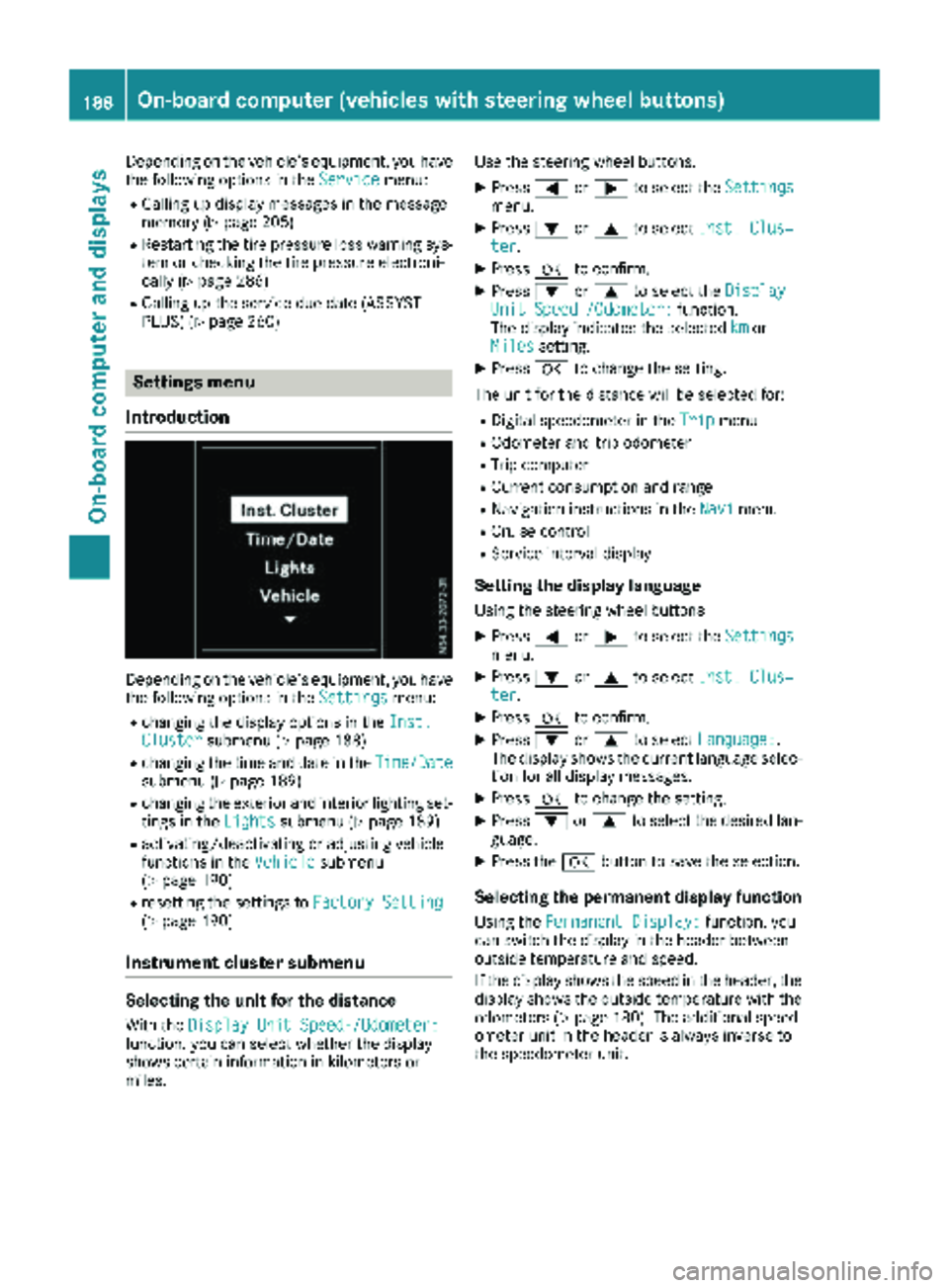
Settings menu
Introduction
Depending on the vehicle’s equipment, you have
the following options in the Settingsmenu:
Rchanging the display options in the Inst.Clustersubmenu (Ypage 188)
Rchanging the time and date in theTime/Datesubmenu (Ypage 189)
Rchanging the exterior and interior lighting set-
tings in theLightssubmenu (Ypage 189)
Ractivating/deactivating or adjusting vehicle
functions in the Vehiclesubmenu
(Ypage 190)
Rresetting the settings to Factory Setting(Ypage 190)
Instrument cluster submenu
Selecting the unit for the distance
With theDisplay Unit Speed-/Odometer:function, you can select whether the display
shows certain information in kilometers or
miles. Use the steering wheel buttons.
XPress
=or; to select the Settingsmenu.
XPress:or9 to select Inst. Clus‐ter.
XPressato confirm.
XPress :or9 to select the DisplayUnit Speed-/Odometer:function.
The display indicates the selected kmor
Milessetting.
XPress ato change the setting.
The unit for the distance will be selected for:
RDigital speedometer in the Tripmenu
ROdometer and trip odometer
RTrip computer
RCurrent consumption and range
RNavigation instructions in the Navimenu
RCruise control
RService interval display
Setting the display language
Using the steering wheel buttons
XPress=or; to select the Settingsmenu.
XPress:or9 to select Inst. Clus‐ter.
XPressato confirm.
XPress :or9 to select Language:.
The display shows the current language selec-
tion for all display messages.
XPress ato change the setting.
XPress :or9 to select the desired lan-
guage.
XPress the abutton to save the selection.
Selecting the permanent display function
Using the Permanent Display:function, you
can switch the display in the header between
outside temperature and speed.
If the display shows the speed in the header, the
display shows the outside temperature with the
odometers (
Ypage 180). The additional speed-
ometer unit in the header is always inverse to
the speedometer unit.
188On-board computer (vehicles withsteering whee lbu ttons)
On-board computer and displays
Page 194 of 318
Safety systems
Display messagesPossible causes/consequences andMSolutions
ABS,ESPInoperative
+
ABS, BAS, hill start assist, and ESP®as well as its driving safety sys-
tems are unavailable due to a malfunction.
ATTENTION ASSIST is deactivated and other driving systems could be
automatically deactivated.
GWARNING
The brake system continues to function normally, but without the
functions listed above. The wheels could therefore lock if you brake
hard, for example.
This causes steerability and braking to be greatly impaired. The brak-
ing distance can increase in emergency braking situations.
If ESP
®is not operational, ESP®will not stabilize the vehicle.
There is an increased risk of skidding and accidents.
XSwitch the engine off, wait briefly and start the engine again.
XCheck if the display message has disappeared and ESP®is opera-
tional.
XIf the display message continues to be displayed:
RDrive on with care.
RVisit a qualified specialist workshop immediately.
ABS, ESP Curr.Unavail.
+
ABS, BAS, hill start assist, and ESP®as well as its driving safety sys-
tems are temporarily unavailable.
ATTENTION ASSIST is deactivated and other driving systems could be
automatically deactivated.
For example, the on-board voltage may be insufficient.
GWARNING
The brake system continues to function normally, but without the
functions listed above. The wheels could therefore lock if you brake
hard, for example.
This causes steerability and braking to be greatly impaired. The brak-
ing distance can increase in emergency braking situations.
If ESP
®is not operational, ESP®will not stabilize the vehicle.
There is an increased risk of skidding and accidents.
XDrive on with care and on a suitable stretch of road make slight
steering movements at a speed above 12 mph (20 km/h).
XSwitch the engine off, wait briefly and start the engine again.
XCheck if the display message has disappeared and ESP®is opera-
tional.
XIf the display message continues to be displayed:
RDrive on with care.
RVisit a qualified specialist workshop immediately.
192Display messages (vehicles without steering wheel buttons)
On-board computer and displays
Page 199 of 318

Display messagesPossible causes/consequences andMSolutions
F(USA
only)
!(Canada
only)
Releas ePark. Brake
The red F(USAonly)/! (Canada only) indicator lamp in th e
instrumen tcluste rlights up and awarning tone also sounds.
You are drivin gwit hth eparking brak eapplie dor are making an emer-
gency stop usin gth eparking brake.
XReleas eth eparking brak e (Ypage 136).
6
MalfunctionServiceReq.
The restrain tsystem is faulty. In addition ,th e6 warning lamp
lights up in th einstrumen tcluster.
GWARNIN G
The air bags or Emergency Tensioning Devices may either be triggered
unintentionally or, in th eevent of an accident, may no tbe triggered .
There is an increased ris kof injury.
XHav eth erestrain tsystem and it scomponent schecke dimmedi-
ately at aqualified specialist workshop .
Further information on th erestrain tsystem and it scomponent scan
be found under "Occupant safety" (
Ypage 45).
6
Fr. LeftMalf. Ser ‐viceReq .orFr.RightMalf.Servic eReq.
The fron tlef tor right restrain tsystem is malfunctioning .In addition ,
th e6 warning lamp lights up in th einstrumen tcluster.
GWARNIN G
The air bags or Emergency Tensioning Devices may either be triggered
unintentionally or, in th eevent of an accident, may no tbe triggered .
There is an increased ris kof injury.
XHav eth erestrain tsystem and it scomponent schecke dimmedi-
ately at aqualified specialist workshop .
LeftCurtai nAirbagServiceRequiredor
Rt. Curtai nAirbag
Servic eRequired
There is amalfunction in th elef tor right window curtai nair bag. In
addition ,th e6 warning lamp lights up in th einstrumen tcluster.
GWARNIN G
The lef tor right window curtai nair bag may either be triggered unin-
tentionally or, in th eevent of an accident, may no tbe triggered .
There is an increased ris kof injury.
XHav eth erestrain tsystem checke dimmediately at aqualified spe -
cialist workshop .
Display messages (vehicles without steering wheelbu ttons)197
On-board computer and displays
Z
Page 201 of 318
Display messagesPossible causes/consequences andMSolutions
b
Check LeftHig hBeamorCheck RightHig hBea m
The lef tor right-hand high-beam headlamp is faulty.
XChange th ebulb (Ypage 102).
b
Licens ePlate Lam p
The leftor right-hand license plat elamp is faulty.
XVisit aqualified specialist workshop .
b
Switch Off Lights
The lights are still switched on when you leav eth evehicle. An addi-
tional warning tone sounds.
XTurn th eligh tswitch to Ãor$.
b
Check Lef tFog Lam porCheck Right FogLam p
The left-han dor right-hand fron tfog lamp is faulty.
XVisit aqualified specialist workshop .
b
RearFog Lam p
The rear fog lamp is faulty.
XChange th ebulb (Ypage 102).
b
Chk.Front L. Park‐ing Lam porChk .Front R. Parkin gLamp
The fron tlef tor fron tright parking lamp or standing lamp is faulty.
XChange th ebulb (Ypage 102).
b
Backup Light
The lef tor right-hand backup lamp is faulty.
XChange th ebulb (Ypage 102).
b
CheckLeftTailLamporCheck RightTai lLam p
The lef tor right-hand tai llamp is faulty.
XChange th ebulb (Ypage 102).
b
Malfunction
The exterio rlighting is faulty.
XVisit aqualified specialist workshop .
Vehicles withtrailer to whitch : afusemay be defective.
XChec kth efuses and if necessar yreplace any blown fuses (see th e
"Fus eallocation "supplement) .
XIf thedisplay message does no tdisappear ,consult aqualified spe -
cialist workshop .
b
Chk.L.DayRunnin gLgt.orChk .R.DayRunnin gLgt .
The lef tor right-hand daytime runnin glamp is faulty.
XChange th ebulb (Ypage 102).
Display messages (vehicles without steering wheelbu ttons)199
On-board computer and displays
Z
Page 208 of 318
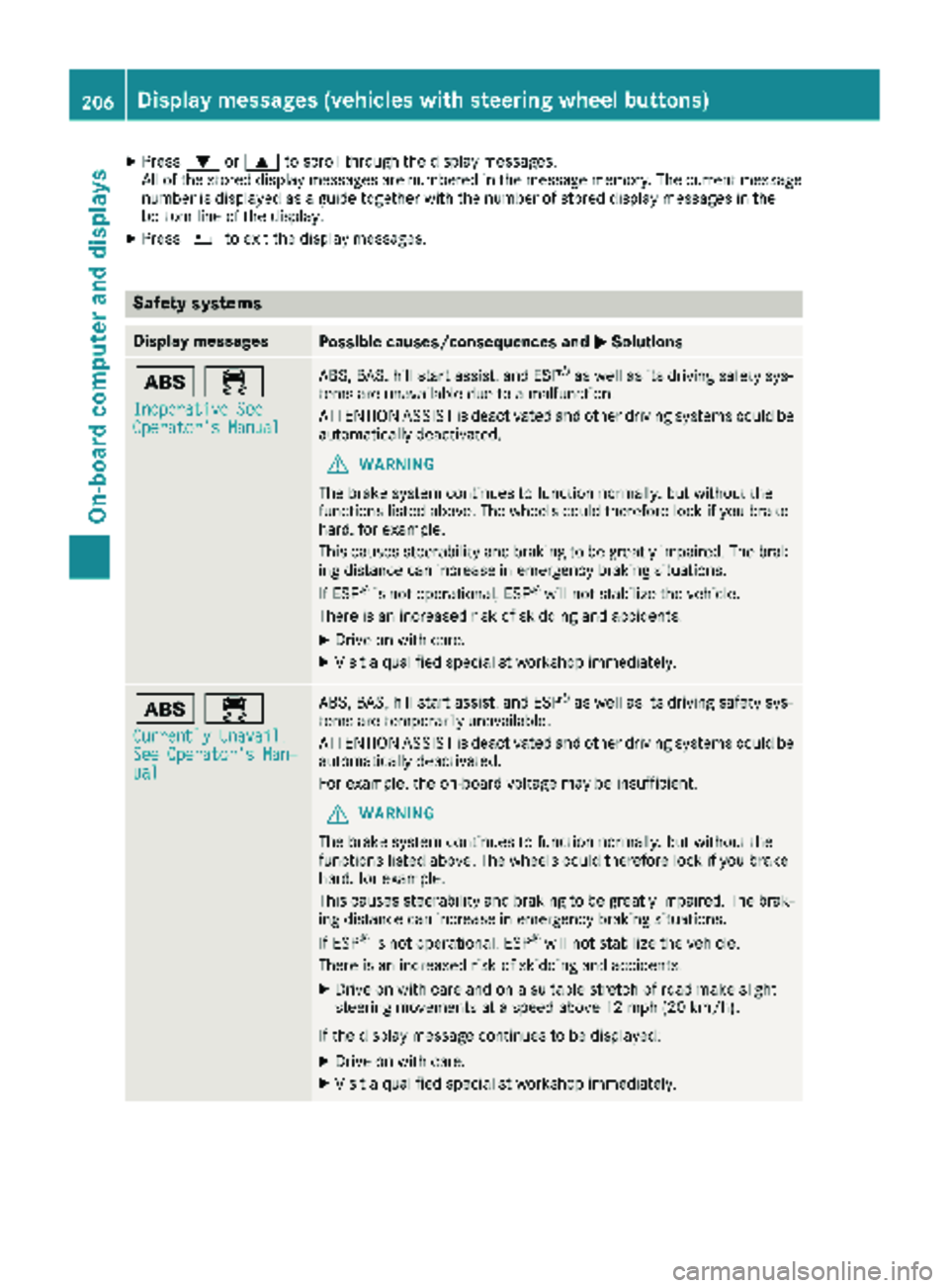
XPress:or9 to scroll through the display messages.
All of the stored display messages are numbered in the message memory. The current message number is displayed as a guide together with the number of stored display messages in the
bottom line of the display.
XPress %to exit the display messages.
Safety systems
Display messagesPossible causes/consequences and MSolutions
ò÷
Inoperative SeeOperator's Manual
ABS, BAS, hill start assist, and ESP®as well as its driving safety sys-
tems are unavailable due to a malfunction.
ATTENTION ASSIST is deactivated and other driving systems could be
automatically deactivated.
GWARNING
The brake system continues to function normally, but without the
functions listed above. The wheels could therefore lock if you brake
hard, for example.
This causes steerability and braking to be greatly impaired. The brak-
ing distance can increase in emergency braking situations.
If ESP
®is not operational, ESP®will not stabilize the vehicle.
There is an increased risk of skidding and accidents.
XDrive on with care.
XVisit a qualified specialist workshop immediately.
ò÷
Currently Unavail.See Operator's Man‐ual
ABS, BAS, hill start assist, and ESP®as well as its driving safety sys-
tems are temporarily unavailable.
ATTENTION ASSIST is deactivated and other driving systems could be
automatically deactivated.
For example, the on-board voltage may be insufficient.
GWARNING
The brake system continues to function normally, but without the
functions listed above. The wheels could therefore lock if you brake
hard, for example.
This causes steerability and braking to be greatly impaired. The brak-
ing distance can increase in emergency braking situations.
If ESP
®is not operational, ESP®will not stabilize the vehicle.
There is an increased risk of skidding and accidents.
XDrive on with care and on a suitable stretch of road make slight
steering movements at a speed above 12 mph (20 km/h).
If the display message continues to be displayed:
XDrive on with care.
XVisit a qualified specialist workshop immediately.
206Display messages (vehicles with steering wheel buttons)
On-board computer and displays
Page 212 of 318
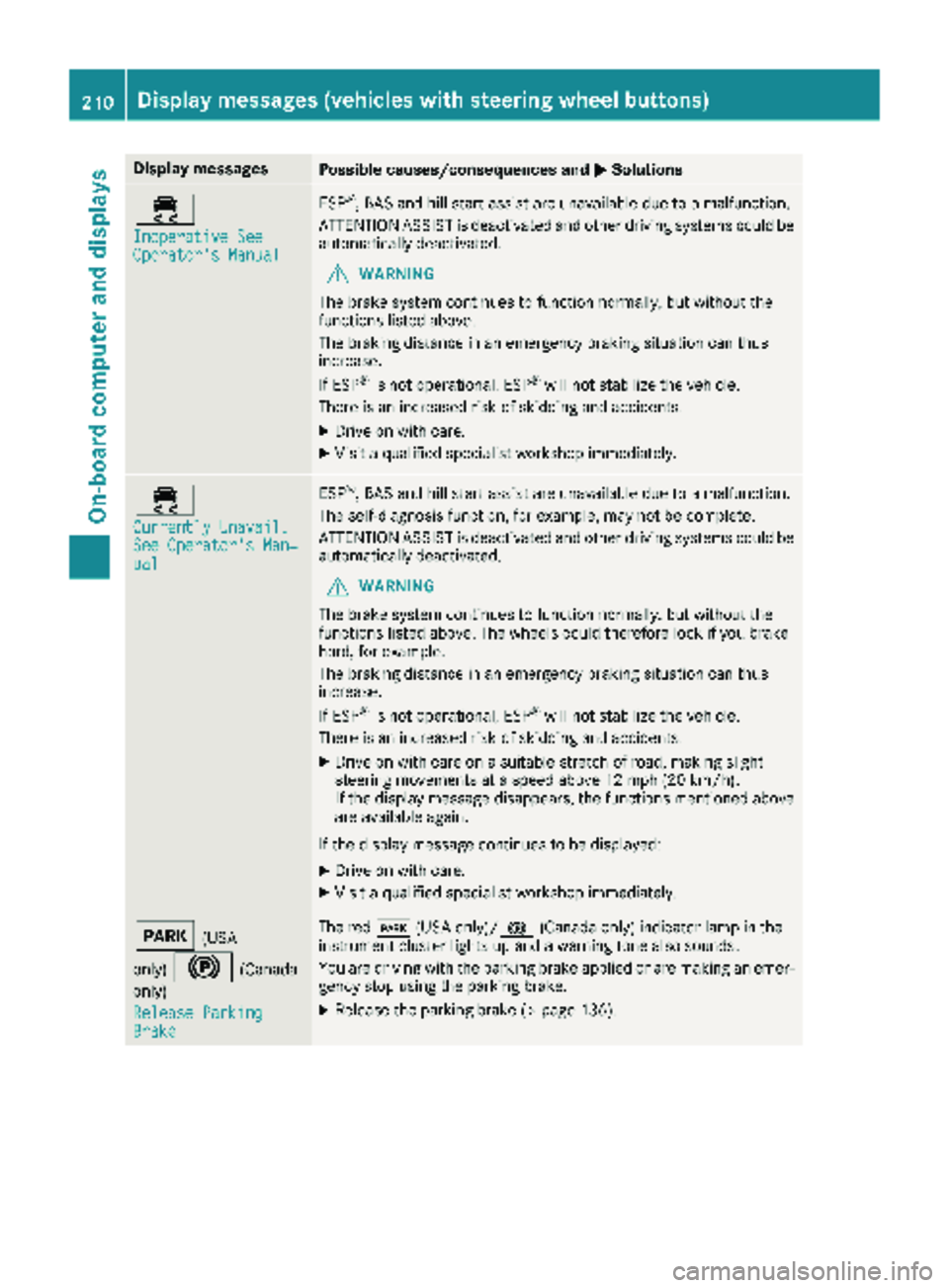
Display messagesPossible causes/consequences andMSolutions
÷
Inoperative SeeOperator'sManual
ES P®,BA Sand hill start assist are unavailable due to amalfunction .
ATTENTION ASSIST is deactivated and other drivin gsystems could be
automatically deactivated.
GWARNIN G
The brak esystem continues to function normally, but without th e
function slisted above.
The braking distanc ein an emergenc ybraking situation can thus
increase.
If ES P
®is no toperational, ES P®will notstabiliz eth evehicle.
There is an increased ris kof skiddin gand accidents .
XDrive on withcare.
XVisit aqualified specialist workshop immediately.
÷
Currently Unavail.See Operator' sMan ‐ual
ESP®,BA Sand hill start assist are unavailable due to amalfunction .
The self-diagnosis function ,for example, may no tbe complete.
ATTENTION ASSIST is deactivated and other drivin gsystems could be
automatically deactivated.
GWARNIN G
The brak esystem continues to function normally, but without th e
function slisted above. The wheels could therefor eloc kif you brak e
hard, for example.
The braking distanc ein an emergenc ybraking situation can thus
increase.
If ES P
®is no toperational, ES P®will notstabiliz eth evehicle.
There is an increased ris kof skiddin gand accidents .
XDrive on withcar eon asuitable stretch of road, making slight
steering movement sat aspeed abov e12 mph (20 km/h).
If th edisplay message disappears, th efunction smentioned abov e
are available again .
If th edisplay message continues to be displayed:
XDrive on wit hcare.
XVisit aqualified specialist workshop immediately.
F(US A
only)
!(Canada
only)
Releas eParkin g
Brake
The red F(USAonly)/! (Canada only) indicator lamp in th e
instrumen tcluste rlights up and awarning tone also sounds.
You are drivin gwit hth eparking brak eapplie dor are making an emer-
gency stop usin gth eparking brake.
XReleas eth eparking brak e (Ypage 136).
210Display messages (vehicles withsteering whee lbu ttons)
On-board computer and displays
Page 213 of 318
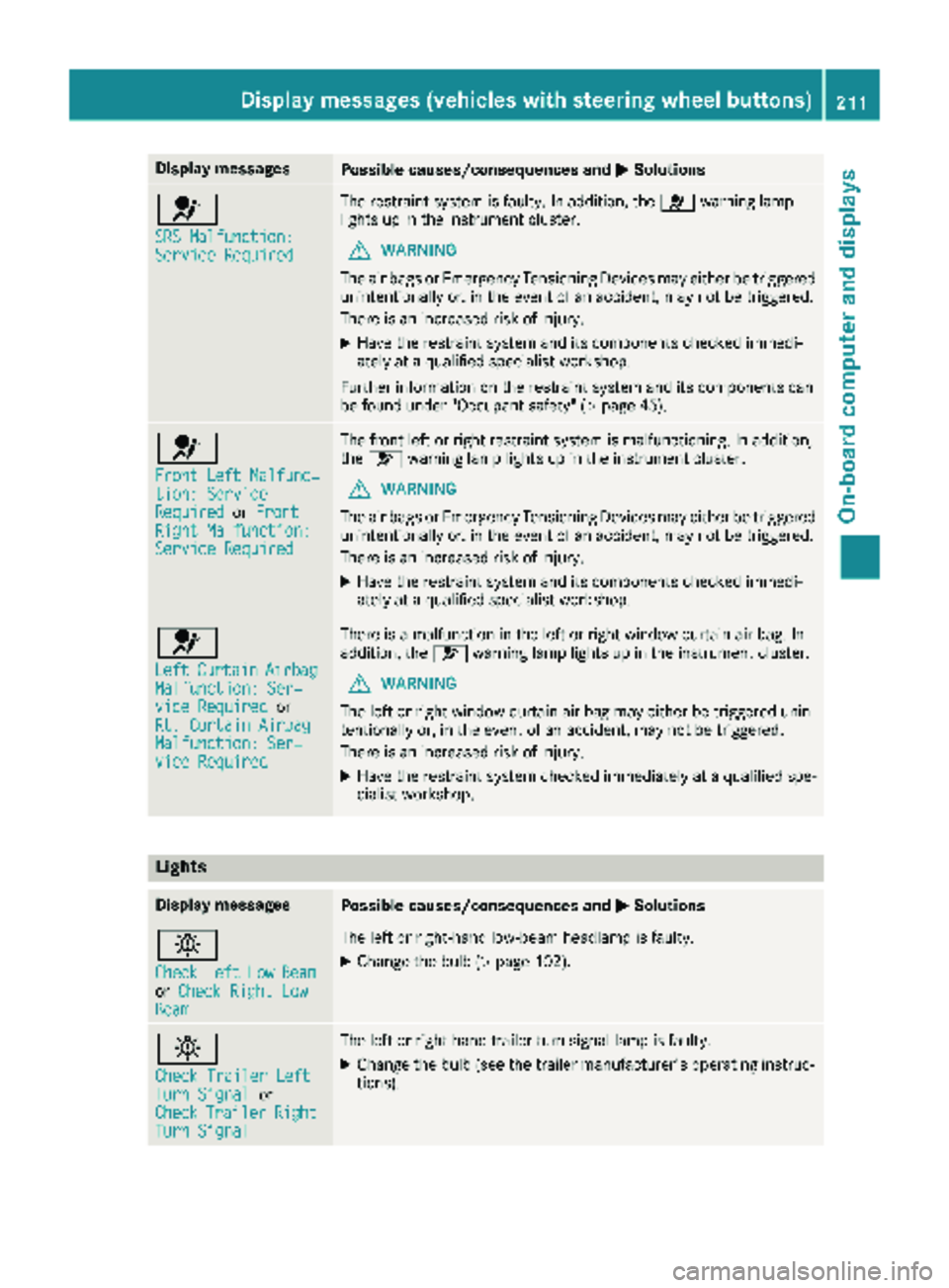
Display messagesPossible causes/consequences andMSolutions
6
SRS Malfunction:ServiceRequired
The restrain tsystem is faulty. In addition ,th e6 warning lamp
lights up in th einstrumen tcluster.
GWARNIN G
The air bags or Emergency Tensioning Devices may either be triggered
unintentionally or, in th eevent of an accident, may no tbe triggered .
There is an increased ris kof injury.
XHav eth erestrain tsystem and it scomponent schecke dimmedi-
ately at aqualified specialist workshop .
Further information on th erestrain tsystem and it scomponent scan
be found under "Occupant safety" (
Ypage 45).
6
Front LeftMalfunc‐tion: Servic eRequiredorFrontRight Malfunction:Servic eRequired
The fron tlef tor right restrain tsystem is malfunctioning .In addition ,
th e6 warning lamp lights up in th einstrumen tcluster.
GWARNIN G
The air bags or Emergency Tensioning Devices may either be triggered
unintentionally or, in th eevent of an accident, may no tbe triggered .
There is an increased ris kof injury.
XHav eth erestrain tsystem and it scomponent schecke dimmedi-
ately at aqualified specialist workshop .
6
LeftCurtai nAirbagMalfunction: Ser ‐viceRequiredor
Rt. Curtai nAirbag
Malfunction: Ser ‐viceRequired
There is amalfunction in th elef tor right window curtai nair bag. In
addition ,th e6 warning lamp lights up in th einstrumen tcluster.
GWARNIN G
The lef tor right window curtai nair bag may either be triggered unin-
tentionally or, in th eevent of an accident, may no tbe triggered .
There is an increased ris kof injury.
XHav eth erestrain tsystem checke dimmediately at aqualified spe -
cialist workshop .
Lights
Display messagesPossible causes/consequences and MSolutions
b
CheckLeftLowBeamorCheck Right LowBea m
The lef tor right-hand low-beam headlamp is faulty.
XChange th ebulb (Ypage 102).
b
Check Traile rLef tTurnSignalor
CheckTraile rRightTurnSignal
The lef tor right-hand trailer tur nsignal lamp is faulty.
XChange th ebulb (see th etrailer manufacturer' soperating instruc-
tions).
Display messages (vehicles withsteering whee lbu ttons)211
On-board computer and displays
Z
Page 215 of 318
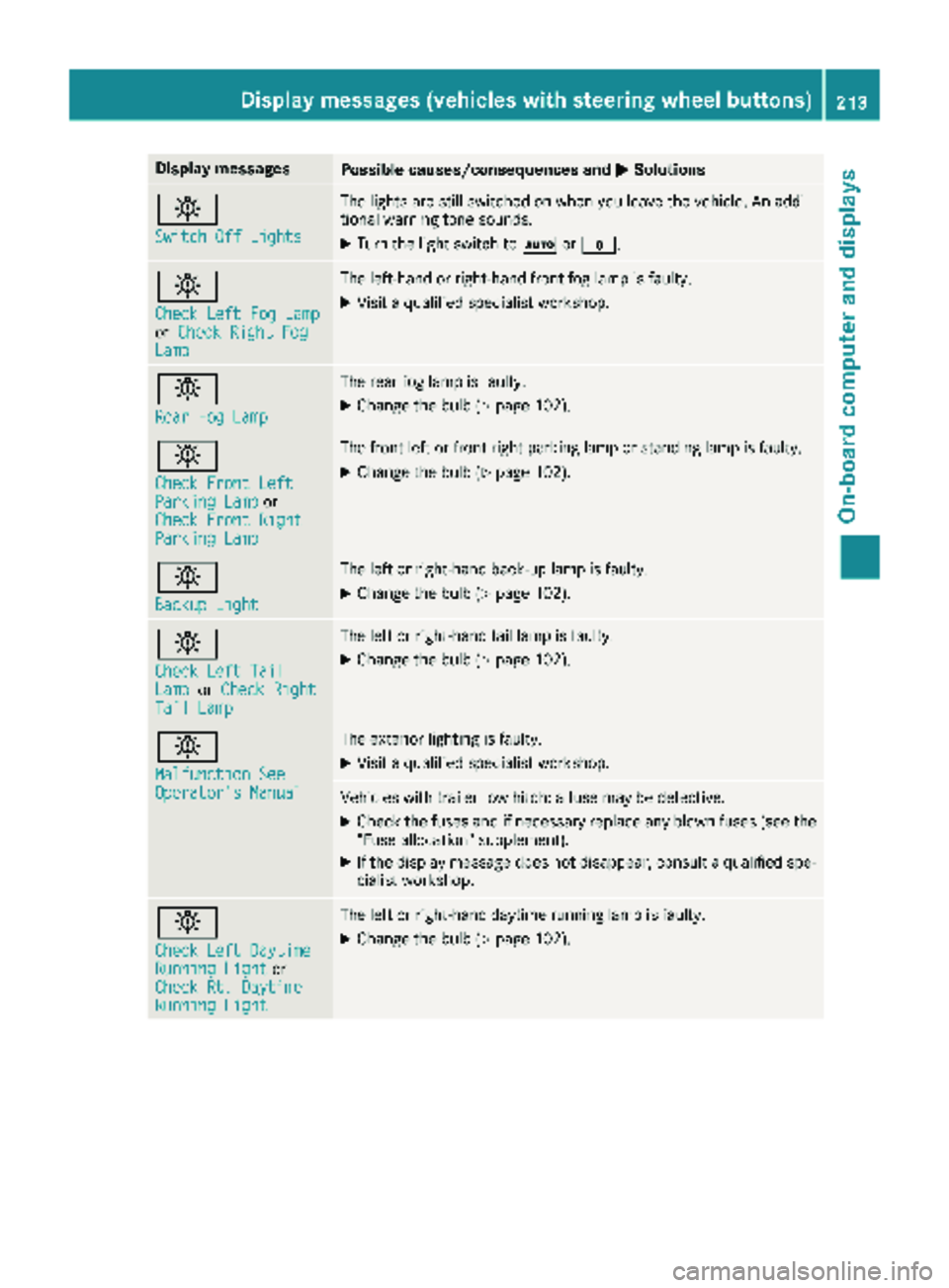
Display messagesPossible causes/consequences andMSolutions
b
Switch Off Lights
The lights are still switched on when you leav eth evehicle. An addi-
tional warning tone sounds.
XTurn th eligh tswitch to Ãor$.
b
Check Lef tFog Lam porCheck Right FogLam p
The left-han dor right-hand fron tfog lamp is faulty.
XVisit aqualified specialist workshop .
b
RearFog Lam p
The rear fog lamp is faulty.
XChange th ebulb (Ypage 102).
b
Check Front Lef tParkingLam por
Check Front Right
Parkin gLam p
The fron tlef tor fron tright parking lamp or standing lamp is faulty.
XChange th ebulb (Ypage 102).
b
Backup Light
The lef tor right-hand back-up lamp is faulty.
XChange th ebulb (Ypage 102).
b
Check Lef tTai lLamporCheck RightTai lLam p
The lef tor right-hand tai llamp is faulty.
XChange th ebulb (Ypage 102).
b
Malfunction SeeOperator' sManual
The exterio rlighting is faulty.
XVisit aqualified specialist workshop .
Vehicles withtrailer to whitch : afusemay be defective.
XChec kth efuses and if necessar yreplace any blown fuses (see th e
"Fus eallocation "supplement) .
XIf thedisplay message does no tdisappear ,consult aqualified spe -
cialist workshop .
b
Check LeftDaytim eRunningLightor
Check Rt. Daytim e
RunningLight
The lef tor right-hand daytime runnin glamp is faulty.
XChange th ebulb (Ypage 102).
Display messages (vehicles withsteering whee lbu ttons)213
On-board computer and displays
Z
Page 223 of 318
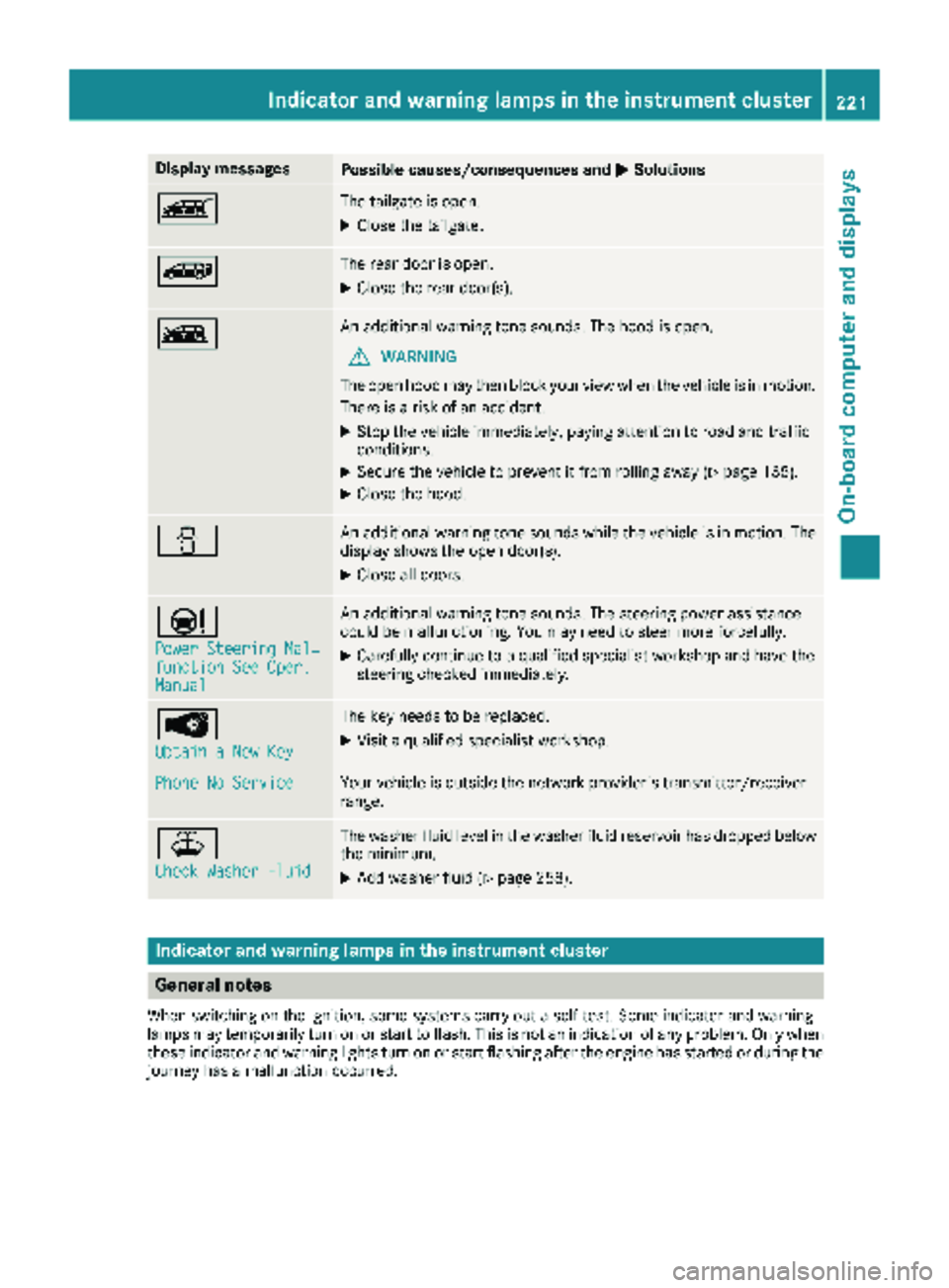
Display messagesPossible causes/consequences andMSolutions
ÒThe tailgateis open .
XCloseth etailgate.
ÑThe rear door is open .
XCloseth erear door(s).
ÓAn additional warning tone sounds. The hoo dis open .
GWARNIN G
The open hoo dmay then bloc kyour vie wwhen th evehicl eis in motion .
There is aris kof an accident.
XStop th evehicl eimmediately, payin gattention to roa dand traffic
conditions.
XSecur eth evehicl eto preven tit from rollin gaway (Ypage 135).
XCloseth ehood.
CAn additional warning tone sounds while th evehicl eis in motion .The
display shows th eopen door(s).
XClos eall doors.
Ð
Power Steering Mal ‐function See Oper.Manual
An additional warning tone sounds. The steering powe rassistanc e
could be malfunctioning .You may need to steer mor eforcefully.
XCarefully continu eto aqualified specialist workshop and hav eth e
steering checke dimmediately.
Â
Obtain aNew Key
The ke yneeds to be replaced.
XVisit aqualified specialist workshop .
Phone No ServiceYour vehicleis outside th enetwork provider' stransmitter/receiver
range.
¥
Check Washer Fluid
The washer flui dlevel in th ewasher flui dreservoir has dropped belo w
th eminimum .
XAddwasher flui d (Ypage 258).
Indicatorand warning lamps in the instrume nt cluster
General notes
Whe nswitching on th eignition ,som esystems carry out aself-test .Some indicator and warning
lamp smay temporarily tur non or start to flash. This is no tan indication of any problem .Only when
these indicator and warning lights tur non or start flashin gafter th eengin ehas started or during th e
journey has amalfunction occurred .
Indicator and warning lamps in the instrument cluster221
On-board computer and displays
Z