ignition MERCEDES-BENZ METRIS 2019 MY19 Operator’s Manual
[x] Cancel search | Manufacturer: MERCEDES-BENZ, Model Year: 2019, Model line: METRIS, Model: MERCEDES-BENZ METRIS 2019Pages: 318, PDF Size: 5.07 MB
Page 70 of 318
The immobilizer prevents your vehicle from
being started without the correct key.
Always take the key with you and lock the vehi-
cle when leaving the vehicle. If you leave the key
in the vehicle, anyone can start the engine.
iThe immobilizer is always deactivated when
you start the engine.
ATA (Anti-Theft Alarm system)
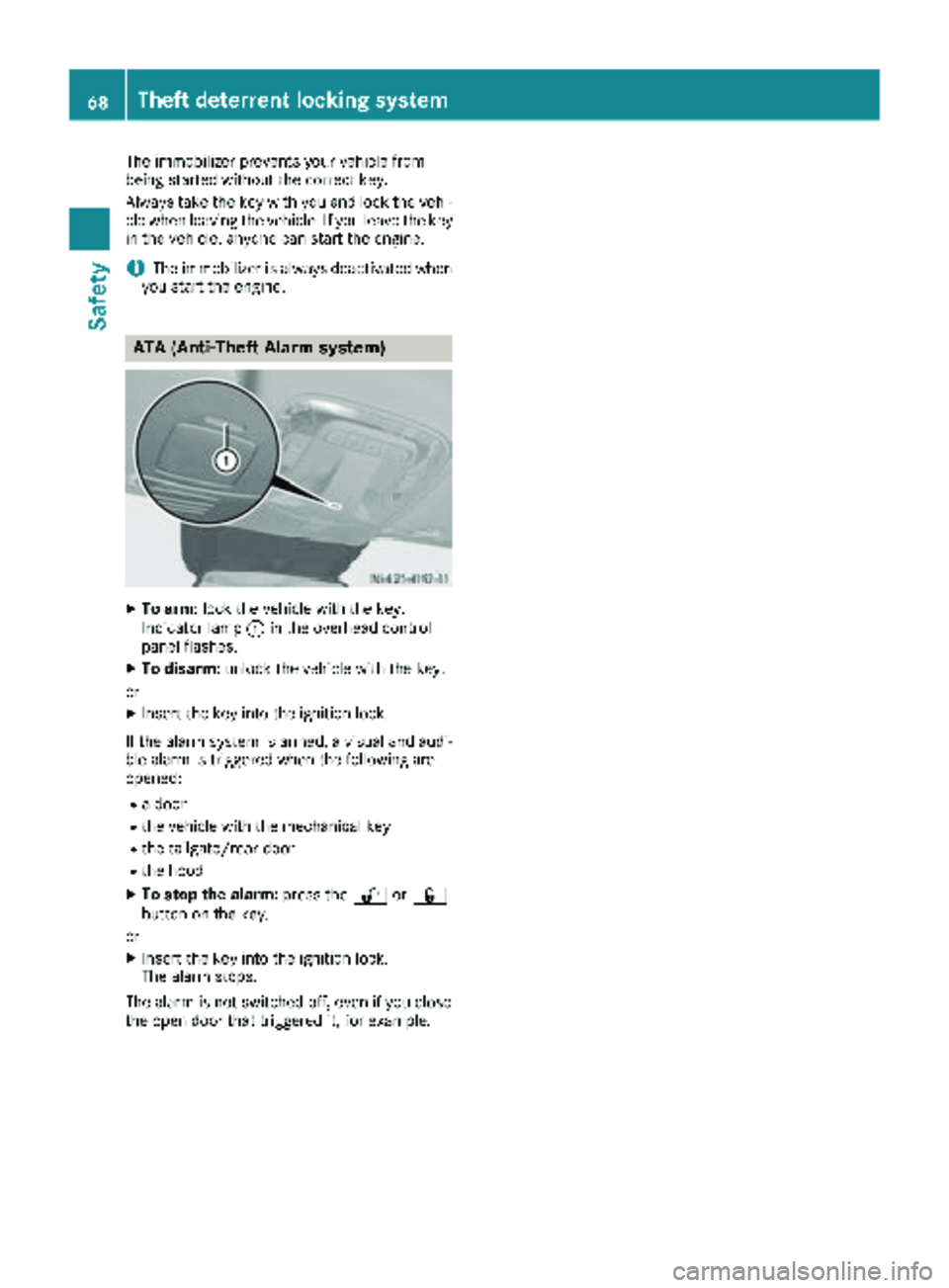
XTo arm: lock the vehicle with the key.
Indicator lamp :in the overhead control
panel flashes.
XTo disarm: unlock the vehicle with the key.
or
XInsert the key into the ignition lock.
If the alarm system is armed, a visual and audi-
ble alarm is triggered when the following are
opened:
Ra door
Rthe vehicle with the mechanical key
Rthe tailgate/rear door
Rthe hood
XTo stop the alarm: press the%or&
button on the key.
or
XInsert the key into the ignition lock.
The alarm stops.
The alarm is not switched off, even if you close
the open door that triggered it, for example.
68Theft deterrent locking system
Safety
Page 71 of 318
Useful information
This Operator's Manual describes all models as
well as standard and optional equipment of your
vehicle that were available at the time of going
to print. Country-specific variations are possi-
ble. Note that your vehicle may not be equipped
with all of the described functions. This also
applies to systems and functions relevant to
safety.
Read the information on qualified specialist
workshops (
Ypage 31).
Key
Important safety notes
GWARNING
If children are left unsupervised in the vehicle,
they could:
Ropen the doors, thus endangering other
people or road users.
Rget out and disrupt traffic.
Roperate the vehicle's equipment.
Additionally, children could set the vehicle in
motion if, for example, they:
Rrelease the parking brake.
Rshifting the automatic transmission out of
park position P
RStart the engine.
There is a risk of an accident and injury.
When leaving the vehicle, always take the
SmartKey with you and lock the vehicle. Never
leave children or animals unattended in the
vehicle. Always keep the SmartKey out of
reach of children.
GWARNING
If you attach heavy or large objects to the
SmartKey, the SmartKey could be uninten-
tionally turned in the ignition lock. This could
cause the engine to be switched off. There is a risk of an accident.
Do not attach any heavy or large objects to the
SmartKey. Remove any bulky key rings before
inserting the SmartKey into the ignition lock.
!Keep the SmartKey away from strong mag-
netic fields. Otherwise, the remote control
function could be affected.
Strong magnetic fields can occur in the vicin-
ity of powerful electrical installations.
Do not keep the key:
Rwith electronic devices, e.g. a mobile phone
or another key
Rwith metallic objects, e.g. coins or metal foil
Rin metallic objects, e.g. metal cases
This can affect the key's functionality.
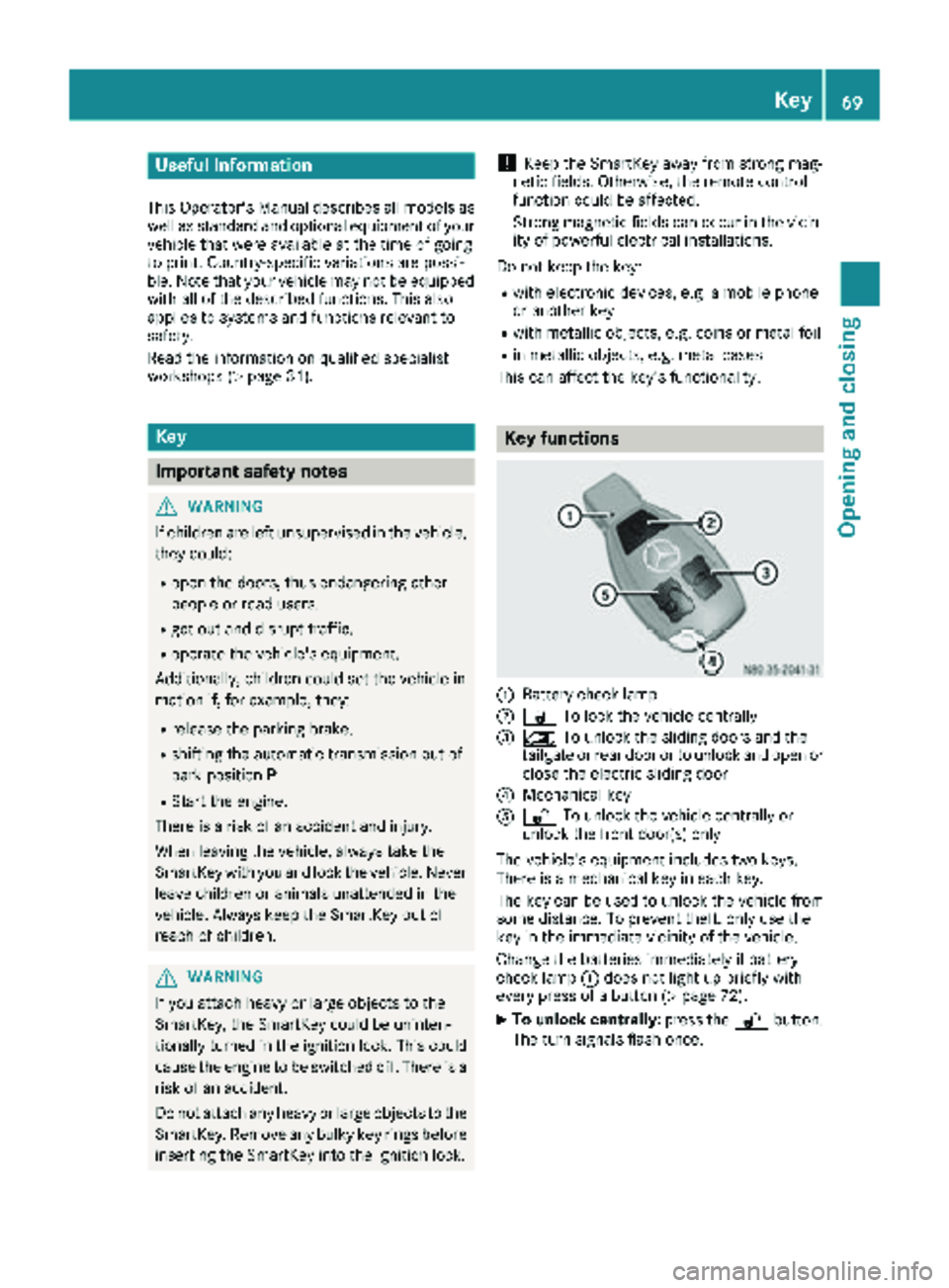
Key functions
:Battery check lamp
;& To lock the vehicle centrally
=5To unlock the sliding doors and the
tailgate or rear door or to unlock and open or
close the electric sliding door
?Mechanical key
A% To unlock the vehicle centrally or
unlock the front door(s) only
The vehicle's equipment includes two keys.
There is a mechanical key in each key.
The key can be used to unlock the vehicle from
some distance. To prevent theft, only use the
key in the immediate vicinity of the vehicle.
Change the batteries immediately if battery
check lamp :does not light up briefly with
every press of a button (
Ypage 72).
XTo unlock centrally: press the%button.
The turn signals flash once.
Key69
Opening and closing
Z
Page 72 of 318
XTo unlock the sliding doors and the tail-
gate or rear door only: press the5but-
ton.
The turn signals flash once.
If you do not open the vehicle within approx-
imately 40 seconds of unlocking:
Rthe vehicle is locked again.
Rthe anti-theft protection is armed again.
XTo lock centrally: press the&button.
The indicator lamps flash three times if:
Rthe anti-theft protection is armed.
Rall the doors and the tailgate or rear door
are closed.
XCheck the locking knobs on all the doors.
The locking knobs must all be in the lowered
position.
The key's factory setting enables you to cen-
trally lock and unlock the following:
Rthe driver's and the front-passenger door
Rthe sliding doors
Rthe tailgate or rear door
In an emergency, the driver's door can also be
unlocked manually using the mechanical key
(
Ypage 70).
You can also set an audible signal to confirm
that the vehicle has been locked. The audible
locking-verification signal can be switched on/
off:
Rusing the on-board computer on vehicles with
steering wheel buttons (Ypage 190)
Rat a specialist qualified workshop for vehicles without steering wheel buttons
After unlocking using the remote control, the
surround lighting also goe s o
n in the dark. For
vehicles with steering wheel buttons, the sur-
round lighting can be activated and deactivated
in the on-board computer (
Ypage 189).
Changing the settings of the locking
system
If you travel alone a lot, you may wish to change
the settings of the locking system. Press
the % button to unlock:
Rthe driver's and front-passenger door (Cargo
Van)
or
Rthe driver's door (Passenger Van)
XTo change the setting: press and hold down
the % and& buttons simultaneously
until the battery check lamp flashes twice
(
Ypage 69).
If the setting of the locking system is changed
within the signal range of the vehicle, press the & or% button to:
Rlock or
Runlock the vehicle
The key now functions as follows:
XTo unlock the driver's door or front doors: press the %button once.
XTo unlock centrally: briefly press the%
button twice.
XTo lock centrally: press the&button.
XTo restore factory settings: press and hold
down the %and& buttons simultane-
ously until the battery check lamp flashes
twice (
Ypage 69).
The key unlocks the vehicle centrally again.
Mechanical key
General notes
If the vehicle can no longer be locked or
unlocked with the SmartKey, use the mechani-
cal key.
The anti-theft alarm system (ATA) is triggered
when you unlock and open the vehicle using the
mechanical key (
Ypage 68).
The alarm can be stopped in the following two
ways:
XPress the %or& button on the Smart-
Key.
or
XInsert the SmartKey into the ignition lock.
70Key
Opening and closing
Page 76 of 318
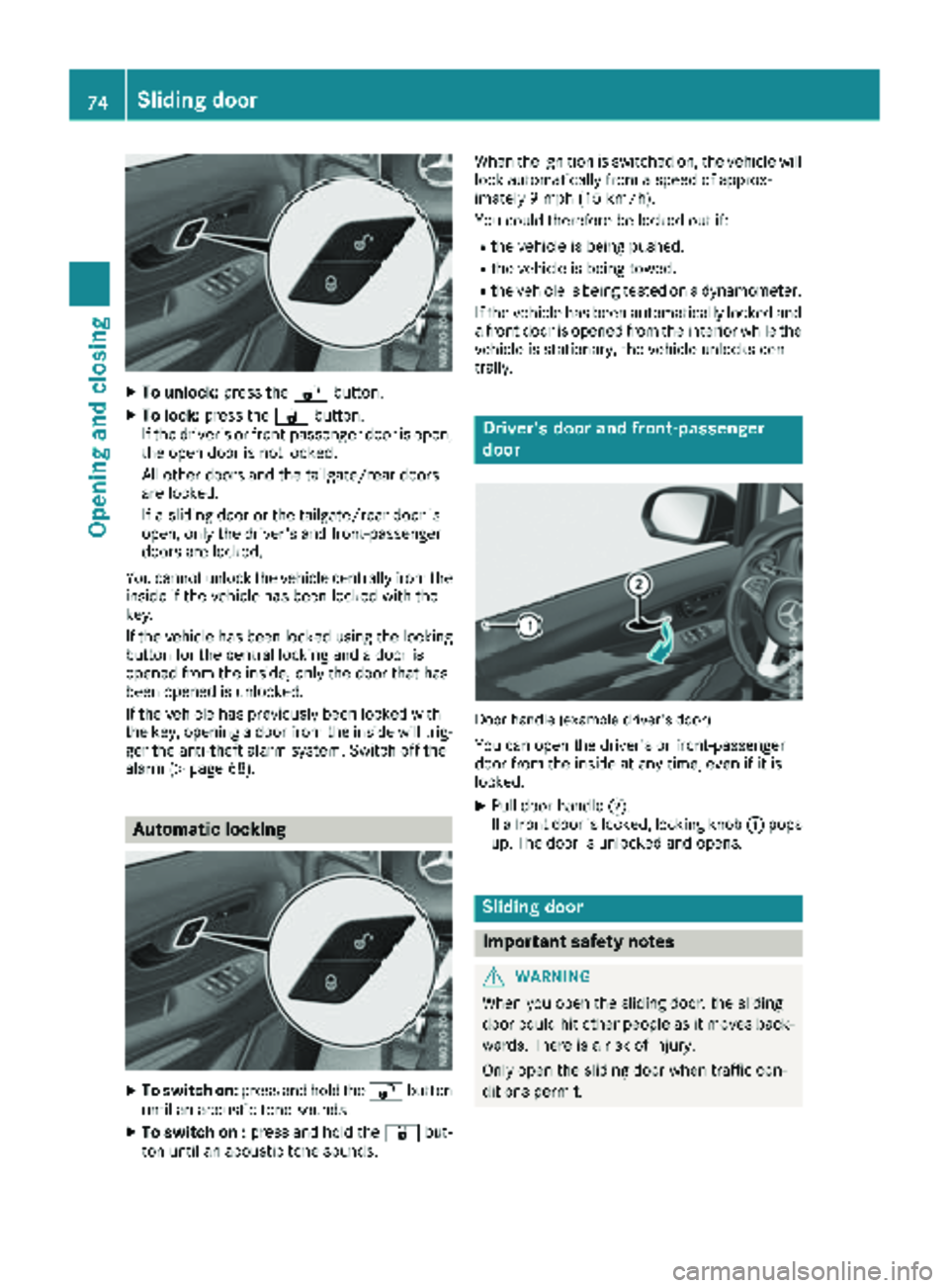
XTo unlock:press the%button.
XTo lock: press the &button.
If the driver's or front-passenger door is open,
the open door is not locked.
All other doors and the tailgate/rear doors
are locked.
If a sliding door or the tailgate/rear door is
open, only the driver's and front-passenger
doors are locked.
You cannot unlock the vehicle centrally from the inside if the vehicle has been locked with the
key.
If the vehicle has been locked using the locking
button for the central locking and a door is
opened from the inside, only the door that has
been opened is unlocked.
If the vehicle has previously been locked with
the key, opening a door from the inside will trig-
ger the anti-theft alarm system. Switch off the
alarm (
Ypage 68).
Automatic locking
XTo switch on: press and hold the %button
until an acoustic tone sounds.
XTo switch on : press and hold the &but-
ton until an acoustic tone sounds. When the ignition is switched on, the vehicle will
lock automatically from a speed of approx-
imately 9 mph (15 km/h).
You could therefore be locked out if:
Rthe vehicle is being pushed.
Rthe vehicle is being towed.
Rthe vehicle is being tested on a dynamometer.
If the vehicle has been automatically locked and
a front door is opened from the interior while the
vehicle is stationary, the vehicle unlocks cen-
trally.
Driver's door and front-passenger
door
Door handle (example driver's door)
You can open the driver's or front-passenger
door from the inside at any time, even if it is
locked.
XPull door handle ;.
If a front door is locked, locking knob :pops
up. The door is unlocked and opens.
Sliding door
Important safety notes
GWARNING
When you open the sliding door, the sliding
door could hit other people as it moves back- wards. There is a risk of injury.
Only open the sliding door when traffic con-
ditions permit.
74Sliding door
Opening and closing
Page 80 of 318
XPress sliding door button in the door frame
A.
or
XBriefly pull back rocker switch =.
iIn unfavorable operating conditions, e.g.
frost, ice or heavy soiling, you can press and
hold the relevant sliding door button. The
electric sliding door moves with increased
force. Observe that, in such circumstances,
the obstacle detection is less sensitive. To
stop the movement, release the sliding door
button.
Programing the key button for the
sliding door
If the vehicle is equipped with two electric slid-
ing doors, the 5sliding door button on the
key can only be programmed for one of the two
sliding doors. You can then open or close the
selected sliding door with the 5button on
the key.
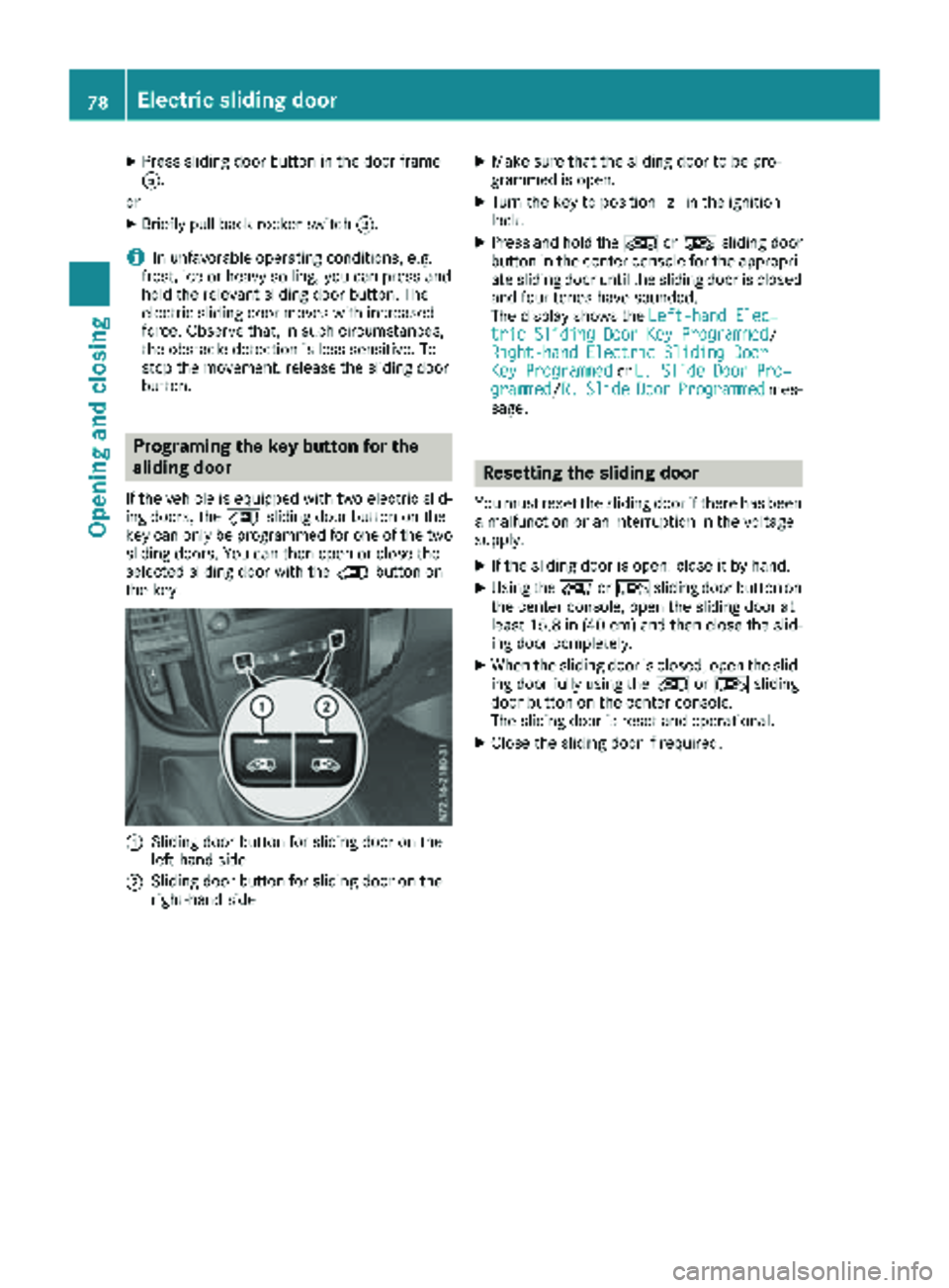
:Sliding door button for sliding door on the
left-hand side
;Sliding door button for sliding door on the
right-hand side
XMake sure that the sliding door to be pro-
grammed is open.
XTurn the key to position 2in the ignition
lock.
XPress and hold the ÅorÆ sliding door
button in the center console for the appropri-
ate sliding door until the sliding door is closed
and four tones have sounded.
The display shows the Left-hand Elec‐
tric Sliding Door Key Programmed/
Right-hand Electric Sliding Door
Key Programmedor L. Slide Door Pro‐grammed/R.SlideDoorProgrammedmes-
sage.
Resetting the sliding door
You must reset the sliding door if there has been
a malfunction or an interruption in the voltage
supply.
XIf the sliding door is open: close it by hand.
XUsing the ÅorÆ sliding door button on
the center console, open the sliding door at
least 15.8 in (40 cm) and then close the slid-
ing door completely.
XWhen the sliding door is closed, open the slid-
ing door fully using the ÅorÆ sliding
door button on the center console.
The sliding door is reset and operational.
XClose the sliding door if required.
78Electric sliding door
Opening and closing
Page 85 of 318
XTo open manually:press and hold the cor-
responding switch.
XTo open fully: press the switch beyond the
point of resistance and release it.
Automatic operation is started.
XTo close manually: pull the corresponding
switch and hold it.
XTo close fully: pull the corresponding switch
beyond the point of resistance and release it.
Automatic operation is started.
XTo interrupt automatic operation: press/
pull the corresponding switch again.
You can continue to operate the side windows
after switching off the engine or removing the
SmartKey. This function remains active for
about five minutes or until you open a front door.
Convenience opening feature
You can ventilate the vehicle before you start
driving. To do this, the key is used to carry out
the following functions simultaneously:
Rto unlock the vehicle
Rto open the side windows
The convenience opening feature can only be
operated using the key. The key must be close to
the driver's door handle.
XConvenience opening: point the tip of the
key at the driver's door handle.
XPress and hold the %button until the side
windows are in the desired position.
XTo interrupt convenience opening: release
the % button.
Convenience closing feature
GWARNING
When using the convenience closing feature,
parts of the body could be trapped in the clos-
ing area when a side window is being closed.
There is a risk of injury.
Observe the complete closing procedure
when the convenience closing feature is oper-
ating. Make sure that no body parts are in
close proximity during the closing procedure.
When you lock the vehicle, you can close the
side windows at the same time.
The SmartKey must be close to the driver's door
handle.
Observe the notes on the automatic reversing
feature for the side windows (
Ypage 82).
XConvenience closing feature: point the tip
of the SmartKey at the driver's door handle.
XKeep the &button pressed until all side
windows are fully closed.
XMake sure that all side windows are closed.
XTo interrupt convenience closing feature:
release the &button.
Resetting the side windows
You must reset the side windows if there has
been a malfunction or an interruption in the volt-
age supply.
XTurn the SmartKey to position 2in the ignition
lock.
XPull the two power window switches and hold
for approximately one second after closing
the side window.
XIf the side windows remain closed after the
button has been released, they have been
reset correctly. If this is not the case, repeat
the steps above for the open window.
Problems with the side windows
GWARNING
If you close a side window again immediately after it has been blocked or reset, the side window
closes with increased or maximum force. The reversing feature is then not active. Parts of the
Side windows83
Opening and closing
Z
Page 89 of 318
The seats can be adjusted when the key is
removed and the door is open.
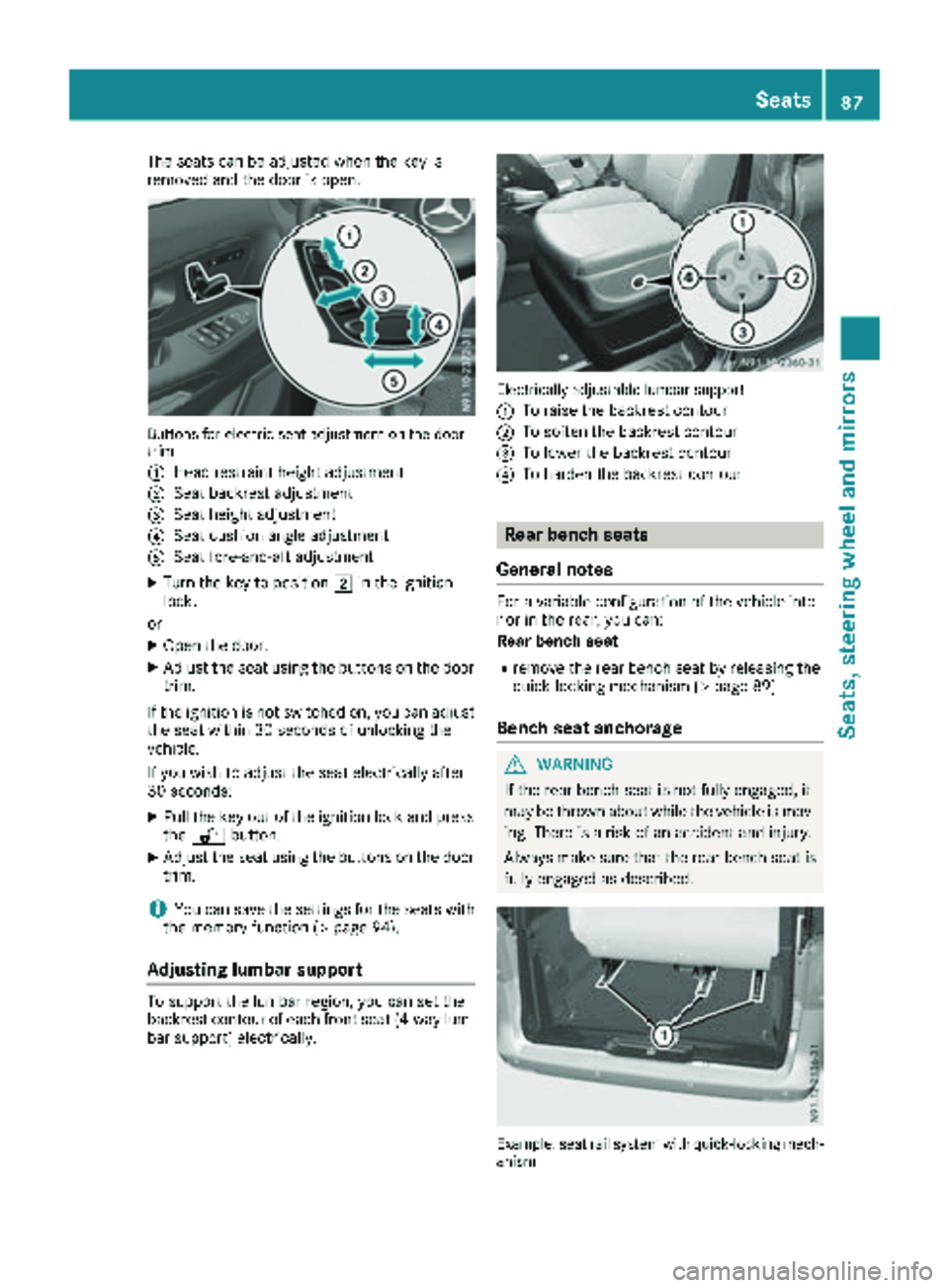
Buttons for electric seat adjustment on the door
trim
:
Head restraint height adjustment
;Seat backrest adjustment
=Seat height adjustment
?Seat cushion angle adjustment
ASeat fore-and-aft adjustment
XTurn the key to position2in the ignition
lock.
or
XOpen the door.
XAdjust the seat using the buttons on the door
trim.
If the ignition is not switched on, you can adjust
the seat within 30 seconds of unlocking the
vehicle.
If you wish to adjust the seat electrically after
30 seconds:
XPull the key out of the ignition lock and press
the % button.
XAdjust the seat using the buttons on the door
trim.
iYou can save the settings for the seats with
the memory function (Ypage 94).
Adjusting lumbar support
To support the lumbar region, you can set the
backrest contour of each front seat (4-way lum- bar support) electrically.
Electrically adjustable lumbar support
:
To raise the backrest contour
;To soften the backrest contour
=To lower the backrest contour
?To harden the backrest contour
Rear bench seats
General notes
For a variable configuration of the vehicle inte-
rior in the rear, you can:
Rear bench seat
Rremove the rear bench seat by releasing the
quick-locking mechanism (Ypage 89)
Bench seat anchorage
GWARNING
If the rear bench seat is not fully engaged, it
may be thrown about while the vehicle is mov-
ing. There is a risk of an accident and injury.
Always make sure that the rear bench seat is
fully engaged as described.
Example: seat rail system with quick-locking mech-
anism
Seats87
Seats, steering wheel and mirrors
Z
Page 94 of 318
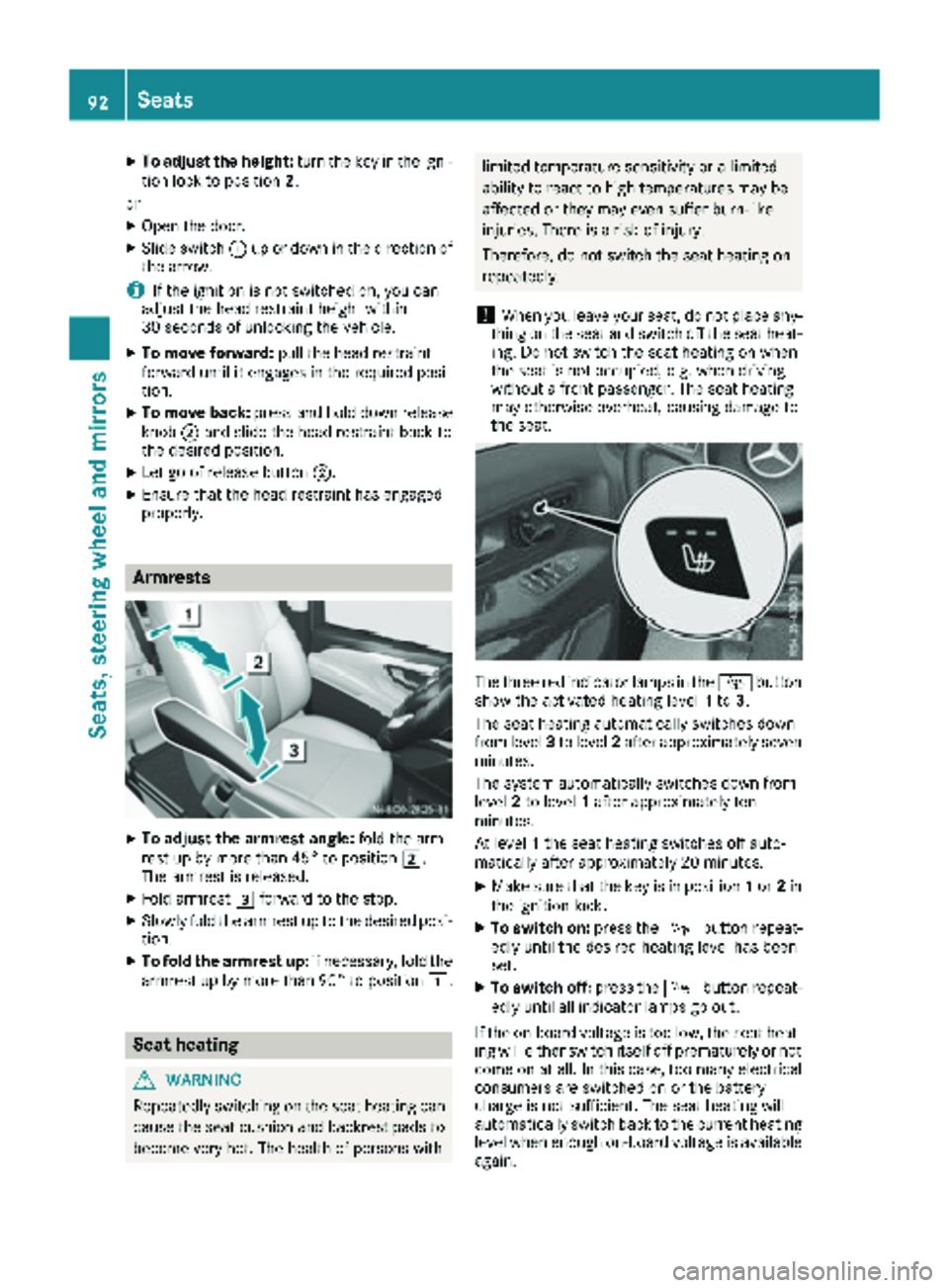
XTo adjust the height:turn the key in the igni-
tion lock to position 2.
or
XOpen the door.
XSlide switch :up or down in the direction of
the arrow.
iIf the ignition is not switched on, you can
adjust the head restraint height within
30 seconds of unlocking the vehicle.
XTo move forward: pull the head restraint
forward until it engages in the required posi-
tion.
XTo move back: press and hold down release
knob ;and slide the head restraint back to
the desired position.
XLet go of release button ;.
XEnsure that the head restraint has engaged
properly.
Armrests
XTo adjust the armrest angle: fold the arm-
rest up by more than 45° to position 2.
The armrest is released.
XFold armrest 3forward to the stop.
XSlowly fold the armrest up to the desired posi-
tion.
XTo fold the armrest up: if necessary, fold the
armrest up by more than 90° to position 1.
Seat heating
GWARNING
Repeatedly switching on the seat heating can
cause the seat cushion and backrest pads to
become very hot. The health of persons with
limited temperature sensitivity or a limited
ability to react to high temperatures may be
affected or they may even suffer burn-like
injuries. There is a risk of injury.
Therefore, do not switch the seat heating on
repeatedly.
!When you leave your seat, do not place any-
thing on the seat and switch off the seat heat-
ing. Do not switch the seat heating on when
the seat is not occupied, e.g. when driving
without a front passenger. The seat heating
may otherwise overheat, causing damage to
the seat.
The three red indicator lamps in the Íbutton
show the activated heating level 1to 3.
The seat heating automatically switches down
from level 3to level 2after approximately seven
minutes.
The system automatically switches down from
level 2to level 1after approximately ten
minutes.
At level 1the seat heating switches off auto-
matically after approximately 20 minutes.
XMake sure that the key is in position 1or 2in
the ignition lock.
XTo switch on: press theÍbutton repeat-
edly until the desired heating level has been
set.
XTo switch off: press theÍbutton repeat-
edly until all indicator lamps go out.
If the on-board voltage is too low, the seat heat-
ing will either switch itself off prematurely or not
come on at all. In this case, too many electrical
consumers are switched on or the battery
charge is not sufficient. The seat heating will
automatically switch back to the current heating level when enough on-board voltage is available
again.
92Seats
Seats, steering wheel and mirrors
Page 96 of 318
For this reason, always make sure of the
actual distance from the road users traveling
behind by glancing over your shoulder.
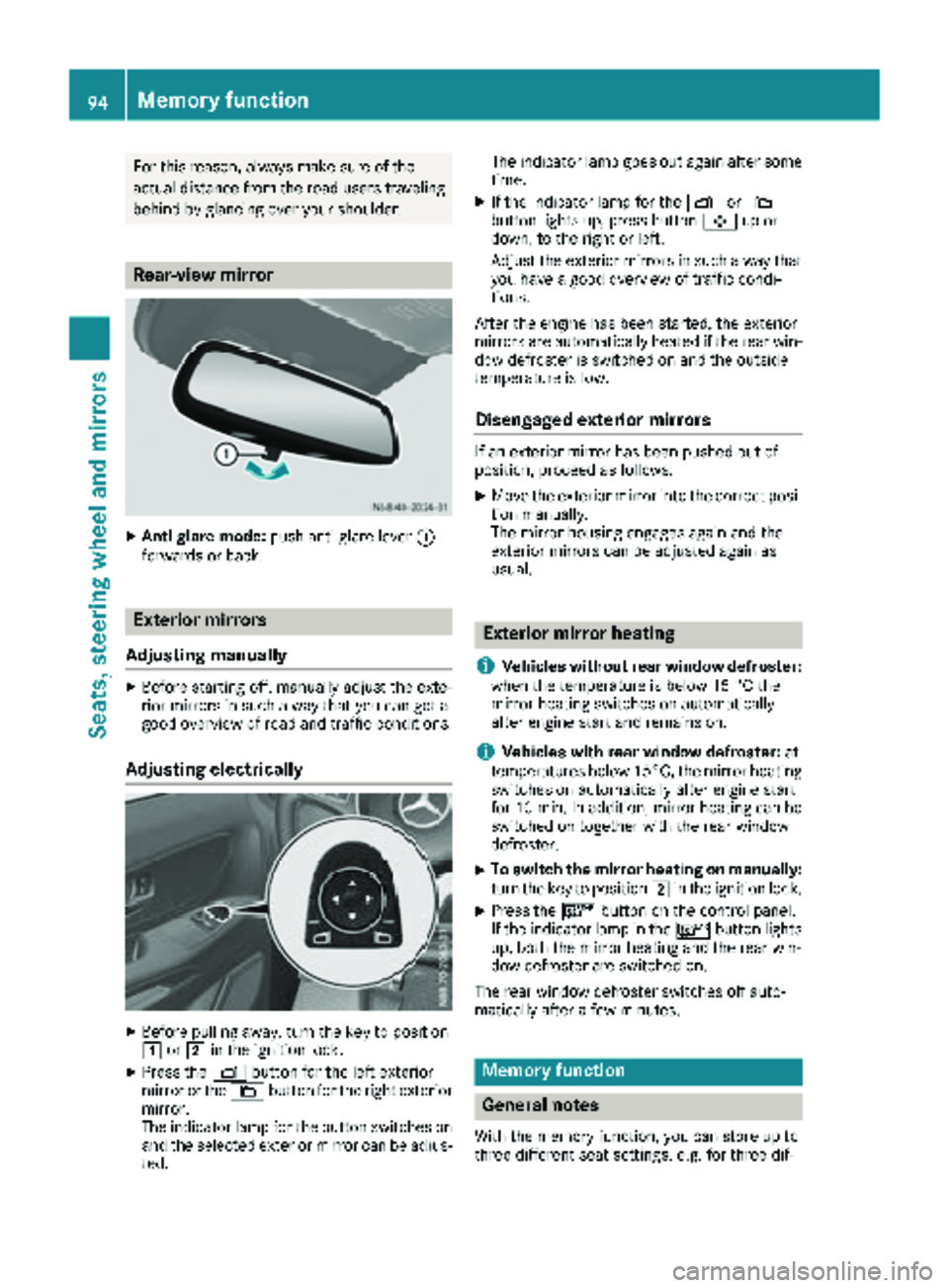
Rear-view mirror
XAnti-glare mode:push anti-glare lever :
forwards or back.
Exterior mirrors
Adjusting manually
XBefore starting off, manually adjust the exte-
rior mirrors in such a way that you can get a
good overview of road and traffic conditions.
Adjusting electrically
XBefore pulling away, turn the key to position
1 or2 in the ignition lock.
XPress the Zbutton for the left exterior
mirror or the \button for the right exterior
mirror.
The indicator lamp for the button switches on
and the selected exterior mirror can be adjus-
ted. The indicator lamp goes out again after some
time.
XIf the indicator lamp for the Zor\
button lights up, press button 7up or
down, to the right or left.
Adjust the exterior mirrors in such a way that
you have a good overview of traffic condi-
tions.
After the engine has been started, the exterior
mirrors are automatically heated if the rear win-
dow defroster is switched on and the outside
temperature is low.
Disengaged exterior mirrors
If an exterior mirror has been pushed out of
position, proceed as follows:
XMove the exterior mirror into the correct posi-
tion manually.
The mirror housing engages again and the
exterior mirrors can be adjusted again as
usual.
Exterior mirror heating
i
Vehicles without rear window defroster:
when the temperature is below 15 °C the
mirror heating switches on automatically
after engine start and remains on.
iVehicles with rear window defroster: at
temperatures below 15°C, the mirror heating
switches on automatically after engine start
for 10 min. In addition, mirror heating can be switched on together with the rear window
defroster.
XTo switch the mirror heating on manually:
turn the key to position 2in the ignition lock.
XPress the ¤button on the control panel.
If the indicator lamp in the ¤button lights
up, both the mirror heating and the rear win-
dow defroster are switched on.
The rear window defroster switches off auto-
matically after a few minutes.
Memory function
General notes
With the memory function, you can store up to
three different seat settings, e.g. for three dif-
94Memory function
Seats, steering wheel and mirrors
Page 97 of 318
ferent people. The position of the seat, seat
backrest and head restraint are stored as a sin-
gle memory preset.
Important safety notes
GWARNING
If you use the memory function on the driver's side while driving, you could lose control of
the vehicle as a result of the adjustments
being made. There is a risk of an accident.
Only use the memory function on the driver's
side when the vehicle is stationary.
GWARNING
When the memory function adjusts the seat,
you and other vehicle occupants – particularly
children – could become trapped. There is a
risk of injury.
While the memory function is making adjust-
ments, make sure that no one has any body
parts in the sweep of the seat. If somebody
becomes trapped, immediately release the
memory function position button. The adjust-
ment process is stopped.
GWARNING
Children could become trapped if they acti-
vate the memory function, particularly when
unattended. There is a risk of injury.
When leaving the vehicle, always take the
SmartKey with you and lock the vehicle. Never
leave children unsupervised in the vehicle.
The memory function can be used at any time,
for example even when the SmartKey has been
removed from the ignition lock.
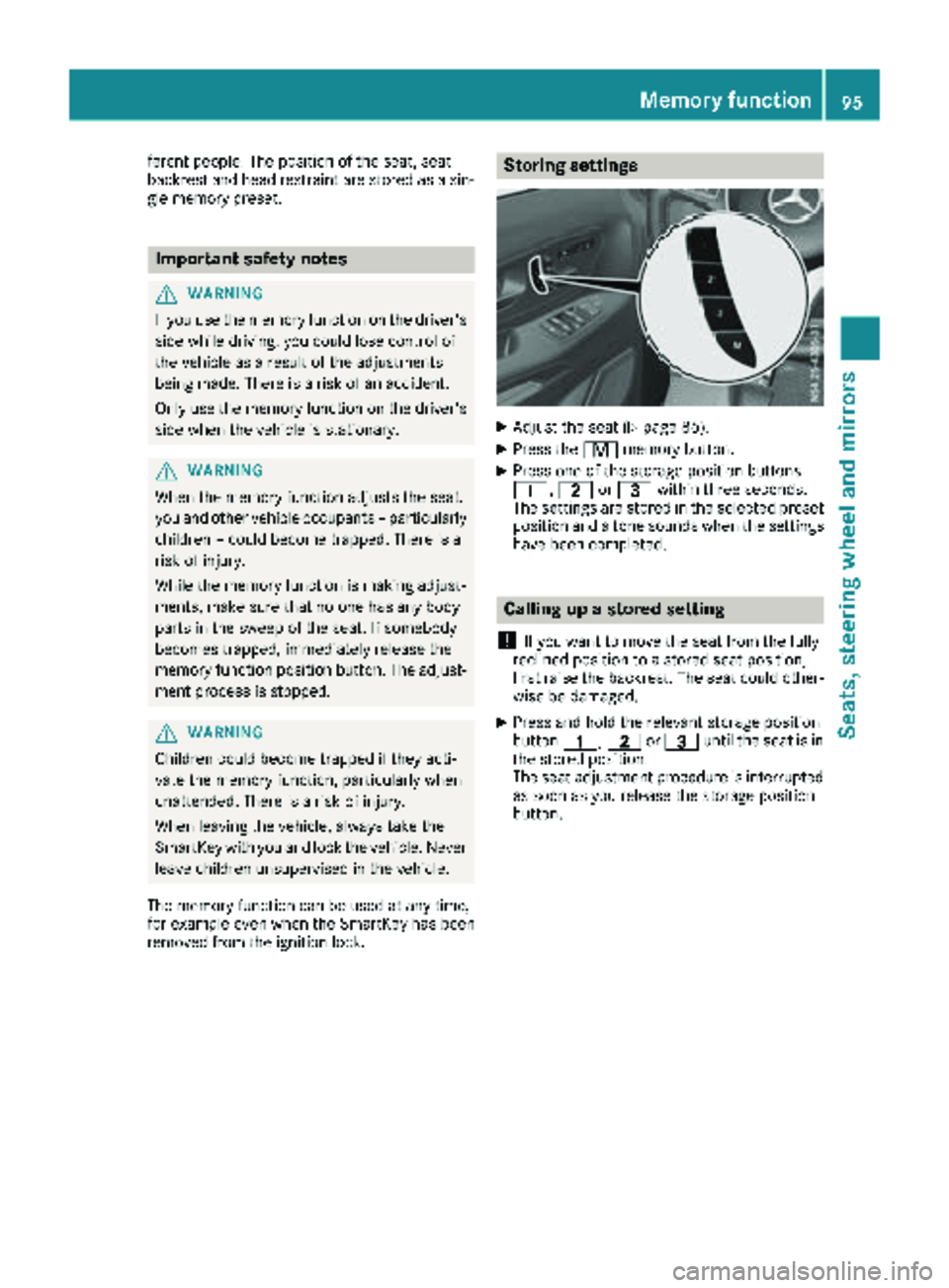
Storing settings
XAdjust the seat (Ypage 86).
XPress the rmemory button.
XPress one of the storage position buttons
4, 5or= within three seconds.
The settings are stored in the selected preset
position and a tone sounds when the settings
have been completed.
Calling up a stored setting
!
If you want to move the seat from the fully
reclined position to a stored seat position,
first raise the backrest. The seat could other-
wise be damaged.
XPress and hold the relevant storage position
button 4,5or= until the seat is in
the stored position.
The seat adjustment procedure is interrupted
as soon as you release the storage position
button.
Memory function95
Seats, steering wheel and mirrors
Z