battery MERCEDES-BENZ METRIS 2020 MY20 Operator’s Manual
[x] Cancel search | Manufacturer: MERCEDES-BENZ, Model Year: 2020, Model line: METRIS, Model: MERCEDES-BENZ METRIS 2020Pages: 320, PDF Size: 26.38 MB
Page 163 of 320
Active Parking Assist does not assist you park-
ing in spaces at right angles to the direction of
travel if:
R two parking spaces are located directly next
to one another
R the parking space is directly next to a low
obstacle such as a low curb
R you forward park
Active Parking Assist does not assist you park-
ing in spaces that are parallel or at right angles
to the direction of travel if:
R the parking space is on a curb
R the system reads the parking space as being
blocked, for example by foliage or grass
paving blocks
R the area is too small for the vehicle to
maneuver into
R the parking space is bordered by an obsta-
cle, e.g. a tree, a post or a trailer :
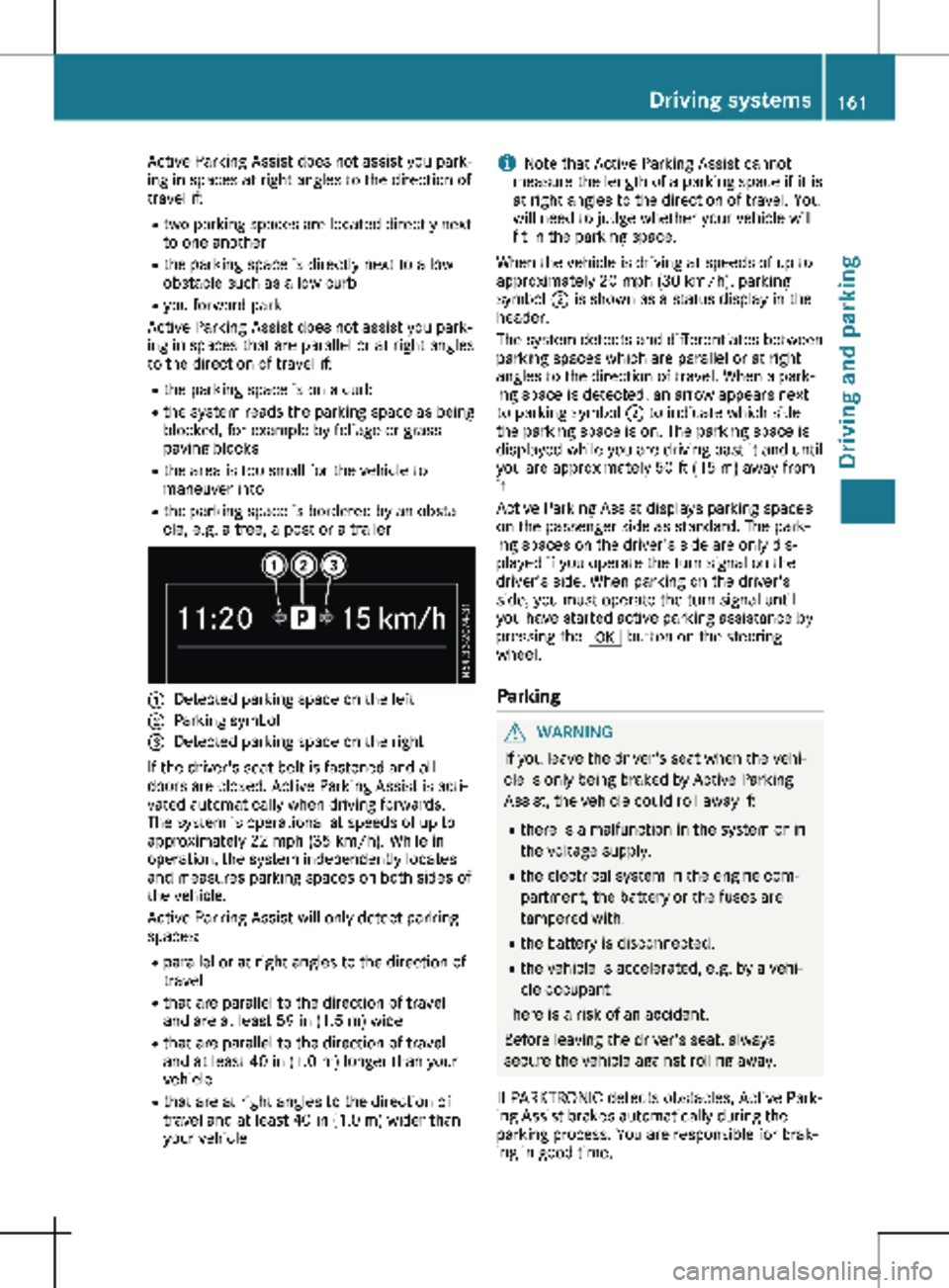
Detected parking space on the left
; Parking symbol
= Detected parking space on the right
If the driver's seat belt is fastened and all
doors are closed, Active Parking Assist is acti-
vated automatically when driving forwards.
The system is operational at speeds of up to
approximately
22 mph (35 km/h). While in
operation, the system independently locates
and measures parking spaces on both sides of
the vehicle.
Active Parking Assist will only detect parking
spaces:
R parallel or at right angles to the direction of
travel
R that are parallel to the direction of travel
and are at least 59 in (1.5 m) wide
R that are parallel to the direction of travel
and at least 40 in (1.0 m) longer than your
vehicle
R that are at right angles to the direction of
travel and at least 40 in (1.0 m) wider than
your vehicle i
Note that Active Parking Assist cannot
measure the length of a parking space if it is
at right angles to the direction of travel. You
will need to judge whether your vehicle will
fit in the parking space.
When the vehicle is driving at speeds of up to
approximately
20 mph (30 km/h), parking
symbol ; is shown as a status display in the
header.
The system detects and differentiates between
parking spaces which are parallel or at right
angles to the direction of travel. When a park-
ing space is detected, an arrow appears next
to parking symbol ; to indicate which side
the parking space is on. The parking space is
displayed while you are driving past it and until
you are approximately 50 ft (15 m) away from
it.
Active Parking Assist displays parking spaces
on the passenger side as standard. The park-
ing spaces on the driver's side are only dis-
played if you operate the turn signal on the
driver's side. When parking on the driver's
side, you must operate the turn signal until
you have started active parking assistance by
pressing the a button on the steering
wheel.
Parking G
WARNING
If you leave the driver's seat when the vehi-
cle is only being braked by Active Parking
Assist, the vehicle could roll away if:
R there is a malfunction in the system or in
the voltage supply.
R the electrical system in the engine com-
partment, the battery or the fuses are
tampered with.
R the battery is disconnected.
R the vehicle is accelerated, e.g. by a vehi-
cle occupant.
There is a risk of an accident.
Before leaving the driver's seat, always
secure the vehicle against rolling away.
If PARKTRONIC detects obstacles, Active Park-
ing Assist brakes automatically during the
parking process. You are responsible for brak-
ing in good time. Driving systems
161
Driving and parking Z
Page 175 of 320
and the noseweight of the trailer drawbar
(TWR).
Trailer power supply
! Incorrect wiring of the connector plug
could, under certain circumstances, cause
malfunctions in the vehicle's other elec-
tronic systems. We therefore recommend
having the connector plug wired at a quali-
fied specialist workshop.
! You can connect accessories with a maxi-
mum power consumption of 240 W
to the
permanent power supply.
You must not charge a trailer battery using
the power supply.
Your vehicle may be equipped with various
electrical installations for trailer towing.
Depending on your trailer, you may need an
adapter to connect the electrical system of the
trailer with that of the vehicle.
The trailer socket of your vehicle is equipped
at the factory with a permanent power supply.
The permanent power supply is on the trailer
socket pin assignment 4.
Note that the permanent power supply of the
trailer is not switched off when the on-board
voltage is low. This can completely discharge
the starter battery of your vehicle.
Further information on the electrical equip-
ment currently installed on your vehicle and on
installing trailer electrics can be obtained at
any qualified specialist workshop. Towing a trailer
173
Driving and parking Z
Page 180 of 320
Use the buttons in the instrument cluster.
X To display: press È to select the trip com-
puter display.
The values displayed relate to those meas-
ured since the trip computer was last reset.
X To reset values: press and hold 3 until all
values are reset.
The trip computer is automatically reset if the
value exceeds 9,999 hours or 99,999 miles.
You can set the unit of measurement for con-
sumption and distance in the Distance
Unit: submenu ( Y page 180).Range menu
Use the buttons in the instrument cluster.
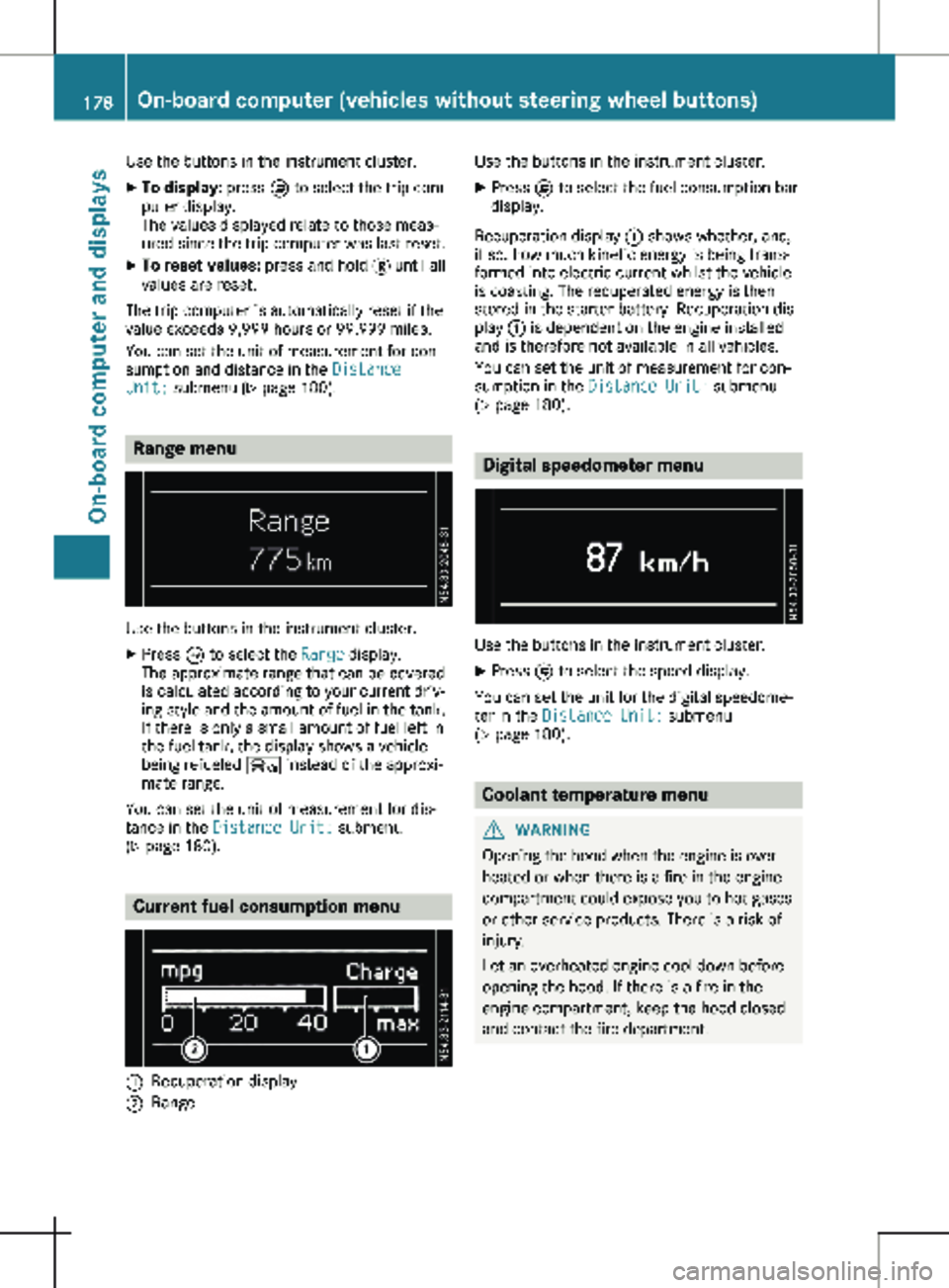
X Press È to select the Range display.
The approximate range that can be covered
is calculated according to your current driv-
ing style and the amount of fuel in the tank.
If there is only a small amount of fuel left in
the fuel tank, the display shows a vehicle
being refueled Ï instead of the approxi-
mate range.
You can set the unit of measurement for dis-
tance in the Distance Unit: submenu
(Y page
180). Current fuel consumption menu
:
Recuperation display
; Range Use the buttons in the instrument cluster.
X Press È to select the fuel consumption bar
display.
Recuperation display : shows whether, and,
if so, how much kinetic energy is being trans-
formed into electric current whilst the vehicle
is coasting. The recuperated energy is then
stored in the starter battery. Recuperation dis-
play : is dependent on the engine installed
and is therefore not available in all vehicles.
You can set the unit of measurement for con-
sumption in the Distance Unit: submenu
(Y page
180). Digital speedometer menu
Use the buttons in the instrument cluster.
X Press È to select the speed display.
You can set the unit for the digital speedome-
ter in the Distance Unit: submenu
(Y page
180). Coolant temperature menu
G
WARNING
Opening the hood when the engine is over-
heated or when there is a fire in the engine
compartment could expose you to hot gases
or other service products. There is a risk of
injury.
Let an overheated engine cool down before
opening the hood. If there is a fire in the
engine compartment, keep the hood closed
and contact the fire department. 178
On-board computer (vehicles without steering wheel buttons)
On-board computer and displays
Page 186 of 320
If the display shows the speed in the header,
the outside temperature is additionally dis-
played on the lower edge of display panel
=.
You can switch the permanent display in the
header
(Y page 192).
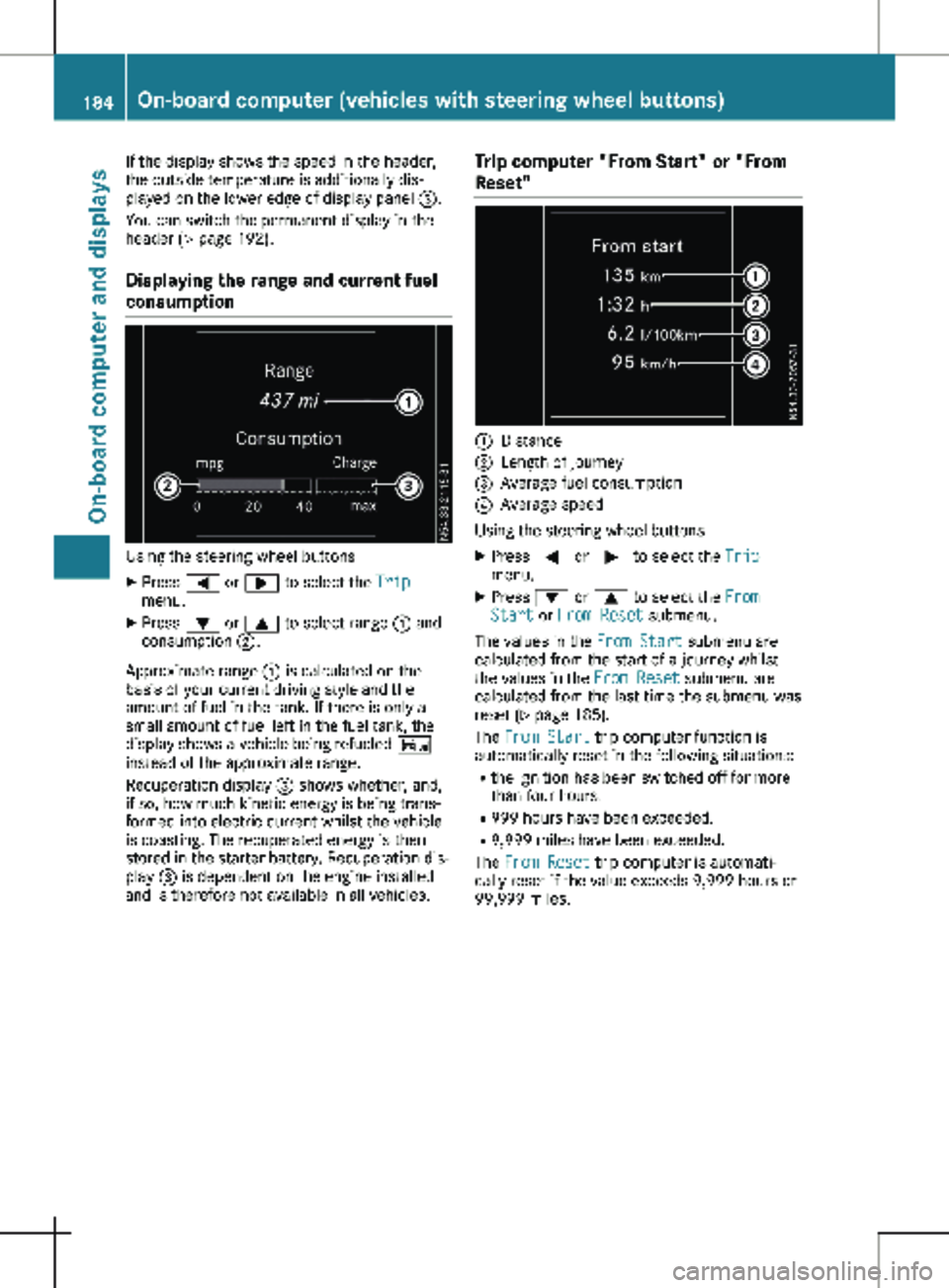
Displaying the range and current fuel
consumption Using the steering wheel buttons
X Press = or ; to select the Trip
menu.
X Press : or 9 to select range : and
consumption ;.
Approximate range : is calculated on the
basis of your current driving style and the
amount of fuel in the tank. If there is only a
small amount of fuel left in the fuel tank, the
display shows a vehicle being refueled Ï
instead of the approximate range.
Recuperation display = shows whether, and,
if so, how much kinetic energy is being trans-
formed into electric current whilst the vehicle
is coasting. The recuperated energy is then
stored in the starter battery. Recuperation dis-
play = is dependent on the engine installed
and is therefore not available in all vehicles. Trip computer "From Start" or "From
Reset" :
Distance
; Length of journey
= Average fuel consumption
? Average speed
Using the steering wheel buttons
X Press = or ; to select the Trip
menu.
X Press : or 9 to select the From
Start or From Reset submenu.
The values in the From Start submenu are
calculated from the start of a journey whilst
the values in the From Reset submenu are
calculated from the last time the submenu was
reset (Y page
185).
The From Start trip computer function is
automatically reset in the following situations:
R the ignition has been switched off for more
than four hours.
R 999 hours have been exceeded.
R 9,999 miles have been exceeded.
The From Reset trip computer is automati-
cally reset if the value exceeds 9,999 hours or
99,999 miles. 184
On-board computer (vehicles with steering wheel buttons)
On-board computer and displays
Page 206 of 320
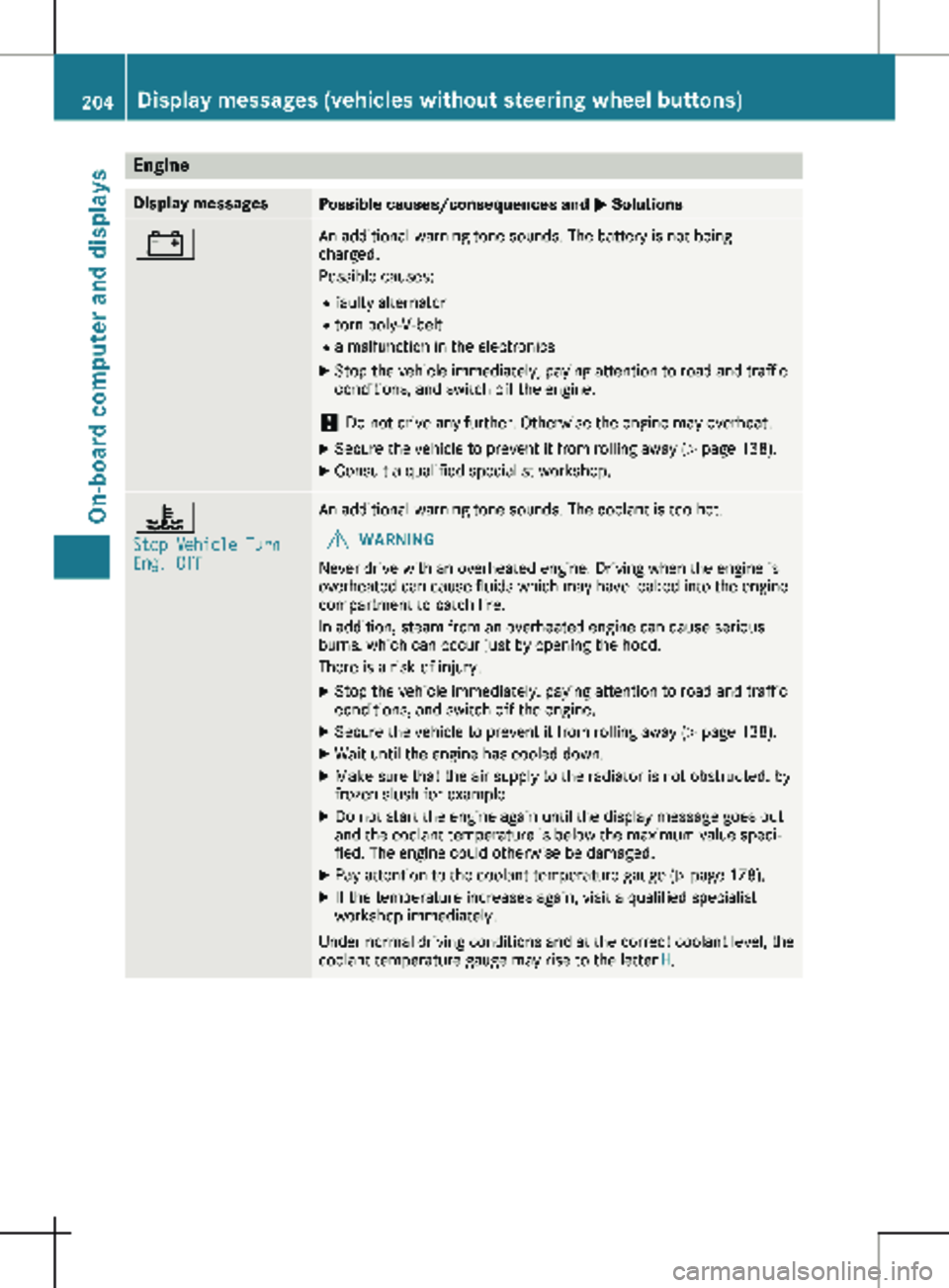
Engine
Display messages
Possible causes/consequences and
M Solutions# An additional warning tone sounds. The battery is not being
charged.
Possible causes:
R faulty alternator
R torn poly-V-belt
R a malfunction in the electronics
X Stop the vehicle immediately, paying attention to road and traffic
conditions, and switch off the engine.
! Do not drive any further. Otherwise the engine may overheat.
X Secure the vehicle to prevent it from rolling away ( Y page 138).
X Consult a qualified specialist workshop. ?
Stop Vehicle Turn
Eng. Off An additional warning tone sounds. The coolant is too hot.
G WARNING
Never drive with an overheated engine. Driving when the engine is
overheated can cause fluids which may have leaked into the engine
compartment to catch fire.
In addition, steam from an overheated engine can cause serious
burns, which can occur just by opening the hood.
There is a risk of injury.
X Stop the vehicle immediately, paying attention to road and traffic
conditions, and switch off the engine.
X Secure the vehicle to prevent it from rolling away ( Y page
138).
X Wait until the engine has cooled down.
X Make sure that the air supply to the radiator is not obstructed, by
frozen slush for example.
X Do not start the engine again until the display message goes out
and the coolant temperature is below the maximum value speci-
fied. The engine could otherwise be damaged.
X Pay attention to the coolant temperature gauge (Y page
178).
X If the temperature increases again, visit a qualified specialist
workshop immediately.
Under normal driving conditions and at the correct coolant level, the
coolant temperature gauge may rise to the letter H.204
Display messages (vehicles without steering wheel buttons)
On-board computer and displays
Page 221 of 320
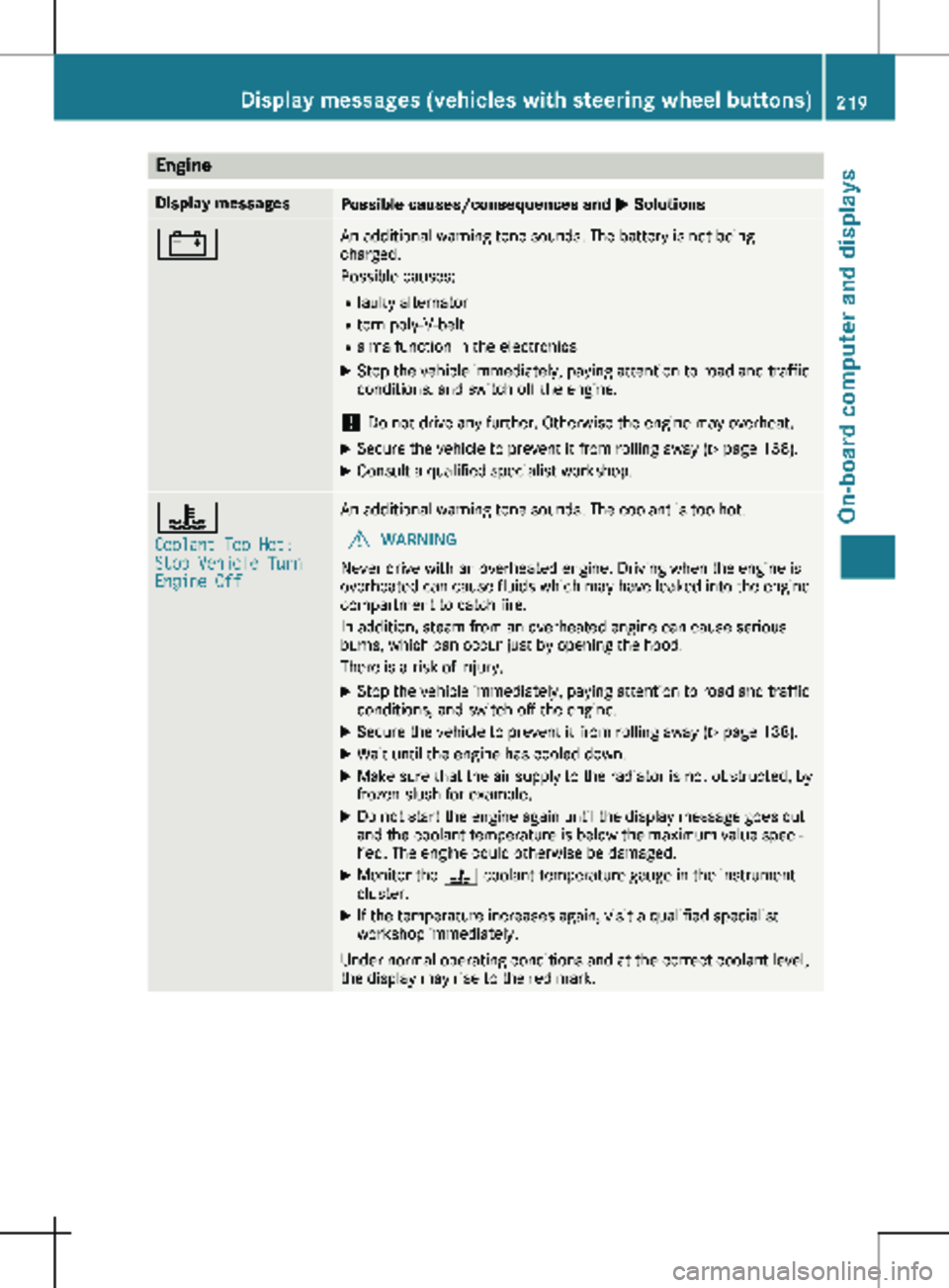
Engine
Display messages
Possible causes/consequences and
M Solutions# An additional warning tone sounds. The battery is not being
charged.
Possible causes:
R faulty alternator
R torn poly-V-belt
R a malfunction in the electronics
X Stop the vehicle immediately, paying attention to road and traffic
conditions, and switch off the engine.
! Do not drive any further. Otherwise the engine may overheat.
X Secure the vehicle to prevent it from rolling away ( Y page 138).
X Consult a qualified specialist workshop. ?
Coolant Too Hot:
Stop Vehicle Turn
Engine Off An additional warning tone sounds. The coolant is too hot.
G WARNING
Never drive with an overheated engine. Driving when the engine is
overheated can cause fluids which may have leaked into the engine
compartment to catch fire.
In addition, steam from an overheated engine can cause serious
burns, which can occur just by opening the hood.
There is a risk of injury.
X Stop the vehicle immediately, paying attention to road and traffic
conditions, and switch off the engine.
X Secure the vehicle to prevent it from rolling away ( Y page
138).
X Wait until the engine has cooled down.
X Make sure that the air supply to the radiator is not obstructed, by
frozen slush for example.
X Do not start the engine again until the display message goes out
and the coolant temperature is below the maximum value speci-
fied. The engine could otherwise be damaged.
X Monitor the ? coolant temperature gauge in the instrument
cluster.
X If the temperature increases again, visit a qualified specialist
workshop immediately.
Under normal operating conditions and at the correct coolant level,
the display may rise to the red mark. Display messages (vehicles with steering wheel buttons)
219
On-board computer and displays Z
Page 227 of 320

Display messages
Possible causes/consequences and
M SolutionsTire Pressure Moni‐
tor Currently
Unavailable Due to a source of radio interference, no signals can be received
from the wheel sensors. The tire pressure monitor is temporarily
malfunctioning.
The tire pressure monitor restarts automatically as soon as the
problem has been solved. Wheel Sensor(s)
Missing There is no signal from the tire pressure sensor of one or several
wheels. The pressure of the affected tire is not shown in the display.
X Have the faulty tire pressure sensor replaced at a qualified spe-
cialist workshop. Tire Pressure Moni‐
tor Inoperative No
Wheel Sensors The wheels installed do not have suitable tire pressure sensors. The
tire pressure monitor is deactivated.
X Install wheels with suitable tire pressure sensors.
The tire pressure monitor is activated automatically after driving
for a few minutes. Tire Press. Moni‐
tor Inoperative The tire pressure monitor is malfunctioning.
X Visit a qualified specialist workshop. Vehicle
Display messages
Possible causes/consequences and
M SolutionsShift to 'P' or
'N' to Start Engine You have attempted to start the engine in transmission position
k
or h.
X Shift the transmission to position j or i.Auxiliary Battery
Malfunction The auxiliary battery for the transmission is no longer being
charged.
X Visit a qualified specialist workshop. Apply Brake to
Shift from 'P' You attempted to shift the transmission to position
h, k or i
without depressing the brake pedal.
X Depress the brake pedal. Perm. N Activated
Risk of Rolling An additional warning tone sounds. The transmission has been shif-
ted to position i when the vehicle is coasting or being driven.
X Stop the vehicle by depressing the brake pedal and when the
vehicle is stationary shift the transmission to position j.
X Continue driving by shifting the transmission to position h or
k. Risk of Rolling:
Transmission Not
in P An additional warning tone sounds. The driver's door is open and
the transmission is in position k, i or h.
X Shift the transmission to position j.
X Secure the vehicle to prevent it from rolling away ( Y page 138).Display messages (vehicles with steering wheel buttons)
225
On-board computer and displays Z
Page 243 of 320
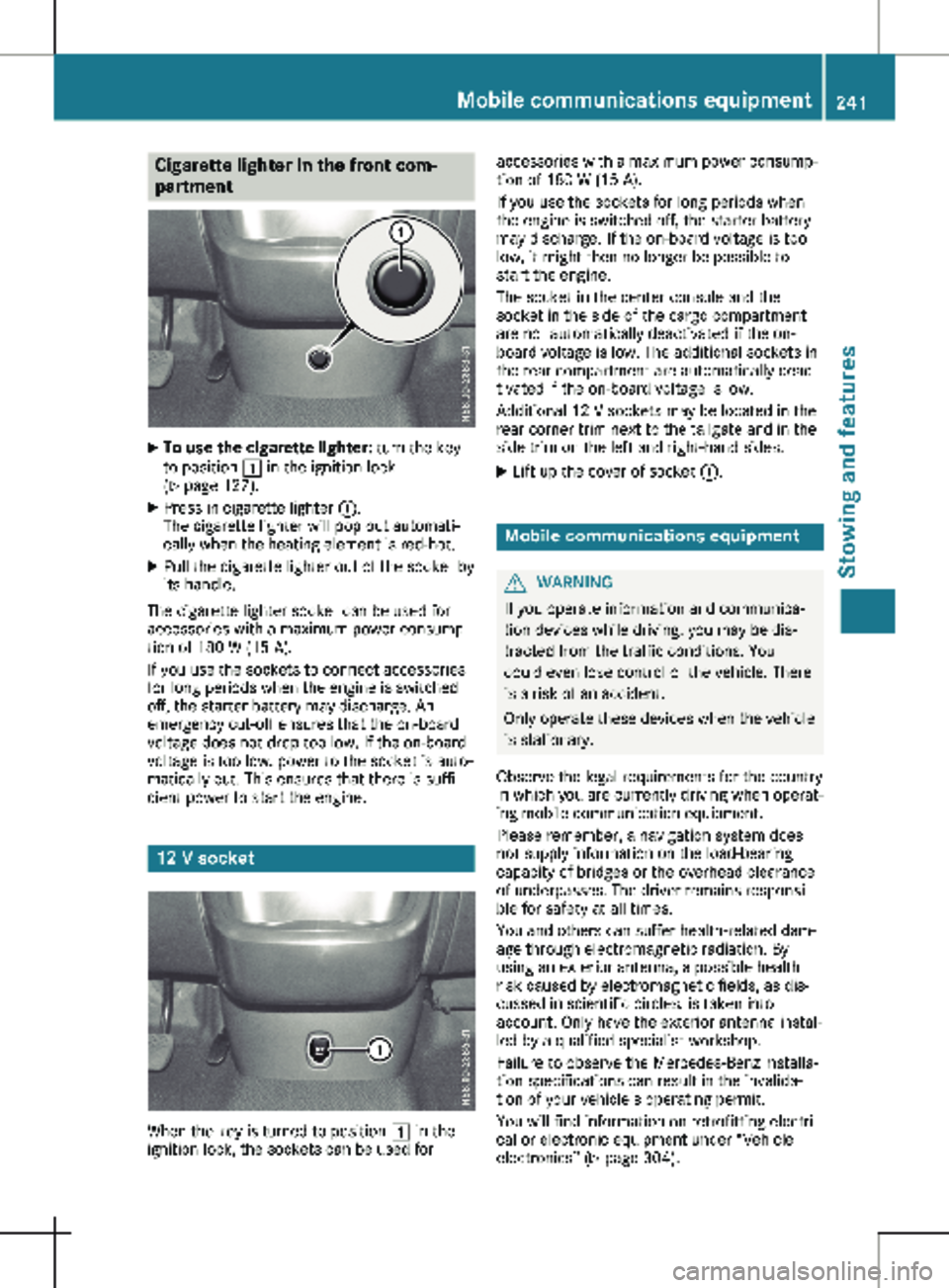
Cigarette lighter in the front com-
partment
X
To use the cigarette lighter: turn the key
to position 1 in the ignition lock
(Y page
127).
X Press in cigarette lighter :.
The cigarette lighter will pop out automati-
cally when the heating element is red-hot.
X Pull the cigarette lighter out of the socket by
its handle.
The cigarette lighter socket can be used for
accessories with a maximum power consump-
tion of 180 W
(15 A).
If you use the sockets to connect accessories
for long periods when the engine is switched
off, the starter battery may discharge. An
emergency cut-off ensures that the on-board
voltage does not drop too low. If the on-board
voltage is too low, power to the socket is auto-
matically cut. This ensures that there is suffi-
cient power to start the engine. 12 V socket
When the key is turned to position 1 in the
ignition lock, the sockets can be used for accessories with a maximum power consump-
tion of
180 W (15 A).
If you use the sockets for long periods when
the engine is switched off, the starter battery
may discharge. If the on-board voltage is too
low, it might then no longer be possible to
start the engine.
The socket in the center console and the
socket in the side of the cargo compartment
are not automatically deactivated if the on-
board voltage is low. The additional sockets in
the rear compartment are automatically deac-
tivated if the on-board voltage is low.
Additional 12 V sockets may be located in the
rear corner trim next to the tailgate and in the
side trim on the left and right-hand sides.
X Lift up the cover of socket :. Mobile communications equipment
G
WARNING
If you operate information and communica-
tion devices while driving, you may be dis-
tracted from the traffic conditions. You
could even lose control of the vehicle. There
is a risk of an accident.
Only operate these devices when the vehicle
is stationary.
Observe the legal requirements for the country
in which you are currently driving when operat-
ing mobile communication equipment.
Please remember, a navigation system does
not supply information on the load-bearing
capacity of bridges or the overhead clearance
of underpasses. The driver remains responsi-
ble for safety at all times.
You and others can suffer health-related dam-
age through electromagnetic radiation. By
using an exterior antenna, a possible health
risk caused by electromagnetic fields, as dis-
cussed in scientific circles, is taken into
account. Only have the exterior antenna instal-
led by a qualified specialist workshop.
Failure to observe the Mercedes-Benz installa-
tion specifications can result in the invalida-
tion of your vehicle's operating permit.
You will find information on retrofitting electri-
cal or electronic equipment under “Vehicle
electronics” (Y page
304). Mobile communications equipment
241
Stowing and features Z
Page 260 of 320
The prescribed service interval is based on
normal vehicle use. Service work will need to
be performed more frequently than prescribed
if the vehicle is operated under more arduous
conditions or with higher loads. Such arduous
conditions include:
R regular city driving with frequent intermedi-
ate stops
R driving predominantly short distances
R frequent operation in mountainous terrain or
on poor road surfaces
R leaving the engine idling for long periods on
a frequent basis
In these or similar operating conditions, have
the air filter, engine oil and oil filter, for exam-
ple, replaced more frequently. Under more
arduous operating conditions, the tires must
be checked more often. Further information
can be obtained at a qualified specialist work-
shop, e.g. an authorized Mercedes-Benz Com-
mercial Van Center.
Hiding service messages Vehicles without steering wheel buttons
X Press the 3 button on the instrument clus-
ter.
Vehicles with steering wheel buttons
X Press the a or % button on the steer-
ing wheel.
Calling up the service due date Vehicles without steering wheel buttons
The vehicle must be stationary. Use the but-
tons in the instrument cluster.
X Turn the key to position 2 in the ignition
lock.
X Press È to select the service display.
The display shows a possible service mes-
sage.
Vehicles with steering wheel buttons
Using the steering wheel buttons
X Turn the key to position 2 in the ignition
lock.
X Press = or ; to select the Service
menu.
X Press 9 or : to select the ASSYST
PLUS submenu and press a to confirm.
The display shows the service due date. Battery
Important safety notes
Work on the battery, e.g. removing or instal-
ling, requires specialist knowledge and the use
of special tools. Therefore, always have work
on the battery carried out at a qualified spe-
cialist workshop. G
WARNING
Work carried out incorrectly on the battery
can lead, for example, to a short circuit and
thus damage the vehicle electronics. This
can lead to function restrictions applying to
safety-relevant systems, e.g. the lighting
system, the ABS (anti-lock braking system)
or the ESP ®
(Electronic Stability Program).
The operating safety of your vehicle may be
restricted.
You could lose control of the vehicle, for
example:
R when braking
R in the event of abrupt steering maneuvers
and/or when the vehicle's speed is not
adapted to the road conditions
There is a risk of an accident.
In the event of a short circuit or a similar
incident, contact a qualified specialist work-
shop immediately. Do not drive any further.
You should have all work involving the bat-
tery carried out at a qualified specialist
workshop.
Further information can be found under "ABS"
(Y page
67) and under "ESP ®
" (Y page 68). G
WARNING
Electrostatic build-up can lead to the crea-
tion of sparks, which could ignite the highly
explosive gases of a battery. There is a risk
of an explosion.
Before handling the battery, touch the vehi-
cle body to remove any existing electrostatic
build-up.
The flammable gas mix is produced when the
battery is charged or when the vehicle is jump-
started. 258
Battery
Maintenance and care
Page 261 of 320
Always make sure that neither you nor the bat-
tery are electro statically charged.
An electrostatic charge can build up in the fol-
lowing situations:
R wearing synthetic clothing
R friction between clothing and the seat
R dragging or pushing the battery across car-
pet flooring or any other synthetic materials
R by rubbing the battery with a cloth or towels
Comply with the following safety precautions
and take protective measures when handling
batteries. Risk of explosion. Explosive oxyhy-
drogen is produced when batteries
are being charged. Only charge
batteries in well-ventilated areas.
Fire, open flames and smoking are
therefore prohibited when working
on the battery. Avoid creating
sparks.
Battery acid is caustic. Avoid con-
tact with the skin, eyes or clothing.
Wear acid-proof protective gloves.
If skin or clothes are splashed with
acid, neutralize the splashes imme-
diately with soapy water or an acid
neutralizer, and then clean the
affected areas with water. Consult
a doctor if necessary.
Wear eye protection. When mixing
water and acid, the liquid can
splash into your eyes. Rinse acid
splashes to the eyes immediately
with clean water and contact a
doctor immediately.
Keep children at a safe distance.
Children are not able to assess the
dangers posed by batteries and
acid.
When handling batteries, observe
the safety precautions and special
protective measures contained in
this Operator's Manual.
H
Environmental note Batteries contain pollutants.
It is illegal to dispose of
them with the household
rubbish. They must be col-
lected separately and dis-
posed of in an environmen- tally responsible recycling
system. Dispose of batteries in an
environmentally responsible
manner. Take discharged
batteries to a qualified spe-
cialist workshop or to a col-
lection point for used bat-
teries.
Observe the following notes: R have the batteries recharged more fre-
quently in the following situations:
- if you predominantly drive short distan-
ces.
- if you predominantly drive at low outside
temperatures.
- if you leave the vehicle parked for a
lengthy period.
In order for the batteries to achieve their
maximum possible service life, they must
always be sufficiently charged.
R Consult an authorized Mercedes-Benz Com-
mercial Van Center if you wish to leave your
vehicle parked for a long period of time.
R When you park the vehicle, remove the key
if you do not require any electrical consum-
ers. The vehicle will then use very little
energy, thus conserving battery power.
R If your vehicle requires jump-starting, or if
you wish to provide jump-starting assistance
to another vehicle, only use the jump-start-
ing connection point in the engine compart-
ment
(Y page 272).
R Have the battery removed at a qualified spe-
cialist workshop. Installation locations
Your vehicle may be equipped with the follow-
ing three batteries, depending on the equip-
ment level:
R Starter battery in the seat base of the right-
hand front seat
R Auxiliary battery in the seat base of the
right-hand front seat
R Additional battery in the seat base of the
left-hand front seat Battery
259
Maintenance and care Z