On-board computer
135
between 4 km/h and 18 km/h. The adjust-
ment is carried out in increments of 2 km/h.
X
Press the èor· button to select the
Additional functions menu.
X If the DSR Speed function is not displayed,
press the jork button to select the
DSR.
X Press the æorç button to set the
desired threshold speed.
X Press the j,èorÿ button to
select a different display.
Priming/deactivating tow-away protec-
tion* If you deactivate
Tow-away protection, it
will not be primed when you next lock the
vehicle.
X Press the èor· button to select the
Additional functions menu.
X IfTow-away protection is not displayed,
press the jork button to select
Tow-away protection.
X Press the æorç button to prime or
deactivate Tow-away protection.
X Press the j,èorÿ button to
select a different display. Priming/deactivating the interior
motion sensor* If you deactivate the
Interior motion sen-
sor, it will not be primed when you next lock
the vehicle.
X Press the èor· button to select the
Additional functions menu.
X If the Interior motion sensor function
is not displayed, press the jork
button to select the Interior motion
sensor.
X Press the æorç button to prime or
deactivate the Interior motion sen-
sor.
X Press the j,èorÿ button to
select a different display. Trip computer menu
You can use the Trip computermenu to call
up or reset statistical data for your vehicle.
i You can select kmormiles as the unit of
measurement for distance (Y page 128).
i Menu overview: (Y page 118).
Use the buttons on the multi-function steer-
ing wheel.
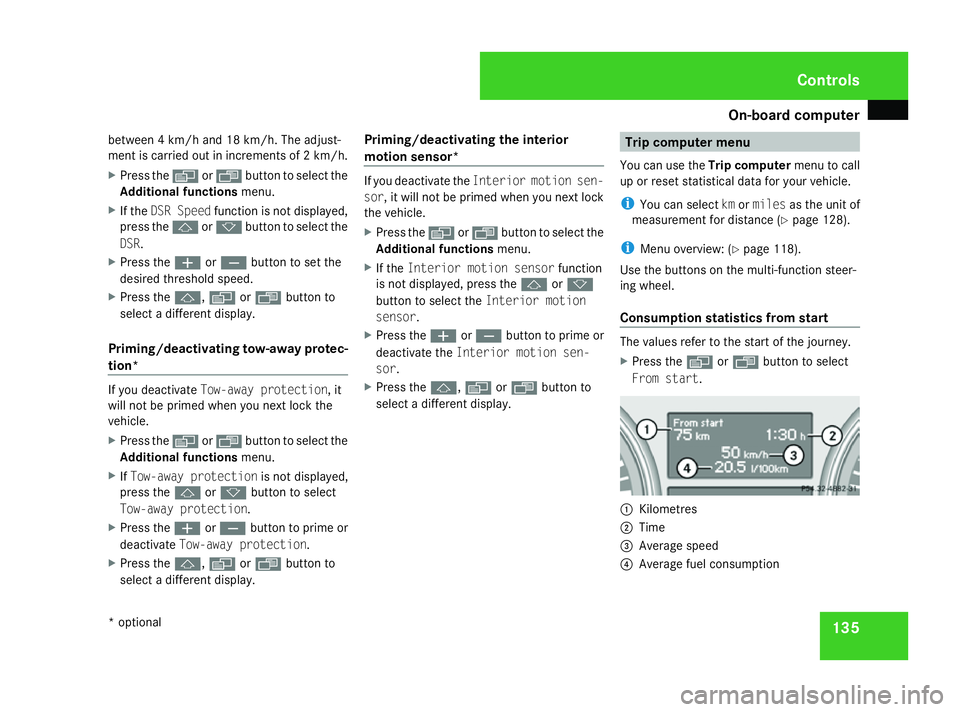
Consumption statistics from start The values refer to the start of the journey.
X
Press the èor· button to select
From start. 1
Kilometres
2 Time
3 Average speed
4 Average fuel consumption Controls
* optional
164_AKB; 5; 5, en-GB
wobuchh,
Version: 2.10.6 2008-05-11T11:55:12+02:00 - Seite 135 ZDateiname: 6515_4293_02_buchblock.pdf; preflight