service reset MERCEDES-BENZ ML430 1997 Complete Owner's Manual
[x] Cancel search | Manufacturer: MERCEDES-BENZ, Model Year: 1997, Model line: ML430, Model: MERCEDES-BENZ ML430 1997Pages: 4133, PDF Size: 88.89 MB
Page 2595 of 4133

AF54.30-P-2064A
Fuel gauge not registering correctly after refueling vehicle
4.2.03
MODEL
163.### #A as of 221506 up to 364039,
163.### #X as of 734088 up to 777100
Operation no. of operation texts or standard texts and flat rates
Sector
Op. no.
Operation text
Time
Acc. no.
Code
P
023803
RECODE INSTRUMENT CLUSTER
003 WU/0.3 h
54 208 50
---
Damage Code
Cause
Remedy
Refuel recognition software may not
recognize incremental refueling (< 7 L).
In case of complaint
#
The fuel gauge operation defaults to back-
up mode, and continuously decreases last
stored sensor value based on consumption
data supplied via engine management. This
continues until either refuel recognition or
instrument cluster (A1) reset occurs (via
STAR Diagnosis or power disconnect).
Vehicles with 83 L fuel tank (as of MY2002)
are more susceptible to this condition.
This applies only to instrument clusters
(A1) with diagnostic version 3/05, 3/06,
and 3/07.
1
Connect STAR Diagnosis.
2
Under "Control module adaptations" in
"ICM" menu, set "Fuel tank characteristic
curve" from "Normal" to "Direct sensor
value".
DO NOT replace the instrument cluster
(A1) or fuel pump assembly (M3) for this
condition.
Copyright DaimlerChrysler AG 28.05.2006 CD-Ausgabe G/10/04 . This WIS print-out will not be recorde
d by Modification services.
Page 1
Page 2840 of 4133
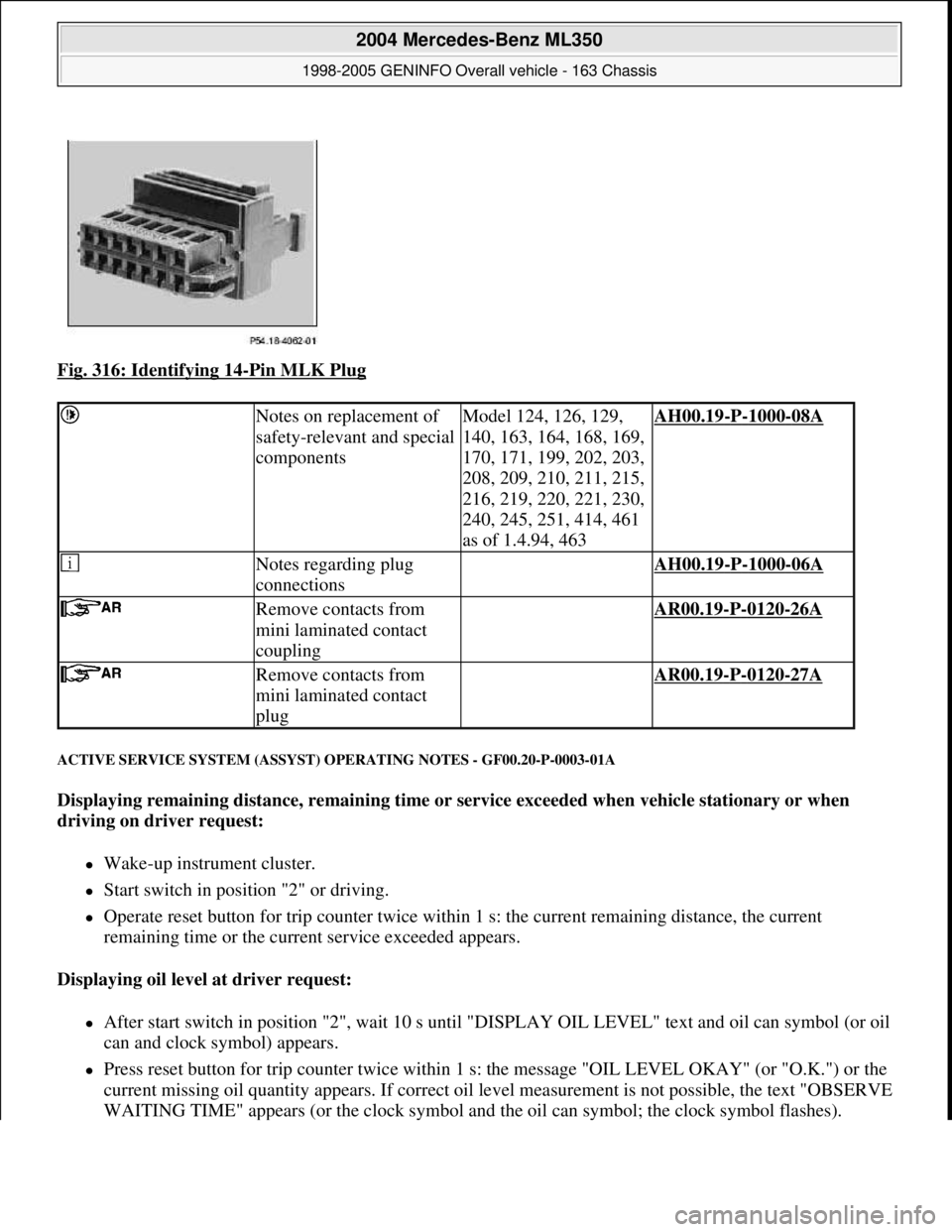
Fig. 316: Identifying 14-Pin MLK Plug
ACTIVE SERVICE SYSTEM (ASSYST) OPERATING NOTES - GF00.20-P-0003-01A
Displaying remaining distance, remaining time or service exceeded when vehicle stationary or when
driving on driver request:
Wake-up instrument cluster.
Start switch in position "2" or driving.
Operate reset button for trip counter twice within 1 s: the current remaining distance, the current
remaining time or the current service exceeded appears.
Displaying oil level at driver request:
After start switch in position "2", wait 10 s until "DISPLAY OIL LEVEL" text and oil can symbol (or oil
can and clock symbol) appears.
Press reset button for trip counter twice within 1 s: the message "OIL LEVEL OKAY" (or "O.K.") or the
current missing oil quantity appears. If correct oil level measurement is not possible, the text "OBSERVE
WAITING TIME" appears (or the clock s
ymbol and the oil can symbol; the clock symbol flashes).
Notes on replacement of
safety-relevant and special
componentsModel 124, 126, 129,
140, 163, 164, 168, 169,
170, 171, 199, 202, 203,
208, 209, 210, 211, 215,
216, 219, 220, 221, 230,
240, 245, 251, 414, 461
as of 1.4.94, 463AH00.19-P-1000-08A
Notes regarding plug
connections AH00.19-P-1000-06A
Remove contacts from
mini laminated contact
coupling AR00.19-P-0120-26A
Remove contacts from
mini laminated contact
plug AR00.19-P-0120-27A
2004 Mercedes-Benz ML350
1998-2005 GENINFO Overall vehicle - 163 Chassis
me
Saturday, October 02, 2010 3:47:47 PMPage 195 © 2006 Mitchell Repair Information Company, LLC.
Page 2841 of 4133
(The texts in parentheses relate to vehicles without multifunction display.)
Resetting ASSYST after oil change (oil change reset) at instrument cluster:
Move start switch into position "2".
Within the first 4 s after moving start switch into position "2": press reset button for trip counter twice
within one second. The display for the servi ce request is thus activated for 10 s.
Within these 10 s move start switch into position "0". The service request continues to be displayed.
Press reset button for trip counter and hold pressed .
Move start switch into position "2".
Continue to hold reset button for trip counter pressed (about 10 s) until the signal sounds and the new
start distance appears in the display.
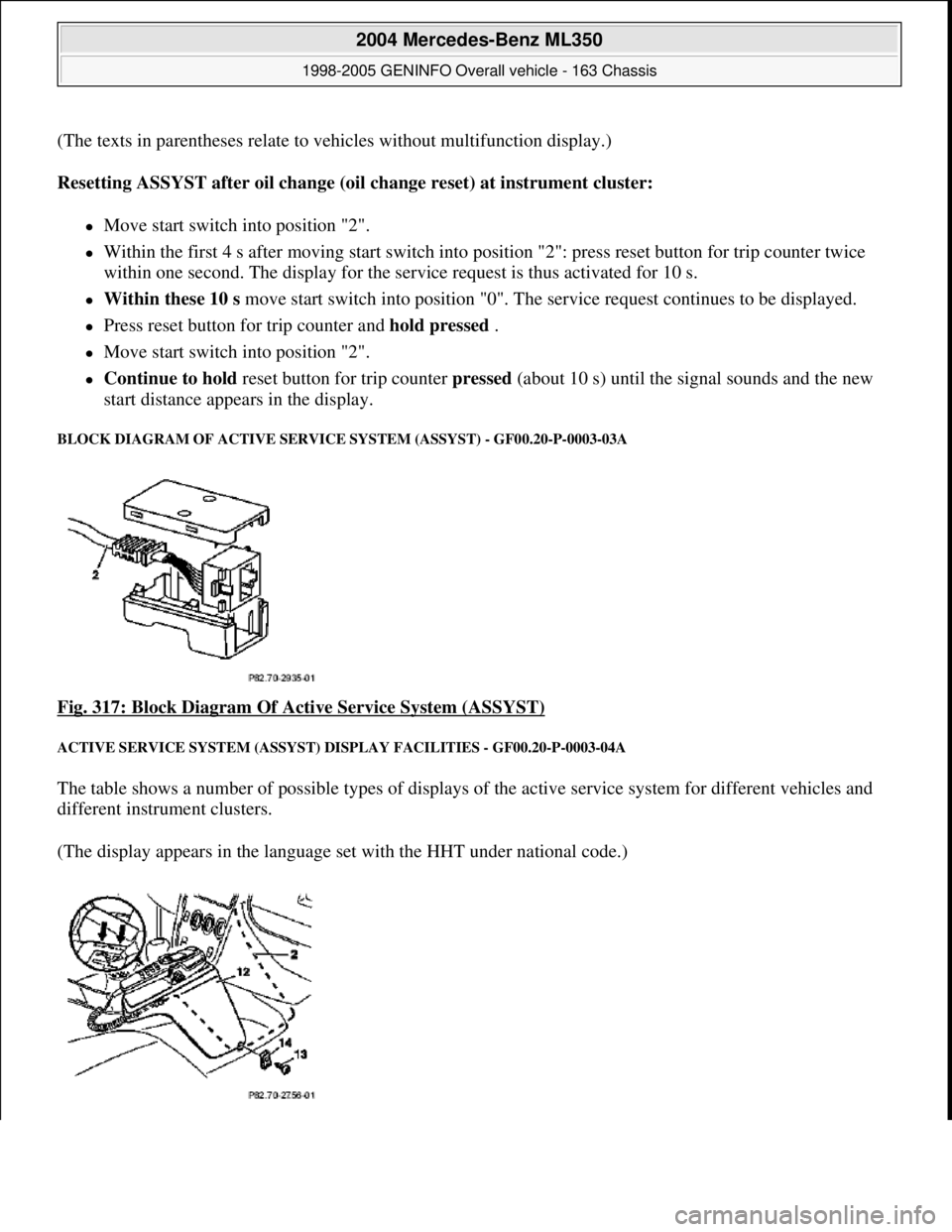
BLOCK DIAGRAM OF ACTI VE SERVICE SYSTEM (ASSYST) - GF00.20-P-0003-03A
Fig. 317: Block Diagram Of Acti ve Service System (ASSYST)
ACTIVE SERVICE SYSTEM (ASSYST) DISPLAY FACILITIES - GF00.20-P-0003-04A
The table shows a number of pos sible types of displays of the active se rvice system for different vehicles and
different instru ment clusters.
(The display appears in the language set with the HHT under national code.)
2004 Mercedes-Benz ML350
1998-2005 GENINFO Overall vehicle - 163 Chassis
me
Saturday, October 02, 2010 3:47:47 PMPage 196 © 2006 Mitchell Repair Information Company, LLC.
Page 2849 of 4133
The figure may differ from this, however, depending on quality factors.
The start distance is automatically reset to its initial value by the oil change reset each time the oil is changed.
The start distance is an internal computed quantity and cannot be displayed in the instrument cluster. It is
possible to display the start distance with the HHT.
What is normally displayed in the instrument cluster is the remaining distance .
The remaining distance is the same as the start distance immediately after the oil change. On engines with oil
sensor (e.g. 112, 113, 166, 611, 668) this applies only, however, if the specified quantity of oil has been added
during the oil change.
The remaining distance is the distance which remains from the current kilometer reading until the next
service. The possible length of the interval is at least as great as the remaining distance displayed
immediately after an oil change, and is at the most twice the start distance.
The remaining distance is dependent on
the start distance
the driving conditions (a weighting of the distance driven takes place)
any oil replenishments in the case of engines with oil sensor (e.g. 112, 113, 166, 611, 668)
Consequently, ASSYST also takes into account the driving conditions: In the case of a favorable weighting
(e.g. small number of cold starts, no high engine revs, small number of short-distance trips, minimum extent of
towing a trailer etc.) and oil replenishments, the driver is provided with a bonus which extends the remaining
distance and thus the service interval. Account is also taken of whether the vehicle is actually driven or whether
the engine runs at idle speed. ASSYST is constantly supplied with the data regarding the current operating
conditions of the vehicle for this purpose.
In the case of the best weighting , only 0.6 km are added for each kilometer driven.
In the case of the most unfavorable weighting of the distance (e.g. frequent short-distance trips, large number
of cold starts), the remaining distance and thus the service interval is smaller than in the case of the most
favorable weighting (assuming identical quality factors).
In the case of the most unfavorable weighting, up to 3 km are added for each kilometer driven.
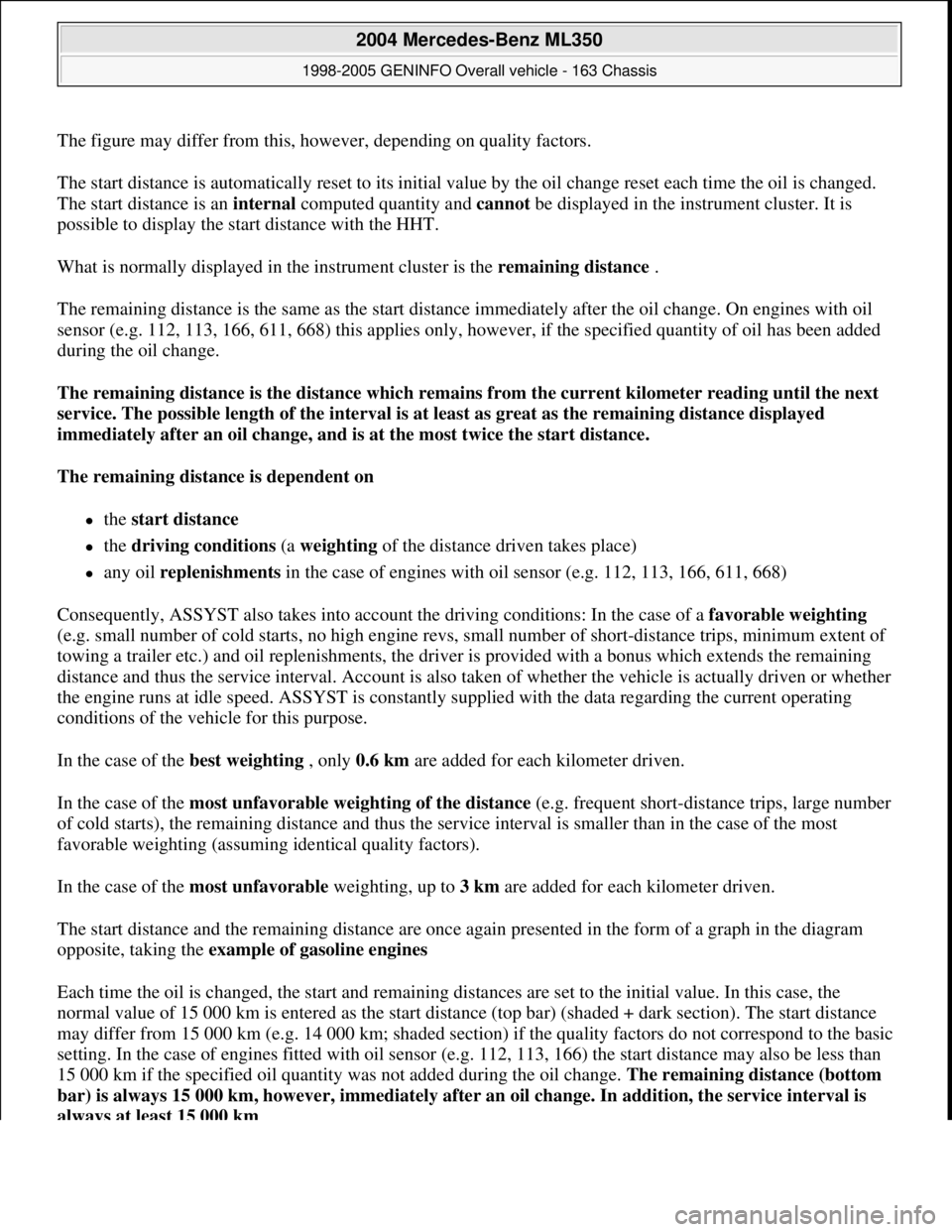
The start distance and the remaining distance are once again presented in the form of a graph in the diagram
opposite, taking the example of gasoline engines
Each time the oil is changed, the start and remaining distances are set to the initial value. In this case, the
normal value of 15 000 km is entered as the start distance (top bar) (shaded + dark section). The start distance
may differ from 15 000 km (e.g. 14 000 km; shaded section) if the quality factors do not correspond to the basic
setting. In the case of engines fitted with oil sensor (e.g. 112, 113, 166) the start distance may also be less than
15 000 km if the specified oil quantity was not added during the oil change. The remaining distance (bottom
bar) is always 15 000 km, however, immediately after an oil change. In addition, the service interval is
always at least 15 000 km .
2004 Mercedes-Benz ML350
1998-2005 GENINFO Overall vehicle - 163 Chassis
me
Saturday, October 02, 2010 3:47:47 PMPage 204 © 2006 Mitchell Repair Information Company, LLC.
Page 2852 of 4133
MODEL 129 as of 1.6.97
MODEL 140 as of 1.6.97
MODEL 163
MODEL 168
MODEL 170 as of 1.6.97
MODEL 202 as of 1.6.97
MODEL 208 up to 31.7.99
MODEL 210 as of 1.3.97 up to 30.6.99
Start time and remaining time
Start time refers to the service interval in days immediately after the oil change
The start time is not dependent on the driving conditions and any oil replenishments .
The start time is 730 days ( 365 days).
The start time is automatically reset to its initial value by the oil change reset after each oil change. The start
time is an internal computed variable and cannotbe displayed in the instrument cluster. It is possible to display
the start time with the HHT.
The remaining time is displayed in the instrument cluster under certain conditions as stated below.
The remaining time is the time which remains until the next service.
The remaining time is only of importance for "low-mileage drivers". (It is therefore the remaining distance
which is displayed as a general rule.)
The remaining time depends on:
the start time
the driving conditions (the distance driven is weighted in this case.)
Replenishing oil, however, does not have any influence on the remaining time.
As a result of these dependent factors, ASSYST proves to be a demand-oriented system even for "low-mileage
drivers". Depending on the weighting of the factors, the service interval for "low-mileage drivers" is between 1
and 2
years.
2004 Mercedes-Benz ML350
1998-2005 GENINFO Overall vehicle - 163 Chassis
me
Saturday, October 02, 2010 3:47:47 PMPage 207 © 2006 Mitchell Repair Information Company, LLC.
Page 2860 of 4133
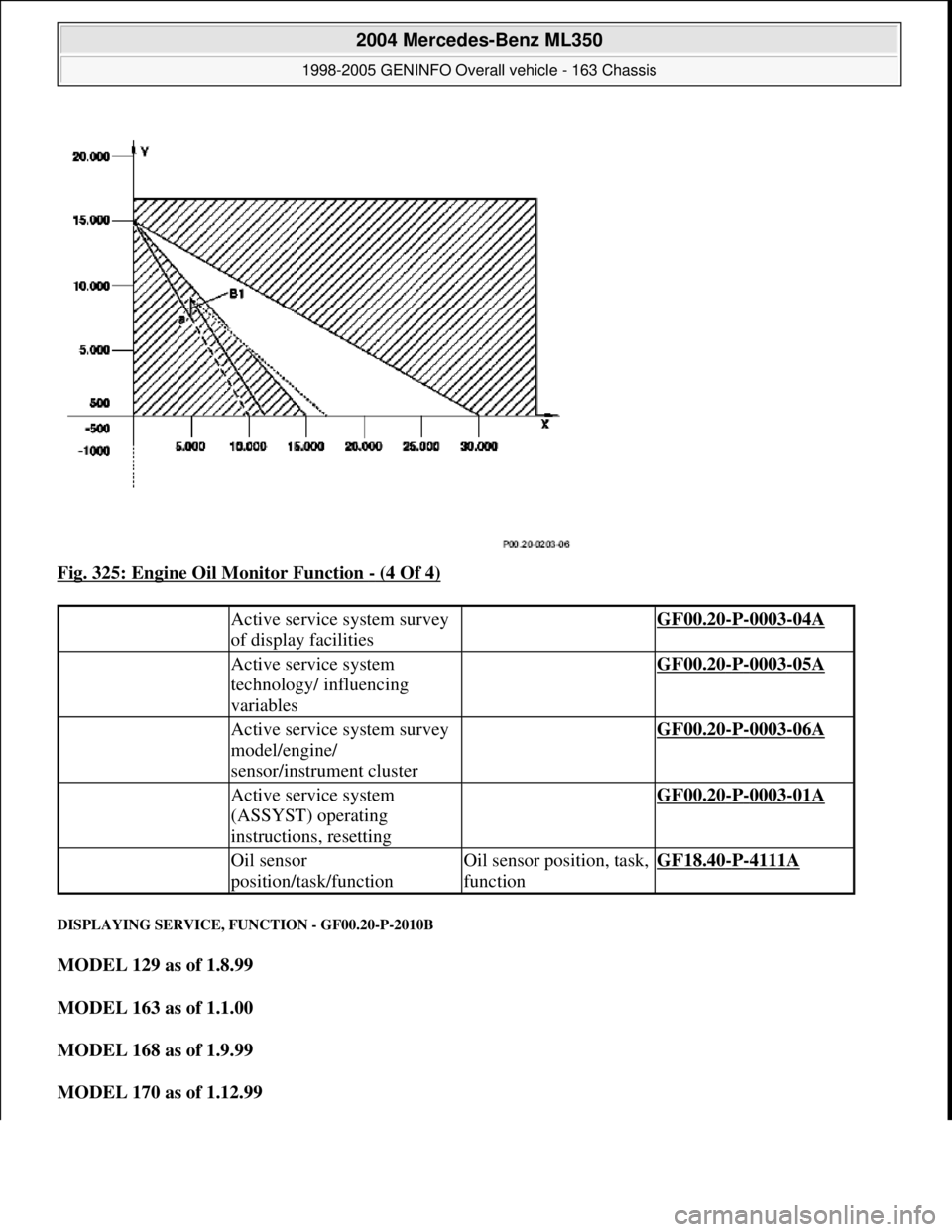
Fig. 325: Engine Oil Monitor Function - (4 Of 4)
DISPLAYING SERVICE, FUNCTION - GF00.20-P-2010B
MODEL 129 as of 1.8.99
MODEL 163 as of 1.1.00
MODEL 168 as of 1.9.99
MODEL 170 as of 1.12.99
Active service system survey
of display facilities GF00.20-P-0003-04A
Active service system
technology/ influencing
variables GF00.20-P-0003-05A
Active service system survey
model/engine/
sensor/instrument cluster GF00.20-P-0003-06A
Active service system
(ASSYST) operating
instructions, resetting GF00.20-P-0003-01A
Oil sensor
position/task/functionOil sensor position, task,
functionGF18.40-P-4111A
2004 Mercedes-Benz ML350
1998-2005 GENINFO Overall vehicle - 163 Chassis
me
Saturday, October 02, 2010 3:47:47 PMPage 215 © 2006 Mitchell Repair Information Company, LLC.
Page 3185 of 4133

AD54.30-P-2000-02GC
Notes on HHT previous knowledge diagnosis
IC
HHT :
The instrument cluster and active service system (ASSYST) sub-
function are checked with HHT, there being the choice of the
following functions for this:
1. Control module version
2. Fault memory
3. Actual values
4. Actuations
5. Control module adaptation
Additional information on test items 2, 3 and 5 can be called up using
the INPUT key
Control module adaptation
The following alternatives are available in the HHT under control
module adaptation:
1.)
Read out coding and transfer to new instrument cluster. IC and
ASSYST.
2.)
Read out/change codings e.g.:
Engine and national variants,
version of fuel tank,
special equipment etc.
3.)
Settings:
1
Clock
2
Put forward kilometer reading
3
Put back kilometer reading
4
Oil change
5
Reset oil change initiated inadvertently
6
Active Service System
7
Enter times with battery disconnected
8
Set minimum oil warning
Before replacing a defective instrument cluster, readout the existing
variant codings (driving data and instrument cluster data) and store in
the HHT on an interim basis. Read in the values stored on an interim
basis again after installing the new instrument cluster.
If it is not possible to read out the stored variant coding, all variant
codings must be input manually (menu-assistance in HHT).
When installing an instrument cluster on an experimental basis, do
not put forward the kilometer reading as it cannot be put back later.
Copyright DaimlerChrysler AG 05.06.2006 CD-Ausgabe G/10/04 . This WIS print-out will not be recorde
d by Modification services.
Page 1
Page 3498 of 4133

AF54.30-P-8400A
Instrument cluster indicates: Oil sensor defective, oil level below min. or oil level
above max. with engine running and at operating temperature. No DTC stored.
19.5.98
MODEL
129.0, 163.1, 202.0, 208.3 /4, 210.0 /2 /6, 220.0 /1 with ENGINE 112
MODEL
129.0, 163.1, 202.0, 208.3 /4, 210.0 /2, 220.0 /1 with ENGINE 113
Damage code
Cause
Remedy
54 201 90
Oil low, connector defective or coding error
1
Shut off engine and wait 2 min. (key
position 0)
Instrument cluster indicates oil sensor
defective, oil level below min. or oil level
above max. with engine warm and running.
No DTC stored in DTC memory!
2
Check oil level with oil dipstick
3
Check oil level on instrument cluster:
- Key in steering wheel lock position 2,
engine not running
- Wait until - - - - - - appears on
instrument cluster
- When this is displayed press the reset
button for the tripodometer twice within
1 sec. (display appears only after
expiration of a waiting time (max. 30
min.) depending on engine oil
temperature)
Oil level is at bottom mark on oil dipstick
and instrument cluster indicates:
-1L
, -
1,5L
or -2L
#
4
Add quantity of oil indicated on
instrument cluster display and repeat
test.
Oil level at upper mark on dipstick and
instrument cluster indicates either oil level
okay or -1L
, -
1,5L
, -2L
#
5
Recode instrument cluster
AF54.30-P-8600A
Problem still present
#
6
Check cable to oil sensor, oil sensor
connectors, control module and fuse
box (see wiring diagram) for good contact
Copyright DaimlerChrysler AG 05.06.2006 CD-Ausgabe G/10/04 . This WIS print-out will not be recorde
d by Modification services.
Page 1
Page 3806 of 4133

9
Install inner cover (E) at 60 % bench
Insert cover past the springs from the rear
and rotate into position in a clockwise
direction. Insert locating tabs (19). Press the
front cover down and reset so that locating
tabs (20) engage. Press rear cover down until
locating tabs (18) engage.
10
Install outer cover (D) at 60 % bench
Guide the cover past the lateral curtain.
Insert locating tab (17), push front cover down
and reset so that locating tabs (16) engage.
Press the outer edge of the cover down and
insert lateral locating tabs (15). Raise rear
cover on the inside, press down until locating
tab (14) and rear locating tab (13) engage.
11
Install curtain at front 60 % bench
12
Install inner cover (C) at 40 % bench
Insert cover from the front and insert
locating tabs (11). Press the front cover down
and reset so that locating tabs (12) engage.
13
Install outer cover (B) at 40 % bench
Guide the cover past the lateral curtain.
Insert locating tab (10), push front cover down
and reset so that locating tab (9) engages.
Press the outer edge of the cover down and
insert lateral locating tabs (8). Insert locating
tab (7), push cover down at locating tab (6)
and engage.
14
Install curtain at front 40 % bench
15
Install rear cover (A)
Insert cover from the rear and press down
and forwards so that locating tabs (5) engage.
Press front ends of the cover down, so that
locating tabs (2, 3, 4) engage. Insert locating
tabs (1) into covers (C, E).
Copyright DaimlerChrysler AG 14.06.2006 CD-Ausgabe G/10/04 . This WIS print-out will not be recorde
d by Modification services.
Page 2
Page 3900 of 4133

5
Remove key and engage steering lock
6
Unscrew bolt (32c)
Hold the steering wheel (32).
Installation:
Replace bolt (32c).
*BA46.10-P-1001-02A
7
Pull off steering wheel (32)
Pass cables carefully through the openings.
Installation:
Align recesses of the splines
in the steering wheel with the markings on the
steering shaft (arrows).
8
Check fanfare horns and airbag clock spring
contact (A45) for damage
The clock spring contact must not be
turned while the steering wheel is removed
otherwise it will be damaged.
Visual inspection, replace clock spring
contact if necessary:
#
Removing and installing clock spring contact
AR46.10-P-0200GH
9
Install in the reverse order
10
Carry out road test
Tests during the road test:
Turn signal canceling:
When the steering wheel is offset by
more than 1 tooth, satisfactory resetting of the
turn signal is no longer guaranteed.
Airbag indicator lamp:
The SRS indicator lamp must not light up
on full steering lock in both directions.
Steering wheel position:
If the steering wheel is crooked, adjust it
by max. 1 tooth. If the difference is greater:
#
Check toe on front axle and adjust if
necessary, see:
#
Performing chassis alignment check
AR40.20-P-0200A
Steering wheel
Number
Designation
Model 163
BA46.10-P-1001-02A
Bolt, steering wheel to steering shaft
Nm
80
Copyright DaimlerChrysler AG 09.05.2006 CD-Ausgabe G/10/04 . This WIS print-out will not be recorde
d by Modification services.
Page 2