message MERCEDES-BENZ S-Class 2001 W220 Comand Manual
[x] Cancel search | Manufacturer: MERCEDES-BENZ, Model Year: 2001, Model line: S-Class, Model: MERCEDES-BENZ S-Class 2001 W220Pages: 243, PDF Size: 2.33 MB
Page 49 of 243
47
AudioTelephone
Navigation
Index
IntroductionInfo Services and
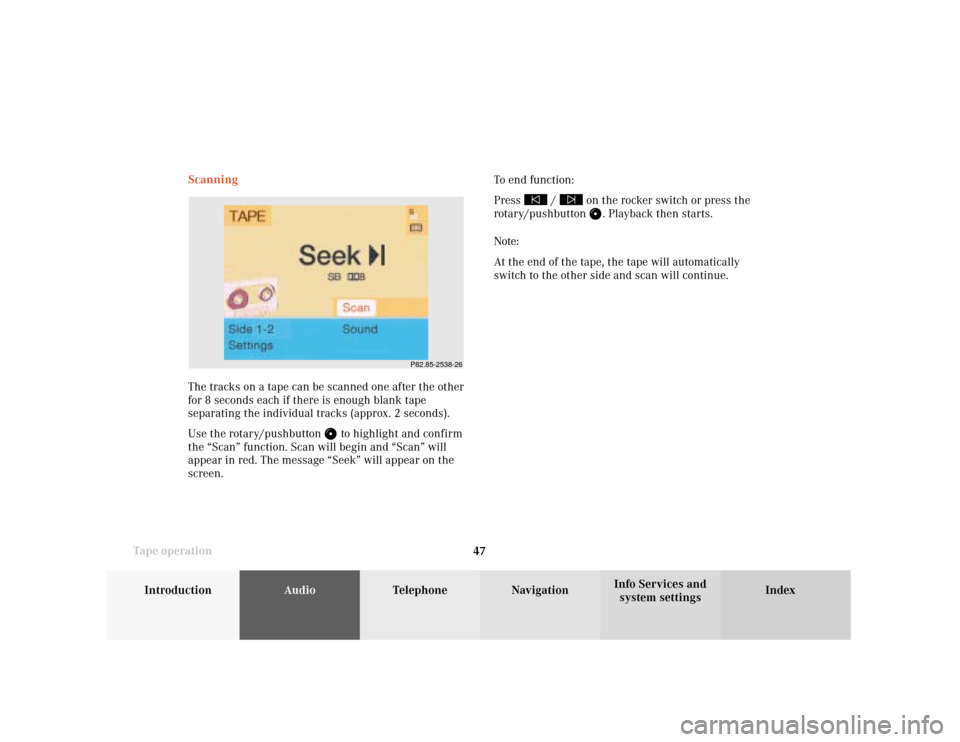
system settings Tape operationScanning
The tracks on a tape can be scanned one after the other
for 8 seconds each if there is enough blank tape
separating the individual tracks (approx. 2 seconds).
Use the rotary/pushbutton
to highlight and confirm
the “Scan” function. Scan will begin and “Scan” will
appear in red. The message “Seek” will appear on the
screen.To end function:
Press
/
on the rocker switch or press the
rotary/pushbutton
. Playback then starts.
Note:
At the end of the tape, the tape will automatically
switch to the other side and scan will continue.
P82.85-2538-26
Page 53 of 243
51
AudioTelephone
Navigation
Index
IntroductionInfo Services and
system settings Tape operationNote:
The note “Reminder! Please clean tape head.” appears
after 50 hours cassette player operating time. Erase the
screen message by pressing the rotary/pushbutton .
Insert cleaning cassette.
Alarm on serious malfunction
If, for example, a tape jams, you will hear a beep. You
can only switch the beep off by switching COMAND off. Tape playback mute
Press
.
The tape will stop playing and the symbol
will
appear on the icon bar.
Cancel playback mute:
Press
again.
The symbol will disappear from the icon bar and the
playback will start again.
Note:
The mute function will also be cancelled if you switch
to a different audio source (e.g. CD) use
or
to
select another radio station or use
or
to alter
the volume.
Page 56 of 243
54
AudioTelephone
Navigation
Index Info Services and
system settings Introduction
Tape operation
P82.85-2082-26
The message “Caution. Please clean sound head.” is
displayed after 50 hours of playback.
Clear the screen message by pressing the rotary/
pushbutton
. Insert a high quality cleaning tape.
Note:
For questions concerning the type of tape cleaner to
use, contact your Mercedes-Benz Center.
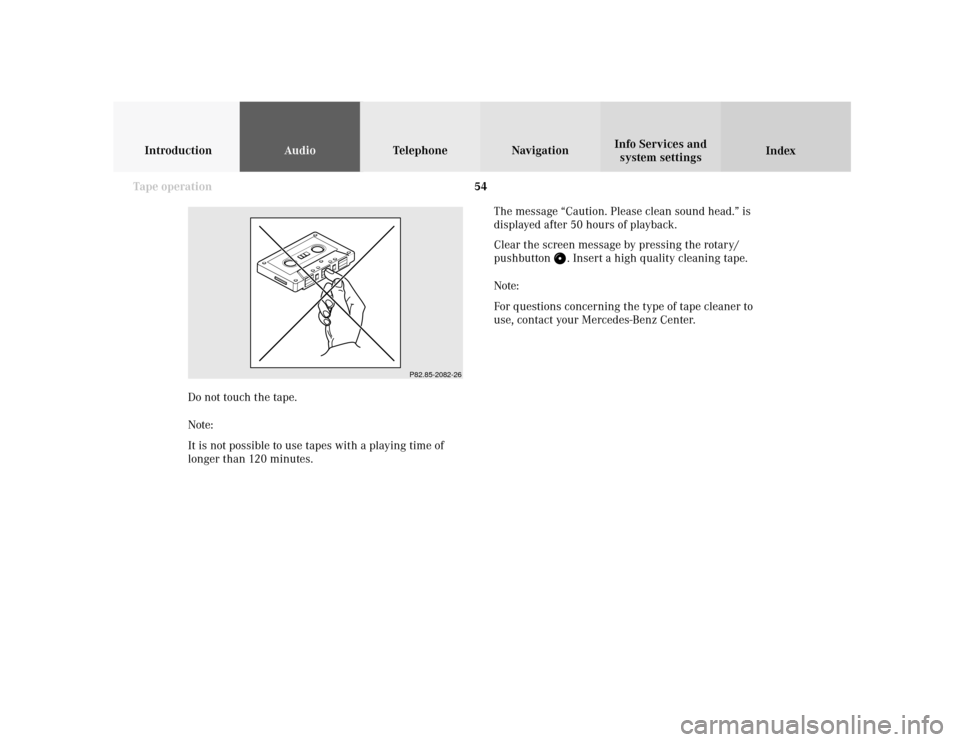
Do not touch the tape.
Note:
It is not possible to use tapes with a playing time of
longer than 120 minutes.
Page 66 of 243
64
AudioTelephone Navigation
Index Info Services and
system settings Introduction
CD operation
P82.85-2978-26
3
2
1
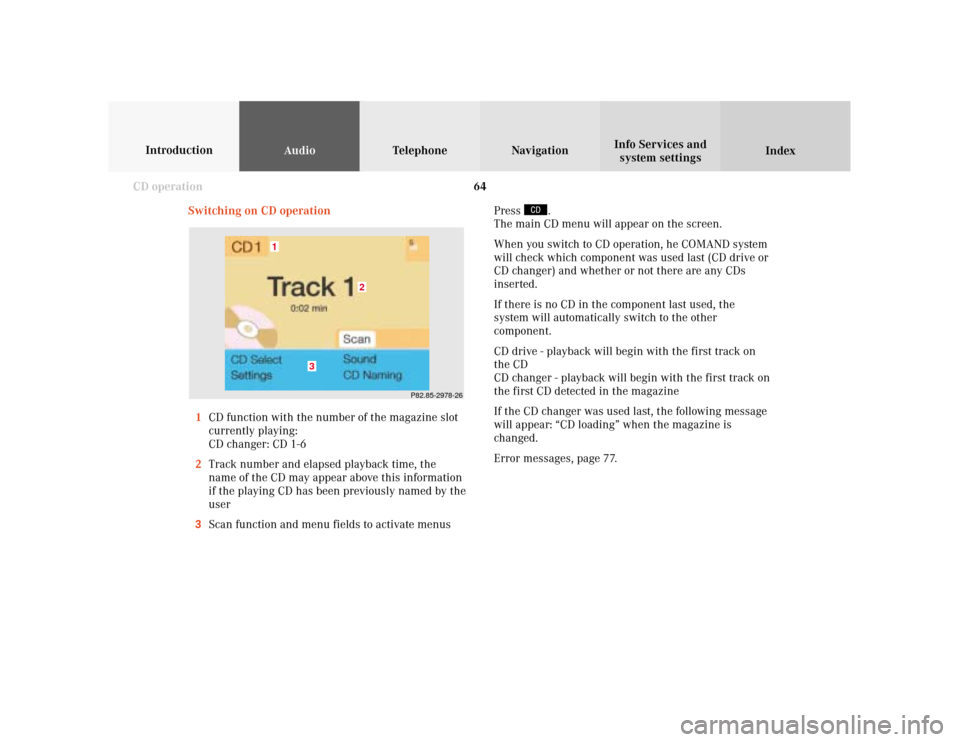
Switching on CD operation
1CD function with the number of the magazine slot
currently playing:
CD changer: CD 1-6
2Track number and elapsed playback time, the
name of the CD may appear above this information
if the playing CD has been previously named by the
user
3Scan function and menu fields to activate menusPress
.
The main CD menu will appear on the screen.
When you switch to CD operation, he COMAND system
will check which component was used last (CD drive or
CD changer) and whether or not there are any CDs
inserted.
If there is no CD in the component last used, the
system will automatically switch to the other
component.
CD drive - playback will begin with the first track on
the CD
CD changer - playback will begin with the first track on
the first CD detected in the magazine
If the CD changer was used last, the following message
will appear: “CD loading” when the magazine is
changed.
Error messages, page 77.
Page 69 of 243
67
Introduction
AudioTelephone
Navigation
Index Info Services and
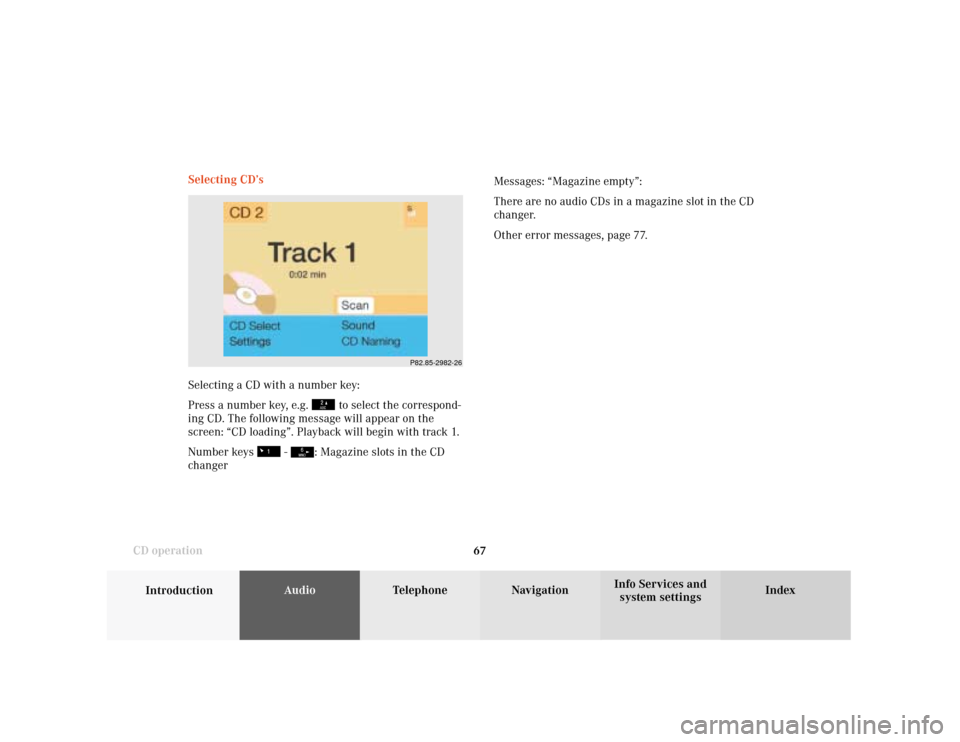
system settings CD operationSelecting CD’s
Selecting a CD with a number key:
Press a number key, e.g.
to select the correspond-
ing CD. The following message will appear on the
screen: “CD loading”. Playback will begin with track 1.
Number keys
-
: Magazine slots in the CD
changerMessages: “Magazine empty”:
There are no audio CDs in a magazine slot in the CD
changer.
Other error messages, page 77.
P82.85-2982-26
Page 70 of 243
68
AudioTelephone Navigation
Index Info Services and
system settings Introduction
CD operation
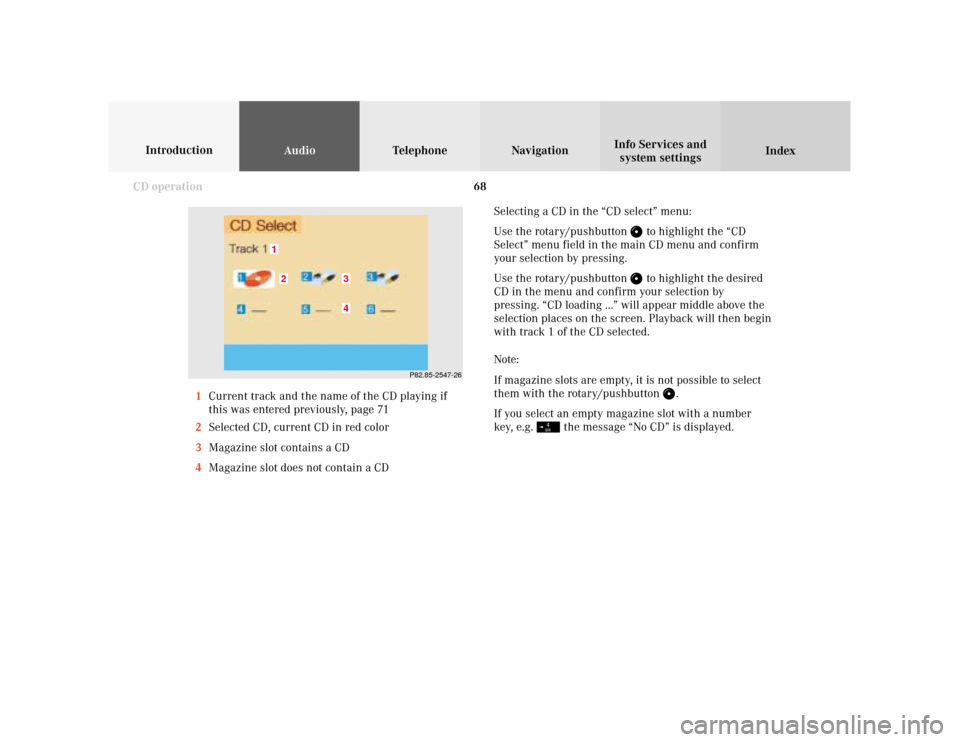
Selecting a CD in the “CD select” menu:
Use the rotary/pushbutton
to highlight the “CD
Select” menu field in the main CD menu and confirm
your selection by pressing.
Use the rotary/pushbutton to highlight the desired
CD in the menu and confirm your selection by
pressing. “CD loading ...” will appear middle above the
selection places on the screen. Playback will then begin
with track 1 of the CD selected.
Note:
If magazine slots are empty, it is not possible to select
them with the rotary/pushbutton
.
If you select an empty magazine slot with a number
key, e.g.
the message “No CD” is displayed.
P82.85-2547-26
43
21
1Current track and the name of the CD playing if
this was entered previously, page 71
2Selected CD, current CD in red color
3Magazine slot contains a CD
4Magazine slot does not contain a CD
Page 71 of 243
69
Introduction
AudioTelephone
Navigation
Index Info Services and
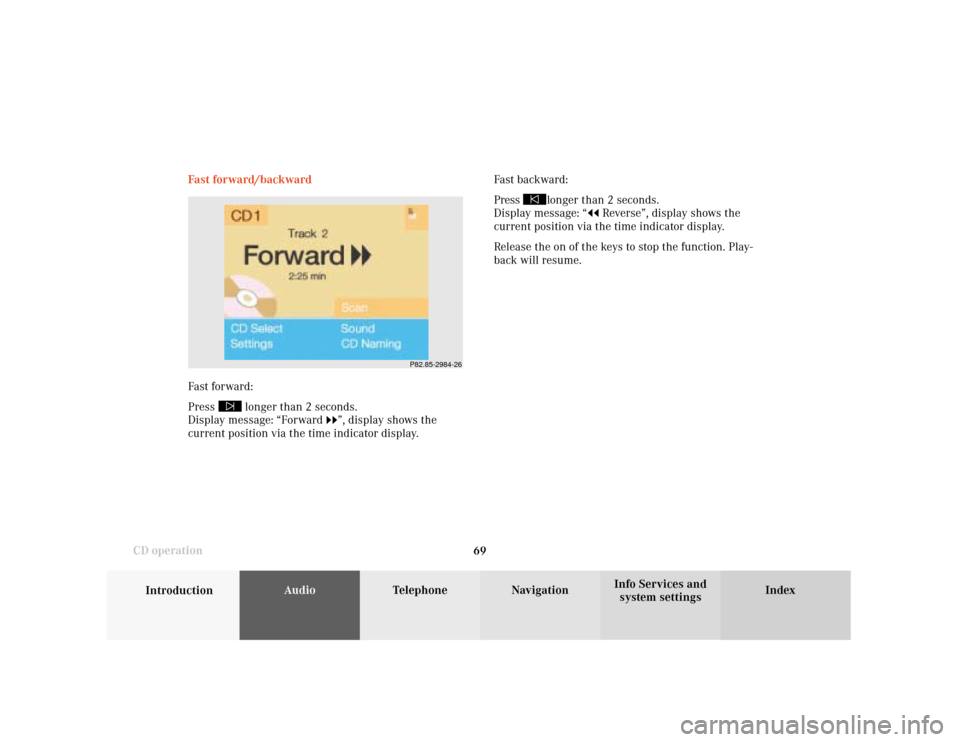
system settings CD operationFast forward/backward
Fast forward:
Press
longer than 2 seconds.
Display message: “Forward
”, display shows the
current position via the time indicator display.Fast backward:
Press
longer than 2 seconds.
Display message: “
Reverse”, display shows the
current position via the time indicator display.
Release the on of the keys to stop the function. Play-
back will resume.
P82.85-2984-26
Page 74 of 243

72
AudioTelephone Navigation
Index Info Services and
system settings Introduction
CD operation
Notes:
The CD names are saved in the names list in alphabeti-
cal order. If the name memory is full, the following
message will appear: “Attention, name memory is full;
new entry only possible after clearing old one!”
Confirm the message by pressing the menu field
marked “OK”. The input menu will appear again.
Use the “Delete Names” menu field to clear the
memory, page 73.
P82.85-2987-26
Press the rotary/pushbutton
longer than 2 seconds
to confirm the name. The main CD menu will appear on
the screen.
The name of the CD currently playing will appear above
the track number.
The CD will retain this name even if it is inserted into a
different magazine slot.
Page 77 of 243

75
Introduction
AudioTelephone
Navigation
Index Info Services and
system settings CD operationMagazine Mix
Select the “Magazine mix” function to play all of the
tracks of all of the CDs in the magazine slots 1-6 in
random order.
Use the rotary/pushbutton
to highlight the “Magazi-
ne mix” function and press it to confirm. This function
will be marked with a checkmark.
Press
to return to the main CD menu.
“Magazine mix” will appear in the main CD menu.Track repeat
Select the “Track Repeat” function to repeat the current
track until you switch the function off.
“Track Repeat” will appear in the main CD menu.
Play CD tracks in random order
Select the “Track-Mix” function to play back the tracks
on the CD currently selected in random order.
The message “Track-Mix” appears in the CD main
menu.
CD repeat
Select the “CD Repeat” function to repeat the current
CD until you switch the function off again.
“CD Repeat” will appear in the main CD menu.
P82.85-2989-26
Page 79 of 243

77
Introduction
AudioTelephone
Navigation
Index Info Services and
system settings CD operationError messages
1CD changer error messages“No CD changer” – The system cannot detect the CD
changer; contact a Mercedes-Benz Center (1)
“No magazine” –There is no magazine inserted in the
CD changer; load CDs into the magazine and insert the
magazine into the CD changer (1)
“Magazine empty” –There are no CDs in the magazine;
load CDs into the magazine and insert the magazine
into the CD changer (1)
“Being activated” – The CD changer is not yet ready for
operation (1).
“Reading error” – The system cannot read the CD
which has been inserted (2), e.g. audio CD
P82.85-6058-26
1