multifunction MERCEDES-BENZ S-Class 2011 W221 Repair Manual
[x] Cancel search | Manufacturer: MERCEDES-BENZ, Model Year: 2011, Model line: S-Class, Model: MERCEDES-BENZ S-Class 2011 W221Pages: 524, PDF Size: 22.53 MB
Page 373 of 524
XTo select a station using the station
search23: press and briefly hold the 9
or : button.
XPress a to stop the station search
function at the desired station.
Audio player or audio media operation
XSwitch on COMAND and select the audio
device or audio medium (Y page 217).
XPress the = or ; button on the
steering wheel to select the Audio menu.
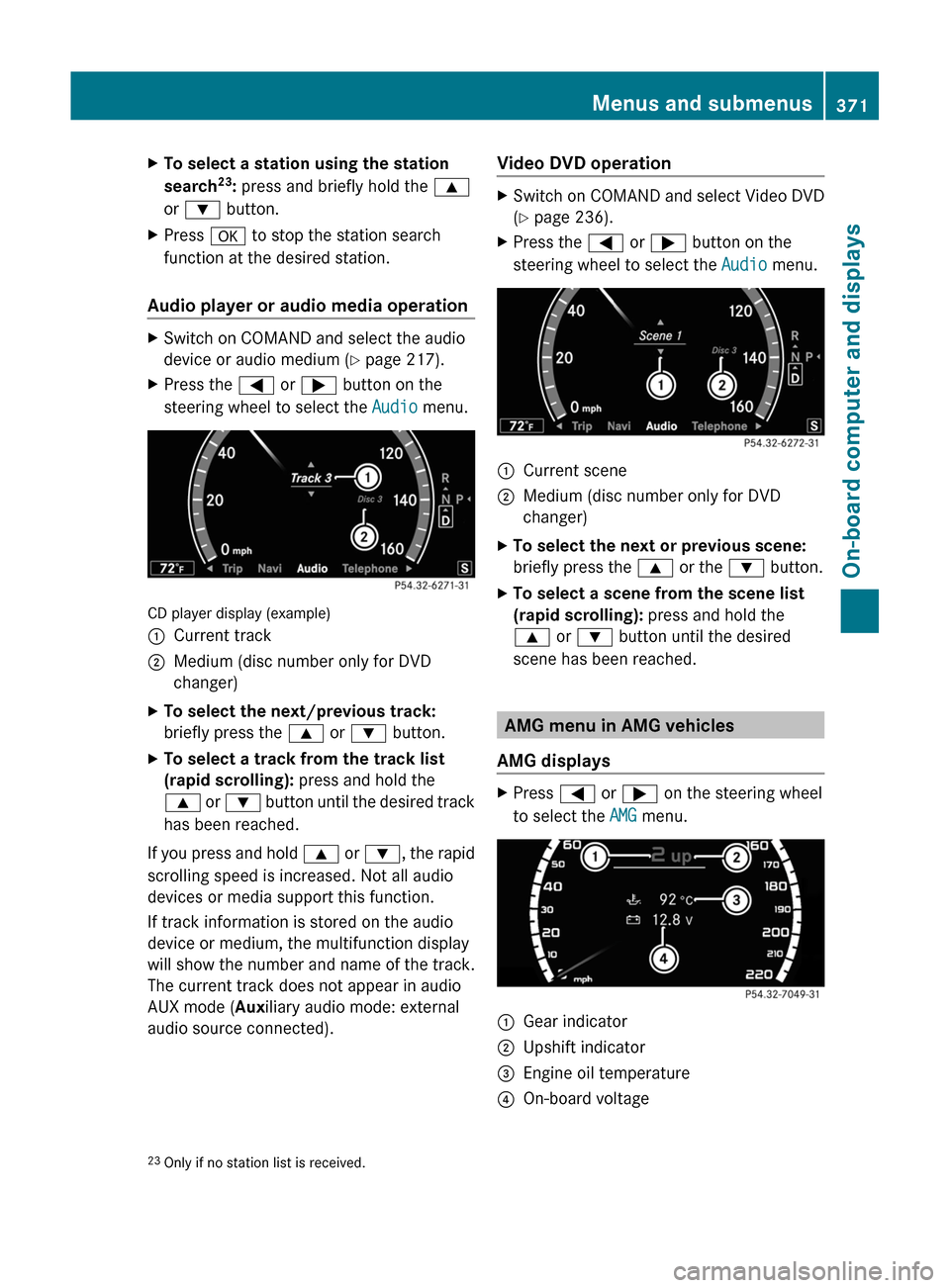
CD player display (example)
:Current track;Medium (disc number only for DVD
changer)
XTo select the next/previous track:
briefly press the 9 or : button.
XTo select a track from the track list
(rapid scrolling): press and hold the
9 or : button until the desired track
has been reached.
If you press and hold 9 or :, the rapid
scrolling speed is increased. Not all audio
devices or media support this function.
If track information is stored on the audio
device or medium, the multifunction display
will show the number and name of the track.
The current track does not appear in audio
AUX mode (Auxiliary audio mode: external
audio source connected).
Video DVD operationXSwitch on COMAND and select Video DVD
(Y page 236).
XPress the = or ; button on the
steering wheel to select the Audio menu.
:Current scene;Medium (disc number only for DVD
changer)
XTo select the next or previous scene:
briefly press the 9 or the : button.
XTo select a scene from the scene list
(rapid scrolling): press and hold the
9 or : button until the desired
scene has been reached.
AMG menu in AMG vehicles
AMG displays
XPress = or ; on the steering wheel
to select the AMG menu.
:Gear indicator;Upshift indicator=Engine oil temperature?On-board voltage23Only if no station list is received.Menus and submenus371On-board computer and displaysZ
Page 375 of 524
Resetting the current lapXPress the W button on the steering
wheel to stop the RACETIMER.
XPress X to reset the lap time to "0”.
Deleting all laps
You cannot delete individual stored laps.
XPress the W button on the steering
wheel to stop the RACETIMER.
XPress and hold the X button for a
minimum of three seconds.
XPress the W button to start the
RACETIMER.
All laps are deleted.
or
XPress the W button on the steering
wheel to stop the RACETIMER.
XPress a.
Reset Race Timer appears in the
multifunction display.
XPress : to select Yes and press a
to confirm.
All laps are deleted.
Overall evaluation
This function is shown if you have stored at
least one lap and stopped the RACETIMER.
XPress = or ; on the steering wheel
to select the AMG menu.
XPress the 9 button repeatedly until the
overall evaluation is shown.
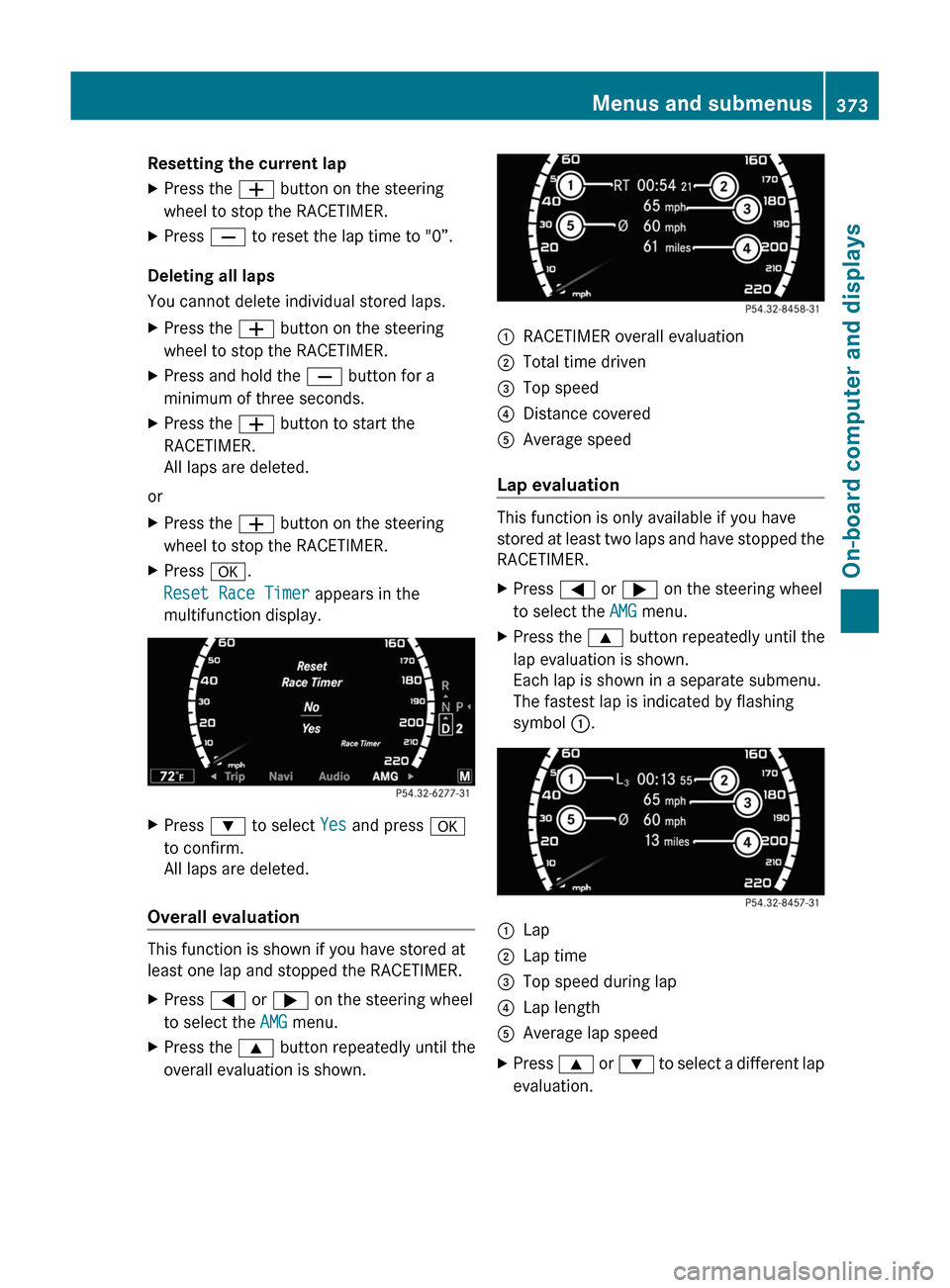
:RACETIMER overall evaluation;Total time driven=Top speed?Distance coveredAAverage speed
Lap evaluation
This function is only available if you have
stored at least two laps and have stopped the
RACETIMER.
XPress = or ; on the steering wheel
to select the AMG menu.
XPress the 9 button repeatedly until the
lap evaluation is shown.
Each lap is shown in a separate submenu.
The fastest lap is indicated by flashing
symbol :.
:Lap;Lap time=Top speed during lap?Lap lengthAAverage lap speedXPress 9 or : to select a different lap
evaluation.
Menus and submenus373On-board computer and displaysZ
Page 376 of 524
Telephone menu
Introduction
You can establish a Bluetooth® connection to
COMAND (Y page 192).
GWarning
A driver's attention to the road must always
be his/her primary focus when driving. For
your safety and the safety of others, we
recommend that you pull over to a safe
location and stop before placing or taking a
telephone call. If you choose to use the
telephone while driving, please use the hands-
free device and only use the telephone when
weather, road and traffic conditions permit.
Some jurisdictions prohibit the driver from
using a mobile phone while driving a vehicle.
Bear in mind that at a speed of just 30 mph
(approximately 50 km/h ), your vehicle is
covering a distance of 44 feet (approximately
14 m) every second.
XSwitch on the mobile phone and COMAND
(Y page 131).
XPress the = or ; button on the
steering wheel to select the Telephone
menu.
You will see one of the following display
messages in the multifunction display:
RPhone ready or the name of the network
provider: the mobile phone has found a
network and is ready to receive.
RNo Service: no network is available.
Accepting a call
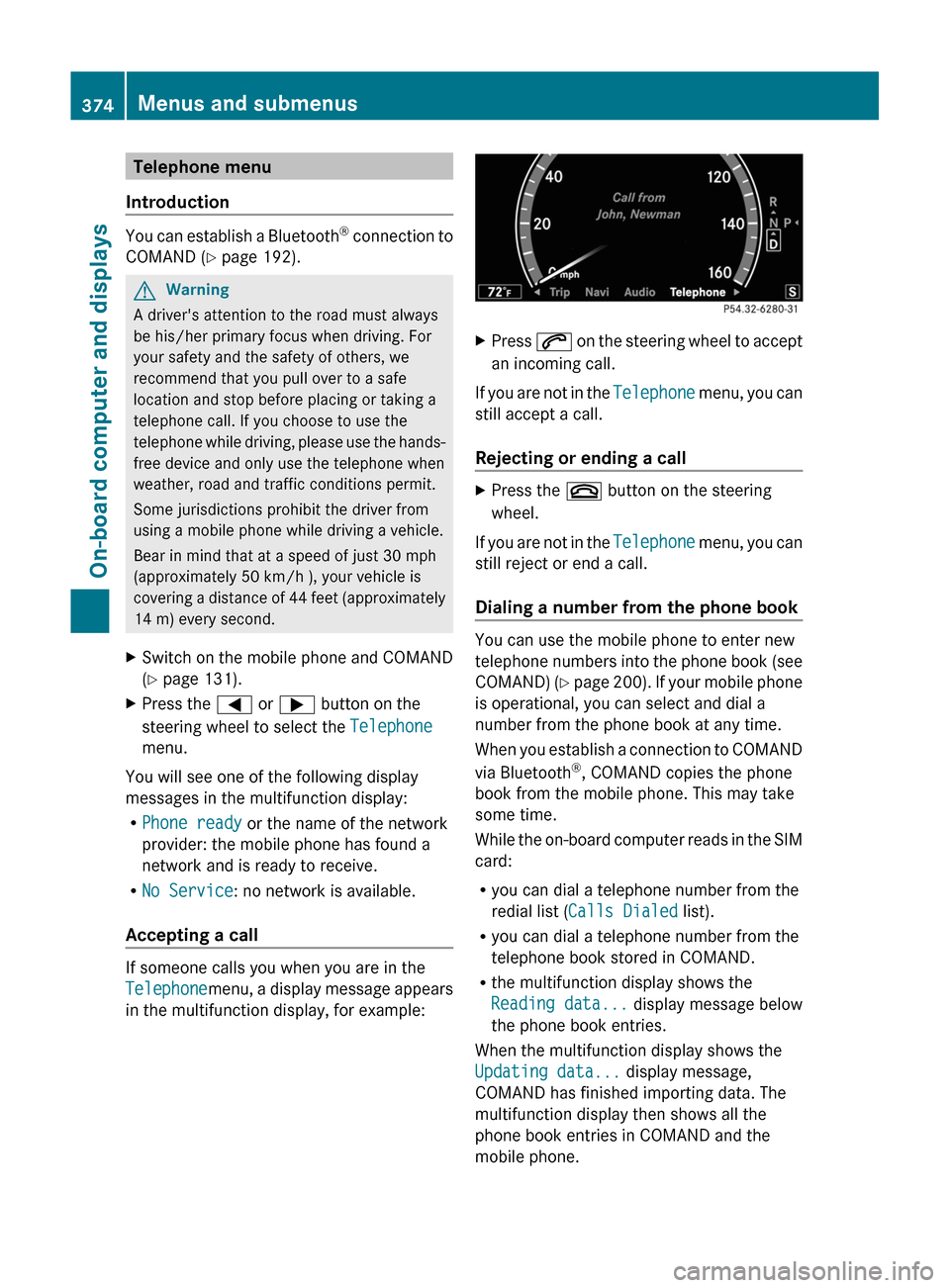
If someone calls you when you are in the
Telephonemenu, a display message appears
in the multifunction display, for example:
XPress 6 on the steering wheel to accept
an incoming call.
If you are not in the Telephone menu, you can
still accept a call.
Rejecting or ending a call
XPress the ~ button on the steering
wheel.
If you are not in the Telephone menu, you can
still reject or end a call.
Dialing a number from the phone book
You can use the mobile phone to enter new
telephone numbers into the phone book (see
COMAND) (Y page 200). If your mobile phone
is operational, you can select and dial a
number from the phone book at any time.
When you establish a connection to COMAND
via Bluetooth®, COMAND copies the phone
book from the mobile phone. This may take
some time.
While the on-board computer reads in the SIM
card:
Ryou can dial a telephone number from the
redial list (Calls Dialed list).
Ryou can dial a telephone number from the
telephone book stored in COMAND.
Rthe multifunction display shows the
Reading data... display message below
the phone book entries.
When the multifunction display shows the
Updating data... display message,
COMAND has finished importing data. The
multifunction display then shows all the
phone book entries in COMAND and the
mobile phone.
374Menus and submenusOn-board computer and displays
Page 377 of 524
XPress the = or ; button on the
steering wheel to select the Telephone
menu.XPress the 9, : or a button to call
up the phone book.XPress 9 or : to select the name you
are searching for.
To scroll rapidly, press and hold the :
or 9 button for longer than one second.
After skipping eight entries, the rapid scroll
speeds up.
Rapid scrolling stops when you release the
button or reach the end of the list.XIf only one telephone number is stored
for a name: press the 6 or a button
to start dialing.
or
XIf there is more than one number for a
particular name: press the 6 or a
button to display the numbers.XPress the 9 or : button to select the
number you want to dial.XPress the 6 or a button to start
dialing.
or
XIf you do not want to make a call: press
the ~ button.
Redialing
The on-board computer saves the last names
or numbers dialed in the redial memory
( Calls Dialed list).
XPress the = or ; button on the
steering wheel to select the Telephone
menu.XPress the 6 button to switch to the
redial memory.XPress the 9 or : button to select the
desired name or number.
To scroll rapidly, press and hold the :
or 9 button for longer than one second.XPress the 6 or a button to start
dialing.Assistance menu
Showing the distance display
This function is only available with
DISTRONIC PLUS.
XPress = or ; on the steering wheel
to select the DriveAssist menu.XPress 9 or : to select Distance
Display .XPress a.
The DISTRONIC PLUS distance display
( Y page 332) appears in the multifunction
display.
Activating/deactivating ESP ®
GWarning
Under no circumstances should you
deactivate ESP ®
when the ÷ ESP®
warning lamp in the instrument cluster
flashes. Proceed as follows:
R when driving off, apply as little throttle as
possible.
R while driving, ease up on the accelerator
pedal.
R adapt your speed to suit the prevailing road
and weather conditions.
failure to observe these guidelines could
cause the vehicle to skid. ESP ®
cannot
prevent accidents resulting from excessive
speed.
For further information about
ESP ®
(Y page 69).
XStart the engine.XPress = or ; on the steering wheel
to select the DriveAssist menu.XPress 9 or : to select ESP.XPress a.XTo deactivate: press a again.
The å warning lamp in the instrument
cluster comes on.Menus and submenus375On-board computer and displaysZ
Page 378 of 524
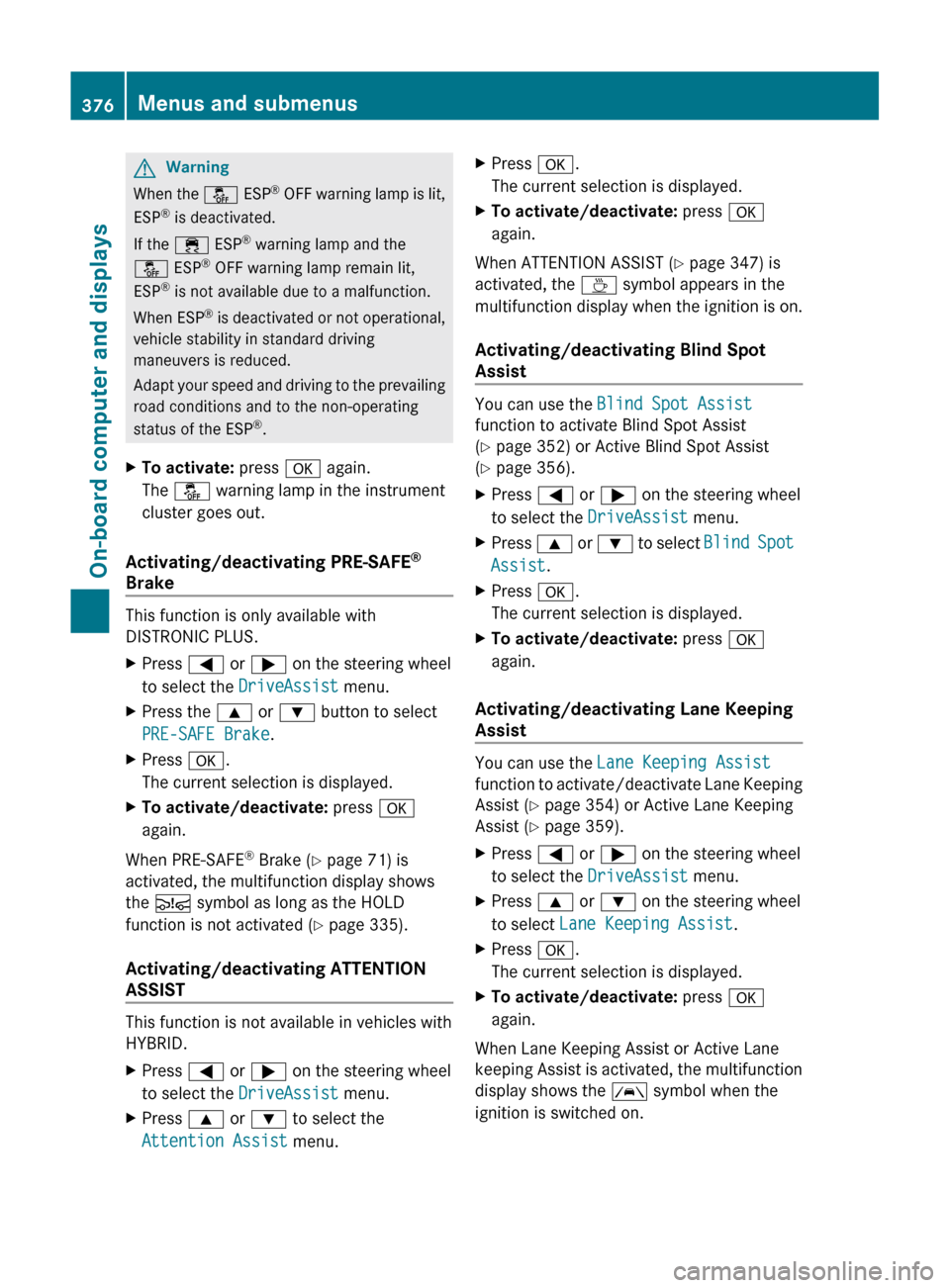
GWarning
When the å ESP®
OFF warning lamp is lit,
ESP ®
is deactivated.
If the ÷ ESP®
warning lamp and the
å ESP®
OFF warning lamp remain lit,
ESP ®
is not available due to a malfunction.
When ESP ®
is deactivated or not operational,
vehicle stability in standard driving
maneuvers is reduced.
Adapt your speed and driving to the prevailing
road conditions and to the non-operating
status of the ESP ®
.
XTo activate: press a again.
The å warning lamp in the instrument
cluster goes out.
Activating/deactivating PRE-SAFE ®
Brake
This function is only available with
DISTRONIC PLUS.
XPress = or ; on the steering wheel
to select the DriveAssist menu.XPress the 9 or : button to select
PRE-SAFE Brake .XPress a.
The current selection is displayed.XTo activate/deactivate: press a
again.
When PRE-SAFE ®
Brake ( Y page 71) is
activated, the multifunction display shows
the Ä symbol as long as the HOLD
function is not activated ( Y page 335).
Activating/deactivating ATTENTION
ASSIST
This function is not available in vehicles with
HYBRID.
XPress = or ; on the steering wheel
to select the DriveAssist menu.XPress 9 or : to select the
Attention Assist menu.XPress a.
The current selection is displayed.XTo activate/deactivate: press a
again.
When ATTENTION ASSIST ( Y page 347) is
activated, the À symbol appears in the
multifunction display when the ignition is on.
Activating/deactivating Blind Spot
Assist
You can use the Blind Spot Assist
function to activate Blind Spot Assist
( Y page 352) or Active Blind Spot Assist
( Y page 356).
XPress = or ; on the steering wheel
to select the DriveAssist menu.XPress 9 or : to select Blind Spot
Assist .XPress a.
The current selection is displayed.XTo activate/deactivate: press a
again.
Activating/deactivating Lane Keeping
Assist
You can use the Lane Keeping Assist
function to activate/deactivate Lane Keeping
Assist ( Y page 354) or Active Lane Keeping
Assist ( Y page 359).
XPress = or ; on the steering wheel
to select the DriveAssist menu.XPress 9 or : on the steering wheel
to select Lane Keeping Assist .XPress a.
The current selection is displayed.XTo activate/deactivate: press a
again.
When Lane Keeping Assist or Active Lane
keeping Assist is activated, the multifunction
display shows the à symbol when the
ignition is switched on.
376Menus and submenusOn-board computer and displays
Page 379 of 524
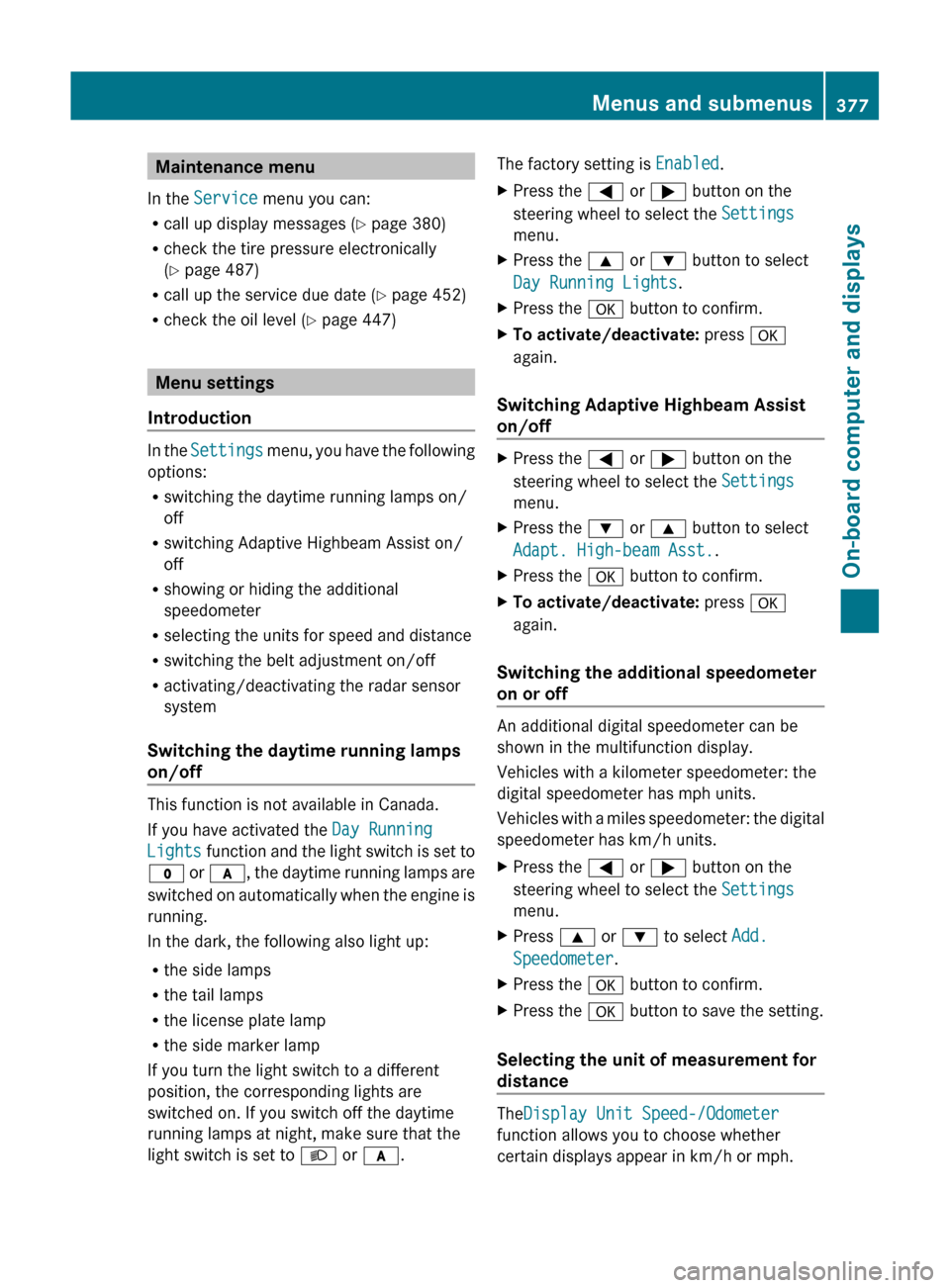
Maintenance menu
In the Service menu you can:
R call up display messages ( Y page 380)
R check the tire pressure electronically
( Y page 487)
R call up the service due date ( Y page 452)
R check the oil level ( Y page 447)
Menu settings
Introduction
In the Settings menu, you have the following
options:
R switching the daytime running lamps on/
off
R switching Adaptive Highbeam Assist on/
off
R showing or hiding the additional
speedometer
R selecting the units for speed and distance
R switching the belt adjustment on/off
R activating/deactivating the radar sensor
system
Switching the daytime running lamps
on/off
This function is not available in Canada.
If you have activated the Day Running
Lights function and the light switch is set to
$ or c , the daytime running lamps are
switched on automatically when the engine is
running.
In the dark, the following also light up:
R the side lamps
R the tail lamps
R the license plate lamp
R the side marker lamp
If you turn the light switch to a different
position, the corresponding lights are
switched on. If you switch off the daytime
running lamps at night, make sure that the
light switch is set to L or c .
The factory setting is Enabled.XPress the = or ; button on the
steering wheel to select the Settings
menu.XPress the 9 or : button to select
Day Running Lights .XPress the a button to confirm.XTo activate/deactivate: press a
again.
Switching Adaptive Highbeam Assist
on/off
XPress the = or ; button on the
steering wheel to select the Settings
menu.XPress the : or 9 button to select
Adapt. High-beam Asst. .XPress the a button to confirm.XTo activate/deactivate: press a
again.
Switching the additional speedometer
on or off
An additional digital speedometer can be
shown in the multifunction display.
Vehicles with a kilometer speedometer: the
digital speedometer has mph units.
Vehicles with a miles speedometer: the digital
speedometer has km/h units.
XPress the = or ; button on the
steering wheel to select the Settings
menu.XPress 9 or : to select Add.
Speedometer .XPress the a button to confirm.XPress the a button to save the setting.
Selecting the unit of measurement for
distance
The Display Unit Speed-/Odometer
function allows you to choose whether
certain displays appear in km/h or mph.
Menus and submenus377On-board computer and displaysZ
Page 382 of 524
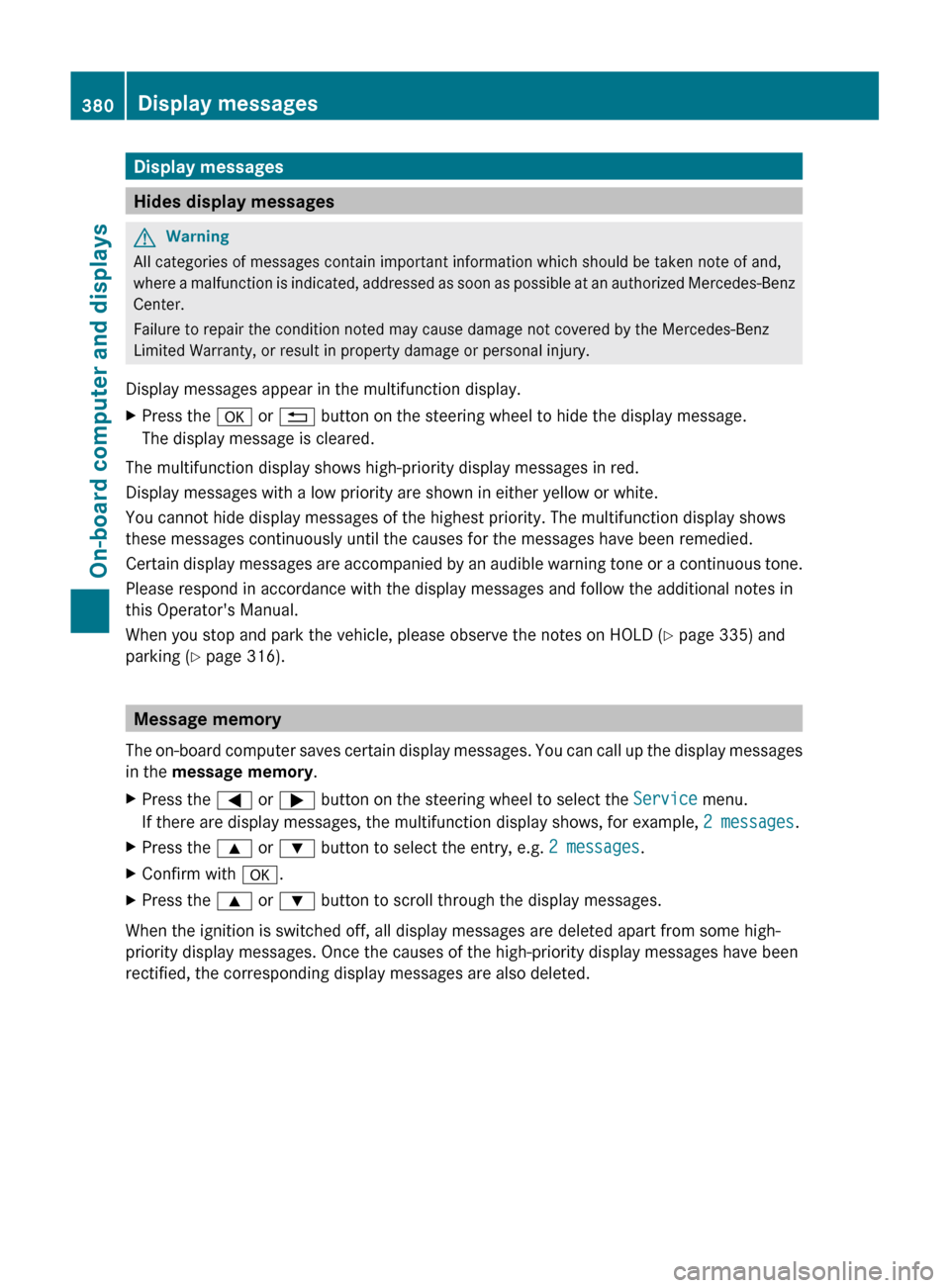
Display messages
Hides display messages
GWarning
All categories of messages contain important information which should be taken note of and,
where a malfunction is indicated, addressed as soon as possible at an authorized Mercedes-Benz
Center.
Failure to repair the condition noted may cause damage not covered by the Mercedes-Benz
Limited Warranty, or result in property damage or personal injury.
Display messages appear in the multifunction display.
XPress the a or % button on the steering wheel to hide the display message.
The display message is cleared.
The multifunction display shows high-priority display messages in red.
Display messages with a low priority are shown in either yellow or white.
You cannot hide display messages of the highest priority. The multifunction display shows
these messages continuously until the causes for the messages have been remedied.
Certain display messages are accompanied by an audible warning tone or a continuous tone.
Please respond in accordance with the display messages and follow the additional notes in
this Operator's Manual.
When you stop and park the vehicle, please observe the notes on HOLD ( Y page 335) and
parking ( Y page 316).
Message memory
The on-board computer saves certain display messages. You can call up the display messages
in the message memory .
XPress the = or ; button on the steering wheel to select the Service menu.
If there are display messages, the multifunction display shows, for example, 2 messages.XPress the 9 or : button to select the entry, e.g. 2 messages.XConfirm with a.XPress the 9 or : button to scroll through the display messages.
When the ignition is switched off, all display messages are deleted apart from some high-
priority display messages. Once the causes of the high-priority display messages have been
rectified, the corresponding display messages are also deleted.
380Display messagesOn-board computer and displays
Page 388 of 524
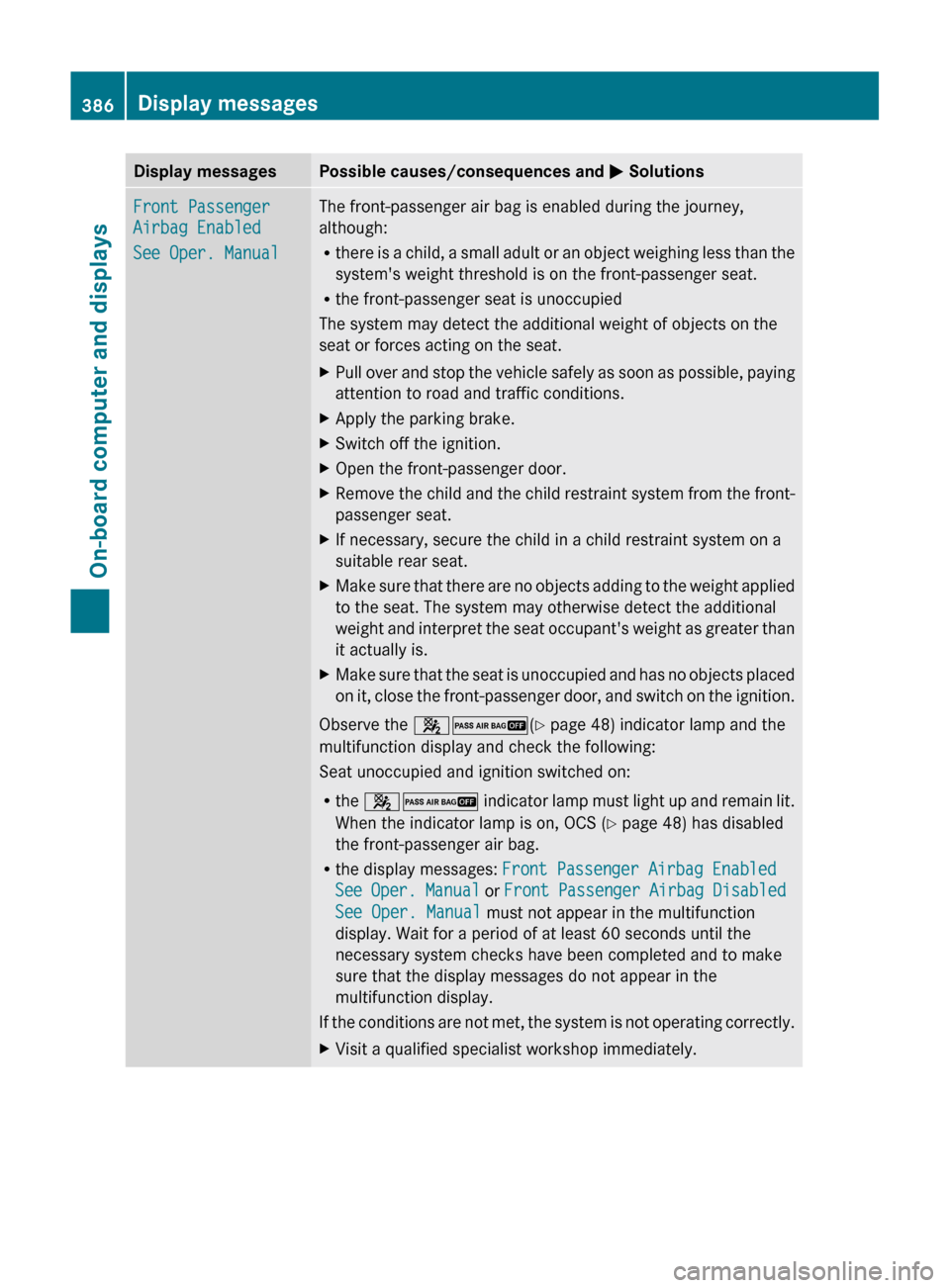
Display messagesPossible causes/consequences and M SolutionsFront Passenger
Airbag Enabled
See Oper. ManualThe front-passenger air bag is enabled during the journey,
although:
R there is a child, a small adult or an object weighing less than the
system's weight threshold is on the front-passenger seat.
R the front-passenger seat is unoccupied
The system may detect the additional weight of objects on the
seat or forces acting on the seat.XPull over and stop the vehicle safely as soon as possible, paying
attention to road and traffic conditions.XApply the parking brake.XSwitch off the ignition.XOpen the front-passenger door.XRemove the child and the child restraint system from the front-
passenger seat.XIf necessary, secure the child in a child restraint system on a
suitable rear seat.XMake sure that there are no objects adding to the weight applied
to the seat. The system may otherwise detect the additional
weight and interpret the seat occupant's weight as greater than
it actually is.XMake sure that the seat is unoccupied and has no objects placed
on it, close the front-passenger door, and switch on the ignition.
Observe the 42 (Y page 48) indicator lamp and the
multifunction display and check the following:
Seat unoccupied and ignition switched on:
R the 42 indicator lamp must light up and remain lit.
When the indicator lamp is on, OCS ( Y page 48) has disabled
the front-passenger air bag.
R the display messages: Front Passenger Airbag Enabled
See Oper. Manual or Front Passenger Airbag Disabled
See Oper. Manual must not appear in the multifunction
display. Wait for a period of at least 60 seconds until the
necessary system checks have been completed and to make
sure that the display messages do not appear in the
multifunction display.
If the conditions are not met, the system is not operating correctly.
XVisit a qualified specialist workshop immediately.386Display messagesOn-board computer and displays
Page 389 of 524
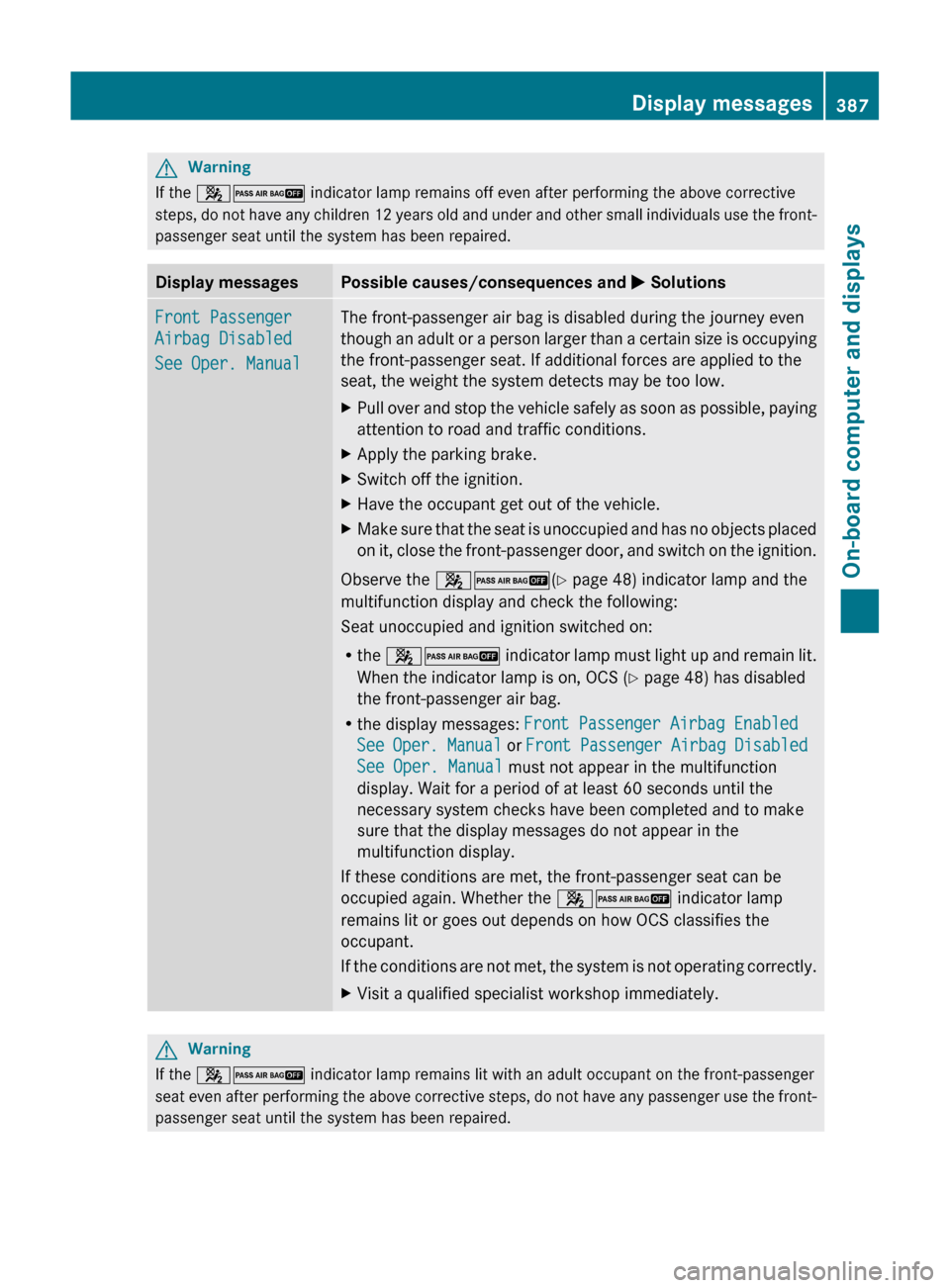
GWarning
If the 42 indicator lamp remains off even after performing the above corrective
steps, do not have any children 12 years old and under and other small individuals use the front-
passenger seat until the system has been repaired.
Display messagesPossible causes/consequences and M SolutionsFront Passenger
Airbag Disabled
See Oper. ManualThe front-passenger air bag is disabled during the journey even
though an adult or a person larger than a certain size is occupying
the front-passenger seat. If additional forces are applied to the
seat, the weight the system detects may be too low.XPull over and stop the vehicle safely as soon as possible, paying
attention to road and traffic conditions.XApply the parking brake.XSwitch off the ignition.XHave the occupant get out of the vehicle.XMake sure that the seat is unoccupied and has no objects placed
on it, close the front-passenger door, and switch on the ignition.
Observe the 42 (Y page 48) indicator lamp and the
multifunction display and check the following:
Seat unoccupied and ignition switched on:
R the 42 indicator lamp must light up and remain lit.
When the indicator lamp is on, OCS ( Y page 48) has disabled
the front-passenger air bag.
R the display messages: Front Passenger Airbag Enabled
See Oper. Manual or Front Passenger Airbag Disabled
See Oper. Manual must not appear in the multifunction
display. Wait for a period of at least 60 seconds until the
necessary system checks have been completed and to make
sure that the display messages do not appear in the
multifunction display.
If these conditions are met, the front-passenger seat can be
occupied again. Whether the 42 indicator lamp
remains lit or goes out depends on how OCS classifies the
occupant.
If the conditions are not met, the system is not operating correctly.
XVisit a qualified specialist workshop immediately.GWarning
If the 42 indicator lamp remains lit with an adult occupant on the front-passenger
seat even after performing the above corrective steps, do not have any passenger use the front-
passenger seat until the system has been repaired.
Display messages387On-board computer and displaysZ
Page 407 of 524
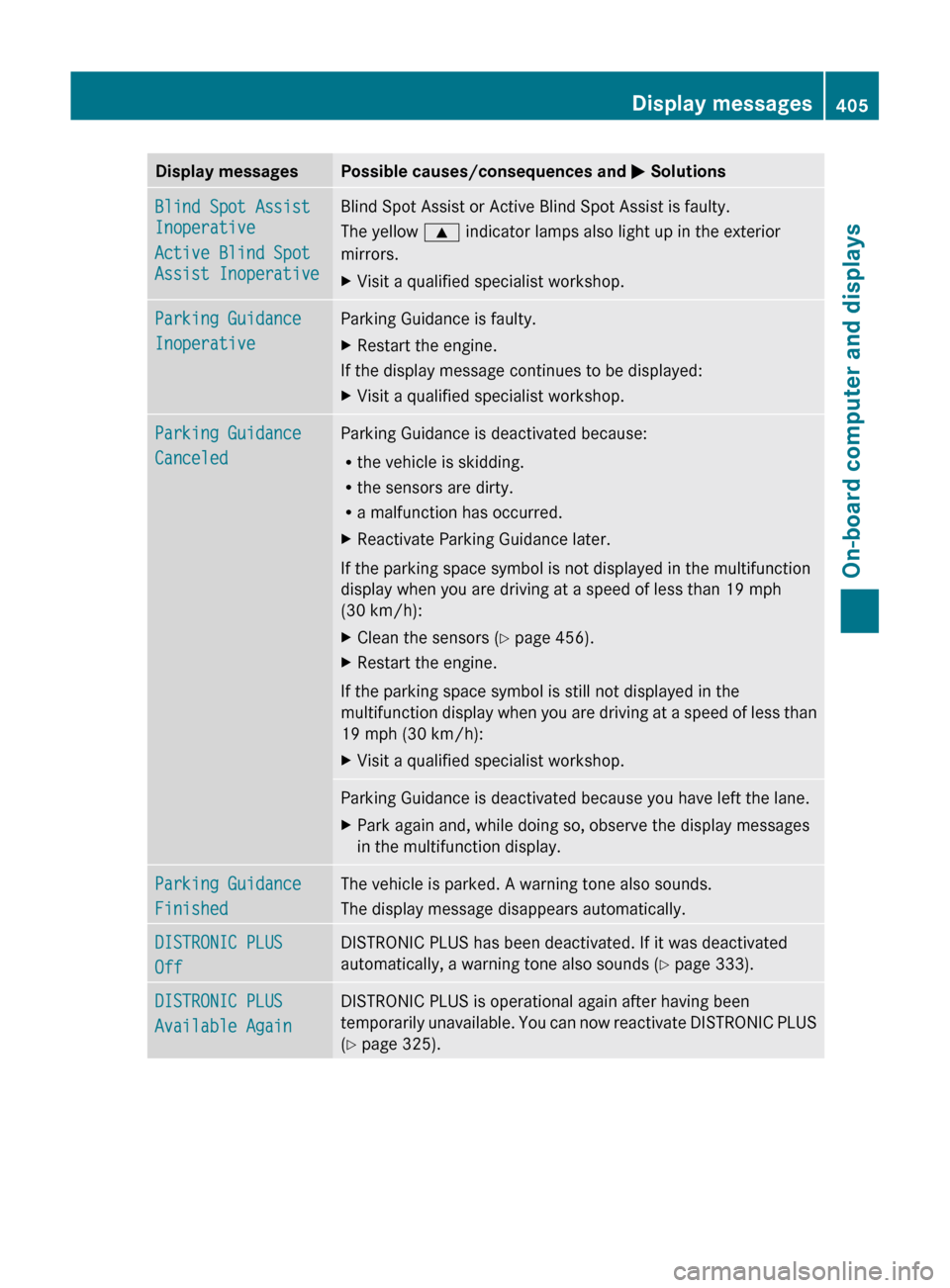
Display messagesPossible causes/consequences and M SolutionsBlind Spot Assist
Inoperative
Active Blind Spot
Assist InoperativeBlind Spot Assist or Active Blind Spot Assist is faulty.
The yellow 9 indicator lamps also light up in the exterior
mirrors.XVisit a qualified specialist workshop.Parking Guidance
InoperativeParking Guidance is faulty.XRestart the engine.
If the display message continues to be displayed:
XVisit a qualified specialist workshop.Parking Guidance
CanceledParking Guidance is deactivated because:
R the vehicle is skidding.
R the sensors are dirty.
R a malfunction has occurred.XReactivate Parking Guidance later.
If the parking space symbol is not displayed in the multifunction
display when you are driving at a speed of less than 19 mph
(30 km/h):
XClean the sensors ( Y page 456).XRestart the engine.
If the parking space symbol is still not displayed in the
multifunction display when you are driving at a speed of less than
19 mph (30 km/h):
XVisit a qualified specialist workshop.Parking Guidance is deactivated because you have left the lane.XPark again and, while doing so, observe the display messages
in the multifunction display.Parking Guidance
FinishedThe vehicle is parked. A warning tone also sounds.
The display message disappears automatically.DISTRONIC PLUS
OffDISTRONIC PLUS has been deactivated. If it was deactivated
automatically, a warning tone also sounds ( Y page 333).DISTRONIC PLUS
Available AgainDISTRONIC PLUS is operational again after having been
temporarily unavailable. You can now reactivate DISTRONIC PLUS
( Y page 325).Display messages405On-board computer and displaysZ