navigation system MERCEDES-BENZ S-Class 2012 W221 Workshop Manual
[x] Cancel search | Manufacturer: MERCEDES-BENZ, Model Year: 2012, Model line: S-Class, Model: MERCEDES-BENZ S-Class 2012 W221Pages: 536, PDF Size: 25.27 MB
Page 194 of 536
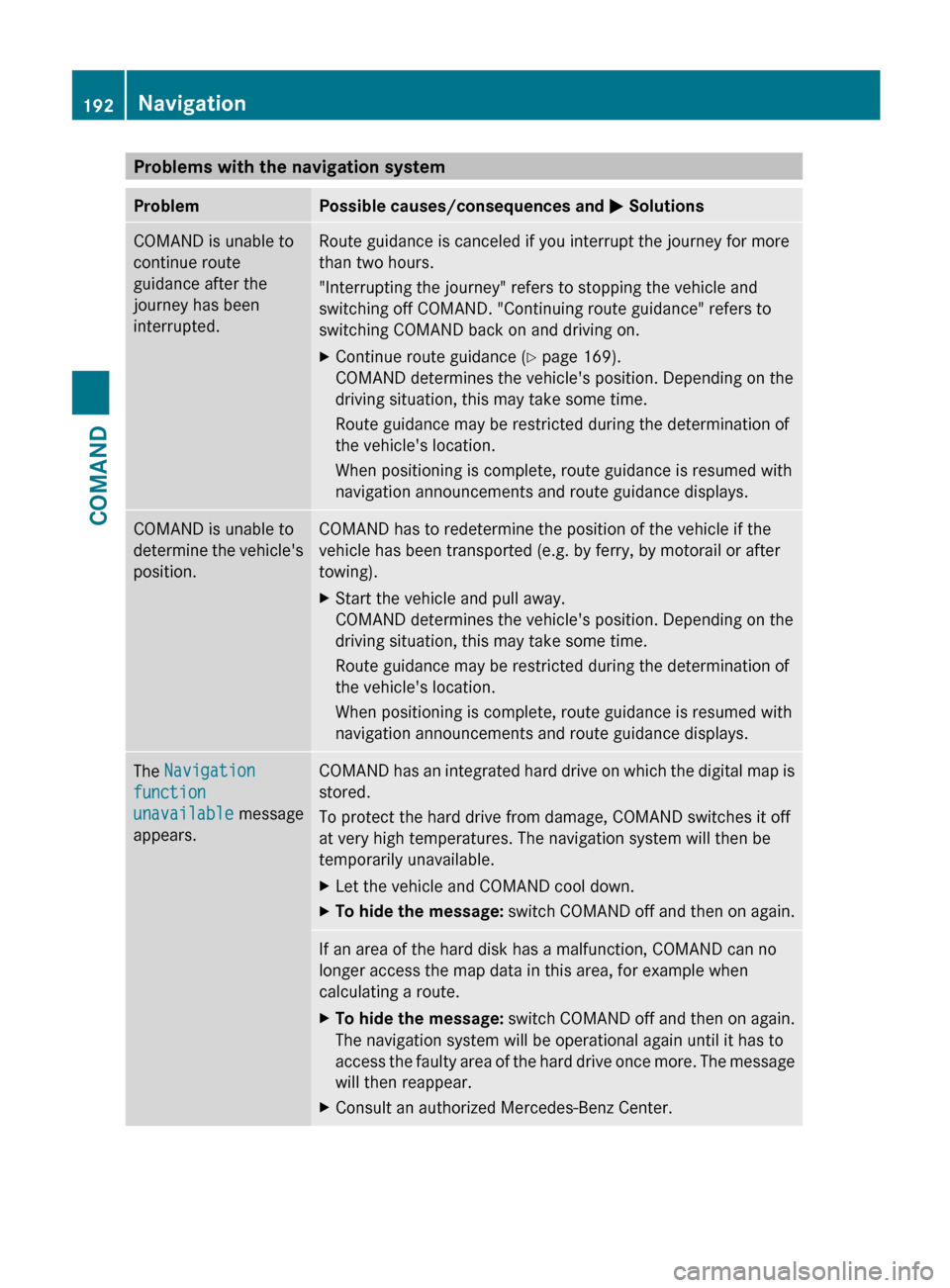
Problems with the navigation systemProblemPossible causes/consequences and M SolutionsCOMAND is unable to
continue route
guidance after the
journey has been
interrupted.Route guidance is canceled if you interrupt the journey for more
than two hours.
"Interrupting the journey" refers to stopping the vehicle and
switching off COMAND. "Continuing route guidance" refers to
switching COMAND back on and driving on.XContinue route guidance ( Y page 169).
COMAND determines the vehicle's position. Depending on the
driving situation, this may take some time.
Route guidance may be restricted during the determination of
the vehicle's location.
When positioning is complete, route guidance is resumed with
navigation announcements and route guidance displays.COMAND is unable to
determine the vehicle's
position.COMAND has to redetermine the position of the vehicle if the
vehicle has been transported (e.g. by ferry, by motorail or after
towing).XStart the vehicle and pull away.
COMAND determines the vehicle's position. Depending on the
driving situation, this may take some time.
Route guidance may be restricted during the determination of
the vehicle's location.
When positioning is complete, route guidance is resumed with
navigation announcements and route guidance displays.The Navigation
function
unavailable message
appears.COMAND has an integrated hard drive on which the digital map is
stored.
To protect the hard drive from damage, COMAND switches it off
at very high temperatures. The navigation system will then be
temporarily unavailable.XLet the vehicle and COMAND cool down.XTo hide the message: switch COMAND off and then on again.If an area of the hard disk has a malfunction, COMAND can no
longer access the map data in this area, for example when
calculating a route.XTo hide the message: switch COMAND off and then on again.
The navigation system will be operational again until it has to
access the faulty area of the hard drive once more. The message
will then reappear.XConsult an authorized Mercedes-Benz Center.192NavigationCOMAND
Page 207 of 536
iIf you switch to another main function,
e.g. navigation, while receiving vCards, the
reception of vCards will be terminated.XSelect Data/Connections in the
telephone basic menu by sliding VÆ and
turning cVd the COMAND controller and
press W to confirm.XSelect Download Contacts and press W
to confirm.XSelect Via Bluetooth and press W to
confirm.
This interrupts the Bluetooth ®
connection
between COMAND and your active mobile
phone. In turn, COMAND is ready to receive
vCards from another Bluetooth ®
device.XStart data transfer on the external
Bluetooth device ( N operating instructions
of the device).
The data on the vCards is automatically
transferred to the address book. The
number of vCards received is displayed.XTo cancel reception: press W.
or
XPress the % back button on the center
console.
Calling up contacts/details
You can call up contacts with the list or by
using the character bar.
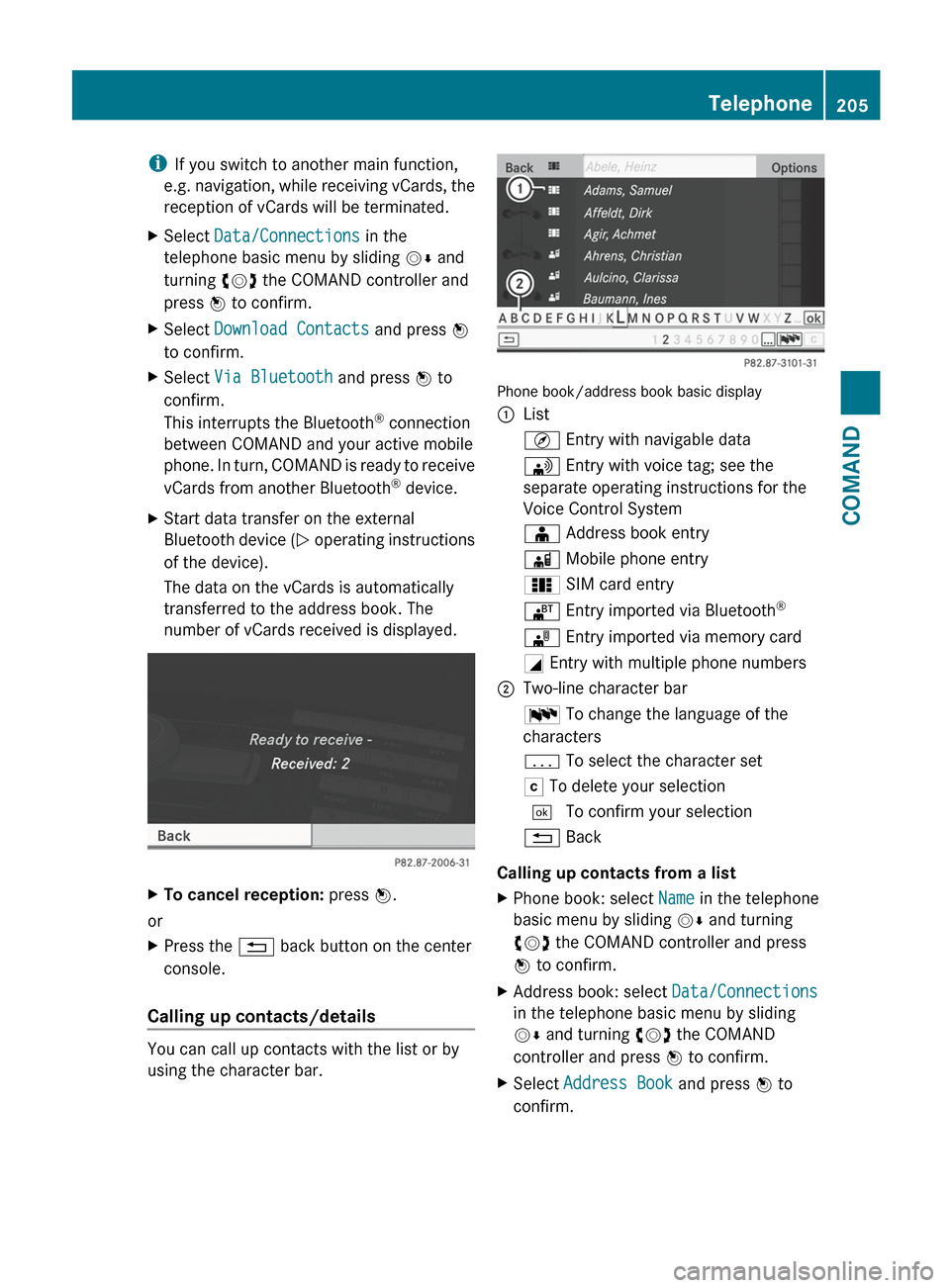
Phone book/address book basic display
:ListÇ Entry with navigable data\ Entry with voice tag; see the
separate operating instructions for the
Voice Control SystemÆ Address book entryà Mobile phone entry0 SIM card entry® Entry imported via Bluetooth ®¯
Entry imported via memory cardG Entry with multiple phone numbers;Two-line character barB To change the language of the
charactersp To select the character setF To delete your selection¬ To confirm your selection% Back
Calling up contacts from a list
XPhone book: select Name in the telephone
basic menu by sliding VÆ and turning
cVd the COMAND controller and press
W to confirm.XAddress book: select Data/Connections
in the telephone basic menu by sliding
V Æ and turning cVd the COMAND
controller and press W to confirm.XSelect Address Book and press W to
confirm.Telephone205COMANDZ
Page 210 of 536
Calling a number stored in an entry
Using the phone book
XSelect Name in the telephone basic menu
by sliding VY and turning cVd the
COMAND controller and press W to
confirm.XCall up the contact ( Y page 205).XContact with multiple telephone
numbers (with the G symbol): press
W .
or
XPress SEND on the telephone keypad.
A list of all telephone numbers is opened.XSelect the desired number by turning
cVd the COMAND controller.XPress W.
or
XPress SEND on the telephone keypad.
The number is dialed.XContact with one telephone number
(without the G symbol): press W.
or
XPress SEND on the telephone keypad.
The number is dialed.
i You can also use the phone book in the
on-board computer to make a call
( Y page 383).
Using the address book
XSelect Data/Connections in the
telephone basic menu by sliding VÆ and
turning cVd the COMAND controller and
press W to confirm.XSelect Address Book and press W to
confirm.XCall contact ( Y page 205) and press W to
confirm.XSelect the telephone number by turning
cVd the COMAND controller and press
W to confirm.Starting route guidance to an entry
i
This function is available as soon as you
have stored a destination in the destination
memory ( Y page 179). COMAND also
stores the destination in the address book
with the complete navigable address data.
In this case, navigation can be started
without any further data input.
If the contact entry contains a postal
address, e.g. as a result of importing a
vCard, the system can also navigate to this
address. If the data is incomplete or
unclear, COMAND asks the user to enter
the relevant address data. After the entry
has been completed and navigation has
been started, COMAND replaces the
existing address with the navigable
address if necessary.
XSearch for an address book entry using the
¤ symbol.XConfirm the entry by pressing W.
Telephone numbers and addresses are
displayed.XSelect the address data field.XPress the COMAND controller.
or
XSelect Options by sliding VY the
COMAND controller and press W to
confirm.XSelect Navigate and press W to confirm.XSelect Start and press W to confirm.
Voice tags
i
Voice tags are entered via the Voice
Control System; see the separate operating
instructions for the Voice Control System.
Adding or changing a voice tag
i You can add one voice tag per address
book entry.
208TelephoneCOMAND
Page 229 of 536
Many audio CDs contain CD text. COMAND
uses the information contained therein to
display the artist, album and track name.
If the audio CD does not contain any CD text
information, COMAND can use the Gracenote
Media Database to identify unknown audio
tracks when running in audio CD mode. This
is only possible if the relevant information is
saved in the Gracenote Media Database and
if the "Gracenote Media Database" function
is activated.
If this is the case, COMAND will display the
corresponding data such as artist, album and
track name in the relevant displays and lists.
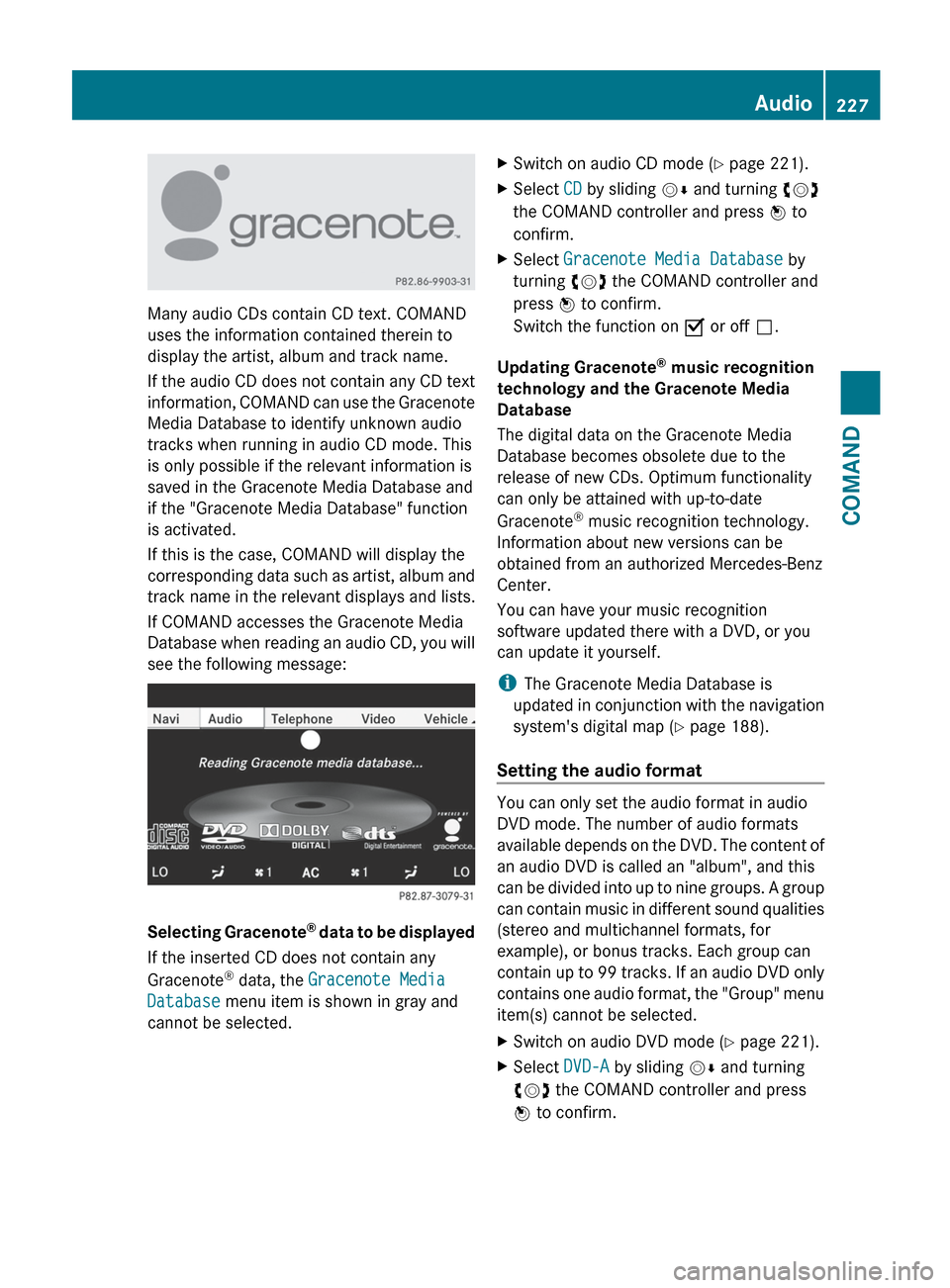
If COMAND accesses the Gracenote Media
Database when reading an audio CD, you will
see the following message:
Selecting Gracenote ®
data to be displayed
If the inserted CD does not contain any
Gracenote ®
data, the Gracenote Media
Database menu item is shown in gray and
cannot be selected.
XSwitch on audio CD mode ( Y page 221).XSelect CD by sliding VÆ and turning cVd
the COMAND controller and press W to
confirm.XSelect Gracenote Media Database by
turning cVd the COMAND controller and
press W to confirm.
Switch the function on O or off ª.
Updating Gracenote ®
music recognition
technology and the Gracenote Media
Database
The digital data on the Gracenote Media
Database becomes obsolete due to the
release of new CDs. Optimum functionality
can only be attained with up-to-date
Gracenote ®
music recognition technology.
Information about new versions can be
obtained from an authorized Mercedes-Benz
Center.
You can have your music recognition
software updated there with a DVD, or you
can update it yourself.
i The Gracenote Media Database is
updated in conjunction with the navigation
system's digital map ( Y page 188).
Setting the audio format
You can only set the audio format in audio
DVD mode. The number of audio formats
available depends on the DVD. The content of
an audio DVD is called an "album", and this
can be divided into up to nine groups. A group
can contain music in different sound qualities
(stereo and multichannel formats, for
example), or bonus tracks. Each group can
contain up to 99 tracks. If an audio DVD only
contains one audio format, the "Group" menu
item(s) cannot be selected.
XSwitch on audio DVD mode ( Y page 221).XSelect DVD-A by sliding VÆ and turning
cVd the COMAND controller and press
W to confirm.Audio227COMANDZ
Page 241 of 536
Notes on USB devices
R In order to keep the initialization time to a
minimum, store only music data on a USB
device.
R Approximately 10,000 tracks are
supported. Multiple partitions should be
used for larger numbers of tracks.
R Do not use USB extension leads or
adapters. They can impair functionality.
R A background search of the USB device is
performed and any playlists found are
shown in a separate category in addition to
the folders. Initialization of larger USB mass
storage devices containing a large number
of files may take several minutes.
i DRM (Digital Rights Management)
protected files are not supported by the
Media Interface.
Audio AUX mode
Notes on audio AUX mode
You can connect an external audio source
(AUX) to COMAND. The socket for this is
located in the glove box.
If COMAND is equipped with a Media
Interface, external audio sources are
connected using the corresponding cable set.
An AUX socket is not provided.
i You can find more information on the
Internet at http://www.mercedes-
benz.com/connect and in the "Media
Interface mode" section ( Y page 233).
Activating audio AUX mode
When you connect an external audio source,
audio AUX is not selected automatically.
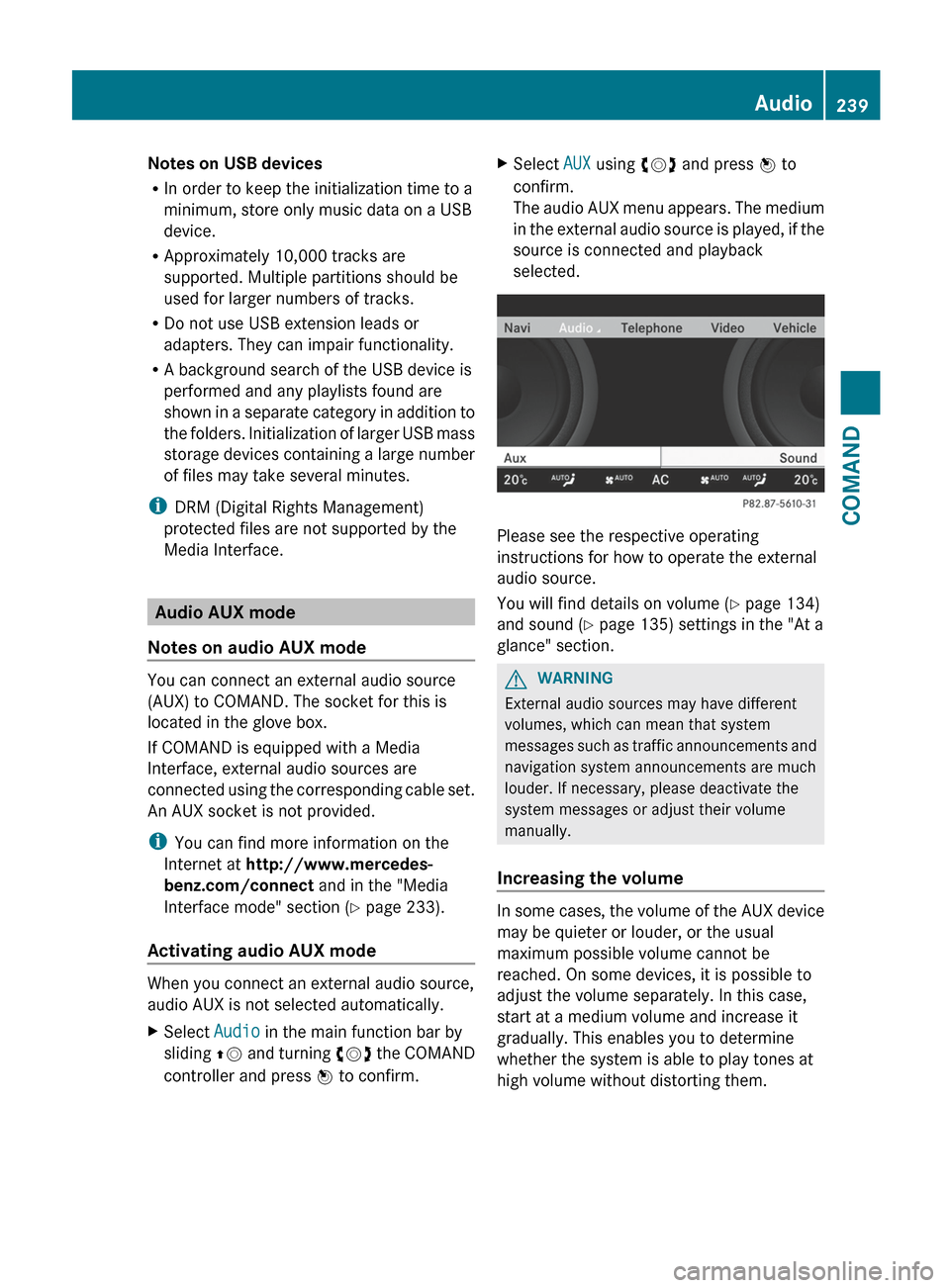
XSelect Audio in the main function bar by
sliding ZV and turning cVd the COMAND
controller and press W to confirm.XSelect AUX using cVd and press W to
confirm.
The audio AUX menu appears. The medium
in the external audio source is played, if the
source is connected and playback
selected.
Please see the respective operating
instructions for how to operate the external
audio source.
You will find details on volume ( Y page 134)
and sound ( Y page 135) settings in the "At a
glance" section.
GWARNING
External audio sources may have different
volumes, which can mean that system
messages such as traffic announcements and
navigation system announcements are much
louder. If necessary, please deactivate the
system messages or adjust their volume
manually.
Increasing the volume
In some cases, the volume of the AUX device
may be quieter or louder, or the usual
maximum possible volume cannot be
reached. On some devices, it is possible to
adjust the volume separately. In this case,
start at a medium volume and increase it
gradually. This enables you to determine
whether the system is able to play tones at
high volume without distorting them.
Audio239COMANDZ
Page 248 of 536
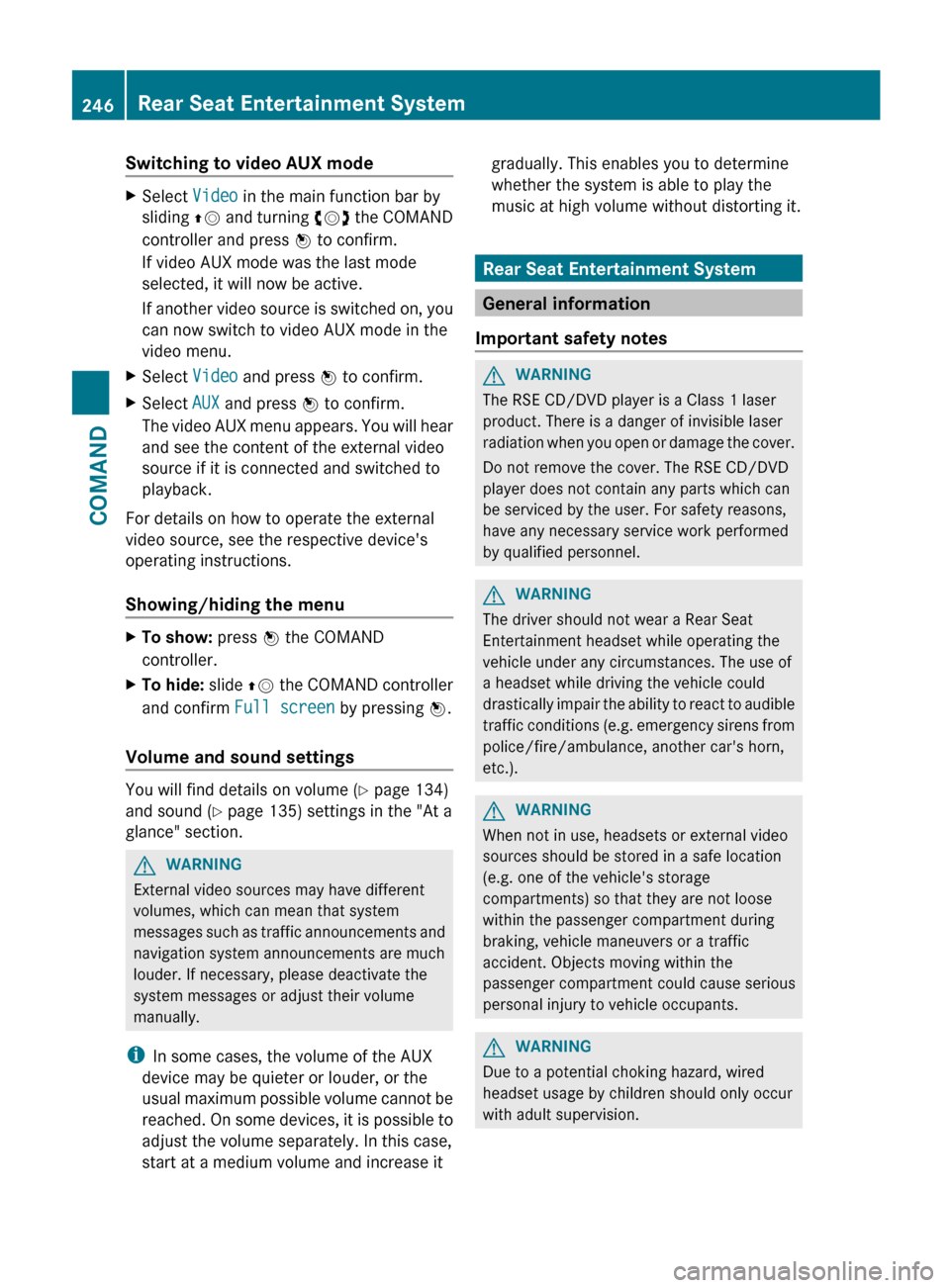
Switching to video AUX modeXSelect Video in the main function bar by
sliding ZV and turning cVd the COMAND
controller and press W to confirm.
If video AUX mode was the last mode
selected, it will now be active.
If another video source is switched on, you
can now switch to video AUX mode in the
video menu.XSelect Video and press W to confirm.XSelect AUX and press W to confirm.
The video AUX menu appears. You will hear
and see the content of the external video
source if it is connected and switched to
playback.
For details on how to operate the external
video source, see the respective device's
operating instructions.
Showing/hiding the menu
XTo show: press W the COMAND
controller.XTo hide: slide ZV the COMAND controller
and confirm Full screen by pressing W.
Volume and sound settings
You will find details on volume ( Y page 134)
and sound ( Y page 135) settings in the "At a
glance" section.
GWARNING
External video sources may have different
volumes, which can mean that system
messages such as traffic announcements and
navigation system announcements are much
louder. If necessary, please deactivate the
system messages or adjust their volume
manually.
i In some cases, the volume of the AUX
device may be quieter or louder, or the
usual maximum possible volume cannot be
reached. On some devices, it is possible to
adjust the volume separately. In this case,
start at a medium volume and increase it
gradually. This enables you to determine
whether the system is able to play the
music at high volume without distorting it.
Rear Seat Entertainment System
General information
Important safety notes
GWARNING
The RSE CD/DVD player is a Class 1 laser
product. There is a danger of invisible laser
radiation when you open or damage the cover.
Do not remove the cover. The RSE CD/DVD
player does not contain any parts which can
be serviced by the user. For safety reasons,
have any necessary service work performed
by qualified personnel.
GWARNING
The driver should not wear a Rear Seat
Entertainment headset while operating the
vehicle under any circumstances. The use of
a headset while driving the vehicle could
drastically impair the ability to react to audible
traffic conditions (e.g. emergency sirens from
police/fire/ambulance, another car's horn,
etc.).
GWARNING
When not in use, headsets or external video
sources should be stored in a safe location
(e.g. one of the vehicle's storage
compartments) so that they are not loose
within the passenger compartment during
braking, vehicle maneuvers or a traffic
accident. Objects moving within the
passenger compartment could cause serious
personal injury to vehicle occupants.
GWARNING
Due to a potential choking hazard, wired
headset usage by children should only occur
with adult supervision.
246Rear Seat Entertainment SystemCOMAND
Page 251 of 536
Rcalling up the DVD menu and navigating
within it
R setting the language, subtitles and camera
angle
R calling up interactive DVD content
The following functions affect only one
screen:
R audio and video functions as well as picture
settings
R switching between full screen and the
menu
Switching between operating modes
When you exit an operating mode (e.g. audio
CD mode), the current setting is saved. If you
call up this operating mode again later, there
are two possibilities:
R the operating mode has been changed on
the other screen.
R the operating mode has not been changed.
In the first case, the operating mode appears
as it is on the other screen.
In the second case, the setting appears on the
screen as it was when you last exited the
operating mode.
Picture settings
Overview
You can select these settings in video DVD
and AUX mode. Instructions for AUX mode
are detailed later ( Y page 258).
Adjusting the brightness, contrast and
color
XSwitch on video DVD mode ( Y page 241).XTo show the menu: press the 9 button
on the remote control.
or
XSelect Menu while the navigation menu
( Y page 241) is shown and press the 9
button to confirm.XIn both cases, select Video DVD using
the :=; buttons and press the
9 button to confirm.XSelect Brightness , Contrast , Color or
Auto using the 9: buttons and
press 9 to confirm.
An adjustment scale appears.XSelect a setting using the 9:
buttons and press the 9 button to confirm.
Changing the picture format
XTo show the menu: press the 9 button
on the remote control.
or
XSelect Menu while the navigation menu
( Y page 241) is shown and press the 9
button to confirm.XSelect Video DVD using
the :=; buttons and press the
9 button to confirm.
The ä symbol in front of the Auto, 16:9
Optimized , 4:3 or Widescreen menu item
indicates the format currently set.XSelect a format using the 9:
buttons and press the 9 button to confirm.
System settings
Note
You can adjust almost all system settings
individually for each screen without affecting
the other screen. You make these settings
using the remote control.
Selecting the display language
XSelect System using the 9=;
buttons on the remote control and press
the 9 button to confirm.
You see the system menu on the selected
rear screen.Rear Seat Entertainment System249COMANDZ
Page 257 of 536
Hiding/showing the navigation menuXTo show: press the 9 or : button
on the remote control.XTo hide: press the 9 or : button.
or
XWait for approximately eight seconds.
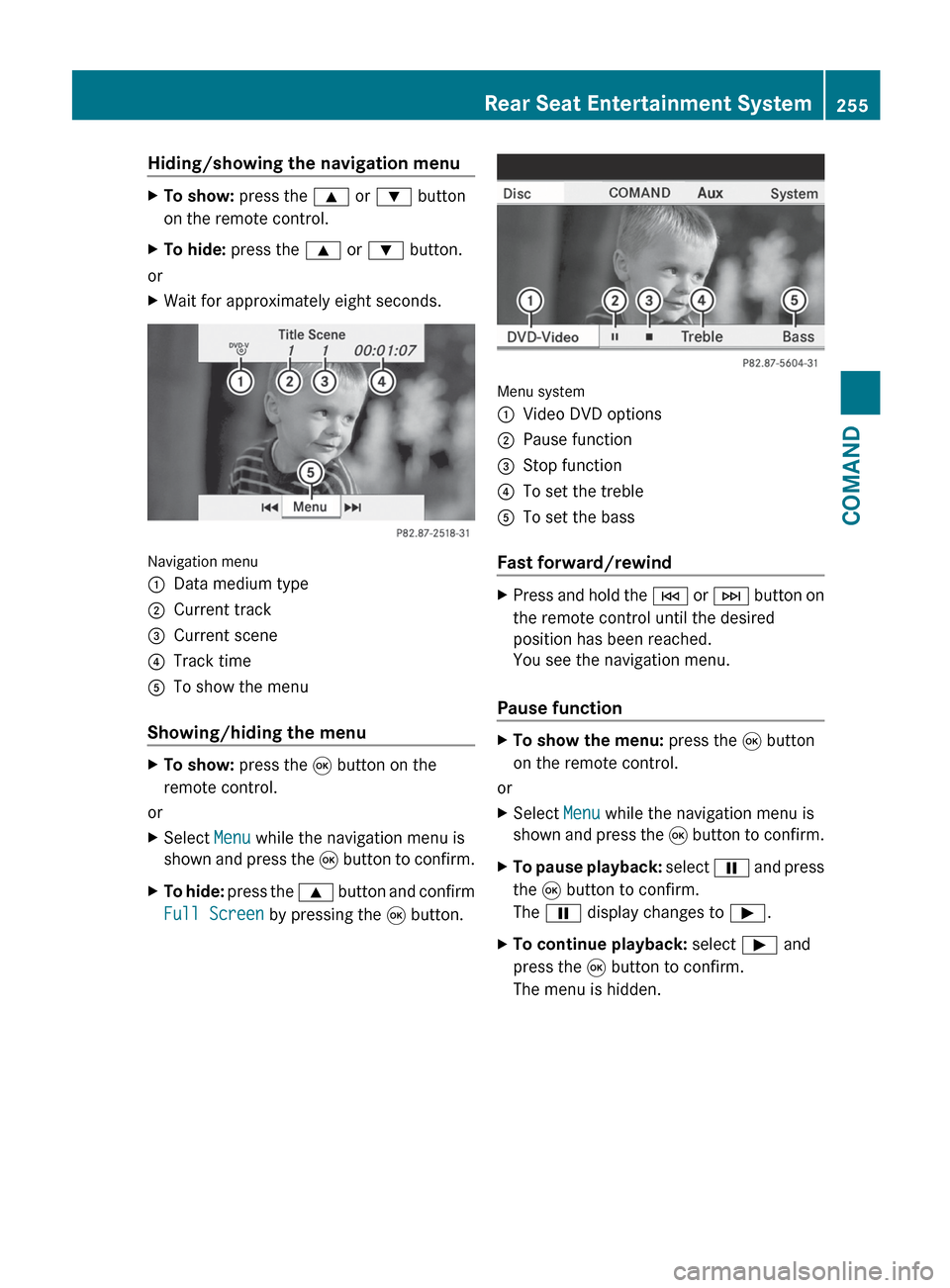
Navigation menu
:Data medium type;Current track=Current scene?Track timeATo show the menu
Showing/hiding the menu
XTo show: press the 9 button on the
remote control.
or
XSelect Menu while the navigation menu is
shown and press the 9 button to confirm.XTo hide: press the 9 button and confirm
Full Screen by pressing the 9 button.
Menu system
:Video DVD options;Pause function=Stop function?To set the trebleATo set the bass
Fast forward/rewind
XPress and hold the E or F button on
the remote control until the desired
position has been reached.
You see the navigation menu.
Pause function
XTo show the menu: press the 9 button
on the remote control.
or
XSelect Menu while the navigation menu is
shown and press the 9 button to confirm.XTo pause playback: select Ë and press
the 9 button to confirm.
The Ë display changes to Ì.XTo continue playback: select Ì and
press the 9 button to confirm.
The menu is hidden.Rear Seat Entertainment System255COMANDZ
Page 258 of 536
Stop functionXTo show the menu: press the 9 button
on the remote control.
or
XSelect Menu while the navigation menu is
shown and press the 9 button to confirm.XTo interrupt playback: select É and
press the 9 button to confirm.
The Ë display changes to Ì. The
video image is hidden.XTo continue playback: select Ì and
press the 9 button to confirm.
Playback continues from the point where it
was interrupted. The menu is hidden.XTo stop playback: while playback is
interrupted, select É again and press
the 9 button to confirm.
Playback stops and returns to the
beginning of the DVD. Ì is highlighted.XTo restart playback: select Ì and
press the 9 button to confirm.
Playback starts from the beginning of the
DVD.
Selecting a scene/chapter
Note
Further information on this function is
available in the "Video" section
( Y page 243).
Skipping forwards/backwards
XPress the = or ; button on the
remote control.
or
XPress the E or F button.
The control menu appears for
approximately eight seconds.
Selecting a scene/chapter directly
The examples illustrate how to select scene/
chapter 5.
XOption 1: while the film is playing, press
the h button on the remote control.XPress a corresponding number key, e.g.
¿ .XOption 2: while the film is playing, press
the 9 button on the remote control and
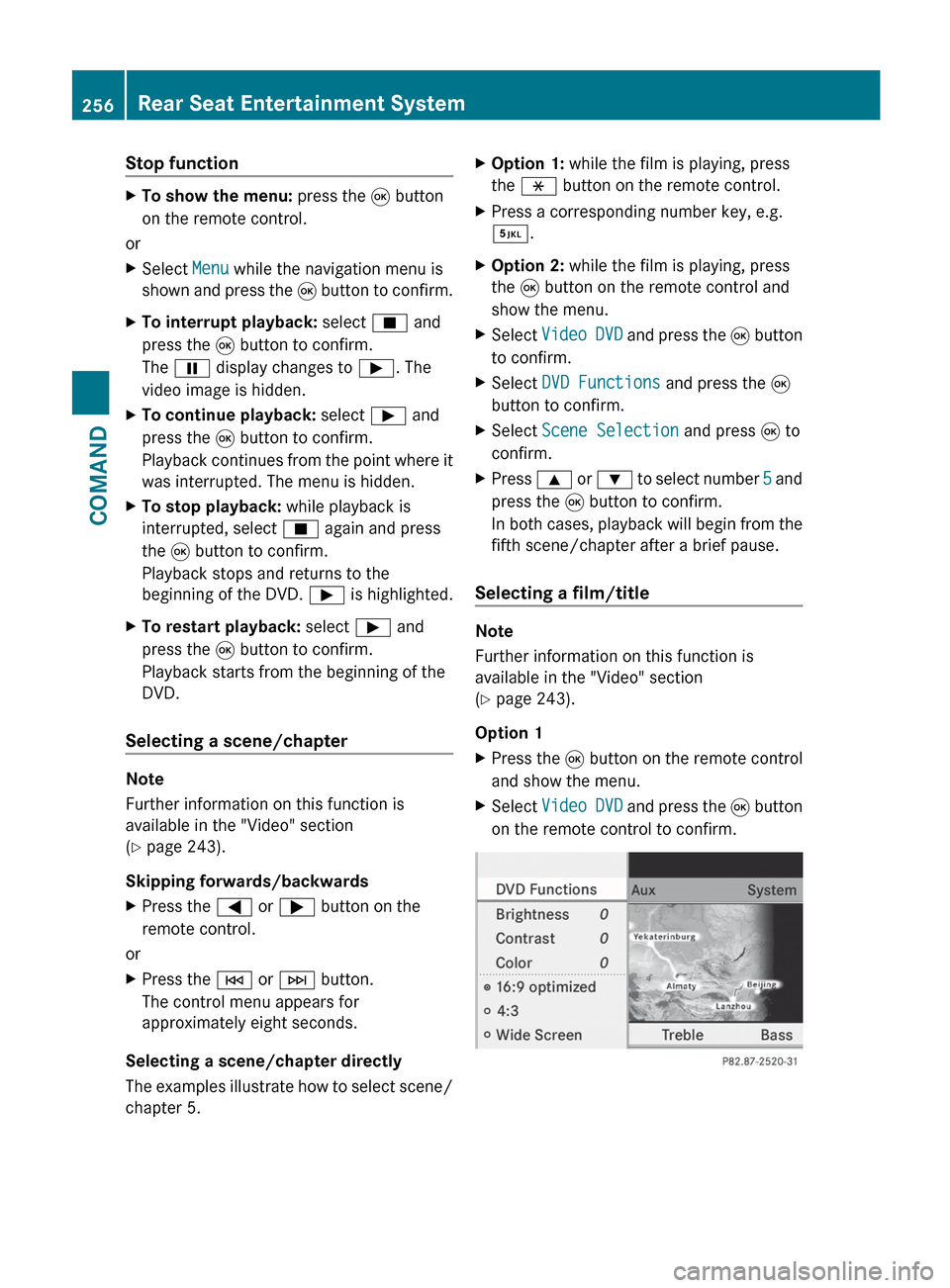
show the menu.XSelect Video DVD and press the 9 button
to confirm.XSelect DVD Functions and press the 9
button to confirm.XSelect Scene Selection and press 9 to
confirm.XPress 9 or : to select number 5 and
press the 9 button to confirm.
In both cases, playback will begin from the
fifth scene/chapter after a brief pause.
Selecting a film/title
Note
Further information on this function is
available in the "Video" section
( Y page 243).
Option 1
XPress the 9 button on the remote control
and show the menu.XSelect Video DVD and press the 9 button
on the remote control to confirm.256Rear Seat Entertainment SystemCOMAND
Page 275 of 536
XSelect Setting by sliding ZVÆ or turning
cVd the COMAND controller and press
W to confirm.
The massage function runs for
approximately 6 to 20 minutes, depending
on the setting.
Uploading/downloading data
With this function, you can transfer COMAND
data from one system (vehicle) to another
system (vehicle). You can use either a USB
stick or an SD card as temporary storage.
You can only transfer the complete
transferable data record.
The following data is included in the complete
transferable data record:
R navigation destination memory and last
destination
R address book entries
R audio station/video channel presets
R system settings
Copying data to a storage medium
XInsert an SD card into the SD card slot
or
XInsert a USB stick into the socket on the
side in the glove box.XSelect Vehicle in the main function bar by
turning cVd the COMAND controller and
press W to confirm.
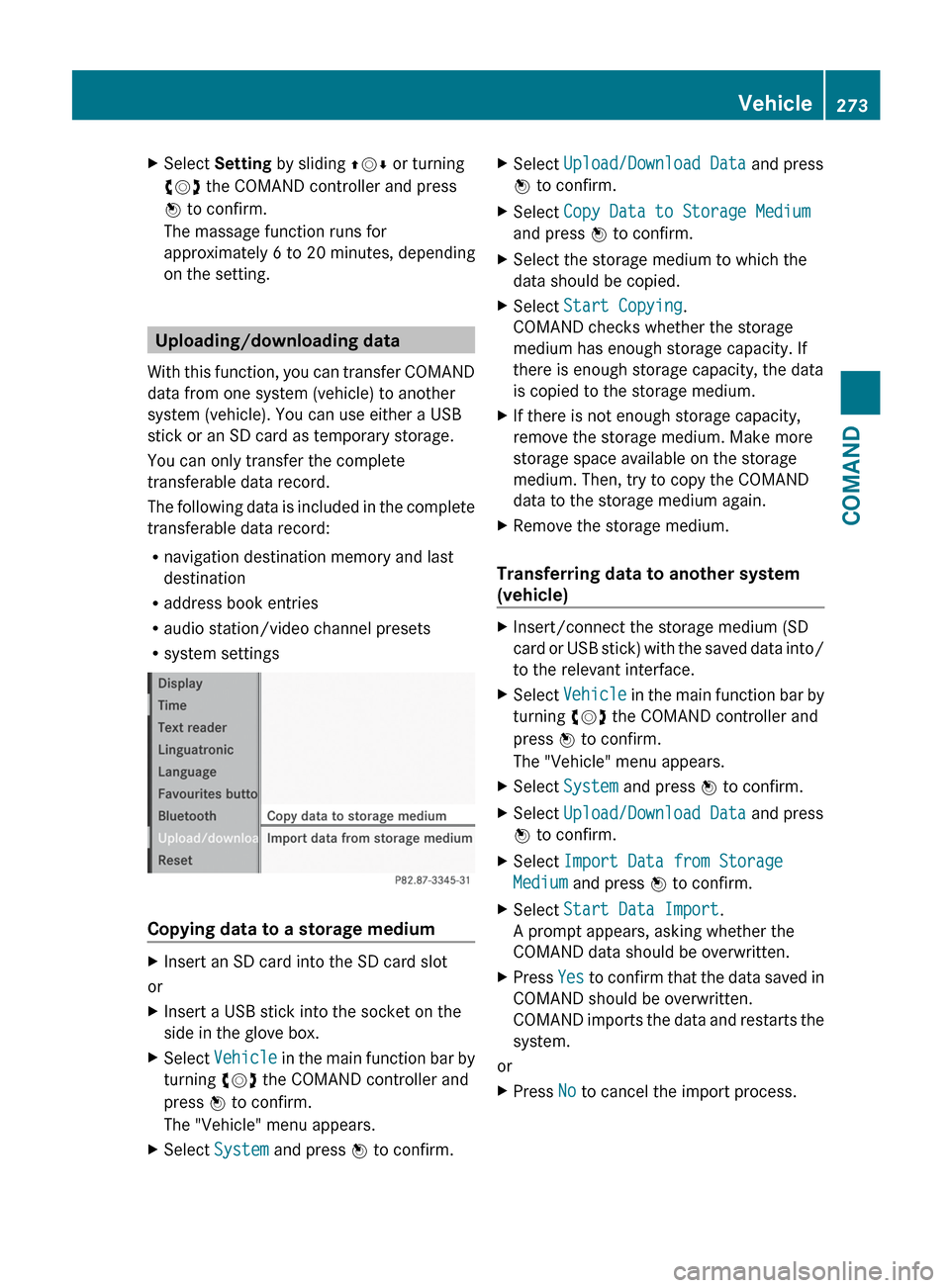
The "Vehicle" menu appears.XSelect System and press W to confirm.XSelect Upload/Download Data and press
W to confirm.XSelect Copy Data to Storage Medium
and press W to confirm.XSelect the storage medium to which the
data should be copied.XSelect Start Copying .
COMAND checks whether the storage
medium has enough storage capacity. If
there is enough storage capacity, the data
is copied to the storage medium.XIf there is not enough storage capacity,
remove the storage medium. Make more
storage space available on the storage
medium. Then, try to copy the COMAND
data to the storage medium again.XRemove the storage medium.
Transferring data to another system
(vehicle)
XInsert/connect the storage medium (SD
card or USB stick) with the saved data into/
to the relevant interface.XSelect Vehicle in the main function bar by
turning cVd the COMAND controller and
press W to confirm.
The "Vehicle" menu appears.XSelect System and press W to confirm.XSelect Upload/Download Data and press
W to confirm.XSelect Import Data from Storage
Medium and press W to confirm.XSelect Start Data Import .
A prompt appears, asking whether the
COMAND data should be overwritten.XPress Yes to confirm that the data saved in
COMAND should be overwritten.
COMAND imports the data and restarts the
system.
or
XPress No to cancel the import process.Vehicle273COMANDZ