phone MERCEDES-BENZ S-Class 2014 W222 Comand Manual
[x] Cancel search | Manufacturer: MERCEDES-BENZ, Model Year: 2014, Model line: S-Class, Model: MERCEDES-BENZ S-Class 2014 W222Pages: 278, PDF Size: 6.65 MB
Page 21 of 278
Overview
Components
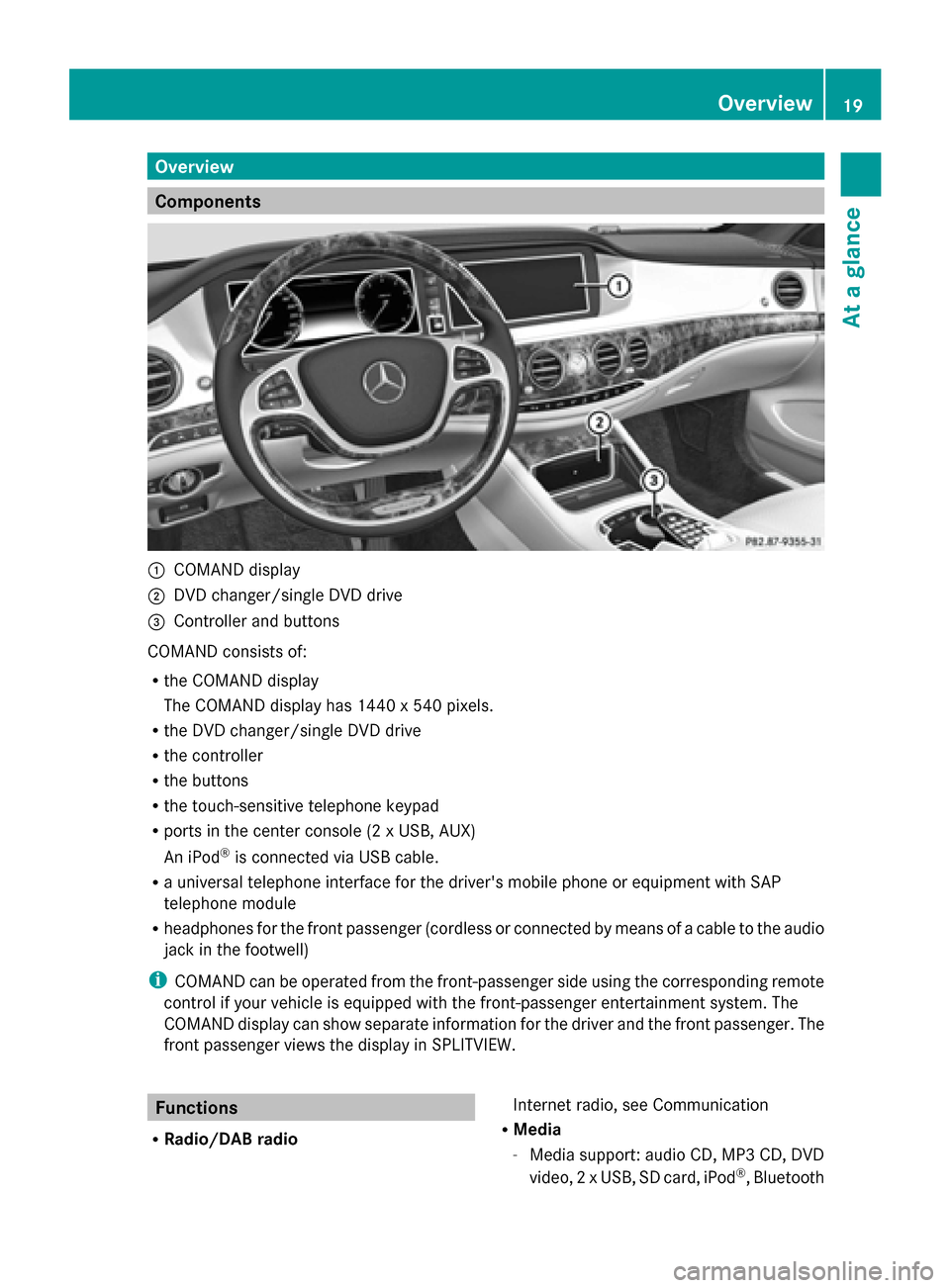
0043
COMAND display
0044 DVD changer/single DVD drive
0087 Controller and buttons
COMAND consists of:
R the COMAND display
The COMAND display has 1440 x 540 pixels.
R the DVD changer/single DVD drive
R the controller
R the buttons
R the touch-sensitive telephone keypad
R ports in the center console (2 x USB, AUX)
An iPod ®
is connected via USB cable.
R a universal telephone interface for the driver's mobile phone or equipment with SAP
telephone module
R headphones for the front passenger (cordless or connected by means of a cable to the audio
jack in the footwell)
i COMAND can be operated from the front-passenger side using the corresponding remote
control if your vehicle is equipped with the front-passenger entertainment system. The
COMAND display can show separate information for the driver and the front passenger. The
front passenger views the display in SPLITVIEW. Functions
R Radio/DAB radio Internet radio, see Communication
R Media
-Media support: audio CD, MP3 CD, DVD
video, 2 x USB, SD card, iPod ®
, Bluetooth Overview
19At a glance
Page 22 of 278
audio, 10 GB Media Register on the hard
drive
- Music search using all media
R Sound system
You can select from three sound systems:
- Standard sound system
- Burmester ®
surround sound system
- Burmester high-end 3D surround sound
system for ultimate listening pleasure
R Navigation system
-Destination entry using keyword search
- Realistic 3D map with textured city
models
- Navitainment for passengers, e.g.
Driveshow, Google Maps
R Communication
-Telephony via Bluetooth interface/SAP
telephone module
- Messaging functions (text messages,
email)
- Address book
- Internet browser
- Mercedes-Benz Apps with Google™
Local Search, Destination Download,
Weather, Facebook, Google™ Street
View, Internet radio, stock prices, news
and much more
- WLAN interface for the connection of a
smartphone to COMAND and the option
of remote control for the front passenger
(SPLITVIEW) and the Rear Seat
Entertainment System
- WLAN hotspot functionality to connect a
tablet PC or laptop in order to enable
access to the Internet using the
customer's mobile phone
R Vehicle functions
-Setting the multicontour seat with new
massage program
- Climate control functions
- Controlling ambient lighting: several
color and brightness level options
- 360° camera R
Favorites button
Faster access to up to twelve favorites
functions using the favorites button and the
number keys on the telephone keypad
R Multi-Seat Entertainment System
- All passengers have access to
entertainment options via COMAND
- Business telephony in the rear
compartment
- Digital remote control operation and
digital cordless headphones COMAND display
General notes !
Do not use the space in front of the
display for storage. Objects placed here
could damage the display or impair its
function. Avoid any direct contact with the
display surface. Pressure on the display
surface may result in impairments to the
display, which could be irreversible.
Wearing polarized sunglasses may impair
your ability to read the display.
The display has an automatic temperature-
controlled switch-off feature. The brightness
is automatically reduced if the temperature is
too high. The display may temporarily switch
off completely. 20
OverviewAt a glance
Page 24 of 278
Buttons and controller
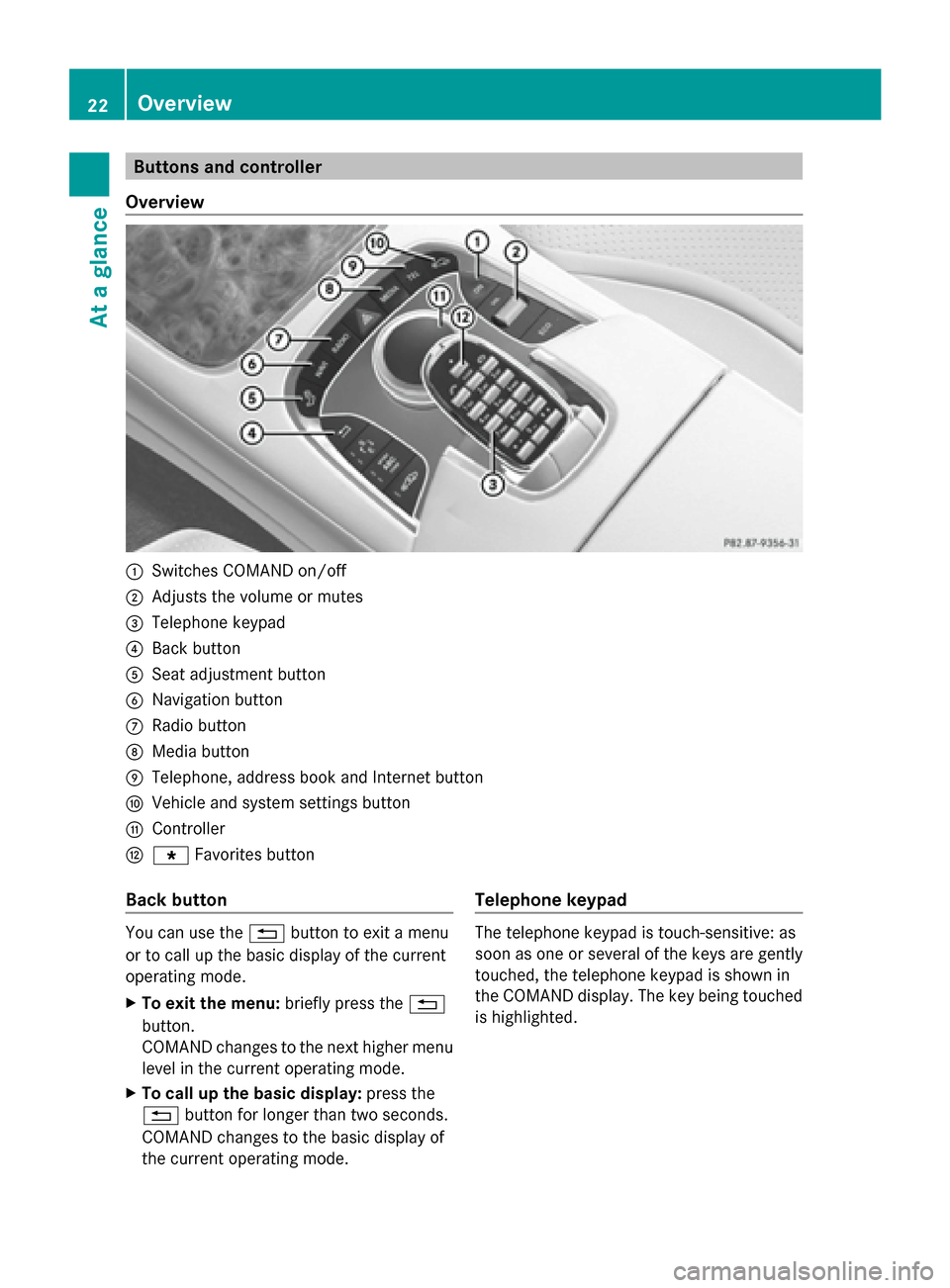
Overview 0043
Switches COMAND on/off
0044 Adjusts the volume or mutes
0087 Telephone keypad
0085 Back button
0083 Seat adjustment button
0084 Navigation button
006B Radio button
006C Media button
006D Telephone, address book and Internet button
006E Vehicle and system settings button
006F Controller
0070 007D Favorites button
Back button You can use the
0038button to exit a menu
or to call up the basic display of the current
operating mode.
X To exit the menu: briefly press the0038
button.
COMAND changes to the next higher menu
level in the current operating mode.
X To call up the basic display: press the
0038 button for longer than two seconds.
COMAND changes to the basic display of
the current operating mode. Telephone keypad The telephone keypad is touch-sensitive: as
soon as one or several of the keys are gently
touched, the telephone keypad is shown in
the COMAND display. The key being touched
is highlighted.22
OverviewAt a glance
Page 25 of 278
Controller
The controller is used to:
R
select menu items from the COMAND
display
R enter characters
R enter a destination on the map
R save entries
The controller can be:
R turned
R slid left or right 009500520096
R slid forwards or back 009700520064
R slid diagonally 009100520078
R pressed briefly or pressed and held Basic COMAND functions
Switching COMAND on/off
X Press the 008Bbutton on the center
console to the right of the controller.
When you switch on COMAND, a warning
message will appear. COMAND calls up the
previously selected menu.
If you switch off COMAND, playback of the
current media source will also be switched
off. Adjusting the volume
Adjusting the volume for media sources X
Turn the thumbwheel to the right of the
controller.
or
X Press the 0081or0082 button on the
multifunction steering wheel.
The volume of the media source currently
selected changes. Adjusting the volume for traffic
announcements and navigation
announcements During traffic or navigation announcements:
X
Turn the thumbwheel to the right of the
controller.
or
X Press the 0081or0082 button on the
multifunction steering wheel.
i You can set the volume for navigation
announcements to be different to the
volume of the respective media source.
Adjusting the volume for phone calls You can adjust the volume for hands-free
mode during a telephone call.
X
Turn the thumbwheel to the right of the
controller.
or
X Press the 0081or0082 button on the
multifunction steering wheel.
i Setting the volume for the Voice Control
System voice output, see the separate
operating instructions. Switching the sound on or off
Media source sound X
Press the thumbwheel beside the
controller.
or
X Press the 0063button on the multifunction
steering wheel.
i When the sound is switched off, you will
see the 006Bsymbol in the status bar. If you
change the media source or change the
volume, the sound is automatically
switched on.
i Even if the sound is switched off, you will
still hear navigation system
announcements. Basic COMAND functions
23At a glance
Page 26 of 278
Switching navigation announcements
off and on again
X
To switch off navigation
announcements: press the thumbwheel
beside the controller during the
announcement.
The Spoken Spoken driving
driving recommendations
recommendations
have been deactivated
have been deactivated message
appears.
X To switch navigation announcements
back on: switch COMAND off and then on
again (Y page 23).
or
X Start a new route calculation
(Y page 78).
or
X Select 006A: while route guidance is active,
show the menu and press the controller
(Y page 94). Calling up functions and their menus
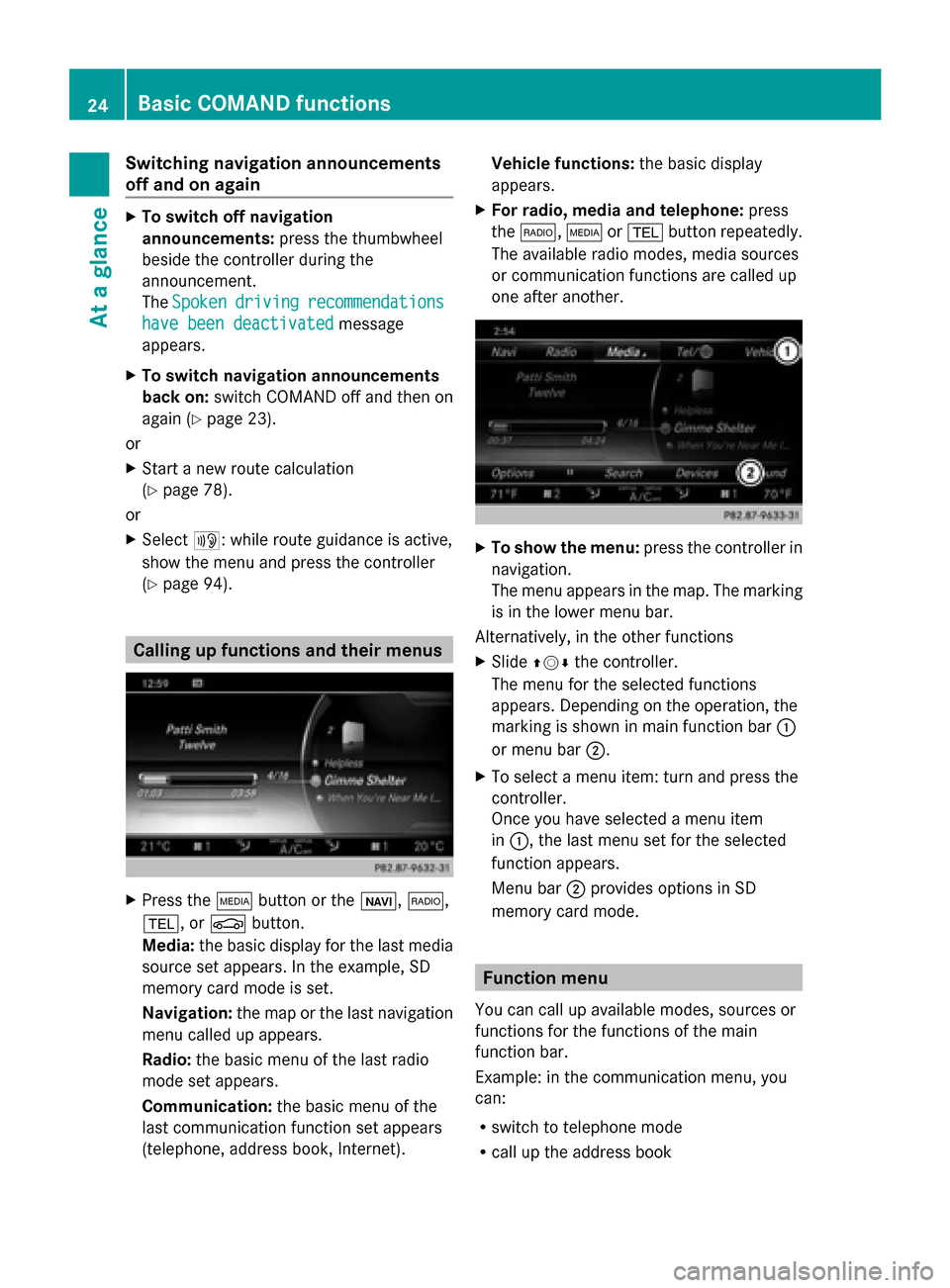
X
Press the 00FDbutton or the 00CB,002A,
002B, or 00D4button.
Media: the basic display for the last media
source set appears. In the example, SD
memory card mode is set.
Navigation: the map or the last navigation
menu called up appears.
Radio: the basic menu of the last radio
mode set appears.
Communication: the basic menu of the
last communication function set appears
(telephone, address book, Internet). Vehicle functions:
the basic display
appears.
X For radio, media and telephone: press
the 002A, 00FDor002B button repeatedly.
The available radio modes, media sources
or communication functions are called up
one after another. X
To show the menu: press the controller in
navigation.
The menu appears in the map. The marking
is in the lower menu bar.
Alternatively, in the other functions
X Slide 009700520064 the controller.
The menu for the selected functions
appears. Depending on the operation, the
marking is shown in main function bar 0043
or menu bar 0044.
X To select a menu item: turn and press the
controller.
Once you have selected a menu item
in 0043, the last menu set for the selected
function appears.
Menu bar 0044provides options in SD
memory card mode. Function menu
You can call up available modes, sources or
functions for the functions of the main
function bar.
Example: in the communication menu, you
can:
R switch to telephone mode
R call up the address book 24
Basic COMAND functionsAt a glance
Page 27 of 278
R
call up the Internet
R call up the digital operating instructions for
the telephone/00A7 X
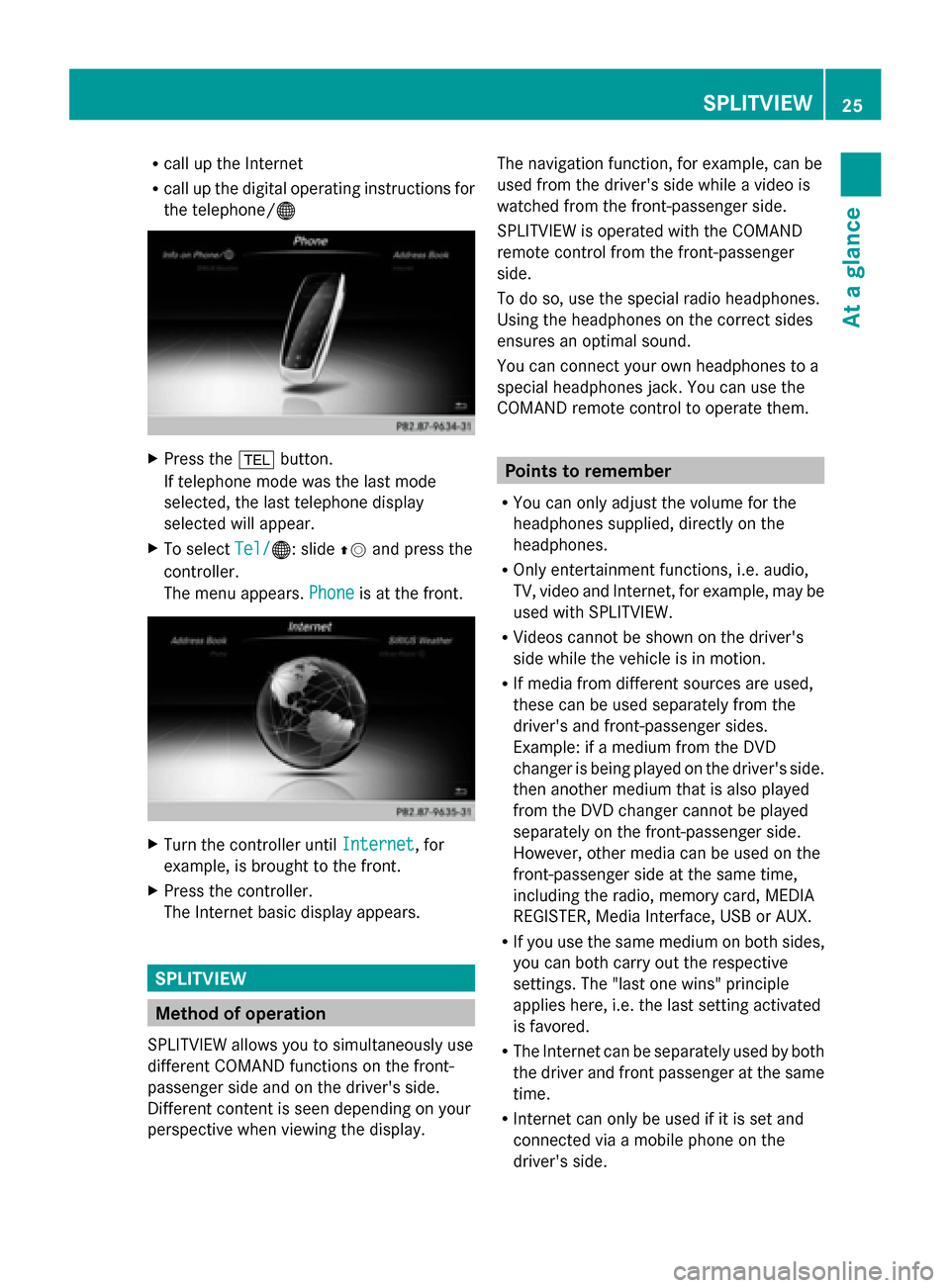
Press the 002Bbutton.
If telephone mode was the last mode
selected, the last telephone display
selected will appear.
X To select Tel/
Tel/ 00A7: slide 00970052and press the
controller.
The menu appears. Phone Phoneis at the front. X
Turn the controller until Internet
Internet, for
example, is brought to the front.
X Press the controller.
The Internet basic display appears. SPLITVIEW
Method of operation
SPLITVIEW allows you to simultaneously use
different COMAND functions on the front-
passenger side and on the driver's side.
Different content is seen depending on your
perspective when viewing the display. The navigation function, for example, can be
used from the driver's side while a video is
watched from the front-passenger side.
SPLITVIEW is operated with the COMAND
remote control from the front-passenger
side.
To do so, use the special radio headphones.
Using the headphones on the correct sides
ensures an optimal sound.
You can connect your own headphones to a
special headphones jack. You can use the
COMAND remote control to operate them.
Points to remember
R You can only adjust the volume for the
headphones supplied, directly on the
headphones.
R Only entertainment functions, i.e. audio,
TV, video and Internet, for example, may be
used with SPLITVIEW.
R Videos cannot be shown on the driver's
side while the vehicle is in motion.
R If media from different sources are used,
these can be used separately from the
driver's and front-passenger sides.
Example: if a medium from the DVD
changer is being played on the driver's side.
then another medium that is also played
from the DVD changer cannot be played
separately on the front-passenger side.
However, other media can be used on the
front-passenger side at the same time,
including the radio, memory card, MEDIA
REGISTER, Media Interface, USB or AUX.
R If you use the same medium on both sides,
you can both carry out the respective
settings. The "last one wins" principle
applies here, i.e. the last setting activated
is favored.
R The Internet can be separately used by both
the driver and front passenger at the same
time.
R Internet can only be used if it is set and
connected via a mobile phone on the
driver's side. SPLITVIEW
25At a glance
Page 30 of 278
X
Enter the destination using the COMAND
remote control and press the 0070button.
The Google™ results list appears.
X Select the destination using the COMAND
remote control.
A menu appears.
X Select Set as Destination
Set as Destination.
X The prompt Accept the navigation Accept the navigation
data from Mercedes-Benz Apps?
data from Mercedes-Benz Apps?
appears on the driver's side.
X Select Yes
Yes orNo
No.
If you select Yes
Yes, the navigation data is
used for route guidance. Multi-Seat Entertainment System
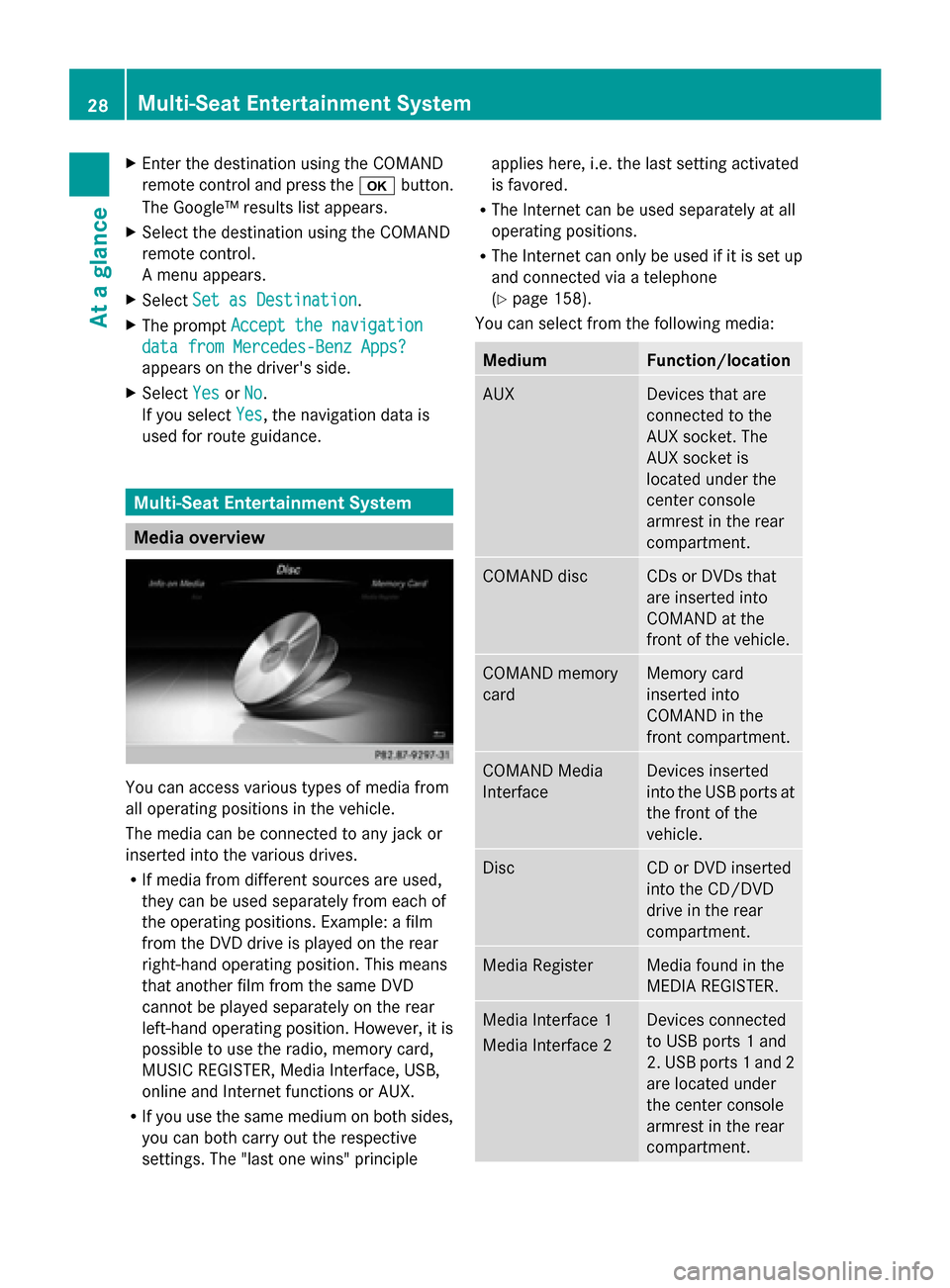
Media overview
You can access various types of media from
all operating positions in the vehicle.
The media can be connected to any jack or
inserted into the various drives.
R If media from different sources are used,
they can be used separately from each of
the operating positions. Example: a film
from the DVD drive is played on the rear
right-hand operating position. This means
that another film from the same DVD
cannot be played separately on the rear
left-hand operating position. However, it is
possible to use the radio, memory card,
MUSIC REGISTER, Media Interface, USB,
online and Internet functions or AUX.
R If you use the same medium on both sides,
you can both carry out the respective
settings. The "last one wins" principle applies here, i.e. the last setting activated
is favored.
R The Internet can be used separately at all
operating positions.
R The Internet can only be used if it is set up
and connected via a telephone
(Y page 158).
You can select from the following media: Medium Function/location
AUX Devices that are
connected to the
AUX socket. The
AUX socket is
located under the
center console
armrest in the rear
compartment. COMAND disc CDs or DVDs that
are inserted into
COMAND at the
front of the vehicle.
COMAND memory
card Memory card
inserted into
COMAND in the
front compartment.
COMAND Media
Interface Devices inserted
into the USB ports at
the front of the
vehicle.
Disc CD or DVD inserted
into the CD/DVD
drive in the rear
compartment.
Media Register Media found in the
MEDIA REGISTER.
Media Interface 1
Media Interface 2 Devices connected
to USB ports 1 and
2. USB ports 1 and 2
are located under
the center console
armrest in the rear
compartment. 28
Multi-Seat Entertainment SystemAt a glance
Page 31 of 278
Medium Function/location
Bluetooth Audio R
Devices
connected with
COMAND via
Bluetooth ®
.
R Devices
connected with
COMAND as a
business
telephone. TV Television
Accessing media in the vehicle
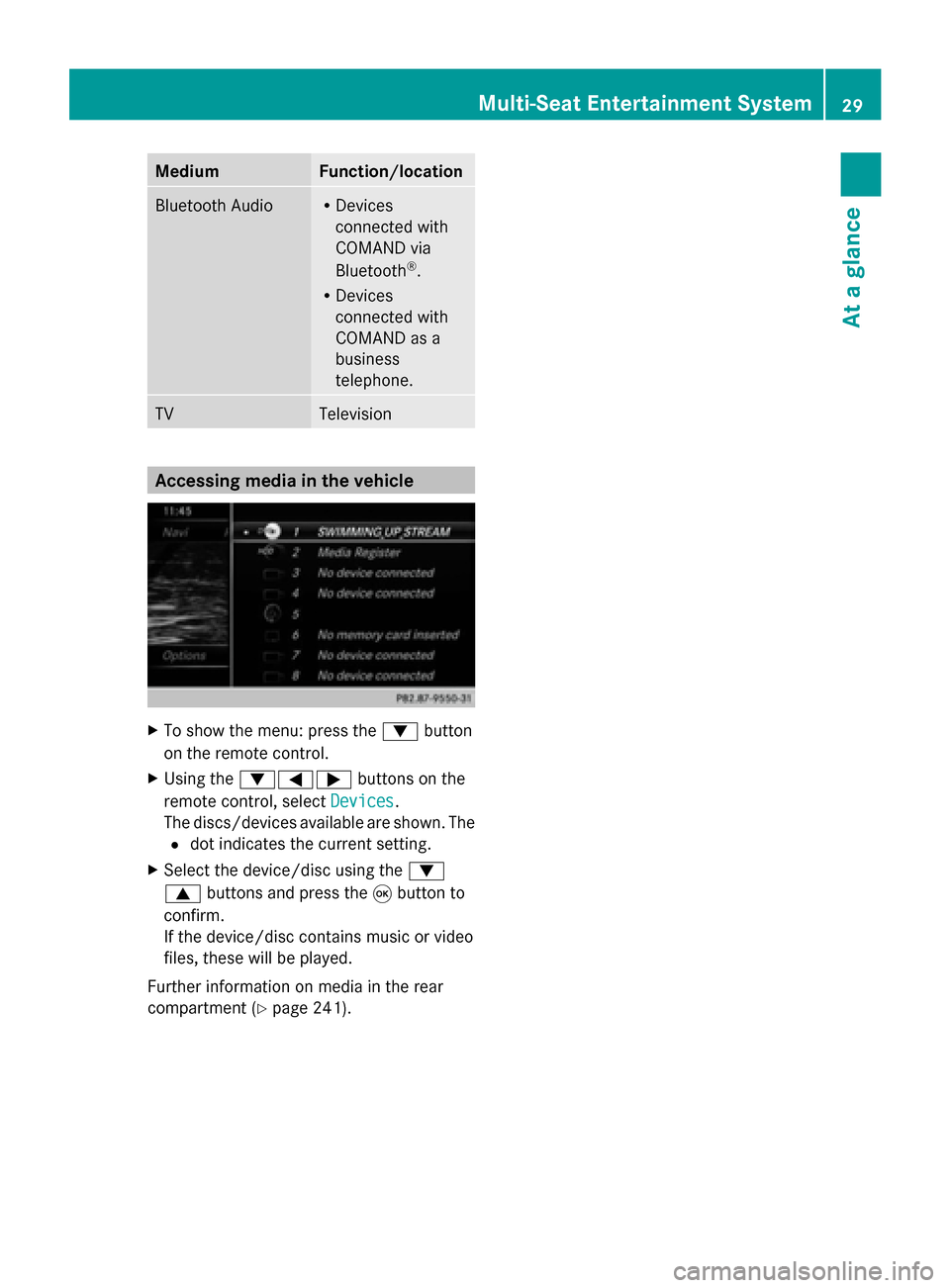
X
To show the menu: press the 0064button
on the remote control.
X Using the 006400590065 buttons on the
remote control, select Devices
Devices .
The discs/devices available are shown. The
0036 dot indicates the current setting.
X Select the device/disc using the 0064
0063 buttons and press the 008Bbutton to
confirm.
If the device/disc contains music or video
files, these will be played.
Further information on media in the rear
compartment (Y page 241). Multi-Seat Entertainment System
29At a glance
Page 32 of 278
Character entry (telephony)
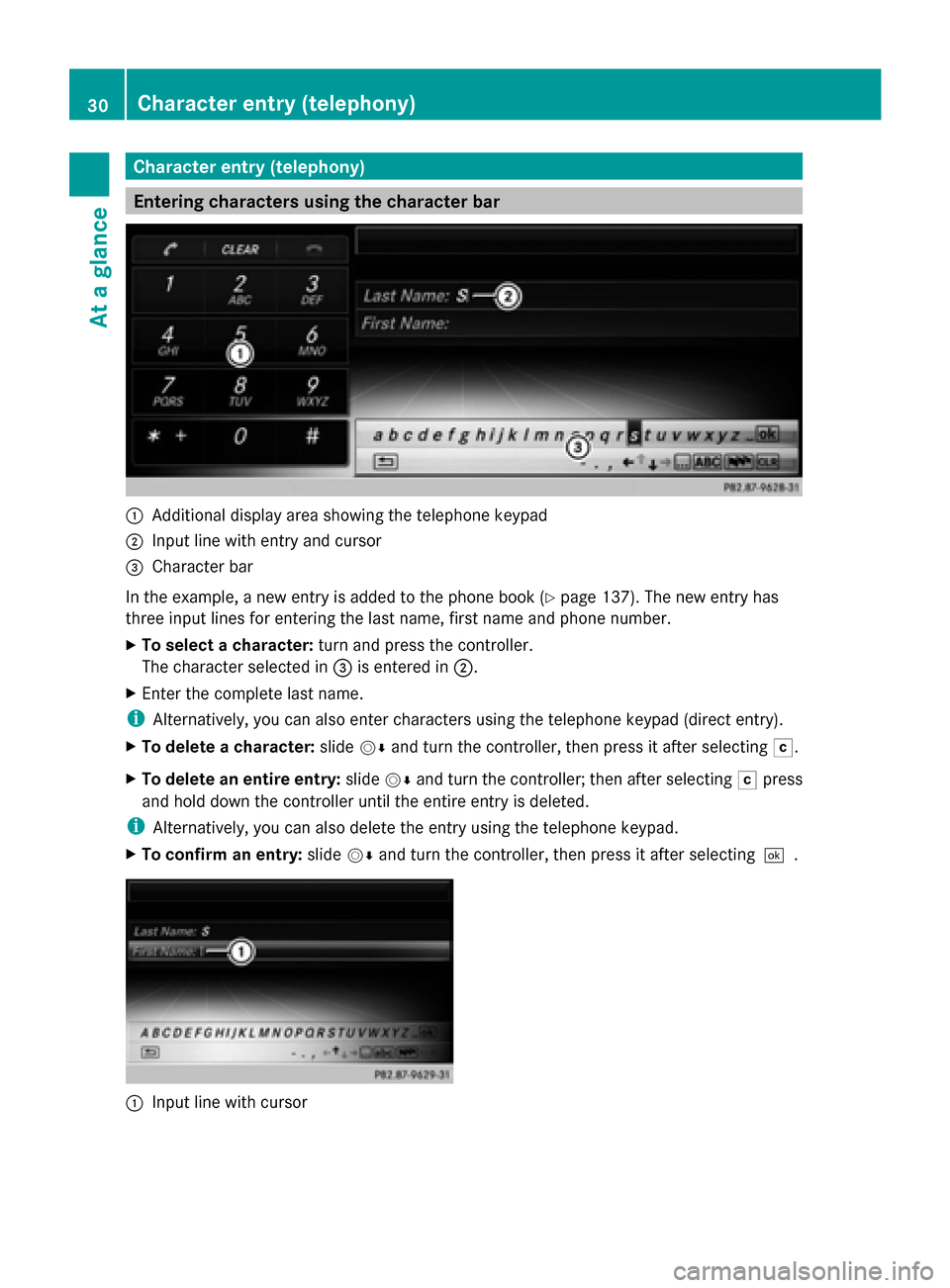
Entering characters using the character bar
0043
Additional display area showing the telephone keypad
0044 Input line with entry and cursor
0087 Character bar
In the example, a new entry is added to the phone book (Y page 137). The new entry has
three input lines for entering the last name, first name and phone number.
X To select a character: turn and press the controller.
The character selected in 0087is entered in 0044.
X Enter the complete last name.
i Alternatively, you can also enter characters using the telephone keypad (direct entry).
X To delete a character: slide00520064and turn the controller, then press it after selecting 0042.
X To delete an entire entry: slide00520064and turn the controller; then after selecting 0042press
and hold down the controller until the entire entry is deleted.
i Alternatively, you can also delete the entry using the telephone keypad.
X To confirm an entry: slide00520064and turn the controller, then press it after selecting 0054.0043
Input line with cursor 30
Character entry (telephony)At a glance
Page 34 of 278
Entering characters using the telephone keypad
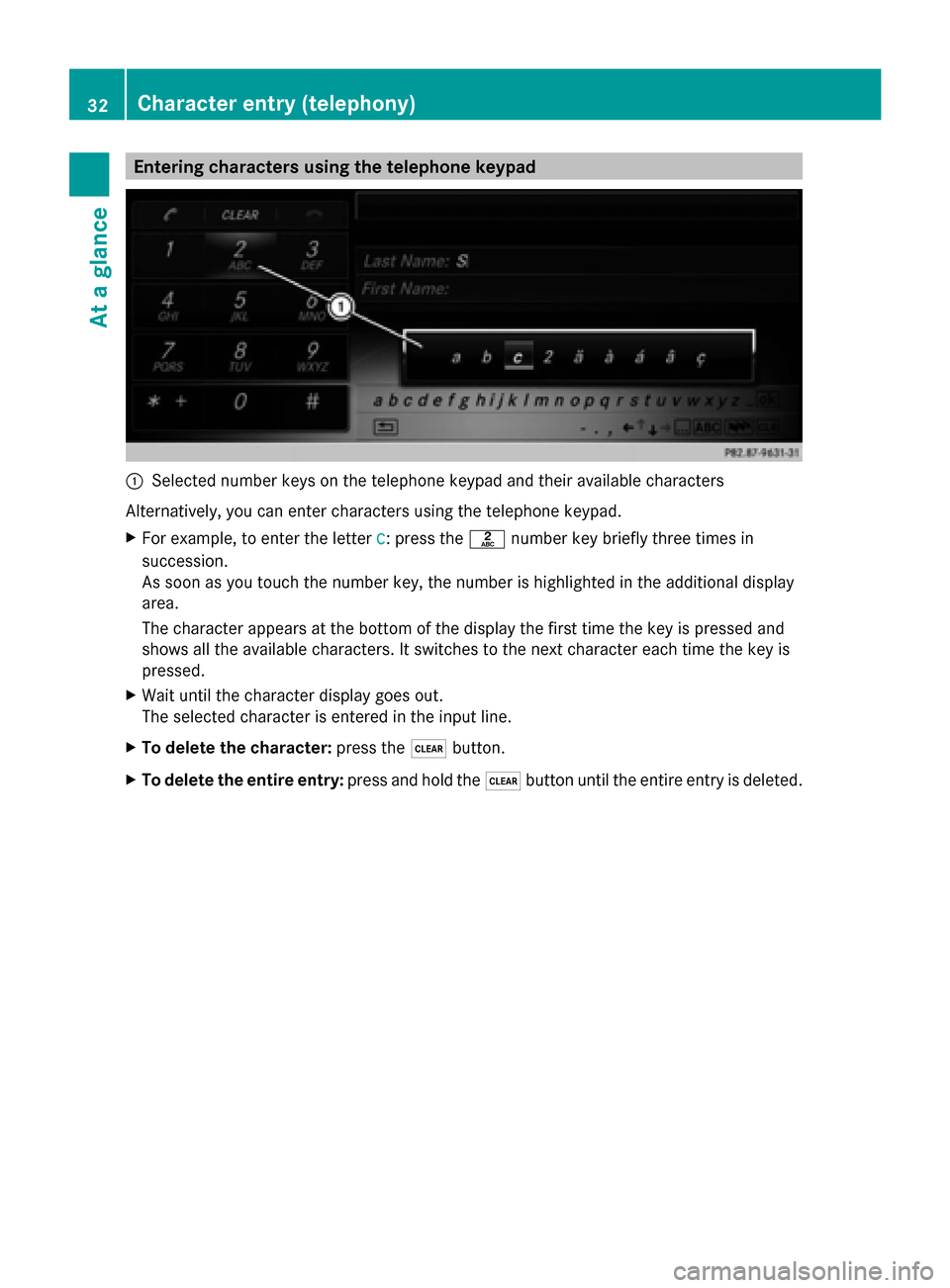
0043
Selected number keys on the telephone keypad and their available characters
Alternatively, you can enter characters using the telephone keypad.
X For example, to enter the letter c
c: press the 0082number key briefly three times in
succession.
As soon as you touch the number key, the number is highlighted in the additional display
area.
The character appears at the bottom of the display the first time the key is pressed and
shows all the available characters. It switches to the next character each time the key is
pressed.
X Wait until the character display goes out.
The selected character is entered in the input line.
X To delete the character: press the0037button.
X To delete the entire entry: press and hold the0037button until the entire entry is deleted. 32
Character entry (telephony)At a glance