phone MERCEDES-BENZ S-Class 2014 W222 Comand Manual
[x] Cancel search | Manufacturer: MERCEDES-BENZ, Model Year: 2014, Model line: S-Class, Model: MERCEDES-BENZ S-Class 2014 W222Pages: 278, PDF Size: 6.65 MB
Page 160 of 278
Your COMAND equipment
These operating instructions describe all
standard and optional equipment available
for your COMAND system at the time of
purchase. Country-specific differences are
possible. Please note that your
COMAND system may not be equipped with
all the features described. This also applies to
safety-relevant systems and functions.
Therefore, the equipment on your COMAND
system may differ from that in the
descriptions and illustrations. Should you
have any questions concerning equipment
and operation, please consult an authorized
Mercedes-Benz Center. General notes
Conditions for access
G
WARNING
If you operate information systems and
communication equipment integrated in the
vehicle while driving, you will be distracted
from traffic conditions. You could also lose
control of the vehicle. There is a risk of an
accident.
Only operate the equipment when the traffic
situation permits. If you are not sure that this
is possible, park the vehicle paying attention
to traffic conditions and operate the
equipment when the vehicle is stationary.
You must observe the legal requirements for
the country in which you are currently driving
when operating COMAND.
The COMAND Online Mercedes-Benz Apps
and Internet access are available via the
Bluetooth ®
interface, the USB interface or via
the data-enabled telephone module with
Bluetooth ®
(SAP profile).
In order to use the functions, the following
conditions are necessary:
R The mobile phone supports at least one of
the Bluetooth ®
profiles DUN (D ial-Up Networking) or PAN
PersonalArea
Network) and is connected to COMAND via
the Bluetooth ®
interface (Y page 124). The
Bluetooth ®
profiles DUN and PAN make the
mobile phone's Internet connection
available to COMAND and the Rear Seat
Entertainment System.
R The mobile phone supports at least one of
the USB classes CDC/ECM (Ethernet
Control Model) or CDC/ACM ( Access
Control Model) and is connected to
COMAND via the USB interface
(Y page 215). The USB classes make the
mobile phone's Internet connection
available to COMAND and the Rear Seat
Entertainment System.
R You need a valid mobile service contract
with a data option, which is used to
calculate the associated connection costs.
i You can obtain more detailed information
about suitable mobile phones on the
Internet at http://www.mercedes-
benz.com/connect or from your
authorized Mercedes-Benz Center.
i If you use incorrect access data,
additional costs may be incurred. This can
happen when you use details that are
different from the contract or details from
another contract/data package.
i The availability of individual Mercedes-
Benz Apps may vary depending on the
country.
i The terms of use are shown when
COMAND is used for the first time and then
once a year thereafter. Only read and
accept the terms of use when the vehicle
is stationary.
i The driver is not permitted to call up
websites while driving and use of the
Mercedes-Benz Apps is restricted. 158
General notesOnline and Internet
Page 162 of 278
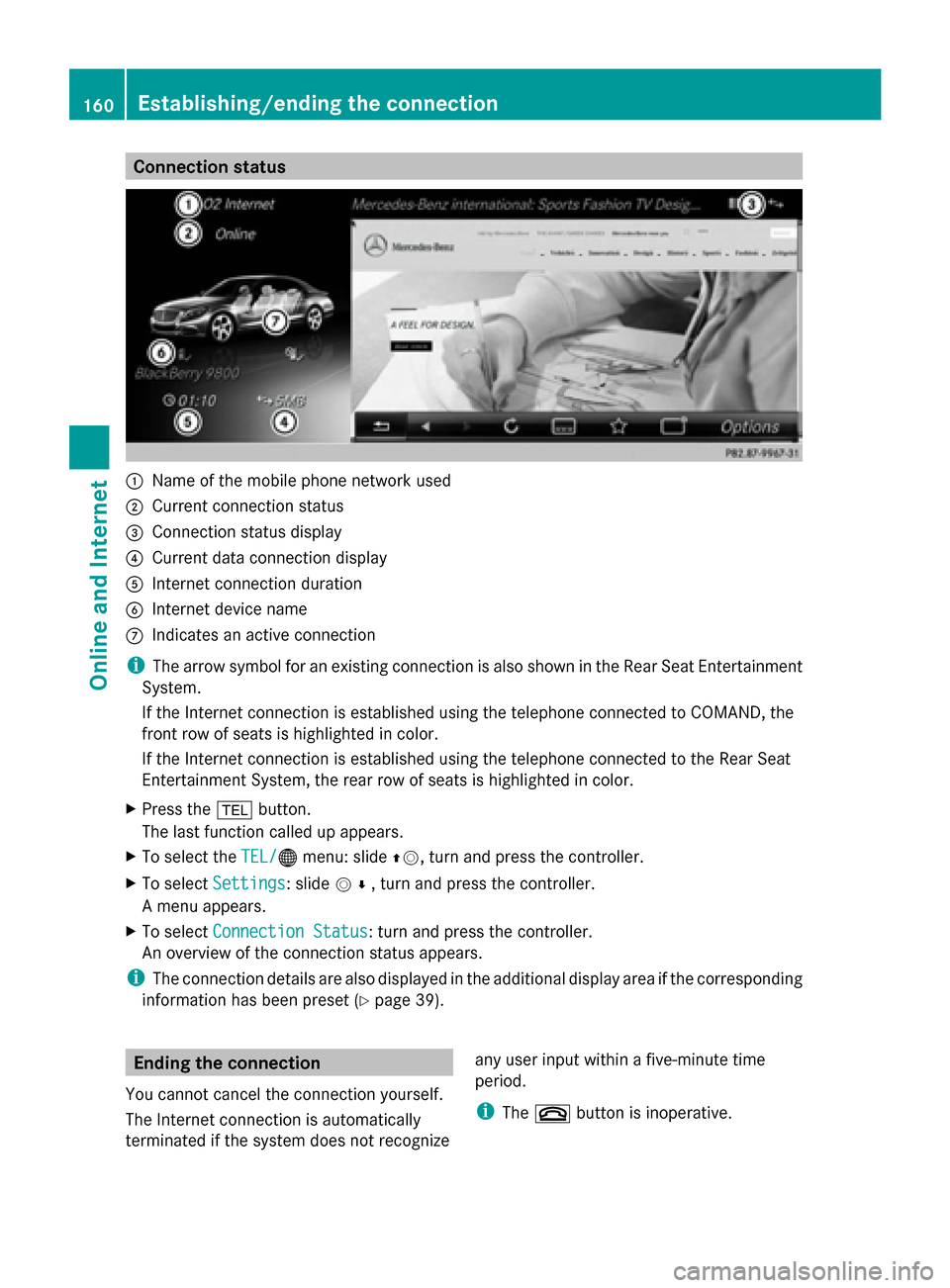
Connection status
0043
Name of the mobile phone network used
0044 Current connection status
0087 Connection status display
0085 Current data connection display
0083 Internet connection duration
0084 Internet device name
006B Indicates an active connection
i The arrow symbol for an existing connection is also shown in the Rear Seat Entertainment
System.
If the Internet connection is established using the telephone connected to COMAND, the
front row of seats is highlighted in color.
If the Internet connection is established using the telephone connected to the Rear Seat
Entertainment System, the rear row of seats is highlighted in color.
X Press the 002Bbutton.
The last function called up appears.
X To select the TEL/
TEL/00A7 menu: slide 00970052, turn and press the controller.
X To select Settings
Settings: slide 005200C5, turn and press the controller.
A menu appears.
X To select Connection Status Connection Status : turn and press the controller.
An overview of the connection status appears.
i The connection details are also displayed in the additional display area if the corresponding
information has been preset (Y page 39).Ending the connection
You cannot cancel the connection yourself.
The Internet connection is automatically
terminated if the system does not recognize any user input within a five-minute time
period.
i
The 0076 button is inoperative. 160
Establishing/ending the connectionOnline and Internet
Page 164 of 278
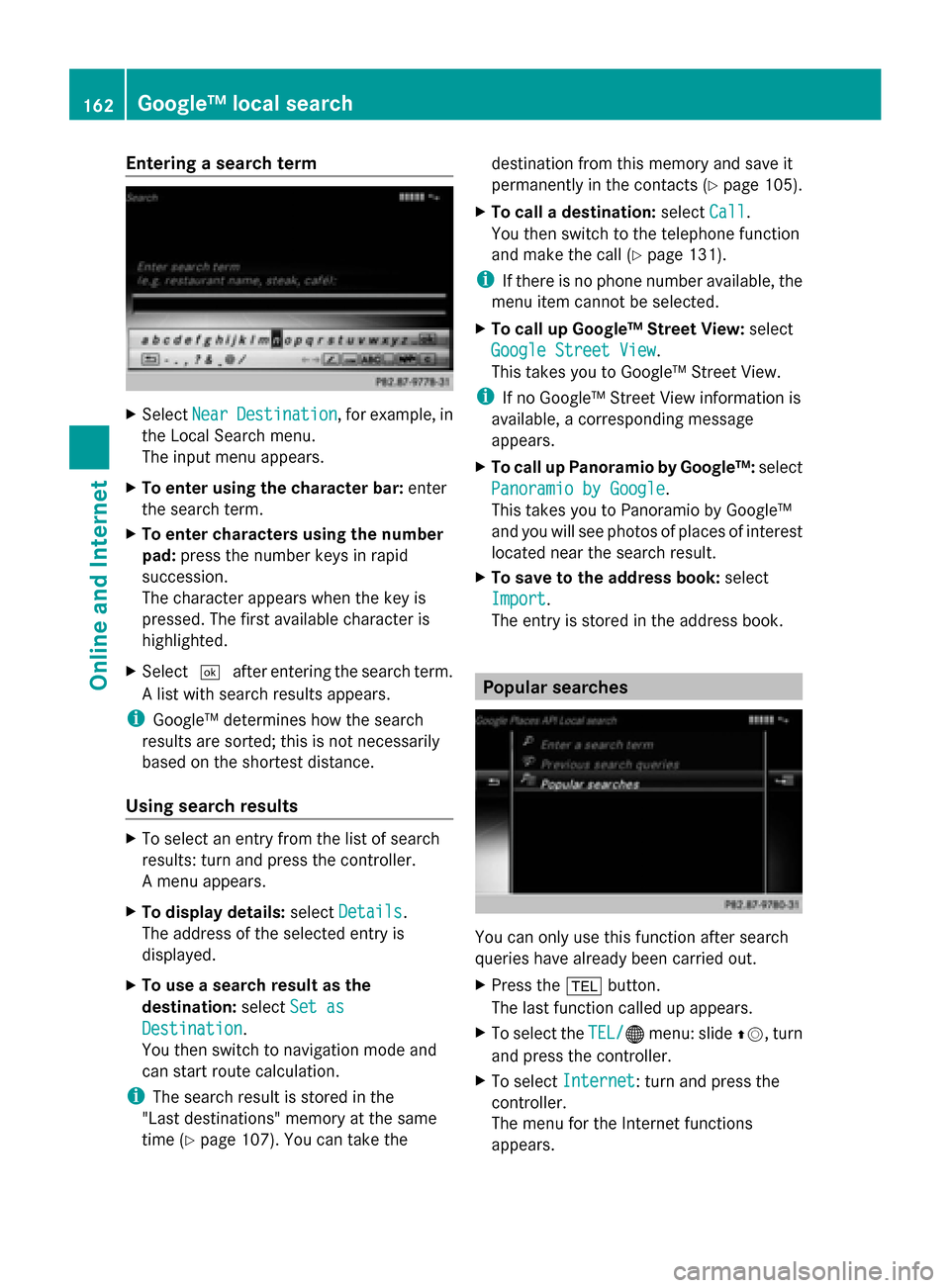
Entering a search term
X
Select Near
NearDestination
Destination , for example, in
the Local Search menu.
The input menu appears.
X To enter using the character bar: enter
the search term.
X To enter characters using the number
pad: press the number keys in rapid
succession.
The character appears when the key is
pressed. The first available character is
highlighted.
X Select 0054after entering the search term.
A list with search results appears.
i Google™ determines how the search
results are sorted; this is not necessarily
based on the shortest distance.
Using search results X
To select an entry from the list of search
results: turn and press the controller.
A menu appears.
X To display details: selectDetails
Details.
The address of the selected entry is
displayed.
X To use a search result as the
destination: selectSet as
Set as
Destination Destination.
You then switch to navigation mode and
can start route calculation.
i The search result is stored in the
"Last destinations" memory at the same
time (Y page 107). You can take the destination from this memory and save it
permanently in the contacts (Y
page 105).
X To call a destination: selectCall
Call.
You then switch to the telephone function
and make the call (Y page 131).
i If there is no phone number available, the
menu item cannot be selected.
X To call up Google™ Street View: select
Google Street View Google Street View.
This takes you to Google™ Street View.
i If no Google™ Street View information is
available, a corresponding message
appears.
X To call up Panoramio by Google™: select
Panoramio by Google Panoramio by Google .
This takes you to Panoramio by Google™
and you will see photos of places of interest
located near the search result.
X To save to the address book: select
Import
Import .
The entry is stored in the address book. Popular searches
You can only use this function after search
queries have already been carried out.
X
Press the 002Bbutton.
The last function called up appears.
X To select the TEL/
TEL/00A7 menu: slide 00970052, turn
and press the controller.
X To select Internet Internet: turn and press the
controller.
The menu for the Internet functions
appears. 162
Google™ local searchOnline and Internet
Page 167 of 278
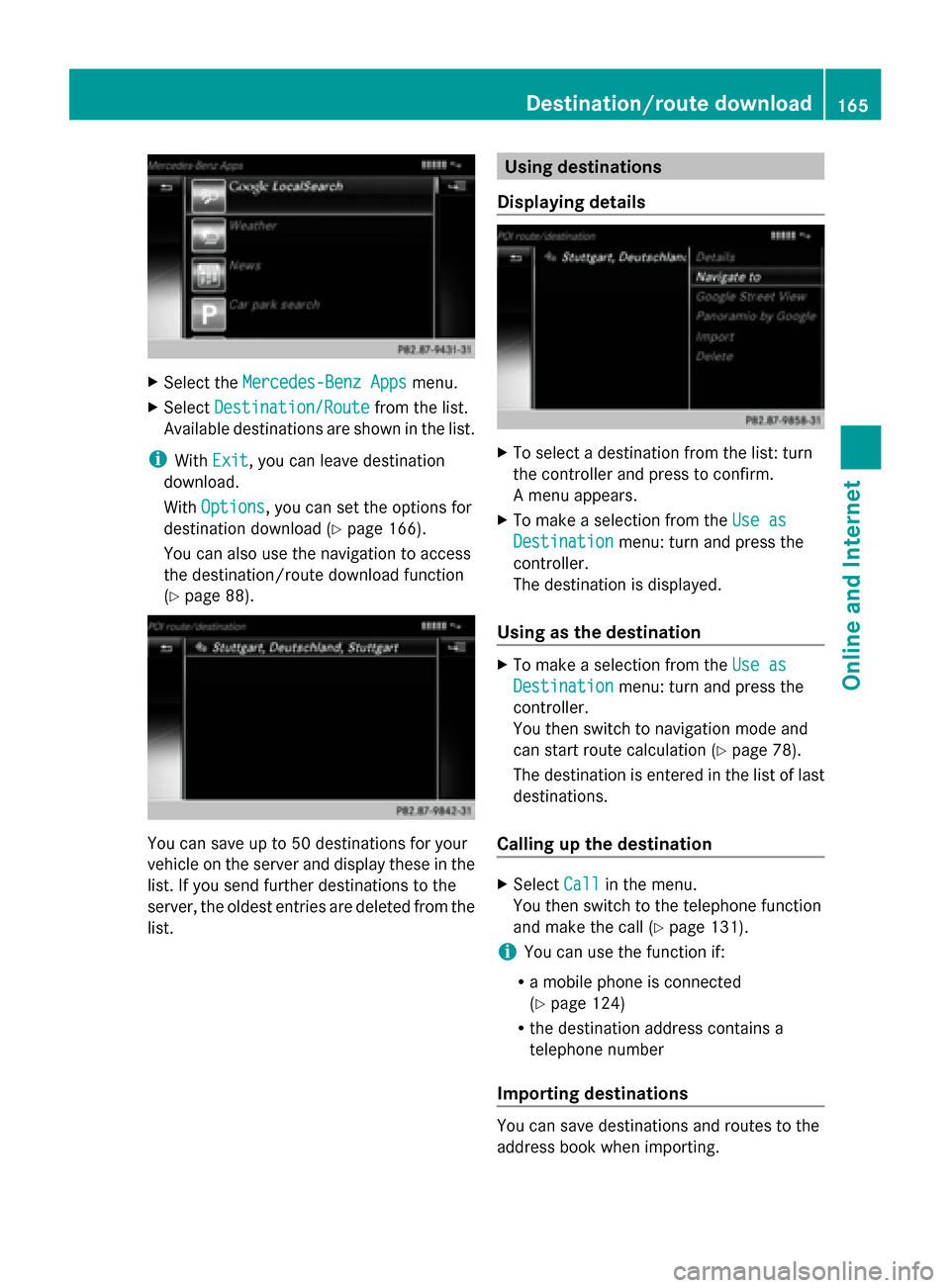
X
Select the Mercedes-Benz Apps
Mercedes-Benz Apps menu.
X Select Destination/Route
Destination/Route from the list.
Available destinations are shown in the list.
i With Exit
Exit, you can leave destination
download.
With Options
Options, you can set the options for
destination download (Y page 166).
You can also use the navigation to access
the destination/route download function
(Y page 88). You can save up to 50 destinations for your
vehicle on the server and display these in the
list. If you send further destinations to the
server, the oldest entries are deleted from the
list. Using destinations
Displaying details X
To select a destination from the list: turn
the controller and press to confirm.
A menu appears.
X To make a selection from the Use as Use as
Destination
Destination menu: turn and press the
controller.
The destination is displayed.
Using as the destination X
To make a selection from the Use as Use as
Destination
Destination menu: turn and press the
controller.
You then switch to navigation mode and
can start route calculation (Y page 78).
The destination is entered in the list of last
destinations.
Calling up the destination X
Select Call Callin the menu.
You then switch to the telephone function
and make the call (Y page 131).
i You can use the function if:
R a mobile phone is connected
(Y page 124)
R the destination address contains a
telephone number
Importing destinations You can save destinations and routes to the
address book when importing. Destination/route download
165Online and Internet Z
Page 170 of 278
You can call up additional Mercedes-Benz
Apps, such as Facebook, Google™ Street
View, Google™ Panoramio or country
information such as maximum speed here.
The following examples show how to call up
a Mercedes-Benz App, for example Facebook,
and generally how to call up Google™
services.
To call up Facebook:
X Press the 002Bbutton.
The last function called up appears.
X Select TEL/
TEL/ 00A7in the main function bar by
sliding 00970052, turning and pressing the
controller.
A menu appears.
X To select Internet Internet: turn and press the
controller.
The menu for the Internet functions
appears.
X Select the Mercedes-Benz Apps
Mercedes-Benz Apps menu.
The Mercedes-Benz Apps menu is
displayed.
X Select Facebook from the list.
The Facebook home page appears.
i Facebook is a social network. This App
allows you to log in from your vehicle and
use Facebook's many functions.
To call up Google™ services:
X This is done through Google™ Local Search
(Y page 162).
i Google™ Street View allows you to view
streets in 360-degree panoramas.
Google™ Panoramio expands Google Local
Search to include photos at the selected
position.
To exit Mercedes-Benz Apps:
X Press the 0038button.
The Internet menu appears.
i Additional Mercedes-Benz Apps can be
purchased on the Mercedes-Benz website.
You can find further information under:
http://apps.mercedes-benz.com/apps/
The available features are country-
dependent. Internet radio
General notes
A good Internet connection is required to
transmit audio data efficiently. To ensure the
best-possible reception, your mobile phone
should be connected to the vehicle's exterior
antenna via the phone bracket (optional).
i Bear in mind that a relatively large volume
of data can be transmitted when using
Internet radio. An average 128 kbit per
second data transfer rate can transfer
56 MB of data in one hour.
The data transfer rate of a station is
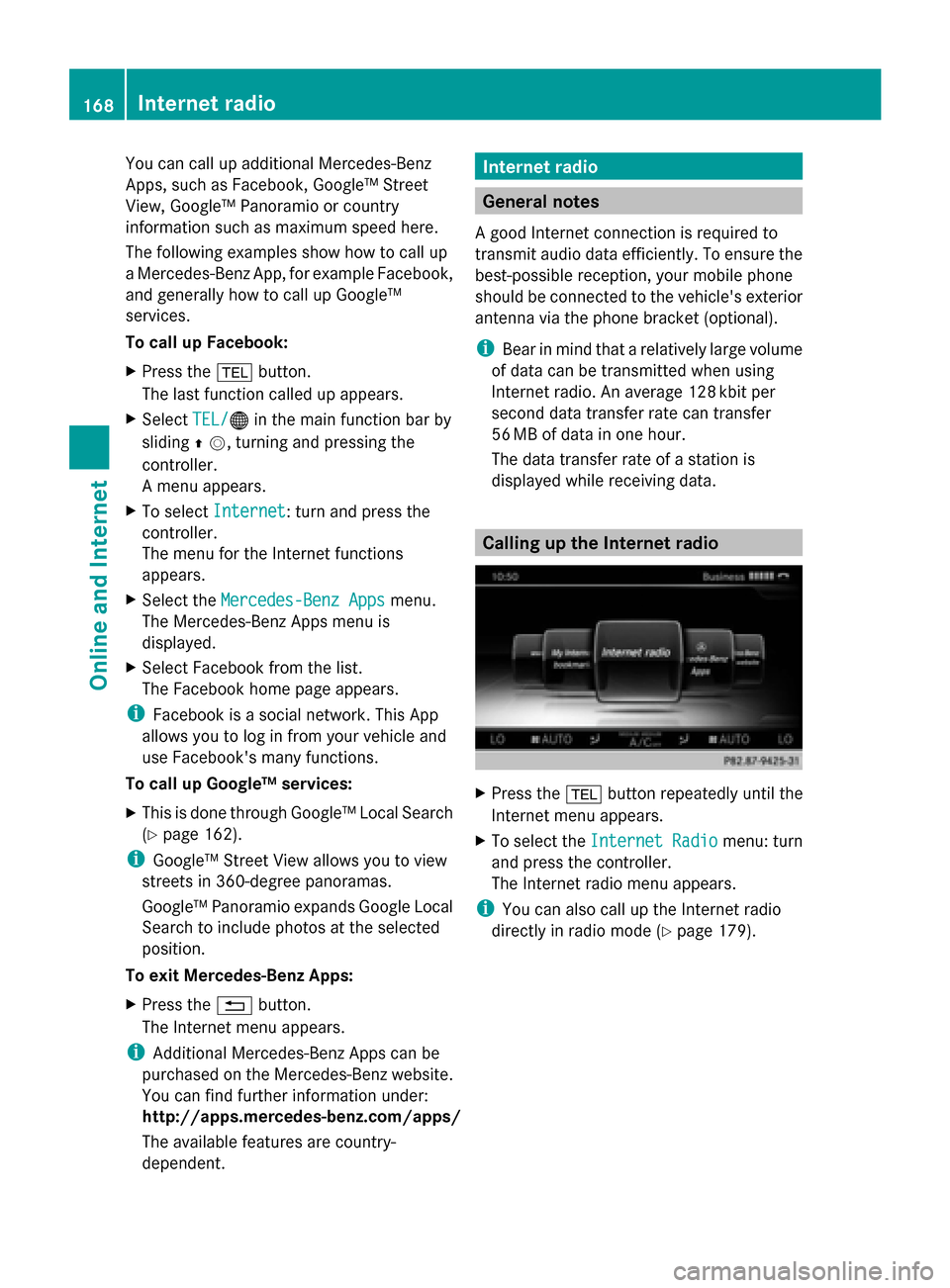
displayed while receiving data. Calling up the Internet radio
X
Press the 002Bbutton repeatedly until the
Internet menu appears.
X To select the Internet Radio Internet Radio menu: turn
and press the controller.
The Internet radio menu appears.
i You can also call up the Internet radio
directly in radio mode (Y page 179).168
Internet radioOnline and Internet
Page 182 of 278
X
In radio mode: press the controller.
The station list appears with the stations
currently available.
X To select the desired station: turn and
press the controller.
Using frequency entry
X In radio mode: slide 00520064the controller.
The radio menu bar appears.
X To select Options
Options: turn and press the
controller.
X Select Enter Frequency
Enter Frequency.
X Enter the station frequency in the entry
field using the telephone keypad or
COMAND remote control, and press the
controller.
Using the search function
X In radio mode: slide 00520064the controller.
The radio menu bar appears.
X Select 00D3and enter the first letters of the
required station using the controller.
As soon as enough characters have been
entered, COMAND shows a list of the
available stations.
X To select stations from the list: turn the
controller and press to confirm.
Using station presets
X Quick setting:
Briefly press a number key, e.g. 0082.
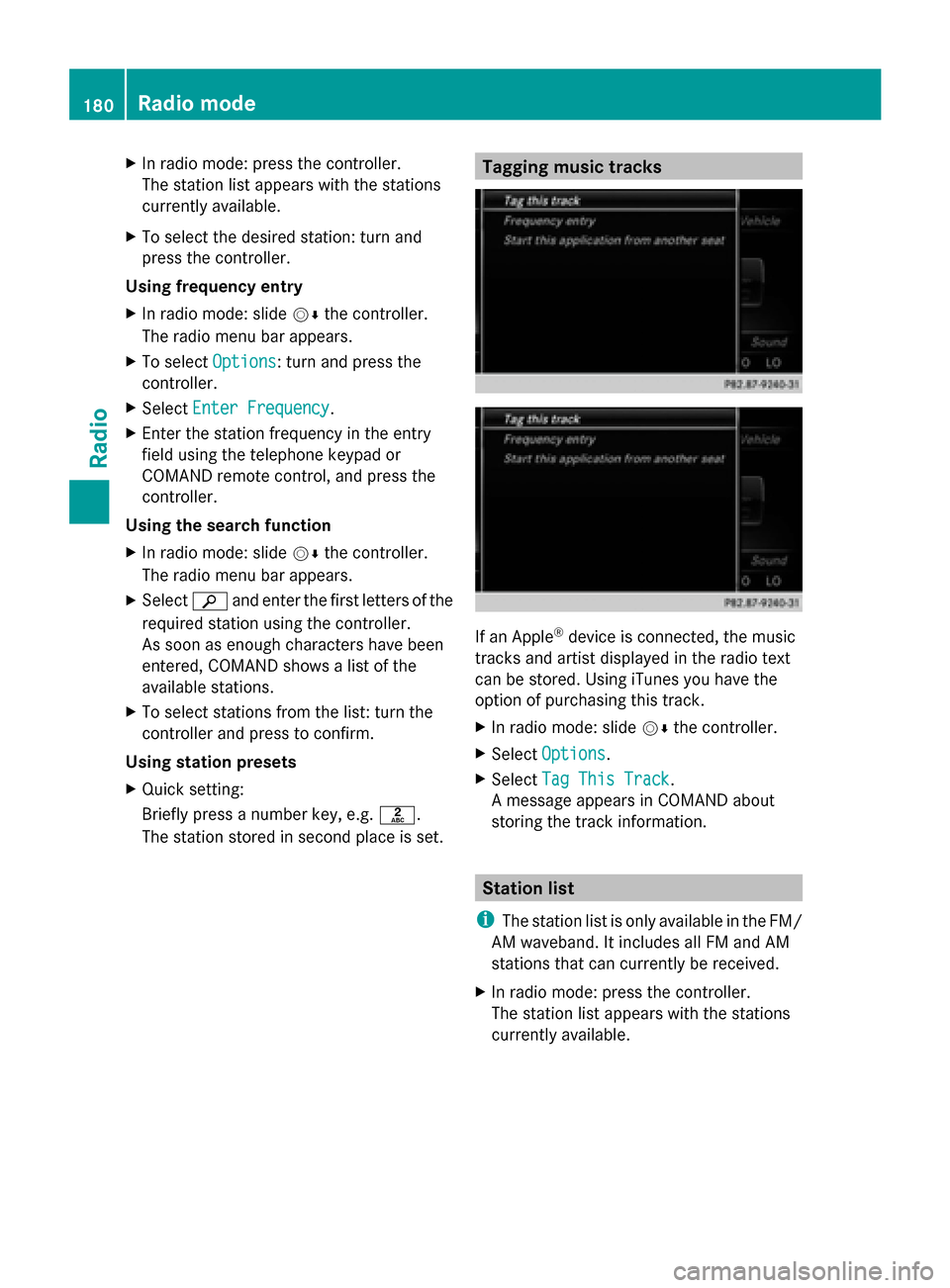
The station stored in second place is set. Tagging music tracks
If an Apple
®
device is connected, the music
tracks and artist displayed in the radio text
can be stored. Using iTunes you have the
option of purchasing this track.
X In radio mode: slide 00520064the controller.
X Select Options Options.
X Select Tag This Track
Tag This Track.
A message appears in COMAND about
storing the track information. Station list
i The station list is only available in the FM/
AM waveband. It includes all FM and AM
stations that can currently be received.
X In radio mode: press the controller.
The station list appears with the stations
currently available. 180
Radio modeRadio
Page 185 of 278
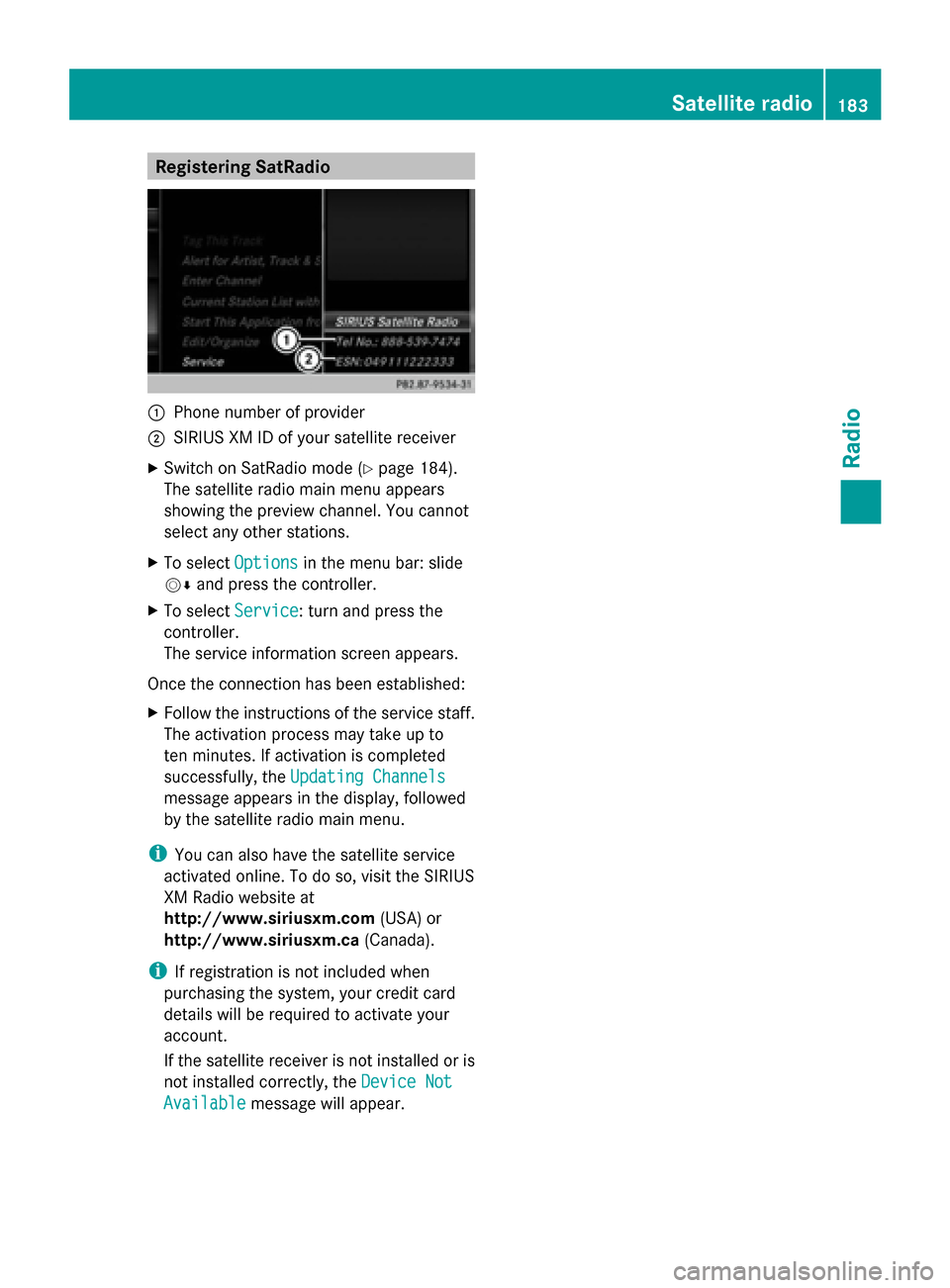
Registering SatRadio
0043
Phone number of provider
0044 SIRIUS XM ID of your satellite receiver
X Switch on SatRadio mode (Y page 184).
The satellite radio main menu appears
showing the preview channel. You cannot
select any other stations.
X To select Options
Options in the menu bar: slide
00520064 and press the controller.
X To select Service
Service: turn and press the
controller.
The service information screen appears.
Once the connection has been established:
X Follow the instructions of the service staff.
The activation process may take up to
ten minutes. If activation is completed
successfully, the Updating Channels Updating Channels
message appears in the display, followed
by the satellite radio main menu.
i You can also have the satellite service
activated online. To do so, visit the SIRIUS
XM Radio website at
http://www.siriusxm.com (USA) or
http://www.siriusxm.ca (Canada).
i If registration is not included when
purchasing the system, your credit card
details will be required to activate your
account.
If the satellite receiver is not installed or is
not installed correctly, the Device Not
Device Not
Available
Available message will appear. Satellite radio
183Radio
Page 189 of 278
X
Select Select New Alerts
Select New Alerts .
A menu appears.
X Select the desired team from a league, e.g.
college, NBA, NHL, NFL or MLB.
The alert function for the sports team is
added.
Editing music and sport alerts
X Select Edit Alert
Edit Alert.
A list of set sport alerts appears.
X Select Manage Music Alerts Manage Music Alerts .
A list of set artists and tracks (artist)
appears. Tagging music tracks
If you have an Apple device connected, you
can purchase the music track that is currently
playing from an iTunes Store. If no Apple
device is connected, this function is grayed
out.
X To select Options
Options in the menu bar: slide
00520064 and press the controller.
X To select Tag
Tag this this Track
Track: turn and press
the controller.
A message about saving this music track
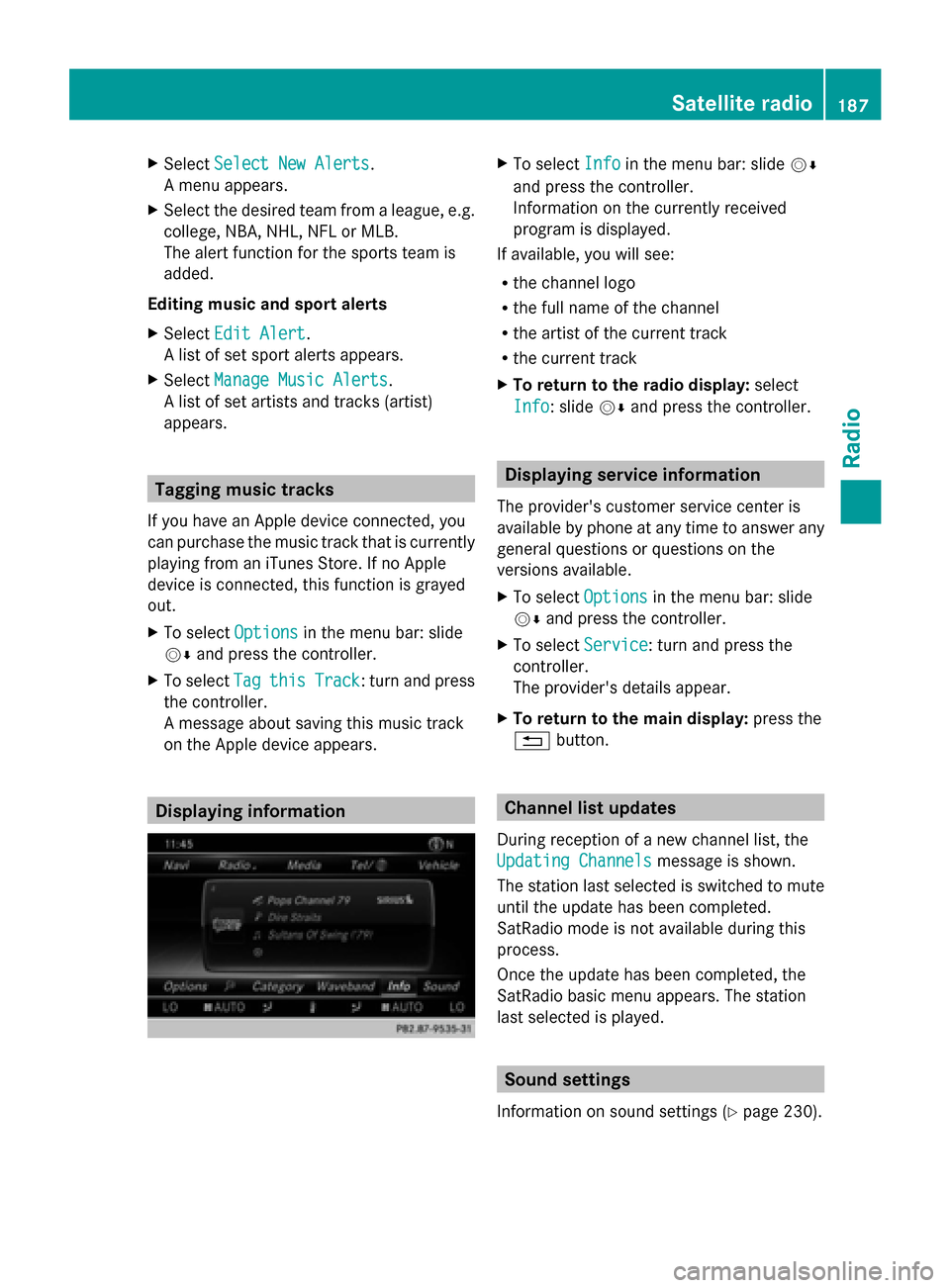
on the Apple device appears. Displaying information X
To select Info Infoin the menu bar: slide 00520064
and press the controller.
Information on the currently received
program is displayed.
If available, you will see:
R the channel logo
R the full name of the channel
R the artist of the current track
R the current track
X To return to the radio display: select
Info
Info: slide 00520064and press the controller. Displaying service information
The provider's customer service center is
available by phone at any time to answer any
general questions or questions on the
versions available.
X To select Options Optionsin the menu bar: slide
00520064 and press the controller.
X To select Service
Service: turn and press the
controller.
The provider's details appear.
X To return to the main display: press the
0038 button. Channel list updates
During reception of a new channel list, the
Updating Channels Updating Channels message is shown.
The station last selected is switched to mute
until the update has been completed.
SatRadio mode is not available during this
process.
Once the update has been completed, the
SatRadio basic menu appears. The station
last selected is played. Sound settings
Information on sound settings ( Ypage 230). Satellite radio
187Radio
Page 192 of 278
Your COMAND equipment
These operating instructions describe all
standard and optional equipment available
for your COMAND system at the time of
purchase. Country-specific differences are
possible. Please note that your
COMAND system may not be equipped with
all the features described. This also applies to
safety-relevant systems and functions.
Therefore, the equipment on your COMAND
system may differ from that in the
descriptions and illustrations. Should you
have any questions concerning equipment
and operation, please consult an authorized
Mercedes-Benz Center. Activating media mode
General notes
There are several ways to activate media
sources using COMAND.
The relevant sections of the Operator's
Manual describe the simplest way to activate
a media source.
This section describes all options for
activating media sources. Using the MEDIA button
X Press the 00FDbutton.
The menu for the last accessed media
source appears.
X To select the media source: keep pressing
the 00FD button until the required media
source has been set.
The media sources appear in the following
order:
R CD/DVD
R Memory card
R Media Register
R USB 1
R Media Interface 1
R USB 2 R
Media Interface 2
R BT audio
R TV (if your vehicle is equipped with a TV)
R AUX
If playable music files are found, they will
be played by COMAND.
X To display the function bars: slide 005200C5the
controller. Switching on automatically
X When an external media source is
connected, this media mode is
automatically switched on by COMAND.
External media sources:
R
Apple devices (e.g. iPhone ®
)
R USB devices (e.g. USB stick, MP3 player)
R SD cards
R via AUX cable (automatic activation
depends on the device connected)
R via devices connected by Bluetooth ®
If playable music files are found, they will
be played by COMAND.
i If a media function is already switched on
in COMAND, this will be interrupted and the
basic display of the newly connected
device will appear.
If another function, such as navigation, is
operating, the basic display will not change.
Only the music from the newly connected
media source will play Using the main function bar190
Activa
ting media modeMedia
Page 210 of 278
The following options are available:
R
Normal Track Sequence Normal Track Sequence
The tracks are played in the normal order
(e.g. track 1, 2, 3, etc.).
R Random Medium
Random Medium
All the tracks on the medium are played in
random order.
R Random Track Mix
Random Track Mix
The tracks in the currently active track list
are played in random order. Bluetooth
®
audio mode Connecting Bluetooth
®
audio devices
Prerequisites Bluetooth
®
audio mode requires a
Bluetooth ®
-capable audio device.
Before using Bluetooth ®
audio mode, you
must check your Bluetooth ®
audio device for
the following (see the Bluetooth ®
audio
device's operating instructions):
R Bluetooth ®
audio profile
The Bluetooth ®
audio device must support
the A2DP and AVRCP Bluetooth ®
audio
profiles.
R Bluetooth ®
visibility
Certain Bluetooth ®
audio devices require
more than simply activating the
Bluetooth ®
function. In addition, your
device must be made "visible" to other
devices.
R Bluetooth ®
device name
This device name is predetermined but can
usually be changed. To make a clear
selection of the Bluetooth ®
device
possible, Mercedes-Benz recommends
that you customize the device name (see
the Bluetooth ®
audio device's operating
instructions). i
A2DP (Advanced AudioDistribution
Profile): Bluetooth ®
audio profile for audio
data transmission
AVRCP (Audio VideoRemote Control
Profile): Bluetooth ®
audio profile for audio
data playback.
i The Bluetooth ®
device must be visible for
authorization. After authorization,
COMAND even finds the Bluetooth ®
device
when it is not visible.
COMAND
X Activate the Bluetooth ®
function in
COMAND (Y page 45).
General notes Before using your Bluetooth
®
audio device
with COMAND for the first time, you will need
to authorize it.
When you authorize a new Bluetooth ®
audio
device, it is connected automatically.
Connection involves first searching for a
Bluetooth ®
audio device and then authorizing
it.
You can authorize up to fifteen Bluetooth ®
devices.
i If you authorize a mobile phone that
supports Bluetooth ®
audio, the A2DP and
AVRCP Bluetooth ®
audio profiles are
connected automatically.
The mobile phone is then entered:
R in the Bluetooth ®
telephone list
(Y page 124)
R in the Bluetooth ®
device list
(Y page 209)
Mercedes-Benz recommends authorizing a
mobile phone in Bluetooth ®
telephony
(Y page 125). 208
Bluetooth ®
audio modeMedia