phone MERCEDES-BENZ S-Class 2014 W222 Comand Manual
[x] Cancel search | Manufacturer: MERCEDES-BENZ, Model Year: 2014, Model line: S-Class, Model: MERCEDES-BENZ S-Class 2014 W222Pages: 278, PDF Size: 6.65 MB
Page 211 of 278
i
If the mobile phone that is connected only
supports two Bluetooth ®
profiles at the
same time, COMAND functions may
behave as follows:
R when connecting to the Internet,
playback is stopped on the Bluetooth ®
audio device (Y page 159).
R when starting playback on the
Bluetooth ®
audio device, the Internet
connection is ended (Y page 160).Searching for and authorizing a
Bluetooth ®
audio device
Switching to Bluetooth ®
audio mode
X Press the 00FDbutton.
X To select Bluetooth Audio
Bluetooth Audio from the
menu: turn and press the controller.
A menu appears.
If you see the No Bluetooth Audio No Bluetooth Audio
Device Authorized
Device Authorized message, you will
need to authorize the Bluetooth ®
audio
device first.
X To select Options
Options from the Bluetooth ®
audio menu: slide 005200C5and press the
controller.
X To select Bluetooth Audio Devices
Bluetooth Audio Devices:
press the controller.
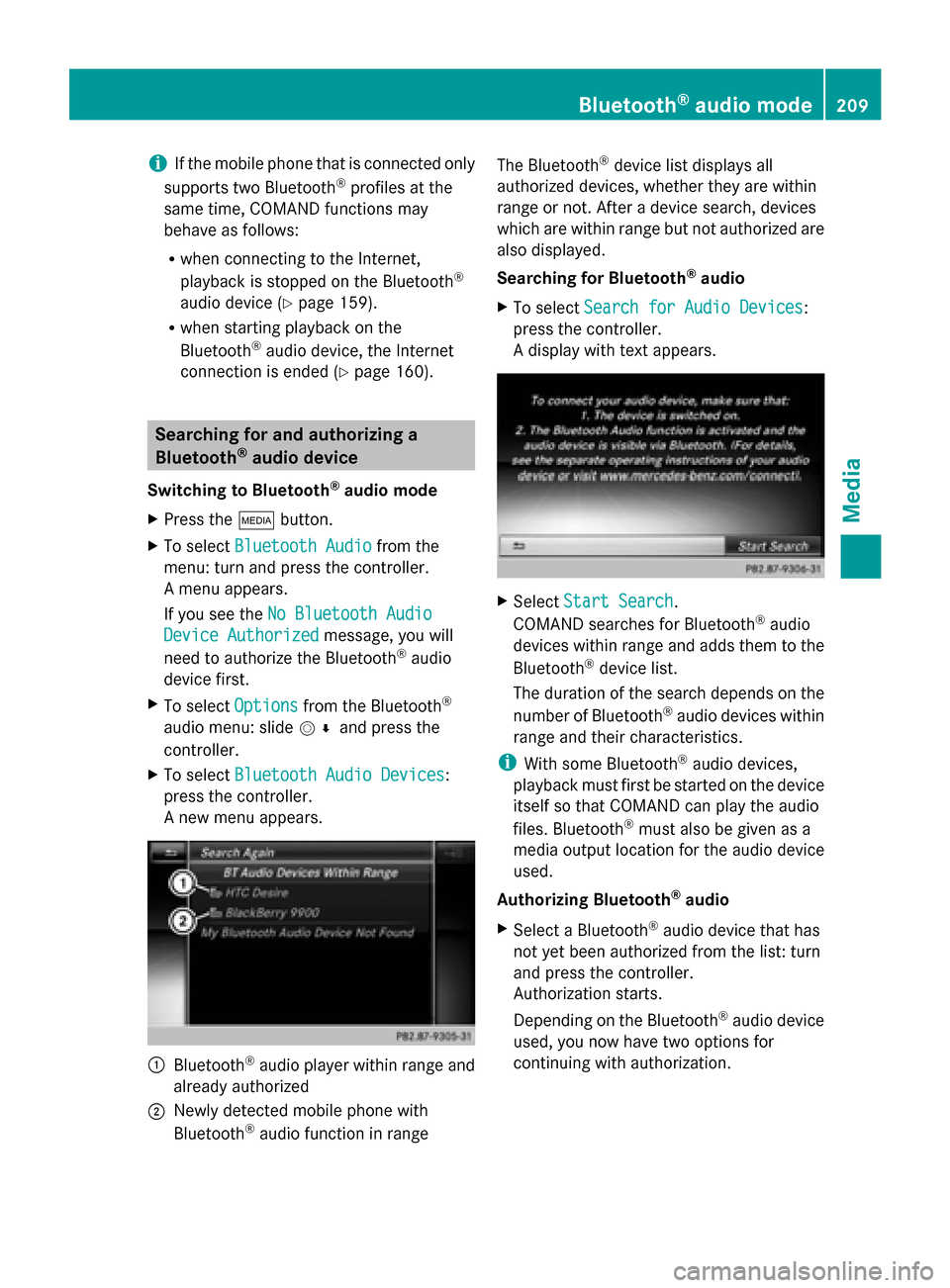
A new menu appears. 0043
Bluetooth ®
audio player within range and
already authorized
0044 Newly detected mobile phone with
Bluetooth ®
audio function in range The Bluetooth
®
device list displays all
authorized devices, whether they are within
range or not. After a device search, devices
which are within range but not authorized are
also displayed.
Searching for Bluetooth ®
audio
X To select Search for Audio Devices
Search for Audio Devices:
press the controller.
A display with text appears. X
Select Start Search Start Search.
COMAND searches for Bluetooth ®
audio
devices within range and adds them to the
Bluetooth ®
device list.
The duration of the search depends on the
number of Bluetooth ®
audio devices within
range and their characteristics.
i With some Bluetooth ®
audio devices,
playback must first be started on the device
itself so that COMAND can play the audio
files. Bluetooth ®
must also be given as a
media output location for the audio device
used.
Authorizing Bluetooth ®
audio
X Select a Bluetooth ®
audio device that has
not yet been authorized from the list: turn
and press the controller.
Authorization starts.
Depending on the Bluetooth ®
audio device
used, you now have two options for
continuing with authorization. Bluetooth
®
audio mode 209Media Z
Page 212 of 278
Option 1: entering the passkey
X
You can find information on this in the
"Authorizing (registering) a mobile phone"
section (Y page 125).
After successful authorization, the
Bluetooth ®
audio device is connected and
starts playing.
Option 2: Secure Simple Pairing
i The Bluetooth ®
audio device must
support Bluetooth ®
version 2.1 for
connection via Secure Simple Pairing.
COMAND creates a six-digit code, which is
displayed on both devices that are to be
connected
For some Bluetooth ®
audio devices, the
pairing must be confirmed within 10
seconds.
X If the number code displayed on
COMAND and on the Bluetooth ®
audio
device is the same, select Yes Yes: press the
controller.
If you select Yes
Yes, authorization continues
and the Bluetooth ®
audio device is
connected. Playback starts.
If you select No
No, authorization will be
canceled. External authorization
If COMAND does not find your Bluetooth ®
audio device, this may be due to particular
security settings on your Bluetooth ®
audio
device. In this case, check whether your
Bluetooth ®
audio device can locate
COMAND.
The Bluetooth ®
device name of COMAND is
MB Bluetooth
MB Bluetooth.
X
Switch on Bluetooth ®
audio mode
(Y page 212).
X To select Options Options: slide 005200C5and press
the controller. X
To select Bluetooth Audio Devices Bluetooth Audio Devices:
press the controller.
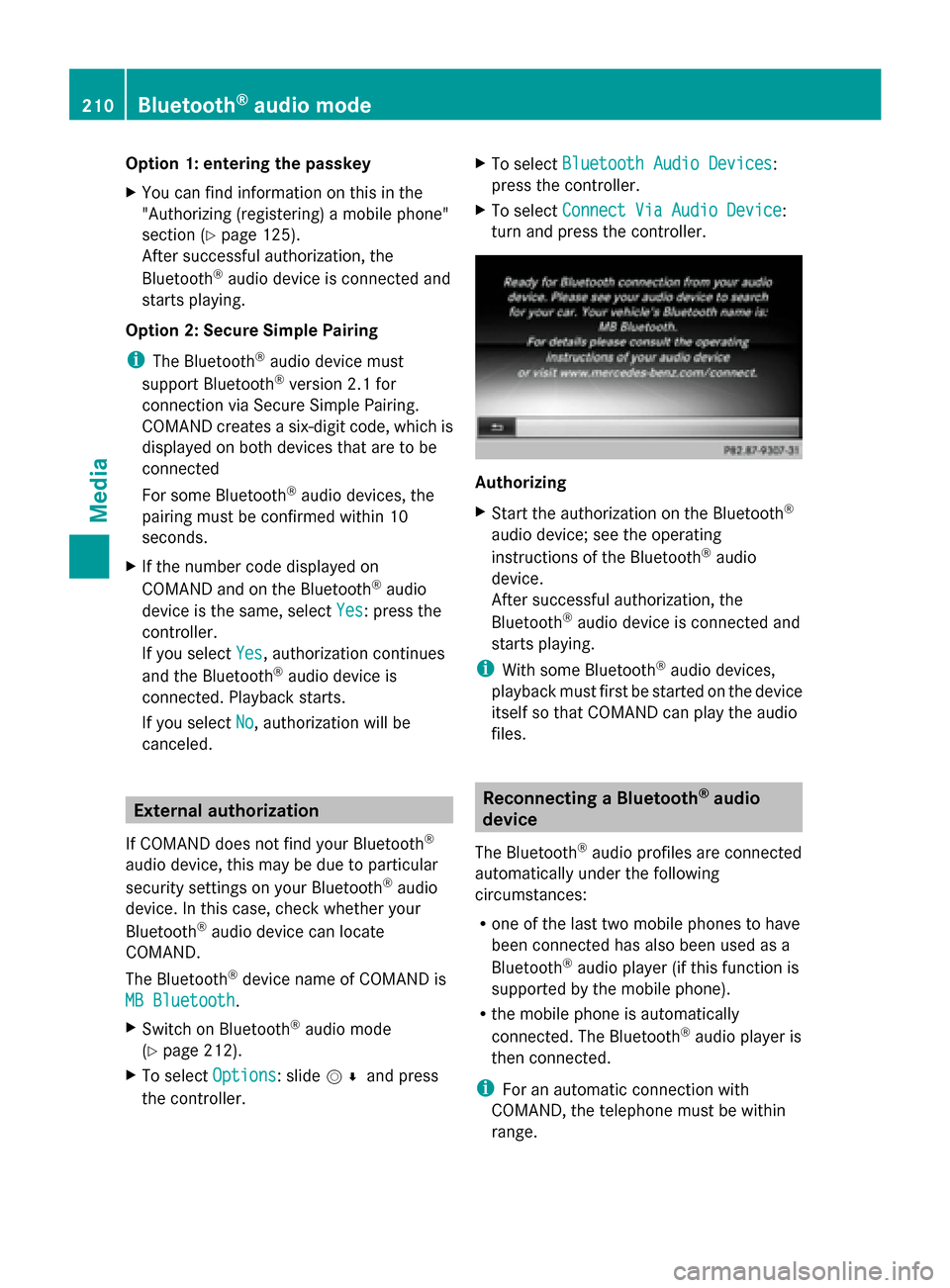
X To select Connect Via Audio Device Connect Via Audio Device:
turn and press the controller. Authorizing
X
Start the authorization on the Bluetooth ®
audio device; see the operating
instructions of the Bluetooth ®
audio
device.
After successful authorization, the
Bluetooth ®
audio device is connected and
starts playing.
i With some Bluetooth ®
audio devices,
playback must first be started on the device
itself so that COMAND can play the audio
files. Reconnecting a Bluetooth
®
audio
device
The Bluetooth ®
audio profiles are connected
automatically under the following
circumstances:
R one of the last two mobile phones to have
been connected has also been used as a
Bluetooth ®
audio player (if this function is
supported by the mobile phone).
R the mobile phone is automatically
connected. The Bluetooth ®
audio player is
then connected.
i For an automatic connection with
COMAND, the telephone must be within
range. 210
Bluetooth ®
audio modeMedia
Page 213 of 278
For most Bluetooth
®
audio devices, the
"automatic connection" must be activated
by checking a box. Depending on the
device used, this prompt often takes place
when authorizing (see the Bluetooth ®
audio
device operating instructions).
If the No Bluetooth Audio Device
No Bluetooth Audio Device
Connected
Connected message appears, you have two
options to reconnect the Bluetooth ®
audio
device.
Option 1:
X To confirm Connect Last Device Connect Last Device in the
basic display: press the controller.
If COMAND can locate the Bluetooth ®
audio device, it will be connected and will
start playing.
Option 2:
X To select Options
Options: slide 005200C5and press
the controller.
X To select Bluetooth Audio Devices Bluetooth Audio Devices:
press the controller.
X To select a Bluetooth ®
audio device: turn
and press the controller.
If the Bluetooth ®
audio device has been
authorized, playback starts. Bluetooth
®
audio device and
simultaneous search for mobile
phones
i When searching for a mobile phone or a
new Bluetooth ®
audio device, the
connection to an already activated
Bluetooth ®
audio device is separated
(Y page 124).
In the Bluetooth ®
audio basic display, you will
see the No Bluetooth Audio Device
No Bluetooth Audio Device
Connected
Connected message and the Connect ConnectLast
Last
Device
Device menu item cannot be selected. Displaying details
X To select a Bluetooth ®
audio device from
the Bluetooth ®
device list: turn the
controller.
X To select the symbol to the right of the
Bluetooth ®
audio device: slide 00520096the
controller.
X To select Details
Details: turn and press the
controller.
The following information concerning the
selected mobile phone is shown:
R Bluetooth ®
name
R Bluetooth ®
address
R availability status (shown after an
update)
R authorization status
X To close the detailed display: press the
0038 button. De-authorizing (deregistering) a
Bluetooth
®
audio device
X To select a Bluetooth ®
audio device from
the Bluetooth ®
device list: turn the
controller.
X To select the symbol to the right of the
Bluetooth ®
audio device: slide 00520096and
press the controller.
X To select Deauthorize
Deauthorize: press the
controller.
A prompt appears asking whether you
really wish to de-authorize this device.
X To select Yes YesorNo
No: turn and press the
controller.
If you select Yes
Yes, the device will be deleted
from the Bluetooth ®
device list.
If you select No
No, the process will be
canceled.
i Before re-authorizing the Bluetooth ®
audio device, you should also delete the
device name MB Bluetooth MB Bluetooth from your
Bluetooth ®
audio device's Bluetooth ®
list Bluetooth
®
audio mode 211Media Z
Page 214 of 278
(see the Bluetooth
®
audio device's
operating instructions). Switching to Bluetooth
®
audio mode
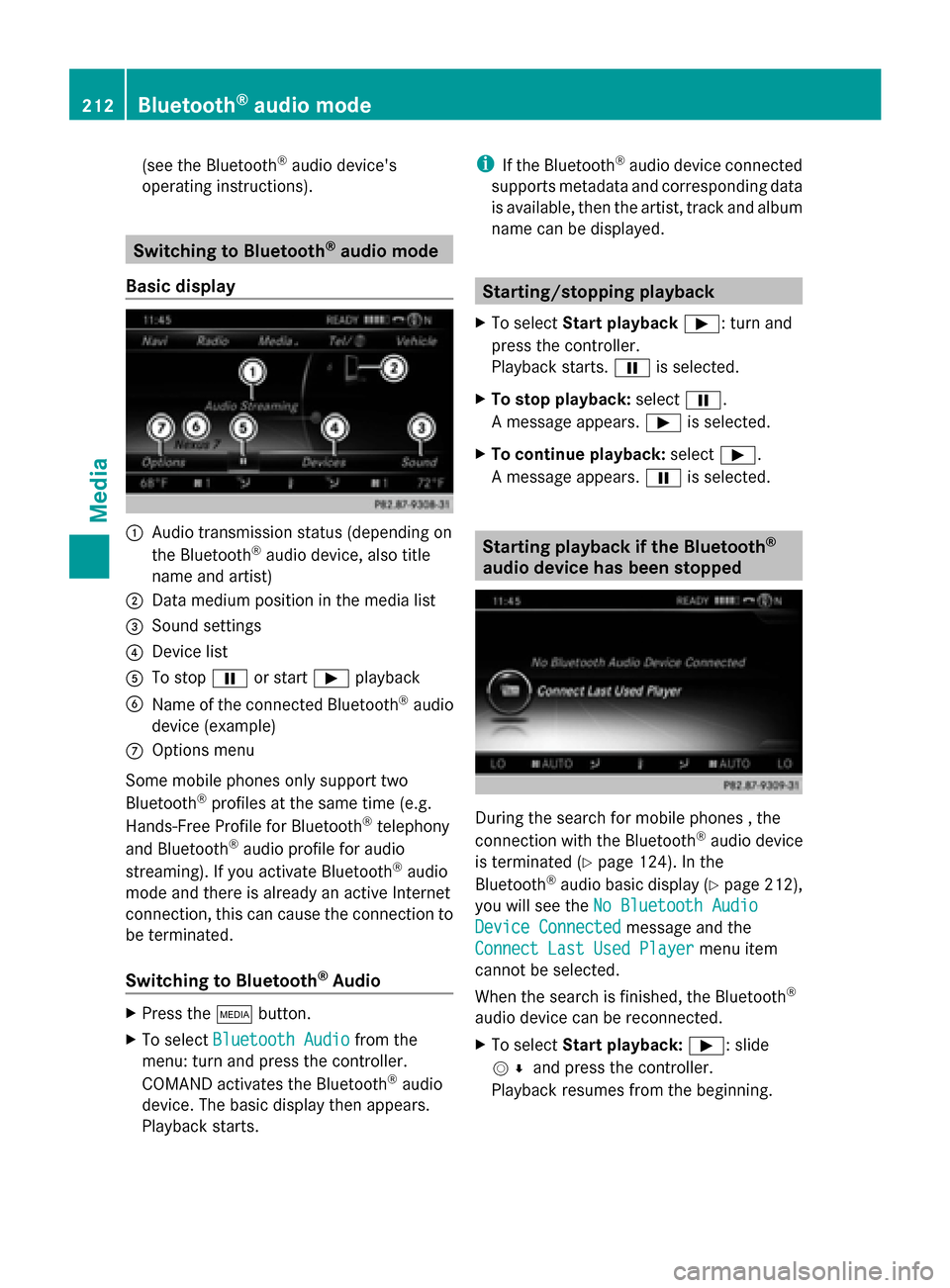
Basic display 0043
Audio transmission status (depending on
the Bluetooth ®
audio device, also title
name and artist)
0044 Data medium position in the media list
0087 Sound settings
0085 Device list
0083 To stop 00CFor start 00D0playback
0084 Name of the connected Bluetooth ®
audio
device (example)
006B Options menu
Some mobile phones only support two
Bluetooth ®
profiles at the same time (e.g.
Hands-Free Profile for Bluetooth ®
telephony
and Bluetooth ®
audio profile for audio
streaming). If you activate Bluetooth ®
audio
mode and there is already an active Internet
connection, this can cause the connection to
be terminated.
Switching to Bluetooth ®
Audio X
Press the 00FDbutton.
X To select Bluetooth Audio Bluetooth Audio from the
menu: turn and press the controller.
COMAND activates the Bluetooth ®
audio
device. The basic display then appears.
Playback starts. i
If the Bluetooth ®
audio device connected
supports metadata and corresponding data
is available, then the artist, track and album
name can be displayed. Starting/stopping playback
X To select Start playback 00D0: turn and
press the controller.
Playback starts. 00CFis selected.
X To stop playback: select00CF.
A message appears. 00D0is selected.
X To continue playback: select00D0.
A message appears. 00CFis selected. Starting playback if the Bluetooth
®
audio device has been stopped During the search for mobile phones , the
connection with the Bluetooth
®
audio device
is terminated (Y page 124). In the
Bluetooth ®
audio basic display (Y page 212),
you will see the No Bluetooth Audio No Bluetooth Audio
Device Connected
Device Connected message and the
Connect Last Used Player
Connect Last Used Player menu item
cannot be selected.
When the search is finished, the Bluetooth ®
audio device can be reconnected.
X To select Start playback: 00D0: slide
005200C5 and press the controller.
Playback resumes from the beginning. 212
Bluetooth ®
audio modeMedia
Page 215 of 278
X
To select Connect Last Used Player
Connect Last Used Player:
press the controller.
Depending on the Bluetooth ®
audio device
used, playback starts immediately or you
must start playback manually.
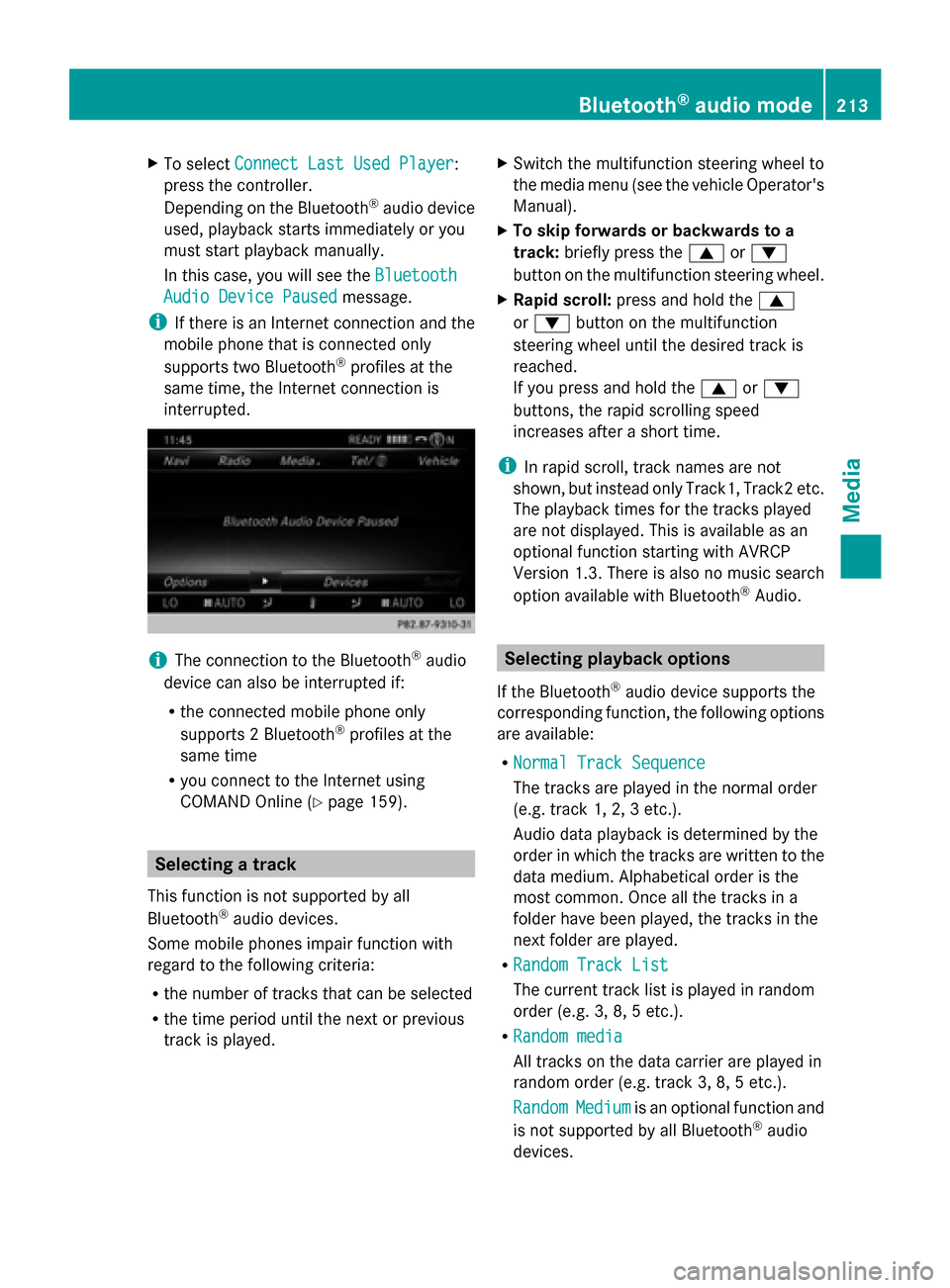
In this case, you will see the Bluetooth
Bluetooth
Audio Device Paused Audio Device Paused message.
i If there is an Internet connection and the
mobile phone that is connected only
supports two Bluetooth ®
profiles at the
same time, the Internet connection is
interrupted. i
The connection to the Bluetooth ®
audio
device can also be interrupted if:
R the connected mobile phone only
supports 2 Bluetooth ®
profiles at the
same time
R you connect to the Internet using
COMAND Online (Y page 159). Selecting a track
This function is not supported by all
Bluetooth ®
audio devices.
Some mobile phones impair function with
regard to the following criteria:
R the number of tracks that can be selected
R the time period until the next or previous
track is played. X
Switch the multifunction steering wheel to
the media menu (see the vehicle Operator's
Manual).
X To skip forwards or backwards to a
track: briefly press the 0063or0064
button on the multifunction steering wheel.
X Rapid scroll: press and hold the 0063
or 0064 button on the multifunction
steering wheel until the desired track is
reached.
If you press and hold the 0063or0064
buttons, the rapid scrolling speed
increases after a short time.
i In rapid scroll, track names are not
shown, but instead only Track1, Track2 etc.
The playback times for the tracks played
are not displayed. This is available as an
optional function starting with AVRCP
Version 1.3. There is also no music search
option available with Bluetooth ®
Audio. Selecting playback options
If the Bluetooth ®
audio device supports the
corresponding function, the following options
are available:
R Normal Track Sequence Normal Track Sequence
The tracks are played in the normal order
(e.g. track 1, 2, 3 etc.).
Audio data playback is determined by the
order in which the tracks are written to the
data medium. Alphabetical order is the
most common. Once all the tracks in a
folder have been played, the tracks in the
next folder are played.
R Random Track List Random Track List
The current track list is played in random
order (e.g. 3, 8, 5 etc.).
R Random media Random media
All tracks on the data carrier are played in
random order (e.g. track 3, 8, 5 etc.).
Random Random Medium
Mediumis an optional function and
is not supported by all Bluetooth ®
audio
devices. Bluetooth
®
audio mode 213Media Z
Page 217 of 278
Operation with the Media Interface
Prerequisite
An iPod ®
, iPhone ®
, USB device or MP3 player must be connected to the Media Interface. You
will find two USB connection sockets in the center console stowage compartment.
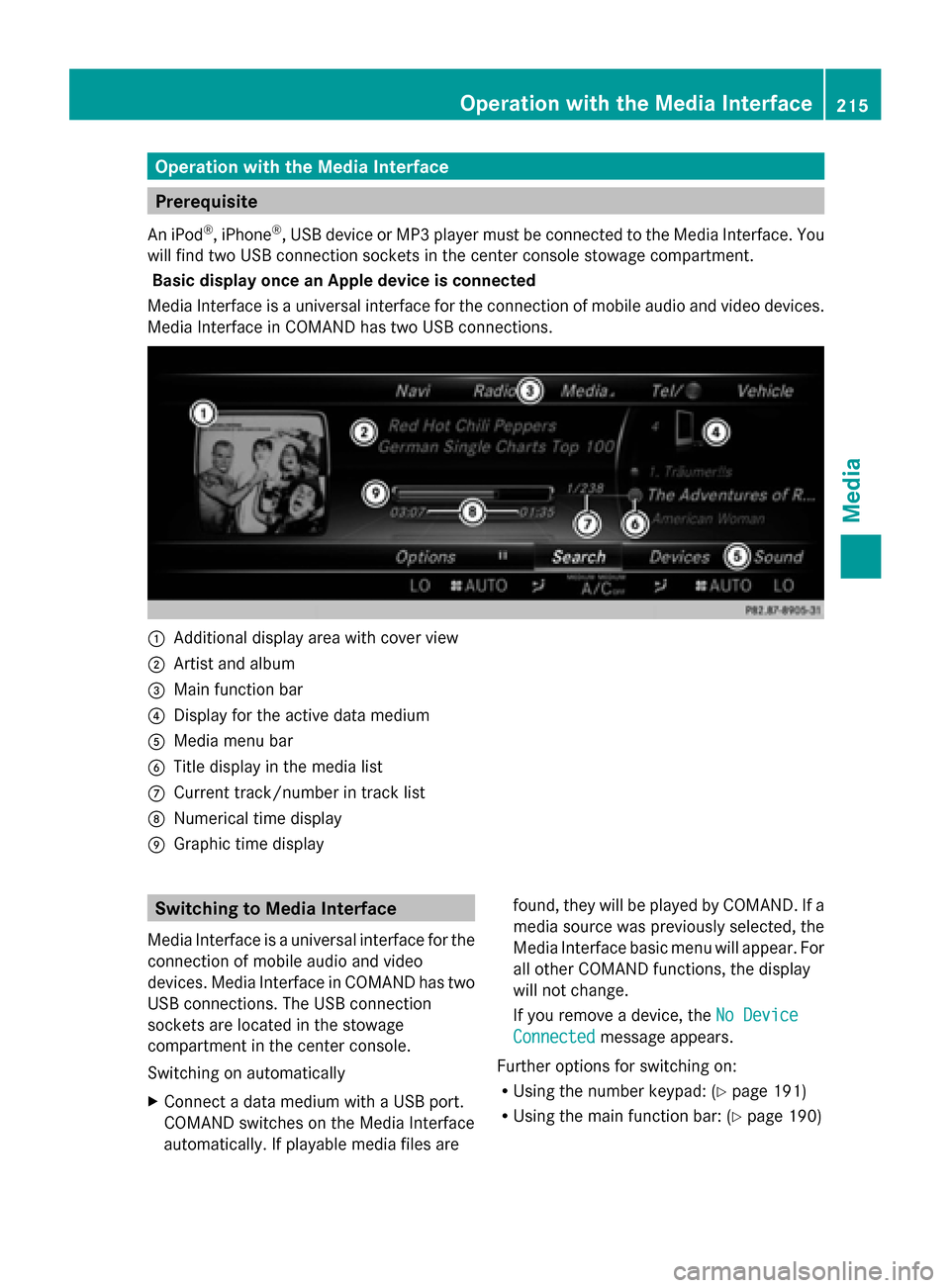
Basic display once an Apple device is connected
Media Interface is a universal interface for the connection of mobile audio and video devices.
Media Interface in COMAND has two USB connections. 0043
Additional display area with cover view
0044 Artist and album
0087 Main function bar
0085 Display for the active data medium
0083 Media menu bar
0084 Title display in the media list
006B Current track/number in track list
006C Numerical time display
006D Graphic time display Switching to Media Interface
Media Interface is a universal interface for the
connection of mobile audio and video
devices. Media Interface in COMAND has two
USB connections. The USB connection
sockets are located in the stowage
compartment in the center console.
Switching on automatically
X Connect a data medium with a USB port.
COMAND switches on the Media Interface
automatically. If playable media files are found, they will be played by COMAND. If a
media source was previously selected, the
Media Interface basic menu will appear. For
all other COMAND functions, the display
will not change.
If you remove a device, the
No Device
No Device
Connected Connected message appears.
Further options for switching on:
R Using the number keypad: (Y page 191)
R Using the main function bar: (Y page 190) Operation with the Media Interface
215Media Z
Page 218 of 278
R
Using the device list: (Y page 191)
R Using the 00FDbutton: (Y page 190) Supported devices
The following data media can be connected
to COMAND via the Media Interface:
R iPod ®
R iPhone ®
R iPad ®
R MP3
R USB devices
i iPod ®
, iPhone ®
and iPad ®
are registered
trademarks of Apple Inc., Cupertino,
California, USA.
i Audio files, photos and video files can be
played back.
For details and a list of supported devices,
visit http://www.mbusa-mobile.com. Or
call the Mercedes-Benz Customer Assistance
Center at
1-800-FOR-MERCedes(1-800-367-6372) (for
the USA) or Customer Relations at
1-800-387-0100 (for Canada). Supported data formats
Music mp3, wma
Video mpeg, wmv, mov,
avi, mp4
Images jpg, jpeg, bmp, png Selecting a music file
Selecting with the controller X
To display the current track list: press
the controller in the basic display.
The track list for the active data medium
appears.
X To select a track: turn the controller and
press to confirm.
X To skip forwards or backwards to a
track: turn the controller in the basic
display.
Three track titles are shown. The track to
the front is played.
Fast forward/rewind X
With the media source active in the basic
display, slide 009500520096the controller and hold
it until the desired position has been
reached. Search function
Selecting Search using media menu bar X
Slide 00520064the controller.
The media menu bar appears.
X To select Search Search: turn the controller and
press to confirm.
The category list appears.
Overview The following categories are listed:
R
Current Tracklist Current Tracklist
R Folder
Folder
R Select By Cover
Select By Cover
R Keyword Search
Keyword Search
R Playlists
Playlists
R Artists
Artists
R Albums
Albums
R Title
Title
R Genres
Genres
R Year
Year 216
Operation with the Media InterfaceMedia
Page 233 of 278
X
To select Sound
Soundin the menu bar: turn and
press the controller.
The menu with the last accessed setting
appears.
X Turn the controller until Equalizer Equalizeris
brought to the front.
X To activate rotary menus for treble, mid-
range and base: slide 00520064the controller.
X To switch between the rotary menus: slide
009500520096 the controller.
X To make the desired Equalizer
Equalizersettings:
turn the controller.
Rotary menus show the set values.
X To return to the menu: slide 00970052the
controller.
X To return to the basic menu: press the
0038 button briefly. Adjusting the balance/fader
Balance moves the focus of the sound
between left and right.
Fader moves the focus of the sound between
front and rear.
X To display the menu bars: slide 00520064the
controller in media mode.
X To select Sound
Sound in the menu bar: turn and
press the controller.
The menu with the last accessed setting
appears.
X Turn the controller until Balance/Fader Balance/Faderis
brought to the front. X
To activate rotary menus for balance and
fader: slide 00520064the controller.
X To switch between the rotary menus: slide
009500520096 the controller.
X To set the desired Balance/Fader Balance/Fader
focuses: turn the controller.
Rotary menus and the image show the
sound focus set.
X To return to the menu: slide 00970052the
controller.
X To return to the basic menu: press the
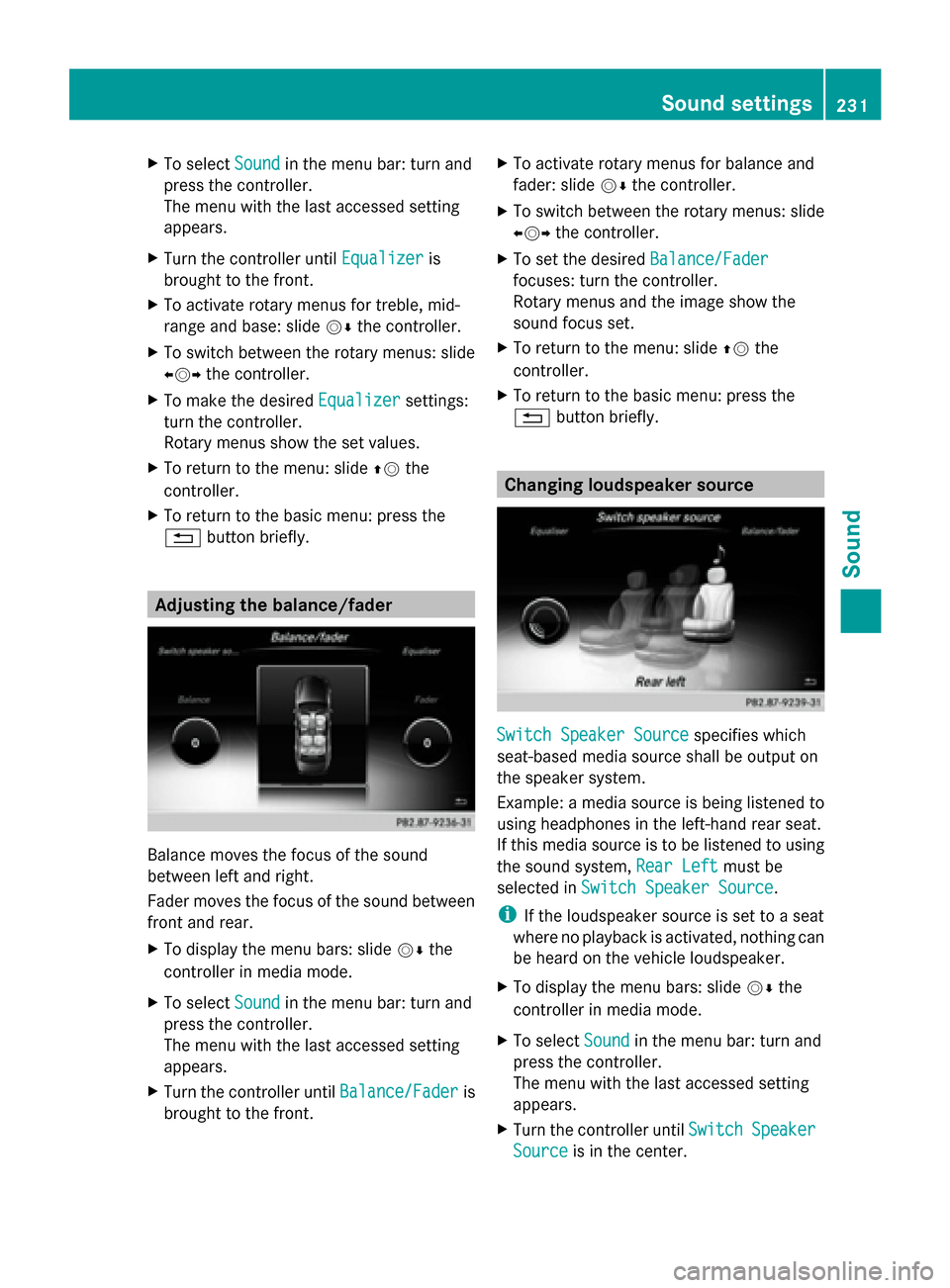
0038 button briefly. Changing loudspeaker source
Switch Speaker Source Switch Speaker Source
specifies which
seat-based media source shall be output on
the speaker system.
Example: a media source is being listened to
using headphones in the left-hand rear seat.
If this media source is to be listened to using
the sound system, Rear Left Rear Leftmust be
selected in Switch Speaker Source
Switch Speaker Source.
i If the loudspeaker source is set to a seat
where no playback is activated, nothing can
be heard on the vehicle loudspeaker.
X To display the menu bars: slide 00520064the
controller in media mode.
X To select Sound
Soundin the menu bar: turn and
press the controller.
The menu with the last accessed setting
appears.
X Turn the controller until Switch SwitchSpeaker
Speaker
Source
Source is in the center. Sound settings
231Sound
Page 236 of 278
doesn't want to listen using headphones, but
instead using the sound system. In this case,
select Rear Left
Rear Left inSwitch Speaker
Switch Speaker
Source
Source .
X To display the menu bars: slide 00520064the
controller in media mode.
X To select Sound
Sound in the menu bar: turn and
press the controller.
The menu with the last accessed setting
appears.
X Turn the controller until Switch SwitchSpeaker
Speaker
Source
Source is in the center.
X Activate the rotary menus for Switch
Switch
Speaker
Speaker Source
Source. Slide00520064the controller.
X To set the desired speaker source: turn the
controller.
The segment, text and image show the
selected setting.
X To return to the menu: slide 00970052the
controller.
X To return to the basic menu: press the
0038 button briefly. Setting surround sound
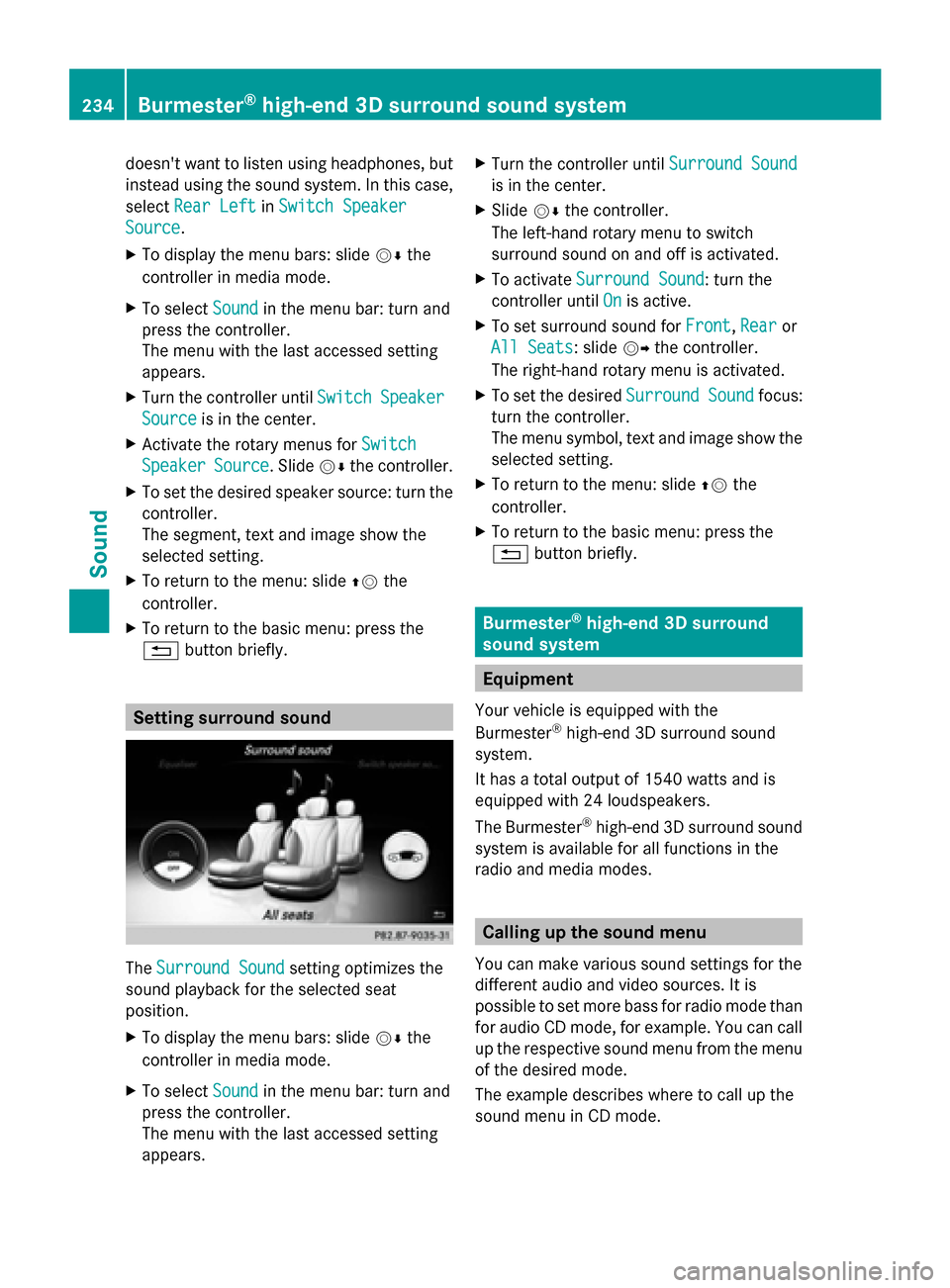
The
Surround Sound Surround Sound setting optimizes the
sound playback for the selected seat
position.
X To display the menu bars: slide 00520064the
controller in media mode.
X To select Sound
Sound in the menu bar: turn and
press the controller.
The menu with the last accessed setting
appears. X
Turn the controller until Surround Sound Surround Sound
is in the center.
X Slide 00520064the controller.
The left-hand rotary menu to switch
surround sound on and off is activated.
X To activate Surround Sound Surround Sound: turn the
controller until On
Onis active.
X To set surround sound for Front
Front,Rear
Rearor
All Seats
All Seats: slide 00520096the controller.
The right-hand rotary menu is activated.
X To set the desired Surround Sound
Surround Soundfocus:
turn the controller.
The menu symbol, text and image show the
selected setting.
X To return to the menu: slide 00970052the
controller.
X To return to the basic menu: press the
0038 button briefly. Burmester
®
high-end 3D surround
sound system Equipment
Your vehicle is equipped with the
Burmester ®
high-end 3D surround sound
system.
It has a total output of 1540 watts and is
equipped with 24 loudspeakers.
The Burmester ®
high-end 3D surround sound
system is available for all functions in the
radio and media modes. Calling up the sound menu
You can make various sound settings for the
different audio and video sources. It is
possible to set more bass for radio mode than
for audio CD mode, for example. You can call
up the respective sound menu from the menu
of the desired mode.
The example describes where to call up the
sound menu in CD mode. 234
Burmester ®
high-end 3D surround sound systemSound
Page 238 of 278
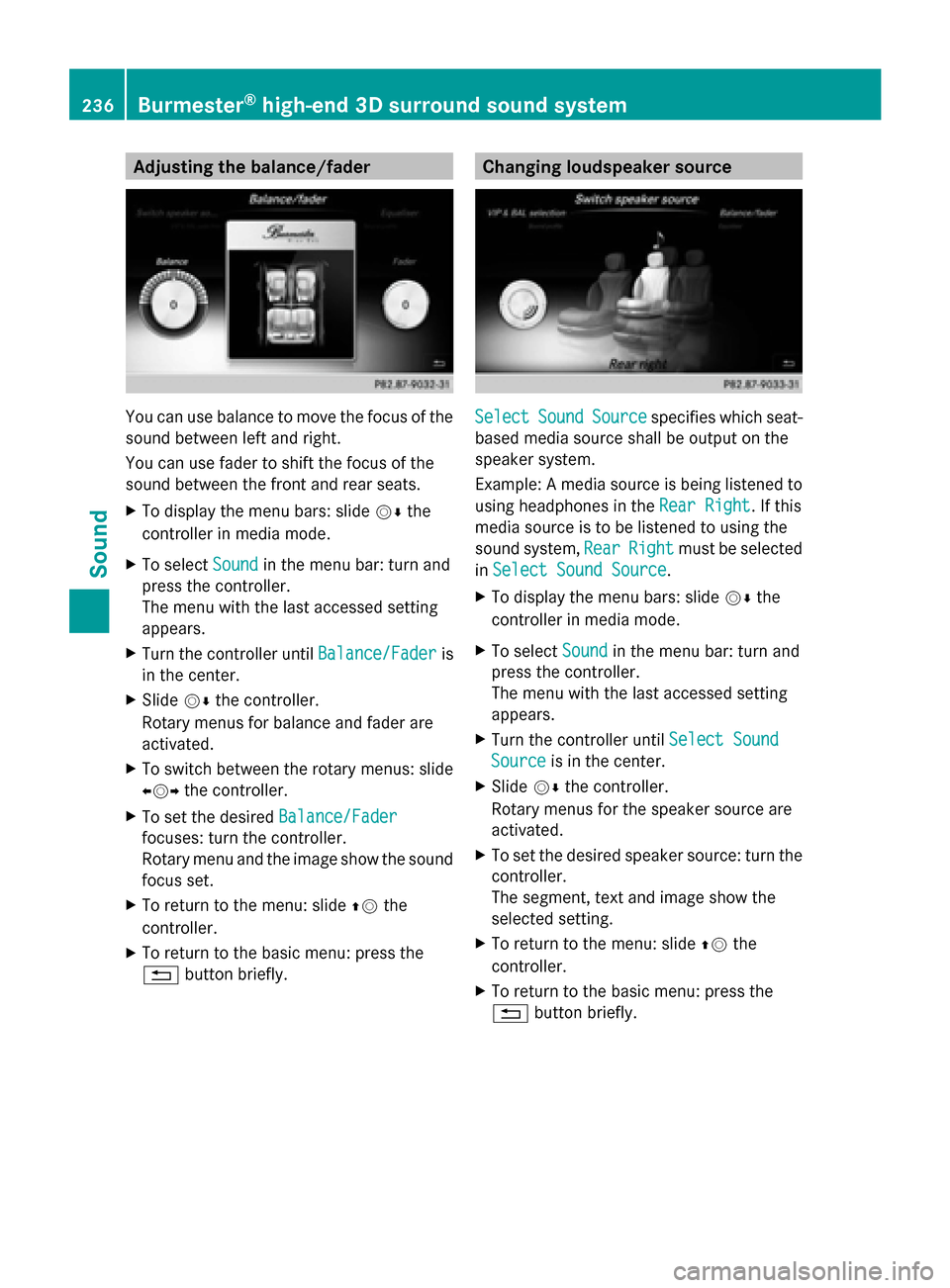
Adjusting the balance/fader
You can use balance to move the focus of the
sound between left and right.
You can use fader to shift the focus of the
sound between the front and rear seats.
X To display the menu bars: slide 00520064the
controller in media mode.
X To select Sound Soundin the menu bar: turn and
press the controller.
The menu with the last accessed setting
appears.
X Turn the controller until Balance/Fader
Balance/Fader is
in the center.
X Slide 00520064the controller.
Rotary menus for balance and fader are
activated.
X To switch between the rotary menus: slide
009500520096 the controller.
X To set the desired Balance/Fader
Balance/Fader
focuses: turn the controller.
Rotary menu and the image show the sound
focus set.
X To return to the menu: slide 00970052the
controller.
X To return to the basic menu: press the
0038 button briefly. Changing loudspeaker source
Select Select
Sound
Sound Source
Source specifies which seat-
based media source shall be output on the
speaker system.
Example: A media source is being listened to
using headphones in the Rear Right Rear Right. If this
media source is to be listened to using the
sound system, Rear RearRight
Right must be selected
in Select Sound Source
Select Sound Source .
X To display the menu bars: slide 00520064the
controller in media mode.
X To select Sound
Soundin the menu bar: turn and
press the controller.
The menu with the last accessed setting
appears.
X Turn the controller until Select Sound
Select Sound
Source Source is in the center.
X Slide 00520064the controller.
Rotary menus for the speaker source are
activated.
X To set the desired speaker source: turn the
controller.
The segment, text and image show the
selected setting.
X To return to the menu: slide 00970052the
controller.
X To return to the basic menu: press the
0038 button briefly. 236
Burmester ®
high-end 3D surround sound systemSound