key MERCEDES-BENZ S-Class 2015 W222 Comand Manual
[x] Cancel search | Manufacturer: MERCEDES-BENZ, Model Year: 2015, Model line: S-Class, Model: MERCEDES-BENZ S-Class 2015 W222Pages: 298, PDF Size: 6.39 MB
Page 79 of 298
Entry restriction
In certain countries, data entry is restricted if
the vehicle is traveling at more than approx-
imately 3 mph (5 km/h). The restriction is
deactivated as soon as the vehicle speed
drops below about 2 mph (3 km/h).
When the restriction is active, certain entries cannot be made. This will be indicated by the
fact that certain menu items are grayed out
and cannot be selected.
The following entries are not possible, for
example:
R entering the destination city and street
R entering a destination via the map
R entering POIs in the vicinity of a city or via a
name search
R editing entries
R direct entry via the telephone keypad (if
available)
Other entries are possible, such as entering
points of interest in the vicinity of the desti-
nation or current position. Introduction
77Navigation Z
Page 86 of 298
While entering an address, you can also
switch to other destination entry options:
R Keyword search (Y page 87)
R Map (Y page 93)
R Point of interest (Y page 89)
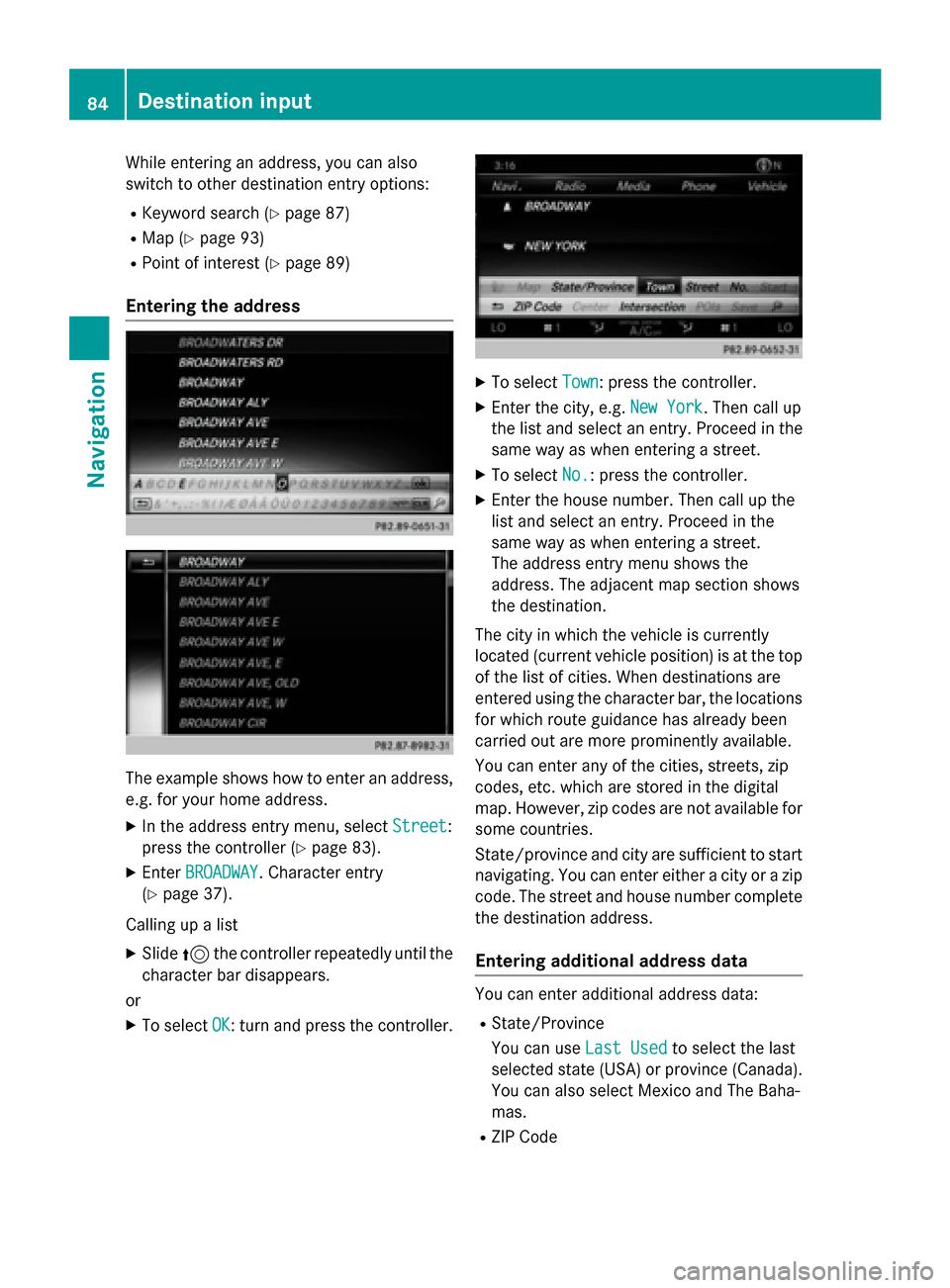
Entering the address The example shows how to enter an address,
e.g. for your home address.
X In the address entry menu, select Street
Street:
press the controller (Y page 83).
X Enter BROADWAY
BROADWAY . Character entry
(Y page 37).
Calling up a list X Slide 5the controller repeatedly until the
character bar disappears.
or
X To select OK
OK: turn and press the controller. X
To select Town
Town: press the controller.
X Enter the city, e.g. New York
New York. Then call up
the list and select an entry. Proceed in the
same way as when entering a street.
X To select No.
No.: press the controller.
X Enter the house number. Then call up the
list and select an entry. Proceed in the
same way as when entering a street.
The address entry menu shows the
address. The adjacent map section shows
the destination.
The city in which the vehicle is currently
located (current vehicle position) is at the top
of the list of cities. When destinations are
entered using the character bar, the locations for which route guidance has already been
carried out are more prominently available.
You can enter any of the cities, streets, zip
codes, etc. which are stored in the digital
map. However, zip codes are not available for
some countries.
State/province and city are sufficient to start
navigating. You can enter either a city or a zip code. The street and house number completethe destination address.
Entering additional address data You can enter additional address data:
R State/Province
You can use Last Used Last Usedto select the last
selected state (USA) or province (Canada). You can also select Mexico and The Baha-
mas.
R ZIP Code 84
Destination inputNavigation
Page 88 of 298
Starting route calculation
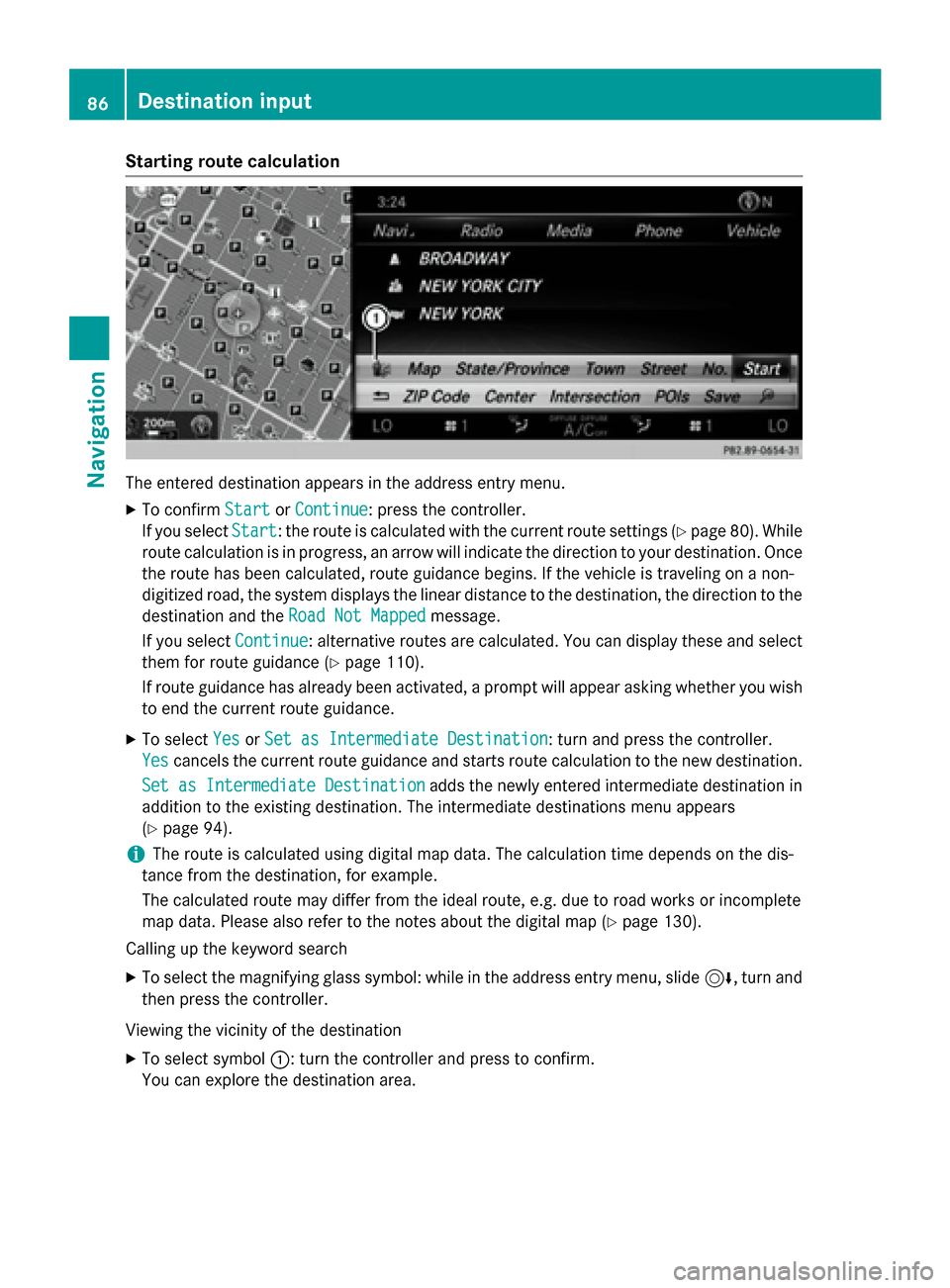
The entered destination appears in the address entry menu.
X To confirm Start StartorContinue Continue: press the controller.
If you select Start
Start: the route is calculated with the current route settings (Y page 80). While
route calculation is in progress, an arrow will indicate the direction to your destination. Once the route has been calculated, route guidance begins. If the vehicle is traveling on a non-
digitized road, the system displays the linear distance to the destination, the direction to the
destination and the Road Not Mapped
Road Not Mapped message.
If you select Continue
Continue: alternative routes are calculated. You can display these and select
them for route guidance (Y page 110).
If route guidance has already been activated, a prompt will appear asking whether you wish to end the current route guidance.
X To select Yes
YesorSet as Intermediate Destination
Set as Intermediate Destination: turn and press the controller.
Yes
Yes cancels the current route guidance and starts route calculation to the new destination.
Set as Intermediate Destination
Set as Intermediate Destination adds the newly entered intermediate destination in
addition to the existing destination. The intermediate destinations menu appears
(Y page 94).
i The route is calculated using digital map data. The calculation time depends on the dis-
tance from the destination, for example.
The calculated route may differ from the ideal route, e.g. due to road works or incomplete
map data. Please also refer to the notes about the digital map (Y page 130).
Calling up the keyword search
X To select the magnifying glass symbol: while in the address entry menu, slide 6, turn and
then press the controller.
Viewing the vicinity of the destination
X To select symbol 0043: turn the controller and press to confirm.
You can explore the destination area. 86
Destination inputNavigation
Page 89 of 298
Requirement for exploring a destination: mbrace must be activated for Internet access
(Y page 173). Keyword search
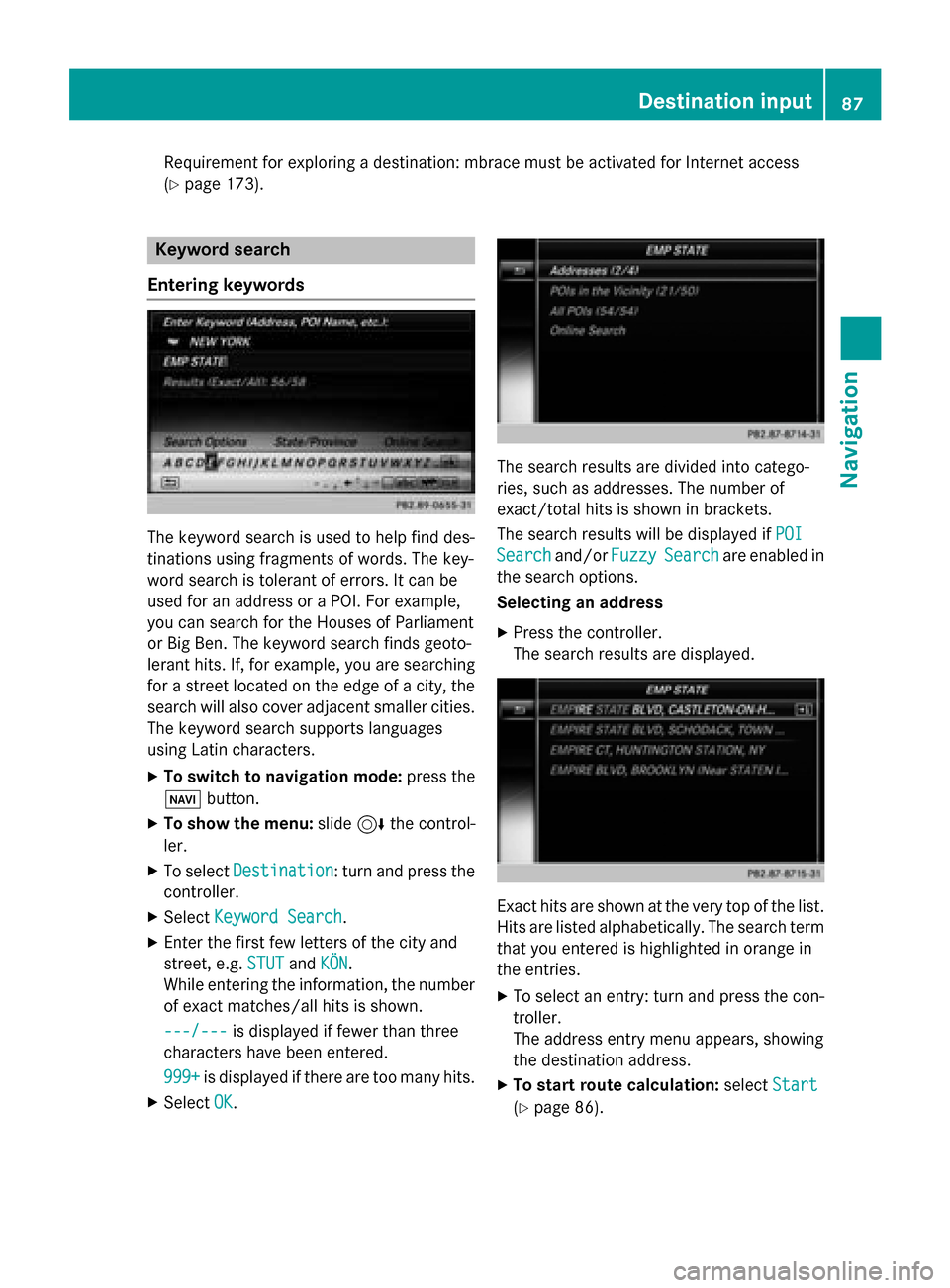
Entering keywords The keyword search is used to help find des-
tinations using fragments of words. The key-
word search is tolerant of errors. It can be
used for an address or a POI. For example,
you can search for the Houses of Parliament
or Big Ben. The keyword search finds geoto-
lerant hits. If, for example, you are searching for a street located on the edge of a city, thesearch will also cover adjacent smaller cities.
The keyword search supports languages
using Latin characters.
X To switch to navigation mode: press the
00BE button.
X To show the menu: slide6the control-
ler.
X To select Destination
Destination: turn and press the
controller.
X Select Keyword Search
Keyword Search .
X Enter the first few letters of the city and
street, e.g. STUT STUTandKÖN
KÖN.
While entering the information, the number of exact matches/all hits is shown.
---/---
---/--- is displayed if fewer than three
characters have been entered.
999+
999+ is displayed if there are too many hits.
X Select OK
OK. The search results are divided into catego-
ries, such as addresses. The number of
exact/total hits is shown in brackets.
The search results will be displayed if
POI POI
Search
Search and/orFuzzy
FuzzySearch
Search are enabled in
the search options.
Selecting an address
X Press the controller.
The search results are displayed. Exact hits are shown at the very top of the list.
Hits are listed alphabetically. The search term
that you entered is highlighted in orange in
the entries.
X To select an entry: turn and press the con-
troller.
The address entry menu appears, showing
the destination address.
X To start route calculation: selectStart Start
(Y page 86). Destination input
87Navigation Z
Page 90 of 298
Selecting a point of interest
X To select POIs
POIsin
inthe
the Vicinity
Vicinity orAll
All
POIs
POIs: turn and press the controller.
A list appears.
X Select a point of interest.
The POI is shown.
X To start route calculation: select Start Start
(Y page 86).
Using online search X To select Online Search
Online Search: turn and press
the controller.
The search switches to the online func-
tions.
Online search requirement: mbrace must
be activated for Internet access
(Y page 173).
Selecting search options X
To switch to navigation mode: press the
00BE button.
X To show the menu: slide6the control-
ler.
X To select Destination
Destination: turn and press the
controller.
X Select Keyword Search Keyword Search.
X To select Search
SearchOptions
Options: slide 5, turn
and press the controller.
X Select Fuzzy Search
Fuzzy Search orPOI Search
POI Search.
Switch the setting on 0073or off 0053.
Error-tolerant search: useful if parts of the
address are incomplete or the spelling is
unclear.
POI search: points of interest are taken into
account in the search.
Selecting the country X
To switch to navigation mode: press the
00BE button.
X To show the menu: slide6the control-
ler.
X To select Destination
Destination: turn and press the
controller. X
Select Keyword Search Keyword Search.
X To select Country
Country: slide 5, turn and
press the controller.
The alphabetical list of countries is dis-
played.
X Select a country: turn and press the con-
troller.
Searching via COMAND Requirement: mbrace must be activated for
Internet access (Y
page 173).
X To switch to navigation mode: press the
00BE button.
X To show the menu: slide6the control-
ler.
X To select Destination Destination: turn and press the
controller.
X Select Keyword Search
Keyword Search.
X To select Online Search Online Search: slide 5, turn
and press the controller.
The search switches to the online func-
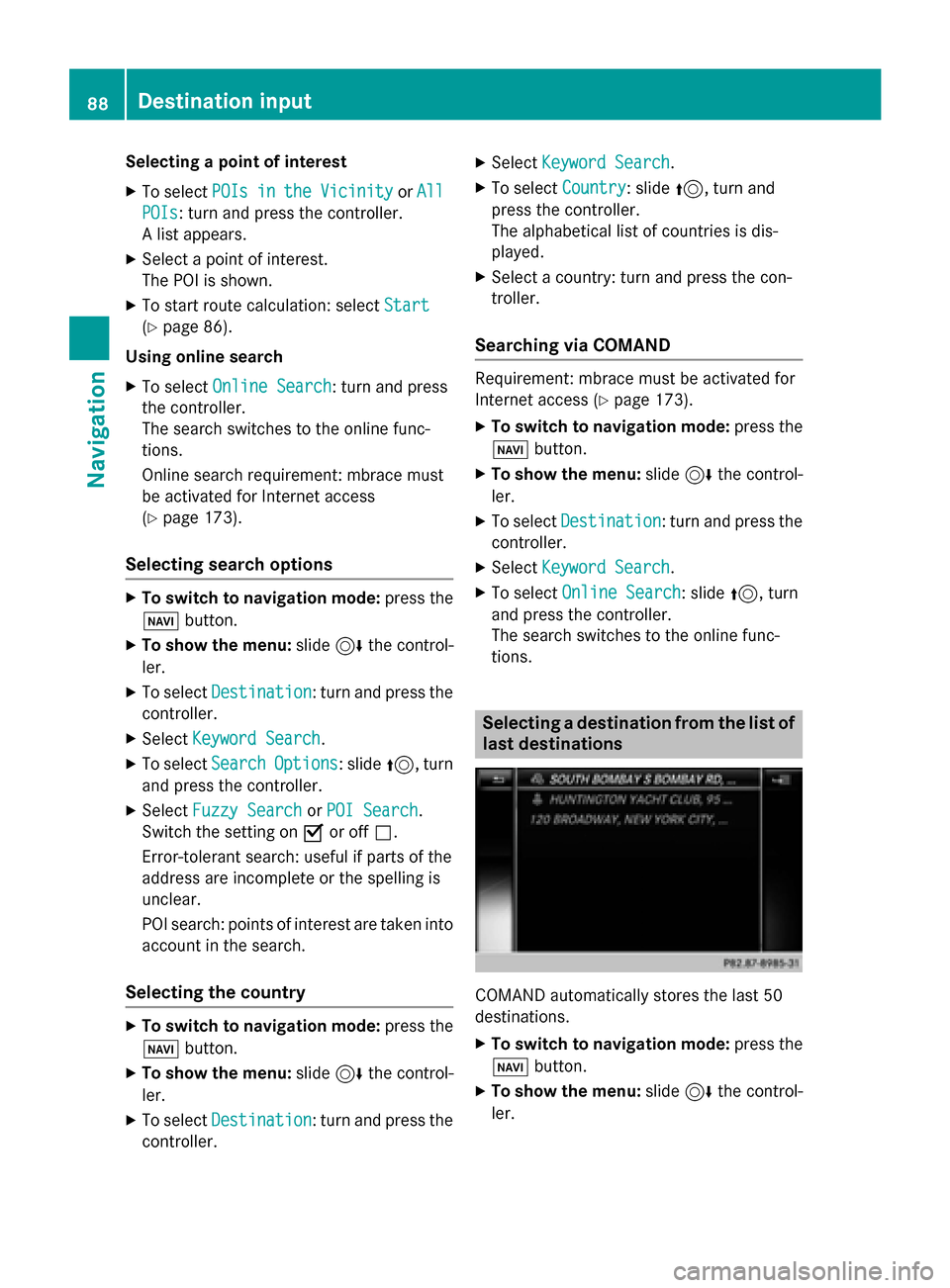
tions. Selecting a destination from the list of
last destinations COMAND automatically stores the last 50
destinations.
X To switch to navigation mode: press the
00BE button.
X To show the menu: slide6the control-
ler. 88
Destination inputNavigation
Page 96 of 298
X
To select a destination from the selection list: turn and press the controller.
If the digital map provides navigable address data, you will see the destination address in the address entry menu.
X To start route calculation: selectStart
Start (Ypage 86). Entering intermediate destinations
Introduction You can also map the route to the destination
yourself by entering up to four intermediate
destinations. The sequence of the intermedi-ate destinations can be changed at any time.
COMAND provides a selection of predefined
destinations in eight categories for this pur-
pose, e.g. GAS STATION
GAS STATION orRESTAURANT RESTAURANT . You
can also use the destination entry options to
enter intermediate destinations.
Creating intermediate destinations X
To switch to navigation mode: press the
00BE button.
X To show the menu: slide6the control-
ler.
X To select Destination
Destination: turn and press the
controller.
X Select Intermediate Destinations
Intermediate Destinations.
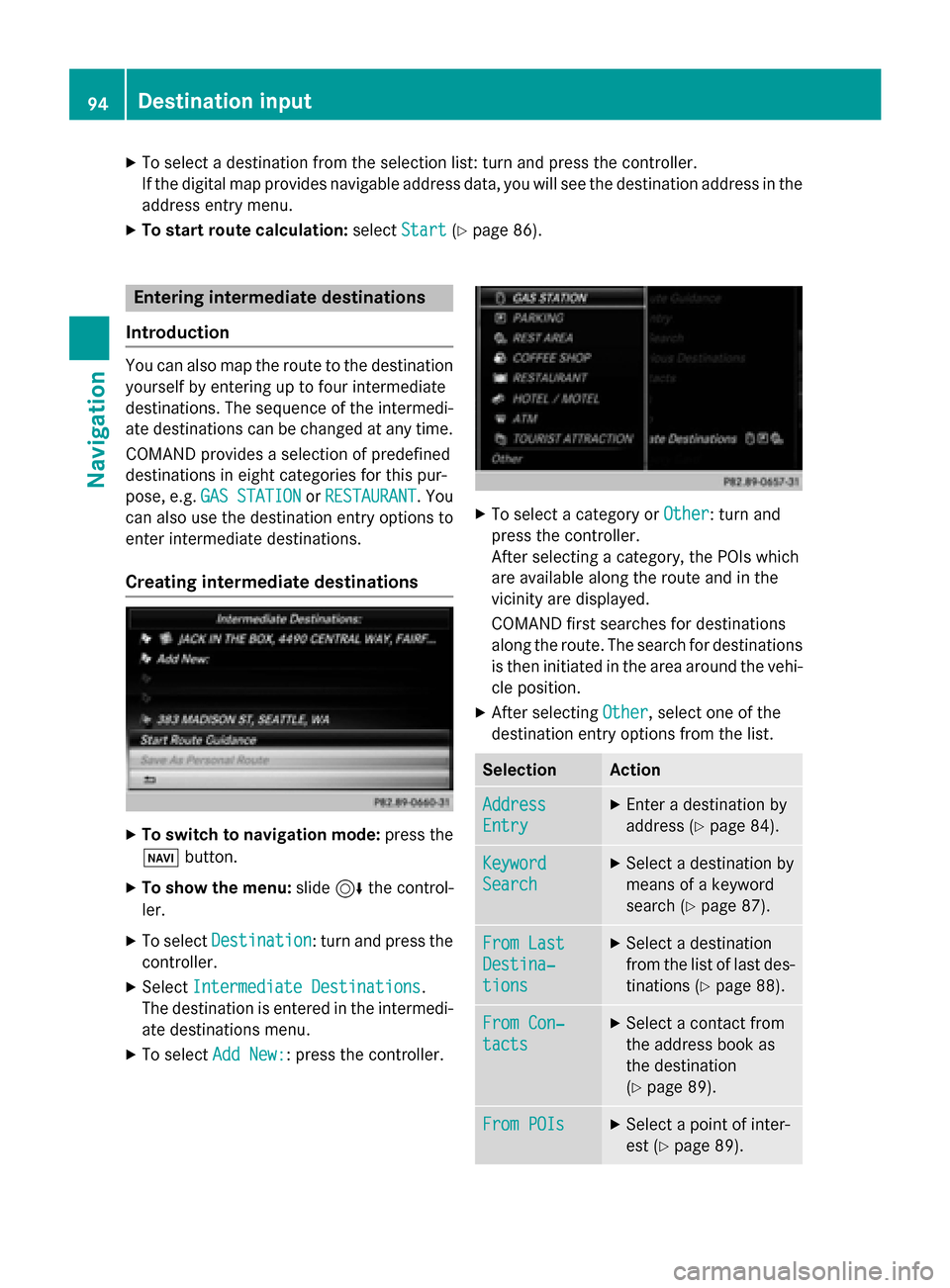
The destination is entered in the intermedi-
ate destinations menu.
X To select Add New:
Add New:: press the controller. X
To select a category or Other
Other: turn and
press the controller.
After selecting a category, the POIs which
are available along the route and in the
vicinity are displayed.
COMAND first searches for destinations
along the route. The search for destinations
is then initiated in the area around the vehi- cle position.
X After selecting Other Other, select one of the
destination entry options from the list. Selection Action
Address
Address
Entry Entry X
Enter a destination by
address (Y page 84). Keyword Keyword
Search Search X
Select a destination by
means of a keyword
search (Y page 87). From Last From Last
Destina‐ Destina‐
tions tions X
Select a destination
from the list of last des-
tinations (Y page 88). From Con‐ From Con‐
tacts tacts X
Select a contact from
the address book as
the destination
(Y page 89). From POIs From POIs X
Select a point of inter-
est (Y page 89). 94
Destination inputNavigation
Page 141 of 298
Procedure and general information
Authorizing a mobile phone (connecting)
Before using your mobile phone with
COMAND for the first time, you will need to
search for the phone (Y page 139) and then
authorize it (Y page 140). Depending on the
mobile phone, authorization either takes
place by means of Secure Simple Pairing or by
entering a passkey. COMAND automatically
enables the procedure suited to your mobile
phone. You can recognize Secure Simple Pair- ing by a code which is displayed in COMAND
and on the mobile phone. You can recognize
the passkey system by the fact that you have to enter a code on the mobile phone and in
COMAND. The mobile phone is always con-
nected automatically after authorization.
If COMAND does not detect your mobile
phone, this may be due to particular securitysettings on your mobile phone. You can also
start the search procedure and authorization
on the mobile phone (Y page 141).
Device-specific information on authorizing
and connecting Bluetooth ®
-capable mobile
phones can be obtained from your authorized
Mercedes-Benz Center or via the Internet at
http://www.mercedes-benz.com/
connect .
You can authorize up to 15 mobile phones.
Only one mobile phone can be connected to
COMAND at any one time.
De-authorizing (disconnecting) a mobile
phone
The connection is terminated automatically if you leave the receiver range of COMAND or
deactivate Bluetooth ®
on your mobile phone.
If you no longer want the Bluetooth ®
connec-
tion to be established automatically, the
mobile phone must be de-authorized (discon- nected) (Y page 142). Searching for a mobile phone
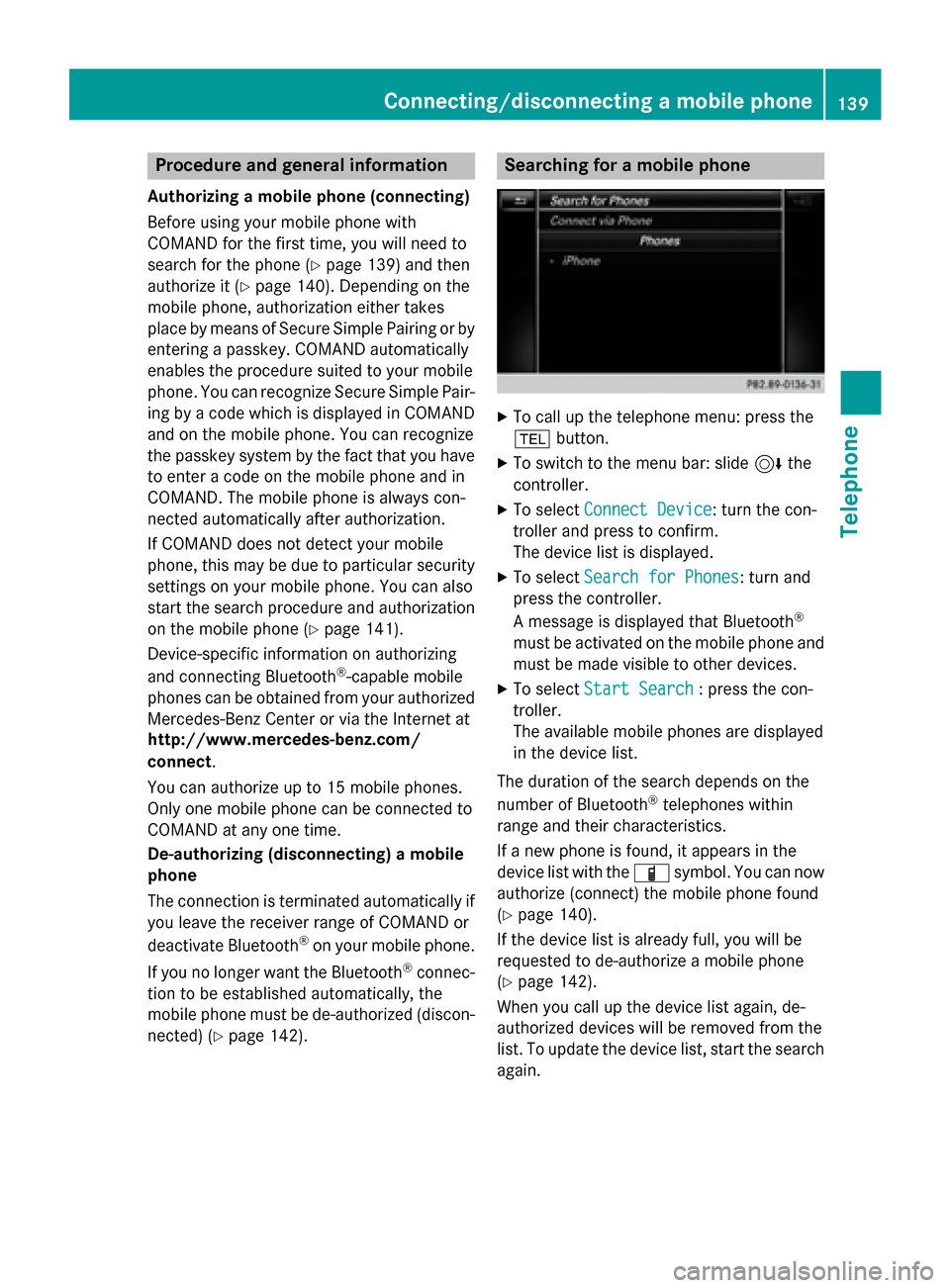
X
To call up the telephone menu: press the
002B button.
X To switch to the menu bar: slide 6the
controller.
X To select Connect Device Connect Device: turn the con-
troller and press to confirm.
The device list is displayed.
X To select Search for Phones Search for Phones: turn and
press the controller.
A message is displayed that Bluetooth ®
must be activated on the mobile phone and
must be made visible to other devices.
X To select Start Search Start Search : press the con-
troller.
The available mobile phones are displayed
in the device list.
The duration of the search depends on the
number of Bluetooth ®
telephones within
range and their characteristics.
If a new phone is found, it appears in the
device list with the 00D3symbol. You can now
authorize (connect) the mobile phone found
(Y page 140).
If the device list is already full, you will be
requested to de-authorize a mobile phone
(Y page 142).
When you call up the device list again, de-
authorized devices will be removed from the
list. To update the device list, start the search again. Connecting/disconnecting a mobile phone
139Telephone Z
Page 142 of 298
Symbols in the device list
Sym-
bol Explanation
00D3
New mobile phone found, not yet
authorized. 00DC
Mobile phone is authorized, but is
not connected. 0036
Mobile phone is authorized and
connected.
Authorizing a mobile phone (connect-
ing)
Authorization via Secure Simple Pairing If COMAND has found your mobile phone, you
can authorize (connect) it.
X To select a mobile phone from the device
list: turn the controller and press to con-
firm.
A code is displayed in COMAND and on the
mobile phone.
The code is the same X COMAND: selectYes
Yes.
X Mobile phone: confirm the code. Depend-
ing on the mobile phone used, you may
have to confirm the connection to
COMAND and for the PBAP and MAP Blue-
tooth ®
profiles. The prompt to confirm may
take up to two minutes to be displayed. You may also save the confirmation on the
mobile phone (see the manufacturer's
operating instructions).
The mobile phone is now authorized and
connected to COMAND. You can now
speak using the hands-free system.
To ensure an optimum language quality, you
can set the mobile phone's transmission and
reception volume (Y page 142). The code is different
X COMAND: selectNo
No.
The process is canceled. Repeat the
authorization.
Authorization via passkey entry (access
code) If COMAND has found your mobile phone, you
can authorize (connect) it.
X To select a mobile phone from the device
list: turn the controller and press to con-
firm.
The input menu for the passkey is dis-
played.
The passkey is a one- to sixteen-digit num-
ber combination which you can choose
yourself.
X COMAND: enter the passkey using the
character bar.
X Select 0054once all the numbers have
been entered.
X Mobile phone: enter the same passkey
and confirm your entry. Depending on the
mobile phone used, you may have to con-
firm the connection to COMAND and for the
PBAP and MAP Bluetooth ®
profiles. The
prompt to confirm may take up to two
minutes to be displayed. You may also save the confirmation on the mobile phone (see
the manufacturer's operating instructions).
The mobile phone is now authorized and
connected to COMAND. You can now
speak using the hands-free system.
To ensure an optimum language quality, you
can set the mobile phone's transmission and reception volume (Y page 142).
If the Authorization Failed Authorization Failed message
appears, you may have entered a different
passkey or exceeded the prescribed time
limit. Repeat the procedure.
i Some mobile phones require a passkey
with four or more digits. 140
Connecting/disconnecting a mobile phoneTelephone
Page 143 of 298
i
If you wish to re-authorize the mobile
phone after de-authorizing it, you can
choose another passkey for it.
i Mercedes-Benz recommends de-authori-
zation in COMAND and on the mobile
phone (Y page 142). Subsequent authori-
zation may otherwise fail. Establishing the connection from the
mobile phone
The Bluetooth ®
device name of COMAND is
"MB Bluetooth".
X COMAND: call up the telephone menu.
X To switch to the menu bar: slide 6the
controller.
X To select Connect Device Connect Device: turn the con-
troller and press to confirm.
The device list is displayed.
X To select Connect via Phone Connect via Phone: turn and
press the controller.
A message is displayed, stating that you
can start the search on your mobile phone.
X Mobile phone: start the search for a Blue-
tooth ®
device (see manufacturer's operat-
ing instructions).
COMAND is displayed with the name "MB
Bluetooth" in the mobile phone's device
list.
X Select "MB Bluetooth".
The following prompt appears in the
COMAND display Do you want
Do you want
Device_name to be authorized? Device_name to be authorized?
X COMAND: selectYes
Yes.
If No
No is selected, the procedure is canceled.
If your mobile phone supports Secure Sim- ple Pairing, a code is now displayed on both
devices.
The code is the same
X COMAND: selectYes
Yes.
X Mobile phone: confirm the code. Depend-
ing on the mobile phone used, you may
have to confirm the connection to
COMAND and for the PBAP and MAP Blue- tooth
®
profiles. The prompt to confirm may
take up to two minutes to be displayed. You
may also save the confirmation on the
mobile phone (see the manufacturer's
operating instructions).
The mobile phone is now authorized and
connected to COMAND. You can now
speak using the hands-free system.
To ensure an optimum language quality,
you can set the mobile phone's transmis-
sion and reception volume (Y page 142).
The code is different
X COMAND: selectNo
No.
The process is canceled. Repeat the pro-
cedure.
If your mobile phone does not support Secure
Simple Pairing, an input menu is displayed for the passkey. The passkey is a one- to sixteen-digit number combination which you can
choose yourself. Enter the same passkey on
both COMAND and the mobile phone and
confirm. Depending on the mobile phone
used, you may have to confirm the connection
to COMAND and for the PBAP and MAP Blue-
tooth ®
profiles. Reconnecting automatically
COMAND always searches for the last con-
nected mobile phone.
If no connection can be made to the most
recently connected mobile phone, the system searches for the mobile phone that was con-
nected before that one. Switching between mobile phones
If you have authorized more than one mobile
phone, you can switch between the individual
phones.
X To call up the telephone menu: press the
002B button.
X To switch to the menu bar: slide 6the
controller. Connecting/disconnecting a mobile phone
141Telephone Z
Page 145 of 298
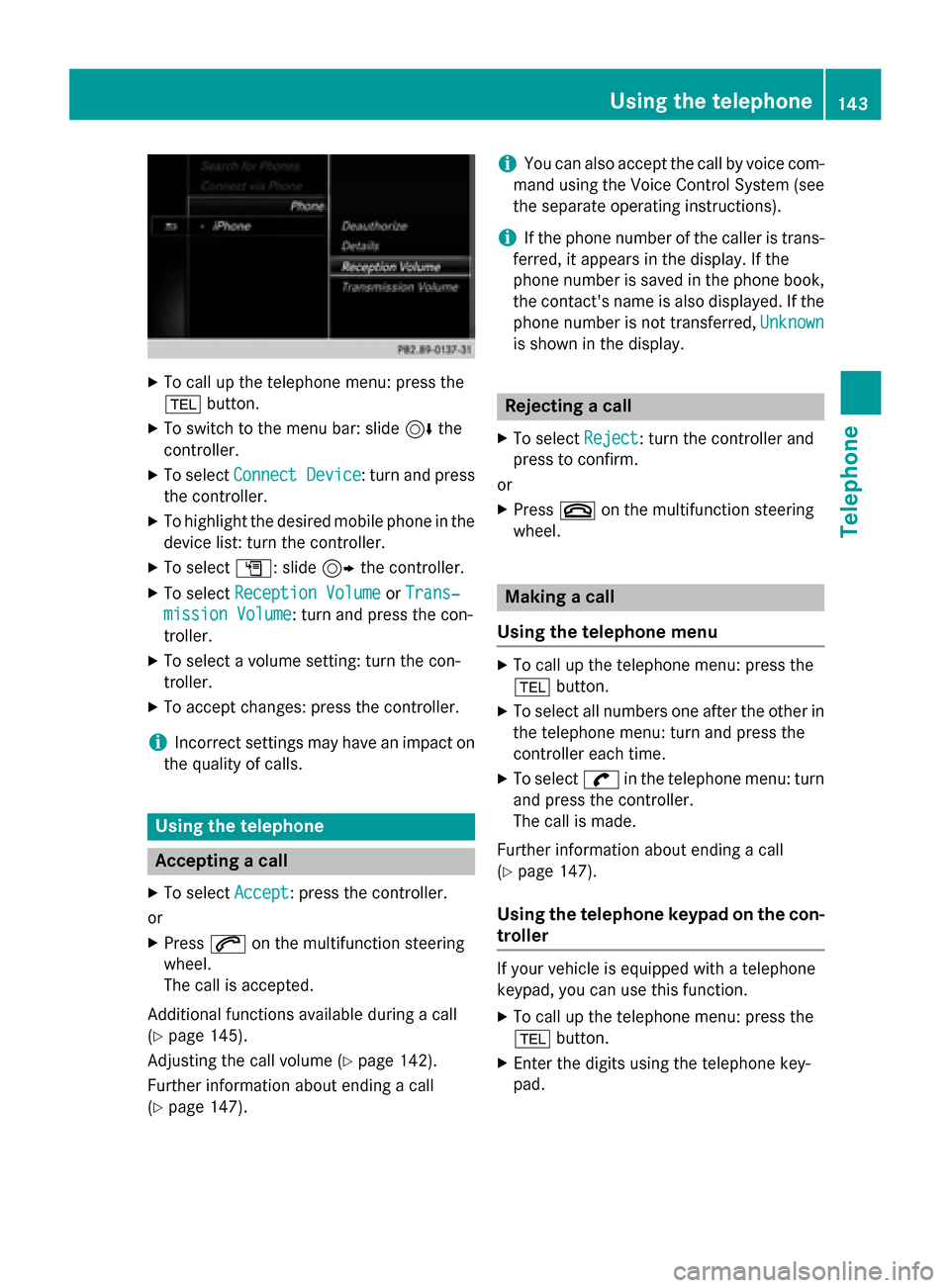
X
To call up the telephone menu: press the
002B button.
X To switch to the menu bar: slide 6the
controller.
X To select Connect Device
Connect Device : turn and press
the controller.
X To highlight the desired mobile phone in the
device list: turn the controller.
X To select G: slide 9the controller.
X To select Reception Volume
Reception Volume orTrans‐
Trans‐
mission Volume
mission Volume: turn and press the con-
troller.
X To select a volume setting: turn the con-
troller.
X To accept changes: press the controller.
i Incorrect settings may have an impact on
the quality of calls. Using the telephone
Accepting a call
X To select Accept
Accept: press the controller.
or
X Press 0061on the multifunction steering
wheel.
The call is accepted.
Additional functions available during a call
(Y page 145).
Adjusting the call volume (Y page 142).
Further information about ending a call
(Y page 147). i
You can also accept the call by voice com-
mand using the Voice Control System (see
the separate operating instructions).
i If the phone number of the caller is trans-
ferred, it appears in the display. If the
phone number is saved in the phone book,
the contact's name is also displayed. If the
phone number is not transferred, Unknown
Unknown
is shown in the display. Rejecting a call
X To select Reject Reject: turn the controller and
press to confirm.
or
X Press 0076on the multifunction steering
wheel. Making a call
Using the telephone menu X
To call up the telephone menu: press the
002B button.
X To select all numbers one after the other in
the telephone menu: turn and press the
controller each time.
X To select 0097in the telephone menu: turn
and press the controller.
The call is made.
Further information about ending a call
(Y page 147).
Using the telephone keypad on the con-
troller If your vehicle is equipped with a telephone
keypad, you can use this function.
X To call up the telephone menu: press the
002B button.
X Enter the digits using the telephone key-
pad. Using the telephone
143Telephone Z