media MERCEDES-BENZ S-Class 2015 W222 Comand Manual
[x] Cancel search | Manufacturer: MERCEDES-BENZ, Model Year: 2015, Model line: S-Class, Model: MERCEDES-BENZ S-Class 2015 W222Pages: 298, PDF Size: 6.39 MB
Page 84 of 298
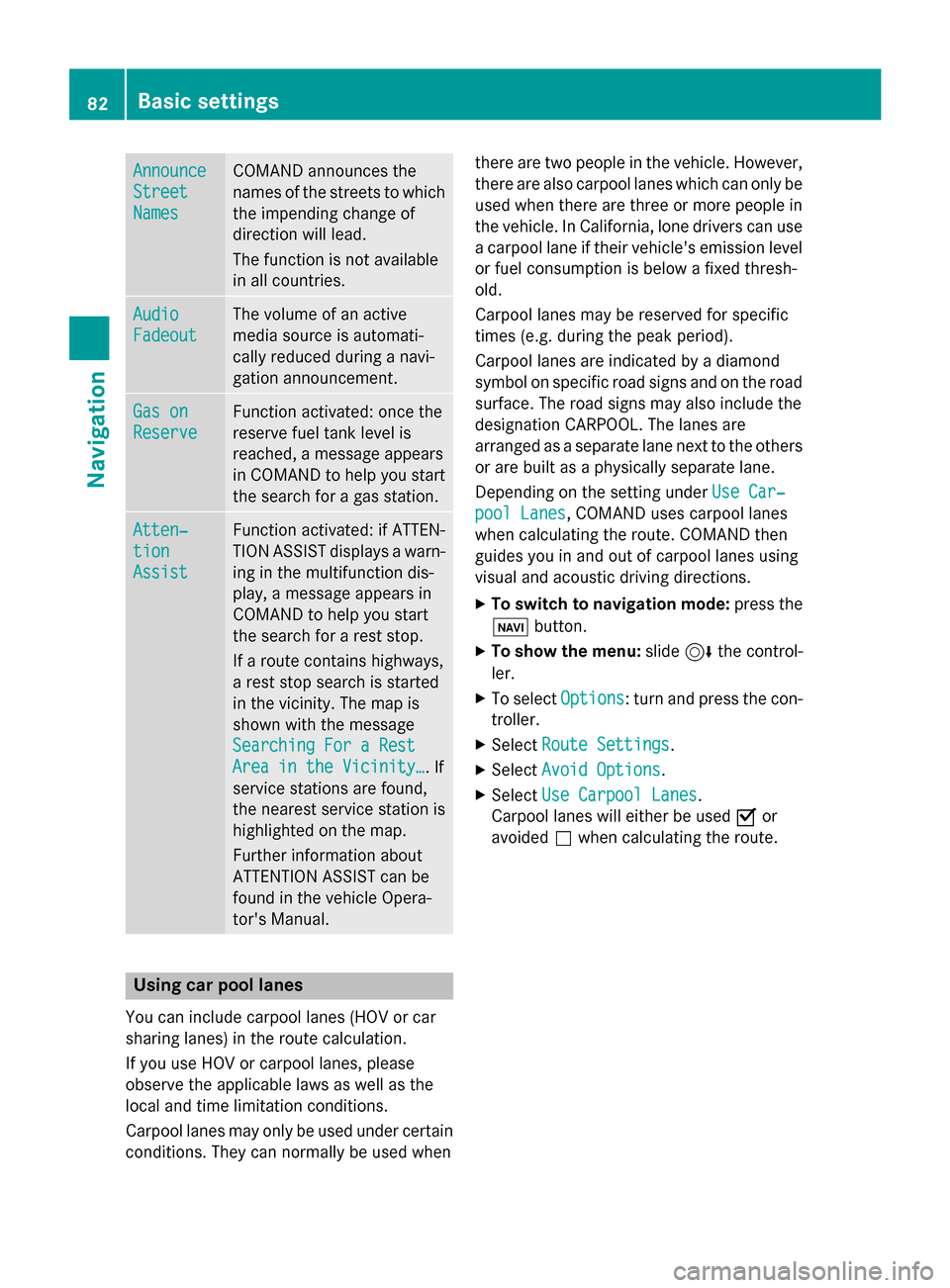
Announce
Announce
Street Street
Names Names COMAND announces the
names of the streets to which the impending change of
direction will lead.
The function is not available
in all countries. Audio Audio
Fadeout Fadeout The volume of an active
media source is automati-
cally reduced during a navi-
gation announcement.
Gas on Gas on
Reserve Reserve Function activated: once the
reserve fuel tank level is
reached, a message appears
in COMAND to help you start the search for a gas station. Atten‐ Atten‐
tion tion
Assist Assist Function activated: if ATTEN-
TION ASSIST displays a warn-
ing in the multifunction dis-
play, a message appears in
COMAND to help you start
the search for a rest stop.
If a route contains highways,
a rest stop search is started
in the vicinity. The map is
shown with the message
Searching For a Rest Searching For a Rest
Area in the Vicinity… Area in the Vicinity…. If
service stations are found,
the nearest service station is
highlighted on the map.
Further information about
ATTENTION ASSIST can be
found in the vehicle Opera-
tor's Manual. Using car pool lanes
You can include carpool lanes (HOV or car
sharing lanes) in the route calculation.
If you use HOV or carpool lanes, please
observe the applicable laws as well as the
local and time limitation conditions.
Carpool lanes may only be used under certain
conditions. They can normally be used when there are two people in the vehicle. However,
there are also carpool lanes which can only be
used when there are three or more people in
the vehicle. In California, lone drivers can use
a carpool lane if their vehicle's emission level or fuel consumption is below a fixed thresh-
old.
Carpool lanes may be reserved for specific
times (e.g. during the peak period).
Carpool lanes are indicated by a diamond
symbol on specific road signs and on the road surface. The road signs may also include the
designation CARPOOL. The lanes are
arranged as a separate lane next to the others
or are built as a physically separate lane.
Depending on the setting under Use Car‐ Use Car‐
pool Lanes
pool Lanes, COMAND uses carpool lanes
when calculating the route. COMAND then
guides you in and out of carpool lanes using
visual and acoustic driving directions.
X To switch to navigation mode: press the
00CB button.
X To show the menu: slide6the control-
ler.
X To select Options Options: turn and press the con-
troller.
X Select Route Settings
Route Settings.
X Select Avoid Options
Avoid Options.
X Select Use Carpool Lanes
Use Carpool Lanes.
Carpool lanes will either be used 0073or
avoided 0053when calculating the route. 82
Basic settingsNavigation
Page 88 of 298
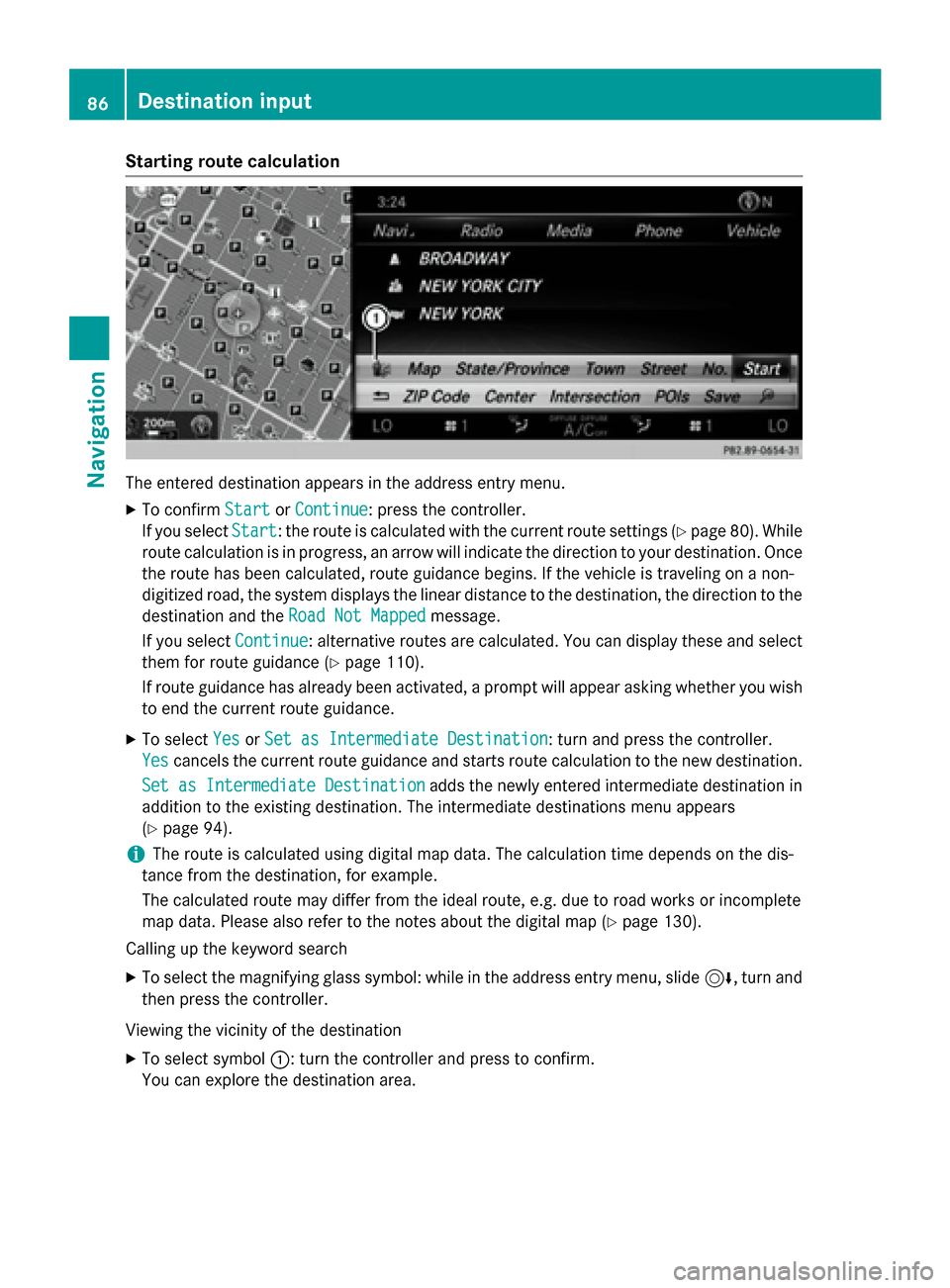
Starting route calculation
The entered destination appears in the address entry menu.
X To confirm Start StartorContinue Continue: press the controller.
If you select Start
Start: the route is calculated with the current route settings (Y page 80). While
route calculation is in progress, an arrow will indicate the direction to your destination. Once the route has been calculated, route guidance begins. If the vehicle is traveling on a non-
digitized road, the system displays the linear distance to the destination, the direction to the
destination and the Road Not Mapped
Road Not Mapped message.
If you select Continue
Continue: alternative routes are calculated. You can display these and select
them for route guidance (Y page 110).
If route guidance has already been activated, a prompt will appear asking whether you wish to end the current route guidance.
X To select Yes
YesorSet as Intermediate Destination
Set as Intermediate Destination: turn and press the controller.
Yes
Yes cancels the current route guidance and starts route calculation to the new destination.
Set as Intermediate Destination
Set as Intermediate Destination adds the newly entered intermediate destination in
addition to the existing destination. The intermediate destinations menu appears
(Y page 94).
i The route is calculated using digital map data. The calculation time depends on the dis-
tance from the destination, for example.
The calculated route may differ from the ideal route, e.g. due to road works or incomplete
map data. Please also refer to the notes about the digital map (Y page 130).
Calling up the keyword search
X To select the magnifying glass symbol: while in the address entry menu, slide 6, turn and
then press the controller.
Viewing the vicinity of the destination
X To select symbol 0043: turn the controller and press to confirm.
You can explore the destination area. 86
Destination inputNavigation
Page 96 of 298
X
To select a destination from the selection list: turn and press the controller.
If the digital map provides navigable address data, you will see the destination address in the address entry menu.
X To start route calculation: selectStart
Start (Ypage 86). Entering intermediate destinations
Introduction You can also map the route to the destination
yourself by entering up to four intermediate
destinations. The sequence of the intermedi-ate destinations can be changed at any time.
COMAND provides a selection of predefined
destinations in eight categories for this pur-
pose, e.g. GAS STATION
GAS STATION orRESTAURANT RESTAURANT . You
can also use the destination entry options to
enter intermediate destinations.
Creating intermediate destinations X
To switch to navigation mode: press the
00BE button.
X To show the menu: slide6the control-
ler.
X To select Destination
Destination: turn and press the
controller.
X Select Intermediate Destinations
Intermediate Destinations.
The destination is entered in the intermedi-
ate destinations menu.
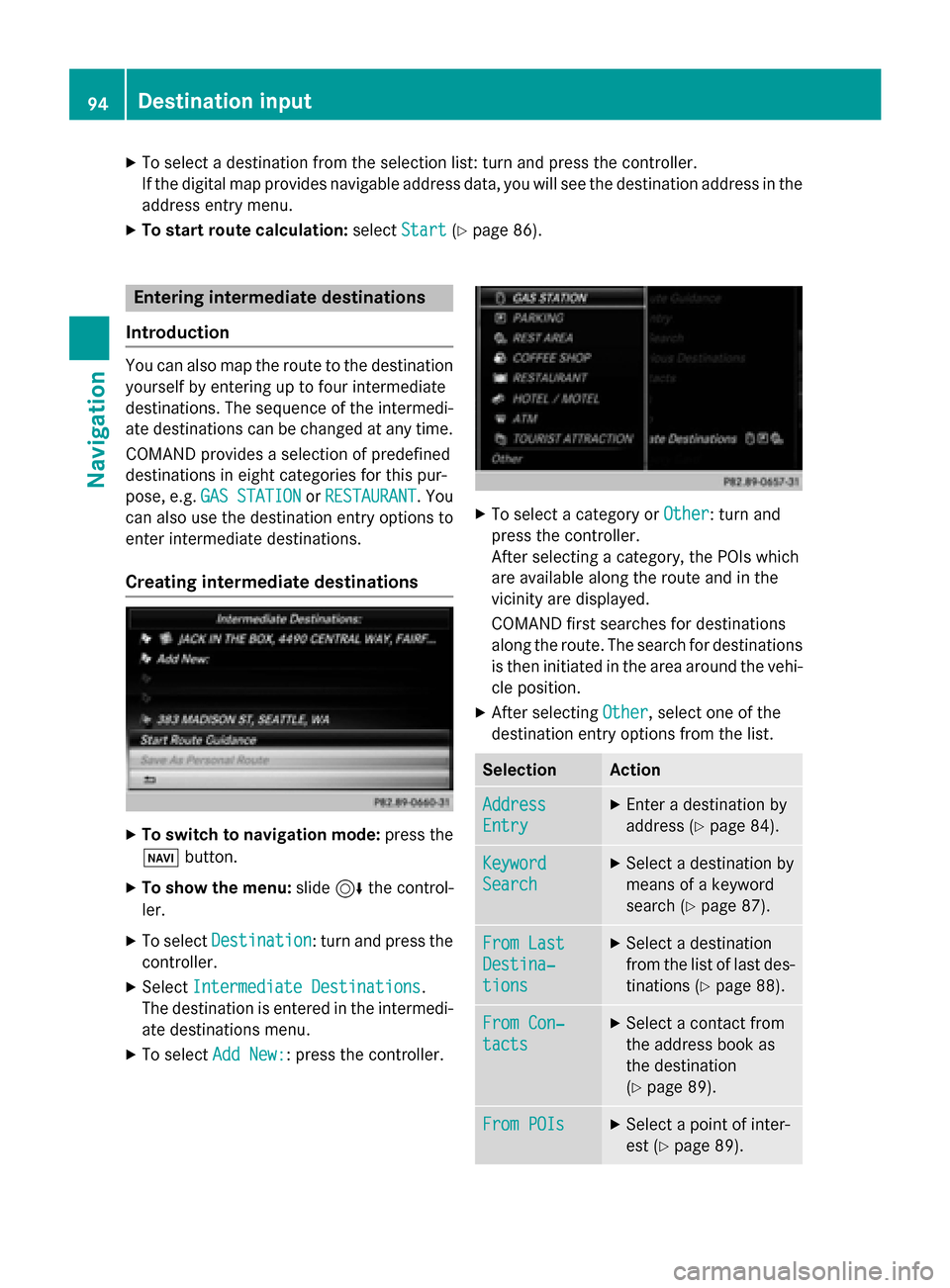
X To select Add New:
Add New:: press the controller. X
To select a category or Other
Other: turn and
press the controller.
After selecting a category, the POIs which
are available along the route and in the
vicinity are displayed.
COMAND first searches for destinations
along the route. The search for destinations
is then initiated in the area around the vehi- cle position.
X After selecting Other Other, select one of the
destination entry options from the list. Selection Action
Address
Address
Entry Entry X
Enter a destination by
address (Y page 84). Keyword Keyword
Search Search X
Select a destination by
means of a keyword
search (Y page 87). From Last From Last
Destina‐ Destina‐
tions tions X
Select a destination
from the list of last des-
tinations (Y page 88). From Con‐ From Con‐
tacts tacts X
Select a contact from
the address book as
the destination
(Y page 89). From POIs From POIs X
Select a point of inter-
est (Y page 89). 94
Destination inputNavigation
Page 97 of 298
Selection Action
Using Map
Using Map X
Enter a destination
using the map
(Y page 93). From Memory From Memory
Card Card X
Select a personal POI
(Y page 99). From From
Mercedes- Mercedes-
Benz Apps Benz Apps X
Enter a destination
from Mercedes-Benz
Apps (Y page 96). Using Geo- Using Geo-
Coordinates Coordinates X
Enter a destination
using the geo-coordi-
nates (Y page 97). X
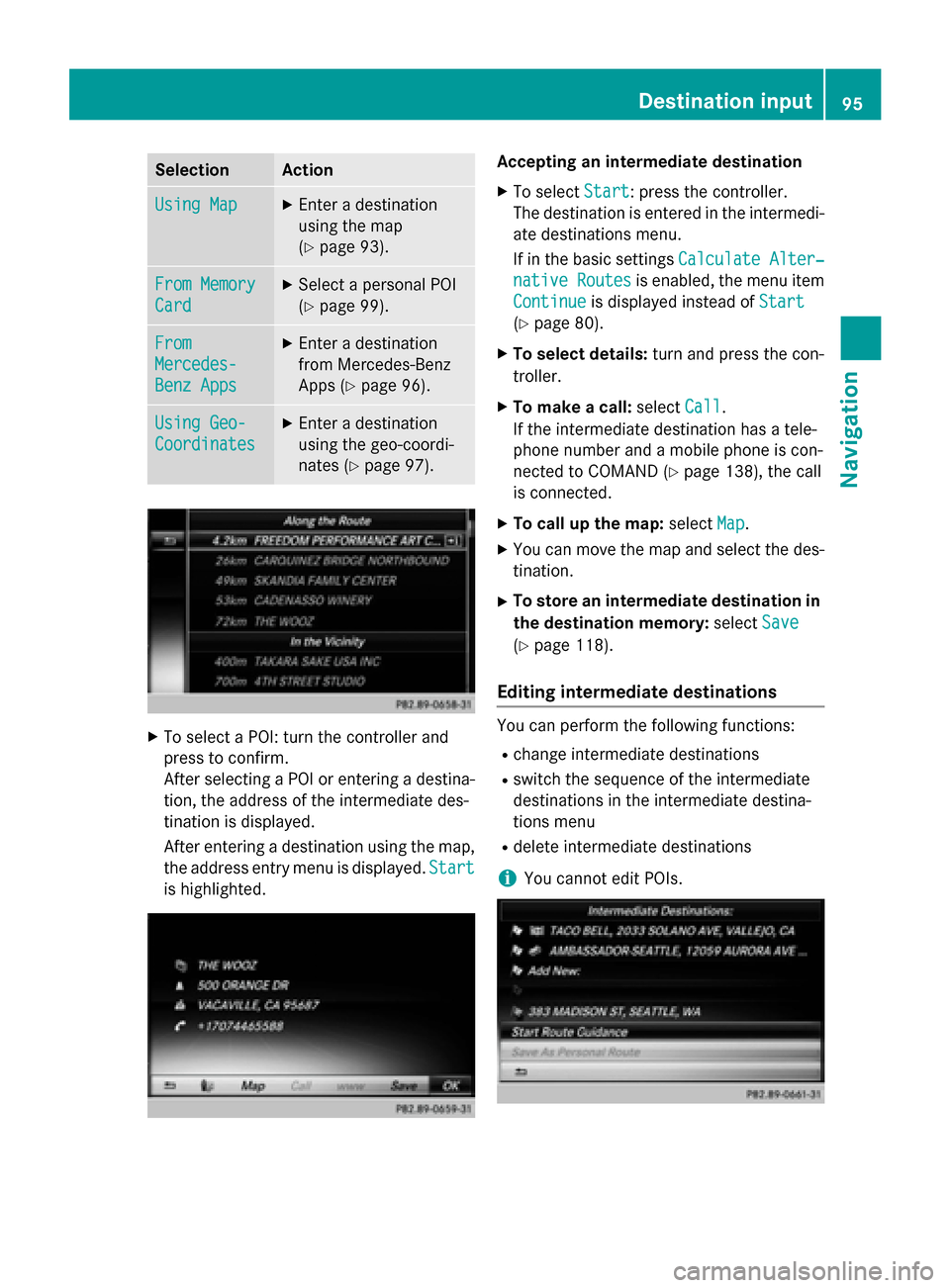
To select a POI: turn the controller and
press to confirm.
After selecting a POI or entering a destina- tion, the address of the intermediate des-
tination is displayed.
After entering a destination using the map,
the address entry menu is displayed. Start
Start
is highlighted. Accepting an intermediate destination
X To select Start
Start: press the controller.
The destination is entered in the intermedi-
ate destinations menu.
If in the basic settings Calculate Alter‐ Calculate Alter‐
native Routes
native Routes is enabled, the menu item
Continue Continue is displayed instead of Start Start
(Y page 80).
X To select details: turn and press the con-
troller.
X To make a call: selectCall
Call.
If the intermediate destination has a tele-
phone number and a mobile phone is con-
nected to COMAND (Y page 138), the call
is connected.
X To call up the map: selectMap
Map.
X You can move the map and select the des-
tination.
X To store an intermediate destination in
the destination memory: selectSave Save
(Y page 118).
Editing intermediate destinations You can perform the following functions:
R
change intermediate destinations
R switch the sequence of the intermediate
destinations in the intermediate destina-
tions menu
R delete intermediate destinations
i You cannot edit POIs. Destination input
95Navigation Z
Page 98 of 298
X
To select an intermediate destination in the
intermediate destinations menu: turn and
press the controller.
A menu appears.
X To change an intermediate destination:
select Edit
Edit in the menu.
X Change the address, e.g. the city and
street.
X To select OK OK: turn and press the controller.
The intermediate destinations menu
appears and displays the changed inter-
mediate destination.
You can change the sequence of the inter-
mediate destinations entered and the desti-
nation. To change the sequence, at least one
intermediate destination and the destination
must have been entered.
X To change the order: in the menu, select
Move
Move.
X Turn the controller and move the intermedi-
ate destination or destination to the
desired position.
X Press the controller.
X To delete an intermediate destination:
select Delete
Delete in the menu.
Accepting intermediate destinations
for the route X
To select Start Route Guidance Start Route Guidance in the
intermediate destinations menu: press the
controller.
The route is calculated with the entered
intermediate destinations.
If an intermediate destination was passed
during route guidance, the intermediate
destination will be displayed in the inter-
mediate destinations menu with a green
tick mark. Once the route has been recal-
culated, the intermediate destination is
deleted from the intermediate destinations
menu. Searching for a gas station when the
fuel level is low Requirement: the setting
Gas on Reserve Gas on Reserve
must be enabled (Y page 81).
If the fuel tank reserve level is displayed, you
will see the Gas
Gason
onReserve
Reserve Do
Doyou
you want
want
to start a search for surrounding
to start a search for surrounding
gas stations? gas stations? message.
X To select Yes YesorNo
No: turn and press the con-
troller.
If you select Yes Yes, the gas station search
starts. When the search is complete, a list
of the gas stations available along the route or in the vicinity is displayed.
If you select No No, the search is canceled.
X Select the gas station.
The address of the gas station is displayed.
X To select Start
Start: press the controller.
The selected gas station is entered into
position 1 of the intermediate destinations menu. Route guidance begins.
If the intermediate destinations menu
already contains four intermediate desti-
nations, a prompt will be displayed, asking
you whether you wish to enter the gas sta-
tion into position 1. If you select Yes
Yes, the
gas station is transferred into the list and
intermediate destination 4 is deleted. Entering a destination from
Mercedes-Benz Apps
Requirement: mbrace must be activated for
the Mercedes-Benz Apps (Y page 173).
X To switch to navigation mode: press the
00BE button.
X To show the menu: slide6the control-
ler.
X To select Destination Destination: turn and press the
controller.
X Select From Mercedes-Benz Apps
From Mercedes-Benz Apps.
A list shows the available destinations that have been transmitted to the vehicle up to
this point (Y page 181).96
Destination inputNavigation
Page 101 of 298
R
From Last Destinations
From Last Destinations
(Y page 88)
R From Contacts From Contacts (Ypage 89)
Personal route from a tour including
intermediate destinations X
Insert the SD memory card (Y page 215).
X To switch to navigation mode: press the
00CB button.
X Enter a destination, e.g. by address
(Y page 83).
X Start route calculation (Y page 86).
X Create intermediate destinations
(Y page 94).
X To select Save SaveAs
AsPersonal
Personal Route
Routein the
intermediate destinations menu: turn and
press the controller.
The route is saved in the "Personal routes" file on the SD memory card. Importing personal destinations and
routes via Mercedes-Benz Apps
You can use Mercedes-Benz Apps (e. g. Down-
load POI, Local Search) to import destinations
to navigation (Y page 181). These have their
own symbol and are filed in the Mercedes-
Mercedes-
Benz Apps Benz Apps category.
You can save the imported destinations and
routes as personal POIs and routes
(Y page 98).
When importing routes, please note:
R The Mercedes-Benz Apps may generate a
route based on a different map from the
one used by COMAND. Points on the route
may therefore be situated off the digital
roads. For this reason an imported route
commenced in COMAND may deviate from the original route from the Mercedes-Benz
Apps.
R The Mercedes-Benz Apps minimize the
number of route points offered. For this
reason an imported route commenced in COMAND may deviate from the original
route from the Mercedes-Benz Apps. Selecting and editing personal POIs
and routes
Selecting Personal POI
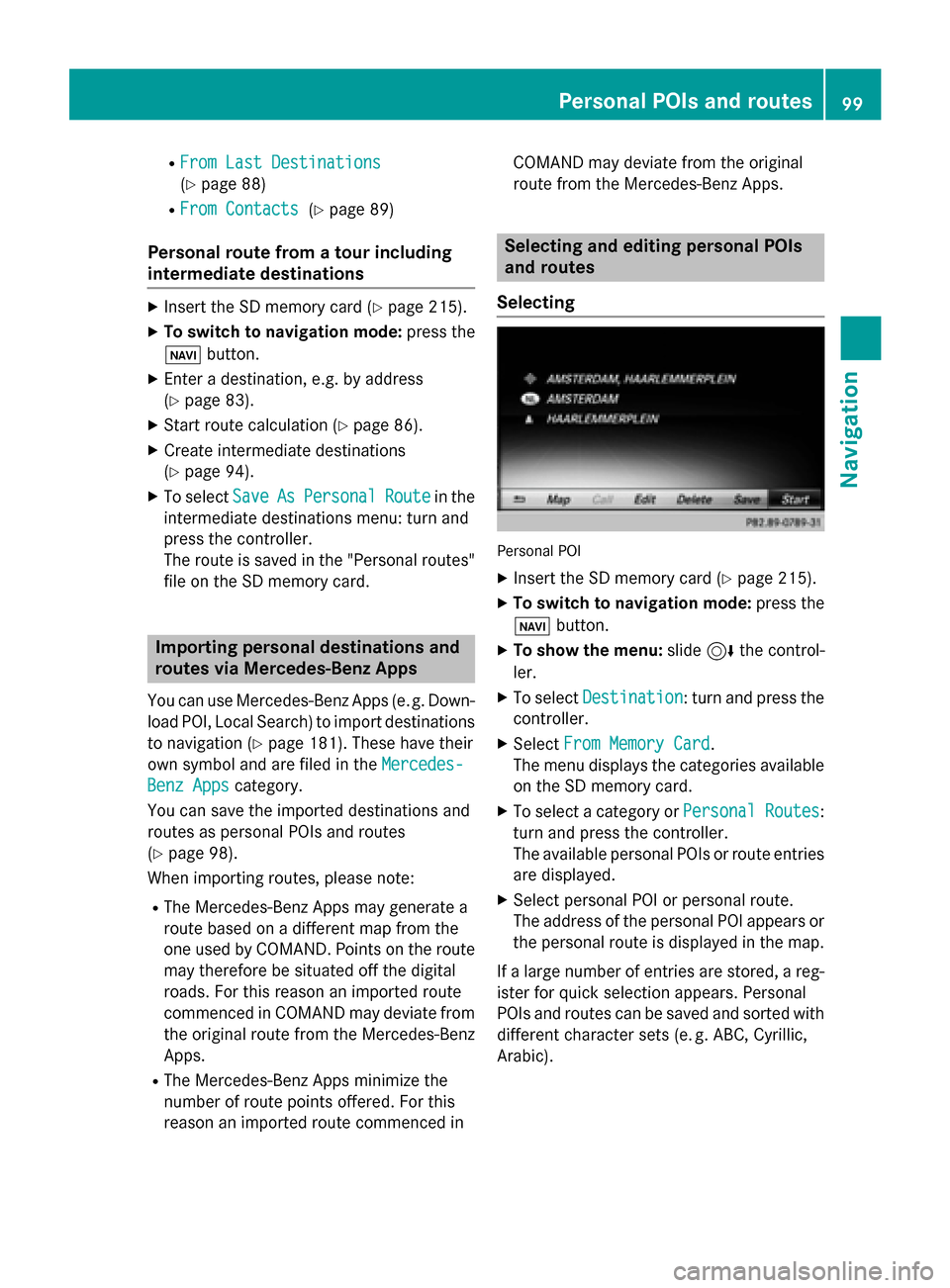
X Insert the SD memory card (Y page 215).
X To switch to navigation mode: press the
00CB button.
X To show the menu: slide6the control-
ler.
X To select Destination Destination: turn and press the
controller.
X Select From Memory Card
From Memory Card.
The menu displays the categories available on the SD memory card.
X To select a category or Personal Routes
Personal Routes:
turn and press the controller.
The available personal POIs or route entries
are displayed.
X Select personal POI or personal route.
The address of the personal POI appears or
the personal route is displayed in the map.
If a large number of entries are stored, a reg-
ister for quick selection appears. Personal
POIs and routes can be saved and sorted with different character sets (e. g. ABC, Cyrillic, Arabic). Personal POIs and routes
99Navigation Z
Page 105 of 298
Displays during route guidance
Change of direction Changes of direction have three phases:
R preparation phase
R announcement phase
R change-of-direction phase
Changes in direction are also shown in the multifunction display (see the vehicle Operator's
Manual).
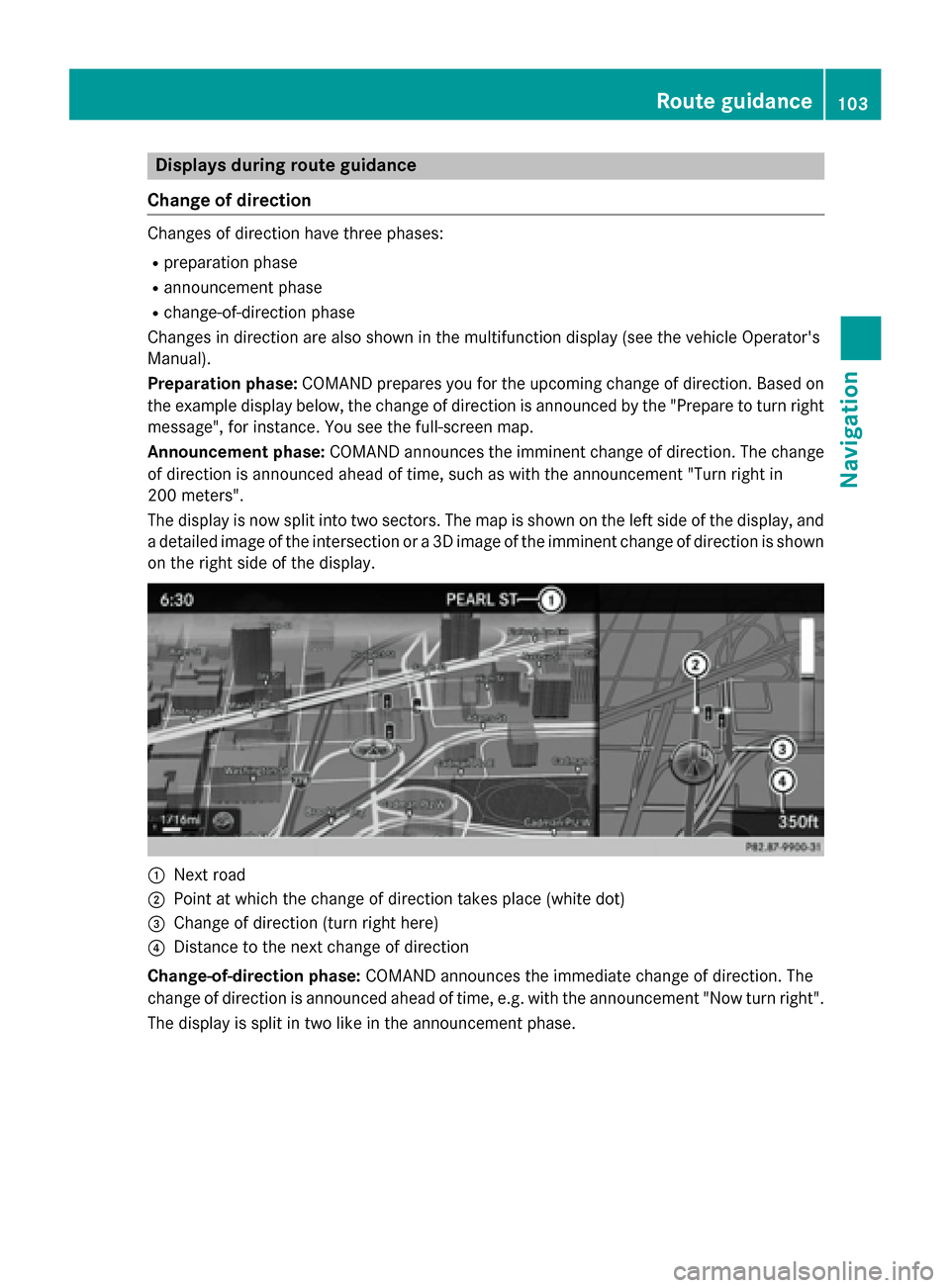
Preparation phase: COMAND prepares you for the upcoming change of direction. Based on
the example display below, the change of direction is announced by the "Prepare to turn right message", for instance. You see the full-screen map.
Announcement phase: COMAND announces the imminent change of direction. The change
of direction is announced ahead of time, such as with the announcement "Turn right in
200 meters".
The display is now split into two sectors. The map is shown on the left side of the display, and
a detailed image of the intersection or a 3D image of the imminent change of direction is shown on the right side of the display. 0043
Next road
0044 Point at which the change of direction takes place (white dot)
0087 Change of direction (turn right here)
0085 Distance to the next change of direction
Change-of-direction phase: COMAND announces the immediate change of direction. The
change of direction is announced ahead of time, e.g. with the announcement "Now turn right".
The display is split in two like in the announcement phase. Route guidance
103Navigation Z
Page 108 of 298
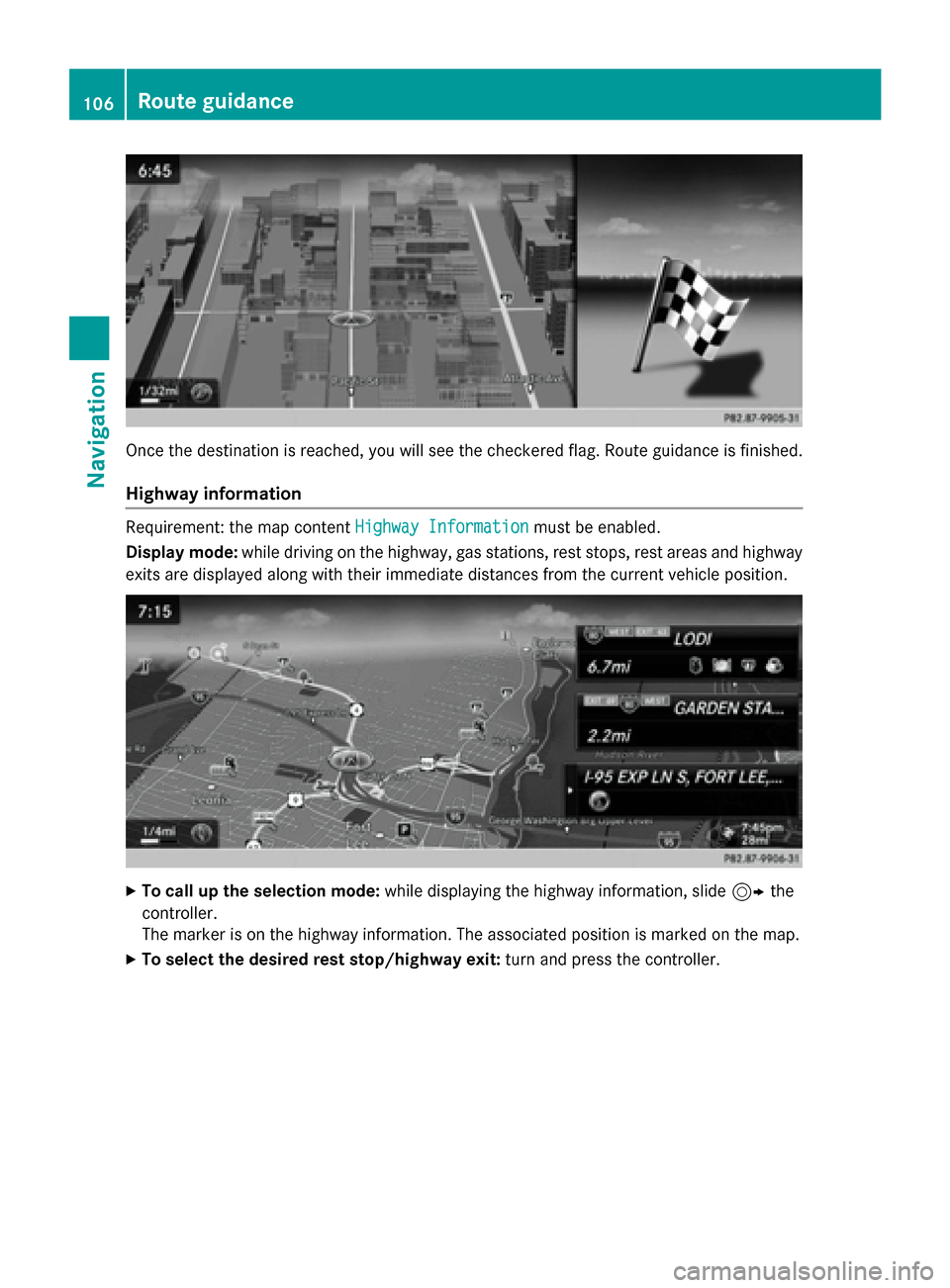
Once the destination is reached, you will see the checkered flag. Route guidance is finished.
Highway information Requirement: the map content
Highway Information
Highway Informationmust be enabled.
Display mode: while driving on the highway, gas stations, rest stops, rest areas and highway
exits are displayed along with their immediate distances from the current vehicle position. X
To call up the selection mode: while displaying the highway information, slide 9the
controller.
The marker is on the highway information. The associated position is marked on the map.
X To select the desired rest stop/highway exit: turn and press the controller.106
Route guidanceNavigation
Page 112 of 298
X
To switch to navigation mode: press the00BEbutton.
X To show the menu: slide6the controller.
X To select Route
Route: turn and press the controller.
X Select Destination Information
Destination Information.
The destination and existing intermediate destinations are displayed with distances, travel
time and arrival time.
X To select destination or intermediate destination: turn and press the controller.
The address appears.
X Select Save
Save.
The destination or intermediate destination can be saved as:
R a navigable contact in the address book
R My Address
X To call up a map: select Map
Map.
X Move the map, change the map scale and select the destination or the intermediate desti-
nation (Y page 93).
X To call the destination or intermediate destination: select Call
Call.
If a phone is connected and a phone number is available, COMAND switches to the tele-
phone function.
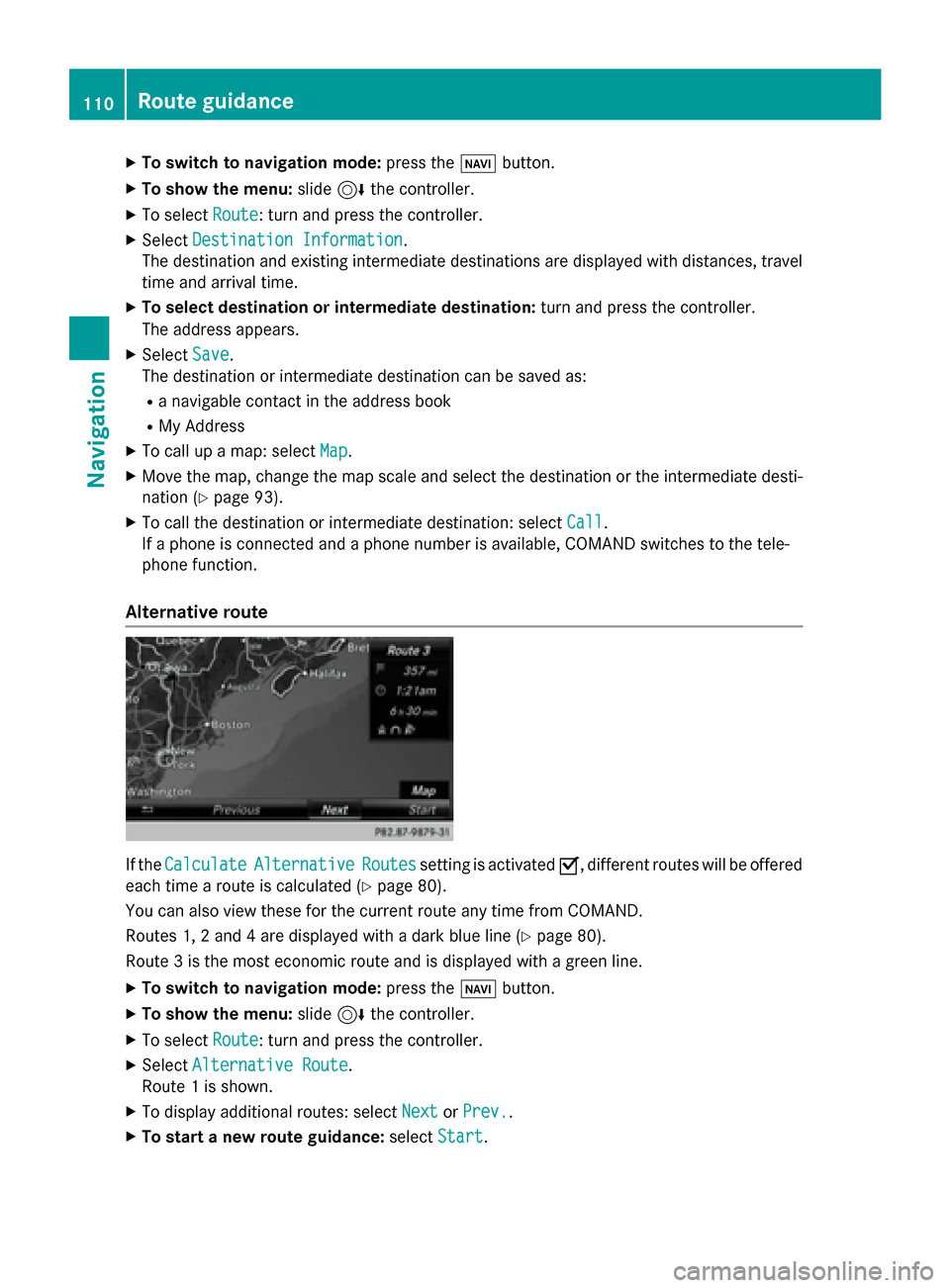
Alternative route If the
Calculate
Calculate Alternative
Alternative Routes
Routessetting is activated 0073, different routes will be offered
each time a route is calculated (Y page 80).
You can also view these for the current route any time from COMAND.
Routes 1, 2 and 4 are displayed with a dark blue line (Y page 80).
Route 3 is the most economic route and is displayed with a green line.
X To switch to navigation mode: press the00BEbutton.
X To show the menu: slide6the controller.
X To select Route
Route: turn and press the controller.
X Select Alternative Route
Alternative Route.
Route 1 is shown.
X To display additional routes: select Next
Next orPrev.
Prev..
X To start a new route guidance: selectStart
Start. 110
Route guidanceNavigation
Page 113 of 298
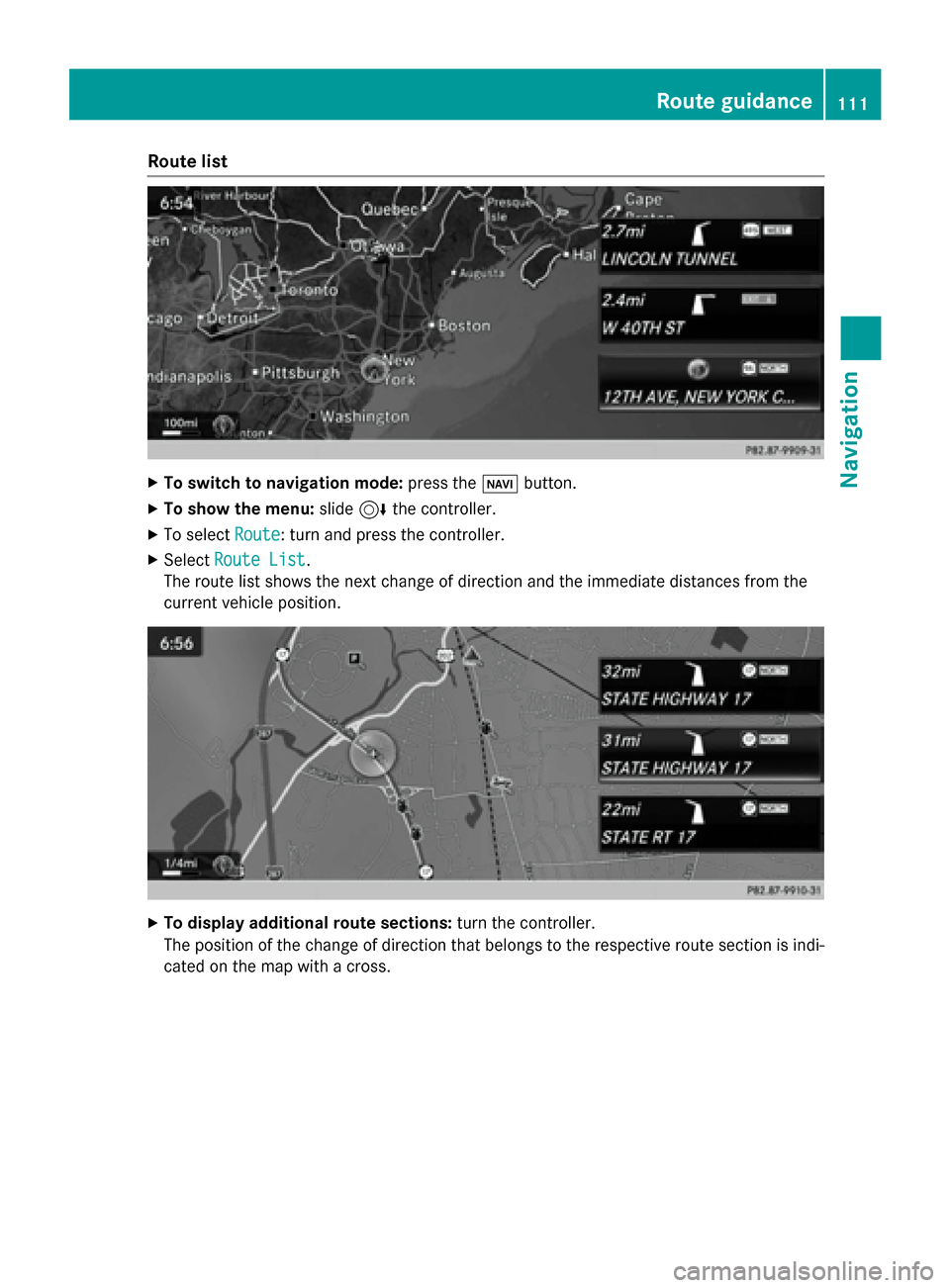
Route list
X
To switch to navigation mode: press the00BEbutton.
X To show the menu: slide6the controller.
X To select Route
Route: turn and press the controller.
X Select Route List
Route List .
The route list shows the next change of direction and the immediate distances from the
current vehicle position. X
To display additional route sections: turn the controller.
The position of the change of direction that belongs to the respective route section is indi- cated on the map with a cross. Route guidance
111Navigation Z