media MERCEDES-BENZ S-Class 2015 W222 Comand Manual
[x] Cancel search | Manufacturer: MERCEDES-BENZ, Model Year: 2015, Model line: S-Class, Model: MERCEDES-BENZ S-Class 2015 W222Pages: 298, PDF Size: 6.39 MB
Page 236 of 298
Information on audio AUX mode
(Y
page 237). Operation with the Media Interface
Prerequisite
Media Interface is a universal interface for the connection of mobile audio and video devi-
ces. Media Interface in COMAND has two
USB connections.
The USB connection sockets are located in
the stowage compartment under the armrest. 234
Operation with the Media InterfaceMedia
Page 237 of 298
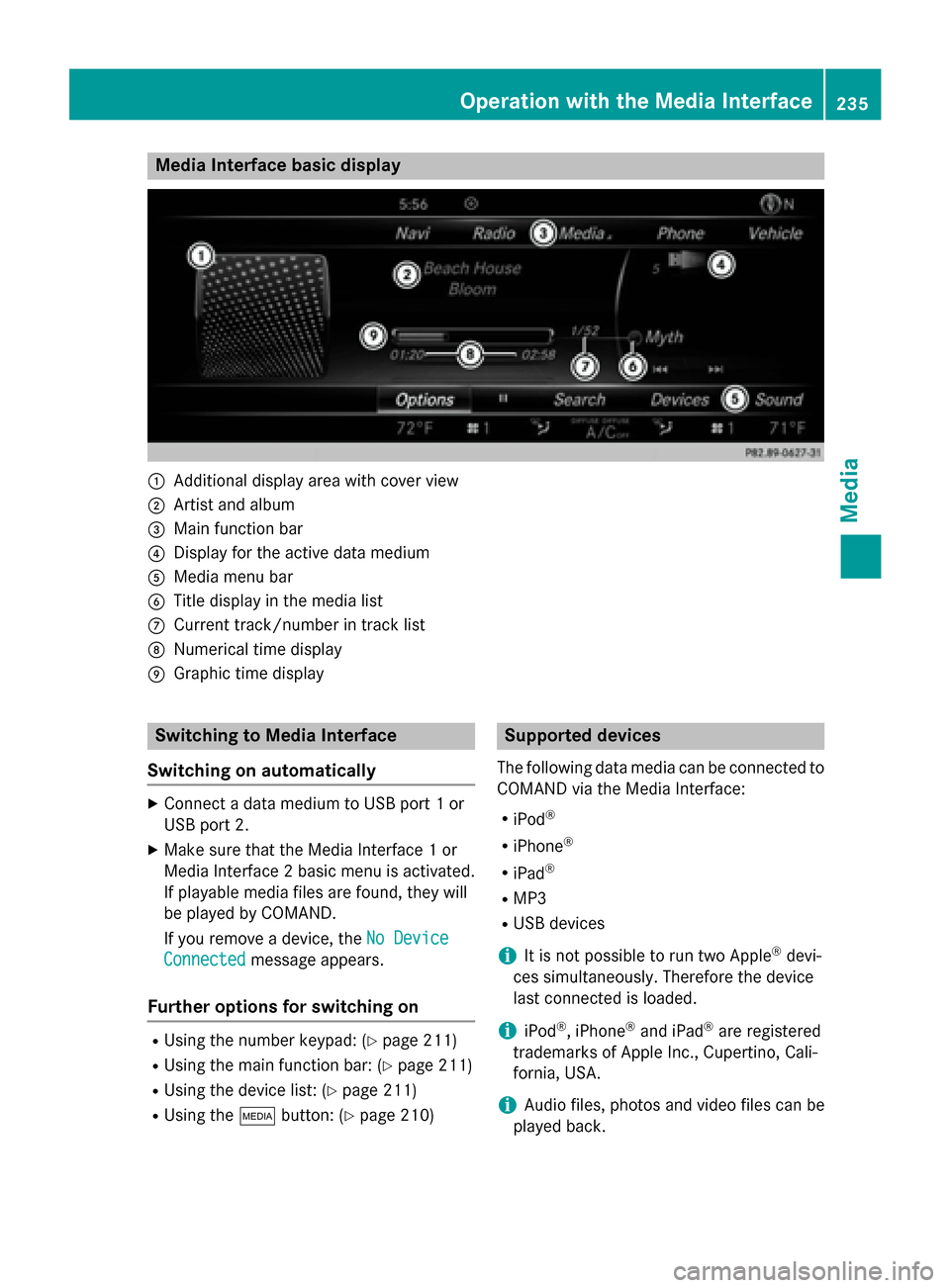
Media Interface basic display
0043
Additional display area with cover view
0044 Artist and album
0087 Main function bar
0085 Display for the active data medium
0083 Media menu bar
0084 Title display in the media list
006B Current track/number in track list
006C Numerical time display
006D Graphic time display Switching to Media Interface
Switching on automatically X
Connect a data medium to USB port 1 or
USB port 2.
X Make sure that the Media Interface 1 or
Media Interface 2 basic menu is activated.
If playable media files are found, they will
be played by COMAND.
If you remove a device, the No Device No Device
Connected
Connected message appears.
Further options for switching on R
Using the number keypad: (Y page 211)
R Using the main function bar: (Y page 211)
R Using the device list: (Y page 211)
R Using the 00FDbutton: (Y page 210) Supported devices
The following data media can be connected to
COMAND via the Media Interface:
R iPod ®
R iPhone ®
R iPad ®
R MP3
R USB devices
i It is not possible to run two Apple ®
devi-
ces simultaneously. Therefore the device
last connected is loaded.
i iPod ®
, iPhone ®
and iPad ®
are registered
trademarks of Apple Inc., Cupertino, Cali-
fornia, USA.
i Audio files, photos and video files can be
played back. Operation with the Media Interface
235Media Z
Page 238 of 298
For details and a list of supported devices,
visit http://www.mbusa-mobile.com. Or
call the Mercedes-Benz Customer Assistance
Center at 1-800-FOR-MERCedes
(1-800-367-6372) (for the USA) or Customer
Relations at 1-800-387-0100 (for Canada). Supported data formats
Music mp3, wma, aac
Video mpeg, wmv, mov,
avi, mp4
Images jpg, jpeg, bmp, png
Selecting a music file
Selecting with the controller X
To display the current track list: press
the controller in the basic display.
The track list for the active data medium
appears.
X To select a track: turn the controller and
press to confirm.
X To skip forwards or backwards to a
track: turn the controller in the basic dis-
play.
The selected track is played.
Fast forward/rewind X
With the media source active in the basic
display, slide 009500520096the controller and hold it
until the desired position has been
reached. Search function
Selecting Search using media menu bar X
Slide 00520064the controller. The media menu bar appears.
X To select Search Search: turn and press the con-
troller.
The category list appears.
Overview The following categories are listed:
R Current Tracklist Current Tracklist
R Folder
Folder
R Select By Cover
Select By Cover
R Keyword Search
Keyword Search
R Playlists
Playlists
R Artists
Artists
R Albums
Albums
R Tracks
Tracks
R Genres
Genres
R Year
Year
R Composers
Composers
R Videos
Videos
R Photos
Photos
R Podcasts
Podcasts
R Audiobooks
Audiobooks
i The functions are available as soon as the
entire media content has been read and
analyzed.
If the same device is reconnected with
unchanged media content, these functions
are available more quickly.
The audio books and podcasts categories
are only available for Apple ®
devices.
When connecting Apple ®
devices, the cat-
egories “Folder”, “Year” and “Photos” are
not available. 236
Operation with the Media InterfaceMedia
Page 239 of 298
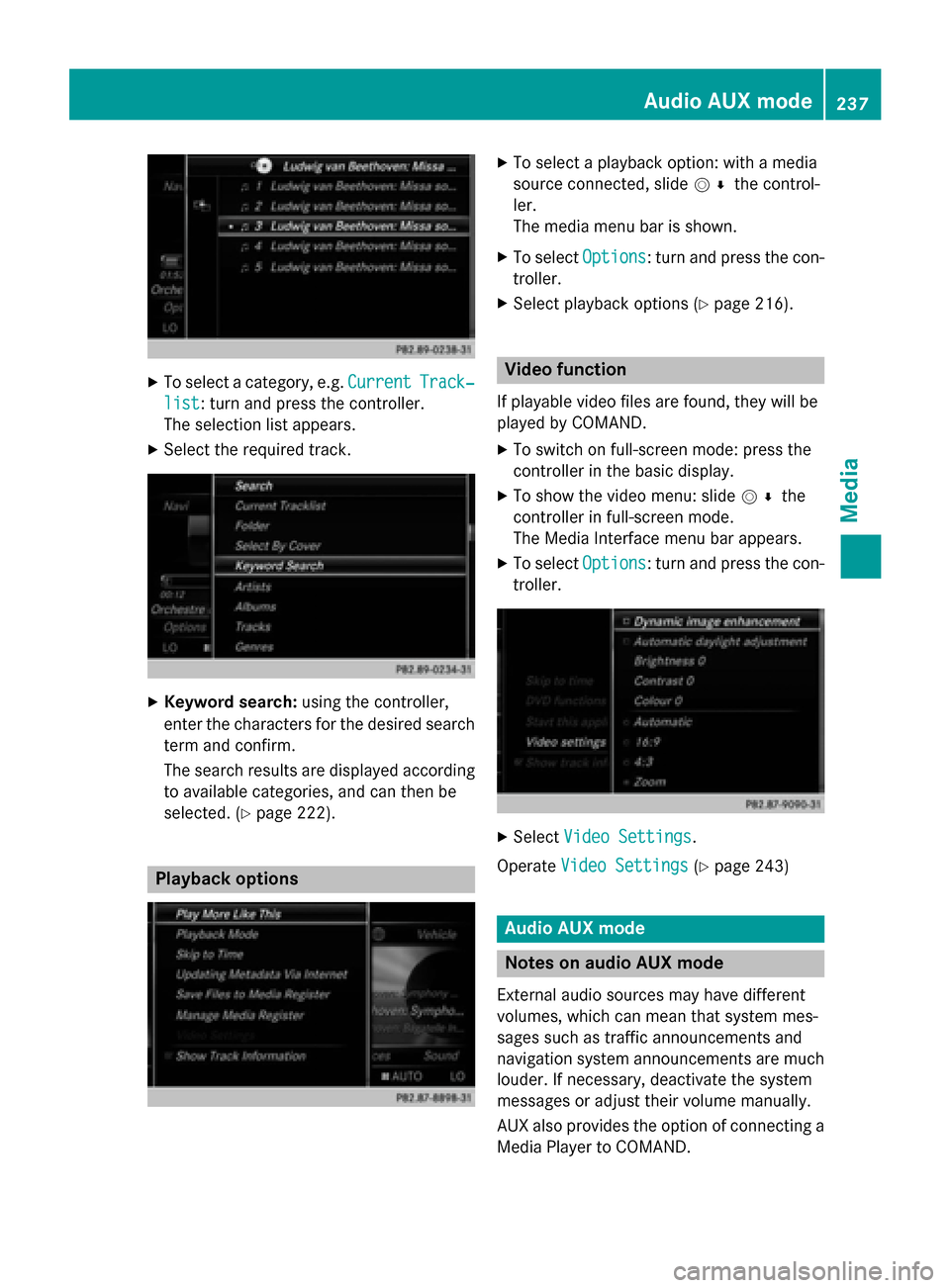
X
To select a category, e.g. Current
CurrentTrack‐
Track‐
list
list: turn and press the controller.
The selection list appears.
X Select the required track. X
Keyword search: using the controller,
enter the characters for the desired search
term and confirm.
The search results are displayed according to available categories, and can then be
selected. (Y page 222). Playback options X
To select a playback option: with a media
source connected, slide 005200C5the control-
ler.
The media menu bar is shown.
X To select Options Options: turn and press the con-
troller.
X Select playback options (Y page 216). Video function
If playable video files are found, they will be
played by COMAND. X To switch on full-screen mode: press the
controller in the basic display.
X To show the video menu: slide 005200C5the
controller in full-screen mode.
The Media Interface menu bar appears.
X To select Options Options: turn and press the con-
troller. X
Select Video Settings
Video Settings.
Operate Video Settings
Video Settings (Ypage 243) Audio AUX mode
Notes on audio AUX mode
External audio sources may have different
volumes, which can mean that system mes-
sages such as traffic announcements and
navigation system announcements are much louder. If necessary, deactivate the system
messages or adjust their volume manually.
AUX also provides the option of connecting aMedia Player to COMAND. Audio AUX mode
237Media Z
Page 240 of 298
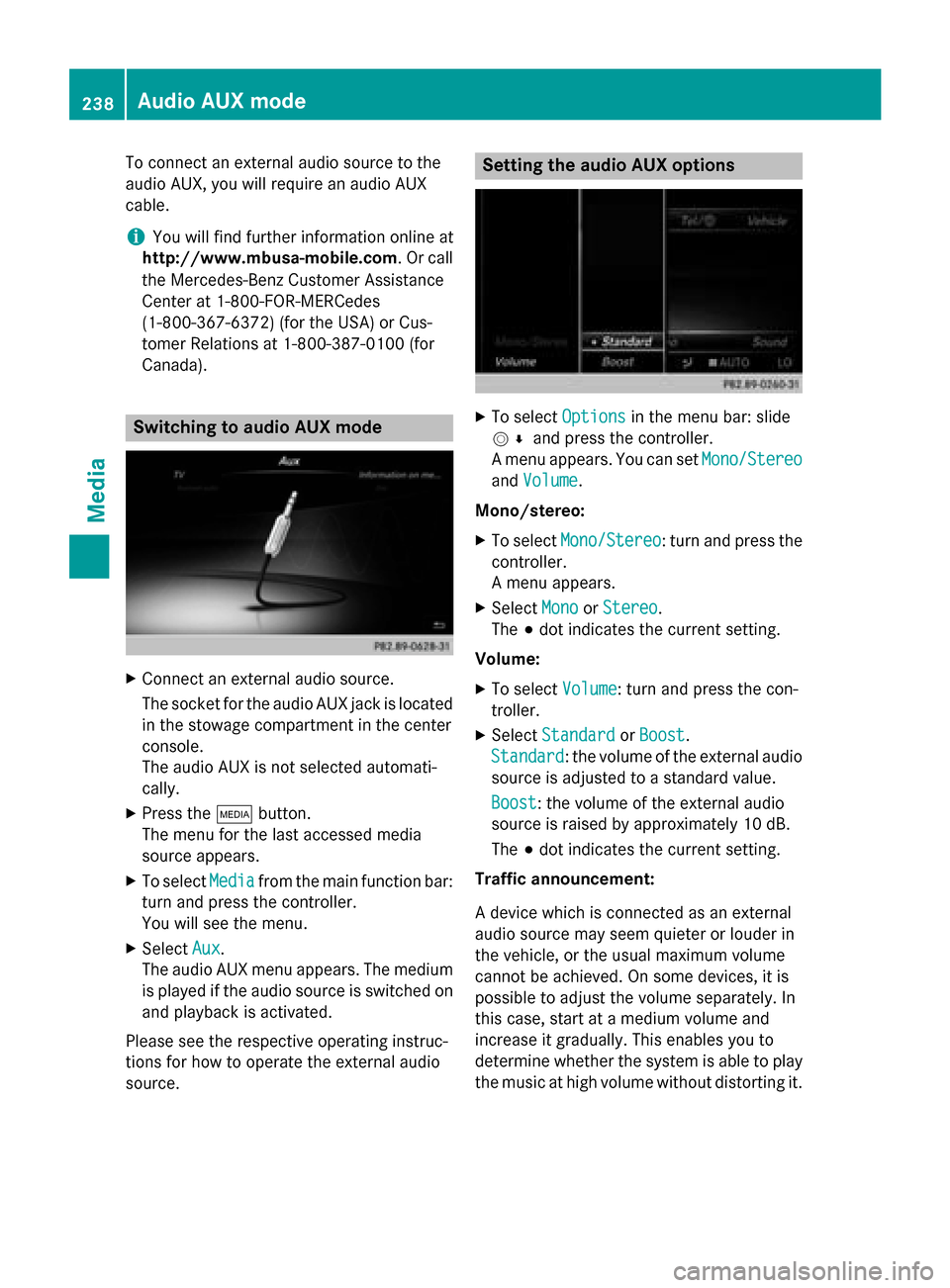
To connect an external audio source to the
audio AUX, you will require an audio AUX
cable.
i You will find further information online at
http://www.mbusa-mobile.com. Or call
the Mercedes-Benz Customer Assistance
Center at 1-800-FOR-MERCedes
(1-800-367-6372) (for the USA) or Cus-
tomer Relations at 1-800-387-010 0(for
Canada). Switching to audio AUX mode
X
Connect an external audio source.
The socket for the audio AUX jack is located
in the stowage compartment in the center
console.
The audio AUX is not selected automati-
cally.
X Press the 00FDbutton.
The menu for the last accessed media
source appears.
X To select Media
Media from the main function bar:
turn and press the controller.
You will see the menu.
X Select Aux Aux.
The audio AUX menu appears. The medium is played if the audio source is switched on
and playback is activated.
Please see the respective operating instruc-
tions for how to operate the external audio
source. Setting the audio AUX options
X
To select Options
Optionsin the menu bar: slide
005200C5 and press the controller.
A menu appears. You can set Mono/Stereo
Mono/Stereo
and Volume
Volume.
Mono/stereo: X To select Mono/Stereo
Mono/Stereo: turn and press the
controller.
A menu appears.
X Select Mono MonoorStereo
Stereo.
The 003Bdot indicates the current setting.
Volume:
X To select Volume
Volume: turn and press the con-
troller.
X Select Standard
Standard orBoost
Boost .
Standard
Standard: the volume of the external audio
source is adjusted to a standard value.
Boost Boost : the volume of the external audio
source is raised by approximately 10 dB.
The 003Bdot indicates the current setting.
Traffic announcement:
A device which is connected as an external
audio source may seem quieter or louder in
the vehicle, or the usual maximum volume
cannot be achieved. On some devices, it is
possible to adjust the volume separately. In
this case, start at a medium volume and
increase it gradually. This enables you to
determine whether the system is able to play the music at high volume without distorting it. 238
Audio AUX modeMedia
Page 241 of 298
Video AUX mode
Connecting external video sources
G
WARNING
External video sources may have different vol-
umes, which can mean that system messages such as traffic announcements and navigation
system announcements are much louder. If
necessary, please deactivate the system mes- sages or adjust their volume manually.
Video AUX is another option for showing vid- eos using COMAND.
To connect an external video source to the
video AUX, you will require a video AUX cable.
i If you only use an audio AUX cable, you
will only be able to hear the sound from the
video being played.
Videos cannot be shown on the driver's
side while the vehicle is in motion. Switching to AUX video mode
X Connect the external video source.
The socket for the video AUX jack is located
in the stowage compartment in the center
console.
The video AUX is not selected automati-
cally.
X Press the 00FDbutton.
The menu for the last accessed media
source appears.
X To select Media
Media from the main function bar:
turn and press the controller.
You will see the menu.
X Select Aux
Aux .
The AUX video menu appears.
X To select Audio/Video Audio/Video in the menu bar:
slide 005200C5 and press the controller.
A Source Type Selection
Source Type Selection menu
appears.
X Select Video
Video.
The 003Bdot indicates the current setting. If the video source is connected and play-
back selected, the image from the external
video source will appear if Video
Videois
selected.
Please see the corresponding device operat-
ing instructions for information on how to
operate the external video source.
Information about sound settings
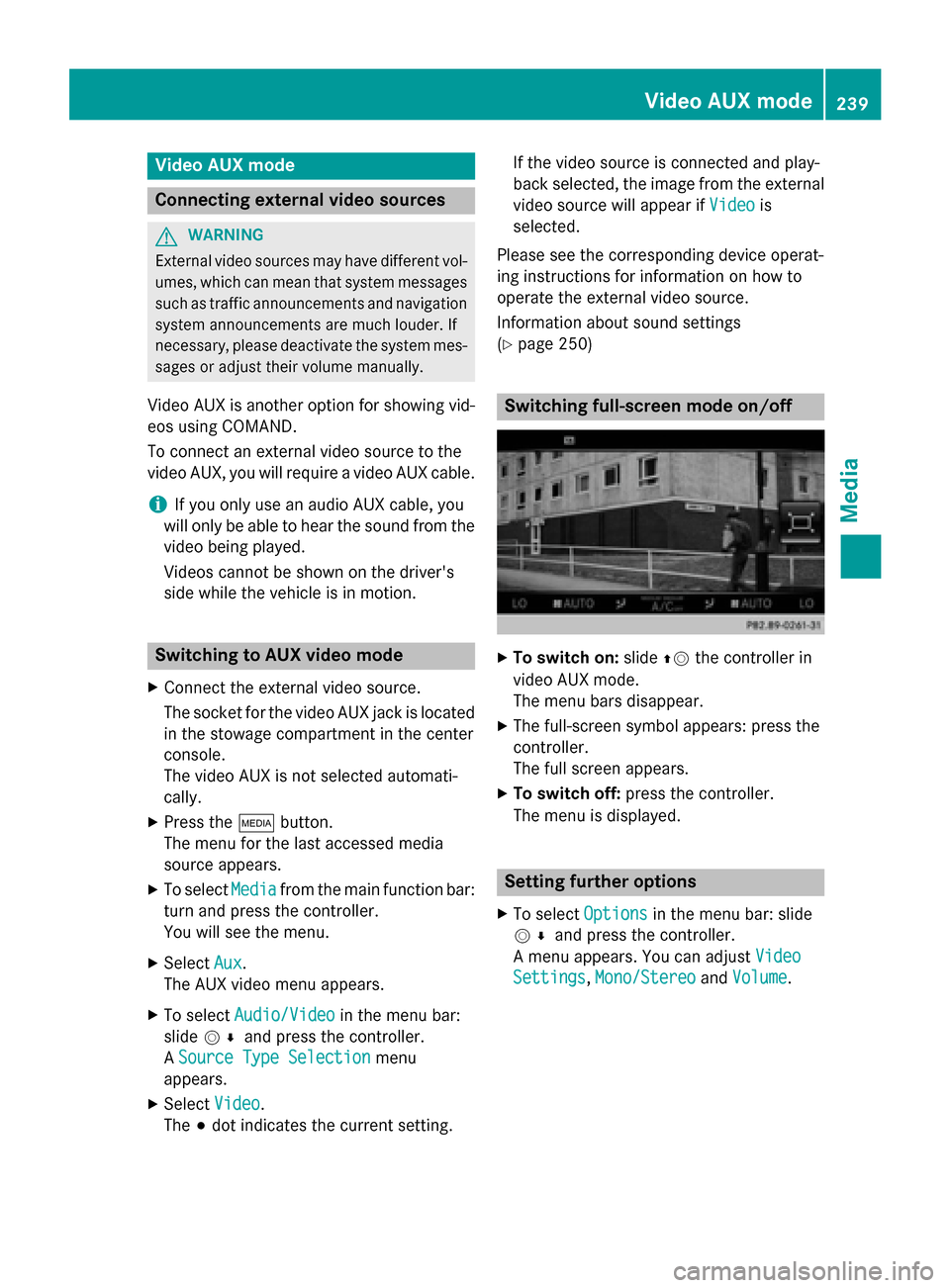
(Y page 250) Switching full-screen mode on/off
X
To switch on: slide00970052the controller in
video AUX mode.
The menu bars disappear.
X The full-screen symbol appears: press the
controller.
The full screen appears.
X To switch off: press the controller.
The menu is displayed. Setting further options
X To select Options Optionsin the menu bar: slide
005200C5 and press the controller.
A menu appears. You can adjust Video
Video
Settings
Settings, Mono/Stereo
Mono/Stereo andVolume
Volume . Video AUX mode
239Media Z
Page 242 of 298
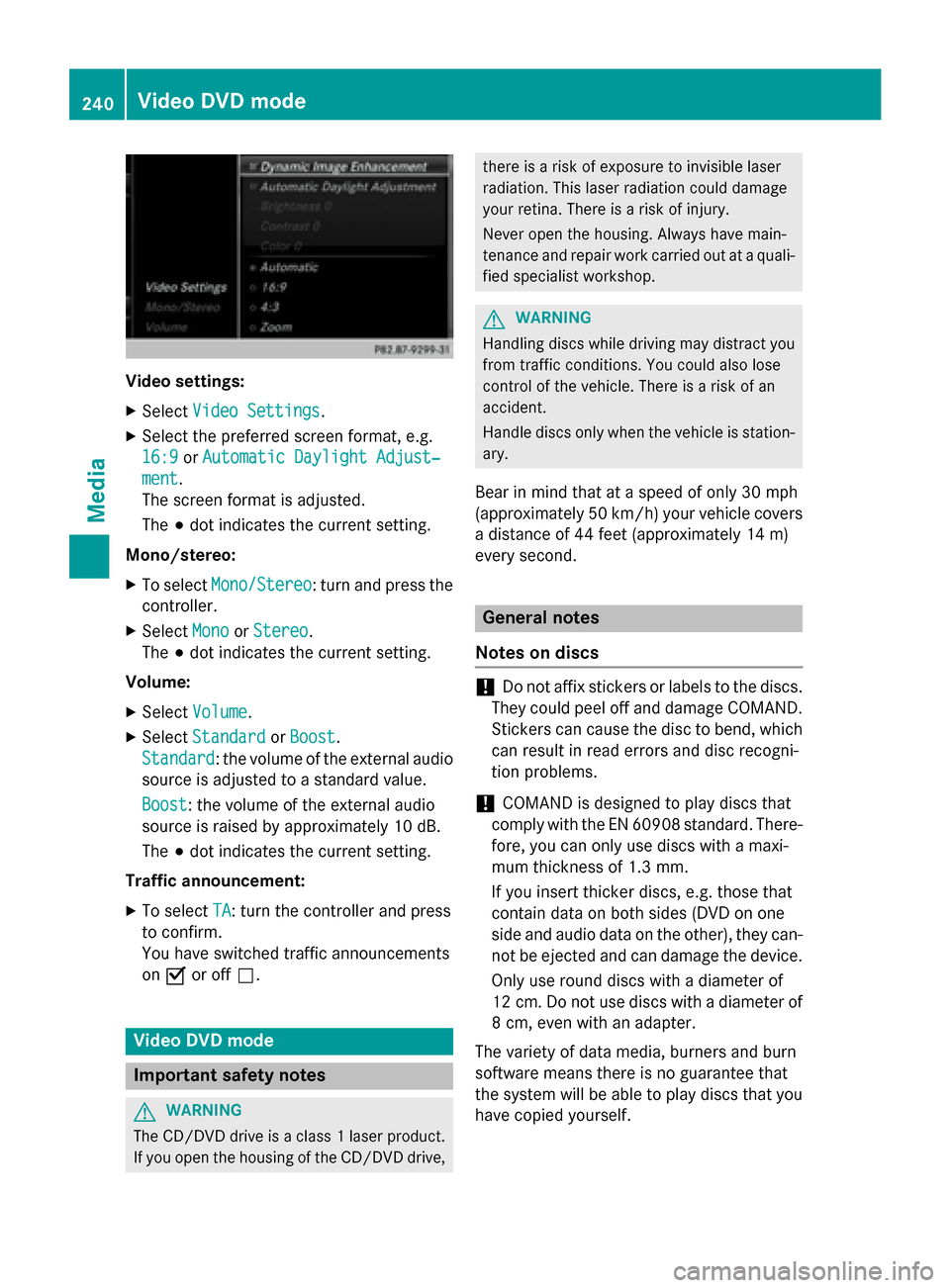
Video settings:
X Select Video Settings
Video Settings.
X Select the preferred screen format, e.g.
16:9
16:9 orAutomatic Daylight Adjust‐
Automatic Daylight Adjust‐
ment
ment.
The screen format is adjusted.
The 003Bdot indicates the current setting.
Mono/stereo: X To select Mono/Stereo
Mono/Stereo: turn and press the
controller.
X Select Mono MonoorStereo
Stereo .
The 003Bdot indicates the current setting.
Volume:
X Select Volume
Volume .
X Select Standard
Standard orBoost
Boost.
Standard
Standard: the volume of the external audio
source is adjusted to a standard value.
Boost Boost: the volume of the external audio
source is raised by approximately 10 dB.
The 003Bdot indicates the current setting.
Traffic announcement: X To select TA TA: turn the controller and press
to confirm.
You have switched traffic announcements
on 0073 or off 0053. Video DVD mode
Important safety notes
G
WARNING
The CD/DVD drive is a class 1 laser product. If you open the housing of the CD/DVD drive, there is a risk of exposure to invisible laser
radiation. This laser radiation could damage
your retina. There is a risk of injury.
Never open the housing. Always have main-
tenance and repair work carried out at a quali- fied specialist workshop. G
WARNING
Handling discs while driving may distract you from traffic conditions. You could also lose
control of the vehicle. There is a risk of an
accident.
Handle discs only when the vehicle is station-
ary.
Bear in mind that at a speed of only 30 mph
(approximately 50 km/h) your vehicle covers
a distance of 44 feet (approximately 14 m)
every se cond. General notes
Notes on discs !
Do not affix stickers or labels to the discs.
They could peel off and damage COMAND.
Stickers can cause the disc to bend, which can result in read errors and disc recogni-
tion problems.
! COMAND is designed to play discs that
comply with the EN 60908 standard. There-
fore, you can only use discs with a maxi-
mum thickness of 1.3 mm.
If you insert thicker discs, e.g. those that
contain data on both sides (DVD on one
side and audio data on the other), they can- not be ejected and can damage the device.
Only use round discs with a diameter of
12 cm. Do not use discs with a diameter of 8 cm, even with an adapter.
The variety of data media, burners and burn
software means there is no guarantee that
the system will be able to play discs that you have copied yourself. 240
Video DVD modeMedia
Page 243 of 298
DVD playback conditions
If video DVDs do not conform to the NTSC or
PAL TV standards, they may create picture,
sound or other problems during playback.
COMAND is capable of playing back video
DVDs produced according to the following
standards:
R Region code 1 or region code 0 (no region
code)
R PAL or NTSC standard
You will generally find the relevant details
either on the DVD itself or on the DVD case.
i If you insert a video DVD with a different
region code, a message to this effect
appears.
i COMAND is set to region code 1 at the
factory. This setting can be changed at an
authorized Mercedes-Benz Center. It is also possible to play video DVDs with a different
region code, provided that they are pro-
duced in accordance with the PAL or NTSC
TV standard. The region code can be
changed up to five times.
Control options There are four control menus available in
video DVD mode.
Most DVDs have their own control menu.
The DVD's control menu is operated directly
using the controller or DVD functions. Control menu and
function Operation
R
DVD's control
menu
Selection of title,
scene, language,
subtitles ... Operation with the
controller
R
Menu Options Options
Selection of
brightness, con-
trast, color, for-
mat Operation using the
menu bar/options/
video settings Control menu and
function Operation
R
Video menu
Selection of
scene, fast
forward/rewind In full-screen mode,
slide
005200C5 the con-
troller R
DVD functions
Selection of title,
scene, language,
subtitles ... In full-screen mode,
press the controller
Function restrictions
Depending on the DVD, certain functions or
actions may not function at all. The symbol
0047
appears in the display. Switching to video DVD mode
R Insert and eject a disc from the single drive
(Y page 212)
R Insert a disc into the DVD changer
(Y page 213)
R Eject a disc from the DVD changer
(Y page 214)
Further options for switching on:
R Use the number keypad (Y page 211)
R Use the main function bar (Y page 211)
R Use the device list (Y page 211)
R Use the 00FDbutton (Y page 210) Video DVD
mode
241Media Z
Page 244 of 298
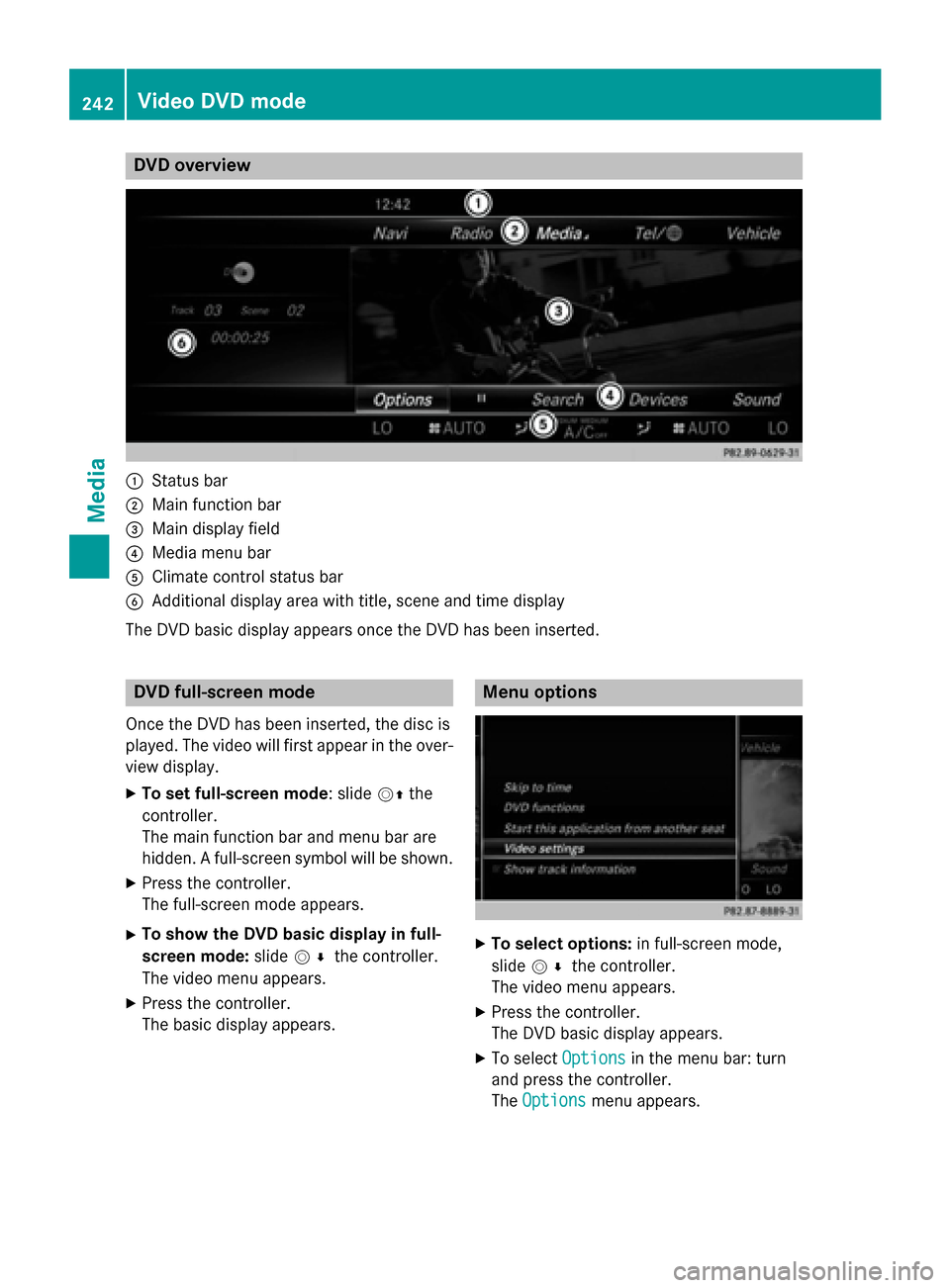
DVD overview
0043
Status bar
0044 Main function bar
0087 Main display field
0085 Media menu bar
0083 Climate control status bar
0084 Additional display area with title, scene and time display
The DVD basic display appears once the DVD has been inserted. DVD full-screen mode
Once the DVD has been inserted, the disc is
played. The video will first appear in the over- view display.
X To set full-screen mode : slide00520097the
controller.
The main function bar and menu bar are
hidden. A full-screen symbol will be shown.
X Press the controller.
The full-screen mode appears.
X To show the DVD basic display in full-
screen mode: slide005200C5 the controller.
The video menu appears.
X Press the controller.
The basic display appears. Menu options
X
To select options: in full-screen mode,
slide 005200C5 the controller.
The video menu appears.
X Press the controller.
The DVD basic display appears.
X To select Options Optionsin the menu bar: turn
and press the controller.
The Options Options menu appears. 242
Video DVD
modeMedia
Page 245 of 298
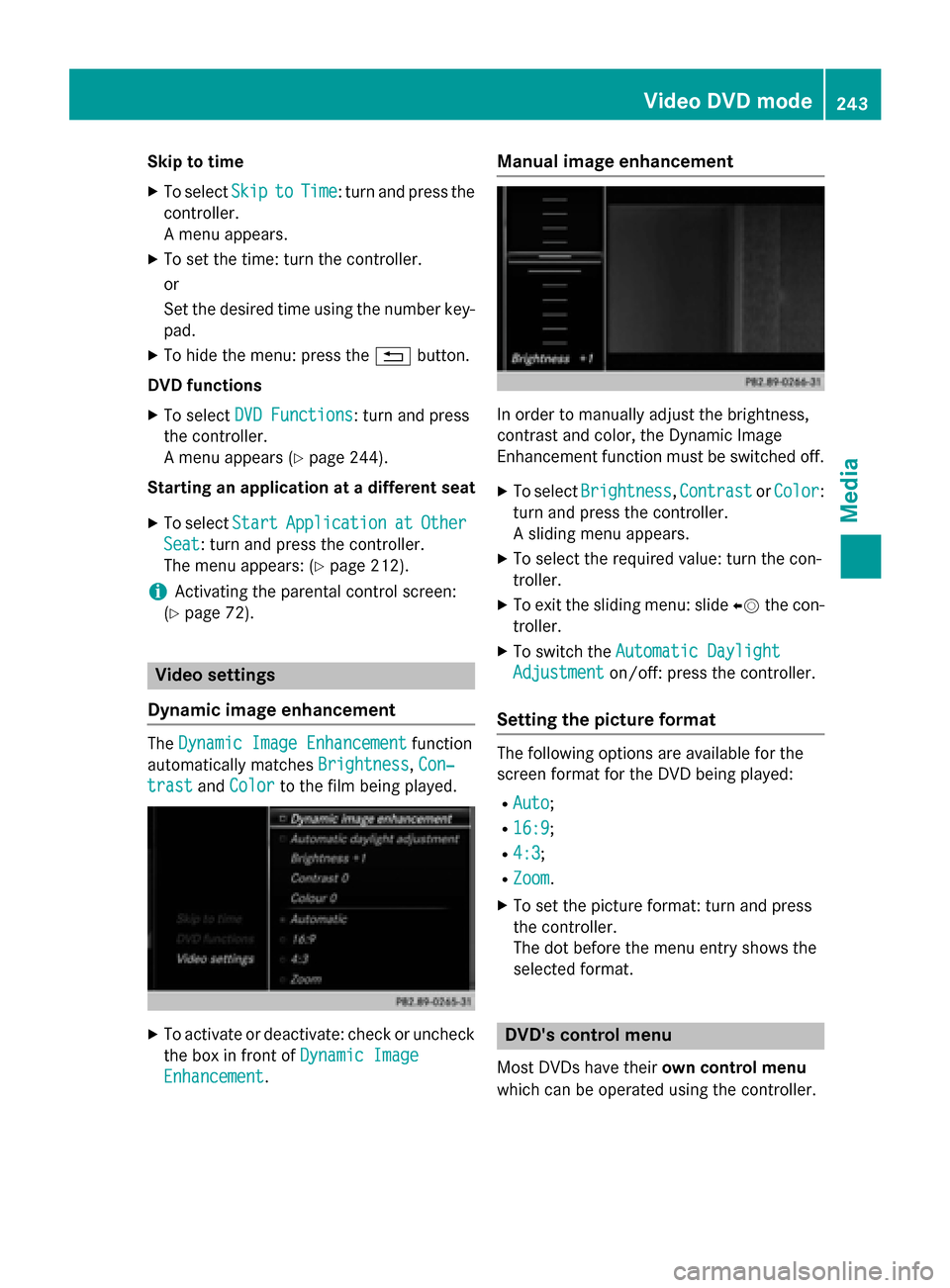
Skip to time
X To select Skip
Skipto
toTime
Time: turn and press the
controller.
A menu appears.
X To set the time: turn the controller.
or
Set the desired time using the number key-
pad.
X To hide the menu: press the 0038button.
DVD functions
X To select DVD Functions DVD Functions: turn and press
the controller.
A menu appears (Y page 244).
Starting an application at a different seat
X To select Start
Start Application Application at
atOther
Other
Seat
Seat: turn and press the controller.
The menu appears: (Y page 212).
i Activating the parental control screen:
(Y page 72). Video settings
Dynamic image enhancement The
Dynamic Image Enhancement
Dynamic Image Enhancement function
automatically matches Brightness
Brightness,Con‐
Con‐
trast
trast andColor
Color to the film being played. X
To activate or deactivate: check or uncheck
the box in front of Dynamic Image
Dynamic Image
Enhancement
Enhancement. Manual image enhancement
In order to manually adjust the brightness,
contrast and color, the Dynamic Image
Enhancement function must be switched off.
X To select Brightness Brightness, Contrast
ContrastorColor
Color:
turn and press the controller.
A sliding menu appears.
X To select the required value: turn the con-
troller.
X To exit the sliding menu: slide 00950052the con-
troller.
X To switch the Automatic Daylight Automatic Daylight
Adjustment
Adjustment on/off: press the controller.
Setting the picture format The following options are available for the
screen format for the DVD being played:
R Auto Auto;
R 16:9
16:9;
R 4:3
4:3;
R Zoom
Zoom.
X To set the picture format: turn and press
the controller.
The dot before the menu entry shows the
selected format. DVD's control menu
Most DVDs have their own control menu
which can be operated using the controller. Video DVD mode
243Media Z