Distribution MERCEDES-BENZ S-Class 2015 W222 User Guide
[x] Cancel search | Manufacturer: MERCEDES-BENZ, Model Year: 2015, Model line: S-Class, Model: MERCEDES-BENZ S-Class 2015 W222Pages: 502, PDF Size: 9.59 MB
Page 168 of 502
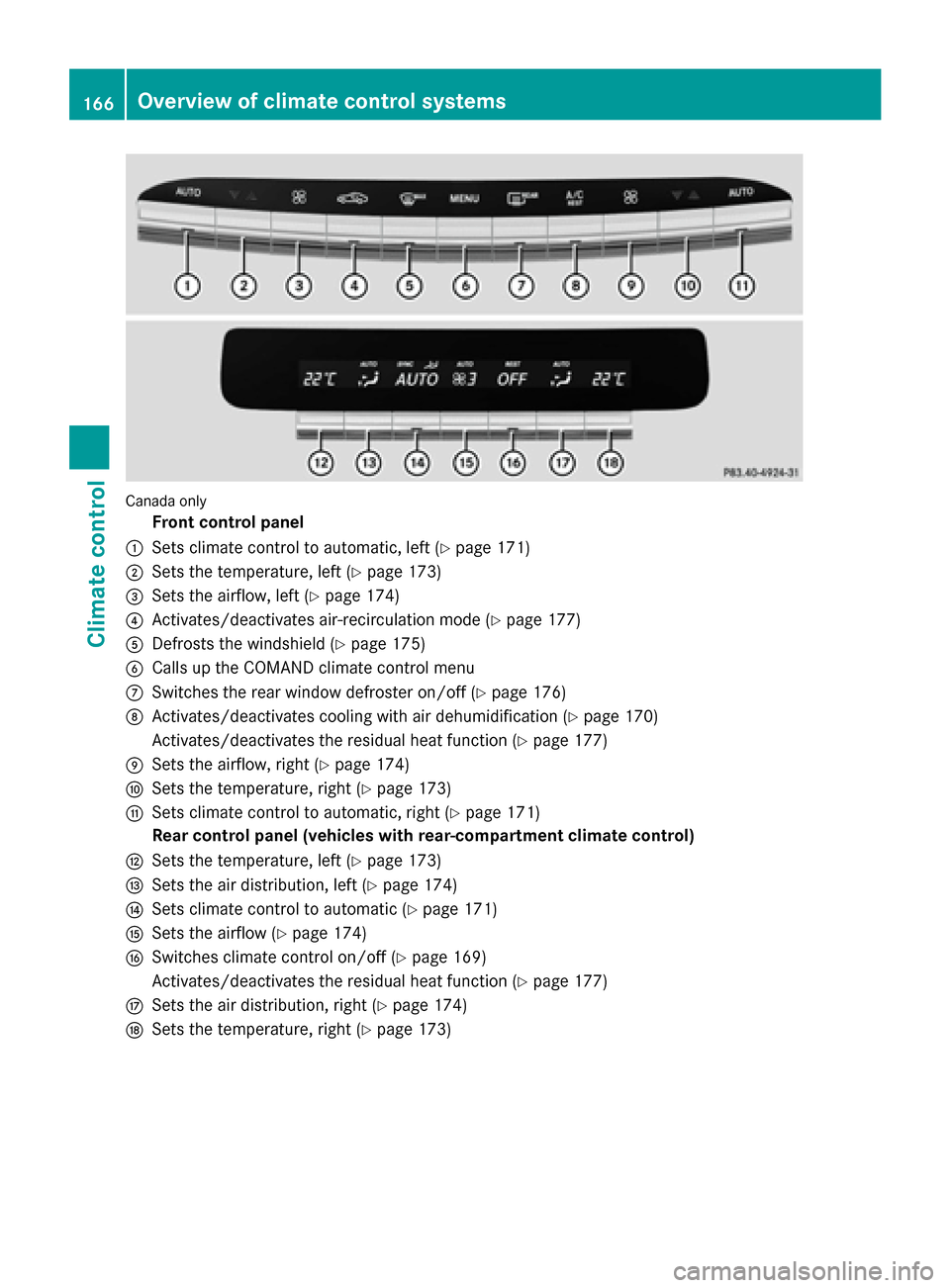
Canada only
Front control panel
: Sets climate control to automatic, left (Y page 171)
; Sets the temperature, left (Y page 173)
= Sets the airflow, left (Y page 174)
? Activates/deactivates air-recirculation mode (Y page 177)
A Defrosts the windshield (Y page 175)
B Calls up the COMAND climate control menu
C Switches the rear window defroster on/off (Y page 176)
D Activates/deactivates cooling with air dehumidification (Y page 170)
Activates/deactivates the residual heat function (Y page 177)
E Sets the airflow, right (Y page 174)
F Sets the temperature, right (Y page 173)
G Sets climate control to automatic, right (Y page 171)
Rear control panel (vehicles with rear-compartment climate control)
H Sets the temperature, left (Y page 173)
I Sets the air distribution, left (Y page 174)
J Sets climate control to automatic (Y page 171)
K Sets the airflow (Y page 174)
L Switches climate control on/off (Y page 169)
Activates/deactivates the residual heat function (Y page 177)
M Sets the air distribution, right (Y page 174)
N Sets the temperature, right (Y page 173)166
Overview of climate control systemsClimate control
Page 169 of 502
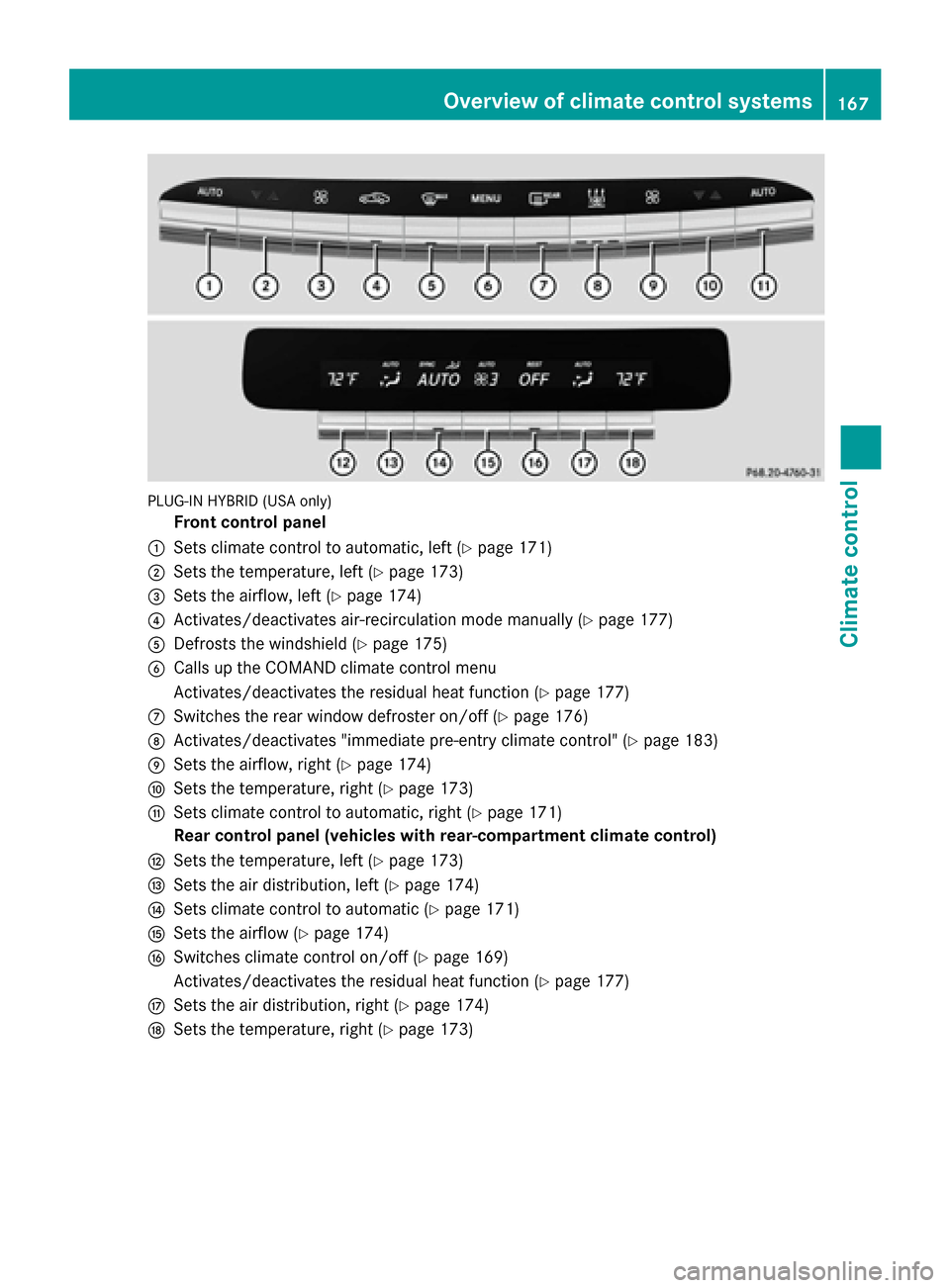
PLUG-IN HYBRID (USA only)
Front control panel
: Sets climate control to automatic, left (Y page 171)
; Sets the temperature, left (Y page 173)
= Sets the airflow, left (Y page 174)
? Activates/deactivates air-recirculation mode manually (Y page 177)
A Defrosts the windshield (Y page 175)
B Calls up the COMAND climate control menu
Activates/deactivates the residual heat function (Y page 177)
C Switches the rear window defroster on/off (Y page 176)
D Activates/deactivates "immediate pre-entry climate control" (Y page 183)
E Sets the airflow, right (Y page 174)
F Sets the temperature, right (Y page 173)
G Sets climate control to automatic, right (Y page 171)
Rear control panel (vehicles with rear-compartment climate control)
H Sets the temperature, left (Y page 173)
I Sets the air distribution, left (Y page 174)
J Sets climate control to automatic (Y page 171)
K Sets the airflow (Y page 174)
L Switches climate control on/off (Y page 169)
Activates/deactivates the residual heat function (Y page 177)
M Sets the air distribution, right (Y page 174)
N Sets the temperature, right (Y page 173) Overview of climate control systems
167Climate control
Page 170 of 502
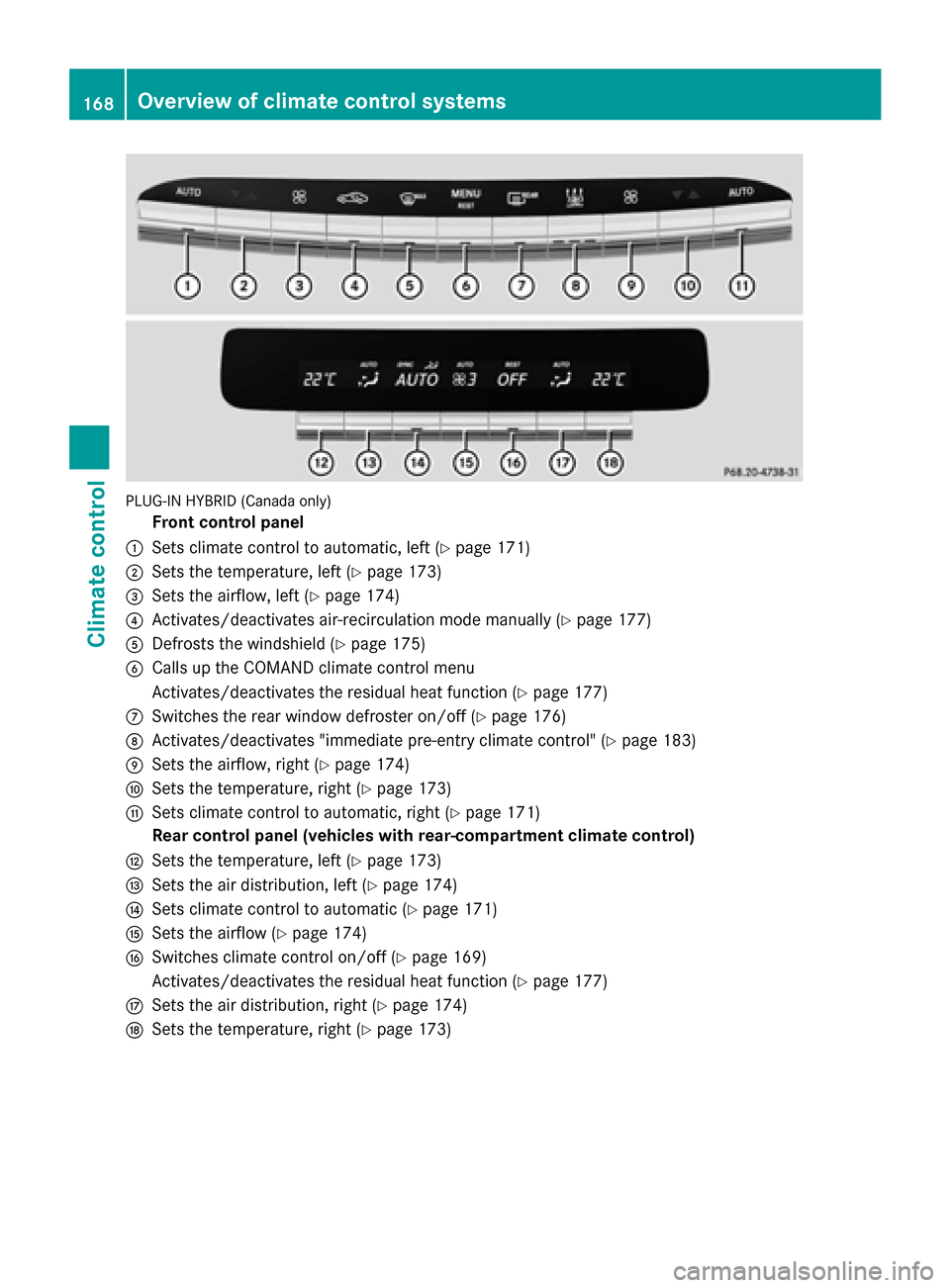
PLUG-IN HYBRID (Canada only)
Front control panel
: Sets climate control to automatic, left (Y page 171)
; Sets the temperature, left (Y page 173)
= Sets the airflow, left (Y page 174)
? Activates/deactivates air-recirculation mode manually (Y page 177)
A Defrosts the windshield (Y page 175)
B Calls up the COMAND climate control menu
Activates/deactivates the residual heat function (Y page 177)
C Switches the rear window defroster on/off (Y page 176)
D Activates/deactivates "immediate pre-entry climate control" (Y page 183)
E Sets the airflow, right (Y page 174)
F Sets the temperature, right (Y page 173)
G Sets climate control to automatic, right (Y page 171)
Rear control panel (vehicles with rear-compartment climate control)
H Sets the temperature, left (Y page 173)
I Sets the air distribution, left (Y page 174)
J Sets climate control to automatic (Y page 171)
K Sets the airflow (Y page 174)
L Switches climate control on/off (Y page 169)
Activates/deactivates the residual heat function (Y page 177)
M Sets the air distribution, right (Y page 174)
N Sets the temperature, right (Y page 173)168
Overview of climate control systemsClimate control
Page 173 of 502
Problems with the "Cooling with air dehumidification" function
Problem
Possible causes/consequences and
M
MSolutions The indicator lamp in
the
Á button
flashes three times or
remains off. Cooling
with air dehumidifica-
tion can also no longer
be switched on using
COMAND (see the sep-
arate operating instruc- tions). Cooling with air dehumidification has been deactivated due to a
malfunction.
X Visit a qualified specialist workshop. Setting climate control to automatic
General notes In automatic mode, the set temperature is
maintained automatically at a constant level. The system automatically regulates the tem-
perature of the dispensed air, the airflow and
the air distribution.
The automatic mode functions optimally
when the "Cooling with air dehumidification"
function is activated. If necessary, cooling
with air dehumidification can be deactivated.
If you deactivate the "Cooling with air-dehu-
midification" function, the air inside the vehi-
cle will not be cooled. The air inside the vehi- cle will also not be dehumidified. The win-
dows can fog up more quickly. Therefore,
deactivate the cooling with air-dehumidifica-
tion function only briefly. Controlling front climate control auto-
matically using the front control panel X
Turn the SmartKey to position 2in the igni-
tion lock (Y page 189).
X Set the desired temperature using the
w rocker switch on the front control
unit.
or
X Set the desired temperature using
COMAND (see the separate operating
instructions).
X To activate: press rocker switch Ãup
or down.
The indicator lamp in the Ãrocker
switch lights up.
X To switch to manual operation: press the
K rocker switch up or down.
or
X Set the airflow using COMAND (see the
separate operating instructions).
or
X Set the air distribution using COMAND (see
the separate operating instructions).
The indicator lamp in the Ãrocker
switch goes out.
In automatic mode, if you adjust the airflow or air distribution manually, the indicator lamp
on the Ãrocker switch goes out. The func-
tion which has not been changed manually, Operating the climate control systems
171Climate control
Page 174 of 502
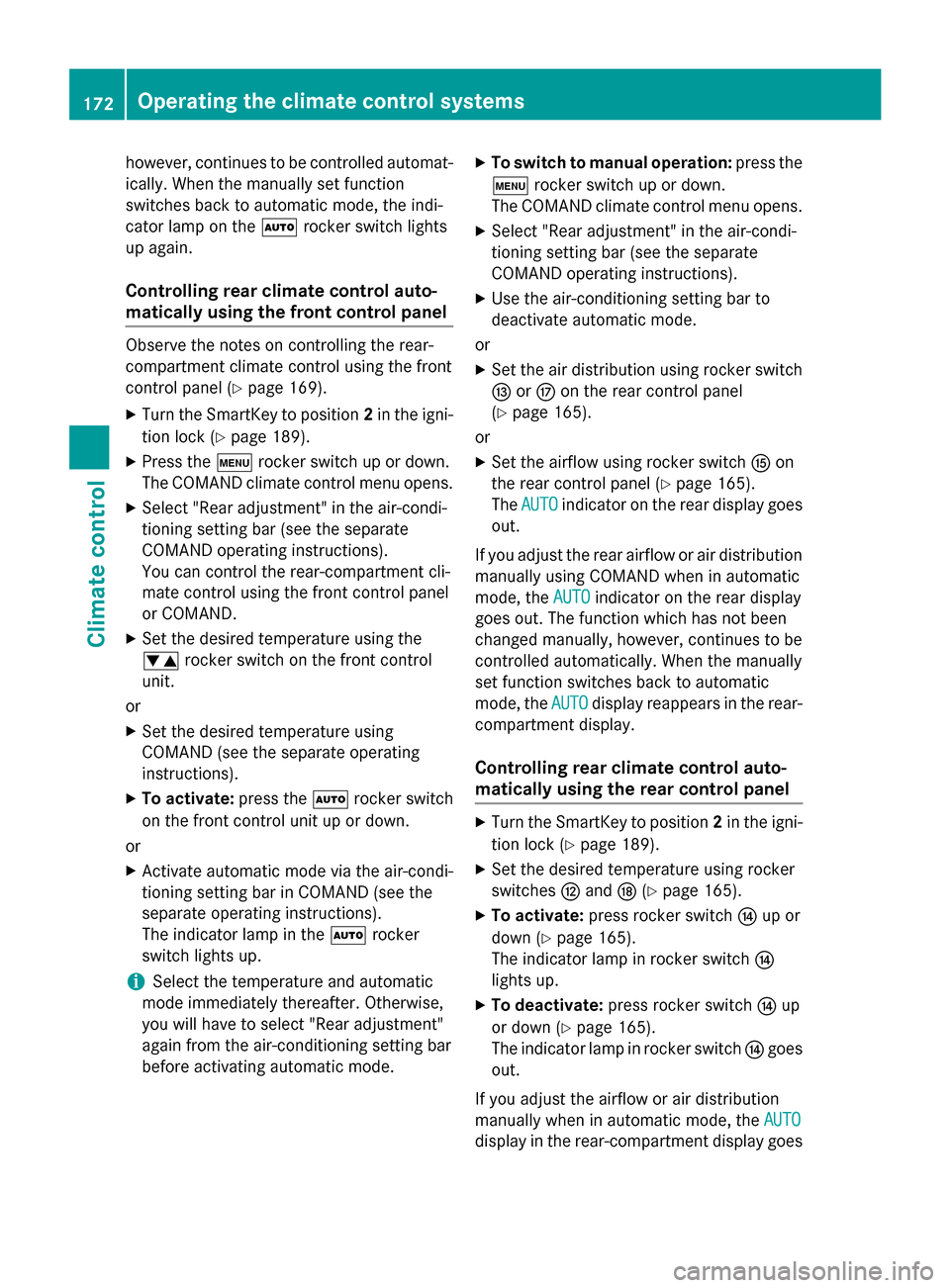
however, continues to be controlled automat-
ically. When the manually set function
switches back to automatic mode, the indi-
cator lamp on the Ãrocker switch lights
up again.
Controlling rear climate control auto-
matically using the front control panel Observe the notes on controlling the rear-
compartment climate control using the front
control panel (Y page 169).
X Turn the SmartKey to position 2in the igni-
tion lock (Y page 189).
X Press the trocker switch up or down.
The COMAND climate control menu opens.
X Select "Rear adjustment" in the air-condi-
tioning setting bar (see the separate
COMAND operating instructions).
You can control the rear-compartment cli-
mate control using the front control panel
or COMAND.
X Set the desired temperature using the
w rocker switch on the front control
unit.
or
X Set the desired temperature using
COMAND (see the separate operating
instructions).
X To activate: press theÃrocker switch
on the front control unit up or down.
or X Activate automatic mode via the air-condi-
tioning setting bar in COMAND (see the
separate operating instructions).
The indicator lamp in the Ãrocker
switch lights up.
i Select the temperature and automatic
mode immediately thereafter. Otherwise,
you will have to select "Rear adjustment"
again from the air-conditioning setting bar
before activating automatic mode. X
To switch to manual operation: press the
t rocker switch up or down.
The COMAND climate control menu opens.
X Select "Rear adjustment" in the air-condi-
tioning setting bar (see the separate
COMAND operating instructions).
X Use the air-conditioning setting bar to
deactivate automatic mode.
or X Set the air distribution using rocker switch
I orM on the rear control panel
(Y page 165).
or X Set the airflow using rocker switch Kon
the rear control panel (Y page 165).
The AUTO
AUTO indicator on the rear display goes
out.
If you adjust the rear airflow or air distribution
manually using COMAND when in automatic
mode, the AUTO AUTOindicator on the rear display
goes out. The function which has not been
changed manually, however, continues to be
controlled automatically. When the manually
set function switches back to automatic
mode, the AUTO AUTOdisplay reappears in the rear-
compartment display.
Controlling rear climate control auto-
matically using the rear control panel X
Turn the SmartKey to position 2in the igni-
tion lock (Y page 189).
X Set the desired temperature using rocker
switches Hand N(Ypage 165).
X To activate: press rocker switch Jup or
down (Y page 165).
The indicator lamp in rocker switch J
lights up.
X To deactivate: press rocker switch Jup
or down (Y page 165).
The indicator lamp in rocker switch Jgoes
out.
If you adjust the airflow or air distribution
manually when in automatic mode, the AUTO AUTO
display in the rear-compartment display goes 172
Operating the climate control systemsClimate control
Page 176 of 502
X
Turn the SmartKey to position 2in the igni-
tion lock (Y page 189).
X Press the trocker switch up or down.
The COMAND climate control menu opens.
X Select "Rear adjustment" in the air-condi-
tioning setting bar (see the separate
COMAND operating instructions).
You can control the rear-compartment cli-
mate control using the front control panel
or COMAND.
X To increase/reduce: press thew
rocker switch on the front control panel up
or down.
or
X Set the temperature using COMAND (see
the separate operating instructions).
Only change the temperature setting in
small increments. Start at 72 ‡ (22 †).
Setting the temperature in the rear
compartment using the rear control
panel X
Turn the SmartKey to position 2in the igni-
tion lock (Y page 189).
X To increase/reduce: press rocker
switch HorN up or down (Y page 165).
Only change the temperature setting in
small increments. Start at 72 ‡ (22 †).
Setting the footwell temperature The footwell temperature for the driver and
front passenger can be set separately using
COMAND (see the separate operating
instructions). Setting the air distribution
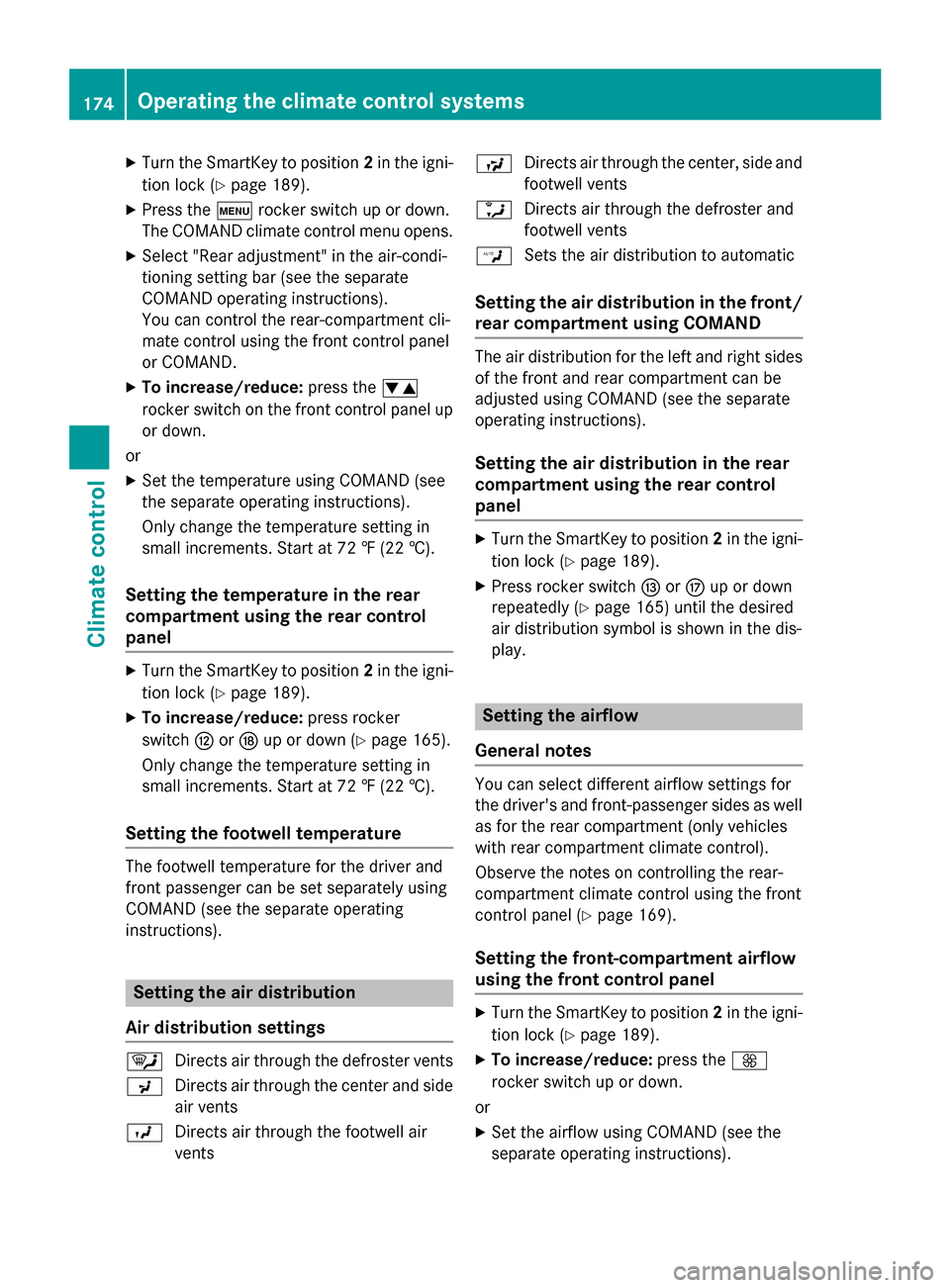
Air distribution settings ¯
Directs air through the defroster vents
P Directs air through the center and side
air vents
O Directs air through the footwell air
vents S
Directs air through the center, side and
footwell vents
a Directs air through the defroster and
footwell vents
W Sets the air distribution to automatic
Setting the air distribution in the front/
rear compartment using COMAND The air distribution for the left and right sides
of the front and rear compartment can be
adjusted using COMAND (see the separate
operating instructions).
Setting the air distribution in the rear
compartment using the rear control
panel X
Turn the SmartKey to position 2in the igni-
tion lock (Y page 189).
X Press rocker switch IorM up or down
repeatedly (Y page 165) until the desired
air distribution symbol is shown in the dis-
play. Setting the airflow
General notes You can select different airflow settings for
the driver's and front-passenger sides as well as for the rear compartment (only vehicles
with rear compartment climate control).
Observe the notes on controlling the rear-
compartment climate control using the front
control panel (Y page 169).
Setting the front-compartment airflow
using the front control panel X
Turn the SmartKey to position 2in the igni-
tion lock (Y page 189).
X To increase/reduce: press theK
rocker switch up or down.
or
X Set the airflow using COMAND (see the
separate operating instructions). 174
Operating the climate control systemsClimate control
Page 177 of 502
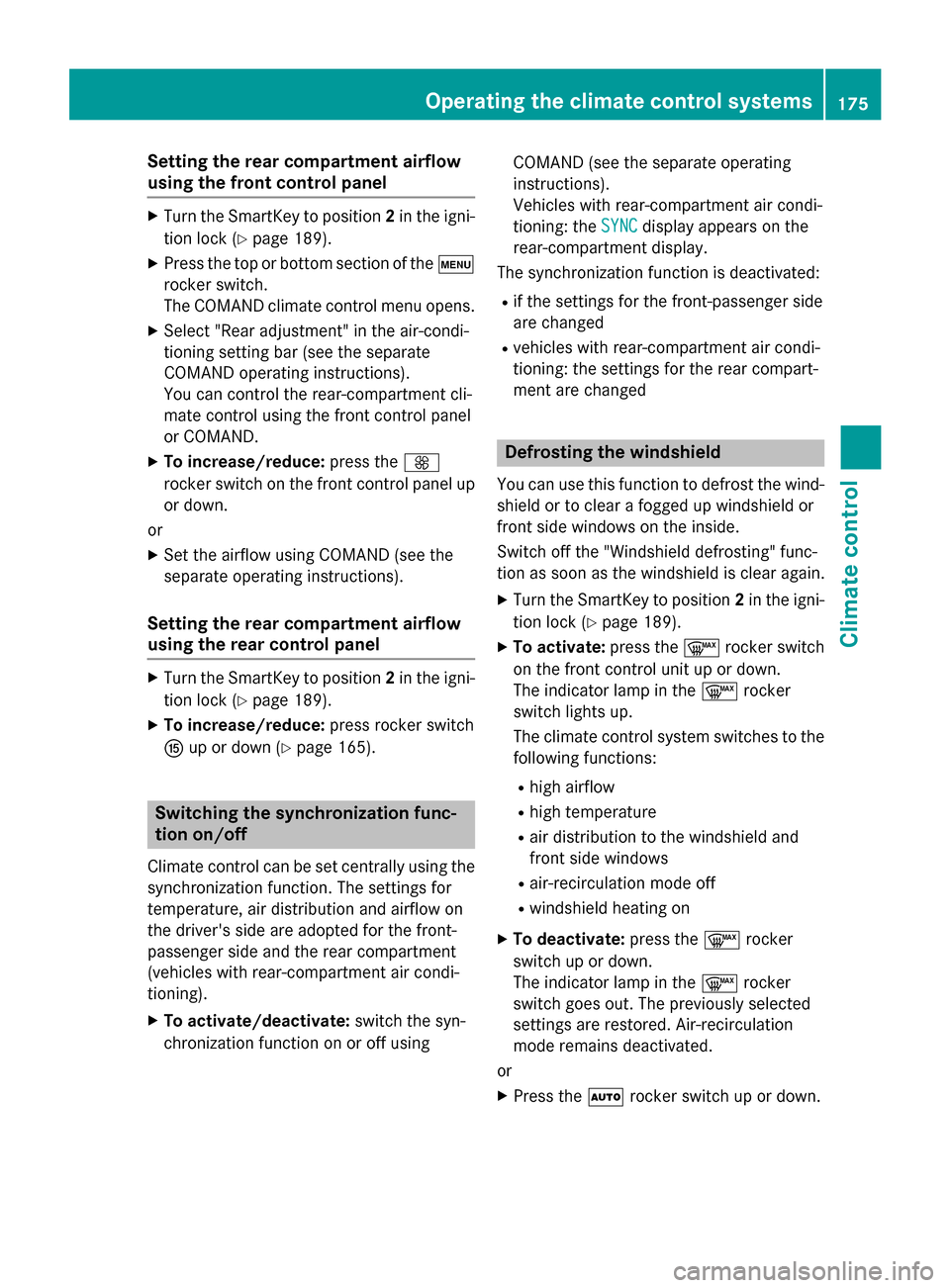
Setting the rear compartment airflow
using the front control panel X
Turn the SmartKey to position 2in the igni-
tion lock (Y page 189).
X Press the top or bottom section of the t
rocker switch.
The COMAND climate control menu opens.
X Select "Rear adjustment" in the air-condi-
tioning setting bar (see the separate
COMAND operating instructions).
You can control the rear-compartment cli-
mate control using the front control panel
or COMAND.
X To increase/reduce: press theK
rocker switch on the front control panel up or down.
or
X Set the airflow using COMAND (see the
separate operating instructions).
Setting the rear compartment airflow
using the rear control panel X
Turn the SmartKey to position 2in the igni-
tion lock (Y page 189).
X To increase/reduce: press rocker switch
K up or down (Y page 165). Switching the synchronization func-
tion on/off
Climate control can be set centrally using the synchronization function. The settings for
temperature, air distribution and airflow on
the driver's side are adopted for the front-
passenger side and the rear compartment
(vehicles with rear-compartment air condi-
tioning).
X To activate/deactivate: switch the syn-
chronization function on or off using COMAND (see the separate operating
instructions).
Vehicles with rear-compartment air condi-
tioning: the
SYNC SYNCdisplay appears on the
rear-compartment display.
The synchronization function is deactivated:
R if the settings for the front-passenger side
are changed
R vehicles with rear-compartment air condi-
tioning: the settings for the rear compart-
ment are changed Defrosting the windshield
You can use this function to defrost the wind-
shield or to clear a fogged up windshield or
front side windows on the inside.
Switch off the "Windshield defrosting" func-
tion as soon as the windshield is clear again.
X Turn the SmartKey to position 2in the igni-
tion lock (Y page 189).
X To activate: press the¬rocker switch
on the front control unit up or down.
The indicator lamp in the ¬rocker
switch lights up.
The climate control system switches to the
following functions:
R high airflow
R high temperature
R air distribution to the windshield and
front side windows
R air-recirculation mode off
R windshield heating on
X To deactivate: press the¬rocker
switch up or down.
The indicator lamp in the ¬rocker
switch goes out. The previously selected
settings are restored. Air-recirculation
mode remains deactivated.
or
X Press the Ãrocker switch up or down. Operating the climate control systems
175Climate control
Page 187 of 502
X
To open/close: press control=.
The control pops out.
X Turn control =counter-clockwise or
clockwise.
X To adjust the air direction: hold side air
vent ;by the middle fin and move it up or
down or to the left or right. Setting the glove box air vent
! Close the air vent when heating the vehi-
cle.
At high outside temperatures, open the air
vent and activate the "cooling with air dehu- midification" function. Otherwise, temper-
ature-sensitive items stored in the glove
box could be damaged.
When the climate control system is activated, the glove box can be ventilated, for instance
to cool its contents. The level of airflow
depends on the airflow and air distribution
settings. :
Air vent thumbwheel
; Air vent
X To open/close: turn thumbwheel :to the
left or right. Setting the rear-compartment air
vents
Setting the center vents in the rear com-
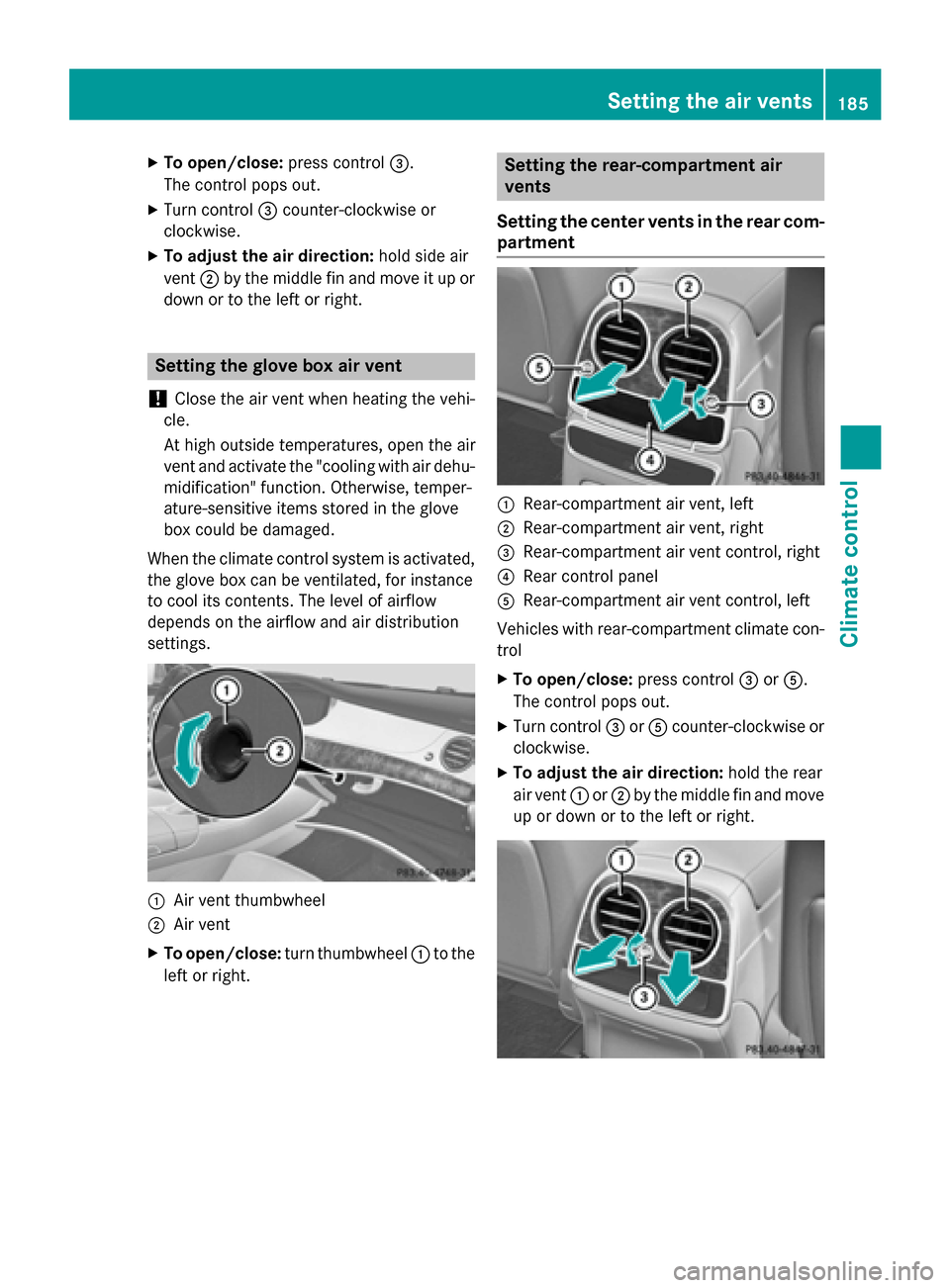
partment :
Rear-compartment air vent, left
; Rear-compartment air vent, right
= Rear-compartment air vent control, right
? Rear control panel
A Rear-compartment air vent control, left
Vehicles with rear-compartment climate con-
trol
X To open/close: press control=orA.
The control pops out.
X Turn control =orA counter-clockwise or
clockwise.
X To adjust the air direction: hold the rear
air vent :or; by the middle fin and move
up or down or to the left or right. Setting the air vents
185Climate control Z
Page 291 of 502
Automatic engine start
The automatically switched-off internal com-
bustion engine starts automatically in certain situations, if:
R the power demand from the driver via the
accelerator pedal is greater than the elec-
tric motor alone can provide
R the driver switches to drive program Sor M
R the condition of charge of the high-voltage
battery has reached the lower limit
R the settings of the automatic climate con-
trol require it, e.g. at external temperatures
above 30 †
Overrun mode
In overrun mode, the combustion engine is
switched off and is disconnected from the
drive train. The electric motor:
R generates low thrust, which corresponds to
the overrun mode of an active combustion
engine
R functions as a generator and produces the
necessary energy for the auxiliary consum-
ers and charges the high-voltage battery
Overrun mode is possible in the following
speed range:
R in drive program Ebelow 130 km/h
R in drive program E+below 180 km/h
In drive program E+, after the accelerator
pedal has been released the coasting char-
acteristics of the vehicle are adapted to the
traffic conditions. Further information about
the haptic accelerator pedal (Y page 286).
Map-based energy management For map-based energy management, the sys-
tem factors in information about the expec-
ted route when route guidance is active.
The information on the route is provided by
COMAND and includes the following:
R road categories
R speed limitations
R data on downhill gradients The use of electric energy is automatically
optimally distributed from the beginning to
the end of the journey, using information
about the route. The distribution is pre-emp-
tive and takes into consideration:
R the sections of the journey ahead
R the energy consumption on the whole route
The condition of charge of the high-voltage
battery is thus systematically controlled. In
addition, the control function takes into
account that:
R the fuel saving through the use of electrical
energy can vary, dependent on the route
(e.g. urban, interurban or highway)
R the use of electrical energy is held available
for electric driving, particularly for urban
routes
The vehicle thus automatically selects the
optimum driving mode for the respective sec- tion of the route.
Map-based energy management is available
under the following conditions:
R drive program E+is selected
R HYBRID driving mode is selected
R active route guidance is activated
R suitable map data is available
When map-based energy management is
engaged, the area in front of the vehicle in the
multifunction display will be green. Parking
X Apply the electric parking brake.
The red !indicator lamp in the instru-
ment cluster lights up.
X Use the DIRECT SELECT lever to shift the
automatic transmission to P.
X Switch the ignition off.
The READY indicator in the instrument clus-
ter goes out.
Further information on parking and switching off the internal combustion engine
(Y page 221). PLUG-IN HYBRID operation
289Driving and parking Z
Page 322 of 502
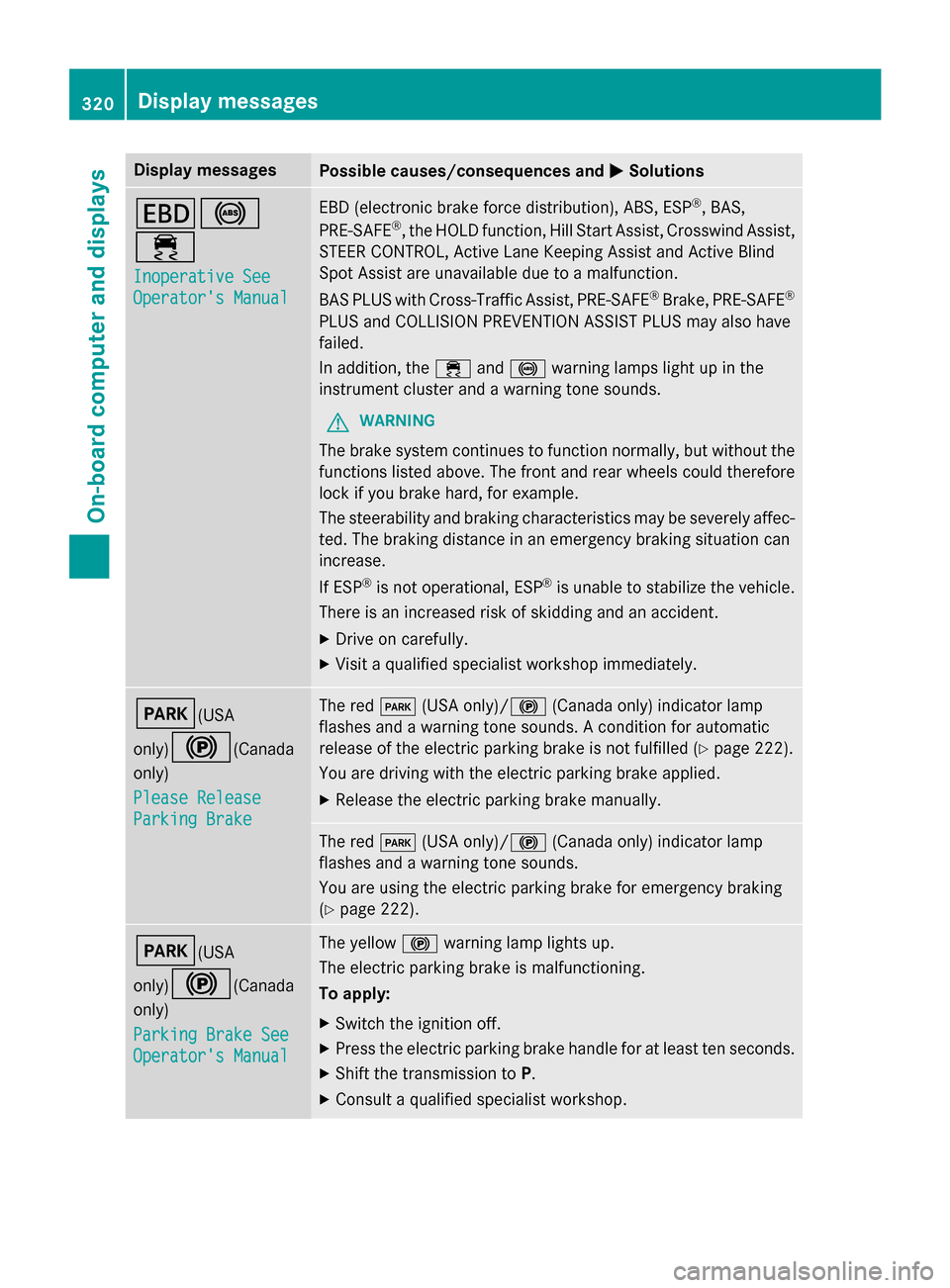
Display messages
Possible causes/consequences and
M
MSolutions T!
÷
Inoperative See Inoperative See
Operator's Manual Operator's Manual EBD (electronic brake force distribution), ABS, ESP
®
, BAS,
PRE ‑SAFE ®
, the HOLD function, Hill Start Assist, Crosswind Assist,
STEER CONTROL, Active Lane Keeping Assist and Active Blind
Spot Assist are unavailable due to a malfunction.
BAS PLUS with Cross-Traffic Assist, PRE‑ SAFE®
Brake, PRE ‑SAFE®
PLUS and COLLISION PREVENTION ASSIST PLUS may also have
failed.
In addition, the ÷and! warning lamps light up in the
instrument cluster and a warning tone sounds.
G WARNING
The brake system continues to function normally, but without the functions listed above. The front and rear wheels could therefore
lock if you brake hard, for example.
The steerability and braking characteristics may be severely affec-ted. The braking distance in an emergency braking situation can
increase.
If ESP ®
is not operational, ESP ®
is unable to stabilize the vehicle.
There is an increased risk of skidding and an accident.
X Drive on carefully.
X Visit a qualified specialist workshop immediately. F(USA
only)!
(Canada
only)
Please Release Please Release
Parking Brake Parking Brake The red
F(USA only)/! (Canada only) indicator lamp
flashes and a warning tone sounds. A condition for automatic
release of the electric parking brake is not fulfilled (Y page 222).
You are driving with the electric parking brake applied.
X Release the electric parking brake manually. The red
F(USA only)/! (Canada only) indicator lamp
flashes and a warning tone sounds.
You are using the electric parking brake for emergency braking
(Y page 222). F(USA
only)!
(Canada
only)
Parking Brake See Parking Brake See
Operator's Manual Operator's Manual The yellow
!warning lamp lights up.
The electric parking brake is malfunctioning.
To apply:
X Switch the ignition off.
X Press the electric parking brake handle for at least ten seconds.
X Shift the transmission to P.
X Consult a qualified specialist workshop. 320
Display
messagesOn-board computer and displays