warning light MERCEDES-BENZ S-Class 2015 W222 Manual PDF
[x] Cancel search | Manufacturer: MERCEDES-BENZ, Model Year: 2015, Model line: S-Class, Model: MERCEDES-BENZ S-Class 2015 W222Pages: 502, PDF Size: 9.59 MB
Page 275 of 502
If a course-correcting brake application
occurs, red warning lamp :flashes in the
exterior mirror and a dual warning tone
sounds. In addition, display ;underlining
the danger of a side collision appears in the
multifunction display.
In very rare cases, the system may make an
inappropriate brake application. A course-
correcting brake application may be interrup-
ted at any time if you steer slightly in the
opposite direction or accelerate.
The course-correcting brake application is
available in the speed range between 20 mph (30 km/h) and 120 mph (200 km/h).
Either no braking application, or a course-
correcting brake application adapted to the
driving situation occurs if:
R there are vehicles or obstacles, e.g. crash
barriers, located on both sides of your vehi-
cle.
R a vehicle approaches you too closely at the
side.
R you have adopted a sporty driving style with
high cornering speeds.
R you clearly brake or accelerate.
R a driving safety system intervenes, e.g.
ESP ®
or PRE-SAFE ®
Brake.
R ESP ®
is switched off.
R a loss of tire pressure or a defective tire is
detected.
Switching on Active Blind Spot Assist X Make sure that Active Blind Spot Assist is
activated in the on-board computer
(Y page 309).
X Turn the SmartKey to position 2in the igni-
tion lock.
Warning lamps :in the exterior mirrors
light up red for approximately 1.5 seconds. Gray radar waves propagating backwards
appear next to the vehicle in the assistance
display in the multifunction display. Active Lane Keeping Assist General notes
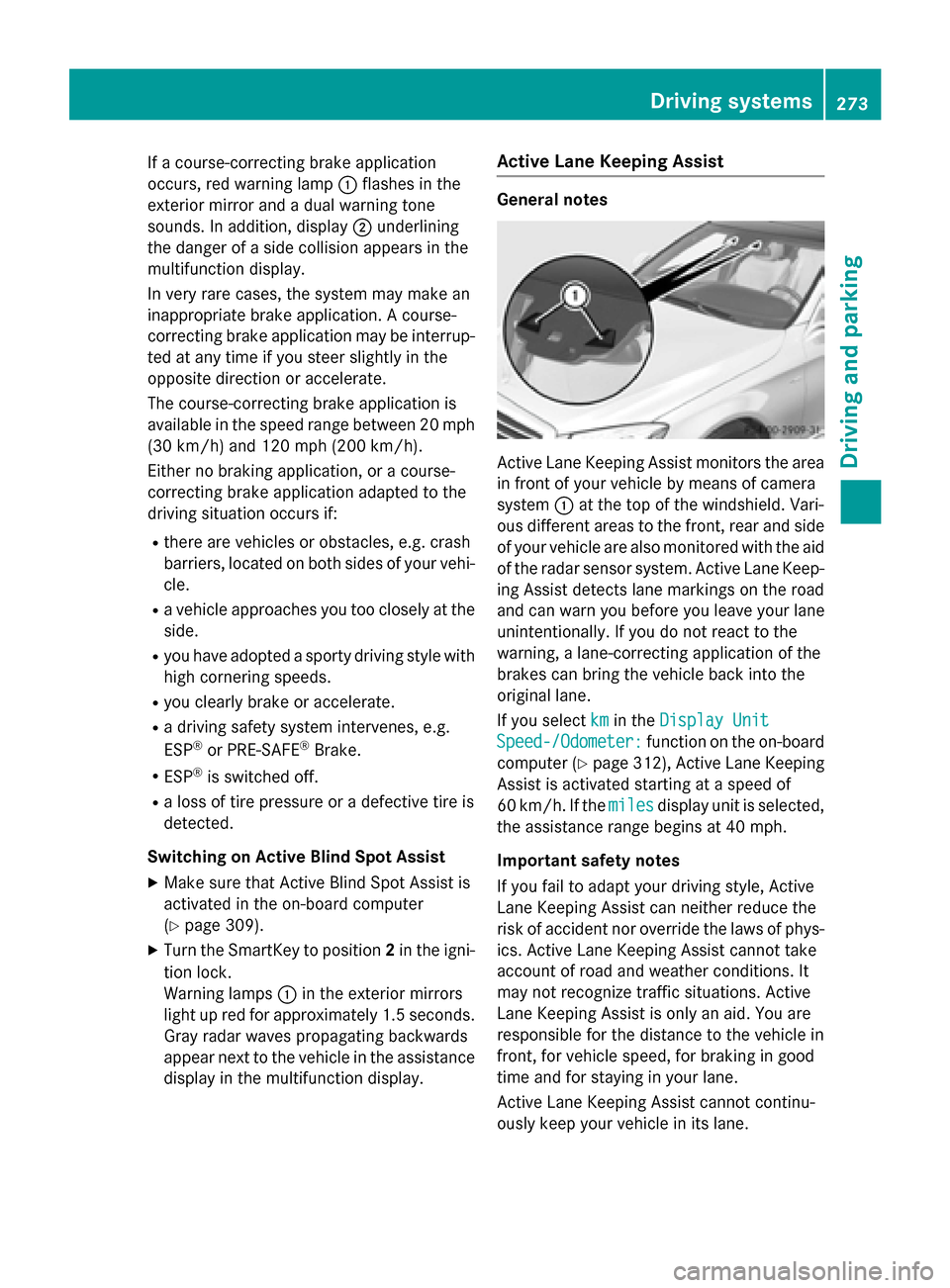
Active Lane Keeping Assist monitors the area
in front of your vehicle by means of camera
system :at the top of the windshield. Vari-
ous different areas to the front, rear and side of your vehicle are also monitored with the aid
of the radar sensor system. Active Lane Keep-
ing Assist detects lane markings on the road
and can warn you before you leave your lane
unintentionally. If you do not react to the
warning, a lane-correcting application of the
brakes can bring the vehicle back into the
original lane.
If you select km kmin the Display Unit
Display Unit
Speed-/Odometer:
Speed-/Odometer: function on the on-board
computer (Y page 312), Active Lane Keeping
Assist is activated starting at a speed of
60 km/h. If the miles milesdisplay unit is selected,
the assistance range begins at 40 mph.
Important safety notes
If you fail to adapt your driving style, Active
Lane Keeping Assist can neither reduce the
risk of accident nor override the laws of phys- ics. Active Lane Keeping Assist cannot take
account of road and weather conditions. It
may not recognize traffic situations. Active
Lane Keeping Assist is only an aid. You are
responsible for the distance to the vehicle in
front, for vehicle speed, for braking in good
time and for staying in your lane.
Active Lane Keeping Assist cannot continu-
ously keep your vehicle in its lane. Driving systems
273Driving and parking Z
Page 276 of 502
G
WARNING
Active Lane Keeping Assist cannot always
clearly detect lane markings.
In such cases, Active Lane Keeping Assist
can:
R give an unnecessary warning and then
make a course-correcting brake application
to the vehicle
R not give a warning or intervene
There is a risk of an accident.
Always pay particular attention to the traffic
situation and keep within the lane, especially
if Active Lane Keeping Assist alerts you. Ter-
minate the intervention in a non-critical driv-
ing situation.
The system may be impaired or may not func-
tion if:
R there is poor visibility, e.g. due to insuffi-
cient illumination of the road, or due to
snow, rain, fog or spray
R there is glare, e.g. from oncoming traffic,
the sun or reflections (e.g. when the road
surface is wet)
R the windshield is dirty, fogged up, damaged
or covered, for instance by a sticker, in the
vicinity of the camera
R the radar sensors in the front or rear bump-
ers or the radiator trim are dirty, e.g.
obscured by snow
R there are no, several or unclear lane mark-
ings for a lane, e.g. in areas with road con-
struction work
R the lane markings are worn away, dark or
covered up, e.g. by dirt or snow
R the distance to the vehicle in front is too
small and the lane markings thus cannot be
detected
R the lane markings change quickly, e.g.
lanes branch off, cross one another or
merge
R the road is narrow and winding
R there are strong shadows cast on the road If no vehicle is detected in the adjacent lane
and broken lane markings are detected, no
lane-correcting brake application is made.
Warning vibration in the steering wheel
A warning may be given if a front wheel
passes over a lane marking. It will warn you by
means of intermittent vibration in the steer-
ing wheel for up to 1.5 seconds.
Lane-correcting brake application
If you leave your lane, under certain circum-
stances the vehicle will brake briefly on one
side. This is meant to assist you in bringing
the vehicle back to the original lane. G
WARNING
A lane-correcting brake application cannot
always bring the vehicle back into the original lane. There is a risk of an accident.
Always steer, brake or accelerate yourself,
especially if Active Lane Keeping Assist warns
you or makes a lane-correcting brake appli-
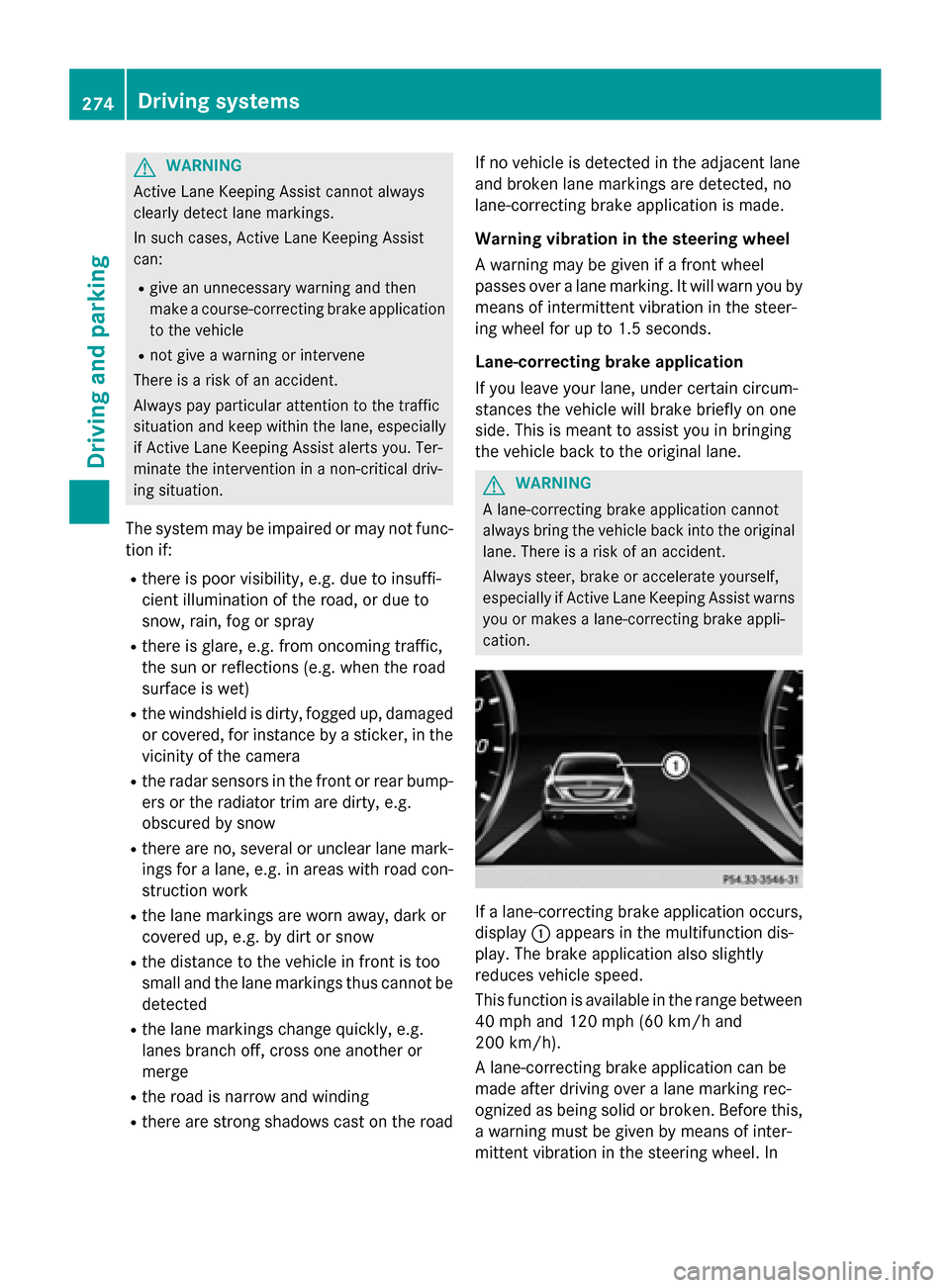
cation. If a lane-correcting brake application occurs,
display :appears in the multifunction dis-
play. The brake application also slightly
reduces vehicle speed.
This function is available in the range between
40 mph and 120 mph (60 km/h and
200 km/h).
A lane-correcting brake application can be
made after driving over a lane marking rec-
ognized as being solid or broken. Before this,
a warning must be given by means of inter-
mittent vibration in the steering wheel. In 274
Driving systemsDriving and parking
Page 277 of 502
addition, a lane with lane markings on both
sides must be recognized.
In the case of a broken lane marking being
detected, a lane-correcting brake application can only be made if a vehicle has been detec-
ted in the adjacent lane. Oncoming vehicles,
overtaking vehicles and vehicles in adjacent
lanes can be detected.
i A further lane-correcting brake applica-
tion can only occur after your vehicle has
returned to the original lane.
No lane-correcting brake application occurs
if:
R you clearly and actively steer, brake or
accelerate.
R you cut the corner on a sharp bend.
R you have switched on the turn signal.
R a driving safety system intervenes, e.g.
ESP ®
, PRE-SAFE ®
Brake or Active Blind
Spot Assist.
R you have adopted a sporty driving style with
high cornering speeds or high rates of
acceleration.
R ESP ®
is switched off.
R the transmission is not in position D.
R a loss of tire pressure or a defective tire has
been detected and displayed.
R an obstacle in the lane in which you are
driving has been detected.
Active Lane Keeping Assist may not detect
other road users or traffic situations. An inap- propriate brake application may be interrup-
ted at any time if you:
R steer slightly in the opposite direction
R switch on the turn signal
R clearly brake or accelerate
A lane-correcting brake application is inter-
rupted automatically if:
R a driving safety system intervenes, e.g.
ESP ®
, PRE-SAFE ®
Brake or Active Blind
Spot Assist.
R lane markings can no longer be recognized. Switching on Active Lane Keeping Assist
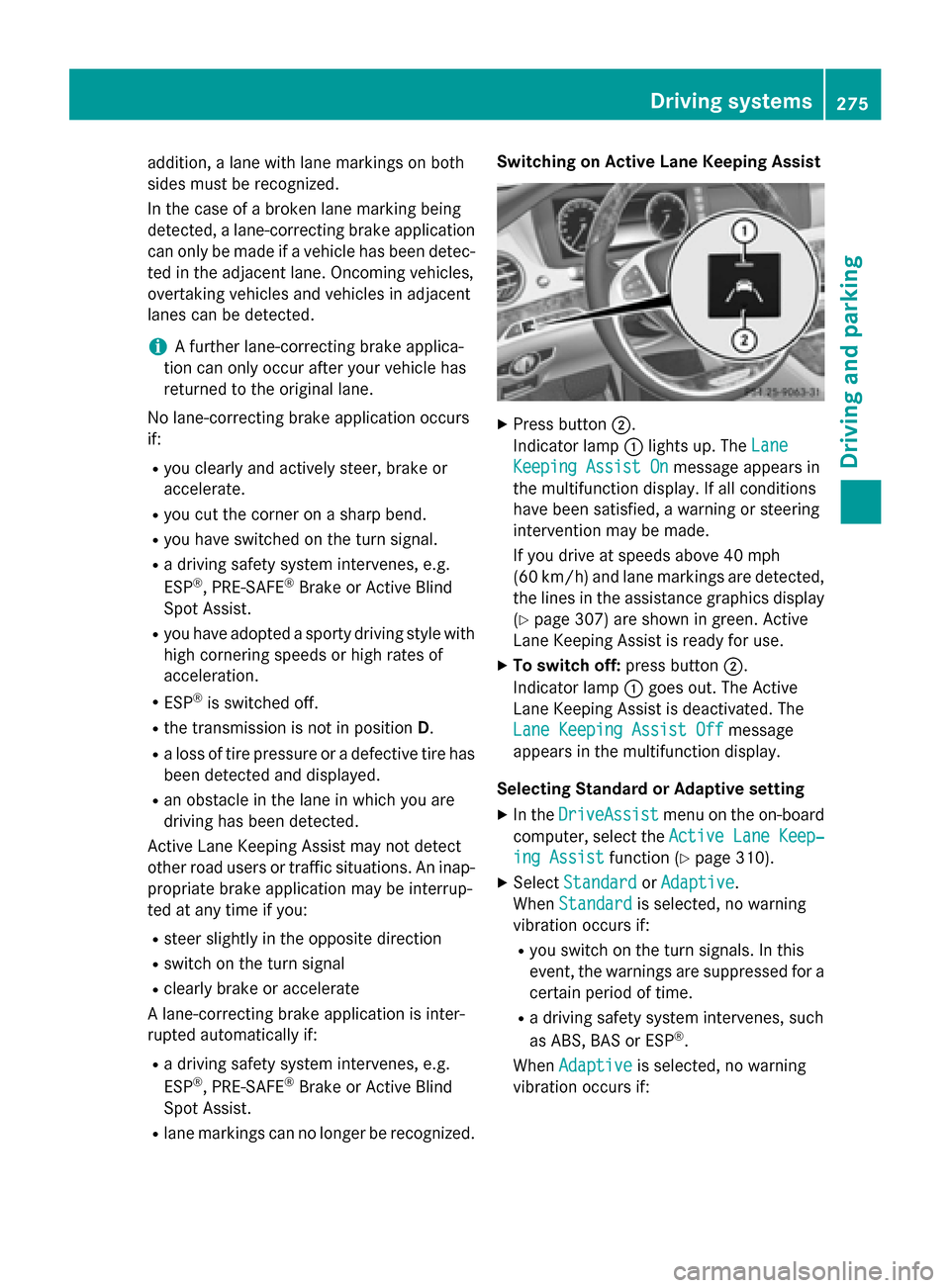
X
Press button ;.
Indicator lamp :lights up. The Lane Lane
Keeping Assist On
Keeping Assist On message appears in
the multifunction display. If all conditions
have been satisfied, a warning or steering
intervention may be made.
If you drive at speeds above 40 mph
(60 km/h) and lane markings are detected, the lines in the assistance graphics display(Y page 307) are shown in green. Active
Lane Keeping Assist is ready for use.
X To switch off: press button;.
Indicator lamp :goes out. The Active
Lane Keeping Assist is deactivated. The
Lane Keeping Assist Off Lane Keeping Assist Off message
appears in the multifunction display.
Selecting Standard or Adaptive setting X In the DriveAssist
DriveAssist menu on the on-board
computer, select the Active Lane Keep‐
Active Lane Keep‐
ing Assist
ing Assist function (Ypage 310).
X Select Standard
Standard orAdaptive
Adaptive.
When Standard
Standard is selected, no warning
vibration occurs if:
R you switch on the turn signals. In this
event, the warnings are suppressed for a
certain period of time.
R a driving safety system intervenes, such
as ABS, BAS or ESP ®
.
When Adaptive
Adaptive is selected, no warning
vibration occurs if: Driving systems
275Driving and parking Z
Page 278 of 502
R
you switch on the turn signals. In this
event, the warnings are suppressed for a
certain period of time.
R a driving safety system intervenes, e.g.
ABS, BAS or ESP ®
.
R you accelerate hard, e.g. kickdown.
R you brake hard.
R you steer actively, e.g. swerve to avoid an
obstacle or change lanes quickly.
R you cut the corner on a sharp bend.
In order that you are warned only when nec-
essary and in good time if you cross the lane marking, the system recognizes certain con-
ditions and warns you accordingly.
The warning vibration occurs earlier if:
R you approach the outer lane marking on a
bend.
R the road has very wide lanes, e.g. a high-
way.
R the system recognizes solid lane markings.
The warning vibration occurs later if:
R the road has narrow lanes.
R you cut the corner on a bend. PLUG-IN HYBRID operation
Points to remember
General notes Hybrid technology combines a fuel efficient
internal combustion engine with a powerful
electric motor. In HYBRIDmode, the hybrid
system automatically selects the most effi-
cient operating mode for every driving situa-
tion. Drive the vehicle in the usual manner.
To save fuel, in HYBRIDmode, the hybrid
system switches off the combustion engine
as often as possible during the journey when power output requirements are low. When
power output requirements are low, the elec-
tric motor powers the vehicle. The engine is
switched on, even while the vehicle is in
motion, when a higher power output is
required. The engine is usually switched off when the vehicle is stationary. Consequently,
there is usually no engine idling as with com-
bustion engine vehicles.
For pulling away and accelerating, the electric motor supports the internal combustion
engine using the power stored in the high-
voltage battery. This energy is also used for
driving in partially electric mode, to operate
the electric refrigerant compressor and sup-
port the 12 V on-board electrical system. In
this way the hybrid drive helps to reduce your
vehicle's fuel consumption.
Observe the driving tips on PLUG-IN HYBRID
operation (Y page 287).
Recuperative Brake System If you release the accelerator pedal when the
vehicle is in motion, overrun recuperation is
initiated. The electric motor is operated as a
generator when in overrun mode and when
you brake. Hybrid technology converts the
kinetic energy of the vehicle into electricity
and stores it in the high-voltage battery.
Observe the important safety notes for the
Recuperative Brake System (Y page 48). Important safety notes
If the engine is switched off by the ECO start/
stop function and you open the driver's door:
R a message appears in the multifunction dis-
play and
R a warning tone sounds
Further information (Y page 340).
All of the vehicle's systems remain active, if:
R the vehicle is stationary
R the combustion engine is switched off and
R the READY indicator in the instrument clus-
ter lights up
If you remove your foot from the brake pedal
while in transmission position D or R, the
vehicle may pull away automatically.
Observe the notes on the READY display of
the ECO start/stop function (Y page 288).276
PLUG-IN HYBRID operationDriving and pa
rking
Page 292 of 502
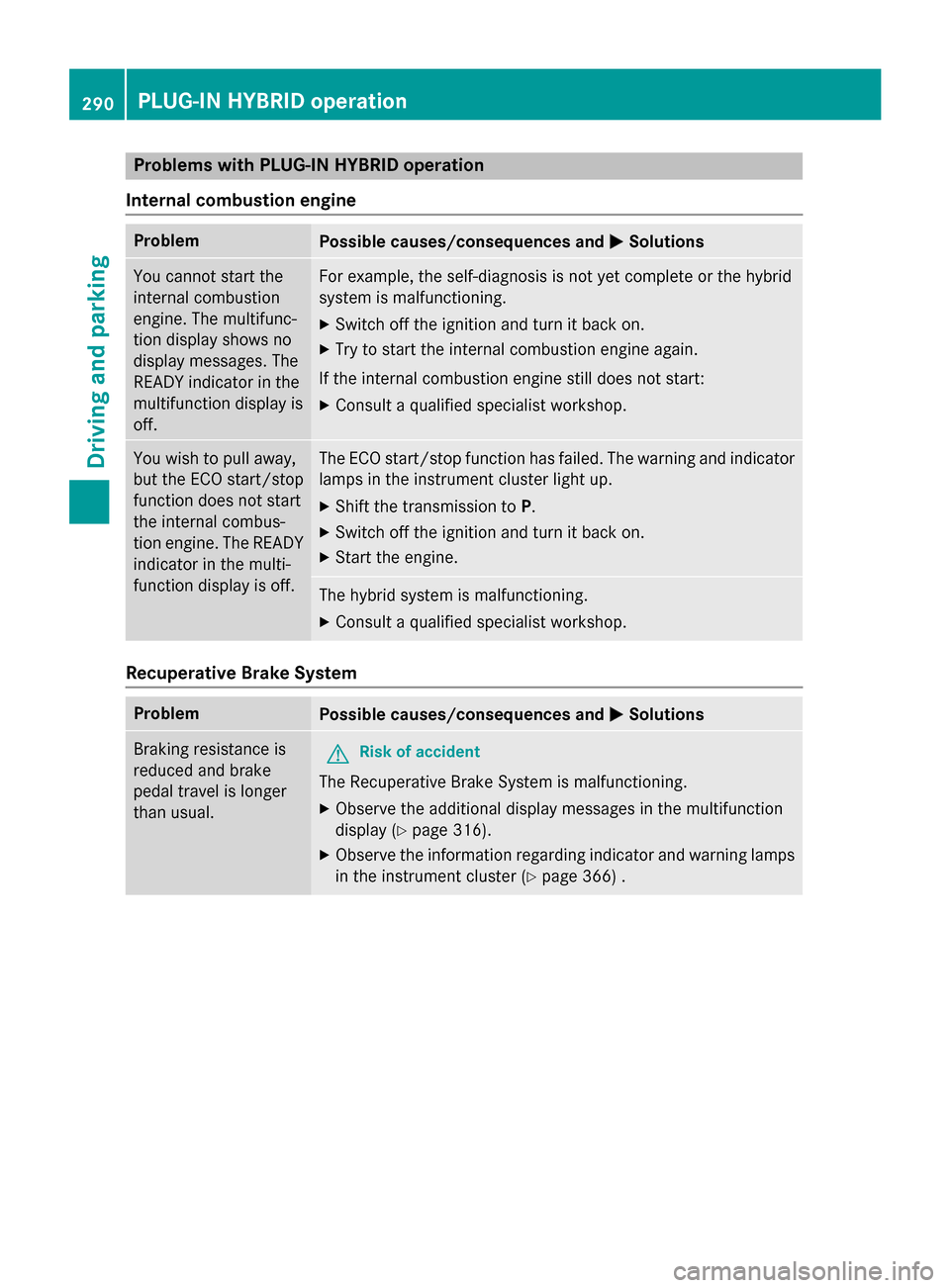
Problems with PLUG-IN HYBRID operation
Internal combustion engine Problem
Possible causes/consequences and
M
MSolutions You cannot start the
internal combustion
engine. The multifunc-
tion display shows no
display messages. The
READY indicator in the
multifunction display is
off. For example, the self-diagnosis is not yet complete or the hybrid
system is malfunctioning.
X Switch off the ignition and turn it back on.
X Try to start the internal combustion engine again.
If the internal combustion engine still does not start: X Consult a qualified specialist workshop. You wish to pull away,
but the ECO start/stop
function does not start
the internal combus-
tion engine. The READY
indicator in the multi-
function display is off. The ECO start/stop function has failed. The warning and indicator
lamps in the instrument cluster light up.
X Shift the transmission to P.
X Switch off the ignition and turn it back on.
X Start the engine. The hybrid system is malfunctioning.
X Consult a qualified specialist workshop. Recuperative Brake System
Problem
Possible causes/consequences and
M MSolutions Braking resistance is
reduced and brake
pedal travel is longer
than usual.
G
Risk of accident
The Recuperative Brake System is malfunctioning.
X Observe the additional display messages in the multifunction
display (Y page 316).
X Observe the information regarding indicator and warning lamps
in the instrument cluster (Y page 366) .290
PLUG-IN HYBRID operationDriving and parking
Page 309 of 502
X
Press the 6button to switch to the
redial memory.
X Press the :or9 button to select the
desired name or number.
X Press the 6ora button to start dial-
ing.
or X To exit the redial memory: press the
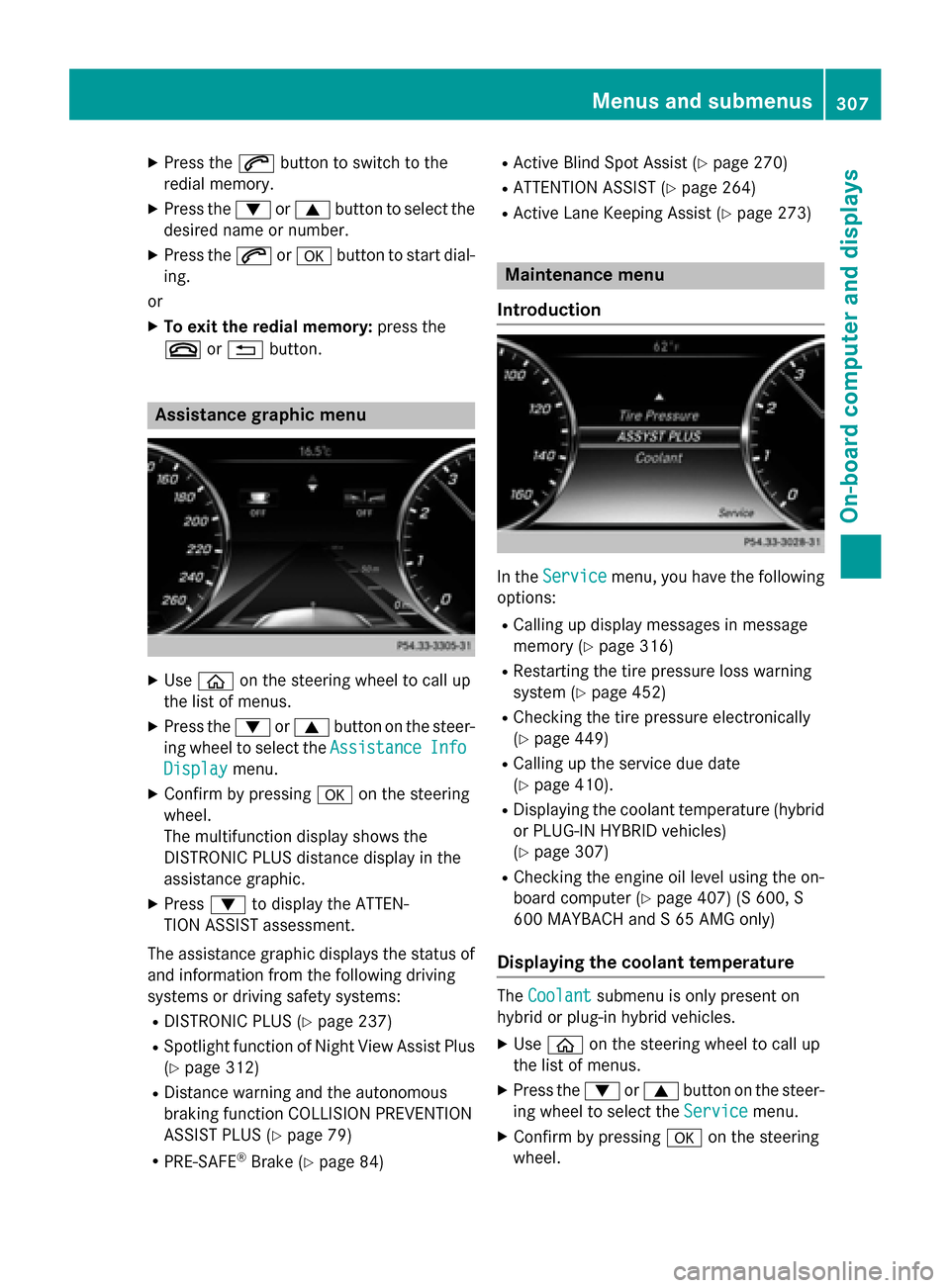
~ or% button. Assistance graphic menu
X
Use ò on the steering wheel to call up
the list of menus.
X Press the :or9 button on the steer-
ing wheel to select the Assistance
AssistanceInfo
Info
Display
Display menu.
X Confirm by pressing aon the steering
wheel.
The multifunction display shows the
DISTRONIC PLUS distance display in the
assistance graphic.
X Press :to display the ATTEN-
TION ASSIST assessment.
The assistance graphic displays the status of and information from the following driving
systems or driving safety systems:
R DISTRONIC PLUS (Y page 237)
R Spotlight function of Night View Assist Plus
(Y page 312)
R Distance warning and the autonomous
braking function COLLISION PREVENTION
ASSIST PLUS (Y page 79)
R PRE-SAFE ®
Brake (Y page 84) R
Active Blind Spot Assist (Y page 270)
R ATTENTION ASSIST (Y page 264)
R Active Lane Keeping Assist (Y page 273) Maintenance menu
Introduction In the
Service Service menu, you have the following
options:
R Calling up display messages in message
memory (Y page 316)
R Restarting the tire pressure loss warning
system (Y page 452)
R Checking the tire pressure electronically
(Y page 449)
R Calling up the service due date
(Y page 410).
R Displaying the coolant temperature (hybrid
or PLUG-IN HYBRID vehicles)
(Y page 307)
R Checking the engine oil level using the on-
board computer (Y page 407) (S 600, S
600 MAYBACH and S 65 AMG only)
Displaying the coolant temperature The
Coolant Coolant submenu is only present on
hybrid or plug-in hybrid vehicles.
X Use ò on the steering wheel to call up
the list of menus.
X Press the :or9 button on the steer-
ing wheel to select the Service Servicemenu.
X Confirm by pressing aon the steering
wheel. Menus and submenus
307On-board computer and displays Z
Page 310 of 502
X
Use : or9 to select the Coolant
Coolant
submenu.
X Press ato confirm the selection.
The multifunction display shows the cool-
ant temperature in a bar display. Settings menu
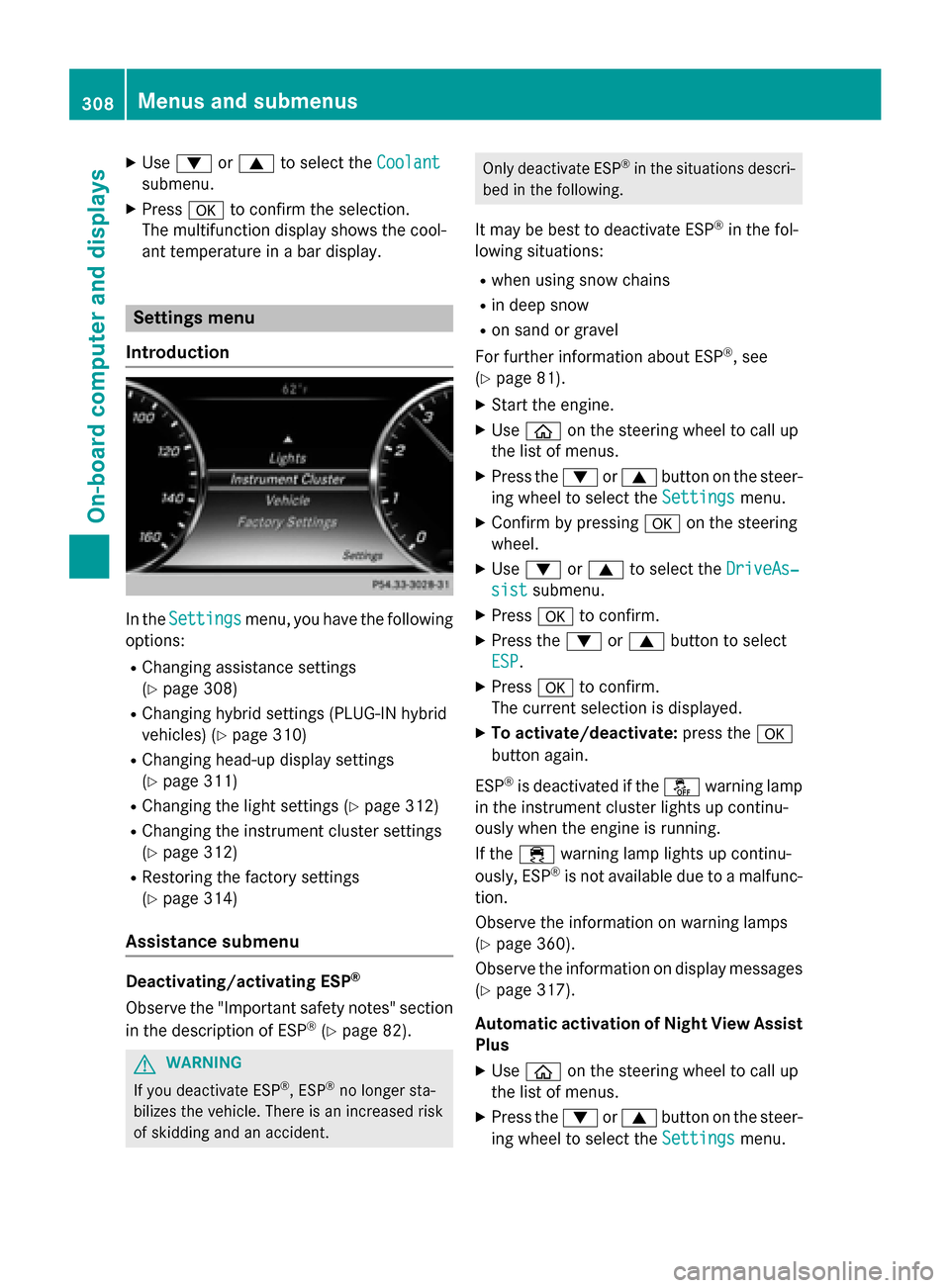
Introduction In the
Settings
Settings menu, you have the following
options:
R Changing assistance settings
(Y page 308)
R Changing hybrid settings (PLUG-IN hybrid
vehicles) (Y page 310)
R Changing head-up display settings
(Y page 311)
R Changing the light settings (Y page 312)
R Changing the instrument cluster settings
(Y page 312)
R Restoring the factory settings
(Y page 314)
Assistance submenu Deactivating/activating ESP
®
Observe the "Important safety notes" section
in the description of ESP ®
(Y page 82). G
WARNING
If you deactivate ESP ®
, ESP ®
no longer sta-
bilizes the vehicle. There is an increased risk
of skidding and an accident. Only deactivate ESP
®
in the situations descri-
bed in the following.
It may be best to deactivate ESP ®
in the fol-
lowing situations:
R when using snow chains
R in deep snow
R on sand or gravel
For further information about ESP ®
, see
(Y page 81).
X Start the engine.
X Use ò on the steering wheel to call up
the list of menus.
X Press the :or9 button on the steer-
ing wheel to select the Settings
Settings menu.
X Confirm by pressing aon the steering
wheel.
X Use : or9 to select the DriveAs‐ DriveAs‐
sist sist submenu.
X Press ato confirm.
X Press the :or9 button to select
ESP
ESP.
X Press ato confirm.
The current selection is displayed.
X To activate/deactivate: press thea
button again.
ESP ®
is deactivated if the åwarning lamp
in the instrument cluster lights up continu-
ously when the engine is running.
If the ÷ warning lamp lights up continu-
ously, ESP ®
is not available due to a malfunc-
tion.
Observe the information on warning lamps
(Y page 360).
Observe the information on display messages
(Y page 317).
Automatic activation of Night View Assist Plus
X Use ò on the steering wheel to call up
the list of menus.
X Press the :or9 button on the steer-
ing wheel to select the Settings Settingsmenu. 308
Menus and submenusOn-board computer and displays
Page 319 of 502
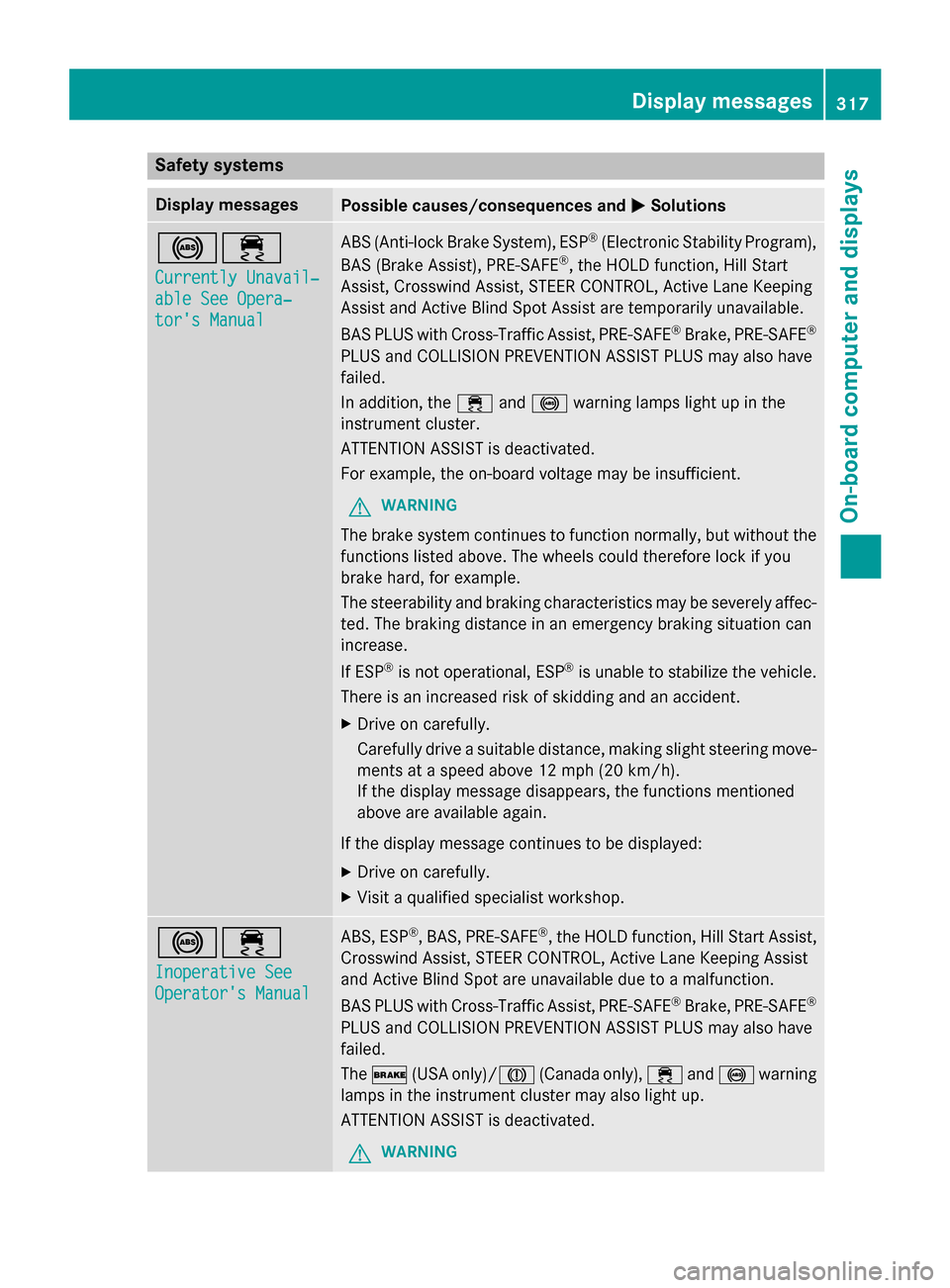
Safety systems
Display messages
Possible causes/consequences and
M
MSolutions !÷
Currently Unavail‐ Currently Unavail‐
able See Opera‐ able See Opera‐
tor's Manual tor's Manual ABS (Anti-lock Brake System), ESP
®
(Electronic Stability Program),
BAS (Brake Assist), PRE‑ SAFE®
, the HOLD function, Hill Start
Assist, Crosswind Assist, STEER CONTROL, Active Lane Keeping
Assist and Active Blind Spot Assist are temporarily unavailable.
BAS PLUS with Cross-Traffic Assist, PRE‑ SAFE®
Brake, PRE‑ SAFE®
PLUS and COLLISION PREVENTION ASSIST PLUS may also have
failed.
In addition, the ÷and! warning lamps light up in the
instrument cluster.
ATTENTION ASSIST is deactivated.
For example, the on-board voltage may be insufficient.
G WARNING
The brake system continues to function normally, but without the functions listed above. The wheels could therefore lock if you
brake hard, for example.
The steerability and braking characteristics may be severely affec-ted. The braking distance in an emergency braking situation can
increase.
If ESP ®
is not operational, ESP ®
is unable to stabilize the vehicle.
There is an increased risk of skidding and an accident.
X Drive on carefully.
Carefully drive a suitable distance, making slight steering move-
ments at a speed above 12 mph (20 km/h).
If the display message disappears, the functions mentioned
above are available again.
If the display message continues to be displayed: X Drive on carefully.
X Visit a qualified specialist workshop. !÷
Inoperative See Inoperative See
Operator's Manual Operator's Manual ABS, ESP
®
, BAS, PRE‑SAFE ®
, the HOLD function, Hill Start Assist,
Crosswind Assist, STEER CONTROL, Active Lane Keeping Assist
and Active Blind Spot are unavailable due to a malfunction.
BAS PLUS with Cross-Traffic Assist, PRE‑SAFE ®
Brake, PRE‑SAFE ®
PLUS and COLLISION PREVENTION ASSIST PLUS may also have
failed.
The $ (USA only)/J (Canada only),÷and! warning
lamps in the instrument cluster may also light up.
ATTENTION ASSIST is deactivated.
G WARNING Display messages
317On-board computer and displays Z
Page 320 of 502
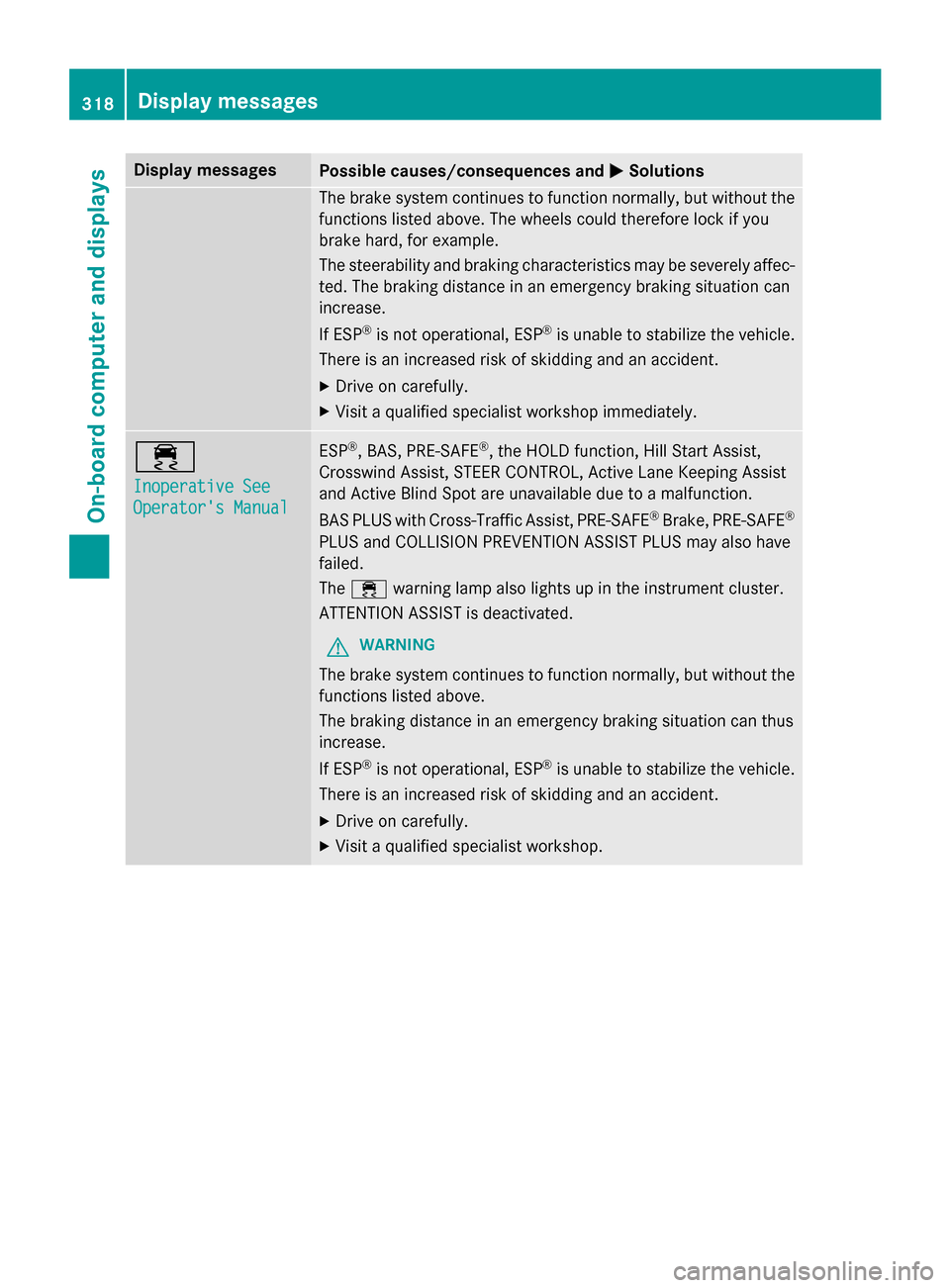
Display messages
Possible causes/consequences and
M
MSolutions The brake system continues to function normally, but without the
functions listed above. The wheels could therefore lock if you
brake hard, for example.
The steerability and braking characteristics may be severely affec- ted. The braking distance in an emergency braking situation can
increase.
If ESP ®
is not operational, ESP ®
is unable to stabilize the vehicle.
There is an increased risk of skidding and an accident.
X Drive on carefully.
X Visit a qualified specialist workshop immediately. ÷
Inoperative See Inoperative See
Operator's Manual Operator's Manual ESP
®
, BAS, PRE ‑SAFE®
, the HOLD function, Hill Start Assist,
Crosswind Assist, STEER CONTROL, Active Lane Keeping Assist
and Active Blind Spot are unavailable due to a malfunction.
BAS PLUS with Cross-Traffic Assist, PRE ‑SAFE®
Brake, PRE ‑SAFE®
PLUS and COLLISION PREVENTION ASSIST PLUS may also have
failed.
The ÷ warning lamp also lights up in the instrument cluster.
ATTENTION ASSIST is deactivated.
G WARNING
The brake system continues to function normally, but without the functions listed above.
The braking distance in an emergency braking situation can thus
increase.
If ESP ®
is not operational, ESP ®
is unable to stabilize the vehicle.
There is an increased risk of skidding and an accident.
X Drive on carefully.
X Visit a qualified specialist workshop. 318
Display
messagesOn-board computer and displays
Page 321 of 502
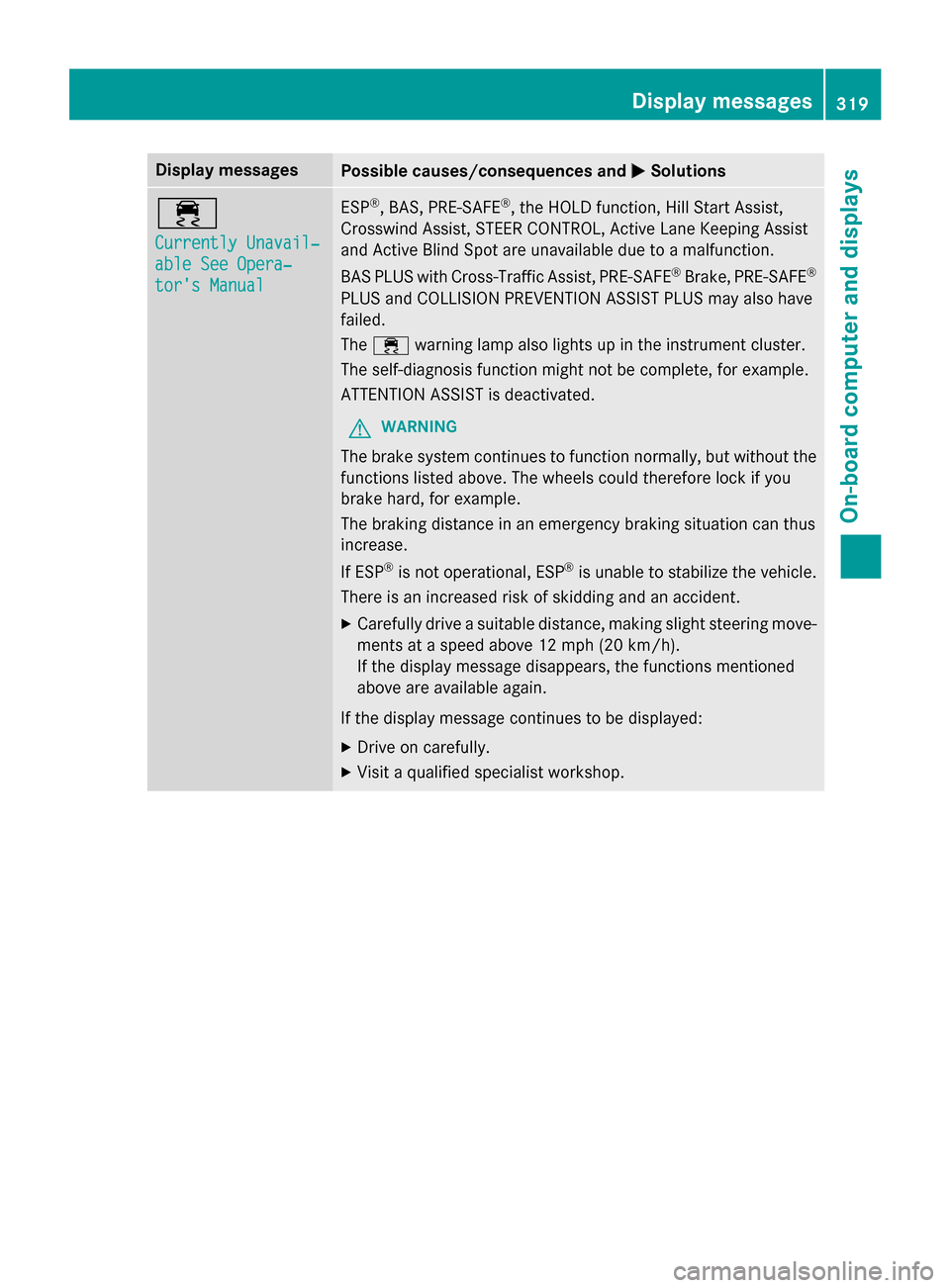
Display messages
Possible causes/consequences and
M
MSolutions ÷
Currently Unavail‐ Currently Unavail‐
able See Opera‐ able See Opera‐
tor's Manual tor's Manual ESP
®
, BAS, PRE ‑SAFE®
, the HOLD function, Hill Start Assist,
Crosswind Assist, STEER CONTROL, Active Lane Keeping Assist
and Active Blind Spot are unavailable due to a malfunction.
BAS PLUS with Cross-Traffic Assist, PRE ‑SAFE®
Brake, PRE ‑SAFE®
PLUS and COLLISION PREVENTION ASSIST PLUS may also have
failed.
The ÷ warning lamp also lights up in the instrument cluster.
The self-diagnosis function might not be complete, for example.
ATTENTION ASSIST is deactivated.
G WARNING
The brake system continues to function normally, but without the functions listed above. The wheels could therefore lock if you
brake hard, for example.
The braking distance in an emergency braking situation can thus
increase.
If ESP ®
is not operational, ESP ®
is unable to stabilize the vehicle.
There is an increased risk of skidding and an accident.
X Carefully drive a suitable distance, making slight steering move-
ments at a speed above 12 mph (20 km/h).
If the display message disappears, the functions mentioned
above are available again.
If the display message continues to be displayed:
X Drive on carefully.
X Visit a qualified specialist workshop. Display
messages
319On-board computer and displays Z