stop start MERCEDES-BENZ S CLASS 2016 Owner's Guide
[x] Cancel search | Manufacturer: MERCEDES-BENZ, Model Year: 2016, Model line: S CLASS, Model: MERCEDES-BENZ S CLASS 2016Pages: 438, PDF Size: 13.22 MB
Page 194 of 438
R
the seat belt has been fastened R
you depress the accelerator pedal
If the automatic transmission is in position R ,
the trunk lid must be closed.
If your seat belt is not fastened, the following
conditions must be fulfilled to automatically
release the electric parking brake: R
the driver's door is closed. R
you have shifted out of transmission position
P or you have previously driven faster than
2 mph (3 km/h).
Ensure that you do not depress the accelerator
pedal unintentionally. Otherwise the parking
brake will be released and the vehicle will start
to move.
Emergency braking The vehicle can also be braked during an emer-
gency by using the electric parking brake. X
While driving, push handle C of the electric
parking brake ( Y
page 190).
The vehicle is braked as long as you keep
handle C of the electric parking brake
pressed. The longer electric parking brake
handle C is depressed, the greater the brak-
ing force.
During braking: R
a warning tone sounds R
the Please Release Parking Brake mes-
sage appears R
the red I (USA only) or $ (Canada
only) indicator lamp in the instrument cluster
flashes
When the vehicle has been braked to a stand-
still, the electric parking brake is engaged.
Parking the vehicle for a long period If you leave the vehicle parked for longer than
four weeks, the battery may be damaged by
exhaustive discharging.
If you leave the vehicle parked for longer than six
weeks, the vehicle may suffer damage as a
result of lack of use. X
Visit a qualified specialist workshop and seek
advice.
PLUG-IN HYBRID vehicles: observe the impor-
tant safety notes for the high-voltage battery
( Y
page 374). Driving tips
General driving tips
Important safety notes
G WARNING
If you switch off the ignition while driving,
safety-relevant functions are only available
with limitations, or not at all. This could affect,
for example, the power steering and the brake
boosting effect. You will require considerably
more effort to steer and brake. There is a risk
of an accident.
Do not switch off the ignition while driving.
G WARNING
If you operate mobile communication equip-
ment while driving, you will be distracted from
traffic conditions. You could also lose control
of the vehicle. There is a risk of an accident.
Only operate this equipment when the vehicle
is stationary.
Observe the legal requirements for the country
in which you are driving. Some jurisdictions pro-
hibit the driver from using a mobile phone while
driving a vehicle.
If you make a call while driving, always use
hands-free mode. Only operate the telephone
when the traffic situation permits. If you are
unsure, pull over to a safe location and stop
before operating the telephone.
Bear in mind that at a speed of only 30 mph
(approximately 50 km/h), the vehicle covers a
distance of 44 ft (approximately 14 m) per sec-
ond.
Drive sensibly – save fuel Observe the following tips to save fuel: X
The tires should always be inflated to the rec-
ommended tire pressure. X
Remove unnecessary loads. X
Remove roof racks when they are not needed. X
Warm up the engine at low engine speeds. X
Avoid frequent acceleration or braking. X
Have all maintenance work carried out as
indicated by the service intervals in the Main-192
Driving tips
Driving and parking
Page 195 of 438
tenance Booklet or by the service interval dis-
play.
Fuel consumption also increases when driving in
cold weather, in stop-start traffic and in hilly ter-
rain.
Drinking and driving
G WARNING
Drinking and driving and/or taking drugs and
driving are very dangerous combinations.
Even a small amount of alcohol or drugs can
affect your reflexes, perceptions and judg-
ment.
The possibility of a serious or even fatal acci-
dent is greatly increased when you drink or
take drugs and drive.
Do not drink or take drugs and drive or allow
anyone to drive who has been drinking or tak-
ing drugs.
Emission control
G WARNING
Combustion engines emit poisonous exhaust
gases such as carbon monoxide. Inhaling
these exhaust gases leads to poisoning. There
is a risk of fatal injury. Therefore never leave
the engine running in enclosed spaces with-
out sufficient ventilation.
Certain engine systems are designed to keep
the level of poisonous components in exhaust
fumes within legal limits.
These systems only work at peak efficiency if
they are serviced exactly in accordance with the
manufacturer's specifications. Always have
work on the engine carried out at a qualified
specialist workshop . Mercedes-Benz recom-
mends that you use an authorized Mercedes-
Benz Center for this purpose. In particular, work
relevant to safety or on safety-related systems
must be carried out at a qualified specialist
workshop.
The engine settings must not be changed under
any circumstances. Furthermore, all specific
service work must be carried out at regular
intervals and in accordance with the Mercedes-
Benz service requirements. Details can be found
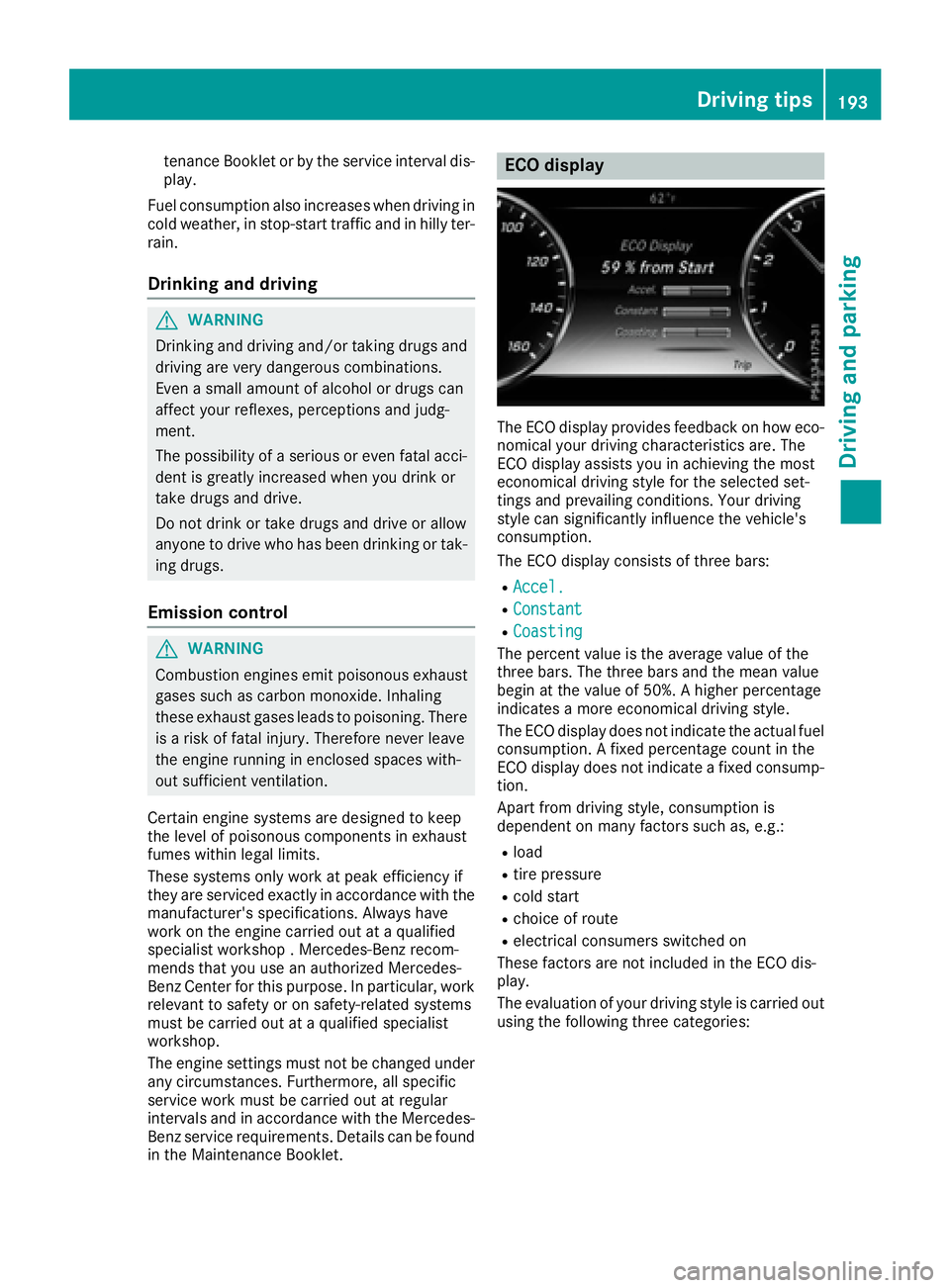
in the Maintenance Booklet. ECO display
The ECO display provides feedback on how eco-
nomical your driving characteristics are. The
ECO display assists you in achieving the most
economical driving style for the selected set-
tings and prevailing conditions. Your driving
style can significantly influence the vehicle's
consumption.
The ECO display consists of three bars: R
Accel. R
Constant R
Coasting
The percent value is the average value of the
three bars. The three bars and the mean value
begin at the value of 50%. A higher percentage
indicates a more economical driving style.
The ECO display does not indicate the actual fuel
consumption. A fixed percentage count in the
ECO display does not indicate a fixed consump-
tion.
Apart from driving style, consumption is
dependent on many factors such as, e.g.: R
load R
tire pressure R
cold start R
choice of route R
electrical consumers switched on
These factors are not included in the ECO dis-
play.
The evaluation of your driving style is carried out
using the following three categories: Driving tips 193
Driving an d parking Z
Page 196 of 438
R
Accel. (evaluation of all acceleration pro-
cesses) -
The bar fills up: moderate acceleration,
especially at higher speeds -
The bar empties: sporty acceleration R
Constant (assessment of driving behavior at
all times) -
The bar fills up: constant speed and avoid-
ance of unnecessary acceleration and
deceleration -
The bar empties: fluctuations in speed R
Coasting (assessment of all deceleration
processes) -
The bar fills up: anticipatory driving, keep-
ing your distance and early release of the
accelerator. The vehicle can coast without
use of the brakes. -
The bar empties: frequent braking
An economical driving style specially requires
driving at moderate engine speeds.
To achieve a higher value in the categories
Accel. and Constant ,R
observe the gearshift recommendations. R
drive in drive program E
On long journeys at a constant speed, e.g. on the
highway, only the bar for Constant
will change.
The ECO display summarizes the driving char-
acteristics from the start of the journey to its
completion. For this reason, the bars change
dynamically at the beginning of the journey. On
longer journeys, there are fewer changes. For
more dynamic changes, carry out a manual
reset.
For further information on the ECO display, see
( Y
page 262).
Brakes
Important safety notes
G WARNING
If you shift down on a slippery road surface in
an attempt to increase the engine's braking
effect, the drive wheels could lose their grip.
There is an increased danger of skidding and
accidents.
Do not shift down for additional engine brak-
ing on a slippery road surface. Downhill gradients
! On long and steep gradients, you must
reduce the load on the brakes by shifting to a
lower gear in good time. This allows you to
take advantage of the engine's braking effect.
This helps you to avoid overheating the
brakes and wearing them out excessively.
When you take advantage of engine braking, a
drive wheel may not turn for some time, e.g.
on a slippery road surface. This could cause
damage to the drive train. This type of damage
is not covered by the Mercedes-Benz war-
ranty.
Heavy and light loads
G WARNING
If you rest your foot on the brake pedal while
driving, the braking system can overheat. This
increases the stopping distance and can even
cause the braking system to fail. There is a
risk of an accident.
Never use the brake pedal as a footrest. Never
depress the brake pedal and the accelerator
pedal at the same time.
! Depressing the brake pedal constantly
results in excessive and premature wear to
the brake pads.
If the brakes have been subjected to a heavy
load, do not stop the vehicle immediately. Drive
on for a short while. This allows the airflow to
cool the brakes more quickly.
Wet roads If you have driven for a long time in heavy rain
without braking, there may be a delayed reac-
tion from the brakes when braking for the first
time. This may also occur after the vehicle has
been washed or driven through deep water.
You have to depress the brake pedal more
firmly. Maintain a greater distance from the
vehicle in front.
After driving on a wet road or having the vehicle
washed, brake firmly while paying attention to
the traffic conditions. This will warm up the
brake discs, thereby drying them more quickly
and protecting them against corrosion.194
Driving tips
Driving and parking
Page 197 of 438
Limited braking performance on salt-
treated roads If you drive on salted roads, a layer of salt resi-
due may form on the brake discs and brake
pads. This can result in a significantly longer
braking distance. R
In order to prevent any salt build-up, apply the
brakes occasionally while paying attention to
the traffic conditions. R
Carefully depress the brake pedal and the
beginning and end of a journey. R
Maintain a greater distance to the vehicle
ahead.
Servicing the brakes
! The brake fluid level may be too low, if: R
if the red brake warning lamp lights up in
the instrument cluster and R
you hear a warning tone while the engine is
running
Observe additional warning messages in the
multifunction display.
The brake fluid level may be too low due to
brake pad wear or leaking brake lines.
Have the brake system checked immediately.
Consult a qualified specialist workshop to
arrange this.
! Vehicles with 4MATIC: function or per-
formance tests may only be carried out on a 2-
axle dynamometer. If you wish to operate the
vehicle on such a dynamometer, please con-
sult a qualified specialist workshop in
advance. You could otherwise damage the
drive train or the brake system.
! Vehicles with 4MATIC: the ESP ®
system
operates automatically. The engine and the
ignition must therefore be switched off (the
SmartKey must be in position 0 or 1 in the
ignition lock or the Start/Stop button must be
in position 0 or 1 ) if the electric parking brake
is tested on a brake dynamometer.
Braking triggered automatically by ESP ®
may
cause severe damage to the brake system. ! Vehicles without 4MATIC: the ESP ®
sys-
tem operates automatically. The engine and
the ignition must therefore be switched off
(the SmartKey must be in position 0 or 1 in the
ignition lock or the Start/Stop button must be
in position 0 or 1 ) if: R
the electric parking brake is tested using a
brake dynamometer. R
the vehicle is towed with one axle raised.
Braking triggered automatically by ESP ®
may
cause severe damage to the brake system.
All checks and maintenance work on the brake
system must be carried out at a qualified spe-
cialist workshop.
Have brake pads installed and brake fluid
replaced at a qualified specialist workshop.
If the brake system has only been subject to
moderate loads, you should test the functional-
ity of your brakes at regular intervals.
Information on BAS (Brake Assist) ( Y
page 69)
and BAS PLUS (Brake Assist PLUS) ( Y
page 69).
For safety reasons, Mercedes-Benz recom-
mends only installing the following brake disks
and brake pads/linings: R
brake disks that have been approved by
Mercedes-Benz R
brake pads/linings that have been approved
by Mercedes-Benz or that are of an equivalent
standard of quality
Other brake disks or brake pads/linings can
compromise the safety of your vehicle.
Always replace all brake disks and brake pads/
linings on an axle at the same time. Always
install new brake pads/linings when replacing
brake disks.
The vehicle is equipped with lightweight brake
disks to which the wheel assembly with rim and
threaded connection is matched.
The use of brake disks other than those
approved by Mercedes-Benz can change the
track width and is subject to approval, if appli-
cable.
Shock-type loads when handling the brake
discs, such as when changing wheels, can lead
to a reduction in comfort when driving with light-
weight brake discs. Avoid shock-type loads on
the lightweight brake disks, particularly on the
brake plate.
Mercedes-Benz recommends that you only use
brake fluid that has been specially approved for
your vehicle by Mercedes-Benz, or which corre- Driving tips 195
Driving and parking Z
Page 205 of 438
If these conditions are fulfilled, your vehicle is
accelerated. Acceleration will be interrupted if
changing lanes takes too long or if the distance
between your vehicle and the vehicle in front
becomes too small.
i When you change lanes, DISTRONIC PLUS
monitors the left lane on left-hand-drive vehi-
cles or the right lane on right-hand-drive vehi-
cles.
Stopping
G WARNING
When leaving the vehicle, even if it is braked
only by DISTRONIC PLUS, it could roll away if: R
there is a malfunction in the system or in
the voltage supply. R
DISTRONIC PLUS has been deactivated
with the cruise control lever, e.g. by a vehi-
cle occupant or from outside the vehicle. R
the electrical system in the engine com-
partment, the battery or the fuses have
been tampered with. R
the battery is disconnected. R
the accelerator pedal has been depressed,
e.g. by a vehicle occupant.
There is a risk of an accident.
If you wish to exit the vehicle, always turn off
DISTRONIC PLUS and secure the vehicle
against rolling away.
For further information on deactivating
DISTRONIC PLUS ( Y
page 205).
If DISTRONIC PLUS detects that the vehicle in
front is stopping, it brakes your vehicle until it is
stationary.
Once your vehicle is stationary, it remains sta-
tionary and you do not need to depress the
brake.
After a time, the electric parking brake secures
the vehicle and relieves the service brake.
Depending on the specified minimum distance,
your vehicle will come to a standstill at a suffi-
cient distance behind the vehicle in front. The
specified minimum distance is set using the
control on the cruise control lever. When DISTRONIC PLUS is activated, the trans-
mission is shifted automatically to position P if:R
the driver's seat belt is not fastened and the
driver's door is open. R
the engine is switched off, unless it is auto-
matically switched off by the ECO start/stop
function.
The electric parking brake secures the vehicle
automatically if DISTRONIC PLUS is activated
when the vehicle is stationary and: R
a system malfunction occurs. R
the power supply is not sufficient.
If a malfunction in the electric parking brake
occurs, then the transmission may also be shif-
ted into position P automatically.
Setting a speed
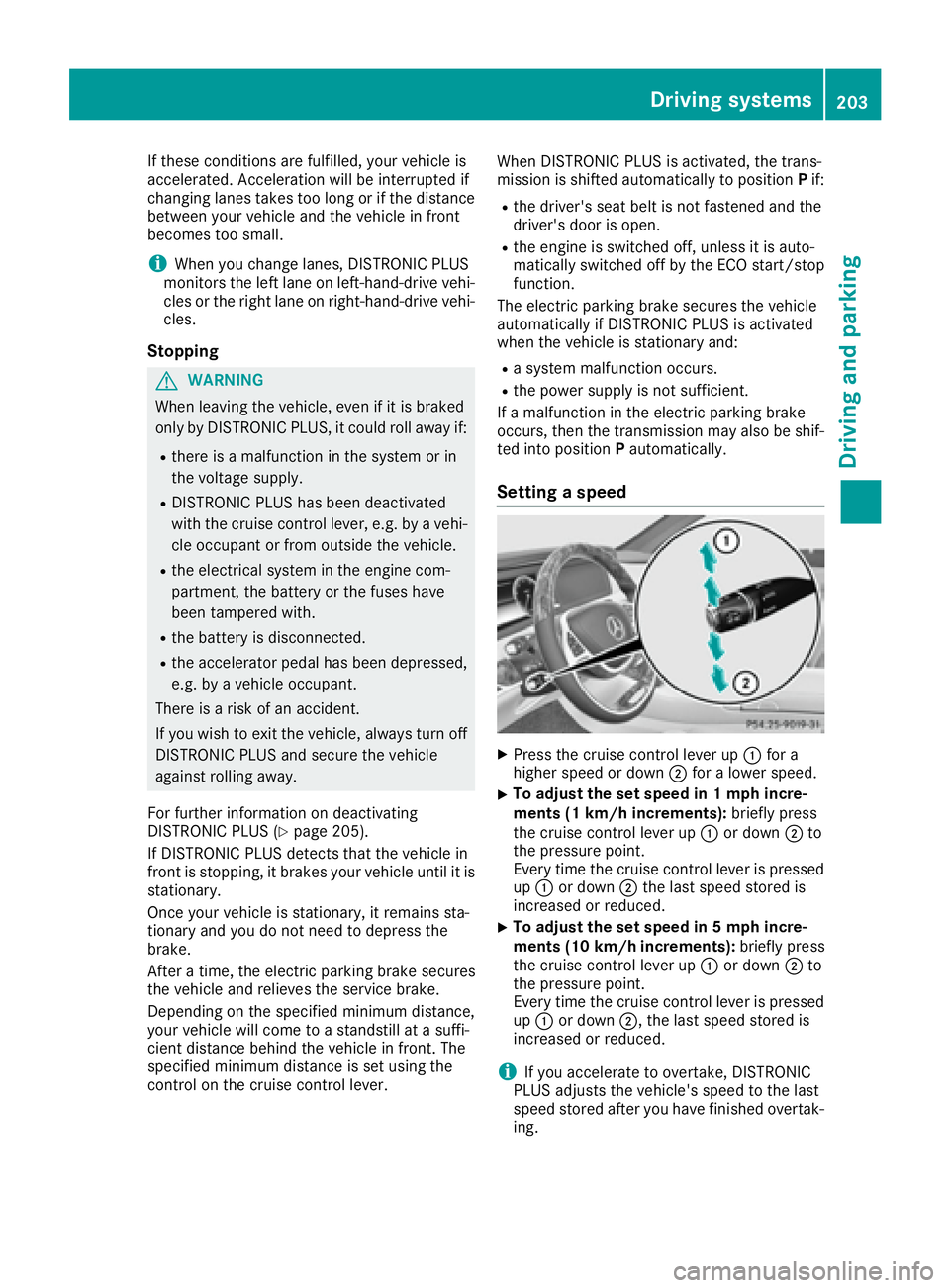
X
Press the cruise control lever up C for a
higher speed or down D for a lower speed.X
To adjust the set speed in 1 mph incre-
ments (1 km/h increments): briefly press
the cruise control lever up C or down D to
the pressure point.
Every time the cruise control lever is pressed
up C or down D the last speed stored is
increased or reduced. X
To adjust the set speed in 5 mph incre-
ments (1 0 km/h increments): briefly press
the cruise control lever up C or down D to
the pressure point.
Every time the cruise control lever is pressed
up C or down D , the last speed stored is
increased or reduced.
i If you accelerate to overtake, DISTRONIC
PLUS adjusts the vehicle's speed to the last
speed stored after you have finished overtak-
ing.Driving systems 203
Driving and parking Z
Page 210 of 438
i Steering Assist and Stop&Go Pilot are acti-
vated again automatically after a lane change
is completed.
Steering Assist and Stop&Go Pilot do not pro-
vide any support: R
on very sharp corners R
when a loss of tire pressure or a defective tire
has been detected and displayed
Pay attention also to the important safety notes
for DISTRONIC PLUS ( Y
page 200).
The steering interventions are carried out with a
limited steering moment. The system requires
the driver to keep his hands on the steering
wheel and to steer himself.
If you do not steer yourself or if you take your
hands off the steering wheel for a prolonged
period of time, the system will first alert you with
a visual warning. A steering wheel symbol
appears in the multifunction display. If you have
still not started to steer and have not taken hold
of the steering wheel after five seconds at the
latest, a warning tone also sounds to remind you
to take control of the vehicle. Steering Assist
and Stop&Go Pilot are switched to passive.
DISTRONIC PLUS remains active.
Activating Steering Assist and Stop&Go
Pilot
X
Press button D .
Indicator lamp C lights up. The DTR+:
Steering Assist. On message appears in
the multifunction display. Steering Assist and
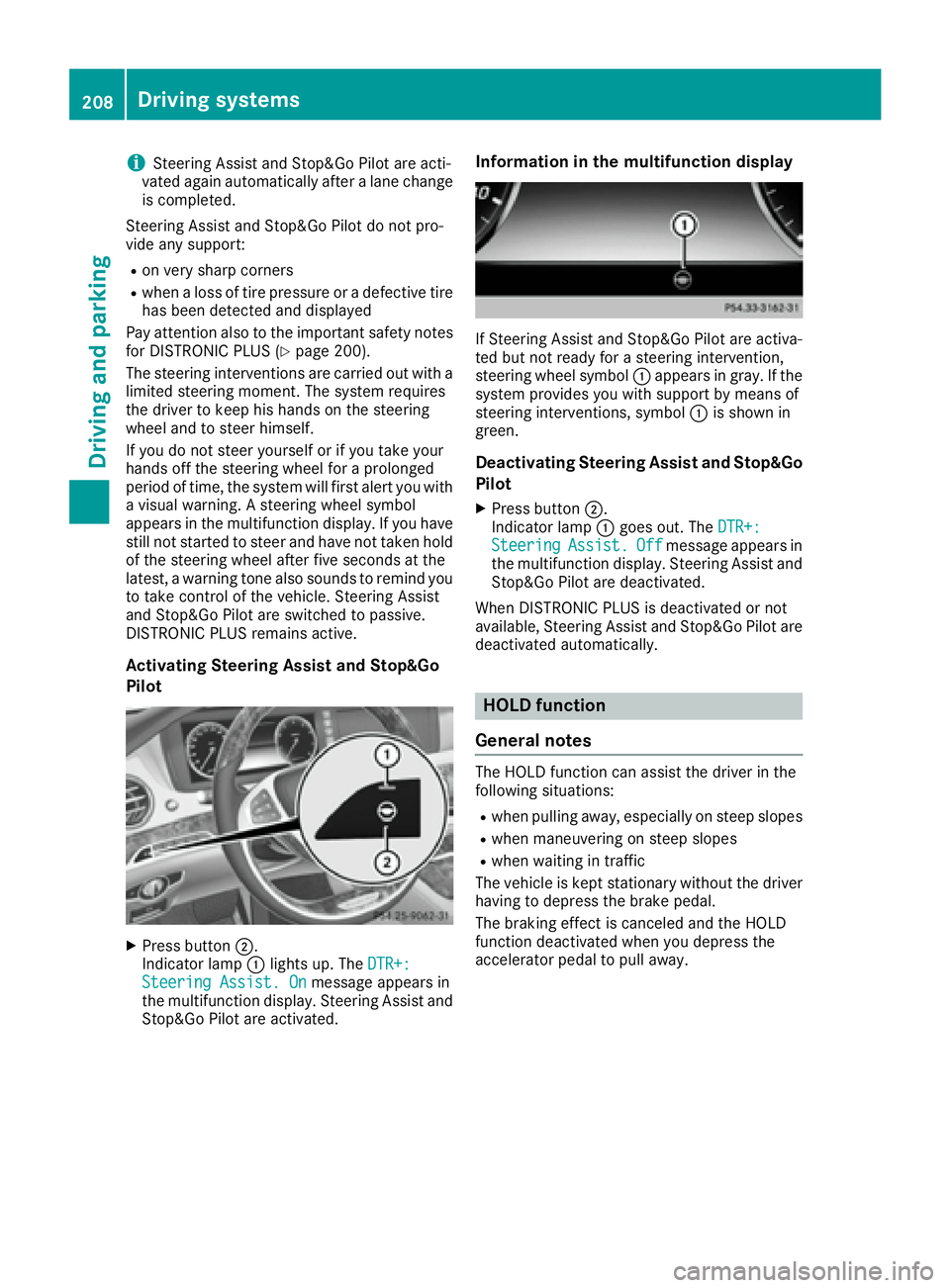
Stop&Go Pilot are activated. Information in the multifunction display
If Steering Assist and Stop&Go Pilot are activa-
ted but not ready for a steering intervention,
steering wheel symbol C appears in gray. If the
system provides you with support by means of
steering interventions, symbol C is shown in
green.
Deactivating Steering Assist and Stop&Go
Pilot X
Press button D .
Indicator lamp C goes out. The DTR+:
Steering Assist. Off message appears in
the multifunction display. Steering Assist and
Stop&Go Pilot are deactivated.
When DISTRONIC PLUS is deactivated or not
available, Steering Assist and Stop&Go Pilot are
deactivated automatically.
HOLD function
General notes The HOLD function can assist the driver in the
following situations: R
when pulling away, especially on steep slopes R
when maneuvering on steep slopes R
when waiting in traffic
The vehicle is kept stationary without the driver
having to depress the brake pedal.
The braking effect is canceled and the HOLD
function deactivated when you depress the
accelerator pedal to pull away.208
Driving systems
Driving and parking
Page 220 of 438
R
that are parallel to the direction of travel and
at least 39.5 in (1.0 m) longer than your vehi-
cle R
that are at right angles to the direction of
travel and at least 39.5 in (1.0 m) wider than
your vehicle
i Note that Active Parking Assist cannot
measure the size of a parking space if it is at
right angles to the direction of travel. You will
need to judge whether your vehicle will fit into
the parking space.
When driving at speeds below 19 mph
(30 km/h), you will see the parking symbol as a
status indicator in the instrument cluster. When
a parking space has been detected, an arrow
towards the right or the left also appears. By
default, Active Parking Assist only displays park-
ing spaces on the front-passenger side. Parking
spaces on the driver's side are displayed as
soon as the turn signal on the driver's side is
activated. When parking on the driver's side,
this must remain switched on until you acknowl-
edge the use of Active Parking Assist by press-
ing the v button on the multifunction steer-
ing wheel. The system automatically determines
whether the parking space is parallel or at right
angles to the direction of travel.
A parking space is displayed while you are driv-
ing past it, and until you are approximately 50 ft
(15 m) away from it.
Parking
G WARNING
If you leave the vehicle when it is only being
braked by Active Parking Assist it could roll
away if: R
there is a malfunction in the system or in
the voltage supply. R
the electrical system in the engine com-
partment, the battery or the fuses have
been tampered with. R
the battery is disconnected. R
the accelerator pedal has been depressed,
e.g. by a vehicle occupant.
There is a risk of an accident.
Before leaving the vehicle, always secure it
against rolling away. i When PARKTRONIC detects obstacles,
Active Parking Assist brakes automatically
during the parking process. You are respon-
sible for braking in good time. X
Stop the vehicle when the parking space sym-
bol shows the desired parking space in the
instrument cluster. X
Shift the transmission to position R .
The Start Park Assist? Yes: OK No: 8
message appears in the multifunction display. X
To cancel the procedure: press the 8
button on the multifunction steering wheel or
pull away.
or X
To park using Active Parking Assist: press
the v button on the multifunction steering
wheel.
The Park Assist Active Accelerate
and Brake Observe Surroundings mes-
sage appears in the multifunction display. X
Let go of the multifunction steering wheel. X
Back up the vehicle, being ready to brake at all
times. When backing up, drive at a speed
below approximately 6 mph (10 km/h). Oth-
erwise Active Parking Assist will be canceled.
Active Parking Assist brakes the vehicle to a
standstill when the vehicle approaches the
rear border of the parking space.
Maneuvering may be required in tight parking
spaces.
The Park Assist Active Select D Observe
Surroundings message appears in the multi-
function display. X
Shift the transmission to position D while the
vehicle is stationary.
Active Parking Assist immediately steers in
the other direction.
The Park Assist Active Accelerate
and Brake Observe Surroundings mes-
sage appears in the multifunction display.
i You will achieve the best results by waiting
for the steering procedure to complete before
pulling away. X
Drive forwards and be ready to brake at all
times.
Active Parking Assist brakes the vehicle to a
standstill.
The Park Assist Active Select R Observe
Surroundings message appears in the multi-
function display.218
Driving systems
Driving and parking
Page 230 of 438
Exiting 360° camera display mode The 360° camera display is stopped R
when you select transmission position P , orR
when you are driving at moderate speeds
The view which was active before the 360° cam-
era was displayed appears in the multimedia
system. You can also stop the 360° camera dis-
play split-screen view by selecting the 8
symbol in the display and then confirming with
the COMAND controller.
ATTENTION ASSIST
General notes ATTENTION ASSIST helps you during long,
monotonous journeys, such as on highways. It is
active in the 37 mph (60 km/h) to 125 mph
(200 km/h) range. If ATTENTION ASSIST
detects typical indicators of fatigue or increas-
ing lapses in concentration on the part of the
driver, it suggests taking a break.
Important safety notes ATTENTION ASSIST is only an aid to the driver. It
might not always recognize fatigue or increasing
inattentiveness in time or fail to recognize them
at all. The system is not a substitute for a well-
rested and attentive driver.
The functionality of ATTENTION ASSIST is
restricted and warnings may be delayed or not
occur at all: R
if the length of the journey is less than approx-
imately 30 minutes R
if the road condition is poor, e.g. if the surface
is uneven or if there are potholes R
if there is a strong side wind R
if you have adopted a sporty driving style with
high cornering speeds or high rates of accel-
eration R
if you are predominantly driving slower than
37 mph (60 km/ h) or faster than 125 mph
(200 km/ h)R
if you are driving with the active Steer Assist
of DISTRONIC PLUS R
if the time has been set incorrectly R
in active driving situations, such as when you
change lanes or change your speed The ATTENTION ASSIST tiredness assessment
is deleted and restarted when continuing the
journey, if: R
you switch off the engine R
you take off your seat belt and open the driv-
er's door, e.g. for a change of drivers or to
take a break
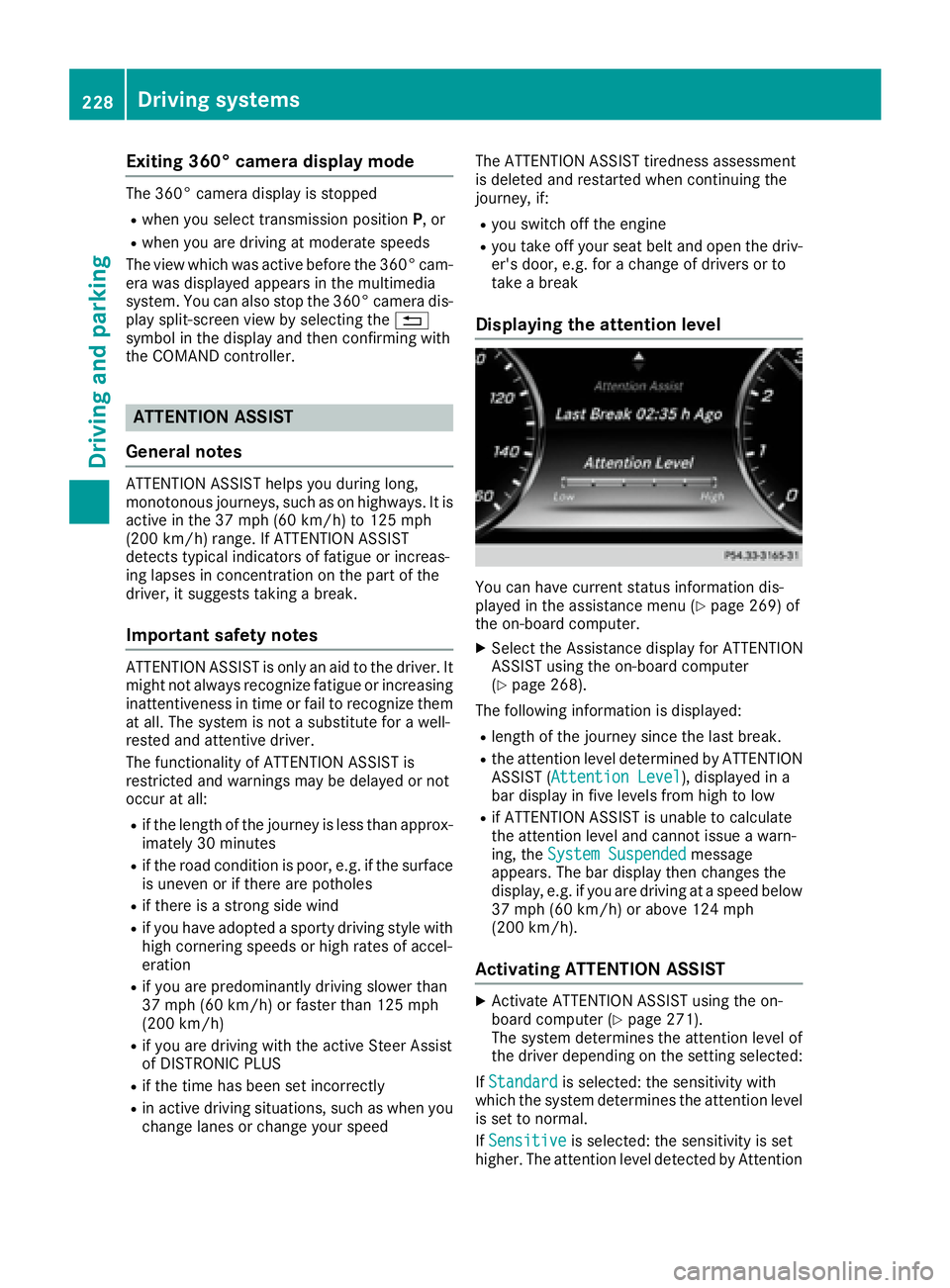
Displaying the attention level
You can have current status information dis-
played in the assistance menu ( Y
page 269) of
the on-board computer. X
Select the Assistance display for ATTENTION
ASSIST using the on-board computer
( Y
page 268).
The following information is displayed: R
length of the journey since the last break. R
the attention level determined by ATTENTION
ASSIST ( Attention Level ), displayed in a
bar display in five levels from high to low R
if ATTENTION ASSIST is unable to calculate
the attention level and cannot issue a warn-
ing, the System Suspended message
appears. The bar display then changes the
display, e.g. if you are driving at a speed below
37 mph (60 km/h) or above 124 mph
(200 km/h).
Activating ATTENTION ASSIST X
Activate ATTENTION ASSIST using the on-
board computer ( Y
page 271).
The system determines the attention level of
the driver depending on the setting selected:
If Standard is selected: the sensitivity with
which the system determines the attention level
is set to normal.
If Sensitive is selected: the sensitivity is set
higher. The attention level detected by Attention228
Driving systems
Driving and parking
Page 242 of 438
PLUG ‑ IN HYBRID operation
Points to remember
General notes Hybrid technology combines a fuel efficient
internal combustion engine with a powerful
electric motor. In HYBRID mode, the hybrid
drive system automatically selects the most effi-
cient operating mode for every driving situation.
Drive the vehicle in the usual manner.
To save fuel in HYBRID mode, the hybrid drive
system switches off the combustion engine as
often as possible during the journey when power
output requirements are low. When power out-
put requirements are low, the electric motor
powers the vehicle. The combustion engine is
automatically activated when power output
requirements are high. The engine is usually
switched off when the vehicle is stationary. Con-
sequently, there is usually no engine idling as
with combustion engine vehicles.
For pulling away and accelerating, the electric
motor supports the internal combustion engine
using the power stored in the high-voltage bat-
tery. In addition, the power is used for partially
electric driving, operation of the electric coolant
compressor and to support the 12 V on-board
electrical system. In this way the hybrid drive
system helps to reduce your vehicle's fuel con-
sumption.
Observe the driving tips on PLUG-IN HYBRID
operation ( Y
page 251).
Recuperative Brake System If you release the accelerator pedal when the
vehicle is in motion, overrun recuperation is ini-
tiated. The electric motor is operated as a gen-
erator when in overrun mode and when you
brake. Hybrid technology converts the kinetic
energy of the vehicle into electricity and stores
it in the high-voltage battery.
Observe the important safety notes for the
Recuperative Brake System ( Y
page 44). Important safety notes If the engine is switched off by the ECO start/
stop function and you open the driver's door: R
a message appears in the multifunction dis-
play and R
a warning tone sounds
Further information ( Y
page 297).
All of the vehicle's systems remain active, if: R
the vehicle is stationary R
the combustion engine is switched off and R
the READY indicator in the instrument cluster
lights up
If you remove your foot from the brake pedal
while in transmission position D or R, the vehicle
may pull away automatically.
Observe the notes on the READY display of the
ECO start/stop function ( Y
page 252).
Vehicles with an electric motor generate much
less driving noise than vehicles with internal
combustion engines. As a result, your vehicle
may not be heard by other road users in certain
situations.
Depending on the vehicle's equipment and
country-specific regulations, the vehicle can be
equipped with Acoustic Vehicle Indication.
Acoustic Vehicle Indication generates a certain
sound at a speed between 0 and 19 mph
(30 km/h). This helps other road users, partic-
ularly pedestrians and cyclists, to hear your
vehicle better. The sound can also be heard
inside the vehicle.
The volume depends on the engine speed. The
faster you accelerate, the louder the sound is. At
a speed of over 19 mph (30 km/h) the sound is
switched off. Above this speed, the natural
sounds from the vehicle are sufficient that it can
be heard in good time by other road users.240
PLUG ‑ IN HYBRID operation
Driving and parking
Page 252 of 438
Pulling away X
Depress the brake pedal and keep it
depressed. X
Shift the transmission to position D or R .X
If the Apply Brake to Shift from 'P'
display message appears in the multifunction
display, depress the brake pedal more firmly
and select the desired transmission position. X
Release the brake pedal. X
Carefully depress the accelerator pedal.
For further information on pulling away
( Y
page 165).
Driving
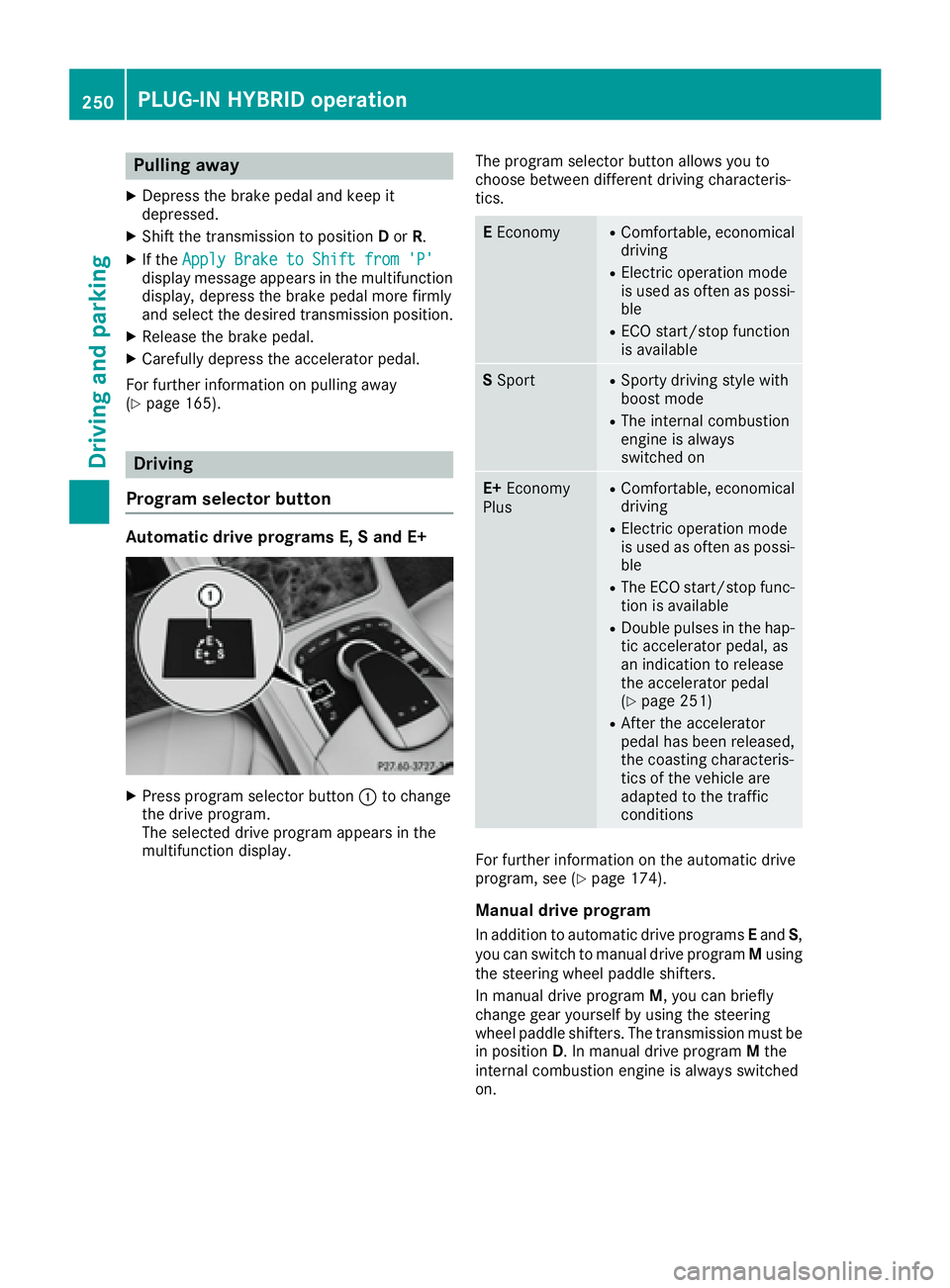
Program selector button Automatic drive programs E, S and E+
X
Press program selector button C to change
the drive program.
The selected drive program appears in the
multifunction display. The program selector button allows you to
choose between different driving characteris-
tics.
E Economy R
Comfortable, economical
driving R
Electric operation mode
is used as often as possi-
ble R
ECO start/stop function
is available
S Sport R
Sporty driving style with
boost mode R
The internal combustion
engine is always
switched on
E+ Economy
Plus R
Comfortable, economical
driving R
Electric operation mode
is used as often as possi-
ble R
The ECO start/stop func-
tion is available R
Double pulses in the hap-
tic accelerator pedal, as
an indication to release
the accelerator pedal
( Y
page 251) R
After the accelerator
pedal has been released,
the coasting characteris-
tics of the vehicle are
adapted to the traffic
conditions
For further information on the automatic drive
program, see ( Y
page 174).
Manual drive program
In addition to automatic drive programs E and S ,
you can switch to manual drive program M using
the steering wheel paddle shifters.
In manual drive program M , you can briefly
change gear yourself by using the steering
wheel paddle shifters. The transmission must be
in position D . In manual drive program M the
internal combustion engine is always switched
on.250
PLUG ‑ IN HYBRID operation
Driving and parking