light MERCEDES-BENZ S CLASS 2016 Manual Online
[x] Cancel search | Manufacturer: MERCEDES-BENZ, Model Year: 2016, Model line: S CLASS, Model: MERCEDES-BENZ S CLASS 2016Pages: 438, PDF Size: 13.22 MB
Page 234 of 438
Animal recognition Animals can be recognize d in th e followin g sit -
uations: R
darkness R
outside built-up areas R
below an ambient temperature of 90 ‡
(32 †).
Nigh t View Assist Plus can recognize larger ani-
mals suc h as deer , cows or horses usin g typical
characteristics.
The system does no t detect :R
smaller animals, e.g. dogs and cat sR
animals whos e silhouette is no t clearly rec -
ognizable
When detected, animals are marke d wit h smal l
color frame corners . In contrast to pedestrian
recognition , there is no separate readiness sym-
bol in th e multifunction display.
Activating/deactivating Night View
Assist Plus
Activation conditions You can only activat e Nigh t View Assist Plus if all
of th e followin g condition s are met :R
th e ignition is switched on ( Y
page 162) or th e
engin e has been started.R
th e ligh t switch is in th e X or X posi -
tion. R
revers e gear has no t been engaged .
Activating Night View Assist Plus
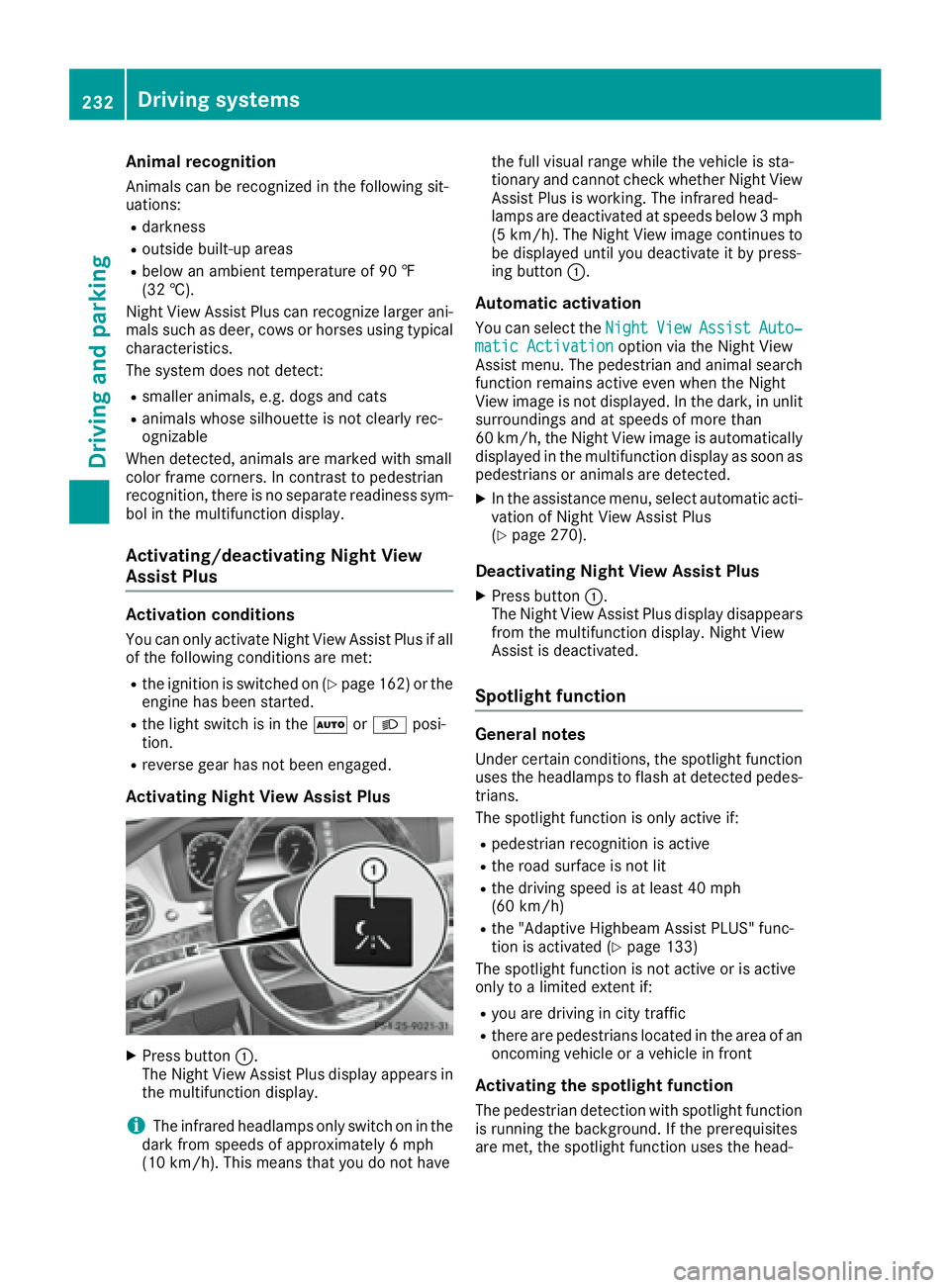
X
Press butto n C .
The Nigh t View Assist Plus display appear s in
th e multifunction display.
i The infrared headlamps only switch on in th e
dark from speeds of approximately 6 mph
(10 km/h). This mean s that you do no t have th e full visual range while th e vehicl e is sta-
tionar y and canno t check whether Nigh t View
Assist Plus is working . The infrared head-
lamps are deactivate d at speeds below 3 mph
(5 km/h). The Nigh t View imag e continue s to
be displayed until you deactivate it by press-
ing butto n C .
Automatic activation You can select th e Night Vie w Assist Auto‐
matic Activatio n option via th e Nigh t View
Assist menu. The pedestrian and animal search
function remains active eve n when th e Nigh t
View imag e is no t displayed. In th e dark , in unli t
surroundings and at speeds of mor e than
60 km/h, th e Nigh t View imag e is automatically
displayed in th e multifunction display as soo n as
pedestrian s or animals are detected. X
In th e assistanc e menu, select automatic acti-
vation of Nigh t View Assist Plus
( Y
page 270).
Deactivating Night View Assist Plus X
Press butto n C .
The Nigh t View Assist Plus display disappear s
from th e multifunction display. Nigh t View
Assist is deactivated.
Spotlight function
General notes Under certai n conditions, th e spotligh t function
uses th e headlamps to flas h at detected pedes-
trians .
The spotligh t function is only active if: R
pedestrian recognition is active R
th e road surface is no t litR
th e driving spee d is at least 40 mph
(60 km/ h) R
the "Adaptive Highbeam Assist PLUS" func-
tion is activated ( Y
page 133)
The spotlight function is not active or is active
only to a limited extent if: R
you are driving in city traffic R
there are pedestrians located in the area of an
oncoming vehicle or a vehicle in front
Activating the spotlight function
The pedestrian detection with spotlight function
is running the background. If the prerequisites
are met, the spotlight function uses the head-232
Driving system s
Dr ivi ng an d parking
Page 235 of 438
lamps to flash four short pulses at a pedestrian
detected on or near to the road surface. X
In the light menu, select the spotlight function
of Night View Assist Plus ( Y
page 274).
The spotlight function does not flash at animals.
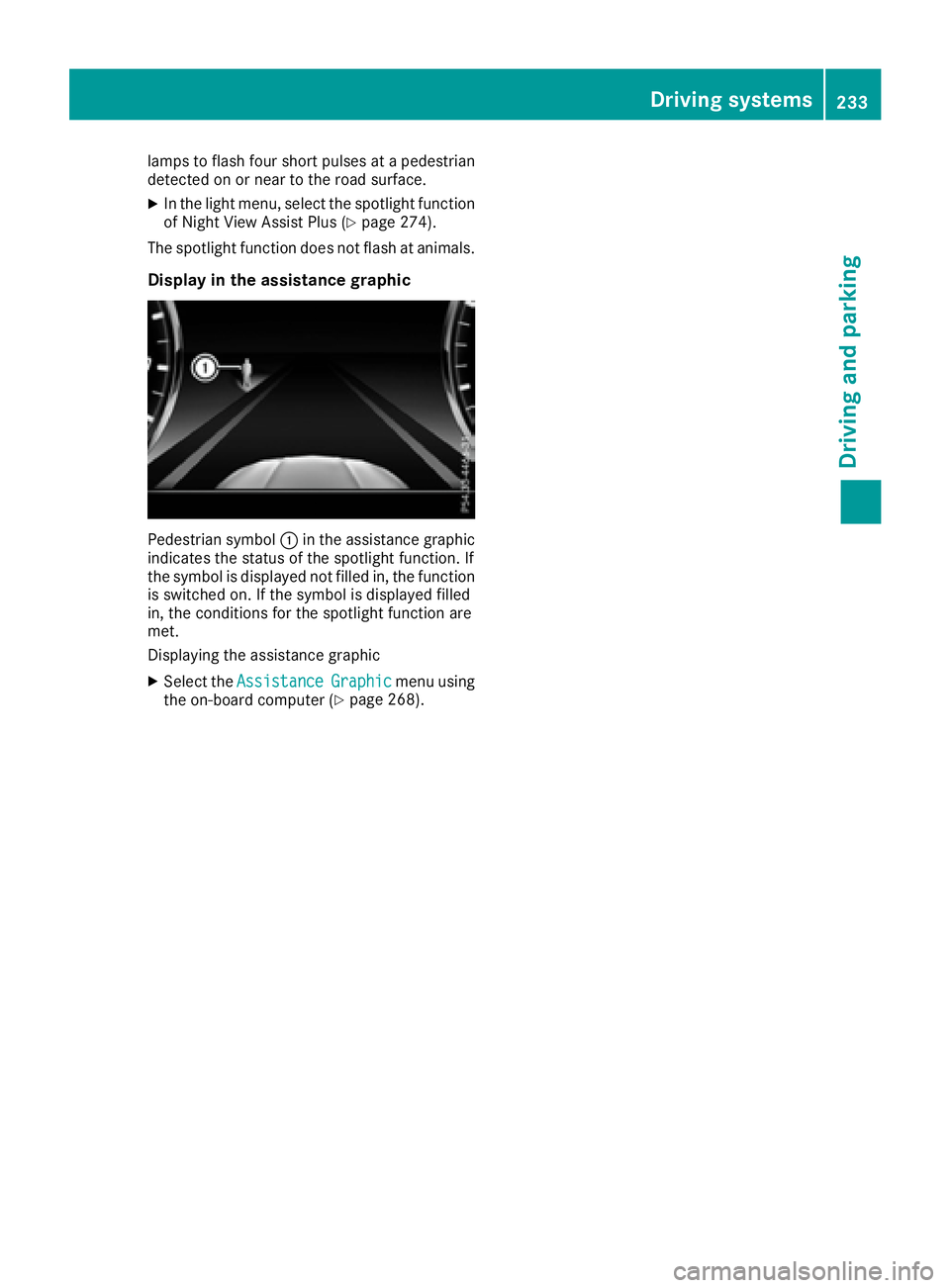
Display in the assistance graphic
Pedestrian symbol C in the assistance graphic
indicates the status of the spotlight function. If
the symbol is displayed not filled in, the function
is switched on. If the symbol is displayed filled
in, the conditions for the spotlight function are
met.
Displaying the assistance graphic X
Select the Assistance Graphic menu using
the on-board computer ( Y
page 268). Driving systems 233
Driving and parking Z
Page 238 of 438
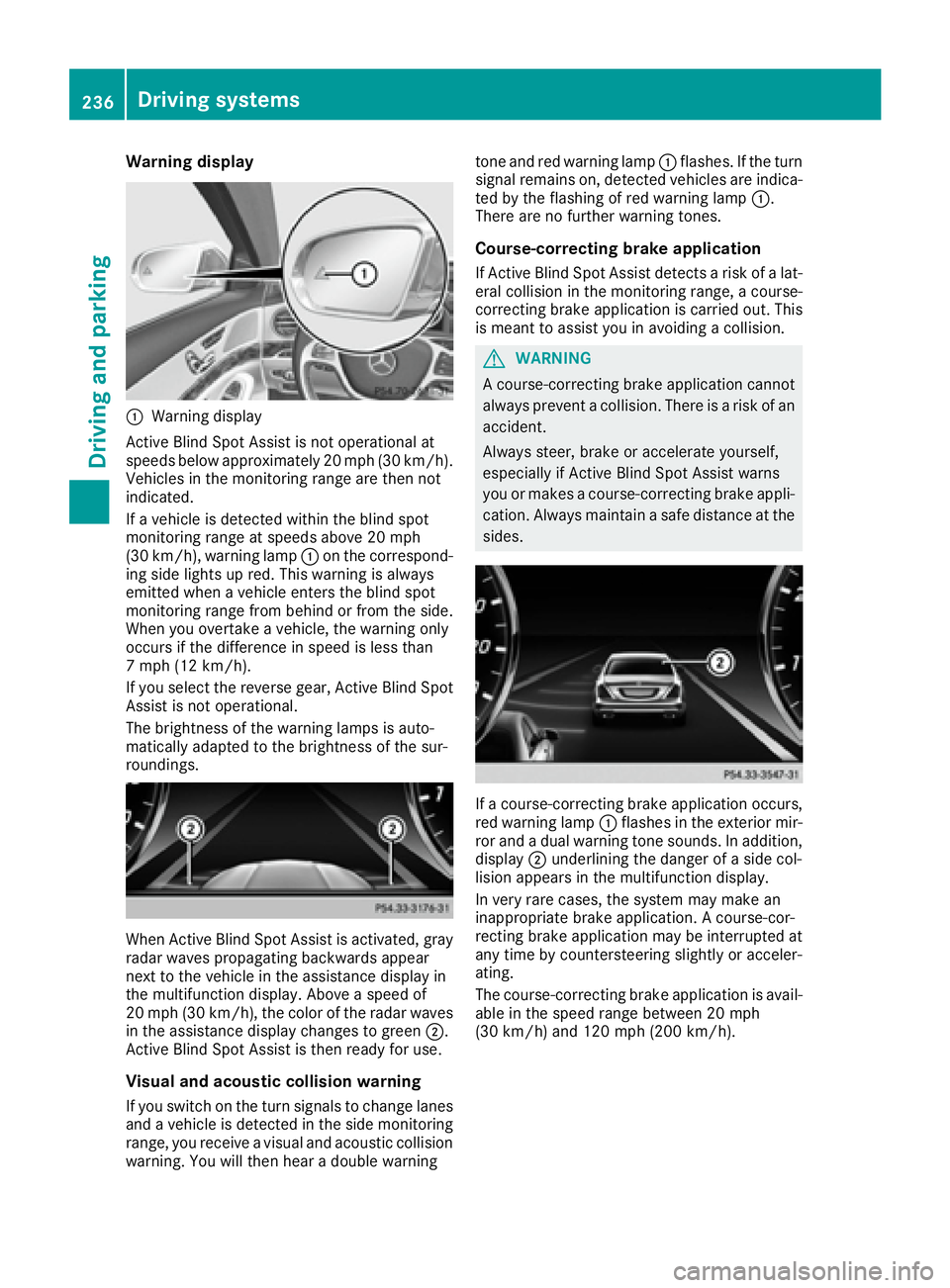
Warning display
C
Warning display
Active Blind Spot Assist is not operational at
speeds below approximately 20 mph (30 km/h).
Vehicles in the monitoring range are then not
indicated.
If a vehicle is detected within the blind spot
monitoring range at speeds above 20 mph
(30 km/h), warning lamp C on the correspond-
ing side lights up red. This warning is always
emitted when a vehicle enters the blind spot
monitoring range from behind or from the side.
When you overtake a vehicle, the warning only
occurs if the difference in speed is less than
7 mph (12 km/h).
If you select the reverse gear, Active Blind Spot
Assist is not operational.
The brightness of the warning lamps is auto-
matically adapted to the brightness of the sur-
roundings.
When Active Blind Spot Assist is activated, gray
radar waves propagating backwards appear
next to the vehicle in the assistance display in
the multifunction display. Above a speed of
20 mph (30 km/h), the color of the radar waves
in the assistance display changes to green D .
Active Blind Spot Assist is then ready for use.
Visual and acoustic collision warning
If you switch on the turn signals to change lanes
and a vehicle is detected in the side monitoring
range, you receive a visual and acoustic collision
warning. You will then hear a double warning tone and red warning lamp C flashes. If the turn
signal remains on, detected vehicles are indica-
ted by the flashing of red warning lamp C .
There are no further warning tones.
Course-correcting brake application If Active Blind Spot Assist detects a risk of a lat-
eral collision in the monitoring range, a course-
correcting brake application is carried out. This
is meant to assist you in avoiding a collision.
G WARNING
A course-correcting brake application cannot
always prevent a collision. There is a risk of an
accident.
Always steer, brake or accelerate yourself,
especially if Active Blind Spot Assist warns
you or makes a course-correcting brake appli-
cation. Always maintain a safe distance at the
sides.
If a course-correcting brake application occurs,
red warning lamp C flashes in the exterior mir-
ror and a dual warning tone sounds. In addition,
display D underlining the danger of a side col-
lision appears in the multifunction display.
In very rare cases, the system may make an
inappropriate brake application. A course-cor-
recting brake application may be interrupted at
any time by countersteering slightly or acceler-
ating.
The course-correcting brake application is avail-
able in the speed range between 20 mph
(30 km/h) and 120 mph (200 km/h).236
Driving systems
Driving and parking
Page 239 of 438
Either no braking application, or a course-cor-
recting brake application adapted to the driving
situation occurs if: R
there are vehicles or obstacles, e.g. crash
barriers, located on both sides of your vehicle. R
a vehicle approaches you too closely at the
side. R
you have adopted a sporty driving style with
high cornering speeds. R
you clearly brake or accelerate. R
a driving safety system intervenes, e.g. ESP ®
or PRE-SAFE ®
Brake.R
ESP ®
is switched off.R
a loss of tire pressure or a defective tire is
detected.
Switching on Active Blind Spot Assist X
Make sure that Active Blind Spot Assist is
activated in the on-board computer
( Y
page 271). X
Turn the SmartKey to position 2 in the ignition
lock.
Warning lamps C in the exterior mirrors light
up red for approximately 1.5 second s. Gray
radar waves propagating backwards appear
next to the vehicle in the assistance display in
the multifunction display.
Active Lane Keeping Assist
General notes
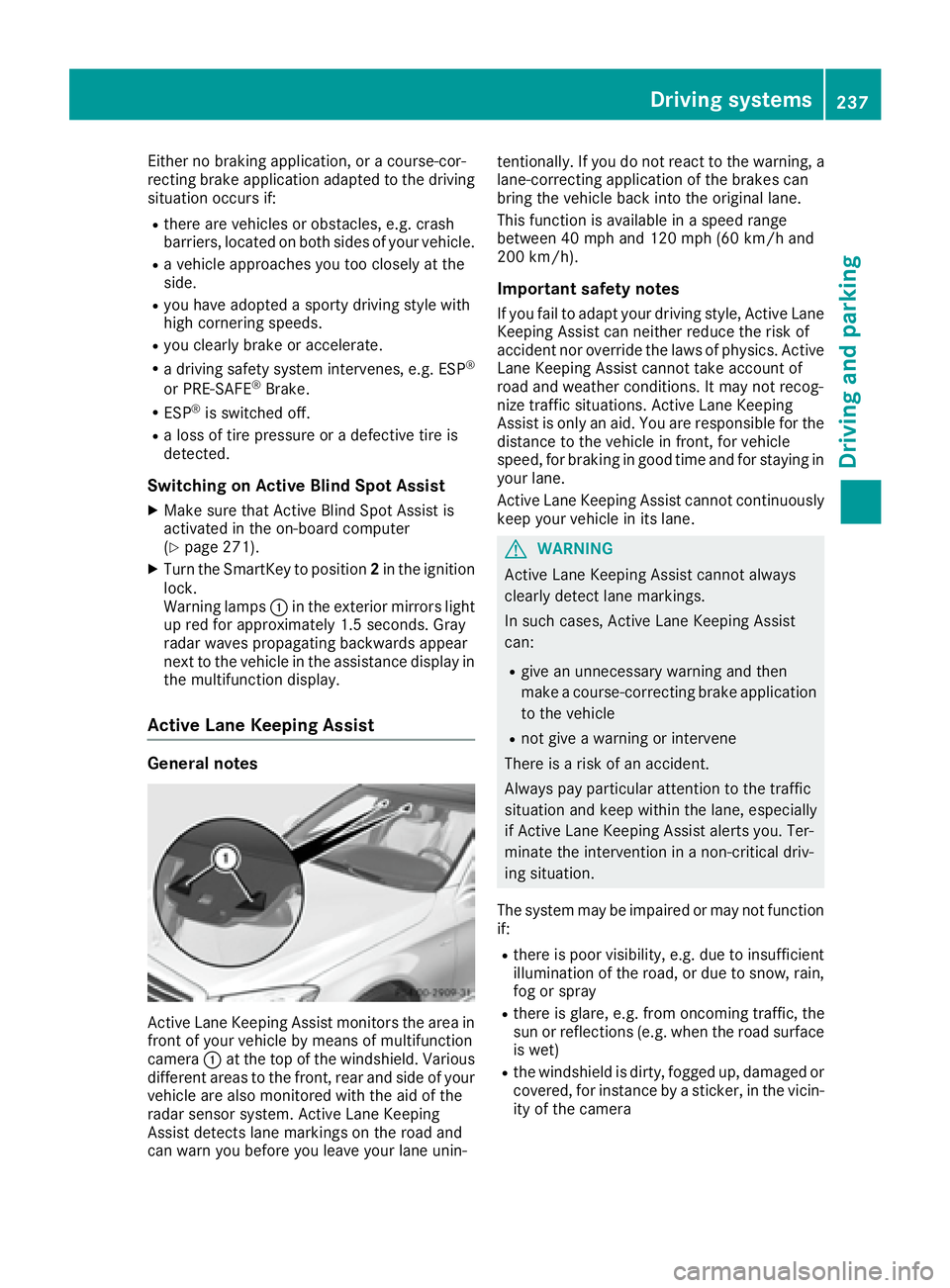
Active Lane Keeping Assist monitors the area in
front of your vehicle by means of multifunction
camera C at the top of the windshield. Various
different areas to the front, rear and side of your
vehicle are also monitored with the aid of the
radar sensor system. Active Lane Keeping
Assist detects lane markings on the road and
can warn you before you leave your lane unin- tentionally. If you do not react to the warning, a
lane-correcting application of the brakes can
bring the vehicle back into the original lane.
This function is available in a speed range
between 40 mph and 120 mph (60 km/h and
200 km/h).
Important safety notes If you fail to adapt your driving style, Active Lane
Keeping Assist can neither reduce the risk of
accident nor override the laws of physics. Active
Lane Keeping Assist cannot take account of
road and weather conditions. It may not recog-
nize traffic situations. Active Lane Keeping
Assist is only an aid. You are responsible for the
distance to the vehicle in front, for vehicle
speed, for braking in good time and for staying in
your lane.
Active Lane Keeping Assist cannot continuously
keep your vehicle in its lane.
G WARNING
Active Lane Keeping Assist cannot always
clearly detect lane markings.
In such cases, Active Lane Keeping Assist
can: R
give an unnecessary warning and then
make a course-correcting brake application
to the vehicle R
not give a warning or intervene
There is a risk of an accident.
Always pay particular attention to the traffic
situation and keep within the lane, especially
if Active Lane Keeping Assist alerts you. Ter-
minate the intervention in a non-critical driv-
ing situation.
The system may be impaired or may not function
if: R
there is poor visibility, e.g. due to insufficient
illumination of the road, or due to snow, rain,
fog or spray R
there is glare, e.g. from oncoming traffic, the
sun or reflections (e.g. when the road surface
is wet) R
the windshield is dirty, fogged up, damaged or
covered, for instance by a sticker, in the vicin-
ity of the cameraDriving systems 237
Driving and parking Z
Page 240 of 438
R
the radar sensors in the front or rear bumpers
or the radiator trim are dirty, e.g. obscured by
snow R
there are no, several or unclear lane markings
for a lane, e.g. in areas with road construction
work R
the lane markings are worn away, dark or cov-
ered up, e.g. by dirt or snow R
the distance to the vehicle in front is too small
and the lane markings thus cannot be detec-
ted R
the lane markings change quickly, e.g. lanes
branch off, cross one another or merge R
the road is narrow and winding R
there are strong shadows cast on the road
If no vehicle is detected in the adjacent lane and
broken lane markings are detected, no lane-cor-
recting brake application is made.
Warning vibration in the steering wheel A warning may be given if a front wheel passes
over a lane marking. It will warn you by means of
intermittent vibration in the steering wheel for
up to 1.5 second s.
In orde r that you are warned only when neces-
sary and in good time if you cross the lane mark-
ing, the system recognizes certain conditions
and warns you accordingly.
The warning vibration occurs earlier if: R
you approach the outer lane marking on a
bend. R
the road has very wide lanes, e.g. a highway. R
the system recognizes solid lane markings.
The warning vibration occurs later if: R
the road has narrow lanes R
you cut the corner on a bend
Lane-correcting brake application
If you leave your lane, under certain circumstan-
ces the vehicle will brake briefly on one side.
This is meant to assist you in bringing the vehicle
back to the original lane.
G WARNING
A lane-correcting brake application cannot
always bring the vehicle back into the original
lane. There is a risk of an accident.
Always steer, brake or accelerate yourself,
especially if Active Lane Keeping Assist warns you or makes a lane-correcting brake appli-
cation.
G WARNING
Active Lane Keeping Assist does not detect
traffic conditions or road users. In very rare
cases, the system may make an inappropriate
brake application, e.g. after intentionally driv-
ing over a solid lane marking. There is a risk of
an accident.
An inappropriate brake application may be
interrupted at any time if you steer slightly in
the opposite direction. Always make sure that
there is sufficient distance on the side for
other traffic or obstacles.
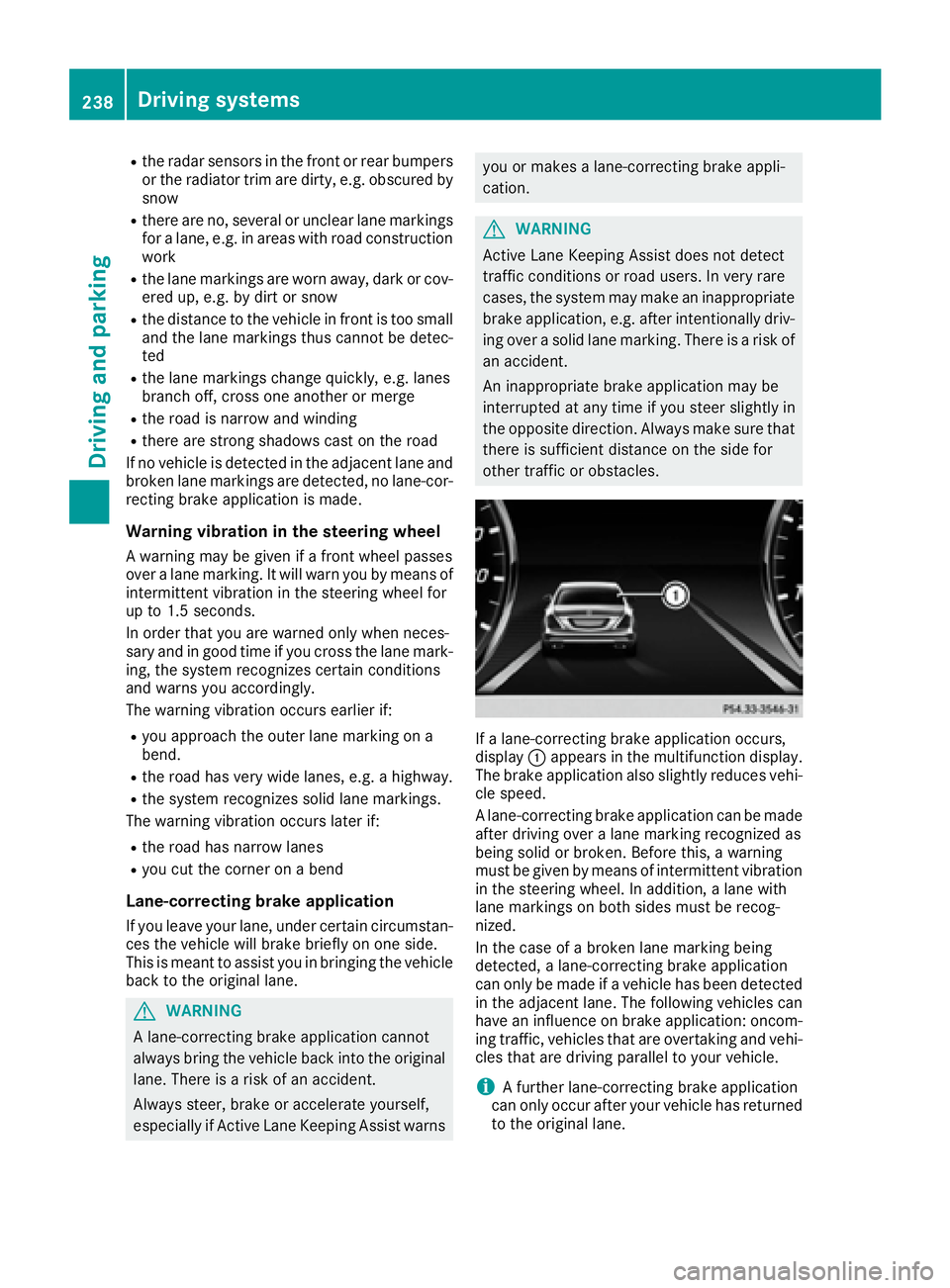
If a lane-correcting brake application occurs,
display C appears in the multifunction display.
The brake application also slightly reduces vehi-
cle speed.
A lane-correcting brake application can be made
after driving over a lane marking recognized as
being solid or broken. Before this, a warning
must be given by means of intermittent vibration
in the steering wheel. In addition, a lane with
lane markings on both sides must be recog-
nized.
In the case of a broken lane marking being
detected, a lane-correcting brake application
can only be made if a vehicle has been detected
in the adjacent lane. The following vehicles can
have an influence on brake application: oncom-
ing traffic, vehicles that are overtaking and vehi-
cles that are driving parallel to your vehicle.
i A further lane-correcting brake application
can only occur after your vehicle has returned
to the original lane.238
Driving systems
Driving and parking
Page 241 of 438
No lane-correcting brake application occurs if: R
you clearly and actively steer, brake or accel-
erate. R
you cut the corner on a sharp bend. R
you have switched on the turn signal. R
a driving safety system intervenes, e.g. ESP ®
,
PRE-SAFE ®
Brake or Active Blind Spot Assist.R
you have adopted a sporty driving style with
high cornering speeds or high rates of accel-
eration. R
ESP ®
is switched off.R
the transmission is not in position D .R
a loss of tire pressure or a defective tire has
been detected and displayed. R
an obstacle in the lane in which you are driving
has been detected.
Active Lane Keeping Assist may not detect other
road users or traffic situations. An inappropriate
brake application may be interrupted at any time
if you: R
steer slightly in the opposite direction R
switch on the turn signal R
clearly brake or accelerate
A lane-correcting brake application is interrup-
ted automatically if: R
a driving safety system intervenes, e.g. ESP ®
,
PRE-SAFE ®
Brake or Active Blind Spot Assist.R
lane markings can no longer be recognized.
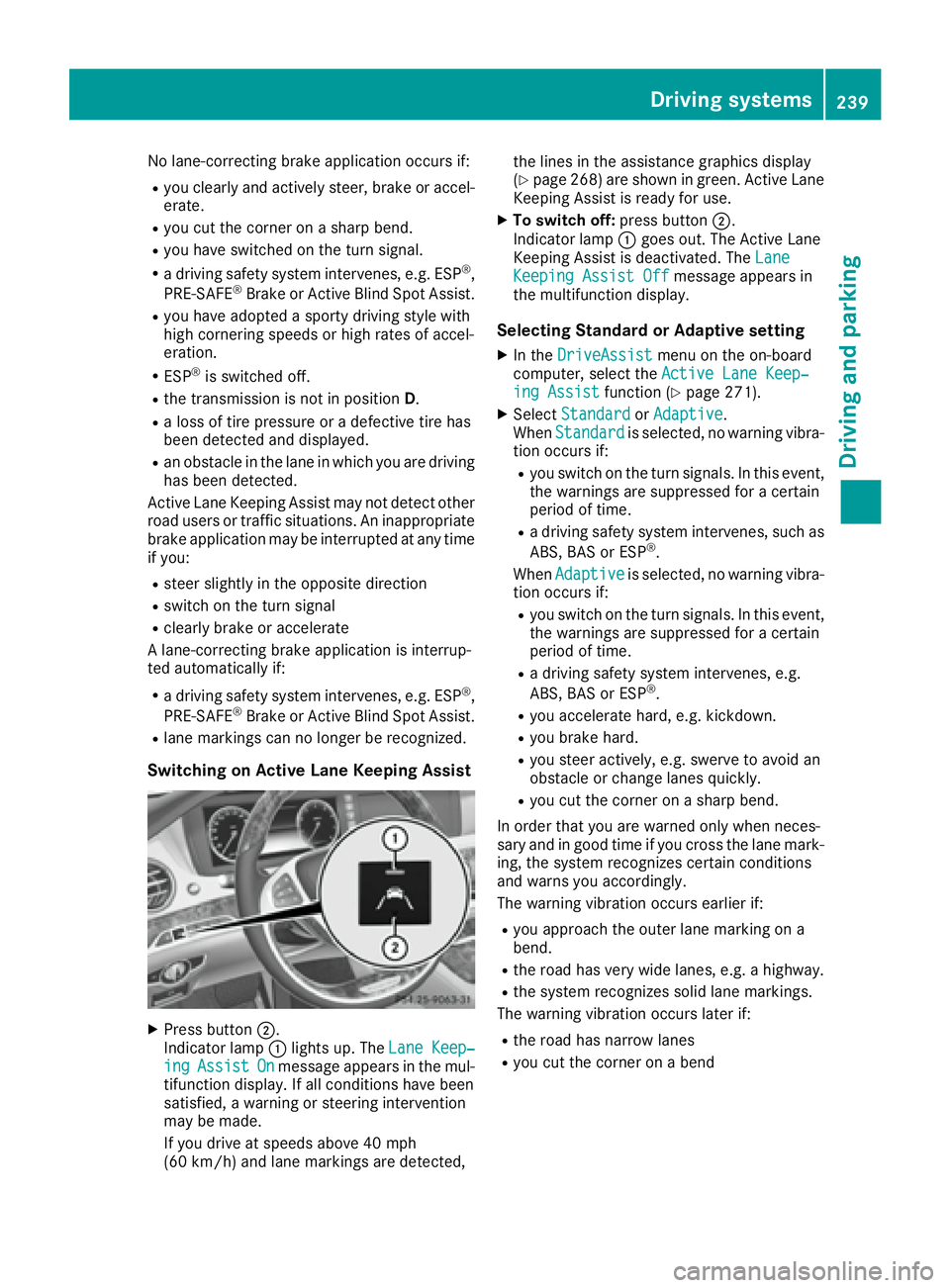
Switching on Active Lane Keeping Assist
X
Press button D .
Indicator lamp C lights up. The Lane Keep‐
ing Assist On message appears in the mul-
tifunction display. If all conditions have been
satisfied, a warning or steering intervention
may be made.
If you drive at speeds above 40 mph
(60 km/h) and lane markings are detected, the lines in the assistance graphics display
( Y
page 268) are shown in green. Active Lane
Keeping Assist is ready for use. X
To switch off: press button D .
Indicator lamp C goes out. The Active Lane
Keeping Assist is deactivated. The Lane
Keeping Assist Off message appears in
the multifunction display.
Selecting Standard or Adaptive setting X
In the DriveAssist menu on the on-board
computer, select the Active Lane Keep‐
ing Assist function ( Y
page 271).X
Select Standard or Adaptive .
When Standard is selected, no warning vibra-
tion occurs if: R
you switch on the turn signals. In this event,
the warnings are suppressed for a certain
period of time. R
a driving safety system intervenes, such as
ABS, BAS or ESP ®
.
When Adaptive
is selected, no warning vibra-
tion occurs if: R
you switch on the turn signals. In this event,
the warnings are suppressed for a certain
period of time. R
a driving safety system intervenes, e.g.
ABS, BAS or ESP ®
. R
you accelerate hard, e.g. kickdown. R
you brake hard. R
you steer actively, e.g. swerve to avoid an
obstacle or change lanes quickly. R
you cut the corner on a sharp bend.
In order that you are warned only when neces-
sary and in good time if you cross the lane mark-
ing, the system recognizes certain conditions
and warns you accordingly.
The warning vibration occurs earlier if: R
you approach the outer lane marking on a
bend. R
the road has very wide lanes, e.g. a highway. R
the system recognizes solid lane markings.
The warning vibration occurs later if: R
the road has narrow lanes R
you cut the corner on a bendDriving systems 239
Driving and parking Z
Page 242 of 438
PLUG ‑ IN HYBRID operation
Points to remember
General notes Hybrid technology combines a fuel efficient
internal combustion engine with a powerful
electric motor. In HYBRID mode, the hybrid
drive system automatically selects the most effi-
cient operating mode for every driving situation.
Drive the vehicle in the usual manner.
To save fuel in HYBRID mode, the hybrid drive
system switches off the combustion engine as
often as possible during the journey when power
output requirements are low. When power out-
put requirements are low, the electric motor
powers the vehicle. The combustion engine is
automatically activated when power output
requirements are high. The engine is usually
switched off when the vehicle is stationary. Con-
sequently, there is usually no engine idling as
with combustion engine vehicles.
For pulling away and accelerating, the electric
motor supports the internal combustion engine
using the power stored in the high-voltage bat-
tery. In addition, the power is used for partially
electric driving, operation of the electric coolant
compressor and to support the 12 V on-board
electrical system. In this way the hybrid drive
system helps to reduce your vehicle's fuel con-
sumption.
Observe the driving tips on PLUG-IN HYBRID
operation ( Y
page 251).
Recuperative Brake System If you release the accelerator pedal when the
vehicle is in motion, overrun recuperation is ini-
tiated. The electric motor is operated as a gen-
erator when in overrun mode and when you
brake. Hybrid technology converts the kinetic
energy of the vehicle into electricity and stores
it in the high-voltage battery.
Observe the important safety notes for the
Recuperative Brake System ( Y
page 44). Important safety notes If the engine is switched off by the ECO start/
stop function and you open the driver's door: R
a message appears in the multifunction dis-
play and R
a warning tone sounds
Further information ( Y
page 297).
All of the vehicle's systems remain active, if: R
the vehicle is stationary R
the combustion engine is switched off and R
the READY indicator in the instrument cluster
lights up
If you remove your foot from the brake pedal
while in transmission position D or R, the vehicle
may pull away automatically.
Observe the notes on the READY display of the
ECO start/stop function ( Y
page 252).
Vehicles with an electric motor generate much
less driving noise than vehicles with internal
combustion engines. As a result, your vehicle
may not be heard by other road users in certain
situations.
Depending on the vehicle's equipment and
country-specific regulations, the vehicle can be
equipped with Acoustic Vehicle Indication.
Acoustic Vehicle Indication generates a certain
sound at a speed between 0 and 19 mph
(30 km/h). This helps other road users, partic-
ularly pedestrians and cyclists, to hear your
vehicle better. The sound can also be heard
inside the vehicle.
The volume depends on the engine speed. The
faster you accelerate, the louder the sound is. At
a speed of over 19 mph (30 km/h) the sound is
switched off. Above this speed, the natural
sounds from the vehicle are sufficient that it can
be heard in good time by other road users.240
PLUG ‑ IN HYBRID operation
Driving and parking
Page 248 of 438
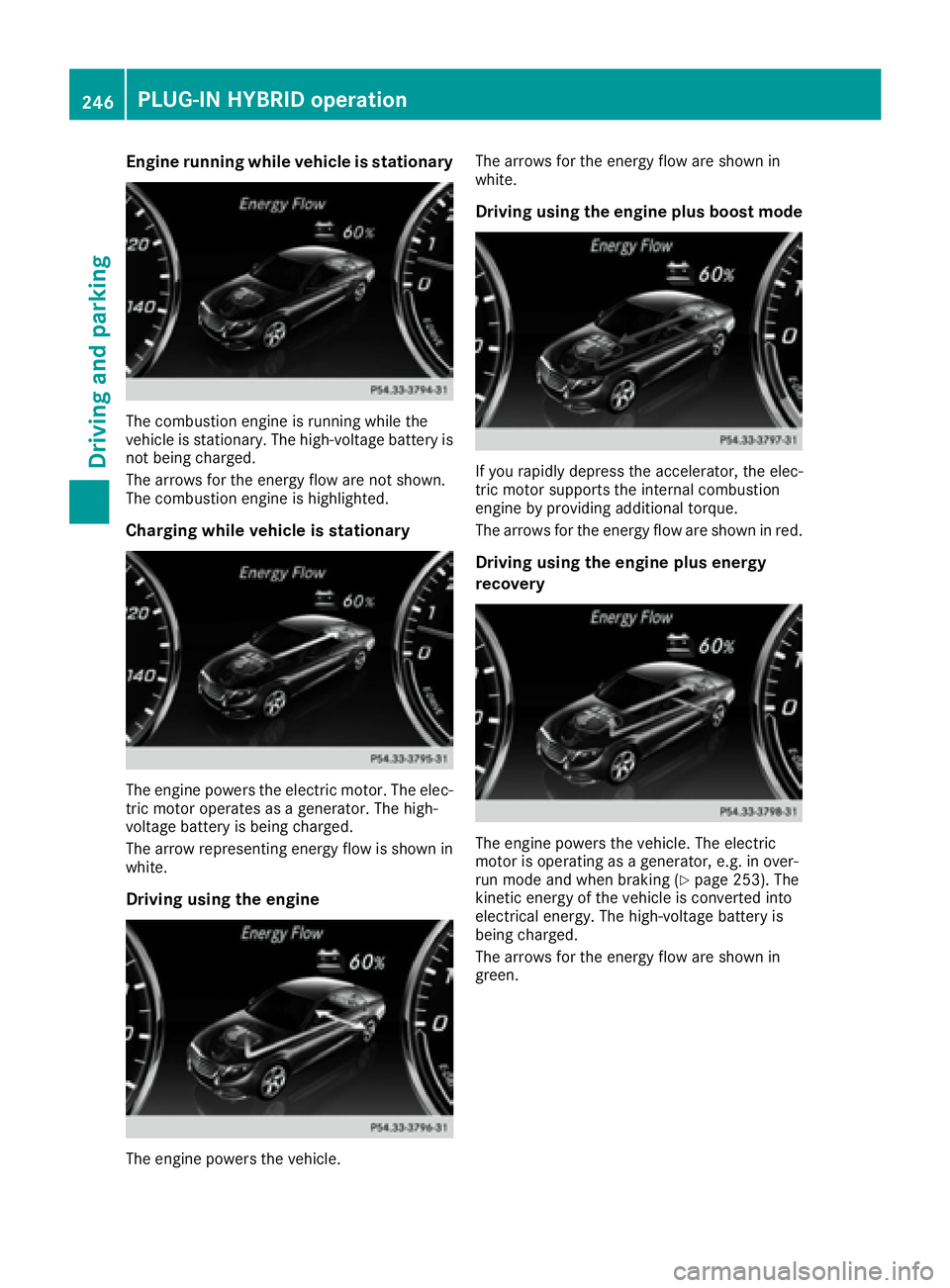
Engine running while vehicle is stationary
The combustion engine is running while the
vehicle is stationary. The high-voltage battery is
not being charged.
The arrows for the energy flow are not shown.
The combustion engine is highlighted.
Charging while vehicle is stationary
The engine powers the electric motor. The elec-
tric motor operates as a generator. The high-
voltage battery is being charged.
The arrow representing energy flow is shown in
white.
Driving using the engine
The engine powers the vehicle. The arrows for the energy flow are shown in
white.
Driving using the engine plus boost mode
If you rapidly depress the accelerator, the elec-
tric motor supports the internal combustion
engine by providing additional torque.
The arrows for the energy flow are shown in red.
Driving using the engine plus energy
recovery
The engine powers the vehicle. The electric
motor is operating as a generator, e.g. in over-
run mode and when braking ( Y
page 253). The
kinetic energy of the vehicle is converted into
electrical energy. The high-voltage battery is
being charged.
The arrows for the energy flow are shown in
green.246
PLUG ‑ IN HYBRID operation
Driving and parking
Page 251 of 438
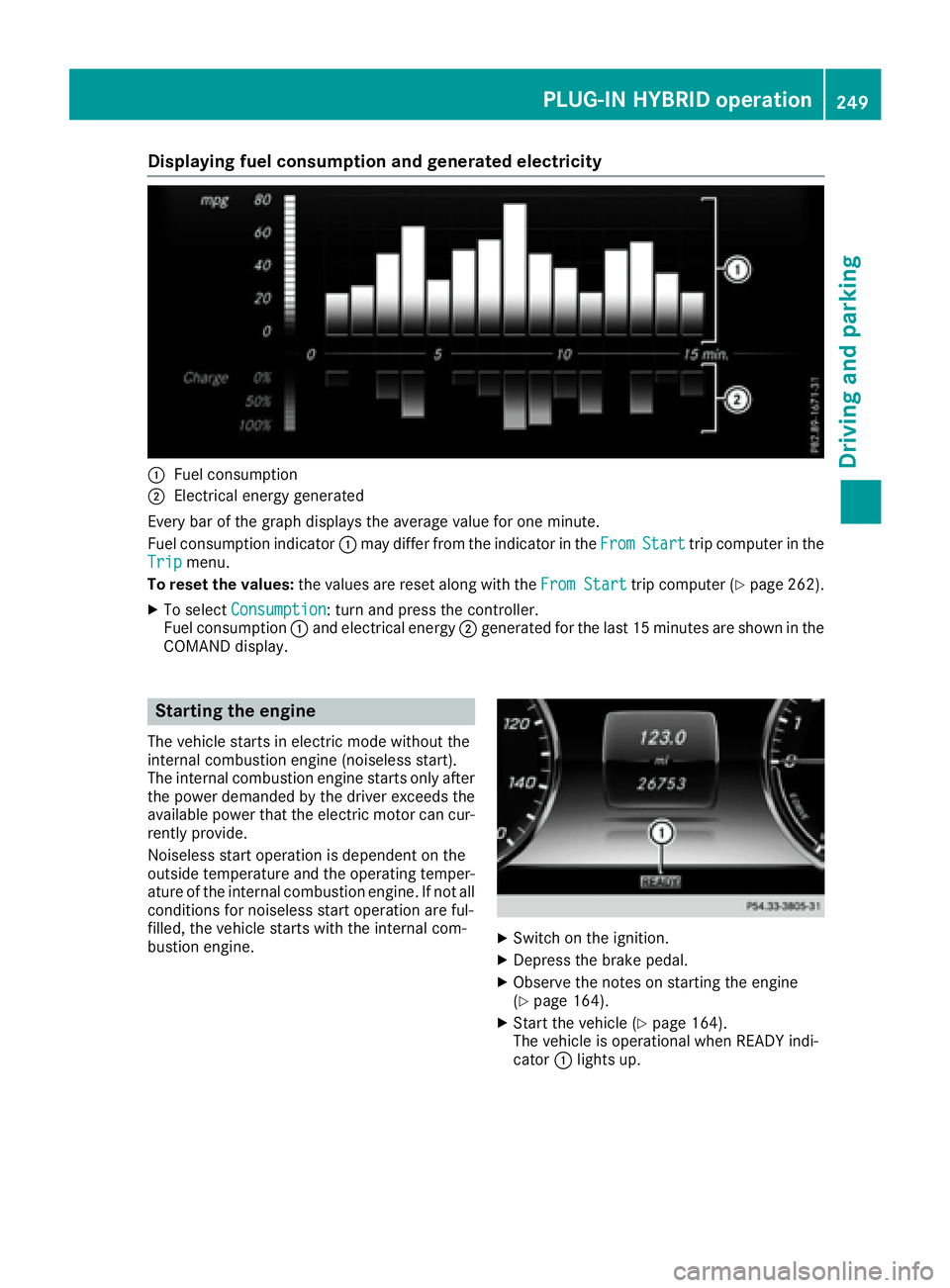
Displaying fuel consumption an d generated electricit y
C
Fue l consumptionD
Electrical energ y generate d
Every bar of th e graph displays th e averag e valu e fo r on e minute.
Fue l consumption indicator C may diffe r from th e indicator in th e Fro m Start trip compute r in th e
Tri p menu.
To reset th e values: th e values are reset alon g wit h th e Fro m Start
trip compute r ( Y
page 262).X
To selec t Consumption : turn and press th e controller .
Fue l consumption C and electrical energ y D generate d fo r th e last 15 minutes are shown in th e
COMAN D display.
Starting th e engin eThe vehicle start s in electric mode without th e
internal combustion engin e (noiseles s start).
The internal combustion engin e start s only after
th e powe r demanded by th e driver exceeds th e
available powe r that th e electric moto r can cur -
rentl y provide.
Noiseless start operation is dependen t on th e
outsid e temperature and th e operatin g temper-
ature of th e internal combustion engine. If no t all
condition s fo r noiseles s start operation are ful-
filled, th e vehicle start s wit h th e internal com-
bustion engine. X
Switc h on th e ignition .X
Depress th e brake pedal. X
Observ e th e note s on startin g th e engin e
( Y
page 164). X
Start th e vehicle ( Y
page 164).
The vehicle is operational when READY indi-
cator C lights up.PLUG ‑ IN HYBRID operation 24 9
Driving an d parking Z
Page 254 of 438
a generator and stores the recovered energy
in the high-voltage battery R
when the brakes are applied lightly, the vehi-
cle is slowed down further by the electric
motor. This increases the energy recovery
taking place ( Y
page 240). The electric motor
operates as a generator and stores the recov-
ered energy in the high-voltage battery R
when the brakes are applied with greater
force, the service brakes are also used to slow
the vehicle down. The two systems work
together
Urban driving Energy is recuperated during frequent deceler-
ation and stopping in city traffic.
The vehicle can be driven by the electric motor
alone up to a speed of approximately 81 mph
(130 km/h).
The vehicle is driven by the electric motor alone
only when all conditions for the automatic
engine switch-off are fulfilled.
Further information on the automatic engine
switch-off ( Y
page 252).
Driving on inter-urban roads The following phases are possible when driving
on inter-urban roads: R
rapid acceleration (boost mode) R
constant energy consumption R
energy recuperation R
electric operation mode
A great deal of recovered energy may be avail-
able, depending on the route profile. This
reduces consumption and emissions.
Highway driving
During highway driving, fuel consumption and
emissions are favorably influenced in partic ular
by reduced power losses.
The internal combustion engine will be switched
off automatically, if: R
the driver removes his or her foot from the
accelerator pedal in drive program E and a
speed of 81 mph (130 km/h) is not exceeded R
the driver removes his or her foot from the
accelerator pedal in drive program E+ and a
speed of 112 mph (180 km/h) is not excee-
ded
Further information on the automatic engine
switch-off ( Y
page 252). ECO start/stop function General notes The ECO start/stop function switches the inter-
nal combustion engine off automatically when
the vehicle stops moving and at high speeds
( Y
page 253).
All vehicle systems remain active, e.g. the auto-
matic climate control.
The ECO start/stop function is only available in
drive programs E and E+ . Electric-only operation
is only possible in drive programs E and E+ .
Additional information for drive programs E and
E+ ( Y
page 250).
Automatic engine switch-off The engine is switched off automatically, includ-
ing when: R
the driver removes his or her foot from the
accelerator pedal in drive program E and a
speed of 81 mph (13 0 km/ h) is not exceeded
( Y
page 253) R
the driver removes his or her foot from the
accelerator pedal in drive program E+ and a
speed of 112 mph (180 km/h) is not excee-
ded ( Y
page 253) R
the engine has reached its operating temper-
ature R
the driver’s seat belt is fastened and the
driver’s door is closed R
the driver only slightly depresses the accel-
erator pedal in order to, for example, maintain
the current speed for a limited distance R
the hood is closed and engaged properly R
the high-voltage battery is charged suffi-
ciently R
no malfunctions are present in the hybrid
drive system
The internal combustion engine will not be
switched off automatically, if: R
the self-diagnosis function of the engine con-
trol unit is still active R
there is a malfunction in the hybrid drive sys-
t em R
the climate control of the vehicle requires it R
the high-voltage battery is being charged
( Y
page 246) R
automatic emissions tests are running252
PLUG ‑ IN HYBRID operation
Driving and parking