Driving mode MERCEDES-BENZ S CLASS 2017 User Guide
[x] Cancel search | Manufacturer: MERCEDES-BENZ, Model Year: 2017, Model line: S CLASS, Model: MERCEDES-BENZ S CLASS 2017Pages: 382, PDF Size: 12.12 MB
Page 168 of 382
The ECO display consists of three bars: R
Accel. R
Constant R
Coasting
The percent value is the average value of the
three bars. The three bars and the mean value
begin at the value of 50%. A higher percentage
indicates a more economical driving style.
The ECO display does not indicate the actual fuel
consumption. A fixed percentage count in the
ECO display does not indicate a fixed consump-
tion.
Apart from driving style, consumption is
dependent on many factors such as, e.g.: R
Load R
Tire pressure R
Cold start R
Choice of route R
Active electrical consumers
These factors are not included in the ECO dis-
play.
The evaluation of your driving style is carried out
using the following three categories: R
Accel. (evaluation of all acceleration pro-
cesses) -
The bar fills up: moderate acceleration,
especially at higher speeds -
The bar empties: sporty acceleration R
Constant (assessment of driving behavior at
all times) -
The bar fills up: constant speed and avoid-
ance of unnecessary acceleration and
deceleration -
The bar empties: fluctuations in speed R
Coasting (assessment of all deceleration
processes) -
The bar fills up: anticipatory driving, keep-
ing your distance and early release of the
accelerator. The vehicle can coast without
use of the brakes. -
The bar empties: frequent braking
An economical driving style specially requires
driving at moderate engine speeds.
To achieve a higher value in the categories
Accel. and Constant :R
observe the gearshift recommendations. R
drive in drive program E .
On long journeys at a constant speed, e.g. on the
highway, only the bar for Constant
will change. The ECO display summarizes the driving char-
acteristics from the start of the journey to its
completion. For this reason, the bars change
dynamically at the beginning of the journey. On
longer journeys, there are fewer changes. For
more dynamic changes, carry out a manual
reset.
Show the ECO display ( Y
page 214).
Braking
Important safety notes
G WARNING
If you shift down on a slippery road surface in
an attempt to increase the engine's braking
effect, the drive wheels could lose their grip.
There is an increased danger of skidding and
accidents.
Do not shift down for additional engine brak-
ing on a slippery road surface.
Downhill gradients
! On long and steep gradients, you must
reduce the load on the brakes by shifting to a
lower gear in good time. This allows you to
take advantage of the engine's braking effect.
This helps you to avoid overheating the
brakes and wearing them out excessively.
When you take advantage of engine braking, a
drive wheel may not turn for some time, e.g.
on a slippery road surface. This could cause
damage to the drive train. This type of damage
is not covered by the Mercedes-Benz war-
ranty.
Heavy and light loads
G WARNING
If you rest your foot on the brake pedal while
driving, the braking system can overheat. This
increases the stopping distance and can even
cause the braking system to fail. There is a
risk of an accident.
Never use the brake pedal as a footrest. Never
depress the brake pedal and the accelerator
pedal at the same time.166
Driving tips
Driving and parking
Page 169 of 382
! Depressing the brake pedal constantly
results in excessive and premature wear to
the brake pads.
If the brakes have been subjected to a heavy
load, do not stop the vehicle immediately. Drive
on for a short while. This allows the airflow to
cool the brakes more quickly.
Wet roads If you have driven for a long time in heavy rain
without braking, there may be a delayed reac-
tion from the brakes when braking for the first
time. This may also occur after the vehicle has
been washed or driven through deep water.
You have to depress the brake pedal more
firmly. Maintain a greater distance from the
vehicle in front.
After driving on a wet road or having the vehicle
washed, brake firmly while paying attention to
the traffic conditions. This will warm up the
brake discs, thereby drying them more quickly
and protecting them against corrosion.
Limited braking performance on salt-
treated roads If you drive on salted roads, a layer of salt resi-
due may form on the brake discs and brake
pads. This can result in a significantly longer
braking distance. R
In order to prevent any salt build-up, apply the
brakes occasionally while paying attention to
the traffic conditions. R
Carefully depress the brake pedal and the
beginning and end of a journey. R
Maintain a greater distance to the vehicle
ahead.
Servicing the brakes
! The brake fluid level may be too low, if: R
if the red brake warning lamp lights up in
the instrument cluster and R
you hear a warning tone while the engine is
running
Observe additional warning messages in the
multifunction display.
The brake fluid level may be too low due to
brake pad wear or leaking brake lines. Have the brake system checked immediately.
Consult a qualified specialist workshop to
arrange this.
! Vehicles with 4MATIC: function or per-
formance tests may only be carried out on a 2-
axle dynamometer. If you wish to operate the
vehicle on such a dynamometer, please con-
sult a qualified specialist workshop in
advance. You could otherwise damage the
drive train or the brake system.
! Vehicles with 4MATIC: the ESP ®
system
operates automatically. The engine and the
ignition must therefore be switched off (the
SmartKey must be in position 0 or 1 in the
ignition lock or the Start/Stop button must be
in position 0 or 1 ) if the electric parking brake
is tested on a brake dynamometer.
Braking triggered automatically by ESP ®
may
cause severe damage to the brake system.
! Vehicles without 4MATIC: the ESP ®
sys-
tem operates automatically. The engine and
the ignition must therefore be switched off
(the SmartKey must be in position 0 or 1 in the
ignition lock or the Start/Stop button must be
in position 0 or 1 ) if: R
the electric parking brake is tested using a
brake dynamometer. R
the vehicle is towed with one axle raised.
Braking triggered automatically by ESP ®
may
cause severe damage to the brake system.
All checks and maintenance work on the brake
system must be carried out at a qualified spe-
cialist workshop.
Have brake pads installed and brake fluid
replaced at a qualified specialist workshop.
If the brake system has only been subject to
moderate loads, you should test the functional-
ity of your brakes at regular intervals.
Information on BAS (Brake Assist) ( Y
page 66)
and BAS PLUS (Brake Assist PLUS) ( Y
page 67).
For safety reasons, Mercedes-Benz recom-
mends only installing the following brake disks
and brake pads/linings: R
brake disks that have been approved by
Mercedes-Benz R
brake pads/linings that have been approved
by Mercedes-Benz or that are of an equiva lent
standard of quality
Other brake disks or brake pads/linings can
compromise the safety of your vehicle. Driving tips 167
Driving and parking Z
Page 179 of 382
cause your vehicle to pull away unintention-
ally.
In such situations, brake if necessary.
DISTRONIC PLUS is then deactivated.
DISTRONIC PLUS with Steering Assist
and Stop&Go Pilot General notes
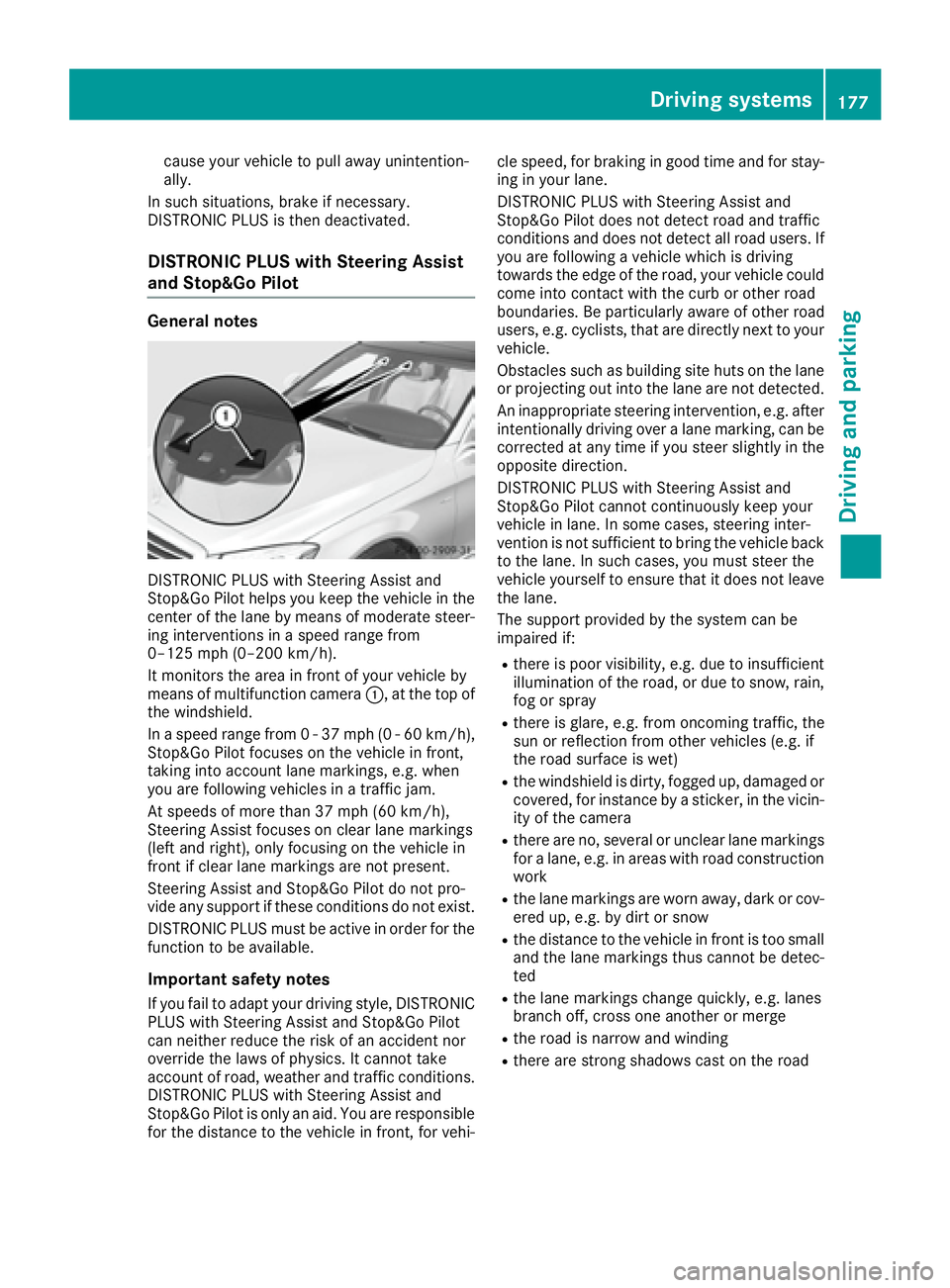
DISTRONIC PLUS with Steering Assist and
Stop&Go Pilot helps you keep the vehicle in the
center of the lane by means of moderate steer-
ing interventions in a speed range from
0–125 mph (0–200 km/h).
It monitors the area in front of your vehicle by
means of multifunction camera C , at the top of
the windshield.
In a speed range from 0 - 37 mph (0 - 60 km/h),
Stop&Go Pilot focuses on the vehicle in front,
taking into account lane markings, e.g. when
you are following vehicles in a traffic jam.
At speeds of more than 37 mph (60 km/h),
Steering Assist focuses on clear lane markings
(left and right), only focusing on the vehicle in
front if clear lane markings are not present.
Steering Assist and Stop&Go Pilot do not pro-
vide any support if these conditions do not exist.
DISTRONIC PLUS must be active in order for the
function to be available.
Important safety notes
If you fail to adapt your driving style, DISTRONIC
PLUS with Steering Assist and Stop&Go Pilot
can neither reduce the risk of an accident nor
override the laws of physics. It cannot take
account of road, weather and traffic conditions.
DISTRONIC PLUS with Steering Assist and
Stop&Go Pilot is only an aid. You are responsible
for the distance to the vehicle in front, for vehi- cle speed, for braking in good time and for stay-
ing in your lane.
DISTRONIC PLUS with Steering Assist and
Stop&Go Pilot does not detect road and traffic
conditions and d oes not detect all road users. If
y ou are following a vehicle which is driving
towards the edge of the road, your vehicle could
come into contact with the curb or other road
boundaries. Be particularly aware of other road
users, e.g. cyclists, that are directly next to your
vehicle.
Obstacles such as building site huts on the lane
or projecting out into the lane are not detected.
An inappropriate steering intervention, e.g. after
intentionally driving over a lane marking, can be
corrected at any time if you steer slightly in the
opposite direction.
DISTRONIC PLUS with Steering Assist and
Stop&Go Pilot cannot continuously keep your
vehicle in lane. In some cases, steering inter-
vention is not sufficient to bring the vehicle back
to the lane. In such cases, you must steer the
vehicle yourself to ensure that it does not leave
the lane.
The support provided by the system can be
impaired if: R
there is poor visibility, e.g. due to insufficient
illumination of the road, or due to snow, rain,
fog or spray R
there is glare, e.g. from oncoming traffic, the
sun or reflection from other vehicles (e.g. if
the road surface is wet) R
the windshield is dirty, fogged up, damaged or
covered, for instance by a sticker, in the vicin-
ity of the camera R
there are no, several or unclear lane markings
for a lane, e.g. in areas with road construction
w o rk R
the lane markings are worn away, dark or cov-
ered up, e.g. by dirt or snow R
the distance to the vehicle in front is too small
and the lane markings thus cannot be detec-
ted R
the lane markings change quickly, e.g. lanes
branch off, cross one another or merge R
the road is narrow and winding R
there are strong shadows cast on the roadDriving systems 177
Driving and parking Z
Page 182 of 382
The electric parking brake secures the vehicle
automatically if the HOLD function is activated
when the vehicle is stationary and: R
a system malfunction occurs. R
the power supply is not sufficient.
If a malfunction in the electric parking brake
occurs, then the transmission may also be shif-
ted into position P automatically.
MAGIC BODY CONTROL
General notes MAGIC BODY CONTROL consists of Active Body
Control (ABC), ROAD SURFACE SCAN as well as
automatic vehicle stabilization in the event of a
crosswind.
Your vehicle automatically adjusts its ride height
to improve driving safety and reduce fuel con-
sumption. The suspension mode is adjusted
according to your selection (sports or comfort),
the road surface conditions and the vehicle load.
A multifunction camera detects bumps in the
road surface before the vehicle drives over
them. This reduces chassis movements.
Important safety notes
G WARNING
When the vehicle is being lowered, people
could become trapped if their limbs are
between the vehicle body and the wheels or
underneath the vehicle. There is a risk of
injury.
Make sure no one is underneath the vehicle or
in the immediate vicinity of the wheel arches
when the vehicle is being lowered.
! The vehicle is lowered when the engine is
switched off. When parking, position your
vehicle so that it does not make contact with
the curb as the vehicle is lowered. Your vehi-
cle could otherwise be damaged.
Crosswind Assist
The crosswind stabilization operates by chang-
ing wheel loads through adjusting the ABC
spring struts. It reduces impairments in handling
when driving in a straight line and assists during
countersteering. Crosswind Assist is active in the speed range
between 50 mph (80 km/ h) and
130 mph (210 km/h) when driving straight
ahead or cornering gently.
Active Body Control ABC Vehicle level Mercedes-AMG vehicles: depending on the
vehicle level that has been selected, the vehicle
automatically adjusts its height dependent on
the current speed. The vehicle is lowered by up
to 0.4 in (10 mm) below the normal level as the
speed increases. As the speed is reduced, the
vehicle is raised up to the set vehicle height.
All other models: depending on the vehicle
level that has been set, the vehicle automatically
adjusts its height dependent on the current
speed. The vehicle is lowered by up to 0.6 in
(15 mm) as the speed increases. As the speed is
reduced, the vehicle is raised up to the set vehi-
cle height.
Select the "Normal" setting for normal road con-
ditions and "Raised" for driving with snow chains
or in particularly poor road conditions.
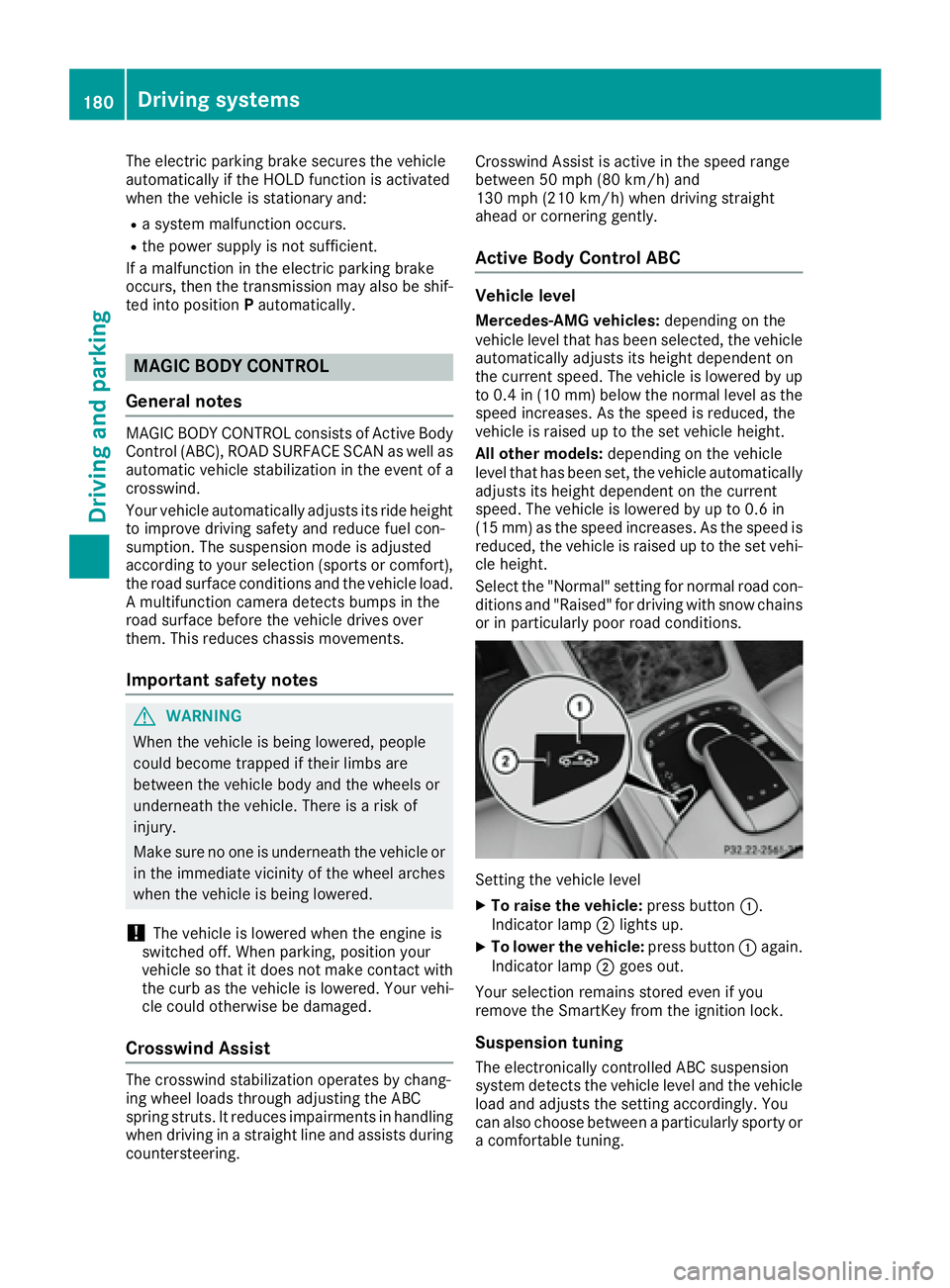
Setting the vehicle level X
To raise the vehicle: press button C .
Indicator lamp D lights up.X
To lower the vehicle: press button C again.
Indicator lamp D goes out.
Your selection remains stored even if you
remove the SmartKey from the ignition lock.
Suspension tuning
The electronically controlled ABC suspension
system detects the vehicle level and the vehicle
load and adjusts the setting accordingly. You
can also choose between a particularly sporty or
a comfortable tuning.180
Driving systems
Driving and parking
Page 183 of 382
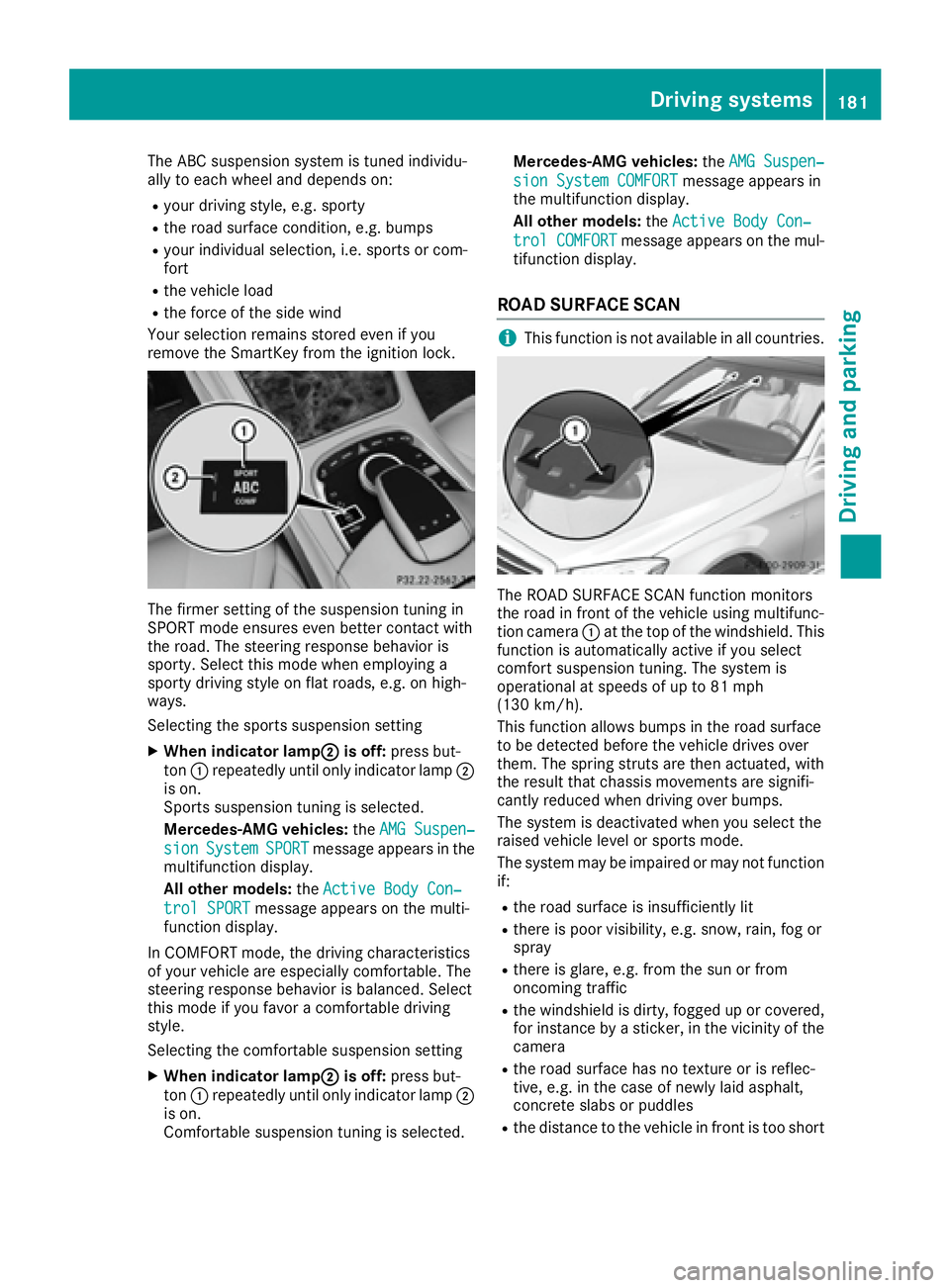
The ABC suspension system is tuned individu-
ally to each wheel and depends on: R
your driving style, e.g. sporty R
the road surface condition, e.g. bumps R
your individual selection, i.e. sports or com-
fort R
the vehicle load R
the force of the side wind
Your selection remains stored even if you
remove the SmartKey from the ignition lock.
The firmer setting of the suspension tuning in
SPORT mode ensures even better contact with
the road. The steering response behavior is
sporty. Select this mode when employing a
sporty driving style on flat roads, e.g. on high-
ways.
Selecting the sports suspension setting X
When indicator lamp D is off: press but-
ton C repeatedly until only indicator lamp D
is on.
Sports suspension tuning is selected.
Mercedes-AMG vehicles: the AMG Suspen‐
sion System SPORT message appears in the
multifunction display.
All other models: the Active Body Con‐
trol SPORT message appears on the multi-
function display.
In COMFORT mode, the driving characteristics
of your vehicle are especially comfortable. The
steering response behavior is balanced. Select
this mode if you favor a comfortable driving
style.
Selecting the comfortable suspension setting X
When indicator lamp D is off: press but-
ton C repeatedly until only indicator lamp D
is on.
Comfortable suspension tuning is selected. Mercedes-AMG vehicles: the AMG Suspen‐
sion System COMFORT message appears in
the multifunction display.
All other models: the Active Body Con‐
trol COMFORT message appears on the mul-
tifunction display.
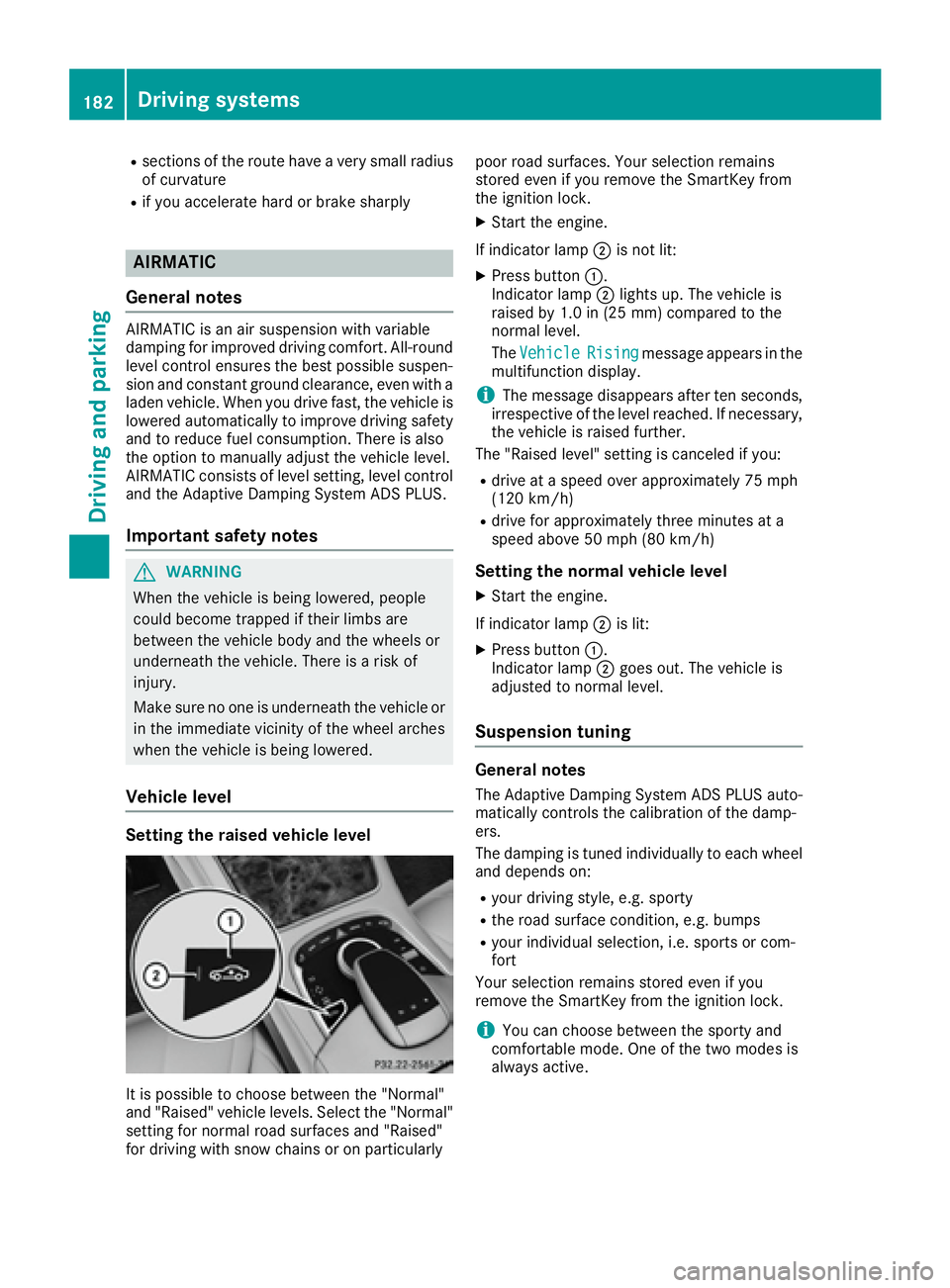
ROAD SURFACE SCAN
i This function is not available in all countries.
The ROAD SURFACE SCAN function monitors
the road in front of the vehicle using multifunc-
tion camera C at the top of the windshield. This
function is automatically active if you select
comfort suspension tuning. The system is
operational at speeds of up to 81 mph
(130 km/h).
This function allows bumps in the road surface
to be detected before the vehicle drives over
them. The spring struts are then actuated, with
the result that chassis movements are signifi-
cantly reduced when driving over bumps.
The system is deactivated when you select the
raised vehicle level or sports mode.
The system may be impaired or may not function
if: R
the road surface is insufficiently lit R
there is poor visibility, e.g. snow, rain, fog or
spray R
there is glare, e.g. from the sun or from
oncoming traffic R
the windshield is dirty, fogged up or covered,
for instance by a sticker, in the vicinity of the
camera R
the road surface has no texture or is reflec-
tive, e.g. in the case of newly laid asphalt,
concrete slabs or puddles R
the distance to the vehicle in front is too shortDriving systems 181
Driving and parking Z
Page 184 of 382
R
sections of the route have a very small radius
of curvature R
if you accelerate hard or brake sharply
AIRMATIC
General notes AIRMATIC is an air suspension with variable
damping for improved driving comfort. All-round
level control ensures the best possible suspen-
sion and constant ground clearance, even with a
laden vehicle. When you drive fast, the vehicle is
lowered automatically to improve driving safety
and to reduce fuel consumption. There is also
the option to manually adjust the vehicle level.
AIRMATIC consists of level setting, level control
and the Adaptive Damping System ADS PLUS.
Important safety notes
G WARNING
When the vehicle is being lowered, people
could become trapped if their limbs are
between the vehicle body and the wheels or
underneath the vehicle. There is a risk of
injury.
Make sure no one is underneath the vehicle or
in the immediate vicinity of the wheel arches
when the vehicle is being lowered.
Vehicle level
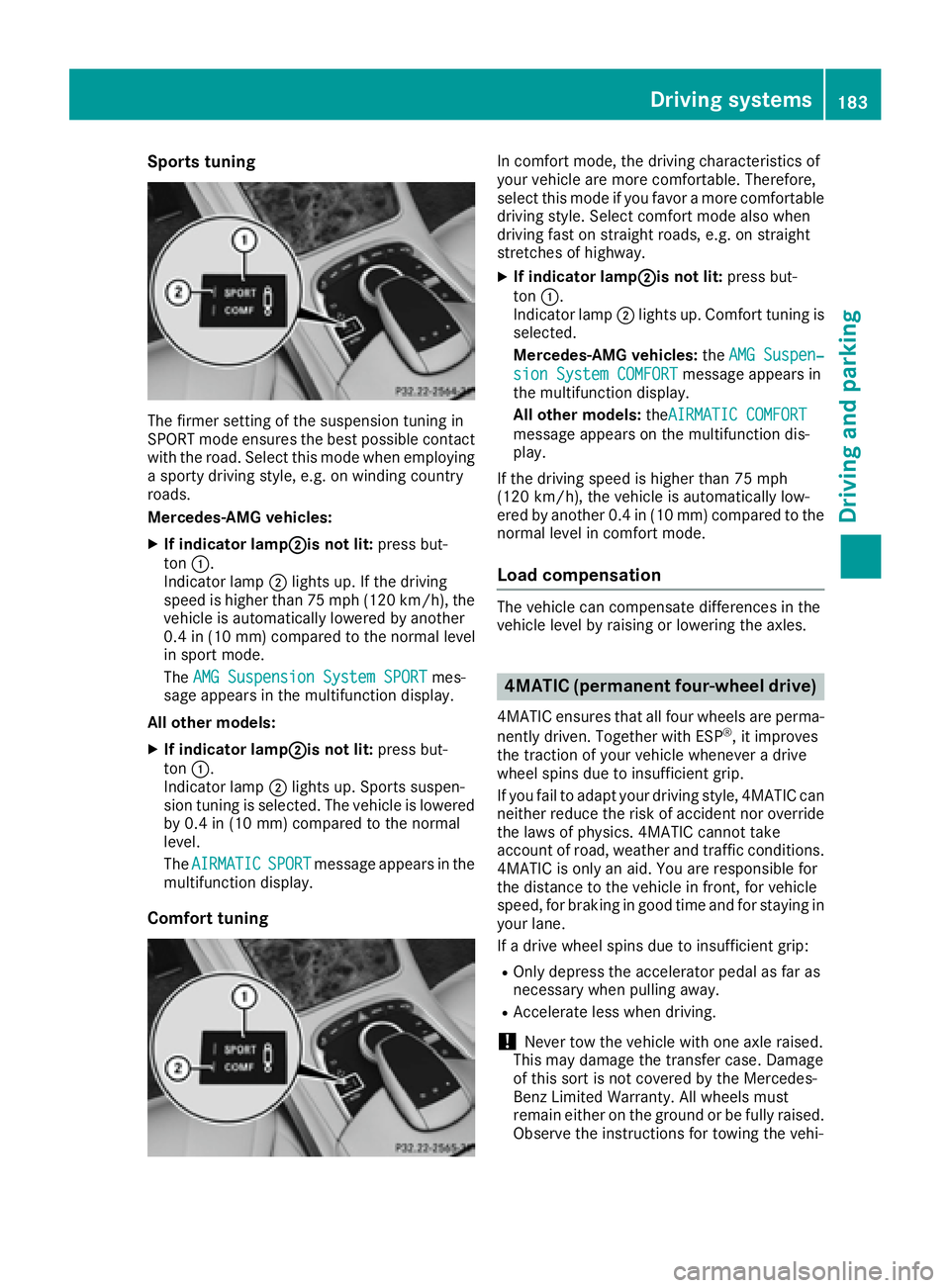
Setting the raised vehicle level
It is possible to choose between the "Normal"
and "Raised" vehicle levels. Select the "Normal"
setting for normal road surfaces and "Raised"
for driving with snow chains or on particularly poor road surfaces. Your selection remains
stored even if you remove the SmartKey from
the ignition lock. X
Start the engine.
If indicator lamp D is not lit:X
Press button C .
Indicator lamp D lights up. The vehicle is
raised by 1.0 in (25 mm) compared to the
normal level.
The Vehicle
Rising message appears in the
multifunction display.
i The message disappears after ten seconds,
irrespective of the level reached. If necessary,
the vehicle is raised further.
The "Raised level" setting is canceled if you: R
drive at a speed over approximately 75 mph
(120 km/h) R
drive for approximately three minutes at a
speed above 50 mph (80 km/h)
Setting the normal vehicle level X
Start the engine.
If indicator lamp D is lit:X
Press button C .
Indicator lamp D goes out. The vehicle is
adjusted to normal level.
Suspension tuning
General notes The Adaptive Damping System ADS PLUS auto-
matically controls the calibration of the damp-
ers.
The damping is tuned individually to each wheel
and depends on: R
your driving style, e.g. sporty R
the road surface condition, e.g. bumps R
your individual selection, i.e. sports or com-
fort
Your selection remains stored even if you
remove the SmartKey from the ignition lock.
i You can choose between the sporty and
comfortable mode. One of the two modes is
always active.182
Driving systems
Driving and parking
Page 185 of 382
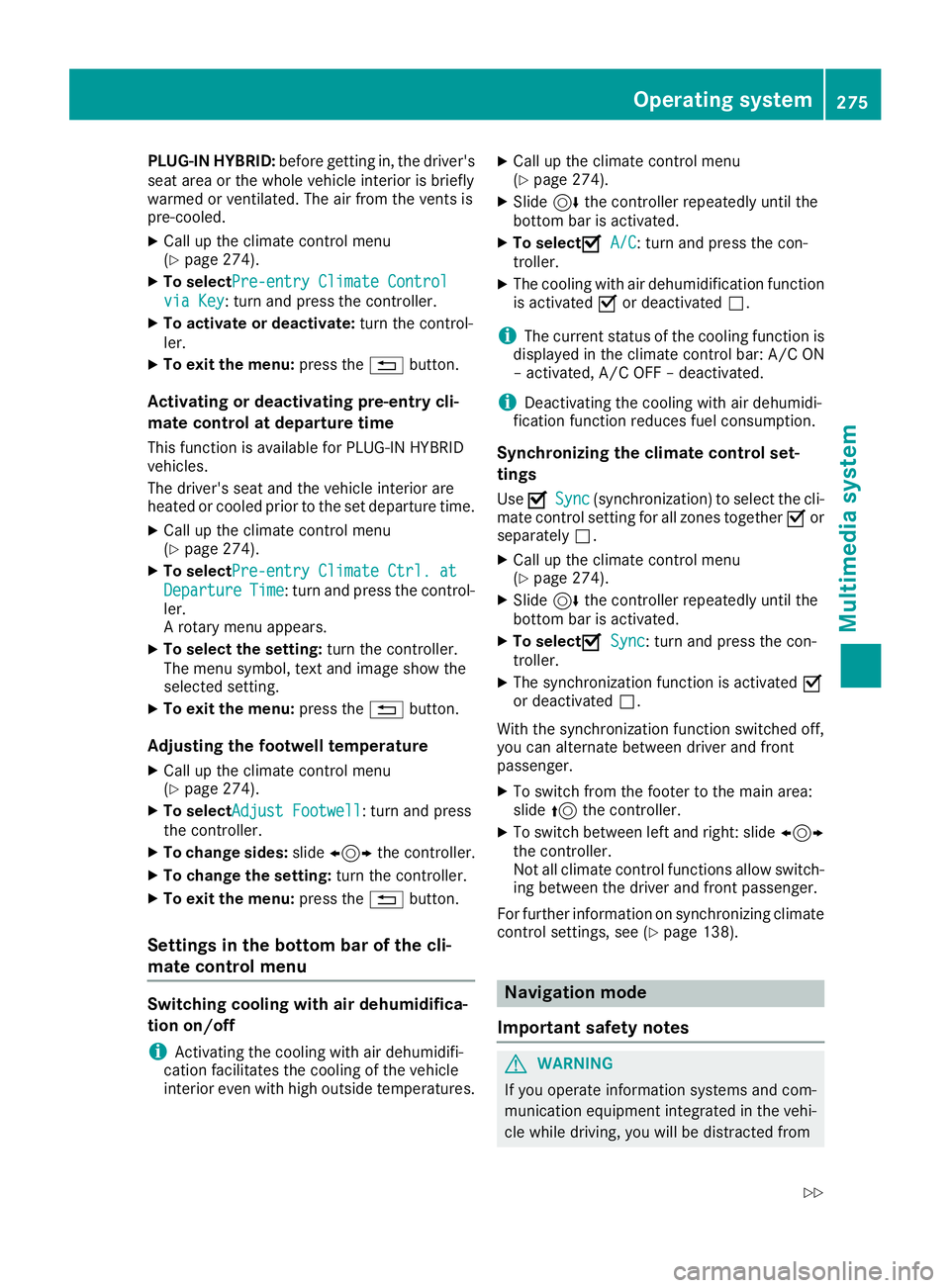
Sports tuning
The firmer setting of the suspension tuning in
SPORT mode ensures the best possible contact
with the road. Select this mode when employing
a sporty driving style, e.g. on winding country
roads.
Mercedes-AMG vehicles: X
If indicator lamp D is not lit: press but-
ton C .
Indicator lamp D lights up. If the driving
speed is higher than 75 mph (120 km/h), the
vehicle is automatically lowered by another
0.4 in (10 mm) compared to the normal level
in sport mode.
The AMG Suspension System SPORT mes-
sage appears in the multifunction display.
All other models: X
If indicator lamp D is not lit: press but-
ton C .
Indicator lamp D lights up. Sports suspen-
sion tuning is selected. The vehicle is lowered
by 0.4 in (10 mm) compared to the normal
level.
The AIRMATIC
SPORT message appears in the
multifunction display.
Comfort tuning In comfort mode, the driving characteristics of
your vehicle are more comfortable. Therefore,
select this mode if you favor a more comfortable
driving style. Select comfort mode also when
driving fast on straight roads, e.g. on straight
stretches of highway. X
If indicator lamp D is not lit: press but-
ton C .
Indicator lamp D lights up. Comfort tuning is
selected.
Mercedes-AMG vehicles: the AMG Suspen‐
sion System COMFORT message appears in
the multifunction display.
All other models: the AIRMATIC COMFORT
message appears on the multifunction dis-
play.
If the driving speed is higher than 75 mph
(120 km/h), the vehicle is automatically low-
ered by another 0.4 in (10 mm) compared to the
normal level in comfort mode.
Load compensation The vehicle can compensate differences in the
vehicle level by raising or lowering the axles.
4MATIC (permanent four-wheel drive) 4MATIC ensures that all four wheels are perma-
nently driven. Together with ESP ®
, it improves
the traction of your vehicle whenever a drive
wheel spins due to insufficient grip.
If you fail to adapt your driving style, 4MATIC can
neither reduce the risk of accident nor override
the laws of physics. 4MATIC cannot take
account of road, weather and traffic conditions.
4MATIC is only an aid. You are responsible for
the distance to the vehicle in front, for vehicle
speed, for braking in good time and for staying in
your lane.
If a drive wheel spins due to insufficient grip: R
Only depress the accelerator pedal as far as
necessary when pulling away. R
Accelerate less when driving.
! Never tow the vehicle with one axle raised.
This may damage the transfer case. Damage
of this sort is not covered by the Mercedes-
Benz Limited Warranty. All wheels must
remain either on the ground or be fully raised.
Observe the instructions for towing the vehi-Driving systems 183
Driving and parking Z
Page 277 of 382
PLUG ‑ IN HYBRID: before getting in, the driver's
seat area or the whole vehicle interior is briefly
warmed or ventilated. The air from the vents is
pre-cooled. X
Call up the climate control menu
( Y
page 274). X
To select Pre-entry Climate Control
via Key : turn and press the controller.X
To activate or deactivate: turn the control-
ler. X
To exit the menu: press the 8 button.
Activating or deactivating pre-entry cli-
mate control at departure time This function is available for PLUG ‑ IN HYBRID
vehicles.
The driver's seat and the vehicle interior are
heated or cooled prior to the set departure time. X
Call up the climate control menu
( Y
page 274). X
To select Pre-entry Climate Ctrl. at
Departure Time : turn and press the control-
ler.
A rotary menu appears. X
To select the setting: turn the controller.
The menu symbol, text and image show the
selected setting. X
To exit the menu: press the 8 button.
Adjusting the footwell temperature X
Call up the climate control menu
( Y
page 274). X
To select Adjust Footwell : turn and press
the controller. X
To change sides: slide 1 the controller.X
To change the setting: turn the controller.X
To exit the menu: press the 8 button.
Settings in the bottom bar of the cli-
mate control menu
Switching cooling with air dehumidifica-
tion on/off
i Activating the cooling with air dehumidifi-
cation facilitates the cooling of the vehicle
interior even with high outside temperatures. X
Call up the climate control menu
( Y
page 274). X
Slide 6 the controller repeatedly until the
bottom bar is activated. X
To select s A/C : turn and press the con-
troller. X
The cooling with air dehumidification function
is activated s or deactivated S .
i The current status of the cooling function is
displayed in the climate control bar: A/C ON
– activated, A/C OFF – deactivated.
i Deactivating the cooling with air dehumidi-
fication function reduces fuel consumption.
Synchronizing the climate control set-
tings Use s Sync (synchronization) to select the cli-
mate control setting for all zones together s or
separately S . X
Call up the climate control menu
( Y
page 274). X
Slide 6 the controller repeatedly until the
bottom bar is activated. X
To select s Sync : turn and press the con-
troller. X
The synchronization function is activated s
or deactivated S .
With the synchronization function switched off,
you can alternate between driver and front
passenger. X
To switch from the footer to the main area:
slide 5 the controller. X
To switch between left and right: slide 1
the controller.
Not all climate control functions allow switch-
ing between the driver and front passenger.
For further information on synchronizing climate
control settings, see ( Y
page 138).
Navigation mode
Important safety notes
G WARNING
If you operate information systems and com-
munication equipment integrated in the vehi-
cle while driving, you will be distracted fromOperating system 275
Multimedia system Z
Page 330 of 382
X
Stop the vehicle on solid, non-slippery and
level ground, as far away as possible from
traffic. X
Switch on the hazard warning lamps. X
Secure the vehicle against rolling away
( Y
page 162).X
If possible, bring the front wheels into the
straight-ahead position. X
Switch off the engine. X
Open the driver's door.
The on-board electronics now have status 0 .
This is the same as the SmartKey having been
removed. X
Remove the Start/Stop button from the igni-
tion lock ( Y
page 145).
or, if the SmartKey is inserted in the ignition
lock: X
Remove the SmartKey from the ignition lock. X
Make sure that the engine cannot be started
via your smartphone ( Y
page 147).X
Make sure that the passengers are not endan-
gered as they do so. Make sure that no one is
near the danger area while a wheel is being
changed. Anyone who is not directly assisting
in the wheel change should, for example,
stand behind the barrier. X
Get out of the vehicle. Pay attention to traffic
conditions when doing so. X
Close the driver's door.
MOExtended tires (tires with run-flat
properties)
General notes With MOExtended tires (tires with run flat char-
acteristics), you can continue to drive your vehi-
cle even if there is a total loss of pressure in one
or more tires. The affected tire must not show
any clearly visible damage.
You can recognize MOExtended tires by the
MOExtended marking which appears on the
sidewall of the tire. You will find this marking
next to the tire size designation, the load-bear-
ing capacity and the speed index ( Y
page 357).
MOExtended tires may only be used in conjunc-
tion with an active tire pressure loss warning
system or with an active tire pressure monitor. If a pressure loss warning message appears
in the multifunction display: R
observe the instructions in the display mes-
sages ( Y
page 252). R
check the tire for damage. R
if driving on, observe the following notes.
The driving distance possible in run-flat mode is
approximately 50 miles (80 km) when the vehi-
cle is partially laden. When the vehicle is fully
laden it is approximately 19 miles (30 km).
In addition to the vehicle load, the driving dis-
tance possible depends upon: R
Vehicle speed R
Road condition R
Outside temperature
The driving distance possible in run-flat mode
may be reduced by extreme driving conditions
or maneuvers, or it can be increased through a
moderate style of driving.
The driving distance possible in run-fla t mode is
co
unted from the moment the tire pressure loss
warning appears in the multifunction display.
You must not exceed a maximum permissible
speed of 50 mph (80 km/h).
When replacing one or all tires, please observe
the following specifications for your vehicle's
tires: R
size R
the type and R
the "MOExtended" mark
If a tire has gone flat and cannot be replaced
with a MOExtended tire, a standard tire may be
used as a temporary measure. Make sure that
you use the proper size and type (summer or
winter tires).
Vehicles equipped with MOExtended tires are
not equipped with a TIREFIT kit at the factory. It
is therefore recommended that you additionally
equip your vehicle with a TIREFIT kit if you mount
tires that do not feature run-flat properties, e.g.
winter tires. A TIREFIT kit may be obtained from
a qualified specialist workshop.
Important safety notes
G WARNING
When driving in emergency mode, the driving
characteristics deteriorate, e.g. when corner-
ing, accelerating quickly and when braking.
There is a risk of an accident.328
Flat tire
Breakdown assistance
Page 331 of 382
Do not exceed the stated maximum speed.
Avoid abrupt steering and driving maneuvers,
and driving over obstacles (curbs, potholes,
off-road). This applies in particular to a laden
vehicle.
Stop driving in emergency mode if: R
you hear banging noises. R
the vehicle starts to shake. R
you see smoke and smell rubber. R
ESP ®
is intervening constantly.R
there are tears in the sidewalls of the tire.
After driving in emergency mode, have the
wheel rims checked at a qualified specialist
workshop with regard to their further use. The
defective tire must be replaced in every case.
TIREFIT kit
Important safety notes TIREFIT is a tire sealant.
You can use TIREFIT to seal punctures of up to
0.16 in (4 mm), particularly those in the tire
tread. You can use TIREFIT at outside tempera-
tures down to