air condition MERCEDES-BENZ S CLASS 2017 Owner's Guide
[x] Cancel search | Manufacturer: MERCEDES-BENZ, Model Year: 2017, Model line: S CLASS, Model: MERCEDES-BENZ S CLASS 2017Pages: 382, PDF Size: 12.12 MB
Page 203 of 382
and any obstacles in good time. When pedes-
trian recognition is active, pedestrians recog-
nized by the system are visually highlighted in
color in the Night View Assist Plus display with
small frame corners.
In addition, an infrared camera is integrated into
radiator trim C . The camera helps detect
pedestrians and animals. Observe the notes on
cleaning the infrared camera ( Y
page 324).
i Infrared light is not visible to the human eye
and therefore does not glare. Night View
Assist Plus can therefore remain switched on
even if there is oncoming traffic.
Important safety notes Night View Assist Plus is only an aid and is not a
substitute for attentive driving. Do not rely on
the Night View Assist Plus display. You are
responsible for the distance to the vehicle in
front, for vehicle speed and for braking in good
time. Drive carefully and always adapt your driv-
ing style to suit the prevailing road and traffic
conditions.
The system may be impaired or may not function
if: R
there is poor visibility, e.g. due to snow, rain,
fog or spray R
the windshield is dirty, fogged up or covered,
for instance by a sticker, in the vicinity of the
camera R
the infrared camera in the radiator trim is
dirty, fogged up or obscured R
on bends, hilltops or downhill gradients R
at high outside temperatures
Night View Assist Plus cannot display objects
directly in front of or beside the vehicle.
It is possible that, in addition to people and ani-
mals, other objects are also marked or highligh-
ted .
Pedestrian and animal recognition
General notes
Pedestrian or animal recognition may be
impaired or inoperative if: R
pedestrians or animals are partially or entirely
obscured by other objects, e.g. parked vehi-
cles R
the silhouette of the pedestrian or of the ani-
mal in the Night View Assist Plus display is incomplete or interrupted, e.g. by powerful
light reflections R
pedestrians or animals do not contrast with
the surroundings R
the camera system no longer recognizes
pedestrians as persons due to special cloth-
ing or other objects R
pedestrians are not in an upright position, e.g.
sitting, squatting or lying R
animals are not recognized by the system,
e.g. because of their size or shape
Pedestrian and animal recognition is deactiva-
ted at temperatures above 90 ‡ (32 †). The
spotlight function and automatic delayed
switch-off are then no longer active.
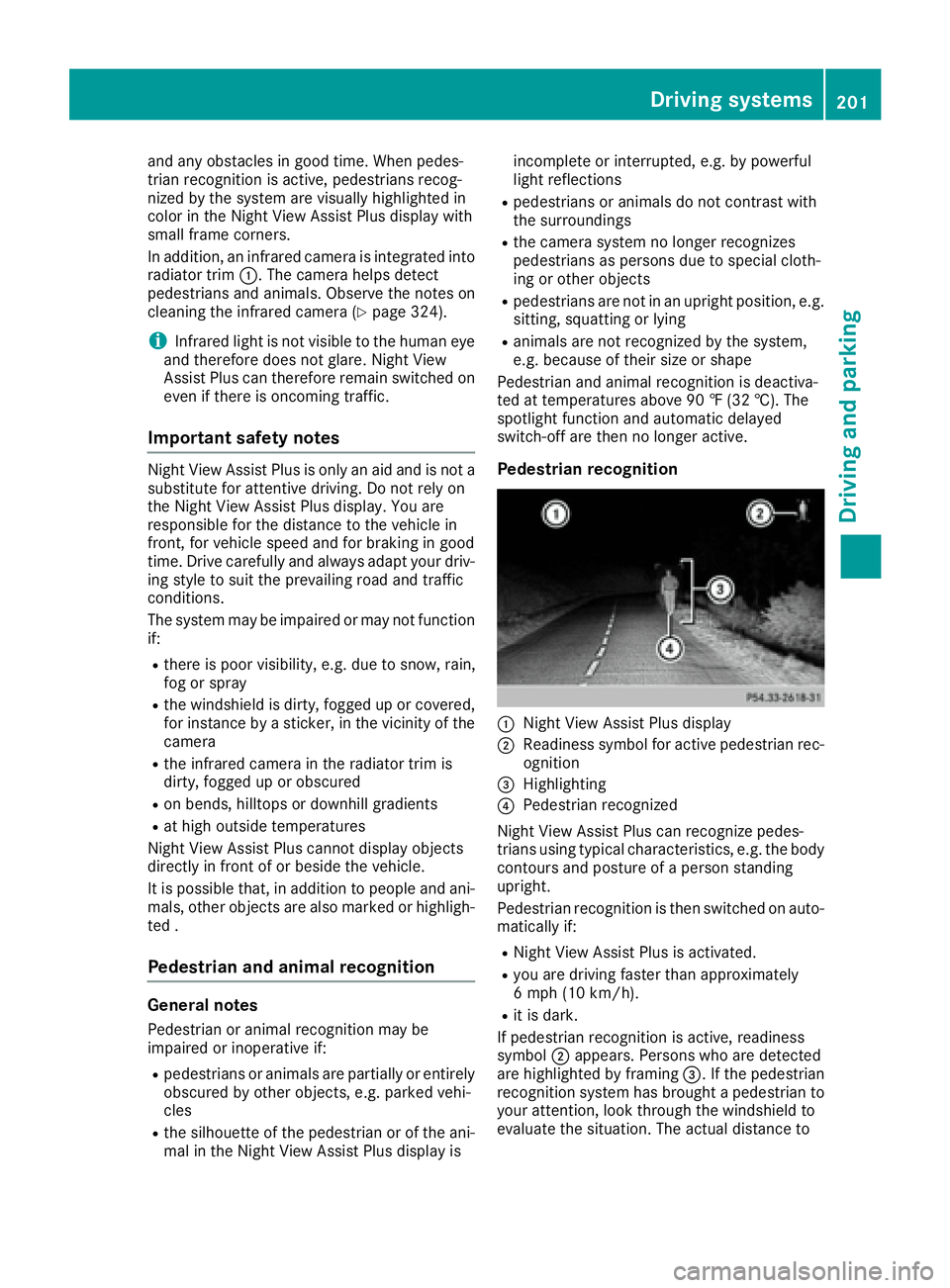
Pedestrian recognition
C
Night View Assist Plus display D
Readiness symbol for active pedestrian rec-
ognition
Page 209 of 382
Active Lane Keeping Assist cannot continuously
keep your vehicle in its lane.
G WARNING
Active Lane Keeping Assist cannot always
clearly detect lane markings.
In such cases, Active Lane Keeping Assist
can: R
give an unnecessary warning and then
make a course-correcting brake application
to the vehicle R
not give a warning or intervene
There is a risk of an accident.
Always pay particular attention to the traffic
situation and keep within the lane, especially
if Active Lane Keeping Assist alerts you. Ter-
minate the intervention in a non-critical driv-
ing situation.
The system may be impaired or may not function
if: R
there is poor visibility, e.g. due to insufficient
illumination of the road, or due to snow, rain,
fog or spray R
there is glare, e.g. from oncoming traffic, the
sun or reflection from other vehicles (e.g. if
the road surface is wet) R
the windshield is dirty, fogged up, damaged or
covered, for instance by a sticker, in the vicin-
ity of the camera R
the radar sensors in the front or rear bumpers
or the radiator trim are dirty, e.g. obscured by
snow R
there are no, several or unclear lane markings
for a lane, e.g. in areas with road construction
work R
the lane markings are worn away, dark or cov-
ered up, e.g. by dirt or snow R
the distance to the veh icle in front is too small
and the lane markings thus cannot be detec-
ted R
the lane markings change quickly, e.g. lanes
branch off, cross one another or merge R
the road is narrow and winding R
there are strong shadows cast on the road
If no vehicle is detected in the adjacent lane and
broken lane markings are detected, no lane-cor-
recting brake application is made. Warning vibration in the steering wheel A warning may be given if a front wheel passes
over a lane marking. It will warn you by means of
intermittent vibration in the steering wheel for
up to 1.5 second s.
In orde r that you are warned only when neces-
sary and in good time if you cross the lane mark-
ing, the system recognizes certain conditions
and warns you accordingly.
The warning vibration occurs earlier if: R
you approach the outer lane marking on a
bend. R
the road has very wide lanes, e.g. a highway. R
the system recognizes solid lane markings.
The warning vibration occurs later if: R
the road has narrow lanes. R
you cut the corner on a bend.
Lane-correcting brake application If you leave your lane, under certain circumstan-
ces the vehicle will brake briefly on one side.
This is meant to assist you in bringing the vehicle
back to the original lane.
G WARNING
A lane-correcting brake application cannot
always bring the vehicle back into the original
lane. There is a risk of an accident.
Always steer, brake or accelerate yourself,
especially if Active Lane Keeping Assist warns
you or makes a lane-correcting brake appli-
cation.
G WARNING
Active Lane Keeping Assist does not detect
traffic conditions or road users. In very rare
cases, the system may make an inappropriate
brake application, e.g. after intentionally driv-
ing over a solid lane marking. There is a risk of
an accident.
An inappropriate brake application may be
interrupted at any time if you steer slightly in
the opposite direction. Always make sure that
there is sufficient distance on the side for
other traffic or obstacles.Driving systems 207
Driving and parking Z
Page 212 of 382
Important safety notes
G WARNIN G
If you operate information systems and com-
munication equipmen t integrate d in th e vehi-
cle while driving , you will be distracte d from
traffic conditions. You could also lose control
of th e vehicle. Ther e is a ris k of an accident.
Only operate th e equipmen t when th e traffic
situation permits. If you are no t sur e that this
is possible , park th e vehicl e payin g attention
to traffic condition s and operate th e equip-
men t when th e vehicl e is stationary.
You must observ e th e legal requirements for th e
country in whic h you are currentl y driving when
operating th e on-board computer.
G WARNIN G
If th e instrumen t cluste r has faile d or mal-
functioned, you may no t recognize function
restriction s in systems relevan t to safety. The
operating safet y of your vehicl e may be
impaired . Ther e is a ris k of an accident.
Drive on carefully. Hav e th e vehicl e checke d
at a qualified specialist workshop immedi-
ately.
If th e operating safet y of your vehicl e is
impaired , pull ove r as soo n as it is saf e to do so.
Contac t a qualified specialist workshop.
The on-board computer only shows message s or
warning s from certain systems in th e multifunc-
tion display. You should therefor e mak e sur e
your vehicl e is operating safely at all times .
Fo r an overview, see th e instrumen t panel illus-
tration ( Y
page 35).
Hybrid vehicles: mak e sur e that you read th e
separat e Operator's Manual. Otherwise, you
may no t recognize dangers.
Displays and operation
Instrument cluster lighting
The ligh t sensor in th e instrumen t cluste r auto -
matically control s th e brightness of th e multi-
function display. In daylight, th e displays in th e instrumen t cluste r are illuminated. A dimming
function is no t possible in daylight.
The lighting in th e instrumen t cluster, in th e dis-
plays and th e control s in th e vehicl e interior can
be adjusted usin g th e brightness control knob.
The brightness control is locate d between th e
instrumen t cluste r and th e multimedia system
display ( Y
page 36). X
Turn th e brightness control knob clockwise or
counter-clockwise.
If you tur n th e ligh t switch ( Y
page 124) to th e
` , X or X position , th e brightness
will depend upon th e brightness of th e ambi -
en t light.
Speedometer segments The segments in th e speedometer indicat e
whic h spee d range is available. R
Cruis e control activated ( Y
page 169):
The segments ligh t up from th e store d spee d
to th e en d of th e scale.R
DISTRONI C PLU S activated ( Y
page 171):
On e or two segments in th e set spee d range
ligh t up. R
DISTRONI C PLU S detects a vehicl e in fron t
moving mor e slowly than th e store d speed:
The segments between th e spee d of th e vehi-
cle in fron t and th e store d spee d ligh t up.
Tachometer
! Do no t driv e in th e overrevving range, as this
could damag e th e engine.
The red ban d in th e tachometer indicates th e
engine's overrevving range.
The fuel suppl y is interrupted to protect th e
engin e when th e red ban d is reached.
Outside temperature display
You should pay special attention to road condi-
tion s when temperatures are aroun d freezing
point.
Bea r in min d that th e outside temperature dis-
play indicates th e temperature measured and
does no t record th e road temperature.
The outside temperature display is in th e multi-
function display ( Y
page 212).210
Displays and operation
On-board computer and displays
Page 215 of 382
driver to see all of the information without hav-
ing to take their eyes off the road.
A requirement for the display of the contents is
that the following functions are available in the
vehicle and are switched on: R
Cruise control R
DISTRONIC PLUS R
Traffic Sign Assist R
Navigation
Important safety notes The Head-up Display is only an aid and is not a
substitute for attentive driving.
Speed limits and overtaking restrictions are not
always correctly displayed. Traffic signs always
have priority over the Traffic Sign Assist display.
The visibility of the Head-up Display is influ-
enced by the following conditions: R
the driver's seat position R
the positioning of the display image R
the general ambient light R
sunglasses with polarization filters R
wet roads R
blocking of sunlight by objects on the display
cover
In the event of extreme sunlight, sections of the
display may fade. This can be reversed by
switching the Head-up Display off and on again.
i Vehicles with the head-up display are equip-
ped with a special windshield. Should repairs
be necessary, have the windshield replaced at
a qualified specialist workshop.
Displays and operation
Switching the Head-up Display on/off X
Press button C .
When the Head-up Display is switched on, the
display appears in the driver's field of vision.
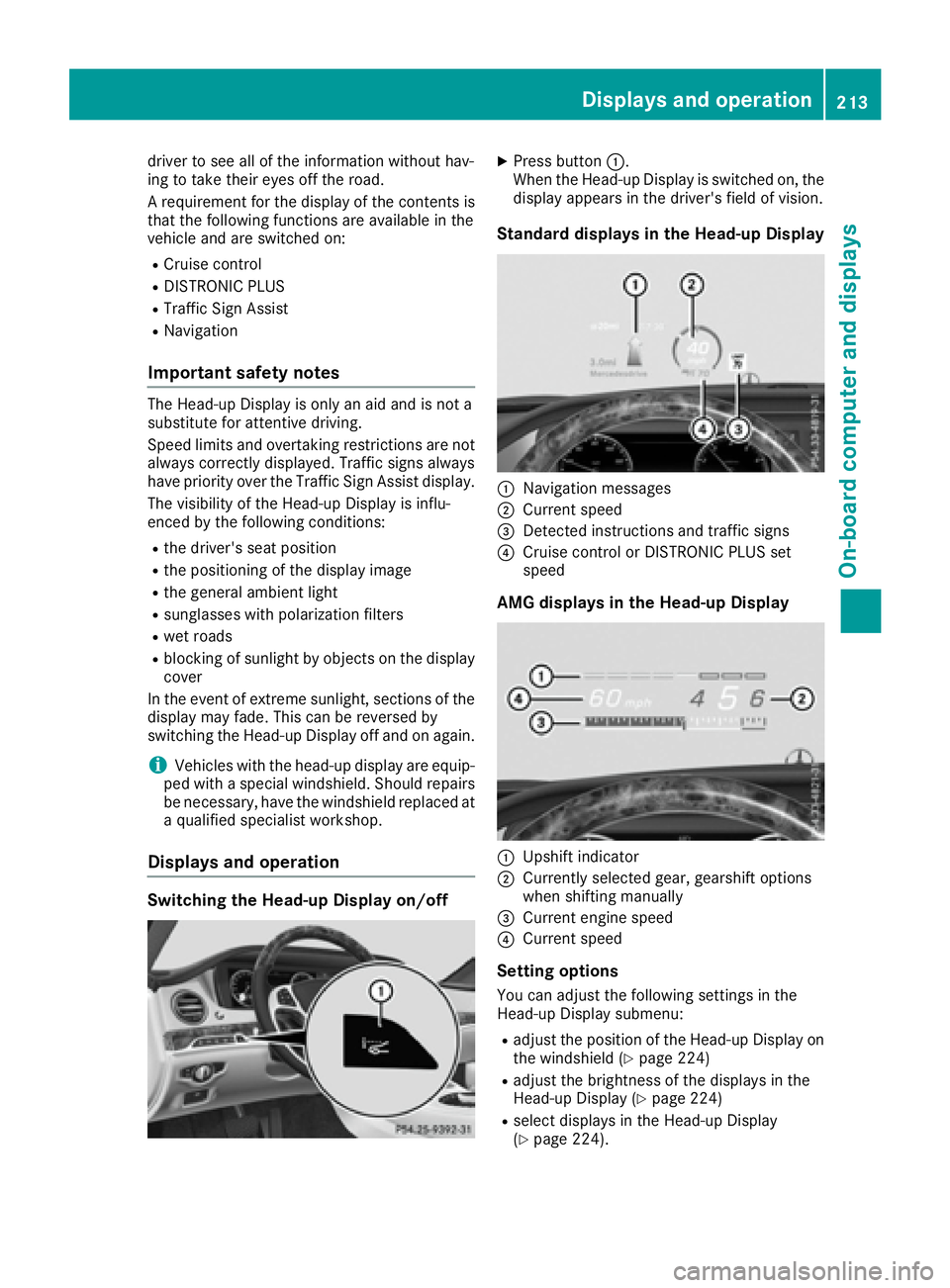
Standard displays in the Head-up Display
C
Navigation messages D
Current speed
Page 235 of 382
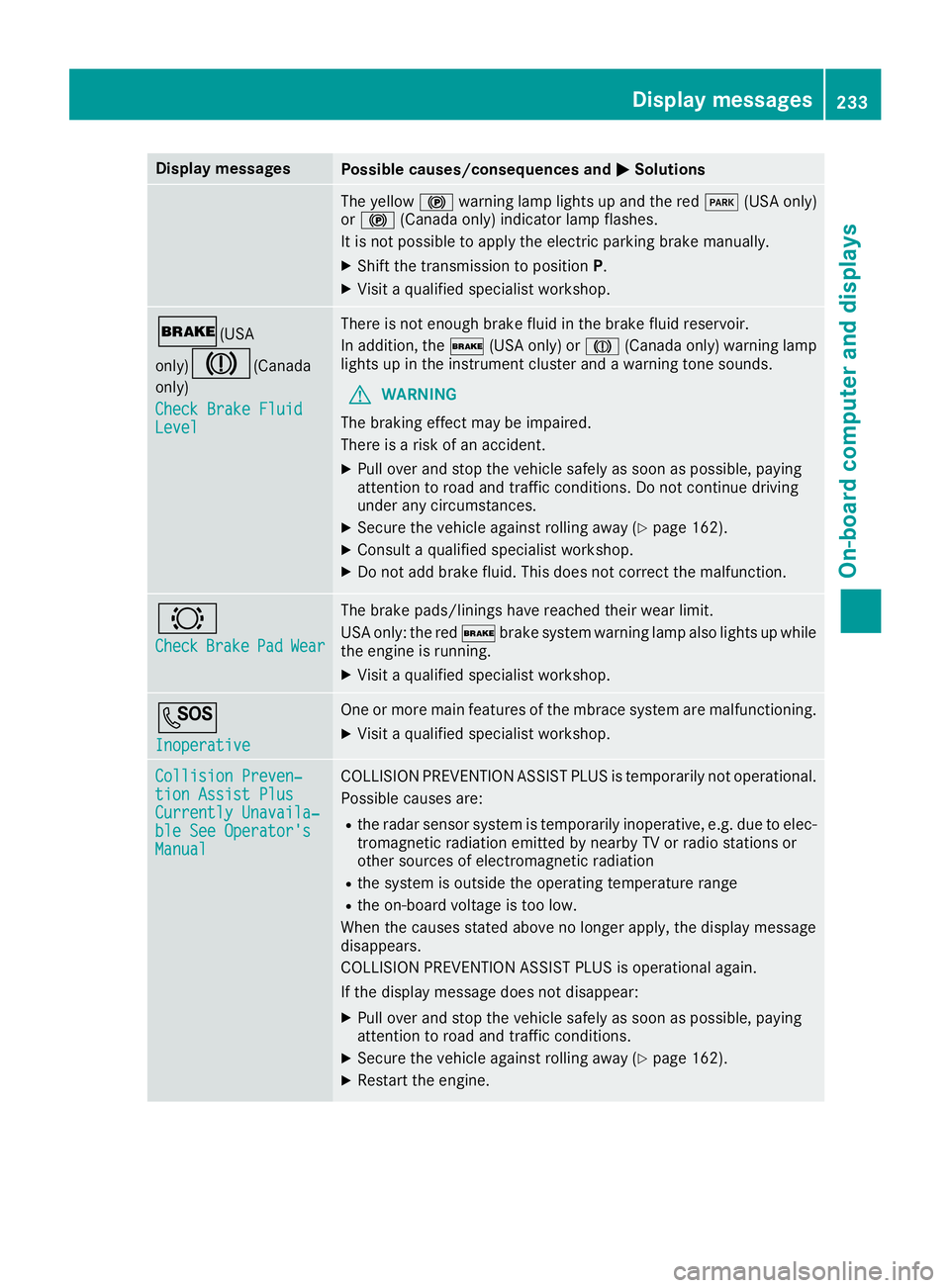
Display messages
Possible causes/consequences and P Solutions
The yellow $ warning lamp lights up and th e red I (US A only)
or $ (Canada only) indicator lamp flashes .
It is no t possibl e to apply th e electric parking brak e manually.X
Shift th e transmission to position P .X
Visit a qualified specialist workshop .
' (USA
only)
M ( Canada
only)
Check Brake Fluid
Level There is no t enough brak e flui d in th e brak e fluid reservoir .
In addition , th e ' (US A only) or M (Canada only) warning lamp
lights up in th e instrumen t cluste r and a warning tone sounds.
G WARNIN G
The braking effec t may be impaired.
There is a ris k of an accident.X
Pull ove r and stop th e vehicl e safely as soo n as possible, payin g
attention to roa d and traffic conditions. Do no t continu e drivin g
under any circumstances. X
Secur e th e vehicl e against rollin g away ( Y
page 162).X
Consult a qualified specialist workshop .X
Do no t add brak e fluid . This does no t correc t th e malfunction .
& Check Brake Pad Wea r The brak e pads/linings hav e reached their wear limit.
US A only: th e red ' brak e system warning lamp also lights up while
th e engin e is running. X
Visit a qualified specialist workshop .
S Inoperative On e or mor e main features of th e mbrace system are malfunctioning .X
Visit a qualified specialist workshop .
Collision Preven ‐
tio n Assist Plu s
Currently Unavaila‐
ble See Operator' s
Manual COLLISION PREVENTION ASSIST PLU S is temporarily no t operational.
Possibl e causes are: R
th e radar sensor system is temporarily inoperative, e.g. due to elec -
tromagneti c radiation emitted by nearby TV or radi o station s or
other source s of electromagneti c radiationR
th e system is outside th e operating temperature rangeR
th e on-boar d voltag e is to o low.
Whe n th e causes state d abov e no longer apply, th e display message
disappears.
COLLISION PREVENTION ASSIST PLU S is operational again .
If th e display message does no t disappear :X
Pull ove r and stop th e vehicl e safely as soo n as possible, payin g
attention to roa d and traffic conditions.X
Secur e th e vehicl e against rollin g away ( Y
page 162).X
Restart th e engine. Display messages 23 3
On-board computer and displays Z
Page 236 of 382
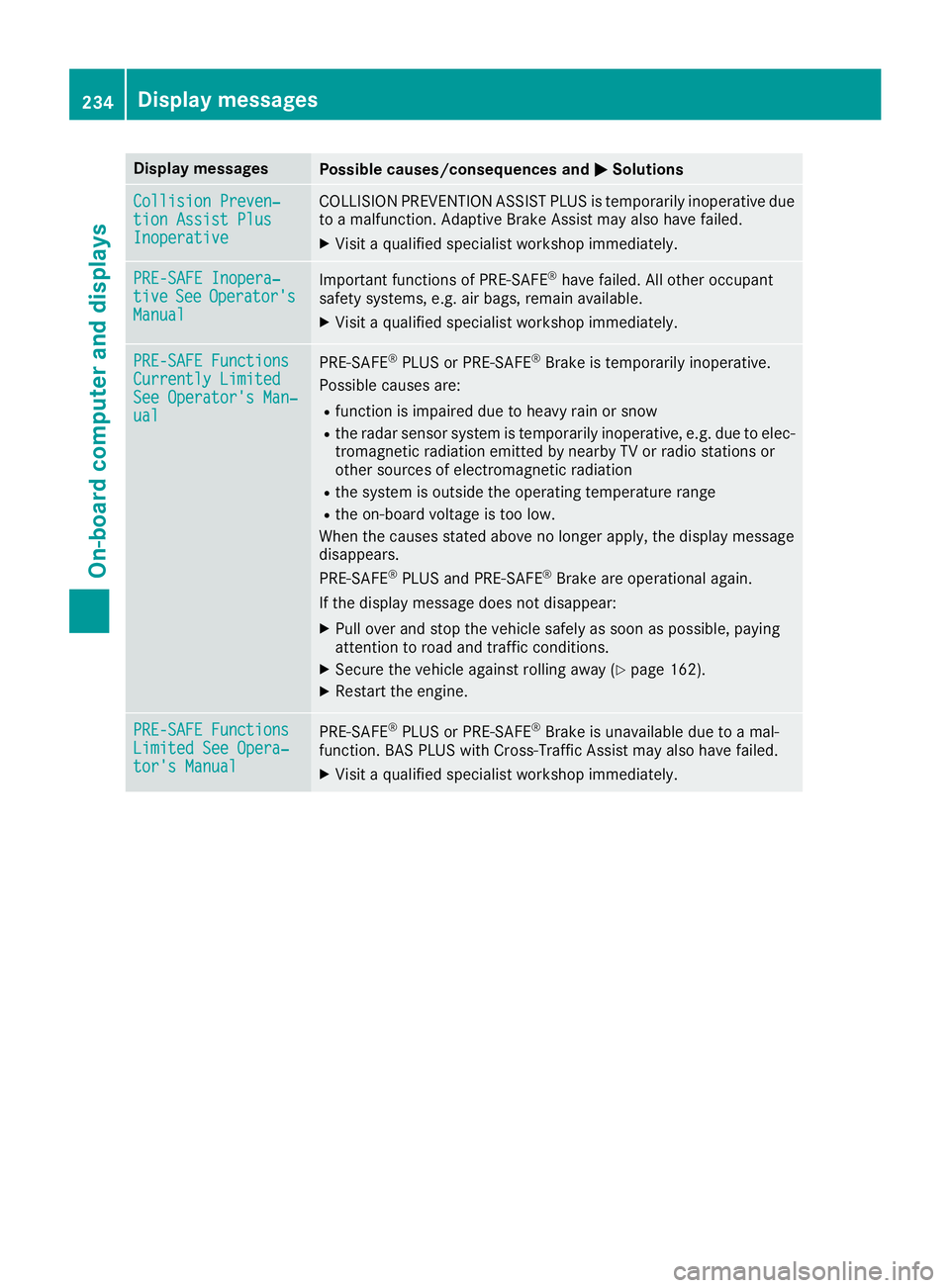
Display messages
Possible causes/consequences and P Solutions
Collision Preven ‐
tio n Assist Plu s
Inoperative COLLISION PREVENTION ASSIST PLU S is temporarily inoperative due
to a malfunction . Adaptive Brake Assis t may also hav e failed.X
Visit a qualified specialist workshop immediately.
PRE-SAFE Inopera‐
tiv e See Operator' s
Manual Importan t function s of PRE-SAF E ®
hav e failed. Al l other occupant
safet y systems , e.g. air bags , remain available.X
Visit a qualified specialist workshop immediately.
PRE-SAFE Functions
Currently Limite d
See Operator' s Man ‐
ual PRE ‑ S AF E ®
PLU S or PRE ‑ SAFE ®
Brake is temporarily inoperative.
Possibl e causes are: R
function is impaire d due to heav y rain or snowR
th e radar sensor system is temporarily inoperative, e.g. due to elec -
tromagneti c radiation emitted by nearby TV or radi o station s or
other source s of electromagneti c radiationR
th e system is outside th e operating temperature rangeR
th e on-boar d voltag e is to o low.
Whe n th e causes state d abov e no longer apply, th e display message
disappears.
PRE ‑ S AF E ®
PLU S and PRE ‑ S AF E ®
Brake are operational again .
If th e display message does no t disappear :X
Pull ove r and stop th e vehicl e safely as soo n as possible, payin g
attention to roa d and traffic conditions.X
Secur e th e vehicl e against rollin g away ( Y
page 162).X
Restart th e engine.
PRE-SAFE Functions
Limite d See Opera‐
tor's Manual PRE ‑ S AF E ®
PLU S or PRE ‑ SAFE ®
Brake is unavailable due to a mal-
function . BA S PLU S wit h Cross-Traffic Assis t may also hav e failed.X
Visit a qualified specialist workshop immediately.234
Display messages
On-board computer and displays
Page 239 of 382
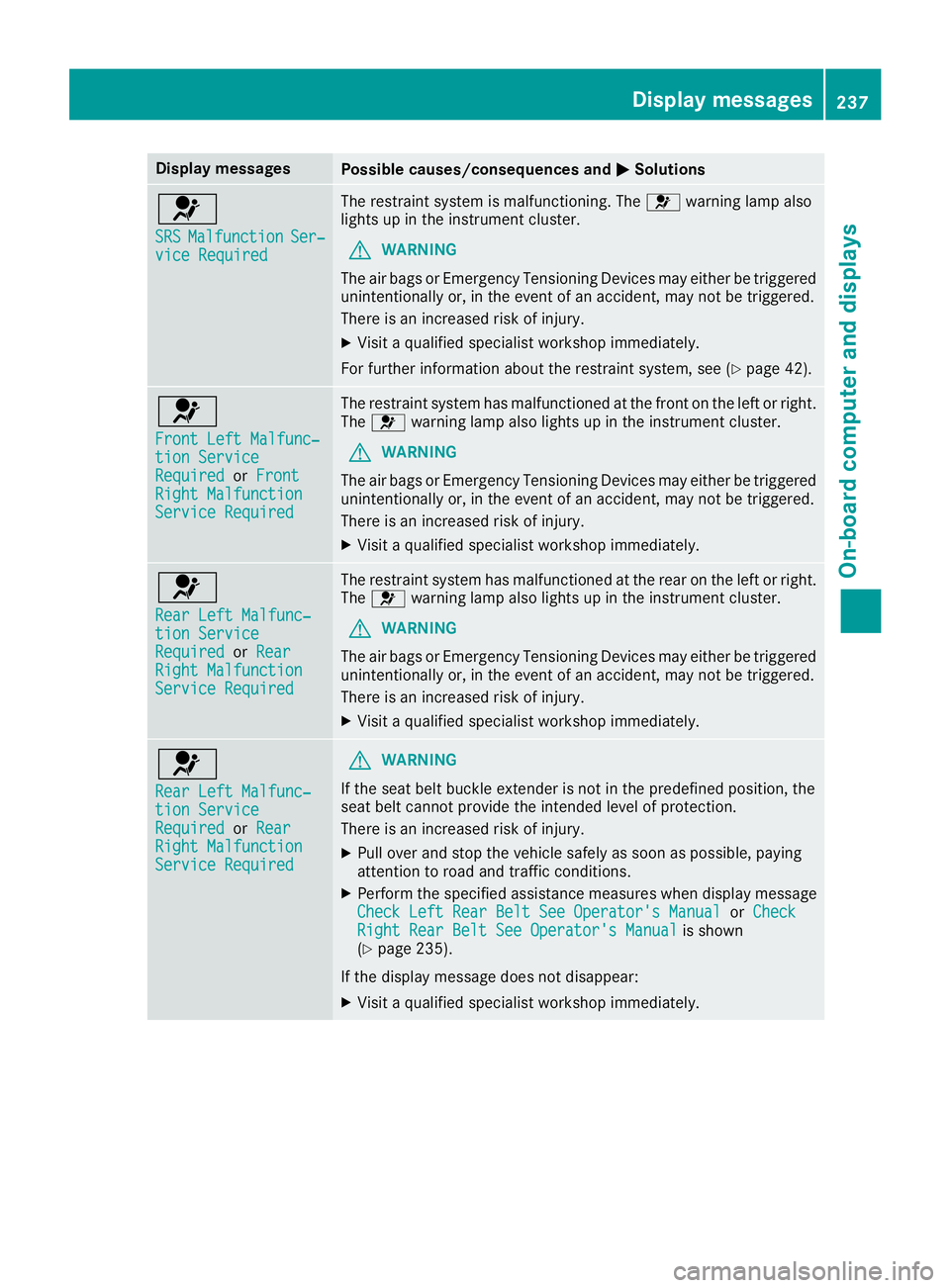
Display messages
Possible causes/consequences and P Solutions
u SRS Malfunction Ser ‐
vic e Required The restrain t system is malfunctioning . The u warning lamp also
lights up in th e instrumen t cluster.
G WARNIN G
The air bags or Emergency Tensioning Devices may either be triggered
unintentionally or, in th e event of an accident, may no t be triggered .
There is an increased ris k of injury.X
Visit a qualified specialist workshop immediately.
Fo r further information about th e restrain t system, see ( Y
page 42) .
u Front Lef t Malfunc‐
tio n Servic e
Required or Front
Right Malfunction
Servic e Required The restrain t system has malfunctioned at th e fron t on th e lef t or right .
The u warning lamp also lights up in th e instrumen t cluster.
G WARNIN G
The air bags or Emergency Tensioning Devices may either be triggered
unintentionally or, in th e event of an accident, may no t be triggered .
There is an increased ris k of injury.X
Visit a qualified specialist workshop immediately.
u Rea r Lef t Malfunc‐
tio n Servic e
Required or Rea r
Right Malfunction
Servic e Required The restrain t system has malfunctioned at th e rear on th e lef t or right .
The u warning lamp also lights up in th e instrumen t cluster.
G WARNIN G
The air bags or Emergency Tensioning Devices may either be triggered
unintentionally or, in th e event of an accident, may no t be triggered .
There is an increased ris k of injury.X
Visit a qualified specialist workshop immediately.
u Rea r Lef t Malfunc‐
tio n Servic e
Required or Rea r
Right Malfunction
Servic e Required G WARNIN G
If th e seat belt buckl e extender is no t in th e predefine d position , th e
seat belt canno t provid e th e intended level of protection .
There is an increased ris k of injury.X
Pull ove r and stop th e vehicl e safely as soo n as possible, payin g
attention to roa d and traffic conditions.X
Perfor m th e specified assistanc e measures when display message
Check Lef t Rea r Bel t See Operator' s Manual or Check
Right Rea r Bel t See Operator' s Manual is shown
( Y
page 235).
If th e display message does no t disappear :X
Visit a qualified specialist workshop immediately. Display messages 23 7
On-board computer and displays Z
Page 241 of 382
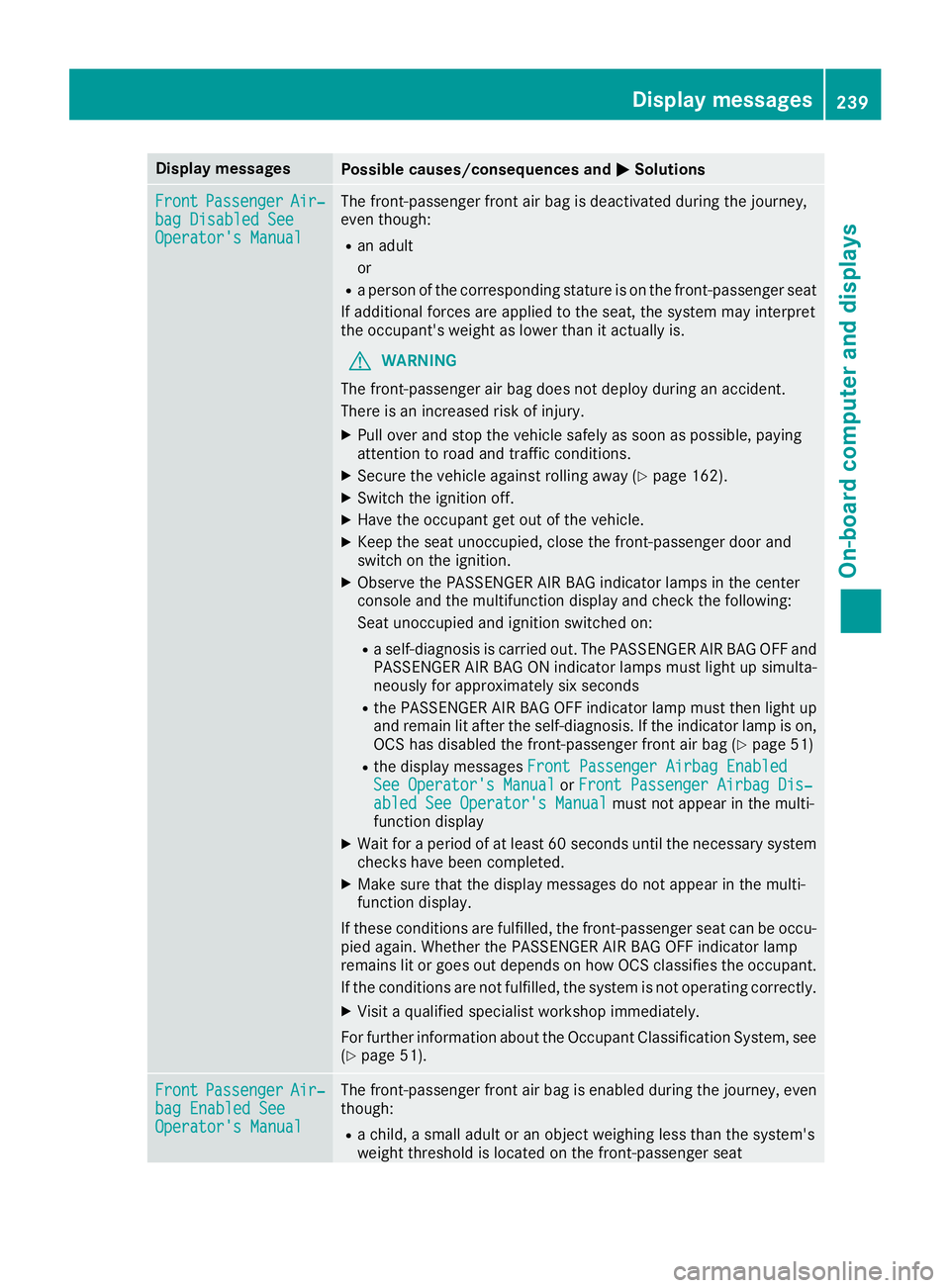
Display messages
Possible causes/consequences and P Solutions
Front Passenger Air ‐
bag Disabled See
Operator' s Manual The front-passenger fron t air bag is deactivated during th e journey,
eve n though : R
an adult
or R
a person of th e correspondin g statur e is on th e front-passenger seat
If additional force s are applie d to th e seat , th e system may interpret
th e occupant's weigh t as lower than it actually is.
G WARNIN G
The front-passenger air bag does no t deploy during an accident.
There is an increased ris k of injury.X
Pull ove r and stop th e vehicl e safely as soo n as possible, payin g
attention to roa d and traffic conditions.X
Secur e th e vehicl e against rollin g away ( Y
page 162).X
Switc h th e ignition off .X
Hav e th e occupant get out of th e vehicle.X
Kee p th e seat unoccupied , close th e front-passenger door and
switch on th e ignition .X
Observ e th e PASSENGER AI R BA G indicator lamp s in th e center
console and th e multifunction display and chec k th e following:
Seat unoccupied and ignition switched on :R
a self-diagnosis is carrie d out . The PASSENGER AI R BA G OF F and
PASSENGER AI R BA G ON indicator lamp s mus t ligh t up simulta-
neousl y for approximately six seconds R
th e PASSENGER AI R BA G OF F indicator lamp mus t then ligh t up
and remain lit after th e s elf-diagnosis . If th e indicator lamp is on ,
OCS has disabled th e front-passenger fron t air bag ( Y
page 51)R
th e display message s Front Passenger Airbag Enable d
See Operator' s Manual or Front Passenger Airbag Dis ‐
abled See Operator' s Manual mus t no t appear in th e multi-
function display X
Wait for a period of at least 60 seconds until th e necessar y system
checks hav e been completed.X
Mak e sur e that th e display message s do no t appear in th e multi-
function display.
If these condition s are fulfilled , th e front-passenger seat can be occu-
pied again . Whether th e PASSENGER AI R BA G OF F indicator lamp
remain s lit or goe s out depend s on how OCS classifies th e occupant .
If th e condition s are no t fulfilled , th e system is no t operating correctly.X
Visit a qualified specialist workshop immediately.
Fo r further information about th e Occupant Classification System, see
( Y
page 51).
Front Passenger Air ‐
bag Enable d See
Operator' s Manual The front-passenger fron t air bag is enabled during th e journey, eve n
though : R
a child, a small adult or an objec t weighing less than th e system' s
weigh t threshold is locate d on th e front-passenger seatDisplay messages 23 9
On-board computer and displays Z
Page 242 of 382
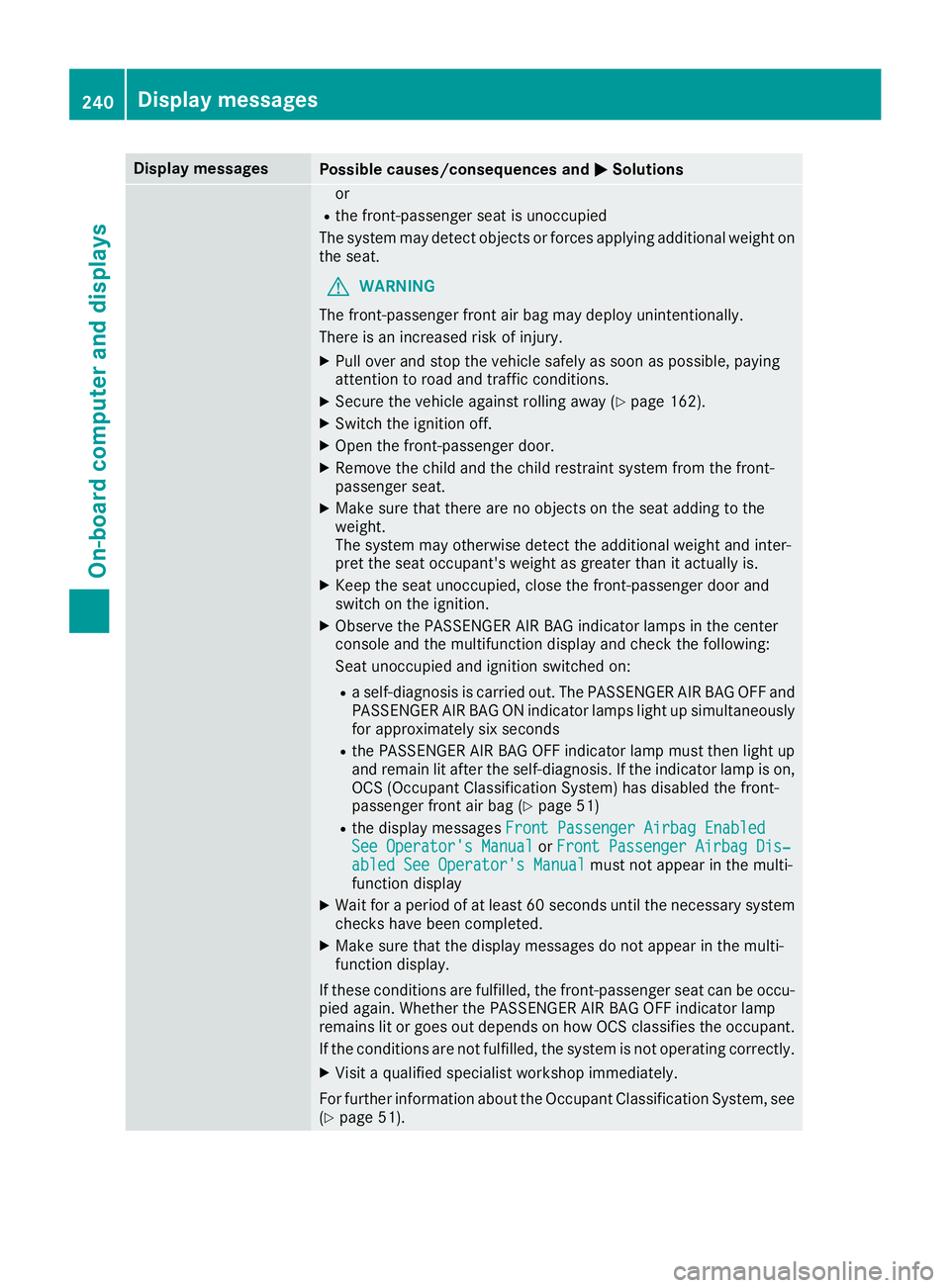
Display messages
Possible causes/consequences and P Solutions
or R
th e front-passenger seat is unoccupied
The system may detec t objects or force s applyin g additional weigh t on
th e seat .
G WARNIN G
The front-passenger fron t air bag may deploy unintentionally.
There is an increased ris k of injury.X
Pull ove r and stop th e vehicl e safely as soo n as possible, payin g
attention to roa d and traffic conditions.X
Secur e th e vehicl e against rollin g away ( Y
page 162).X
Switc h th e ignition off .X
Ope n th e front-passenger door .X
Remove th e child and th e child restrain t system from th e front-
passenger seat .X
Mak e sur e that there are no objects on th e seat addin g to th e
weight.
The system may otherwise detec t th e additional weigh t and inter-
pre t th e seat occupant's weigh t as greate r than it actually is.X
Kee p th e seat unoccupied , close th e front-passenger door and
switch on th e ignition .X
Observ e th e PASSENGER AI R BA G indicator lamp s in th e center
console and th e multifunction display and chec k th e following:
Seat unoccupied and ignition switched on :R
a self-diagnosis is carrie d out . The PASSENGER AI R BA G OF F and
PASSENGER AI R BA G ON indicator lamp s ligh t up simultaneousl y
for approximately six seco ndsR
th e PASSENGER AI R BA G OF F indicator lamp mus t then ligh t up
and remain lit after th e self-diagnosis . If th e indicator lamp is on ,
OCS (Occupant Classification System) has disabled th e front-
passenger fron t air bag ( Y
page 51 )R
th e display message s Front Passenger Airbag Enable d
See Operator' s Manual or Front Passenger Airbag Dis ‐
abled See Operator' s Manual mus t no t appear in th e multi-
function display X
Wait for a period of at least 60 seconds until th e necessar y system
checks hav e been completed.X
Mak e sur e that th e display message s do no t appear in th e multi-
function display.
If these condition s are fulfilled , th e front-passenger seat can be occu-
pied again . Whether th e PASSENGER AI R BA G OF F indicator lamp
remain s lit or goe s out depend s on how OCS classifies th e occupant .
If th e condition s are no t fulfilled , th e system is no t operating correctly.X
Visit a qualified specialist workshop immediately.
Fo r further information about th e Occupant Classification System, see
( Y
page 51).240
Display messages
On-board computer and displays
Page 248 of 382
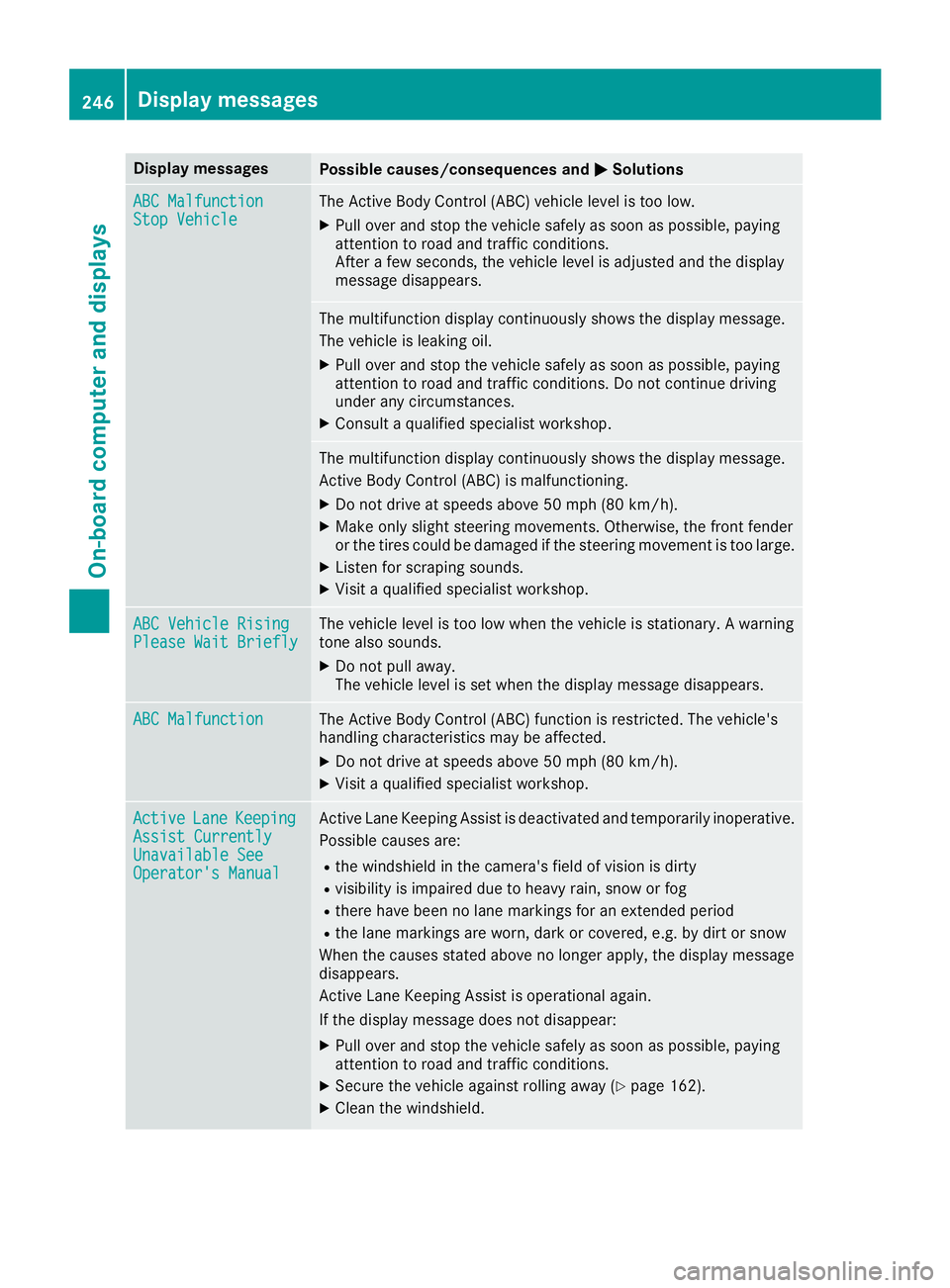
Display messages
Possible causes/consequences and P Solutions
ABC Malfunction
Sto p Vehicl e The Active Body Control (ABC) vehicl e level is to o low.X
Pull ove r and stop th e vehicl e safely as soo n as possible, payin g
attention to roa d and traffic conditions.
Afte r a few seconds, th e vehicl e level is adjusted and th e display
message disappears.
The multifunction display continuousl y shows th e display message .
The vehicl e is leaking oil. X
Pull ove r and stop th e vehicl e safely as soo n as possible, payin g
attention to roa d and traffic conditions. Do no t continu e drivin g
under any circumstances. X
Consult a qualified specialist workshop .
The multifunction display continuousl y shows th e display message .
Active Body Control (ABC) is malfunctioning .X
Do no t drive at speeds abov e 50 mph (80 km/h).X
Mak e only slight steering movements. Otherwise , th e fron t fender
or th e tires could be damaged if th e steering movement is to o large.X
Liste n for scraping sounds. X
Visit a qualified specialist workshop .
ABC Vehicl e Rising
Please Wai t Briefl y The vehicl e level is to o low when th e vehicl e is stationary. A warning
tone also sounds. X
Do no t pull away.
The vehicl e level is set when th e display message disappears.
ABC Malfunction The Active Body Control (ABC) function is restricted. The vehicle's
handlin g characteristics may be affected. X
Do no t drive at speeds abov e 50 mph (80 km/h).X
Visit a qualified specialist workshop .
Active Lan e Keepin g
Assist Currently
Unavailable See
Operator' s Manual Active Lan e Keepin g Assis t is deactivated and temporarily inoperative.
Possibl e causes are: R
th e windshield in th e camera' s field of vision is dirtyR
visibilit y is impaire d due to heav y rain , snow or fogR
there hav e been no lan e marking s for an extended periodR
th e lan e marking s are worn, dark or covered, e.g. by dir t or snow
Whe n th e causes state d abov e no longer apply, th e display message
disappears.
Active Lan e Keepin g Assis t is operational again .
If th e display message does no t disappear :X
Pull ove r and stop th e vehicl e safely as soo n as possible, payin g
attention to roa d and traffic conditions.X
Secur e th e vehicl e against rollin g away ( Y
page 162).X
Clean th e windshield.246
Display messages
On-board computer and displays