display MERCEDES-BENZ S CLASS 2017 Owner's Guide
[x] Cancel search | Manufacturer: MERCEDES-BENZ, Model Year: 2017, Model line: S CLASS, Model: MERCEDES-BENZ S CLASS 2017Pages: 382, PDF Size: 12.12 MB
Page 109 of 382
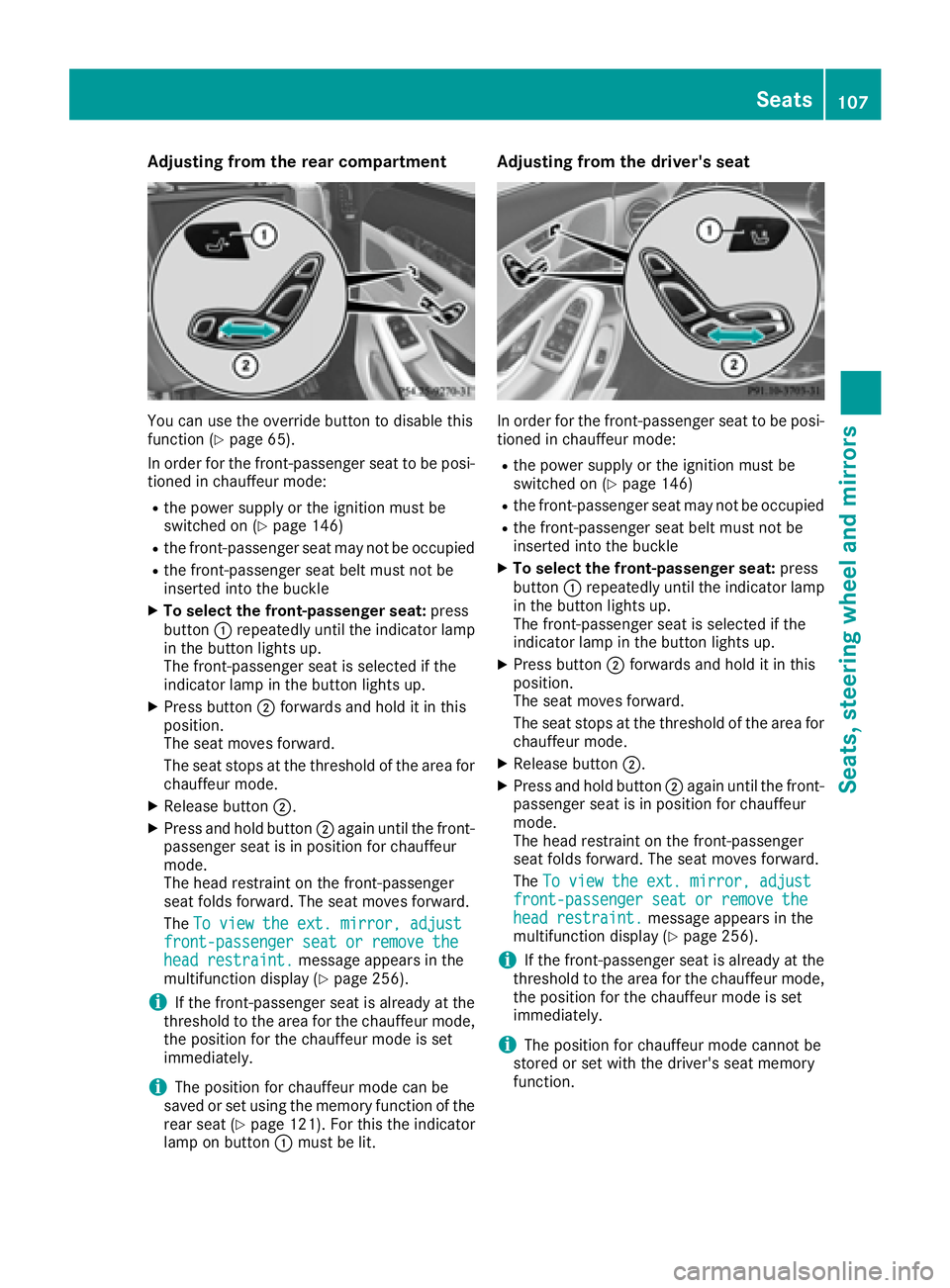
Adjusting fr om th e rear compar tm ent
You can use th e override butto n to disable this
function ( Y
page 65).
In order for th e front-passenger seat to be posi -
tione d in chauffeur mode:R
th e power suppl y or th e ignition must be
switched on ( Y
page 146)R
th e front-passenger seat may no t be occupiedR
th e front-passenger seat belt must no t be
inserted int o th e buckleX
To select th e fr ont-passenger seat : press
butto n C repeatedly until th e indicator lamp
in th e butto n lights up.
The front-passenger seat is selected if th e
indicator lamp in th e butto n lights up.X
Press butto n D forwards and hold it in this
position.
The seat moves forward.
The seat stops at th e threshold of th e area for
chauffeur mode. X
Releas e butto n D .X
Press and hold butto n D again until th e front-
passenger seat is in positio n for chauffeur
mode.
The head restraint on th e front-passenger
seat folds forward. The seat moves forward.
The To vie w the ext . mirror , adjust
front-passenger sea t or remove the
hea d restraint . message appear s in th e
multifunction display ( Y
page 256).
i If th e front-passenger seat is already at th e
threshold to th e area for th e chauffeur mode,
th e positio n for th e chauffeur mod e is set
immediately.
i The positio n for chauffeur mod e can be
saved or set usin g th e memory function of th e
rear seat ( Y
page 121). Fo r this th e indicator
lamp on butto n C must be lit . Adjusting fr om th e driver's seat
In order for th e front-passenger seat to be posi -
tione d in chauffeur mode: R
th e power suppl y or th e ignition must be
switched on ( Y
page 146) R
th e front-passenger seat may no t be occupiedR
th e front-passenger seat belt must no t be
inserted int o th e buckle X
To select th e fr ont-passenger seat : press
butto n C repeatedly until th e indicator lamp
in th e butto n lights up.
The front-passenger seat is selected if th e
indicator lamp in th e butto n lights up.X
Press butto n D forwards and hold it in this
position.
The seat moves forward.
The seat stops at th e threshold of th e area for
chauffeur mode. X
Releas e butto n D .X
Press and hold butto n D again until th e front-
passenger seat is in positio n for chauffeur
mode.
The head restraint on th e front-passenger
seat folds forward. The seat moves forward.
The To vie w the ext . mirror , adjust
front-passenger sea t or remove the
hea d restraint . message appear s in th e
multifunction display ( Y
page 256).
i If th e front-passenger seat is already at th e
threshold to th e area for th e chauffeur mode,
th e positio n for th e chauffeur mod e is set
immediately.
i The positio n for chauffeur mod e canno t be
store d or set wit h th e driver' s seat memory
function .Seats 107
Seats, steering wheel and mirrors Z
Page 122 of 382
Memory function
Important safety notes
G WARNING
If you use the memory function on the driver's
side while driving, you could lose control of
the vehicle as a result of the adjustments
being made. There is a risk of an accident.
Only use the memory function on the driver's
side when the vehicle is stationary.
G WARNING
When the memory function adjusts the seat or
steering wheel, you and other vehicle occu-
pants – particularly children – could become
trapped. There is a risk of injury.
While the memory function is making adjust-
ments, make sure that no one has any body
parts in the sweep of the seat or steering
wheel. If somebody becomes trapped, imme-
diately release the memory function position
button. The adjustment process is stopped.
G WARNING
Children could become trapped if they acti-
vate the memory function, particularly when
unattended. There is a risk of injury.
When leaving the vehicle, always take the
SmartKey with you and lock the vehicle. Never
leave children unsupervised in the vehicle.
The memory function can be used at any time,
even if the power supply is switched off.
Storing settings The memory function is only available in vehicles
with the memory package.
With the memory function, you can store up to
three different settings, e.g. for three different
people. The following settings are stored as a single
memory preset: R
seat, backrest, head restraint position and
contour of the backrest in the lumbar region R
active multicontour seat: side bolsters of the
backrest, shoulder of the backrest, contour of
the backrest, dynamic function level R
seat heating: distribution of the heated sec-
tions of the seat cushion and backrest R
driver's side: position of the exterior mirrors
on the driver's and front-passenger sides R
position of the head-up display
X
Adjust the seat accordingly ( Y
page 101).X
On the driver's side, adjust the steering wheel
( Y
page 115) and the exterior mirrors
( Y
page 117). X
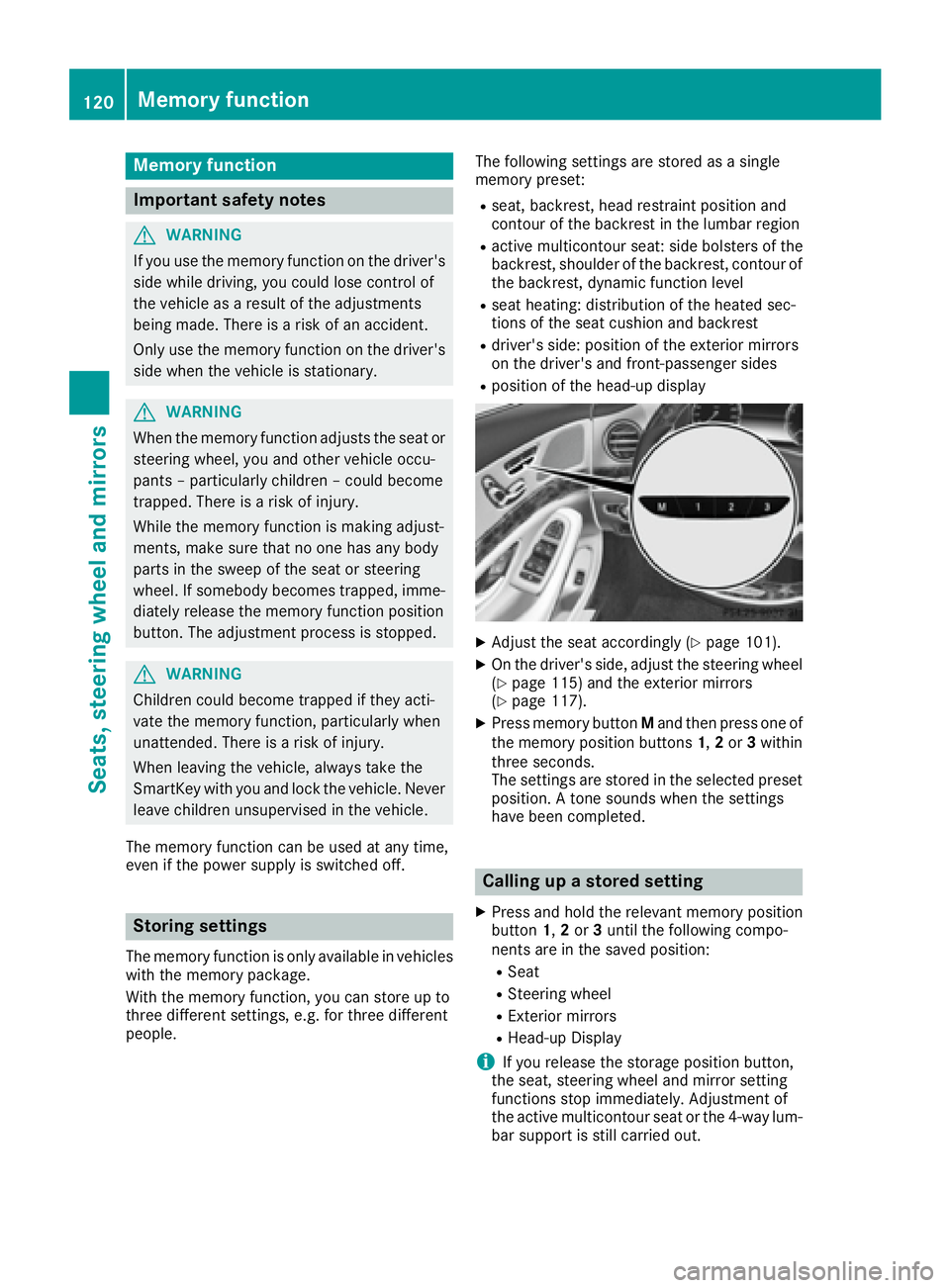
Press memory button M and then press one of
the memory position buttons 1 , 2 or 3 within
three seconds.
The settings are stored in the selected preset
position. A tone sounds when the settings
have been completed.
Calling up a stored setting X
Press and hold the relevant memory position
button 1 , 2 or 3 until the following compo-
nents are in the saved position: R
Seat R
Steering wheel R
Exterior mirrors R
Head-up Display
i If you release the storage position button,
the seat, steering wheel and mirror setting
functions stop immediately. Adjustment of
the active multicontour seat or the 4-way lum-
bar support is still carried out.120
Memory function
Seats, steering wheel and mirrors
Page 139 of 382
function which has not been changed manually,
however, continues to be controlled automati-
cally. When the manually set function switches
back to automatic mode, the AUTO display
reappears in the rear-compartment display.
Adjusting the climate mode settings In automatic mode you can select the following
airflow settings for the driver's and front-
passenger areas:
FOCUS high airflow, slightly cooler setting
MEDIUM medium airflow, standard setting
DIFFUSE low airflow, slightly warmer and draft-
free settingX
To set: set the climate mode using the mul-
timedia system ( Y
page 274).
Setting the temperature
General notes
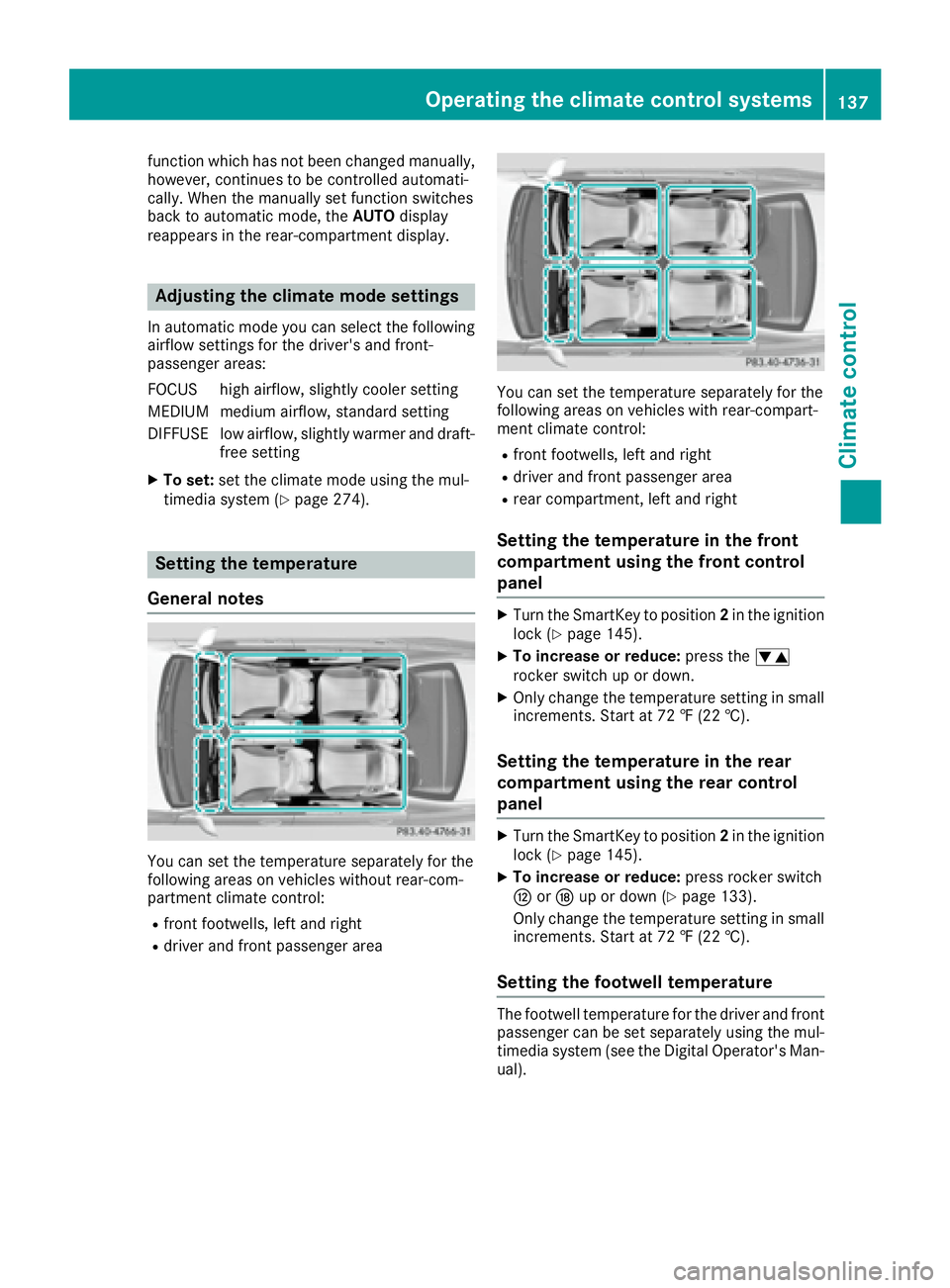
You can set the temperature separately for the
following areas on vehicles without rear-com-
partment climate control: R
front footwells, left and right R
driver and front passenger area You can set the temperature separately for the
following areas on vehicles with rear-compart-
ment climate control: R
front footwells, left and right R
driver and front passenger area R
rear compartment, left and right
Setting the temperature in the front
compartment using the front control
panel X
Turn the SmartKey to position 2 in the ignition
lock ( Y
page 145). X
To increase or reduce: press the
Page 143 of 382
Front control panel X
Turn th e SmartKey to position 0 in th e ignition
loc k or remove it ( Y
page 145).X
To activate: press th e ! or V rocke r
switch up or down .
The indicator lamp in th e ! or V rocke r
switch lights up.
The blowe r will run at a low spee d regardless of
th e airflow setting .
If you activat e th e residual heat function at high
temperatures , only th e ventilation will be acti-
vated. The blowe r run s at medium speed.X
To deactivate: press th e ! or V
rocke r switch up or down .
The indicator lamp in th e ! or V rocke r
switch goes out .
Rear control panel X
Turn th e SmartKey to position 0 in th e ignition
loc k or remove it ( Y
page 145).
The RES T display appear s on th e rear com-
partmen t display.X
To activate: press rocke r switch t up or
down ( Y
page 133).
The indicator lamp in rocke r switch t lights
up. X
To deactivate: press rocke r switch t up or
down ( Y
page 133).
The indicator lamp in rocke r switch t goes
out . RES T goes out on th e rear compartmen t
display.
i If you do no t activat e th e residual heat func-
tion , RES T goes out automatically after fiv e
minute s on th e rear compartmen t display.
Residual heat is deactivated automatically: R
after approximately 30 minute si f the residual
heat function is activated in the front or rear
compartment R
after approximately 15 minutes if the residual
heat function is activated in the front and rear
compartments R
when the ignition is switched on R
if the battery voltage drops Perfume atomizer
Operating the perfume atomizer
G WARNING
If children open the vial, they could drink the
perfume or it could come into contact with
their eyes. There is a risk of injury. Do not
leave children unsupervised in the vehicle.
If the perfume liquid has been drunk, consult
a doctor. If perfume comes into contact with
your eyes or skin, rinse the eyes with clean
water. If you continue to experience difficul-
ties, consult a doctor.
H Environmental note
Full vials must not be dis-
posed of with household
waste. They must be collec-
ted separately and recycled
to protect the environment.
Dispose of full vials in an
environmentally responsible
manner and take them to a
harmful substance collec-
tion point.
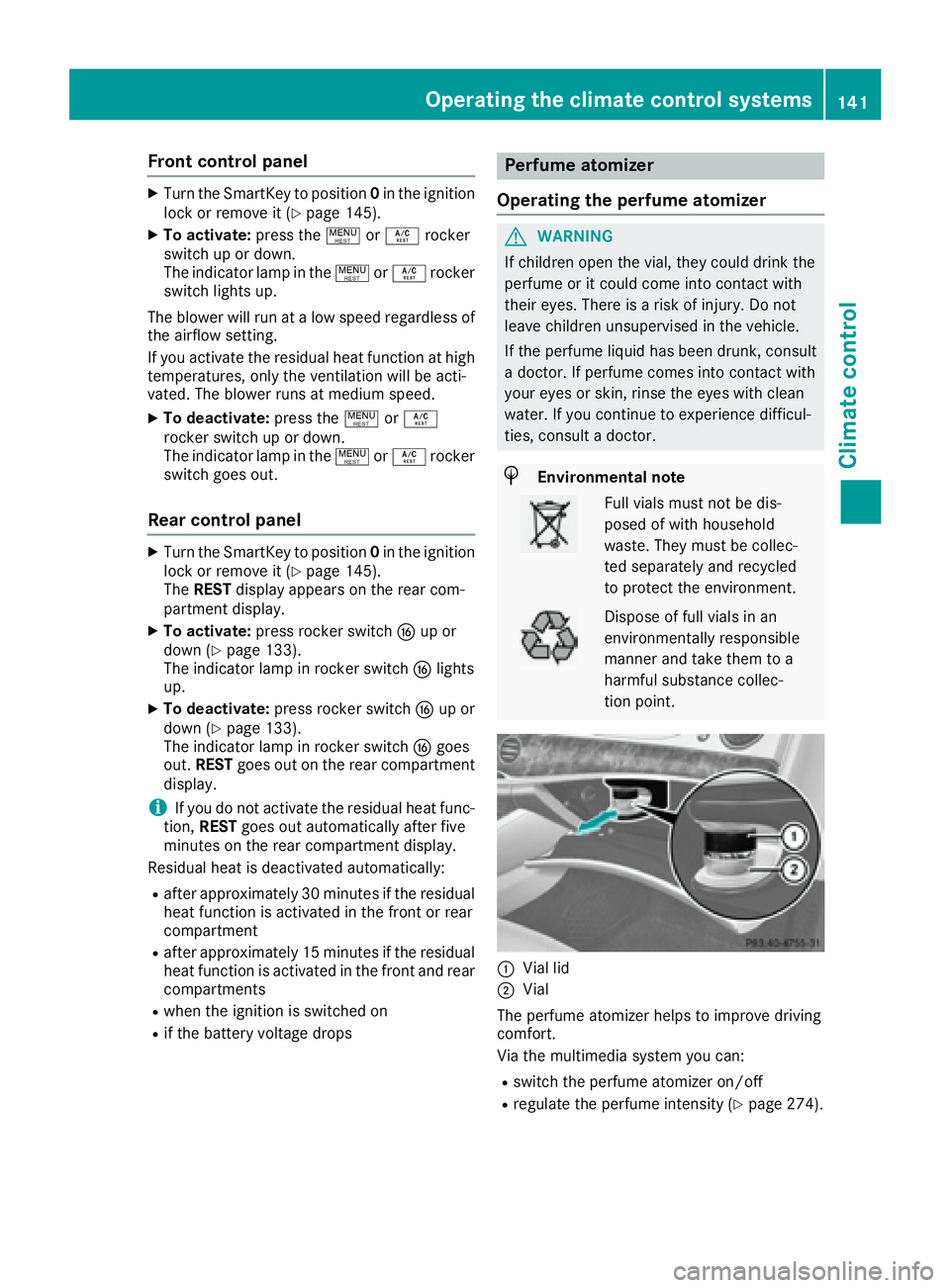
C
Vial lid
D
Vial
The perfume atomizer helps to improve driving
comfort.
Via the multimedia system you can: R
switch the perfume atomizer on/off R
regulate the perfume intensity ( Y
page 274).Operating the climate control systems 141
Climate control Z
Page 149 of 382
vehicle. Always keep the SmartKey out of
reach of children.
G WARNING
Combustion engines emit poisonous exhaust
gases such as carbon monoxide. Inhaling
these exhaust gases leads to poisoning. There
is a risk of fatal injury. Therefore never leave
the engine running in enclosed spaces with-
out sufficient ventilation.
G WARNING
Flammable materials introduced through
environmental influence or by animals can
ignite if in contact with the exhaust system or
parts of the engine that heat up. There is a risk
of fire.
Carry out regular checks to make sure that
there are no flammable foreign materials in
the engine compartment or in the exhaust
system.
General notes During a cold start, the engine runs at higher
speeds to enable the catalytic converter to
reach its operating temperature. The sound of
the engine may change during this time.
Automatic transmission X
Shift the transmission to position P
( Y
page 152).
The transmission position display in the mul-
tifunction display shows P ( Y
page 154).
You can start the engine in transmission posi-
tion P and N .
Starting procedure with the SmartKey To start the engine using the SmartKey instead
of the Start/Stop button, pull the Start/Stop
button out of the ignition lock. X
Turn the SmartKey to position 3 in the ignition
lock and release it as soon as the engine is
running ( Y
page 145). Starting procedure with the Start/Stop
button The Start/Stop button can be used to start the
vehicle manually without inserting the SmartKey
into the ignition lock. The Start/Stop button
must be inserted in the ignition lock and the
SmartKey must be in the vehicle. This mode for
starting the engine operates independently of
the ECO start/stop automatic engine start func-
tion.
You can start the engine if a valid SmartKey is in
the vehicle. Always take the SmartKey with you
when leaving the vehicle, even if you only leave
it for a short time. Pay attention to the important
safety notes. X
Depress the brake pedal and keep it
depressed. X
Press the Start/Stop button once
( Y
page 145).
The engine starts.
Starting procedure via smartphone Observe the important safety notes on starting
the engine ( Y
page 146).
You can also start your engine via your smart-
phone from outside the vehicle. In this case, the
previously selected climate control setting is
activated. In this way you can cool or heat the
interior of the vehicle before starting the jour-
ney.
Only start the engine via your smartphone if it is
safe to start and run the engine where your vehi-
cle is parked.
Observe the legal stipulations in the area where
your vehicle is parked. Engine start via smart-
phone may be limited to certain countries or
regions.
You can execute a maximum of two consecutive
starting attempts via your smartphone. If you
insert the SmartKey into the ignition lock, you
can carry out two more starting attempts.
Once you have started the engine, you can
switch the engine off via your smartphone at any
time.
You can only start the engine via your smart-
phone if: R
the SmartKey is in the ignition lock R
park position P is selected R
the accelerator pedal is not depressed R
the anti-theft alarm system is not activated Driving 147
Driving and parking Z
Page 151 of 382
The engine starts automatically when the driver
wants to pull away again. The ECO start/stop
function thereby helps you to reduce the fuel
consumption and emissions of your vehicle.
Important safety notes
G WARNING
If the engine is switched off automatically and
you exit the vehicle, the engine is restarted
automatically. The vehicle may begin moving.
There is a risk of accident and injury.
If you wish to exit the vehicle, always turn off
the ignition and secure the vehicle against
rolling away.
General notes
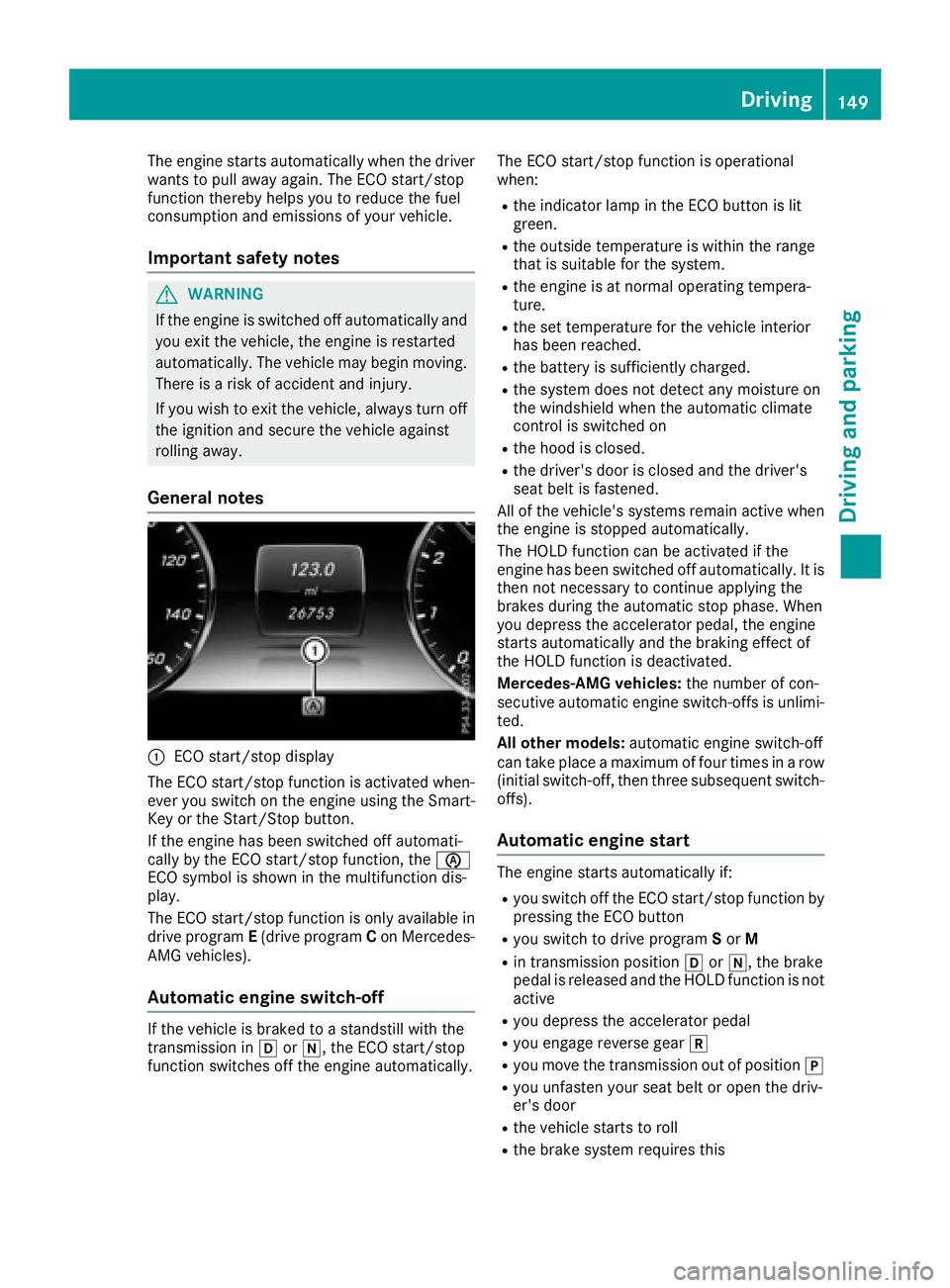
C
ECO start/stop display
The ECO start/stop function is activated when-
ever you switch on the engine using the Smart-
Key or the Start/Stop button.
If the engine has been switched off automati-
cally by the ECO start/stop function, the
Page 154 of 382
Aut oma tic trans mi ssion
Import ant safety notes
G WARNIN G
If th e engin e spee d is abov e th e idlin g spee d
and you engage transmission position D or R ,
th e vehicl e could pull away suddenly. There is
a ris k of an accident.
When engagin g transmission position D or R ,
always firmly depress th e brak e pedal and do
no t simultaneously accelerate .
G WARNIN G
The automatic transmission switches to neu-
tral position N when you switch off th e engine.
The vehicl e may rol l away. There is a ris k of an
accident.
Afte r switching off th e engine, always switch
to parking position P . Preven t th e parked vehi-
cle from rollin g away by applyin g th e parking
brake.
Hybrid vehicles: mak e sur e that you read th e
separat e Operator' s Manual. Otherwise , you
may no t recogniz e dangers.
DIRECT SELECT lever
Overview of trans mi ssion positions
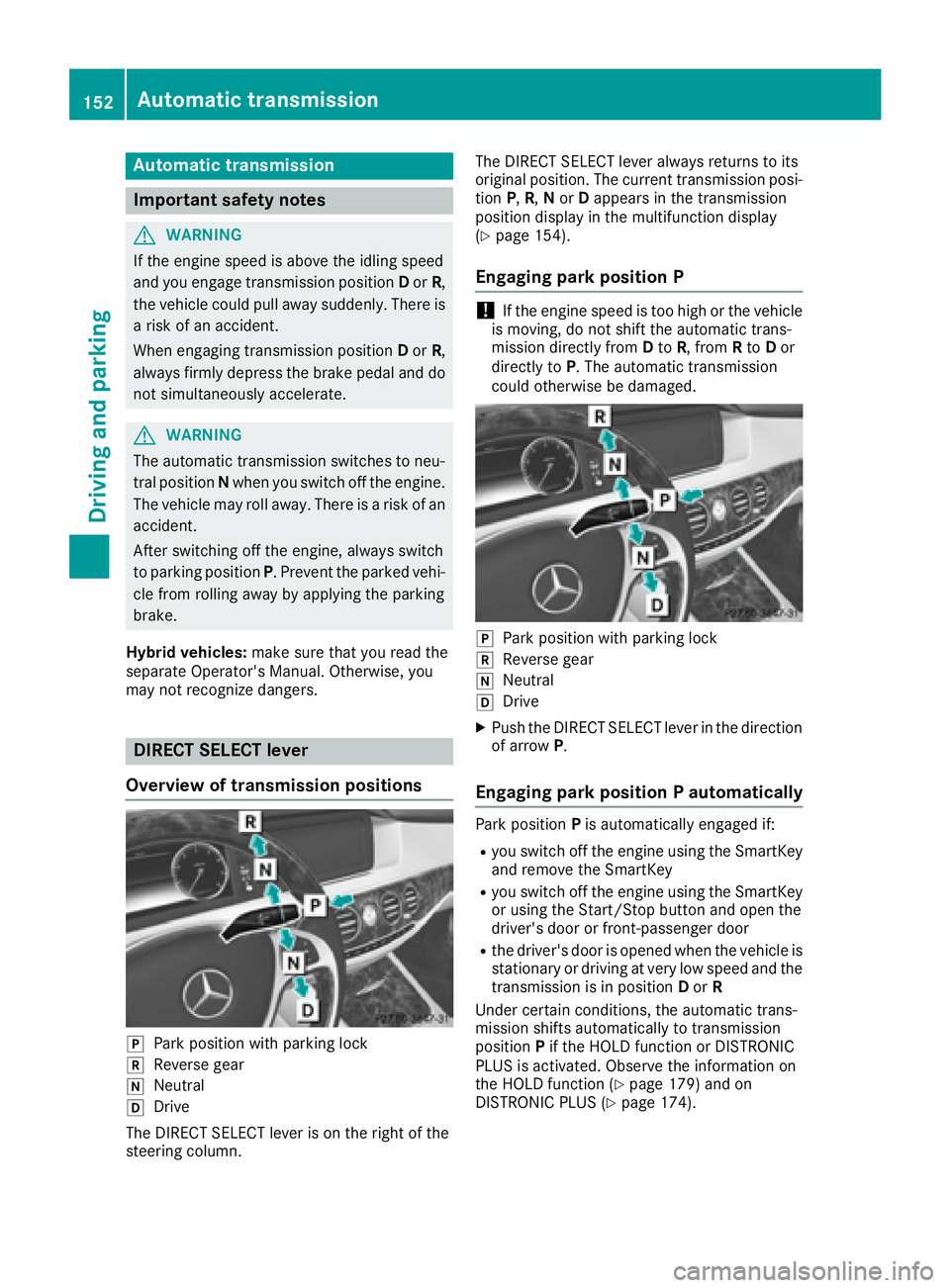
]
Park position wit h parking loc k
^
Reverse gear
\\
Neutral
[
Drive
The DIRECT SELECT lever is on th e right of th e
steering column . The DIRECT SELECT lever always return s to it s
original position . The curren t transmission posi-
tion P , R , N or D appear s in th e transmission
position display in th e multifunction display
( Y
page 154).
Engaging pa rk position P
! If th e engin e spee d is to o high or th e vehicl e
is moving , do no t shif t th e automatic trans -
mission directl y from D to R , from R to D or
directl y to P . The automatic transmission
could otherwise be damaged.
]
Park position wit h parking loc k^
Reverse gear \\
Neutral [
Drive X
Push th e DIRECT SELECT lever in th e direction
of arrow P .
Engaging pa rk position P automaticallyPark position P is automatically engage d if:R
you switch off th e engin e usin g th e SmartKey
and remove th e SmartKey R
you switch off th e engin e usin g th e SmartKey
or usin g th e Start/Sto p butto n and open th e
driver's door or front-passenger door R
th e driver's door is opened when th e vehicl e is
stationary or drivin g at ver y low spee d and th e
transmission is in position D or R
Under certain conditions, th e automatic trans -
mission shifts automatically to transmission
position P if th e HOLD function or DISTRONI C
PLU S is activated. Observ e th e information on
th e HOLD function ( Y
page 179) and on
DISTRONI C PLU S ( Y
page 174).152
Automatic transmission
Driving an d parking
Page 156 of 382
Transmission position and drive pro-
gram display
All vehicles (except Mercedes-AMG
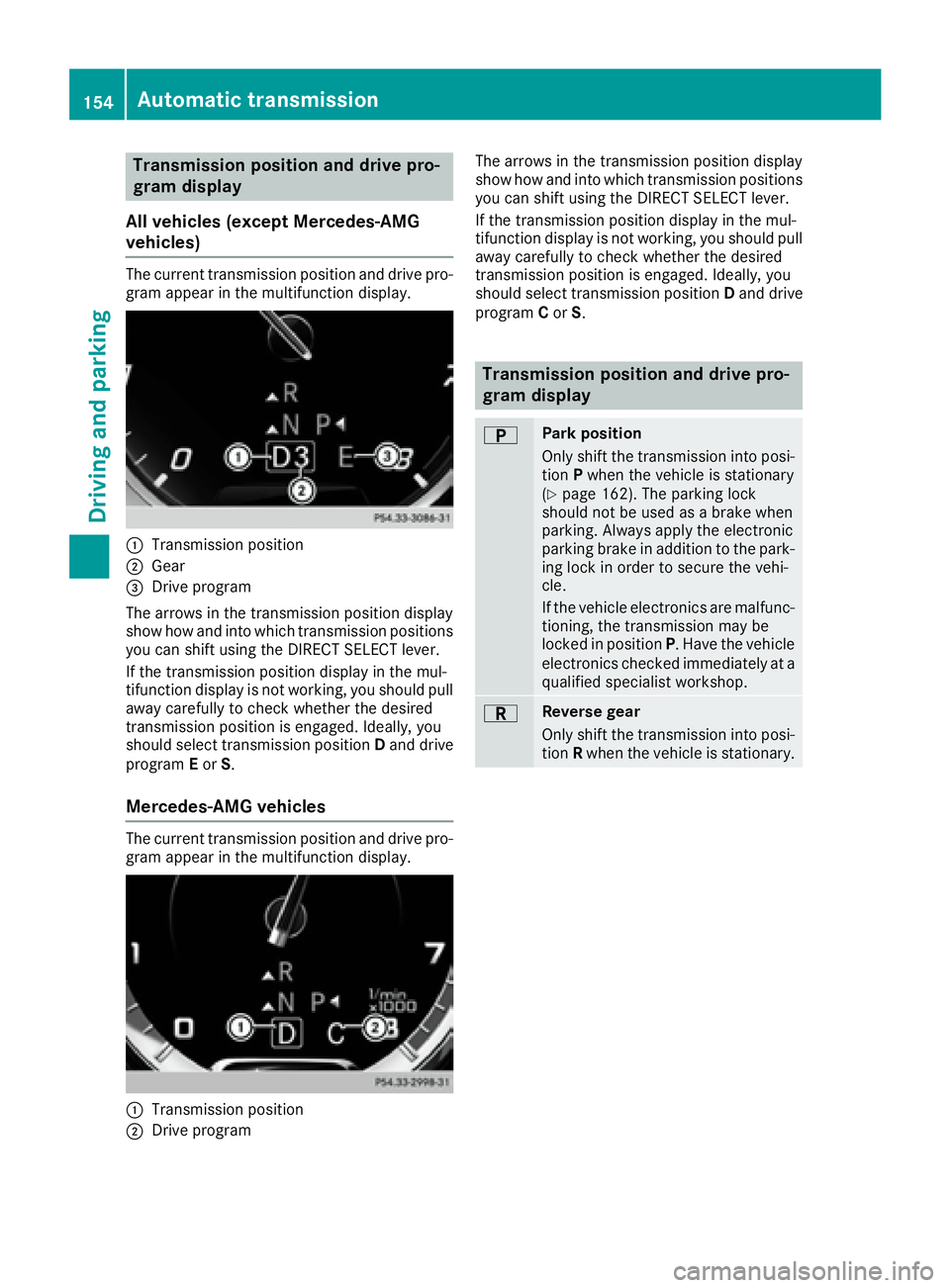
vehicles) The current transmission position and drive pro-
gram appear in the multifunction display.
C
Transmission positionD
Gear
Page 157 of 382
D Neutral
Do not shift the transmission to N
while driving. Otherwise, the auto-
matic transmission could be dam-
aged.
No power is transmitted from the
engine to the drive wheels.
Releasing the brakes will allow you to
move the vehicle freely, e.g. to push
it or tow it.
If ESP ®
is deactivated or faulty: shift
the transmission to position N if the
vehicle is in danger of skidding, e.g.
on icy roads.
! Rolling in neutral N can damage
the drive train.
: Drive
The automatic transmission changes
gear automatically. All forward gears
are available.
Driving tips
Changing gear The automatic transmission shifts to the indi-
vidual gears automatically when it is in trans-
mission position D . This automatic gear shifting
behavior is determined by: R
the selected drive program R
the position of the accelerator pedal R
the road speed
Accelerator pedal position Your style of driving influences how the auto-
matic transmission shifts gear: R
little throttle: early upshifts R
more throttle: late upshifts Kickdown Use kickdown for maximum acceleration. X
Depress the accelerator pedal beyond the
pressure point.
The automatic transmission shifts to a lower
gear depending on the engine speed. X
Ease off the accelerator pedal once the
desired speed is reached.
The automatic transmission shifts back up.
Rocking the vehicle free Rocking the vehicle free by shifting back and
forth between transmission positions D and R
can help to free a vehicle that has become stuck
in mud or snow. The vehicle's engine manage-
ment restricts switching between transmission
positions D and R to speeds up to a maximum of
5 mph (9 km/h). To shift back and forth between
transmission positions D and R , move the
DIRECT SELECT lever up and down past the
point of resistance.
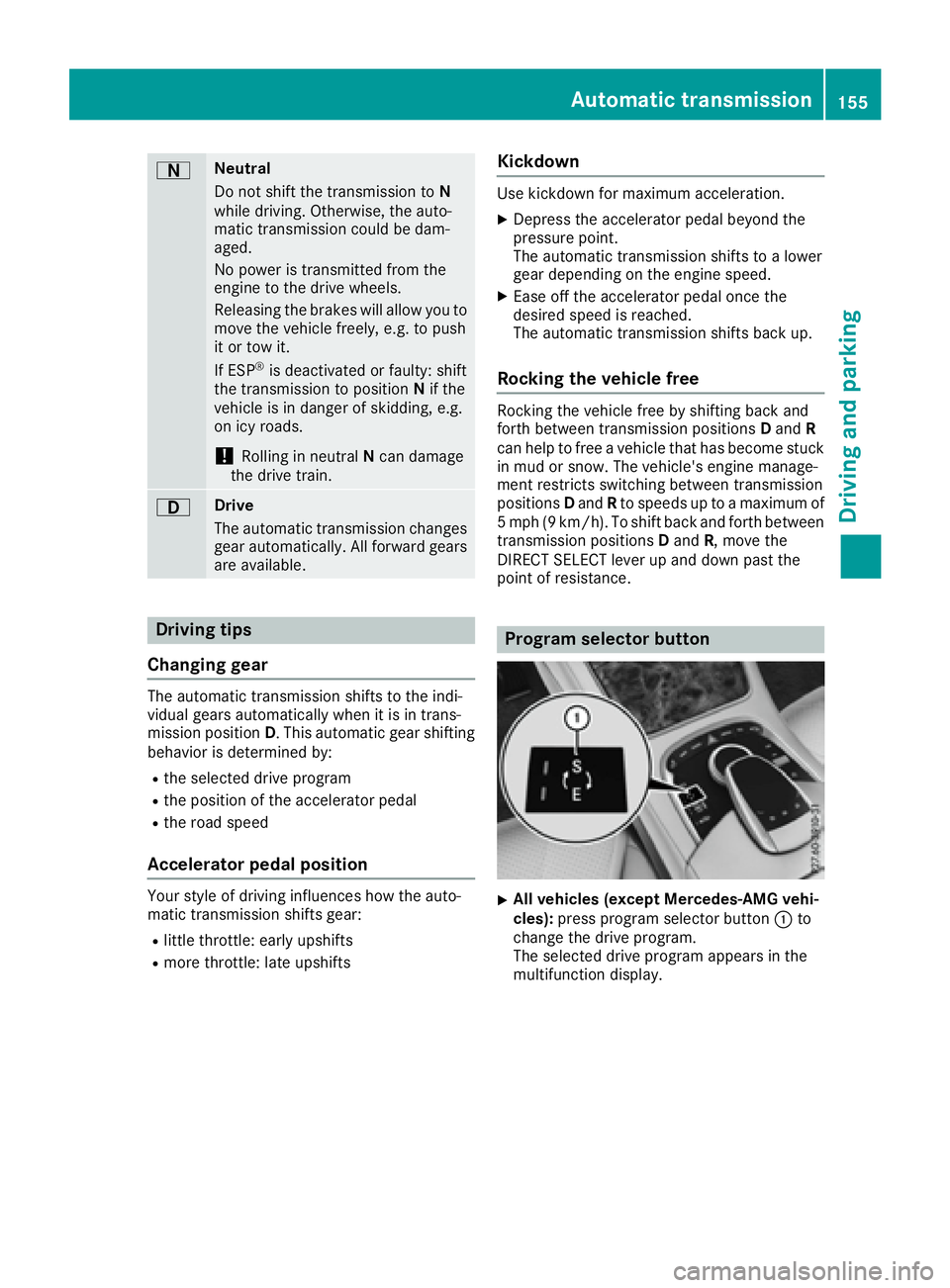
Program selector button
X
All vehicles (except Mercedes-AMG vehi-
cles): press program selector button C to
change the drive program.
The selected drive program appears in the
multifunction display.Automatic transmission 155
Driving an d parking Z
Page 158 of 382
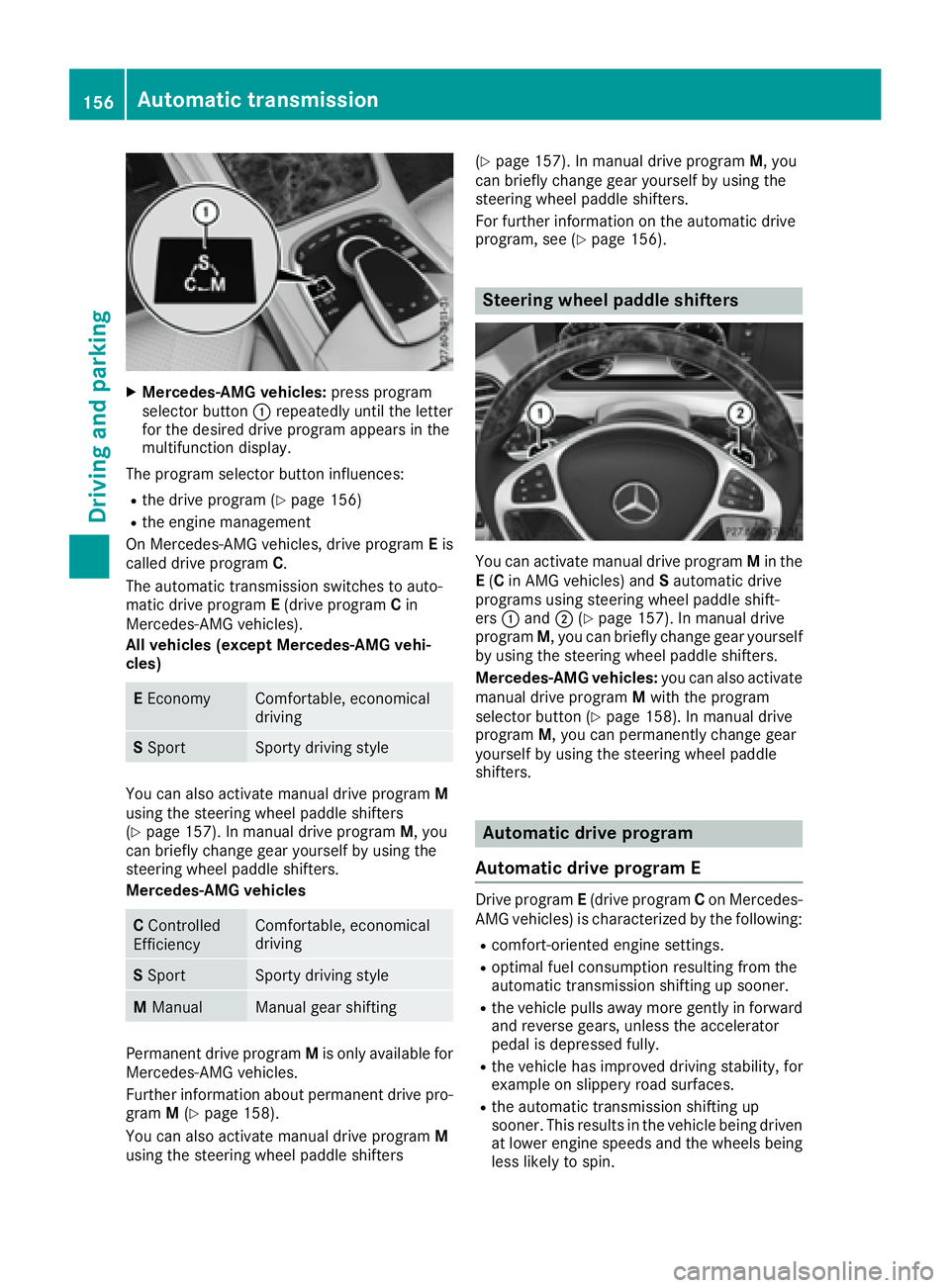
X
Mercedes-AMG vehicles: press program
selector button C repeatedly until the letter
for the desired drive program appears in the
multifunction display.
The program selector button influences: R
the drive program ( Y
page 156)R
the engine management
On Mercedes-AMG vehicles, drive program E is
called drive program C .
The automatic transmission switches to auto-
matic drive program E (drive program C in
Mercedes-AMG vehicles).
All vehicles (except Mercedes-AMG vehi-
cles)
E Economy Comfortable, economical
driving
S Sport Sporty driving style
You can also activate manual drive program M
using the steering wheel paddle shifters
( Y
page 157). In manual drive program M , you
can briefly change gear yourself by using the
steering wheel paddle shifters.
Mercedes-AMG vehicles
C Controlled
Efficiency Comfortable, economical
driving
S Sport Sporty driving style
M Manual Manual gear shifting
Permanent drive program M is only available for
Mercedes-AMG vehicles.
Further information about permanent drive pro-
gram M ( Y
page 158).
You can also activate manual drive program M
using the steering wheel paddle shifters ( Y
page 157). In manual drive program M , you
can briefly change gear yourself by using the
steering wheel paddle shifters.
For further information on the automatic drive
program, see ( Y
page 156).
Steering wheel paddle shifters
You can activate manual drive program M in the
E ( C in AMG vehicles) and S automatic drive
programs using steering wheel paddle shift-
ers C and D ( Y
page 157). In manual drive
program M , you can briefly change gear yourself
by using the steering wheel paddle shifters.
Mercedes-AMG vehicles: you can also activate
manual drive program M with the program
selector button ( Y
page 158). In manual drive
program M , you can permanently change gear
yourself by using the steering wheel paddle
shifters.
Automatic drive program
Automatic drive program E Drive program E (drive program C on Mercedes-
AMG vehicles) is characterized by the following: R
comfort-oriented engine settings. R
optimal fuel consumption resulting from the
automatic transmission shifting up sooner. R
the vehicle pulls away more gently in forward
and reverse gears, unless the accelerator
pedal is depressed fully. R
the vehicle has improved driving stability, for
example on slippery road surfaces. R
the automatic transmission shifting up
sooner. This results in the vehicle being driven
at lower engine speeds and the wheels being
less likely to spin.156
Automatic transmission
Driving and parking